

The best Elation Health alternatives are EHRs that fit your specialty, team size, charting needs, and billing workflows. This guide compares options across clinical features, practice operations, and pricing fit so you can narrow your choices. Before switching, consider how each system handles implementation and day-to-day care, including prescribing, patient communication, and billing.
What Is Elation Health?
Elation Health is an electronic health record (EHR) and practice management platform designed for independent primary care practices. It combines clinical documentation, e-prescribing, lab and imaging connections, referral management, telehealth, scheduling, patient communication, and billing workflows. Its clinical and administrative tools support day-to-day care and practice operations, though its fit depends on your specialty, workflows, and pricing needs.
Comparison Table: Elation Health Alternatives
Compare pricing and specs side by side for the Elation Health alternatives that made it onto my shortlist.
Why Trust Our Software Recommendations
6,700+
Reviews
20
Industry experts
16+
Evaluation factors
14
Years
Our team has been testing and reviewing software since 2012. As medical practice leaders ourselves, we know how difficult—and important—it is to choose the right software.
For this guide, we evaluated tools using hands-on testing and independent research, scoring tools using our selection criteria.
Our reviews reflect our human editorial judgment, not a sales pitch.
Elation Health Alternatives Reviews
Below are my summaries of the best Elation Health alternatives on my shortlist. I compare each EHR system’s features, billing workflows, and pricing to help you choose the right fit.
 Best for specialty-specific EHR with native API access
- Free demo available
- Pricing upon request
Visit WebsiteCustomer Rating:4.4/5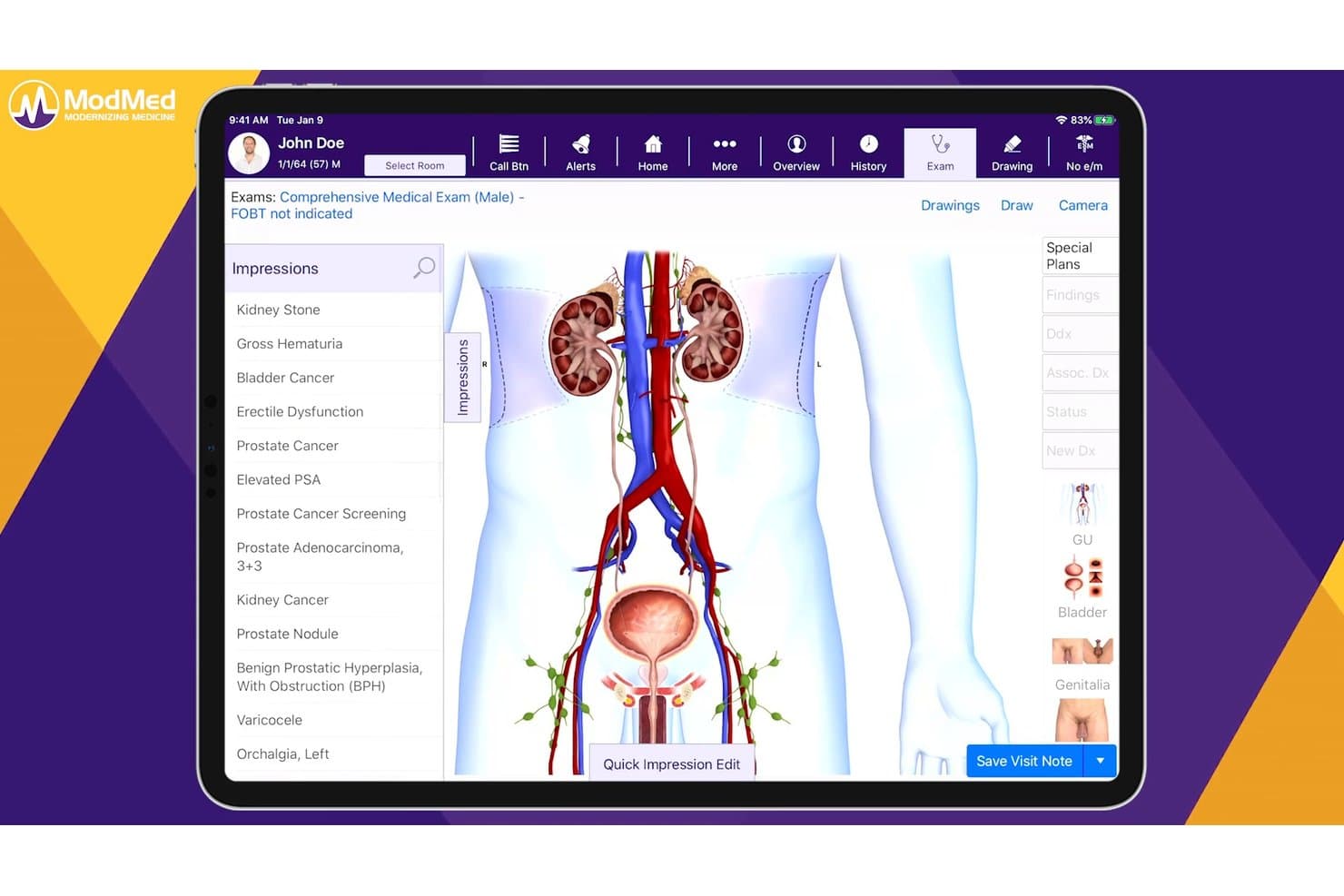
ModMed lets urologists document impressions with visual anatomy tools. For specialty practices managing clinical and administrative workflows, ModMed combines specialty-focused EHR software with patient engagement, revenue cycle, and practice management tools.
Who Is ModMed Best For?
ModMed suits specialty practices that need EHR workflows tailored to their field and native API access to connect systems.
Why I Picked ModMed
I picked ModMed as an Elation Health alternative because EMA offers EHR workflows for specialties such as dermatology, orthopedics, and gastroenterology. Its proprietary API supports reading, searching, creating, and updating data in EMA and Practice Management, so third-party applications can connect to operational workflows. That fits its USP: Best for specialty-specific EHR with native API access.
ModMed Key Features
- AI clinical documentation: ModMed Scribe 2.0 turns patient-provider conversations into suggested clinical actions.
- Analytics and reporting: Reports cover missed appointments, code distributions, reimbursement trends, and MIPS progress.
- Patient self-scheduling: Patients can schedule appointments on their own.
- Patient communication: Tools support communication between patients and practice staff.
ModMed Integrations
ModMed supports lab interfaces with vendors including Quest Diagnostics, Labcorp, BioReference Laboratories, and Pathgroup, and connects practices to 1,200+ clinical lab entities through Change Healthcare. It also supports custom connections through its proprietary and Certified FHIR APIs, HL7 interfaces, and other implementation options.
Pros and Cons
Pros:
- Reviewers praise scheduling and chart navigation
- Notes and billing share one workflow
- Specialty templates fit dermatology and podiatry workflows
Cons:
- Clunky templates complicate wound-care documentation
- Users report slow support and delayed responses
Learn more about ModMed: Best for independent practices switching EHRs
- Free demo available
- Pricing upon request
Visit WebsiteCustomer Rating:4.5/5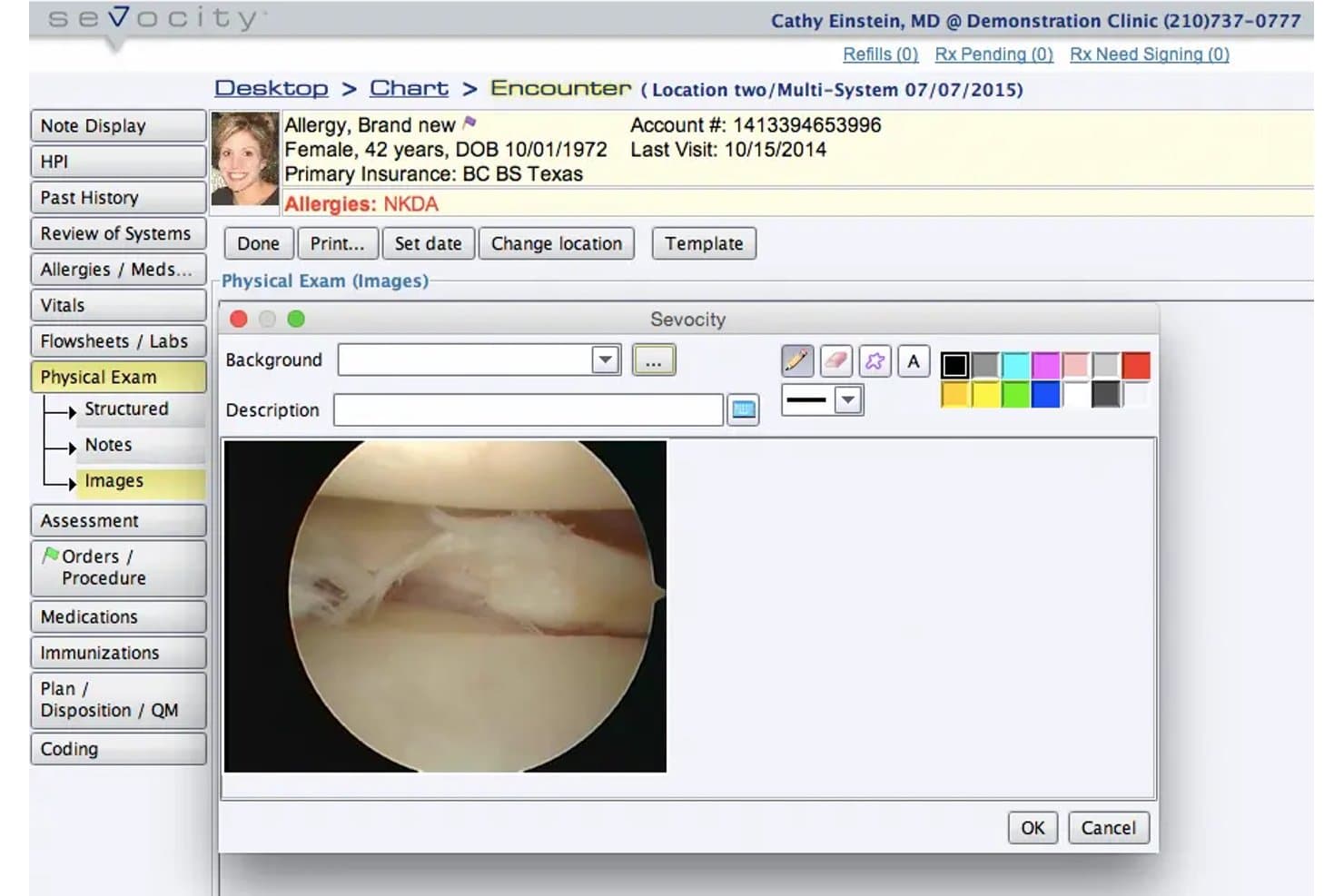
Sevocity lets users attach and annotate clinical images within patient charts. Sevocity is a cloud-based EHR for medical practices that need specialty-specific documentation, customizable templates, and connections to existing practice management, billing, and lab systems.
Who Is Sevocity Best For?
Independent medical practices replacing an EHR that need specialty-specific templates and connections to their existing practice management, billing, or lab systems.
Why I Picked Sevocity
I picked Sevocity as an Elation Health alternative for the fit “Best for independent practices switching EHRs.” Its EHR includes prebuilt content for 40+ specialties and unlimited custom templates, and it connects with existing practice management, billing, and lab systems.
Sevocity Key Features
- Appointment scheduling: Schedule visits and send appointment reminders.
- Claims management: Premier includes claims processing, electronic remittances, and automatic payment posting.
- Patient portal: Premier offers eForms, online payments, eStatements, and recall reminders.
- Telehealth: Premier includes telehealth with visit templates.
Sevocity Integrations
Sevocity supports interfaces with Quest Diagnostics, LabCorp, DrFirst, and Etactics, plus practice management systems such as AdvancedMD, Athena, Kareo, and PracticeSuite. It supports HL7 and FHIR R4 connectivity, with a FHIR API for patient-data read access.
Pros and Cons
Pros:
- Premier combines scheduling and claims management
- Reviewers praise responsive onboarding and training
- Provider-specific templates support specialty charting
Cons:
- Character mismatches can disrupt billing transfers
- Older interface complicates payment posting
Learn more about Sevocity: Best for solo practice usage-based pricing
- Free plan available
- From $25/month
Visit WebsiteCustomer Rating:4.2/5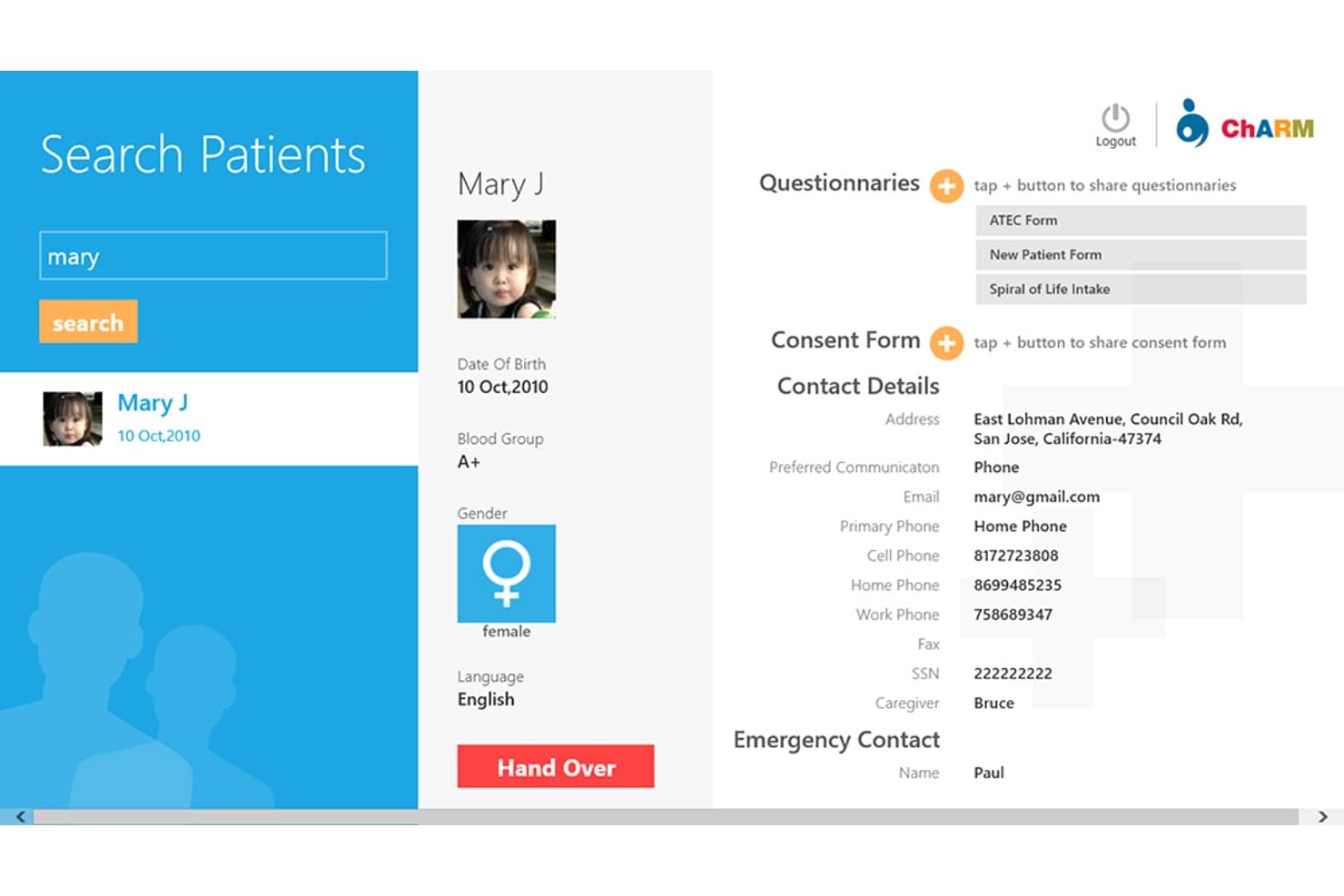
CharmHealth lets users search and view detailed patient profiles at a glance. CharmHealth is a cloud-based EHR and practice management platform for independent clinicians, combining clinical documentation, scheduling, billing, and patient communication in one system.
Who Is CharmHealth Best For?
Independent clinicians running a solo medical practice who want an EHR and practice-management tools with a free starting tier and the option to pay for what they need.
Why I Picked CharmHealth
I picked CharmHealth as an Elation Health alternative because its usage-based pricing and free starting tier fit a solo practice adding tools as needs grow. I like that its EHR combines clinical documentation and treatment plans with scheduling and billing, while its patient portal lets patients book appointments and access records.
CharmHealth Key Features
- e-Prescribing: Send prescriptions electronically and approve refill requests.
- Lab integration: Connect with LabCorp, Quest, and other labs through HL7 interfaces.
- Clinical decision support: Use customizable decision trees to guide chart annotations.
- Flowsheets: Track patient vitals and lab results across visits.
CharmHealth Integrations
CharmHealth supports lab interfaces with LabCorp, Quest Diagnostics, and other labs, plus external device connections such as Health-o-meter, Tanita, Valhalla, and InBody; its CharmHealthHub marketplace includes Fullscript. It also offers REST APIs for custom integrations.
Pros and Cons
Pros:
- Charts, billing, and patient portal share one system
- Scheduling includes reminders and patient self-booking
- Customizable charting templates fit varied workflows
Cons:
- SOAP note structure can constrain documentation
- Slow support responses delay troubleshooting
Learn more about CharmHealth: Best for specialty-specific charting and billing in one
- Free demo available
- Pricing upon request
Visit WebsiteCustomer Rating:4.1/5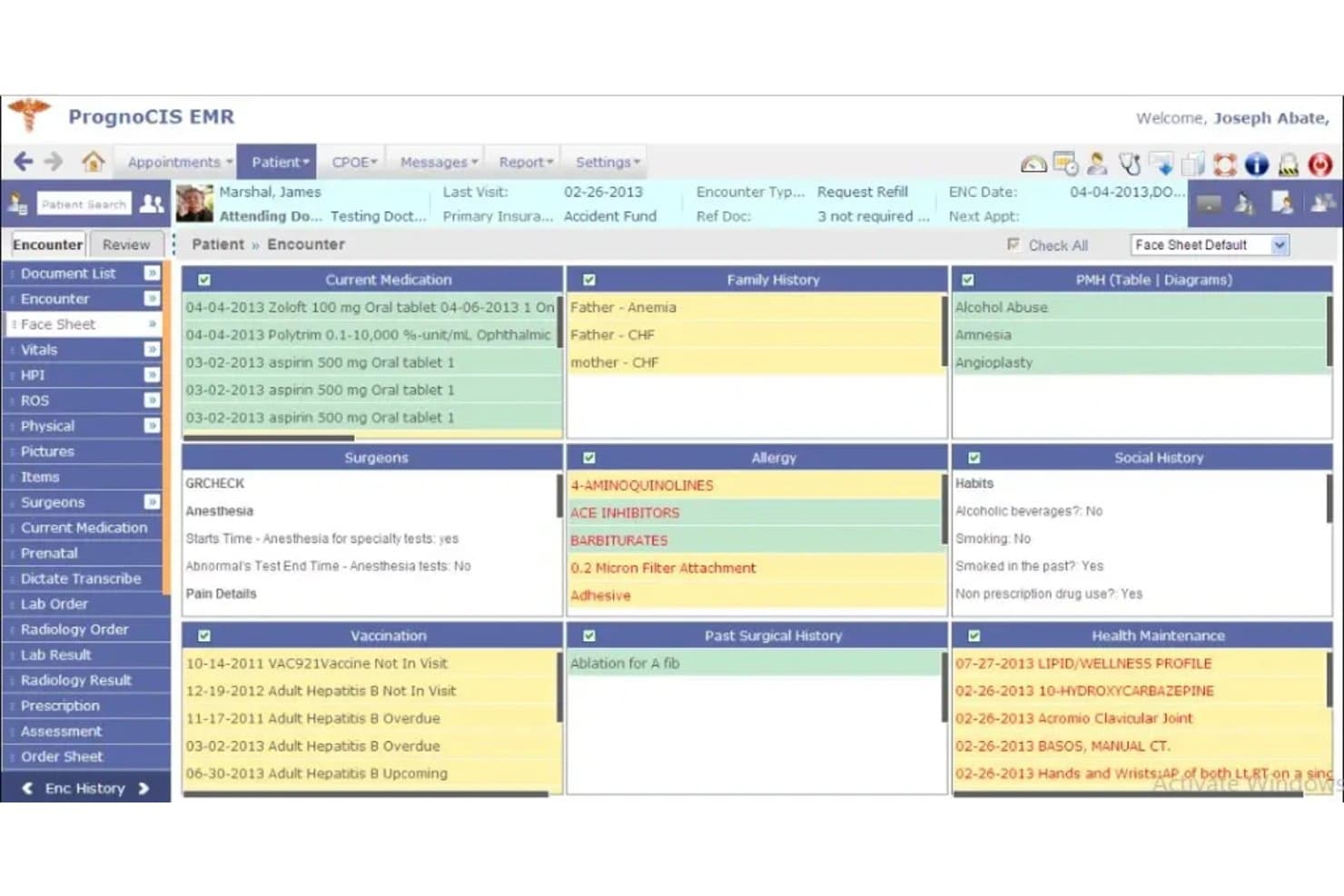
PrognoCIS centralizes patient history, allergies, and meds in one view. For ambulatory practices considering Elation Health alternatives, PrognoCIS is a cloud-based EHR and practice-management platform that brings clinical documentation, patient workflows, and billing tools into one system.
Who Is PrognoCIS Best For?
PrognoCIS suits ambulatory practices with multiple providers or locations that need cloud-based clinical and practice-management tools in one platform.
Why I Picked PrognoCIS
I picked PrognoCIS because it brings specialty-specific charting and billing in one, a practical distinction when comparing it with Elation Health. Its customizable specialty templates support tailored documentation, while charge capture and claim scrubbing connect clinical records to billing workflows. I like this fit for practices that need specialty charting and claims handled in the same system.
PrognoCIS Key Features
- E-prescribing: Send prescriptions electronically to pharmacies.
- Patient portal: Let patients access records, complete forms, schedule appointments, pay balances, and message providers.
- Telehealth: Offer virtual visits through the platform.
- Appointment scheduling: Manage patient appointments within the practice-management system.
PrognoCIS Integrations
PrognoCIS documents integrations with LabCorp, Quest, Cerner, CRISP, Athena Health PM, and TriZetto Provider Solutions, alongside other lab, radiology, HIE, and clearinghouse connections. It supports custom integrations and provides FHIR API documentation.
Pros and Cons
Pros:
- Remote browser access across clinic locations
- Integrated claim scrubbing and payment posting
- Custom specialty templates support focused charting
Cons:
- Support tickets may take days to resolve
- Template setup can disrupt progress note generation
Learn more about PrognoCIS: Best for independent practices with integrated RCM
- Free demo available
- Pricing upon request
Visit WebsiteCustomer Rating:3.8/5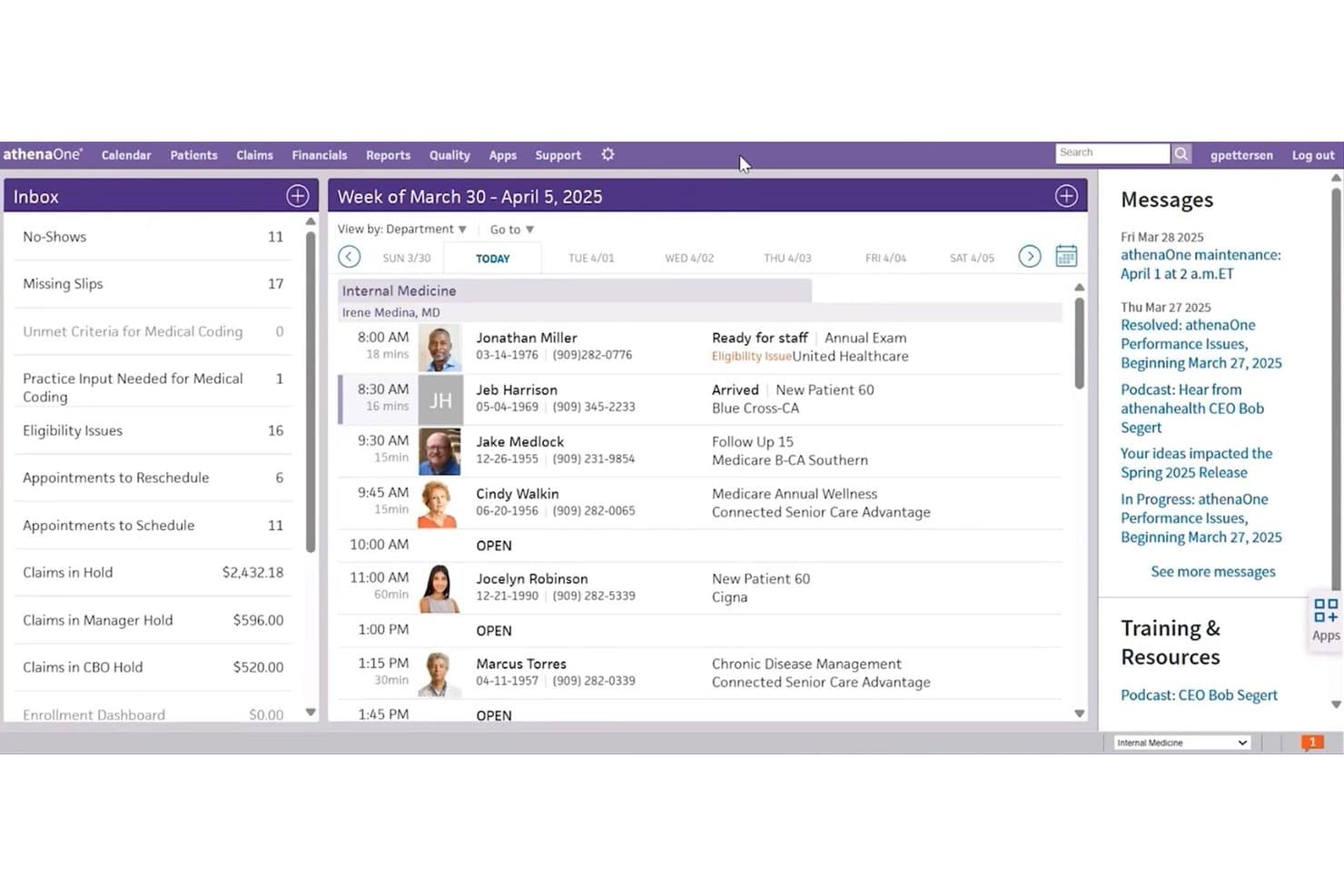
athenaOne centralizes scheduling and inbox tasks in one dashboard. athenaOne is an AI-powered EHR platform for independent medical practices, bringing clinical, revenue, and patient-engagement workflows together for teams managing multiple systems.
Who Is athenaOne Best For?
athenaOne suits independent practice leaders who want clinical and billing teams to work within one EHR and revenue cycle platform.
Why I Picked athenaOne
I picked athenaOne as an Elation Health alternative because it’s “Best for independent practices with integrated RCM.” Its AI-powered coding uses documentation and practice rules, while claim scrubbing flags errors before submission. When a payer denies a claim, automated denial advice explains likely coding issues and suggests next steps.
athenaOne Key Features
- Patient overview: Summarizes key patient information and changes for review during care.
- Mobile clinical tools: Gives clinicians iOS access to templates, macros, and order sets.
- Patient portal: Lets patients view health records, test results, visit summaries, and appointment details.
- Patient self-scheduling: Allows patients to schedule and manage appointments online.
athenaOne Integrations
athenaOne includes built-in data exchange with labs, pharmacies, payers, Carequality, and CommonWell Health Alliance, and its Marketplace offers hundreds of partner solutions. It also supports 800+ API endpoints, HL7 and C-CDA interfaces, and custom interfaces for connecting other systems.
Pros and Cons
Pros:
- Mobile charting supports clinicians on the go
- Patient scheduling and billing share one platform
- Claim scrubbing catches errors before submission
Cons:
- Interface slowdowns hinder chart navigation for some users
- Denial follow-up can require manual work
Learn more about athenaOne: Best for independent practice charting templates
- Free demo available
- From $199/user/month
Visit WebsiteCustomer Rating:3.7/5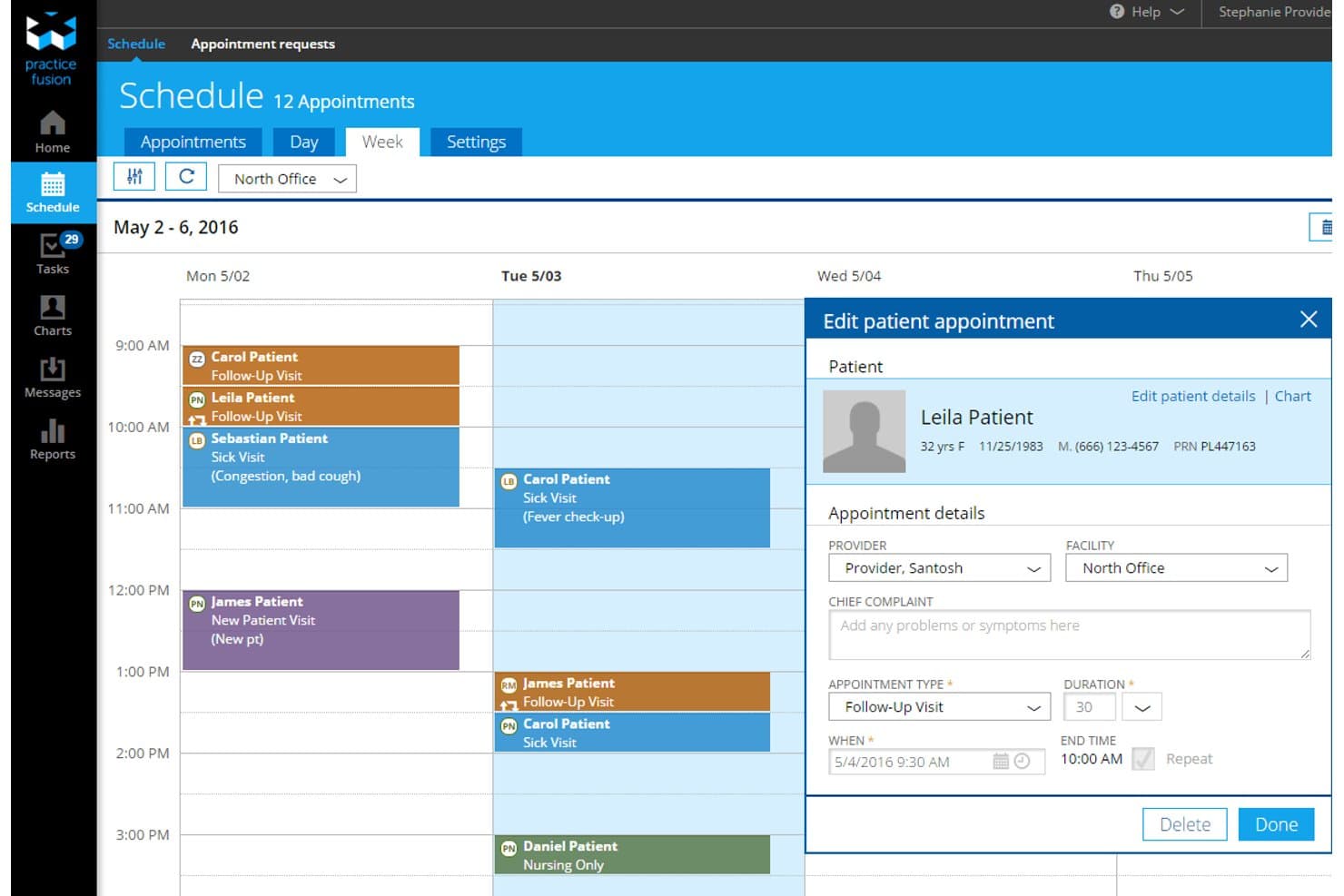
Practice Fusion lets users schedule and edit patient appointments by week. Practice Fusion is an EHR and billing platform for independent medical practices, combining clinical charting, e-prescribing, and billing tools for teams managing patient care and practice administration.
Who Is Practice Fusion Best For?
Solo physicians and small outpatient teams that need an EHR for documenting patient encounters in an independent practice.
Why I Picked Practice Fusion
I picked Practice Fusion as an Elation Health alternative because it’s Best for independent practice charting templates. I like that its library lets me copy, edit, and customize physician-built templates for different visit types, then share them across the practice. Custom shortcuts can insert whole templates or individual items, with patient details such as age populated dynamically.
Practice Fusion Key Features
- E-prescribing: Send prescriptions electronically and check for drug interactions and formulary information.
- Lab and imaging orders: Submit orders electronically and receive results in the patient chart.
- Appointment reminders: Send automatic reminders and schedule recurring appointments.
- Clinical reporting: Search chart notes, diagnoses, medications, prescriptions, and referrals.
Practice Fusion Integrations
Practice Fusion offers FHIR, Labs, Imaging, and Billing APIs for connecting third-party apps, laboratories, imaging centers, and billing systems. FHIR access requires an add-on; specific native integration vendors aren’t clearly documented.
Pros and Cons
Pros:
- E-prescribing checks interactions and formularies
- SOAP shortcuts populate patient details dynamically
- Provider-built templates are editable and shareable
Cons:
- Users report clunky notes and update glitches
- Support response can be difficult to reach
Learn more about Practice Fusion: Best for integrated billing and multi-specialty RCM
- Free demo available
- Pricing upon request
Visit WebsiteCustomer Rating:3.6/5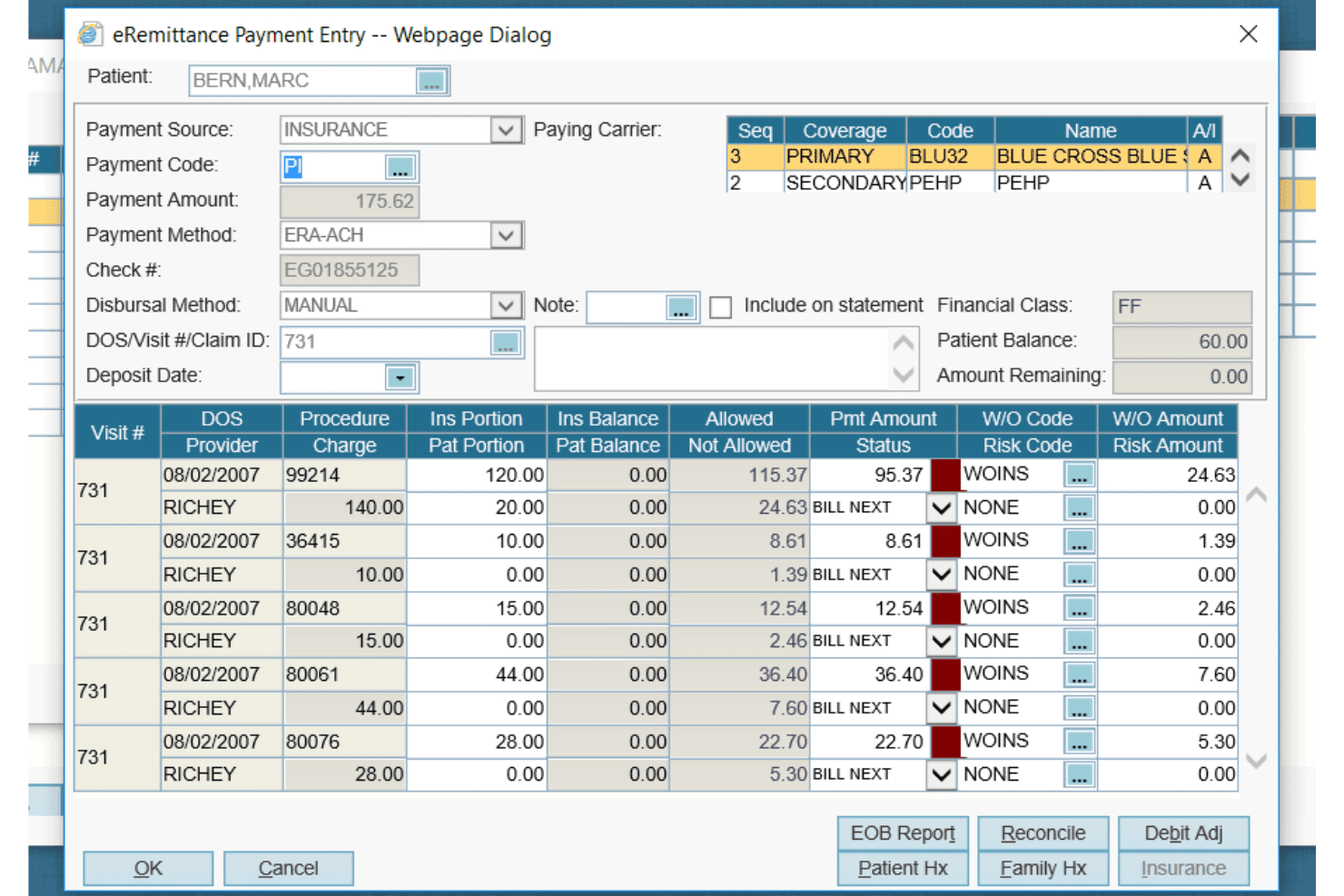
AdvancedMD offers a detailed eRemittance Payment Entry dialog for managing insurance billing, claim payments, and write-off codes per procedure. For independent practices comparing EHRs such as Elation Health, AdvancedMD combines clinical documentation, practice management, and patient engagement tools to coordinate care and administrative work across specialties.
Who Is AdvancedMD Best For?
AdvancedMD suits multi-specialty medical groups and billing teams that need clinical workflows connected to claims management and revenue cycle operations.
Why I Picked AdvancedMD
I picked AdvancedMD as an Elation Health alternative because it’s best for integrated billing and multi-specialty RCM. Its specialty-configurable workflows connect with automated claim scrubbing and revenue tracking across locations. I like that billing teams can follow work from the encounter through claim submission and payment.
AdvancedMD Key Features
- Intelligent scheduling**:** Aligns appointments with provider preferences.
- Ambient AI documentation**:** Transcribes visits and drafts clinical notes.
- Eligibility verification**:** Checks insurance eligibility in real time.
- Patient portal**:** Supports self-service intake, secure messaging, and payments.
AdvancedMD Integrations
AdvancedMD’s partner marketplace lists 1,400+ integration offerings and 50+ billing partners; documented ready-built CRM integrations include Apollo CRM, LeadSquared, LunaJoy, SuiteCRM, WebVehicle, and Zoho, while Salesforce requires a custom integration for each instance. AdvancedMD also provides Connect APIs for custom integrations, with access subject to developer agreements and fees.
Pros and Cons
Pros:
- Specialty-configurable workflows suit varied practices
- Financial dashboards span providers and locations
- Claim scrubbing supports complex multi-specialty billing
Cons:
- Setup and training can frustrate teams
- Users report inefficient e-prescribing workflows
 Best for multi-specialty AI-assisted charting
- Free demo available
- Pricing upon request
Visit WebsiteCustomer Rating:3.4/5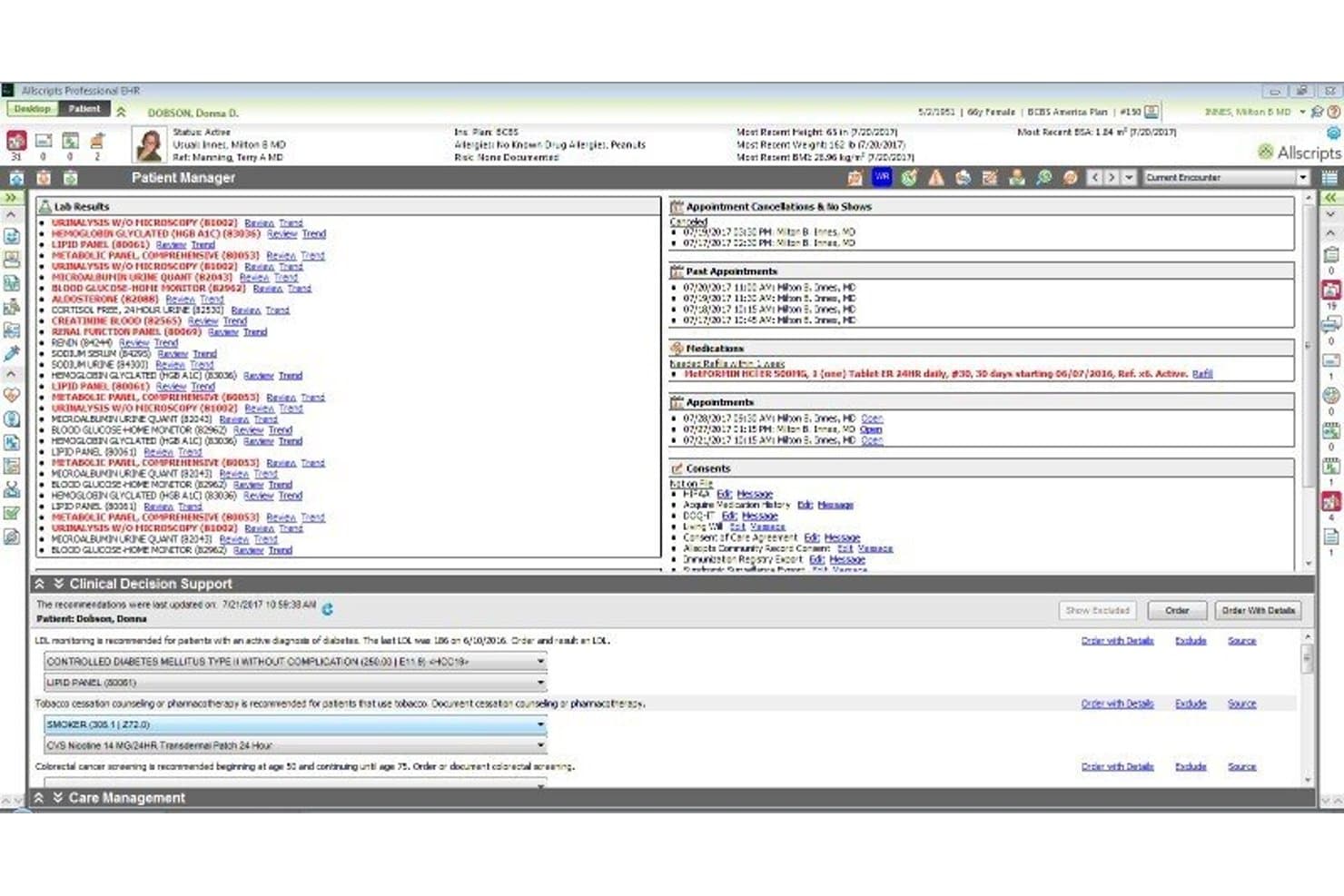
Veradigm EHR centralizes patient data, appointments, and clinical decisions. Veradigm EHR is a configurable ambulatory platform for specialty clinics that need tailored clinical workflows, visit documentation, and tools such as ambient scribing in one system.
Who Is Veradigm EHR Best For?
Veradigm EHR suits clinicians in multi-specialty ambulatory practices who want AI support while documenting patient visits.
Why I Picked Veradigm EHR
I picked Veradigm EHR as an Elation Health alternative (Best for multi-specialty AI-assisted charting) because Veradigm Ambient Scribe turns visit conversations into structured notes within the EHR workflow. I also value its specialty-specific content and one-click templates, which can populate charts with information from prior visits or conditions.
Veradigm EHR Key Features
- Smart lists: Suggest frequently ordered items for specific diagnoses based on ordering habits.
- Automated reporting: Generate reports for PQRS, PCMH, and FQHC submissions.
- Care plans and goals: Create and track patient-specific plans and goals.
- Telehealth integration: Support real-time video visits.
Veradigm EHR Integrations
Veradigm’s App Expo lists third-party applications compatible with Veradigm EHR, including Breg Vision, which uses Breg’s Unity API. Veradigm also supports custom integrations through its FHIR APIs.
Pros and Cons
Pros:
- One-click templates reuse prior-visit chart information
- Specialty workflows cover diverse ambulatory practices
- Ambient scribing creates structured notes in-EHR
Cons:
- Support responses can be slow or difficult
- Reviewers report crashes and frequent freezing
Learn more about Veradigm EHR: Best for practices needing billing built into charting
- Free demo available
- Pricing upon request
Visit WebsiteCustomer Rating:3.5/5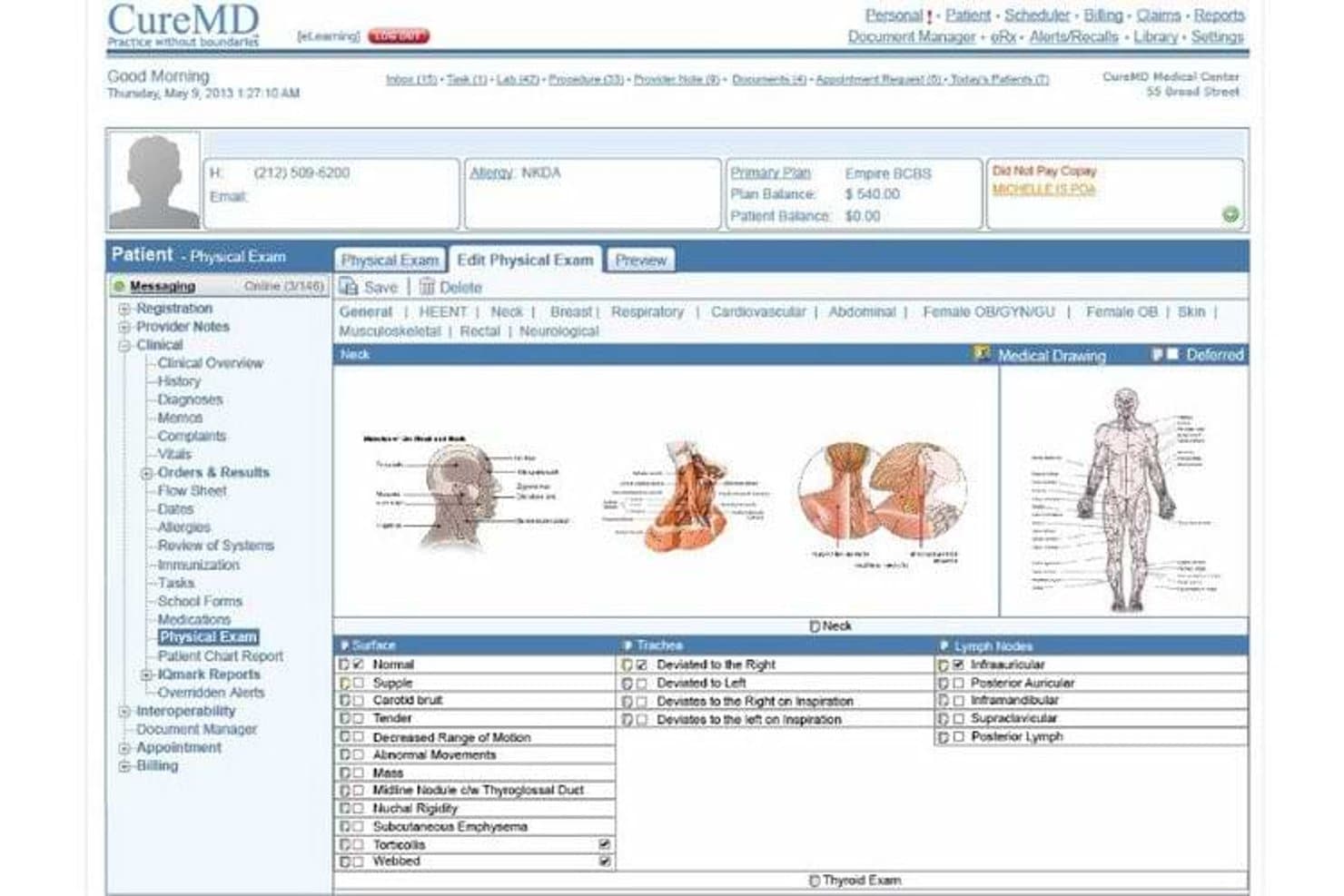
CureMD's physical exam module supports detailed neck assessments. CureMD is a cloud-based EHR and practice management platform for independent and specialty practices, combining specialty charting, scheduling, digital intake, and administrative tools in one system.
Who Is CureMD Best For?
CureMD suits independent specialty practices that want clinical and administrative teams to work from one patient record.
Why I Picked CureMD
I picked CureMD as an Elation Health alternative for one reason: Best for practices needing billing built into charting. Its specialty-specific charting works alongside automated billing and real-time eligibility checks, connecting visit documentation with billing workflows.
CureMD Key Features
- Scheduling: Manage appointments within the practice management system.
- Digital intake: Collect patient information through electronic intake forms.
- Patient portal: Give patients access to self-service portal tools.
- Mobile EHR: Access patient records through CureMD’s mobile EHR.
CureMD Integrations
CureMD supports connections with practice management, RCM, laboratory, imaging, and pharmacy systems through FHIR, HL7, and modern APIs. It provides FHIR API documentation for custom integrations, but doesn’t clearly identify specific third-party vendors as native integrations.
Pros and Cons
Pros:
- Scheduling keeps patient details organized
- Templates support specialty-specific visit workflows
- Billing works alongside specialty charting
Cons:
- Reviewers cite unhelpful implementation support
- Users report slow loading and freezes
Learn more about CureMD: Best for independent practices needing a built-in QHIN
- Free demo available
- Pricing upon request
Visit WebsiteCustomer Rating:3.4/5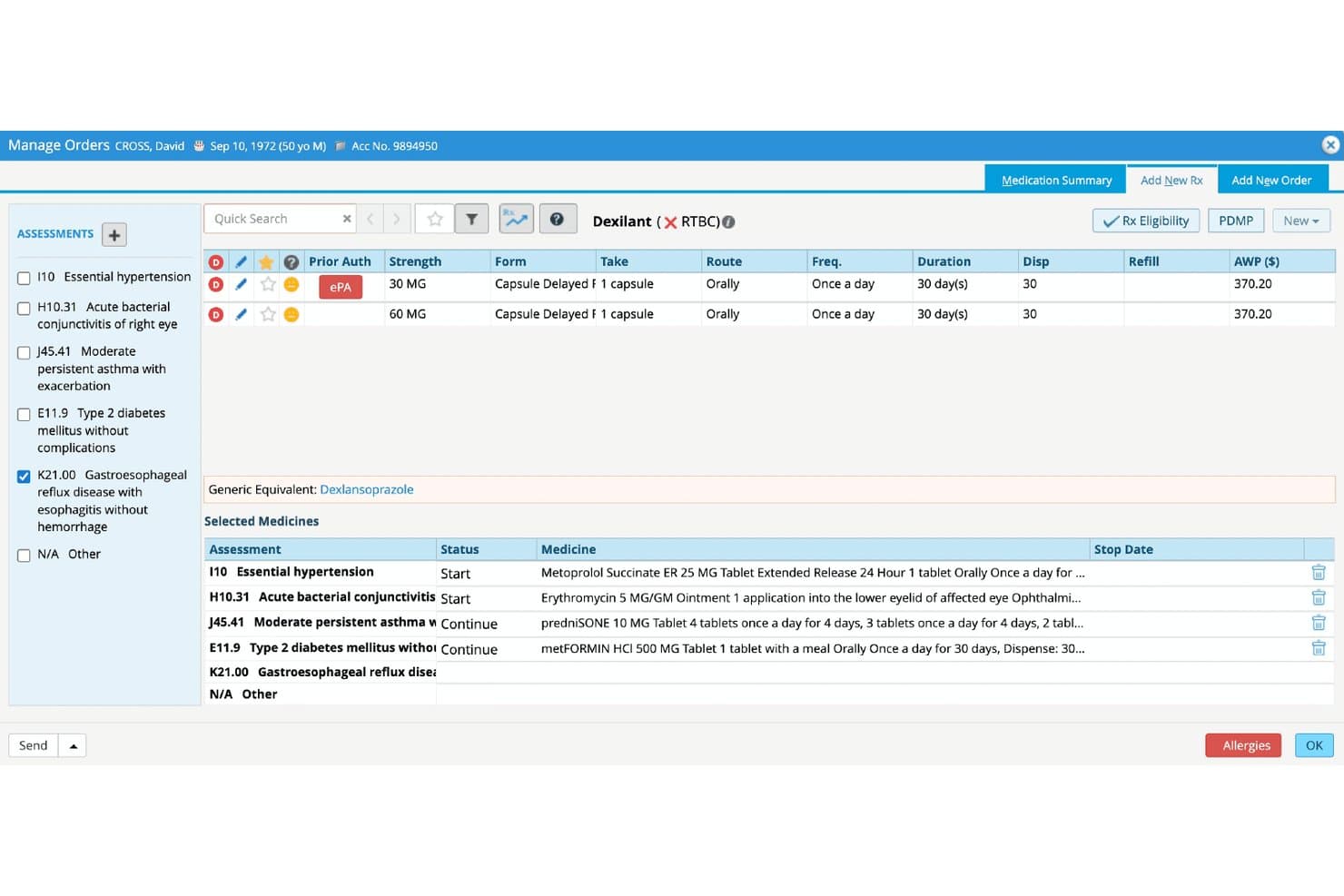
eClinicalWorks streamlines e-prescribing with prior auth and drug selection. eClinicalWorks is an ambulatory EHR for independent medical practices that brings clinical documentation, patient engagement, telehealth, and revenue cycle management into one platform.
Who Is eClinicalWorks Best For?
eClinicalWorks suits independent ambulatory practices that need to exchange patient records through a built-in Qualified Health Information Network (QHIN).
Why I Picked eClinicalWorks
I picked eClinicalWorks as an Elation Health alternative because it’s Best for independent practices needing a built-in QHIN. PRISMANet connects practices to TEFCA-based health information exchange, while the PRISMA search engine embedded in the EHR lets clinicians retrieve patient records across hospitals, clinics, nursing homes, and home care agencies.
eClinicalWorks Key Features
- Patient self-scheduling: Patients can book appointments online.
- Telehealth: healow TeleVisits supports remote visits.
- Clinical documentation: The EHR supports visit documentation, lab workflows, and prescribing.
- Revenue cycle management: Choose self-service practice management or eClinicalWorks-provided RCM services.
eClinicalWorks Integrations
eClinicalWorks documents integrations with Surescripts, Waystar, TriZetto, PointClickCare, Dexcom, Fitbit, Google Fit, Omron, and Healthwise; the PointClickCare integration is available through its marketplace. It also offers FHIR APIs for third-party application integrations.
Pros and Cons
Pros:
- Configurable workflows support varied practice processes
- Clinical, scheduling, and billing tools share one platform
- Built-in QHIN supports cross-organization record retrieval
Cons:
- Reviewers report slowdowns and unresolved support requests
- Routine tasks can require many clicks
Learn more about eClinicalWorks:
Other Elation Health Alternatives
Here are a few additional options that didn’t make my shortlist but are still worth checking out:
- 11PracticeEHRBest for telehealth built into your chart
- 12RXNTBest for practices that rely on e-prescribing
- 13TebraBest for all-in-one billing and EHR from day one
- 14OmniMDBest for AI-assisted charting across 20+ specialties
- 15DrChronoBest for mobile-first charting in independent practices
- 16DocVillaBest for direct primary care membership billing
- 17OptiMantraBest for integrative and wellness practice charting
- 18Kareo ClinicalBest for integrated billing in small practices
- 19Praxis EMRBest for charting that adapts to your style
How I Evaluate Elation Health Alternatives
I split my evaluation into three parts. First—and this carries the most weight—I check whether a tool can document patient encounters and transmit prescriptions electronically, including controlled substances. Then I look for standout features like specialty-specific templates or API access. Finally, I consider onboarding support and pricing transparency.
Core Functionality (Table Stakes For This List)
When I'm selecting tools for my list, I score each one on a scale from 0 (does not offer the functionality) to 5 (excels in this area) for each core functionality listed below. I then convert the total into a percentage to help assess each tool's overall fit, with extra weight on any functionalities I’ve deemed essential.
- Clinical Charting (Essential): I look for flexible encounter templates, clear chart structure, and practical ways to document common visits without slowing down care.
- E-Prescribing (Essential): I check for electronic transmission, medication history and interaction checks, and support for controlled substances where applicable.
- Patient Records: I assess whether the chart makes history, medications, allergies, and problem lists easy to review during a visit.
- Order Management: I look for ways to place and track lab, imaging, and referral orders, then review results in the patient chart.
- Interoperability: I evaluate how the system exchanges records with labs, health information exchanges, and other care systems.
- Patient Engagement: I check whether patients can access records, message the practice, and manage appointments through a portal or similar tools.
Once I have a list of tools that meet the criteria, I consider what sets each platform apart.
Differentiating Factors (What Sets Vendors Apart)
Here's how I compare and contrast different vendors:
Standout Features
I check whether a platform offers specialty-specific charting templates, since a dermatology practice documenting skin exams needs different fields than a cardiology group tracking ECGs. API access also matters—practices running custom intake forms or connecting a third-party lab portal need open endpoints to build those links. I look at built-in telehealth too, because launching a video visit from inside the chart saves toggling between apps mid-encounter.
Beyond Features
I check whether a vendor offers guided onboarding with a live specialist, since most independent practices don't have IT staff to handle data migration or template setup on their own. Pricing transparency matters just as much—some platforms bundle e-prescribing and interoperability into base pricing, while others charge per add-on, which adds up fast for a five-provider group. I also look at how billing connects to charting, because re-keying diagnoses into a separate claims system is where errors and lost revenue start.
Why Look for Elation Health Alternatives?
While Elation Health is a good choice for EHR software, some practices look for alternatives when their specialty, team size, or workflows call for a different fit. You might be looking for an alternative to Elation Health because…
- Your specialty needs charting designed for care beyond primary care
- Your billing team needs integrated revenue cycle management
- Your practice needs a built-in health information exchange network
- Your team needs pricing or prescribing workflows better suited to its size
If any of these sound like you, you’ve come to the right place. My list contains several EHR options better suited to teams looking for alternatives to Elation Health because of these challenges.
Elation Health Key Features
Here are the key features of Elation Health to help you compare it with alternative options:
- Clinical charting: Elation organizes clinical documentation in a three-panel console designed for primary care. Clinicians can review patient information and document visits within the same workspace.
- AI note generation: Note Assist captures visit conversations and drafts structured notes using visit content and details from the patient’s chart. Clinicians can review and edit the draft before adding it to the record.
- E-prescribing: The prescribing workflow includes point-of-care medication insights. Clinicians can send prescriptions electronically as part of patient care.
- Lab and imaging orders: Elation connects with national and regional labs, imaging centers, and diagnostic facilities. Practices can place orders through the EHR and manage related clinical information.
- Referral management: Teams can use custom contacts, eFax, document management, electronic chart sharing, and referral tracking. These tools support sending referral information and following its progress.
- Clinical interoperability: Data exchange tools help practices share clinical information with other care systems. This can support coordination when patients receive care outside the practice.
- Integrated telehealth: Video visits, powered by Zoom, take place within Elation’s clinical workspace. Clinicians can conduct remote visits while working in the EHR.
- Patient Passport: Patients can use the web portal or mobile app to view health records, manage appointments, and send secure messages. They can also attach files to messages for the care team.
- Scheduling and practice operations: Elation includes provider availability, staff and patient scheduling, intake, messaging, tasking, and reporting tools. These features support administrative workflows alongside clinical documentation.
- Medical billing: Elation offers billing alongside its EHR, with tools for managing practice billing, charts, records, payers, and revenue. Keeping these workflows in one platform can help teams work with clinical and financial information together.
Costs and Pricing
Pricing varies by features, practice size, and add-ons. Here are the ranges you can typically expect from Elation Health alternatives.
Plan Comparison Table for Elation Health Alternatives
| Plan Type | Average Price | Common Features |
| Personal Plan | $25-$100/month | Scheduling, patient records, basic charting, and patient communication. |
| Business Plan | $100-$350/month | E-prescribing, clinical charting, billing tools, and practice management. |
| Enterprise Plan | $350-$700+/month or custom pricing | Advanced reporting, multi-location management, implementation support, and custom integrations. |