

PrognoCIS Review: Pros, Cons, Features and Pricing
PrognoCIS brings medical practice management into one platform, from scheduling and billing to EHR workflows, patient management, and clinical documentation tools.

We review tools independently, and commissions help fund our testing. See our transparency policy, our methodology, or suggest a tool.
PrognoCIS is a medical practice management software built for independent and specialty practices that need an integrated EHR, scheduling, and billing system under one platform. I'd consider it seriously if your practice is outgrowing a basic EHR but doesn't need the overhead that comes with a platform like athenahealth—PrognoCIS gives you more customizable clinical templates and specialty-specific workflows without the enterprise complexity.
PrognoCIS Evaluation Summary
4.1/5
- Pricing upon request
- Free demo available
Why Trust Our Software Recommendations
6,700+
Reviews
20
Industry experts
16+
Evaluation factors
14
Years
Our team has been testing and reviewing software since 2012. As medical practice leaders ourselves, we know how difficult—and important—it is to choose the right software.
For this guide, we evaluated tools using hands-on testing and independent research, scoring tools using our selection criteria.
Our reviews reflect our human editorial judgment, not a sales pitch.
PrognoCIS Overview
In my view, PrognoCIS stands out for customizable templates, integrated billing, and responsive support, making it a smart choice if you value workflow flexibility and EHR integration. While the interface falls behind some newer solutions in usability, and integration options aren’t as broad.
I’d suggest PrognoCIS works best for clinics needing tailored configurations and in-house billing—especially if you’re judging software based on adaptability rather than just out-of-the-box simplicity.
Pros
- Highly configurable workflows support multiple specialty needs.
- E-prescribing and telemedicine are built directly into the platform.
- Custom billing rules improve claims management and revenue capture.
Cons
- Reporting tools lack drill-down and real-time visualizations.
- Patient portal is limited compared to newer industry standards.
- Mobile app support is minimal for providers on the go.
Is PrognoCIS Right For Your Needs?
Who Would be a Good Fit for PrognoCIS?
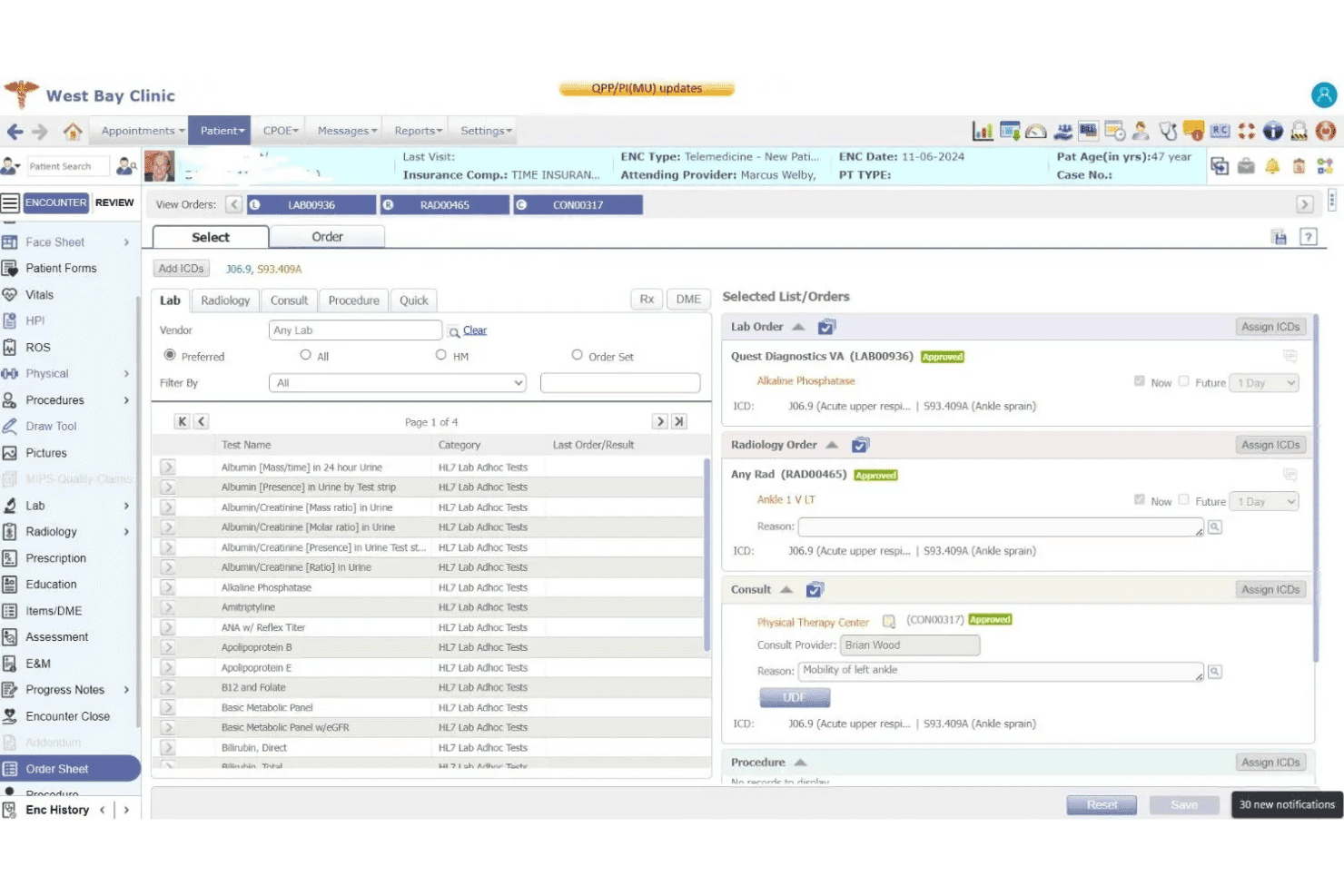
PrognoCIS makes the most sense for specialty clinics, mid-sized multi-provider practices, and medical teams that need tailored workflows or in-depth billing support. Its deep customization, specialty templates, and hands-on onboarding help practices with strict compliance needs, complex scheduling, or unique documentation requirements.
If your team values a configurable platform and direct account management, PrognoCIS is worth considering.
- Specialty ClinicsPrognoCIS offers specialty-specific templates and billing tools for over 35 medical specialties, saving time and supporting compliance.
- Multi-Provider PracticesThe platform supports complicated scheduling, billing, and workflow needs for practices with many providers or locations.
- Behavioral Health GroupsCustom patient charting and integrated telemedicine meet both documentation and care delivery needs for mental health and therapy practices.
- Pain ManagementRobust e-prescribing, controlled substance tracking, and prior authorization management make it a strong fit for pain specialists.
- Physical TherapyScheduling for recurring visits and custom chart templates streamline therapy progress tracking and reporting.
- Ambulatory SurgeryCenters You can manage pre-op, procedure, and post-op documentation with tailored forms and billing logic for surgical workflows.
Who Would be a Bad Fit for PrognoCIS?
PrognoCIS isn’t the best choice for solo practitioners, startup clinics, or those looking for the most modern, user-friendly interface. It’s also not ideal for retail clinics, boutique wellness studios, or organizations prioritizing rapid, low-touch deployment and the simplest set of core features. Smaller clinics with basic needs may find PrognoCIS too complex or resource-intensive for their size.
- Solo PhysiciansThe platform’s broad feature set and configuration options are often more than a one-provider clinic requires.
- Startup ClinicsNew practices usually want simple, quick setup and a low learning curve rather than extensive customization.
- Retail ClinicsWalk-in models with minimal clinical documentation and rapid service cycles may not use most features PrognoCIS offers.
- Wellness StudiosLimited need for medical billing or compliance-focused workflows makes PrognoCIS a poor fit.
- Small Family PracticesBasic charting and simplified scheduling may be a better match with more streamlined solutions.
- Temporary or Mobile ClinicsTeams needing lightweight, mobile-first software for outreach or pop-up services will find PrognoCIS too heavy and desktop-dependent.
How We Test & Score Tools
We’ve spent years building, refining, and improving our software testing and scoring system. The rubric is designed to capture the nuances of software selection and what makes a tool effective, focusing on critical aspects of the decision-making process.
Below, you can see exactly how our testing and scoring works across seven criteria. It allows us to provide an unbiased evaluation of the software based on core functionality, standout features, ease of use, onboarding, customer support, integrations, customer reviews, and value for money.
Core Functionality (25% of final scoring)
The starting point of our evaluation is always the core functionality of the tool. Does it have the basic features and functions that a user would expect to see? Are any of those core features locked to higher-tiered pricing plans? At its core, we expect a tool to stand up against the baseline capabilities of its competitors.
Standout Features (25% of final scoring)
Next, we evaluate uncommon standout features that go above and beyond the core functionality typically found in tools of its kind. A high score reflects specialized or unique features that make the product faster, more efficient, or offer additional value to the user.
We also evaluate how easy it is to integrate with other tools typically found in the tech stack to expand the functionality and utility of the software. Tools offering plentiful native integrations, 3rd party connections, and API access to build custom integrations score best.
Ease of Use (10% of final scoring)
We consider how quick and easy it is to execute the tasks defined in the core functionality using the tool. High scoring software is well designed, intuitive to use, offers mobile apps, provides templates, and makes relatively complex tasks seem simple.
Onboarding (10% of final scoring)
We know how important rapid team adoption is for a new platform, so we evaluate how easy it is to learn and use a tool with minimal training. We evaluate how quickly a team member can get set up and start using the tool with no experience. High scoring solutions indicate little or no support is required.
Customer Support (10% of final scoring)
We review how quick and easy it is to get unstuck and find help by phone, live chat, or knowledge base. Tools and companies that provide real-time support score best, while chatbots score worst.
Customer Reviews (10% of final scoring)
Beyond our own testing and evaluation, we consider the net promoter score from current and past customers. We review their likelihood, given the option, to choose the tool again for the core functionality. A high scoring software reflects a high net promoter score from current or past customers.
Value for Money (10% of final scoring)
Lastly, in consideration of all the other criteria, we review the average price of entry level plans against the core features and consider the value of the other evaluation criteria. Software that delivers more, for less, will score higher.
Core Features
Appointment Scheduling
PrognoCIS lets you manage patient appointments with color-coded, drag-and-drop calendars. Automated reminders cut down on no-shows and keep your day on track.
Insurance Eligibility Verification
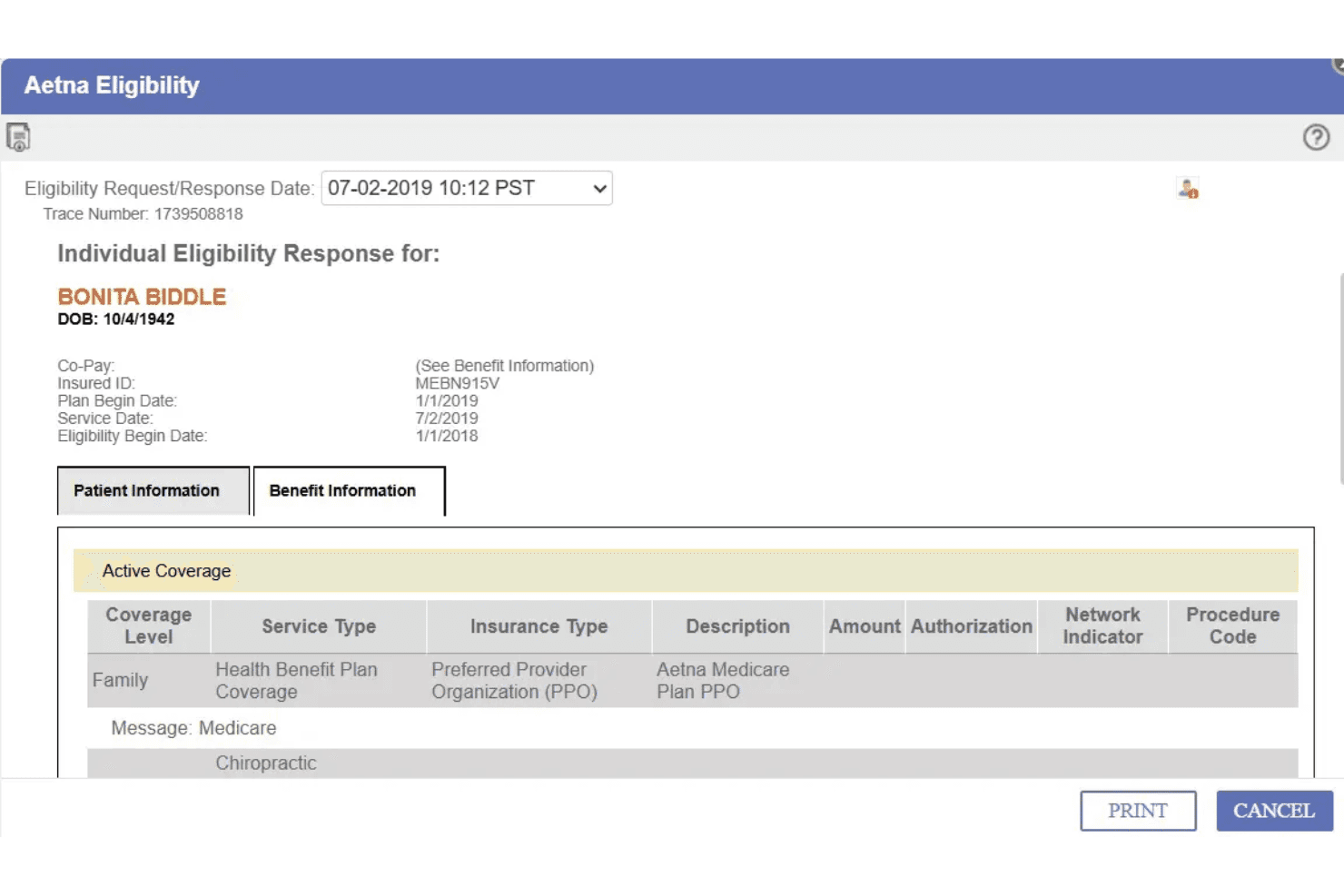
Instant eligibility checks are available right from the patient chart. This feature helps your front desk avoid denied claims and chase-downs.
Electronic Claim Submission
Submit claims electronically with built-in error checks before filing. This reduces rejected claims and speeds up reimbursement for your practice.
Integrated e-Prescribing
You can send prescriptions directly from the platform to pharmacies. It also alerts you to drug interactions for safer prescribing.
Patient Portal
Patients can request appointments, pay bills, and see visit summaries. Secure messaging within the portal makes it easy to handle questions outside of in-person visits.
Ease of Use
PrognoCIS packs deep functionality, but I find its user interface less modern and less intuitive than newer options. Many users mention needing extra training to efficiently navigate its menus and customize templates.
Still, if you prefer robust, configurable workflows and don’t mind an interface that’s dated, you’ll get plenty of control and clear organization, especially for specialty practices.

Integrations
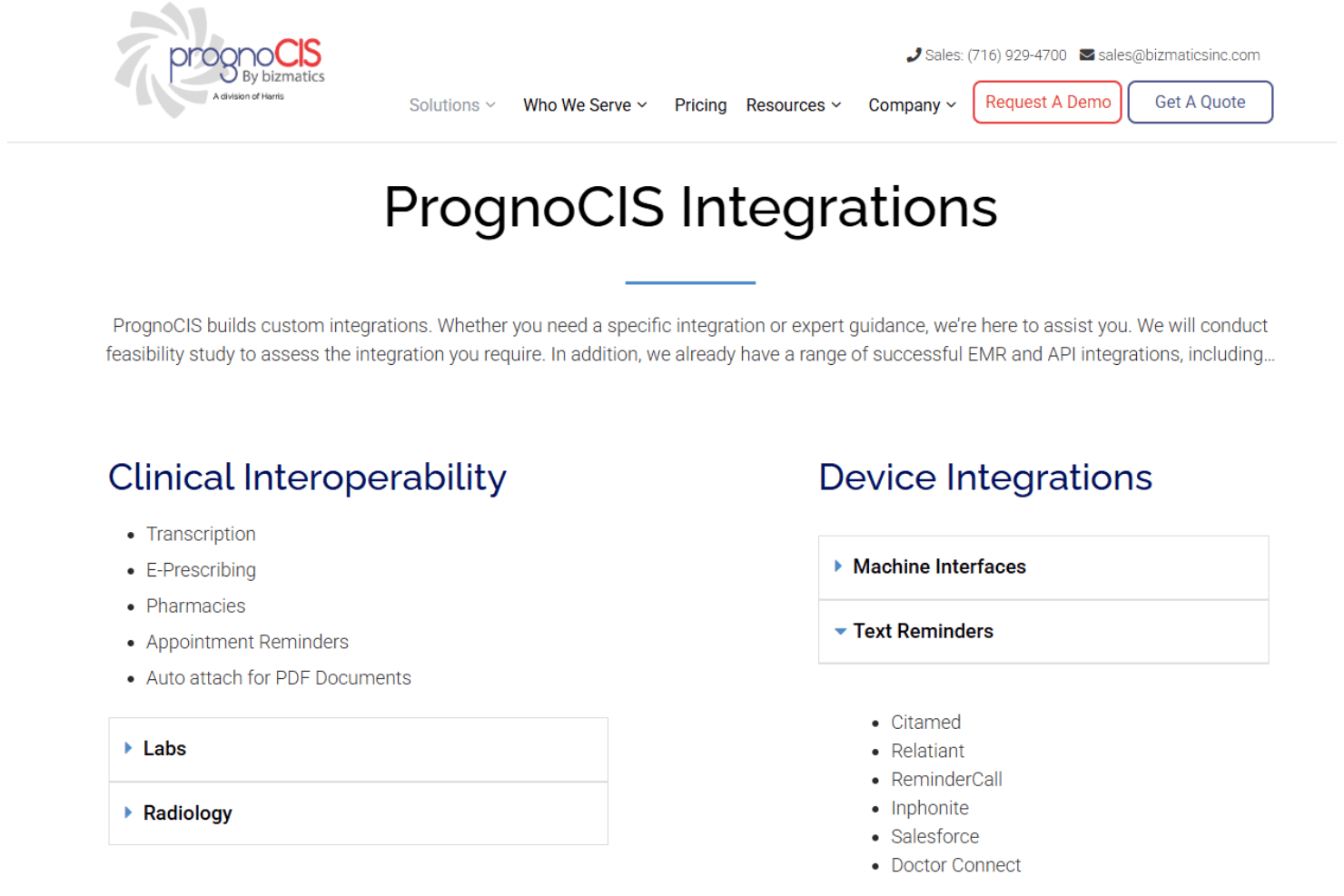
PrognoCIS integrates with Quest Diagnostics, LabCorp, Cerner, ZocDoc, AllScripts, Athena Health PM, AdvancedMD, Dragon Medical One, BizFax, and Dymo Label Printers, among others.
PrognoCIS also supports API connectivity for custom integrations and interoperability with third-party healthcare software and device interfaces.
PrognoCIS Specs
- API: Yes
- Appointment Scheduling: Yes
- Athlete Management: No
- Audit Management: No
- Calendar Management: No
- Compliance Tracking: No
- Customer Management: Yes
- Dashboard: No
- Data Export: Yes
- Data Import: Yes
- Data Visualization: No
- Electronic Prescribing: Yes
- External Integrations: No
- File Sharing: No
- File Transfer: No
- Health Management: No
- HIPAA Compliance: Yes
- Inventory Tracking: No
- Multi-User: No
- Notifications: Yes
- Organization Management: No
- Patient Management: Yes
- Project Management: No
- Regulatory Alerts: No
- Risk Assessment: No
- Scheduling: Yes
- Supplier Management: No


