

athenaOne Review: Pros, Cons, Features, and Pricing
athenaOne proves EHRs can streamline workflows without sacrificing depth—here’s my take on how it balances power, usability, and real-world results.

We review tools independently, and commissions help fund our testing. See our transparency policy, our methodology, or suggest a tool.
athenaOne is a free EHR software built for medical practices that need clinical documentation, scheduling, billing, and patient engagement tools without upfront licensing costs. It's great if your practice wants to avoid per-seat fees while still getting revenue cycle management and charting in one place. I'd choose athenaOne over something like Practice Fusion if billing depth is a priority. athenaOne's revenue cycle tools go further, which makes a meaningful difference for practices managing high claim volumes or looking to tighten their collections process.
athenaOne Evaluation Summary
3.8/5
- Pricing upon request
- Free demo available
Why Trust Our Software Recommendations
6,700+
Reviews
20
Industry experts
16+
Evaluation factors
14
Years
Our team has been testing and reviewing software since 2012. As medical practice leaders ourselves, we know how difficult—and important—it is to choose the right software.
For this guide, we evaluated tools using hands-on testing and independent research, scoring tools using our selection criteria.
Our reviews reflect our human editorial judgment, not a sales pitch.
athenaOne Overview
athenaOne stands out for its integrated patient flow, deep analytics, responsive support, and marketplace of third-party integrations. I think its cloud-based setup and customizable workflows make onboarding easier than many EHR platforms, especially for growing mid-sized outpatient practices. While its pricing model may not be ideal for very small practices and the interface can feel dense at times, I judge its real-time claims management and scheduling tools as best-in-class.
If you’re choosing an EHR to support coordinated care and efficient revenue cycle management, athenaOne should be high on your list.
Pros
- Real-time insurance eligibility checks reduce billing delays.
- Patient portal offers online scheduling and messaging.
- Clinical decision support is frequently updated with guidelines.
Cons
- Some advanced charting features require extra configuration.
- System speed can lag during peak times.
- Reporting customization is limited in core modules.
Is athenaOne Right For Your Needs?
Who Would be a Good Fit for athenaOne?
athenaOne is best suited for healthcare organizations that need an integrated platform to manage clinical, administrative, and billing workflows in one place. Its combination of EHR, scheduling, revenue cycle management, and population health tools makes it a strong fit for independent practices, urgent care centers, specialty clinics, and multi-location provider groups looking to streamline operations while improving patient care coordination.
- Independent Medical PracticesSmaller organizations get bundled EHR, billing, and scheduling tools with minimal setup headaches and a single contract.
- Urgent Care CentersQuick, template-driven charting and real-time insurance eligibility checks help teams keep up with fast patient flow.
- Primary Care GroupsPatient management, care gap alerts, and population health analytics support coordinated preventive care efforts.
- Specialty ClinicsConfigurable templates and integrated e-prescribing streamline specialty workflows and reduce staff documentation burden.
- Multi-Location NetworksCentral scheduling, network benchmarking, and unified billing let you manage data and compliance across sites.
- Practice AdministratorsRevenue cycle dashboards and task inbox tools simplify oversight of billing, claims, and provider performance.
Who Would be a Bad Fit for athenaOne?
athenaOne isn’t well-suited for high-acuity hospitals, practices with tight IT budgets, or organizations needing very deep customization. If your workflow relies on detailed specialty tailoring or you need beyond-standard reporting, athenaOne may not offer enough control. Practices outside the U.S. may also find regulatory and billing features mismatched to their needs.
- Large Hospital SystemsathenaOne lacks the depth and integrations needed for high-acuity inpatient workflows and cross-department data sharing.
- International ClinicsU.S.-specific billing rules and regulatory features make athenaOne difficult to use in other countries.
- Behavioral Health PracticesSupport for behavioral health workflows and documentation is limited compared to purpose-built solutions.
- Academic Medical CentersathenaOne doesn’t provide robust tools for student tracking, research, or teaching hospital routines.
- Solo Providers With Tight BudgetsThe percentage-of-collections pricing model can outpace monthly costs for low-volume solo practices.
- Deep Customization SeekersHighly customized reporting, workflow, or niche specialty features aren’t as accessible as in some other EHRs.
How We Test & Score Tools
We’ve spent years building, refining, and improving our software testing and scoring system. The rubric is designed to capture the nuances of software selection and what makes a tool effective, focusing on critical aspects of the decision-making process.
Below, you can see exactly how our testing and scoring works across seven criteria. It allows us to provide an unbiased evaluation of the software based on core functionality, standout features, ease of use, onboarding, customer support, integrations, customer reviews, and value for money.
Core Functionality (25% of final scoring)
The starting point of our evaluation is always the core functionality of the tool. Does it have the basic features and functions that a user would expect to see? Are any of those core features locked to higher-tiered pricing plans? At its core, we expect a tool to stand up against the baseline capabilities of its competitors.
Standout Features (25% of final scoring)
Next, we evaluate uncommon standout features that go above and beyond the core functionality typically found in tools of its kind. A high score reflects specialized or unique features that make the product faster, more efficient, or offer additional value to the user.
We also evaluate how easy it is to integrate with other tools typically found in the tech stack to expand the functionality and utility of the software. Tools offering plentiful native integrations, 3rd party connections, and API access to build custom integrations score best.
Ease of Use (10% of final scoring)
We consider how quick and easy it is to execute the tasks defined in the core functionality using the tool. High scoring software is well designed, intuitive to use, offers mobile apps, provides templates, and makes relatively complex tasks seem simple.
Onboarding (10% of final scoring)
We know how important rapid team adoption is for a new platform, so we evaluate how easy it is to learn and use a tool with minimal training. We evaluate how quickly a team member can get set up and start using the tool with no experience. High scoring solutions indicate little or no support is required.
Customer Support (10% of final scoring)
We review how quick and easy it is to get unstuck and find help by phone, live chat, or knowledge base. Tools and companies that provide real-time support score best, while chatbots score worst.
Customer Reviews (10% of final scoring)
Beyond our own testing and evaluation, we consider the net promoter score from current and past customers. We review their likelihood, given the option, to choose the tool again for the core functionality. A high scoring software reflects a high net promoter score from current or past customers.
Value for Money (10% of final scoring)
Lastly, in consideration of all the other criteria, we review the average price of entry level plans against the core features and consider the value of the other evaluation criteria. Software that delivers more, for less, will score higher.
Core Features
Electronic Health Records Management
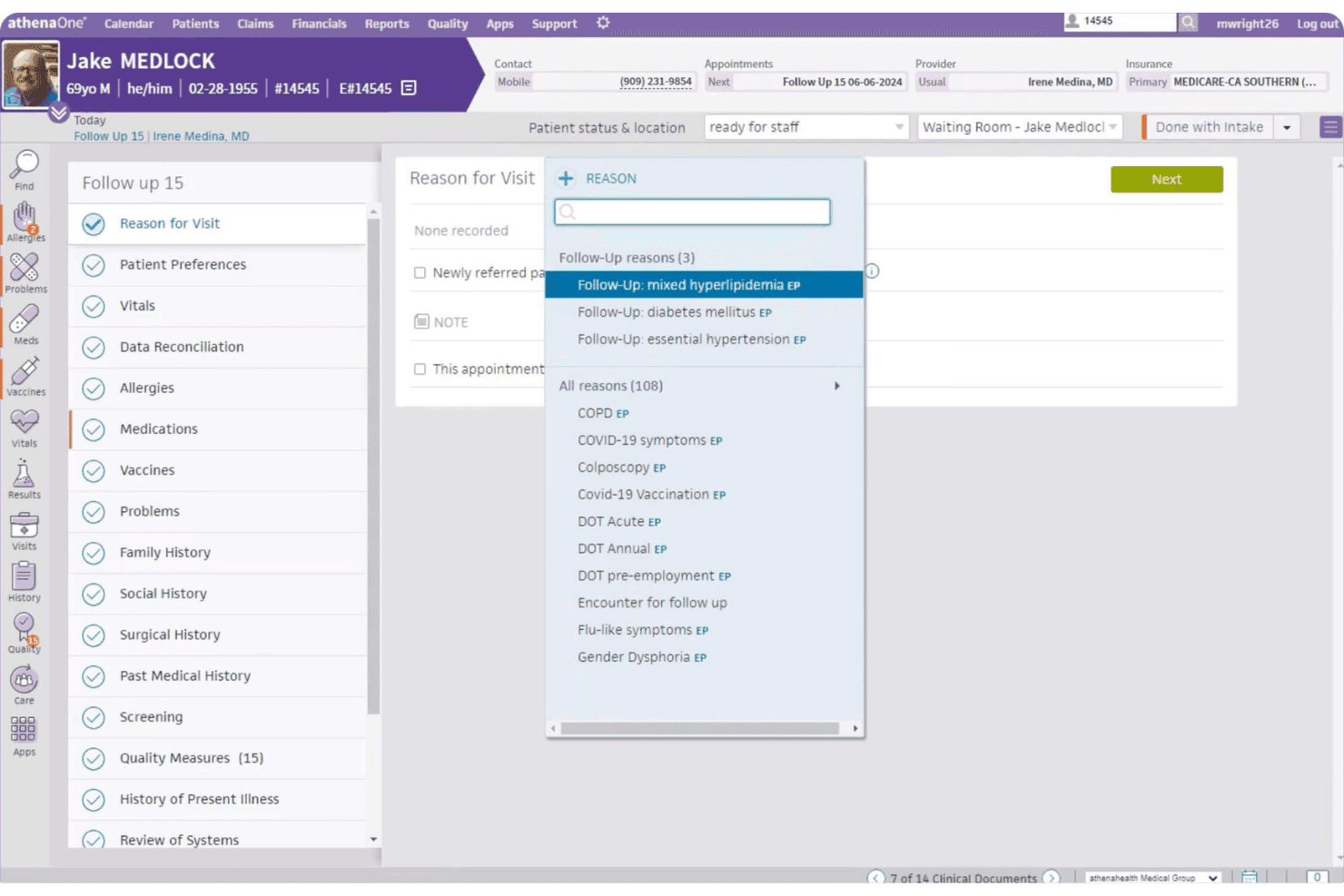
athenaOne lets you document patient visits using customizable templates and voice-driven notes. Quick access to charts, allergies, and labs speeds up clinical decision-making.
Patient Portal
Patients book appointments, view results, and message providers directly through the portal. This drives patient engagement and reduces front office workload.
e-Prescribing
athenaOne submits prescriptions electronically to pharmacies and flags potential drug interactions. Doctors can quickly renew or change medications within the system.
Revenue Cycle Management
You can check insurance eligibility in real time and automate claims scrubbing. Built-in billing rules help catch errors before submission.
Appointment Scheduling
Drag-and-drop scheduling integrates with reminders and waitlist management tools. Automated alerts reduce no-shows and keep calendars full.
Clinical Decision Support
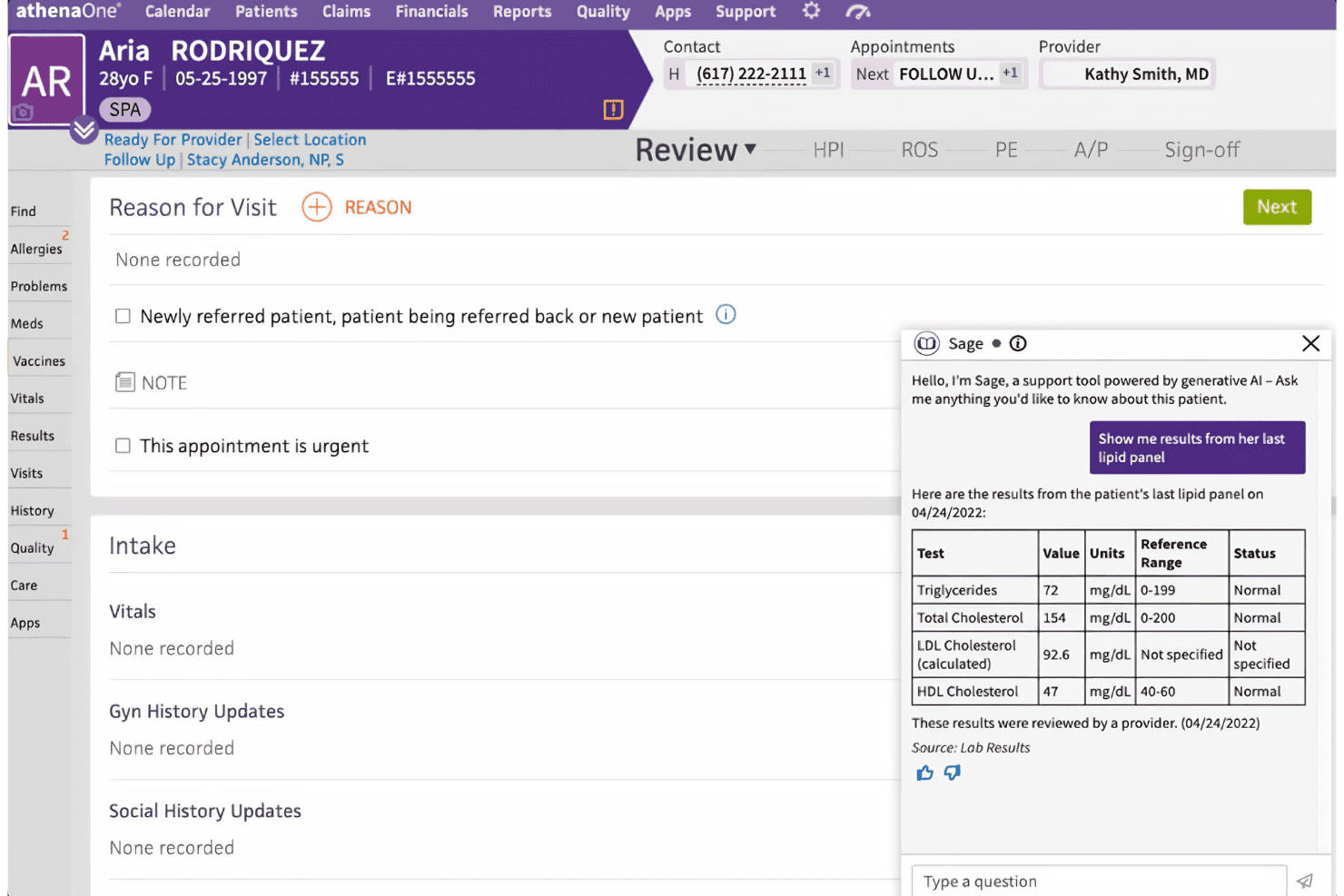
The platform surfaces evidence-based care suggestions and screens for gaps in treatment. Recommendations update automatically based on changing guidelines.
Ease of Use
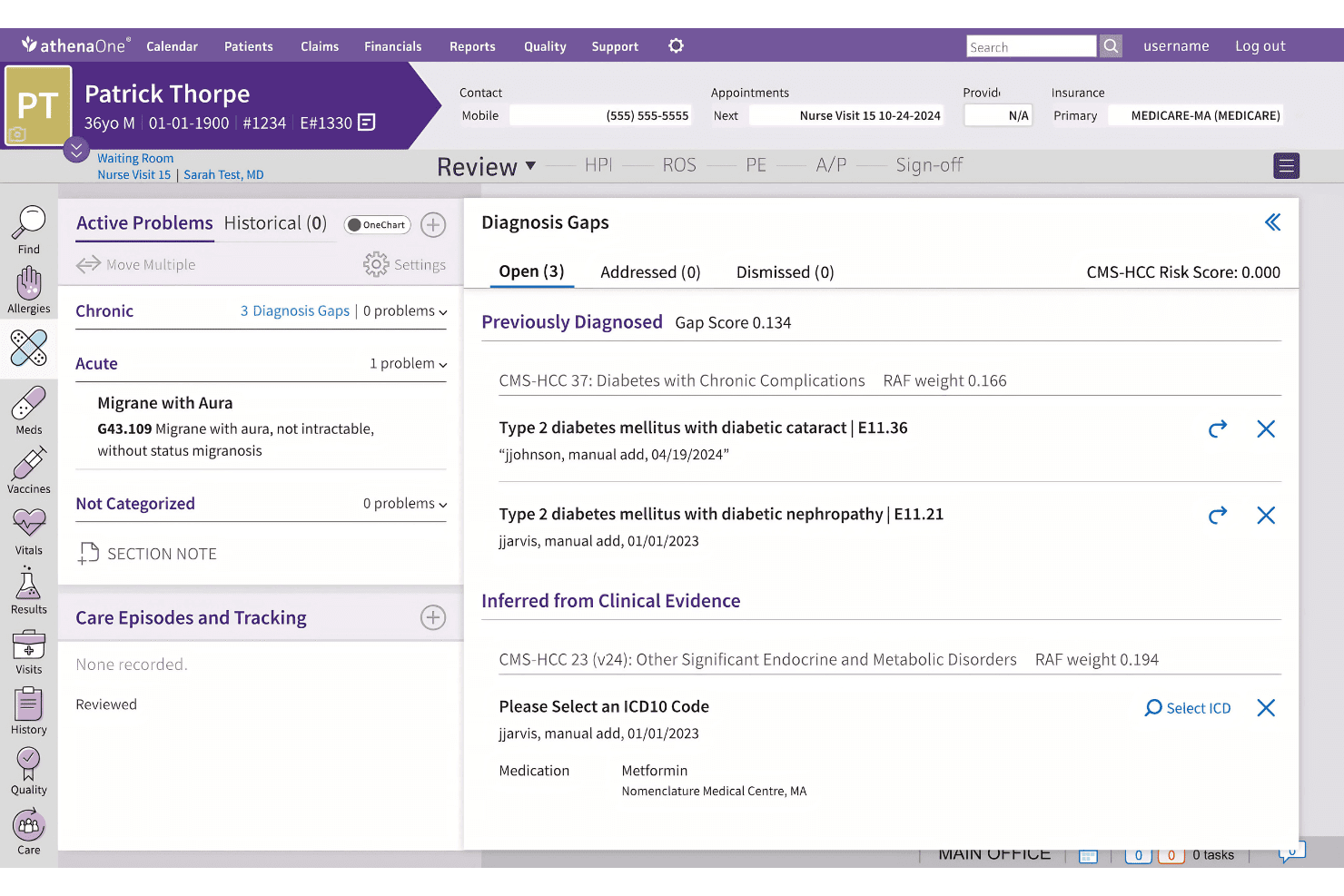
athenaOne’s usability strikes a balance between configurability and streamlined navigation, though the interface can feel crowded until you adjust. I think the intuitive appointment flows and centralized inbox help teams work faster, but some workflows, like reporting, require more clicks than expected.
Most users say training is quick, and ongoing support helps ease the transition.
Integrations
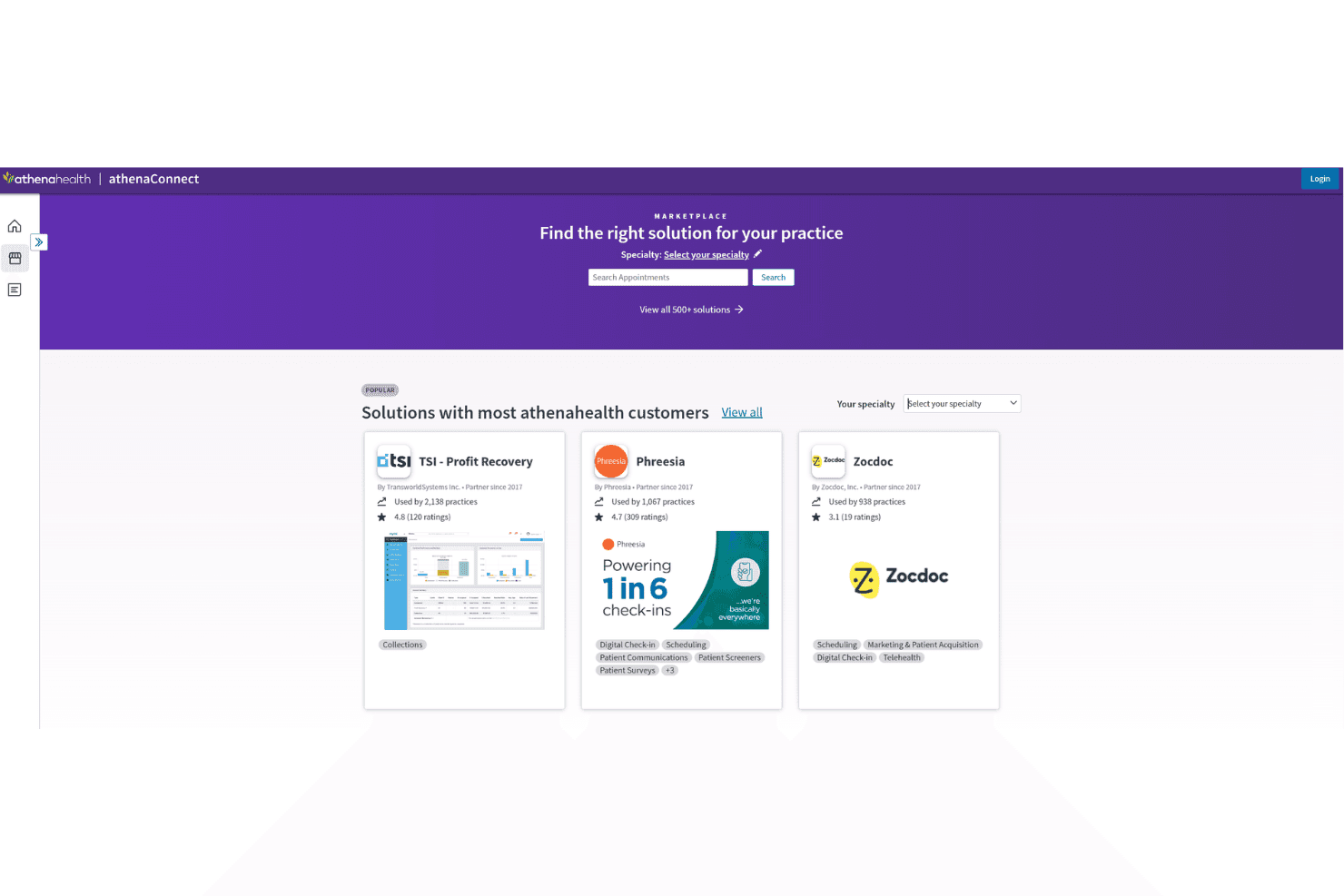
athenaOne integrates with TSI, Zocdoc, Innovaccer, Luma Health, Emitrr, AmbirScan, OpenPM, DeepScribe, Phreesia, and QuickSlot Health, among others.
athenaOne also offers APIs for custom connections and supports integration with many third-party tools.
athenaOne Specs
- API: Yes
- Appointment Scheduling: Yes
- Athlete Management: No
- Audit Management: Yes
- Calendar Management: Yes
- Compliance Tracking: Yes
- Customer Management: Yes
- Dashboard: Yes
- Data Export: Yes
- Data Import: Yes
- Data Visualization: Yes
- Electronic Prescribing: Yes
- External Integrations: Yes
- File Sharing: Yes
- File Transfer: Yes
- Health Management: Yes
- HIPAA Compliance: Yes
- Inventory Tracking: No
- Multi-User: Yes
- Notifications: Yes
- Organization Management: Yes
- Patient Management: Yes
- Project Management: No
- Regulatory Alerts: Yes
- Risk Assessment: Yes
- Scheduling: Yes
- Supplier Management: No


