

CharmHealth Review: Pros, Cons, Features, and Pricing
CharmHealth brings electronic health records and practice management into one platform, from clinical charting and scheduling to billing, telehealth, and patient engagement tools.

We review tools independently, and commissions help fund our testing. See our transparency policy, our methodology, or suggest a tool.
CharmHealth is a free EHR software built for small and independent medical practices that need clinical documentation, scheduling, and billing tools in one place. I'd consider it if you're a solo or small-group practice that wants Practice Fusion's no-cost entry point but with more built-in practice management features and fewer restrictions on patient encounters per month.
CharmHealth Evaluation Summary
4.2/5
- From $25/month
- Free demo available
Why Trust Our Software Recommendations
6,700+
Reviews
20
Industry experts
16+
Evaluation factors
14
Years
Our team has been testing and reviewing software since 2012. As medical practice leaders ourselves, we know how difficult—and important—it is to choose the right software.
For this guide, we evaluated tools using hands-on testing and independent research, scoring tools using our selection criteria.
Our reviews reflect our human editorial judgment, not a sales pitch.
CharmHealth Overview
In comparing CharmHealth to other EHRs, I judge its ease of onboarding, affordable pricing, and customizable workflows as major strengths, especially for growing independent practices. The interface feels less cluttered than most, and direct integrations with labs and pharmacy tools are a clear plus. I’ve seen support respond faster than industry averages.
If you’re selecting an EHR that balances simplicity with strong patient communication features, CharmHealth is among the better picks for small to mid-sized medical groups. However, complex multi-location or enterprise setups may find its features limiting.
Pros
- Secure patient portal supports messaging and appointment requests.
- eRx module includes EPCS and real-time drug interaction alerts.
- Telehealth visit documentation is built directly into patient charts.
Cons
- Limited analytics and visual reporting options for large practices.
- Patient intake forms lack deep customization for specialty workflows.
- System notifications can be overwhelming and lack hierarchy settings.
Is CharmHealth Right For Your Needs?
Who Would be a Good Fit for CharmHealth?
CharmHealth is best for practices and organizations seeking affordable, scalable EHR software with a clean interface and built-in telehealth and patient engagement tools. It works especially well for small to midsize clinics, independent practices, and those with straightforward billing or specialty needs.
Teams that value easy onboarding and modular pricing will find CharmHealth’s flexibility fits their workflow and patient interaction style.
- Small Private PracticesCharmHealth supports affordable monthly plans and offers easy setup for clinics with limited IT support.
- Single-Specialty ClinicsCustomizable templates and straightforward charting help specialty providers document visits efficiently without clutter.
- Outpatient Behavioral HealthTelehealth integration and secure patient messaging enable private, remote client sessions and follow-up.
- Direct Primary CarePatient portal, eRx, and personal health record features meet the needs of patient-focused, membership-based practices well.
- Startups or New ClinicsLow-entry costs and rapid onboarding help new or growing practices begin operations without heavy upfront investment.
- Multi-Provider GroupsGroup Plan and customizable workflows support collaboration and scheduling across multiple providers in the same organization.
Who Would be a Bad Fit for CharmHealth?
CharmHealth is less suited for large hospitals, enterprise-level health systems, or organizations with complex, multi-site operations. Highly specialized departments or those needing advanced custom workflow automation may find its reporting and interface limiting. Practices with intricate inpatient needs or public health agencies may require more robust features than CharmHealth offers.
- Large HospitalsCharmHealth isn’t built for complex, multi-departmental workflows or extensive inpatient care needs.
- Multisite Health SystemsLacks advanced resource sharing and granular user management critical for managing numerous interconnected facilities.
- Public Health AgenciesReporting tools and population health analytics are not deep enough for agency-wide data and compliance requirements.
- Surgical DepartmentsDoesn’t provide advanced perioperative, anesthesia, or surgical scheduling features.
- Urgent Care ChainsLimited real-time queue management and walk-in workflows make it less suitable for fast-paced, high-volume operations.
- Academic Medical CentersLacks research, teaching, and residency management modules needed for academic or teaching environments.
How We Test & Score Tools
We’ve spent years building, refining, and improving our software testing and scoring system. The rubric is designed to capture the nuances of software selection and what makes a tool effective, focusing on critical aspects of the decision-making process.
Below, you can see exactly how our testing and scoring works across seven criteria. It allows us to provide an unbiased evaluation of the software based on core functionality, standout features, ease of use, onboarding, customer support, integrations, customer reviews, and value for money.
Core Functionality (25% of final scoring)
The starting point of our evaluation is always the core functionality of the tool. Does it have the basic features and functions that a user would expect to see? Are any of those core features locked to higher-tiered pricing plans? At its core, we expect a tool to stand up against the baseline capabilities of its competitors.
Standout Features (25% of final scoring)
Next, we evaluate uncommon standout features that go above and beyond the core functionality typically found in tools of its kind. A high score reflects specialized or unique features that make the product faster, more efficient, or offer additional value to the user.
We also evaluate how easy it is to integrate with other tools typically found in the tech stack to expand the functionality and utility of the software. Tools offering plentiful native integrations, 3rd party connections, and API access to build custom integrations score best.
Ease of Use (10% of final scoring)
We consider how quick and easy it is to execute the tasks defined in the core functionality using the tool. High scoring software is well designed, intuitive to use, offers mobile apps, provides templates, and makes relatively complex tasks seem simple.
Onboarding (10% of final scoring)
We know how important rapid team adoption is for a new platform, so we evaluate how easy it is to learn and use a tool with minimal training. We evaluate how quickly a team member can get set up and start using the tool with no experience. High scoring solutions indicate little or no support is required.
Customer Support (10% of final scoring)
We review how quick and easy it is to get unstuck and find help by phone, live chat, or knowledge base. Tools and companies that provide real-time support score best, while chatbots score worst.
Customer Reviews (10% of final scoring)
Beyond our own testing and evaluation, we consider the net promoter score from current and past customers. We review their likelihood, given the option, to choose the tool again for the core functionality. A high scoring software reflects a high net promoter score from current or past customers.
Value for Money (10% of final scoring)
Lastly, in consideration of all the other criteria, we review the average price of entry level plans against the core features and consider the value of the other evaluation criteria. Software that delivers more, for less, will score higher.
Core Features
Patient Portal
Patients access lab results, request refills, and message providers securely. This feature keeps patient-provider communication organized and saves staff time.
ePrescribing (eRx)
Send prescriptions electronically to thousands of pharmacies directly from the platform. Real-time drug interaction checks and EPCS are included.
Charting and Templates
Customizable templates help providers document visits quickly and consistently. Auto-fill options and macros cut down on repetitive data entry.
Telehealth Support
Conduct virtual visits with built-in scheduling and charting integration. Video visits automatically link to patient records.
Billing and Claims Management
Manage insurance billing, claim submission, ERA, and patient payments in one dashboard. Automated eligibility checks help reduce denials.
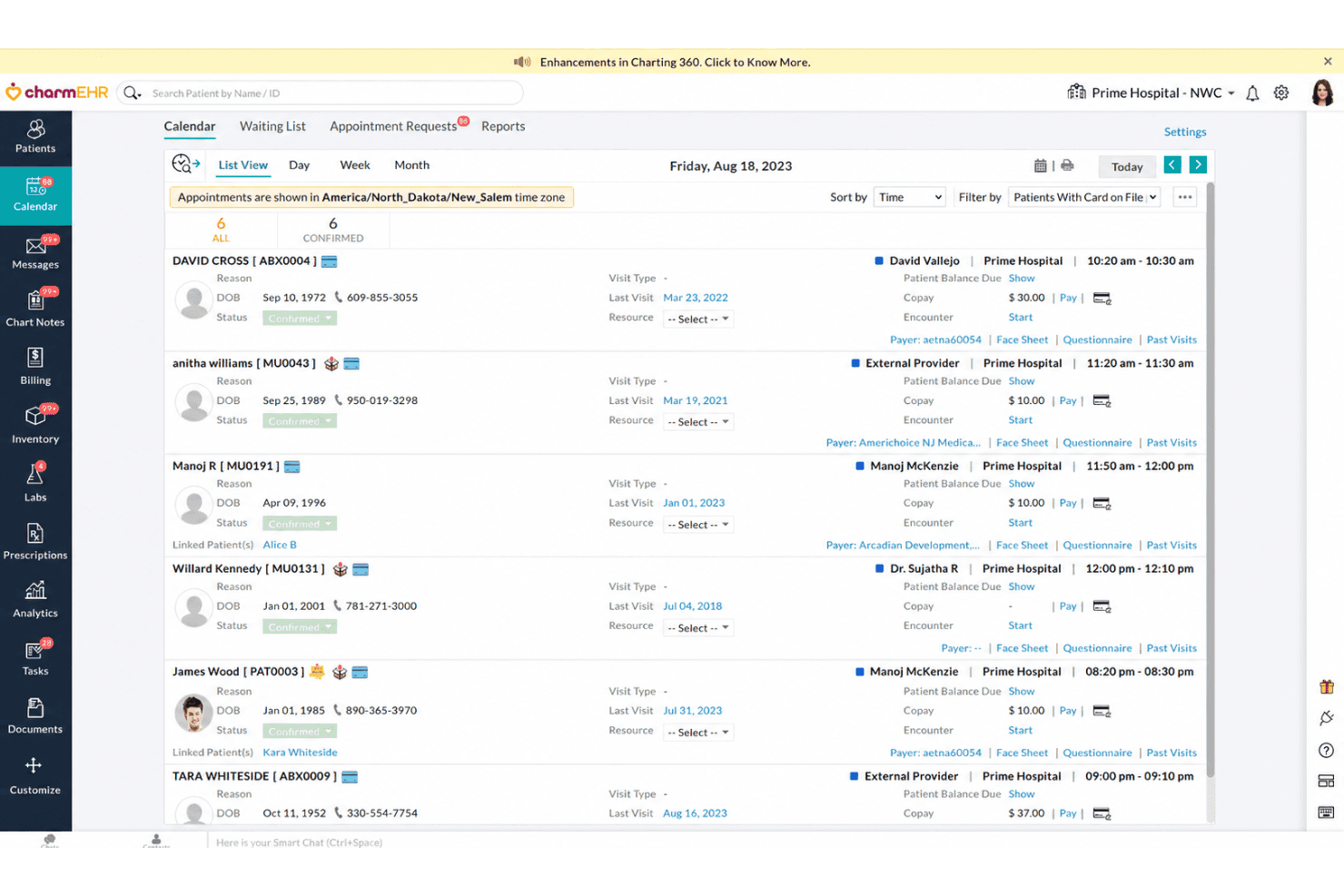
Scheduler and Calendar
Drag-and-drop scheduling lets you book, confirm, and track appointments. Color coding and resource allocation features are included for efficiency.
Ease of Use
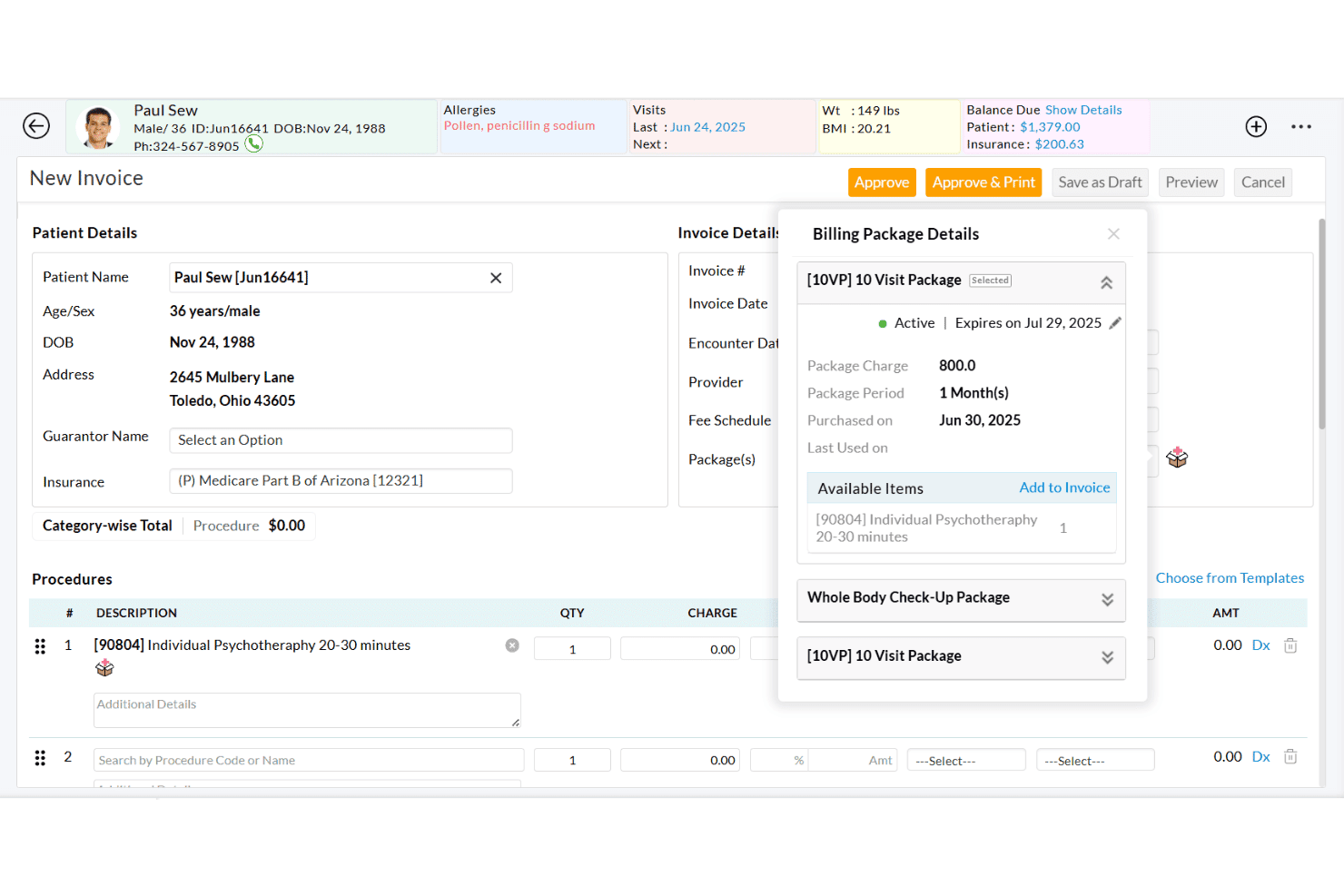
CharmHealth stands out for its clean layout and intuitive navigation, especially for providers new to EHRs.
Users often mention fast onboarding, straightforward charting, and the clear patient flow as major advantages. Drop-down menus, customizable templates, and clear appointment scheduling make everyday tasks quick to pick up and use.
Integrations
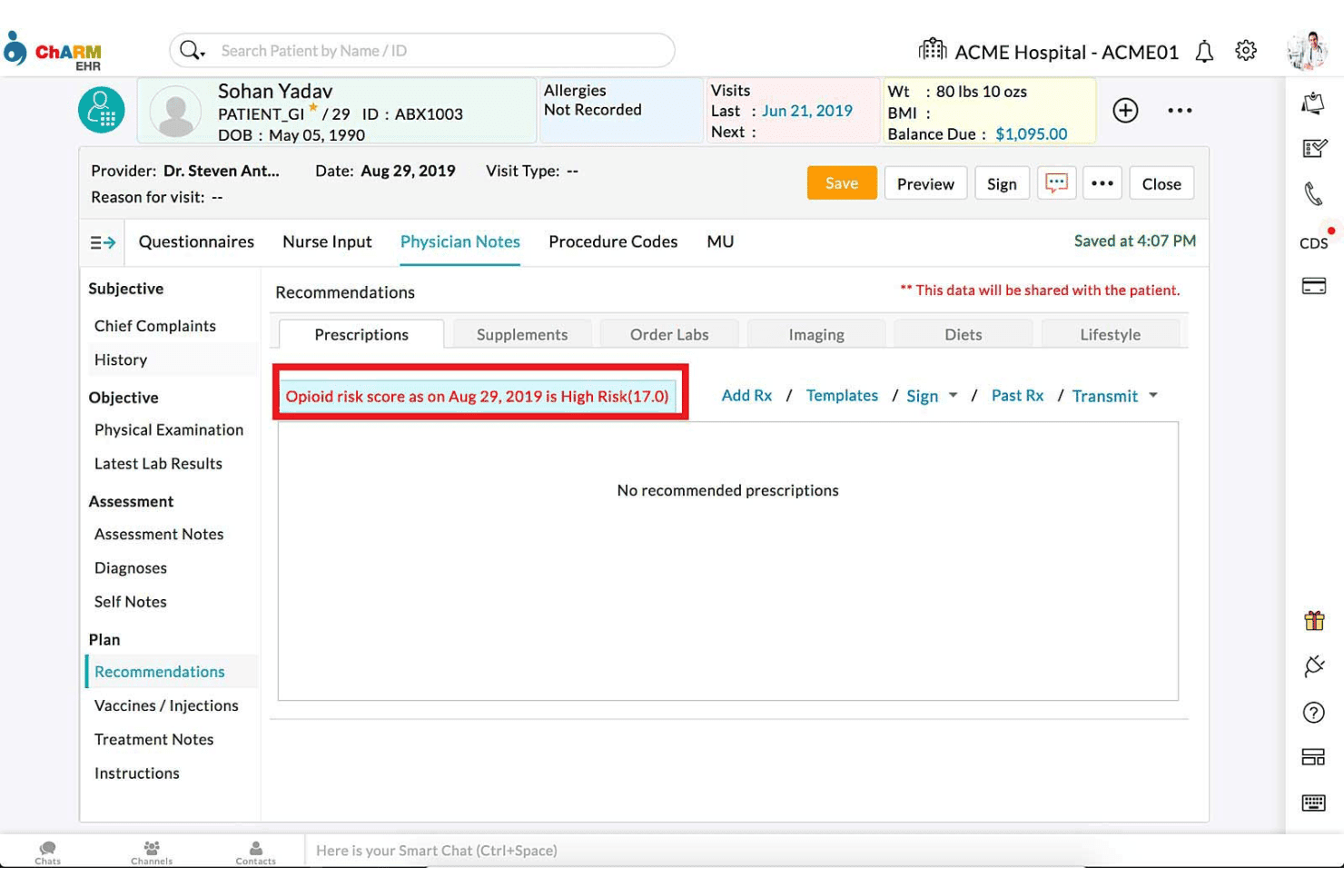
Heart Diagnostics, Millennium Health, Clinical Pathology Laboratories, BioReference Lab, Optum clearinghouse, and Health-o-meter scales, among others.
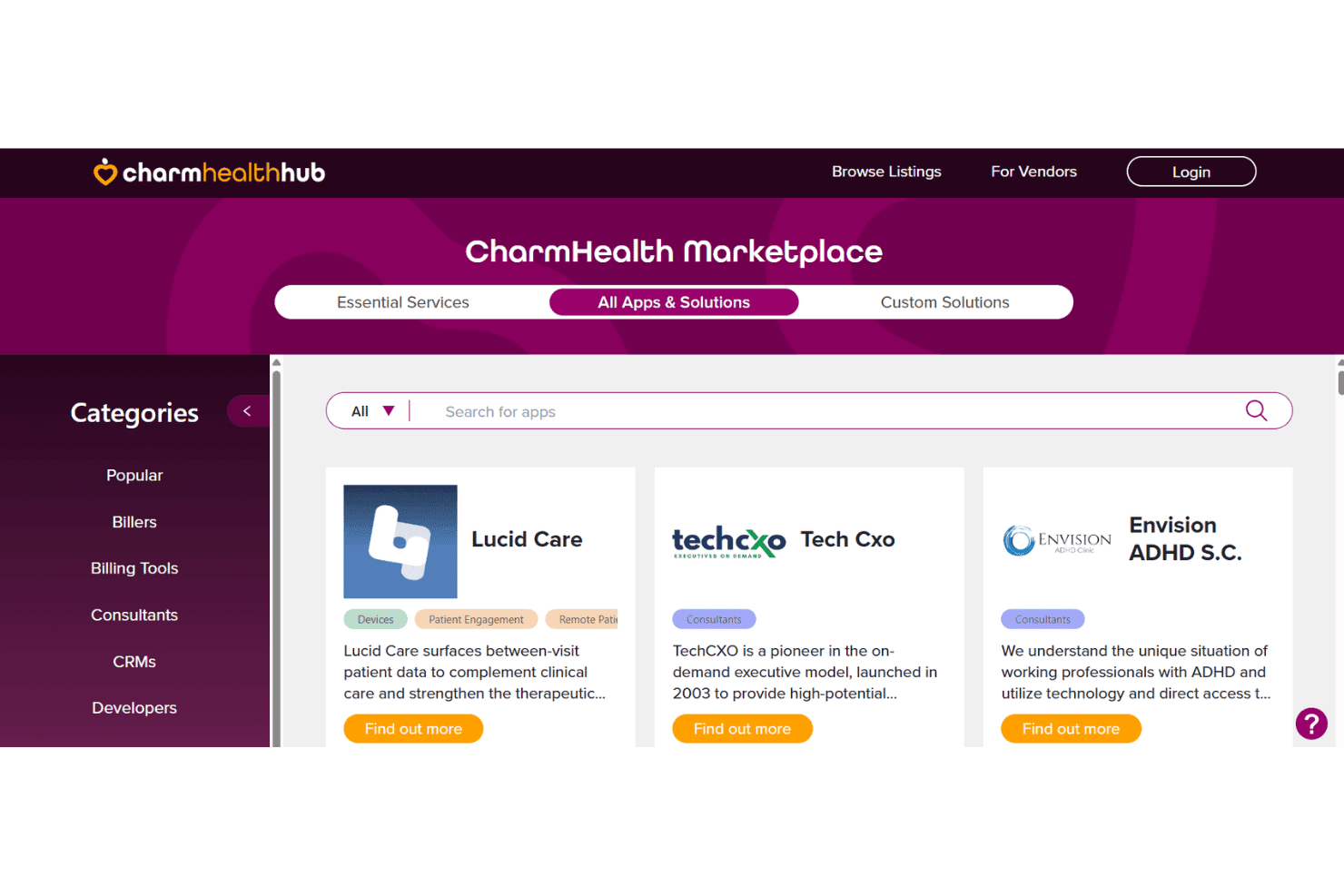
CharmHealth also offers an open API and supports additional connections through third-party integration tools.
CharmHealth Specs
- API: Yes
- Appointment Scheduling: Yes
- Athlete Management: No
- Audit Management: Yes
- Calendar Management: Yes
- Compliance Tracking: Yes
- Customer Management: Yes
- Dashboard: Yes
- Data Export: Yes
- Data Import: Yes
- Data Visualization: Yes
- Electronic Prescribing: Yes
- External Integrations: Yes
- File Sharing: Yes
- File Transfer: Yes
- Health Management: Yes
- HIPAA Compliance: Yes
- Inventory Tracking: Yes
- Multi-User: Yes
- Notifications: Yes
- Organization Management: Yes
- Patient Management: Yes
- Project Management: No
- Regulatory Alerts: No
- Risk Assessment: No
- Scheduling: Yes
- Supplier Management: No


