
ModMed Review: Pros, Cons, Features, and Pricing
ModMed streamlines specialty practice operations with intuitive EHR, robust analytics, and secure patient portals, reducing administrative burdens and enhancing patient care efficiency.

We review tools independently, and commissions help fund our testing. See our transparency policy, our methodology, or suggest a tool.
ModMed is a medical practice management software built specifically for specialty practices. It covers scheduling, billing, and EHR documentation and is structured around specialty-specific clinical workflows. I'd consider it if your practice operates in a field like dermatology, ophthalmology, or orthopedics and you need templates and tools that reflect how your specialty actually works. Compared to more general platforms like athenahealth, ModMed requires less customization upfront because the clinical content is already built for your specialty rather than adapted from a one-size-fits-all foundation.
ModMed Evaluation Summary
4.4/5
- Pricing upon request
- Free demo available
Why Trust Our Software Recommendations
6,700+
Reviews
20
Industry experts
16+
Evaluation factors
14
Years
Our team has been testing and reviewing software since 2012. As medical practice leaders ourselves, we know how difficult—and important—it is to choose the right software.
For this guide, we evaluated tools using hands-on testing and independent research, scoring tools using our selection criteria.
Our reviews reflect our human editorial judgment, not a sales pitch.
ModMed Overview
ModMed stands out for specialty practices that value deep clinical workflows and modern, mobile-friendly interfaces. Its integration with EHR, robust specialty templates, and dedicated support make it a top choice for larger groups or tech-savvy teams.
Compared to others, pricing feels higher, and onboarding takes time, but the tailored features and automation justify it for practices focused on specialty care, dermatology, or orthopedics. If you’re selecting software and want advanced, specialty-specific tools, ModMed should be on your shortlist.
Pros
- Specialty-specific templates for dermatology, orthopedics, and more.
- Built-in telehealth and patient self-scheduling options.
- Automated billing with strong denial management tools.
Cons
- Pricing is often higher than similar products.
- Customer support can feel slow during peak times.
- Limited customization for reporting and dashboard layouts.
Is ModMed Right For Your Needs?
Who Would be a Good Fit for ModMed?
ModMed is a strong match for specialty clinics and midsize practices that need tailored clinical workflows and built-in telehealth. Practices with in-house billing teams benefit from its integrated revenue cycle tools and analytics.
Its specialty-specific templates, charting tools, and iPad-optimized interface work best for busy medical teams, especially in fields like dermatology, orthopedics, and ophthalmology.
- Dermatology PracticesModMed’s dermatology templates, interactive diagrams, and image management speed up documentation and clinical tasks.
- Orthopedic ClinicsSpecialty workflows, orthopedic charting, and protocols help clinical staff handle high patient volume efficiently.
- Ophthalmology GroupsOphthalmology-specific tools streamline eye exams and integrate vision test data right into the patient’s chart.
- Multi-Provider OutpatientCenters Centralized scheduling, billing, and collaboration across specialties give these centers more operational control.
- In-House Billing TeamsComprehensive billing features and denial management help staff manage the claims process directly within the system.
- Practices Using iPadsThe interface is made for clinical use on iPads, letting providers chart and communicate at the point of care.
Who Would be a Bad Fit for ModMed?
ModMed may not suit solo providers or small practices who don’t need clinical specialty features or can’t justify the higher cost. Generic or non-clinical medical businesses, mental health clinics, and organizations seeking deep custom workflows may find the platform too structured. Groups without specialty needs or with basic scheduling and billing requirements may pay for more than they’ll use.
- Solo Primary CareThe extensive specialty focus adds cost and complexity unnecessary for a single-provider generalist practice.
- Small Counseling OfficesBehavioral health and counseling workflows are not robust, and key mental health features are missing.
- Home Health AgenciesModMed lacks field-based visit management and mobile features designed for traveling care teams.
- ChiropractorsChiropractic templates and flows are limited, making charting tedious and workflows less efficient.
- Large Hospital SystemsThese organizations often need enterprise EHR features, deep customization, and interoperability beyond ModMed’s scope.
- Medical SpasMedical spas need features for cosmetic, retail, and point-of-sale operations that ModMed does not offer.
How We Test & Score Tools
We’ve spent years building, refining, and improving our software testing and scoring system. The rubric is designed to capture the nuances of software selection and what makes a tool effective, focusing on critical aspects of the decision-making process.
Below, you can see exactly how our testing and scoring works across seven criteria. It allows us to provide an unbiased evaluation of the software based on core functionality, standout features, ease of use, onboarding, customer support, integrations, customer reviews, and value for money.
Core Functionality (25% of final scoring)
The starting point of our evaluation is always the core functionality of the tool. Does it have the basic features and functions that a user would expect to see? Are any of those core features locked to higher-tiered pricing plans? At its core, we expect a tool to stand up against the baseline capabilities of its competitors.
Standout Features (25% of final scoring)
Next, we evaluate uncommon standout features that go above and beyond the core functionality typically found in tools of its kind. A high score reflects specialized or unique features that make the product faster, more efficient, or offer additional value to the user.
We also evaluate how easy it is to integrate with other tools typically found in the tech stack to expand the functionality and utility of the software. Tools offering plentiful native integrations, 3rd party connections, and API access to build custom integrations score best.
Ease of Use (10% of final scoring)
We consider how quick and easy it is to execute the tasks defined in the core functionality using the tool. High scoring software is well designed, intuitive to use, offers mobile apps, provides templates, and makes relatively complex tasks seem simple.
Onboarding (10% of final scoring)
We know how important rapid team adoption is for a new platform, so we evaluate how easy it is to learn and use a tool with minimal training. We evaluate how quickly a team member can get set up and start using the tool with no experience. High scoring solutions indicate little or no support is required.
Customer Support (10% of final scoring)
We review how quick and easy it is to get unstuck and find help by phone, live chat, or knowledge base. Tools and companies that provide real-time support score best, while chatbots score worst.
Customer Reviews (10% of final scoring)
Beyond our own testing and evaluation, we consider the net promoter score from current and past customers. We review their likelihood, given the option, to choose the tool again for the core functionality. A high scoring software reflects a high net promoter score from current or past customers.
Value for Money (10% of final scoring)
Lastly, in consideration of all the other criteria, we review the average price of entry level plans against the core features and consider the value of the other evaluation criteria. Software that delivers more, for less, will score higher.
Core Features
Automated Appointment Scheduling
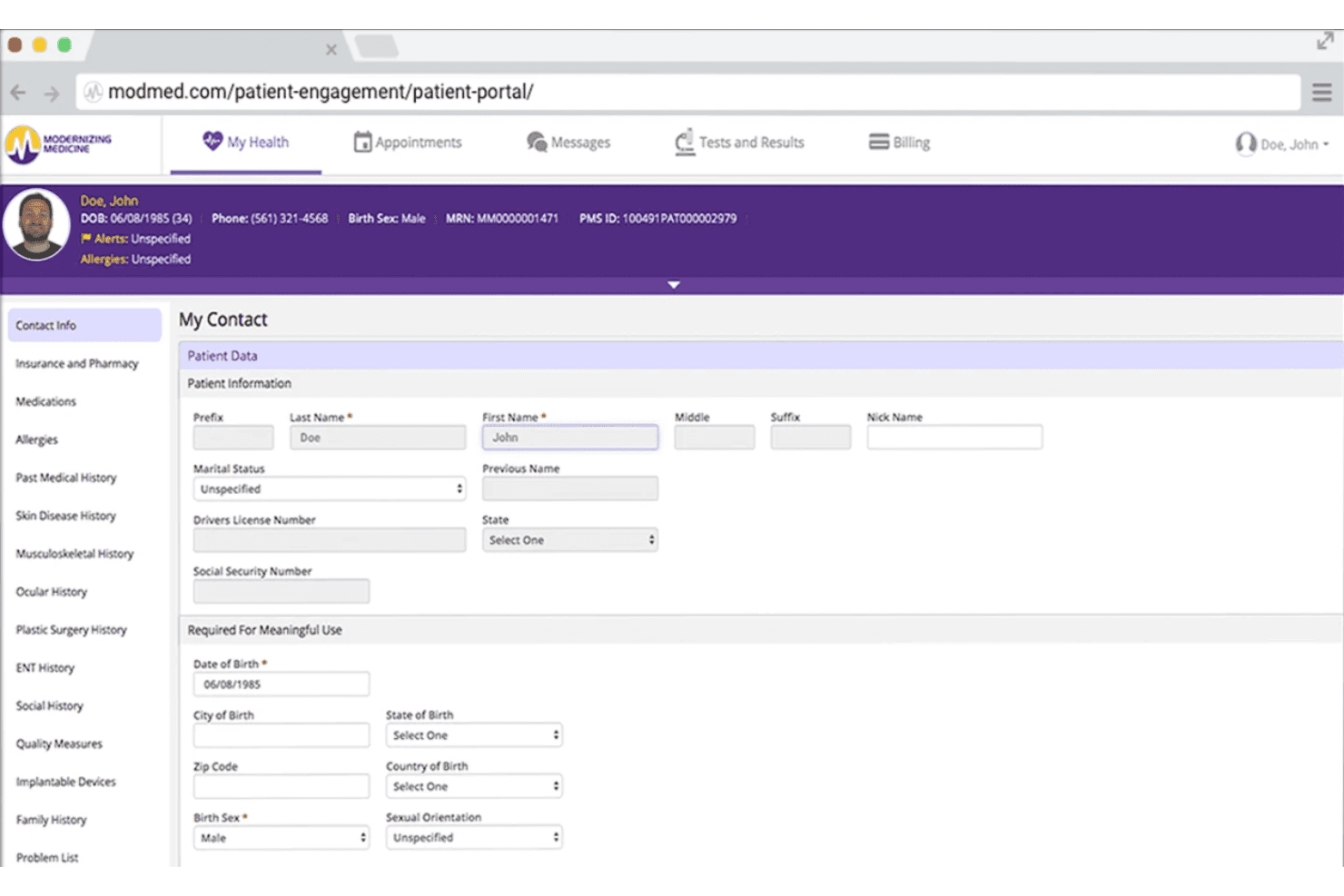
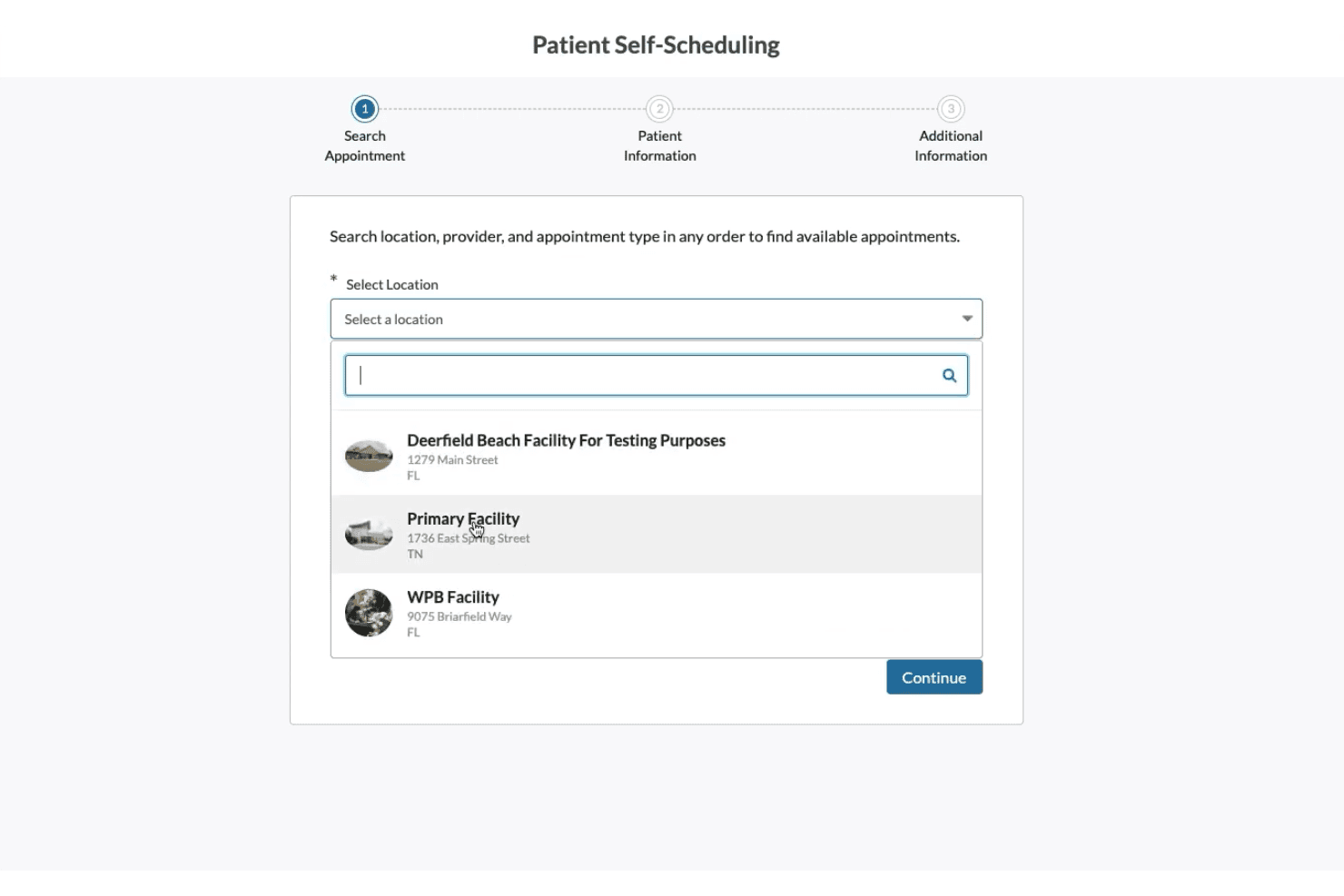
ModMed lets patients schedule and confirm appointments online. Built-in reminders help reduce no-shows and free up staff time.
Specialty-Specific Workflows
The platform offers tailored templates and protocols for specialties like dermatology and orthopedics. These prebuilt workflows speed up charting and reduce data entry errors.
Integrated Billing and Claims
Users can generate claims, track status, and manage denials from one system. This streamlines the revenue cycle without swapping tools.
Patient Portal
Patients access test results, appointment info, and messages securely online. This improves communication and empowers patients to self-manage.
Real-Time Analytics Dashboard
View financial, operational, and appointment data in customizable dashboards. Users monitor trends and run reports to drive decisions.
Telehealth Visits
ModMed supports video visits from within the platform. Patients can attend appointments remotely, making care more flexible.
Ease of Use
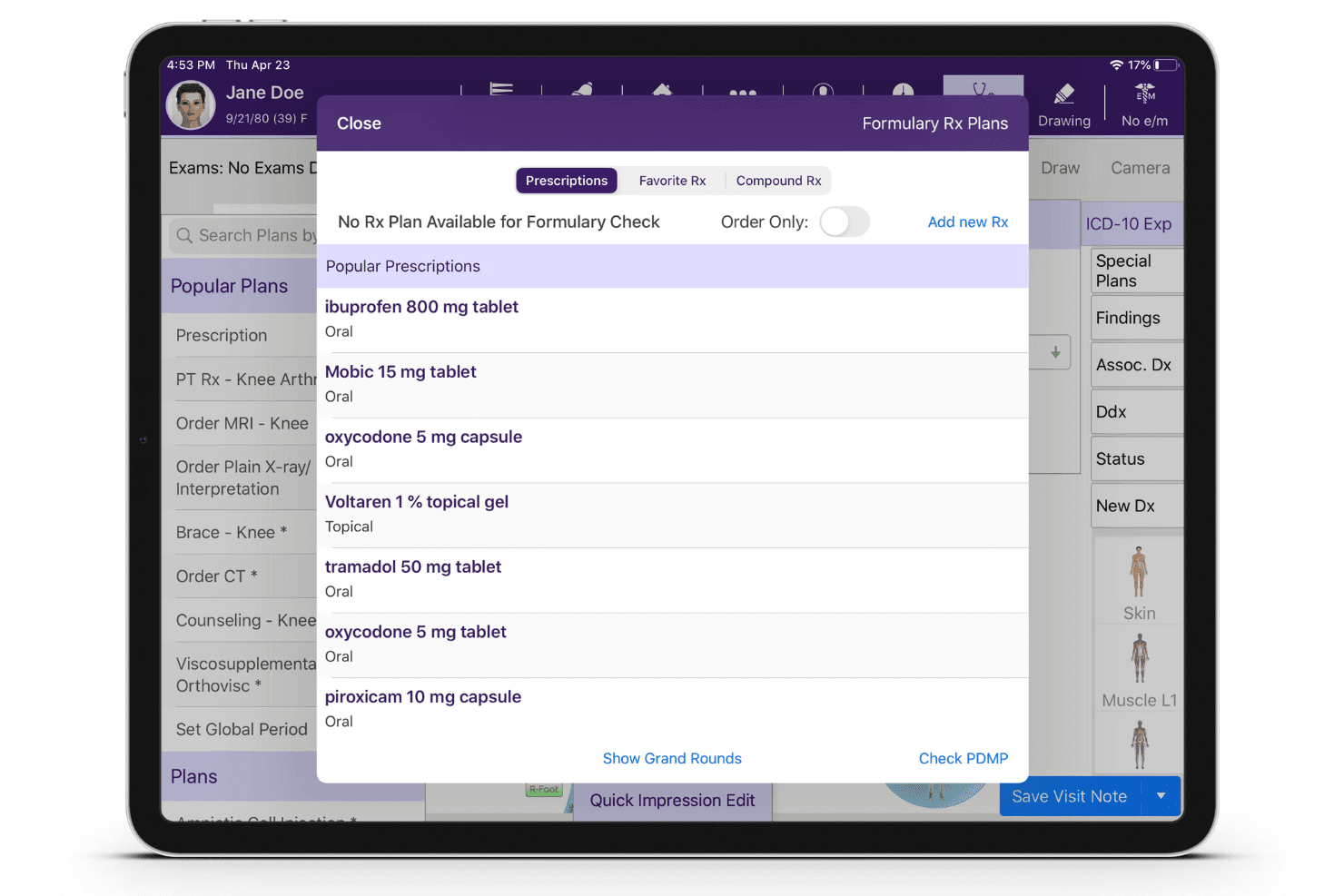
ModMed is user-friendly for busy specialty practices, especially with its iPad-first design and graphical charting tools.
Most users find its navigation intuitive and workflows smooth once set up, though setup can be time-consuming. Specialty templates and visual interfaces help providers document faster and make fewer errors compared to generic platforms.
Integrations
ModMed integrates with Labcorp, Quest Diagnostics, Surescripts, HL7 Health Information Exchanges, Nuance Dragon Medical, multiple pathology labs, radiology systems, patient registries, hospital information systems, and payer clearinghouses, among others.
ModMed also offers an API for secure application integrations and connects with third-party tools using HL7 and FHIR protocols.
ModMed Specs
- API: Yes
- Appointment Scheduling: Yes
- Athlete Management: No
- Audit Management: No
- Calendar Management: Yes
- Compliance Tracking: Yes
- Customer Management: Yes
- Dashboard: Yes
- Data Export: Yes
- Data Import: Yes
- Data Visualization: Yes
- Electronic Prescribing: Yes
- External Integrations: Yes
- File Sharing: Yes
- File Transfer: No
- Health Management: Yes
- HIPAA Compliance: Yes
- Inventory Tracking: Yes
- Multi-User: Yes
- Notifications: Yes
- Organization Management: Yes
- Patient Management: Yes
- Project Management: No
- Regulatory Alerts: No
- Risk Assessment: No
- Scheduling: Yes
- Supplier Management: No


