Key Takeaways
Electronic Health Records (EHRs) offer a digital version of a patient's medical history, facilitating better care coordination across multiple provider.
EHRs contain comprehensive patient information including demographics, medical history, test results, and immunizations, enabling providers to make informed, timely decisions.
Popular EHR systems include Epic, Cerner, Allscripts, Athenahealth, and eClinicalWorks.
I’ve been managing medical practices long enough to remember paper charts and fax machines. Things have changed fast, and in 2026, there’s no surviving in healthcare without a solid EHR system. If you’re still unsure what an EHR is or why it matters, I’ll break it down for you in plain terms.
EHR Definition
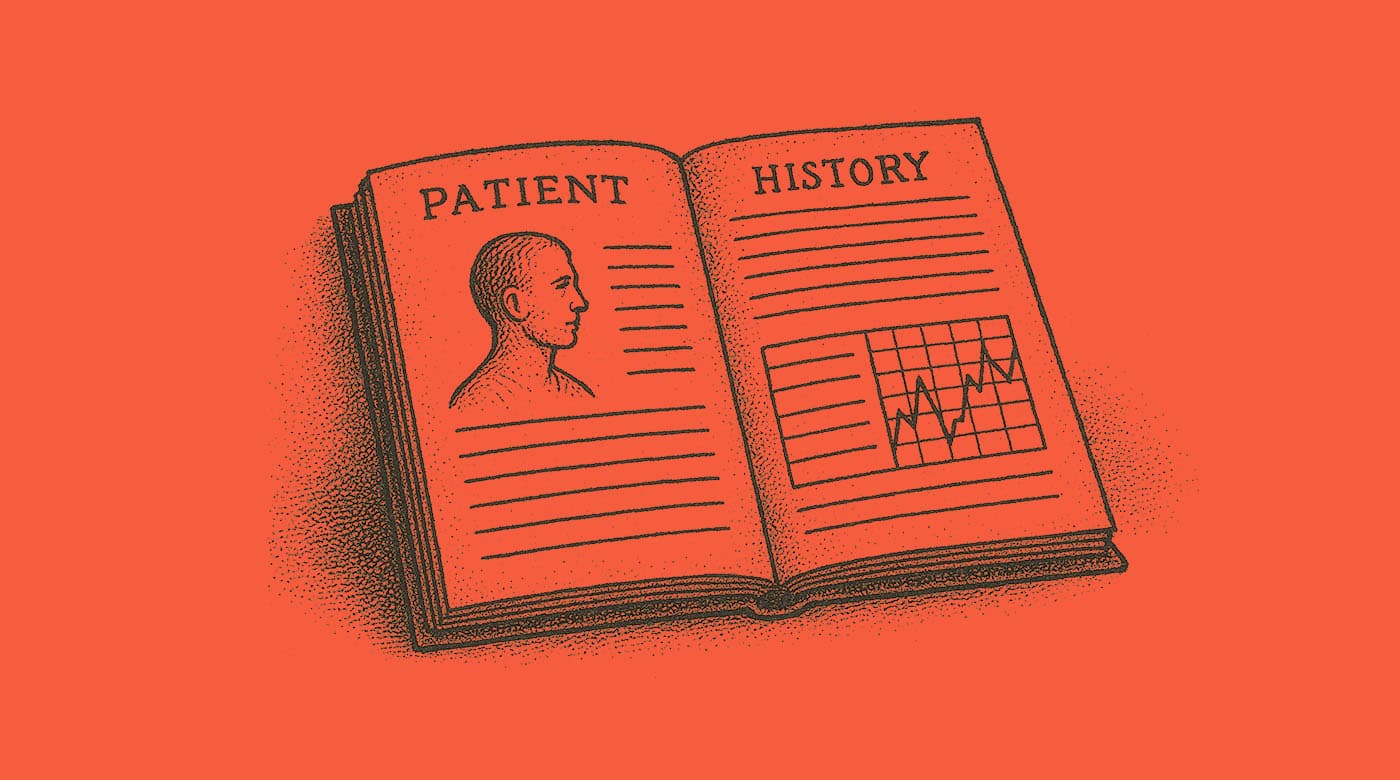
An EHR, or Electronic Health Record, is a digital version of a patient’s complete medical history. It includes everything from diagnoses and lab results to medication lists and visit notes. Unlike paper charts, EHRs are designed to be shared across different healthcare providers, which helps improve coordination and continuity of care.
EHR software solutions are full platforms that manage scheduling, documentation, billing, patient communication, and regulatory compliance. A good EHR doesn’t just store data, it supports better decisions, faster workflows, and safer patient care.
My Top Recommendations for EHR Software
Here are some EHR solutions that I think are worth checking out for your practice:
EHR vs EMR: What’s the Difference?
A lot of people use EHR and EMR interchangeably, but they’re not quite the same.
An EMR, or Electronic Medical Record, is like a digital version of the paper chart used in a single practice—it doesn’t go beyond that doctor’s office.
An EHR, or Electronic Health Record, goes further by sharing that data across multiple providers and organizations, helping to create a more complete and connected view of a patient’s care.
Benefits of Using EHRs
Using EHRs is becoming non-optional in today's tech-savvy world. But there are some tangible benefits of EHR systems (implementation, upgrade, training, etc.). Here are a few of them:
- Better Patient Care: A key benefit of EHR software is that it makes it easier to track patient history, allergies, and medications, which helps providers make safer, faster decisions.
- Fewer Errors and Better Compliance: Built-in alerts and templates help reduce charting mistakes and ensure you’re documenting the right way for audits or MIPS requirements.
- Improved Practice Efficiency: With an EHR, staff spend less time digging through paper charts or re-entering data. That means shorter wait times and more patients seen per day.
- Stronger Communication: EHRs let you send referrals, prescriptions, and even secure messages to patients and other providers, all in one platform.
- Data for Quality and Revenue: You can run reports to track performance, spot gaps in care, and pull clean data for value-based care contracts or incentive programs.
Common Challenges with EHRs
Like any technology, EHRs have their drawbacks. Here, I'll outline some common challenges with EHR systems. But keep reading, because I have solutions for you, too!
- High Learning Curve: Not all systems are intuitive. It can take weeks or even months for providers and staff to get comfortable, which disrupts workflows.
- Hidden Costs: Some EHR vendors advertise low monthly rates but charge extra for training, support, integrations, or upgrades.
- Interoperability Issues: Not all EHRs play nicely with outside labs, pharmacies, or hospital systems, which can hurt care coordination.
- Provider Burnout: If the EHR is clunky or overloaded with clicks, it can contribute to physician fatigue and frustration.
- Data Migration Problems: Switching EHRs is never fun. You risk losing data or dealing with inconsistent records if the migration isn't done right.
EHR Best Practices to Avoid Common Problems
Based on my experience, introducing or expanding any new software solution for your practice comes with its fair share of problems. Here are some best practices and steps you can take to mediate the most common challenges with EHRs.
High Learning Curve
Getting your team up to speed with a new EHR can feel overwhelming at first. But with the right approach, you can flatten the learning curve and build staff confidence early.
- Choose an intuitive system: Pick an EHR with a clean interface and role-specific workflows.
- Invest in training early: Set aside dedicated time for hands-on training before go-live.
- Use super-users: Train a few team members in-depth so they can support others on the floor.
- Practice with real patient scenarios: Run simulations before launch to get comfortable with documentation and navigation.
- Offer refresher sessions: Schedule regular training follow-ups to keep skills sharp and catch bad habits.

Hidden Costs
EHR pricing can be tricky, and what looks affordable upfront can get expensive fast. The key is to uncover all potential costs before you sign.
- Request a full price breakdown: Ask vendors for itemized quotes including setup, licenses, support, and add-ons.
- Ask about long-term pricing: Clarify if monthly costs increase over time or with additional users.
- Check for upgrade fees: Some EHRs charge extra for version upgrades or new features.
- Evaluate bundled services: Watch for baked-in services you may not need, like patient marketing tools.
- Read the contract fine print: Understand termination fees and limits on data access if you cancel.
Interoperability Issues
An EHR that can’t integrate with other systems becomes a major roadblock in patient care. If data doesn’t flow smoothly between providers, everyone suffers, including your patients.
- Ask about integrations upfront: Make sure the system connects with your key partners (labs, pharmacies, etc).
- Check for FHIR and HL7 compliance: Look for modern data standards that make sharing easier.
- Talk to local HIEs: Confirm the EHR can connect with health information exchanges in your area.
- Test referral and e-prescribe features: Make sure they actually work before you go live.
- Choose a vendor with a reputation for openness: Some EHRs are known for walling off data (avoid those).
Provider Burnout
A frustrating EHR can wear providers down and hurt morale. The good news is, smart setup and workflow choices can ease the burden significantly.
- Streamline templates: Customize note templates to minimize clicks and repetitive documentation.
- Use dictation tools: Speech-to-text tools help providers chart faster and more naturally.
- Involve clinicians in setup: Let doctors help design workflows so they’re not stuck with clunky screens.
- Encourage use of medical scribes: Virtual or in-person scribes can offload documentation duties.
- Track and improve time-in-EHR: Monitor usage reports and fix bottlenecks that waste provider time.
Data Migration Problems
Switching from one EHR to another is one of the riskiest steps in the whole process. But with careful planning, you can protect your data and avoid nasty surprises.
- Start with a clear data plan: Know what data you want to migrate and what can stay archived.
- Hire experienced migration support: Use professionals who’ve handled EHR-to-EHR transfers before.
- Test with a small sample first: Do a trial run with real charts to catch formatting or field issues.
- Verify mapped fields: Double-check how data like allergies, medications, and vitals will appear post-migration.
- Keep access to old records: Maintain a read-only version of your old system during the transition period.
What Patient Information Stored in an EHR?
Patient data, patient health summary, patient records... What exactly can you expect to find in a patient's EHR? Here are the types of data commonly stored in an EHR:
Patient Information
This information helps healthcare providers verify identity and coordinate care effectively. Includes both personal and clinical data such as:
- Full name, date of birth, contact details
- Insurance provider
- Emergency contact
- Allergies and current medications
Patient’s Medical History
Details about past illnesses, surgeries, chronic conditions, family medical history, and lifestyle factors (e.g., smoking, alcohol use). It’s essential for diagnosis, risk assessment, and treatment planning.
Personal Health Records (PHRs)
PHRs are often maintained by the patient and may be integrated with EHRs. They include similar information to EHRs but are typically more patient-facing, allowing individuals to track their health data, upload documents, or communicate with providers.
Demographics
These details support personalized care and population health analysis. Basic identifying information such as:
- Age
- Gender
- Race and ethnicity
- Language preference
- Socioeconomic status
Test Results
Lab results (blood tests, urine tests), radiology reports (X-rays, MRIs), and pathology findings are included here. EHRs often display these in timeline formats to track changes over time.
Screenings
Routine checkups like mammograms, colonoscopies, and depression screenings. EHRs often include reminders for providers (and sometimes patients) when these are due.
Vital Signs
Typically recorded during each patient visit and tracked over time. Common vital signs documented include:
- Temperature
- Blood pressure
- Heart rate
- Respiratory rate
- Oxygen saturation
Immunizations
A record of all vaccinations a patient has received, including flu shots, COVID-19 vaccines, and childhood immunizations. This ensures providers stay compliant with immunization schedules.
Additional Medical Information
Any additional clinical details like patient personal preferences, and so on.
EHR Examples
I'm a visual learner, myself. So, let's see what a few EHRs look like in action.
AdvancedMD EHR

Here's the AdvancedMD EHR dashboard, giving a snapshot of a clinic’s daily operations.
On the left, there’s a color-coded appointment schedule that lists patients, visit types, and time slots.
In the center, circular icons show how many notes, prescriptions, orders, messages, and other tasks are pending.
On the right, there’s a list of patient records and test results waiting for review or signature, along with doctor names and statuses.
What I love about it: This EHR offers a all-in-one, organized view that helps providers and staff stay on top of appointments, documentation, and follow-ups all in one place.
AthenaHealth EHR

The Athenahealth EHR screen displays a patient chart view.
On the left are quick-access tabs for allergies, meds, vitals, and more.
The center-left panel summarizes the patient’s allergies, medications, problems, and surgical history.
The right side shows visit notes from a recent internal medicine appointment, including diagnosis details, lifestyle advice, and follow-up plans. It also includes outstanding lab orders and contact information.
What I love about it: The layout is clean and focused, making it easy for providers to review key patient data and plan next steps.
How to Choose an EHR for Your Business
Here's a handy chart to help guide your decision-making when choosing an EHR system for your practice.
| Selection Factor | What to Look For |
|---|---|
| Selection FactorWorkflow Fit | What to Look ForSystem that supports how your practice actually works; test with real-life scenarios |
| Selection FactorSpecialty Features | What to Look ForEHR that’s tailored to your specialty like pediatrics, psych, or surgery |
| Selection FactorInteroperability | What to Look ForAbility to integrate with labs, imaging centers, HIEs, and hospitals |
| Selection FactorSupport & Training | What to Look ForLive support, onboarding help, and continuous training—not just self-serve tools |
| Selection FactorCost Structure | What to Look ForClear breakdown of licensing, setup, support, updates, and migration fees |
| Selection FactorPeer Reviews | What to Look ForFeedback from other practice managers in your specialty |
More Articles
EHR Software Trends I've Spotted in 2026
EHR systems aren’t standing still—they’re adapting fast to meet the demands of modern healthcare. In 2025, I’m seeing clear trends that reflect where the industry is headed and what practices need to stay competitive.
- AI-Powered Documentation: More AI-enabled EHR systems now offer real-time note suggestions, automated charting, and predictive diagnosis tools. It’s helping providers cut down on charting time significantly.
- Voice and Ambient Tech Integration: Tools like ambient listening and voice assistants are now baked into the EHR, capturing visit notes passively while the provider focuses on the patient.
- Patient Self-Service Features: Patients expect online scheduling, instant messaging, and record access—these EHR software features are increasingly being built in natively instead of relying on third-party portals.
- Built-In Revenue Cycle Tools: EHRs are offering more robust billing dashboards, denial management automation, and insurance eligibility checks right in the platform.
- Cloud-First and Mobile-Friendly: Web-based systems that work on tablets and phones are dominating, and the benefits of cloud-based EHRs include that remote access and mobile documentation becoming standard.
- Improved Data Sharing (Interoperability): Thanks to TEFCA and FHIR standards gaining traction, EHRs are now more connected across providers, pharmacies, and health systems.
- Customization Without Developers: Drag-and-drop form builders and rule-based automations mean practices can tailor workflows without needing IT teams.
Different Types of EHRs
There’s no one-size-fits-all EHR. What works great in a primary care clinic may fall flat in a specialty practice. I always recommend comparing different types of EHR systems to find one that’s built for your specific needs, and here’s a quick rundown of the main types I see practices using:
- Cloud-Based EHR: Hosted online and accessible from anywhere with an internet connection—no on-site servers needed. These are now the standard for small to mid-sized practices.
- Primary Care EHR: Built for broad-spectrum care, these systems often include chronic disease management tools, preventative care prompts, and population health dashboards.
- EHR for Family Practice: Similar to primary care but more focused on full-lifecycle care, including pediatrics, women’s health, and geriatric tools in one platform.
- Pediatric EMR: Designed specifically for children’s care, with features like growth charts, vaccine schedules, developmental milestone tracking, and pediatric dosing calculators.
- Optometry EHR: Includes vision exam templates, lens prescription modules, and integrations with optical equipment for fast charting and ordering.
- Allergy EHR Software: Tailored for allergy and immunology practices with injection tracking, serum inventory, and allergy testing modules built in.
- Mental Health EHR: Offers psychiatry-focused workflows, including medication management, DSM coding, and privacy settings for sensitive notes.
- Rheumatology EMR: Includes detailed joint and disease activity scoring tools, infusion scheduling, and biologics tracking for autoimmune patients.
- Podiatry EHR: Features foot and ankle-specific templates, procedure coding, and imaging tools suited to diabetic foot care, wound treatment, and surgeries.
Learn More About EHRs
To learn more about EHR or explore AI in healthcare examples showing how technology is changing the healthcare industry, check out these additional resources I've compiled:
- EHR courses online to get a crash course in how to use and manage electronic health records
- Medical terminology books to learn about other tricky terms in the healthcare world today
- Practice management podcasts for advice on technology trends and best use cases weekly
- Healthcare innovation conferences or Medtech conferences to keep abreast of advancements in EHR and other tools
EHR FAQs
Here are some questions people also ask me about EHRs.
What Next?
To stay updated on the latest trends, best practices, and solutions related to your medical practice, subscribe to The Medical Practice newsletter.