

DrChrono, muayenehanenizin temel klinik ve idari ihtiyaçlarını karşılayabilir, ancak iş akışları her uzmanlık alanına veya faturalandırma düzenine uymayabilir. Bazı muayenehaneler daha gelişmiş gelir döngüsü yönetimine ihtiyaç duyarken diğerleri rehabilitasyon dokümantasyonuna, hasta katılımına veya birden fazla konumda faaliyet göstermeye öncelik verir.
Bu karşılaştırma, bu alanlarda farklı güçlü yönlere sahip DrChrono alternatiflerini inceler ve geçiş yapıp yapmayacağınıza karar vermeden önce her platformun sunduklarını daha net bir şekilde görmenizi sağlar.
DrChrono Nedir?
DrChrono, tıbbi muayenehaneler için bulut tabanlı bir elektronik sağlık kaydı (EHR) ve muayenehane yönetimi platformudur. Web, iPad ve iPhone üzerinden erişim sunarken tıbbi kayıt oluşturma, randevu planlama, hasta kabulü ve iletişimi ile faturalandırma iş akışlarını bir araya getirir. Muayenehaneler formları, şablonları ve iş akışlarını farklı uzmanlık alanlarına göre yapılandırabilir. Özellikler ve fiyatlandırma, plana ve muayenehanenin ihtiyaçlarına göre değişir.
.
En İyi DrChrono Alternatifleri İçin Karşılaştırma Tablosu
Kısa listeme giren DrChrono alternatiflerinin fiyatlarını ve teknik özelliklerini yan yana karşılaştırın
Score legend (out of 5)
- Excellent4.5–5
- Good4–4.4
- Average3–3.9
- Below average2–2.9
- Poor1–1.9
Sorted by: Default
| Tool | Starting Price | Website | |||||||
|---|---|---|---|---|---|---|---|---|---|
Best for specialty-specific clinical workflows | 3.8 out of 5 | 4 | 4 | 4 | 3 | 4 | 4 | Pricing upon request Free demo available | Website |
Best for rehab therapy documentation | 3.7 out of 5 | 4 | 3 | 4 | 3 | 4 | 4 | Pricing upon request Free demo available | Website |
Best for chiropractic documentation | 3.8 out of 5 | 4 | 4 | 4 | 3 | 4 | 4 | Pricing upon request Free demo available | Website |
Best for independent practice growth | 3.7 out of 5 | 4 | 4 | 3 | 3 | 4 | 4 | Pricing upon request Free demo available | Website |
Best for multi-practice billing | 4.0 out of 5 | 4 | 4 | 4 | 4 | 4 | 4 | Pricing upon request Free demo available | Website |
Best for network-driven revenue insights | 4.0 out of 5 | 4 | 4 | 4 | 4 | 4 | 4 | Pricing upon request Free demo available | Website |
Best for outsourced revenue cycle support | 3.7 out of 5 | 4 | 3 | 3 | 4 | 4 | 4 | Pricing upon request Free demo available | Website |
Best for customizable practice workflows | 3.7 out of 5 | 4 | 4 | 3 | 4 | 4 | 3 | $130/user/month 30-day free trial + free demo available | Website |
Best for personalized client care in solo practices | 3.2 out of 5 | 3 | 4 | 3 | 3 | 4 | 2 | $49/month Free demo + 30-day free trial available | Website |
Best for modular medical software | 2.8 out of 5 | 2 | 3 | 4 | 3 | 3 | 2 | $335/month Free demo available | Book Demo |


Why Trust Our Software Recommendations
6,700+
Reviews
20
Industry experts
16+
Evaluation factors
14
Years
Our team has been testing and reviewing software since 2012. As medical practice leaders ourselves, we know how difficult—and important—it is to choose the right software.
For this guide, we evaluated tools using hands-on testing and independent research, scoring tools using our selection criteria.
Our reviews reflect our human editorial judgment, not a sales pitch.
DrChrono Alternatifleri İncelemeleri
Aşağıda, kısa listemde yer alan en iyi DrChrono alternatifleri hakkındaki incelemelerimi bulabilirsiniz. Doğru seçeneği belirlemenize yardımcı olmak için her platformun özelliklerini, faturalandırma desteğini ve muayenehanenize uygunluğunu karşılaştırıyorum.
 Best for specialty-specific clinical workflows
- Free demo available
- Pricing upon request
Visit WebsiteCustomer Rating:4.5/5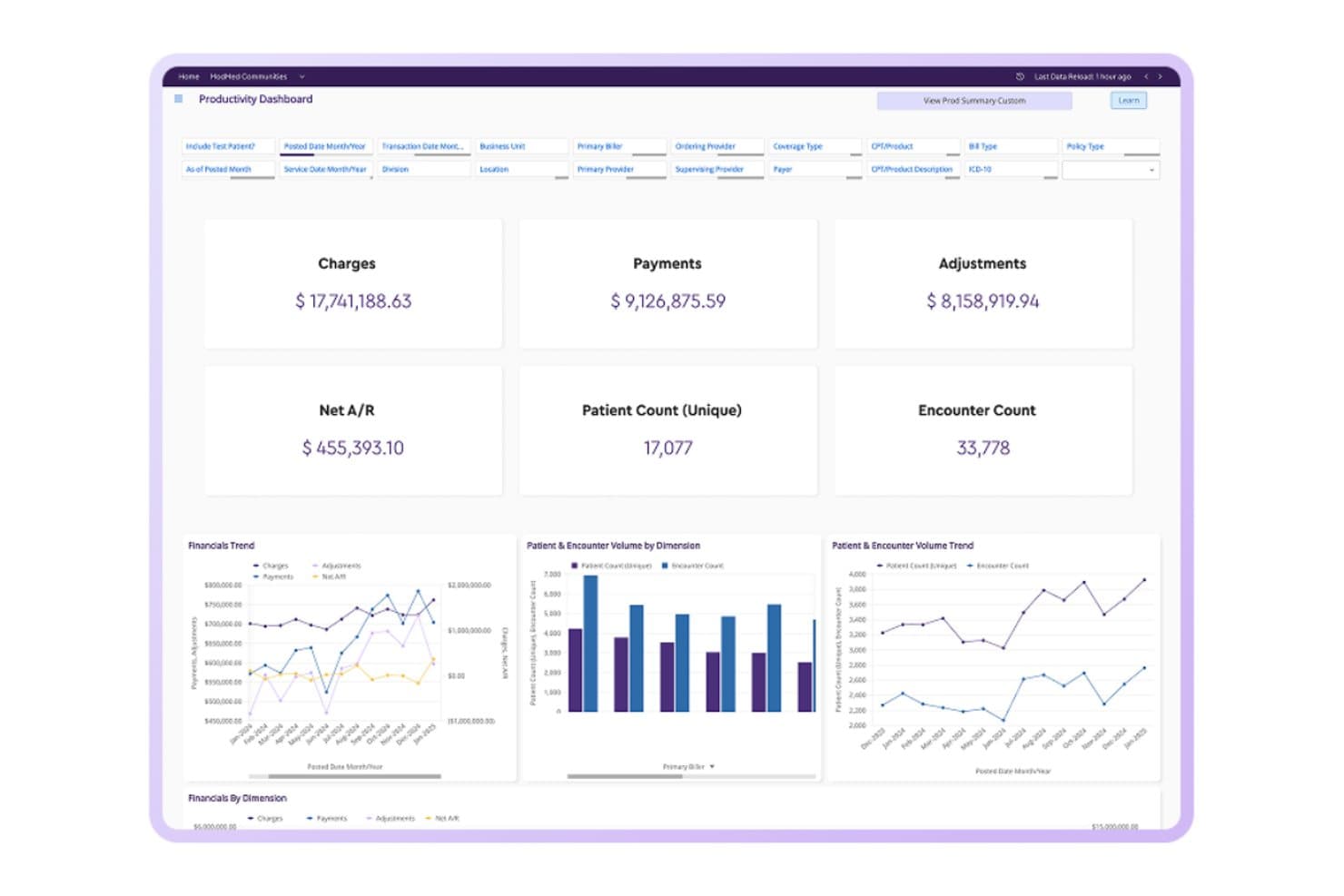
ModMed combines specialty-specific documentation, billing, scheduling, patient engagement, and analytics. ModMed is a specialty-focused EHR and practice management platform that connects clinical documentation, billing, scheduling, and patient engagement in one system built specifically for specialty practices.
Who Is ModMed Best For?
ModMed is a strong fit for specialty practices—dermatology, orthopedics, ophthalmology, and similar fields—that want clinical documentation built around their specific workflows rather than a generic EHR they have to adapt.
Why I Picked ModMed
I picked ModMed as one of the best because its EHR, EMA, is built from the ground up for specific specialties like dermatology, orthopedics, and ophthalmology, so clinical documentation actually reflects how those practices work. EMA learns physician preferences over time and suggests diagnoses, treatments, and codes tailored to that specialty's protocols. ModMed Scribe adds ambient listening to convert patient-provider conversations into suggested note content, cutting post-visit charting significantly.
ModMed Key Features
- Multi-location scheduling: View and manage appointment calendars across multiple locations, with drag-and-drop rescheduling and an automated waitlist.
- Custom claim-scrubbing rules: Set payer-, provider-, location-, or code-specific scrubbing rules before claims are submitted to the clearinghouse.
- Automated patient payment plans: Save a card on file and configure installment agreements that automatically process payments after insurance claims settle.
- ModMed AI Analytics: Query structured practice data, build custom reports, and receive anomaly detection alerts through a self-serve analytics dashboard.
ModMed Integrations
ModMed has documented integrations with Surescripts, Labcorp, Quest, Nuance Dragon Medical Speechkit, and Carequality, plus interfaces with 100+ practice-management systems and 150+ pathology labs. It also supports SMART on FHIR apps and APIs for custom connectivity.
Pros and Cons
Pros:
- Automated payments cover post-insurance balances
- Scheduling includes multi-location calendars and waitlists
- Specialty-specific notes reduce post-visit charting
Cons:
- Suggested codes still need manual review
- Reports can update slowly
Learn more about ModMed: Best for rehab therapy documentation
- Free demo available
- Pricing upon request
Visit WebsiteCustomer Rating:4.4/5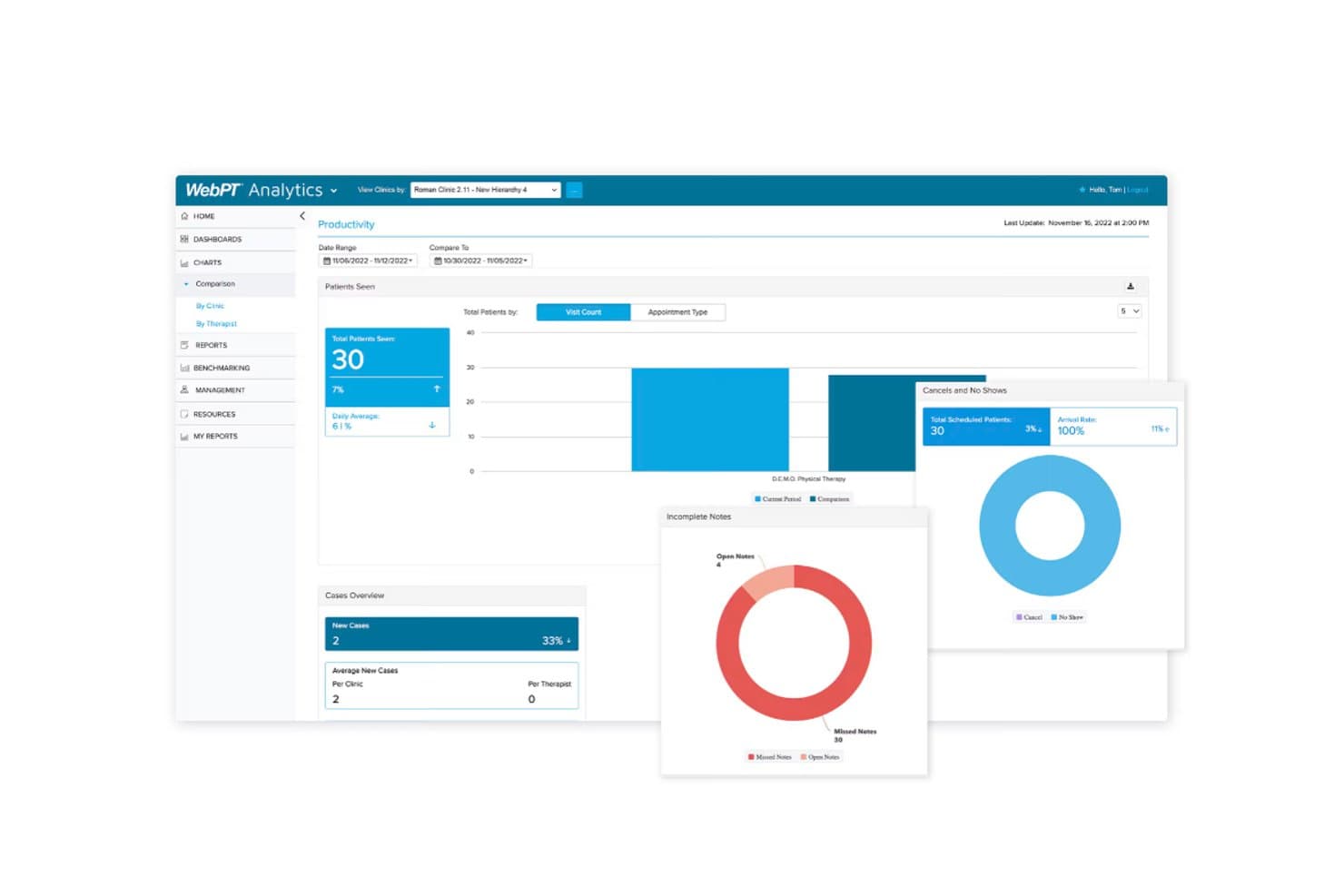
WebPT tracks clinic productivity, rehab documentation, clinical notes, and patient visits. WebPT is a practice management and EMR platform built exclusively for rehab therapy clinics that need to manage scheduling, documentation, billing, and front-office workflows in one place.
Who Is WebPT Best For?
WebPT is a strong fit for rehab therapy practices—physical, occupational, and speech therapy—that need specialty-specific documentation built into their daily clinical workflow.
Why I Picked WebPT
I picked WebPT as one of the best because it's the only platform on this list built exclusively for rehab therapy, which means its documentation tools aren't adapted from a generic EHR but designed around PT, OT, and speech therapy workflows from the ground up. I especially like the AI voice-to-text scribing paired with smart note templates that adapt to each therapist's preferred structure, so notes get done faster without losing clinical specificity. Its real-time documentation feedback flags missing sections and vague language as you chart, which keeps compliance gaps from slipping through.
WebPT Key Features
- Electronic Benefits Verification: Checks PT, OT, DME, and chiropractic coverage across 950+ payers directly from the EMR, with results returned in under two minutes and stored automatically in the patient chart.
- Digital Patient Intake: Sends customizable intake forms by text or email before a patient's first visit, with completed data flowing into the patient chart and populating evaluative notes.
- Multi-location scheduling: Displays and manages calendars for patients, providers, equipment, and exam rooms across any number of locations, with drag-and-drop appointments and color-coded custom labels.
- Home Exercise Program and Portal: Delivers custom-branded home exercise programs through an app with 5,500+ photo and video exercises, two-way messaging, and progress tracking.
WebPT Integrations
WebPT integrates with 60+ vendors, including Waystar, Worldpay, PatientPay, Kno2, Better Healthcare, PredictionHealth, and Patient360. It supports HL7-based patient registration, billing, and documentation connections, plus custom integrations and an API.
Pros and Cons
Pros:
- Eligibility checks return results within two minutes
- Multiple therapist calendars simplify schedule visibility
- Therapy-specific notes carry forward prior data
Cons:
- Billing handoffs can delay claims follow-up
- Reported outages can interrupt chart access
Learn more about WebPT: Best for chiropractic documentation
- Free demo available
- Pricing upon request
Visit WebsiteCustomer Rating:4.1/5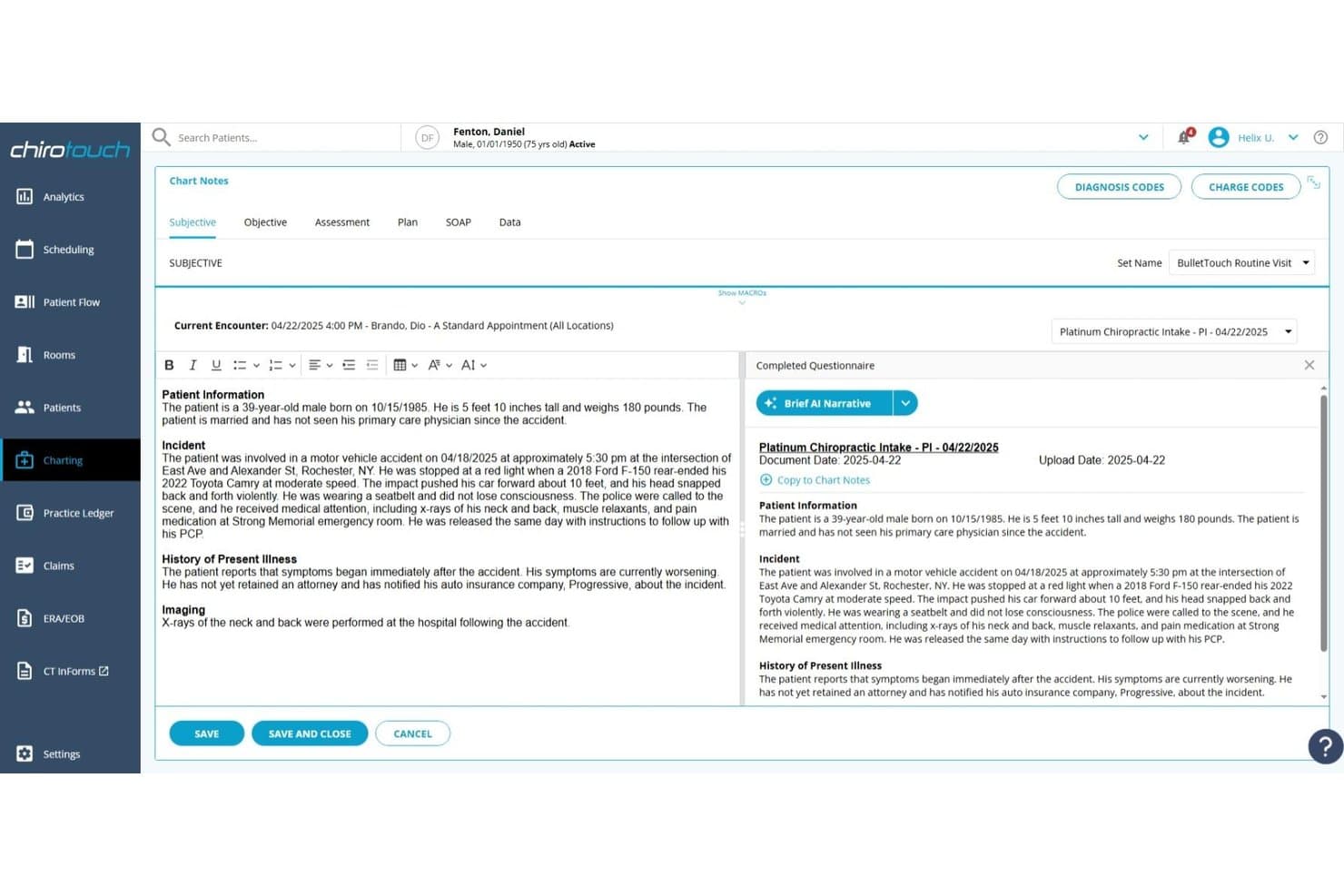
ChiroTouch combines chiropractic EHR, scheduling, insurance claims, billing, and patient payments. ChiroTouch is a chiropractic-specific practice management platform that handles EHR, scheduling, billing, insurance claims, and patient payments in one system—making it a strong fit for chiropractic offices that want to manage clinical documentation and revenue cycle work without juggling separate tools.
Who Is ChiroTouch Best For?
ChiroTouch is a strong fit for chiropractic offices that need clinical documentation, insurance billing, and patient payments managed in one purpose-built platform.
Why I Picked ChiroTouch
I picked ChiroTouch because it's purpose-built for chiropractic documentation in a way that general EHR platforms simply aren't. I appreciate how Rheo's AI Scribe pulls from digital intake forms, prior notes, and in-visit check-ins to generate context-aware SOAP notes automatically. Pair that with the AI Compliance Scan flagging missing documentation and billing code risks before a claim goes out, and you get a documentation workflow that's genuinely built around chiropractic clinical needs.
ChiroTouch Key Features
- Multi-payer billing coverage: Handle private insurance, Medicare, personal injury, and workers' compensation claims within a single billing workflow.
- CT InForms digital intake: Collect patient intake, safety, and consent forms digitally before appointments, with automatic sync into charting and patient records.
- Claims Worklist: Review, filter, and manage claim submissions and reconciliations by case type, provider, or trading partner from a centralized worklist.
- Automated ERA posting: Automatically apply electronic remittance advice to patient accounts after claims are processed through the integrated clearinghouse.
ChiroTouch Integrations
ChiroTouch has documented native integrations with TriZetto and Change Healthcare, plus marketplace integrations with Fullscript and WebExercises. A public API isn't stated.
Pros and Cons
Pros:
- Scheduling, notes, and claims share one workflow
- Custom reminders pair with appointment management
- Chiropractic SOAP macros speed routine charting
Cons:
- Billing may require manual corrections and allocation
- Reports can lag or fail unpredictably
Learn more about ChiroTouch: Best for independent practice growth
- Free demo available
- Pricing upon request
Visit WebsiteCustomer Rating:3.9/5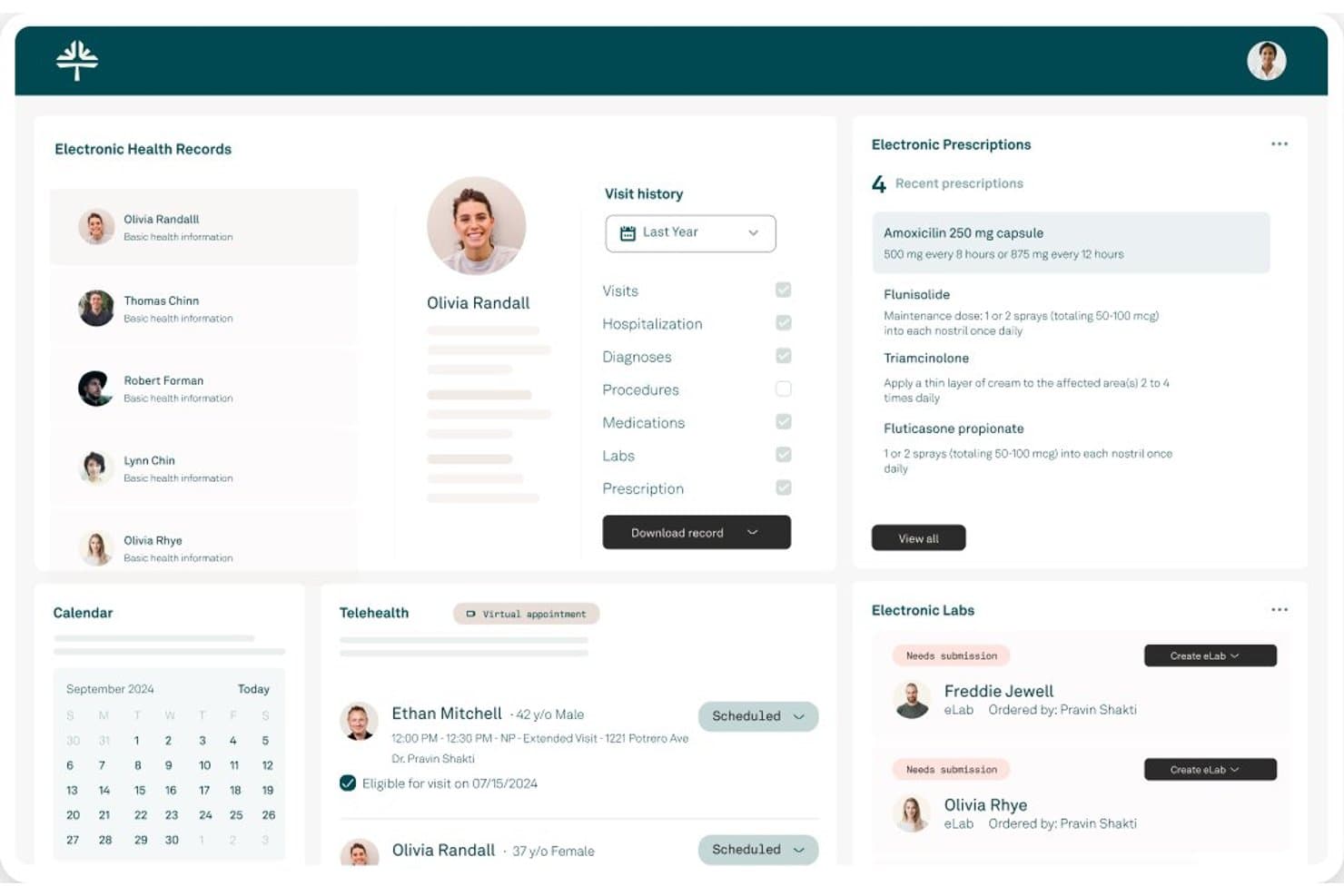
Tebra combines clinical documentation, scheduling, billing, patient engagement, and marketing. Tebra is an EHR+ platform built for independent practices that brings together clinical documentation, scheduling, billing, patient engagement, and practice marketing in one system.
Who Is Tebra Best For?
Tebra is a strong fit for independent practices—whether solo or multi-location—that want clinical documentation, billing, scheduling, and patient engagement managed in one platform.
Why I Picked Tebra
I've included Tebra in my top picks because it's purpose-built for independent practices that want to grow without adding more tools. I particularly like its built-in practice marketing module, which manages your SEO, paid search, and directory listings across 80+ platforms from inside the same system you use for scheduling and billing. Pair that with AI Note Assist for faster clinical documentation, and your clinical and administrative teams spend less time on overhead and more time on patients.
Tebra Key Features
- Digital patient intake: Send patients digital forms and e-signatures before their visit, with completed forms syncing directly into the EHR.
- Batch eligibility check: Run insurance eligibility verification for all patients scheduled on a given day directly from the Daily Calendar.
- Electronic remittance processing: Automatically post ERA payments and handle unapplied payment posting through robotic process automation.
- Telehealth: Conduct video visits from within the clinical workflow, integrated with scheduling and clinical notes.
Tebra Integrations
Tebra documents native connections with Google Business Profile, GoodRx, First Databank, and prescription drug monitoring programs (PDMPs). It also supports SOAP and FHIR APIs for custom integrations.
Pros and Cons
Pros:
- Clinical, billing, and marketing tools together
- Online booking cuts after-hours phone dependence
- Claims and charge-capture visibility
Cons:
- Support can falter after onboarding
- Secondary-payer billing adds extra steps
Learn more about Tebra: Best for multi-practice billing
- Free demo available
- Pricing upon request
Visit WebsiteCustomer Rating:4.1/5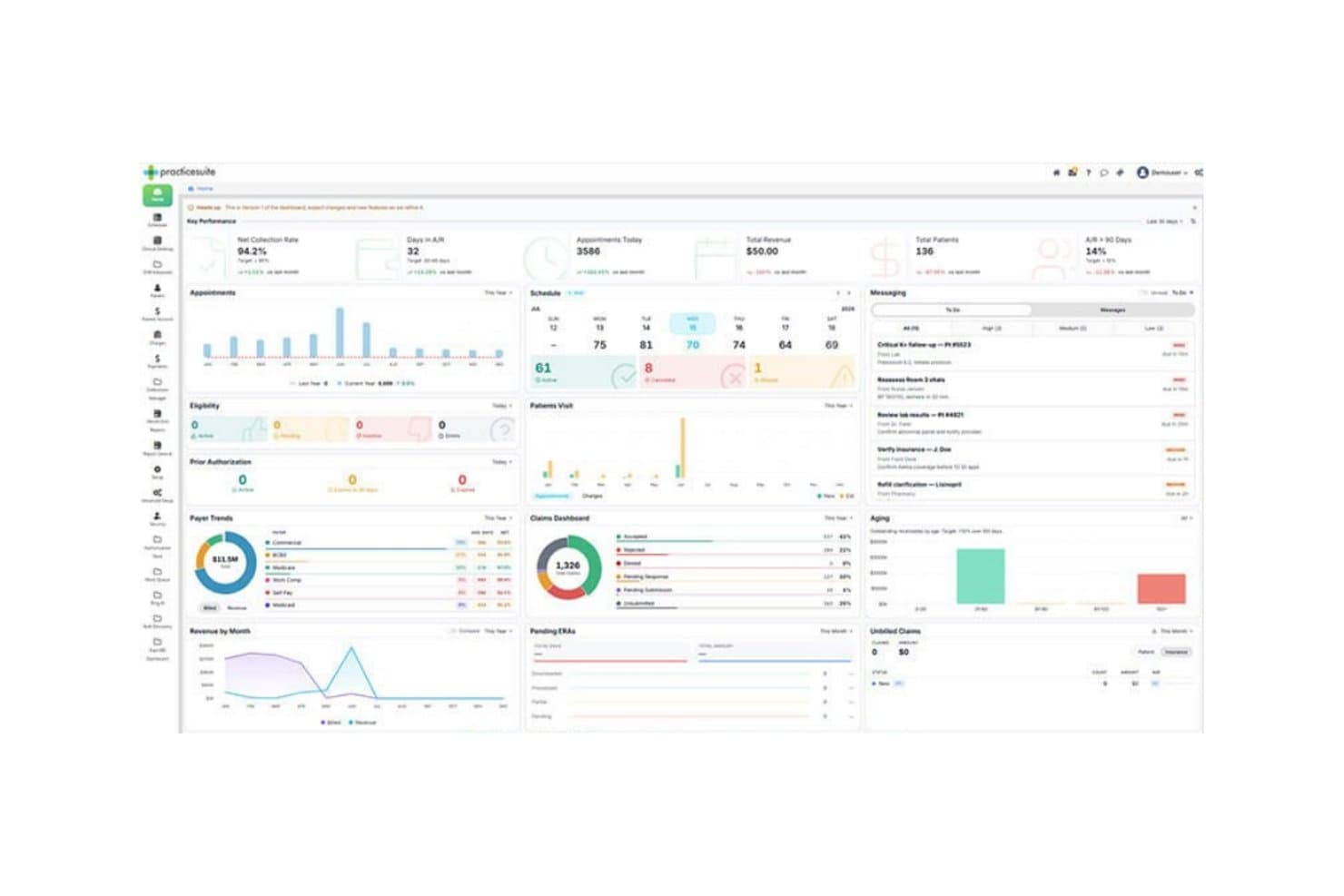
PracticeSuite manages multi-provider scheduling, claims, eligibility, billing, and revenue cycles. PracticeSuite is a cloud-based practice management and billing platform built for medical practices that need to manage scheduling, claims, eligibility, and revenue cycle operations across multiple providers or locations.
Who Is PracticeSuite Best For?
PracticeSuite is a strong fit for billing teams and revenue cycle staff managing claims, denials, and payments across multiple providers or practice locations.
Why I Picked PracticeSuite
I've included PracticeSuite in my top picks because its Central Business Office gives billing teams a single place to manage claims, run denial workflows, and pull consolidated financial reports across multiple legal entities and locations. I particularly like how the cross-practice dashboard surfaces real-time KPIs like charges, aging, and payment totals by entity, so nothing slips through the cracks when you're juggling several provider groups. The RCM Work Queue also lets staff triage denials by payer, urgency, or dollar impact across practices without switching between accounts.
PracticeSuite Key Features
- Automated appointment reminders: Configure reminders by provider, location, and appointment type to reduce no-shows across multiple scheduling locations.
- RCM Work Queue: Triage and prioritize tasks including rejected claims, authorizations, underpayments, and appeals from a single queue.
- ERA auto-posting: Batch-post electronic remittance advice and route exceptions for manual review.
- Atlas AI denial flagging: AI reads remittances, learns payer patterns, and flags claims likely to be denied before submission.
PracticeSuite Integrations
PracticeSuite lists 94 marketplace results, including Labcorp and Quest Diagnostics for electronic lab connections. It also supports HL7, FHIR, and API connectivity, with a documented FHIR API using OAuth 2.0 and SMART on FHIR.
Pros and Cons
Pros:
- Tracks eligibility alongside statements and payments
- Reviewers praise denial and rejection processing
- Consolidates billing across legal entities
Cons:
- Users report scheduler glitches and appointment changes
- Reviewers report billing takes too many steps
Learn more about PracticeSuite: Best for network-driven revenue insights
- Free demo available
- Pricing upon request
Visit WebsiteCustomer Rating:3.8/5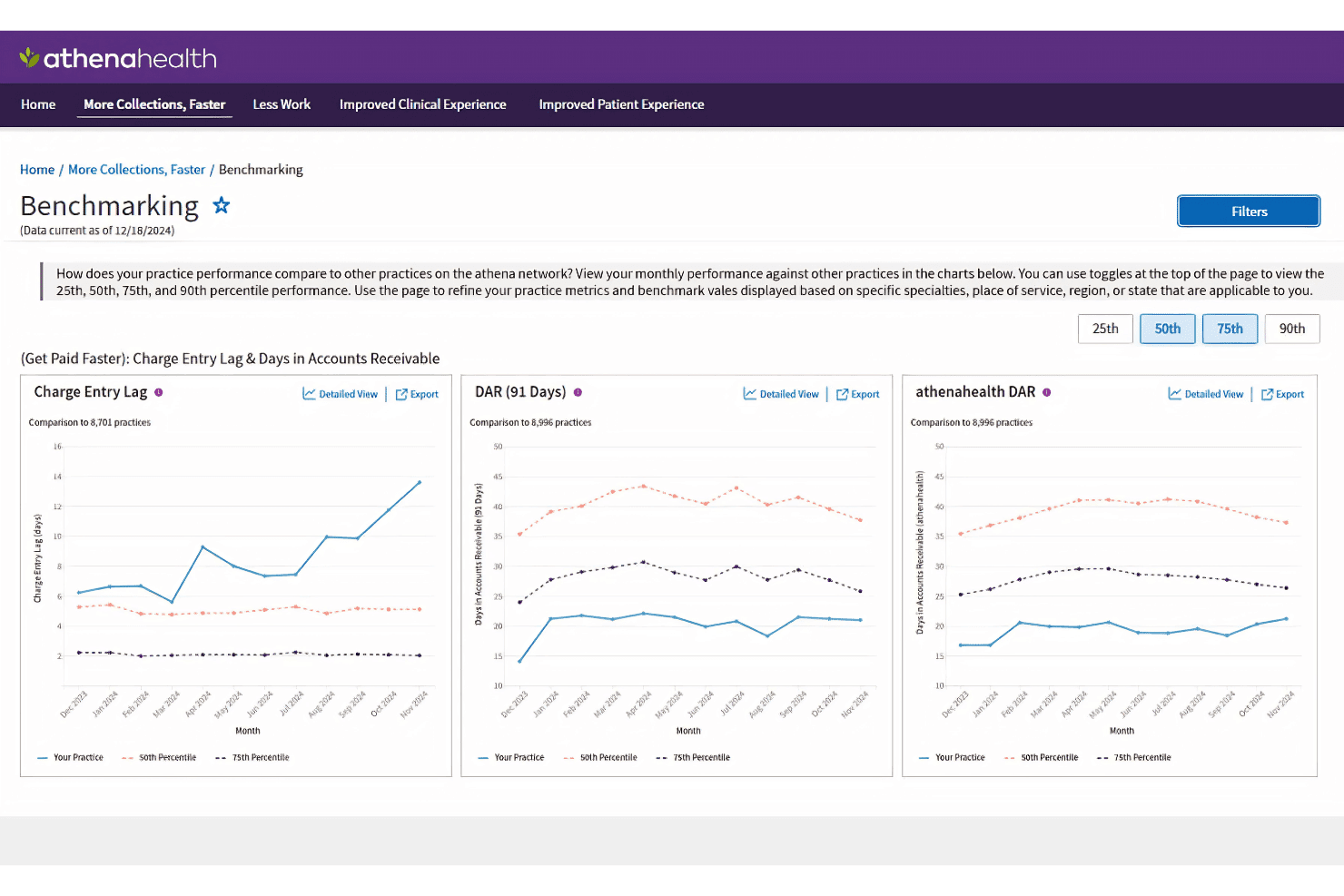
athenahealth offers network-driven benchmarking that compares your practice's Charge Entry Lag and Days in Accounts Receivable against thousands of other practices on the athena network. athenaOne is an integrated EHR, billing, and practice management platform built for ambulatory care teams who need claims processing, eligibility verification, scheduling, and patient engagement tools in one connected system.
Who Is athenaOne Best For?
athenaOne is a strong fit for multi-site ambulatory care practices whose billing and administrative teams need centralized revenue cycle management with cross-location financial reporting.
Why I Picked athenaOne
I've included athenaOne in my top picks because its Data View reporting is what genuinely sets it apart for revenue cycle work across multiple locations. I can pull cross-site A/R aging, denial reasons, and collection rate comparisons in one place and pipe that data directly into Power BI or Tableau. The network-informed claim rules engine also flags errors before submission using live payer guideline data, which is a level of specificity you don't see in most practice management platforms.
athenaOne Key Features
- Schedule Builder templates: Configure scheduling templates by provider, department, or provider group to control appointment availability and slot types across your practice.
- ReminderCall automated outreach: Send automated appointment reminders via phone call, email, or text, with messaging outcomes tracked directly in athenaOne.
- Patient Portal and mobile app: Give patients access to health history, test results, secure messaging, and appointment management through a dedicated portal and app.
- CommonWell and Carequality data exchange: Exchange patient medical records with thousands of external care sites through these national interoperability networks.
athenaOne Integrations
athenaOne offers native integrations with CommonWell Health Alliance and Carequality, plus built-in connections to labs, imaging centers, pharmacies, payers, and other EHRs. Its developer platform provides RESTful FHIR and proprietary APIs, while its Marketplace lists 300+ partners and separately reports 590+ options.
Pros and Cons
Pros:
- Patient records sit alongside practice workflows
- Scheduling reminders help manage patient flow
- Cross-site revenue reports support administrators
Cons:
- Portal messages and forms take extra clicks
- Denial follow-up draws reviewer criticism
Learn more about athenaOne: Best for outsourced revenue cycle support
- Free demo available
- Pricing upon request
Visit WebsiteCustomer Rating:3.6/5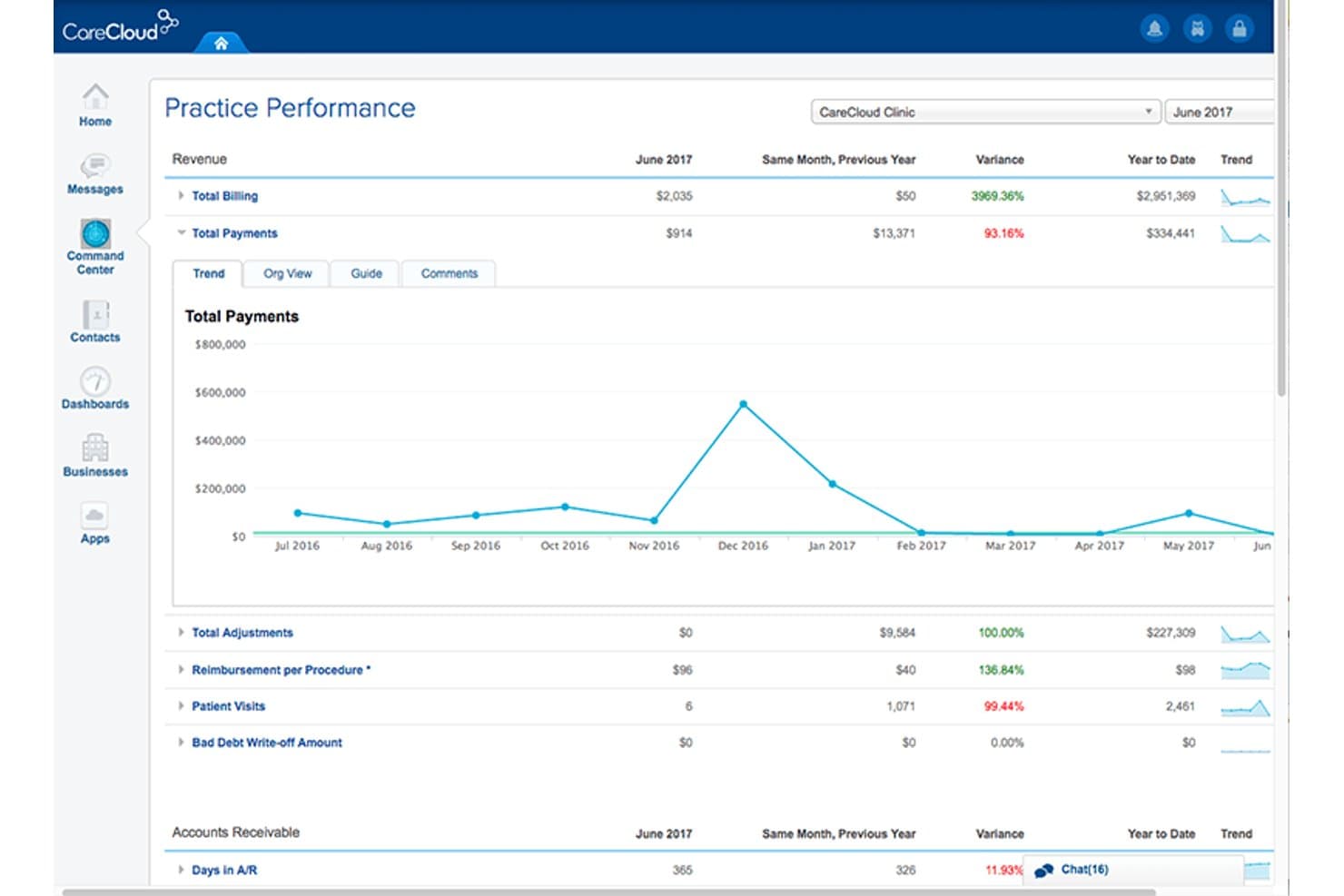
CareCloud combines cloud-based EHR, practice management, and revenue cycle management. CareCloud is a cloud-based platform that unifies EHR, practice management, and revenue cycle management for medical practices ranging from solo providers to multi-location groups.
Who Is CareCloud Best For?
CareCloud is a strong fit for practices that want to offload revenue cycle management entirely rather than handle billing in-house.
Why I Picked CareCloud
I've included CareCloud in my top picks because it's one of the few platforms where you can hand off your entire revenue cycle and have a dedicated team handle claims scrubbing, denial management, and collections on your behalf. The CareCloud Concierge plan operates on a percentage-of-collections model, which means the vendor's incentives are directly tied to your reimbursement outcomes. I also rely on CollectiveIQ to catch coding and payer-specific errors before claims go out, which cuts down on the back-and-forth that slows cash flow.
CareCloud Key Features
- cirrusAI Notes: Transcribes patient-provider conversations in real time and generates structured SOAP notes that sync directly into the EHR.
- Multi-view scheduling calendar: Displays appointments across providers and locations with drag-and-drop scheduling and automated reminders by text, email, or call.
- Breeze patient self-scheduling: Lets patients request or book appointments online using customizable forms, with confirmation notifications sent automatically.
- CareCloud Connector: Links your existing EHR, lab systems, and immunization registries through a single integration point with FHIR and CCDA data conversion.
CareCloud Integrations
Native integrations are not clearly documented, but CareCloud Connector supports EHR, software, laboratory, and immunization integration libraries with FHIR and CCDA conversion. CareCloud also offers a REST-style FHIR API over HTTPS with SMART on FHIR and OAuth 2.0.
Pros and Cons
Pros:
- Reviewers value customizable practice analytics
- Reviewers praise scheduling and calendar filters
- Outsourced RCM covers denials through collections
Cons:
- Some patients struggle with online payments
- Implementation can involve costly, difficult migration
Learn more about CareCloud: Best for customizable practice workflows
- 30-day free trial + free demo available
- From $130/user/month
Visit WebsiteCustomer Rating:3.6/5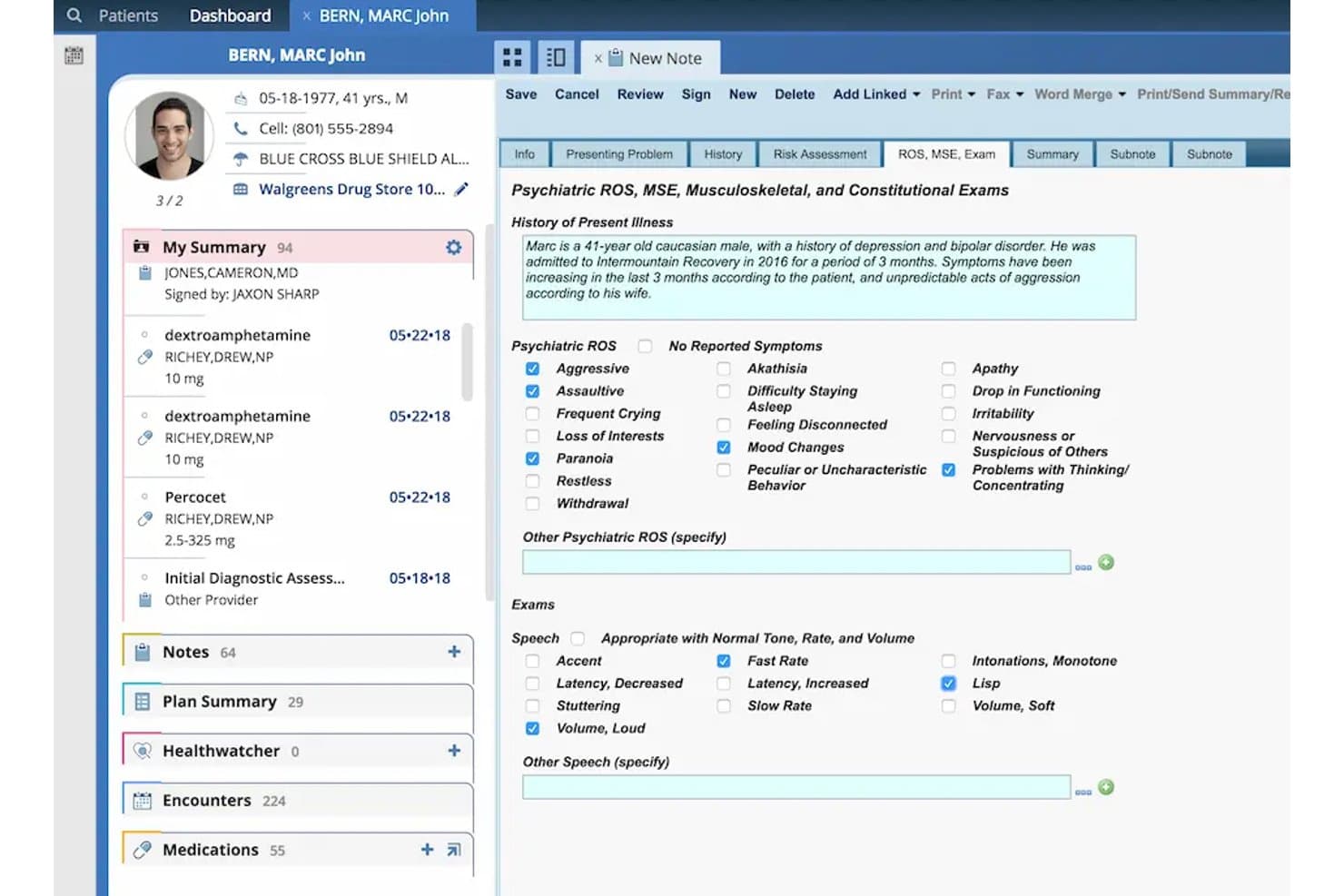
AdvancedMD combines multi-location scheduling, claims scrubbing, and centralized billing. AdvancedMD is a cloud-based EHR, practice management, and patient engagement platform built for independent practices that need multi-location scheduling, clearinghouse-level claims scrubbing, and centralized billing across providers and sites.
Who Is AdvancedMD Best For?
AdvancedMD is a strong fit for independent multi-location practices that need centralized billing, scheduling, and revenue tracking across providers and sites.
Why I Picked AdvancedMD
I picked AdvancedMD because it gives multi-location practices a level of workflow control that's genuinely hard to configure elsewhere. I particularly like the multi-site scheduling tools, which let you manage calendars, waitlists, and automated no-show payment terms across every location from one place. The clearinghouse-level claims scrubbing, backed by a 95% first-pass acceptance guarantee and over 119 million government and commercial payer edits, means my billing team isn't constantly chasing down avoidable rejections.
AdvancedMD Key Features
- Specialty-specific EHR templates: Configurable charting templates support more than 70 specialties, letting providers tailor clinical workflows to their practice type.
- Patient self-scheduling portal: Existing and new patients can book appointments online, with automated email reminders and confirmation texts sent after scheduling.
- AdvancedMD Pay: An integrated payment tool that supports card-on-file charges, recurring payments, flexible payment plans, and automated payment reminders.
- AI clinical assistant: An ambient documentation tool that transcribes patient encounters and drafts clinical notes directly within the EHR workflow.
AdvancedMD Integrations
AdvancedMD lists 1,400+ marketplace integrations, including Salesforce, Apollo CRM, LeadSquared, Ellkay, and Falkon Data. It supports REST, XML-RPC Connect, read-only FHIR, and ODBC APIs for custom integrations.
Pros and Cons
Pros:
- Claims scrubbing checks edits before payer submission
- Reviewers praise customizable forms and calculations
- Multi-location calendars support high appointment volumes
Cons:
- Claim corrections and follow-up frustrate billing teams
- Online availability may require manual calendar holds
 Best for personalized client care in solo practices
- Free demo + 30-day free trial available
- From $49/month
Visit WebsiteCustomer Rating:4.6/5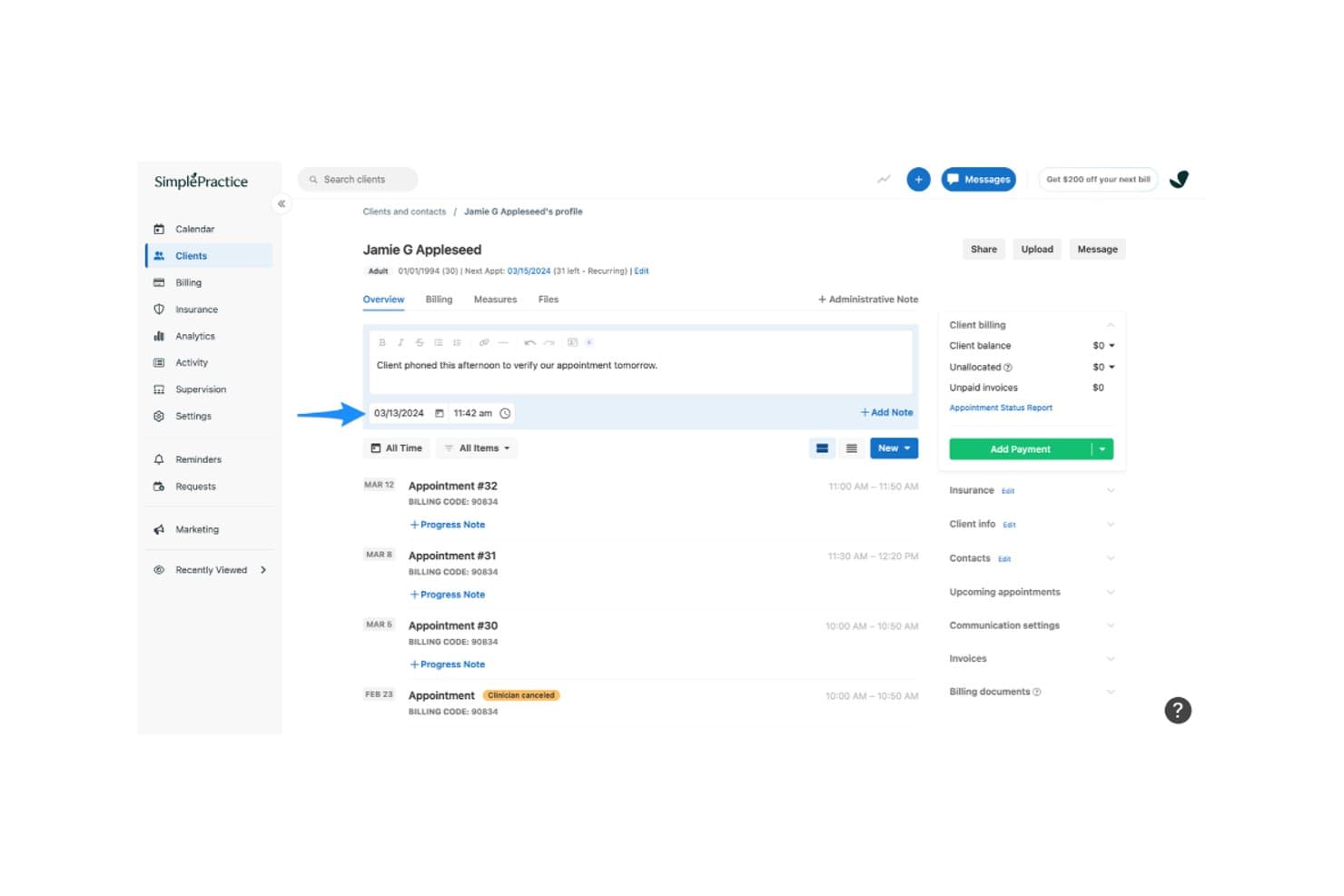
SimplePractice centralizes client intake, communication, care management, and portal access. SimplePractice is an EHR and practice management platform that gives solo health and wellness practitioners tools to manage client relationships, intake, communication, and ongoing care through a dedicated Client Portal.
Who Is SimplePractice Best For?
SimplePractice suits solo health and wellness practitioners who want to manage client onboarding, intake forms, appointment requests, and ongoing communication without relying on separate client management tools.
Why I Picked SimplePractice
I picked SimplePractice for its client-focused intake tools designed for solo practices. Its Client Portal lets clients complete paperwork, request appointments, access documents, and communicate securely, while automated reminders keep them informed throughout onboarding.
SimplePractice Key Features
- Prospective client prescreener: Collect care needs, insurance details, and scheduling preferences before appointments.
- Custom intake forms: Create or modify questionnaires to gather client information.
- Client Portal: Let clients complete paperwork, upload documents, request appointments, and send secure messages.
- Automated document reminders: Send email or text reminders for incomplete intake forms.
SimplePractice Integrations
SimplePractice partners with Stripe to process online client payments. It also offers Wiley Treatment Planners for creating diagnosis-based, research-supported treatment plans, available on Essential and Plus plans. SimplePractice does not currently offer a public-facing API for third-party software integrations.
Pros and Cons
Pros:
- Claim scrubbing catches common submission errors
- Intake, notes, and treatment plans stay together
- Appointment reminders link clients to telehealth sessions
Cons:
- Legacy clinical and billing data require re-entry
- Claims issues can disrupt billing workflows
Learn more about SimplePractice: 10Best for modular medical software
RXNT
- Free demo available
- From $335/month (billed annually)
Visit WebsiteCustomer Rating:4.3/5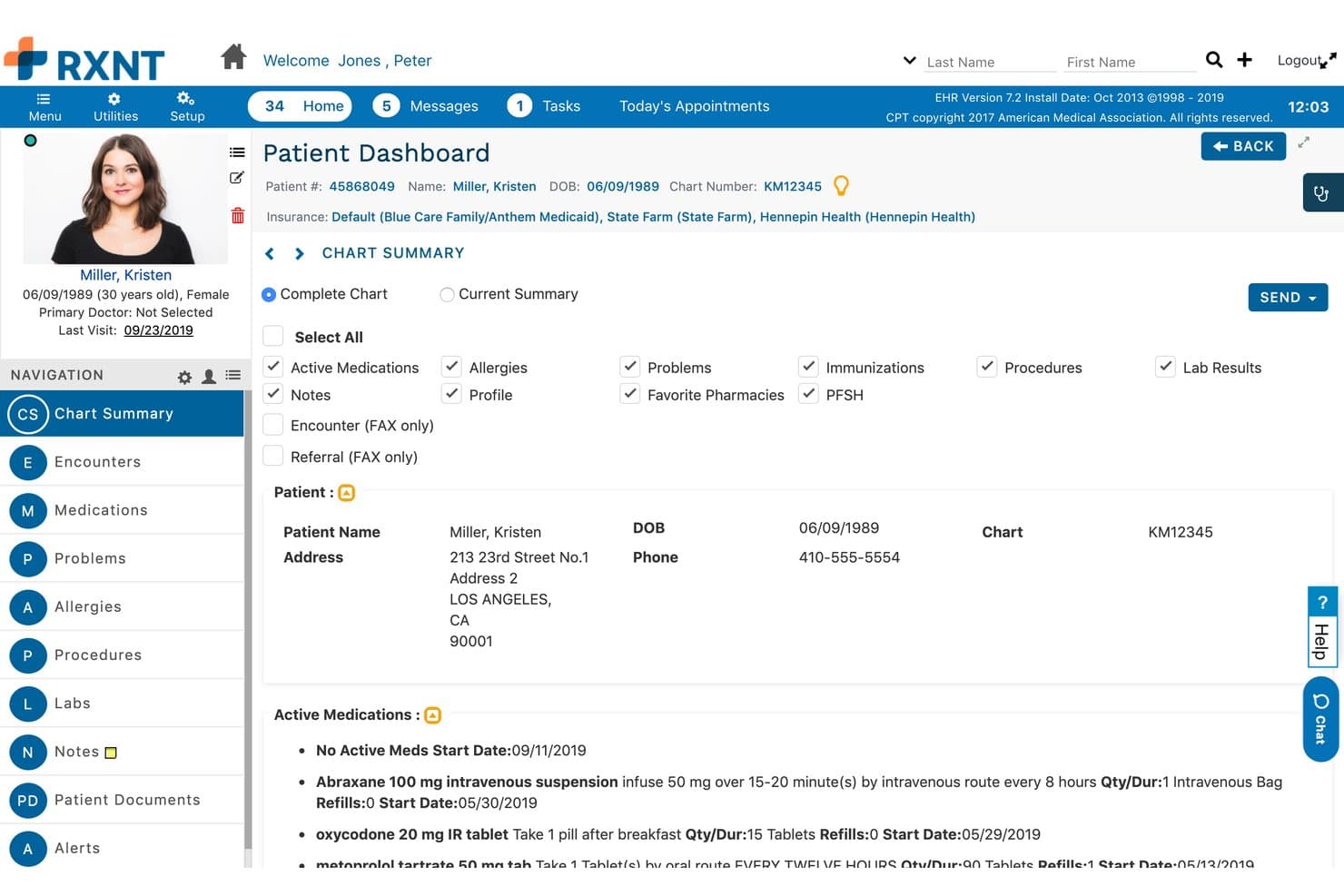
RXNT offers modular clinical documentation, e-prescribing, scheduling, and patient portal access. RXNT is a modular medical software platform that covers clinical documentation, e-prescribing, scheduling, and patient portal access—making it a practical option for solo practitioners and small-to-mid-size practices that want to build out their tech stack one product at a time.
Who Is RXNT Best For?
RXNT works well for solo practitioners and small-to-mid-size practices that want to start with one module—like EHR or e-prescribing—and add scheduling, billing, or practice management as their needs grow.
Why I Picked RXNT
I've included RXNT in my top picks because its modular structure lets you start with just the EHR Bundle, which covers clinical documentation, e-prescribing, scheduling, and patient portal access, then layer in practice management or billing as your needs grow. I especially like that multi-location access comes built in, so a practice expanding to a second or third site can keep everything running under one login with real-time shared data. The Ambient IQ add-on, which transcribes provider-patient conversations into SOAP notes automatically, is a genuinely useful clinical feature I haven't seen packaged this cleanly at this price point.
RXNT Key Features
- Lab order and results tracking: Place lab orders directly in the EHR, view results in the patient's chart, and flag any orders patients haven't completed.
- HL7 lab and radiology interfaces: Connect to clinical labs and radiology facilities across all 50 states through built-in HL7 interfaces.
- Electronic referrals and data exchange: Send secure documents and electronic referrals to providers, payers, and health registries without leaving the workflow.
- Mobile check-in and prescribing: Use the iOS or Android app to check patients in, access patient history, and manage prescriptions from your phone.
RXNT Integrations
RXNT integrates with Doxy.me, Zoom for Healthcare, Google Workspace, and RingCentral through VideoBridge. It also supports native Kno2 connectivity for TEFCA and QHIN access, plus FlavoRx for medication flavor preferences.
Pros and Cons
Pros:
- Shared data supports multi-location growth
- Patients appreciate online bill payment
- Reviewers praise straightforward prescription ordering
Cons:
- Claim rejection review requires extra steps
- Reviewers report lag and crashes
Learn more about RXNT:
Diğer DrChrono Alternatifleri
Kısa listeme girmeyen ancak yine de incelemeye değer birkaç ek seçenek şunlardır:
- 11ValantBest for behavioral health outcome tracking
- 12CollaborateMDBest for medical claims management
- 13JaneBest for online booking for wellness clinics
- 14NueMDBest for straightforward medical billing
- 15CureMDBest for AI-assisted clinical documentation
- 16eClinicalWorksBest for population health management
- 17NextGen HealthcareBest for ambulatory specialty care
- 18Greenway IntergyBest for specialty workflows
- 19Veradigm Practice ManagementBest for claims processing
- 20Practice MateBest for free practice management
How I Evaluate DrChrono Alternatives
I split my evaluation into three parts. First, core functionality: I look for tools that handle appointment scheduling across multiple providers and support electronic claims submission and tracking—these two carry the most weight. Second, I check for standout features like clearinghouse-level claims scrubbing or patient self-scheduling portals. Third, I consider what's beyond features: onboarding support, pricing transparency, and contract flexibility for growing practices.
Core Functionality (Table Stakes For This List)
When I'm selecting tools for my list, I score each one on a scale from 0 (does not offer the functionality) to 5 (excels in this area) for each core functionality listed below. I then convert the total into a percentage to help assess each tool’s overall fit, with extra weight on any functionalities I’ve deemed essential.
- Scheduling & Calendars (Essential): I look for multi-provider booking, appointment reminders, and calendar rules that can handle a busy day across providers or locations.
- Billing & Claims (Essential): I assess charge entry, electronic claim submission, and status tracking to see how teams can follow claims through reimbursement.
- Patient Records: I check whether digital intake captures demographic and insurance details and links them to the right visit.
- Eligibility Checks: I look for coverage checks before or during check-in, with clear alerts when a patient’s benefits need follow-up.
- Reporting & Analytics: I assess whether teams can track collections, claim status, and practice performance in useful financial reports.
- Payments & Statements: I check for patient balance collection, statement delivery, and online payment options that support follow-up on outstanding bills.
Once I have a list of tools that meet the criteria, I consider what sets each platform apart.
Differentiating Factors (What Sets Vendors Apart)
Here's how I compare and contrast different vendors:
Standout Features
I look for built-in claims scrubbing that catches errors before submission—tools like PracticeSuite and RXNT offer rule engines that flag missing modifiers or mismatched codes, which cuts denial rates beyond basic electronic filing. I also evaluate patient self-scheduling portals, since letting patients book or reschedule online reduces front-desk phone volume in a busy multi-provider clinic. For practices spanning multiple offices, I check whether the platform consolidates billing and reporting across locations into one view rather than requiring separate logins.
Beyond Features
I check whether vendors offer guided data migration, since a botched cutover can stall claims and delay reimbursements for weeks. Pricing transparency matters just as much—hidden clearinghouse or transaction fees can quietly erode margins, especially for smaller billing teams. I also evaluate support responsiveness during payer rule changes, when a quick answer from someone who knows billing can prevent a backlog of rejected claims.
Neden DrChrono Alternatifleri Aramalısınız?
DrChrono, EHR ve muayenehane yönetimi araçlarını bir araya getirir, ancak fiyatlandırması ve iş akışları her ekibe uygun olmayabilir. Aşağıdaki nedenlerle DrChrono'ya alternatif arıyor olabilirsiniz…
- Bir sistem değişikliği için bütçe oluşturmadan önce yayımlanmış fiyatlandırmaya ihtiyaç duyuyorsunuz
- Uzmanlık alanınız, bakım modelinize göre uyarlanmış dokümantasyona ihtiyaç duyuyor
- Eski hasta verilerini taşımak için daha açık koşullar istiyorsunuz
- Birden fazla konumda faaliyet gösteren ekibiniz, yapısına uygun iş akışlarına ihtiyaç duyuyor
Bunlardan herhangi biri size tanıdık geliyorsa doğru yere geldiniz. Bu liste, bu zorluklarla karşılaşan ve DrChrono alternatiflerini değerlendiren ekipler için daha uygun olabilecek muayenehane yönetimi platformlarını kapsar.
DrChrono'nun Temel Özellikleri
DrChrono'yu alternatif seçeneklerle karşılaştırmanıza yardımcı olacak temel özellikleri şunlardır:
- Randevu planlama: Takvim, gerçek zamanlı planlamayı ve özelleştirilebilir görünümleri destekler. Ekibiniz, sağlayıcılar ve konumlar arasındaki randevuları koordine edebilir, ardından hastaları bilgilendirmek için otomatik hatırlatıcıları kullanabilir.
- Sigorta uygunluğunun doğrulanması: Platform, ziyaretlerden önce sigorta uygunluğunu kontrol eder. Personel, kapsam ayrıntılarını inceleyebilir ve kayıt sırasında takip gerektiren durumları belirleyebilir.
- Hasta kaydı: Otomatik kayıt araçları, ziyaret öncesinde veya sırasında hasta bilgilerinin toplanmasına yardımcı olur. Ekibiniz, hasta kaydındaki demografik ve sigorta bilgilerine ilişkin güncellemeleri kaydedebilir.
- Faturalandırma ve sigorta taleplerinin yönetimi: Faturalandırma araçları, sigorta taleplerinin yönetimini, ret çözüm süreçlerini ve raporlamayı destekler. Ekibiniz, talepleri takip edebilir ve geri ödemeyi geciktirebilecek sorunlar üzerinde çalışabilir.
- Ödeme tahsilatı: Entegre ödeme araçları, otomatik ödeme tahsilatını ve çevrim içi ödemeleri destekler. Hastalar ayrıca ekstrelerini görüntülemek ve faturalarını ödemek için OnPatient portalını kullanabilir.
- Hasta portalı: OnPatient; randevu alma, güvenli mesajlaşma, dijital bilgi formları, elektronik imzalar ve ziyaret özetleri sunar. Hastalar bu portalı bilgi paylaşmak ve bakımlarının bazı bölümlerini yönetmek için kullanabilir.
- Tele sağlık: DrChrono, mobil cihazlarda ve masaüstü bilgisayarlarda çalışan görüntülü ziyaretleri içerir. Sağlayıcılar, ayrı bir giriş gerektirmeden randevular sırasında ekranları ve belgeleri paylaşabilir.
- Klinik dokümantasyon: Elektronik sağlık kaydı (EHR); uzmanlık alanına özgü şablonlar, özel makrolar, konuşmadan metne dönüştürme ve belge yönetimi özelliklerini içerir. Sağlayıcılar, ziyaretleri kaydetmek ve dokümantasyonu kendi uygulamalarının iş akışlarına uyarlamak için bu araçları kullanabilir.
DrChrono Alternatiflerinin Maliyetleri ve Fiyatlandırması
Fiyatlandırma; özelliklere, sağlayıcı sayısına ve eklentilere göre değişir. Ücretsiz seçeneklerde dahi işlem ücretleri alınabilirken ücretli planlar genellikle sağlayıcı başına fiyatlandırılır.
DrChrono Alternatifleri için Plan Karşılaştırma Tablosu
| Plan Türü | Ortalama Fiyat | Yaygın Özellikler |
|---|---|---|
| Plan TürüKişisel Plan | Ortalama Fiyat$49–$299/sağlayıcı/ay | Yaygın ÖzelliklerPlanlama, hasta bilgi formu, kayıt tutma ve elektronik sigorta talebi gönderimi. |
| Plan Türüİşletme Planı | Ortalama Fiyat$300–$599/sağlayıcı/ay | Yaygın ÖzelliklerBirden fazla sağlayıcı için takvimler, uygunluk kontrolleri, raporlama ve hasta ödeme araçları. |
| Plan TürüKurumsal Plan | Ortalama Fiyat$600–$1,070/sağlayıcı/ay veya özel teklif | Yaygın ÖzelliklerBirden fazla konum için denetimler, gelişmiş raporlama, veri taşıma desteği ve yapılandırılabilir entegrasyonlar. |