

ChiroTouch Review: Pros, Cons, Features & Pricing
Read my honest review of ChriroTouch, an all-in-one chiropractic EHR software solution. I cover key features, pros and cons, and pricing.

We review tools independently, and commissions help fund our testing. See our transparency policy, our methodology, or suggest a tool.
ChiroTouch is a chiropractic EHR built specifically for chiropractic practices that need integrated documentation, scheduling, and billing in a single system. I'd consider it if you're running a busy chiropractic clinic and want software purpose-built for your specialty rather than a general practice management tool adapted for it. Compared to something like Jane App, ChiroTouch goes deeper on chiropractic-specific workflows—SOAP note templates, outcome assessments, and chiropractic billing codes—making it a stronger fit when documentation volume and specialty accuracy are your priorities.
ChiroTouch Evaluation Summary

4.1/5
- Price upon request
- Free demo available
Why Trust Our Software Recommendations
6,700+
Reviews
20
Industry experts
16+
Evaluation factors
14
Years
Our team has been testing and reviewing software since 2012. As medical practice leaders ourselves, we know how difficult—and important—it is to choose the right software.
For this guide, we evaluated tools using hands-on testing and independent research, scoring tools using our selection criteria.
Our reviews reflect our human editorial judgment, not a sales pitch.
Is ChiroTouch Right For Your Needs?
Who Would be a Good Fit for ChiroTouch?
- Medium ClinicsYour practice benefits from ChiroTouch's robust scheduling and documentation tools, making patient management seamless.
- Multi-Doctor OfficesChiroTouch Cloud supports multiple users efficiently, so your team can collaborate without interruption.
- Busy PracticesThe software's efficient workflow features help your team manage high patient volumes effectively.
- Tech-Savvy TeamsIf your team adapts quickly to new technology, ChiroTouch's advanced features enhance your operations with plenty of add-ons.
- Customer-Focused ClinicsStrong customer support ensures your team gets the help needed to provide excellent patient care.
- Data-Driven PracticesChiroTouch's reporting tools, though not highly customizable, offer valuable insights for your data analysis needs.
Who Would be a Bad Fit for ChiroTouch?
- Small PracticesThe complexity and cost of ChiroTouch can be excessive for your needs if you just need basic patient records and front desk support.
- Budget-ConsciousTeams If your team operates on a tight budget, ChiroTouch's pricing may not align with your financial constraints.
- Customization SeekersChiroTouch's limited reporting customization options might not meet your specific analytical needs.
- Tech-Averse UsersIf your team struggles with new technology, ChiroTouch's advanced features could be a hurdle.
- Low-Volume ClinicsFor practices with fewer patients, the extensive capabilities of ChiroTouch may be unnecessary.
- Quick-Start OperationsIf you need a simple, plug-and-play solution, ChiroTouch's onboarding process might feel too involved.
How We Test & Score Tools
We’ve spent years building, refining, and improving our software testing and scoring system. The rubric is designed to capture the nuances of software selection and what makes a tool effective, focusing on critical aspects of the decision-making process.
Below, you can see exactly how our testing and scoring works across seven criteria. It allows us to provide an unbiased evaluation of the software based on core functionality, standout features, ease of use, onboarding, customer support, integrations, customer reviews, and value for money.
Core Functionality (25% of final scoring)
The starting point of our evaluation is always the core functionality of the tool. Does it have the basic features and functions that a user would expect to see? Are any of those core features locked to higher-tiered pricing plans? At its core, we expect a tool to stand up against the baseline capabilities of its competitors.
Standout Features (25% of final scoring)
Next, we evaluate uncommon standout features that go above and beyond the core functionality typically found in tools of its kind. A high score reflects specialized or unique features that make the product faster, more efficient, or offer additional value to the user.
We also evaluate how easy it is to integrate with other tools typically found in the tech stack to expand the functionality and utility of the software. Tools offering plentiful native integrations, 3rd party connections, and API access to build custom integrations score best.
Ease of Use (10% of final scoring)
We consider how quick and easy it is to execute the tasks defined in the core functionality using the tool. High scoring software is well designed, intuitive to use, offers mobile apps, provides templates, and makes relatively complex tasks seem simple.
Onboarding (10% of final scoring)
We know how important rapid team adoption is for a new platform, so we evaluate how easy it is to learn and use a tool with minimal training. We evaluate how quickly a team member can get set up and start using the tool with no experience. High scoring solutions indicate little or no support is required.
Customer Support (10% of final scoring)
We review how quick and easy it is to get unstuck and find help by phone, live chat, or knowledge base. Tools and companies that provide real-time support score best, while chatbots score worst.
Customer Reviews (10% of final scoring)
Beyond our own testing and evaluation, we consider the net promoter score from current and past customers. We review their likelihood, given the option, to choose the tool again for the core functionality. A high scoring software reflects a high net promoter score from current or past customers.
Value for Money (10% of final scoring)
Lastly, in consideration of all the other criteria, we review the average price of entry level plans against the core features and consider the value of the other evaluation criteria. Software that delivers more, for less, will score higher.
Core Features
Patient Scheduling
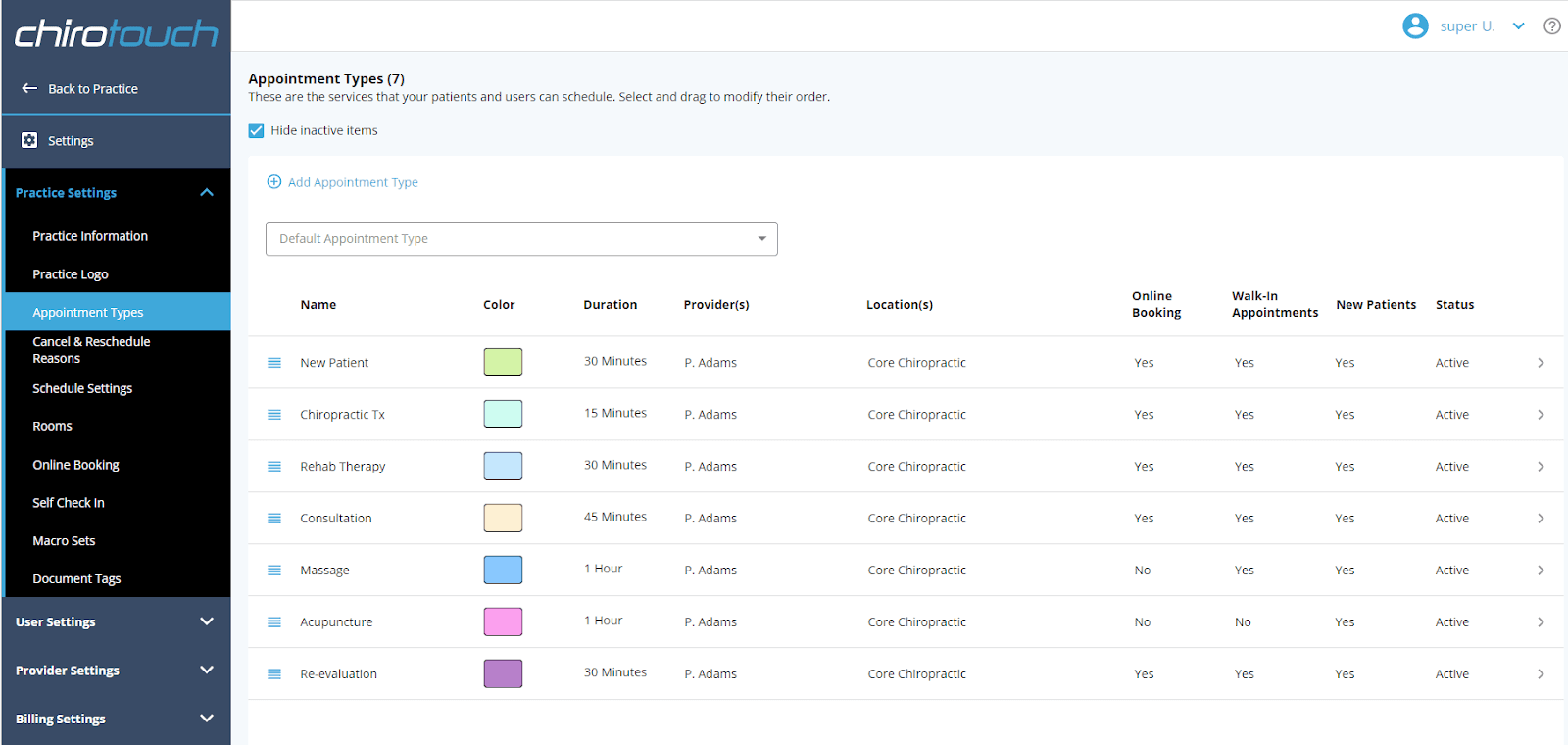
You can easily manage appointment scheduling with a user-friendly calendar, helping your team avoid scheduling conflicts. The drag-and-drop interface simplifies changes around online scheduling.
Clinical Documentation
This feature allows you to create detailed patient notes quickly, ensuring accurate and comprehensive wellness records. It supports templates for faster documentation for office managers.
Billing Management
Streamline your billing processes with integrated tools that handle insurance claims and payments efficiently. Your team can reduce errors and speed up revenue cycles in real-time.
Patient Portal
Patients can access their health information dashboard, schedule appointments, check in, and communicate with your office, improving engagement. This feature empowers patients to take an active role in their care.
Reporting Tools
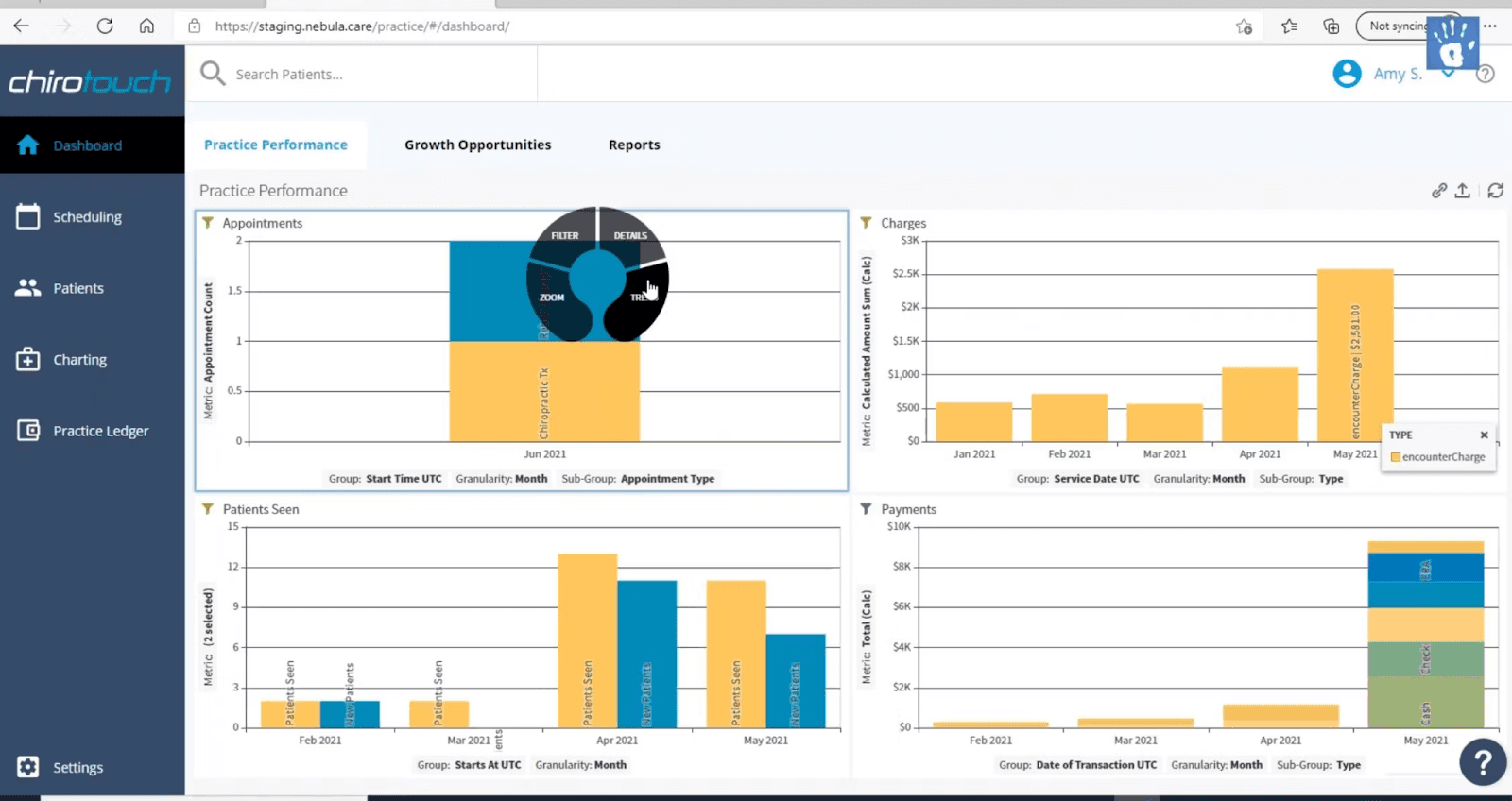
Generate essential reports to analyze your practice's performance and patient outcomes. Though not highly customizable, these reports provide valuable insights for your team.
SOAP Notes
ChiroTouch's SOAP note system allows you to document patient interactions using a structured format. This feature ensures thorough and standardized documentation across your team, simplifying EMR processes.
Ease of Use
ChiroTouch offers a user-friendly experience with its intuitive interface, making navigation easier for your team. The drag-and-drop scheduling and customizable templates streamline your daily tasks.
However, some users find the system's complexity overwhelming at first, which might require a bit of a learning curve. Once familiar with it, the software can significantly enhance your practice's efficiency and patient care management.
Integrations
ChiroTouch integrates natively with Review Wave, Birdeye, Swell, Demandforce, RepuGen, Adit, Waystar, Availity, and Zingit.
ChiroTouch also offers an API and connects through third‑party integration platforms (e.g. Keragon), but does not appear to support direct Zapier integration.
ChiroTouch Specs
- API: No
- Appointment Scheduling: No
- Athlete Management: No
- Audit Management: No
- Calendar Management: No
- Compliance Tracking: No
- Customer Management: No
- Dashboard: No
- Data Export: No
- Data Import: No
- Data Visualization: No
- Electronic Prescribing: No
- External Integrations: No
- File Sharing: No
- File Transfer: No
- Health Management: No
- HIPAA Compliance: No
- Inventory Tracking: No
- Multi-User: No
- Notifications: No
- Organization Management: No
- Patient Management: No
- Project Management: No
- Regulatory Alerts: No
- Risk Assessment: No
- Scheduling: No
- Supplier Management: No
Alternatives to ChiroTouch


ChiroTouch FAQs
What's Next?
To stay updated on the latest trends, best practices, and solutions related to your medical practice, subscribe to The Medical Practice newsletter.