

RXNT Review: Pros, Cons, Features and Pricing Explained
RXNT brings EMR, e-prescribing, scheduling, billing, and patient engagement tools together for ambulatory organizations. Find out whether RXNT is the right EMR software fit for your clinical and operational needs.

We review tools independently, and commissions help fund our testing. See our transparency policy, our methodology, or suggest a tool.
Running an ambulatory organization becomes harder when documentation, prescribing, scheduling, billing, and patient communication sit in separate systems. Staff waste time switching tools, while leaders struggle to keep patient care and operations aligned.
RXNT is an EMR software platform designed for ambulatory organizations that want their clinical and financial workflows to work together. It combines electronic health records, e-prescribing, scheduling, patient engagement, practice management, billing, and AI-assisted documentation, giving teams a broader view of the patient journey from appointment booking through reimbursement.
In this detailed review, I’ve evaluated RXNT’s features, pricing, strengths, limitations, and ideal use cases to help you determine whether it fits your organization’s needs and goals.
RXNT Evaluation Summary
4.3/5
- Pricing upon request
- Free demo + free expert consultation available
Why Trust Our Software Recommendations
6,700+
Reviews
20
Industry experts
16+
Evaluation factors
14
Years
Our team has been testing and reviewing software since 2012. As medical practice leaders ourselves, we know how difficult—and important—it is to choose the right software.
For this guide, we evaluated tools using hands-on testing and independent research, scoring tools using our selection criteria.
Our reviews reflect our human editorial judgment, not a sales pitch.
RXNT Overview
In my opinion, RXNT stands out as a practical EMR for ambulatory organizations that want EHR, eRx and EPCS, scheduling, patient engagement, billing, practice management, and AI-assisted documentation in one platform without relying on a separate marketplace. Predictable pricing, included onboarding, free data migration, and US-based support add to its appeal, though some workflows may feel rigid.
Pros
- Connects EMR, e-prescribing, scheduling, billing, and patient engagement workflows
- Includes hands-on onboarding, free data migration, and custom template setup
- Supports more than 45 specialties and ambulatory organizations of all sizes
Cons
- Limited customization may restrict established documentation and billing processes
- New releases may occasionally introduce bugs or temporary instability
- Not designed for hospitals, inpatient facilities, dental offices, or some urgent care settings
Is RXNT Right For Your Needs?
Who Would be a Good Fit for RXNT?
RXNT is a good fit for healthcare professionals, ambulatory care organizations, and medical billing companies that need connected clinical, administrative, and financial tools. It can support organizations across different sizes and specialties, so suitability depends more on the care environment and workflow requirements than company size.
- Healthcare ProfessionalsIndividual providers can use RXNT to manage documentation, prescribing, scheduling, patient communication, and billing without relying on a separate product for each task.
- Ambulatory Care OrganizationsThe platform is built around outpatient workflows, including patient records, appointments, prescriptions, claims, and everyday practice operations.
- Primary Care ProvidersPrimary care organizations can use RXNT for charting, medication management, preventive care documentation, patient engagement, and billing across a broad range of routine encounters.
- Mental and Behavioral Health ProvidersPsychiatry, mental health, and behavioral health organizations can manage documentation, prescribing, scheduling, patient communication, and reimbursement workflows within the system.
- Multi-Specialty and Multi-Location OrganizationsConnected patient records, scheduling, billing, and administrative tools can help larger ambulatory groups coordinate care across different specialties and locations.
- Medical Billing CompaniesBilling companies and central billing offices can use RXNT to manage claims, payments, accounts receivable, reporting, and revenue cycle workflows for multiple healthcare clients.
Who Would be a Bad Fit for RXNT?
RXNT is less suitable for organizations that need inpatient, hospital, dental, or highly specialized urgent care functionality. It may also be difficult to justify for new or niche providers with limited funding, particularly when their software requirements are narrow. Organizations with deeply customized documentation or billing processes should also evaluate whether RXNT’s built-in workflows offer enough flexibility.
- Inpatient FacilitiesRXNT is not designed around inpatient workflows such as bed management, hospital rounds, and acute-care coordination.
- Hospitals and Hospital SystemsHospitals that require extensive departmental, inpatient, and facility-wide functionality will likely need a system developed specifically for those environments.
- Dental OfficesThe platform does not focus on dental charting, imaging, treatment planning, or other dental-specific clinical workflows.
- Some Urgent Care FacilitiesUrgent care organizations with specialized triage, intake, and high-volume encounter requirements may find that RXNT does not fully match their operating model.
- Organizations With Highly Customized WorkflowsTeams with deeply established documentation, reporting, or billing processes may find the platform’s built-in workflows too restrictive or time-consuming to adapt.
- Underfunded Startups and Niche ProvidersNew or highly cost-conscious organizations without sufficient funding or grants may struggle to justify the setup and ongoing subscription costs.
How We Test & Score Tools
We’ve spent years building, refining, and improving our software testing and scoring system. The rubric is designed to capture the nuances of software selection and what makes a tool effective, focusing on critical aspects of the decision-making process.
Below, you can see exactly how our testing and scoring works across seven criteria. It allows us to provide an unbiased evaluation of the software based on core functionality, standout features, ease of use, onboarding, customer support, integrations, customer reviews, and value for money.
Core Functionality (25% of final scoring)
The starting point of our evaluation is always the core functionality of the tool. Does it have the basic features and functions that a user would expect to see? Are any of those core features locked to higher-tiered pricing plans? At its core, we expect a tool to stand up against the baseline capabilities of its competitors.
Standout Features (25% of final scoring)
Next, we evaluate uncommon standout features that go above and beyond the core functionality typically found in tools of its kind. A high score reflects specialized or unique features that make the product faster, more efficient, or offer additional value to the user.
We also evaluate how easy it is to integrate with other tools typically found in the tech stack to expand the functionality and utility of the software. Tools offering plentiful native integrations, 3rd party connections, and API access to build custom integrations score best.
Ease of Use (10% of final scoring)
We consider how quick and easy it is to execute the tasks defined in the core functionality using the tool. High scoring software is well designed, intuitive to use, offers mobile apps, provides templates, and makes relatively complex tasks seem simple.
Onboarding (10% of final scoring)
We know how important rapid team adoption is for a new platform, so we evaluate how easy it is to learn and use a tool with minimal training. We evaluate how quickly a team member can get set up and start using the tool with no experience. High scoring solutions indicate little or no support is required.
Customer Support (10% of final scoring)
We review how quick and easy it is to get unstuck and find help by phone, live chat, or knowledge base. Tools and companies that provide real-time support score best, while chatbots score worst.
Customer Reviews (10% of final scoring)
Beyond our own testing and evaluation, we consider the net promoter score from current and past customers. We review their likelihood, given the option, to choose the tool again for the core functionality. A high scoring software reflects a high net promoter score from current or past customers.
Value for Money (10% of final scoring)
Lastly, in consideration of all the other criteria, we review the average price of entry level plans against the core features and consider the value of the other evaluation criteria. Software that delivers more, for less, will score higher.
Core Features
Customizable Clinical Charting
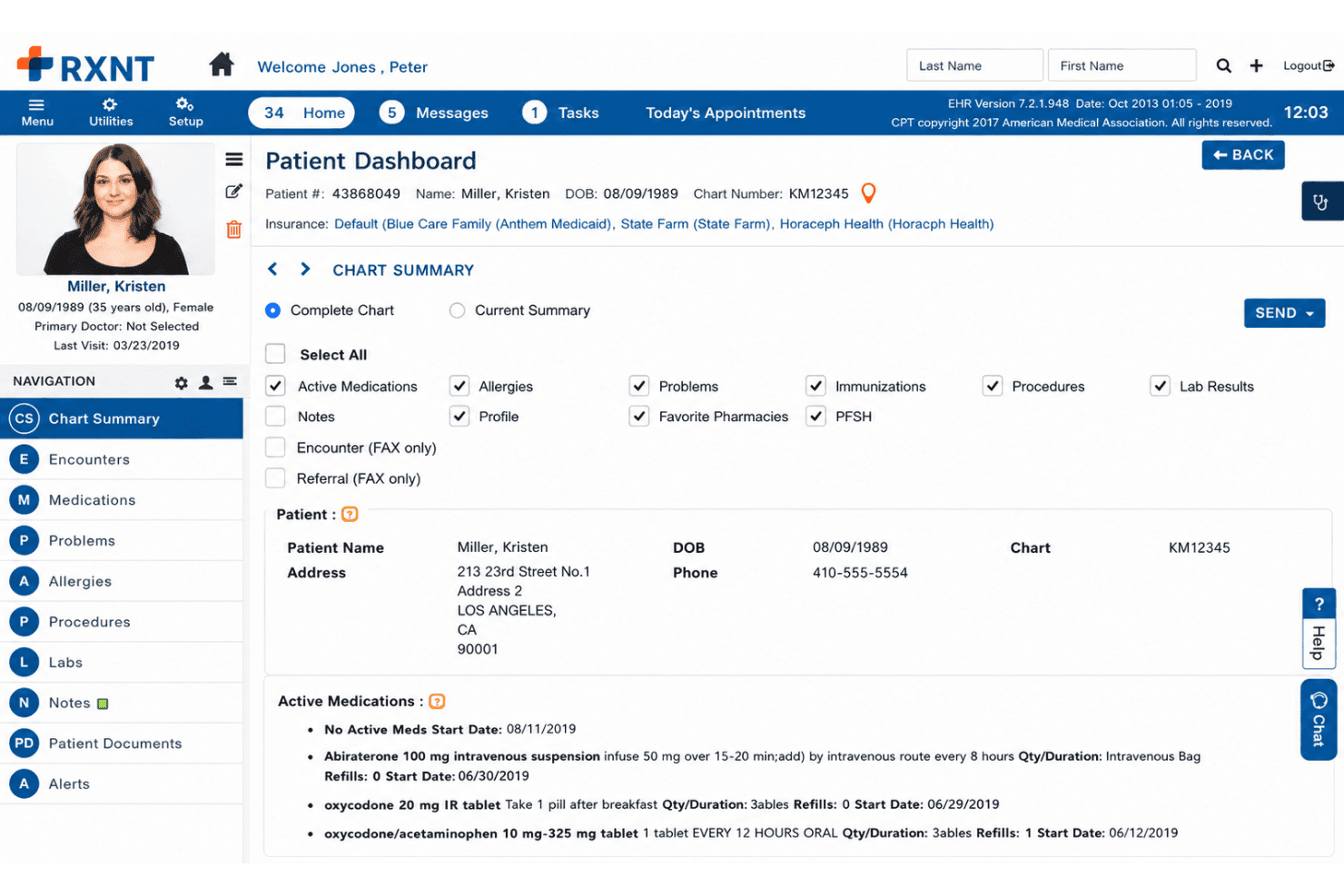
Build specialty-specific templates for patient histories, encounter notes, forms, and clinical reports. Practices can adjust documentation around their workflows, though highly customized processes may still require some compromise.
Electronic Prescribing and EPCS
Send electronic prescriptions, including controlled substances, from a computer or mobile device. Providers can also review medication histories, check drug and allergy interactions, access formularies, and submit electronic prior authorizations.
Lab Orders and Results Management
Place lab orders and receive results directly within the patient chart. Staff can track outstanding orders and follow up on incomplete testing without maintaining a separate process.
Patient Portal and Engagement
Give patients secure access to records, lab results, forms, appointments, messages, and online payments. This moves routine requests away from phone calls while giving patients more control over common tasks.
Medical Scheduling and Reminders
Manage appointments, providers, resources, and multiple locations through RXNT’s scheduling tools. Automated reminders and shared appointment data help keep front-office, clinical, and billing teams aligned.
Practice Management and Medical Billing
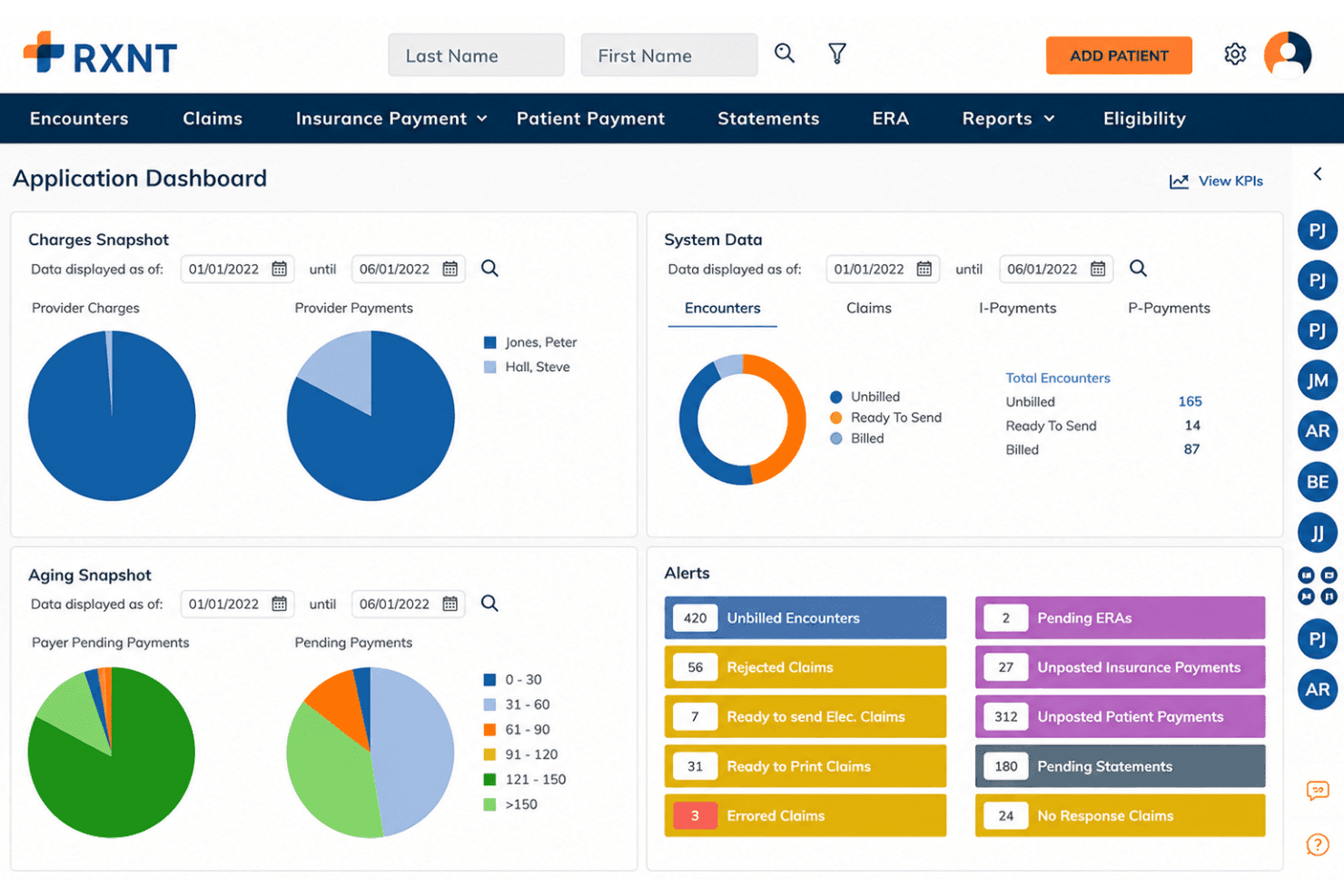
Manage eligibility checks, claims, denials, ERAs, accounts receivable, patient payments, and financial reporting. Because billing connects with scheduling and clinical records, staff can move encounters toward reimbursement with less duplicate entry.
Standout Features
Ambient IQ AI Medical Scribe
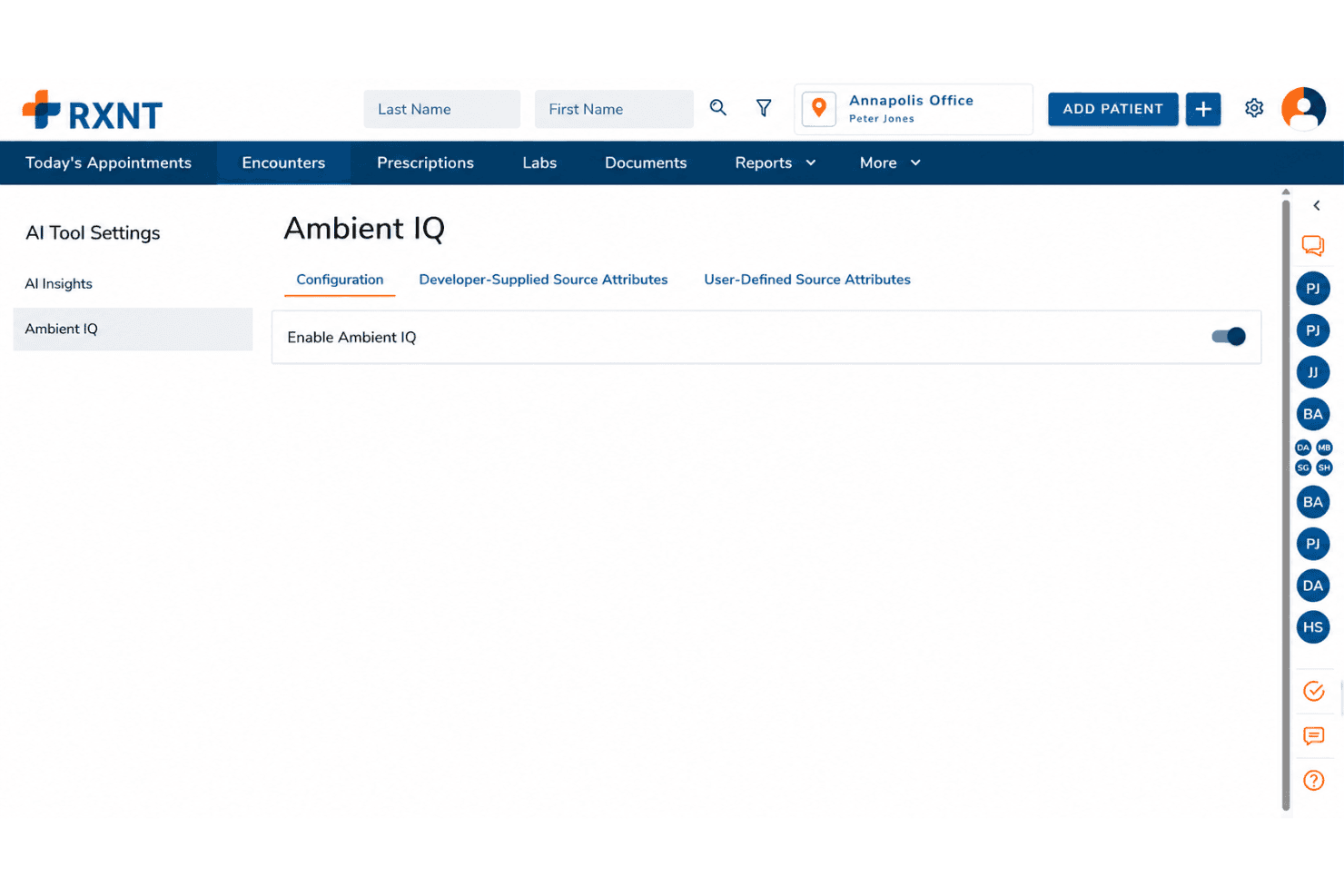
Ambient IQ captures patient conversations and converts them into structured clinical notes for provider review. Teams can use preset templates or create custom encounter formats based on their specialty and documentation preferences.
Integrated Clinical and Financial Workflows
RXNT links documentation, prescribing, scheduling, patient engagement, billing, and practice management through a shared system. Patient information can move from check-in through the clinical encounter, claim submission, and payment without repeated handoffs or data entry.
Ease of Use
RXNT’s broad toolset is convenient, but the experience may not feel equally intuitive across every workflow. Teams with established documentation, reporting, or billing processes may need time to adapt to its more structured steps, and occasional bugs after releases can interrupt otherwise routine work. The included training and template setup help, but I would describe the platform as learnable rather than instantly intuitive.
Onboarding
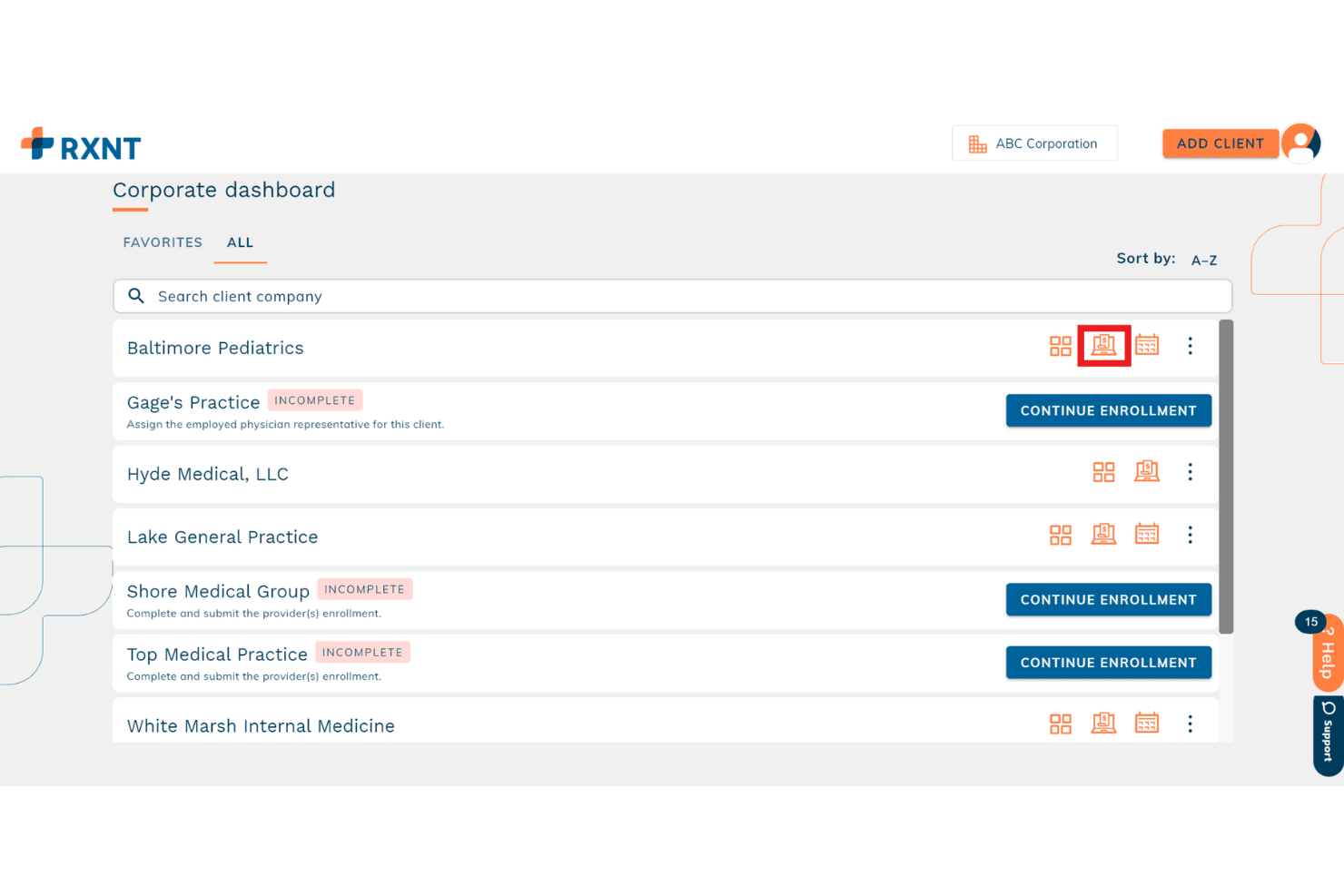
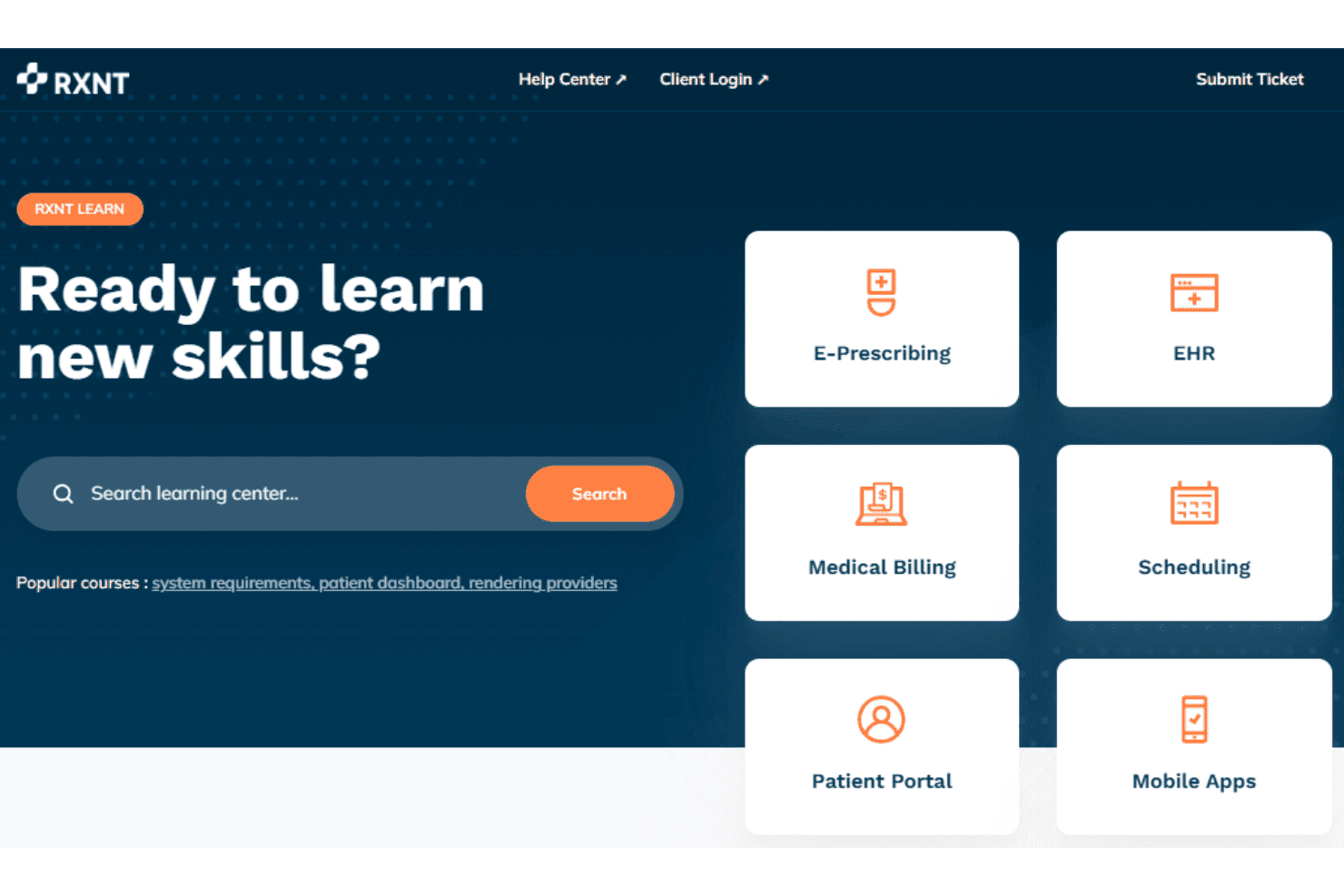
RXNT provides dedicated, hands-on onboarding for every new customer, starting with a kickoff meeting after the contract is signed. The process includes free data migration, custom template development, and access to Help Center articles, courses, and video lessons. Implementation timelines vary based on the products selected and the complexity of the organization’s data and workflows, so teams adopting the full suite should expect a more involved setup than those implementing a single product.
Customer Support
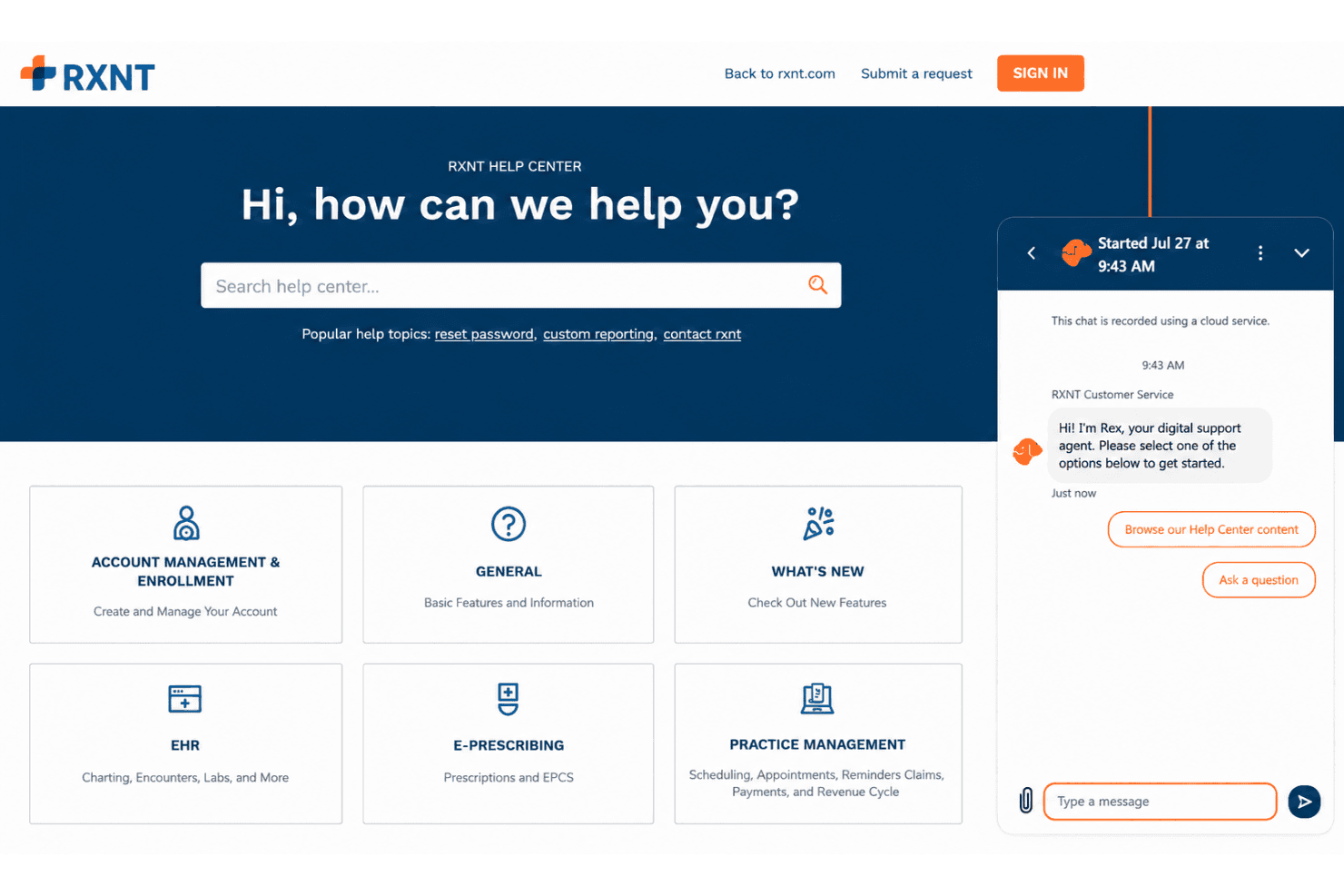
RXNT provides free, US-based support through separate clinical and practice management teams. Clinical support is available by phone and email Monday through Friday from 8 a.m. to 10 p.m. ET, while practice management support is available from 8 a.m. to 8 p.m. ET. The separate support lines are a practical touch, helping route clinical and financial questions to the team best equipped to address them.
Integrations
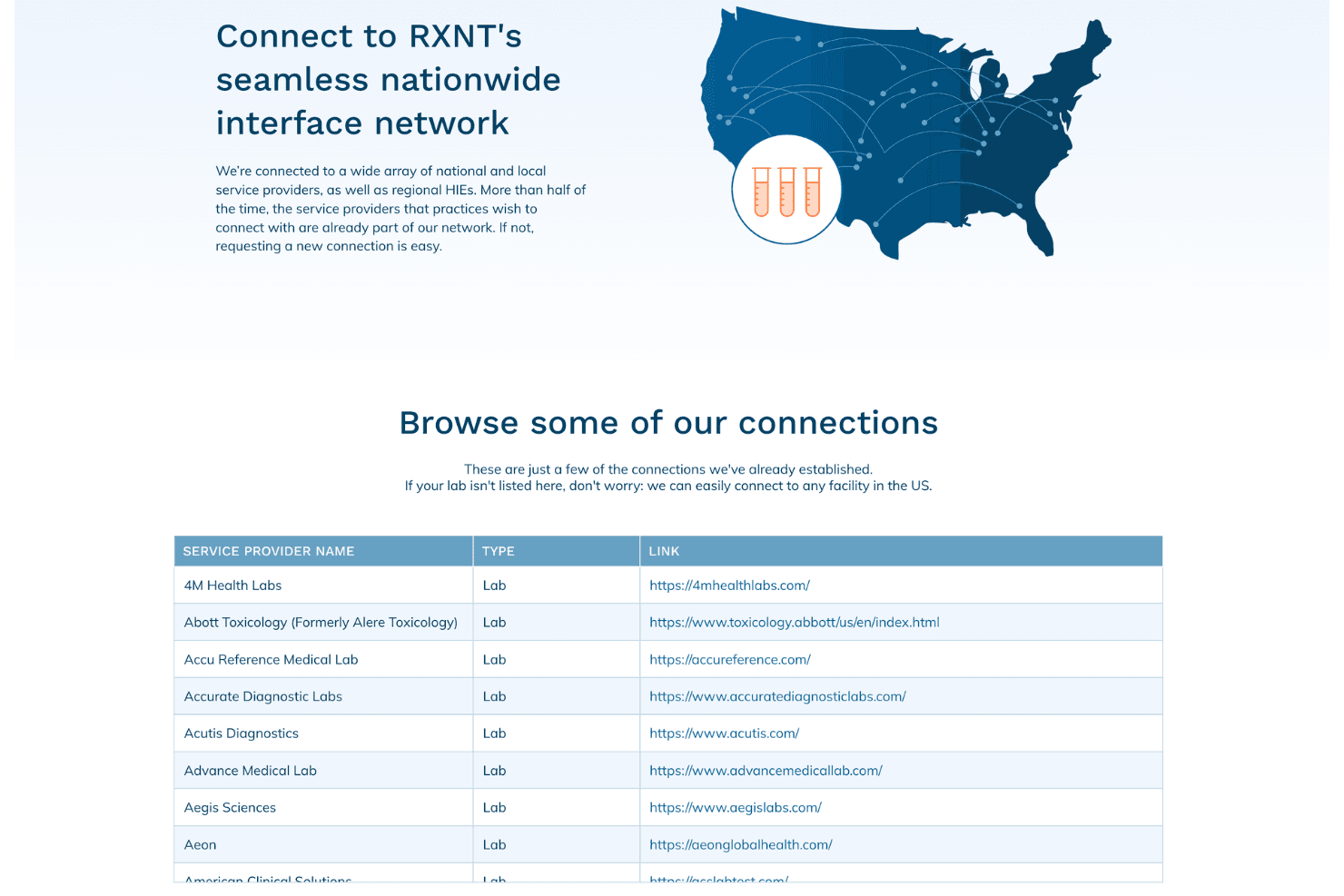
RXNT connects with Quest Diagnostics, Labcorp, Abbott Toxicology, Health e Link, HealthCollab, Surescripts, and Change Healthcare through laboratory interfaces, health information exchanges, prescribing networks, and clearinghouse services. Its VideoBridge feature also supports HIPAA-compliant video tools such as Zoom for Healthcare and Doxy.me. These connections cover several important healthcare workflows, although the platform does not position itself as a broad integration marketplace.
Value for Money
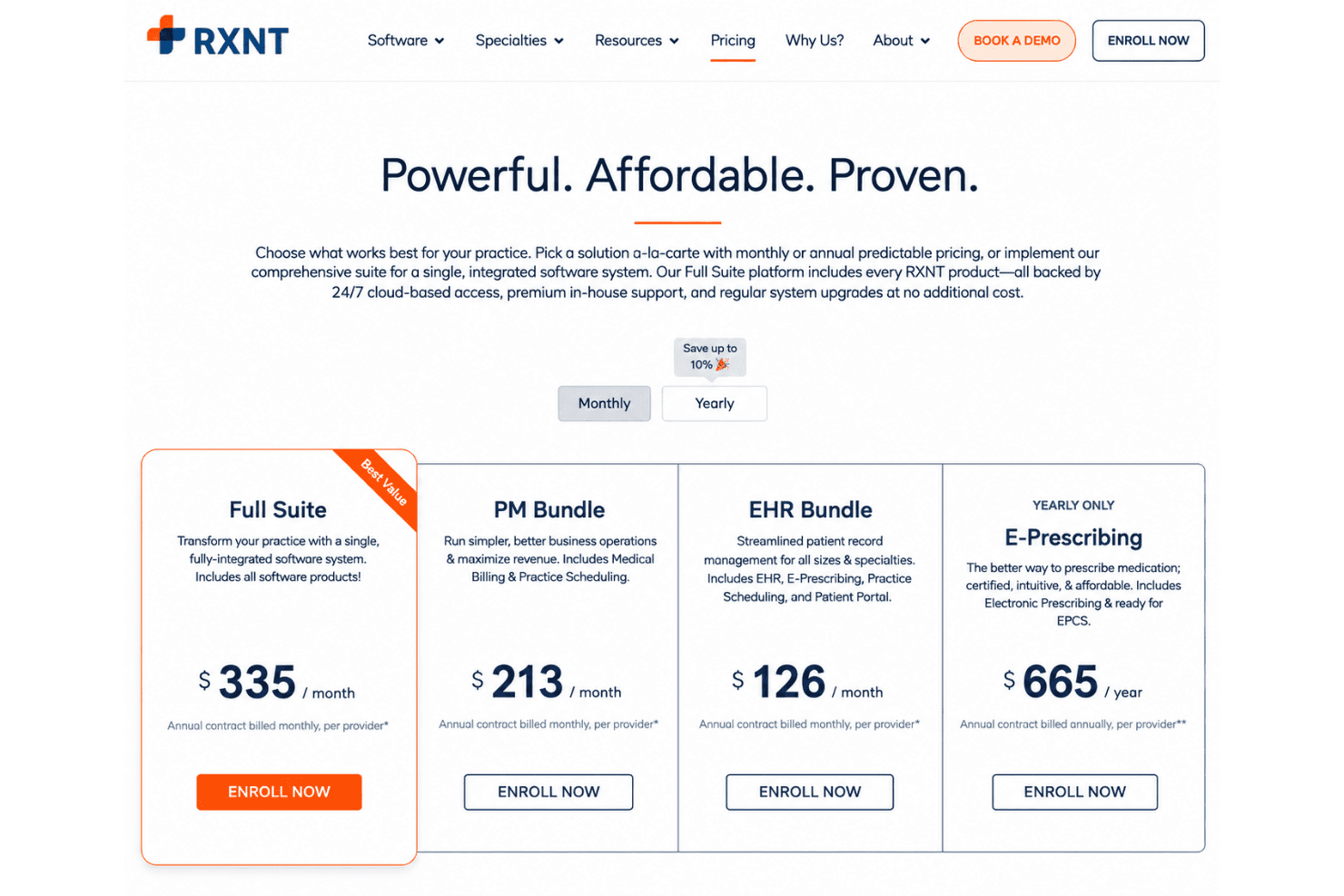
RXNT offers solid value for organizations that want clinical and administrative software from the same provider. Cloud access, in-house support, regular system upgrades, onboarding, and data migration are included, helping practices avoid separate implementation and maintenance charges. Its bundle structure also lets organizations choose between focused clinical or operational tools and a more comprehensive suite. The tradeoff is that most plans require an annual contract, while add-ons such as EPCS, lab interfaces, reminders, faxing, and printed claims can raise the final cost.
- Full Suite: Includes electronic health records, e-prescribing, medical billing, practice scheduling, patient portal access, mobile applications, and the broader range of clinical and practice management capabilities.
- Practice Management Bundle: Includes medical billing, scheduling, claims management, eligibility checks, ERAs, accounts receivable tools, reporting, and unlimited claims.
- EHR Bundle: Includes electronic health records, e-prescribing, scheduling, patient portal access, charting templates, clinical documentation, messaging, referrals, and compliance tools.
- E-Prescribing: Includes electronic prescribing, medication history, interaction checks, pharmacy management, electronic prior authorization, formulary access, and optional EPCS capabilities.
RXNT Specs
- API: Yes
- Appointment Scheduling: Yes
- Athlete Management: No
- Audit Management: Yes
- Calendar Management: Yes
- Compliance Tracking: Yes
- Customer Management: No
- Dashboard: Yes
- Data Export: Yes
- Data Import: Yes
- Data Visualization: No
- Electronic Prescribing: Yes
- External Integrations: Yes
- File Sharing: Yes
- File Transfer: Yes
- Health Management: Yes
- HIPAA Compliance: Yes
- Inventory Tracking: No
- Multi-User: Yes
- Notifications: Yes
- Organization Management: Yes
- Patient Management: Yes
- Project Management: No
- Regulatory Alerts: Yes
- Risk Assessment: Yes
- Scheduling: Yes
- Supplier Management: No
RXNT FAQs
RXNT Company Overview & History
RXNT is a privately held healthcare technology company headquartered in Annapolis, Maryland. Founded by Randy Boldyga in 1999 as Networking Technology Inc., it began by developing electronic prescribing technology and adopted the RXNT name in 2002. The company later expanded into cloud-based EHR, practice management, medical billing, scheduling, patient engagement, and AI-assisted documentation software for ambulatory healthcare organizations.
The business has remained independently owned and operated without venture capital or private equity funding. Its products are now used by tens of thousands of healthcare professionals across the United States.
RXNT Major Milestones
- 1999: Randy Boldyga founded Networking Technology Inc. and began developing an electronic prescribing solution.
- 2000: The company began beta testing its prescribing technology with pharmacies and healthcare providers.
- 2001: Publicly launched its electronic prescribing software.
- 2002: Networking Technology Inc. adopted the RXNT name.
- 2009: The company released its Electronic Health Records solution.
- 2011: Launched its Practice Management System.
- 2019: The company earned its first Inc. 5000 recognition.
- 2020: Appeared on the Inc. 5000 list for the second consecutive year.
- 2021: Earned its third consecutive Inc. 5000 recognition.
- 2022: Appeared on the Inc. 5000 list for the fourth consecutive year.
- 2023: Surpassed 100 million electronic prescriptions transmitted.
- 2024: The company celebrated 25 years in business and surpassed $5 billion in claims processed.