
Viventium Review: Pros, Cons, Features, and Pricing
Viventium brings healthcare payroll and workforce management into one platform, from payroll processing and compliance to scheduling, HR tools, and employee management for healthcare providers.

We review tools independently, and commissions help fund our testing. See our transparency policy, our methodology, or suggest a tool.
Viventium is a payroll management for healthcare software designed to meet the complexities you face with healthcare staffing and compliance. It aims to address shift differentials, high turnover, and complex HIPAA requirements with healthcare-specific features, deep compliance support, and clear reporting.
In this review, you’ll see how Viventium’s features, use cases, pros, cons, and pricing fit your research, so you can decide if it’s right for your practice.
Viventium Evaluation Summary
4.7/5
- Pricing upon request
- Free demo available
Why Trust Our Software Recommendations
6,700+
Reviews
20
Industry experts
16+
Evaluation factors
14
Years
Our team has been testing and reviewing software since 2012. As medical practice leaders ourselves, we know how difficult—and important—it is to choose the right software.
For this guide, we evaluated tools using hands-on testing and independent research, scoring tools using our selection criteria.
Our reviews reflect our human editorial judgment, not a sales pitch.
Viventium Overview
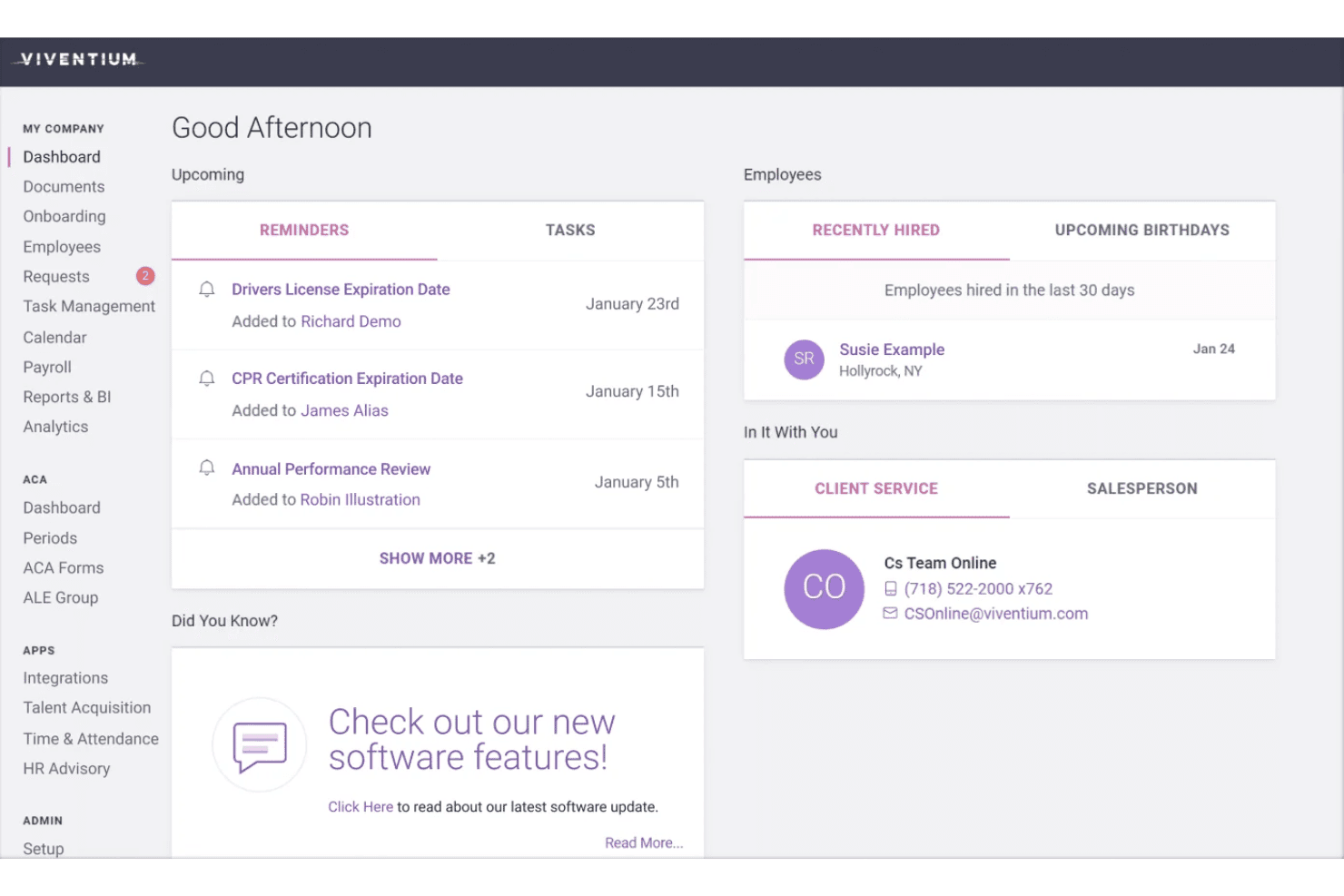
When judging Viventium for healthcare payroll, I find its compliance automation, configurable pay rules, and specialized reporting stand out. Its onboarding is smooth, support is knowledgeable, and the interface is easy to learn.
While integrations could be more extensive and advanced scheduling isn’t built in, practices needing deep healthcare-specific payroll and reliable guidance get excellent value—especially for home care agencies or organizations with complex pay structures.
If you’re comparing options, Viventium’s healthcare focus and hands-on support make it a top contender for specialized needs.
Pros
- Handles complex healthcare pay rates and shift differentials.
- Built-in compliance tools for healthcare payroll and HR.
- Responsive customer support with healthcare-specific expertise.
Cons
- Lacks built-in advanced employee scheduling tools.
- Mobile functionality is limited for staff self-service.
- Reporting customization could be more flexible.
Is Viventium Right For Your Needs?
Who Would be a Good Fit for Viventium?
Viventium is a strong choice for healthcare organizations that need payroll tailored to clinical schedules, compliance, and complex labor rules. It’s especially valuable for home health, long-term care, and senior living providers who need help with ACA reporting, shift differentials, and credential tracking.
Teams with limited payroll expertise or those wanting a vendor who really understands healthcare’s nuances get the most from Viventium.
- Home Health AgenciesViventium handles visit-based pay, split shifts, and compliance required for mobile caregiver teams.
- Long-Term Care FacilitiesThe platform offers strong shift differential handling and keeps up with regulatory requirements specific to skilled nursing and assisted living.
- Multi-State Healthcare GroupsYou get automated compliance and tax filings across states, which simplifies payroll for organizations with multi-state presence.
- Small Medical PracticesSupport is hands-on and designed for healthcare, making it easier for small teams without HR/payroll specialists.
- HR and Payroll DepartmentsViventium reduces administrative work with self-service portals and digitized onboarding, freeing staff to focus on people, not paperwork.
- Healthcare Staffing AgenciesYou benefit from custom pay rates and streamlined credential compliance for nurse and aide placements.
Who Would be a Bad Fit for Viventium?
Viventium doesn’t make sense for industries outside healthcare or for teams needing deep scheduling, extensive international payroll, or robust mobile experiences. Organizations with mainly salaried staff, those seeking only basic payroll, or companies that need advanced analytics without healthcare complexity, won’t get as much value. Small nonprofits and tech firms looking for more generic or affordable payroll solutions should look elsewhere.
- Retail BusinessesViventium lacks retail-specific features or scheduling tools and is built for healthcare pay complexities.
- Tech StartupsThe software doesn’t focus on equity, bonus, or salary-centric compensation models found in tech.
- International CompaniesViventium is designed around US healthcare payroll and doesn’t offer true international payroll support.
- Companies With Only Salaried StaffIf you don’t need complex hourly, shift, or per-visit pay, the extra healthcare features are unnecessary.
- Large Enterprises (10,000+ Employees)Viventium is more focused on small to mid-sized healthcare providers, not global enterprise payroll operations.
- Nonprofit OrganizationsNonprofit and grant-driven payroll needs aren’t addressed by Viventium’s healthcare-centric feature set.
How We Test & Score Tools
We’ve spent years building, refining, and improving our software testing and scoring system. The rubric is designed to capture the nuances of software selection and what makes a tool effective, focusing on critical aspects of the decision-making process.
Below, you can see exactly how our testing and scoring works across seven criteria. It allows us to provide an unbiased evaluation of the software based on core functionality, standout features, ease of use, onboarding, customer support, integrations, customer reviews, and value for money.
Core Functionality (25% of final scoring)
The starting point of our evaluation is always the core functionality of the tool. Does it have the basic features and functions that a user would expect to see? Are any of those core features locked to higher-tiered pricing plans? At its core, we expect a tool to stand up against the baseline capabilities of its competitors.
Standout Features (25% of final scoring)
Next, we evaluate uncommon standout features that go above and beyond the core functionality typically found in tools of its kind. A high score reflects specialized or unique features that make the product faster, more efficient, or offer additional value to the user.
We also evaluate how easy it is to integrate with other tools typically found in the tech stack to expand the functionality and utility of the software. Tools offering plentiful native integrations, 3rd party connections, and API access to build custom integrations score best.
Ease of Use (10% of final scoring)
We consider how quick and easy it is to execute the tasks defined in the core functionality using the tool. High scoring software is well designed, intuitive to use, offers mobile apps, provides templates, and makes relatively complex tasks seem simple.
Onboarding (10% of final scoring)
We know how important rapid team adoption is for a new platform, so we evaluate how easy it is to learn and use a tool with minimal training. We evaluate how quickly a team member can get set up and start using the tool with no experience. High scoring solutions indicate little or no support is required.
Customer Support (10% of final scoring)
We review how quick and easy it is to get unstuck and find help by phone, live chat, or knowledge base. Tools and companies that provide real-time support score best, while chatbots score worst.
Customer Reviews (10% of final scoring)
Beyond our own testing and evaluation, we consider the net promoter score from current and past customers. We review their likelihood, given the option, to choose the tool again for the core functionality. A high scoring software reflects a high net promoter score from current or past customers.
Value for Money (10% of final scoring)
Lastly, in consideration of all the other criteria, we review the average price of entry level plans against the core features and consider the value of the other evaluation criteria. Software that delivers more, for less, will score higher.
Core Features
Healthcare-Specific Payroll Processing
Viventium supports complex pay rules like shift differentials and overtime for healthcare roles. This ensures pay is accurate for nurses, aides, and hourly staff.
Automated Tax Filing and Compliance
The platform manages federal, state, and local tax filings automatically. It also keeps up with healthcare compliance needs, lowering audit risk.
Employee Self-Service Portal
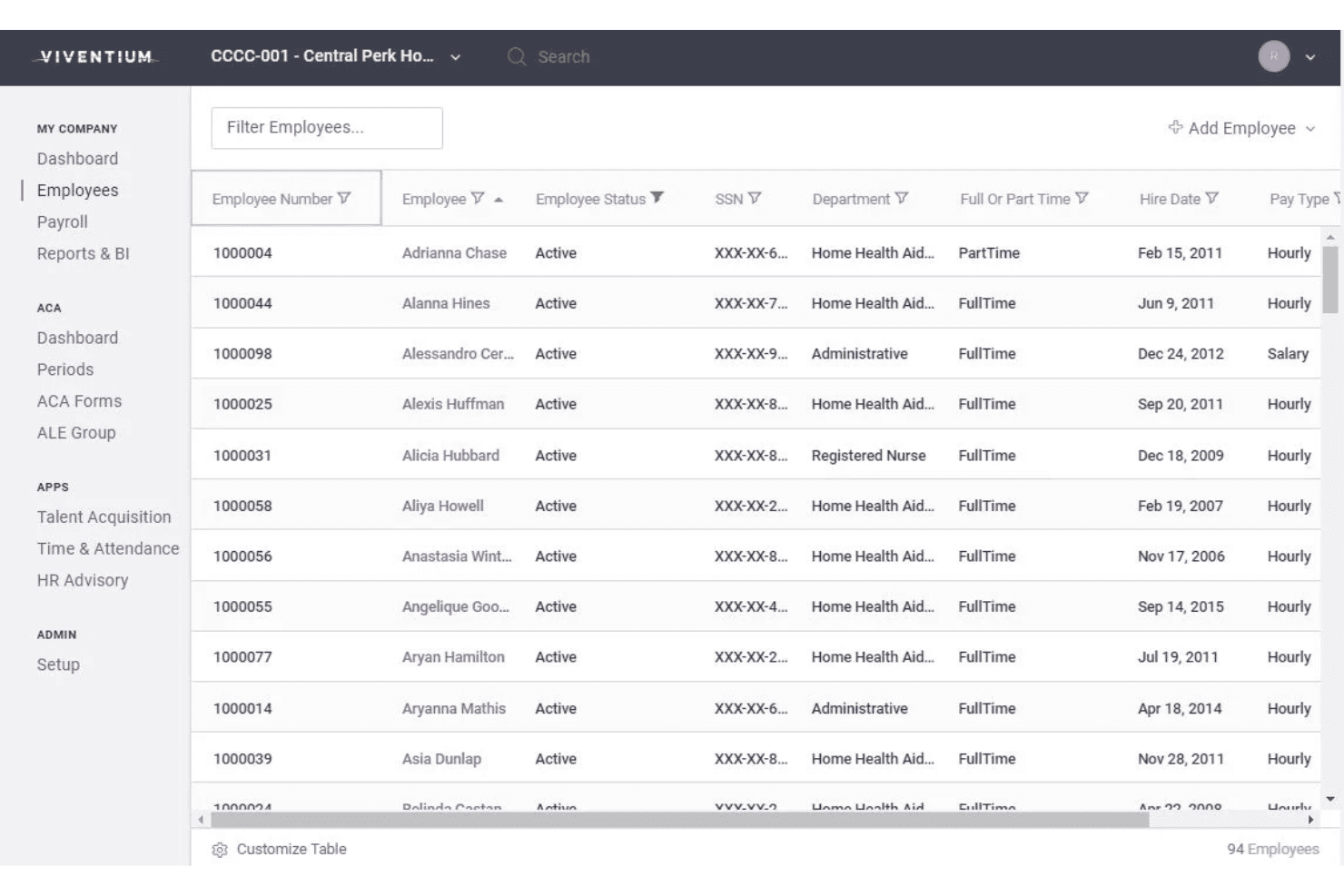
Staff can view paychecks, update information, and download tax forms online. This reduces HR’s administrative burden and helps employees get answers quickly.
Time and Attendance Tracking
Capture hours with online timesheets and import them directly into payroll. This feature helps prevent errors and tracks time for compliance and labor management.
HR and Onboarding Management
Digitize hiring with electronic onboarding and document collection workflows. Healthcare organizations can onboard new hires quickly and keep documentation organized.
Benefits Administration
Viventium manages benefits enrollment and monitor compliance. You can support employee benefits without using separate platforms.
Ease of Use
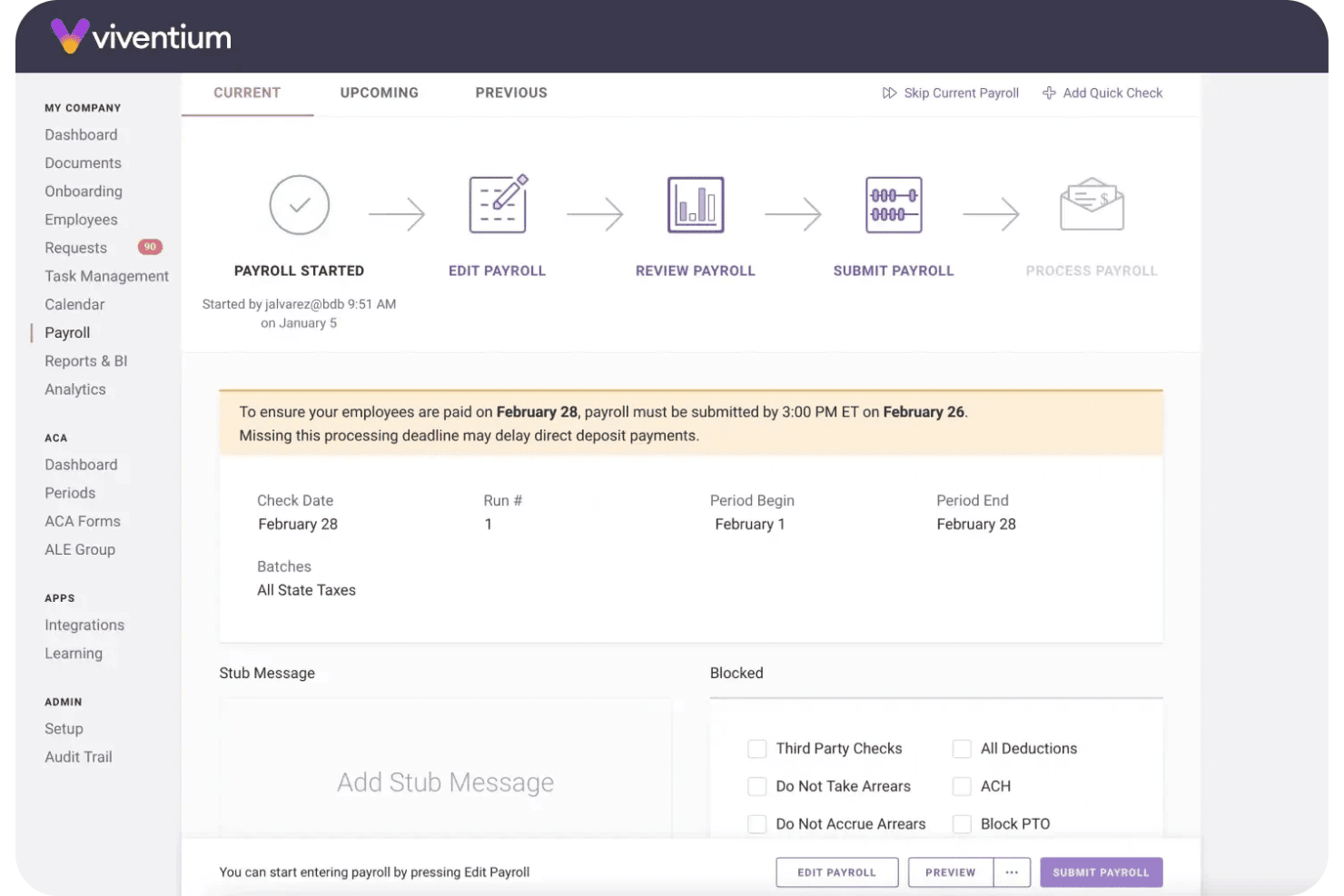
Viventium feels purpose-built for healthcare teams, making payroll and compliance tasks straightforward without a lot of extra steps. Navigating pay rule setup, ACA tracking, and reporting is clear and logical—users often mention the dashboard simplifies payroll runs and deadline monitoring.
Integrations
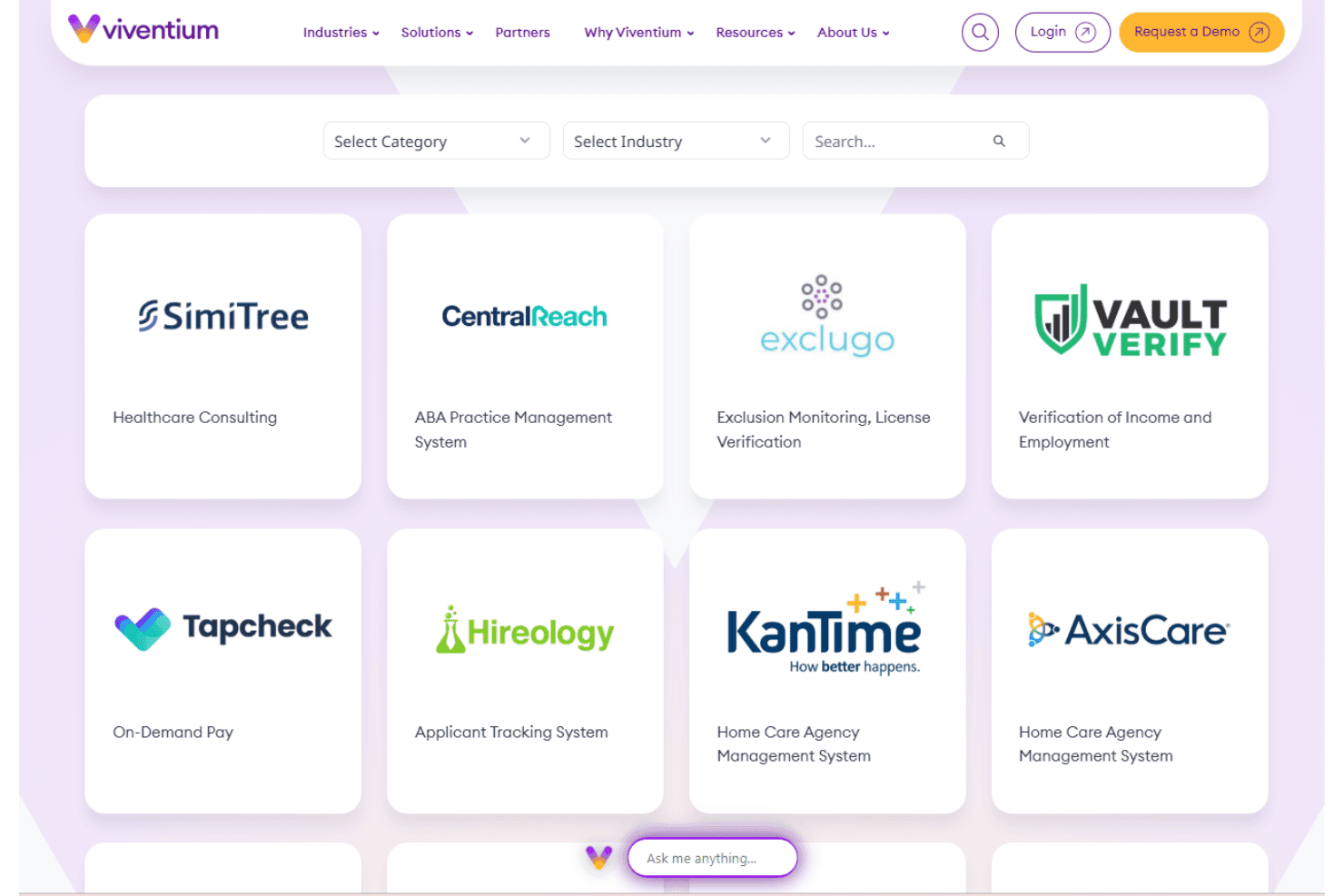
Viventium integrates with QuickBooks, AxisCare, eRSP, WellSky, ADLware, MatrixCare, Medtelligent, Axxess, AlayaCare, and Paycor, among others.
Viventium also offers an open API for custom and third-party integrations.
Viventium Specs
- 2-Factor Authentication: No
- 360 Degree Feedback: No
- API: Yes
- Application Tracking: Yes
- Attendance Tracking: Yes
- Batch Permissions & Access: Yes
- Compliance Tracking: Yes
- Dashboard: Yes
- Data Export: Yes
- Data Import: Yes
- Data Visualization: Yes
- Employee Database: Yes
- Employee Engagement: Yes
- Employee Incentive Management: No
- Employee Onboarding: Yes
- Employee Training: Yes
- Expense Tracking: No
- External Integrations: Yes
- Feedback Management: No
- Multi-User: Yes
- Notifications: Yes
- Payroll: Yes
- Performance Appraisal: No
- Scheduling: Yes
- Time Management: Yes
- Timesheets: Yes
- Travel Management: No
- Vacation & Absence Calendar: Yes


