

MedTrainer Review: Pros, Cons, Features, and Pricing



MedTrainer is a healthcare compliance software that assigns training, policies, and human resources (HR) documents automatically, helping health care organizations maintain regulatory standards. It's particularly beneficial for health care facilities, compliance officers, and HR departments that need to manage complex compliance needs. MedTrainer offers a unified platform to keep staff members compliant and reduce administrative burdens.
MedTrainer addresses common pain points such as managing regulatory compliance and maintaining training schedules, primarily benefiting HR and compliance teams. This article explores MedTrainer's features, pros and cons, use cases, and pricing to help you decide whether it meets your compliance and operational needs.
MedTrainer Evaluation Summary
- Pricing upon request
- Free demo available
Why Trust Our Software Reviews
MedTrainer Overview
In my opinion, MedTrainer stands out as a reliable choice for health care compliance needs. It offers an extensive set of features that simplify training, compliance and contract management, and credentialing. The platform shines with its user-friendly interface, making it an ideal choice for small and medium-sized health care facilities. While it excels in ease of use and customer support, it may not provide the extensive integrations some larger organizations might need. For teams that need a straightforward, effective compliance training solution, MedTrainer is worth considering. It’s particularly suited for environments that prioritize ease of onboarding and in-depth support.
pros
-
Customer support is responsive and helpful.
-
It’s user-friendly and easy to navigate.
-
You can quickly track compliance and training requirements.
cons
-
Initial setup can be time-consuming.
-
Occasional glitches might disrupt your workflow.
-
Some users find the reporting features limited.


How We Test & Score Tools
We’ve spent years building, refining, and improving our software testing and scoring system. The rubric is designed to capture the nuances of software selection and what makes a tool effective, focusing on critical aspects of the decision-making process.
Below, you can see exactly how our testing and scoring works across seven criteria. It allows us to provide an unbiased evaluation of the software based on core functionality, standout features, ease of use, onboarding, customer support, integrations, customer reviews, and value for money.
Core Functionality (25% of final scoring)
The starting point of our evaluation is always the core functionality of the tool. Does it have the basic features and functions that a user would expect to see? Are any of those core features locked to higher-tiered pricing plans? At its core, we expect a tool to stand up against the baseline capabilities of its competitors.
Standout Features (25% of final scoring)
Next, we evaluate uncommon standout features that go above and beyond the core functionality typically found in tools of its kind. A high score reflects specialized or unique features that make the product faster, more efficient, or offer additional value to the user.
We also evaluate how easy it is to integrate with other tools typically found in the tech stack to expand the functionality and utility of the software. Tools offering plentiful native integrations, 3rd party connections, and API access to build custom integrations score best.
Ease of Use (10% of final scoring)
We consider how quick and easy it is to execute the tasks defined in the core functionality using the tool. High scoring software is well designed, intuitive to use, offers mobile apps, provides templates, and makes relatively complex tasks seem simple.
Onboarding (10% of final scoring)
We know how important rapid team adoption is for a new platform, so we evaluate how easy it is to learn and use a tool with minimal training. We evaluate how quickly a team member can get set up and start using the tool with no experience. High scoring solutions indicate little or no support is required.
Customer Support (10% of final scoring)
We review how quick and easy it is to get unstuck and find help by phone, live chat, or knowledge base. Tools and companies that provide real-time support score best, while chatbots score worst.
Customer Reviews (10% of final scoring)
Beyond our own testing and evaluation, we consider the net promoter score from current and past customers. We review their likelihood, given the option, to choose the tool again for the core functionality. A high scoring software reflects a high net promoter score from current or past customers.
Value for Money (10% of final scoring)
Lastly, in consideration of all the other criteria, we review the average price of entry level plans against the core features and consider the value of the other evaluation criteria. Software that delivers more, for less, will score higher.
Core Features
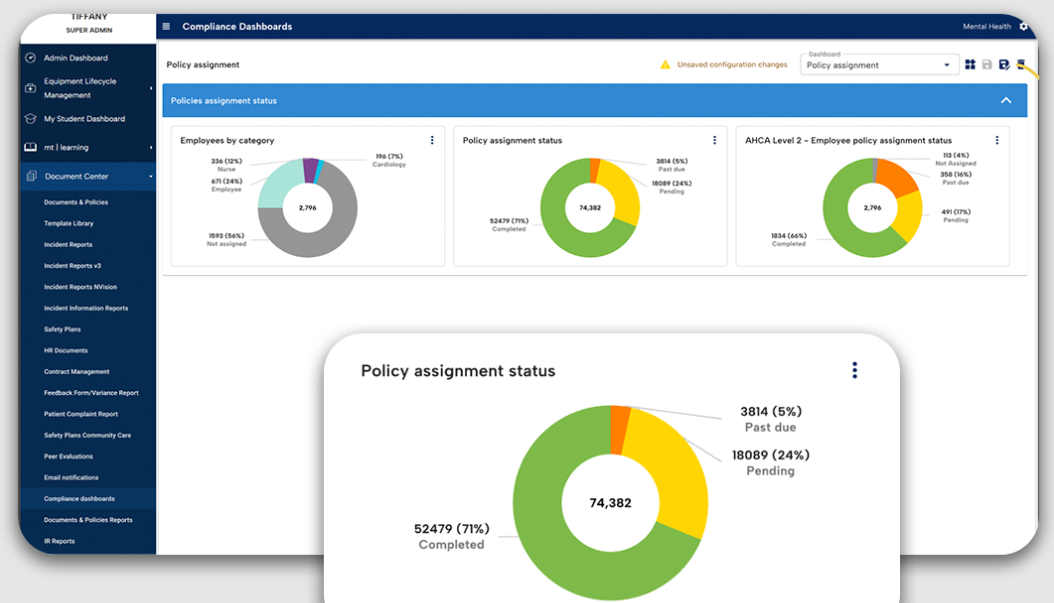
Compliance Management: You can keep your health care facility compliant with ever-changing regulations. The platform automatically updates policies and ensures your practices align with legal standards, reducing the risk of costly violations.
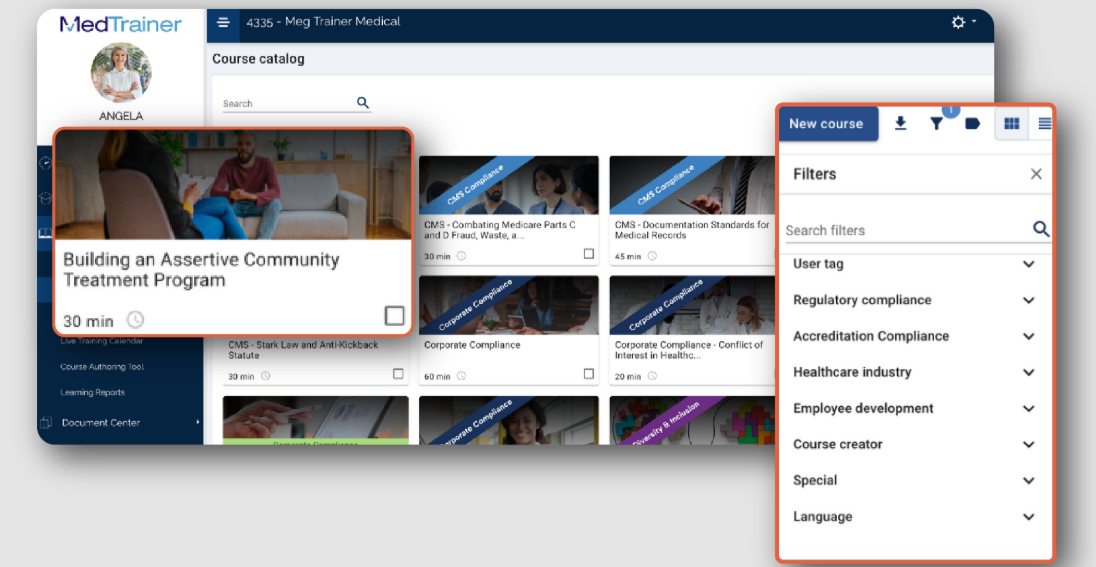
Learning Management System (LMS): Train your team with ease using built-in training modules on compliance and safety. The LMS tracks progress and completions, making it simple for you to manage certifications, continuing education, and training requirements.
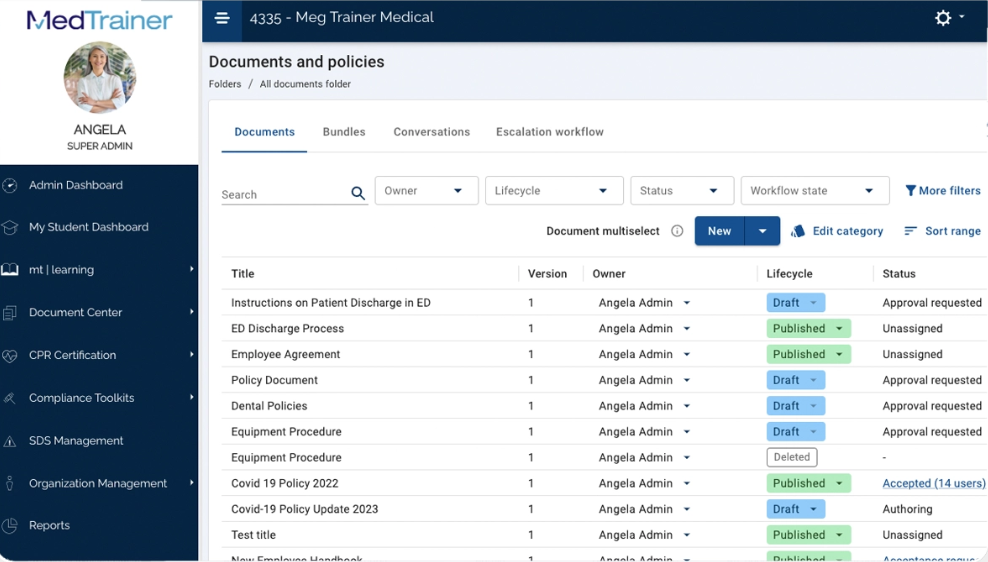
Document Management: Store, access, and organize vital documents in one secure location. This helps you maintain an organized system for your compliance documents and reduces the time spent searching for necessary files.
Incident Reporting: Report and track incidents with its easy-to-use interface. This functionality allows you to quickly address and document any issues and improve workplace safety and Occupational Safety and Health Administration (OSHA) compliance.
Credentialing Management: Simplify the process of managing staff credentials and licenses. Keep track of expiration dates and receive alerts to renew credentials on time, ensuring your team remains qualified.
Policy Management: Readily create, update, and distribute policies to your staff. This ensures everyone is aware of the latest procedures and practices necessary for maintaining compliance.
Ease of Use
MedTrainer's user-friendliness shines through its intuitive design, making navigation straightforward for your team. However, the array of features might initially feel overwhelming. The platform's structured layout allows you to find compliance tools quickly, though some users mention a learning curve. Compared to other health care compliance software, MedTrainer stands out for its accessible interface, but improving search functionality could further boost usability.
Integrations
MedTrainer integrates with ADP, Dayforce, Paycor, Paylocity, UKG, Workday, Seamless PSV, CAQH, NPDB, and Propelus Data Solutions.
MedTrainer also offers an API and connects with third-party integration tools.

MedTrainer Specs
- 2-Factor Authentication
- Access Management
- API
- Approval Workflows
- Audit Management
- Balance Sheet
- Billing/Invoicing
- Budgeting
- Calendar Management
- Compliance Tracking
- CRM Integration
- Dashboard
- Data Export
- Data Import
- Data Visualization
- Document Management
- Employee Training
- Expense Tracking
- External Integrations
- Forecasting
- History/Version Control
- Incident Management
- Multi-Currency
- Multi-User
- Notifications
- P&L
- Policy Management
- Real-time Alerts
- Regulatory Alerts
- Risk Assessment
- Scheduling
- Tax Management
- Workflow Management