
13 Best Expense Management Software for Healthcare in 2026

10 Expense Management Software for Healthcare Shortlist
Here's my pick of the 10 best software from the 13 tools reviewed.


Expense management software for healthcare helps your organization track, control, and report company spending across clinical, administrative, and operational activities. If you’re searching for ways to reduce manual processes, improve compliance, and gain real-time visibility into expenses, the right platform can make a measurable difference.
With strict regulations, complex approval chains, and the need to allocate costs accurately, healthcare teams need user-friendly software solutions that reduce the administrative burden and are built for their unique environment. This list will help you compare leading expense management tools so you can choose software that fits your workflows, supports your compliance needs, and keeps your focus on patient care.
Why Trust Our Software Reviews
We’ve been testing and reviewing medical software since 2023. As medical practice leaders ourselves, we know how critical and difficult it is to make the right decision when selecting software.
We invest in deep research to help our audience make better software purchasing decisions. We’ve tested more than 2,000 tools for different medical practice use cases and written over 1,000 comprehensive software reviews. Learn how we stay transparent & our software review methodology.
Expense Management Software for Healthcare Summary
This comparison chart summarizes pricing details for my top expense management software for healthcare selections to help you find the best one for your budget and business needs.
| Tool | Best For | Trial Info | Price | ||
|---|---|---|---|---|---|
| 1 | Best for travel and expense management in clinics | Free plan available | From $15/user/month | Website | |
| 2 | Best for global supplier payment automation | Free demo available | From $99/month | Website | |
| 3 | Best for compliance tracking in clinical environments | Free demo available | Pricing upon request | Website | |
| 4 | Best for mobile receipt capture by healthcare staff | Free demo available | Pricing upon request | Website | |
| 5 | Best for grant and fund expense allocation | Free demo available | From $400/month | Website | |
| 6 | Best for AP automation in medical group practices | Free demo available | From $49/user/month | Website | |
| 7 | Best for real-time policy enforcement on claims | Free demo available | From $11.99/user/month (billed annually) | Website | |
| 8 | Best for multi-location healthcare purchasing control | Free demo available | From $499/month (billed annually) | Website | |
| 9 | Best for integrating payroll and expense workflows | Free demo available | Pricing upon request | Website | |
| 10 | Best for automated reconciliation with hospital systems | 30-day free trial available | From $25/month | Website |


Expense Management Software for Healthcare Reviews
Below are my detailed summaries of expense management software for healthcare that made it onto my shortlist. My reviews offer a detailed look at the features, best use cases, and integrations of each platform to help you find the best one for you.

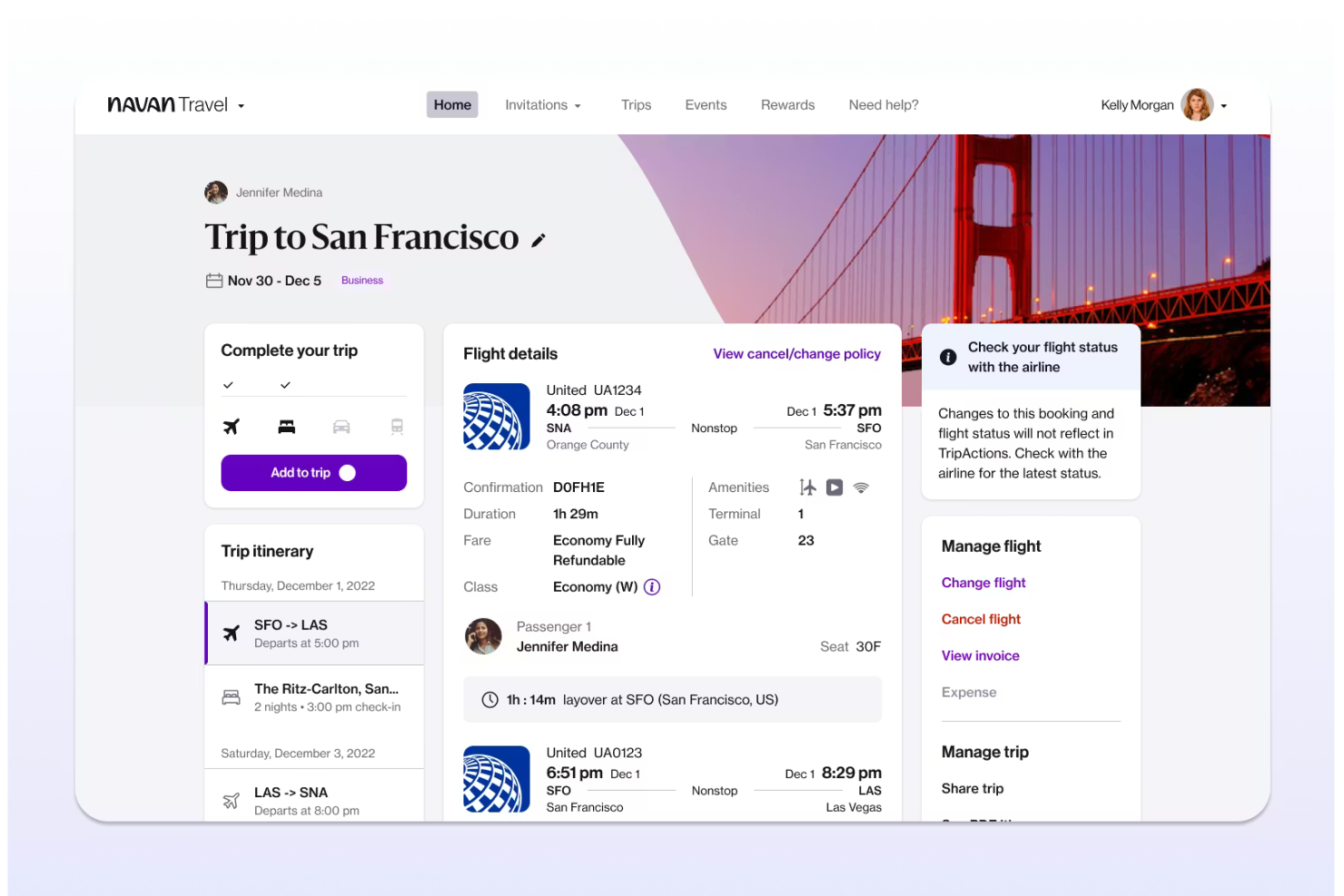
Navan offers an integrated platform for managing travel bookings and expenses, designed with healthcare clinics and organizations in mind. It appeals to administrators and finance teams who need to control travel costs and simplify reimbursement processes. The tool helps address challenges like policy compliance, real-time expense tracking, and centralized travel management for busy clinical environments.
Who Is Navan Best For?
Navan is a good fit for healthcare clinics and organizations that need to manage staff travel and related expenses in a centralized platform.
Why I Picked Navan
I picked Navan because it brings together travel booking and expense management in one platform, which is especially useful for clinics with staff who travel between locations or attend offsite training. Navan lets you set travel policies, automate approvals, and capture expenses directly from bookings, reducing manual entry and errors. I also appreciate that it provides real-time insights and visibility into travel spend, so finance teams can monitor budgets and ensure compliance. These features make Navan a practical choice for healthcare organizations that need to manage both travel logistics and related expenses efficiently.
Navan Key Features
In addition to its travel and expense management focus for clinics, I also found several other features worth noting:
- Real-time spend tracking: The platform provides up-to-date visibility into all travel and expense transactions as they occur.
- Integrated virtual cards: Navan issues virtual cards for specific purchases, helping control spending and reduce fraud risk.
- Mobile app for on-the-go management: Users can book travel, submit expenses, and approve requests directly from their mobile devices.
- Automated policy enforcement: The system flags out-of-policy bookings and expenses, supporting compliance with clinic guidelines.
Navan Integrations
Integrations include NetSuite, QuickBooks Online, Xero, Sage Intacct, and Workday.
Pros and Cons
Pros:
- Direct sync with major HRIS and ERP tools
- Automated IRS and tax audit compliance
- AI-powered OCR scans healthcare receipts
Cons:
- High cost compared to basic competitors
- Significant GPS battery drain on mobile
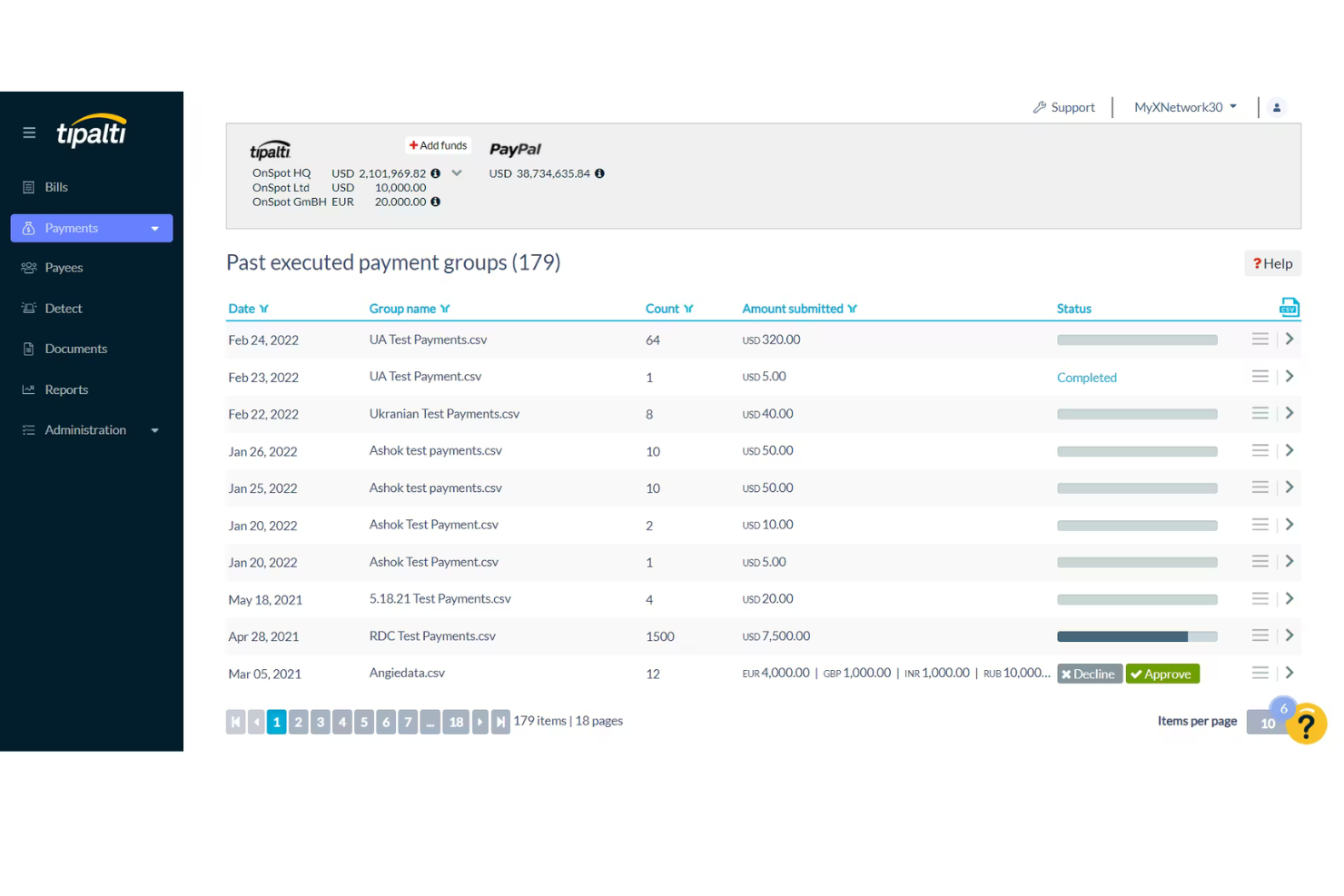
Tipalti is a payment automation platform designed for healthcare organizations that manage complex supplier networks and international payments. It appeals to finance and procurement teams looking to reduce manual payment processing and improve compliance with global regulations. The platform helps address challenges like cross-border payments, supplier onboarding, and payment reconciliation in healthcare environments.
Who Is Tipalti Best For?
Tipalti is a strong choice for healthcare organizations with global supplier networks that need to automate and manage cross-border payments.
Why I Picked Tipalti
I picked Tipalti because it addresses the unique challenges healthcare organizations face when paying suppliers across multiple countries and currencies. The platform automates global payments, manages tax compliance, and supports a wide range of payment methods, which is essential for healthcare finance teams working with international vendors and contractors. I also like that Tipalti includes built-in supplier onboarding and validation tools, reducing the risk of payment errors and fraud. These features make it a practical solution for healthcare organizations that need to optimize and secure their global supplier payment processes.
Tipalti Key Features
Some other features that make Tipalti a strong choice for healthcare organizations include:
- Tax compliance management: The platform collects and validates tax forms, helping organizations meet IRS and global tax requirements.
- Supplier self-service portal: Suppliers can onboard themselves, update payment details, and track payment status without manual intervention from your team.
- Automated invoice processing: Tipalti uses OCR and AI to capture invoice data and match it to purchase orders, reducing manual entry.
- Payment reconciliation: The system automatically reconciles payments with bank records, simplifying month-end close and audit preparation.
Tipalti Integrations
Integrations include Oracle NetSuite, Sage Intacct, Microsoft Dynamics 365, Intuit QuickBooks, Everflow, and LinkTrust.
Pros and Cons
Pros:
- AI-driven 3-way PO matching for clinics
- Automates mass global healthcare payouts
- SOC 1 & 2 plus HIPAA data protection
Cons:
- Sync errors with some legacy EMR systems
- Mobile app lacks deep admin controls

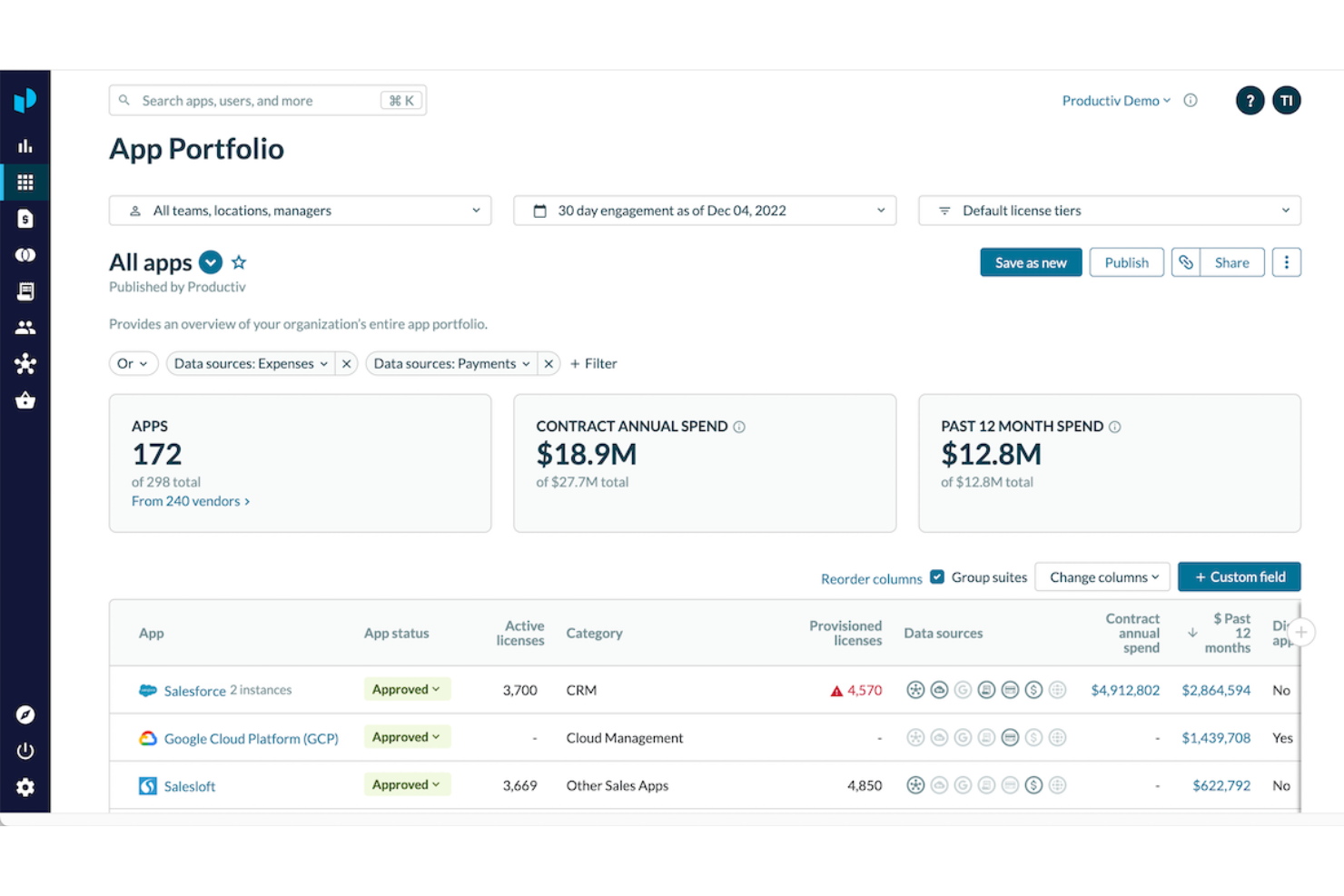
SAP Concur is a cloud-based expense management platform designed for healthcare organizations that need to manage complex spending and regulatory requirements. It appeals to clinical administrators and finance teams who want to automate expense reporting and gain visibility into spending patterns. The tool helps address challenges like policy enforcement, audit readiness, and integrating expense data with other healthcare systems.
Who Is SAP Concur Best For?
SAP Concur suits healthcare organizations and clinical administrators who need to closely track expenses and maintain regulatory compliance across multiple departments.
Why I Picked SAP Concur
What makes SAP Concur a strong choice for healthcare expense management is its focus on compliance tracking in clinical environments. I picked it because it offers automated policy enforcement, audit trails, and real-time alerts for out-of-policy expenses, which are essential for organizations facing strict regulatory scrutiny. The platform also supports detailed documentation and digital receipt capture, making it easier for healthcare teams to maintain accurate records for audits. These features help healthcare administrators reduce compliance risks and ensure spending aligns with both internal policies and external regulations.
SAP Concur Key Features
Some other features that make SAP Concur valuable for healthcare expense management include:
- Mobile expense capture: Users can submit receipts and expenses directly from their mobile devices for faster processing.
- Automated reimbursement workflows: The platform routes expense reports through customizable approval chains to match healthcare organization structures.
- Integration with travel booking tools: Connects business travel bookings with expense reporting to ensure all costs are tracked and categorized.
- Multi-currency and multi-language support: Supports global healthcare organizations with staff and operations in multiple countries.
SAP Concur Integrations
Integrations include SAP, ADP, NetSuite, QuickBooks, Xero, and Microsoft Dynamics 365.
Pros and Cons
Pros:
- Integrates with major ERP and HR systems
- Offers automated policy enforcement for expenses
- Supports digital receipt capture for mobile users
Cons:
- Setup complexity for multi-entity healthcare groups
- Occasional delays in expense reimbursement processing

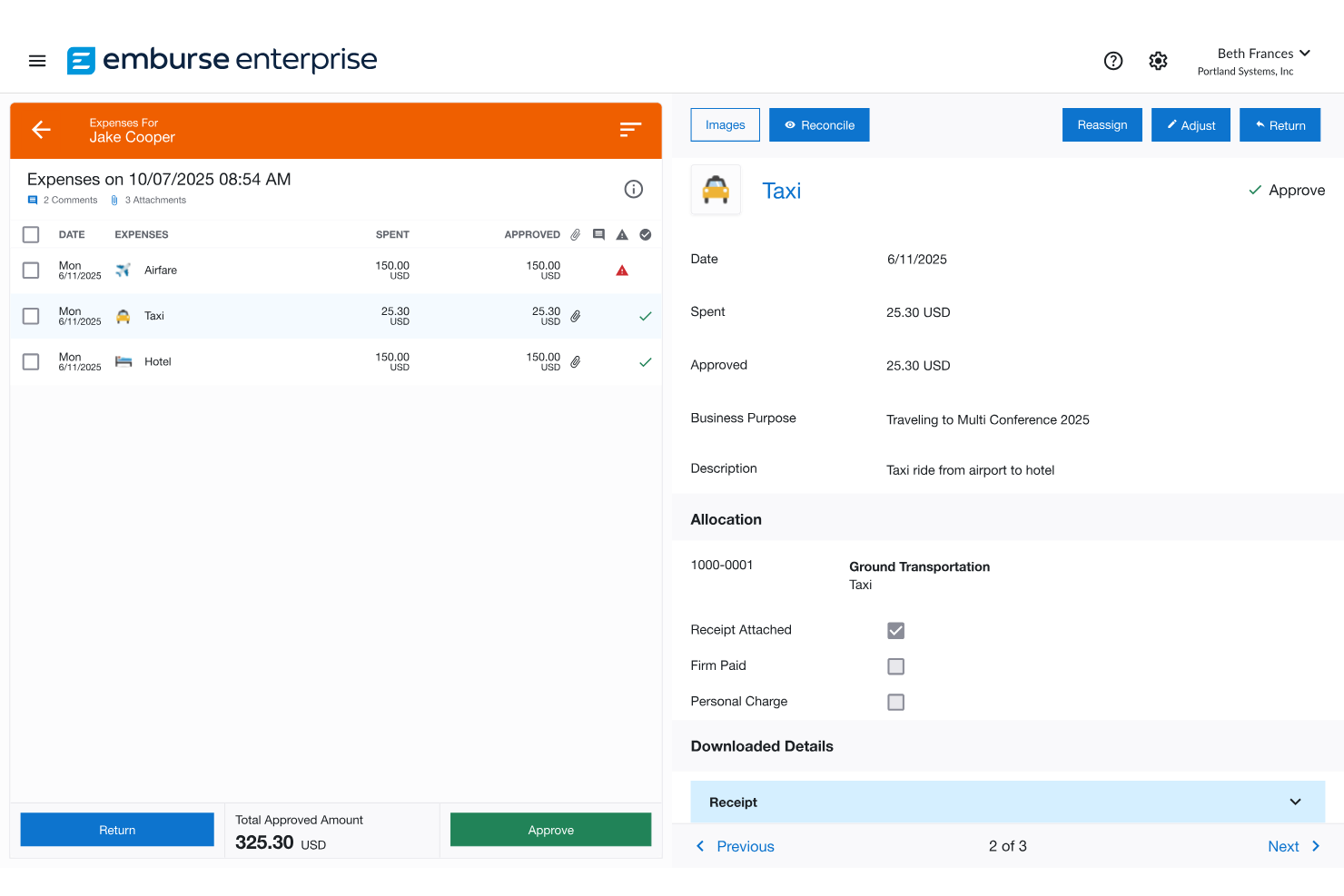
Emburse offers expense management solutions designed for healthcare organizations with distributed teams and mobile staff. It appeals to administrators and finance professionals who need to capture, approve, and reimburse expenses quickly while maintaining compliance. The platform helps address challenges like lost receipts, manual data entry, and policy enforcement in busy clinical environments.
Who Is Emburse Best For?
Emburse is a good fit for healthcare organizations with mobile staff who need to capture and manage expenses on the go.
Why I Picked Emburse
I chose Emburse because it offers mobile receipt capture that fits the fast-paced, on-the-go nature of healthcare work. Staff can snap photos of receipts from their phones and upload them instantly, which helps reduce lost paperwork and speeds up reimbursement. I also like that Emburse uses OCR technology to extract data from receipts, minimizing manual entry and errors. These features make it much easier for healthcare teams to manage expenses while moving between clinics, patient sites, or administrative offices.
Emburse Key Features
Some other features that make Emburse a strong fit for healthcare organizations include:
- Automated expense report creation: The platform generates expense reports automatically from uploaded receipts and card transactions.
- Custom approval workflows: Administrators can set up multi-level approval processes tailored to organizational policies.
- Integration with accounting systems: Emburse connects with popular accounting and ERP platforms to sync expense data.
- Mileage tracking: Users can log and calculate mileage expenses directly within the platform for reimbursement.
Emburse Integrations
Integrations include NetSuite, QuickBooks Online, Xero, Sage Intacct, and Amazon Business.
Pros and Cons
Pros:
- AI helps flag medical policy violations
- Automates audit trails for healthcare
- Integrates with CMS and NPI databases
Cons:
- High implementation fees for small labs
- Customer support can be slow to respond

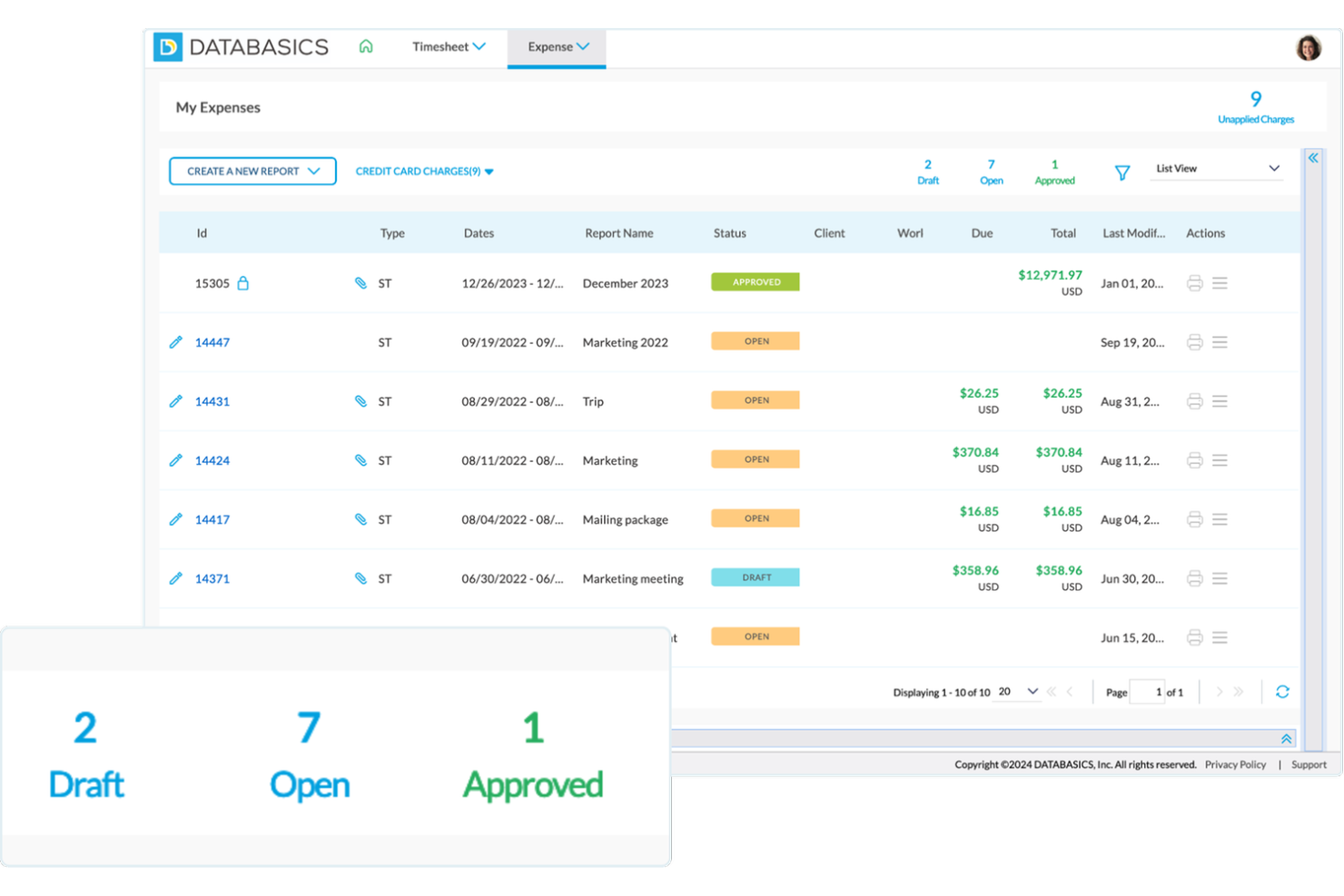
DATABASICS is a cloud-based expense management platform designed for healthcare organizations with complex funding and reporting needs. It’s well-suited for finance teams and administrators who need to track expenses across multiple grants, funds, or cost centers. The platform helps address challenges like compliance, transparency, and detailed allocation of healthcare spending.
Who Is DATABASICS Best For?
DATABASICS is a strong fit for healthcare finance teams that need to allocate and track expenses across multiple grants, funds, or cost centers.
Why I Picked DATABASICS
I chose DATABASICS because it offers detailed tools for allocating expenses to specific grants and funds, which is a common challenge in healthcare finance. The platform lets you tag and split expenses across multiple funding sources, making it easier to stay compliant with grant requirements and internal policies. I also appreciate that DATABASICS provides built-in reporting for fund tracking and audit support, so finance teams can quickly generate documentation for oversight or reimbursement. These features make it a practical choice for healthcare organizations managing complex funding streams.
DATABASICS Key Features
In addition to its focus on grant and fund expense allocation, I also found several other features that support healthcare organizations:
- Mobile receipt capture: Users can upload receipts directly from their mobile devices, making it easier to document expenses on the go.
- Automated policy enforcement: The system flags out-of-policy expenses automatically, helping teams maintain compliance with internal and external regulations.
- Multi-currency support: DATABASICS allows users to submit and process expenses in multiple currencies, which is useful for organizations with international operations or funding.
- Custom approval workflows: Administrators can configure multi-level approval processes to match their organization’s specific expense review requirements.
DATABASICS Integrations
Integrations include Sage Intacct, NetSuite, Microsoft Dynamics 365, Paylocity, and Oracle Financial.
Pros and Cons
Pros:
- Combines time and expense in one app
- Highly responsive 24/7 customer support
- Automated work hour and audit rules
Cons:
- Custom report builder is not intuitive
- Higher entry cost for smaller clinics

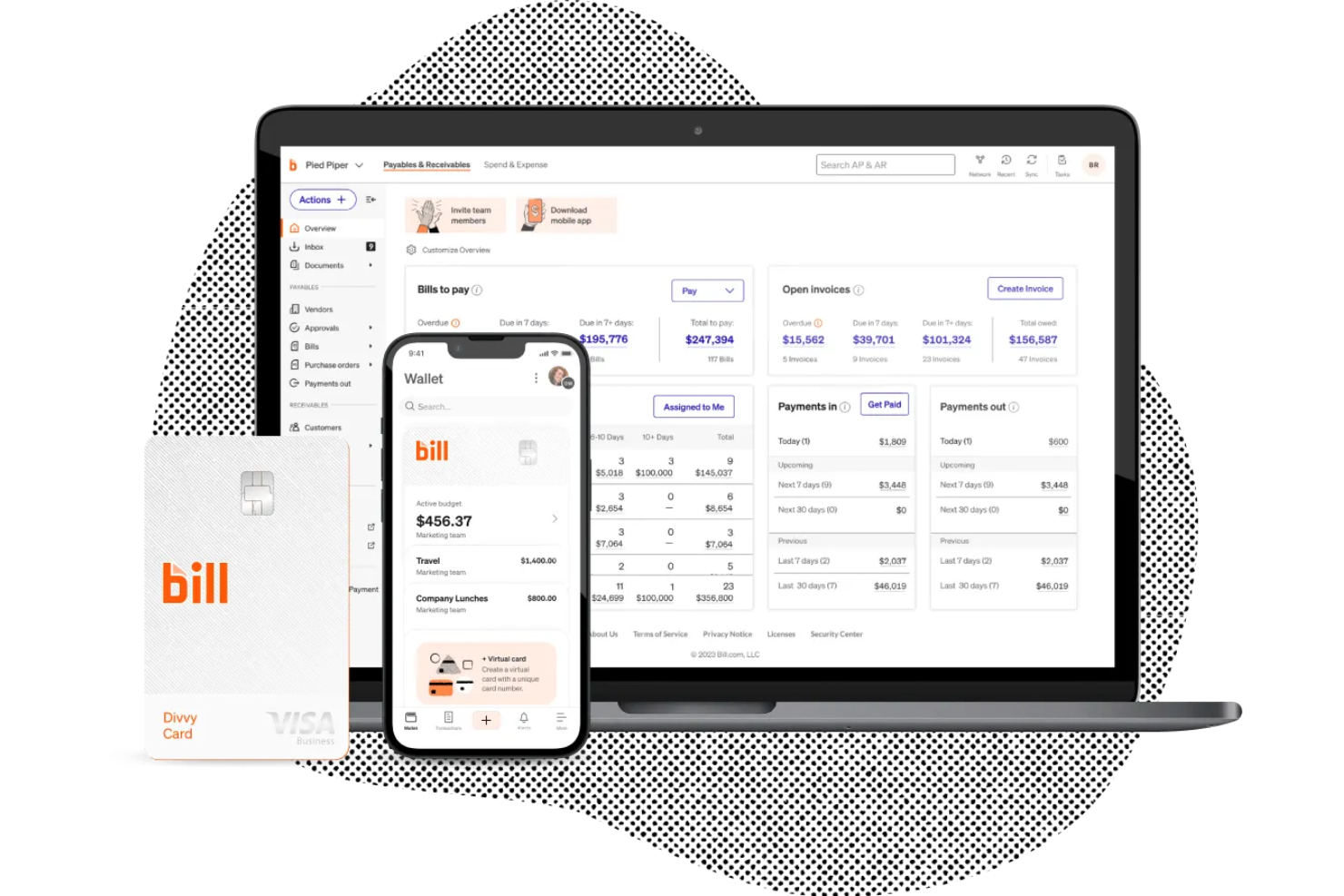
BILL offers accounts payable automation designed for medical group practices and healthcare organizations. It appeals to finance teams and administrators who need to manage vendor payments, approvals, and documentation in one place. The platform helps reduce manual data entry and supports compliance with healthcare financial processes.
Who Is BILL Best For?
BILL is a good fit for finance teams in mid-sized and large medical group practices for accounts payable automated workflows.
Why I Picked BILL
I picked BILL because it automates accounts payable tasks that are often time-consuming for medical group practices. The platform lets you digitize invoice capture, set up multi-level approval workflows, and schedule payments to vendors directly from the system. I also appreciate that BILL provides audit trails and document storage, which helps healthcare organizations stay organized and compliant. These features make it easier for finance teams to manage high volumes of invoices and payments without manual paperwork.
BILL Key Features
In addition to its AP automation capabilities for medical group practices, I also found several other features that support healthcare finance teams:
- Digital document storage: The platform stores invoices, receipts, and supporting documents in a secure, searchable digital archive.
- Custom payment approval workflows: Administrators can configure multi-step approval processes to match internal controls and compliance needs.
- Vendor management tools: BILL allows you to onboard, manage, and communicate with vendors directly within the platform.
- Automatic payment scheduling: Users can set up recurring or one-time payments to vendors, reducing manual intervention.
BILL Integrations
Integrations include NetSuite, QuickBooks Online, Xero, Sage Intacct, Tallie, and Intacct.
Pros and Cons
Pros:
- Real-time visibility into medical spend
- Direct sync with top healthcare ERPs
- Roles-based access protects patient data
Cons:
- Occasional sync lags with accounting
- Requires specific setup for HIPAA use

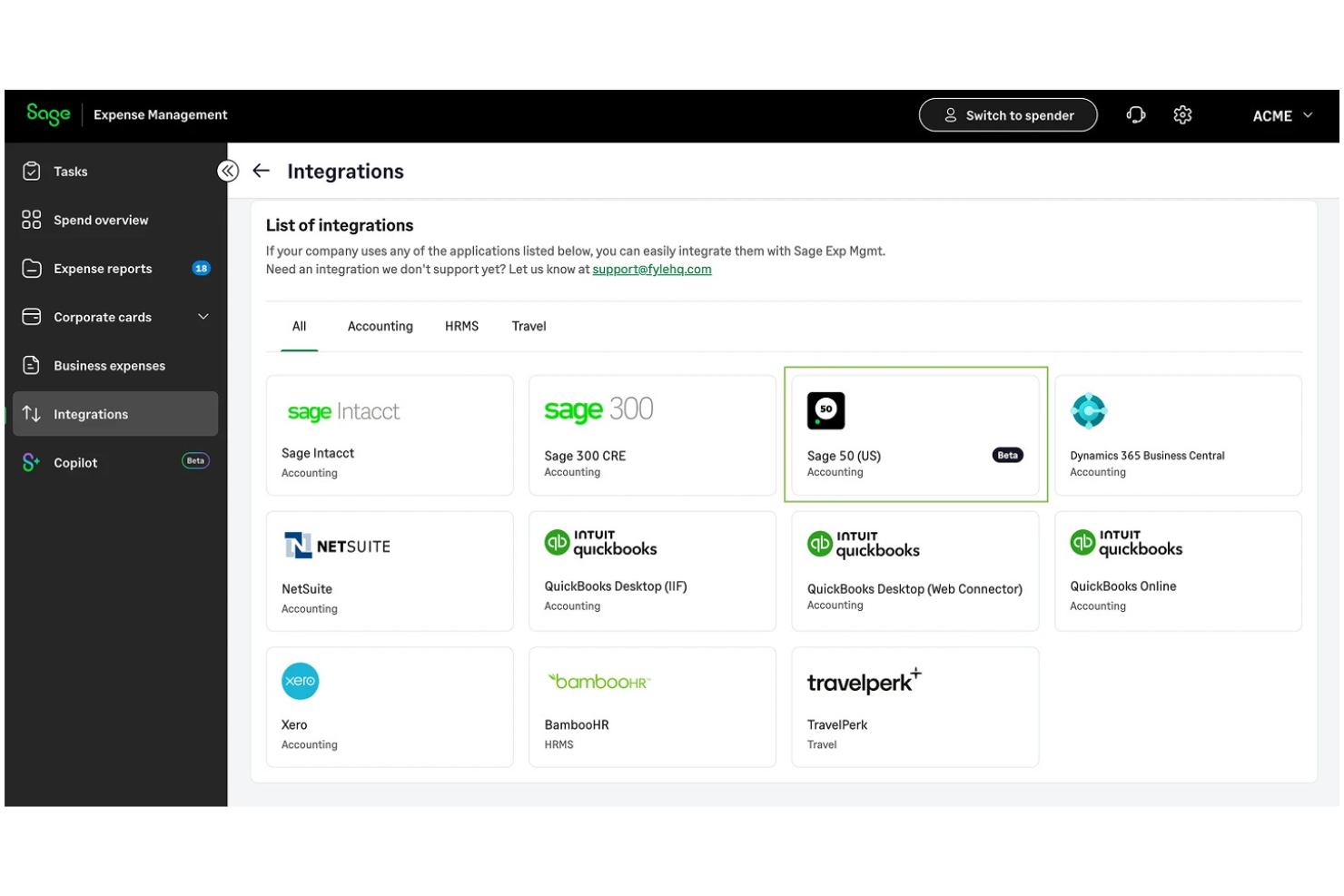
Sage Expense Management offers healthcare organizations a way to automate and control expense claims across departments. It’s designed for finance teams and administrators who need to manage spending while maintaining compliance with healthcare regulations. The platform helps address challenges like policy adherence, real-time visibility, and reducing manual errors in expense processing.
Who Is Sage Expense Management Best For?
Sage Expense Management is a strong choice for healthcare finance teams that need strict, automated policy controls on expense claims.
Why I Picked Sage Expense Management
I picked Sage Expense Management because it enforces expense policies in real time, which is especially important for healthcare organizations with strict compliance requirements. The platform automatically checks every claim against custom rules as expenses are submitted, flagging violations before they reach the approval stage. I also like that it provides instant feedback to users, helping prevent errors and reducing back-and-forth between staff and finance teams. This level of automation supports healthcare administrators who need to maintain tight control over spending and regulatory adherence and maintain operational efficiency.
Sage Expense Management Key Features
Some other features that make Sage Expense Management useful for healthcare expense workflows include:
- Automated receipt scanning: Users can upload receipts, and the system extracts and matches data to expense claims.
- Multi-level approval workflows: Administrators can set up custom approval chains to match organizational hierarchies.
- Real-time spend analytics: Finance teams can access dashboards that break down spending by department, category, or user.
- Mileage and per diem tracking: The platform supports healthcare staff who need to log travel expenses according to organization policies.
Sage Expense Management Integrations
Integrations include Sage Intacct, Sage 300 CRE, Sage 50, QuickBooks Online, and American Express.
Pros and Cons
Pros:
- Real-time visibility into clinic spend
- Built-in audit trails for compliance
- HIPAA-compliant data security
Cons:
- Mobile app lacks full web functionality
- Complex initial configuration required

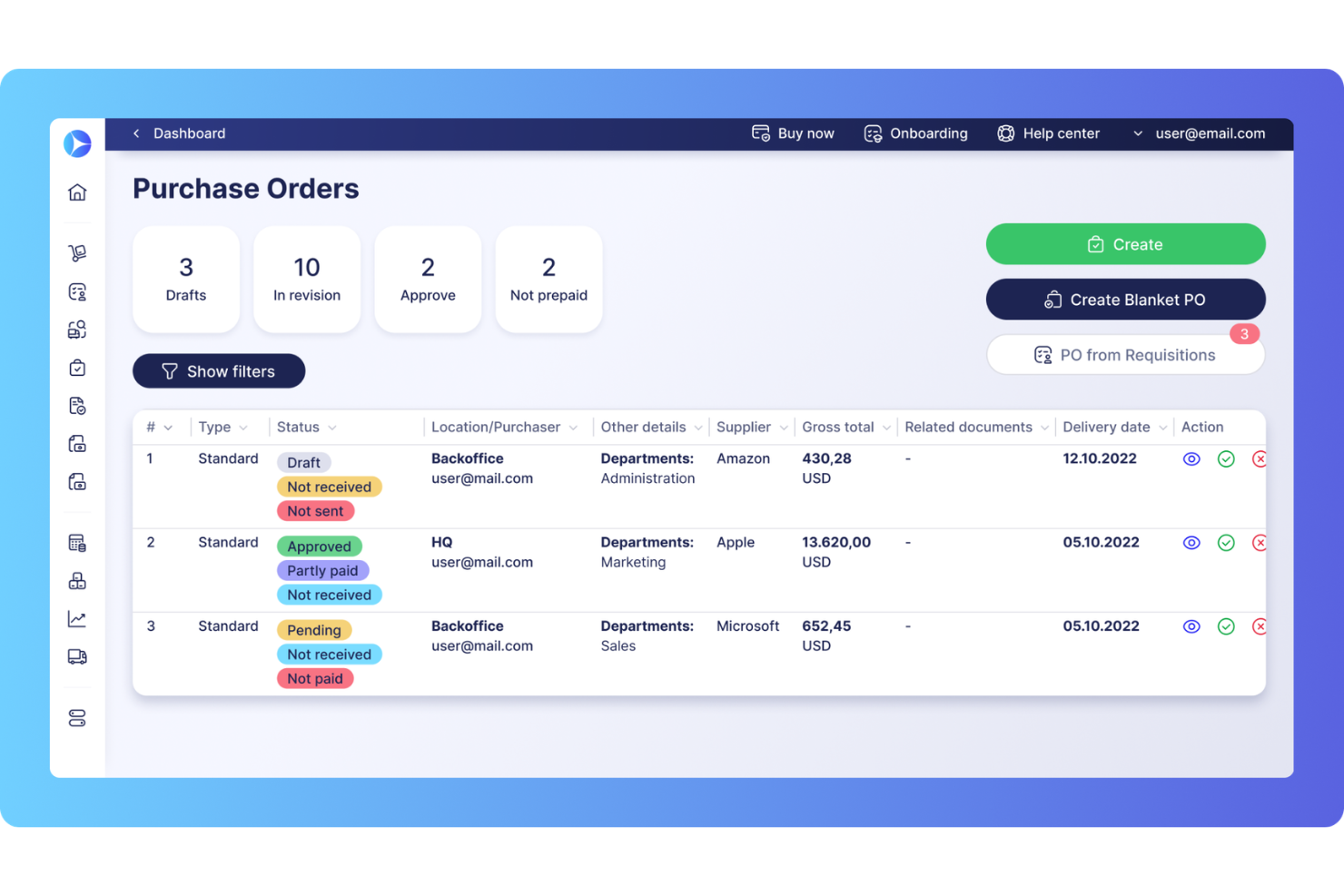
Precoro gives healthcare organizations a way to manage purchasing and business expenses across multiple locations from a single platform. It’s a strong fit for finance teams and administrators who need to coordinate procurement, approvals, and budget tracking in complex healthcare environments. The tool helps reduce manual paperwork and supports clear oversight of company and employee spending across departments or facilities.
Who Is Precoro Best For?
Precoro fits healthcare organizations with multiple locations that need centralized control over purchasing and expense approvals.
Why I Picked Precoro
What stands out about Precoro is how it addresses the challenges of managing purchasing and expenses across multiple healthcare locations. I picked it because it lets you set up location-specific approval workflows and budget controls, so each facility can follow its own rules while still reporting into a central system. The platform also tracks orders, deliveries, and invoices by site, which helps healthcare finance teams monitor spending and compliance at both the local and organizational level. This level of control is especially important for healthcare groups that need to balance autonomy with oversight.
Precoro Key Features
In addition to its multi-location purchasing controls, Precoro offers several other features relevant to healthcare expense management:
- Catalog management: Maintain a centralized catalog of approved suppliers and products for consistent purchasing across all locations.
- Three-way matching: Automatically match purchase orders, invoices, and delivery receipts to reduce errors and prevent duplicate payments.
- Custom reporting: Generate detailed reports on spending, supplier performance, and order history tailored to healthcare needs.
- Role-based access controls: Assign permissions based on job function to protect sensitive financial and procurement data.
Precoro Integrations
Integrations include NetSuite, QuickBooks Online, Xero, and Sage Intacct.
Pros and Cons
Pros:
- Customizable approval workflows for healthcare compliance
- Centralizes supplier and contract management
- Offers three-way matching for invoices
Cons:
- Catalog setup can be time-consuming for large systems
- Reporting customization can require technical support
New Product Updates from Precoro

Precoro Adds PO Cancellation Updates and Approval Dashboard Charts
Precoro adds purchase order cancellation updates and new approval dashboard charts. These updates improve workflow control and provide better visibility into approval performance. For more information, visit Precoro’s official site.
 .
.
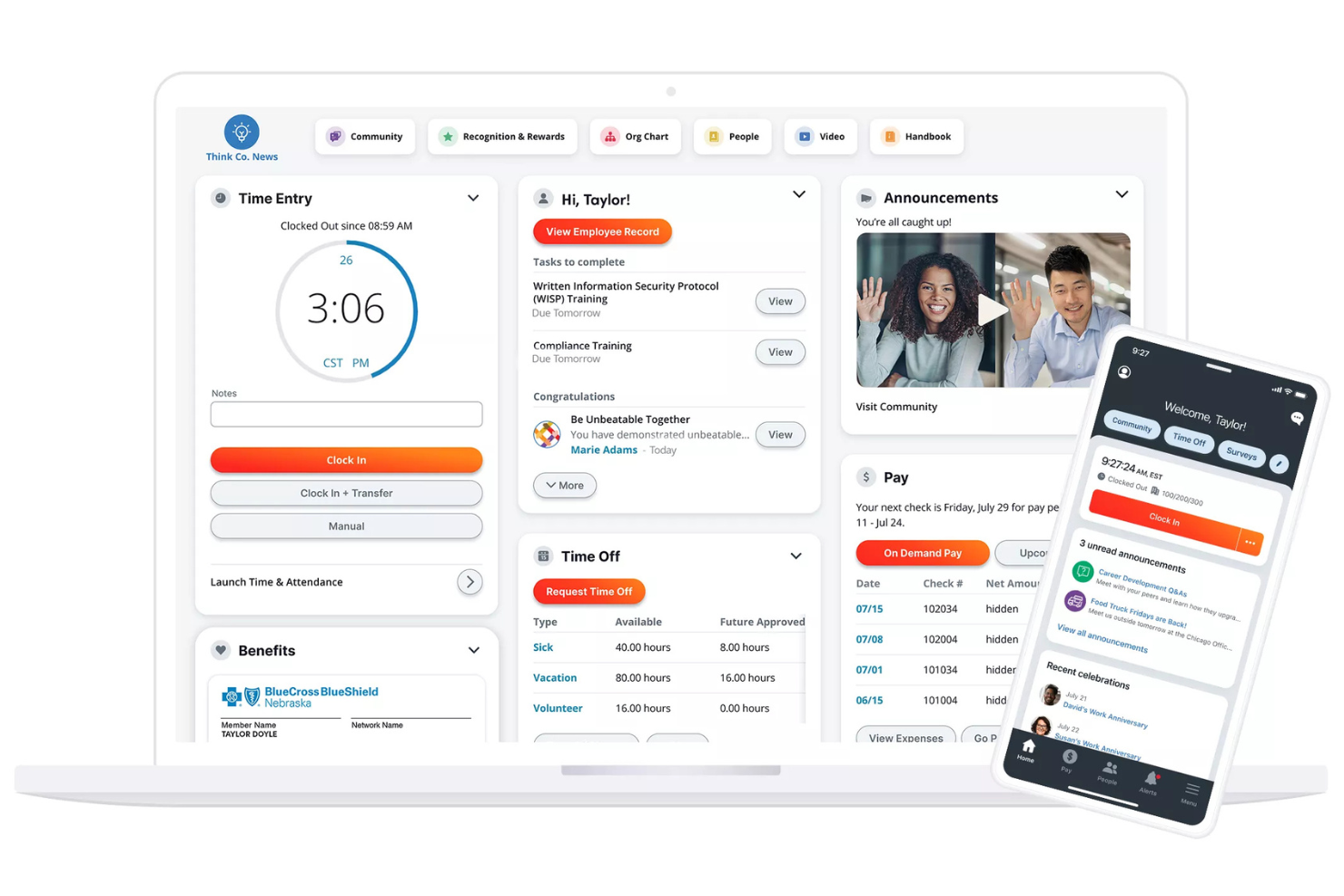
Paylocity offers a cloud-based spend management solution designed for healthcare organizations that want to connect finance and HR processes. It appeals to healthcare administrators and finance teams looking to simplify expense tracking while maintaining payroll accuracy. The platform helps address challenges like managing reimbursements, enforcing spending policies, and reducing manual data entry across departments.
Who Is Paylocity Best For?
Paylocity is a good fit for healthcare organizations that want to unify expense management with payroll and HR workflows.
Why I Picked Paylocity
I chose Paylocity because it brings payroll and expense management together in one platform, which is especially valuable for healthcare organizations with complex staffing and reimbursement needs. The system automatically syncs expense data with payroll, reducing manual entry and helping ensure accurate, timely reimbursements for clinical and administrative staff. I also appreciate that Paylocity allows you to set custom approval workflows that reflect healthcare-specific policies and departmental hierarchies. This integration helps healthcare teams maintain compliance and streamline financial processes without toggling between multiple systems.
Paylocity Key Features
Some other features that make Paylocity useful for healthcare expense management include:
- Mobile receipt capture: Staff can upload receipts and submit expenses directly from their mobile devices.
- Real-time expense tracking: Administrators can monitor spending as expenses are submitted and approved.
- Custom expense categories: Organizations can create categories tailored to healthcare-specific spending, such as medical supplies or continuing education.
- Automated policy enforcement: The system flags out-of-policy expenses and prompts users to provide additional documentation or corrections.
Paylocity Integrations
Integrations include QuickBooks Online, Microsoft Dynamics 365, Oracle NetSuite, Sage Intacct, and Perk (formerly TravelPerk).
Pros and Cons
Pros:
- Tracks audit trails for compliance reporting
- Enables multi-level approval workflows
- Offers mobile receipt capture for field staff
Cons:
- Occasional data sync bugs on mobile
- Customer support is often ticket-based
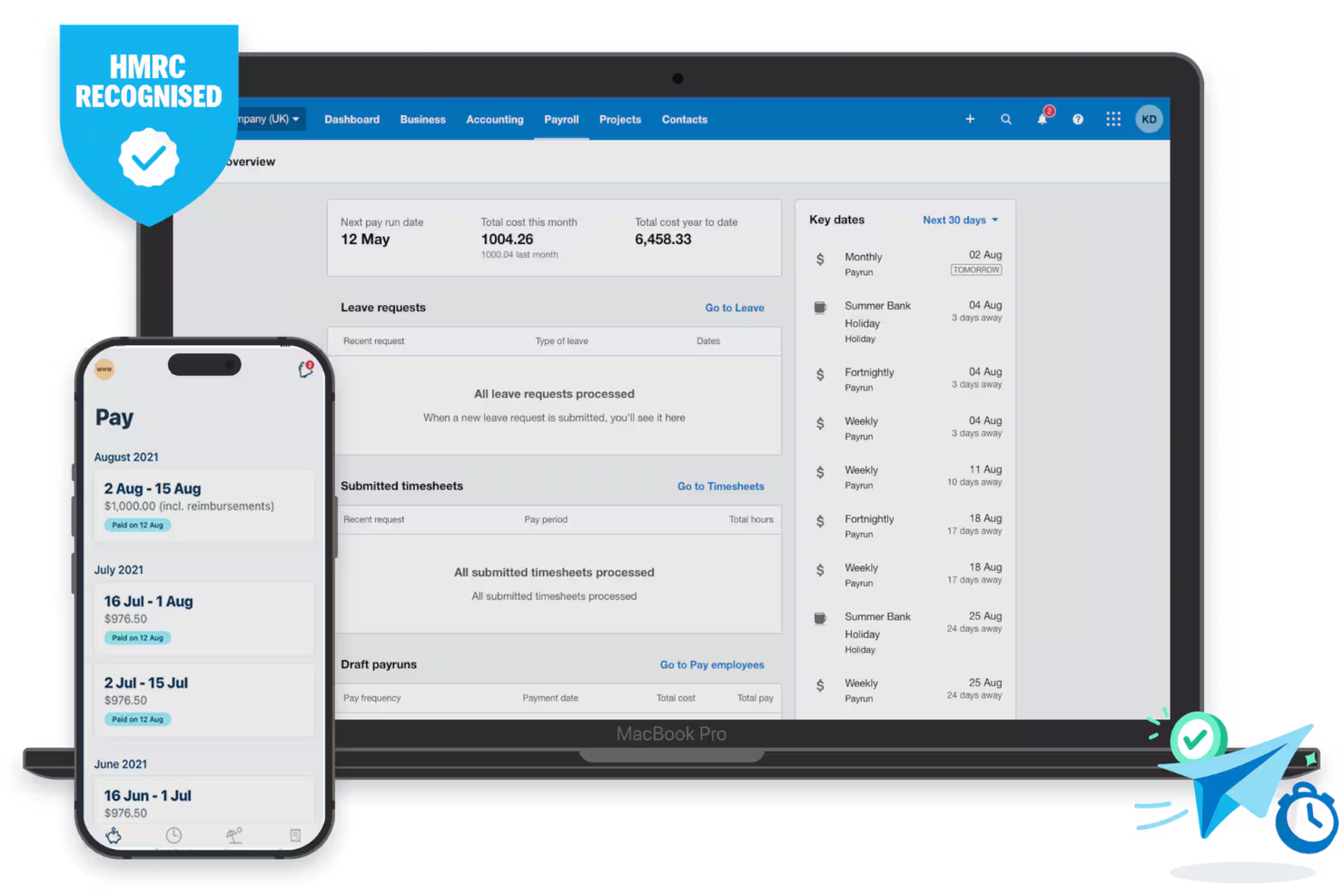
Xero offers healthcare organizations a way to manage expenses and financial workflows in one place. It’s a good fit for hospital administrators and finance teams who need clear oversight of spending and easy integration with existing accounting processes. The platform helps reduce manual entry and supports accurate, up-to-date financial records for healthcare environments.
Who Is Xero Best For?
Xero suits hospital finance teams and healthcare administrators who need integrated expense tracking within their accounting system.
Why I Picked Xero
I picked Xero because its automated reconciliation features are especially valuable for hospitals and healthcare organizations that need to match expenses with complex billing and payment systems. Xero connects directly with hospital bank accounts and accounting ledgers, allowing transactions and expenses to sync automatically. I appreciate how the platform flags discrepancies and provides audit trails, which helps healthcare finance teams maintain accuracy and compliance. These capabilities reduce manual reconciliation work and support timely, reliable financial reporting in clinical environments.
Xero Key Features
Some other features in Xero support healthcare organizations looking for more spend controls and visibility over expenses:
- Mobile expense capture: Staff can upload receipts and submit expenses directly from their mobile devices.
- Custom approval workflows: Set up multi-step approval processes to match your organization’s internal controls.
- Budget tracking: Monitor spending against departmental or project budgets in real time.
- Role-based access controls: Assign permissions to ensure only authorized users can view or manage sensitive financial data.
Xero Integrations
Integrations include HubSpot, Stripe, PayPal, Square, Shopify, Gusto, and Bill.com.
Pros and Cons
Pros:
- Real-time budget tracking for departments
- Custom approval workflows for healthcare compliance
- Mobile app for on-the-go expense capture
Cons:
- Expense categories may need manual customization
- No built-in mileage tracking for staff travel
New Product Updates from Xero

Xero Integrates Melio for Online Bill Payments
Xero integrates Melio to optimize bill management, approvals, and reconciliation within its platform, boosting efficiency and cash flow visibility. For more information, visit Xero's official site.
 .
.Other Expense Management Software for Healthcare
Here are some additional expense management software for healthcare options that didn’t make it onto my shortlist, but are still worth checking out:


Expense Management Software for Healthcare Selection Criteria
When selecting the best expense management software for healthcare to include in this list, I considered common buyer needs and pain points like HIPAA-compliant document management and integration with healthcare accounting systems. I also used the following framework to keep my evaluation structured and fair:
Core Functionality (25% of total score)
To be considered for inclusion in this list, each solution had to fulfill these common use cases:
- Capture and process invoices electronically
- Route expenses for multi-level approvals
- Track and manage vendor payments
- Store supporting documents securely
- Generate expense and payment reports
Additional Standout Features (25% of total score)
To help further narrow down the competition, I also looked for unique features, such as:
- Automated compliance checks for healthcare regulations
- Integration with electronic health record systems
- Customizable approval workflows by department
- Real-time spend analytics dashboards
- Mobile receipt capture for clinicians
Usability (10% of total score)
To get a sense of the usability of each system, I considered the following:
- Simple and intuitive user interface
- Clear navigation for finance and admin staff
- Minimal manual data entry required
- Fast access to frequently used features
- Accessibility for users with varying tech skills
Onboarding (10% of total score)
To evaluate the onboarding experience for each platform, I considered the following:
- Step-by-step product tours or walkthroughs
- Availability of training videos and documentation
- Pre-built templates for healthcare expense workflows
- Responsive onboarding support team
- In-app chatbots or help widgets
Customer Support (10% of total score)
To assess each software provider’s customer support services, I considered the following:
- Multiple support channels including phone and chat
- Fast response times for urgent issues
- Knowledgeable support staff familiar with healthcare
- Access to a searchable help center
- Availability of dedicated account managers
Value For Money (10% of total score)
To evaluate the value for money of each platform, I considered the following:
- Transparent and predictable pricing structure
- Features included at each pricing tier
- Discounts for healthcare organizations or nonprofits
- No hidden fees for integrations or add-ons
- Free trial or demo availability
Customer Reviews (10% of total score)
To get a sense of overall customer satisfaction, I considered the following when reading customer reviews:
- Positive feedback on automation and efficiency
- Reports of reliable customer support
- Comments on ease of integration with healthcare systems
- User satisfaction with reporting and analytics
- Feedback on mobile app performance
How to Choose Expense Management Software for Healthcare
It’s easy to get bogged down in long feature lists and complex pricing structures. To help you stay focused as you work through your unique software selection process, here’s a checklist of factors to keep in mind:
| Factor | What to Consider |
| Scalability | Will the software handle your current and projected invoice and payment volumes as your practice grows? |
| Integrations | Does the tool connect natively with your EHR, accounting, and payroll systems to avoid manual data entry? |
| Customizability | Can you tailor approval workflows, user roles, and reporting to match your organization’s structure and policies? |
| Ease of use | Will clinical and administrative staff be able to use the system with minimal training or disruption? |
| Implementation and onboarding | How long will it take to get up and running, and what resources or support does the vendor provide during setup? |
| Cost | Are all costs transparent, including setup, support, and integration fees? Does the pricing fit your budget and usage patterns? |
| Security safeguards | Does the software offer HIPAA-compliant data handling, audit trails, and user access controls to protect sensitive information? |
| Compliance requirements | Can the system support your documentation, retention, and audit needs for healthcare regulations and payer requirements? |
What Is Expense Management Software for Healthcare?
Expense management software for healthcare is a digital tool that helps medical organizations track, approve, and document spending related to operations, supplies, and services. These systems automate invoice processing, manage vendor payments, and maintain compliance with healthcare regulations. By centralizing expense data and workflows, they support accurate reporting, reduce manual errors, and help healthcare teams maintain financial control across departments and facilities.
Features of Expense Management Software for Healthcare
When selecting expense management software for healthcare, keep an eye out for the following key features:
- Invoice capture: Digitizes and imports invoices from email, scans, or uploads, reducing manual entry and helping teams process large volumes of vendor bills quickly.
- Approval workflows: Routes expenses through customizable, multi-level approval chains to ensure compliance with internal policies and regulatory requirements.
- Vendor management: Centralizes vendor contact details, payment terms, and transaction histories, making it easier to track relationships and resolve payment issues.
- Payment scheduling: Allows users to set payment dates, automate recurring payments, and manage cash flow by aligning disbursements with budget cycles.
- Document storage: Stores receipts, contracts, and supporting documents securely, providing easy access for audits and compliance checks.
- Expense reporting: Generates detailed reports on spending by department, vendor, or category, supporting budget analysis and financial planning.
- Audit trails: Tracks every action taken on an expense or invoice, creating a transparent record for compliance and internal review.
- Integration capabilities: Connects with accounting software, payroll, and EHR systems to synchronize data and reduce duplicate entry across platforms.
- User permissions: Lets administrators control access to sensitive financial data by assigning roles and permissions based on job function.
- Mobile access: Enables staff to review, approve, or submit expenses from smartphones or tablets, supporting remote and on-the-go workflows.
Common Expense Management Software for Healthcare AI Features
Beyond the standard expense management software for healthcare features listed above, many of these solutions are incorporating AI with features like:
- Automated data extraction: Uses AI to read and extract key details from invoices, receipts, and other documents, reducing manual entry and minimizing errors.
- Anomaly detection: Continuously analyzes spending patterns to flag unusual transactions or potential fraud, helping healthcare organizations maintain compliance and financial integrity.
- Smart approval routing: Learns from historical approval decisions to suggest or automate routing of expenses to the appropriate approvers, speeding up processing times.
- Predictive cash flow analysis: Applies AI models to forecast future expenses and cash flow needs based on historical data, supporting proactive financial planning.
- Duplicate detection: Identifies potential duplicate invoices or expense claims by comparing document details, reducing the risk of double payments.
Benefits of Expense Management Software for Healthcare
Implementing expense management software for healthcare provides several benefits for your team and your business. Here are a few you can look forward to:
- Improved compliance: Automated approval workflows and audit trails help your organization meet healthcare regulations and internal policy requirements.
- Faster invoice processing: Digital capture and AI-powered data extraction reduce manual entry, speeding up the entire invoice-to-payment cycle.
- Greater financial visibility: Real-time reporting and analytics give finance teams a clear view of spending across departments and vendors.
- Reduced risk of errors: Automated duplicate detection and anomaly alerts minimize the chance of double payments or fraudulent transactions.
- Simplified document management: Centralized storage of invoices, receipts, and contracts makes it easy to retrieve documents for audits or reviews.
- Enhanced integration: Seamless connections with accounting, payroll, and EHR systems eliminate data silos and reduce manual reconciliation work.
- Scalable workflows: Customizable approval chains and user permissions support growth and adapt to changing organizational structures.
Costs and Pricing of Expense Management Software for Healthcare
Selecting expense management software for healthcare requires an understanding of the various pricing models and plans available. Costs vary based on features, team size, add-ons, and more. The table below summarizes common plans, their average prices, and typical features included in expense management software for healthcare solutions:
Plan Comparison Table for Expense Management Software for Healthcare
| Plan Type | Average Price | Common Features |
| Free Plan | $0 | Basic invoice capture, limited document storage, single-user access, and simple reporting. |
| Personal Plan | $15-$49/user/month | Multi-user support, basic approval workflows, standard reporting, and limited integrations. |
| Business Plan | $100-$999/month | Advanced approval chains, vendor management, integration with accounting systems, and audit trails. |
| Enterprise Plan | Custom | Custom workflows, enhanced security, compliance tools, dedicated support, and advanced analytics. |
Expense Management Software for Healthcare FAQs
Here are some answers to common questions about expense management software for healthcare:
How does expense management software help with healthcare compliance?
Expense management software helps maintain compliance by enforcing approval workflows, storing audit trails, and supporting HIPAA-compliant document management. These features make it easier to meet regulatory requirements and prepare for audits.
Can expense management software integrate with electronic health record (EHR) systems?
Yes, many expense management solutions offer integrations with EHR systems. This allows for seamless data sharing between financial and clinical systems, reducing manual entry and supporting accurate cost tracking.
What should healthcare organizations look for in expense management software security?
Look for features like HIPAA-compliant data handling, user access controls, encryption, and detailed audit logs. These safeguards protect sensitive financial and patient-related information from unauthorized access or breaches.
Is mobile access important for healthcare expense management?
Yes, mobile access allows clinicians and staff to submit, review, or approve expenses on the go. This flexibility is especially useful for teams working across multiple locations or in fast-paced clinical environments.
How long does it take to implement expense management software in a healthcare setting?
Implementation timelines vary, but most cloud-based solutions can be set up in a few weeks. Factors like data migration, integration needs, and staff training can affect the overall timeline, so plan for a phased rollout if needed.
What’s Next:
If you're in the process of researching expense management software for healthcare, connect with a SoftwareSelect advisor for free recommendations.
You fill out a form and have a quick chat where they get into the specifics of your needs. Then you'll get a shortlist of software to review. They'll even support you through the entire buying process, including price negotiations.