

Medical billing and accounting software is technology that helps healthcare teams manage claims, patient payments, insurance processing, and financial records all in one place. When you’re looking for the best options, you need tools that cut down on manual paperwork, keep up with the latest requirements, and make sure reimbursements don’t slip through the cracks.
In this guide, you’ll find vetted platforms that address the unique challenges of medical billing, support regulatory compliance, and fit practices of all sizes. Use this list to compare features, understand your options, and pick software that supports efficient, accurate revenue management.
Why Trust Our Software Recommendations
6,700+
Reviews
20
Industry experts
16+
Evaluation factors
14
Years
Our team has been testing and reviewing software since 2012. As medical practice leaders ourselves, we know how difficult—and important—it is to choose the right software.
For this guide, we evaluated tools using hands-on testing and independent research, scoring tools using our selection criteria.
Our reviews reflect our human editorial judgment, not a sales pitch.
Medical Billing and Accounting Software Comparison Table
This comparison table summarizes pricing details for my top medical billing and accounting software selections:
| Tool | Best For | Trial Info | Price | ||
|---|---|---|---|---|---|
| 1 | Best for batch eligibility verification tools | Free demo available | Pricing upon request | Website | |
| 2 | Best for mobile charge capture and billing | Free demo available | Pricing upon request | Website | |
| 3 | Best for connected EHR and billing workflows | Free demo available | From $199/user/month | Website | |
| 4 | Best for scalable multi-location revenue workflows | Free demo available | Pricing upon request | Website | |
| 5 | Best for payer enrollment support and training | Free demo available | Pricing upon request | Website | |
| 6 | Best for real-time ERA and EOB reconciliation | Free demo + free expert consultation available | Pricing upon request | Website | |
| 7 | Best for patient payment portal features | 14-day free trial; Free demo available | Pricing upon request | Website | |
| 8 | Best for customizable financial dashboards | Free demo available | Pricing upon request | Website | |
| 9 | Best for specialty-specific billing automation | Free demo available | Pricing upon request | Website | |
| 10 | Best for integrated clearinghouse connectivity | Free demo available | Pricing upon request | Website |


Best Medical Billing and Accounting Software Reviews
Below are my detailed summaries of the best medical billing and accounting software that made it onto my shortlist. My reviews offer a detailed look at the features, best use cases, and pricing of each platform to help you find the best one for you.
 Best for batch eligibility verification tools
- Free demo available
- Pricing upon request
Visit WebsiteCustomer Rating:4.1/5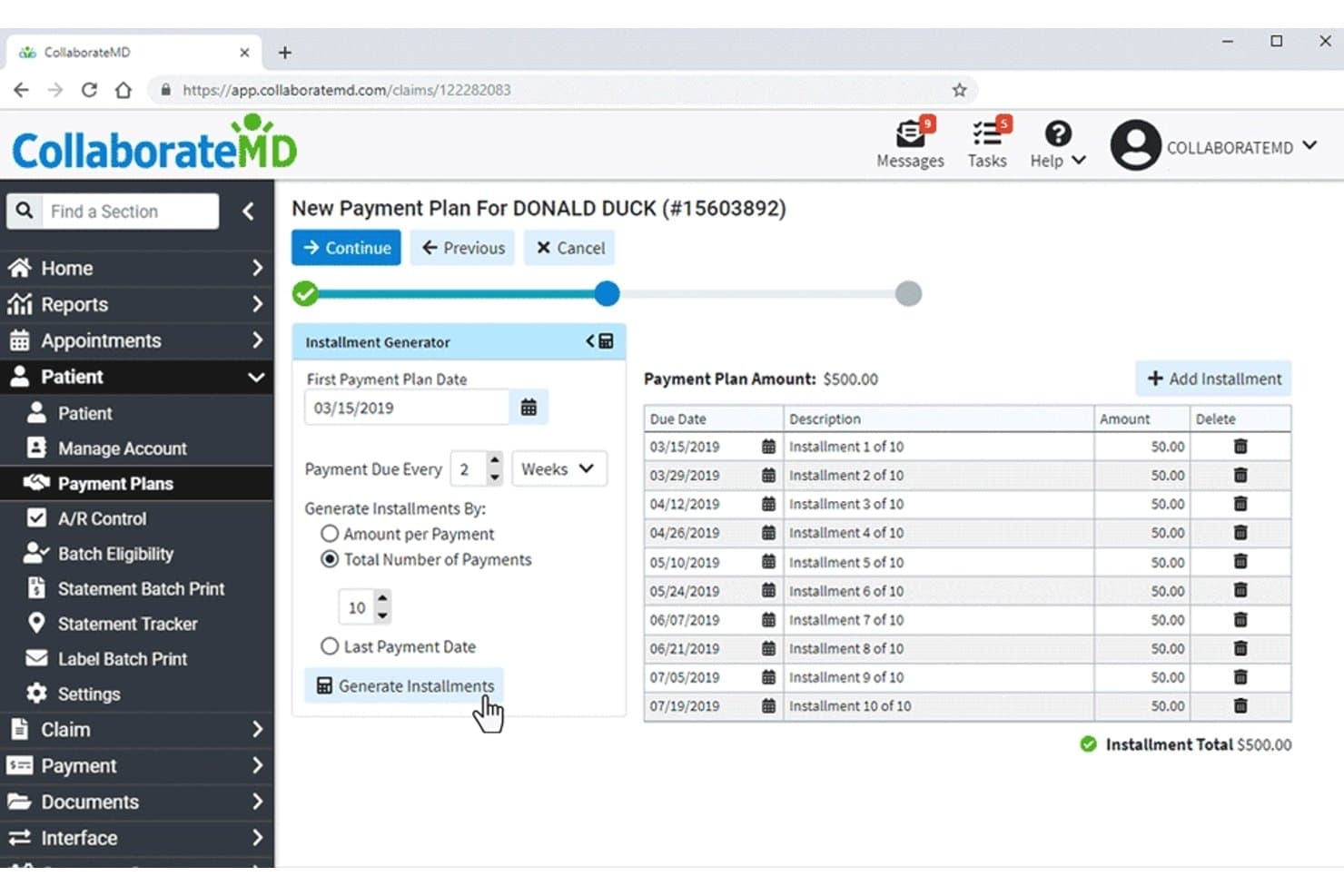
CollaborateMD offers a Payment Plans feature that allows users to generate installment schedules for patient balances with customizable payment frequency and amounts. CollaborateMD is a cloud-based medical billing and practice management platform with a built-in clearinghouse, claim scrubbing, ERA auto-posting, real-time eligibility verification, and patient billing tools designed for small to medium-sized practices.
Who Is CollaborateMD Best For?
CollaborateMD is a good fit for independent practices and small to medium-sized medical groups that handle their own billing in-house.
Why I Picked CollaborateMD
CollaborateMD earns its spot on my shortlist because of how it handles eligibility at scale. I like that it runs both real-time and batch eligibility checks within the same billing workflow, so my team can verify a full day's appointment list before patients arrive rather than scrambling at check-in. The Patient Responsibility Estimator pulls copay and deductible data directly from those checks, which means we can present accurate cost estimates at the point of care.
CollaborateMD Key Features
- Built-in clearinghouse: Submits claims directly with payer edits, tracking, denial management, and ERA processing in one platform.
- Level 2 claim scrubbing: Applies NCD/LCD, CCI, LMRP, and modifier checks before claim submission for cleaner claims.
- Customizable financial reporting: Offers 125+ reports and dashboards with filters for payer mix, collections, A/R aging, and CPT-level detail.
- Patient billing portal: Enables online bill payment, automated statement delivery, and flexible payment plans for patient balances.
CollaborateMD Integrations
CollaborateMD offers native integrations with Practice Fusion, Elation, Alleva, Quest Diagnostics, LabCorp, LabDAQ, MDTech, and MediMobile. An API is available for custom integrations.
Pros and Cons
Pros:
- Intelligent claim edits reduce denial rates
- ERA auto-posting with payer reconciliation
- Batch eligibility checks for all scheduled patients
Cons:
- Only supports a single built-in clearinghouse
- Patient payment portal incurs external processor fees
Learn more about CollaborateMD: Best for mobile charge capture and billing
- Free demo available
- Pricing upon request
Visit WebsiteCustomer Rating:3.9/5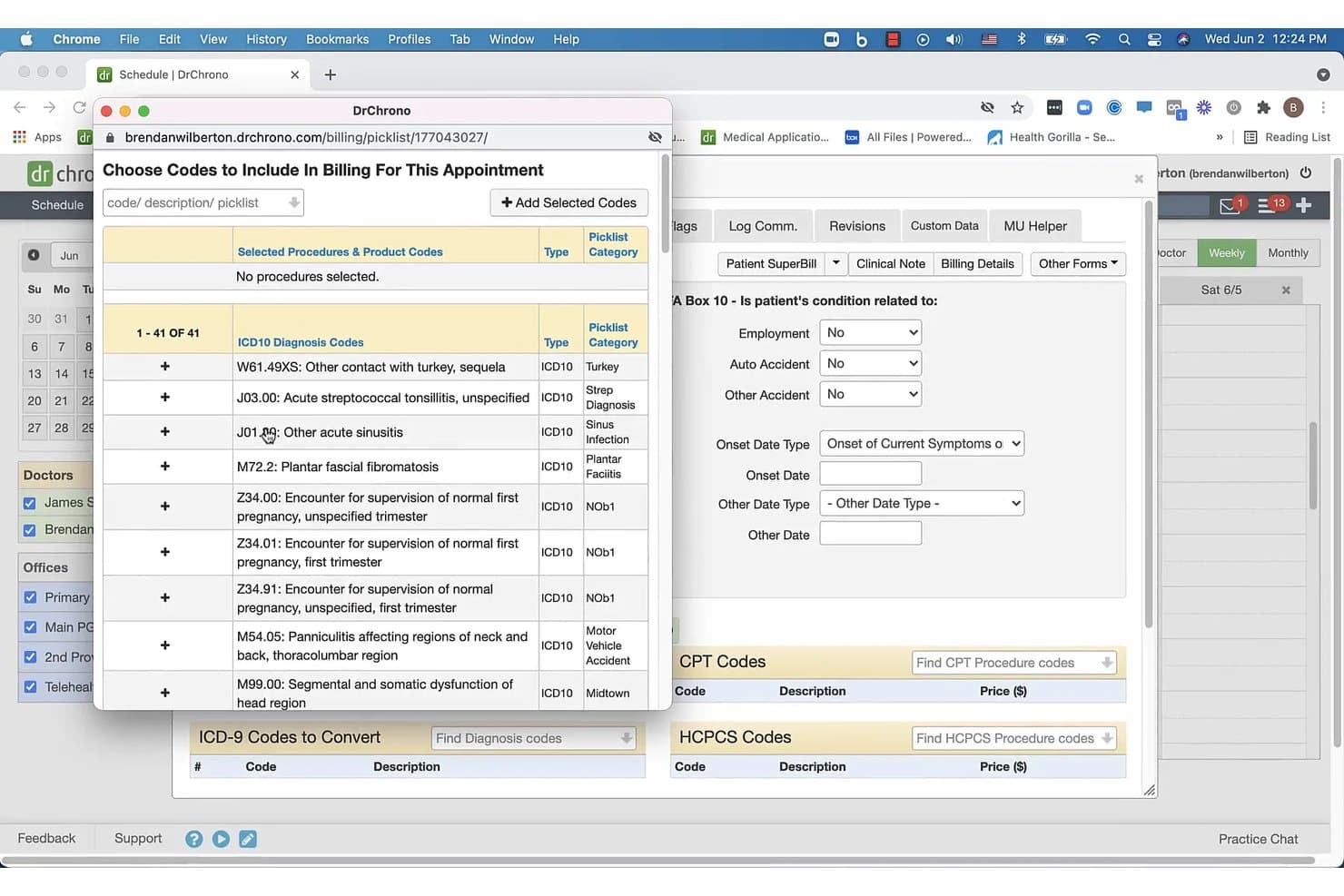
DrChrono offers a billing code picklist modal that allows providers to search and add ICD10 diagnosis codes to a patient appointment. DrChrono is a cloud-based EHR and medical billing platform that combines charge capture, claims management, ERA posting, eligibility verification, and revenue cycle management in a single, mobile-accessible system.
Who Is DrChrono Best For?
DrChrono works well for independent physicians and small to mid-sized practices that need an integrated EHR and billing system accessible from mobile devices.
Why I Picked DrChrono
DrChrono earns its spot on my shortlist because of how tightly its mobile charge capture connects directly to the billing workflow. I can capture charges from an iPad at the point of care, and those codes feed straight into claim generation without any re-entry. Billing Profiles let me store commonly used diagnoses and CPT codes upfront, so building a clean, submission-ready claim takes seconds rather than minutes.
DrChrono Key Features
- Integrated claim management tool: Centralizes electronic claims generation, scrubbing, tracking, and clearinghouse submission.
- Real-time insurance eligibility checks: Confirms insurance coverage and benefits at scheduling and check-in.
- Electronic remittance advice (ERA) auto posting: Automatically reconciles payer ERAs and EOBs to outstanding claims.
- Custom billing profiles and code sets: Lets users store specialty-specific ICD-10, CPT, and HCPCS codes for fast, accurate charge capture.
DrChrono Integrations
DrChrono offers native integrations with Quest Diagnostics, LabCorp, Surescripts, Iron Bridge immunization registries, CoverMyMeds for prior authorization, Stripe for payments, and Physitrack. An open API is available for custom integrations.
Pros and Cons
Pros:
- Real-time insurance eligibility verification
- Integrated EHR, billing, and revenue cycle tools
- Mobile charge capture with iPad-first workflow
Cons:
- No Android mobile app available
- Patient statements are difficult for patients to read
Learn more about DrChrono: Best for connected EHR and billing workflows
- Free demo available
- From $199/user/month
Visit WebsiteCustomer Rating:3.7/5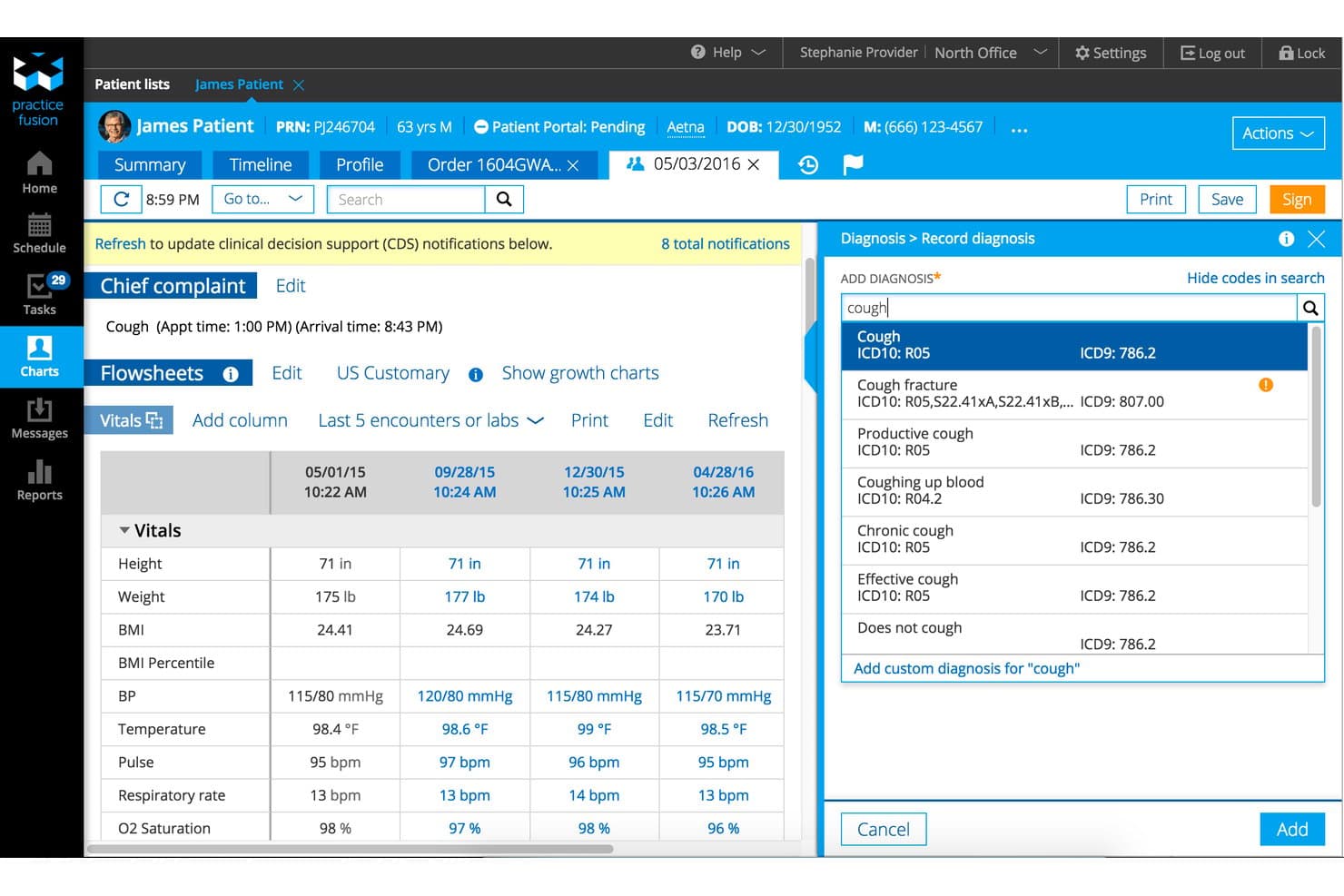
Practice Fusion displays a patient flowsheet with an integrated diagnosis search panel for recording ICD-10 and ICD-9 codes during an encounter. Practice Fusion is a cloud-based EHR platform with integrated medical billing services that covers claims scrubbing, denial management, payment posting, patient statements, and revenue cycle reporting for independent practices.
Who Is Practice Fusion Best For?
Practice Fusion is a strong fit for independent ambulatory practices that want a single vendor handling both clinical documentation and revenue cycle management.
Why I Picked Practice Fusion
Practice Fusion earns its spot on my shortlist because the EHR and billing workflow are genuinely connected, not just co-sold. When I document a visit, that chart data flows directly into the billing queue with AI-powered coding assistance, cutting the manual re-entry that causes most claim errors. I also like the same-day claims submission with automated scrubbing and built-in denial management, all operating within a single platform rather than across disconnected tools.
Practice Fusion Key Features
- Integrated patient payment portal: Lets patients view statements, pay balances online, and access billing history.
- Automated payer enrollment dashboard: Centralizes payer credentialing and real-time status for new contracts and revalidations.
- Patient call center support: Provides phone-based assistance for patient billing questions and payment processing.
- Customizable financial reports: Generates A/R aging, collections summaries, payer mix analytics, and practice-specific dashboards.
Practice Fusion Integrations
Practice Fusion has native integrations with labs and imaging centers, Updox, CareCloud, Tebra, Veradigm, CollaborateMD, and Cal-Med. An API is available for custom integrations.
Pros and Cons
Pros:
- Patient payment portal included for statements
- Automated claims scrubbing and denial management
- Connected EHR and billing in one platform
Cons:
- Some users report customer support delays
- Full accounting features not included
Learn more about Practice Fusion: Best for scalable multi-location revenue workflows
- Free demo available
- Pricing upon request
Visit WebsiteCustomer Rating:3.6/5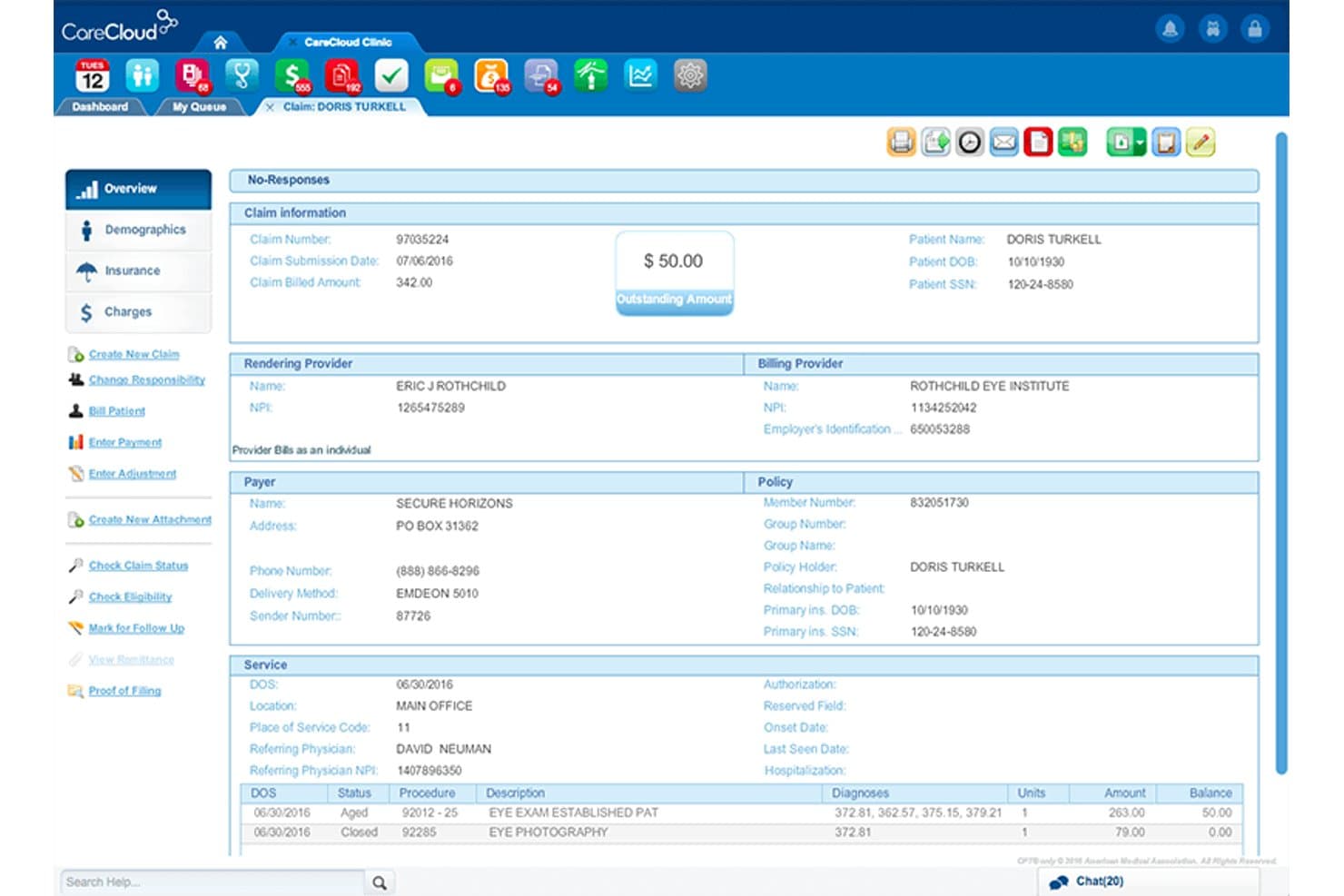
CareCloud displays a detailed claim overview screen with billing, provider, payer, and service information for patient collections management. CareCloud is a cloud-based medical billing platform that combines claims management, insurance eligibility verification, ERA posting, denial resolution, and revenue cycle management for healthcare practices.
Who Is CareCloud Best For?
CareCloud suits group practices and multi-location healthcare organizations that need centralized billing and revenue cycle management across multiple providers and sites.
Why I Picked CareCloud
I picked CareCloud as one of the best because its centralized billing interface lets you manage claims across every provider and location from a single queue. What I particularly like is the CollectiveIQ rule engine, which scrubs claims against payer-specific rules and state regulations before submission, hitting a reported 94% first-pass rate. That pre-submission intelligence scales well when you're managing billing across multiple sites with different payer mixes.
CareCloud Key Features
- Built-in clearinghouse connectivity: Send claims directly to payers without extra third-party clearinghouse software.
- Real-time eligibility verification: Instantly check patient insurance coverage at scheduling and check-in.
- Centralized payment posting: Automatically post ERAs and reconcile patient payments within a unified interface.
- Practice-specific financial reporting: Access dashboards with KPIs, A/R analytics, and detailed payer mix breakdowns.
CareCloud Integrations
CareCloud offers native integrations with CodoniX EHR, EHRYourWay, ICANotes, MD Logic, Optivate, Praxis EMR, Sevocity, TeleVox, and Vital Interaction. An API is available for custom integrations.
Pros and Cons
Pros:
- Real-time claim and denial status tracking
- Automated pre-visit insurance eligibility checks
- Centralized billing for multiple locations
Cons:
- Some features only in higher-tier plans
- Contract terms often require multi-year commitment
Learn more about CareCloud: Best for payer enrollment support and training
- Free demo available
- Pricing upon request
Visit WebsiteCustomer Rating:3.5/5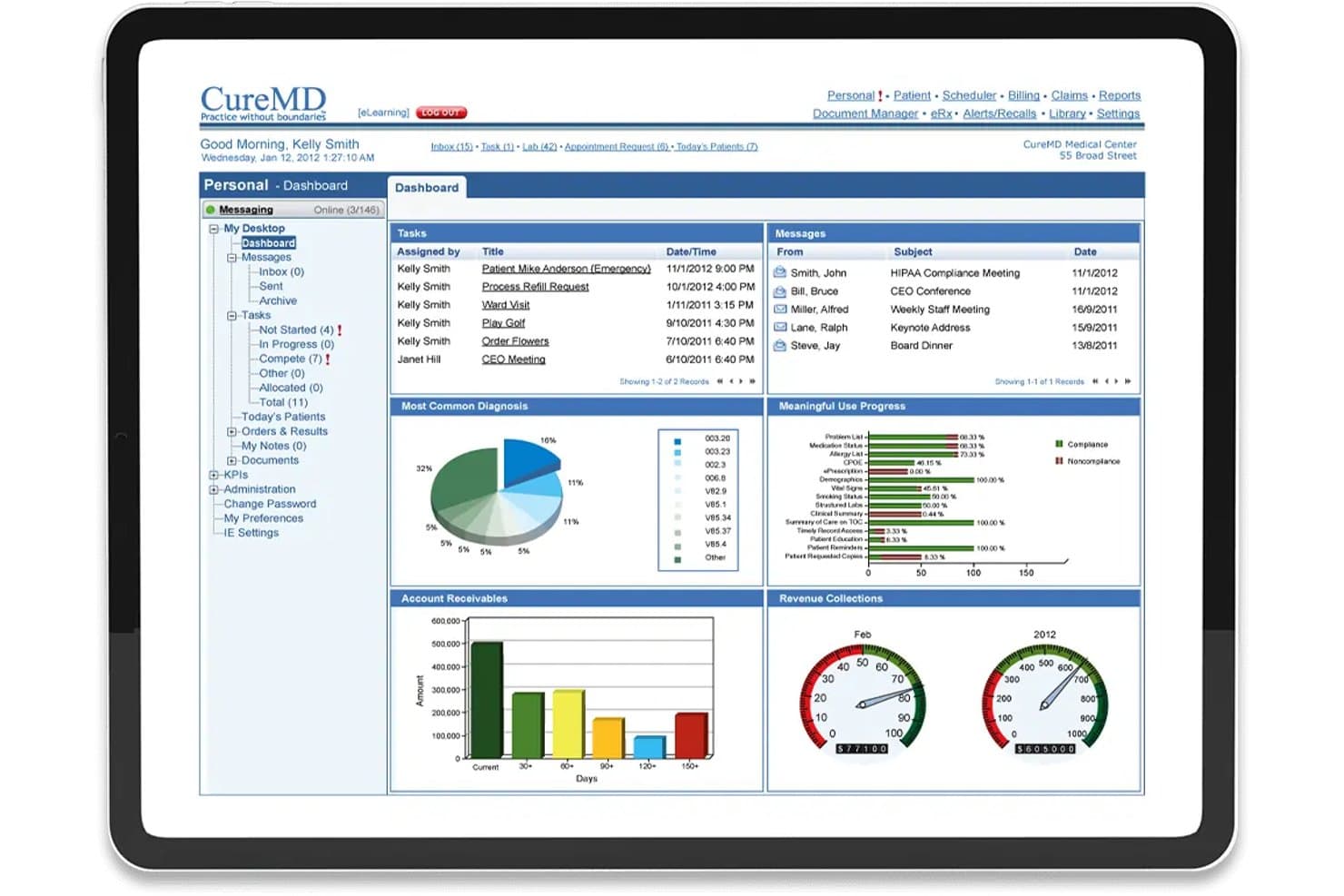
CureMD offers a comprehensive personal dashboard displaying tasks, messages, diagnosis charts, account receivables, and revenue collection metrics. CureMD is a cloud-based medical billing and RCM service that handles claims management, coding, eligibility verification, denial management, and payer enrollment under one platform.
Who Is CureMD Best For?
CureMD is a strong fit for independent and small-to-midsize practices across 32+ specialties that need a fully managed billing service.
Why I Picked CureMD
I've included CureMD in my top picks because of how it handles payer enrollment and staff training as built-in services, not add-ons. The team manages EDI implementation, provider credentialing, and payer enrollment from day one, which avoids the delays that typically stall new billing operations. CureMD also includes process coordination and training at no additional cost, so billing staff aren't left to navigate workflows independently after go-live.
CureMD Key Features
- Claims rules engine: More than four million rules for automated claim scrubbing and issue detection before submission.
- Real-time eligibility verification: Instant insurance eligibility checks at check-in or scheduling for fewer downstream denials.
- AI coding assistance: Embedded AI module provides real-time CPT/ICD-10 code suggestions and compliance checks.
- KPI dashboard and advanced reporting: Custom, prebuilt, and drill-down reports covering A/R, denials, payer mix, and cash flow.
CureMD Integrations
CureMD provides native integrations for electronic prescribing with over 40,000 pharmacies, electronic lab ordering and results, and EDI/ERA clearinghouse connectivity. An API is available for custom integrations.
Pros and Cons
Pros:
- Real-time eligibility and benefit verification at check-in
- Advanced claim scrubbing with AI coding suggestions
- Payer enrollment assistance and credentialing support included
Cons:
- Delay in support response during peak periods
- Reporting customizations can be limited for some specialties
Learn more about CureMD: 6Best for real-time ERA and EOB reconciliation
RXNT
- Free demo + free expert consultation available
- Pricing upon request
Visit WebsiteCustomer Rating:4.3/5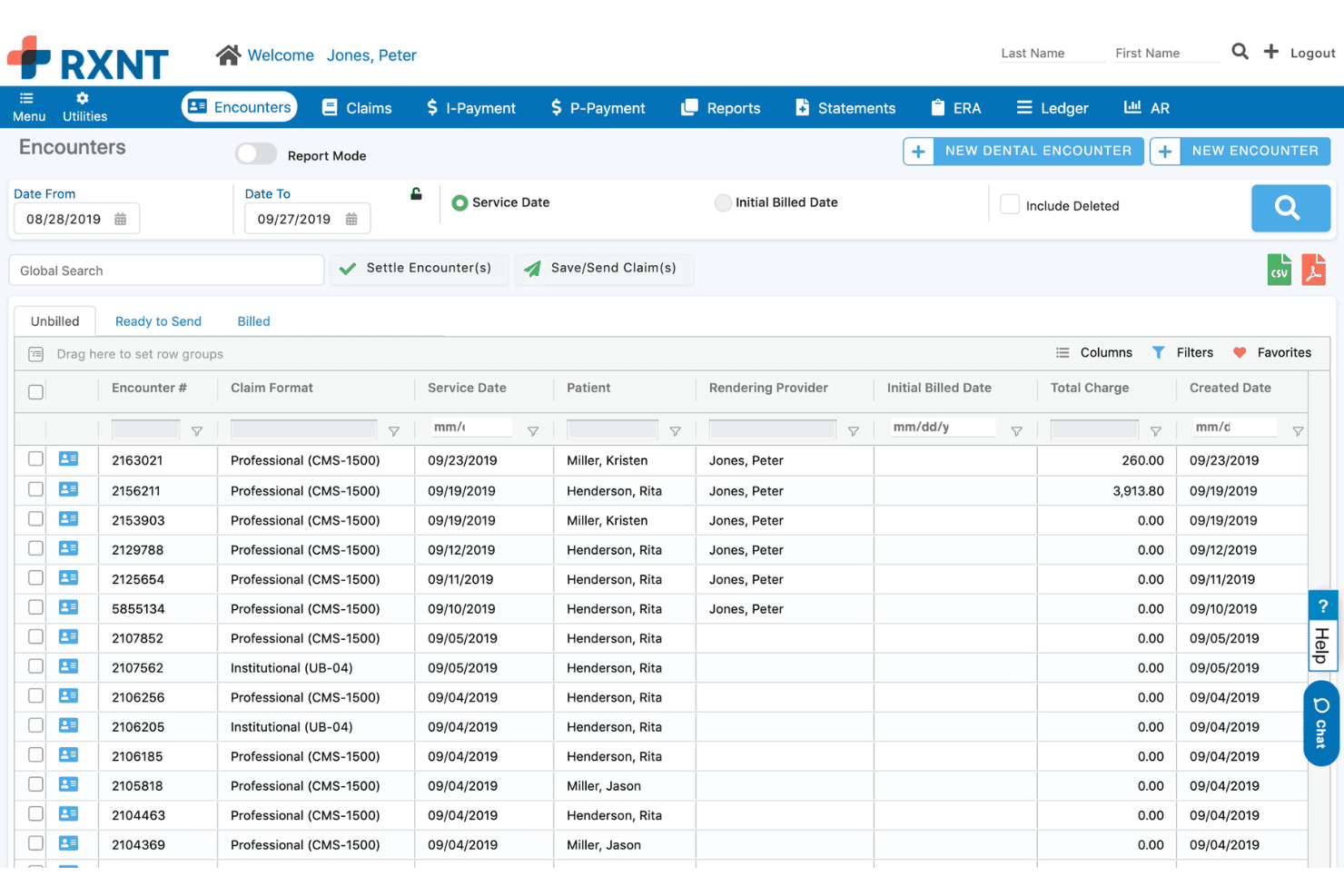
RXNT displays an Encounters dashboard where users can view, filter, and manage unbilled patient claims by service date, provider, and charge amount. RXNT is a cloud-based medical billing and practice management platform that handles claim submission, ERA/EOB reconciliation, eligibility verification, denial management, and patient payment collection.
Who Is RXNT Best For?
RXNT is a strong fit for small to mid-sized medical practices and independent billing companies that need an affordable, all-in-one RCM platform.
Why I Picked RXNT
RXNT earns its spot on my shortlist because of how it handles ERA and EOB reconciliation in real time. When a payer sends back an 835 file, RXNT matches it automatically against outstanding claims, so my team isn't manually hunting down payment discrepancies. I also like the built-in claim scrubbing before submission, which catches errors before they become denials. The denial management workflow then flags any rejections and queues them for follow-up, all within the same platform.
RXNT Key Features
- Customizable financial dashboards: Access 15+ dashboards for KPI and revenue analysis with drill-down options.
- Integrated patient payment portal: Collect payments online, manage balances, and deliver electronic statements.
- Mobile charge capture app: Enter charges and manage billing workflows from any device using native iOS and Android apps.
- Real-time eligibility verification: Verify patient insurance eligibility instantly during scheduling and check-in.
RXNT Integrations
RXNT offers native integrations with EHR, electronic prescribing, clearinghouses, and lab and imaging partners. It provides calendar sync with Gmail and Outlook, and an API is available for custom integrations.
Pros and Cons
Pros:
- Built-in denial and rejection tracking
- Centralized multi-location billing management
- Real-time payment reconciliation for ERA/EOBs
Cons:
- Annual contract auto-renewal policy frustrates users
- Financial reporting lacks advanced analytics
Learn more about RXNT: Best for patient payment portal features
- 14-day free trial; Free demo available
- Pricing upon request
Visit WebsiteCustomer Rating:3.9/5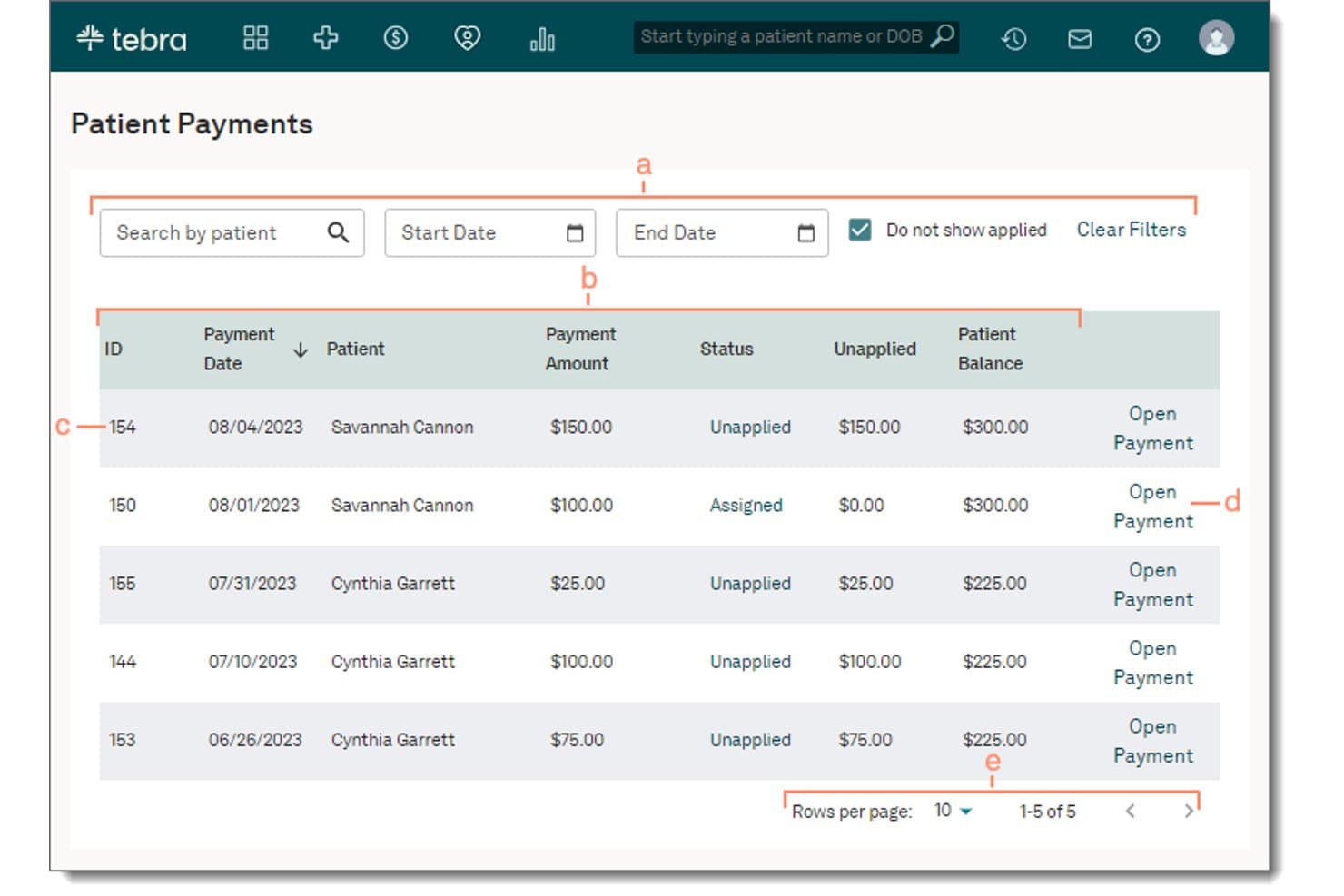
Tebra displays a Patient Payments screen where users can filter, view, and manage unapplied or assigned patient payments. Tebra is an all-in-one medical billing and EHR platform built for independent practices, covering electronic claim submission, insurance eligibility verification, ERA posting, denial management, and patient billing.
Who Is Tebra Best For?
Tebra is a strong fit for small to mid-sized independent practices where a single platform needs to handle both clinical documentation and the full billing cycle.
Why I Picked Tebra
I've included Tebra in my top picks because its patient payment portal goes well beyond a basic online pay button. I particularly like how it combines SMS and email payment links, QR codes on mailed statements, and card-on-file storage so patients can pay through whichever channel they actually use. Automated payment reminders reduce the manual follow-up my team would otherwise handle for outstanding balances.
Tebra Key Features
- Real-time eligibility verification: Check insurance coverage and benefits instantly for over 2,700 payers directly within scheduling workflows.
- Automated claim scrubbing: Identify coding and billing errors before submission to improve acceptance rates and reduce denials.
- Integrated clearinghouse connectivity: Submit and track electronic claims, attachments, and remittance advice through a unified interface.
- Customizable financial reporting: Access dashboards and reports with detailed KPIs like payer mix, denial rates, and collections trends.
Tebra Integrations
Tebra offers native integrations with TriZetto, Appriss Health, and numerous EHR systems. An API is available for custom integrations.
Pros and Cons
Pros:
- Strong automation for ERA payment posting
- Real-time insurance eligibility verification included
- Industry-leading patient payment portal features
Cons:
- Occasional lag in electronic claim submission
- Reporting customization can be limited
Learn more about Tebra: Best for customizable financial dashboards
- Free demo available
- Pricing upon request
Visit WebsiteCustomer Rating:3.7/5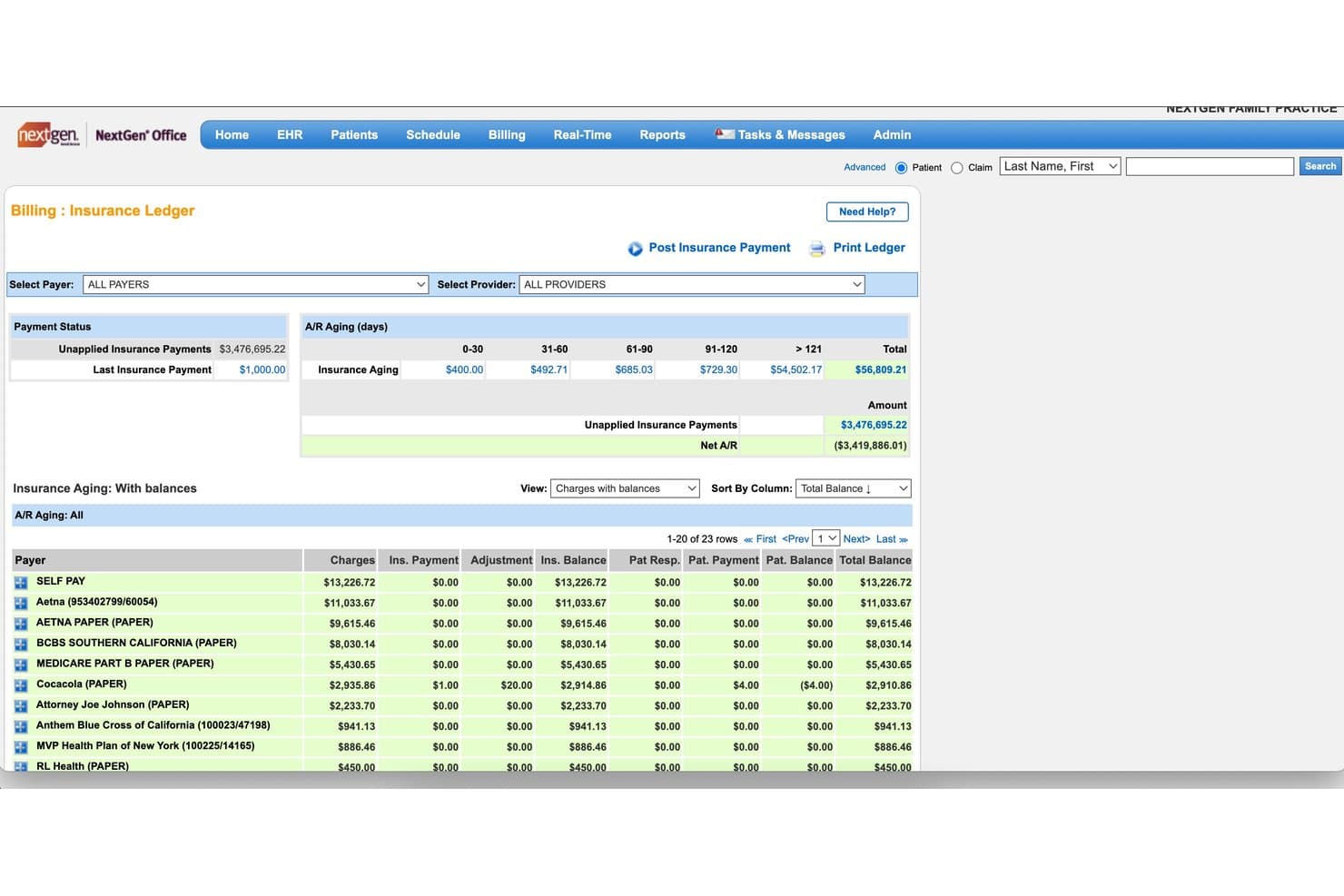
NextGen Healthcare offers an Insurance Ledger billing dashboard displaying A/R aging, unapplied insurance payments, and payer balances. NextGen Healthcare is a modular revenue cycle management platform for ambulatory practices that combines claims management, medical coding, eligibility verification, payment posting, and specialty-specific financial analytics.
Who Is NextGen Healthcare Best For?
It's a strong fit for ambulatory practices of any size that need a fully managed RCM service with specialty-specific billing workflows.
Why I Picked NextGen Healthcare
I picked NextGen Healthcare as one of the best because its financial dashboards go well beyond standard A/R reports. I can track more than 100 KPIs across every payer and specialty in a single view, then drill down into denial trends or payer mix breakdowns without exporting data to a separate tool. The consultative analytics layer also surfaces underperforming areas before they compound into larger collection shortfalls.
NextGen Healthcare Key Features
- Automated eligibility verification: Instantly checks patient insurance coverage in real time or batch mode at check-in.
- Specialty-specific coding services: Offers coding support and expertise tailored for various medical specialties and procedures.
- Integrated payment posting tools: Automates reconciliation of ERAs, EOBs, and direct patient payments.
- A/R recovery workflows: Supports dedicated processes for tracking and collecting outstanding accounts receivable.
NextGen Healthcare Integrations
NextGen Healthcare offers native integrations with Doctible, Solutionreach, Clearwave, and InstaMed, and connects to other health systems and EHRs through its Mirth Connect interoperability engine. An API is available for custom integrations.
Pros and Cons
Pros:
- Specialty-specific billing and coding expertise
- Automated eligibility and denial management tools
- Financial dashboards with 100+ KPIs and drilldowns
Cons:
- Some users report slow customer support
- Limited transparency on feature updates
Learn more about NextGen Healthcare: Best for specialty-specific billing automation
- Free demo available
- Pricing upon request
Visit WebsiteCustomer Rating:3.6/5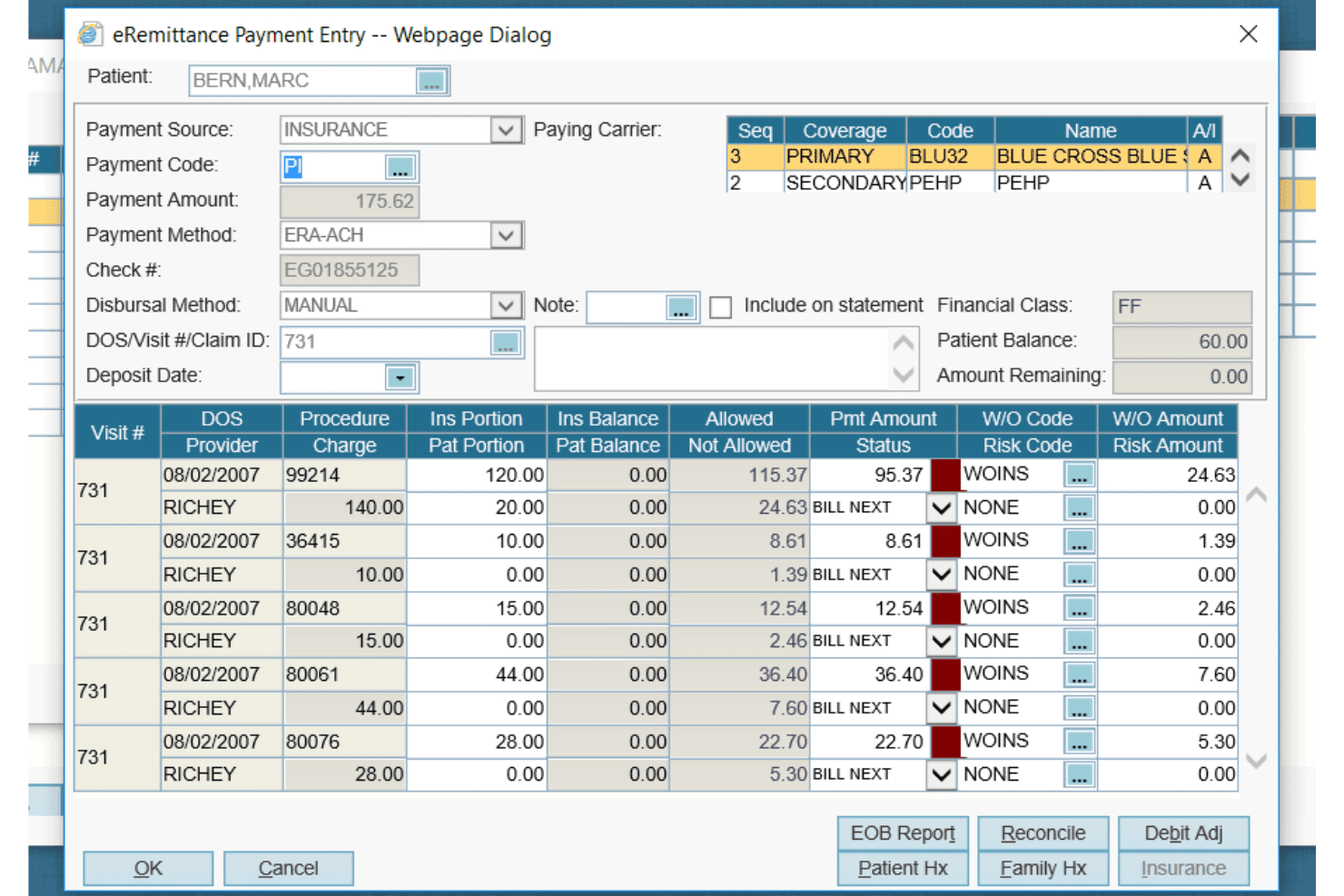
AdvancedMD offers a detailed eRemittance Payment Entry dialog for managing insurance billing, claim payments, and write-off codes per procedure. AdvancedMD is a cloud-based medical billing and practice management platform that handles claims submission, ERA processing, eligibility verification, denial management, and financial reporting across multiple medical specialties.
Who Is AdvancedMD Best For?
AdvancedMD is a strong fit for independent and multi-location practices billing across specialties like mental health, physical medicine, and addiction medicine.
Why I Picked AdvancedMD
AdvancedMD earns its spot on my shortlist because of how its ClaimInspector scrubs every claim against CCI, HIPAA, and LCD edits before submission, consistently hitting near-100% first-pass acceptance. I've found that invaluable when billing across specialties like mental health or addiction medicine, where payer rules vary widely. The Central Billing Office also lets my team manage multiple providers from a single login without juggling separate databases.
AdvancedMD Key Features
- A/R control center: Organizes staff worklists and tracks denials to help manage accounts receivable tasks in one place.
- Integrated clearinghouse: Connects directly to payers for electronic claim submission and remittance with no manual uploads.
- Batch insurance eligibility: Runs real-time or batch eligibility checks during intake and scheduling for all major payers.
- Customizable financial dashboards: Displays A/R aging, collections, and payer mix analytics with practice-specific drill-down filters.
AdvancedMD Integrations
AdvancedMD offers native integrations with ChartRequest, DAX Copilot, DeepScribe, Doctorsoft, InstaMed, LeadSquared, and NextPatient. It has an Integration Marketplace, supports HIE and interoperability, and provides an open API for custom integrations.
Pros and Cons
Pros:
- Real-time eligibility checks in scheduling workflow
- Automated claim scrubbing for specialty-specific coding
- Central Billing Office supports multi-location billing
Cons:
- No AI coding suggestions in core platform
- Advanced reporting options require add-on module
 Best for integrated clearinghouse connectivity
- Free demo available
- Pricing upon request
Visit WebsiteCustomer Rating:3.4/5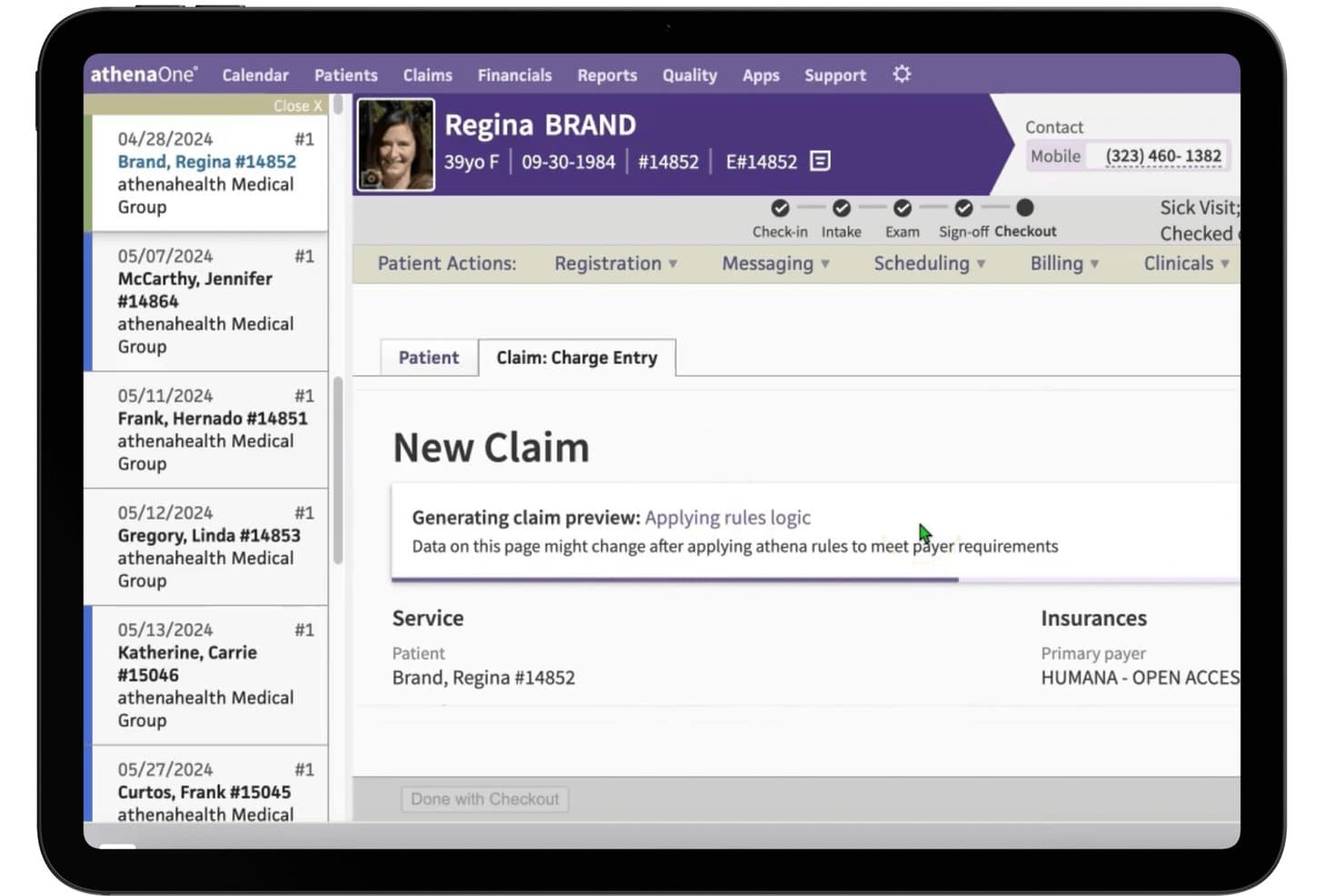
athenahealth displays a New Claim charge entry screen with real-time rules logic applied during patient checkout. athenaOne is a cloud-based EHR and practice management platform that combines medical billing, claims management, payment posting, eligibility verification, and financial reporting in a single integrated system.
Who Is athenahealth Best For?
athenaOne is a strong fit for independent ambulatory practices and physician groups that need a fully integrated RCM and EHR system under one roof.
Why I Picked athenahealth
athenahealth earns its spot on my shortlist because of how its clearinghouse connectivity actually works in practice. Rather than routing claims through a third-party intermediary, athenaOne connects directly to payers through a single integration covering 170,000+ providers nationwide. I especially like the rules engine, which draws on insights from across that provider network to scrub claims before submission, consistently hitting a 98.4% clean claim rate.
athenahealth Key Features
- Financial reporting dashboards: Track collections, denials, and payer mix with customizable, drill-down reports.
- Certified coder services: Access a team of medical coders for charge reviews, coding support, and reduced denials.
- Automated statement cycles: Generate and send patient statements on a set schedule, including electronic and print options.
- Real-time eligibility verification: Verify insurance eligibility and benefits during scheduling or check-in for efficient intake.
athenahealth Integrations
athenahealth offers native integrations with lab networks, pharmacies, major national and regional payers, CertifyOS, and Stanson Health. It also provides an API for custom integrations and supports interoperability through athenaConnect.
Pros and Cons
Pros:
- Network-driven rules engine for claim scrubbing
- Real-time eligibility and denial prediction tools
- Direct payer connections for claim submission
Cons:
- Outbound patient statement customization is limited
- Support response times can be inconsistent
Learn more about athenahealth:
Other Medical Billing and Accounting Software
Here are some additional medical billing and accounting software options that didn’t make it onto my shortlist, but are still worth checking out:
- 11eClinicalWorksBest for EHR and billing data integration
- 12SimplePracticeBest for automated claim scrubbing for therapists
- 13PrognoCISBest for customizable specialty billing templates
- 14PracticeSuiteBest for automated appointment-to-billing
- 15CharmHealthBest for built-in payment posting automation
- 16NueMDBest for rapid onboarding and implementation
- 17Elation HealthBest for streamlined physician-led charge capture
- 18WaystarBest for predictive denial management analytics
- 19EZClaimBest for intuitive batch claim entry workflows
How I Evaluate Medical Billing and Accounting Software
I break evaluation into two layers: the core claims, coding, and payment workflows every platform must handle, and the differentiators that actually matter to billing managers and practice admins.
Core Functionality (Table Stakes For This List)
When I'm selecting tools for my list, I rank each one on a scale from 0 (does not offer the functionality) to 5 (excels in this area) for each core functionality listed below. Then, I calculate the tool's total score into a percentage. Each tool needs to achieve a minimum total score of 65% to be considered for inclusion.
- Claims Management: I check whether claims can be scrubbed, submitted electronically, and tracked through clearinghouses without toggling between systems.
- Medical Coding Support: The platform should support ICD-10, CPT, and HCPCS lookups so billers can assign codes and catch modifier errors before submission.
- Payment Posting: I evaluate how the tool handles ERA/EOB reconciliation, including whether it auto-matches payments or requires manual line-item review.
- Patient Billing & Statements: Generating statements, offering online payment options, and supporting payment plans are what I look for in patient-facing billing.
- Eligibility Verification: Real-time and batch verification matter here, especially for front-desk staff confirming coverage and copay details before a visit.
- Financial Reporting: I look for reports covering A/R aging, denial rates, and payer mix so revenue cycle managers can spot collection issues quickly.
Once I have a list of tools that meet the criteria, I consider what sets each platform apart.
Differentiating Factors (What Sets Vendors Apart)
Here's how I compare and contrast different vendors:
Standout Features
Claim scrubbing paired with denial management is a major differentiator. I look for platforms that flag coding errors before submission and track denial root causes so your team can fix patterns, not just individual claims. A patient payment portal also matters. Text-to-pay, card-on-file, and payment plan options help collect balances after insurance without extra follow-up calls. I also evaluate financial reporting dashboards, specifically whether you can drill into metrics like first-pass acceptance rate or days in A/R at the provider or CPT level.
Beyond Features
Practice specialty fit is a big one. A mental health clinic and an orthopedic group need different code sets and claim rules, so I check whether the platform supports specialty-tuned workflows. Integration depth matters too—bi-directional EHR sync for charge capture saves billers from duplicate data entry. I also evaluate pricing transparency, especially whether clearinghouse fees, ERA transactions, and statement costs are clearly disclosed or buried in add-ons.
How to Choose Medical Billing and Accounting Software
It’s easy to get bogged down in long feature lists and complex pricing structures. To help you stay focused as you work through your unique software selection process, here’s a checklist of factors to keep in mind:
| Factor | What to Consider |
|---|---|
| FactorScalability | What to ConsiderCan the software adapt as your patient volume, locations, or billing staff grows? Ask about limits on users, claims volume, and specialties served. |
| FactorIntegrations | What to ConsiderDoes the platform connect with your EHR, practice management, or accounting tools? Evaluate both direct and third-party integration options. |
| FactorCustomizability | What to ConsiderCan you tailor invoicing, reporting, or claim rules to fit your workflows? Watch for rigid templates that don’t match your specialty’s needs. |
| FactorEase of use | What to ConsiderHow quickly can your staff learn key workflows, like claim entry, posting, or eligibility checks? Request demos or trials to see for yourself. |
| FactorImplementation and onboarding | What to ConsiderHow long until you’re live and ready to bill? Ask about data migration, payer enrollment, and built-in training resources during onboarding. |
| FactorCost | What to ConsiderBeyond subscription fees, ask for a line-item estimate of clearinghouse, statement, user, and transaction costs to prevent budget surprises. |
| FactorSecurity safeguards | What to ConsiderDoes the system use encryption, role-based access, and audit trails? Confirm compliance with HIPAA and any local health data regulations. |
| FactorSupport availability | What to ConsiderWhen you run into issues, is support responsive and knowledgeable? Clarify hours, escalation paths, and what’s included at your plan level. |
What Are Medical Billing and Accounting Software?
Medical billing and accounting software are platforms designed to automate the creation, submission, and tracking of insurance claims, patient billing, and financial reporting for healthcare teams. These systems connect clinical, billing, and collections workflows to support accurate reimbursement, compliance, and practice financial visibility—all in one central solution.
Features of Medical Billing and Accounting Software
When selecting medical billing and accounting software, keep an eye out for the following key features:
- Claims management: Enables electronic creation, scrubbing, submission, and tracking of insurance claims, helping teams improve accuracy and reduce denials.
- Medical coding support: Offers ICD-10, CPT, and HCPCS code lookups with validation and modifier assistance to ensure compliant, accurate billing.
- Payment posting and reconciliation: Lets teams automatically match patient payments and electronic remittances (ERAs/EOBs) against outstanding claims to update account balances.
- Patient billing and statements: Automates patient invoice generation, sends electronic or paper statements, and supports payment plans and collections management for outstanding balances.
- Eligibility verification: Checks patient insurance coverage in real-time or batch, allowing staff to verify benefits before scheduling or treatment to avoid downstream issues.
- Financial reporting: Delivers dashboards and reports on revenue, claims trends, accounts receivable aging, denials, and payer mix to support better-educated financial decisions.
- Integrated clearinghouse: Connects directly with clearinghouses for real-time status and rejection feedback without relying on manual uploads or third-party portals.
- Patient payment portal: Provides a secure online platform for patients to view balances, make payments, enroll in payment plans, and store card details for future billing.
Benefits of Medical Billing and Accounting Software
Implementing medical billing and accounting software provides several benefits for your team and your business. Here are a few you can look forward to:
- Faster claim reimbursement: Automating claim creation, scrubbing, and submission helps speed insurance payments and minimize delays from errors or denials.
- Improved billing accuracy: Built-in coding tools and claim validation features dramatically reduce costly coding and billing mistakes.
- Stronger financial insights: Real-time dashboards and customizable reports empower practices to track revenue, payer mix, and identify denial trends proactively.
- Streamlined patient collections: Payment portals, e-statements, and text-to-pay options increase convenience for patients and help teams collect balances more efficiently.
- Simplified compliance management: Security controls, audit trails, and up-to-date coding standards make it easier to maintain HIPAA compliance and industry best practices.
- Reduced administrative burden: Integrated eligibility checks, payment posting, and automated workflows lessen repetitive manual work for your staff.
- Enhanced practice scalability: Systems that support multiple specialties, providers, and locations grow with your business—eliminating the need for future migrations.
Costs and Pricing of Medical Billing and Accounting Software
Selecting medical billing and accounting software requires an understanding of the various pricing models and plans available. Costs vary based on features, team size, add-ons, and more. The table below summarizes common plans, their average prices, and typical features included in medical billing and accounting software solutions:
Plan Comparison Table for Medical Billing and Accounting Software
| Plan Type | Average Price | Common Features |
|---|---|---|
| Plan TypeFree Plan | Average Price$0 | Common FeaturesBasic claim entry, limited electronic submissions, manual payment posting, and simple reports. |
| Plan TypePersonal Plan | Average Price$30-$80/user/month | Common FeaturesElectronic claims, basic coding tools, ERA/EOB imports, patient invoicing, and limited support. |
| Plan TypeBusiness Plan | Average Price$100-$250/user/month | Common FeaturesFull claims management, automated scrubbing, patient payment portal, eligibility checks, integrations, and standard reports. |
| Plan TypeEnterprise Plan | Average Price$300+/user/month | Common FeaturesMulti-location and specialty support, custom workflows, API integrations, advanced dashboards, premium support, and auditing. |
Medical Billing and Accounting Software FAQs
Here are some answers to common questions about medical billing and accounting software:
What types of healthcare organizations use medical billing and accounting software?
You’ll find these systems in physician practices, dental clinics, physical therapy groups, ambulatory facilities, and billing service companies—basically any healthcare team that needs to manage claims, patient billing, and collections.
Can medical billing and accounting software integrate with my existing EHR?
Yes, most leading platforms offer direct integrations or APIs to connect with your current EHR or EMR system. This lets you sync demographic data, charges, and appointment information, reducing double entry and minimizing errors.
How secure is patient data in these systems?
Patient data is protected by encryption, user access controls, audit logs, and regular compliance updates to meet HIPAA and healthcare privacy requirements. Always double-check that your vendor includes business associate agreements and clear security protocols.
Do I need specialized billing staff to use this software?
No, many platforms are designed for non-experts, offering guided workflows, code suggestions, and built-in alerts. However, practices with higher claim volumes or complex billing requirements may still benefit from a billing specialist.
What support is available if I run into issues?
Most vendors provide onboarding, training resources, and support channels such as chat, phone, or email. Some plans include dedicated account managers or access to certified billing professionals for more hands-on help.