

DrChrono Review: Pros, Cons, Features, and Pricing
DrChrono brings medical practice management into one platform, from scheduling and billing to EHR workflows, telehealth, and patient engagement tools.

We review tools independently, and commissions help fund our testing. See our transparency policy, our methodology, or suggest a tool.
DrChrono is a medical practice management software built for independent and small-to-mid-size practices that need EHR, scheduling, billing, and telehealth in one platform. I'd mainly consider it over a tool like athenahealth if you want more hands-on control over your clinical templates without the enterprise overhead. DrChrono's customizable EHR and Apple-native design give your clinical team more flexibility on the floor without the implementation lift that larger platforms typically demand.
DrChrono Evaluation Summary

3.9/5
- Pricing upon request
- Free demo available
Why Trust Our Software Recommendations
6,700+
Reviews
20
Industry experts
16+
Evaluation factors
14
Years
Our team has been testing and reviewing software since 2012. As medical practice leaders ourselves, we know how difficult—and important—it is to choose the right software.
For this guide, we evaluated tools using hands-on testing and independent research, scoring tools using our selection criteria.
Our reviews reflect our human editorial judgment, not a sales pitch.
DrChrono Overview
From my experience, DrChrono stands out for customizable forms, mobile charting, and direct device integrations—features I weigh heavily when judging ease of adoption. Its transparent pricing and intuitive interface help simplify onboarding. If you’re comparing options, DrChrono is best for outpatient practices that value flexible scheduling, patient intake, and e-prescribing.
However, users needing advanced analytics or specialty-specific billing may find limitations. Determining the right fit, I’d suggest DrChrono for clinics prioritizing adaptability and mobile-first workflows over niche clinical requirements.
Pros
- Customizable digital forms streamline intake and patient data collection.
- iPad and mobile charting features support point-of-care documentation. Direct lab ordering and electronic prescribing reduce manual tasks.
- Direct lab ordering and electronic prescribing reduce manual tasks.
Cons
- Reporting tools lack advanced analytics and visualization options.
- Customer support hours are limited during nights and weekends.
- Some users report processing delays for insurance claims.
Is DrChrono Right For Your Needs?
Who Would be a Good Fit for DrChrono?
DrChrono is a good fit for outpatient clinics and specialty practices that need a flexible, cloud-based platform with robust EHR and customizable digital workflows. Small to mid-sized practices, telehealth providers, and mobile health organizations get the most value from features like digital intake, iPad check-in, and streamlined billing.
Teams wanting self-service tools for scheduling, charting, and patient engagement will appreciate how easily DrChrono adapts to varied clinical workflows.
- Mobile ClinicsDrChrono’s iPad charting and mobile check-in support point-of-care needs without reliance on desktop computers.
- Small Group PracticesThe system’s monthly pricing, intuitive setup, and patient portal make it a cost-effective and easy-to-adopt solution.
- Telehealth ProvidersIntegrated video visit functionality means you can offer virtual care without complicated add-ons or external platforms.
- Mental Health CentersCustomizable template options and secure patient messaging streamline workflows for therapy and counseling practices.
- Solo ProvidersSingle-practitioner offices benefit from a unified platform that handles both scheduling and clinical documentation out of the box.
- Multispecialty Outpatient CentersDrChrono supports varied specialties with flexible charting templates, digital forms, and multi-provider scheduling.
Who Would be a Bad Fit for DrChrono?
DrChrono isn’t ideal for hospitals, inpatient settings, or organizations that need deep enterprise analytics or require 24/7 support. Larger health systems likely need more comprehensive reporting, custom EHR modules, or tight integration with on-premise systems.
Practices heavily focused on complex coding, advanced revenue cycle management, or extensive insurance workflows might experience limitations due to DrChrono's primarily outpatient focus.
- Large HospitalsDrChrono lacks inpatient EHR capabilities, enterprise-scale reporting, and robust integrations with hospital-specific systems.
- Urgent Care ChainsOrganizations with high patient volumes and complex on-site workflows may find DrChrono’s charting and queue management too limited.
- Home Health AgenciesMobile staff tracking, detailed care planning, and home visit scheduling aren’t covered fully by DrChrono’s features.
- Enterprise Billing TeamsBilling operations requiring custom rules, deep payer analytics, or multi-state claims handling can run into limitations.
- Academic Medical CentersTeaching hospitals and research-intensive organizations need more granular reporting, academic scheduling, and resident management features.
- Concierge Medicine GroupsPractices expecting highly customized member management or boutique experience tools may find DrChrono’s standardization restrictive.
How We Test & Score Tools
We’ve spent years building, refining, and improving our software testing and scoring system. The rubric is designed to capture the nuances of software selection and what makes a tool effective, focusing on critical aspects of the decision-making process.
Below, you can see exactly how our testing and scoring works across seven criteria. It allows us to provide an unbiased evaluation of the software based on core functionality, standout features, ease of use, onboarding, customer support, integrations, customer reviews, and value for money.
Core Functionality (25% of final scoring)
The starting point of our evaluation is always the core functionality of the tool. Does it have the basic features and functions that a user would expect to see? Are any of those core features locked to higher-tiered pricing plans? At its core, we expect a tool to stand up against the baseline capabilities of its competitors.
Standout Features (25% of final scoring)
Next, we evaluate uncommon standout features that go above and beyond the core functionality typically found in tools of its kind. A high score reflects specialized or unique features that make the product faster, more efficient, or offer additional value to the user.
We also evaluate how easy it is to integrate with other tools typically found in the tech stack to expand the functionality and utility of the software. Tools offering plentiful native integrations, 3rd party connections, and API access to build custom integrations score best.
Ease of Use (10% of final scoring)
We consider how quick and easy it is to execute the tasks defined in the core functionality using the tool. High scoring software is well designed, intuitive to use, offers mobile apps, provides templates, and makes relatively complex tasks seem simple.
Onboarding (10% of final scoring)
We know how important rapid team adoption is for a new platform, so we evaluate how easy it is to learn and use a tool with minimal training. We evaluate how quickly a team member can get set up and start using the tool with no experience. High scoring solutions indicate little or no support is required.
Customer Support (10% of final scoring)
We review how quick and easy it is to get unstuck and find help by phone, live chat, or knowledge base. Tools and companies that provide real-time support score best, while chatbots score worst.
Customer Reviews (10% of final scoring)
Beyond our own testing and evaluation, we consider the net promoter score from current and past customers. We review their likelihood, given the option, to choose the tool again for the core functionality. A high scoring software reflects a high net promoter score from current or past customers.
Value for Money (10% of final scoring)
Lastly, in consideration of all the other criteria, we review the average price of entry level plans against the core features and consider the value of the other evaluation criteria. Software that delivers more, for less, will score higher.
Core Features
Online Appointment Scheduling
Patients book, reschedule, and cancel appointments online. Automate reminders and fill open slots in real time.
Electronic Health Records (EHR)
Access customizable templates and digital charting from any device. Clinicians can add notes, attach files, and review histories easily.
Medical Billing Automation
Submit claims directly to payers and track reimbursement status. Automation helps flag errors and manage denials quicker.
Patient Portal Access
Patients view health records, message providers, and pay bills online. This gives them transparency and keeps communication secure.
Digital Intake Forms
Send customizable intake forms before visits to gather patient data. Responses flow right into the chart, reducing repetitive data entry.
e-Prescribing
Send prescriptions directly to pharmacies with just a few clicks. Track medication history and pharmacy interactions from within the chart.
Ease of Use
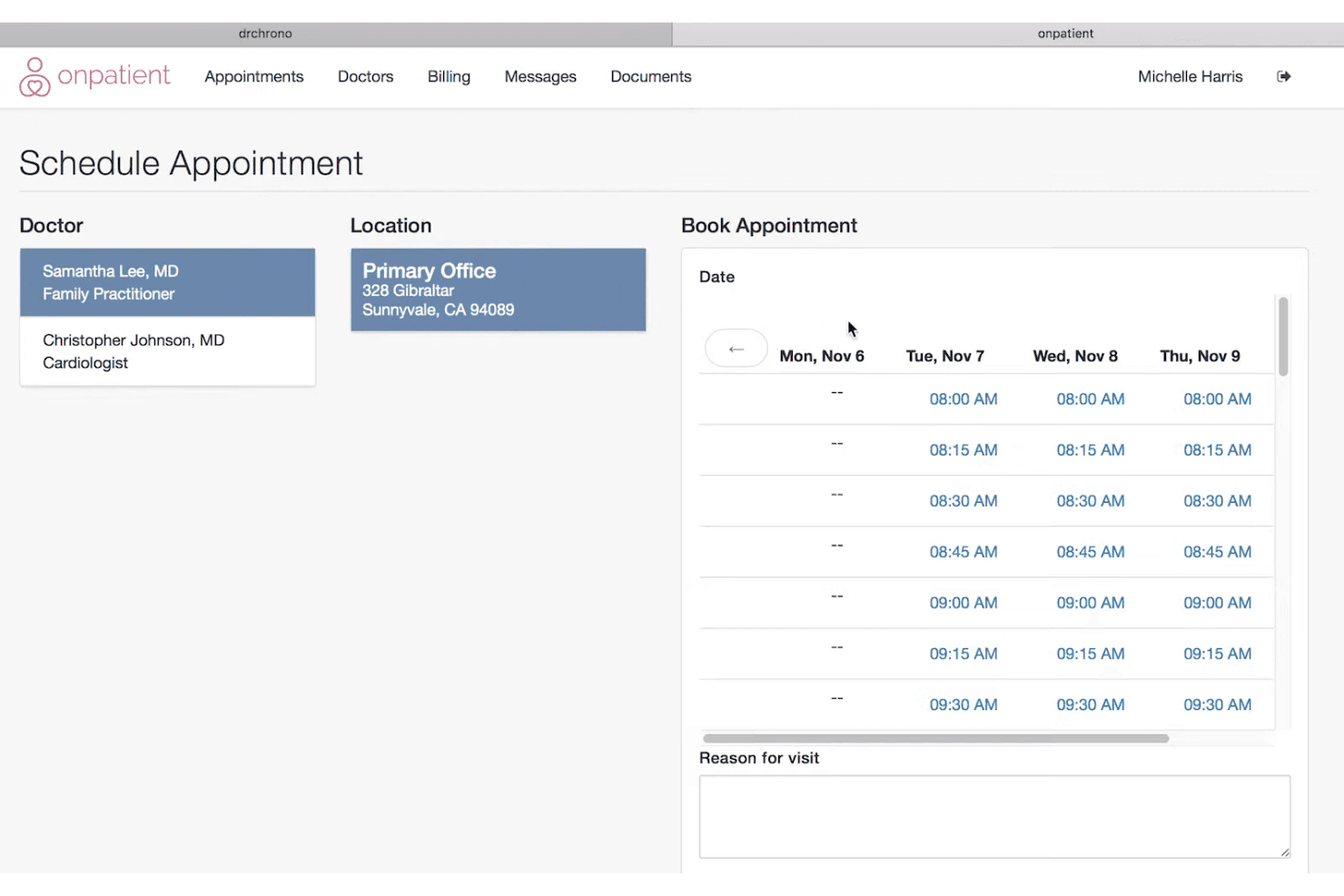
DrChrono’s interface is clean, modern, and easy to navigate—especially on mobile devices and tablets. I think the drag-and-drop scheduler and digital intake forms make onboarding straightforward for most staff.
Many users praise the intuitive navigation, but some report initial frustration with customizing templates and managing advanced billing tasks.
Integrations
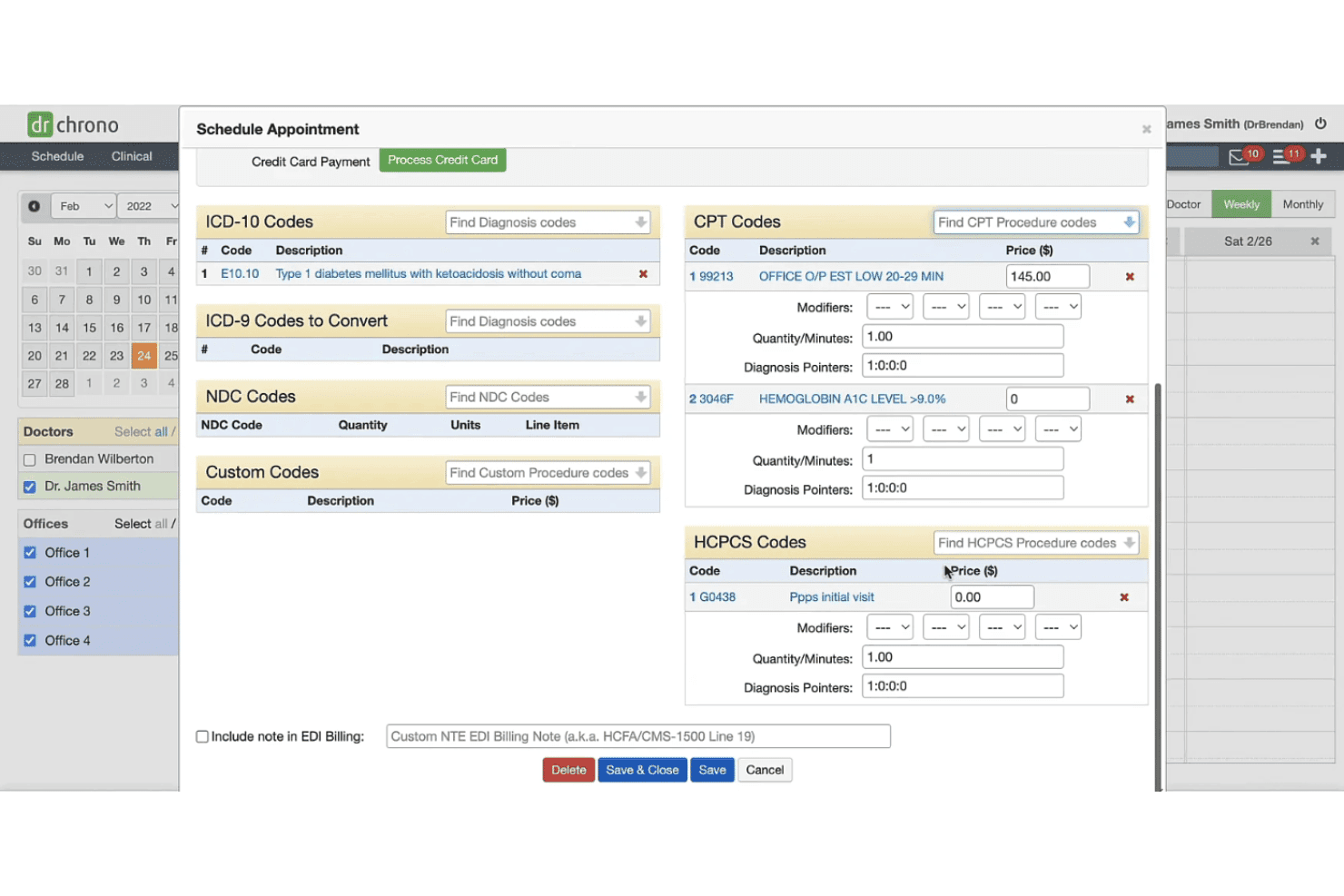
DrChrono integrates with Fullscript, NextPatient, Holly by Nimblr, Weave, Fortis, Physitrack, MIPSpro powered by Healthmonix Prism, LabCorp, Quest Diagnostics, and Health Gorilla, among others.
DrChrono also offers an open API, allowing custom integrations and connections with third-party integration platforms.
DrChrono Specs
- API: Yes
- Appointment Scheduling: Yes
- Athlete Management: No
- Audit Management: No
- Calendar Management: Yes
- Compliance Tracking: Yes
- Customer Management: Yes
- Dashboard: Yes
- Data Export: Yes
- Data Import: Yes
- Data Visualization: Yes
- Electronic Prescribing: Yes
- External Integrations: Yes
- File Sharing: Yes
- File Transfer: Yes
- Health Management: Yes
- HIPAA Compliance: Yes
- Inventory Tracking: No
- Multi-User: Yes
- Notifications: Yes
- Organization Management: Yes
- Patient Management: Yes
- Project Management: No
- Regulatory Alerts: Yes
- Risk Assessment: No
- Scheduling: Yes
- Supplier Management: No


