

Family practice billing software is a digital tool that manages claims, tracks payments, and organizes billing for family medicine clinics. If you’re searching for the best family practice billing software, you’re probably dealing with insurance headaches, rising patient volumes, and the pressure to keep your clinic’s revenue cycle running smoothly.
Choosing the right tool can help your team avoid costly claim denials and give you more time with patients—not paperwork. In this guide, you’ll find my hands-on picks for 2026, with a focus on workflow, support, and how each option handles the billing challenges family practices face every day.
Why Trust Our Software Recommendations
6,700+
Reviews
20
Industry experts
16+
Evaluation factors
14
Years
Our team has been testing and reviewing software since 2012. As medical practice leaders ourselves, we know how difficult—and important—it is to choose the right software.
For this guide, we evaluated tools using hands-on testing and independent research, scoring tools using our selection criteria.
Our reviews reflect our human editorial judgment, not a sales pitch.
Family Practice Billing Software Comparison Table
This comparison table summarizes pricing details for my family practice billing software:
| Tool | Best For | Trial Info | Price | ||
|---|---|---|---|---|---|
| 1 | Best for fast insurance claim processing | Free demo available | Pricing upon request | Website | |
| 2 | Best for easy insurance eligibility verification | Not available | Pricing upon request | Website | |
| 3 | Best for small independent medical practices | Not available | Pricing upon request | Website | |
| 4 | Best for cloud-based physician access | Free demo available | From $199/user/month | Website | |
| 5 | Best for all-in-one digital charting and billing | Free demo available | Pricing upon request | Website | |
| 6 | Best for connected scheduling and billing | Free demo available | Pricing upon request | Website | |
| 7 | Best for iPad and mobile staff use | Free demo available | Pricing upon request | Website | |
| 8 | Best for healthcare analytics and reporting | Free demo available | Pricing upon request | Website | |
| 9 | Best for customizable workflow automation | Free demo available | Pricing upon request | Website | |
| 10 | Best for automated claim denial reduction | Free demo available | Pricing upon request | Website |


Best Family Practice Billing Software Reviews
Below are my detailed summaries of the best family practice billing software that made it onto my shortlist. My reviews offer a detailed look at the features, best use cases, and integrations of each software to help you find the best one for you.
 Best for fast insurance claim processing
- Free demo available
- Pricing upon request
Visit WebsiteCustomer Rating:4.4/5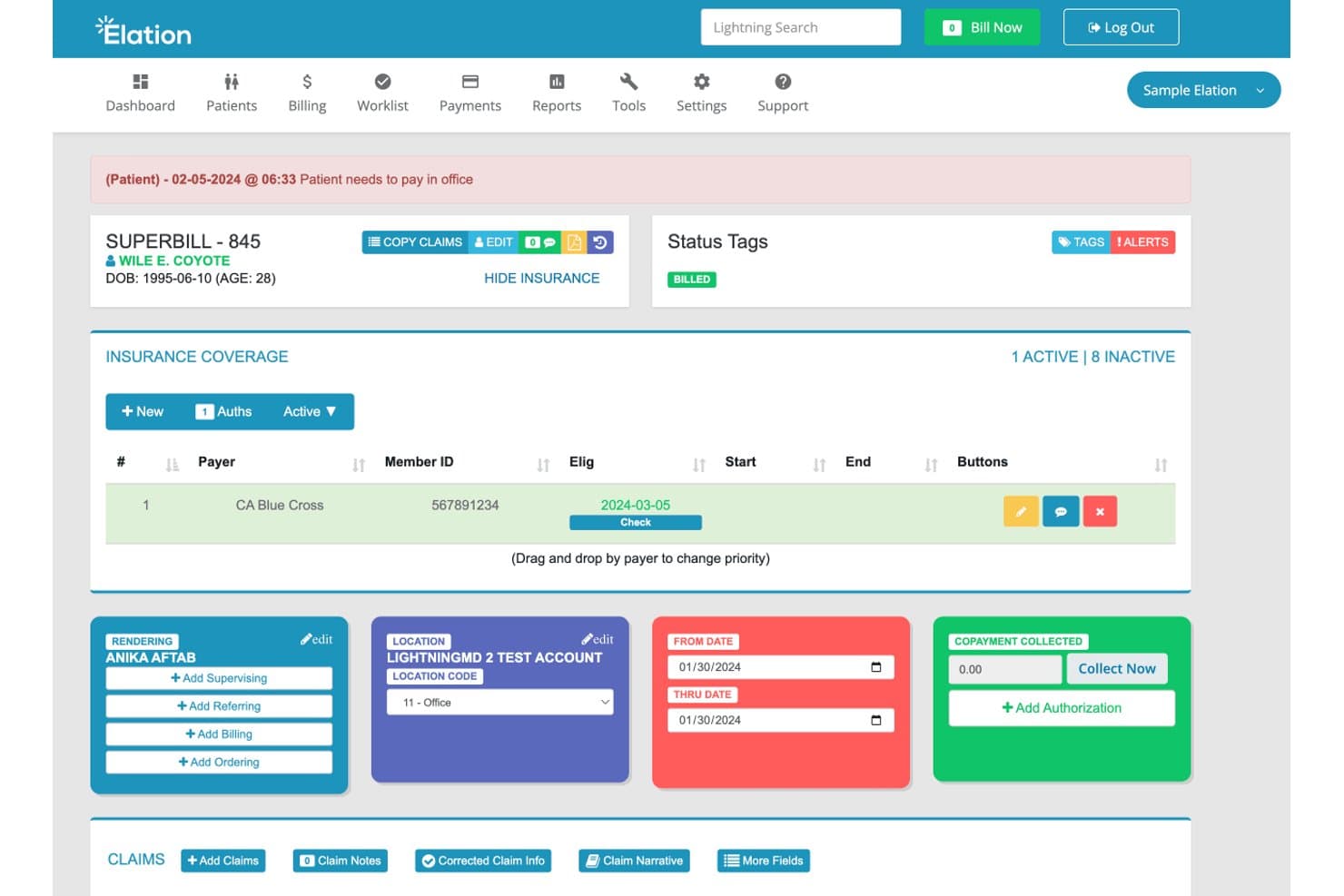
Elation Health offers a detailed superbill view with insurance coverage, rendering provider, location, claim dates, and copayment collection fields for family practice billing. Elation Health is a primary care EHR and billing platform that combines AI-assisted coding, real-time eligibility verification, claim scrubbing, and automated claim submission for family medicine practices.
Who Is Elation Health Best For?
Elation Health is a strong fit for small, independent family medicine practices where physicians handle both clinical and billing responsibilities.
Why I Picked Elation Health
Elation Health earns its spot on my shortlist because the billing workflow is wired directly into the clinical note. When I sign a visit note, AI-assisted coding suggests ICD-10, E/M, and quality codes from chart context, and built-in checks (NCCI edits and payer-specific rules) run before submission. High-confidence claims are automatically routed into a fast lane for submission, with exceptions flagged clearly for review.
Elation Health Key Features
- Integrated patient scheduling: Syncs appointments with billing workflows to ensure accurate billing data for every visit.
- Real-time eligibility checking: Instantly verifies insurance coverage before visits, minimizing billing errors at check-in.
- Customizable billing alerts: Notifies staff of billing tasks or copay collection requirements during patient intake.
- Pre-built revenue cycle reports: Offers over 100 standard reports, including AR aging and payer mix analysis.
Elation Health Integrations
Elation Health offers native integrations with LabCorp, Quest Diagnostics, Spruce, Surescripts, and Hint. An API is available for custom integrations.
Pros and Cons
Pros:
- AI-assisted coding for primary care visits
- Detailed real-time eligibility verification
- Fast claim processing after visit sign-off
Cons:
- No full-featured denial analytics in-app
- Limited patient statement delivery options
Learn more about Elation Health: Best for easy insurance eligibility verification
- Not available
- Pricing upon request
Visit WebsiteCustomer Rating:3.9/5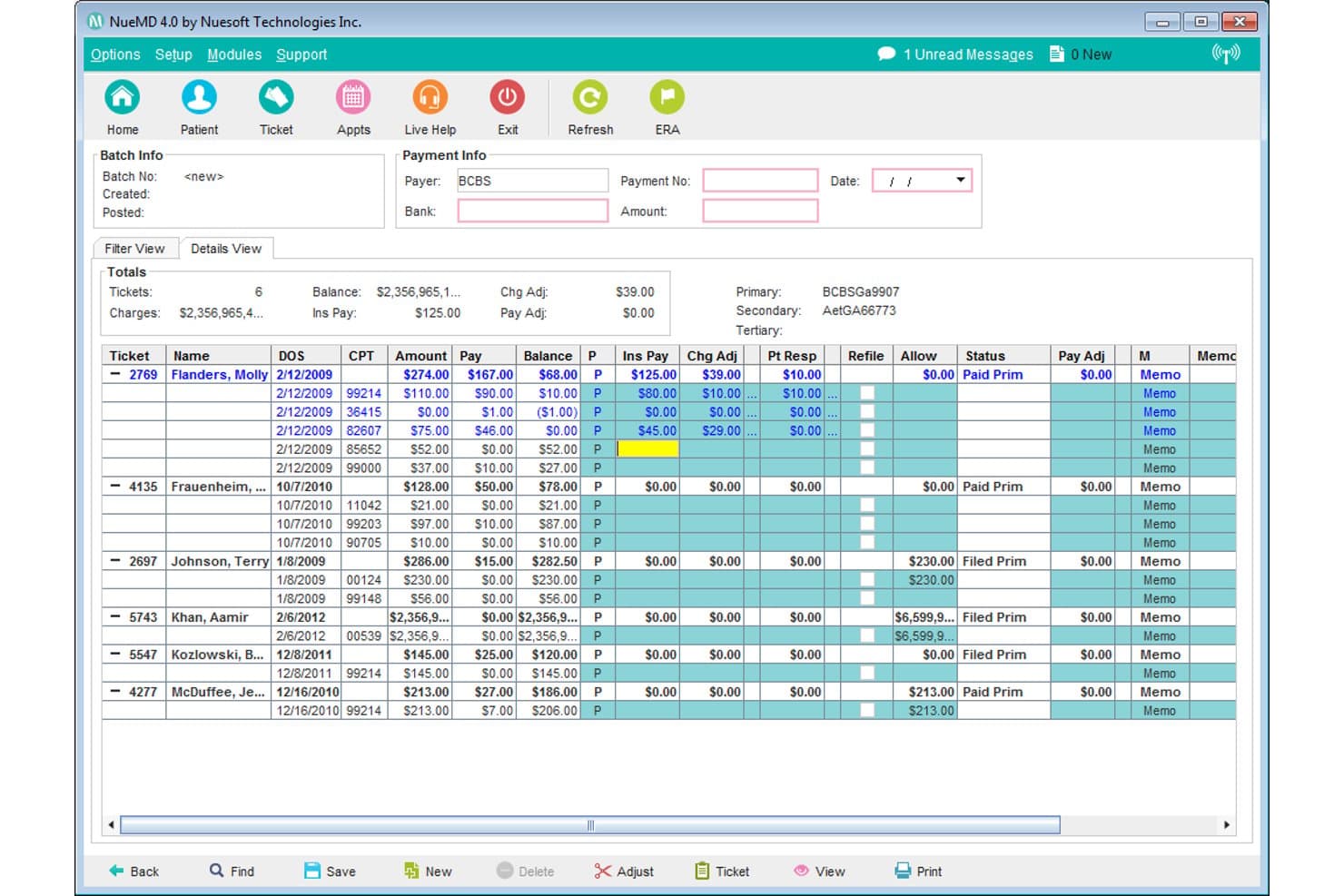
NueMD offers a detailed payment batch management screen displaying insurance payments, charge adjustments, and patient balances for family practice billing. NueMD is a cloud-based medical billing and practice management platform with integrated claims scrubbing, insurance eligibility verification, EHR, scheduling, and patient billing tools.
Who Is NueMD Best For?
NueMD suits small to mid-sized family medicine practices looking for an all-in-one billing and practice management platform without a steep learning curve.
Why I Picked NueMD
NueMD earns its spot on my shortlist because its in-house clearinghouse handles insurance eligibility verification before claims ever go out. I like that it scrubs each claim against over 10 million payer edits, catching errors on preventive visits and chronic care encounters. That 99.9% first-pass acceptance rate is genuinely difficult to overlook.
NueMD Key Features
- Patient portal: Patients can view lab results, schedule appointments, and update insurance information online.
- Custom chart templates: Specialty-specific templates streamline documentation for family medicine workflows.
- Multi-location scheduling: Manage provider calendars across multiple days and clinic sites.
- Integrated e-prescribing: Send prescriptions directly from the patient record to the pharmacy.
NueMD Integrations
Native integrations are not clearly documented. The tool offers an API for custom integrations.
Pros and Cons
Pros:
- Handles multi-location scheduling and billing
- Family practice-specific chart templates included
- Real-time insurance eligibility checks built-in
Cons:
- No transparent native integrations documented
- Reporting tools frequently cited as unreliable
Learn more about NueMD: Best for small independent medical practices
- Not available
- Pricing upon request
Visit WebsiteCustomer Rating:3.7/5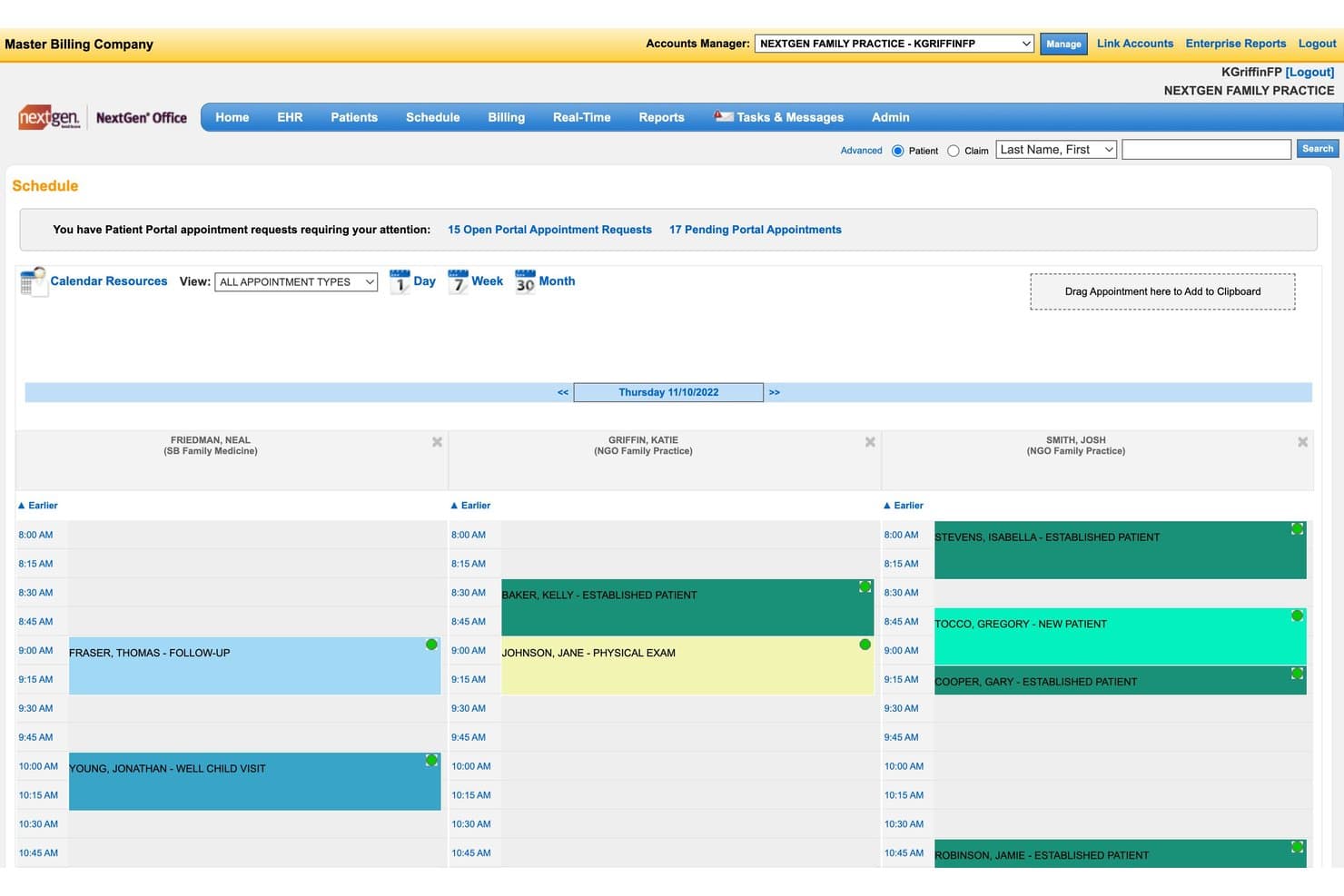
NextGen Office offers a daily schedule view displaying multiple providers, appointment types, and patient visit details for family practice billing management. NextGen Office is a cloud-based EHR and practice management platform that integrates medical billing, claims scrubbing, real-time eligibility verification, denial management, and revenue cycle management in a single system built for small independent practices.
Who Is NextGen Office Best For?
NextGen Office is a strong fit for small independent family practices with a handful of providers who need a fully integrated EHR, billing, and RCM system without separate vendor relationships.
Why I Picked NextGen Office
I picked NextGen Office as one of the best because its Background Business Processor automates claims generation, eligibility checks, and batch statement runs without manual triggers. For a small independent practice with limited billing staff, that automation covers a lot of ground. I also like that the claim scrubbing engine applies customizable edits before submission, catching coding errors specific to primary care encounters before they reach the clearinghouse.
NextGen Office Key Features
- Integrated patient portal: Lets patients request appointments, view statements, and make online payments.
- Specialty-specific charting templates: Includes primary care templates tailored for family practice coding.
- Real-time insurance eligibility verification: Checks payer coverage directly from the scheduler or patient chart.
- Denial and AR management dashboards: Tracks outstanding claims, denials, and payer response times in one view.
NextGen Office Integrations
NextGen Office offers native integrations with Doctible, Solutionreach, Clearwave, and InstaMed. An API is available for custom integrations.
Pros and Cons
Pros:
- Reliable real-time coverage verification
- Primary care charting templates pre-built
- Automated batch claims and patient statement runs
Cons:
- Few advanced reporting customization options
- Limited automation for appeals and denials
Learn more about NextGen Office: Best for cloud-based physician access
- Free demo available
- From $199/user/month
Visit WebsiteCustomer Rating:3.7/5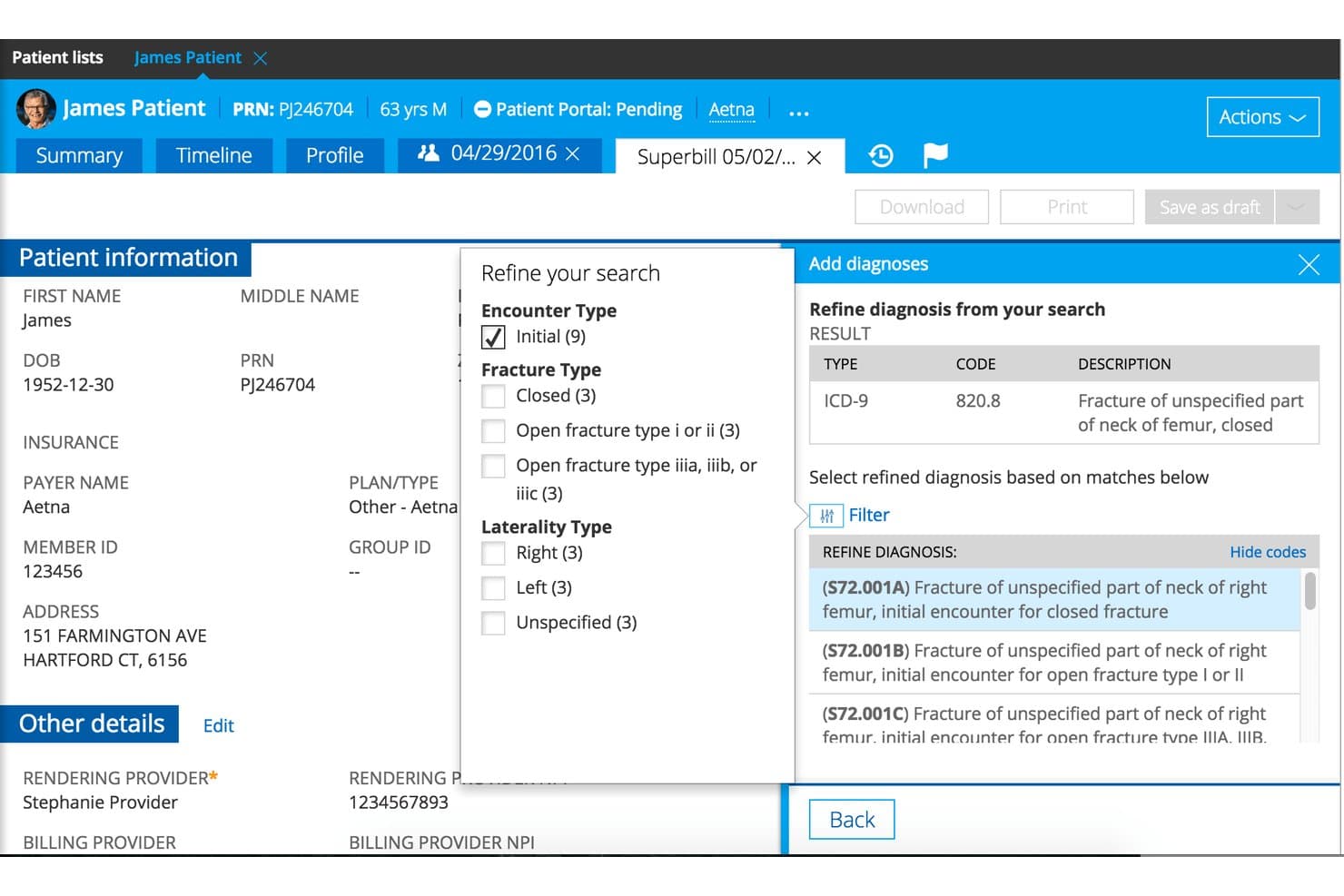
Practice Fusion combines EHR charting, billing, claims, denials, and A/R duties. Practice Fusion is a cloud-based EHR and billing platform that combines clinical charting, e-prescribing, claims scrubbing, denial management, and A/R follow-up in a single system built for independent medical practices.
Who Is Practice Fusion Best For?
Practice Fusion is a strong fit for small, independent family practices that want a single platform for both clinical documentation and billing workflows.
Why I Picked Practice Fusion
I've included Practice Fusion in my top picks because physicians can access charts, sign notes, and submit claims from any device without installing software. The cloud-based setup is particularly practical for family practices where physicians move between exam rooms and need billing access in real time. I also like that EPCS and MIPS reporting are built into the same workflow, so prescribing and compliance reporting stay connected to the billing process.
Practice Fusion Key Features
- Claims scrubbing and same-day submission: Built-in tools help identify errors before claims are sent and submit them electronically for quick processing.
- Denial management and A/R follow-up: Dedicated billing teams handle rejected claims and monitor outstanding balances for faster resolution.
- Customizable charting templates: Providers can build and adapt visit templates to match recurring family practice clinical needs.
- Integrated e-prescribing (including controlled substances): Send prescriptions electronically to any pharmacy, with full support for EPCS requirements.
Practice Fusion Integrations
Practice Fusion offers native integrations with AdvancedMD, Kareo, CareCloud, Tebra, CollaborateMD, Veradigm, and Updox. Integrations also support connections with over 500 labs and imaging centers. An API is available for custom integrations.
Pros and Cons
Pros:
- Family practice chart templates available
- Accessible on any device with internet
- EHR and billing unified in one platform
Cons:
- Limited advanced financial reporting options
- No built-in real-time insurance eligibility
Learn more about Practice Fusion: Best for all-in-one digital charting and billing
- Free demo available
- Pricing upon request
Visit WebsiteCustomer Rating:3.5/5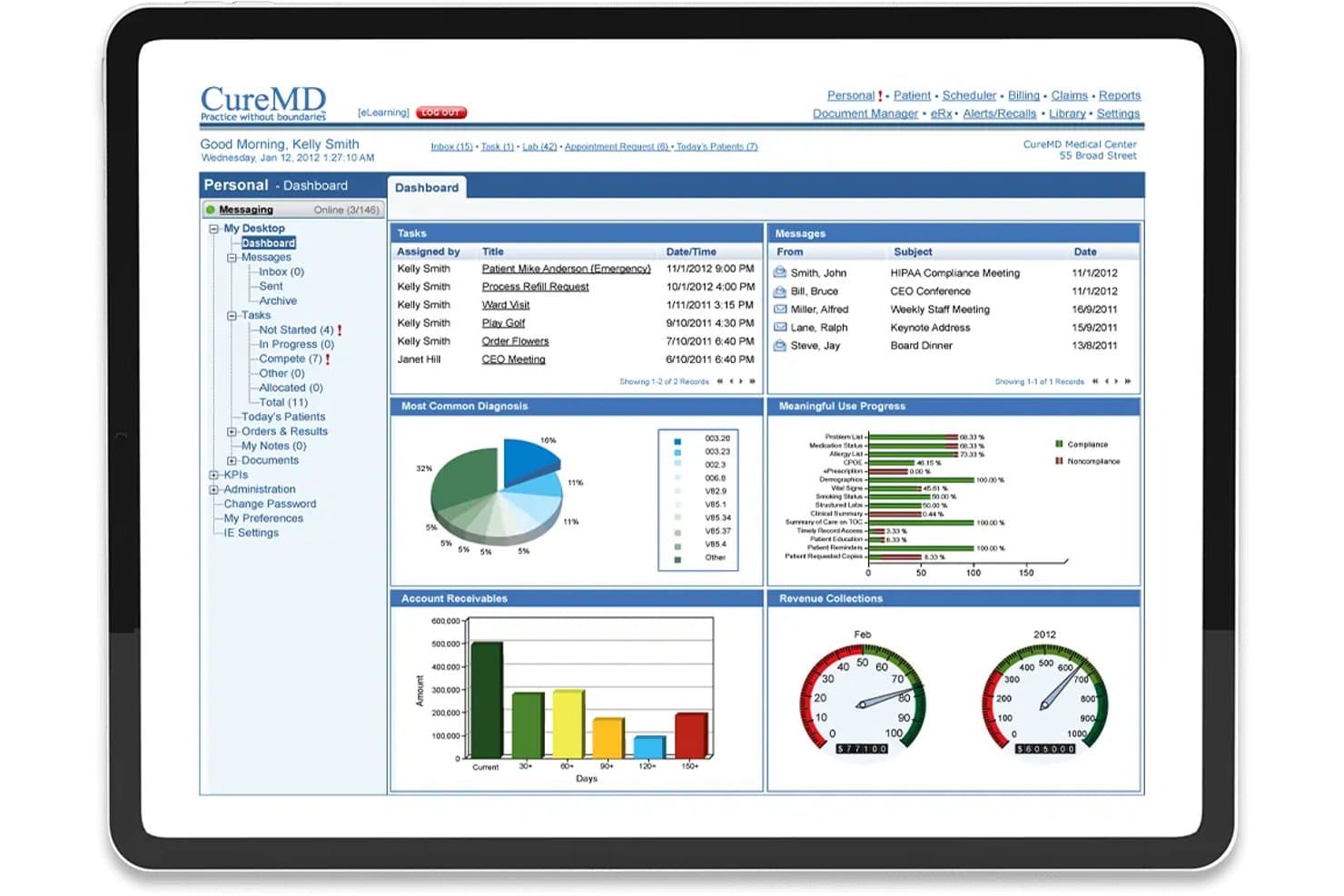
CureMD offers a comprehensive billing dashboard with account receivables, revenue collections gauges, and task management for family practices. CureMD is a cloud-based EHR and practice management platform with integrated medical billing, claims scrubbing, AI-assisted coding, and revenue cycle management tools built specifically for family practices.
Who Is CureMD Best For?
CureMD suits small to mid-sized family practices whose clinical and billing teams need documentation and revenue cycle management handled within one platform.
Why I Picked CureMD
CureMD earns its spot on my shortlist because the charting and billing workflows are genuinely unified, not just connected through an API. I like that the e-Superbill automatically recommends the correct E&M code as I complete a note, flagging missing documentation components before a claim is ever submitted. The AI Coder adds real-time ICD-10 and CPT suggestions directly within the encounter, so my billing team isn't chasing codes after the fact.
CureMD Key Features
- Family profiles and group scheduling: Lets you create and manage linked records for multiple family members within one chart and appointment workflow.
- Automated denial management: Tracks claim denials and generates worklists for appeals, resubmissions, and AR follow-up directly from the dashboard.
- Real-time eligibility verification: Checks patient insurance eligibility at check-in, verifying coverage specifics before each encounter.
- Mobile EHR app: Gives clinicians access to charts, notes, and billing tools on iPad or iPhone through the Avalon mobile app.
CureMD Integrations
CureMD offers native integrations with Surescripts for e-prescribing, connects to over 40,000 pharmacies, and supports electronic lab and imaging center interfaces. An API is available for custom integrations.
Pros and Cons
Pros:
- Real-time eligibility verification at check-in
- E-Superbill and encounter-level code checks
- Built-in family profile management features
Cons:
- Reporting customization options are limited
- Payment posting cannot reallocate prior balances
Learn more about CureMD: Best for connected scheduling and billing
- Free demo available
- Pricing upon request
Visit WebsiteCustomer Rating:3.9/5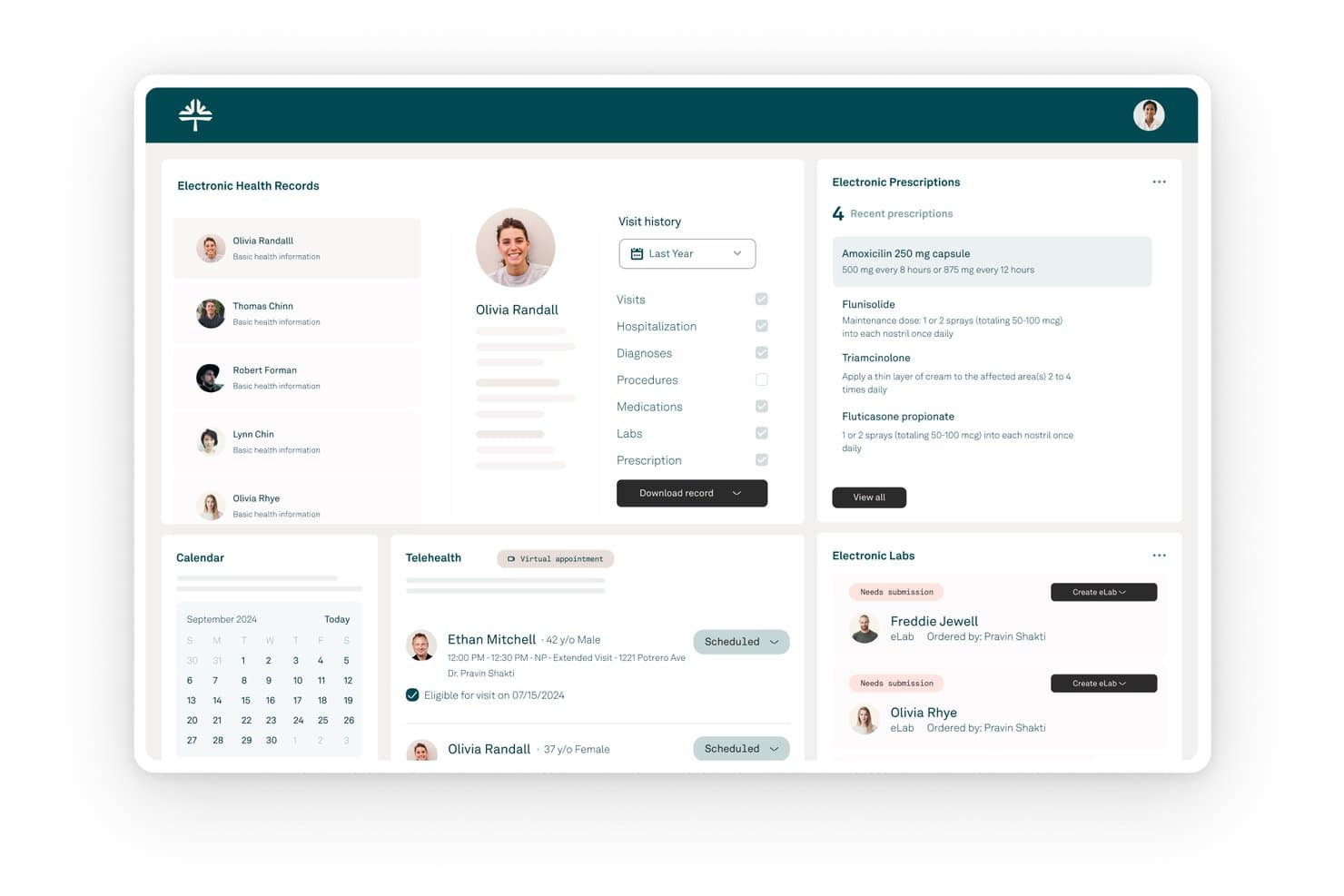
Tebra offers a comprehensive EHR dashboard displaying patient records, electronic prescriptions, telehealth appointments, and lab management for family practices. Tebra is a practice management and billing platform built for independent family medicine practices, combining EHR, claims management, coding support, eligibility verification, and patient billing tools in one system.
Who Is Tebra Best For?
Tebra is a strong fit for independent family medicine practices with up to 10 providers that want scheduling, billing, and EHR in one platform.
Why I Picked Tebra
I picked Tebra as one of the best because scheduling and billing share the same patient record, so front desk staff booking a preventive visit and a biller submitting that claim are working in one connected system. The built-in rules engine scrubs claims for coding errors before submission, and ERA auto-posting handles insurance payment reconciliation without manual data entry. That tight connection between scheduling and claim lifecycle is what separates Tebra from tools that treat billing as a separate module.
Tebra Key Features
- Real-time eligibility verification: Check patient insurance details instantly at the time of scheduling or check-in.
- Family medicine-specific templates: Use structured templates for documenting preventive visits, chronic care, and immunizations.
- Automated patient intake forms: Send and receive electronic forms before visits, linked directly to the patient chart.
- Denial and AR tracking dashboard: Monitor claim denials, resubmissions, and accounts receivable within a visual dashboard.
Tebra Integrations
Tebra offers native integrations with Kareo Billing, WebPT, QuickBooks Online Advanced, Stripe, Microsoft Excel, DocSpera, Relatient, PayPal, and NextPatient. An API is available for custom integrations.
Pros and Cons
Pros:
- ERA auto-posting for insurance payments
- Real-time eligibility verification at check-in
- Family practice templates for coding and visits
Cons:
- Occasional workflow friction between EHR and billing
- No self-guided free trial available
Learn more about Tebra: Best for iPad and mobile staff use
- Free demo available
- Pricing upon request
Visit WebsiteCustomer Rating:3.9/5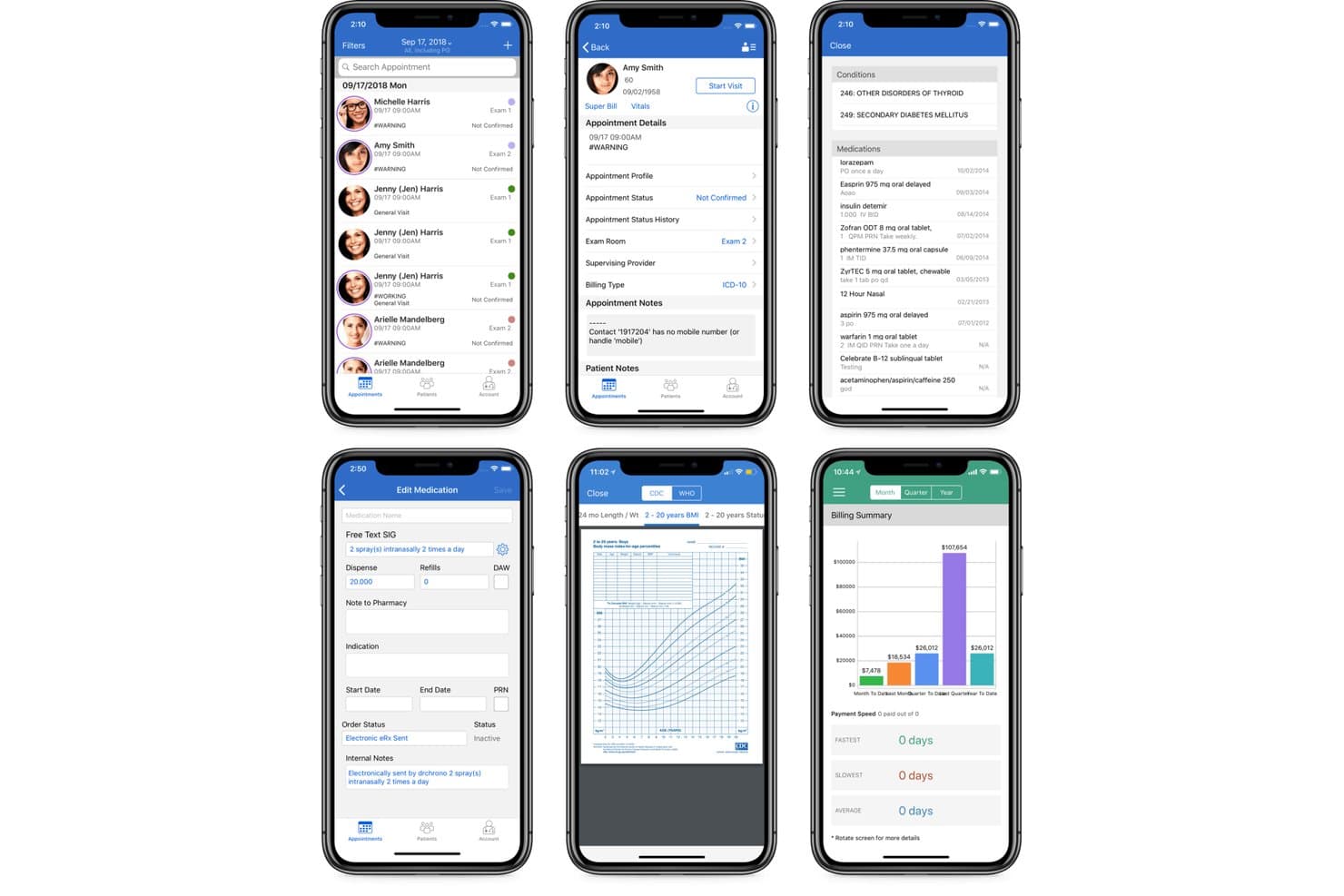
DrChrono offers a mobile billing summary dashboard alongside appointment scheduling, patient records, and medication management screens for family practice workflows. DrChrono is a family medicine-focused EHR and billing platform that combines claims management, coding, eligibility verification, and revenue cycle tools in a single iOS-native system.
Who Is DrChrono Best For?
DrChrono is a strong fit for independent family medicine practices that run Apple-device workflows and want EHR and billing managed in one place.
Why I Picked DrChrono
DrChrono earns its spot on my shortlist because it's the only family medicine billing platform built natively for iPad from the ground up. I like that charge capture happens automatically as providers complete notes on their iPad, so coding and claims populate directly from the chart with no separate billing handoff. The built-in clearinghouse and real-time eligibility checks live in the same mobile interface, so front-desk staff can verify coverage, submit claims, and track status from one device.
DrChrono Key Features
- Integrated prior authorization: Submit, track, and manage prior authorizations within the prescription workflow.
- Custom template builder: Create and use specialty-specific note and billing templates for family medicine.
- Immunization registry integration: Report vaccinations directly to state immunization registries.
- Automated patient reminders: Send appointment reminders by text or phone with usage tracked toward your plan’s allotment.
DrChrono Integrations
DrChrono offers native integrations with Labcorp, Quest Diagnostics, Lifepoint, Health Gorilla, Surescripts, CoverMyMeds, ClearGage, Collectly, Holly, Square Point of Sale, and Fullscript. An API is available for custom integrations.
Pros and Cons
Pros:
- Integrated vaccine and lab registry reporting
- Real-time insurance eligibility verification
- Native iPad charting and billing workflow
Cons:
- No Android mobile app available
- Patient statement format frustrates front desk staff
Learn more about DrChrono: Best for healthcare analytics and reporting
- Free demo available
- Pricing upon request
Visit WebsiteCustomer Rating:3.6/5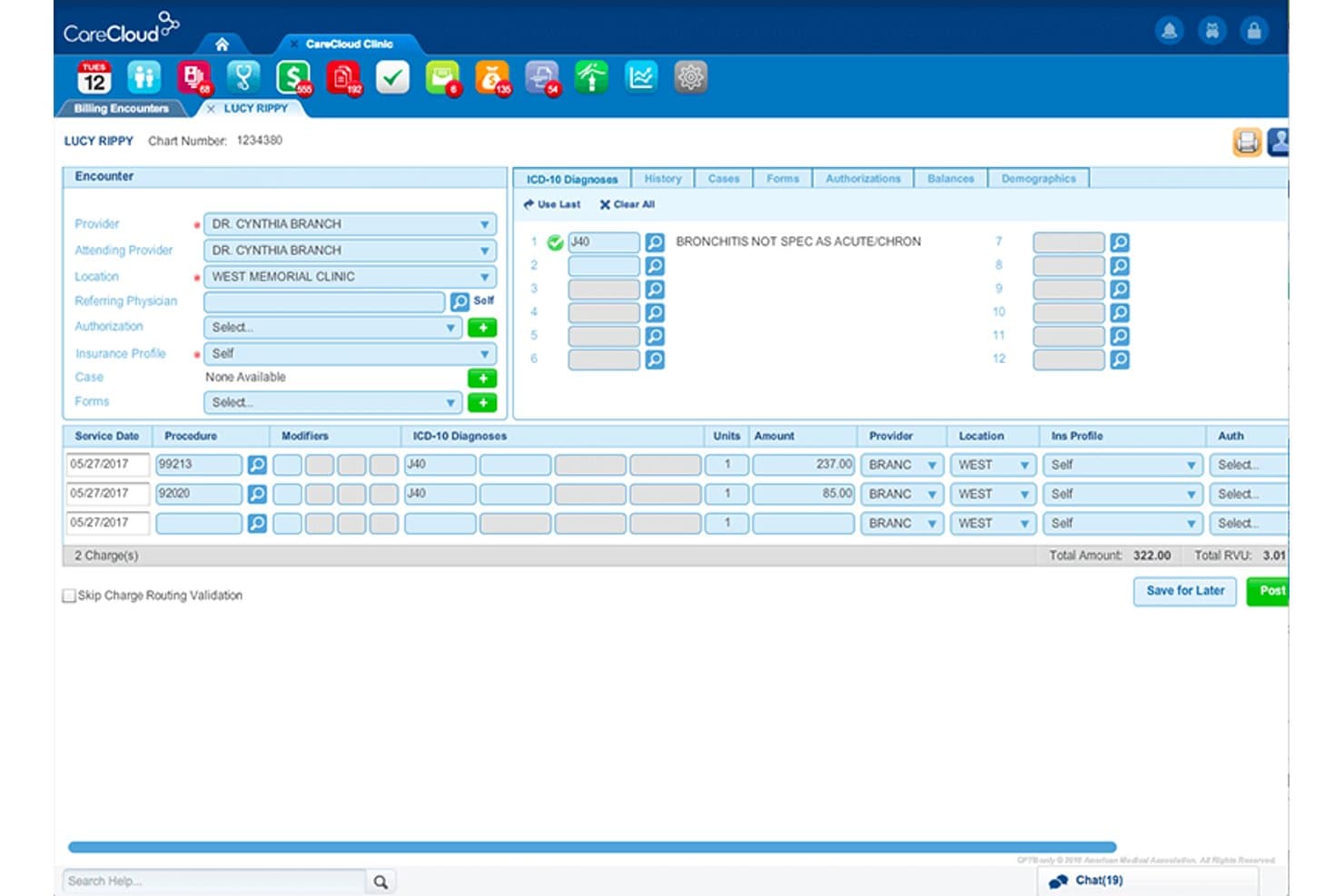
CareCloud offers a detailed billing encounter screen with ICD-10 diagnosis coding, procedure charges, and provider assignment for family practice workflows. CareCloud is an AI-powered revenue cycle management platform that handles claims scrubbing, medical coding validation, eligibility verification, denial management, and patient billing for family practices through a single cloud-based system.
Who Is CareCloud Best For?
CareCloud is a strong fit for independent and small-to-midsize family practices that want to outsource part or all of their revenue cycle management.
Why I Picked CareCloud
CareCloud earns its spot on my shortlist for its KPI dashboards. I can segment revenue data by payer, provider, location, and biller, getting a granular view of where claims stall. I particularly like the cirrusAI Appeals tool, which analyzes claim data and generates customized appeal letters by payer and denial reason. Paired with 180M+ billing rules in the CollectiveIQ engine, I can track exactly which code type or payer is driving denials.
CareCloud Key Features
- Real-time eligibility verification: Instantly check insurance coverage for scheduled patients before visits.
- Automated charge capture: Enter and track service billing through integrated encounter forms and templates.
- Accounts receivable follow-up tools: Monitor outstanding balances and assign follow-up tasks to staff.
- Integrated patient payment portal: Let patients pay balances online through a secure self-service interface.
CareCloud Integrations
CareCloud offers native integrations with Change Healthcare, TriZetto, Availity, CodoniX EHR, EHRYourWay, ICANotes, MD Logic, Optivate, Praxis EMR, Sevocity, TeleVox, and Vital Interaction. An API is available for custom integrations.
Pros and Cons
Pros:
- Automated appeals generation for denied claims
- Denial prevention tools with 180M+ billing rules
- Outstanding analytics and benchmarking dashboards
Cons:
- Limited transparency on manual intervention steps
- Onboarding process can be time-consuming
Learn more about CareCloud: Best for customizable workflow automation
- Free demo available
- Pricing upon request
Visit WebsiteCustomer Rating:3.6/5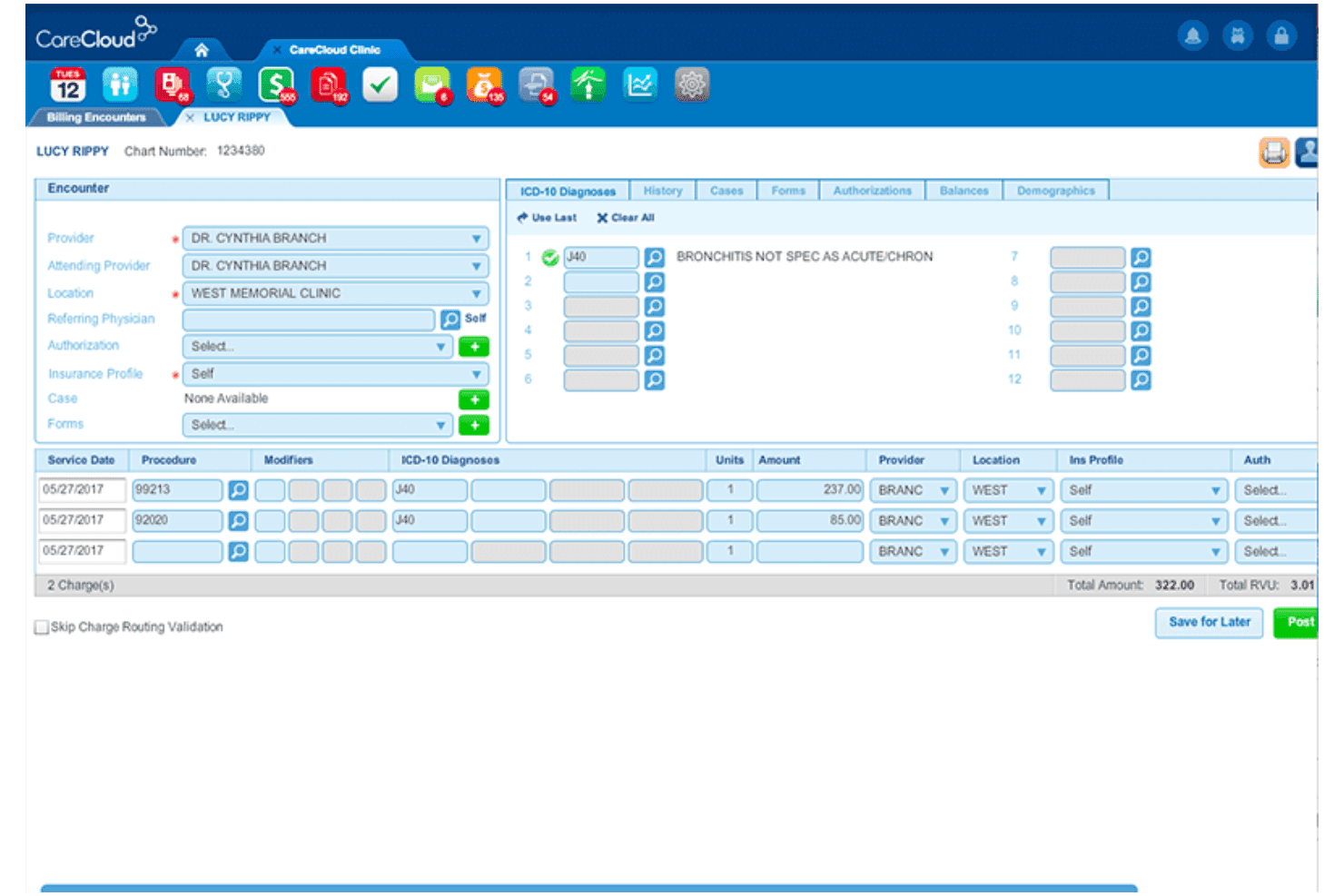
AdvancedMD manages claims, eligibility, coding, denials, and patient payments. AdvancedMD is a cloud-based medical billing and practice management platform that covers claims management, eligibility verification, coding validation, denial tracking, and patient payment processing for family and primary care practices.
Who Is AdvancedMD Best For?
It's a strong fit for mid-to-large family practice groups with dedicated billing staff managing high insurance claim volumes across multiple payers.
Why I Picked AdvancedMD
AdvancedMD earns its spot on my shortlist because the workflow automation goes deeper than most family practice billing tools. ClaimInspector alone runs 3.5 million rules-based edits per claim, catching CCI, LCD, and HIPAA errors before anything hits the clearinghouse. I also like how the A/R Control Center lets my team configure custom worklists by denial reason, payer, or aging bucket, so follow-up work is prioritized without manual sorting.
AdvancedMD Key Features
- Central billing office dashboard: Manage billing workflows for multiple providers and locations in one place.
- Integrated clearinghouse connection: Submit and track insurance claims electronically with built-in payer connectivity.
- Eligibility verification tool: Check patient insurance eligibility in real time before appointments.
- Customizable scheduling system: Schedule recurring appointments and manage provider calendars with specialty templates.
AdvancedMD Integrations
AdvancedMD offers over 1,400 marketplace integrations, including QuickBooks, InstaMed, Healthix HIE, NextPatient, MD Coder, Promptly, and Officite. An open API is available for custom integrations.
Pros and Cons
Pros:
- Strong denial management and tracking features
- Eligibility check tool for patient visits
- Advanced claim editing stops costly rejections
Cons:
- Batch payment posting process can be slow
- No built-in coding service available
 Best for automated claim denial reduction
- Free demo available
- Pricing upon request
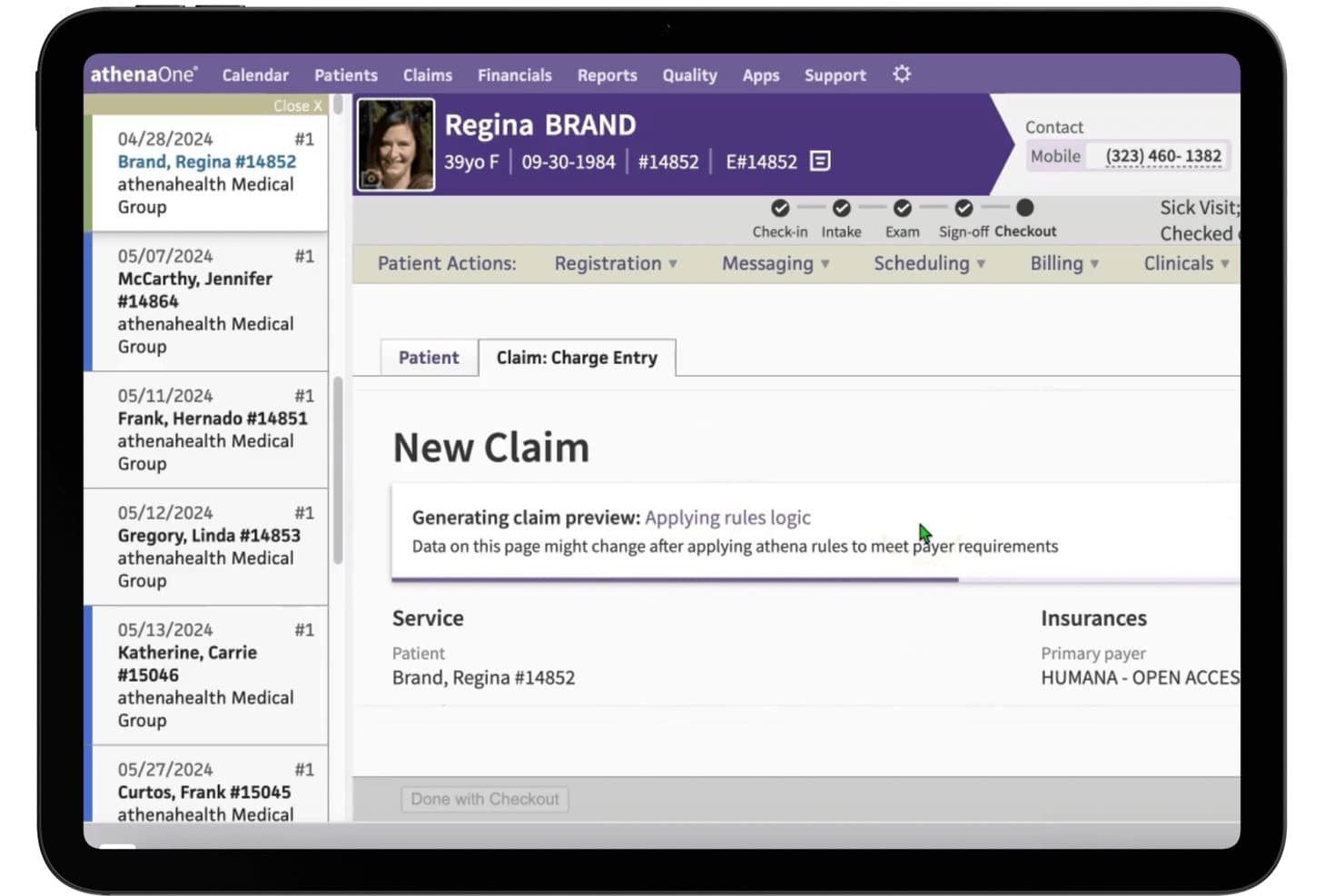
athenahealth (athenaOne) offers a claim charge entry workflow with real-time rules logic applied during patient checkout for family practice billing. athenaOne is an all-in-one cloud-based platform that combines medical billing, practice management, and EHR with AI-driven claims scrubbing, coding support, eligibility verification, and denial management for independent physician practices.
Who Is athenahealth (athenaOne) Best For?
athenaOne is a strong fit for independent and small-to-midsized primary care practices that need a fully integrated billing and EHR system managed under one platform.
Why I Picked athenahealth (athenaOne)
I picked athenahealth (athenaOne) as one of the best because its claims engine runs on roughly 29,000 payer-specific rules that update automatically as new denials surface across its provider network. A rejected claim for a preventive visit or chronic care code gets flagged with denial advice and a recommended next step before it stalls in AR. I also like that AI Express Coding suggests E&M and CPT codes from clinical documentation, cutting the coding errors that trigger denials upstream.
athenahealth (athenaOne) Key Features
- Insights dashboard: Lets your team benchmark KPIs and financials against 160,000+ providers in the athenahealth network.
- Automated insurance verification: Confirms patient eligibility and benefits ahead of each visit by extracting and verifying card details.
- Patient portal and mobile app: Enables patients to view statements, pay balances, and manage appointments online or from their phone.
- Prior authorization management: Consolidates and tracks prior auth requests for family medicine procedures within the platform.
athenahealth (athenaOne) Integrations
athenaOne offers native integrations with Quest Diagnostics, LabCorp, Change Healthcare, Surescripts, and rater8, plus access to additional healthcare applications through the athenahealth Marketplace. An API is available for custom integrations.
Pros and Cons
Pros:
- Prebuilt dashboard benchmarks with peer practices
- Network-based denial advice and workflow
- Real-time insurance eligibility verification
Cons:
- Occasional delays in patient payment posting
- Coding guidance not specific to family medicine
Learn more about athenahealth (athenaOne):
Other Family Practice Billing Software
Here are some additional family practice billing software options that didn’t make it onto my shortlist, but are still worth checking out:
- 11eClinicalWorksBest for integrated EHR and billing solutions
- 12RXNTBest for multi-location practice management
- 13CollaborateMDBest for rapid claim submission tools
- 14PracticeSuiteBest for free clearinghouse connections
- 15EZClaimBest for flexible, modular billing features
- 16ChartLogicBest for hands-on revenue cycle support
- 17WRS HealthBest for specialty-specific billing templates
- 18MicroMDBest for integrated patient collections tools
- 19Greenway IntergyBest for chronic care billing management
- 20Veradigm Practice ManagementBest for robust appointment and billing sync
How I Evaluate Family Practice Billing Software
I split my evaluation into baseline requirements—like real-time eligibility checks and claims scrubbing—every tool must clear, and the differentiators that separate one platform from another.
Core Functionality (Table Stakes For This List)
When I'm selecting tools for my list, I rank each one on a scale from 0 (does not offer the functionality) to 5 (excels in this area) for each core functionality listed below. Then, I calculate the tool's total score into a percentage. Each tool needs to achieve a minimum total score of 65% to be considered for inclusion.
- Claims Management: I check whether claims can be scrubbed, submitted, and tracked electronically—like catching a missing modifier 25 before it leaves your queue.
- Medical Coding Support: Built-in ICD-10 and CPT validation matters, especially for family practices billing wellness visits alongside acute care on the same day.
- Eligibility Verification: I look for real-time checks that flag coverage gaps at scheduling, so your front desk catches issues before the patient arrives.
- Patient Billing & Statements: Tools should support electronic statements, online payment portals, and payment plans that reduce collection calls and aging balances.
- Denial & AR Management: I evaluate how the platform categorizes and routes denied claims, since high-volume primary care practices can't afford to manually chase each rejection.
- Reporting & Analytics: Standard revenue cycle reports like days in A/R, denial rates, and payer mix give you visibility into where your collections are stalling.
Once I have a list of tools that meet the criteria, I consider what sets each platform apart.
Differentiating Factors (What Sets Vendors Apart)
Here's how I compare and contrast different vendors:
Standout Features
Denial management workflows are a big differentiator. I look for platforms that categorize rejections by root cause and route them to the right staff member automatically, rather than dumping everything into one worklist. An integrated clearinghouse with scrubbing rules tuned to family medicine codes like modifier 25 saves your team from manually editing claims before submission. I also evaluate patient payment portals, since options like text-to-pay and built-in payment plans directly reduce how long balances sit in your A/R.
Beyond Features
EHR integration is a big one. I check whether charges flow directly from encounter notes into billing so your staff isn't re-entering visit data. Specialty fit matters too, especially for family practices that bill across pediatric, adult, and geriatric populations and need support for CCM codes and immunization billing. I also evaluate pricing transparency, since hidden clearinghouse or statement fees can quietly erode your margins over time.
How to Choose Family Practice Billing Software
It’s easy to get bogged down in long feature lists and complex pricing structures. To help you stay focused as you work through your unique software selection process, here’s a checklist of factors to keep in mind:
| Factor | What to Consider |
|---|---|
| FactorScalability | What to ConsiderWill the system handle your growth, such as adding new providers or locations, without needing a major overhaul? |
| FactorIntegrations | What to ConsiderDoes it connect with your EHR, lab, or scheduling software to avoid manual re-entry and double work? |
| FactorCustomizability | What to ConsiderAre you able to tailor workflows, templates, and reporting to match your practice’s unique billing scenarios? |
| FactorEase of use | What to ConsiderCan your front desk or billing staff learn the system quickly and work efficiently, even during busy periods? |
| FactorImplementation and onboarding | What to ConsiderHow long will setup and training take? Ask about data migration support and help with payer enrollments. |
| FactorCost | What to ConsiderLook beyond headline pricing—ask about hidden fees for clearinghouse, support, or statement mailing. |
| FactorSecurity safeguards | What to ConsiderIs patient data encrypted in transit and at rest, and are there audit trails and user access controls? |
| FactorSupport availability | What to ConsiderAre billing and technical support easily reachable during your operating hours and how are claim escalations handled? |
What Is Family Practice Billing Software?
Family practice billing software is a system designed to manage insurance claims, patient billing, payments, and revenue cycle tasks for primary care clinics. It helps family medicine teams submit accurate claims, track denials, verify eligibility, collect payments, and stay compliant with coding rules unique to generalist practices.
This type of software supports efficient workflows for both patient-facing billing and behind-the-scenes financial management.
Features of Family Practice Billing Software
When selecting family practice billing software, keep an eye out for the following key features:
- Claims management: Create, scrub, and electronically submit insurance claims for primary care services, tracking each claim’s status from submission to payment.
- Eligibility verification: Instantly check patient insurance coverage and benefits at scheduling and check-in to reduce claim denials and avoid billing surprises.
- Medical coding support: Access up-to-date CPT, ICD-10, and HCPCS code libraries, with built-in validation rules and code suggestions for accurate claim generation.
- Patient billing and statements: Produce statements, manage copays and deductibles, and offer self-serve bill pay options online or by mail.
- Denial management: Track rejections, categorize denial reasons, and route issues to billing staff for quick corrections and resubmission.
- Integrated clearinghouse: Connect directly to a clearinghouse for streamlined claims submission, remittance advice, and payment posting in one system.
- Custom financial reporting: Generate detailed reports and dashboards that track KPIs like collections, days in A/R, payer mix, and provider productivity.
- Payment plans and collections tools: Allow patients to set up payment plans, receive payment reminders, and automate follow-ups for outstanding balances.
- Security and compliance: Ensure all patient and billing data is encrypted, tracked with audit logs, and meets HIPAA and regulatory standards.
- EHR integration: Sync patient demographics, charges, and visit information automatically with your electronic health record and scheduling platforms.
Benefits of Family Practice Billing Software
Implementing family practice billing software provides several benefits for your team and your business. Here are a few you can look forward to:
- Faster payment cycles: Automated claims submission, eligibility checks, and payment posting help you get reimbursed more quickly by insurers and patients.
- Fewer claim denials: Real-time code validation and eligibility verification tools reduce costly rejections and minimize manual rework for your billing staff.
- Improved cash flow: Patient payment portals, customizable statements, and payment plan options encourage on-time payments and reduce outstanding balances.
- Better compliance: Built-in coding rules and HIPAA-level security features make it easier to meet regulatory, payer, and documentation requirements specific to primary care.
- Increased staff productivity: Integration with your EHR, automated denial routing, and streamlined billing workflows free staff from repetitive data entry.
- Greater insight into financial health: Custom financial reporting and dashboards let you monitor collections, A/R, and payer trends across your practice.
- Enhanced patient experience: Clear statements, online bill pay, and upfront benefits verification make billing interactions more transparent and less stressful for patients.
Costs and Pricing of Family Practice Billing Software
Selecting family practice billing software requires an understanding of the various pricing models and plans available. Costs vary based on features, team size, add-ons, and more. The table below summarizes common plans, their average prices, and typical features included in family practice billing software solutions:
Plan Comparison Table for Family Practice Billing Software
| Plan Type | Average Price | Common Features |
|---|---|---|
| Plan TypeFree Plan | Average Price$0 | Common FeaturesBasic claims entry, limited patient billing, simple reporting, and email support. |
| Plan TypePersonal Plan | Average Price$25-$75/user/month | Common FeaturesElectronic claim filing, eligibility checks, basic payment posting, manual denial tracking, and standard reports. |
| Plan TypeBusiness Plan | Average Price$100-$300/provider/month | Common FeaturesIntegrated clearinghouse, automated claim scrubbing, online patient portal, customizable billing templates, and A/R tracking. |
| Plan TypeEnterprise Plan | Average Price$350+/provider/month | Common FeaturesAdvanced analytics, EHR integration, dedicated onboarding, role-based permission controls, and enterprise support. |
Here are some answers to common questions about family practice billing software:
How does family practice billing software help reduce claim denials?
Family practice billing software flags coding errors and checks insurance eligibility before claims are sent out. This lets your team fix issues up front, so you see fewer denials and spend less time resubmitting claims.
Can family practice billing software integrate with my EHR?
Yes, most systems offer integration with popular EHRs. This means charges, demographics, and visit details sync automatically, cutting down on double entry and billing mistakes.
What billing challenges are unique to family practices?
Family practices deal with mixed patient populations and services, from vaccines to wellness visits. Billing software tailored to primary care handles modifier 25, chronic care codes, and a wide range of payers without extra manual work.
How secure is patient data in family practice billing software?
Reputable vendors encrypt patient and billing data at rest and in transit and provide audit logs and granular user access controls to help your practice stay HIPAA compliant.
What kind of support is available if I run into billing issues?
Most vendors offer live chat, email, or phone support, and some provide access to billing specialists who can help resolve claim rejections or complex payer questions quickly.
How long does it take to implement new billing software?
Implementation can range from a few days to several weeks depending on data migration, EHR integration, and staff training needs. Many vendors assist with onboarding and payer enrollments to ease the transition.