

Why Trust Our Software Recommendations
6,700+
Reviews
20
Industry experts
16+
Evaluation factors
14
Years
Our team has been testing and reviewing software since 2012. As medical practice leaders ourselves, we know how difficult—and important—it is to choose the right software.
For this guide, we evaluated tools using hands-on testing and independent research, scoring tools using our selection criteria.
Our reviews reflect our human editorial judgment, not a sales pitch.
EMR Patient Portal Software Comparison Table
This comparison table summarizes pricing details for my top EMR patient portal software selections:
| Tool | Best For | Trial Info | Price | ||
|---|---|---|---|---|---|
| 1 | Best for specialty-specific patient engagement | Free demo available | Pricing upon request | Website | |
| 2 | Best for syncing wellness data from devices | Free plan available | From $25/month | Website | |
| 3 | Best for patient engagement tools | 14-day free trial; Free demo available | Pricing upon request | Website | |
| 4 | Best for connecting mobile scheduling | Free demo available | Pricing upon request | Website | |
| 5 | Best for linking custom apps to clinical data | 30-day free trial + free demo available | From $130/month | Website | |
| 6 | Best for rural patient access initiatives | Free demo available | Pricing upon request | Website | |
| 7 | Best for mobile health records | Free demo available | Pricing upon request | Website | |
| 8 | Best for checking care costs before treatment | Not available | Pricing upon request | Website | |
| 9 | Best for AI agents handling patient access tasks | 90-day free trial + free demo available | Pricing upon request | Website | |
| 10 | Best for mobile access and digital check-in | Free demo available | Pricing upon request | Website |


Best EMR Patient Portal Software Reviews
Below are my detailed summaries of the best EMR patient portal software that made it onto my shortlist. My reviews offer a detailed look at the features, best use cases, and integrations of each software to help you find the best one for you.
 Best for specialty-specific patient engagement
- Free demo available
- Pricing upon request
Visit WebsiteCustomer Rating:4.5/5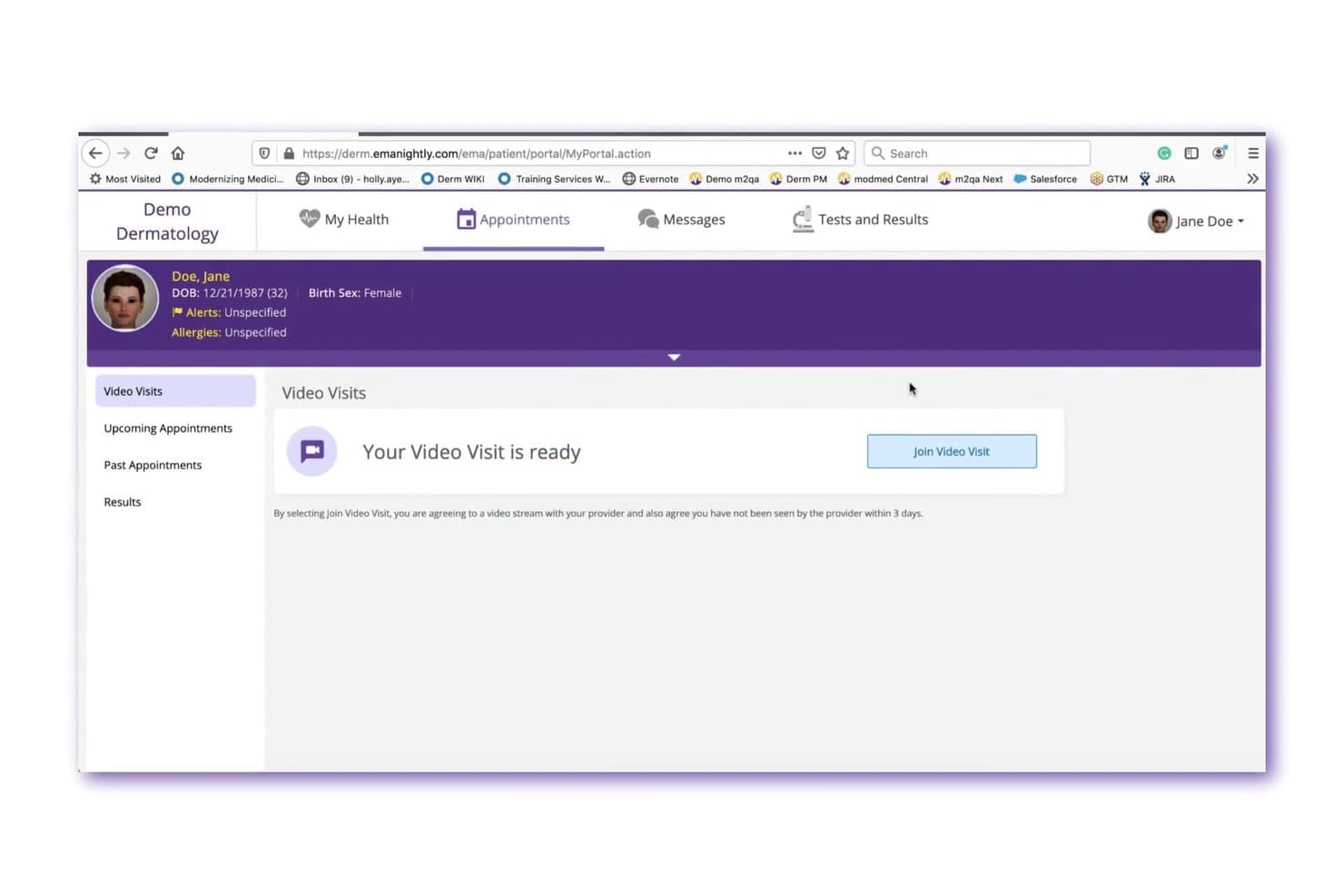
ModMed lets patients join telehealth video visits directly from the portal. ModMed Patient Engagement is a specialty-focused patient communication platform that combines secure two-way messaging, online scheduling, digital intake, appointment reminders, and patient portal access with native integration into ModMed's EHR and practice management systems.
Who Is ModMed Best For?
ModMed Patient Engagement is a strong fit for specialty practices—dermatology, ENT, GI, podiatry, and urology among them—that already run on ModMed's EHR and want patient communication built into the same ecosystem.
Why I Picked ModMed
I picked ModMed as one of the best because it's purpose-built for specialty practices, and that shows up in features you won't find in generic portals. I love that automated pre- and post-operative instructions can be configured by specialty, so an ENT patient receives condition-specific guidance without staff manually sending it. The two-way encrypted texting also routes incoming messages into a centralized thread, which keeps a dermatology or GI front office from drowning in unorganized patient communication.
ModMed Key Features
- Patient portal record access: Patients can view lab results, notes, and educational handouts and review or update their medical information directly in the portal.
- APPatient mobile app: A native iPhone and Android app lets patients access medical records, view appointments, request prescription refills, and message staff.
- Text-to-pay via ModMed Pay: Patients receive text-based payment links to view and settle copays and balances from their devices without logging into a portal.
- ModMed Kiosk check-in: An iPad app collects practice-requested intake data in the waiting room and stores it directly in the patient's medical record.
ModMed Integrations
ModMed Patient Engagement has native integrations with ModMed EMA, ModMed Practice Management, ModMed Pay, and ModMed Telehealth. Certified FHIR, proprietary FHIR R4, HL7, and SMART on FHIR APIs support custom connectivity, while broader third-party integrations aren't clearly documented.
Pros and Cons
Pros:
- Specialty-specific instructions reduce manual follow-up work
- Self-scheduling reminders can reduce front-desk call volume
- Organized two-way texting supports patient photo sharing
Cons:
- Login friction and glitches disrupt patient access
- Patients may mistake requests for confirmed appointments
Learn more about ModMed: Best for syncing wellness data from devices
- Free plan available
- From $25/month
Visit WebsiteCustomer Rating:4.2/5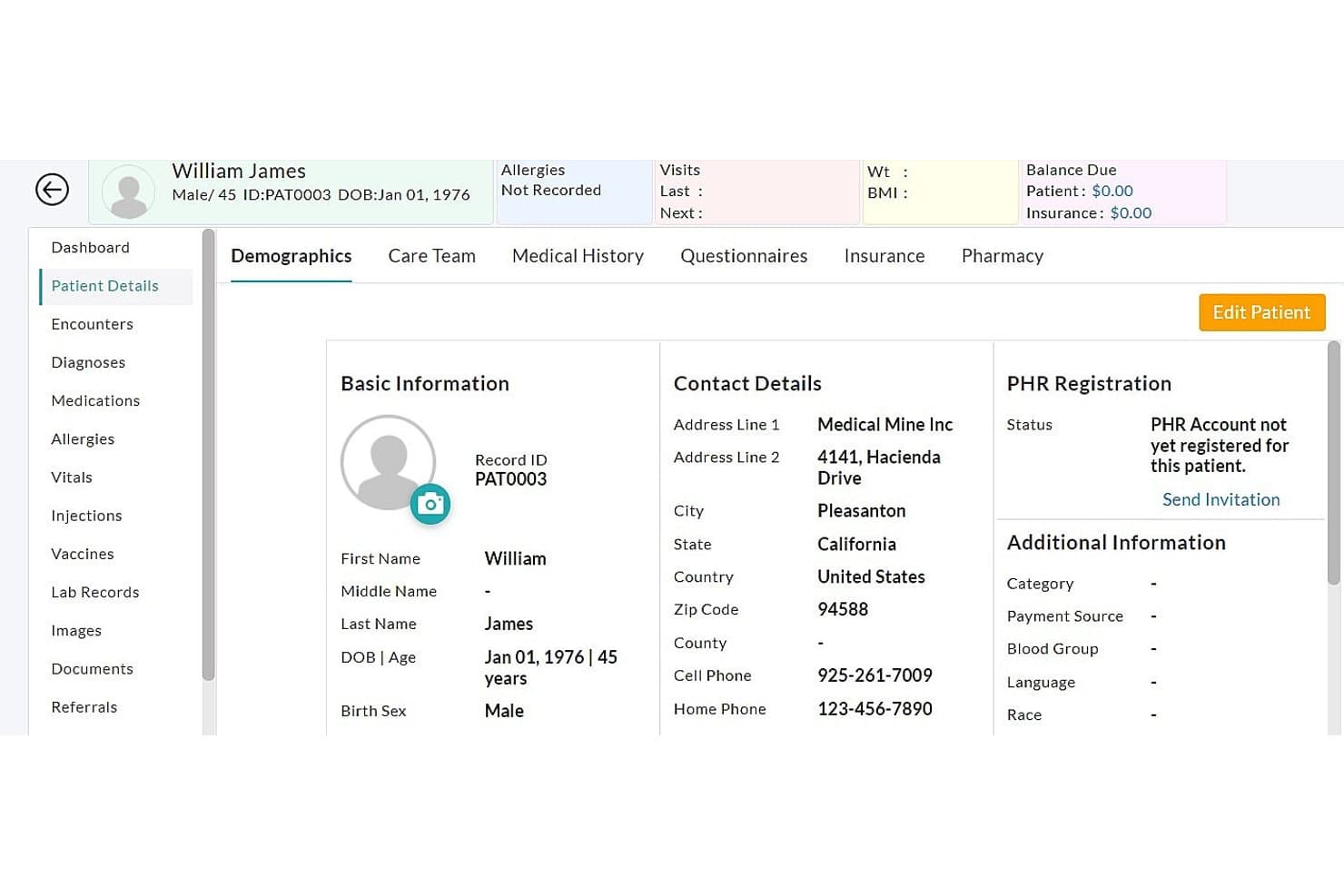
CharmHealth dashboard displaying patient demographics, medical history, insurance, pharmacy, and PHR registration details CharmHealth is a cloud-based EHR platform for small and medium-sized practices that bundles clinical charting, practice management, medical billing, and a patient engagement portal with personal health record access, secure messaging, and device data syncing.
Who Is CharmHealth Best For?
CharmHealth suits solo providers and small-to-medium practices that want an affordable, all-in-one EHR with built-in patient portal and device data syncing without paying enterprise-level fees.
Why I Picked CharmHealth
I picked CharmHealth as one of the best because of how it handles patient-generated wellness data directly inside the portal. Patients can sync Apple Health metrics like blood pressure and blood glucose, connect Google Fit, or link supported external scales from brands like InBody and Tanita, with that data flowing into their vitals record automatically. I find that level of device integration genuinely useful for practices managing chronic conditions, where tracking real-world readings between visits matters.
CharmHealth Key Features
- Pre-appointment questionnaires: Patients can complete and submit practice-shared intake questionnaires online before their visit, with the option to save and return.
- Secure two-way messaging: Patients and providers exchange encrypted messages with attachment support, reply, reply-all, and forward options directly through the portal.
- Patient health record portal: Patients can view and manage labs, medications, immunizations, allergies, visit summaries, and wellness metrics from a single account.
- Family health management: One PHR account can hold and manage health records for multiple family members, with caregiver secondary-account access also available.
CharmHealth Integrations
CharmHealth offers native integrations with Surescripts, LabCorp, Quest, Google Calendar, QuickBooks, Bluefin, Optum, and Fullscript. Its REST and FHIR 4.0.1 APIs support custom connections to clinical records, appointments, labs, medications, immunizations, documents, and coverage.
Pros and Cons
Pros:
- Online booking and reminders can reduce office calls
- Patient messaging and document sharing in one workflow
- Convenient access to records and visit summaries
Cons:
- Slow support can delay resolving portal issues
- Booking conflicts can push patients to call
Learn more about CharmHealth: Best for patient engagement tools
- 14-day free trial; Free demo available
- Pricing upon request
Visit WebsiteCustomer Rating:3.9/5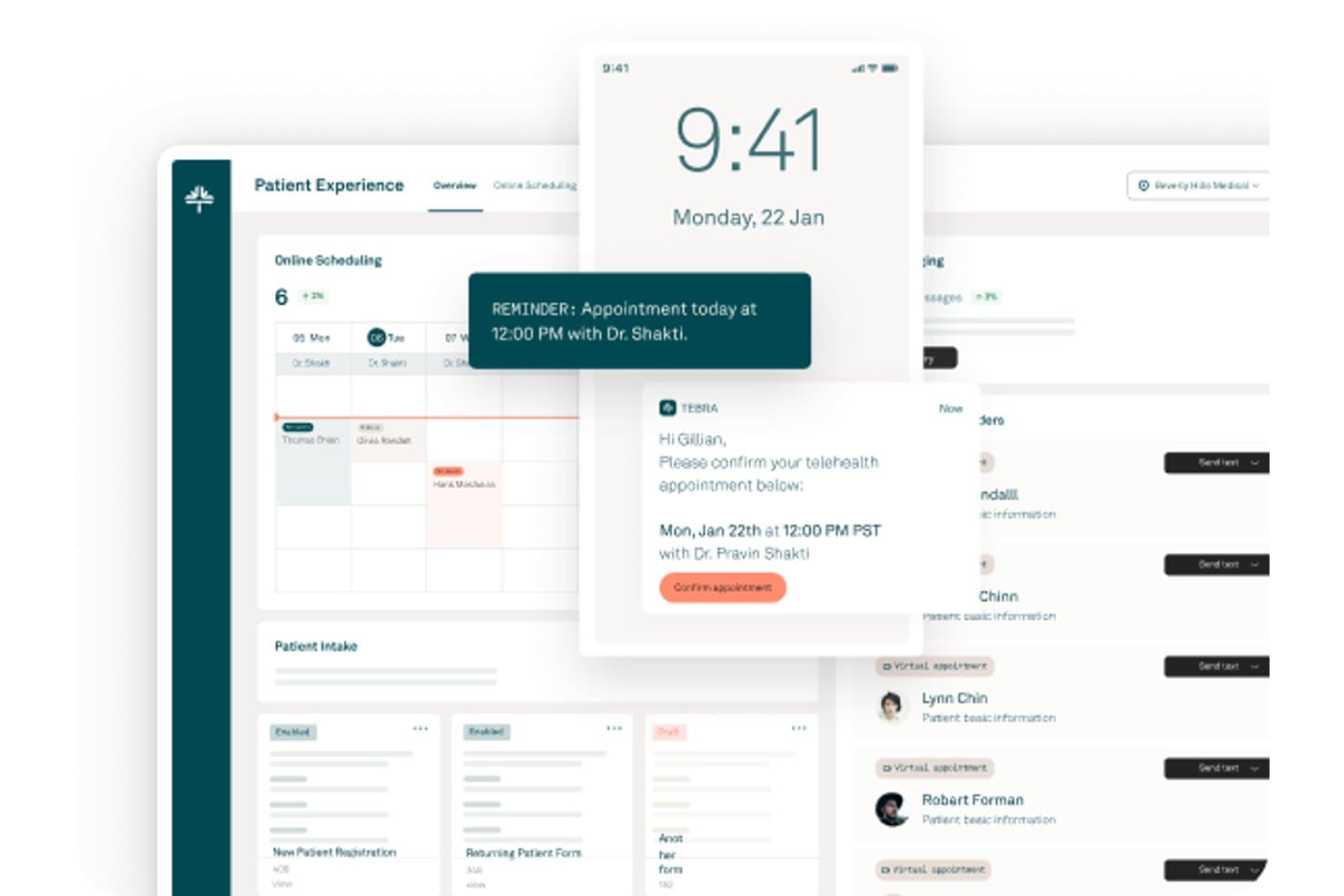
Tebra offers a patient experience dashboard with online scheduling, appointment reminders, telehealth confirmations, and patient intake management. Tebra is a cloud-based EHR and practice management platform with a built-in patient portal covering online scheduling, digital intake, secure messaging, online bill pay, and patient engagement tools in a single system.
Who Is Tebra Best For?
Tebra is a strong fit for independent medical practices that want a single platform to manage both clinical workflows and patient-facing engagement tools.
Why I Picked Tebra
Tebra earns its spot as one of the best on my shortlist because the patient engagement toolkit goes well beyond a standard portal. I particularly like the Patient Broadcast feature, which lets my team send mass messages to targeted patient segments, and the automated post-visit surveys that populate public review profiles across 80+ directories. The system also automates birthday outreach, which is a level of patient communication detail I don't see in most EMR-linked portals.
Tebra Key Features
- Patient online scheduling: Lets patients book, reschedule, or cancel appointments directly through the portal.
- Digital intake forms: Allows patients to complete registration, medical history, and consent forms online.
- In-portal bill pay: Gives patients the ability to securely view statements and make payments from their portal.
- HIPAA-compliant secure messaging: Enables two-way encrypted messaging between patients and providers within the portal.
Tebra Integrations
Tebra offers native integrations with TriZetto, Appriss Health (PDMP), and supports e-prescribing via EPCS. An API is available for custom integrations.
Pros and Cons
Pros:
- Automated birthday messages for patient outreach
- Post-visit surveys auto-publish to directories
- Mass messaging to segmented patient groups
Cons:
- Intake forms have limited customization options
- Secure messaging requires portal invite setup
Learn more about Tebra: Best for connecting mobile scheduling
- Free demo available
- Pricing upon request
Visit WebsiteCustomer Rating:3.9/5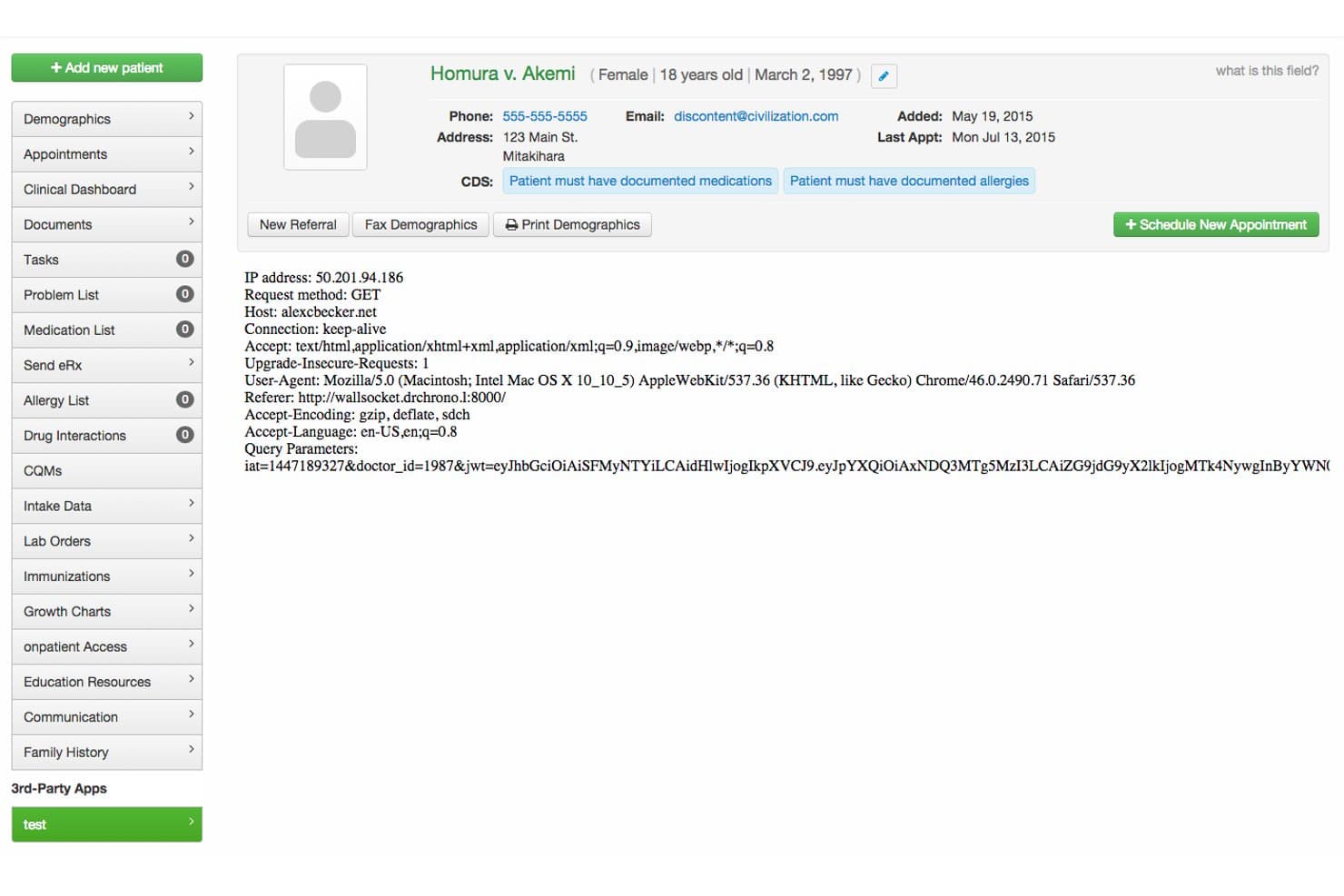
DrChrono offers a patient portal interface displaying patient demographics, CDS alerts, HTTP request metadata, and navigation tools for managing medical records. DrChrono is a cloud-based EHR platform with a native patient portal that covers clinical documentation, mobile scheduling, digital intake forms, secure messaging, online bill pay, and e-prescribing in one connected system.
Who Is DrChrono Best For?
DrChrono is a strong fit for independent and small-to-mid-sized practices that run clinical workflows on Apple devices.
Why I Picked DrChrono
DrChrono earns its spot on my shortlist because its scheduling and patient portal work together in a way that's genuinely Apple-native. I like that when a patient books through OnPatient, the system automatically sends the correct intake forms for that appointment type, so patients arrive pre-documented. The AI no-show predictor is another feature I find valuable, flagging at-risk appointments before they create gaps in the schedule.
DrChrono Key Features
- HIPAA-compliant patient portal: Patients can log in to securely view records, messages, and manage appointments.
- Customizable digital intake forms: Practices can create specialty-specific e-forms that flow directly into patient charts.
- Integrated online bill pay: Patients can pay balances and set up recurring plans directly through the portal.
- E-prescribing and medication management: Providers can e-prescribe medications and patients can request refills online.
DrChrono Integrations
DrChrono offers native integrations with Labcorp, Quest Diagnostics, Health Gorilla, Lifepoint, and Square POS. An API and a developer App Directory are available for custom integrations.
Pros and Cons
Pros:
- Automated appointment reminders reduce manual workload
- Native iPad and iPhone scheduling experience
- Patient portal supports digital intake forms
Cons:
- Limited customization for patient portal branding
- Patient portal interface is dated
Learn more about DrChrono: Best for linking custom apps to clinical data
- 30-day free trial + free demo available
- From $130/month
Visit WebsiteCustomer Rating:3.6/5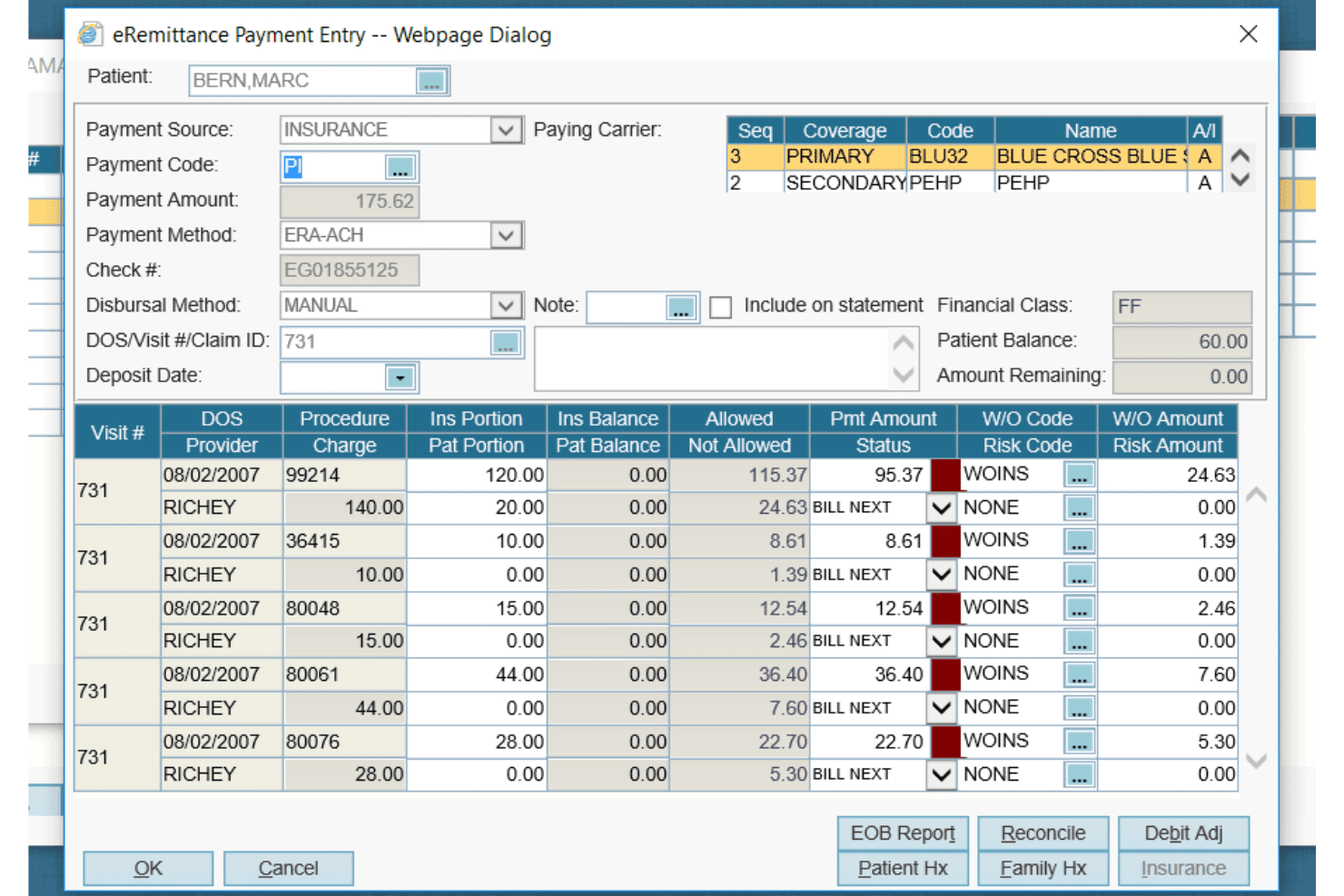
AdvancedMD offers a detailed eRemittance Payment Entry dialog for managing insurance billing, claim payments, and write-off codes per procedure. AdvancedMD is a patient portal software built into a unified EHR and practice management platform, offering patients access to clinical records, secure messaging, appointment scheduling, intake forms, and online bill pay.
Who Is AdvancedMD Best For?
AdvancedMD suits private practices across specialties—mental health, physical medicine, and addiction medicine—that want a patient portal built into a unified EHR and practice management system.
Why I Picked AdvancedMD
I picked AdvancedMD as one of the best because its Connect and FHIR APIs let you build custom applications that read and write directly to the same database your EHR and patient portal share. In practice, that means a custom telehealth intake app or a specialty-specific workflow tool can pull a patient's medications, immunizations, and lab results without duplicating records. I also like that the portal supports FHIR R4 with SMART on FHIR OAuth 2.0, so custom apps authenticate securely against real clinical data.
AdvancedMD Key Features
- Online bill pay and payment plans: Patients can view balances, download statements, pay in full or partially, and manage a payment plan directly through the portal.
- Prescription renewal requests: Patients can submit prescription renewal requests online for the practice to review and digitally sign.
- iPad and online consent forms: Patients can complete and submit intake and consent forms before an appointment online or on an iPad at arrival, with completed forms auto-loaded into the chart.
- Patient education delivery: Educational materials can be sent electronically through the portal in English or Spanish, with automatic Spanish translation, and delivery is recorded in the patient record.
AdvancedMD Integrations
AdvancedMD has a marketplace integration with Zocdoc that syncs bookings with the AdvancedMD calendar. Its Connect APIs support XML-RPC and REST, while FHIR R4 APIs use SMART on FHIR OAuth 2.0 for custom clinical-data applications.
Pros and Cons
Pros:
- Patients can view prescribed medications
- Patients can pay through portal
- Customizable patient intake forms
Cons:
- Setup and training draw recurring complaints
- Patient self-scheduling can frustrate users
 Best for rural patient access initiatives
- Free demo available
- Pricing upon request
Visit WebsiteCustomer Rating:3.5/5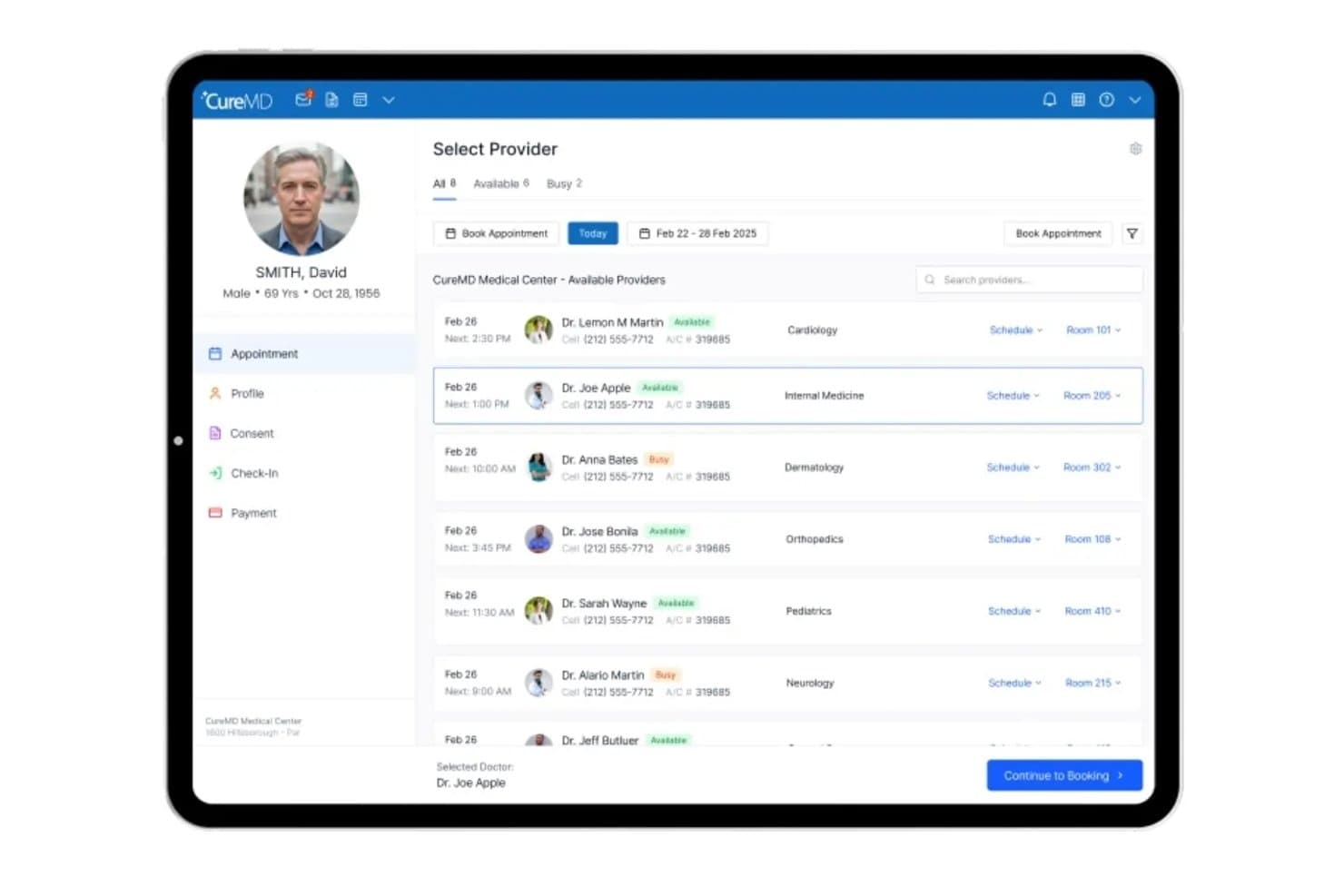
CureMD lets users select and book providers by availability and specialty. CureMD is a cloud-based EHR and patient portal platform that combines clinical recordkeeping, e-prescribing, secure patient messaging, online appointment management, and digital intake through its Leap Health patient engagement suite.
Who Is CureMD Best For?
CureMD fits practices serving underserved or rural populations, particularly those aligned with CMS rural health initiatives who need a combined EHR and patient engagement platform.
Why I Picked CureMD
CureMD earns its spot on my shortlist because of its Rural Health Accelerator package, which was built specifically to support CMS rural health initiatives. I love that it pairs the LEAP Patient Portal with 24/7 self-scheduling for both in-person and virtual visits, secure two-way messaging, and around-the-clock access to records, test results, and care plans. For practices serving patients who can't easily call during business hours, that combination is genuinely hard to replicate with a generic portal.
CureMD Key Features
- Clinical decision support: The EHR surfaces real-time alerts and guidance at the point of care to help providers make informed clinical decisions.
- E-prescribing with pharmacy network: Providers can send prescriptions electronically to more than 40,000 pharmacies, including controlled substances.
- Wearable data sync: The Leap portal connects with devices like Apple Watch and Fitbit to pull in real-time vital signs from patients.
- Role-based access control: Administrators can configure user permissions and use audit trails to track who accessed what and when.
CureMD Integrations
CureMD lists 300+ healthcare vendor integrations, including Allscripts, eClinicalWorks, Practice Fusion, Oracle Health, NextGen, and Cerner. It also offers a FHIR-compliant API and HL7 interfaces for custom connectivity.
Pros and Cons
Pros:
- Secure messaging supports care-team communication
- Patient records and visits stay organized
- Scheduling workflows receive positive user feedback
Cons:
- Payment reallocation can require refund and recharge
- Lab orders may disappear after creation
Learn more about CureMD: Best for mobile health records
- Free demo available
- Pricing upon request
Visit WebsiteCustomer Rating:3.4/5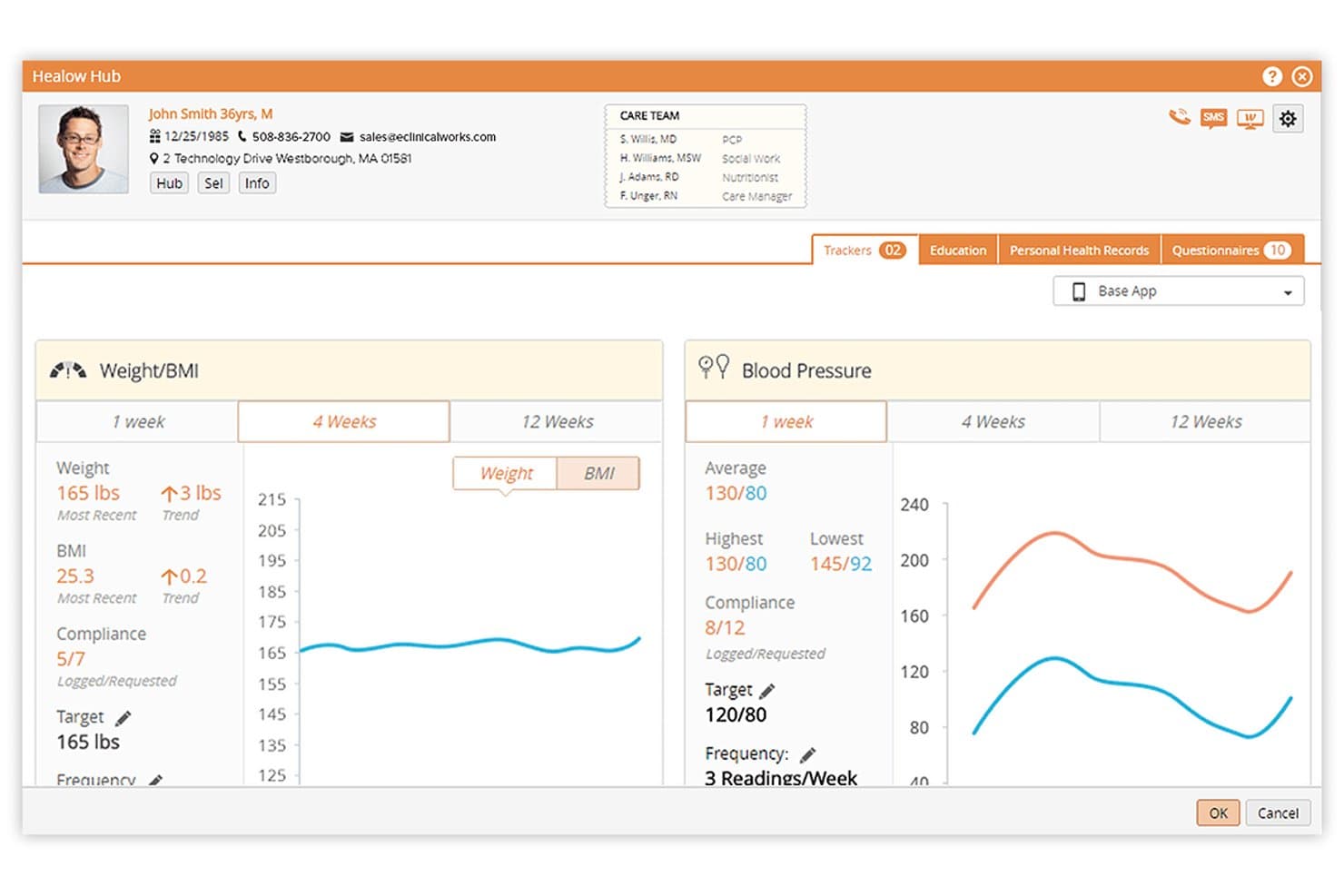
eClinicalWorks offers a patient health tracking portal called Healow Hub, displaying weight/BMI and blood pressure trackers with trend charts and compliance data. eClinicalWorks is a cloud-based EMR platform with a native patient engagement suite called healow, covering self-scheduling, secure messaging, digital intake, telehealth, and mobile health record access.
Who Is eClinicalWorks Best For?
eClinicalWorks is a strong fit for ambulatory practices and community health centers that need a fully integrated EMR and patient portal under one platform.
Why I Picked eClinicalWorks
I picked eClinicalWorks as one of the best because the healow app puts a patient's complete health record, active medications, and upcoming appointments into a single mobile interface. Patients can launch a TeleVisit or complete their pre-visit intake, including consent forms and copay payment, from that same app. Very few EMR-native portals deliver that full clinical and administrative mobile experience without requiring a separate third-party tool.
eClinicalWorks Key Features
- PRISMA health information search engine: Aggregates records from external EHRs and organizes clinical data for provider review.
- healow Genie AI contact center: Provides automated, 24/7 patient self-service by phone, SMS, or chatbot.
- Customizable digital intake forms: Allows patients to complete registration, medical history, and consent electronically before their visit.
- Integrated online bill pay: Patients can view statements and complete payments directly through the patient portal.
eClinicalWorks Integrations
eClinicalWorks offers native integrations with LabCorp and supports data syncing with devices like home blood glucose meters and Fitbit through the healow platform. An API is available for custom integrations.
Pros and Cons
Pros:
- Digital pre-visit forms sync to the EHR
- Robust telehealth tools within patient portal
- Mobile app offers full patient record access
Cons:
- Portal updates roll out slowly across practices
- User interface feels dated to many users
Learn more about eClinicalWorks:
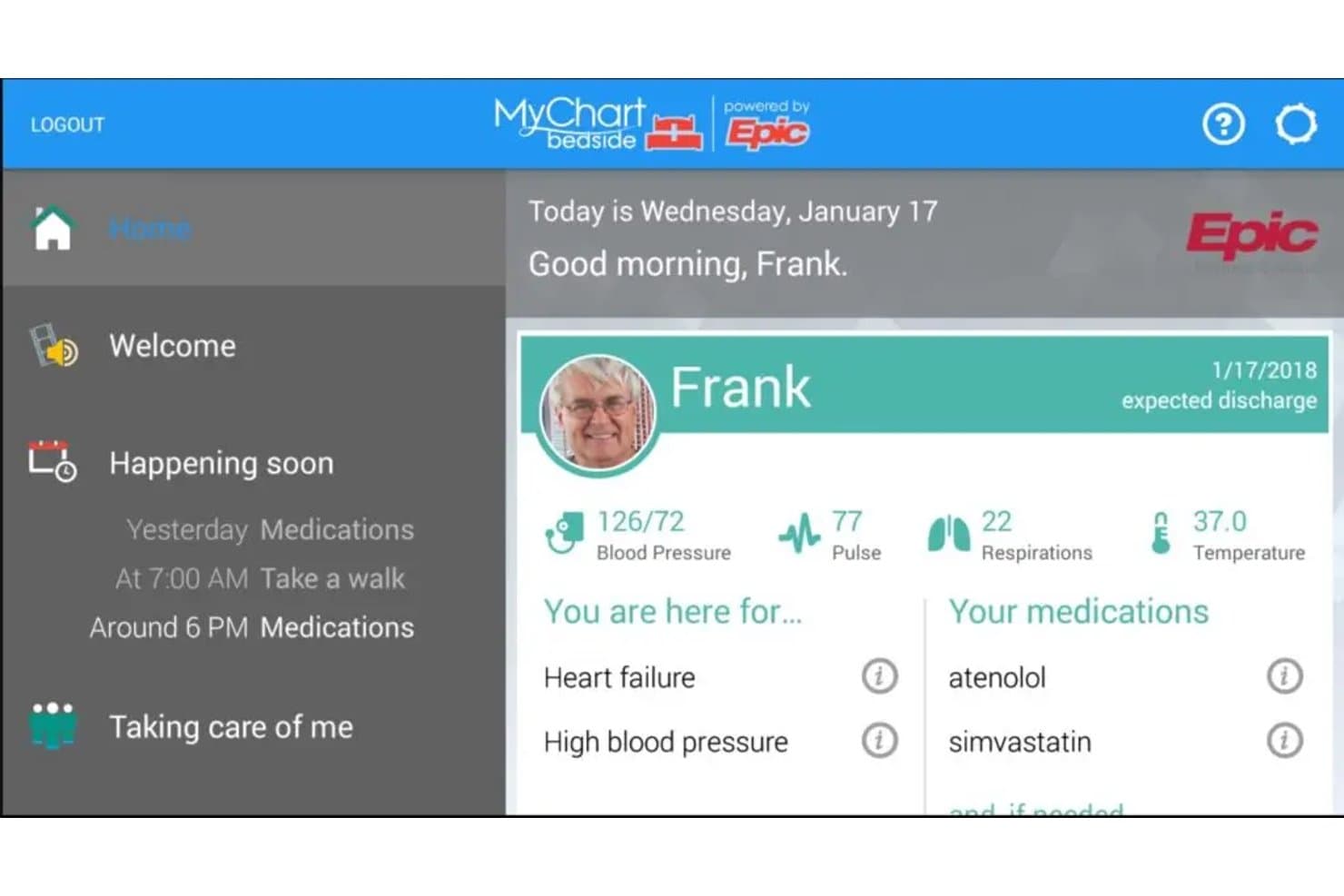
MyChart surfaces vitals, diagnoses, and medications on one home screen. MyChart is Epic's patient portal that gives patients access to their health records, test results, visit summaries, clinical notes, secure provider messaging, appointment scheduling, and billing—all in one place.
Who Is MyChart Best For?
MyChart is a strong fit for healthcare organizations already running Epic that want patients to manage their own care journey from scheduling to billing in one place.
Why I Picked MyChart
MyChart earns its spot on my shortlist because of how well it handles cost transparency before a patient ever walks through the door. I particularly like the Estimates feature, which lets patients select a procedure and location, then see a breakdown of hospital fees, physician fees, insurance coverage, and their out-of-pocket portion, no account required. Paired with eCheck-In for insurance verification and online bill pay, patients can manage the full financial side of a visit on their own terms.
MyChart Key Features
- Secure patient messaging: Patients can send non-urgent questions to their care team, select a specific recipient, and receive threaded replies through the Message Center.
- Fast Pass wait-list notifications: Patients can join a wait list and receive automatic alerts when an earlier appointment slot opens up.
- Proxy and family account access: Patients can invite a family member or friend to view and help manage their health record using that person's own MyChart account.
- MyChart Bedside: During a hospital stay, patients can view their daily schedule, care team, recent vitals and labs, and clinical notes, and message their care team directly from the portal.
MyChart Integrations
MyChart offers native integrations with Google Fit and Apple Health for importing health data. It also supports FHIR-based APIs for patient-directed data exchange and custom integrations with Epic.
Pros and Cons
Pros:
- Procedure estimates clarify expected out-of-pocket costs
- Care-team messaging can replace phone calls
- Early access to test results
Cons:
- Login and app glitches frustrate patients
- Self-scheduling varies by appointment type
Learn more about MyChart: Best for AI agents handling patient access tasks
- 90-day free trial + free demo available
- Pricing upon request
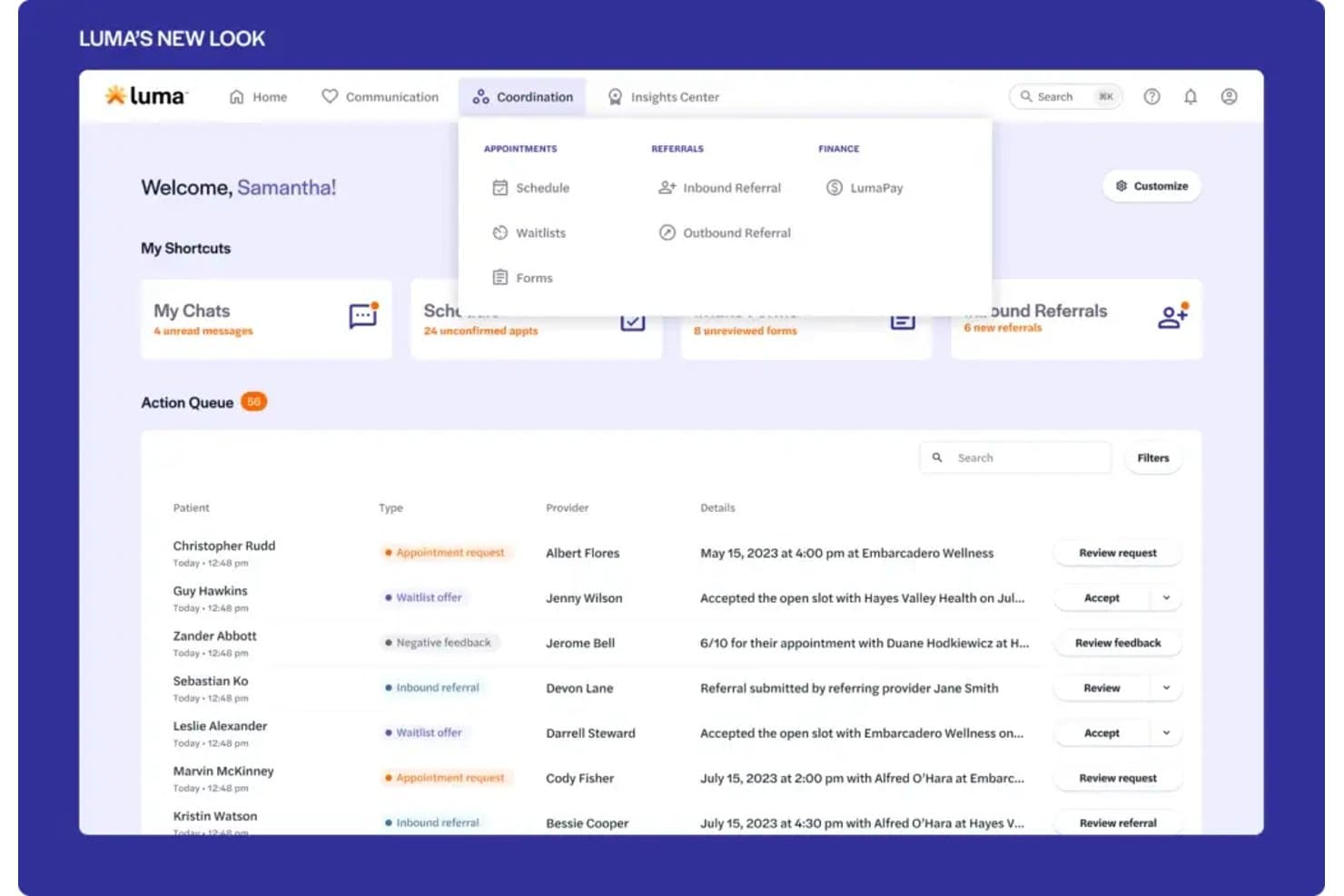
Luma Health centralizes patient actions like referrals and appointments in one queue. Luma Health is an AI-driven patient access and engagement platform that handles scheduling, digital intake, secure messaging, automated appointment reminders, and EHR-integrated payments across health systems and specialty practices.
Who Is Luma Health Best For?
Luma Health is a strong fit for health systems and specialty practices that want AI agents to automate patient access tasks like scheduling, intake, and messaging at scale.
Why I Picked Luma Health
I picked Luma Health as one of the best because it's built around AI agents that handle patient access tasks end-to-end, not just send reminders. I love how Navigator reads a patient's record before a conversation begins, then books, reschedules, or cancels appointments and writes those changes back to the EHR automatically. The Smart Waitlist does the same when a slot opens, matching the right patient and booking the slot without any staff intervention.
Luma Health Key Features
- Digital intake forms: Patients can complete customizable intake forms before their appointment from home, at a kiosk, or on a staff tablet, with responses writing back to the EHR automatically.
- Multilingual outreach: Text-based outreach reaches patients in 35+ languages, with agentic voice available in English and Spanish.
- Eligibility verification: Luma runs insurance eligibility checks during scheduling and can route patients to staff or block booking when coverage is ineligible.
- Fax and document processing: AI agents review incoming faxes, extract relevant information, and trigger downstream workflows like referral creation or order management directly in the EHR.
Luma Health Integrations
Luma Health offers native integrations with Epic, Oracle Health, eClinicalWorks, MEDITECH, athenahealth, ModMed, NextGen, Nextech, Greenway Health, and PCC. Its MEDITECH Expanse integration uses APIs for appointment, demographic, and scheduling data.
Pros and Cons
Pros:
- Digital intake sends forms directly to the EHR
- Two-way texting cuts patient phone tag
- Self-scheduling and waitlists reduce phone work
Cons:
- Rescheduling and form setup can frustrate staff
- Some reminders reportedly fail to reach patients
Learn more about luma health: Best for mobile access and digital check-in
- Free demo available
- Pricing upon request
Visit WebsiteCustomer Rating:5/5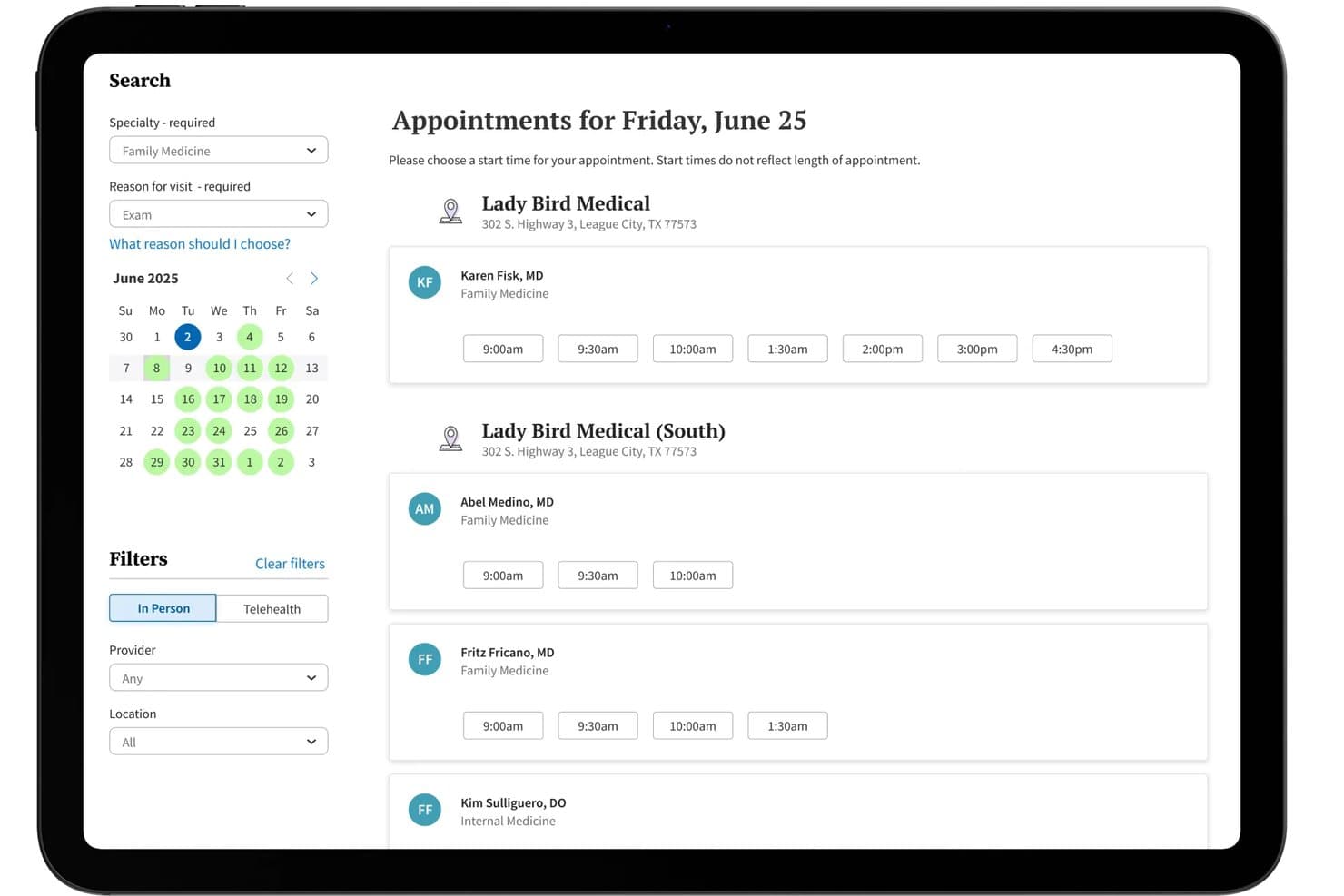
Athenahealth offers a self-scheduling patient portal where patients can browse available appointment times by specialty, location, and provider directly from a calendar interface. Athenahealth is a cloud-based EHR and patient portal platform that combines clinical records, secure messaging, self-scheduling, digital intake, online payments, and e-prescribing in one connected system.
Who Is Athenahealth Best For?
Athenahealth works well for independent and ambulatory practices that want an integrated EHR and patient portal without relying on multiple disconnected tools.
Why I Picked Athenahealth
I picked Athenahealth because the AthenaPatient mobile app gives patients direct access to health records, test results, appointments, messages, and billing information from their phones. I particularly like its pre-visit digital check-in tools, which let patients complete intake forms, screening questionnaires, and consent documents before arriving. This can reduce paperwork at the front desk and help staff prepare for visits more efficiently.
Athenahealth Key Features
- HIPAA-compliant secure messaging: Let patients and providers exchange protected messages and documents through the portal or mobile app.
- Integrated e-prescribing: Allow patients to review current medications and submit refill requests directly to their care team.
- Automated waitlist notifications: Notify patients when earlier appointment slots become available and let them book those openings online.
- Custom-branded patient portal: Add the practice’s logo and branding to create a more consistent patient experience.
Athenahealth Integrations
Athenahealth connects with laboratories, pharmacies, imaging centers, payers, and other healthcare organizations. It also supports data exchange through Carequality and CommonWell, offers a marketplace of vetted partner applications, and provides API access for custom integrations.
Pros and Cons
Pros:
- Real-time self-scheduling for appointments
- Pre-visit digital check-in workflow included
- Mobile patient app with full record access
Cons:
- Reporting customization is limited for some metrics
- Patient portal notifications can be inconsistent
Learn more about Athenahealth:
How I Evaluate EMR Patient Portal Software
I split my evaluation into three parts, with core functionality carrying the most weight: pull results and visit summaries from the EMR and exchange secure messages with care teams. Next, I look for differentiators such as family/proxy access. Finally, I consider onboarding support and pricing that can scale with the practice.
Core Functionality (Table Stakes For This List)
When I'm selecting tools for my list, I score each one on a scale from 0 (does not offer the functionality) to 5 (excels in this area) for each core functionality listed below. I then convert the total into a percentage to help assess each tool's overall fit, with extra weight on any functionalities I’ve deemed essential.
- EMR Data Integration (Essential): I look for clinical data, such as results and visit summaries, to flow from the EMR into the portal without staff re-entering information.
- Secure Messaging (Essential): I assess whether patients can securely message the care team, share relevant details, and receive replies within the portal.
- Appointment Management: I check whether patients can book, reschedule, or cancel visits and whether options reflect provider availability.
- Digital Intake Forms: I look for forms patients can complete before a visit, with known details prefilled and submitted information routed to the record.
- Billing and Payments: I evaluate whether patients can review statements, see relevant insurance information, and pay balances through the portal.
- Health Record Access: I check whether patients can find useful records, including results, medications, and visit summaries, when they need them.
Once I have a list of tools that meet the criteria, I consider what sets each platform apart.
Differentiating Factors (What Sets Vendors Apart)
Here's how I compare and contrast different vendors:
Standout Features
Family and proxy access matters when your panel includes pediatric or geriatric patients. I check whether a caregiver can view records, message the care team, and manage appointments for multiple linked accounts without juggling separate logins. A dedicated mobile app is equally important—I evaluate whether it mirrors the full portal experience, including scheduling and secure messaging, so patients aren't forced to a browser. I also look at multi-language support, since a portal patients can't read is a portal they won't use.
Beyond Features
I check whether a portal meets HL7 FHIR interoperability standards, since clinics running separate lab, imaging, and billing systems need clean data exchange without manual workarounds. Scalability matters just as much—I evaluate whether licensing scales by provider or location so a growing practice isn't locked into a pricing model it'll outgrow. I also look at onboarding support, specifically whether the vendor offers data migration help and staff training, because a rough go-live can stall patient adoption for months.