

Navegar pelas complexidades da neurologia pode ser um desafio para a sua clínica. Precisa de ferramentas que tornem os cuidados prestados aos doentes mais eficientes e a gestão de dados menos complicada. É aqui que entra o software EMR de neurologia.
Na minha experiência, encontrar o software certo pode transformar a forma como gere os registos dos doentes, simplifica os fluxos de trabalho e melhora a eficiência geral. Testei e analisei várias opções para o ajudar a tomar uma decisão informada.
Neste artigo, partilho as minhas principais escolhas de software EMR de neurologia. Ficará a conhecer as funcionalidades únicas de cada ferramenta e a forma como podem beneficiar a sua equipa. Vamos tornar a gestão da sua clínica um pouco mais fácil.
Why Trust Our Software Recommendations
6,700+
Reviews
20
Industry experts
16+
Evaluation factors
14
Years
Our team has been testing and reviewing software since 2012. As medical practice leaders ourselves, we know how difficult—and important—it is to choose the right software.
For this guide, we evaluated tools using hands-on testing and independent research, scoring tools using our selection criteria.
Our reviews reflect our human editorial judgment, not a sales pitch.
Tabela comparativa: software EMR de neurologia
Esta tabela comparativa resume os detalhes de preços das minhas principais escolhas de software EMR de neurologia.
| Tool | Best For | Trial Info | Price | ||
|---|---|---|---|---|---|
| 1 | Best for customizable neurology charting | 15-day free trial | From $99/month | Website | |
| 2 | Best for AI note drafting and code suggestions | Free demo available | Pricing upon request | Website | |
| 3 | Best for prescribing controlled drugs nationwide | Free demo available | From $199/user/month | Website | |
| 4 | Best for neurology-specific denial follow-up | Free demo available | Pricing upon request | Website | |
| 5 | Best for AI support across notes and claims | Free demo available | Pricing upon request | Website | |
| 6 | Best for neurology teams connecting EEG/EMG | Free demo available | Pricing upon request | Website | |
| 7 | Best for neurology telehealth follow-ups | Free demo available | Pricing upon request | Website | |
| 8 | Best for staff and equipment scheduling | Free demo available | Pricing upon request | Website | |
| 9 | Best for cash-pay practices adding claims | Free demo available | From $49/month | Website | |
| 10 | Good for cloud-based neurology-specific features | No | Contact for pricing | Website |



Análises do melhor software EMR de neurologia
 Best for customizable neurology charting
- 15-day free trial
- From $99/month
Visit WebsiteCustomer Rating:4.8/5
OptiMantra’s customizable charting dashboard helps neurologists document detailed assessments, manage diagnostics, and streamline patient care in one view. OptiMantra is an integrated EMR and practice management platform designed to support healthcare providers across multiple specialties, including neurology. It combines customizable charting, telehealth, and billing tools to streamline patient documentation, diagnostic workflows, and administrative processes within one cloud-based system.
Why I Picked OptiMantra:
I picked OptiMantra for this list because of its flexible charting and intake form capabilities, which are ideal for documenting detailed neurological assessments and tracking patient progress. You can easily tailor forms to your workflow and ensure comprehensive exam records. I also like its telehealth feature, which helps neurologists conduct remote consultations securely — a practical addition for follow-up care and mobility-limited patients.
Standout features and integrations:
OptiMantra offers electronic prescriptions, secure patient portals, and integrated lab and imaging connections for streamlined diagnostics. Its practice management tools include scheduling, billing, and automated reminders, helping reduce administrative work. Integrations include Surescripts, LabCorp, Quest Diagnostics, Zoom, Wholescripts, Fiserv, Stripe, Authorize.net, Stax, Eligible, Office Ally, and Amazon Web Services, ensuring smooth interoperability across clinical and financial systems.
Pros and Cons
Pros:
- Comprehensive practice management tools
- Integrated telehealth and e-prescribing
- Customizable charting for neurology
Cons:
- Learning curve for new users
- Pricing not publicly listed
Learn more about OptiMantra: Best for AI note drafting and code suggestions
- Free demo available
- Pricing upon request
Visit WebsiteCustomer Rating:3.9/5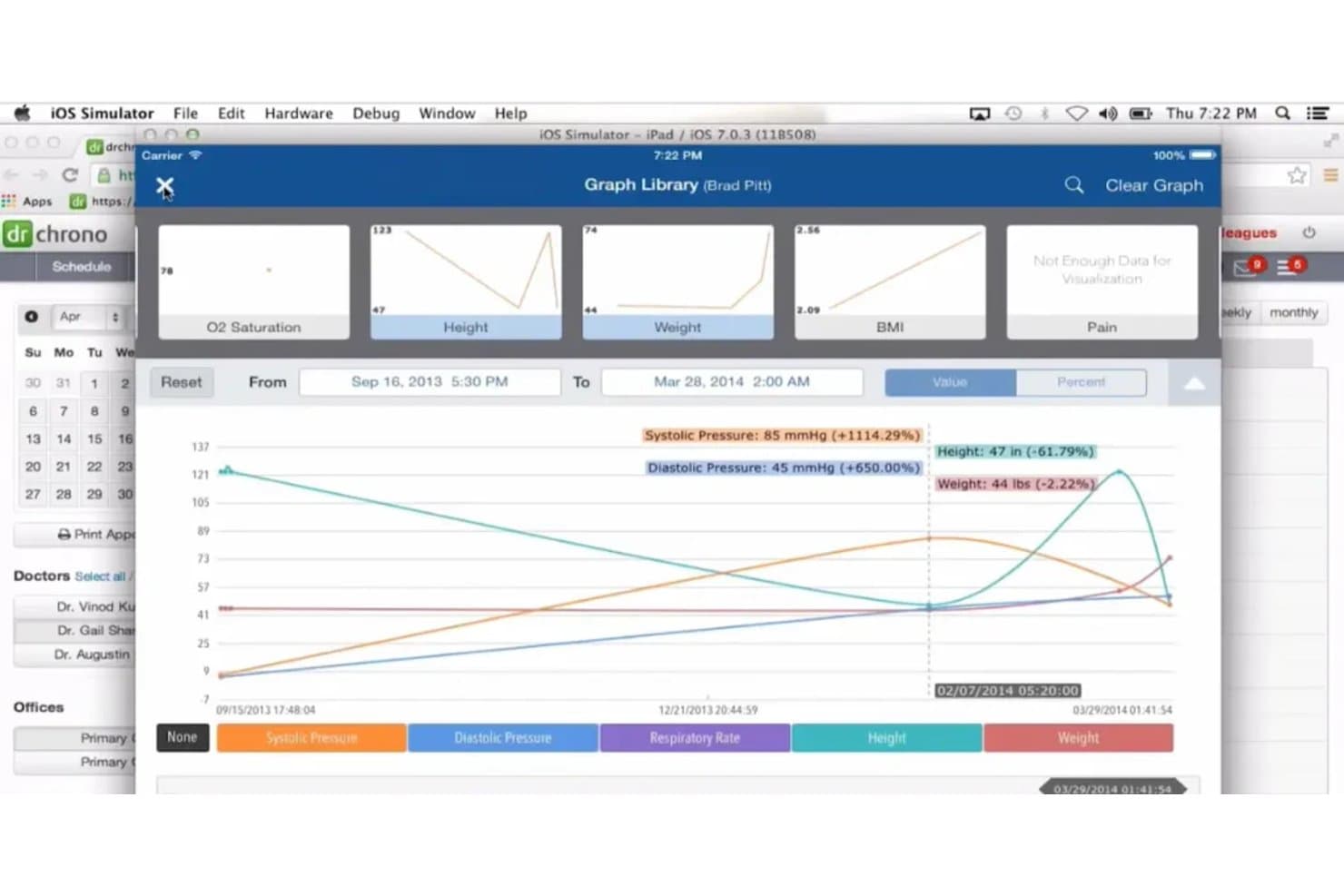
DrChrono visualizes patient vitals trends over time in its Graph Library. DrChrono is an all-in-one EHR platform by EverHealth that covers clinical charting, specialty templates, scheduling, billing, e-prescribing, and AI-assisted documentation for medical practices, including neurology.
Who Is DrChrono Best For?
DrChrono fits independent neurology practices that want AI-assisted note drafting and end-to-end billing in one platform, without managing separate tools for documentation and revenue cycle.
Why I Picked DrChrono
DrChrono earns its spot on my shortlist because of how well its AI documentation tools handle the note-heavy reality of neurology visits. EverHealth Scribe listens to a patient encounter and drafts a structured note, including HPI, Assessment, Plan, and ICD-10 codes, ready for the clinician to review before it touches the chart. On top of that, AI Billing Assist suggests CPT and ICD codes at the point of care, which cuts down on the back-and-forth between clinical and billing staff after complex neurology encounters.
DrChrono Key Features
- RecordSync record exchange: Retrieves prior encounters, diagnoses, lab results, medications, and immunizations from outside providers directly into the patient chart via Surescripts.
- OnPatient portal: Gives patients access to scheduling, secure messaging, health records, lab results, forms, and online bill payment from a single portal.
- Electronic prior authorization: Submits and tracks prior authorization requests through a CoverMyMeds-powered workflow built into the prescribing process.
- MIPS Assist: Guides providers through measure selection, performance tracking, and Medicare data submission to support regulatory reporting requirements.
DrChrono Integrations
DrChrono connects natively with Quest, LabCorp, Iron Bridge, Surescripts, and CoverMyMeds, and offers marketplace integrations including Ambra. It supports RESTful and OAuth-based APIs for custom integrations.
Pros and Cons
Pros:
- Scheduling and billing tools share one platform
- AI drafts notes and suggests billing codes
- Configurable templates support neurology documentation
Cons:
- No named stroke scales or seizure diaries
- Users report appointments disappearing and reminder failures
Learn more about DrChrono: Best for prescribing controlled drugs nationwide
- Free demo available
- From $199/user/month
Visit WebsiteCustomer Rating:3.7/5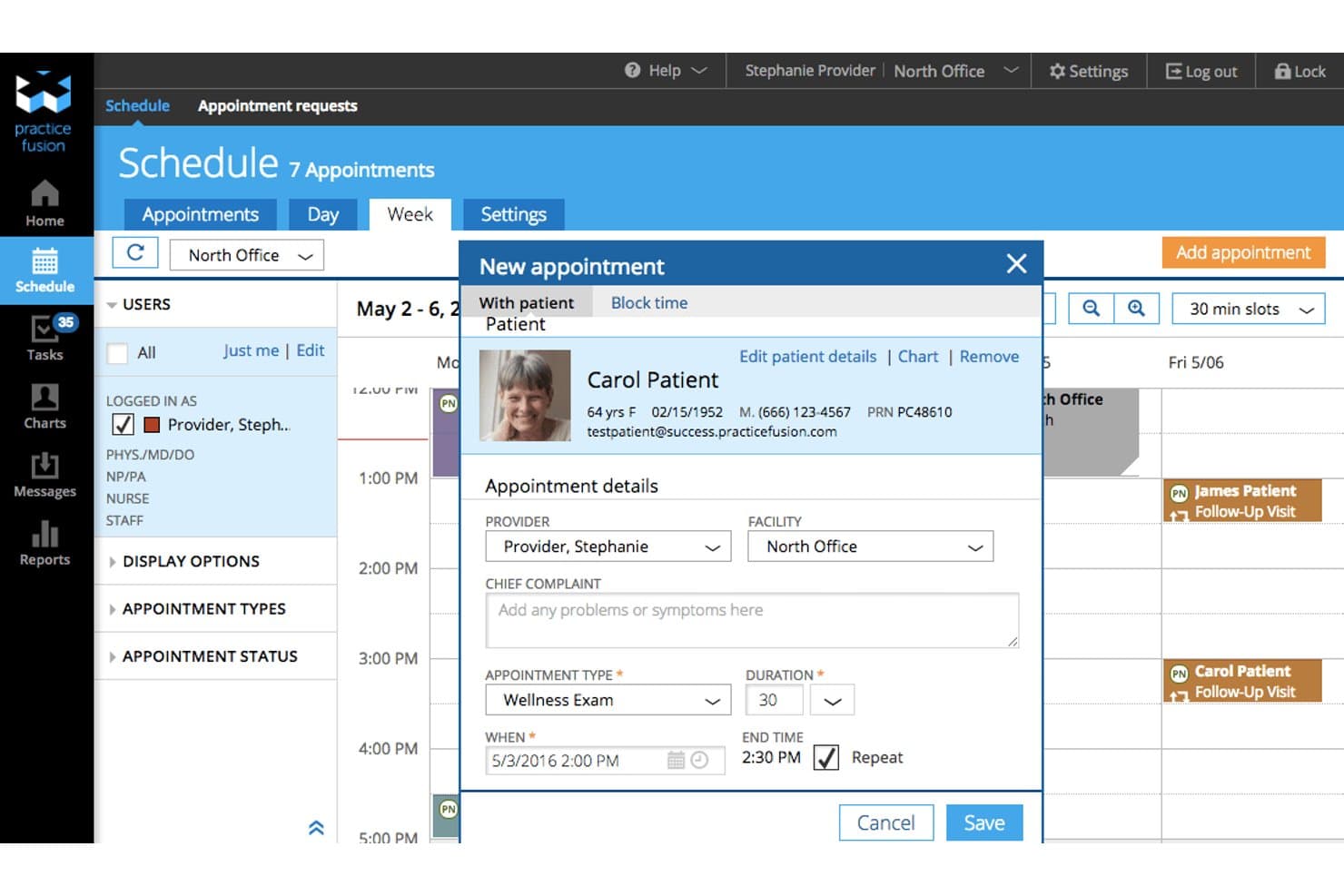
Practice Fusion lets users schedule and manage patient appointments with ease. Practice Fusion is a cloud-based EHR for independent medical practices that includes neurology-specific charting templates, e-prescribing with controlled-substance support, lab and imaging ordering, and billing workflows.
Who Is Practice Fusion Best For?
Practice Fusion is a strong fit for independent neurology practices that need full EPCS access across all 50 states alongside customizable charting templates for conditions like epilepsy, migraines, and Parkinson's disease.
Why I Picked Practice Fusion
Practice Fusion earns its spot on my shortlist because of its nationwide EPCS support, which is a real differentiator for neurology practices that regularly prescribe Schedule II controlled substances like opioids for pain or stimulants for attention-related conditions. I also like that the e-prescribing workflow includes built-in drug-interaction and allergy checks, plus formulary lookups, all from within the patient chart. On top of that, the neurology-specific template library covers epilepsy, migraines, Parkinson's disease, and seizure documentation, so you're not building your charting setup from scratch.
Practice Fusion Key Features
- Neurology-specific template library: Hundreds of pre-built templates cover epilepsy, headache, migraine, Parkinson's disease, seizures, and neurologic exams, with options to edit or build your own.
- Customizable flowsheets: Flowsheets let you track patient health data over time, flag care gaps, and review historical lab results directly during an encounter.
- ICD-10 diagnosis charting: Diagnosis search defaults to ICD-10 concepts and maps corresponding ICD-9 and SNOMED CT codes, with support for acuity, start and stop dates, and associated medications.
- Electronic lab and imaging ordering: You can place orders from within the patient chart, save frequently used panels as reorder templates, and receive structured results with abnormal values flagged automatically.
Practice Fusion Integrations
Practice Fusion integrates with FollowMyHealth, Labcorp, and Quest Diagnostics. It also offers proprietary partner APIs and HL7v2 APIs for lab, ordering, and radiology-result connectivity, supporting custom integrations.
Pros and Cons
Pros:
- E-prescribing includes medication interaction and allergy checks
- Editable charting templates help tailor encounter notes
- Neurology templates cover common conditions and exams
Cons:
- Treatment plans lack condition-specific longitudinal tracking
- No automated stroke scales or seizure diaries
Learn more about Practice Fusion: Best for neurology-specific denial follow-up
- Free demo available
- Pricing upon request
Visit WebsiteCustomer Rating:3.6/5
Automate your practice with AdvancedMD Designed with modern healthcare practices in mind, AdvancedMD provides strong telemedicine capabilities and automates numerous practice management tasks. By focusing on remote healthcare delivery and process efficiency, AdvancedMD stands out as an excellent solution for contemporary neurology practice.
Why I Picked AdvancedMD:
I chose AdvancedMD for this list due to its impressive telemedicine capabilities and commitment to practice automation. As telemedicine becomes increasingly important in today's healthcare environment, AdvancedMD's focus on remote care delivery makes it a valuable tool. Moreover, its practice automation features help to streamline operations, making AdvancedMD an excellent choice for practices aiming to improve efficiency.
Standout features and integrations:
AdvancedMD offers a comprehensive feature set, including e-prescribing, charting, and a secure patient portal. Its telemedicine features support remote consultations, while its automation tools help manage tasks like appointment scheduling and reminders. In terms of integrations, AdvancedMD connects with numerous labs, pharmacies, and imaging centers for seamless data exchange.
Pros and Cons
Pros:
- Comprehensive integrations with labs and other services
- Strong practice automation features
- Robust telemedicine capabilities
Cons:
- Some users have reported minor issues with customer support
- The learning curve for new users
- High cost compared to other solutions
 Best for AI support across notes and claims
- Free demo available
- Pricing upon request
Visit WebsiteCustomer Rating:3.4/5
Athena Health makes documenting patient encounters and delivering exceptional care easier Designed as an innovative, cloud-based solution, athenahealth provides a robust EMR system equipped with rich analytics capabilities. Its adeptness at providing cloud-based management while delivering deep insights through analytics makes it a top pick for many neurology practices.
Why I Picked athenahealth:
athenahealth emerged as an obvious choice for this list, primarily because of its exceptional blend of cloud-based functionalities and analytical prowess. The software’s ability to run in the cloud gives practices flexibility and scalability, while its strong analytical capabilities enable data-driven decision-making. This combination makes athenahealth especially valuable for practices that prioritize flexibility and data insights.
Standout features and integrations:
athenahealth provides a comprehensive set of features that include electronic health records (EHR), medical billing, patient engagement, and telehealth services. The platform also delivers exceptional data analytics capabilities, allowing for real-time insights and trend analysis. Its robust integration features enable it to connect with numerous labs, pharmacies, imaging centers, and other healthcare facilities for data exchange.
Pros and Cons
Pros:
- Comprehensive suite of features
- Cloud-based platform allows for flexibility and scalability
- Extensive analytics capabilities
Cons:
- Higher cost compared to some other solutions
- Customer support could be improved
- User interface could be more intuitive
Learn more about athenahealth: Best for neurology teams connecting EEG/EMG
- Free demo available
- Pricing upon request
Visit WebsiteCustomer Rating:3.5/5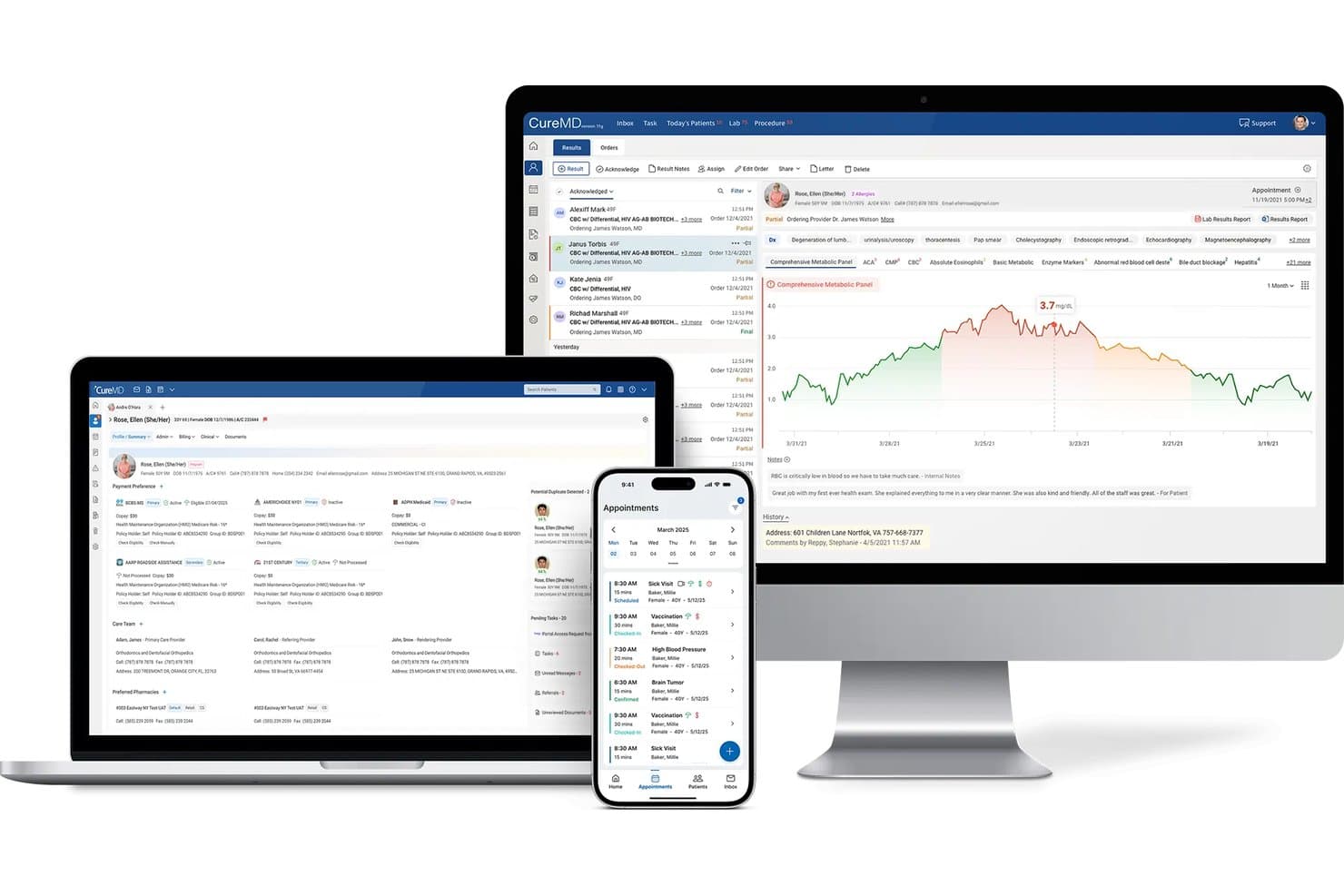
CureMD displays patient data across desktop, tablet, and mobile devices. CureMD is a cloud-based neurology EHR that combines specialty-specific clinical documentation, practice management, e-prescribing, and integrated billing with EEG/EMG connectivity.
Who Is CureMD Best For?
CureMD suits independent and mid-sized neurology practices that need specialty-specific clinical documentation alongside integrated scheduling, billing, and EEG/EMG connectivity in one platform.
Why I Picked CureMD
I've included CureMD in my top picks because it's one of the few neurology EHRs that explicitly connects EEG/EMG diagnostic data to the patient record, which matters when your clinical notes need to reference study results without switching systems. I also like its neurology-specific template library, covering neurological assessment/plan, physical exam, ROS, and HPI documentation built for how neurologists actually chart. Pair that with integrated billing that auto-updates ICD and CPT codes by specialty, and you get a tighter loop between documentation and claims.
CureMD Key Features
- AI medical scribe: Listens to patient-provider encounters and auto-generates specialty-specific clinical notes for provider review before signing.
- MIPS tracking and reporting: Captures quality measures directly from documentation, flags care gaps, and automates CMS submission across all four MIPS categories.
- Patient portal with telehealth: Lets patients schedule appointments, request refills, message their care team, and join video visits from one portal.
- AI-assisted medical coding: Generates ICD-10, CPT, HCPCS, and modifier code suggestions from clinical notes, with coding rationale linked back to the documentation.
CureMD Integrations
CureMD reports 400+ third-party connections, including Quest Diagnostics, LabCorp, Orchard Software, Surescripts, and Jersey Health Connect. It supports HL7, FHIR, HIE connections, and a FHIR API for custom integrations.
Pros and Cons
Pros:
- Reviewers value patient information kept together
- Reviewers praise smooth appointment scheduling
- Neurology templates cover exams and assessment plans
Cons:
- No documented seizure or disease tracking tools
- Reviewers report prescription and lab order problems
Learn more about CureMD: Best for neurology telehealth follow-ups
- Free demo available
- Pricing upon request
Visit WebsiteCustomer Rating:3.4/5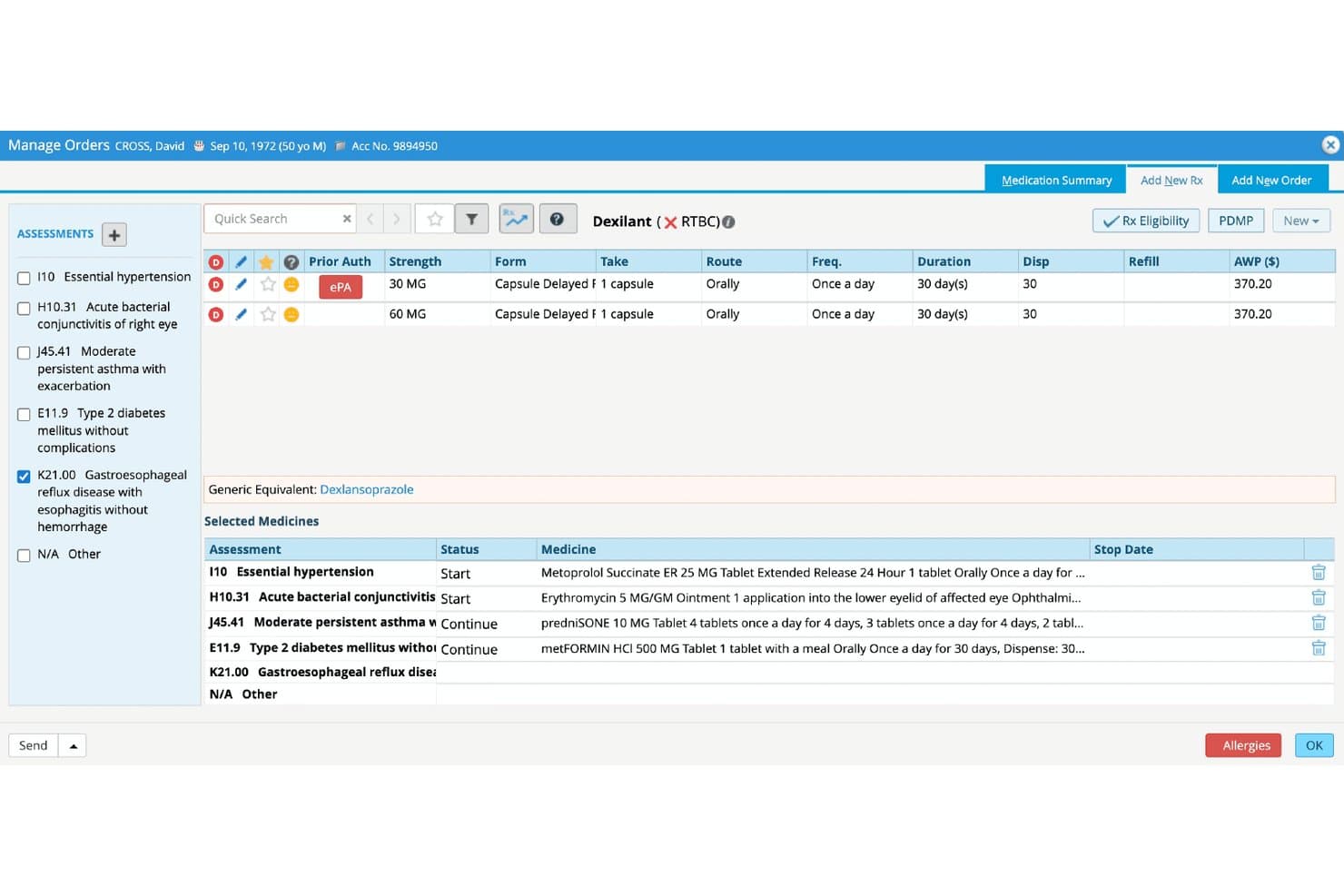
eClinicalWorks streamlines medication ordering with ePA and drug details. eClinicalWorks is a cloud-based EHR that covers clinical documentation, e-prescribing, telehealth, practice scheduling, and revenue cycle management for ambulatory practices, including neurology.
Who Is eClinicalWorks Best For?
eClinicalWorks suits neurology practices that prioritize telehealth follow-ups, with built-in audio/video visits, previsit questionnaires, and wearable-device data collection baked into the workflow.
Why I Picked eClinicalWorks
I've included eClinicalWorks in my top picks because its telehealth workflow is genuinely built for neurology follow-ups, not just bolted on. Through healow, your team can send patients a text or email link to join an audio/video visit without any app download, run previsit questionnaires ahead of the appointment, and pull in wearable-device data to review alongside labs and medications during the visit. The Sunoh.ai ambient scribe then captures the conversation and drafts the progress note automatically, which cuts documentation time after each remote encounter.
eClinicalWorks Key Features
- PRISMA health information search: Aggregates patient records from providers, clinics, urgent-care centers, and hospitals into a single searchable timeline.
- Integrated clearinghouse billing: Supports eligibility verification, claim scrubbing, remittance advice, and denial management within the same platform.
- Electronic prescribing with EPCS: Sends prescriptions electronically to pharmacies with formulary checking and controlled-substance prescribing via two-factor authentication.
- Sunoh.ai ambient scribe: Listens to visit conversations and generates draft clinical notes automatically after each encounter.
eClinicalWorks Integrations
eClinicalWorks offers native integrations with Surescripts, Carequality Framework, eClinicalDirect HISP, and HL7-compatible laboratory and radiology systems. It also connects with Dexcom, Fitbit, and other wearables, while FHIR APIs support custom integrations.
Pros and Cons
Pros:
- Billing and charting share one workflow
- Color-coded schedules help spot open appointments
- Remote follow-ups include questionnaires and note capture
Cons:
- No seizure or headache diary tools
- No documented neurology-specific exam templates or scales
Learn more about eClinicalWorks:
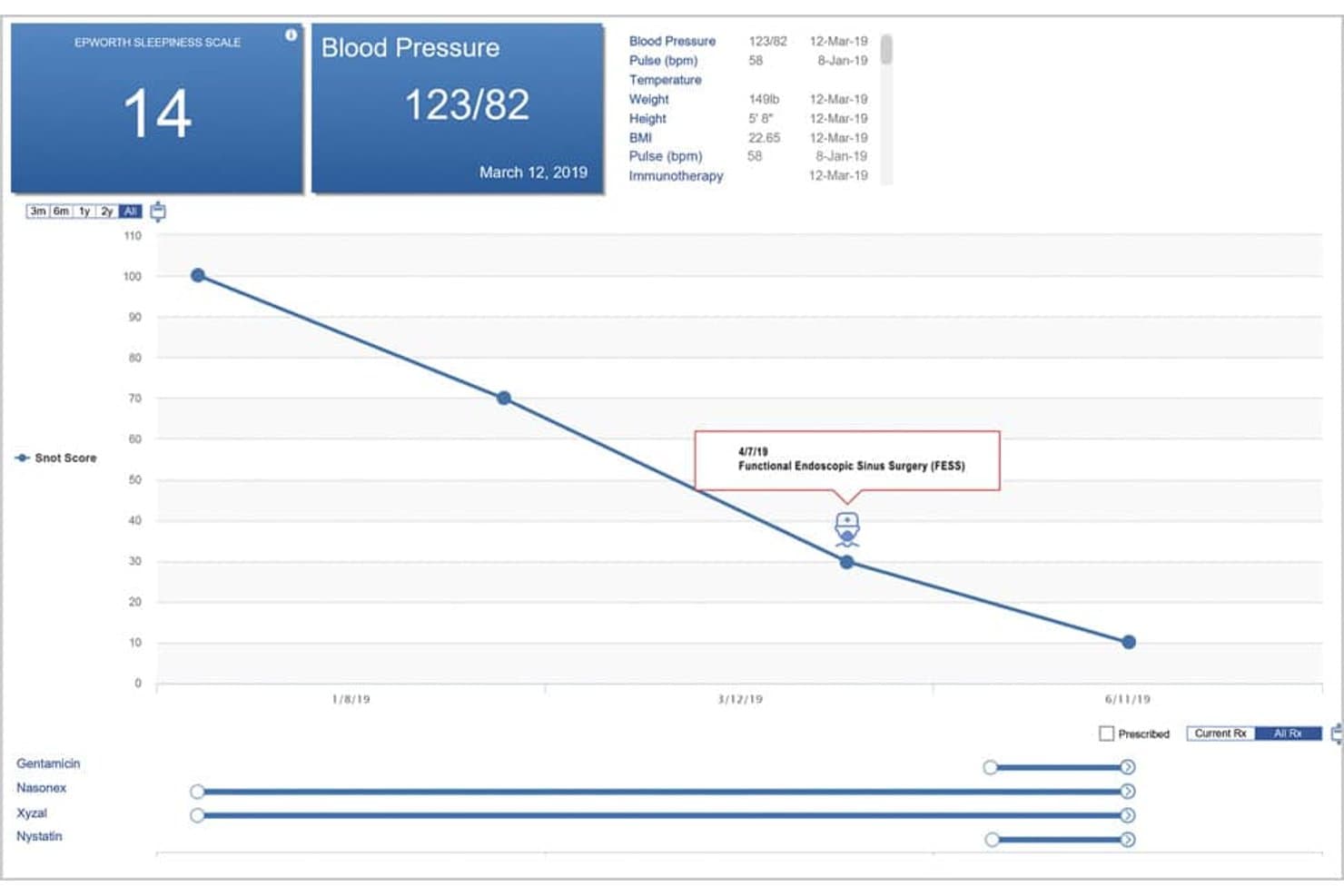
ENTChoice’s patient summary graphs vitals so providers can track trends. NeuroChoice by iSalus is a cloud-based neurosurgery EHR and practice management platform that integrates clinical charting, scheduling, medical billing, e-prescribing, and telehealth in one system.
Who Is iSalus Best For?
iSalus NeuroChoice is a good fit for neurosurgery and neurology practices that want scheduling, billing, and clinical charting handled in one cloud-based system.
Why I Picked iSalus
I picked iSalus as one of the best because its scheduler lets you organize resources by location, provider, device, or nursing staff, which is genuinely useful when you're coordinating equipment like EMG machines alongside provider availability. I also like that it includes a recall list for appointments not yet ready to be booked, plus open-slot search, so nothing falls through the cracks between visits. The billing module connects to 2,500+ payers with real-time eligibility checks built into the same workflow, cutting down the back-and-forth between scheduling and the front desk.
iSalus Key Features
- Patient timeline: Displays a customizable historical snapshot of patient information and medications in a single screen across encounters.
- Digital intake: Lets patients complete custom forms and upload insurance information before their visit, with chart merging handled in-system.
- Telehealth: Allows staff to launch virtual visits directly from within the patient chart without switching platforms.
- EverHealth Scribe: Uses AI to capture provider-patient conversations and draft structured clinical notes, including HPI, Assessment, Plan, and ICD-10 code suggestions.
iSalus Integrations
iSalus has documented integrations with Surescripts Record Locator & Exchange, Halfpenny Technologies, and CoverMyMeds for record retrieval, diagnostic interfaces, prescription prior authorization, and benefit checks. An API is available for custom integrations.
Pros and Cons
Pros:
- Reviewers praise scheduling and claims workflows
- Consolidates eligibility, claims, and financial dashboards
- Schedules providers, devices, locations, and nursing staff
Cons:
- Reviewers report charting across too many screens
- Neurology exams and scales aren’t confirmed
Learn more about iSalus: Best for cash-pay practices adding claims
- Free demo available
- From $49/month

Keep EMR familiar and flexible with One Touch As its name suggests, One Touch EMR streamlines EMR management through an intuitive touch-screen interface. This tool is designed to be mobile-friendly, making it a perfect companion for healthcare providers who value accessibility and convenience.
Why I Picked One Touch EMR:
One Touch EMR made it to this list because of its focus on an intuitive touch-screen interface and robust mobile capabilities.
I believe that accessibility and ease of use are crucial in today's fast-paced medical environment, and One Touch EMR stands out by prioritizing these aspects. Its touch-screen interface simplifies the process of navigating the EMR, and its robust mobile capabilities make it suitable for healthcare providers constantly on the go.
Standout features and integrations:
One Touch EMR offers a variety of features, including e-prescribing, charting, document management, and a robust patient portal. Its touch-friendly interface makes navigating these features a straightforward task. In terms of integrations, One Touch EMR smoothly connects with a wide range of labs, pharmacies, and billing services, further enhancing its versatility and convenience.
Pros and Cons
Pros:
- Wide range of integrations
- Robust mobile capabilities
- Intuitive touch-screen interface
Cons:
- More advanced features could be improved
- Some users may find the touch interface challenging at first
- Pricing is not transparent
Learn more about One Touch EMR:
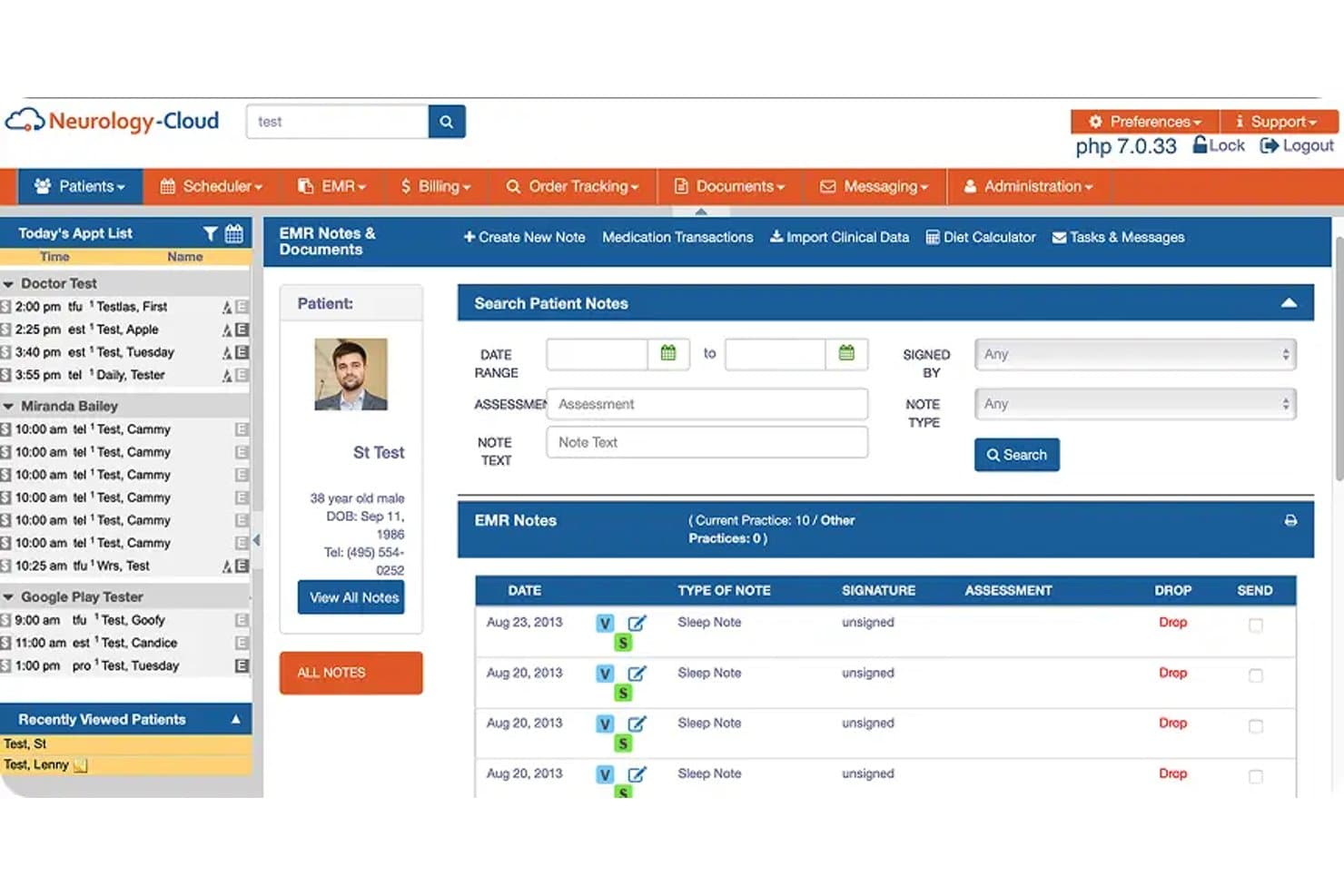
Neurology-Cloud centralizes patient EMR notes and documents in one view. Neurology-Cloud is a cloud-based EHR and practice management system built specifically for neurology practices, combining condition-specific clinical documentation, appointment scheduling, integrated billing, e-prescribing, and diagnostic data management.
Who Is Neurology-Cloud Best For?
Neurology-Cloud is a strong fit for neurology practices of any size—from solo neurologists to multi-location groups—that want a specialty-built EHR with condition-specific templates, integrated billing, and AI-assisted documentation built into one platform.
Why I Picked Neurology-Cloud
Neurology-Cloud earns its spot on my shortlist because it's built entirely around neurology, and that focus shows in the depth of its cloud-based clinical tools. I like that the template library covers everything from seizure and epilepsy visits to EMG and nerve-conduction study documentation, with AI Scribe drafting structured notes in real time during encounters. The Billing Rules Engine flags potential coding issues before claims go out, which pairs well with the AI E/M Coding Assistant that validates codes against CMS rules on the fly.
Neurology-Cloud Key Features
- Chronic condition management: Track long-term care for epilepsy, multiple sclerosis, Parkinson's disease, and migraines directly within the patient chart.
- Paperless Fax Queue: Receive and route referrals, EEG/EMG results, imaging reports, and operative notes into the EHR from a single queue.
- Surgical Workflow Queue: Organize neurological procedural cases from preauthorization through postoperative care and billing in one structured workflow.
- Patient portal with digital intake: Collect neurological symptom histories, insurance details, medical history, and digital consent forms before the visit.
Neurology-Cloud Integrations
Neurology-Cloud integrations include Medicity and OptumInsight for retrieving neuroimaging, EEG reports, and clinical summaries. It also connects with hospitals, HIEs, RHIOs, imaging centers, and other external systems.
Pros and Cons
Pros:
- AI-assisted notes complement condition-specific exam templates
- Reviewers found patient records organized and accessible
- Custom neurology templates drew reviewer praise
Cons:
- Setup took longer than expected; support sometimes lagged
- Reviewers reported peak-time lag and glitches
Learn more about Neurology-Cloud:
How I Evaluate Neurology EMR Software
I split my evaluation into three parts, giving the most weight to documenting neuro exams and tracking diagnoses and treatment plans over time. Next, I look for differentiators such as seizure diaries. Finally, I consider neurology-specific onboarding, data migration, and transparent pricing.
Core Functionality (Table Stakes For This List)
When I'm selecting tools for my list, I score each one on a scale from 0 (does not offer the functionality) to 5 (excels in this area) for each core functionality listed below. I then convert the total into a percentage to help assess each tool's overall fit, with extra weight on any functionalities I’ve deemed essential.
- Neurology Templates (Essential): I look for adaptable neuro exams, stroke scales, and seizure documentation that fit routine visits and follow-up without workarounds.
- Clinical Charting (Essential): I assess longitudinal charts for patient history, diagnoses, and treatment plans, including changes across recurring migraine or epilepsy visits.
- Practice Scheduling: I check provider calendars, visit types, and reminders against follow-up needs and coordination across clinicians.
- Billing and Claims: I assess coding, claim submission, and billing workflows for neurology visits, including how staff handle corrections and denials.
- E-Prescribing: I look for electronic prescribing with controlled-substance support and medication and allergy checks that fit prescribing workflows.
- Diagnostic Data: I check how EEG, EMG, and imaging results enter or link to the chart and whether clinicians can review them alongside visit notes.
Once I have a list of tools that meet the criteria, I consider what sets each platform apart.
Differentiating Factors (What Sets Vendors Apart)
Here's how I compare and contrast different vendors:
Standout Features
I look for built-in stroke scale calculators like the NIHSS and mRS that auto-populate scores into the chart, saving clinicians from manual entry during time-sensitive assessments. Seizure and headache diary tools matter just as much. I check whether patients can log episode frequency and triggers between visits, giving providers trend data before the appointment even starts. I also evaluate movement disorder tracking modules for charting tremor progression and UPDRS-style scores across follow-ups.
Beyond Features
I check whether a vendor can exchange records with hospitals and imaging centers through HL7 or FHIR standards. A neurologist referring a stroke patient to a regional ER needs that data to move without faxing PDFs. I also evaluate total cost of ownership, including migration, training, and add-on fees that some vendors bury until contracting. Finally, I look at scalability—whether the licensing model supports adding providers or satellite locations as a practice grows from solo to multi-site.
Como escolher um software EMR de neurologia
É fácil perder-se em listas extensas de funcionalidades e estruturas de preços complexas. Para o ajudar a manter-se concentrado enquanto percorre o seu processo específico de seleção de software, apresentamos uma lista de verificação dos fatores a ter em conta:
| Fator | O que considerar |
|---|---|
| FatorEscalabilidade | O que considerarO software pode crescer juntamente com a sua clínica? Procure opções que suportem mais utilizadores e dados à medida que a sua base de doentes aumenta. |
| FatorIntegrações | O que considerarFunciona com os sistemas existentes, como a faturação ou os resultados laboratoriais? Verifique a compatibilidade para garantir um fluxo de dados contínuo e evitar erros de introdução manual. |
| FatorPossibilidade de personalização | O que considerarPode adaptá-lo às necessidades da sua clínica? Certifique-se de que os modelos e os fluxos de trabalho se adequam aos requisitos específicos da neurologia sem custos excessivos de personalização. |
| FatorFacilidade de utilização | O que considerarA interface é intuitiva para a sua equipa? Avalie a curva de aprendizagem e garanta um tempo de formação mínimo para manter o pessoal eficiente e produtivo. |
| FatorImplementação e integração inicial | O que considerarQuanto tempo demora a começar? Considere o tempo e os recursos necessários para a configuração e informe-se sobre o apoio durante a fase de transição. |
| FatorCusto | O que considerarQual é o custo total de propriedade? Compare as taxas de subscrição, os custos de configuração e quaisquer custos ocultos para manter o seu orçamento sob controlo. |
| FatorMedidas de segurança | O que considerarOs registos dos doentes estão protegidos? Certifique-se de que o software cumpre os regulamentos de proteção de dados e oferece encriptação e atualizações de segurança regulares. |
| FatorRequisitos de conformidade | O que considerarCumpre os regulamentos aplicáveis aos cuidados de saúde? Verifique se o software é compatível com a HIPAA e outras normas necessárias para manter a sua clínica em conformidade. |
O que é um software EMR de neurologia?
O software EMR para neurologia é uma ferramenta digital concebida para gerir registos e dados de pacientes específicos de consultórios de neurologia. Os neurologistas, os assistentes médicos e o pessoal administrativo utilizam normalmente estas ferramentas para melhorar os cuidados prestados aos pacientes e a eficiência dos fluxos de trabalho. As funcionalidades de agendamento de consultas, análise de dados e conformidade ajudam a organizar as informações dos pacientes, garantir o cumprimento dos requisitos regulamentares e otimizar as operações do consultório. De um modo geral, estas ferramentas acrescentam valor ao tornar os consultórios de neurologia mais eficientes e centrados nos pacientes.
Funcionalidades
Ao selecionar software EMR para neurologia, procure as seguintes funcionalidades principais:
- Gestão de registos de pacientes: Organiza e armazena dados detalhados dos pacientes para facilitar o acesso e as atualizações.
- Agendamento de consultas: Simplifica a marcação e a gestão de consultas dos pacientes para reduzir as faltas.
- Faturação e emissão de faturas: Automatiza os processos financeiros para garantir pagamentos exatos e atempados.
- Análise de dados: Fornece informações sobre o desempenho do consultório e os resultados dos pacientes para apoiar a tomada de decisões informadas.
- Suporte à conformidade: Garante o cumprimento de regulamentações de saúde, como a HIPAA, para proteger informações sensíveis dos pacientes.
- Modelos personalizáveis: Disponibiliza modelos de documentação adaptados especificamente à neurologia para uma manutenção eficiente dos registos.
- Capacidades de integração: Estabelece ligação com outros sistemas de saúde para permitir uma partilha contínua de dados e reduzir a introdução manual.
- Portal do paciente: Permite aos pacientes aceder às suas informações de saúde e comunicar com os prestadores de cuidados de saúde online.
- Medidas de segurança: Protege os dados dos pacientes através de encriptação e atualizações regulares de segurança.
- Suporte ao diagnóstico baseado em IA: Ajuda a analisar dados neurológicos complexos para obter diagnósticos mais precisos.
Vantagens
A implementação de software EMR para neurologia proporciona várias vantagens à sua equipa e à sua empresa. Eis algumas das vantagens que pode esperar:
- Melhoria dos cuidados prestados aos pacientes: O acesso a registos detalhados dos pacientes e a análises ajuda os prestadores a tomar decisões informadas.
- Maior eficiência: A automatização do agendamento e da faturação reduz as tarefas administrativas e poupa tempo.
- Melhor conformidade: As funcionalidades de conformidade integradas ajudam a manter o cumprimento das regulamentações de saúde.
- Maior envolvimento dos pacientes: Os portais dos pacientes permitem uma comunicação fácil e o acesso às informações de saúde.
- Segurança dos dados: As medidas de segurança protegem os dados sensíveis dos pacientes contra acessos não autorizados.
- Suporte a diagnósticos precisos: As ferramentas baseadas em IA ajudam a analisar dados neurológicos complexos para obter melhores resultados.
- Integração contínua: A conectividade com outros sistemas garante um fluxo de dados eficiente e reduz os erros de introdução manual.
Custos & preços
A seleção de software EMR para neurologia requer uma compreensão dos vários modelos e planos de preços disponíveis. Os custos variam consoante as funcionalidades, o tamanho da equipa, os complementos e outros fatores. A tabela abaixo resume os planos comuns, os seus preços médios e as funcionalidades normalmente incluídas nas soluções de software EMR para neurologia:
Tabela de comparação de planos de software EMR para neurologia
| Tipo de plano | Preço médio | Funcionalidades comuns |
|---|---|---|
| Tipo de planoPlano gratuito | Preço médio$0 | Funcionalidades comunsGestão básica de registos de pacientes, agendamento de consultas e conformidade básica. |
| Tipo de planoPlano pessoal | Preço médio$10-$30/utilizador/mês | Funcionalidades comunsRegistos de pacientes melhorados, faturação e emissão de faturas, e análise básica de dados. |
| Tipo de planoPlano empresarial | Preço médio$40-$70/utilizador/mês | Funcionalidades comunsAgendamento avançado, capacidades de integração e modelos personalizáveis. |
| Tipo de planoPlano empresarial de grande escala | Preço médio$80-$150/utilizador/mês | Funcionalidades comunsAnálise abrangente de dados, diagnósticos baseados em IA e suporte dedicado. |
Perguntas frequentes (FAQ)
Como é que o software EMR de neurologia se integra com outros sistemas?
O software EMR de neurologia integra-se frequentemente com sistemas laboratoriais, software de faturação e ferramentas de imagiologia. Deve verificar se o software é compatível com as normas HL7 ou FHIR. Esta integração reduz a introdução manual de dados e garante que todas as informações dos doentes estão acessíveis num único local.
O software EMR de neurologia consegue processar dados de imagiologia complexos?
Sim, muitos sistemas EMR de neurologia suportam a integração de dados de exames de ressonância magnética e TAC. Ao escolher um sistema, certifique-se de que este consegue processar ficheiros grandes e disponibiliza funcionalidades como a anotação de imagens. Esta capacidade pode melhorar a precisão do diagnóstico e simplificar os fluxos de trabalho da sua equipa.
Até que ponto são personalizáveis os modelos do software EMR de neurologia?
Muitos sistemas EMR disponibilizam modelos personalizáveis adaptados às práticas de neurologia. Deve certificar-se de que o software permite modificar os modelos de acordo com as suas necessidades específicas. Esta flexibilidade pode poupar tempo na documentação e melhorar a eficiência do fluxo de trabalho.
A aprendizagem do software EMR de neurologia é difícil?
A curva de aprendizagem depende do design e da interface de utilizador do software. Deve procurar sistemas com uma navegação intuitiva e considerar fornecedores que disponibilizem sessões de formação. Uma interface fácil de utilizar pode minimizar as interrupções e acelerar o processo de integração da sua equipa.