

Avis sur EpicCare : Avantages, Inconvénients, Fonctionnalités et Tarification
EpicCare aide les professionnels de santé à gérer les dossiers patients, les processus cliniques, la planification et la coordination des soins grâce à une plateforme DME intégrée, conçue pour des opérations de santé connectées.

Nous évaluons les outils de manière indépendante, et les commissions aident à financer nos tests. Consultez notre politique de transparence, notre méthodologie, ou suggérez un outil.
EpicCare is an EMR software built for large health systems and hospital networks with complex, multi-site clinical operations. I'd consider it if your organization needs a single, unified patient record across departments and specialties. If you're evaluating it against a tool like Oracle Health (Cerner), EpicCare has deeper clinical workflow integration and a more connected patient engagement experience through its MyChart portal.
EpicCare Evaluation Summary
4.4/5
- Pricing upon request
- Free demo available
Pourquoi faire confiance à nos recommandations de logiciels
6,700+
Reviews
20
Industry experts
16+
Evaluation factors
14
Years
Notre équipe teste et évalue des logiciels depuis 2012. En tant que dirigeants de cabinets médicaux nous-mêmes, nous savons à quel point il est difficile — et important — de choisir le bon logiciel.
Pour ce guide, nous avons évalué les outils grâce à des tests pratiques et une recherche indépendante, en notant les outils selon nos critères de sélection.
Nos avis reflètent notre jugement éditorial humain, et non un argumentaire de vente.
EpicCare Overview
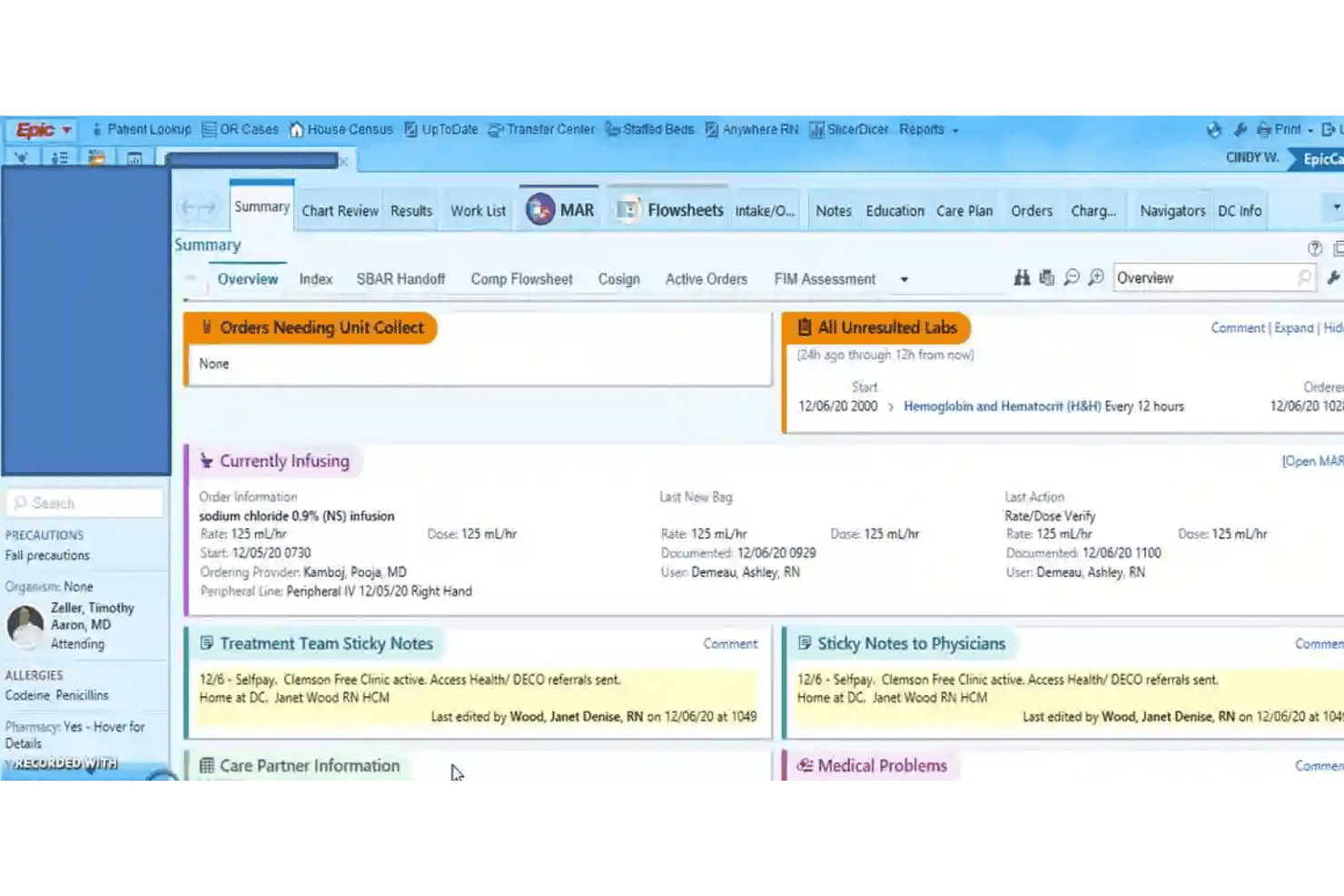
If I’m judging EpicCare as an EMR software, I’d say it excels in interoperability, deep customizability, and robust reporting features, especially for large enterprise environments. Compared to many competitors, the interface can feel dense and onboarding takes real investment, but you’re rewarded with reliable integrations and excellent support.
EpicCare is best suited for organizations that want advanced workflows, strong analytics, and comprehensive patient records, like multi-specialty hospitals and academic systems—it’s not overkill if you plan to scale or require detailed compliance tracking.
Pros
- Supports advanced clinical decision support tools.
- Offers extensive reporting and analytics capabilities.
- Enables seamless patient portal and engagement features.
Cons
- System updates may disrupt user workflows.
- Navigation can be complex for new staff.
- Custom forms often require IT assistance to modify.
Is EpicCare Right For Your Needs?
Who Would be a Good Fit for EpicCare?
EpicCare shines in large healthcare organizations, hospitals, and multi-site systems that need scalable, unified workflows and robust compliance. Departments managing complex, multi-provider care find EpicCare especially valuable.
Teams focused on coordinated, integrated patient care and data-driven decisions will get the most from its deep reporting, care coordination, and advanced patient engagement features.
- Large Health SystemsEpicCare supports comprehensive workflows, cross-departmental care, and enterprise reporting for large, multi-site healthcare organizations.
- Academic Medical CentersThe system’s advanced analytics, research modules, and interoperability streamline operations in teaching hospitals and clinical research environments.
- Multispecialty PracticesEpicCare can handle diverse specialty documentation and care plans within one unified system, keeping teams aligned.
- Inpatient Hospital DepartmentsFeatures like real-time order entry and care coordination empower critical care, surgery, and acute units.
- Population Health TeamsEpicCare’s reporting, dashboards, and registries help track and manage population health outcomes.
- Revenue Cycle ManagementThe integrated billing and compliance tools simplify complex claims workflows for high-volume finance teams.
Who Would be a Bad Fit for EpicCare?
EpicCare is rarely the right answer for smaller organizations, simple clinics, or teams seeking minimal onboarding and rapid deployment. Practices without dedicated IT support or the resources for ongoing management may find the technology and training burdens too high. Specialized clinics or mobile healthcare programs needing streamlined, nimble tools will also be better served elsewhere.
- Solo PracticesEpicCare’s complexity, onboarding requirements, and cost far exceed the needs and resources of single-provider clinics.
- Small Specialty ClinicsFor low-volume or single-specialty practices, setup and workflows feel overwhelming and unnecessary.
- Mobile Health ServicesField-based or home-visit care teams may struggle with EpicCare’s heavy infrastructure and connectivity needs.
- Community Health CentersTighter budgets and less technical support make EpicCare’s total cost and complexity a poor fit.
- Behavioral Health ClinicsSome users report EpicCare doesn’t always adapt well to behavioral health workflows or unique documentation needs.
- Urgent Care ChainsQuick-visit, high-turnover environments may not need EpicCare’s extended modules and may prefer lighter EMR solutions.
Comment nous testons et notons les outils
Nous avons passé des années à construire, affiner et améliorer notre système de test et de notation des logiciels. Cette grille est conçue pour saisir les nuances du choix des logiciels et ce qui rend un outil efficace, en se concentrant sur les aspects cruciaux du processus décisionnel. Ci-dessous, vous pouvez voir exactement comment nos tests et notations fonctionnent sur sept critères. Cela nous permet de proposer une évaluation impartiale des logiciels basée sur leurs fonctionnalités principales, fonctionnalités remarquables, facilité d’utilisation, intégration, support client, avis clients et rapport qualité/prix.
Fonctionnalité principale (25 % de la note finale)
Le point de départ de notre évaluation est toujours la fonctionnalité principale de l’outil. Dispose-t-il des fonctions de base que l’on est en droit d’attendre ? Certaines de ces fonctionnalités principales sont-elles limitées aux forfaits les plus chers ? Nous attendons d’un outil qu’il se mesure aux capacités essentielles de ses concurrents.
Fonctionnalités remarquables (25 % de la note finale)
Ensuite, nous évaluons les fonctionnalités remarquables, peu communes, qui vont au-delà des fonctions de base généralement présentes dans ce type d’outils. Une note élevée reflète des fonctionnalités uniques ou spécialisées qui rendent le produit plus rapide, plus efficace ou qui apportent une valeur ajoutée à l’utilisateur. Nous évaluons également la facilité d’intégration avec les autres outils présents dans l’écosystème numérique afin d’étendre la fonctionnalité et l’utilité du logiciel. Les outils offrant de nombreuses intégrations natives, des connexions tierces, et un accès API pour créer des intégrations personnalisées reçoivent de meilleures notes.
Facilité d’utilisation (10 % de la note finale)
Nous considérons la rapidité et la simplicité d’exécution des tâches définies dans la fonctionnalité principale à l’aide de l’outil. Un logiciel bien noté est bien conçu, intuitif, propose des applications mobiles, fournit des modèles et simplifie les tâches relativement complexes.
Onboarding (10 % de la note finale)
Nous savons à quel point il est important qu’une équipe adopte rapidement une nouvelle plateforme, nous évaluons donc la facilité d’apprentissage et d’utilisation d’un outil avec une formation minimale. Nous évaluons la rapidité avec laquelle un membre de l’équipe peut installer et commencer à utiliser l’outil sans expérience préalable. Les solutions les mieux notées requièrent peu ou pas de support.
Support client (10 % de la note finale)
Nous examinons la rapidité et la facilité pour se débloquer et obtenir de l’aide par téléphone, chat en direct ou base de connaissances. Les outils et entreprises proposant une assistance en temps réel obtiennent les meilleures notes, alors que les chatbots sont les moins bien notés.
Avis clients (10 % de la note finale)
Au-delà de nos propres tests et évaluations, nous considérons le score de recommandation net des clients actuels et passés. Nous évaluons leur probabilité, s’ils en avaient le choix, de sélectionner à nouveau l’outil pour ses fonctionnalités principales. Un logiciel bien noté reflète un haut score de recommandation net parmi la clientèle.
Rapport qualité/prix (10 % de la note finale)
Enfin, en tenant compte de tous les autres critères, nous examinons le prix moyen des offres de base au regard des fonctionnalités principales et des autres critères d’évaluation. Un logiciel qui en offre plus, pour moins, obtiendra une note supérieure.
Core Features
Clinical Documentation
EpicCare lets you create and manage patient records using templates, dictation, and adaptive smart tools. This helps clinicians document faster and maintain detailed, standardized notes.
Order Entry and Results Management
Physicians can place lab, imaging, and medication orders directly in patient charts. All results return to the same system, updating in real time for review.
e-Prescribing
With e-prescribing, send controlled substance and standard prescriptions directly to pharmacies. Built-in interaction checks help reduce medication errors.
Patient Portal (MyChart)
Patients get secure access to their health data, test results, and messaging tools with MyChart. They can review appointments, pay bills, and request refills online.
Care Coordination
Track referrals, transitions, and care team communication in one place. EpicCare routes tasks and messages among staff for coordinated patient management.
Reporting and Analytics
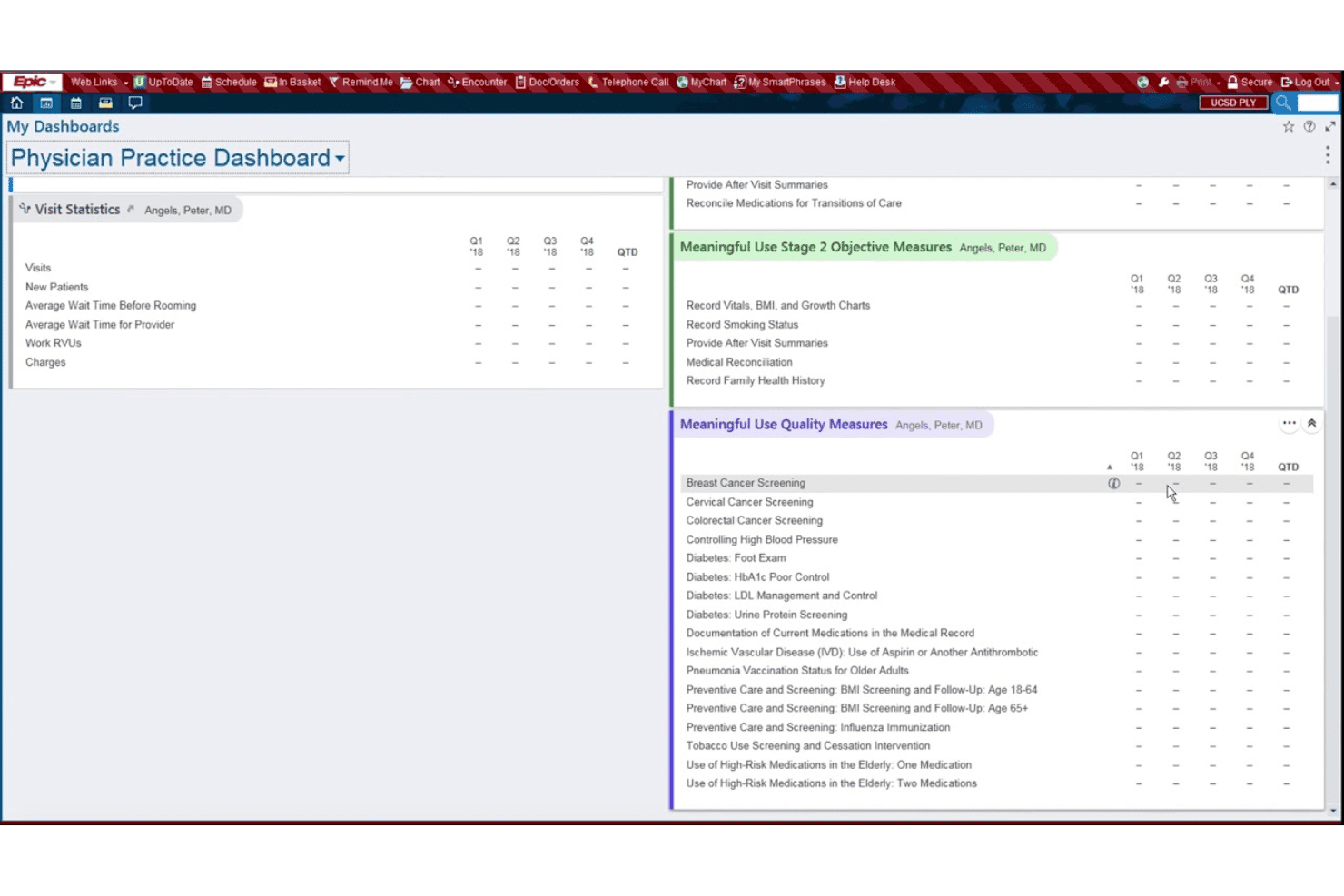
Pull custom reports on population health, compliance, or clinic performance. Built-in dashboards make data easy to visualize and act on.
Ease of Use
EpicCare’s usability is mixed: its depth and custom tools impress experienced users, but many find the interface dense and navigation complex. Routine actions like documentation and order entry are efficient once mastered, yet onboarding usually requires hands-on training.
User reviews consistently mention the steep learning curve, but also note reliable workflows after adjustment.
Integrations
EpicCare integrates with MyChart, Care Everywhere, Haiku, Canto, Rover, EpicCare Link, Cogito, Hyperspace, Willow, and Radiant, among others.
EpicCare also offers APIs and supports FHIR for custom integrations and third-party apps.
EpicCare Specs
- API: Yes
- Appointment Scheduling: Yes
- Athlete Management: No
- Audit Management: Yes
- Calendar Management: Yes
- Compliance Tracking: Yes
- Customer Management: No
- Dashboard: Yes
- Data Export: Yes
- Data Import: Yes
- Data Visualization: Yes
- Electronic Prescribing: Yes
- External Integrations: Yes
- File Sharing: Yes
- File Transfer: No
- Health Management: Yes
- HIPAA Compliance: Yes
- Inventory Tracking: No
- Multi-User: Yes
- Notifications: Yes
- Organization Management: Yes
- Patient Management: Yes
- Project Management: No
- Regulatory Alerts: Yes
- Risk Assessment: No
- Scheduling: No
- Supplier Management: No


