

Finding the right cardiology EMR software means looking beyond basic patient records. Your practice needs a system that supports cardiology-specific workflows, handles diagnostic reports, keeps patient information organized, and reduces the time spent on administrative tasks.
I've spent years researching and reviewing medical software, and I know how much the right features can affect daily operations. With so many options available, it's important to understand what each platform offers and where it may fall short.
In this article, I'll walk you through my top cardiology EMR picks, covering their key features, strengths, and limitations so you can find software that matches your practice's needs.
Why Trust Our Software Recommendations
6,700+
Reviews
20
Industry experts
16+
Evaluation factors
14
Years
Our team has been testing and reviewing software since 2012. As medical practice leaders ourselves, we know how difficult—and important—it is to choose the right software.
For this guide, we evaluated tools using hands-on testing and independent research, scoring tools using our selection criteria.
Our reviews reflect our human editorial judgment, not a sales pitch.
Best Cardiology EMR Summary
| Tool | Best For | Trial Info | Price | ||
|---|---|---|---|---|---|
| 1 | Best for inter-departmental cardiology record sharing | Not available | Pricing upon request | Website | |
| 2 | Best for secure, cloud-based data management | Free demo available | From $199/user/month | Website | |
| 3 | Best for scalable, intuitive user design | Free demo available | Pricing upon request | Website | |
| 4 | Best for intelligent, predictive analytics tools | Free demo available | Pricing upon request | Website | |
| 5 | Best for cardiovascular imaging integration | Free demo available | Pricing upon request | Website | |
| 6 | Best for real-time referral and record coordination | Free demo available | Pricing upon request | Website | |
| 7 | Best for consistent patient records across care | Free demo available | Pricing upon request | Website | |
| 8 | Best for versatile mobile EHR access | Free demo available | Pricing upon request | Website | |
| 9 | Best for EMR-connected ECG and spirometry testing | Not available | Pricing upon request | Website | |
| 10 | Best for a comprehensive patient portal experience | Free demo available | Pricing upon request | Website |


Best Cardiology EMR Reviews
 1Best for inter-departmental cardiology record sharing
Epic
- Not available
- Pricing upon request
Visit WebsiteCustomer Rating:4.2/5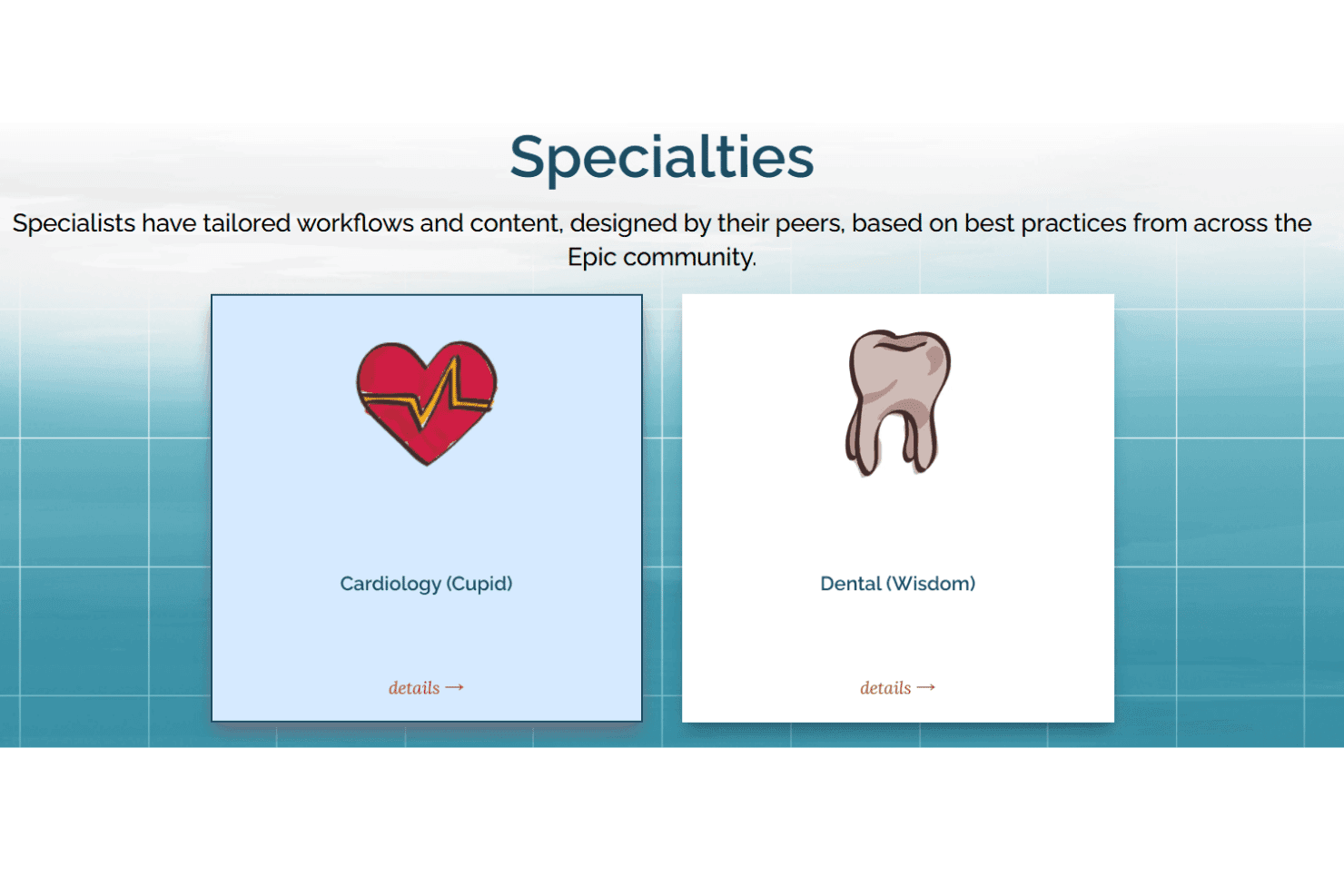
Epic supports cardiology workflows, diagnostic testing, and EHR records. Epic offers a cardiovascular information system called Epic Cupid, which operates within its electronic health record (EHR) platform. Cupid supports cardiology workflows, including echocardiography, cardiac catheterization, electrophysiology, vascular ultrasound, and stress testing.
Who Is Epic Best For?
Epic suits large health systems where cardiology teams need to share patient records across departments without juggling separate platforms.
Why I Picked Epic
Epic earns its spot on my shortlist because its cardiovascular information system, Epic Cupid, keeps cardiology data within the same electronic health record used by other departments. This means cath lab findings are accessible to hospitalists, pharmacists, and follow-up clinics without manual handoffs. I also like Epic Art, the platform's built-in AI assistant for clinicians, which supports clinical documentation by drafting notes and summarizing patient information. Another reason I included Epic is Cupid's support for direct submissions to the NCDR CathPCI and ICD registries, reducing the need to transfer procedure data between systems.
Epic Key Features
- Art AI procedure note drafting: Art generates cardiology procedure note narratives directly from data captured during the case, reducing post-procedure documentation work.
- Vessel Drawing Tool: A built-in coronary artery diagram tool supports detailed diagnostic documentation during cardiac catheterization workflows.
- Octagos cardiac device monitoring integration: Cupid connects with Octagos to handle ordering, documentation, and billing for implantable cardiac device checks inside Epic.
- Echo wall-motion and wall-scoring templates: Interactive echocardiography templates capture structured measurements and findings that flow directly into the patient record.
Epic Integrations
Epic offers documented integrations with Octagos, Sectra Liteview, Philips, Masimo, Hillrom, Capsule, Stryker, Fujifilm, and LUMEDX. Cupid supports HL7 v2, DICOM, and FHIR R4 connectivity for PACS, ECG, imaging, devices, and registry systems.
Pros and Cons
Pros:
- AI drafts cardiology procedure narratives
- Direct NCDR CathPCI and ICD submissions
- Unified records across cardiology departments
Cons:
- Registry abstraction still requires manual work
- Enterprise setup burdens smaller practices
Learn more about Epic: Best for secure, cloud-based data management
- Free demo available
- From $199/user/month
Visit WebsiteCustomer Rating:3.7/5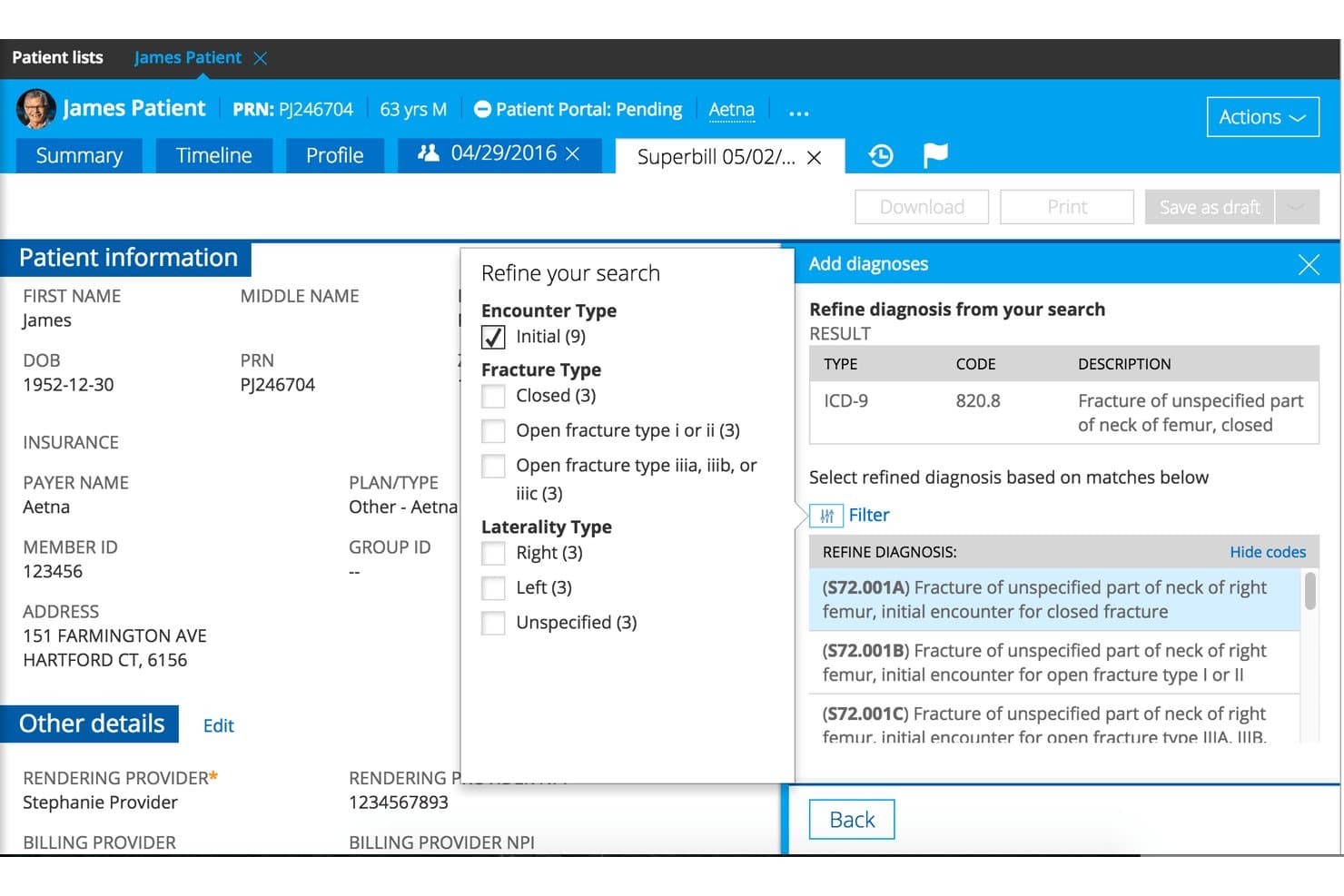
Practice Fusion provides cardiology EHR templates, referrals, and billing tools. Practice Fusion is a cloud-based EHR designed for small independent practices that includes cardiology templates, referral tracking, lab and imaging ordering, e-prescribing, and billing tools.
Who Is Practice Fusion Best For?
Practice Fusion is a good fit for small independent cardiology practices with one to three clinicians that prioritize cloud-based access, referral tracking, and a broad lab and imaging network over specialized cardiac device integration.
Why I Picked Practice Fusion
I've included Practice Fusion in my top picks because its cloud-based security architecture stands out for small cardiology practices that need HIPAA-aligned data protection without managing on-site infrastructure. Role-based access controls and an audit activity feed let you track exactly who viewed or edited a patient record, which matters when cardiac records move between referral networks. I also like its built-in referral tracking, which lets you attach unlimited chart notes directly to a referral so nothing gets lost between your cardiologist and a referring physician.
Practice Fusion Key Features
- Cardiology template library: A pre-built library of specialty-specific templates covers common encounters including echocardiogram, EKG, stress echo, and device testing.
- Flowsheet tracking: Flowsheets let you monitor lab results and patient health trends over time within the chart.
- Lab and imaging ordering network: Orders go directly to a network of labs and imaging centers, with results returned automatically into the patient record.
- E-prescribing with prior authorization: Built-in EPCS supports controlled substance prescribing across all 50 states, with automated electronic prior authorizations and drug interaction checks.
Practice Fusion Integrations
Practice Fusion connects with Labcorp, Quest, BioReference, Sonic Healthcare USA, and RadNet for lab and imaging workflows. Its App Marketplace supports read-only SMART on FHIR apps, and APIs support custom integrations.
Pros and Cons
Pros:
- Audit trails support protected cardiac records
- Referral tracking keeps cardiac handoffs organized
- Cardiology templates cover echo and EKG visits
Cons:
- No DICOM viewing for imaging teams
- No native cardiac device data capture
Learn more about Practice Fusion: Best for scalable, intuitive user design
- Free demo available
- Pricing upon request
Visit WebsiteCustomer Rating:3.6/5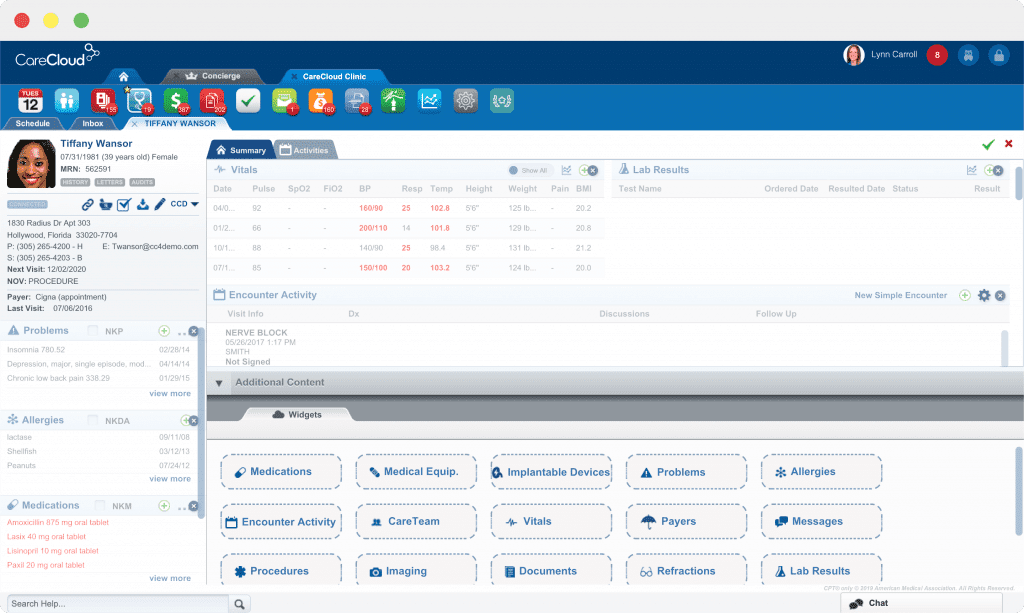
CareCloud's patient summary CareCloud is a cloud-based EHR and practice management platform that pairs cardiology-specific documentation templates with integrated billing, referral coordination, chronic care management, and AI-assisted tools like ambient note generation and automated claim scrubbing.
Who Is CareCloud Best For?
CareCloud is a strong fit for growing cardiology practices that prioritize an easy-to-navigate platform and want billing, care coordination, and clinical documentation in one place.
Why I Picked CareCloud
CareCloud earns its spot on my shortlist because it scales cleanly from a solo cardiologist to a 15-plus provider group without sacrificing usability. I like that billing and clinical work live in one place, so cardiology-specific CPT and ICD-10 coding, AI claim scrubbing, and payer-rule checks all run alongside chart documentation. The Advanced Referral Module is a standout for cardiac practices, cutting referral admin time by up to 70% and handling specialist booking and patient notifications in one workflow.
CareCloud Key Features
- Ambient AI note generation: cirrusAI Notes listens to patient visits in real time and produces structured SOAP notes, supporting multilingual encounters and custom templates.
- AI claim scrubbing: The CollectiveIQ billing rules engine checks claims against millions of Medicare and commercial payer edits before submission to catch errors early.
- Remote patient monitoring: A fully managed RPM service that enrolls cardiac patients, ships devices, and assigns RN care managers to monitor and escalate abnormal readings.
- Telehealth: HIPAA-compliant video visits are built directly into the EHR and billing workflow, supporting up to five participants per session with automated reminders.
CareCloud Integrations
CareCloud connects its EHR, practice management, billing, telehealth, Breeze, CCM, and RPM tools natively. CareCloud Connector supports FHIR R4, C-CDA 2.1, CDA R2, SMART on FHIR, and OAuth 2.0 for custom integrations.
Pros and Cons
Pros:
- Ambient notes create structured SOAP documentation
- Referral automation cuts administrative time
- Cardiology coding supports complex procedures
Cons:
- Reviewers report slow, glitchy performance
- Limited subspecialty cardiology templates
Learn more about CareCloud: Best for intelligent, predictive analytics tools
- Free demo available
- Pricing upon request
Visit WebsiteCustomer Rating:3.6/5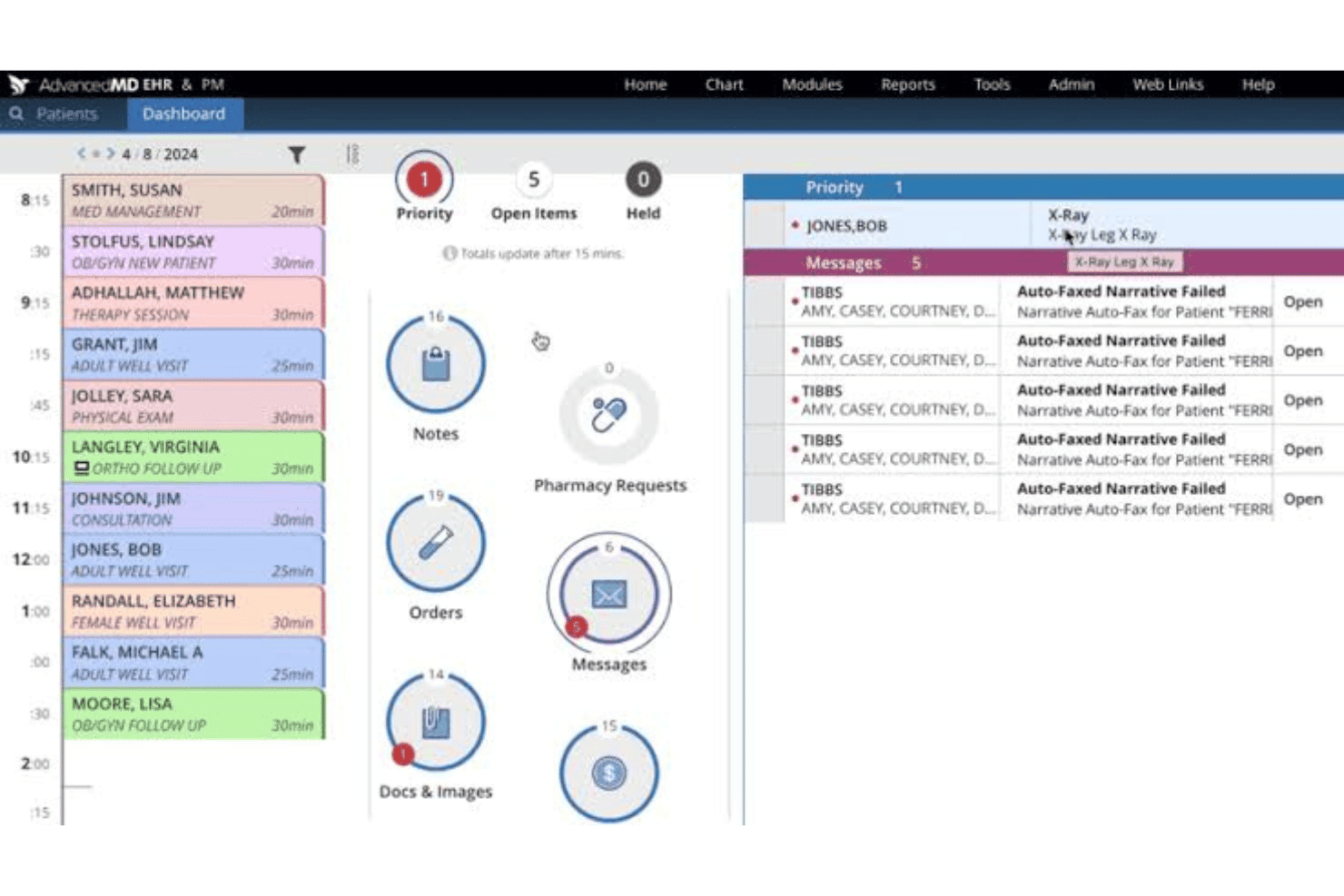
AdvancedMD combines cardiology charting, billing, tracking, and remote monitoring. AdvancedMD is a cloud-based cardiology EMR that combines specialty charting, billing and claims management, population health tracking, and remote patient monitoring in a single platform built for independent practices.
Who Is AdvancedMD Best For?
AdvancedMD is a strong fit for independent cardiology practices with 1–50 providers that prioritize billing accuracy, claims management, and quality reporting over deep subspecialty clinical tools.
Why I Picked AdvancedMD
I picked AdvancedMD as one of the best because its AI-powered analytics layer goes beyond standard reporting to surface quality trends across your patient population. Its Population Health dashboard uses AI to track daily MIPS and QCDR scores, flag care gaps, and deliver per-provider feedback cards, which means you can catch a pattern like uncontrolled hypertension across your panel before it compounds. I also like the built-in claims scrubber, which checks over 3.5 million error rules before submission and consistently hits a 95% first-pass resolution rate.
AdvancedMD Key Features
- Cardiology-specific alerts: A built-in tool scans chart data, labs, and test results to flag urgent conditions and suggest evidence-based care actions.
- Remote patient monitoring: Connects home devices like blood pressure cuffs and heart-rate monitors directly to the EHR, with automatic RPM CPT code matching.
- AI clinical assistant: Ambient listening and transcription generates visit notes in multiple formats, including SOAP notes and treatment plans.
- Insurance eligibility verification: Automatically checks coverage at scheduling and again before the visit, then estimates the patient's out-of-pocket responsibility.
AdvancedMD Integrations
AdvancedMD offers 1,400+ marketplace integrations, including NovaPACS, Nova RIS, ReferralMD, DeepScribe, and DAX Copilot. Its Open API supports custom connections for patients, scheduling, charges, and payments, while FHIR APIs, SMART app launch, CCDA, and Direct messaging support interoperability.
Pros and Cons
Pros:
- Ambient documentation reduces routine charting time
- Daily quality dashboards track cardiovascular measures
- Detailed claims scrubbing supports cleaner submissions
Cons:
- No native cardiac imaging workflow
- Cardiology templates lack subspecialty depth
 Best for cardiovascular imaging integration
- Free demo available
- Pricing upon request
Visit WebsiteCustomer Rating:4/5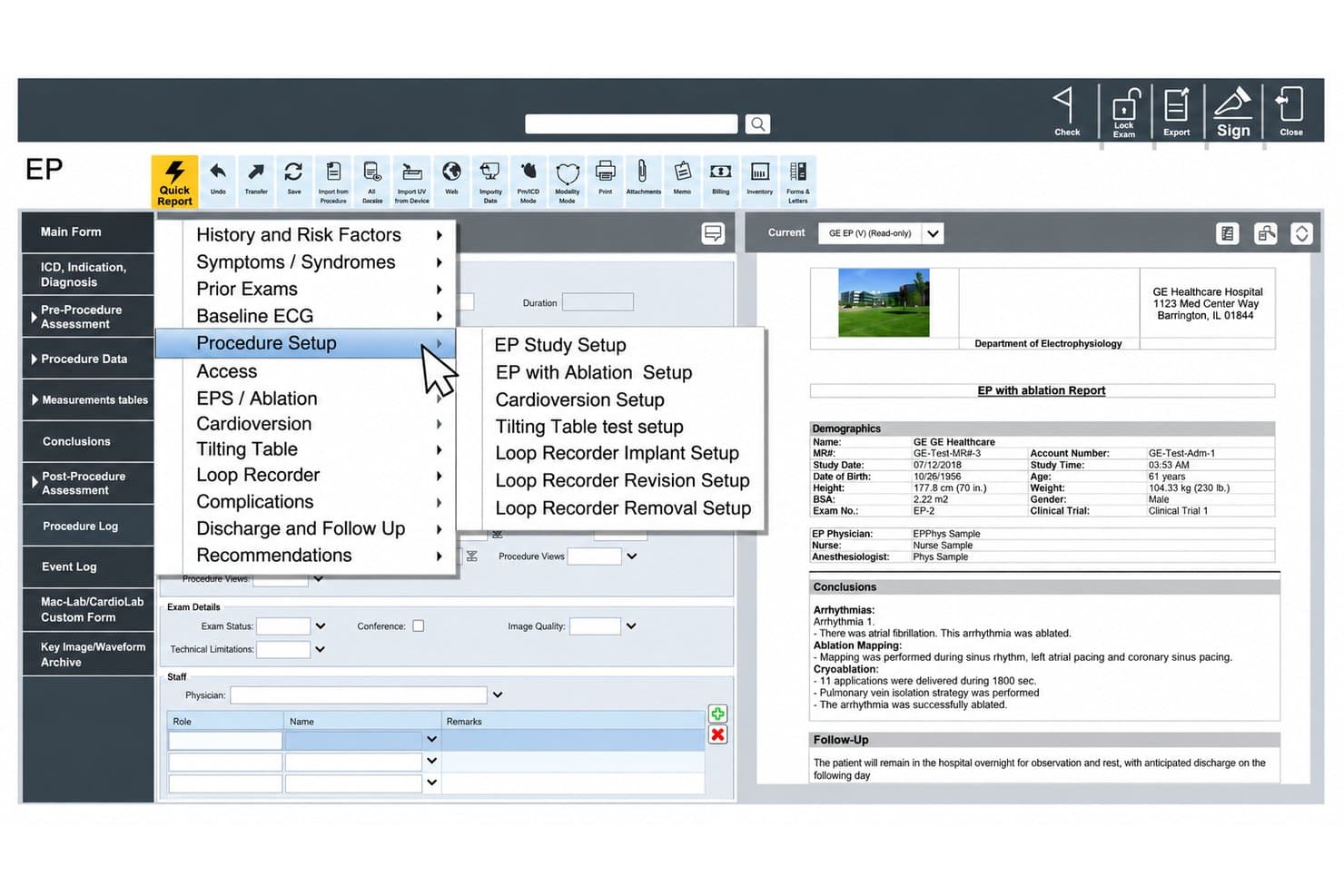
GE Centricity combines cardiovascular reporting, PACS imaging, and device connectivity. GE Centricity is a hospital-grade cardiovascular information system (CVIS) that combines structured reporting across cath, echo, EP, nuclear, and vascular cardiology with integrated cardiovascular PACS and device connectivity.
Who Is GE Centricity Best For?
GE Centricity is built for hospital-based cardiology departments that need deep imaging integration across cath, echo, EP, and nuclear workflows within a health system environment.
Why I Picked GE Centricity
GE Centricity earns its spot on my shortlist because no other platform comes close to its depth of cardiovascular imaging integration across a full cardiology department. I particularly like how the Centricity Universal Viewer pulls cath, echo, and nuclear images into a single zero-footprint web interface, so cardiologists can review and report without switching systems. Pair that with native bidirectional connections to GE's Mac-Lab and EchoPAC, and procedure data pre-populates reports automatically, cutting cath reporting time by up to 60%.
GE Centricity Key Features
- Structured cath and EP reporting: Pre-populated templates for cath, EP, and ablation procedures pull hemodynamic data directly from connected devices into reports.
- CRM device follow-up tracking: Imports implant and follow-up data from pacemakers and ICDs using the IHE IDCO standard for ongoing rhythm management documentation.
- Charge capture module: Ties physician documentation to procedure codes at the point of care, linking clinical encounters directly to billing handoff.
- Interactive analytics dashboards: Enables data queries across studies—such as ejection fraction trends across echo and nuclear—to support department-level clinical insights.
GE Centricity Integrations
GE Centricity has documented integrations with GE Mac-Lab, CardioLab, MUSE NX, CASE, Xeleris, EchoPAC, TomTec-Arena, ScottCare, Parks Flo-Lab, and NextGate MatchMetrix. It supports HL7, DICOM, IHE XDS, and IHE IDCO connectivity.
Pros and Cons
Pros:
- Built-in charge capture supports billing handoff
- Whole-department cardiology coverage
- Structured cath reporting reduces documentation time
Cons:
- On-premises infrastructure complicates modernization
- Limited referral and care coordination tools
Learn more about GE Centricity: Best for real-time referral and record coordination
- Free demo available
- Pricing upon request
Visit WebsiteCustomer Rating:3.4/5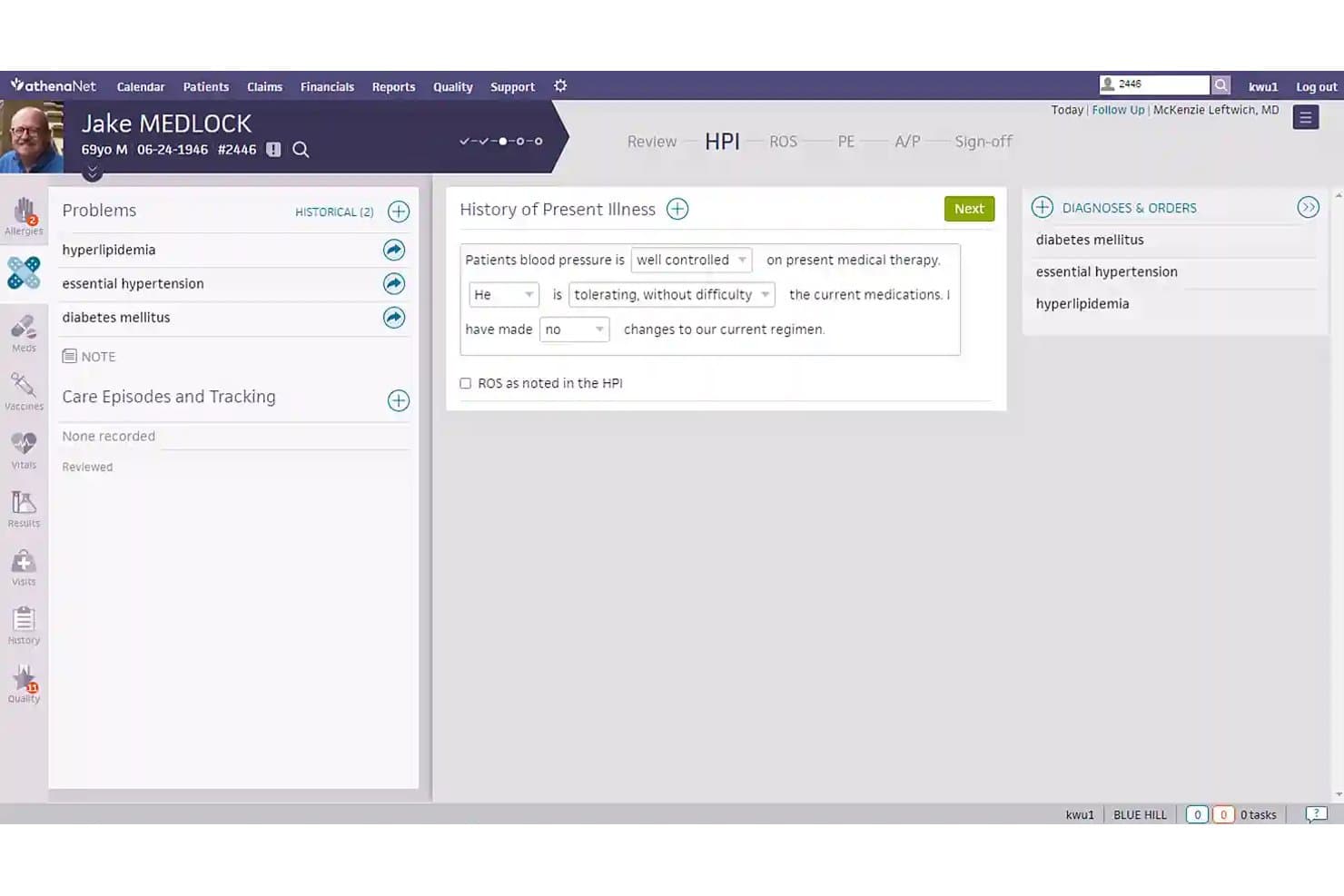
athenahealth streamlines chronic condition documentation during cardiology visits. athenahealth is a cloud-based ambulatory EHR that combines clinical documentation, revenue cycle management, patient engagement, and network-wide care coordination through athenaOne.
Who Is athenahealth Best For?
athenahealth suits cardiology practices that rely heavily on cross-network referrals and need outside records reconciled quickly across multiple care settings.
Why I Picked athenahealth
athenahealth earns its spot on my list because no other platform I've reviewed matches its real-time referral reach—it was the first health IT vendor to put all eligible customers on TEFCA, and ChartSync reconciles incoming medication data from outside providers automatically. When a cardiac patient comes in after a hospital discharge, I can pull reconciled records from CommonWell and Carequality directly into the chart rather than chasing faxes.
athenahealth Key Features
- Ambient Notes: Records the patient visit and uses generative AI to draft and place clinical notes directly into the encounter.
- Welch Allyn ECG and stress test integration: Orders placed in athenaOne auto-populate device worklists, and completed results upload directly back into the chart.
- athenaTelehealth: A built-in telehealth tool that triggers cardiology-appropriate coding and billing workflows without requiring patients to download an app.
- MIPS submission support: athenahealth handles MIPS reporting and audit support, with a dedicated customer success manager tracking performance for each practice.
athenahealth Integrations
athenahealth connects with CommonWell, Carequality, Direct Secure Messaging, TEFCA, and Welch Allyn ECG and Q-Stress devices. Marketplace integrations include iRhythm Zio, SARC MedIQ, and Accuhealth, while APIs support custom connections.
Pros and Cons
Pros:
- Ambient notes shorten after-hours documentation
- MIPS reporting reduces administrative workload
- Outside records reconcile before cardiac follow-ups
Cons:
- Imaging and cath workflows remain limited
- No structured cardiology subspecialty documentation
Learn more about athenahealth: Best for consistent patient records across care
- Free demo available
- Pricing upon request
Visit WebsiteCustomer Rating:3.5/5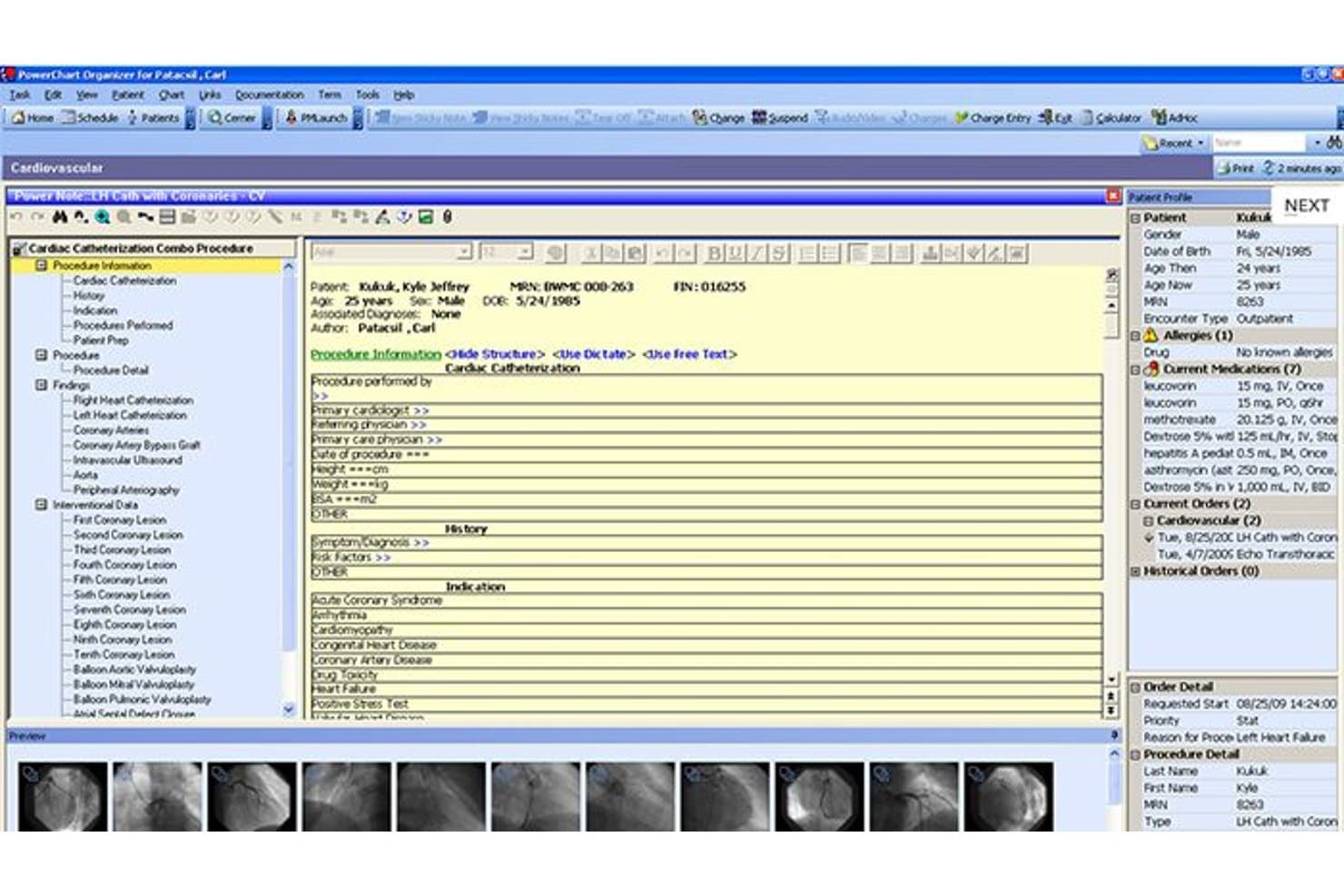
Cerner PowerChart organizes cardiac catheterization procedure data in one view. Oracle Health EHR (formerly Cerner) is an enterprise electronic health record system that combines AI-assisted documentation, cardiovascular imaging management, ECG workflows, and a TEFCA-designated health information network to connect clinical data across care settings.
Who Is Oracle Health EHR Best For?
Oracle Health EHR suits large hospital systems and enterprise health networks that need cardiology data to flow consistently across multiple care settings.
Why I Picked Cerner
I've included Oracle Health EHR (formerly Cerner) in my top picks because its TEFCA-designated Health Information Network genuinely keeps cardiac patient records consistent across every care setting, from the ED to outpatient follow-up. I like that its Cardiovascular Imaging Management and ECG Management modules bring resting, stress, and Holter workflows directly into the patient chart, so a cardiologist reviewing a returning patient doesn't have to chase results across disconnected systems. The Seamless Exchange feature pulls outside care history into the clinician's workflow automatically, which matters when patients move between referring hospitals and specialty care.
Oracle Health EHR Key Features
- AI-generated patient summaries: The EHR generates contextual patient summaries from multiple sources, tailored to the clinician's specialty and care setting.
- Clinical decision support: Near real-time decision support surfaces potential risks and care gaps directly within clinical workflows.
- Voice-enabled AI Agents: Clinicians can use voice commands across mobile, desktop, and tablet to retrieve patient data and complete documentation tasks.
- Longitudinal patient timelines: Encounters, diagnoses, medications, dosage changes, and related notes are displayed in a chronological view within the patient chart.
Cerner Integrations
Cerner supports integrations with CommonWell Health Alliance, Surescripts, and Haemonetics BloodTrack, plus FHIR and EHR APIs for custom connections. The vendor doesn’t publish a complete integration count or clarify which connections are native.
Pros and Cons
Pros:
- Reviewers praise integrated longitudinal clinical records
- Cardiovascular imaging links studies with patient records
- ECG workflows cover resting, stress, and Holter tests
Cons:
- Nurses report click-heavy charting and navigation
- Cardiology-specific templates aren’t documented
Learn more about Cerner: Best for versatile mobile EHR access
- Free demo available
- Pricing upon request
Visit WebsiteCustomer Rating:3.4/5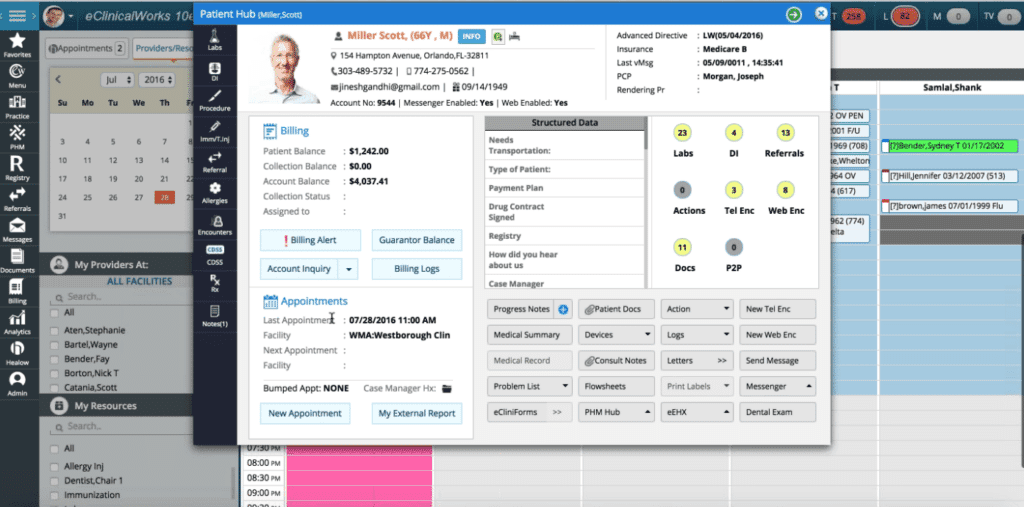
eClinicalWorks patient hub feature eClinicalWorks is a cloud-based EHR platform for cardiology practices that combines clinical documentation, condition-specific templates, device integrations, referral management, and AI-assisted scribing across desktop and mobile.
Who Is eClinicalWorks Best For?
eClinicalWorks suits cardiologists and care teams in ambulatory practices who need to document and manage patients across clinic, home, and remote settings from any device.
Why I Picked eClinicalWorks
eClinicalWorks earns its spot on my list because it's one of the few EHR platforms that genuinely lets cardiologists document fully from a phone or iPad. I like that eClinicalMobile covers e-prescribing, charge capture, and patient encounters on the go, while eClinicalTouch delivers the complete EHR experience on an iPad. Sunoh.ai, the ambient AI scribe, works across all of those devices and drafts SOAP notes automatically, which cuts documentation time during busy clinic days.
eClinicalWorks Key Features
- Condition-based cardiology templates: Pre-built templates and order sets cover conditions like atrial fibrillation, congestive heart failure, ventricular tachycardia, and echocardiogram workflows.
- Clinical Decision Support System (CDSS): Automated alerts fire based on diagnosis, age, gender, and preventive screening criteria as chart data is entered in real time.
- Referral management with PRISMA: A built-in records search pulls patient data from external providers and hospitals, supporting care coordination across cardiology referral networks.
- Remote patient monitoring (RPM): The RPM module streams data from blood pressure cuffs and other devices into the EHR, with patient-specific thresholds and automated billing for remote monitoring CPT codes.
eClinicalWorks Integrations
eClinicalWorks supports integrations with Burdick, GE CardioSoft, Midmark, Welch Allyn, Surescripts, and cardiopulmonary devices. It connects with PACS and RIS platforms through HL7 and exchanges records through the PRISMANet QHIN.
Pros and Cons
Pros:
- Referral tools support longitudinal patient coordination
- Cardiology templates cover common cardiac conditions
- Mobile documentation supports on-the-go cardiology care
Cons:
- Customer support receives consistently poor user ratings
- Imaging workflows stop short of native interpretation
Learn more about eClinicalWorks: Best for EMR-connected ECG and spirometry testing
- Not available
- Pricing upon request
Visit WebsiteCustomer Rating:3.4/5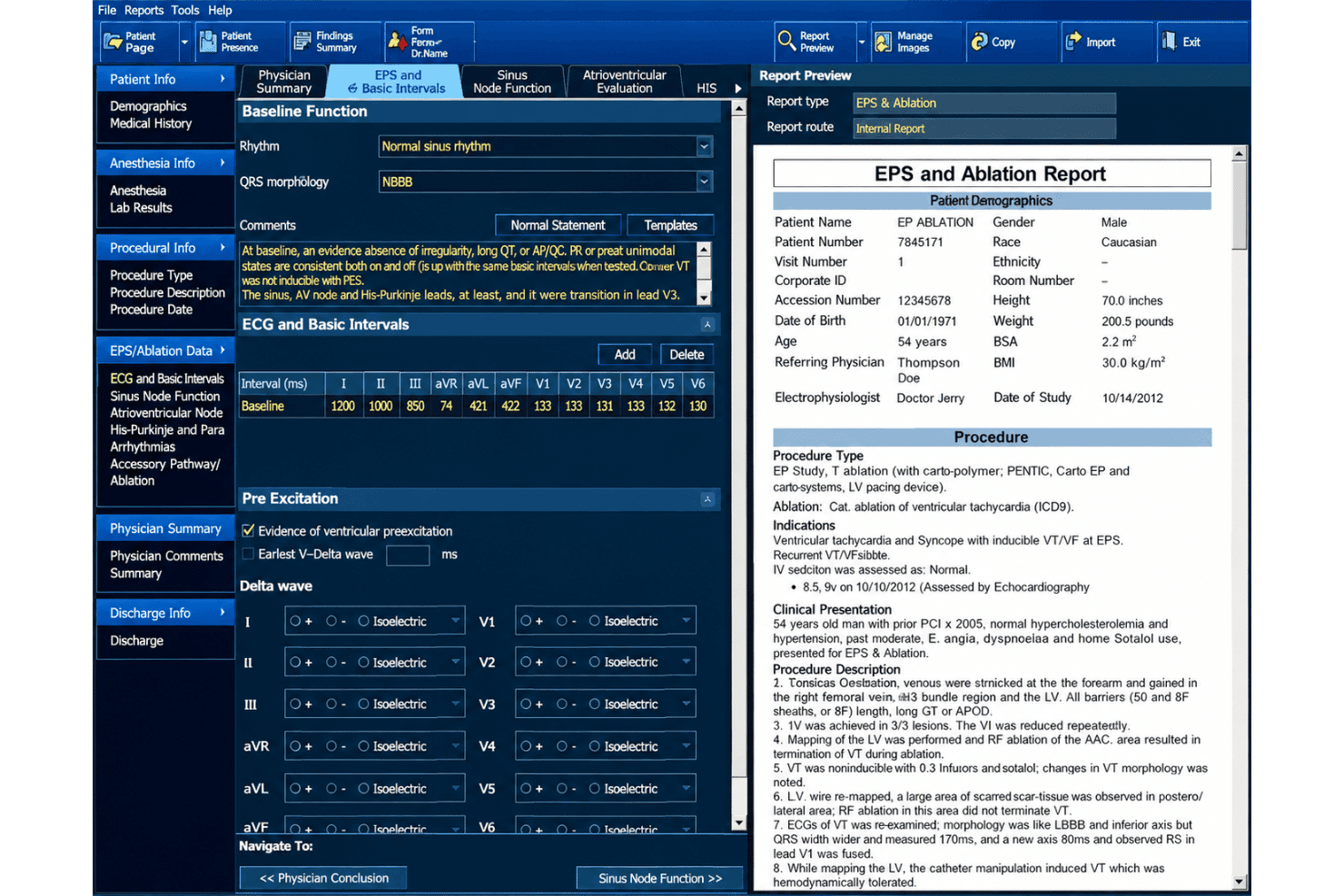
McKesson supports cardiac and pulmonary diagnostics with HL7/DICOM EMR connectivity. McKesson distributes the Welch Allyn Diagnostic Cardiology Suite, a Windows-based platform developed by Baxter for 12-lead ECG acquisition and spirometry testing. It supports cardiac and pulmonary diagnostic workflows, with bidirectional EMR connectivity through HL7 and DICOM standards.
Who Is McKesson Best For?
McKesson's Welch Allyn Diagnostic Cardiology Suite is a solid fit for primary care and multi-specialty practices that want to run resting ECG and spirometry tests from a single workstation and push results directly into their existing EMR.
Why I Picked McKesson
I've included McKesson's Welch Allyn Diagnostic Cardiology Suite in my top picks because it solves a real workflow gap: running resting 12-lead ECG and spirometry tests from a single workstation while pushing results directly into your EMR. I like that orders flow from the EMR to the device automatically, so staff aren't re-entering patient demographics, and signed reports return as discrete data. The "Best 10" feature, which selects the optimal 10 seconds from up to 5 minutes of recording, cuts down on repeat captures during busy clinic days.
McKesson Key Features
- VERITAS ECG interpretation algorithm: Automatically analyzes resting 12-lead ECG data and generates an interpretation to support physician review and sign-off.
- Role-based access controls: Assigns distinct permissions across roles including IT Admin, Physician, Technician, and Clinical Admin to manage who can prepare, review, sign, and export reports.
- Active Directory and single sign-on support: Connects to your organization's existing directory services so staff can authenticate without managing separate credentials.
- Bidirectional HL7 and DICOM connectivity: Sends orders from your EMR to the device and returns signed reports with discrete data, supporting connections to systems like Epic, Cerner, and eClinicalWorks.
McKesson Integrations
Welch Allyn Diagnostic Cardiology Suite supports integrations with Epic, Cerner, eClinicalWorks, athenahealth, Allscripts, and NextGen through HL7 and DICOM. It can send EMR orders to the device and return signed ECG and spirometry reports with discrete data.
Pros and Cons
Pros:
- Supports role-based review and sign-off
- Best 10 reduces repeat ECG captures
- Combines resting ECG and spirometry testing
Cons:
- Omits billing registry and referral workflows
- No cardiology encounter documentation templates
Learn more about McKesson: Best for a comprehensive patient portal experience
- Free demo available
- Pricing upon request
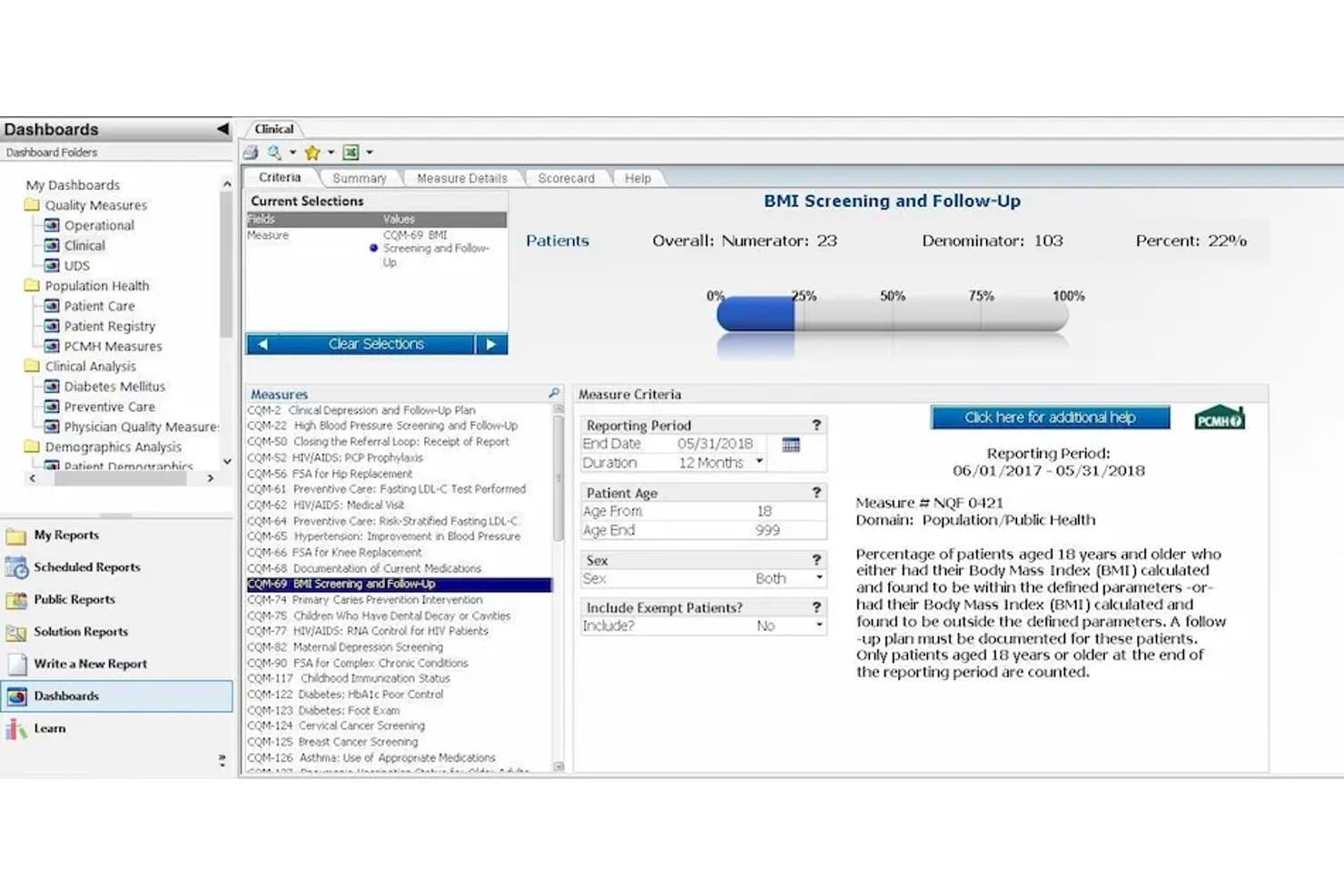
Greenway Health tracks BMI screening compliance across patient populations. Greenway Health is a cloud-based EHR and practice management platform that combines clinical documentation, revenue cycle management, patient engagement, and care coordination tools for ambulatory practices.
Who Is Greenway Health Best For?
Greenway Health suits multi-provider ambulatory practices that want a single platform for patient scheduling, portal access, billing, and care coordination.
Why I Picked Greenway Health
Greenway Health earns its spot on my list because the patient portal experience is genuinely one of the more complete I've seen in ambulatory EHR platforms. Patients get one account across multiple practices, real-time lab results, and the ability to self-schedule or pay through the same portal. Patient Connect, powered by Luma, adds text-first appointment booking and digital intake that Greenway says hits a 94% completion rate, which cuts front-desk load for busy cardiology offices managing chronic care follow-ups.
Greenway Health Key Features
- Ambient AI scribe: Clinical Assist captures notes in real time during in-person, telehealth, or multilingual visits without requiring manual input between appointments.
- Automated prior authorization: The platform initiates prior auth requests as soon as an order is placed, reducing manual follow-up for procedure-heavy cardiology workflows.
- Chronic care management services: Dedicated health coaches support CCM programs, with Medicare eligibility checks and billing codes generated automatically in the EHR.
- FHIR R4 API access: Greenway's read-only FHIR R4 API with SMART on FHIR/OAuth2 support enables third-party app connections at no additional fee.
Greenway Health Integrations
Greenway Health offers Marketplace integrations with CareTrack, ELLKAY, HealthAsyst, HybridChart, Lightbeam Health, and MediVu, plus CommonWell connectivity and HL7, FHIR, and C-CDA exchange. Its read-only FHIR R4 API and proprietary GAPI support custom integrations.
Pros and Cons
Pros:
- Chronic care coordination supports cardiac follow-ups
- Strong patient portal self-service tools
- Unified clinical and billing workflows
Cons:
- Patient portal reviews cite glitches and support issues
- No cardiology-specific templates or imaging
Learn more about Greenway Health:
Other Cardiology EMRs
Below is a list of additional cardiology EMRs that we shortlisted, but did not make it to the top 10. Definitely worth checking them out.
- 11AccuroBest for peer-built cardiology note templates
- 12NextGENBest for adaptive, specialty-specific workflows
- 13TebraBest for streamlining patient engagement and billing services
- 14Veradigm Inc.Best for comprehensive, interconnected healthcare management
- 15ChartLogicBest for intuitive and fast electronic charting in cardiology
- 16WRSHealthBest for cardiology-specific workflow optimization
- 17P&P Data SystemsBest for tailor-made cardiology EHR solutions
How I Evaluate Cardiology EMR
I look at cardiology EMR in two layers: acceptance criteria a tool must pass—echo integration, structured cath notes, NCDR reporting—and differentiators that make one platform the right fit.
Core Functionality (Table Stakes For This List)
When I'm selecting tools for my list, I rank each one on a scale from 0 (does not offer the functionality) to 5 (excels in this area) for each core functionality listed below. Then, I calculate the tool's total score into a percentage. Each tool needs to achieve a minimum total score of 55% to be considered for inclusion.
- Cardiology-Specific Charting Templates: I check whether tools include structured note types for common cardiovascular encounters like new consults, post-cath follow-ups, and EP procedure reports.
- Cardiac Device Integration: A platform should interface with ECG/EKG machines, Holter monitors, stress systems, and echo units so data flows into the chart without manual entry.
- Cardiovascular Imaging Support: I evaluate whether the EMR connects to PACS and supports DICOM viewing, since cardiologists need to pull up echo clips or cath images mid-encounter.
- Cardiology Billing & Coding: The coding engine should include cardiovascular-specific CPT and ICD sets, covering areas like nuclear cardiology, device implants, and interventional procedures.
- Registry & Compliance Reporting: I look for built-in data capture and submission pathways for cardiovascular registries like ACC/NCDR and quality programs tied to MIPS measures.
- Referral & Care Coordination: Managing referral workflows matters here, especially tracking inbound consults from primary care and scheduling follow-ups for chronic cardiac patients.
Once I have a list of tools that meet this criteria, I consider what sets each platform apart.
Differentiating Factors (What Sets Vendors Apart)
Here's how I compare and contrast different vendors:
Standout Features
Ambient voice documentation is a major differentiator. I look for systems that auto-populate structured cardiac notes from spoken dictation, which saves real time during high-volume clinic days. Structured reporting automation matters too, especially for echo and cath labs where measurements flow directly into formatted reports. I also evaluate remote monitoring integration, since platforms that pull data from pacemakers, ICDs, and wearables into the patient chart give care teams a real-time view between visits.
Beyond Features
Interoperability is one of the first things I evaluate. A cardiology EMR needs solid HL7/FHIR support and connections to PACS, cath lab reporting systems, and referring provider networks. I also consider implementation support, specifically whether the vendor offers onboarding teams with cardiovascular workflow expertise to configure device interfaces and templates. Total cost of ownership matters here too, since hidden fees for PACS connections, device interfaces, or registry modules can shift the real price well beyond what the per-provider rate suggests.
How to Choose Cardiology EMR
It’s easy to get bogged down in long feature lists and complex pricing structures. To help you stay focused as you work through your unique software selection process, here’s a checklist of factors to keep in mind:
| Factor | What to Consider |
|---|---|
| FactorScalability | What to ConsiderCan the EMR grow with your practice? Consider future patient load and staff increase. |
| FactorIntegrations | What to ConsiderDoes it work with your existing tools like billing systems or patient portals? Check compatibility. |
| FactorCustomizability | What to ConsiderCan you tailor the software to fit your workflows? Look for flexible templates and settings. |
| FactorEase of use | What to ConsiderIs the interface intuitive for your team? Assess the learning curve and user feedback. |
| FactorImplementation and onboarding | What to ConsiderHow long until you’re up and running? Evaluate the training materials and support during setup. |
| FactorCost | What to ConsiderAre the pricing plans within your budget? Look for hidden fees and compare with similar tools. |
| FactorSecurity safeguards | What to ConsiderDoes it comply with healthcare data protection laws? Confirm encryption and access control features. |
| FactorCompliance requirements | What to ConsiderDoes it meet specific regulatory needs for cardiology? Verify alignment with industry standards. |
What Is Cardiology EMR?
Cardiology EMR is software designed to manage patient records and data specific to cardiology practices. Cardiologists and healthcare professionals use these tools to improve patient care and streamline administrative tasks.
Features like patient record management, appointment scheduling, and billing capabilities help with efficient practice management. Overall, these tools provide essential support for managing the complexities of cardiology care.
Features of Cardiology EMR
When selecting a cardiology EMR, keep an eye out for the following key features:
- Patient record management: Maintains comprehensive patient histories, ensuring easy access to critical information.
- Appointment scheduling: Simplifies booking and managing appointments, reducing administrative workload.
- Billing and invoicing: Automates billing processes, improving accuracy and efficiency in financial management.
- Reporting and analytics: Provides insights into practice performance and patient outcomes through detailed reports.
- Data security: Ensures patient data protection with encryption and compliance with healthcare regulations.
- Customizable templates: Allows tailoring of documents and workflows to fit specific practice needs.
- Integration capabilities: Connects with other systems like billing and patient portals for seamless operations.
- Telemedicine support: Enables remote consultations, expanding access to care and convenience for patients.
- Training and onboarding resources: Offers videos, tutorials, and guides to ease the transition and use of the software.
- Compliance tools: Assists with adhering to industry standards and regulations, reducing legal risks.
Benefits of Cardiology EMR
Implementing cardiology EMR provides several benefits for your team and your business. Here are a few you can look forward to:
- Improved patient care: Access to detailed patient records helps provide timely and accurate treatment.
- Efficiency in operations: Automated scheduling and billing reduce manual tasks, saving time and resources.
- Informed decision-making: Analytics and reporting provide insights into patient outcomes and practice performance.
- Enhanced data security: Compliance with healthcare regulations ensures patient data is protected.
- Customizable workflows: Tailored templates and settings allow the software to fit specific practice needs.
- Remote care capabilities: Telemedicine features expand access to care and convenience for patients.
- Easier compliance management: Built-in tools help practices adhere to industry standards, reducing legal risks.
Costs & Pricing of Cardiology EMR
Selecting cardiology EMR requires an understanding of the various pricing models and plans available. Costs vary based on features, team size, add-ons, and more. The table below summarizes common plans, their average prices, and typical features included in cardiology EMR solutions:
Plan Comparison Table for Cardiology EMR
| Plan Type | Average Price | Common Features |
|---|---|---|
| Plan TypePersonal Plan | Average Price$50-$100/user/month | Common FeaturesPatient record management, billing and invoicing, and basic reporting. |
| Plan TypeBusiness Plan | Average Price$100-$200/user/month | Common FeaturesAdvanced analytics, customizable templates, and integration capabilities. |
| Plan TypeEnterprise Plan | Average Price$200+/user/month | Common FeaturesFull telemedicine support, enhanced security safeguards, and dedicated support. |
FAQs
Frequently asked questions about cardiology EMR systems:
What information might the emergency room doctors access from the cardiologist's EMR?
Emergency room doctors might access recent cardiac evaluations, medication history, and previous cardiac-related hospital visits. This information helps them make informed decisions quickly. It’s crucial that EHR systems facilitate easy access to this data for timely interventions.
Can cardiology EMR integrate with other healthcare systems?
Yes, many cardiology EMR systems offer integration capabilities with other healthcare systems, like labs and imaging centers. This ensures seamless data exchange, reducing manual entry errors and enhancing comprehensive patient care. Check compatibility with your existing systems before choosing an EMR.
How do cardiology EMR systems handle data security?
Cardiology EMR systems handle data security by implementing encryption, access controls, and compliance with healthcare regulations like HIPAA. It’s vital to ensure that the system you choose prioritizes data protection to safeguard patient information and maintain trust.