

O software de gestão de marcações ajuda a lidar com marcações duplicadas, gerir cancelamentos, enviar lembretes por e-mail aos pacientes, gerir encomendas de pacotes/cartões-presente e permitir pagamentos online fáceis. Estas ferramentas poupam tempo aos membros da sua equipa ao automatizarem tarefas rotineiras, eliminarem marcações duplicadas e até permitirem lidar com diferentes fusos horários.
Também proporcionam uma experiência melhorada ao cliente, através da disponibilização de um site de marcações, da integração com ferramentas de videoconferência para consultas virtuais e de planos pagos que oferecem funcionalidades avançadas, incluindo sistemas de ponto de venda para uma base de clientes focada no bem-estar. Com estas ferramentas, pode adaptar os horários das marcações, utilizar modelos personalizados para e-mails e mensagens de texto e garantir que os seus prestadores de serviços têm uma visão detalhada das marcações do dia.
Why Trust Our Software Recommendations
6,700+
Reviews
20
Industry experts
16+
Evaluation factors
14
Years
Our team has been testing and reviewing software since 2012. As medical practice leaders ourselves, we know how difficult—and important—it is to choose the right software.
For this guide, we evaluated tools using hands-on testing and independent research, scoring tools using our selection criteria.
Our reviews reflect our human editorial judgment, not a sales pitch.
Tabela de comparação de software de gestão de marcações
Esta tabela de comparação resume os detalhes dos preços das minhas principais seleções de software de gestão de marcações:
| Tool | Best For | Trial Info | Price | ||
|---|---|---|---|---|---|
| 1 | Best for flexible appointment views | Free demo + free expert consultation available | Pricing upon request | Website | |
| 2 | Best instant online booking updates | Free demo available | Pricing upon request | Website | |
| 3 | Best with real-time two-way patient texting | Free demo available | Pricing upon request | Website | |
| 4 | Best for linking EHR with patient engagement tools | Free demo available | Pricing upon request | Website | |
| 5 | Best for secure and compliant medical scheduling | 15-day free trial | From $630/site/year (billed annually) | Website | |
| 6 | Best with built-in credentialing support | 30-day free trial available | From $49/month | Website | |
| 7 | Best for automated patient reminders | Free demo available | Pricing upon request | Website | |
| 8 | Best built-in telehealth scheduling | Free demo available | Pricing upon request | Website | |
| 9 | Best with automated waitlist management | Free trial + free demo available | From $22.45/month (billed annually) | Website | |
| 10 | Best for integrated appointment scheduling | Free demo available | From $99/month | Website |


Análises do melhor software de gestão de marcações
 1Best for flexible appointment views
RXNT
- Free demo + free expert consultation available
- Pricing upon request
Visit WebsiteCustomer Rating:4.3/5
RXNT's Quick Add feature allows for the rapid addition of new patients using minimal information. RXNT is a cloud-based medical scheduling and practice management platform that combines multi-provider appointment scheduling, automated patient reminders, eligibility verification, and EHR and billing integration for healthcare practices.
Who Is RXNT Best For?
RXNT is a good fit for ambulatory medical practices of any size, from solo physicians to large multi-specialty groups managing appointments across multiple locations.
Why I Picked RXNT
RXNT earns its spot on my shortlist because of how it handles calendar flexibility for busy medical practices. I particularly like the ability to toggle between day, week, and month views while managing appointments across multiple locations from a single sign-on. Resource scheduling, which lets you block time for treatment rooms and equipment alongside provider calendars, is something I don't see in every medical scheduling tool.
RXNT Key Features
- Automated patient reminders: Send appointment confirmations and reminders by email, SMS, or phone to reduce missed visits.
- Eligibility verification: Check patient insurance eligibility directly from the scheduler before appointments.
- Mobile app access: Manage scheduling, charge capture, and patient check-in from iOS or Android devices.
- Integrated billing workflows: Link scheduled appointments to medical billing and claims within the same platform.
RXNT Integrations
RXNT offers native integrations across its own suite, including Clinical EHR, Practice Management, Medical Billing, Electronic Prescribing, Patient Portal, and Google Calendar. An API is available for custom integrations.
Pros and Cons
Pros:
- Mobile app for on-the-go scheduling
- Native billing and EHR functionality in platform
- Detailed day, week, and month calendar views
Cons:
- Occasional software glitches reported in reviews
- Limited patient self-scheduling options
Learn more about RXNT: Best instant online booking updates
- Free demo available
- Pricing upon request
Visit WebsiteCustomer Rating:4.8/5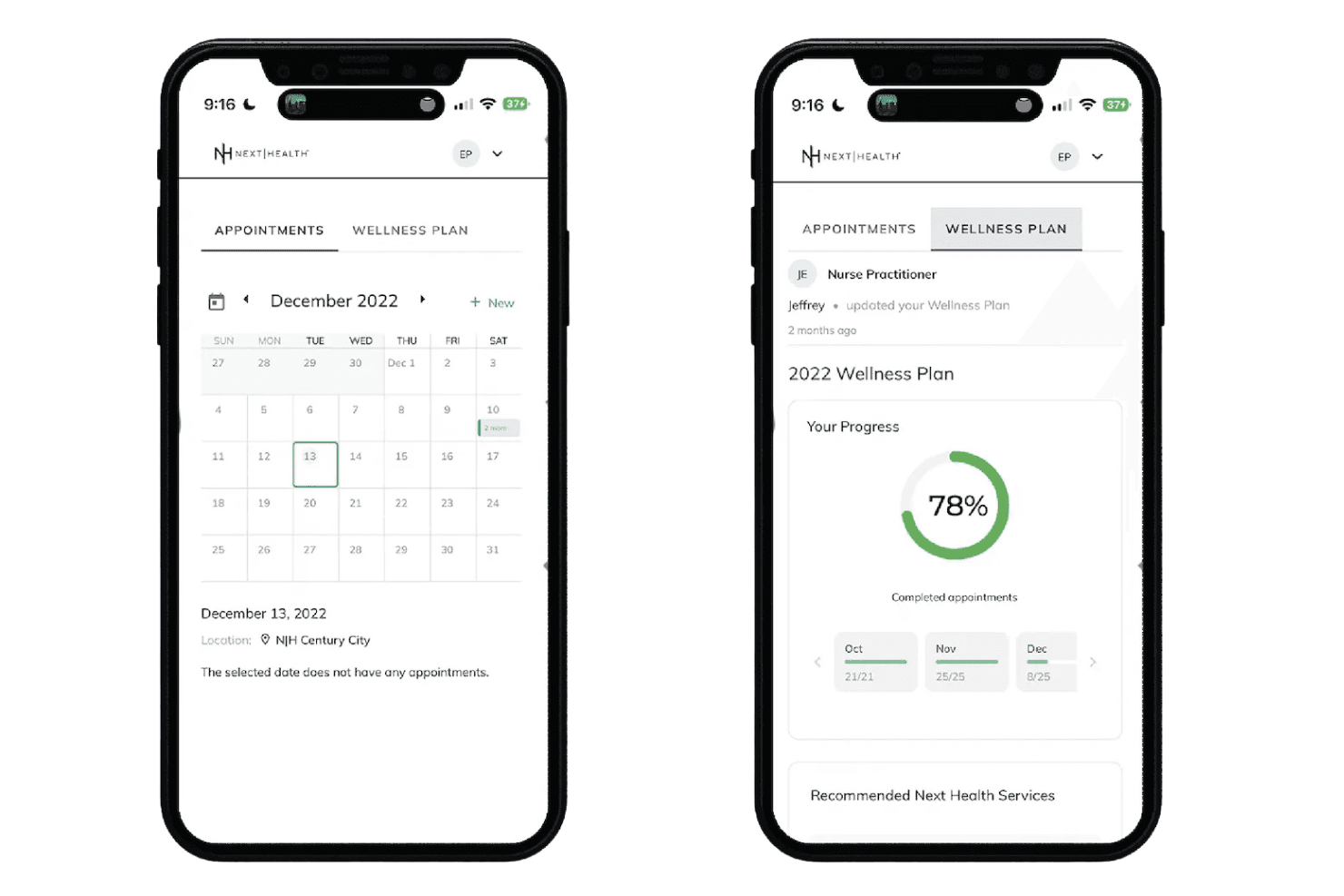
NexHealth connects scheduling, intake, reminders, insurance, and EHR/PMS sync. NexHealth is a patient experience platform for medical and dental practices that combines online self-scheduling, digital intake forms, automated reminders, insurance verification, and real-time bidirectional EHR/PMS sync.
Who Is NexHealth Best For?
NexHealth is a strong fit for dental and medical specialty practices that need appointment scheduling to sync directly with an existing EHR or practice management system.
Why I Picked NexHealth
I picked NexHealth because the NexHealth Synchronizer genuinely sets it apart: availability updates push to the patient-facing booking portal within 10 to 15 seconds of any change in the practice management system. That means a slot opened up by a cancellation in Dentrix or Eaglesoft is bookable online almost instantly. I also like the One-Click Recalls feature, which pulls overdue patients directly from the EHR and sends targeted outreach to fill those gaps without any manual list-building.
NexHealth Key Features
- Waitlist automation: Automatically reaches out to patients on the waitlist when new slots open up.
- Integrated patient payments: Supports text and email billing with payments auto-posted to the patient ledger.
- Unified messaging inbox: Consolidates patient messages, reminders, and payment requests into one platform view.
- Insurance verification: Confirms eligibility before appointments and provides detailed coverage breakdowns.
NexHealth Integrations
NexHealth offers native integrations with over 70 major EHR and practice management systems, including Dentrix, Eaglesoft, Open Dental, Curve Dental, Denticon, Epic, athenahealth, eClinicalWorks, NextGen, and drchrono. An API is also available for custom integrations.
Pros and Cons
Pros:
- Seamless integration with popular practice management software
- Automated reminders reduce no-show rates
- Online booking enhances patient convenience
Cons:
- Certain features may not be customizable to specific practice needs
- May require a learning curve for staff not used to digital systems
Learn more about NexHealth: Best with real-time two-way patient texting
- Free demo available
- Pricing upon request
Visit WebsiteCustomer Rating:4/5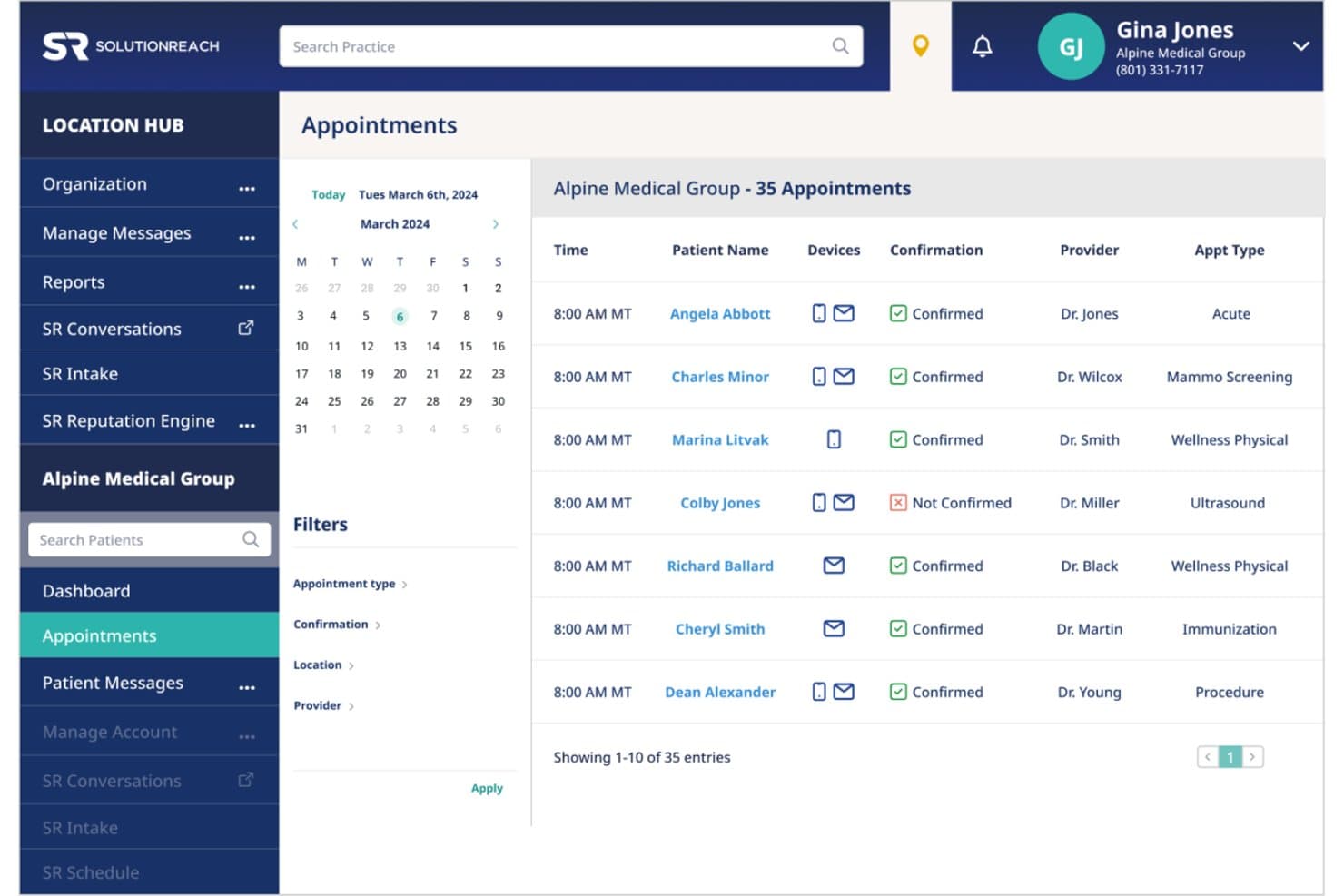
SolutionReach offers an appointment management dashboard displaying 35 scheduled appointments with confirmation status, provider, and appointment type filters. SolutionReach is a healthcare patient engagement platform that combines appointment scheduling, automated reminders, two-way texting, digital intake, mobile check-in, and EHR/PM integration for medical practices.
Who Is SolutionReach Best For?
It's a strong fit for dental, optometry, and medical practices—from single-provider offices to multi-location groups managing high appointment volumes.
Why I Picked SolutionReach
SolutionReach earns its spot on my shortlist because the two-way texting isn't just for sending reminders. When a patient replies to cancel, staff see it in real time and can act before the slot goes empty. I also like the Recall feature, which automatically targets overdue patients with outreach campaigns to refill schedule gaps without any manual effort from the front desk.
SolutionReach Key Features
- Digital intake forms: Collect patient information securely before the appointment and send it directly to your practice system.
- Mobile check-in: Patients can check in from their phones on arrival, reducing front-desk congestion.
- Batch messaging: Send communication to specific patient groups for updates, recalls, or announcements.
- EHR and PM system integration: Syncs with over 400 practice management and electronic health record platforms.
SolutionReach Integrations
SolutionReach offers native integrations with over 400 practice management and EHR systems, including Epic, Kareo, ModMed, Allscripts, and Athenahealth. An API is available for custom integrations.
Pros and Cons
Pros:
- Mobile check-in reduces front desk workload
- Automated recall campaigns for missing patients
- Real-time two-way texting with patients
Cons:
- Phone support responsiveness can be inconsistent
- Occasional sync delays with appointment data
Learn more about SolutionReach: Best for linking EHR with patient engagement tools
- Free demo available
- Pricing upon request
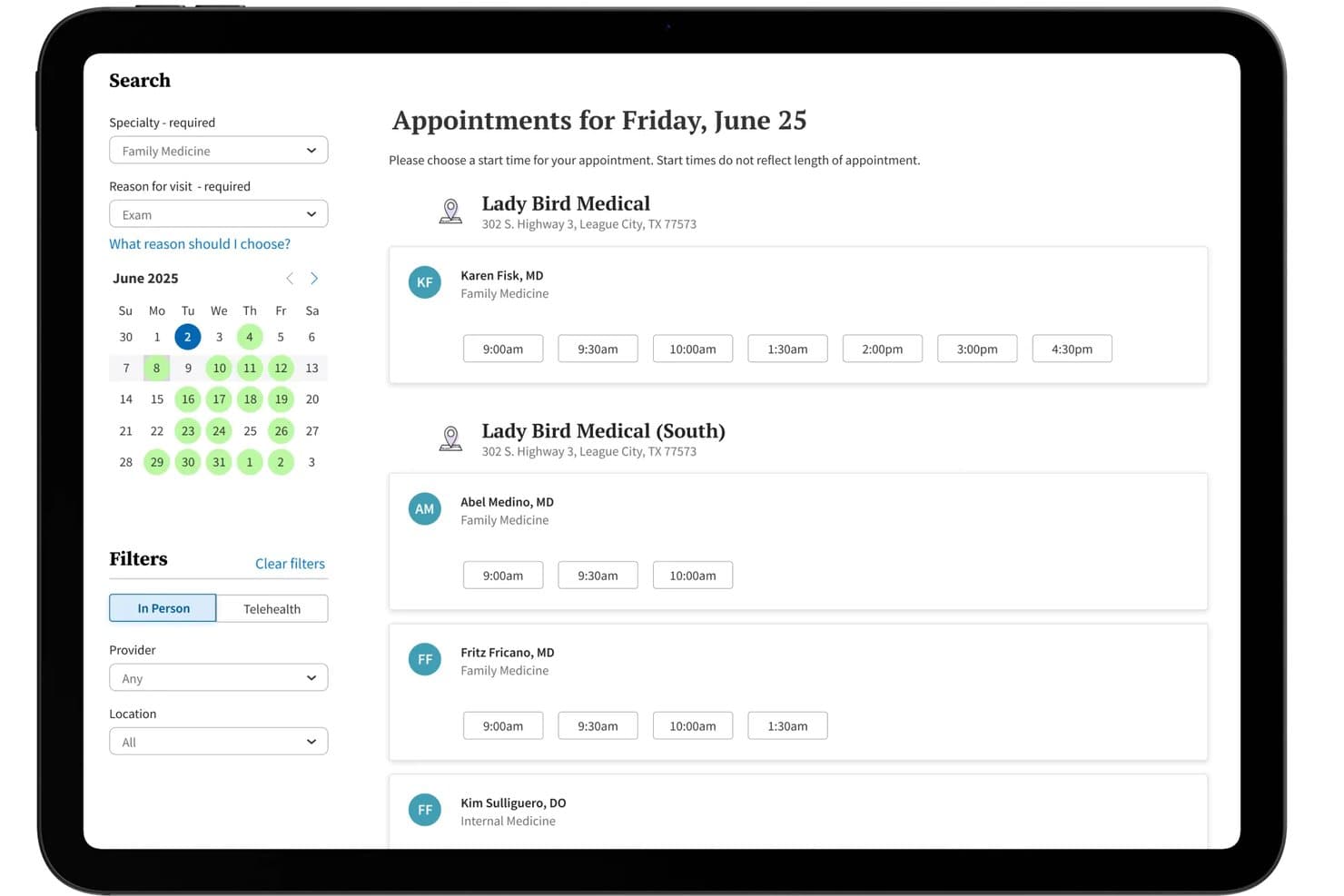
athenaCommunicator offers a self-scheduling interface where patients can browse available appointment times by provider, location, and date. athenaCommunicator is athenahealth's patient engagement module built into the athenaOne platform, combining appointment scheduling, automated reminders, self check-in, and secure messaging within a native EHR environment.
Who Is athenaCommunicator Best For?
It's a strong fit for multi-provider medical practices and clinics that want scheduling, patient communication, and EHR data managed within a single platform.
Why I Picked athenaCommunicator
athenaCommunicator earns its spot as one of the best on my shortlist because scheduling and the EHR aren't connected via a third-party integration: they're the same system. I particularly like how patient self-scheduling writes directly into the clinical record with no manual reconciliation needed. On top of that, AI-suggested replies let staff handle secure patient messages from inside the same interface they use for clinical notes and billing.
athenaCommunicator Key Features
- Patient mobile app: Patients can access their health records and appointment details through the athenaPatient mobile app.
- Automated wellness outreach: The system can send tailored reminders to patients for annual exams and follow-up visits.
- Self check-in kiosks and online check-in: Enables patients to complete forms and check in remotely or through on-site kiosks.
- Embedded telehealth: Providers can conduct virtual visits using integrated telehealth functionality within the platform.
athenaCommunicator Integrations
athenaCommunicator is fully embedded within the athenaOne platform and connects with over 277,000 clinical systems, including labs and pharmacies, through native athenahealth network integrations. An API is available for custom integrations, and third-party extensions are offered through the athenahealth Marketplace.
Pros and Cons
Pros:
- Telehealth built directly into the platform
- Automated patient intake and self check-in
- Unified scheduling and EHR workflow
Cons:
- Slower support response reported by some users
- No public free trial option
Learn more about athenaCommunicator: Best for secure and compliant medical scheduling
- 15-day free trial
- From $630/site/year (billed annually)
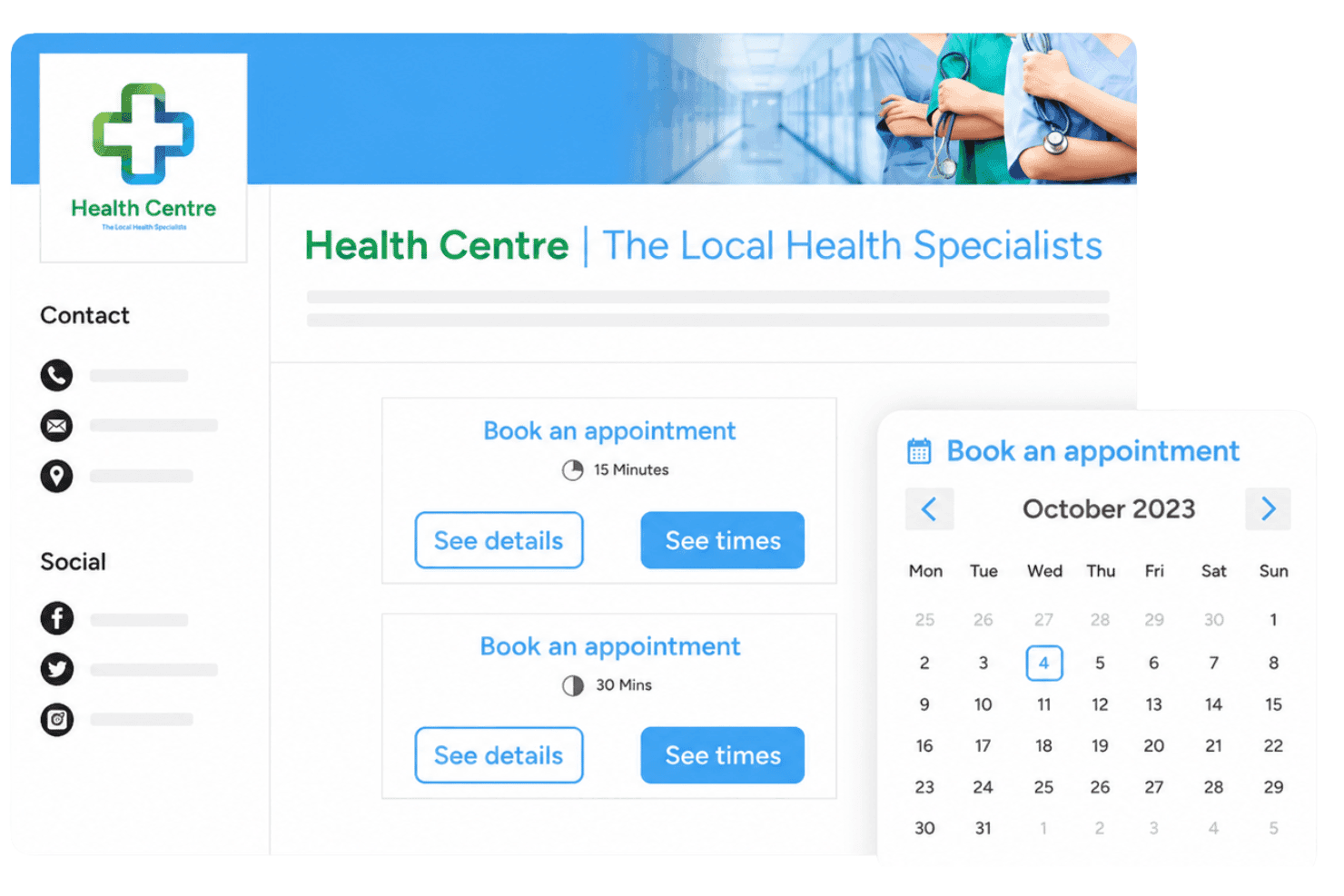
Sign In App (former 10to8) offers a patient check-in kiosk alongside an online appointment booking interface with calendar scheduling. Sign In App (formerly 10to8) is a HIPAA- and GDPR-compliant appointment scheduling platform that combines patient self-booking, multi-provider calendar management, automated multi-channel reminders, and pre-registration workflows.
Who Is Sign In App (Former 10to8) Best For?
It's a strong fit for independent clinics and small-to-mid-sized practices that prioritize compliance-first scheduling without needing deep EHR integration.
Why I Picked Sign In App (Former 10to8)
I picked Sign In App (former 10to8) as one of the best because it's one of the few scheduling platforms that pairs HIPAA compliance and encrypted data handling with a genuinely useful two-way patient messaging system. I particularly like how automated reminders work here: patients receive SMS or email reminders on custom cadences and can confirm or cancel directly from the message, triggering an automatic status update in the calendar. In practice, that means my team can run a complete appointment confirmation workflow without a single manual follow-up call.
Sign In App (Former 10to8) Key Features
- Multi-provider calendar management: Manage appointments for multiple clinicians, rooms, and locations in one platform.
- Custom branded booking pages: Create fully branded online booking pages tailored to your clinic’s identity.
- Automatic pre-registration: Register clients automatically when appointments are booked, saving front desk time.
- Multi-location reporting: Access central dashboards with analytics covering all sites and team members.
Sign In App (Former 10to8) Integrations
Sign In App (former 10to8) offers native integrations with Google Calendar, Outlook, Office 365, Zoom, Microsoft Teams, Salesforce, and Stripe. It's available on Zapier and has an API for custom integrations.
Pros and Cons
Pros:
- Supports multi-site, multi-provider appointment bookings
- SMS reminders included at no extra cost
- HIPAA and GDPR compliance across all plans
Cons:
- Intake forms lack medical-specialized fields
- No direct EHR or EMR integration
Learn more about Sign In App (former 10to8): Best with built-in credentialing support
- 30-day free trial available
- From $49/month
Visit WebsiteCustomer Rating:4.6/5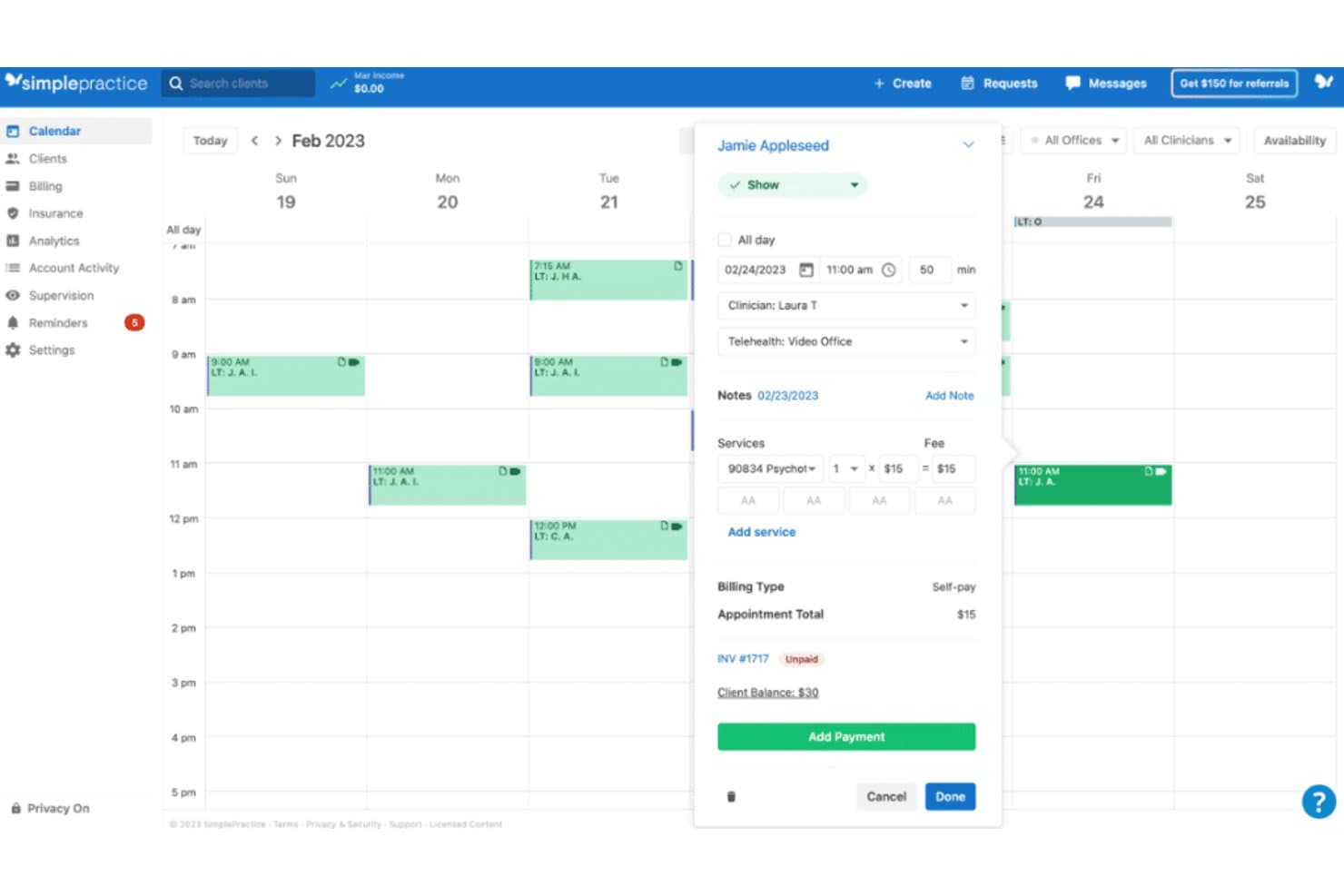
A look at the SimplePractice's calendar feature. SimplePractice is a practice management and appointment scheduling platform built for health and wellness professionals, combining online booking, automated reminders, telehealth, clinical documentation, and insurance billing in one system.
Who Is SimplePractice Best For?
SimplePractice is built for US-based solo and small-group mental health and allied health practitioners managing their own private practices.
Why I Picked SimplePractice
I picked SimplePractice because it's the only scheduling platform I know that bundles payer credentialing directly into the signup process. Getting paneled with insurance is a real barrier for new clinicians, and SimplePractice removes it by covering up to two payers at no added cost. I also like that it connects those credentialed payers straight to insurance claims, with real-time eligibility checks and 35 free claim submissions per month on the Plus plan.
SimplePractice Key Features
- Automated appointment reminders: Send email, text, or voice reminders to reduce no-shows and late cancellations.
- HIPAA-compliant telehealth: Host secure video sessions directly within the platform for one-on-one or group appointments.
- Client portal: Let clients schedule, view, and manage appointments, complete intake forms, and make payments online.
- Google Calendar sync: Keep your practice schedule up to date by automatically connecting with your external calendar.
SimplePractice Integrations
SimplePractice offers native integrations with Google Calendar, Stripe, Wiley Treatment Planners, and thousands of insurance payers for direct claims processing. An API is not currently available for custom integrations.
Pros and Cons
Pros:
- Digital intake forms tied to appointments
- Integrated insurance billing and eligibility checks
- Free credentialing for private practice clinicians
Cons:
- US only, not available internationally
- No bidirectional EHR data integrations
Learn more about SimplePractice: Best for automated patient reminders
- Free demo available
- Pricing upon request
Visit WebsiteCustomer Rating:3.9/5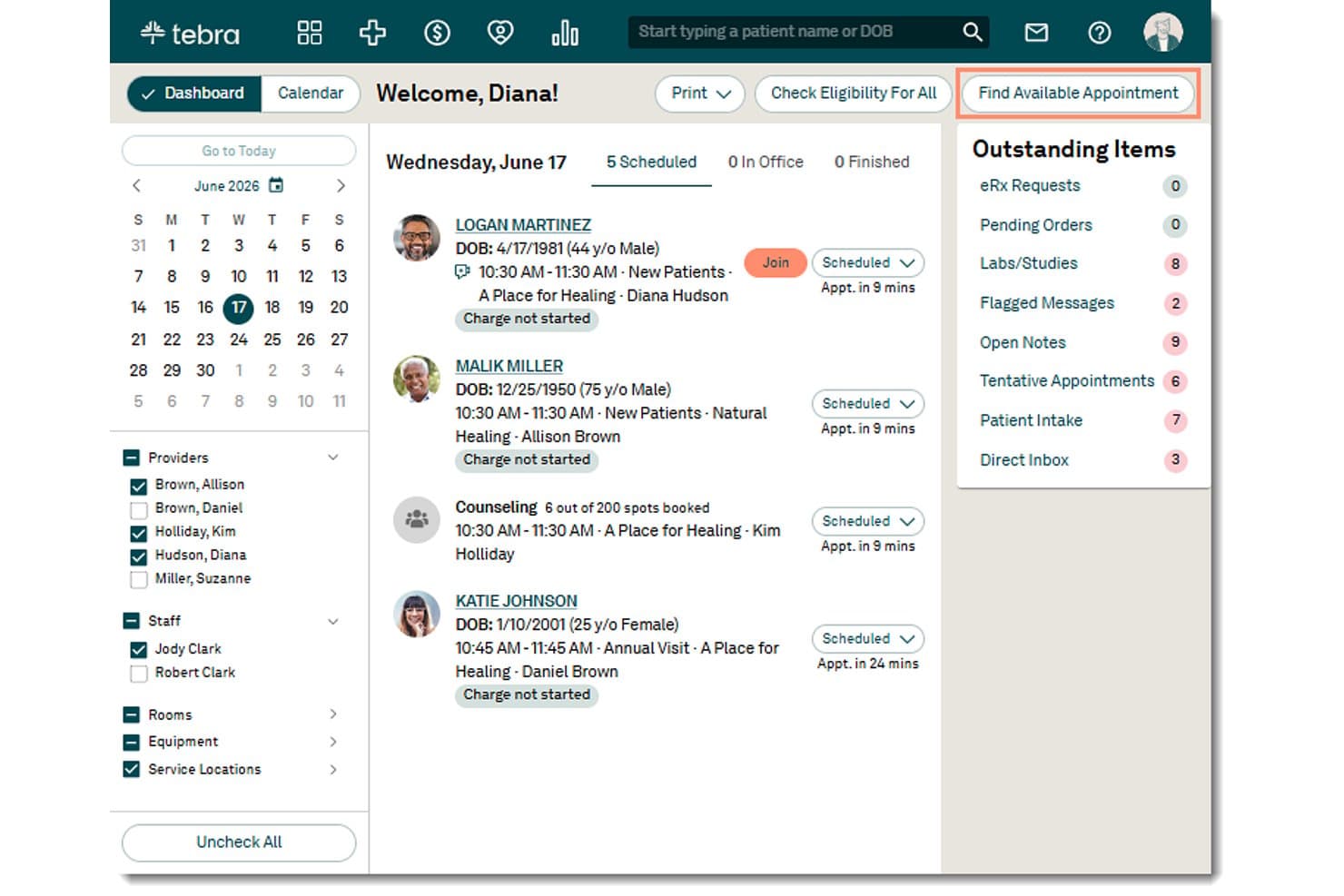
Tebra offers a dashboard with appointment scheduling, patient status tracking, and a 'Find Available Appointment' feature for streamlined appointment management. Tebra is a cloud-based medical practice management platform that combines online patient scheduling, automated appointment reminders, EHR documentation, billing, and patient engagement tools built specifically for independent practices.
Who Is Tebra Best For?
Tebra is a strong fit for independent medical practices and small group clinics that need scheduling, reminders, and clinical documentation in a single system.
Why I Picked Tebra
Tebra earns its spot as one of the best on my shortlist because of how deeply its automated reminder system is woven into the clinical workflow. I like that reminders go out via SMS, email, and voice, and patients can confirm or cancel directly from the message thread, with responses syncing back to the provider calendar in real time. That two-way communication loop is what separates it from tools that simply blast notifications with no feedback mechanism, and it's what drives Tebra's documented 38% reduction in no-shows.
Tebra Key Features
- Real-time online patient scheduling: Patients can book, reschedule, or cancel appointments anytime with real-time provider availability.
- Integrated digital intake forms: Practices can send electronic intake forms for patients to complete before their visit, including e-signature.
- Calendar sync with EHR: Appointment calendars update instantly across the scheduling tool and the electronic health record system.
- Multi-location and provider support: Manage appointments and resources across several providers and clinic locations in one unified platform.
Tebra Integrations
Tebra offers native integrations with Kareo Billing, WebPT, Stripe, Microsoft Excel, QuickBooks Online Advanced, Athena, AdvancedMD, DrChrono, Allscripts, Elation, NextGen, and Practice Fusion. An API is available for custom integrations.
Pros and Cons
Pros:
- Real-time calendar sync with EHR platform
- Digital intake forms with e-signature support
- Automated reminders reduce patient no-show rates
Cons:
- Some users report occasional scheduling interface lag
- Appointment reports lack granular filtering options
Learn more about Tebra: Best built-in telehealth scheduling
- Free demo available
- Pricing upon request
Visit WebsiteCustomer Rating:3.4/5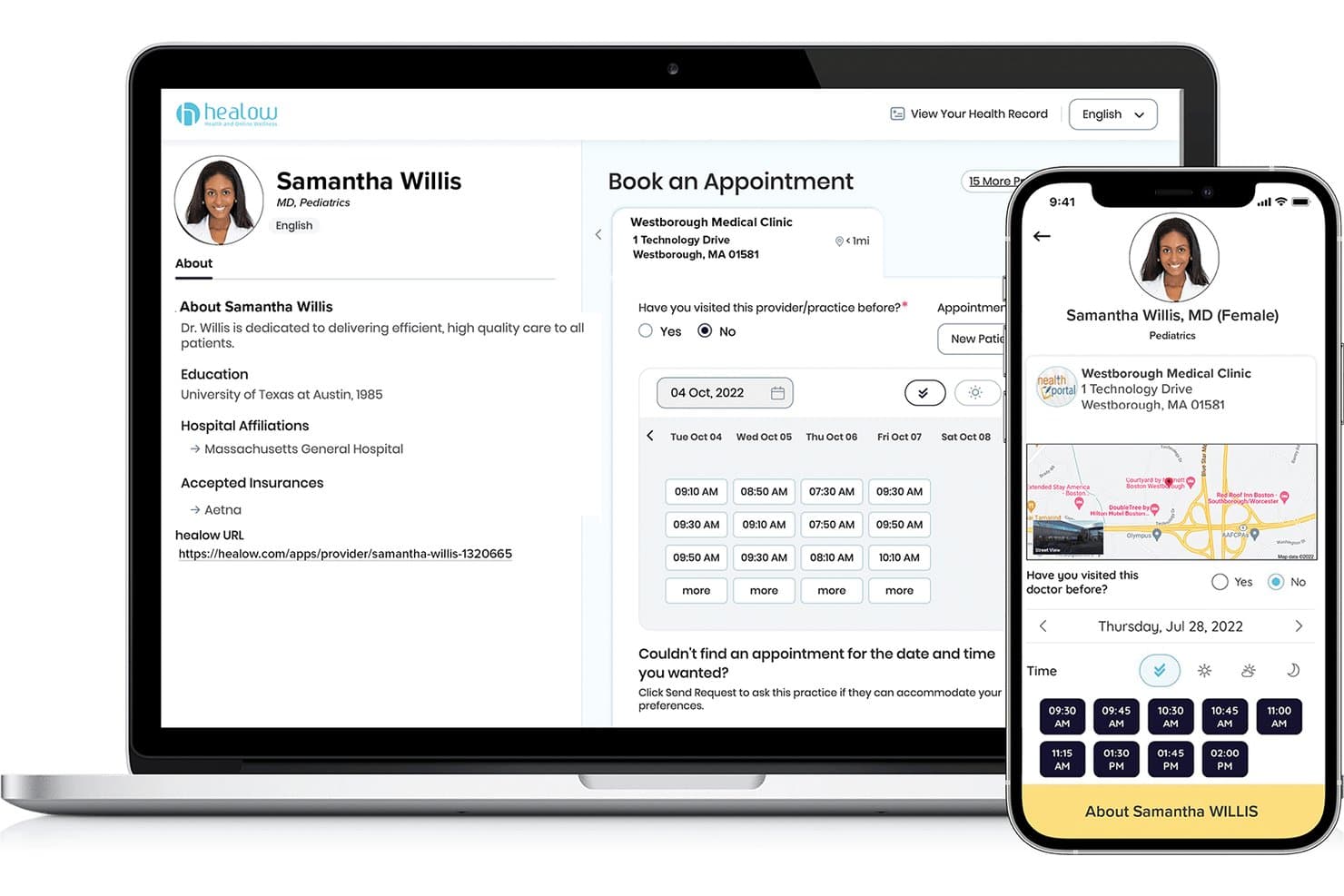
eClinicalWorks offers a patient-facing appointment booking interface via healow, displaying provider profiles, available time slots, and clinic location across desktop and mobile views. eClinicalWorks is an EHR and practice management platform that combines patient self-scheduling, automated reminders, digital check-in workflows, and telehealth scheduling within a single integrated system.
Who Is eClinicalWorks Best For?
eClinicalWorks is a strong fit for multi-provider medical practices and community health centers that need scheduling, EHR, and billing managed within a single platform.
Why I Picked eClinicalWorks
eClinicalWorks earns its spot on my shortlist because its telehealth scheduling lives natively inside the same EHR and scheduling workflow my team already uses. I particularly like healow TeleVisits, which lets providers launch video visits directly from the appointment calendar without toggling between platforms. The healow No-Show Predictive Module uses AI to flag at-risk appointments with 90% accuracy, so my team can proactively rebook virtual visits before a slot goes empty.
eClinicalWorks Key Features
- healow Open Access self-scheduling: Patients can book, reschedule, or cancel appointments online without calling the office.
- eClinicalMessenger automated reminders: Automated phone, text, and email reminders are triggered for all scheduled appointments.
- In-Office Kiosk check-in: Patients check in at a touch-screen kiosk, confirm insurance, and complete intake forms on arrival.
- PRISMA interoperability engine: Clinicians access a comprehensive view of patient records aggregated from multiple EHRs and health information networks.
eClinicalWorks Integrations
eClinicalWorks offers native integrations with LabCorp and PRISMA for health information exchange, as well as Sunoh and healow Genie. FHIR APIs are available for custom integrations.
Pros and Cons
Pros:
- Automated no-show prediction and reminders
- Multi-provider and multi-location calendar management
- Integrated telehealth and appointment scheduling
Cons:
- Customer support response can be slow
- Outdated user interface design
Learn more about eClinicalWorks: Best with automated waitlist management
- Free trial + free demo available
- From $22.45/month (billed annually)
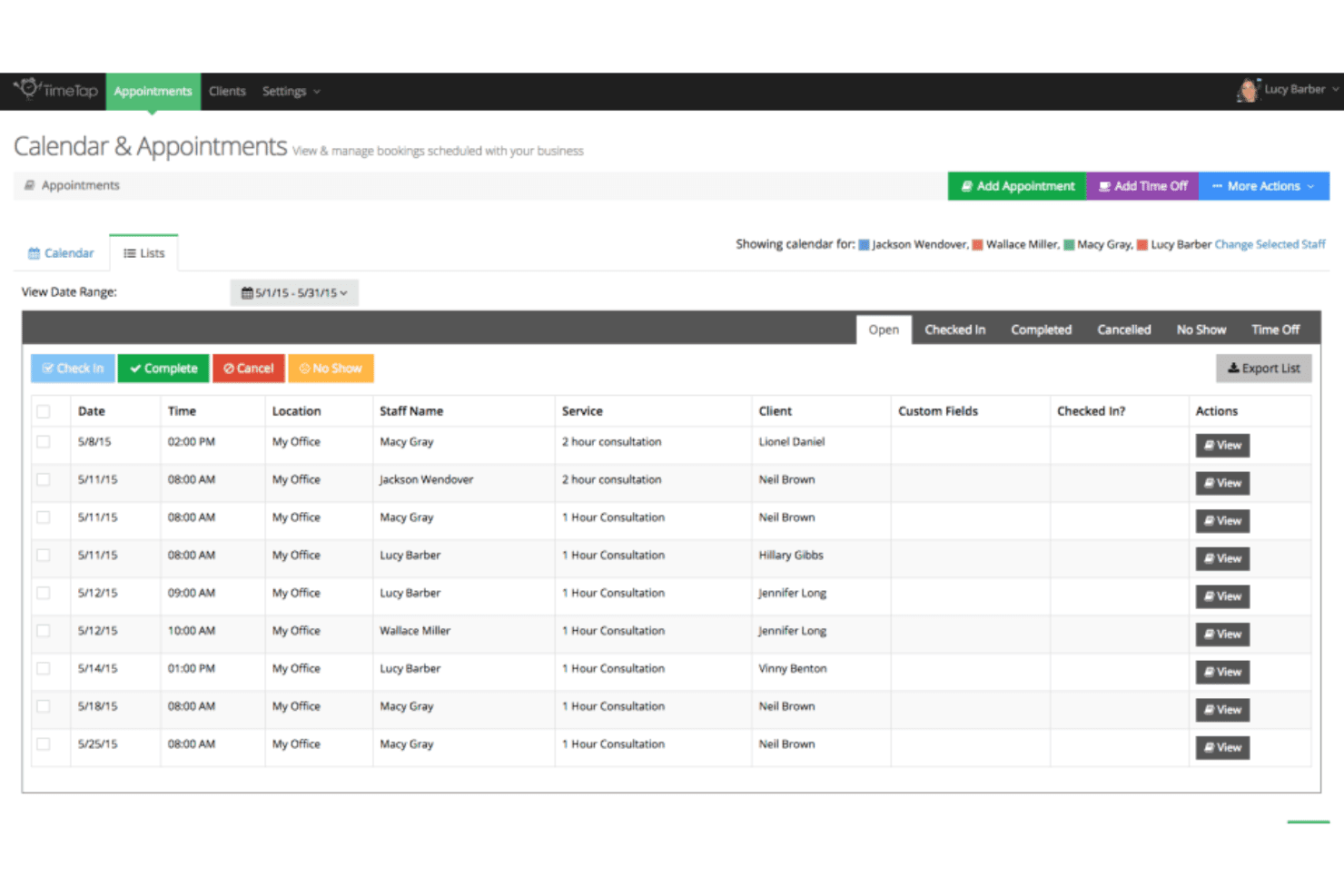
TimeTap’s calendar & appointments dashboard displays scheduled bookings, staff assignments, client details, service types, and appointment statuses. TimeTap is an appointment scheduling platform built for multi-provider, multi-location operations, offering self-booking portals, automated reminders, waitlist management, intake forms, and two-way calendar sync.
Who Is TimeTap Best For?
TimeTap suits healthcare practices, clinics, and service businesses that manage appointments across multiple providers, staff members, or locations.
Why I Picked TimeTap
I picked TimeTap as one of the best because its automated waitlist management removes a task that most scheduling tools leave entirely to staff. When a slot opens, TimeTap automatically sends a booking invite to the next person on the waitlist, with no manual follow-up needed. I also like that the Business plan includes a dedicated text number, so waitlist notifications and reminders go out from a consistent number that patients actually recognize.
TimeTap Key Features
- Custom booking forms: Build tailored intake forms to collect patient information and appointment details at the time of booking.
- Two-way calendar sync: Connects seamlessly with Google, Outlook, and Office 365 calendars to automatically reflect up-to-date provider availability.
- Travel time calculator: Uses Google Maps integration to adjust appointment slots based on staff travel times between locations.
- HIPAA-compliant data management: Offers secure client records, audits, and signed BAA options for healthcare privacy compliance.
TimeTap Integrations
TimeTap offers native integrations with Google Calendar, Microsoft Outlook, Office 365, iCal, Square, Stripe, PayPal, and Salesforce. An open API is available for custom integrations.
Pros and Cons
Pros:
- Detailed intake forms for custom information capture
- Booking portal supports multi-provider and multi-location needs
- Automated waitlist instantly fills canceled slots
Cons:
- Lacks built-in patient self check-in kiosk
- No native EHR or EMR system integration
Learn more about TimeTap: Best for integrated appointment scheduling
- Free demo available
- From $99/month
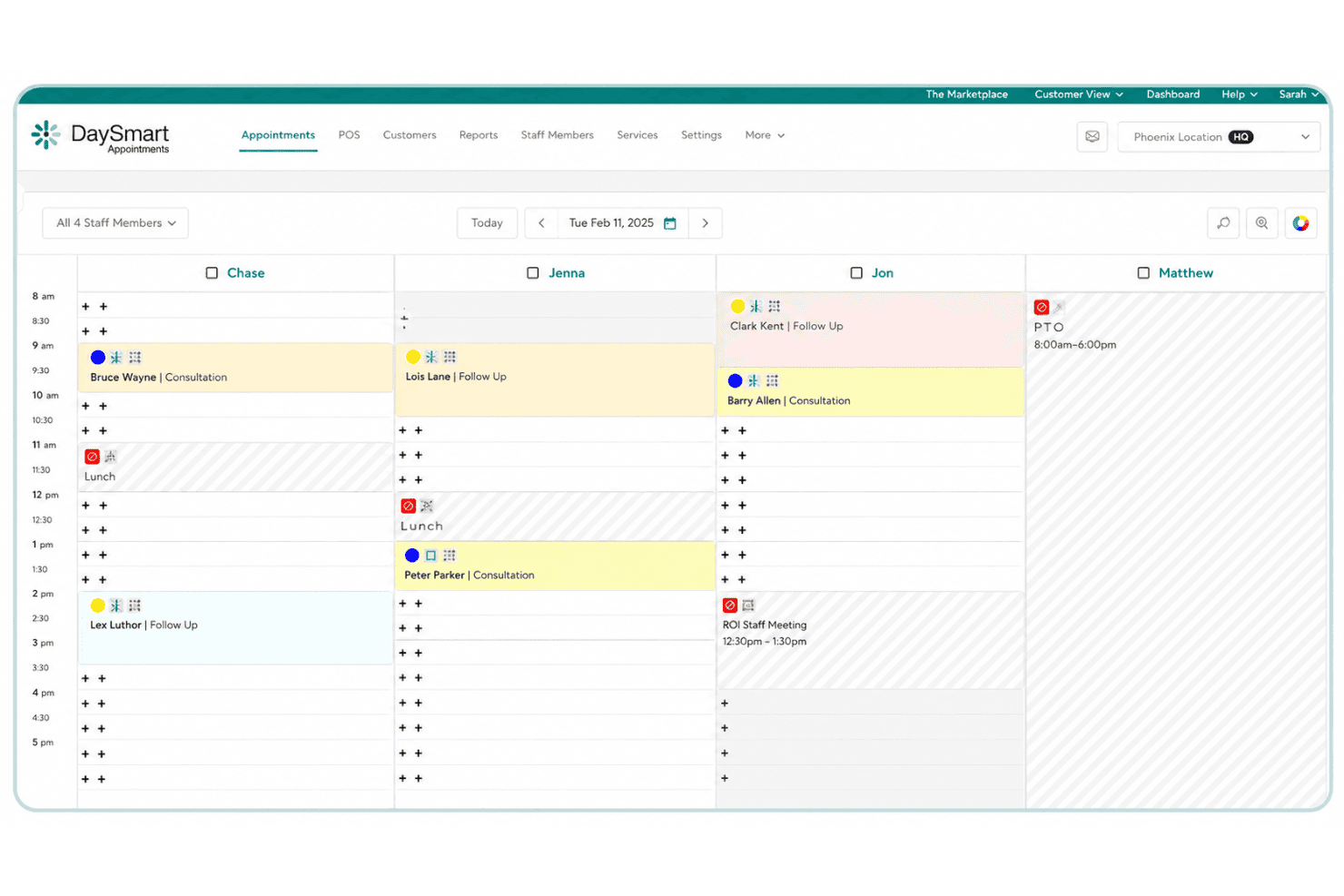
DaySmart Appointments displays staff schedules, client bookings, consultations, meetings, lunch breaks, and time off in a daily calendar view. DaySmart Appointments is an appointment scheduling platform built around a customizable booking engine, multi-location calendar management, automated reminders, and an open API for integrating scheduling into existing business systems.
Who Is DaySmart Appointments Best For?
It's a strong fit for multi-location healthcare and service businesses that need HIPAA-compliant scheduling with the flexibility to connect booking into existing tech systems via API.
Why I Picked DaySmart Appointments
I've included DaySmart Appointments in my top picks because its API-first approach to scheduling integration genuinely sets it apart. The platform exposes location and staff availability through a single API and uses webhooks to push appointment updates in real time to connected systems. That means a multi-site clinic can embed booking directly into an existing patient portal without rebuilding workflows from scratch.
DaySmart Appointments Key Features
- HIPAA-compliant scheduling: Protects patient data with HIPAA, ADA, and SOC 2 Type 2 security protocols.
- Automated appointment reminders: Sends SMS and email reminders to help reduce patient no-shows.
- Multi-location calendar management: Allows real-time scheduling across several locations, providers, and resources.
- Customizable scheduling templates: Offers tailored appointment types, extra fields, and custom rules for different services.
DaySmart Appointments Integrations
DaySmart Appointments offers native integrations with Google Calendar, Microsoft Outlook, Birdeye, LeadsBridge, Hatch, and iContact. An API is available for custom integrations.
Pros and Cons
Pros:
- Patient self-scheduling with automated reminders
- Multi-location clinic calendar management
- HIPAA and SOC 2 certified for security
Cons:
- Intake forms limited to custom fields only
- No native EHR or EMR integrations
Learn more about DaySmart Appointments:
Outro software de gestão de marcações
Segue-se uma lista de software adicional de gestão de marcações que incluí na seleção, mas que não chegou aos 10 primeiros. Vale certamente a pena consultá-los.
- 11Hallmark Health Care SolutionsBest for large-scale workforce management
- 12CCD HealthBest for managing healthcare call center operations
- 13WebPTGood for physical therapy practices requiring dedicated scheduling tools
- 14PracticeSuiteGood for managing revenue cycle with integrated practice management
- 15JaneGood for clinics seeking a versatile appointment scheduling system
- 16CentralReachGood for behavioral health practices needing a comprehensive solution
- 17RaintreeGood for specialized practices requiring a customizable solution
- 18CareCloudGood for modernizing practices with cloud-based management tools
- 19Centricity Practice SolutionsGood for large practices requiring robust healthcare IT solutions
- 20PatientPopGood for practices seeking growth through improved online visibility
- 21AdvanceMDGood for independent practices aiming to streamline operations
- 22IntelichartGood for practices aiming to enhance patient engagement
- 23profiGood for professionals aiming to manage all client interactions in one place
- 24DocMeInGood for practices needing a free online appointment scheduling
- 25Doctors PartnerGood for practices seeking a partner to transition into electronic medical records
Análises relacionadas de software de gestão de marcações
\
How I Evaluate Appointment Management Software\
\
I split my evaluation into baseline requirements—HIPAA compliance, patient self-scheduling, EHR sync—and differentiators like recall automation and telehealth that set certain tools apart.\
\
Core Functionality (Table Stakes For This List)\
\
When I'm selecting tools for my list, I rank each one \on a scale from 0 (does not offer the functionality) to 5 (excels in this area)\ for each core functionality listed below. Then, I calculate the tool's total score into a percentage. Each tool needs to achieve \a minimum total score of 65%\ to be considered for inclusion.\
\ \
- \Patient Self-Scheduling Portal:\ I check whether patients can view real-time availability, pick a provider, and book or reschedule on their own—without staff fielding calls.\ \
- \Automated Appointment Reminders:\ Multi-channel reminders via SMS, email, or voice are key. I look for customizable timing and two-way confirmation to cut no-shows.\ \
- \Multi-Provider Calendar Management:\ Practices with several clinicians need real-time calendar sync and conflict detection across providers, rooms, and locations.\ \
- \EHR/EMR Integration:\ I evaluate whether the tool syncs bidirectionally with major systems like Epic, athenahealth, or DrChrono so patient data stays current.\ \
- \HIPAA Compliance:\ Every tool I consider should offer a signed BAA, data encryption, and role-based access controls to safeguard protected health information.\ \
- \Intake & Check-In Workflows:\ I look for digital intake forms tied to appointments, plus self check-in options that reduce clipboard paperwork in the waiting room.\ \ \
Once I have a list of tools that meet this criteria, I consider what sets each platform apart.\
\
Differentiating Factors (What Sets Vendors Apart)\
\
Here's how I compare and contrast different vendors:\
\
Standout Features\
\
Waitlist automation is a big differentiator. When a patient cancels a Thursday morning slot, the best tools immediately text the next person on the waitlist to fill it. I also look for recall campaigns that flag patients overdue for checkups or follow-ups and trigger outreach automatically. Real-time insurance eligibility checks at the point of booking help front-desk staff catch coverage gaps before the visit, saving time on denied claims later.\
\
Beyond Features\
\
Practice size and specialty fit matter a lot. A solo therapist needs a lightweight tool with fast setup, while a multi-location orthopedics group needs centralized admin controls and cross-site reporting. I also evaluate pricing structures—per-provider fees can add up fast for growing practices, so I check whether tools charge per location or offer flat-rate plans instead. Onboarding support is another factor I weigh, since a rocky EHR migration or poor staff training can stall adoption for weeks.\
Como escolher software de gestão de marcações
É fácil ficar preso a longas listas de funcionalidades e estruturas de preços complexas. Para o ajudar a manter o foco enquanto percorre o seu processo único de seleção de software, apresentamos uma lista de verificação dos fatores a ter em conta:
| Fator | O que considerar |
|---|---|
| FatorEscalabilidade | O que considerarO software acompanhará o crescimento da sua prática? Considere se permite suportar mais utilizadores, localizações ou funcionalidades à medida que as suas necessidades evoluem. |
| FatorIntegrações | O que considerarEstabelece ligação às suas ferramentas existentes? Procure compatibilidade com os seus calendários, CRM e plataformas de comunicação. |
| FatorPersonalização | O que considerarPode adaptar o software aos seus fluxos de trabalho? Verifique se permite campos personalizados, imagem de marca e funções de utilizador. |
| FatorFacilidade de utilização | O que considerarA interface é intuitiva para a sua equipa? Certifique-se de que é simples para todos os utilizadores navegarem sem necessitarem de ajuda constante. |
| FatorImplementação e integração inicial | O que considerarQuanto tempo demorará até estar operacional? Avalie o tempo de configuração, a formação disponível e o apoio durante a transição. |
| FatorCusto | O que considerarEnquadra-se no seu orçamento? Compare os modelos de preços, esteja atento a taxas ocultas e considere o custo total de propriedade ao longo do tempo. |
| FatorMedidas de segurança | O que considerarOs seus dados e as informações dos pacientes estão protegidos? Procure encriptação, conformidade com regulamentos como a HIPAA e atualizações regulares de segurança. |
| FatorDisponibilidade do apoio | O que considerarQue tipo de apoio pode esperar? Verifique se o fornecedor oferece assistência 24 horas por dia, 7 dias por semana, vários canais de apoio e qual é a sua rapidez de resposta às questões. |
O que é o software de gestão de marcações?
O software de gestão de marcações é uma ferramenta que ajuda a agendar, gerir e acompanhar marcações de forma eficiente. Profissionais como médicos, consultores e prestadores de serviços utilizam estas ferramentas para reduzir as faltas e melhorar a comunicação com os clientes. Os lembretes automáticos, a sincronização do calendário e o acompanhamento do histórico dos clientes ajudam a garantir flexibilidade no agendamento e uma gestão eficiente das marcações. No geral, estas ferramentas poupam tempo e melhoram a qualidade dos serviços prestados aos utilizadores.
Funcionalidades
Ao selecionar um software de gestão de marcações, esteja atento às seguintes funcionalidades principais:
- Lembretes automáticos: Envia notificações aos clientes para reduzir as faltas e manter os horários organizados.
- Sincronização do calendário: Integra-se com aplicações de calendário populares para garantir que todas as marcações estão atualizadas e que os conflitos são minimizados.
- Acompanhamento do histórico dos clientes: Mantém registos detalhados de marcações e interações anteriores para melhorar o serviço personalizado.
- Páginas de marcação personalizáveis: Permite adaptar as interfaces de marcação à sua marca e às suas necessidades específicas.
- Gestão de várias localizações: Permite gerir o agendamento e as operações em várias filiais ou localizações numa única plataforma.
- Análise e relatórios: Fornece informações sobre tendências de marcações e comportamentos dos clientes para ajudar a otimizar as práticas de agendamento.
- Integração com telessaúde: Liga-se a plataformas de telessaúde para facilitar marcações e consultas virtuais.
- Campos personalizados: Oferece flexibilidade para recolher informações específicas dos clientes relevantes para a sua atividade ou para os seus serviços.
- Visitas guiadas interativas ao produto: Orienta os utilizadores através das funcionalidades do software para facilitar a integração e melhorar a experiência do utilizador.
- Medidas de segurança: Garante a proteção dos dados dos clientes através de encriptação e do cumprimento de regulamentos como a HIPAA.
Vantagens
A implementação de um software de gestão de marcações proporciona várias vantagens para a sua equipa e para a sua empresa. Eis algumas das que pode esperar:
- Redução das faltas: Os lembretes automáticos ajudam a garantir que os clientes se lembram das suas marcações, minimizando cancelamentos e sessões perdidas.
- Maior eficiência: A sincronização do calendário e as atualizações do agendamento em tempo real mantêm todos informados, poupando tempo e reduzindo erros.
- Melhoria da experiência do cliente: As páginas de marcação personalizáveis e os lembretes personalizados criam uma interação mais adaptada e profissional para os clientes.
- Melhor gestão dos dados: O acompanhamento do histórico dos clientes e os campos personalizados permitem organizar e aceder facilmente às informações, conduzindo a decisões mais fundamentadas.
- Maior flexibilidade: A gestão de várias localizações e a integração com telessaúde permitem que a sua atividade se adapte às diferentes necessidades e preferências dos clientes.
- Informações valiosas: A análise e os relatórios fornecem informações baseadas em dados sobre os padrões de agendamento, ajudando a aperfeiçoar as operações e as estratégias.
- Maior segurança: As medidas de segurança protegem as informações sensíveis dos clientes, garantindo o cumprimento de regulamentos do setor como a HIPAA.
Custos e preços
A seleção de um software de gestão de marcações exige uma compreensão dos vários modelos de preços e planos disponíveis. Os custos variam consoante as funcionalidades, o tamanho da equipa, os complementos e outros fatores. A tabela abaixo resume os planos comuns, os respetivos preços médios e as funcionalidades normalmente incluídas nas soluções de software de gestão de marcações:
Tabela de comparação de planos para software de gestão de marcações
| Tipo de plano | Preço médio | Funcionalidades comuns |
|---|---|---|
| Tipo de planoPlano gratuito | Preço médio$0/user/month | Funcionalidades comunsAgendamento básico, lembretes limitados e sincronização do calendário. |
| Tipo de planoPlano pessoal | Preço médio$5-$25/user/month | Funcionalidades comunsAgendamento avançado, lembretes automáticos, acompanhamento do histórico dos clientes e relatórios básicos. |
| Tipo de planoPlano empresarial | Preço médio$30-$60/user/month | Funcionalidades comunsGestão de várias localizações, páginas de marcação personalizáveis, integração com telessaúde e análise. |
| Tipo de planoPlano empresarial de grande dimensão | Preço médio$70-$150/user/month | Funcionalidades comunsCampos personalizados, medidas de segurança avançadas, suporte dedicado e integração completa de funcionalidades. |
Perguntas frequentes sobre software de gestão de marcações
Eis algumas respostas a perguntas frequentes sobre software de gestão de marcações:
Como é que o software de gestão de marcações ajuda a reduzir as faltas?
O software de gestão de marcações ajuda a reduzir as faltas ao enviar lembretes automáticos aos clientes antes das suas marcações. Isto garante que os clientes têm conhecimento das próximas marcações e podem tomar as providências necessárias. Pode personalizar as definições dos lembretes de acordo com as necessidades da sua atividade, ajudando a manter uma agenda consistente.
O software de gestão de marcações consegue gerir várias localizações?
Sim, muitas soluções de software de gestão de marcações conseguem gerir várias localizações. Esta funcionalidade permite supervisionar a marcação de horários e os recursos de diferentes filiais a partir de uma única plataforma. Ajuda a manter a consistência e a coordenação, facilitando a gestão de marcações em várias localizações por parte da sua equipa.
O que devo ter em consideração ao integrar o software de gestão de marcações com outras ferramentas?
Ao integrar o software de gestão de marcações, verifique se este sincroniza com os seus calendários existentes, CRM e plataformas de comunicação. Confirme a compatibilidade e a facilidade de integração para garantir um fluxo de trabalho simples. Procure integrações nativas que não exijam uma configuração técnica extensa nem custos adicionais.
A segurança dos dados é uma preocupação no software de gestão de marcações?
A segurança dos dados é crucial, especialmente ao lidar com informações sensíveis dos clientes. Certifique-se de que o software cumpre regulamentações do setor, como a HIPAA, e disponibiliza encriptação e atualizações de segurança regulares. Verifique as políticas de privacidade do fornecedor e as práticas de tratamento de dados para proteger as informações dos seus clientes.
Até que ponto são personalizáveis as páginas de reserva no software de gestão de marcações?
As páginas de reserva do software de gestão de marcações são frequentemente muito personalizáveis. Pode adaptá-las para refletirem a sua marca, adicionar campos personalizados e definir regras de reserva específicas. Esta flexibilidade permite criar uma experiência de reserva alinhada com as necessidades específicas da sua empresa e as preferências dos seus clientes.