

NexHealth Review: Pros, Cons, Features and Pricing
NexHealth centralizes practice management, from online scheduling and patient engagement to billing and performance insights.

We review tools independently, and commissions help fund our testing. See our transparency policy, our methodology, or suggest a tool.
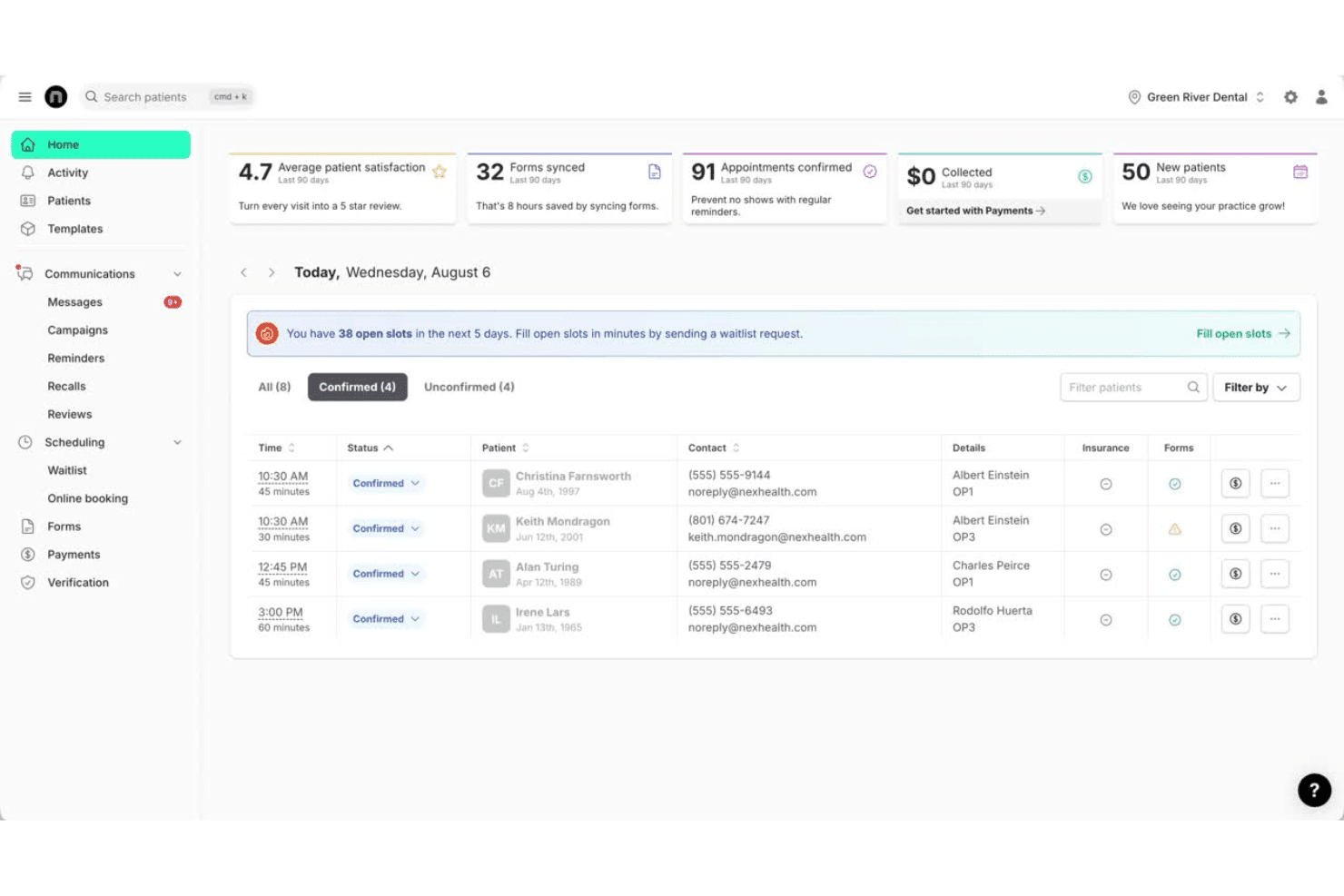
NexHealth is a medical practice management software built around patient engagement, covering online scheduling, digital intake forms, automated reminders, and two-way messaging. It's worth considering if your practice wants to layer those tools onto an existing EHR rather than replacing your entire clinical system. If you've looked at Kareo and found it asks more of your workflow than you're ready for, NexHealth's integration-first approach is a more practical path forward—you keep your current system and extend what it can do for patients.
NexHealth Evaluation Summary
4.8/5
- Pricing upon request
- Free demo available
Why Trust Our Software Recommendations
6,700+
Reviews
20
Industry experts
16+
Evaluation factors
14
Years
Our team has been testing and reviewing software since 2012. As medical practice leaders ourselves, we know how difficult—and important—it is to choose the right software.
For this guide, we evaluated tools using hands-on testing and independent research, scoring tools using our selection criteria.
Our reviews reflect our human editorial judgment, not a sales pitch.
NexHealth Overview
In my judgment, NexHealth stands out for its modern interface, automated patient messaging, and deep integrations with many EHRs, which makes onboarding smooth for most teams. The platform’s live support and transparent scheduling tools tip the scales for busy clinics that value reliability and easy tech adoption.
While the pricing is on the higher side and customizations are limited compared to some alternatives, practices prioritizing direct patient engagement and fast digital appointment booking will find NexHealth a smart choice.
Pros
- Automated patient reminders reduce no-shows and manual work.
- Two-way texting lets practices manage communication in real time.
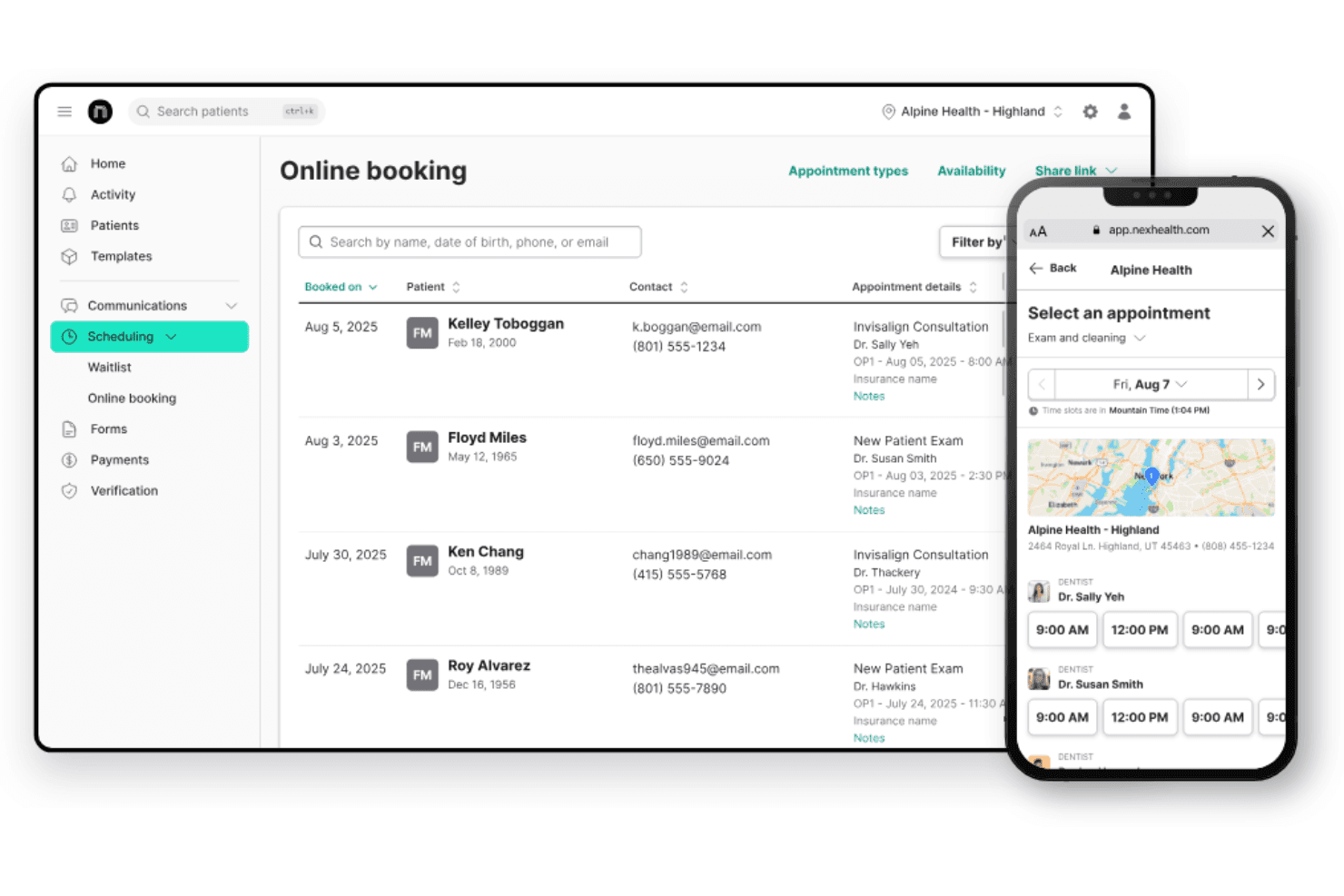
- Online booking syncs instantly with practice schedules and EHRs.
Cons
- Additional fees apply for SMS usage above plan limits.
- No in-depth billing or claims management features included.
- Limited custom branding for patient communication tools.
Is NexHealth Right For Your Needs?
Who Would be a Good Fit for NexHealth?
NexHealth works best for healthcare teams that want to automate patient communication, reduce no-shows, and sync with EHRs in real time. It’s a smart choice for practices with frequent appointment changes and lots of staff-patient interaction and departments needing online scheduling and digital forms gain value quickly.
If your team handles high patient volumes or recalls, you’ll find NexHealth’s automation and reminders helpful.
- Dental PracticesNexHealth manages recalls, digital forms, and integrates with popular dental EHRs for a connected patient experience.
- Multi-Location ClinicsThe platform centralizes scheduling, reminders, and patient communication for teams working across several sites.
- Reception TeamsSimplifies tasks with digital intake, instant reminders, and a unified messaging dashboard to reduce phone calls.
- Growing Outpatient GroupsAutomated reminders, online booking, and instant payments help manage increasing scheduling demands and reduce no-shows.
- Pediatric OfficesDigital forms and parent-friendly text reminders keep families engaged and streamline scheduling for frequent visits.
Who Would be a Bad Fit for NexHealth?
NexHealth isn’t right for every organization. Small solo practitioners may find the investment hard to justify if they only book a handful of appointments per week. If your business relies on complex claims management, requires very custom workflows, or isn’t in healthcare, NexHealth won’t address your main operational needs.
- Solo ProvidersThe features may be overkill and the cost harder to justify for clinics with minimal appointment volume.
- Rural Health SystemsAreas with spotty internet access can struggle to benefit from NexHealth’s cloud-based platform and real-time features.
- Hospitals with Inpatient CareThe focus on outpatient scheduling and digital forms won’t meet the complex needs of large hospital systems.
- Mental Health PracticesMany specialties need more tailored workflows or compliance features than NexHealth currently offers.
- Chiropractic Clinics With Complex BillingNexHealth doesn’t include in-depth claims processing or insurance billing tools.
How We Test & Score Tools
We’ve spent years building, refining, and improving our software testing and scoring system. The rubric is designed to capture the nuances of software selection and what makes a tool effective, focusing on critical aspects of the decision-making process.
Below, you can see exactly how our testing and scoring works across seven criteria. It allows us to provide an unbiased evaluation of the software based on core functionality, standout features, ease of use, onboarding, customer support, integrations, customer reviews, and value for money.
Core Functionality (25% of final scoring)
The starting point of our evaluation is always the core functionality of the tool. Does it have the basic features and functions that a user would expect to see? Are any of those core features locked to higher-tiered pricing plans? At its core, we expect a tool to stand up against the baseline capabilities of its competitors.
Standout Features (25% of final scoring)
Next, we evaluate uncommon standout features that go above and beyond the core functionality typically found in tools of its kind. A high score reflects specialized or unique features that make the product faster, more efficient, or offer additional value to the user.
We also evaluate how easy it is to integrate with other tools typically found in the tech stack to expand the functionality and utility of the software. Tools offering plentiful native integrations, 3rd party connections, and API access to build custom integrations score best.
Ease of Use (10% of final scoring)
We consider how quick and easy it is to execute the tasks defined in the core functionality using the tool. High scoring software is well designed, intuitive to use, offers mobile apps, provides templates, and makes relatively complex tasks seem simple.
Onboarding (10% of final scoring)
We know how important rapid team adoption is for a new platform, so we evaluate how easy it is to learn and use a tool with minimal training. We evaluate how quickly a team member can get set up and start using the tool with no experience. High scoring solutions indicate little or no support is required.
Customer Support (10% of final scoring)
We review how quick and easy it is to get unstuck and find help by phone, live chat, or knowledge base. Tools and companies that provide real-time support score best, while chatbots score worst.
Customer Reviews (10% of final scoring)
Beyond our own testing and evaluation, we consider the net promoter score from current and past customers. We review their likelihood, given the option, to choose the tool again for the core functionality. A high scoring software reflects a high net promoter score from current or past customers.
Value for Money (10% of final scoring)
Lastly, in consideration of all the other criteria, we review the average price of entry level plans against the core features and consider the value of the other evaluation criteria. Software that delivers more, for less, will score higher.
Core Features
Online Scheduling
Patients can book appointments from your website with real-time availability. This feature syncs directly with your EHR so schedules stay accurate.
Automated Reminders
Send customizable text and email reminders to reduce missed appointments. Reminders go out automatically based on your scheduling rules.
Digital Forms
Patients complete medical forms online before their visit. Submitted forms write back to your EHR, which saves staff time at check-in.
Patient Communication
Staff and patients can text back and forth securely. All conversations are organized in a unified dashboard for easy follow-up.
Reporting and Analytics
Insightful reports on practice performance and patient data support informed decision-making, offering a clearer view of strengths and areas for improvement.
Billing Management
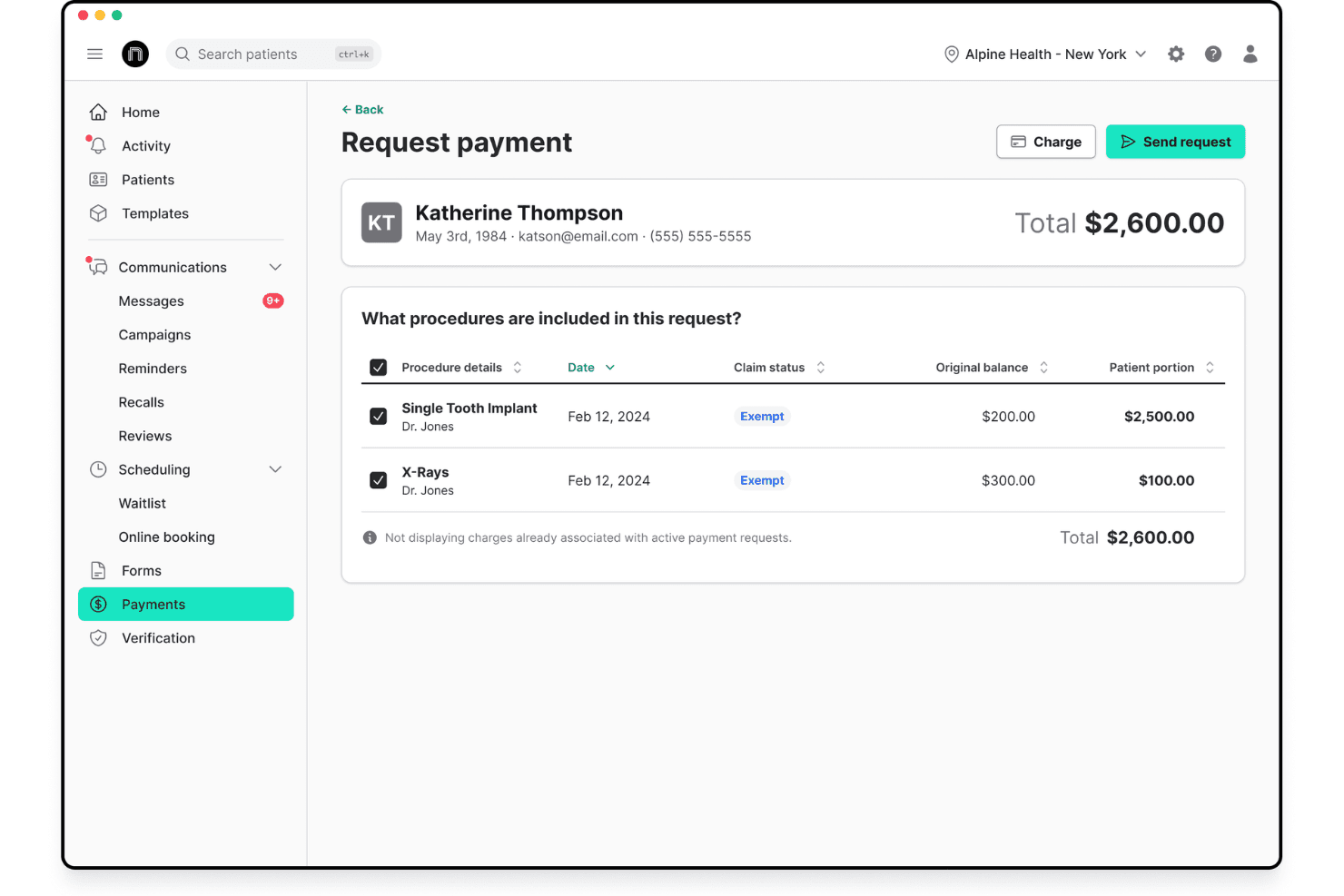
Streamlines billing processes with accurate invoicing and payment tracking, making it easier for teams to manage finances. This feature helps ensure timely and efficient payments.
Standout Features
Insurance Eligibility Verification
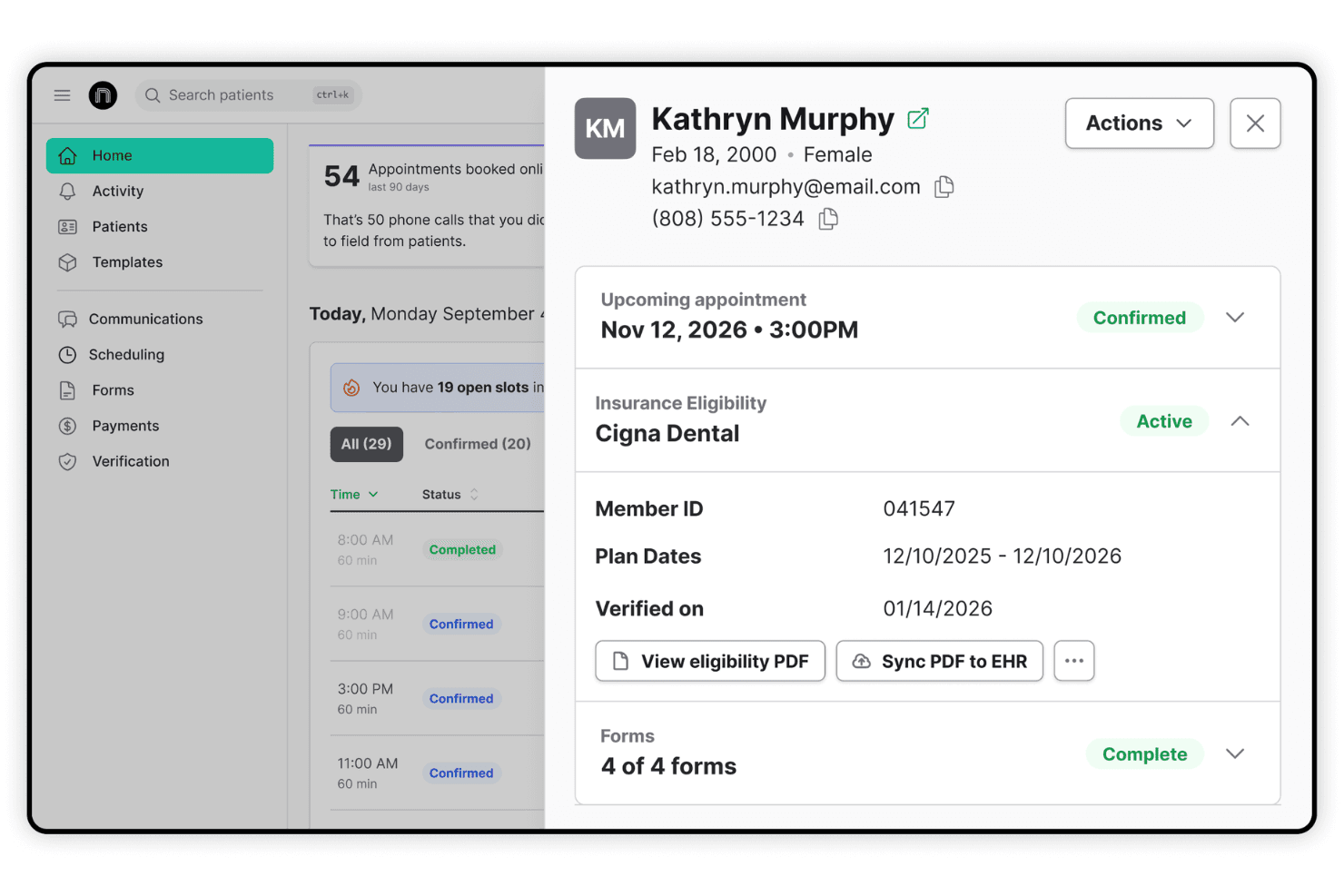
Quickly verify patient insurance eligibility in real-time, streamlining administrative tasks and ensuring accurate billing.
Patient Retention Tools
Enhance patient retention with personalized communication and targeted outreach campaigns that keep patients engaged and encourage repeat visits.
Ease of Use
NexHealth’s interface feels intuitive, with a clean dashboard and clear workflow for scheduling and messaging. I think staff will find most tasks—like sending patient reminders or tracking form completion—just a click or two away.
Users mention quick onboarding and less manual data entry thanks to real-time EHR syncing, which adds up to less frustration for teams moving fast.
Onboarding
NexHealth’s onboarding is guided and hands-on, with dedicated account managers who walk you through setup and data migration.
Many users mention being up and running in days, not weeks, and praise the responsive support team, detailed help center, and live chat for troubleshooting new features or workflows as needed.
Customer Support
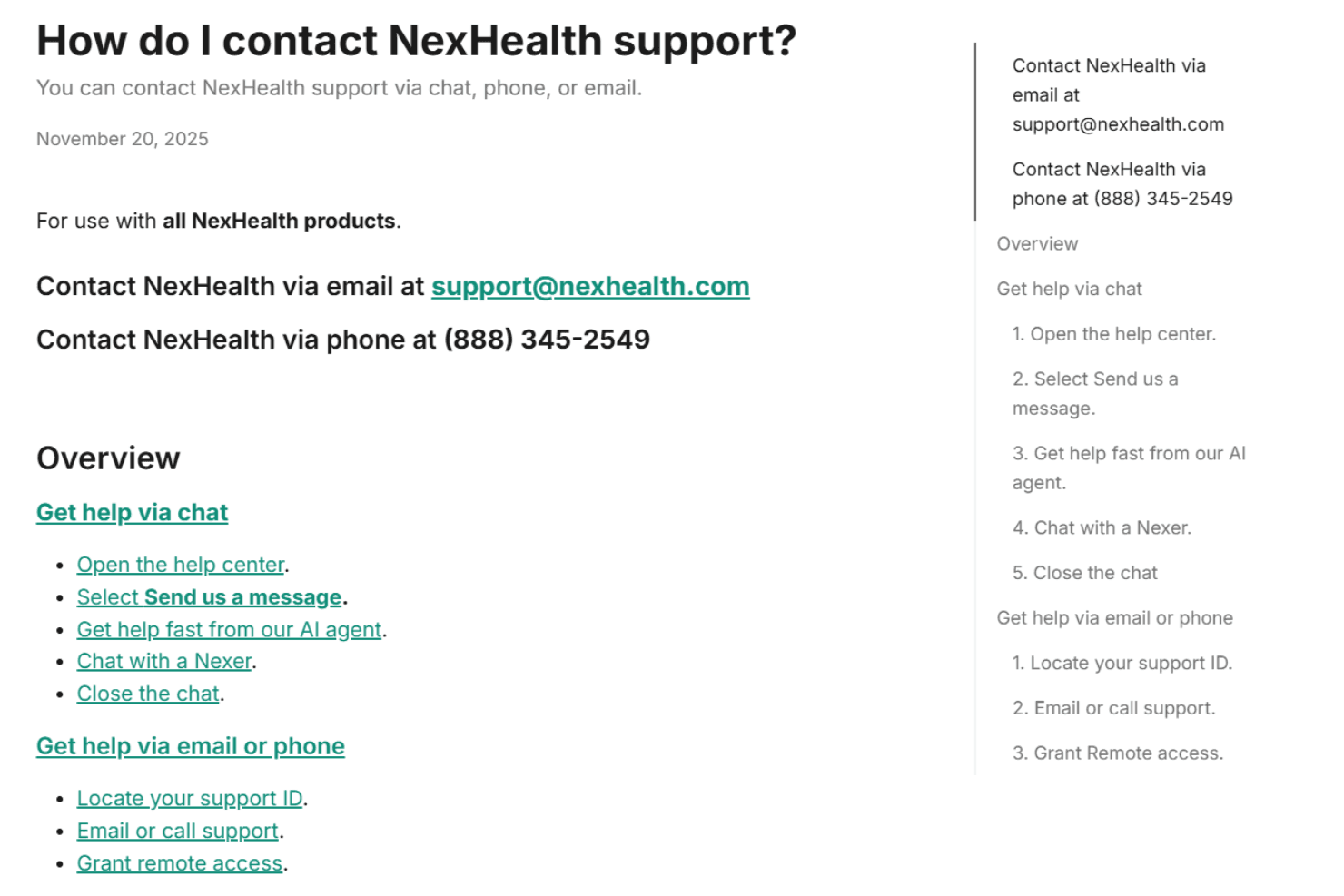
Customer support from NexHealth gets high marks for quick response times and knowledgeable staff. Users say phone, email, and live chat are all available, with most issues resolved on the first contact. The help center is packed with tutorials, and ongoing training sessions are offered for new features or process updates.
Integrations
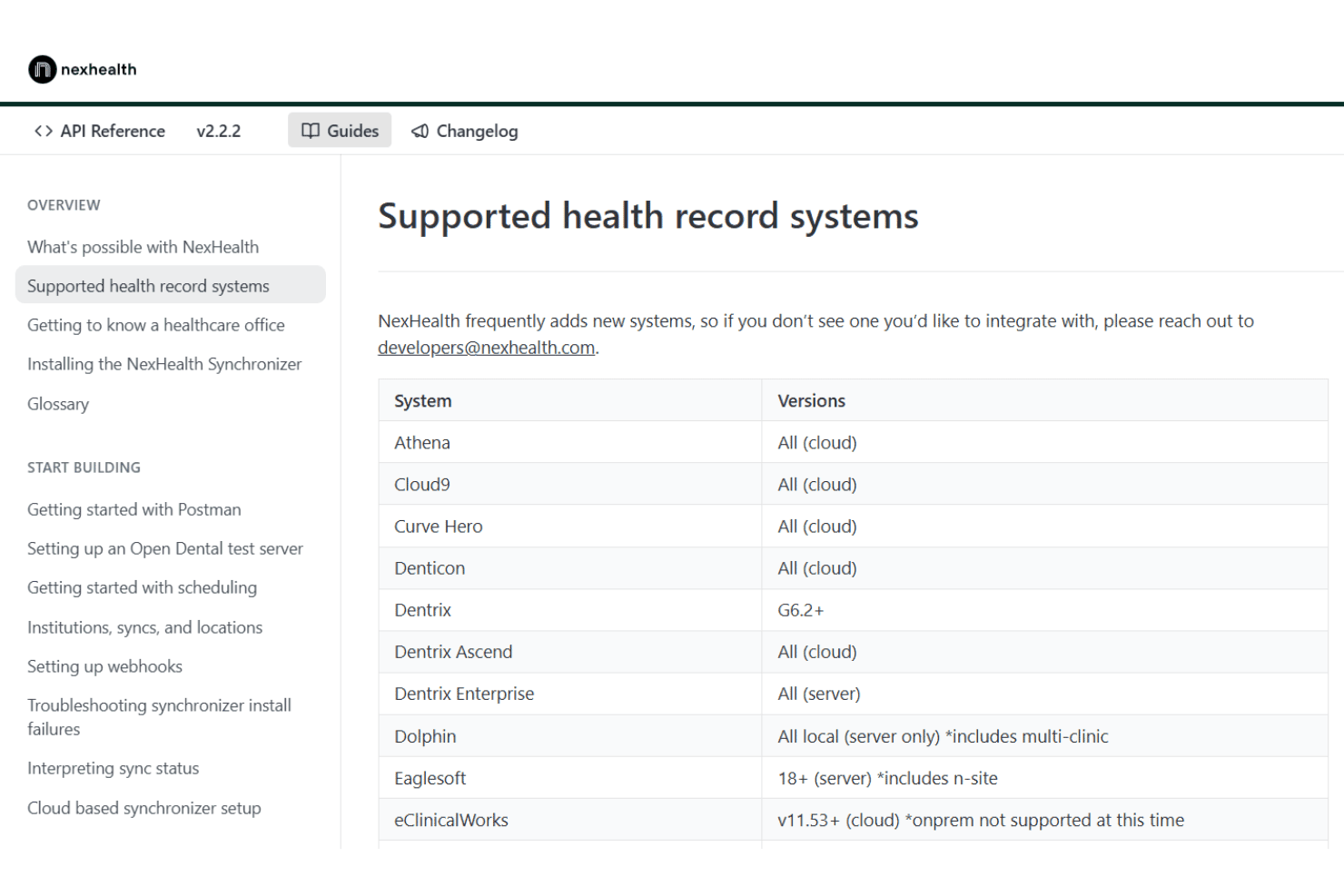
NexHealth integrates with Dentrix, Open Dental, Eaglesoft, athenahealth, Epic Systems, Kareo, DrChrono, Practice Fusion, ChiroTouch, and Curve Dental, among others.
NexHealth offers a public API for custom integrations and supports connectivity with a wide range of EHR and practice management systems.
Value for Money
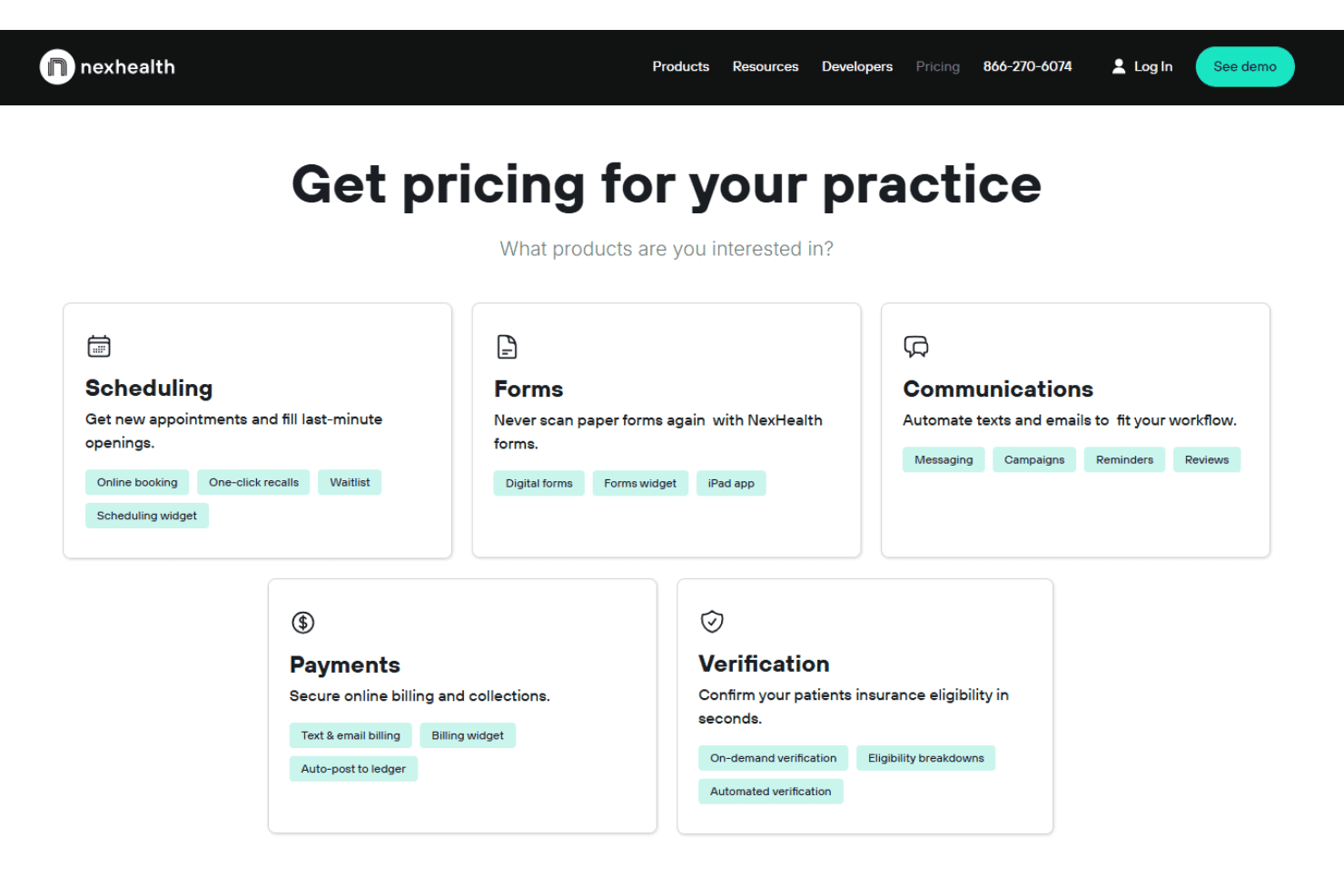
NexHealth pricing uses a build-your-own plan model, where you can select individual product modules to create a tailored solution for your practice. It offers a range of plans that cater to different practice sizes, making it a cost-effective choice for many small to medium practices.
Modules:
- Scheduling: Online booking, recalls, and waitlists to fill appointment gaps.
- Forms: Digital intake forms that replace paperwork and speed up check-ins.
- Communications: Automated texts, reminders, and campaigns to boost engagement.
- Payments: Secure billing and collections via text or email.
- Verification: Real-time insurance checks with automated eligibility verification.
NexHealth Specs
- API: Yes
- Appointment Scheduling: Yes
- Athlete Management: No
- Audit Management: Yes
- Calendar Management: Yes
- Compliance Tracking: No
- Customer Management: Yes
- Dashboard: Yes
- Data Export: Yes
- Data Import: Yes
- Data Visualization: Yes
- Electronic Prescribing: No
- External Integrations: Yes
- File Sharing: No
- File Transfer: No
- Health Management: No
- HIPAA Compliance: Yes
- Inventory Tracking: No
- Multi-User: Yes
- Notifications: Yes
- Organization Management: No
- Patient Management: Yes
- Project Management: No
- Regulatory Alerts: No
- Risk Assessment: No
- Scheduling: Yes
- Supplier Management: No
NexHealth FAQs
NexHealth Company Overview & History
NexHealth is a healthcare technology company founded in 2017. It focuses exclusively on building patient experience and connectivity solutions for medical and dental practices across the United States. The company is known for its modern approach to patient communication and real-time EHR integration, as well as its culture of rapid product innovation.
Notable clients include fast-growing health and dental groups, with continued industry recognition for driving practice automation and digital engagement.
NexHealth Major Milestones
- 2017: NexHealth founded by Alamin Uddin and Waleed Asif.
- 2018: Commercial launch of its unified scheduling and patient messaging platform.
- 2021: Closed a $31 million Series B funding round led by Battery Ventures.
- 2022: Announced strategic partnerships with several major EHR vendors.
- 2023: Expanded customer base to serve thousands of practices nationwide.