

EHR para cuidados urgentes refere-se a sistemas de registos de saúde eletrónicos concebidos para gerir a informação dos doentes, simplificar a documentação e apoiar os fluxos de trabalho clínicos específicos dos contextos de cuidados urgentes. Se está à procura do melhor EHR para cuidados urgentes, provavelmente está a tentar conciliar a prestação de cuidados num ritmo acelerado, requisitos rigorosos de conformidade e um elevado volume de consultas sem comprometer a precisão.
O EHR adequado significa menos tempo gasto em tarefas administrativas, acesso mais rápido aos processos clínicos e uma melhor coordenação entre a equipa—para que possa manter o foco nos doentes. Este guia irá ajudá-lo a comparar as principais opções de EHR para cuidados urgentes, destacar os pontos fortes de cada uma e indicar o que deve procurar com base nas necessidades da sua clínica.
Why Trust Our Software Recommendations
6,700+
Reviews
20
Industry experts
16+
Evaluation factors
14
Years
Our team has been testing and reviewing software since 2012. As medical practice leaders ourselves, we know how difficult—and important—it is to choose the right software.
For this guide, we evaluated tools using hands-on testing and independent research, scoring tools using our selection criteria.
Our reviews reflect our human editorial judgment, not a sales pitch.
Tabela de comparação de RME para cuidados urgentes
| Tool | Best For | Trial Info | Price | ||
|---|---|---|---|---|---|
| 1 | Best for template-free urgent care | Free demo available | Pricing upon request | Website | |
| 2 | Best for affordable urgent care EHR | Free demo available | Pricing upon request | Website | |
| 3 | Best for urgent care billing and EHR | Free demo available | Pricing upon request | Website | |
| 4 | Best for integrated urgent care workflows | Free demo available | Pricing upon request | Website | |
| 5 | Best for connected urgent care | Free demo available | Pricing upon request | Website | |
| 6 | Best for customizable urgent care EHR | Free demo available | Pricing upon request | Website | |
| 7 | Best for independent urgent care clinics | Free demo available | Pricing upon request | Website | |
| 8 | Best for specialty urgent care | Free demo available | Pricing upon request | Website | |
| 9 | Best for cloud urgent care workflows | Free demo available | Pricing upon request | Website | |
| 10 | Best for high-volume urgent care | Not available | Pricing upon request | Website |


Melhores RME para cuidados urgentes: avaliações
Seguem-se os meus resumos detalhados dos melhores RME para cuidados urgentes que entraram na minha lista final. As minhas avaliações oferecem uma análise detalhada das funcionalidades, integrações e melhores casos de utilização de cada sistema, para o ajudar a encontrar a melhor opção para si.
 Best for template-free urgent care
- Free demo available
- Pricing upon request
Visit WebsiteCustomer Rating:5/5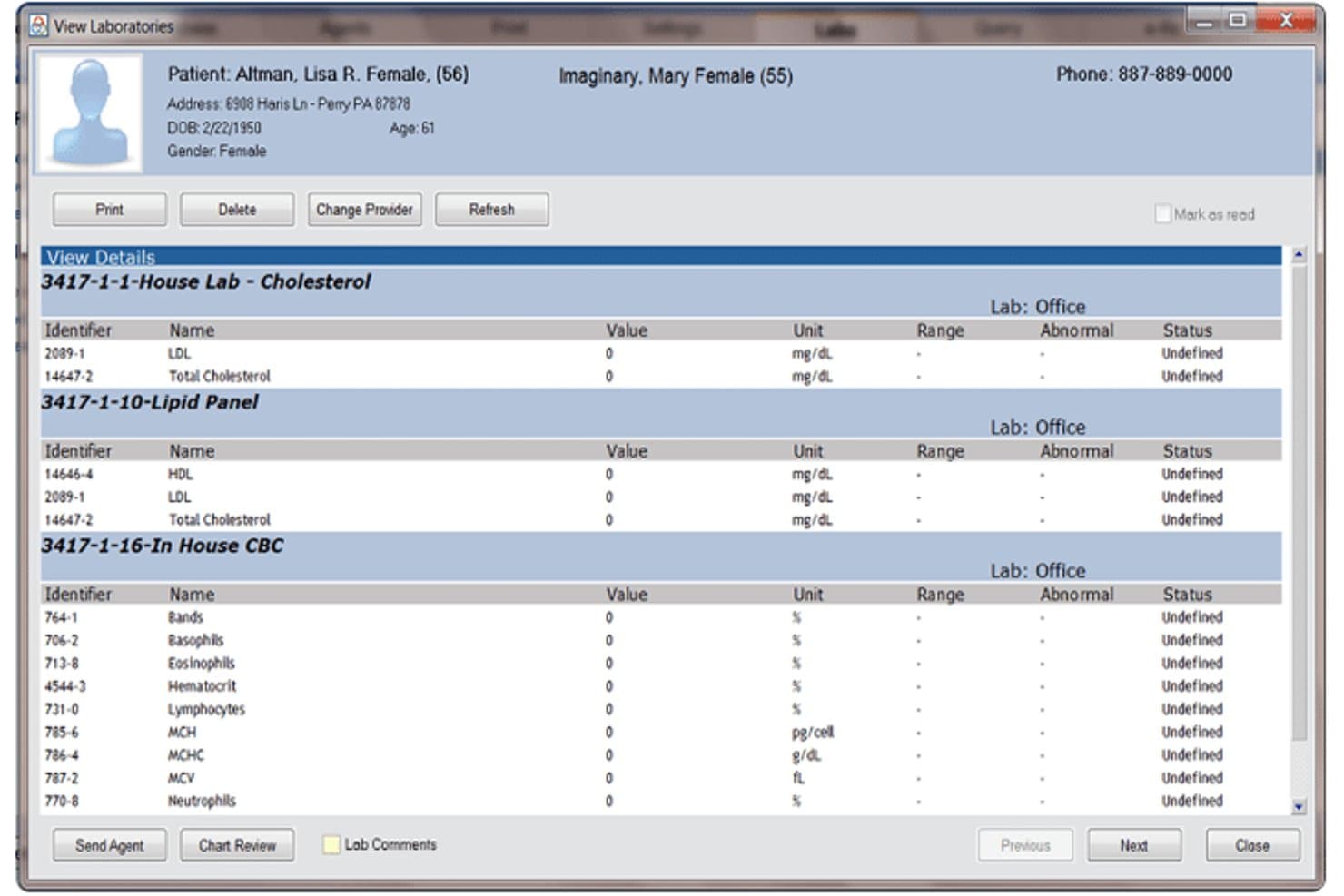
A screenshot of the patient information inside the tool Praxis EMR. Praxis EMR is a template-free EHR built on an AI Concept Processor that learns each physician's documentation style, offering e-prescribing, automated coding, patient intake, and integrated lab results for urgent care providers.
Who Is Praxis EMR Best For?
Praxis EMR suits independent urgent care physicians who want to build personalized, adaptive documentation workflows rather than work within rigid, pre-built templates.
Why I Picked Praxis EMR
I picked Praxis EMR as one of the best because of its AI Concept Processor. It learns how I document and recalls my own prior notes when a similar urgent care case appears. That means I'm never locked into a generic URI or laceration template that doesn't reflect my actual practice. PraxCoder then pulls CPT codes directly from my free-text notes, so I don't have to re-enter data for billing.
Praxis EMR Key Features
- AI-driven patient intake: Patients complete digital intake forms before their visit, feeding details directly into the chart.
- Integrated patient-provider portal: Patients can access care summaries, forms, and tailored health information from a secure portal.
- Automated MIPS and ACO reporting: The system generates and submits quality reports required for value-based care programs.
- DataMiner population health queries: Analyze patient cohorts and track clinical metrics using built-in research tools.
Praxis EMR Integrations
Praxis EMR offers native integrations with Kareo, Athenahealth, CollaborateMD, Medisoft, and Lytec for billing, as well as MDToolbox for e-prescribing. An API is available for custom integrations.
Pros and Cons
Pros:
- No templates needed for encounter documentation
- PraxCoder auto-generates CPT codes from free-text notes
- AI adapts to each physician's documentation style
Cons:
- Weak multi-location management for urgent care groups
- Dated interface compared to newer EHR competitors
Learn more about Praxis EMR: Best for affordable urgent care EHR
- Free demo available
- Pricing upon request
Visit WebsiteCustomer Rating:4.4/5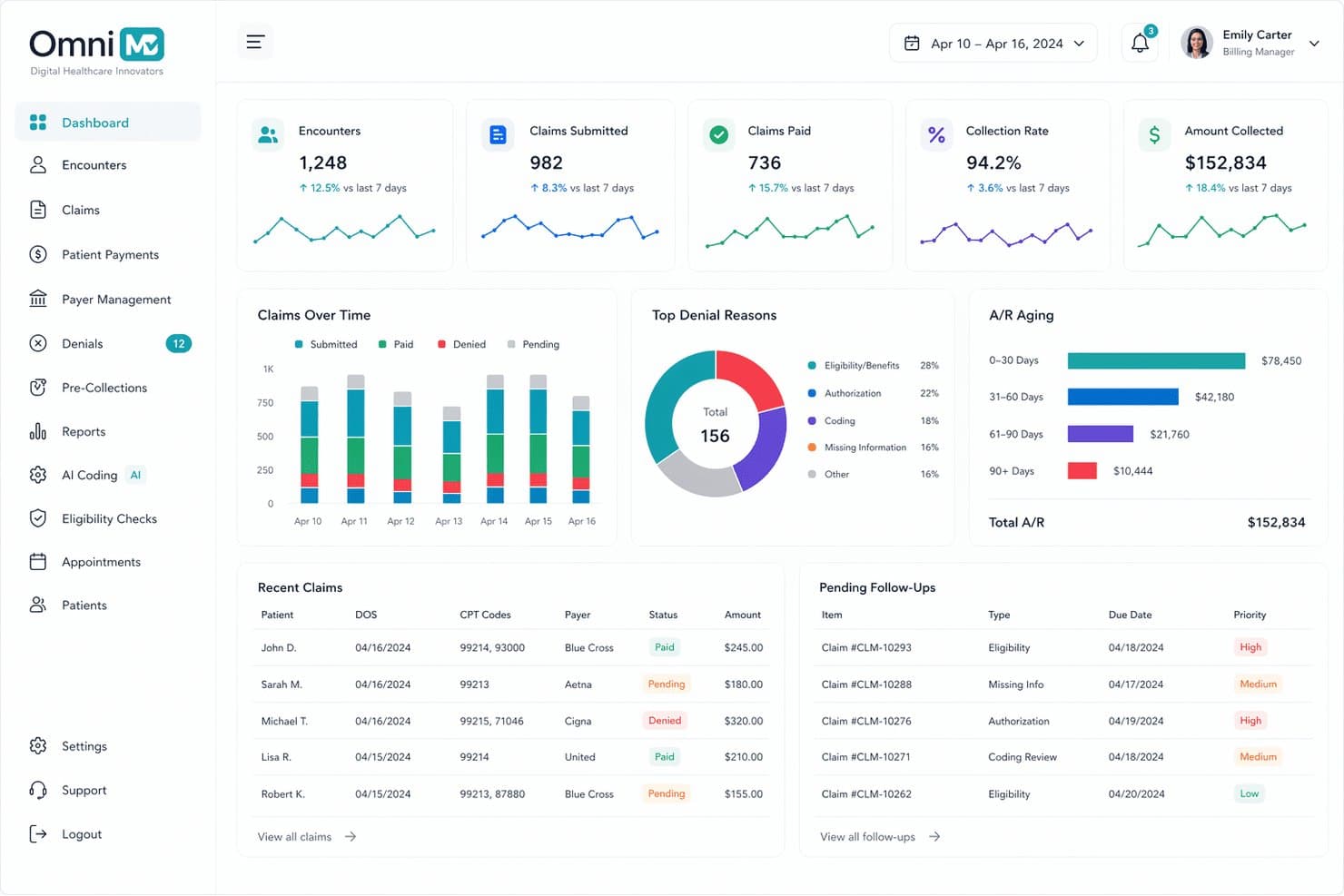
OmniMD offers a comprehensive medical billing dashboard with real-time claims tracking, A/R aging, denial reasons, and pending follow-ups for urgent care billing management. OmniMD is an ONC-certified, AI-powered EHR platform for urgent care clinics that combines walk-in workflow management, complaint-driven charting templates, integrated practice management, and built-in RCM in a single system.
Who Is OmniMD Best For?
OmniMD suits independent and small multi-location urgent care clinics that want a bundled EHR, practice management, and billing solution without managing separate systems.
Why I Picked OmniMD
I've included OmniMD in my top picks because it combines EHR, practice management, and AI RCM in a single database, which keeps per-provider costs lower than stitching together separate systems. The 60-second registration-to-provider-ready workflow is genuinely fast, pushing patients into a pre-built chief complaint template with vitals already loaded. The AI Medical Scribe then captures the encounter in the background, cutting documentation time without adding to the per-visit cost.
OmniMD Key Features
- Integrated discharge and employer documents: Generate condition-specific discharge instructions and return-to-work letters with digital signatures.
- Real-time insurance eligibility verification: Confirm coverage at registration with high-deductible and out-of-network alerts.
- HL7 FHIR data exchange: Connect with hospital EHRs and bidirectional lab systems for seamless data sharing.
- Multi-location reporting and administration: Centralize scheduling, patient records, and analytics across multiple urgent care sites.
OmniMD Integrations
OmniMD offers native integrations with LabCorp, Quest Diagnostics, eClinicalWorks, and DrFirst, and provides an API for custom integrations.
Pros and Cons
Pros:
- AI scribe reduces per-encounter documentation time
- Occupational health workflows included at no add-on
- Pre-built complaint templates speed up charting
Cons:
- Customer support response times are inconsistent
- Reporting customization options are limited
Learn more about OmniMD: Best for urgent care billing and EHR
- Free demo available
- Pricing upon request
Visit WebsiteCustomer Rating:3.6/5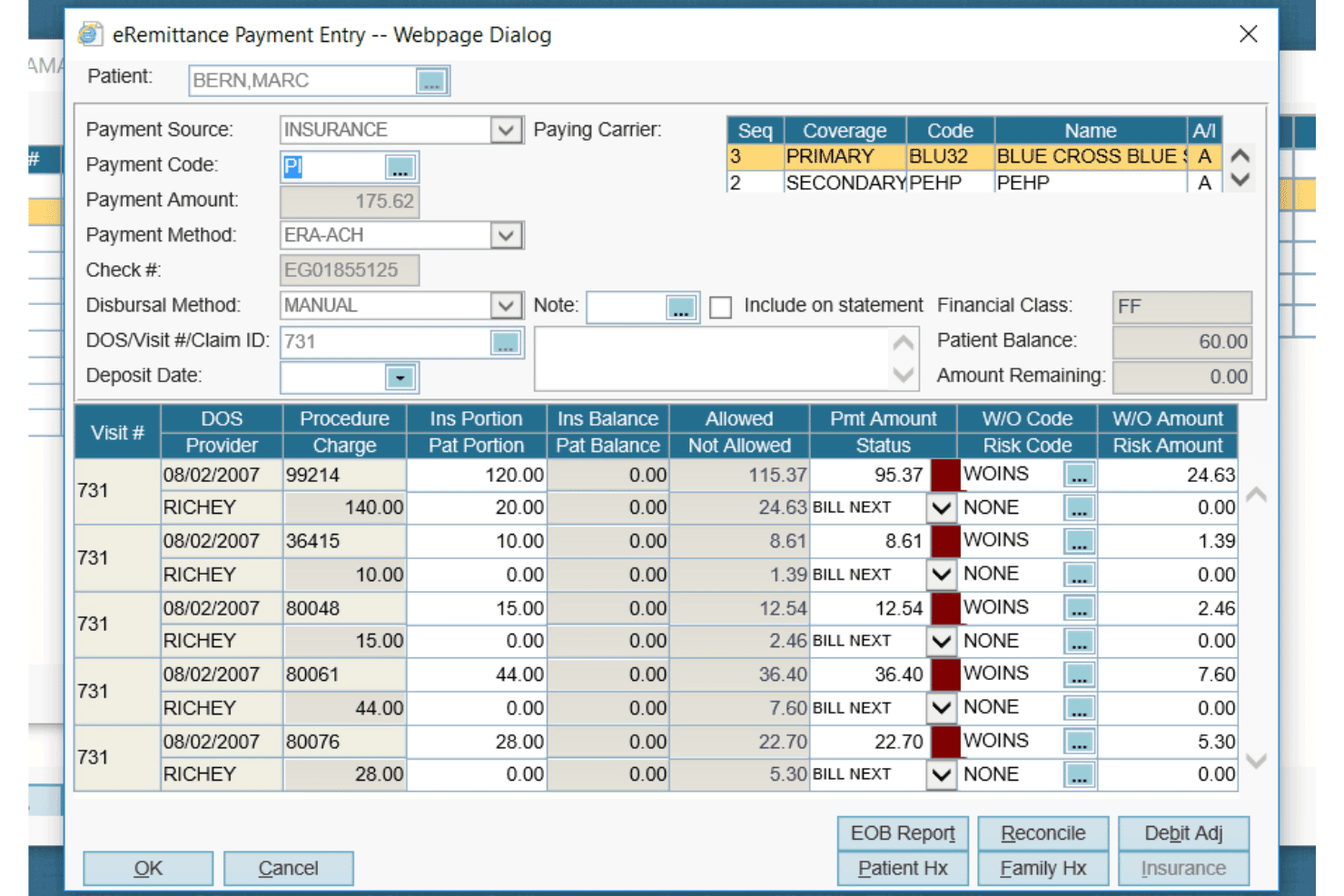
AdvancedMD offers a detailed eRemittance Payment Entry dialog for managing insurance billing, claim payments, and write-off codes per procedure. AdvancedMD is a cloud-based EHR and practice management platform that combines walk-in queue management, patient rooming, integrated billing, e-prescribing, and multi-site administration tools built for urgent care settings.
Who Is AdvancedMD Best For?
AdvancedMD is a strong fit for independent urgent care groups operating across multiple locations who need centralized billing and RCM under one platform.
Why I Picked AdvancedMD
I picked AdvancedMD because its billing depth is genuinely hard to match in urgent care. The native clearinghouse connects to over 1,800 payers, with built-in claim scrubbing, denial management, and ERA posting all running inside one platform. I also like that the walk-in queue management and patient rooming tools track each patient from arrival through discharge, so staff aren't toggling between a separate tracking system and the EHR to keep up with a busy shift.
AdvancedMD Key Features
- Customizable urgent care templates: Edit and create visit note templates for common walk-in complaints like lacerations or respiratory infections.
- Real-time patient tracking board: View and update patient status as they move through triage, exam, and discharge.
- Integrated e-prescribing with EPCS: Send electronic prescriptions, including controlled substances, from within the patient chart.
- Centralized multi-location administration: Manage users, scheduling, and reporting for all sites under one cloud-based platform.
AdvancedMD Integrations
AdvancedMD offers native integrations with LabCorp, Quest Diagnostics, and Surescripts for e-prescribing and lab results, plus provides an API for custom integrations.
Pros and Cons
Pros:
- Real-time patient tracking board across all rooms
- Occ-med module supports DOT physicals and workers' comp
- Built-in denial management and claim scrubbing
Cons:
- Reporting customization requires significant setup time
- Implementation can take longer than urgent care timelines allow
 Best for integrated urgent care workflows
- Free demo available
- Pricing upon request
Visit WebsiteCustomer Rating:3.5/5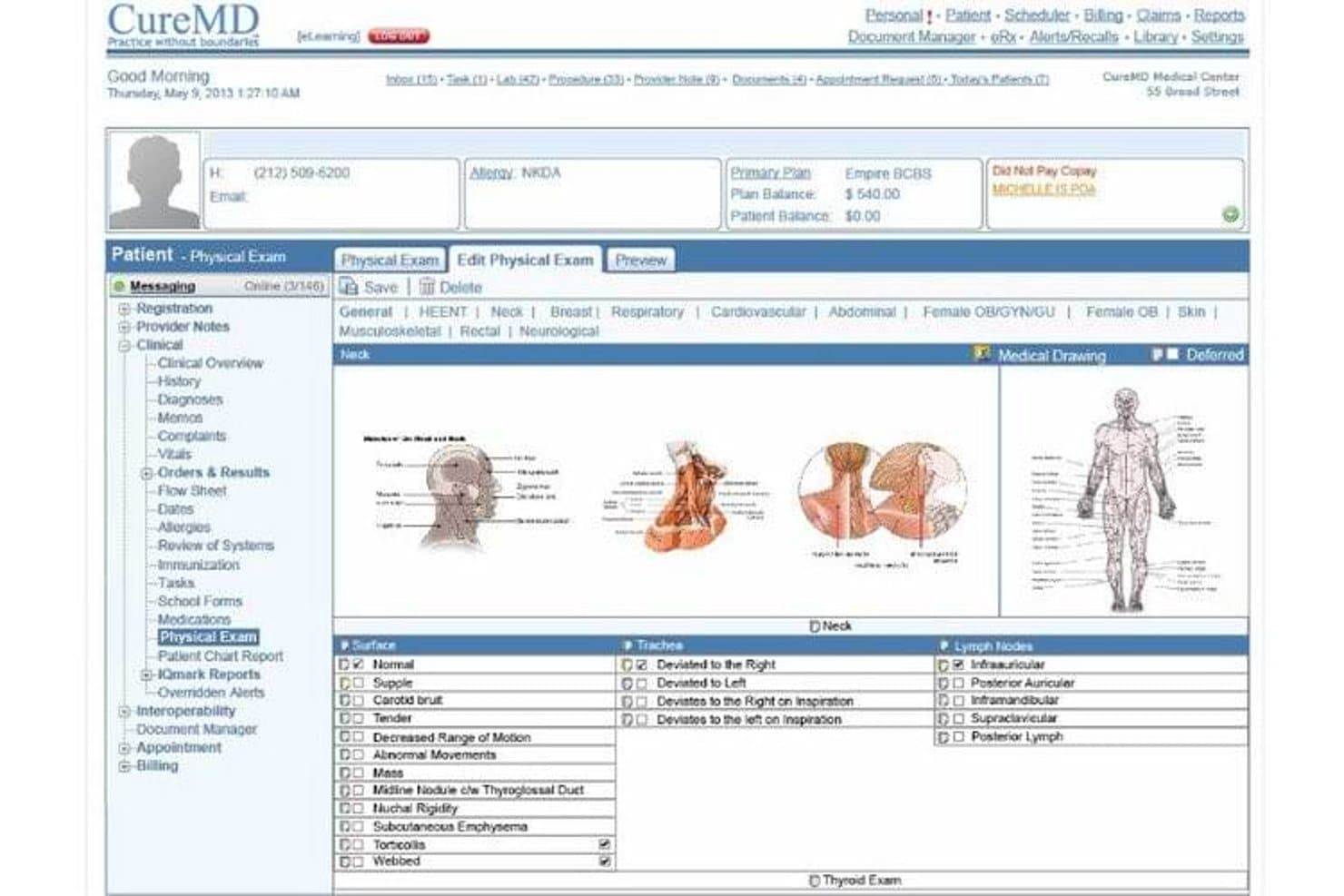
CureMD offers a detailed Physical Exam module with anatomical drawings and structured neck examination fields, supporting clinical documentation in urgent care settings. CureMD is a cloud-based EHR platform that combines urgent care-specific clinical documentation, practice management, and integrated revenue cycle management in a single system.
Who Is CureMD Best For?
CureMD is a strong fit for urgent care clinics and multi-site practices that need clinical documentation, billing, and practice management in one platform.
Why I Picked CureMD
I picked CureMD as one of the best because its triage and exam room assignment logic is built directly into the charting workflow, so front-desk staff and clinicians move in sync from the moment a walk-in arrives. I also like that the AI Scribe embeds ICD-10 and CPT auto-coding into the note itself, which means documentation and billing are built simultaneously. Native claim scrubbing and denial management keep that loop closed without a third-party billing hand-off.
CureMD Key Features
- Electronic labs integration: Send orders and receive results electronically from national and regional labs.
- Interoperability tools: Connects with HIEs, hospitals, pharmacies, and radiology systems for coordinated care.
- Mobile iPad EHR app: Access charts, schedule, and manage documentation from any location with the Avalon iPad app.
- Telehealth module: Conduct virtual visits and manage documentation within the same platform.
CureMD Integrations
CureMD offers native integrations with Surescripts, LabCorp, Quest Diagnostics, and state PDMP databases, and provides an API for custom integrations.
Pros and Cons
Pros:
- Discharge instructions printable directly from the chart
- Real-time visual patient queue and room tracking
- Native occupational health and workers' comp workflows
Cons:
- Custom report creation requires vendor support
- Implementation timelines can run longer than expected
Learn more about CureMD: Best for connected urgent care
- Free demo available
- Pricing upon request
Visit WebsiteCustomer Rating:3.4/5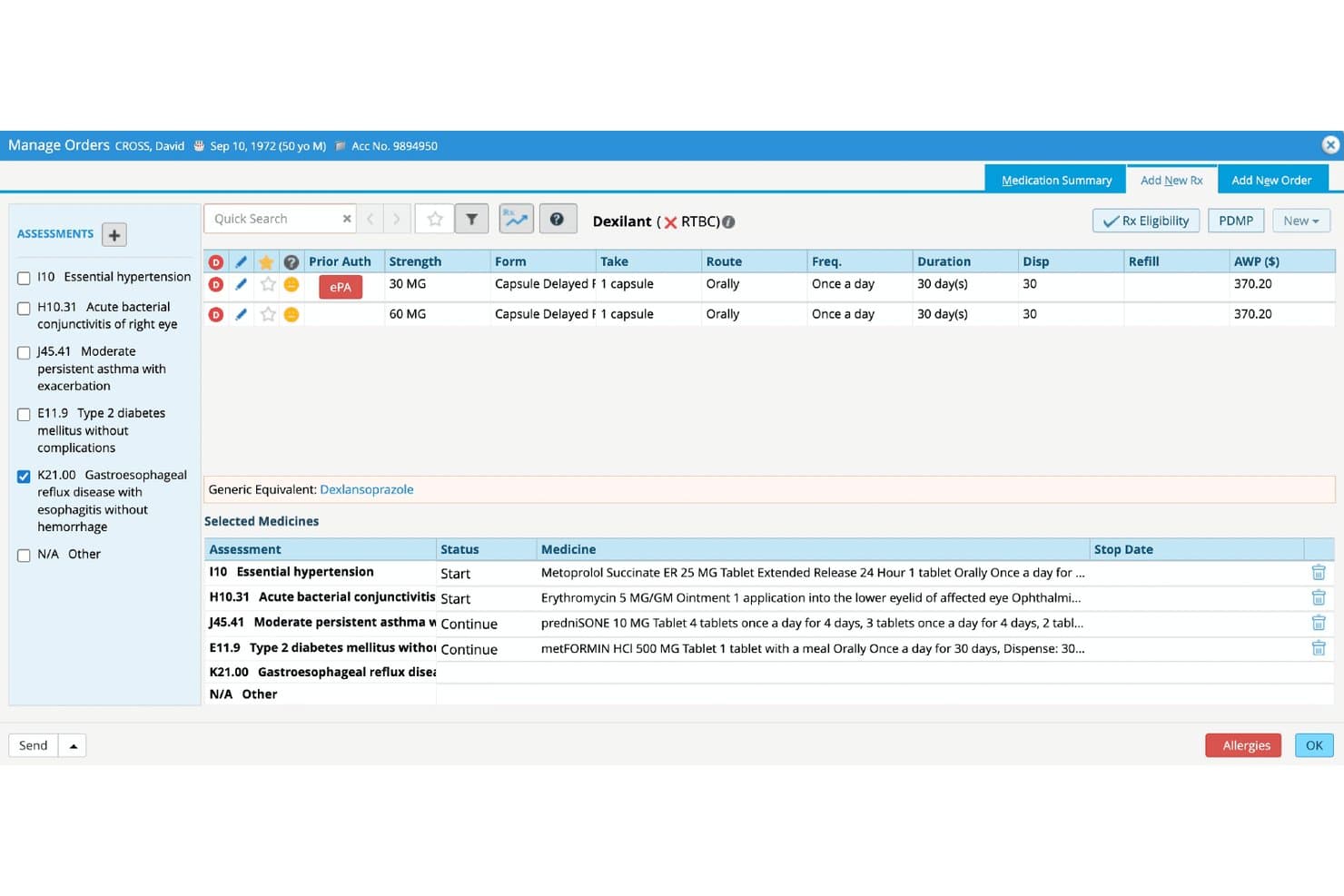
eClinicalWorks offers an integrated Manage Orders screen with ePA (electronic Prior Authorization), medication selection, and multi-diagnosis management for urgent care workflows. eClinicalWorks is a cloud-based EHR built for ambulatory and urgent care settings, combining AI-powered documentation, real-time patient tracking, integrated practice management, and nationwide health record connectivity.
Who Is eClinicalWorks Best For?
It's a strong fit for urgent care clinics and multi-site ambulatory practices that need a unified EHR, billing, and patient intake system built around high-volume, walk-in workflows.
Why I Picked eClinicalWorks
eClinicalWorks earns its spot on my shortlist because of PRISMA, a built-in health record search engine that pulls patient records from outside EHRs into a single, searchable timeline. In urgent care, where most patients are walk-ins with no prior chart history, that connectivity matters. I also rely on the real-time Tracking Board, which flags out-of-range vitals and current wait times so clinical and front desk staff are always working from the same live view.
eClinicalWorks Key Features
- AI-powered ambient scribing: Sunoh.ai automatically drafts visit notes from real-time conversation in exam rooms.
- Patient self check-in tools: Patients can check in via kiosk, mobile device, or website, triggering real-time status updates.
- Digital medication administration record (eMAR): Document and bill administered medications directly within urgent care workflows.
- Real-time insurance eligibility checks: Instantly verify and display patient insurance eligibility at registration for faster intake.
eClinicalWorks Integrations
eClinicalWorks offers native integrations with LabCorp, Quest Diagnostics, Surescripts, CommonWell Health Alliance, Carequality, Athenahealth, and DrFirst. The platform also provides an API for custom integrations.
Pros and Cons
Pros:
- Real-time tracking board shows wait times
- Pre-built urgent care charting templates included
- PRISMA pulls outside patient records instantly
Cons:
- Implementation support quality varies by region
- Reported billing module glitches frustrate staff
Learn more about eClinicalWorks: Best for customizable urgent care EHR
- Free demo available
- Pricing upon request
Visit WebsiteCustomer Rating:4/5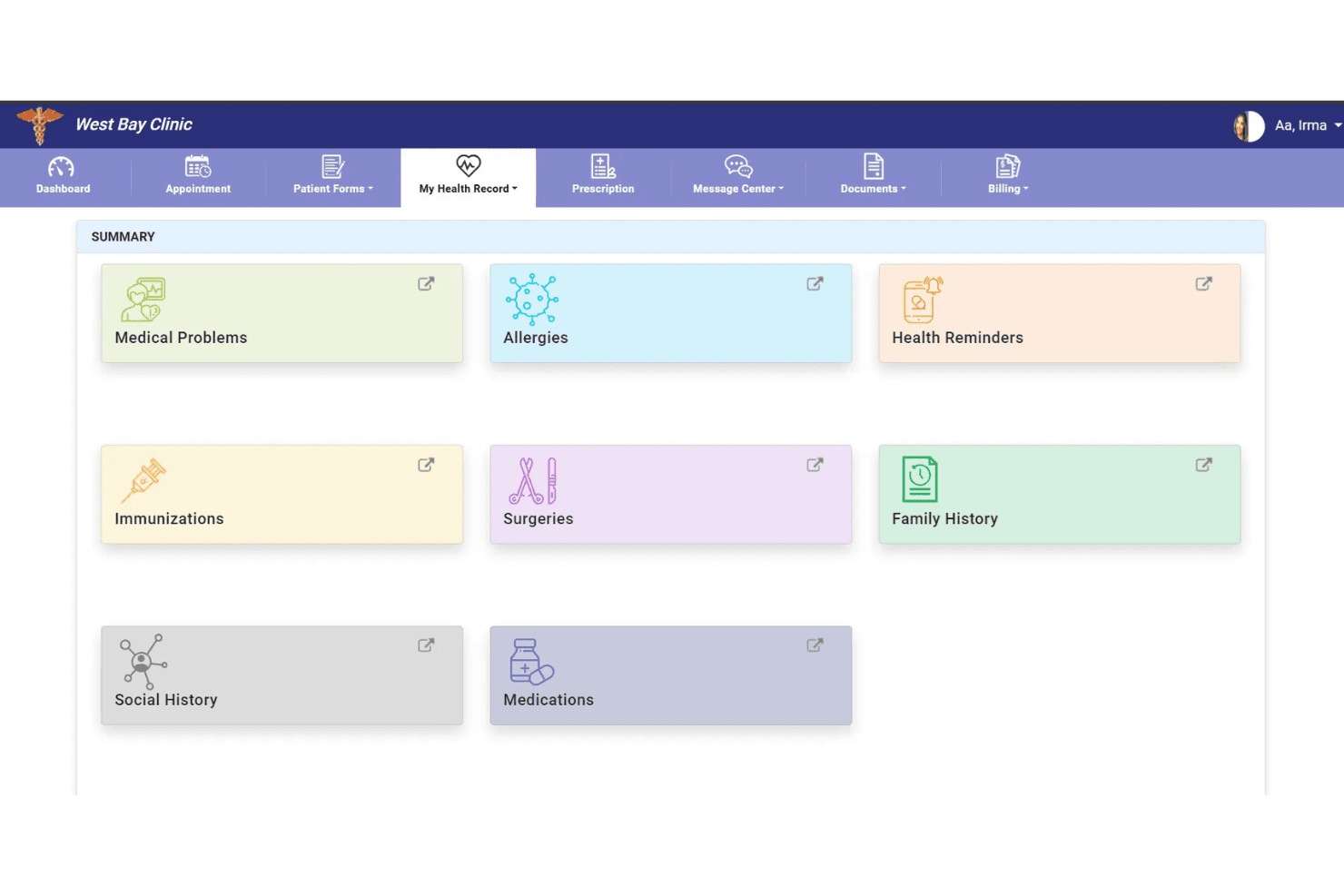
PrognoCIS provides a patient portal for accessing health summaries and managing appointments. PrognoCIS is a cloud-based EHR built for urgent care clinics, combining customizable charting templates, walk-in patient queue management, integrated e-prescribing with EPCS, and a native billing module with occupational medicine support.
Who Is PrognoCIS Best For?
PrognoCIS is a strong fit for small to mid-sized urgent care clinics that also run occupational medicine services and need a single platform to handle both.
Why I Picked PrognoCIS
I picked PrognoCIS as one of the best because the depth of template customization is genuinely suited to urgent care's episodic, high-volume nature. My team can build procedure-specific macros and voice dictation shortcuts for common complaints like lacerations or URIs, cutting per-visit documentation time. The Priority Status queue keeps patients moving through triage in the right order, without needing a separate tracking tool layered on top.
PrognoCIS Key Features
- ProCheckIn self-service intake: Lets patients check in and complete forms digitally at arrival.
- Integrated telemedicine module: Enables remote urgent care visits directly from the EHR interface.
- Occupational medicine workflows: Supports workers’ comp cases, DOT physicals, and employer invoicing.
- Cloud-based multi-location access: Provides persistent patient records and reporting across all clinic sites.
PrognoCIS Integrations
PrognoCIS offers native integrations with LabCorp, Quest Diagnostics, Surescripts, First Databank, and DrFirst, and provides an API for custom integrations.
Pros and Cons
Pros:
- EPCS-enabled e-prescribing with PDMP lookups
- Customizable templates for high-volume visit types
- Built-in workers' comp and DOT workflows
Cons:
- Mobile app lags behind desktop functionality
- Reporting tools lack granular multi-site filtering
Learn more about PrognoCIS Psychiatry EHR: Best for independent urgent care clinics
- Free demo available
- Pricing upon request
Visit WebsiteCustomer Rating:3.9/5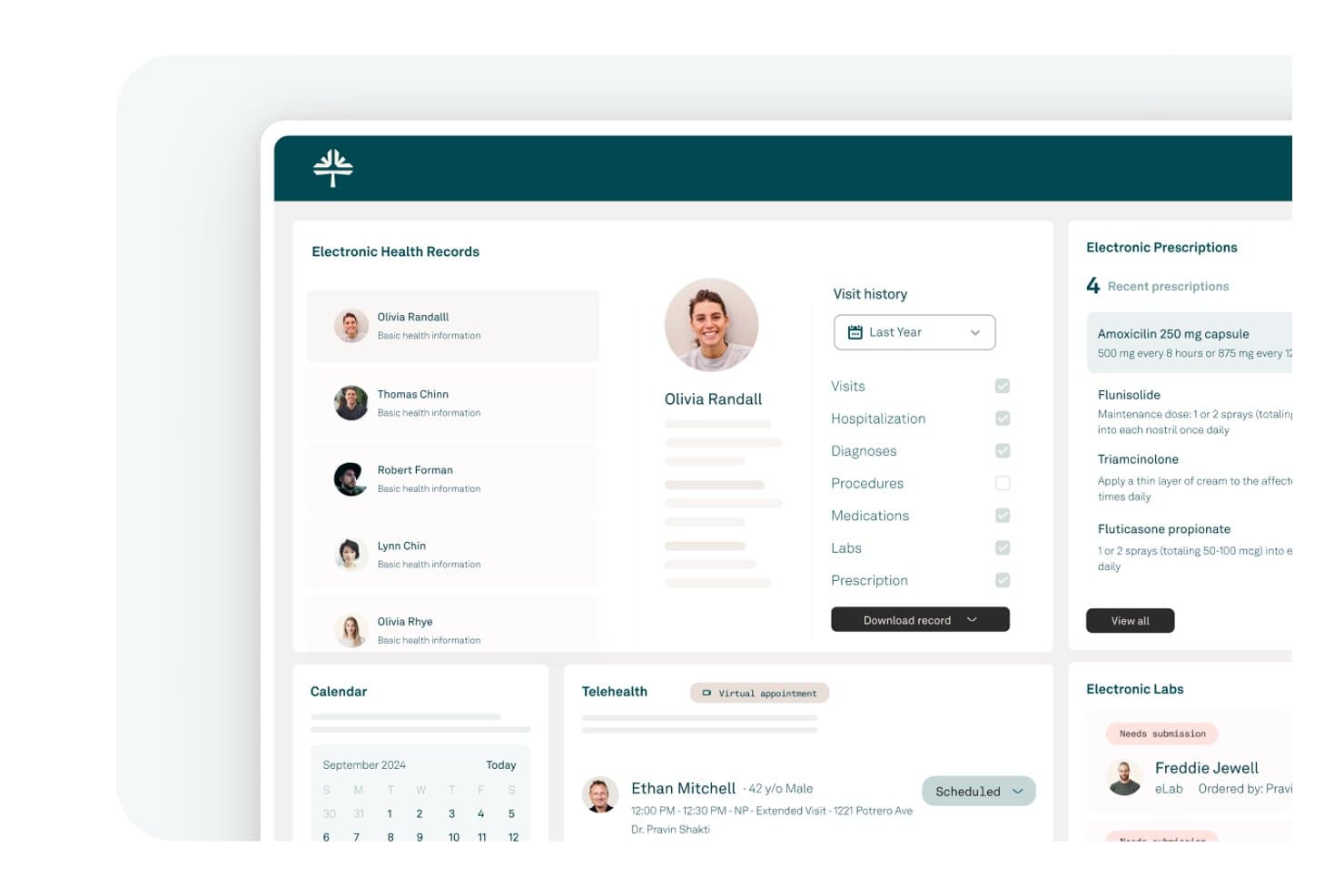
Tebra offers a comprehensive EHR dashboard featuring electronic health records, prescriptions, telehealth scheduling, and lab management for clinical workflows. Tebra is a cloud-based EHR platform for independent practices that combines clinical charting, e-prescribing, practice management, billing, and patient engagement tools in a single system.
Who Is Tebra Best For?
Tebra is a strong fit for small, independent urgent care clinics that need a single platform covering charting, billing, and patient intake without managing multiple systems.
Why I Picked Tebra
I picked Tebra as one of the best because its AI Note Assist, combined with SOAP templates and SALT (pull-forward from prior visits), lets independent urgent care providers move through episodic visit documentation without rebuilding notes from scratch each time. I also like that e-prescribing with EPCS and PDMP integration is built directly into the chart, so controlled substance prescribing doesn't require a separate tool. The native billing layer runs real-time eligibility checks at the point of registration, which matters when most of your patients walk in unscheduled.
Tebra Key Features
- Electronic lab ordering and results: Order and view lab tests from multiple labs directly within the EHR chart.
- Integrated telehealth visits: Launch HIPAA-compliant video visits with patients from the platform, linked to scheduling and documentation.
- Claims and denial management dashboard: Monitor, edit, and track insurance claims and denials in real time from a central hub.
- Patient self-scheduling and intake: Enable patients to complete registration and schedule appointments online, reducing front desk workload.
Tebra Integrations
Tebra offers native integrations with LabCorp, Quest Diagnostics, Change Healthcare, Surescripts, and Stripe. An API is available for custom integrations.
Pros and Cons
Pros:
- Occupational health and workers' comp workflows included
- Digital patient tracking board across exam rooms
- Pre-built templates for common urgent care visits
Cons:
- Multi-site reporting less detailed than larger platforms
- Customer support response times frustrate busy clinics
Learn more about Tebra: Best for specialty urgent care
- Free demo available
- Pricing upon request
Visit WebsiteCustomer Rating:3.7/5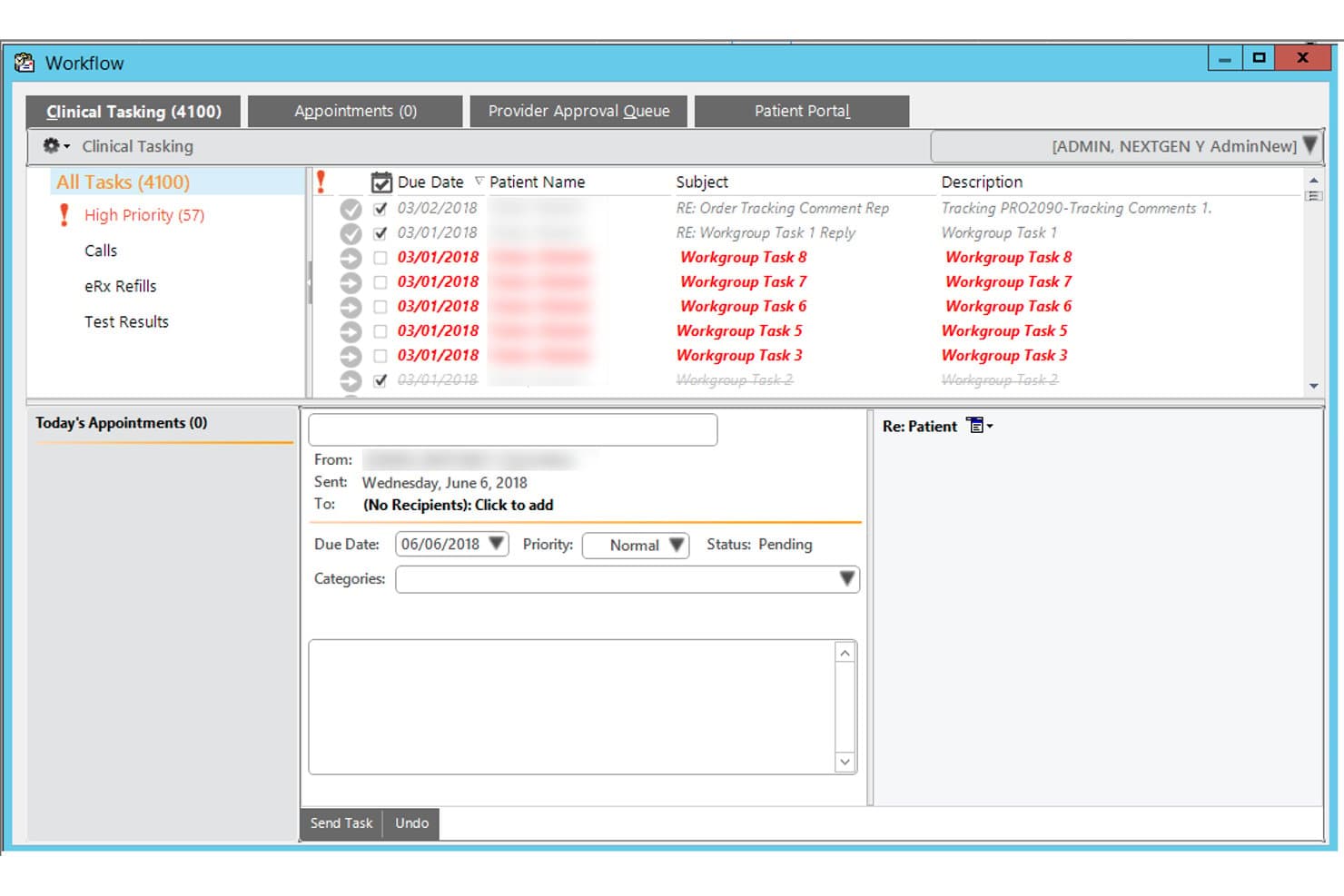
NextGen Healthcare offers a Clinical Tasking workflow module that allows urgent care staff to manage and prioritize patient tasks, appointments, and refill requests from a single interface. NextGen Healthcare is a cloud-based EHR and practice management platform with specialty-specific templates, AI-powered ambient documentation, integrated e-prescribing, and built-in RCM tools tailored to urgent care workflows.
Who Is NextGen Healthcare Best For?
NextGen Healthcare fits urgent care groups of all sizes, from solo providers on NextGen Office to multi-site enterprises needing centralized administration and reporting.
Why I Picked NextGen Healthcare
NextGen Healthcare earns its spot on my shortlist because its urgent care blueprints go well beyond generic templates, covering common complaints with charting patterns built specifically for episodic, walk-in visits. I especially like Ambient Assist, which converts provider-patient conversations into structured SOAP notes placed directly into the chart for review. That alone cuts the post-visit documentation burden I've seen accumulate fast during high-volume urgent care shifts.
NextGen Healthcare Key Features
- Integrated revenue cycle management: Automates claims, denial management, and billing workflows to support urgent care’s payer mix.
- Digital patient intake forms: Lets patients complete and upload intake documents before arrival using any device.
- Centralized multi-site administration: Allows organizations to manage users, reporting, and fee schedules across multiple urgent care locations.
- Real-time eligibility verification: Instantly checks insurance eligibility before visits to speed up patient intake.
NextGen Healthcare Integrations
NextGen Healthcare offers native integrations with LabCorp, Quest Diagnostics, and SureScripts for e-prescribing and lab connectivity, as well as HL7/FHIR interfaces for interoperability with hospital systems and HIEs. An API is available for custom integrations.
Pros and Cons
Pros:
- Built-in occupational medicine and workers' comp workflows
- Ambient Assist converts conversations into SOAP notes
- Pre-built urgent care complaint templates included
Cons:
- Reporting dashboards require heavy configuration to customize
- Implementation timelines can run longer than expected
Learn more about NextGen Healthcare: Best for cloud urgent care workflows
- Free demo available
- Pricing upon request
Visit WebsiteCustomer Rating:5/5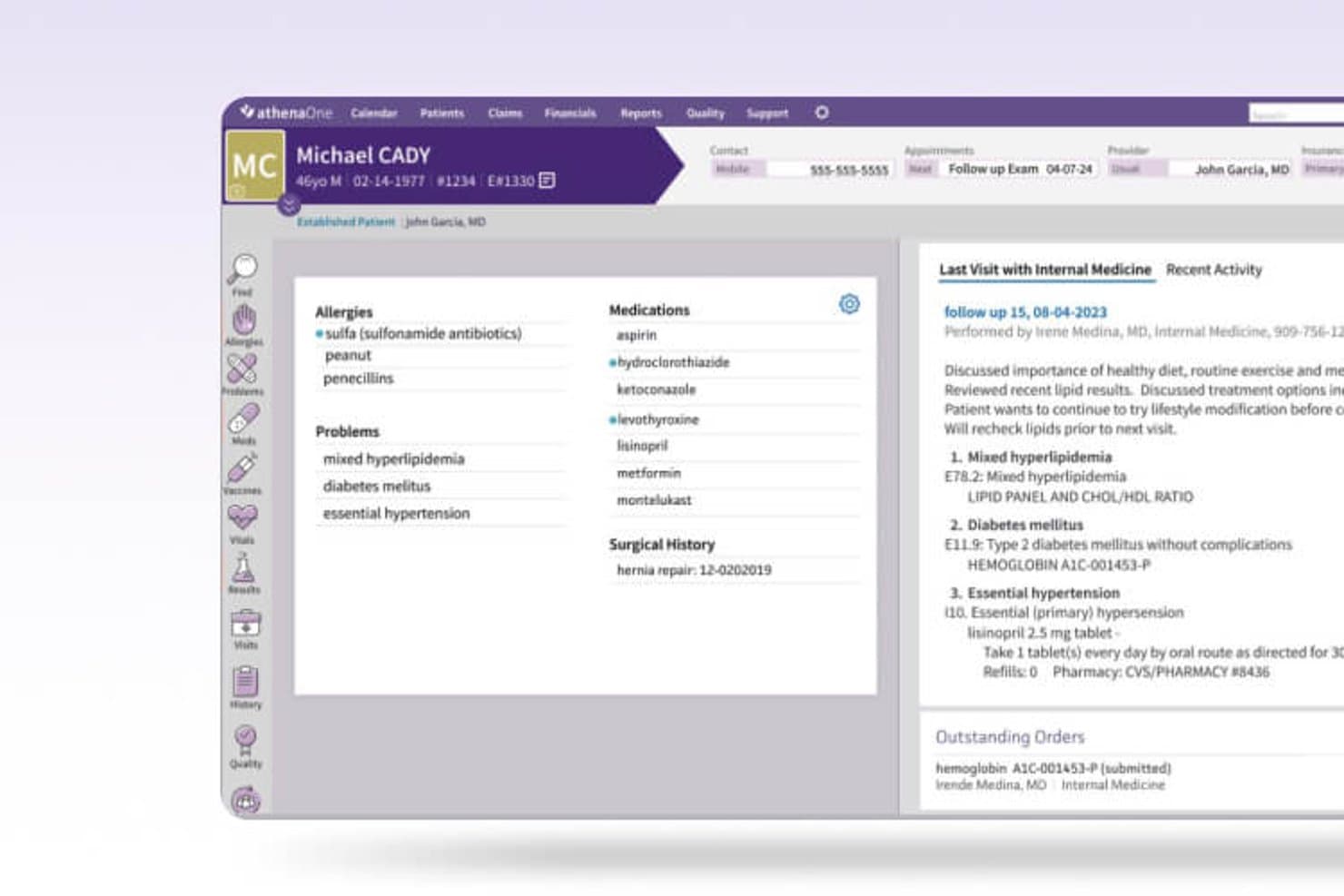
Athenahealth offers a comprehensive patient chart view displaying allergies, medications, problems, and visit history within its EHR platform. athenaOne is a cloud-native EHR platform that combines urgent care-specific charting workflows, integrated practice management, revenue cycle management, and patient engagement in a single system.
Who Is Athenahealth Best For?
athenaOne is a strong fit for growing urgent care groups managing multiple clinic locations who need centralized records, unified reporting, and consistent workflows across sites.
Why I Picked Athenahealth
athenaOne earns its spot on my shortlist because its condition-driven encounter plans and documentation accelerators, including macros and templates, are purpose-built for the rapid, episodic visits urgent care sees daily. I also like the native athenaAmbient scribe, which cuts charting time without requiring a third-party add-on. Because it's cloud-native, updates roll out automatically across every location without any IT overhead on your end.
Athenahealth Key Features
- Integrated e-prescribing: Send prescriptions, including controlled substances, directly to pharmacies with EPCS support and drug interaction checks.
- Centralized multi-location management: Administer users, reporting, and patient records across all clinic sites from one unified dashboard.
- Automated claims scrubbing: Clean claims using built-in billing rules and urgent care-specific coding before submission to payers.
- Interoperability network: Access real-time patient data and records from other connected providers and health systems within the athenahealth network.
Athenahealth Integrations
athenaOne offers native integrations with LabCorp, Quest Diagnostics, Surescripts, CommonWell Health Alliance, and Carequality, and provides an API for custom integrations.
Pros and Cons
Pros:
- Built-in RCM with denial management
- Automatic cloud updates across all locations
- Pre-built urgent care charting templates included
Cons:
- Custom report building is notably limited
- Implementation timelines can run unexpectedly long
Learn more about Athenahealth: 10Best for high-volume urgent care
Experity
- Not available
- Pricing upon request
Visit WebsiteCustomer Rating:2.7/5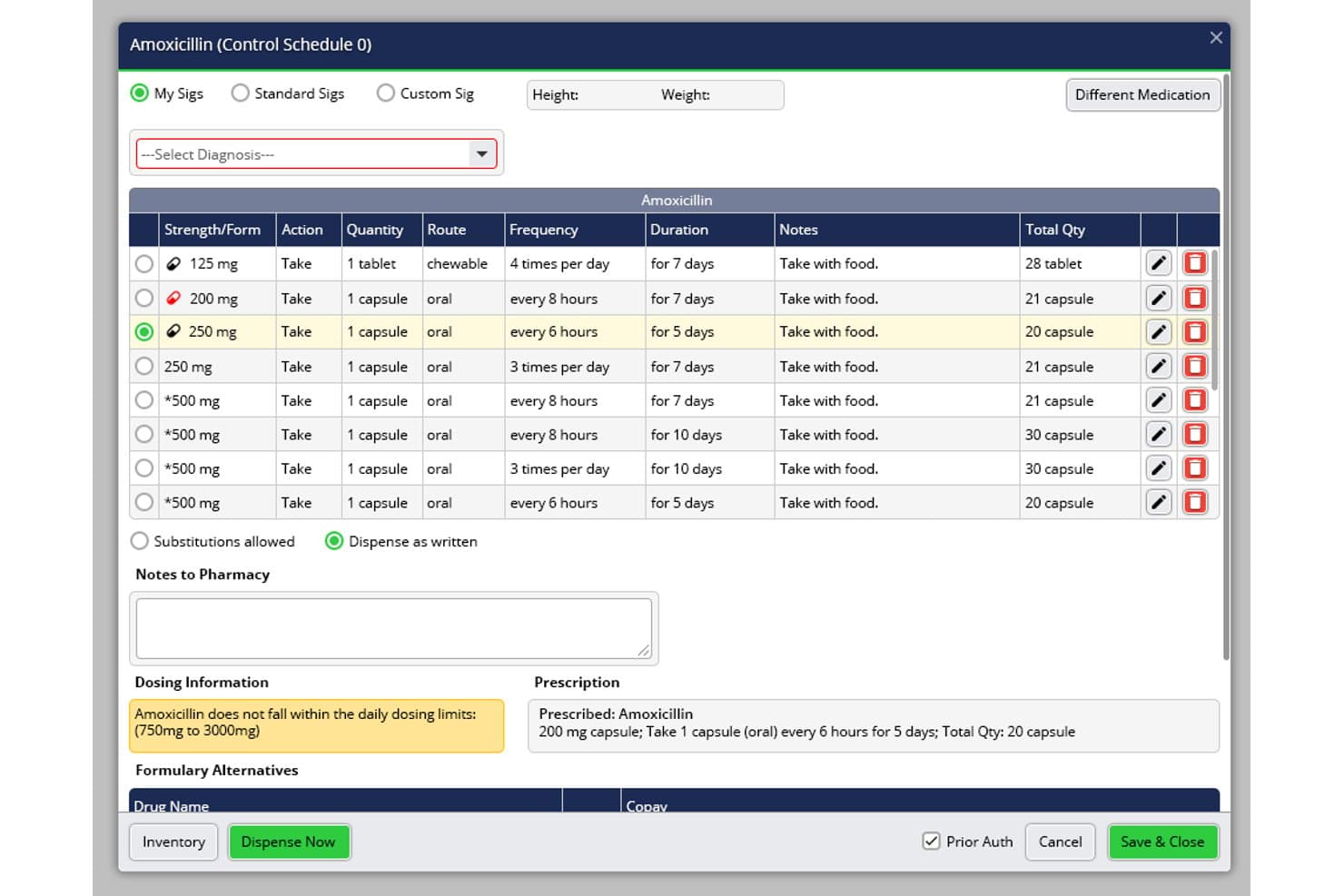
Experity offers a detailed medication prescribing interface with dosing validation, sig selection, and pharmacy notes within its urgent care EHR workflow. Experity is an EHR and practice management platform built exclusively for urgent care, combining complaint-driven charting, integrated billing, patient tracking, e-prescribing, and occupational medicine workflows in a single system.
Who Is Experity Best For?
Experity suits urgent care operators running high patient volumes, from single-site clinics to multi-location organizations that need centralized workflows across every site.
Why I Picked Experity
Experity earns its spot on my shortlist because its complaint-driven charting logic lets providers document over 80% of common urgent care visits in under 60 seconds. I especially like the real-time patient tracking board, which gives the full care team a live view of every patient's status from check-in through discharge. When volume spikes, I can spot bottlenecks before they affect wait times and reassign rooms on the fly.
Experity Key Features
- Integrated discharge instructions: Print or text patient-friendly, condition-specific discharge summaries and work/school notes before the patient leaves.
- Occupational medicine module: Manage workflows for employer visits, drug screens, DOT physicals, and provide employer access via a reporting portal.
- E-prescribing with EPCS: Prescribe controlled substances directly within the system, with state PDMP lookups built into the prescribing workflow.
- Enterprise-level multi-site management: Centrally manage templates, users, and reporting with cross-location record access for recurring patients.
Experity Integrations
Experity offers native integrations with Quest Diagnostics, LabCorp, and ELLKAY, and provides built-in connections for billing clearinghouses and PACS imaging systems. An API is available for custom integrations.
Pros and Cons
Pros:
- Real-time queue visibility across all sites
- Occ-med and employer workflows built in
- Urgent care-specific charting out of the box
Cons:
- Implementation timelines can run longer than expected
- Reporting customization options are limited
Learn more about Experity:
Outros RME para cuidados urgentes
Eis algumas opções adicionais de RME para cuidados urgentes que não entraram na minha lista final, mas que ainda vale a pena conhecer:
- 11Amazing ChartsBest for simple urgent care charting
- 12NethealthBest for urgent and occupational care
- 13DrChronoBest for mobile urgent care charting
- 14Azalea HealthBest for community urgent care
- 15CareCloudBest for cloud urgent care management
- 16ChartLogicBest for voice-enabled charting
- 17OttehrBest for AI-assisted clinical notes
How I Evaluate EHR for Urgent Care
I split my evaluation into must-have capabilities—like walk-in workflows and EPCS e-prescribing—and the differentiators that separate good urgent care EHRs from great ones.
Core Functionality (Table Stakes For This List)
When I'm selecting tools for my list, I rank each one on a scale from 0 (does not offer the functionality) to 5 (excels in this area) for each core functionality listed below. Then, I calculate the tool's total score into a percentage. Each tool needs to achieve a minimum total score of 65% to be considered for inclusion.
- Urgent Care Templates: I check for pre-built charting templates covering common complaints like lacerations, sprains, and URIs that cut documentation time per visit.
- Walk-In Patient Workflow: The system should track unscheduled patients from registration through triage, exam, and discharge with a visual queue board.
- Integrated E-Prescribing: I look for built-in e-prescribing with EPCS support and PDMP lookups, since urgent care providers frequently prescribe controlled substances.
- Billing & Coding Integration: Native practice management with urgent care CPT/ICD coding, S-codes, and claims scrubbing matters more here than third-party workarounds.
- Occupational Health Support: Clinics handling employer visits need workers' comp workflows, DOT physicals, drug screen tracking, and employer-level billing.
- Multi-Location Management: I evaluate whether the platform offers centralized admin, cross-site patient records, and unified reporting for operators running multiple clinics.
Once I have a list of tools that meet the criteria, I consider what sets each platform apart.
Differentiating Factors (What Sets Vendors Apart)
Here's how I compare and contrast different vendors:
Standout Features
Integrated discharge instructions are a major differentiator. Clinics that can print or text condition-specific summaries and work/school notes before a patient leaves the room save front desk staff real time. I also evaluate real-time queue management boards that display patient status by room, provider workload, and average wait times across the clinic. For sites handling employer-sponsored visits, a dedicated occupational medicine module with drug screen chain-of-custody tracking and workers' comp billing adds clear value.
Beyond Features
Deployment speed matters a lot in urgent care. I look for vendors that can get a new site live within weeks and provide dedicated implementation managers who understand high-turnover clinical settings. Interoperability is another key factor—bidirectional lab interfaces with providers like LabCorp and Quest, plus HL7/FHIR connections to local hospitals and HIEs, help ensure patient records follow the visit. I also evaluate RCM transparency, especially how vendors handle mixed-payer claim scrubbing across commercial, self-pay, and workers' comp.
Como escolher um RME para cuidados urgentes
É fácil ficar preso a listas extensas de funcionalidades e estruturas de preços complexas. Para o ajudar a manter-se concentrado enquanto analisa o seu processo específico de seleção de software, eis uma lista de verificação dos fatores a ter em conta:
| Fator | O que considerar |
| Escalabilidade | O sistema acompanhará o crescimento? Avalie como gerirá um volume adicional de pacientes, várias localizações de clínicas e mais utilizadores à medida que a sua clínica cresce. |
| Integrações | Estabelece ligação a laboratórios, centros de imagiologia ou soluções de faturação existentes? Verifique o suporte de HL7/FHIR e a experiência com parceiros locais de saúde ou HIEs. |
| Capacidade de personalização | Pode adaptar formulários, modelos e relatórios aos seus fluxos de trabalho reais? Evite plataformas que imponham processos predefinidos inflexíveis à sua equipa clínica. |
| Facilidade de utilização | Os funcionários, desde a receção aos prestadores de cuidados, conseguirão utilizá-lo rapidamente? Pergunte quantos cliques são necessários para efetuar registos clínicos e solicite demonstrações que sigam cenários reais de consultas de cuidados urgentes. |
| Implementação e integração inicial | Quanto tempo demora realmente a configuração e quem presta apoio? Procure formadores dedicados, suporte em direto, assistência na migração e recursos para ambientes com elevada rotatividade de funcionários. |
| Custo | Solicite preços transparentes, incluindo configuração, taxas por utilizador, integrações, suporte e RCM opcional. Tenha atenção a renovações automáticas inesperadas dos contratos ou a volumes mínimos. |
| Salvaguardas de segurança | Garanta a conformidade com a HIPAA e informe-se sobre registos de auditoria, certificação EPCS, segurança na nuvem e protocolos de recuperação de desastres adequados ao horário alargado e aos riscos dos cuidados urgentes. |
| Disponibilidade do suporte | Quando é que o suporte responde efetivamente? Escolha fornecedores que ofereçam suporte em direto 24 horas por dia, 7 dias por semana — as clínicas de cuidados urgentes precisam de cobertura à noite, aos fins de semana e nos feriados. |
O que é um EHR para cuidados urgentes?
Um EHR para cuidados urgentes é um software de registo eletrónico de saúde adaptado para apoiar contextos de cuidados de grande volume e episódicos, como as clínicas de cuidados urgentes. Estes sistemas permitem um registo rápido de pacientes sem marcação, registos clínicos ágeis com modelos para cuidados urgentes, prescrição eletrónica integrada e fluxos eficientes desde a consulta até à faturação. Foram concebidos para ajudar as equipas a gerir consultas não agendadas, necessidades de saúde ocupacional e operações em várias localizações, com foco no fluxo de pacientes e na conformidade.
Funcionalidades de um EHR para cuidados urgentes
Ao selecionar um EHR para cuidados urgentes, procure as seguintes funcionalidades essenciais de EHR:
- Modelos para cuidados urgentes: Os modelos de notas pré-configurados para queixas comuns permitem aos profissionais de saúde documentar lacerações, lesões e doenças agudas de forma rápida e precisa.
- Fluxo de trabalho para pacientes sem marcação: As ferramentas para admissão e registo rápidos de pacientes, bem como para o acompanhamento digital das filas de espera, permitem às equipas gerir eficazmente grandes volumes de consultas não agendadas.
- Prescrição eletrónica integrada: A prescrição eletrónica — especialmente com acesso a EPCS e PDMP — permite aos prestadores de cuidados gerir de forma rápida e segura as prescrições de medicamentos comuns e sujeitos a controlo.
- Integração da faturação e codificação: A gestão nativa da clínica garante a codificação CPT/ICD específica dos cuidados urgentes, os códigos S e a criação imediata de pedidos de reembolso para acelerar o recebimento.
- Suporte para medicina do trabalho: O suporte para acidentes de trabalho, consultas de empregadores, testes de drogas e exames DOT simplifica a faturação e os relatórios destinados aos empregadores nas clínicas com serviços de saúde ocupacional.
- Acompanhamento dos tempos de espera em tempo real: Os painéis digitais apresentam o estado das salas, os tempos de espera dos pacientes e a carga de trabalho dos prestadores de cuidados, mantendo todos informados e acelerando o fluxo de pacientes.
- Gestão centralizada de várias localizações: A administração, os relatórios e o acesso dos pacientes unificados em várias clínicas ajudam os operadores com vários estabelecimentos de cuidados urgentes.
- Gerador de resumos de alta: Os resumos de alta específicos para cada condição ajudam os funcionários a fornecer aos pacientes instruções práticas para os cuidados posteriores e declarações para o regresso ao trabalho ou à escola.
- Mensagens seguras e referenciações: As ferramentas integradas de mensagens entre prestadores e de acompanhamento de referenciações facilitam a continuidade dos cuidados com médicos de cuidados primários e especialistas após a consulta de cuidados urgentes.
- Segurança dos dados e conformidade: A encriptação de ponta a ponta, a conformidade com a HIPAA, os registos de auditoria e a certificação EPCS protegem os dados sensíveis e apoiam a preparação para o cumprimento dos requisitos regulamentares.
Benefícios de um EHR para cuidados urgentes
A implementação de um EHR para cuidados urgentes proporciona vários benefícios à sua equipa e à sua atividade. Eis alguns dos benefícios que pode esperar:
- Maior rapidez no atendimento dos doentes: Os fluxos de trabalho simplificados para doentes sem marcação e os modelos pré-configurados para cuidados urgentes ajudam a sua equipa a documentar, fazer a triagem e dar alta aos doentes mais rapidamente.
- Maior precisão dos cuidados: As ferramentas integradas de prescrição eletrónica e elaboração de registos clínicos reduzem os erros ao documentar consultas ou prescrever substâncias controladas.
- Faturação e reembolsos simplificados: As ferramentas integradas de faturação, codificação e pedidos de reembolso para cuidados urgentes garantem cobranças precisas e pagamentos mais rápidos por parte de todos os tipos de pagadores.
- Conformidade e gestão de riscos facilitadas: A certificação, os registos de auditoria e os alertas automatizados mantêm as suas operações em conformidade com os requisitos da HIPAA, dos estados e dos pagadores.
- Maior apoio à saúde ocupacional: Os módulos especializados para acidentes de trabalho, faturação a empregadores e testes de despistagem de drogas simplificam as consultas de empregadores e a elaboração de relatórios.
- Melhor visibilidade em várias unidades: A administração centralizada e os relatórios entre clínicas permitem monitorizar grandes volumes e doentes recorrentes em diferentes localizações.
- Comunicação melhorada com os doentes: As instruções de alta geradas automaticamente e as ferramentas de mensagens seguras melhoram o acompanhamento, as referenciações e a satisfação dos doentes.
Custos e preços dos EHR para cuidados urgentes
A escolha de um EHR para cuidados urgentes requer uma compreensão dos vários modelos de preços e planos disponíveis. Os custos variam consoante as funcionalidades, o tamanho da equipa, os complementos e outros fatores. A tabela abaixo resume os planos mais comuns, os seus preços médios e as funcionalidades normalmente incluídas nas soluções de EHR para cuidados urgentes:
Tabela comparativa de planos de EHR para cuidados urgentes
| Tipo de plano | Preço médio | Funcionalidades comuns |
| Plano gratuito | $0 | Registos de doentes limitados, elaboração básica de registos clínicos e segurança de nível básico. |
| Plano pessoal | $50-$150/utilizador/mês | Acesso individual do prestador, modelos para cuidados urgentes, prescrição eletrónica básica e funcionalidades de faturação limitadas. |
| Plano empresarial | $250-$500/utilizador/mês | Agendamento de equipas, faturação integrada, acompanhamento em tempo real, prescrição eletrónica completa e funcionalidades de saúde ocupacional. |
| Plano empresarial avançado | $600-$1,200/utilizador/mês | Suporte para várias localizações, fluxos de trabalho personalizados, análises avançadas, segurança empresarial e apoio dedicado. |
Perguntas frequentes sobre EHR para cuidados urgentes
Eis algumas respostas a perguntas frequentes sobre EHR para cuidados urgentes:
Como é que os sistemas EHR para cuidados urgentes lidam com grandes volumes de doentes?
Estes EHR incluem gestão digital de filas, modelos de elaboração rápida de registos clínicos e ferramentas de registo rápido concebidas para encaminhar eficazmente os doentes sem marcação desde a admissão, passando pela triagem, até à alta — mesmo durante as horas de maior afluência.
Os EHR para cuidados urgentes conseguem gerir casos de saúde ocupacional e acidentes de trabalho?
Sim, a maioria dos EHR para cuidados urgentes disponibiliza módulos para consultas de empregadores, exames DOT, testes de despistagem de drogas e faturação de acidentes de trabalho, permitindo gerir os cuidados clínicos e os relatórios para empregadores num único sistema.
Que integrações são mais importantes para as clínicas de cuidados urgentes?
Os laboratórios, as farmácias, a imagiologia e as redes de intercâmbio de informação de saúde HL7/FHIR são essenciais. Estas integrações garantem que os pedidos de análises, os resultados de raios X e os resumos de alta circulam sem problemas entre a sua clínica e outros prestadores.
Quanto tempo demora a implementar um novo sistema EHR num contexto de cuidados urgentes?
A maioria dos fornecedores procura realizar uma implementação rápida — frequentemente no prazo de algumas semanas — sobretudo para operadores que estejam a abrir novas localizações. O prazo depende das necessidades de formação, da migração de dados e da disponibilidade de apoio no local.
Os EHR para cuidados urgentes estão em conformidade com os regulamentos de segurança e privacidade dos dados?
Sim, as soluções conceituadas oferecem conformidade com a HIPAA, certificação SOC 2, EPCS para substâncias controladas e registos de auditoria, ajudando a proteger as informações dos doentes e a cumprir as normas legais.