EHR software features shape how your team documents care, communicates across systems, and manages patient outcomes.
From clinical documentation to appointment scheduling, the right features determine whether your team gains the full benefits of an EHR or faces added work.
Not all EHR platforms offer the same capabilities. This guide explains the key EHR features to consider, what each one does, and how EHR integrations can extend their value across your practice.
Overview Of Essential EHR Software Features
Here’s a closer look at each EHR software feature, the value it can bring your team and patients, how it works in practice, and how to choose an EHR based on your needs:
1. Patient Portal
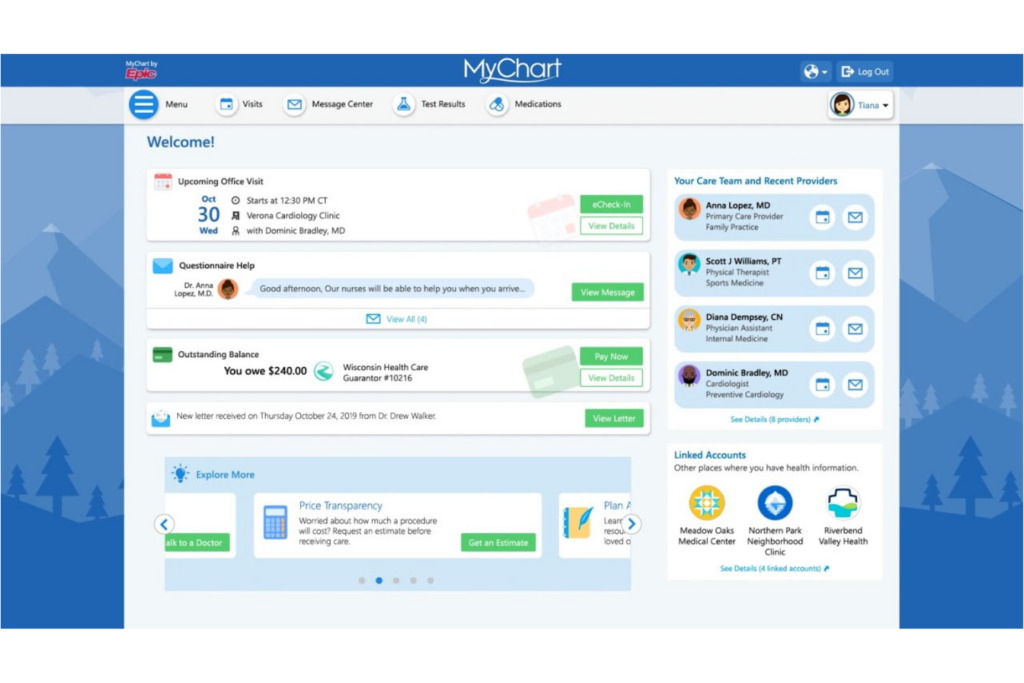
A patient portal is a secure online platform that lets patients access their health information, communicate with providers, schedule appointments, view lab results, and manage billing—all from a single interface. Integrated with an EHR system, it gives patients a centralized location to manage their healthcare and stay connected with their care team.
In my experience, a well-integrated patient portal noticeably reduces administrative back-and-forth. Patients and providers can communicate without needing to schedule an appointment for every minor issue, which frees up your team's time for higher-priority work.
Look for these sub-features when evaluating a patient portal in your EHR:
- Medical records access: Patients can view lab results, medications, and visit summaries without calling the front desk.
- Secure messaging: Patients ask questions and request refills directly, cutting down on phone tag.
- Online scheduling: Patients book or cancel appointments without staff involvement.
- Bill pay: Patients view statements and pay balances online.
- Caregiver access: Platforms like Epic's MyChart let patients grant portal access to a trusted family member or caregiver.
2. e-Prescribing
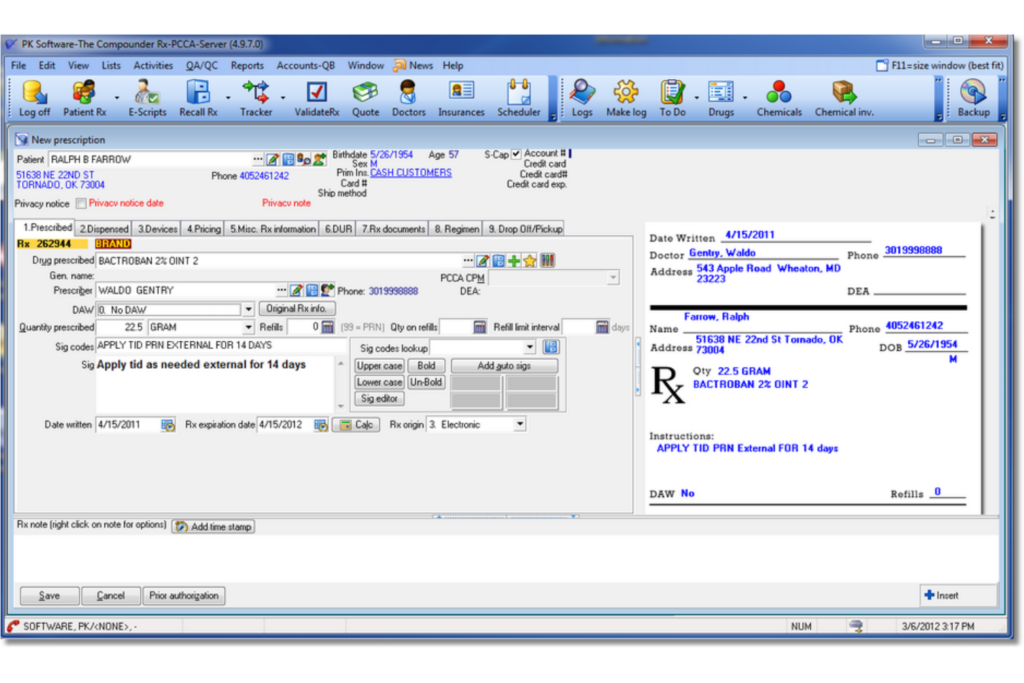
e-Prescribing lets providers send prescriptions directly to a patient's pharmacy through the EHR—no paper, no phone calls, no handwriting to decipher. The system pulls from the patient's medication history and flags potential drug interactions or allergy conflicts before the prescription goes out.
What I find most valuable here is the built-in safety layer. Catching a drug-drug interaction before a prescription leaves the system is the kind of error prevention that's hard to replicate manually. It also cuts down on callbacks from pharmacies chasing clarification, which saves real time across a busy day.
Use this comparison to see how e-Prescribing changes the prescription workflow:
| Step | Without e-Prescribing | With e-Prescribing |
|---|---|---|
| StepWriting the prescription | Without e-PrescribingHandwritten or printed | With e-PrescribingGenerated in the EHR |
| StepSending to pharmacy | Without e-PrescribingFaxed or handed to patient | With e-PrescribingSent electronically, instantly |
| StepInteraction checks | Without e-PrescribingManual or skipped | With e-PrescribingAutomated alerts in real time |
| StepControlled substances | Without e-PrescribingPaper required | With e-PrescribingSupported via EPCS in platforms like DrFirst |
| StepPharmacy callbacks | Without e-PrescribingFrequent | With e-PrescribingSignificantly reduced |

3. Clinical Documentation
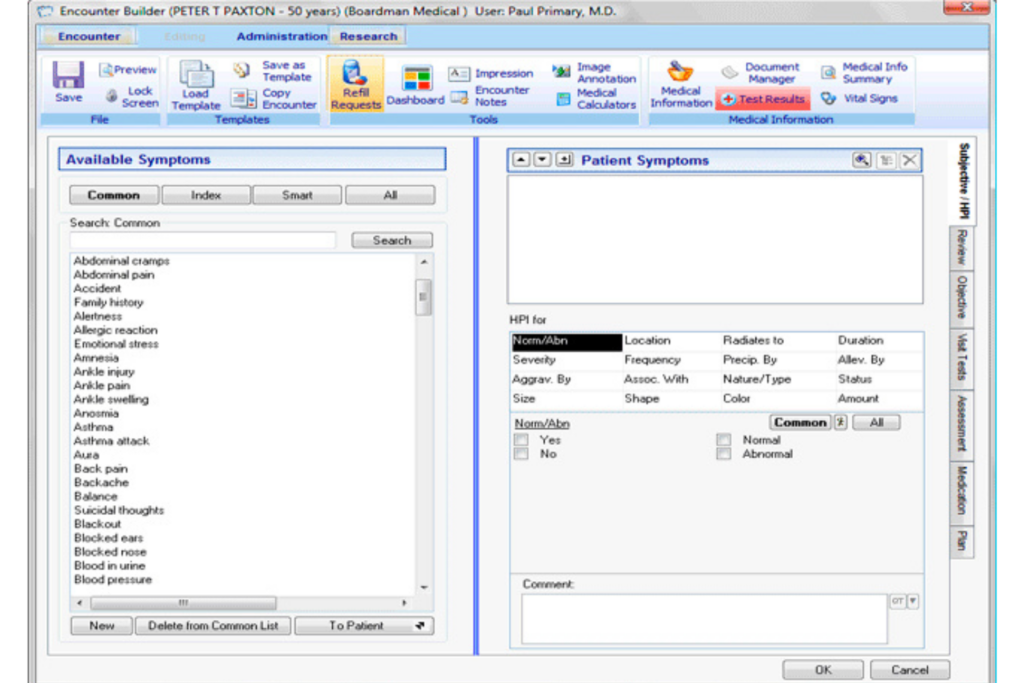
Clinical documentation is the backbone of any EHR system. It's where providers record patient encounters, treatment plans, progress notes, diagnoses, and care decisions. Most EHRs support structured templates, voice recognition for voice-to-text input, and auto-population from previous visits to reduce manual entry.
From my experience, the quality of a documentation tool directly affects how much time clinicians spend at a keyboard versus with patients. A well-designed interface with smart templates and pre-built note structures can cut charting time significantly—which matters a lot at the end of a long shift.
These are the clinical documentation sub-features that make the biggest difference in day-to-day use:
- Customizable templates: During EHR implementation, build note structures around your specialty—what works for a primary care visit won't work for a psychiatric evaluation.
- Voice-to-text dictation: Tools like Nuance DAX let providers narrate notes hands-free, which I think is one of the biggest time-savers available right now.
- Auto-population: Pull forward relevant data from prior visits automatically.
- Specialty-specific workflows: Tailor documentation flows to match how your team actually works.
- Audit trails: Track every edit made to a patient record for compliance purposes.
4. Order Management
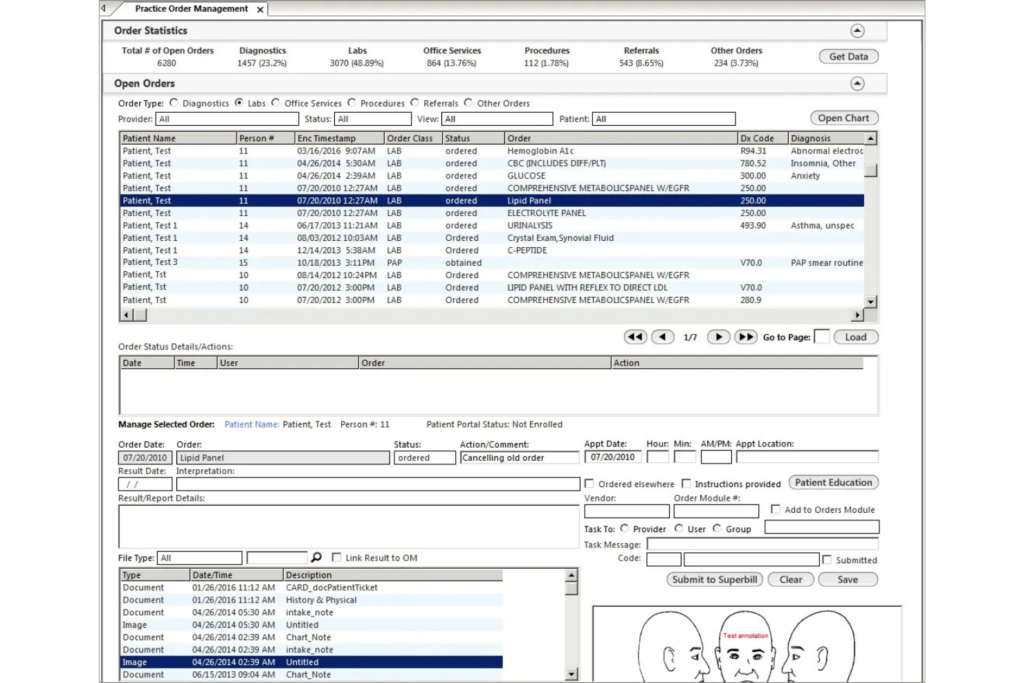
Order management in an EHR handles the full lifecycle of clinical orders—lab tests, imaging, referrals, medications, and procedures. Providers enter orders directly into the system, which routes them to the right department, lab, or external provider without requiring separate communication steps.
What stands out to me about a strong order management system is how much it tightens coordination across care teams. When a physician orders an MRI, the radiology team sees it immediately, results flow back into the chart automatically, and nothing gets lost in a fax queue. That kind of closed-loop tracking reduces delays and missed follow-ups.
These are the order management functions worth paying close attention to during an EHR evaluation:
- CPOE (computerized physician order entry): Providers enter orders directly, eliminating transcription errors from verbal or handwritten requests.
- Clinical decision support: Real-time alerts flag duplicate orders, contraindications, or missing follow-up steps.
- Order sets: Pre-built bundles for common conditions—like a sepsis order set—speed up order entry significantly.
- Results routing: Lab and imaging results return directly to the ordering provider's queue.
- Referral tracking: Systems like Cerner track outbound referrals and flag when responses haven't been received.
5. Interoperability
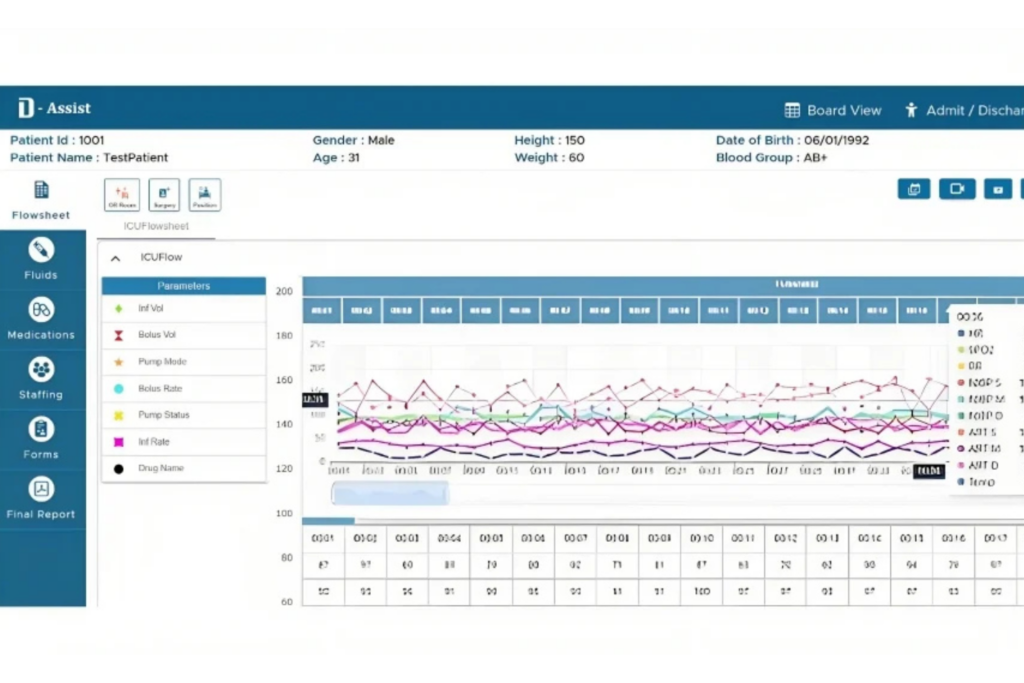
Interoperability is an EHR's ability to exchange patient data with outside systems—other hospitals, specialists, labs, pharmacies, and health networks. Modern EHRs use standards like HL7 and FHIR to structure and transmit data in a format any connected system can read and use.
In practice, this means a patient's records follow them across care settings instead of living in silos. When a patient shows up at an urgent care clinic after seeing their primary care provider, the treating team can access their full history immediately. I think this is one of the most consequential features an EHR can offer.
Keep these interoperability capabilities in mind when comparing EHR platforms:
- FHIR API support: Enables third-party apps and tools to connect directly to your EHR without custom development work.
- Health information exchange (HIE): Lets your system pull records from outside networks—critical when treating patients who've received care elsewhere.
- Care summary sharing: Automatically sends transition-of-care documents when patients are discharged or referred.
- Patient data access: Patients can download or share their own records through FHIR-enabled apps.
- 21st Century Cures Act compliance: Platforms like Epic and athenahealth are built to meet federal interoperability mandates, which I'd treat as a baseline requirement, not a bonus.
6. Clinical Decision Support
Clinical decision support (CDS) is the layer of intelligence built into an EHR that surfaces relevant guidance at the point of care. It analyzes patient data in real time and delivers alerts, reminders, order suggestions, and evidence-based recommendations directly within the clinical workflow.
What I find genuinely useful about CDS is that it doesn't require providers to remember everything—it surfaces what's relevant when it's relevant. A patient with a documented penicillin allergy triggers an alert before a prescription goes out. A gap in preventive care gets flagged during a routine visit. That kind of embedded guidance reduces cognitive load without adding steps.
Use this comparison to see how CDS changes clinical decision-making at the point of care:
| Scenario | Without CDS | With CDS |
|---|---|---|
| ScenarioPrescribing a medication | Without CDSProvider recalls contraindications manually | With CDSAllergy and interaction alerts fire automatically |
| ScenarioPreventive care gaps | Without CDSIdentified during chart review, if at all | With CDSFlagged during the visit in real time |
| ScenarioSepsis risk | Without CDSCaught only if provider suspects it | With CDSEarly warning scores surface in the chart |
| ScenarioDosing for pediatric patients | Without CDSCalculated manually | With CDSWeight-based dosing suggested automatically |
| ScenarioChronic disease management | Without CDSTracked inconsistently | With CDSReminders built into condition-specific workflows in platforms like Epic |
7. Revenue Cycle Management
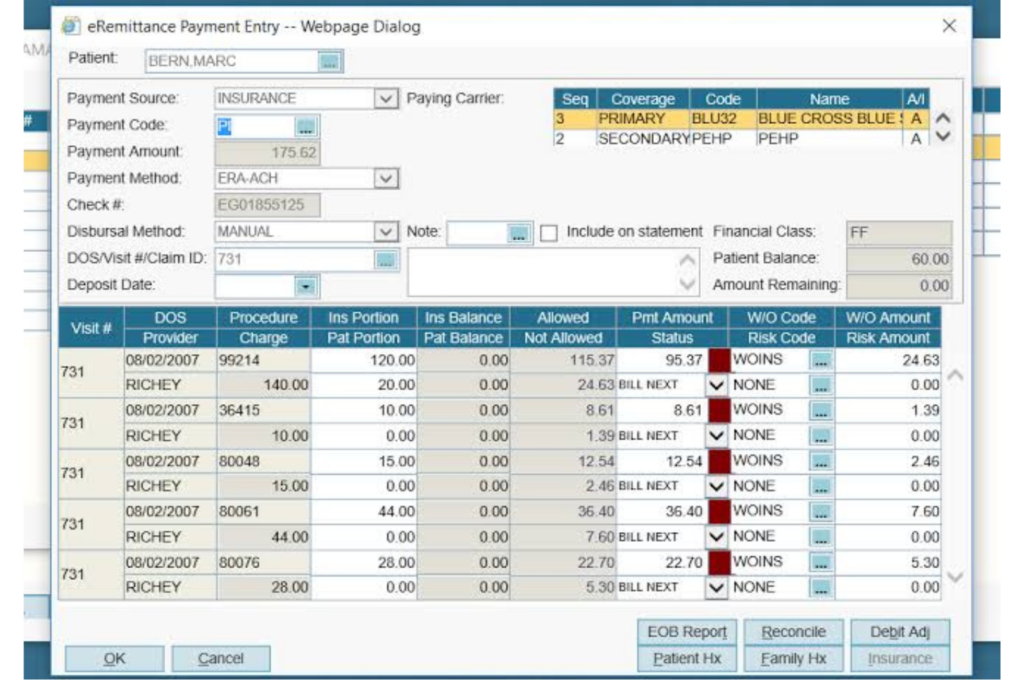
Revenue cycle management (RCM) covers everything from patient registration and insurance verification to coding, claims submission, and payment collection. In an EHR, RCM tools connect clinical documentation directly to billing workflows, so what gets documented in the chart drives what gets billed.
I think this integration is where a lot of practices either gain or lose significant revenue. When clinical and billing data live in the same system, coding accuracy improves and claims move faster. Disconnected systems create gaps—undercoded visits, delayed submissions, and denials that take weeks to resolve. A well-integrated RCM module tightens that entire cycle.
These are the RCM sub-features that have the most direct impact on a practice's financial performance:
- Eligibility verification: Confirms insurance coverage before the visit, reducing denials at the source.
- Computer-assisted coding: Tools like those in Oracle Health suggest ICD-10 and CPT codes based on clinical documentation.
- Claims scrubbing: Catches errors and missing information before a claim is submitted to the payer.
- Denial management: Tracks rejected claims and flags them for follow-up with payer-specific reason codes.
- Patient payment tools: Integrated estimates, statements, and online payment options reduce time-to-collection after the visit.
8. Appointment Scheduling
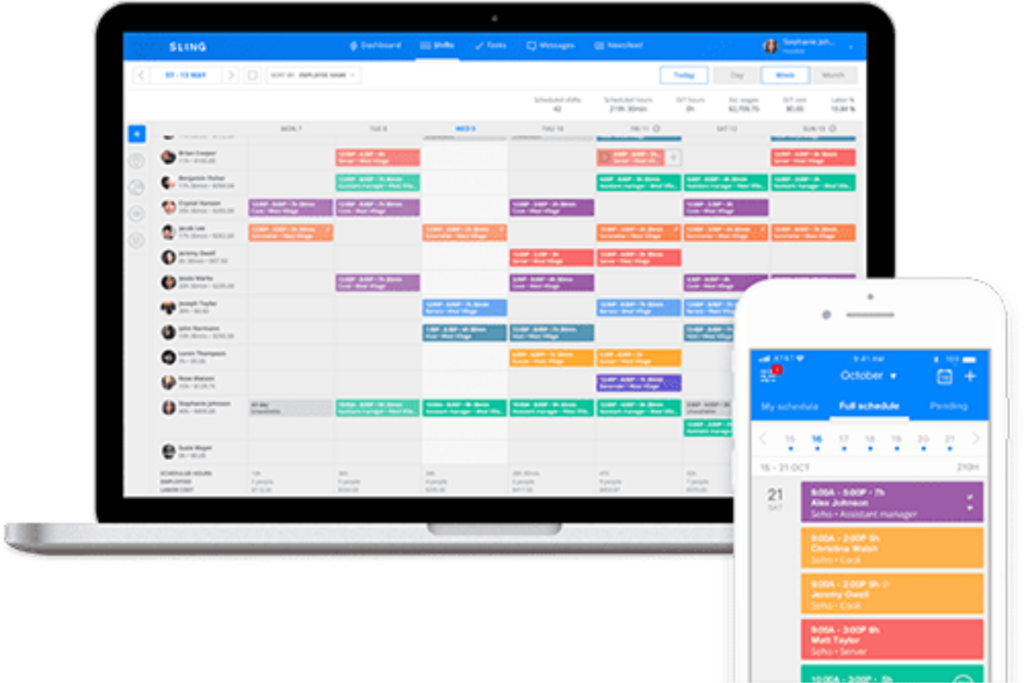
Appointment scheduling in an EHR manages the full booking workflow—provider availability, visit types, room assignments, and patient notifications—all within the same system that holds the clinical record. When scheduling is integrated rather than bolted on, staff aren't toggling between platforms to confirm a slot and pull up a chart.
From my experience, the real value shows up in how scheduling connects to everything downstream. A booked appointment can trigger pre-visit intake forms, insurance verification, and provider prep—automatically. That kind of sequencing reduces no-shows, cuts front-desk workload, and means the care team walks into each visit with the information they actually need.
Keep these scheduling capabilities in mind when evaluating EHR platforms:
- Multi-provider calendar views: Displays availability across providers, rooms, and equipment simultaneously—essential for specialty practices managing shared resources.
- Visit type templates: Defines appointment length and prep requirements by visit type, so a new patient visit is never accidentally booked into a 10-minute follow-up slot.
- Patient self-scheduling: Platforms like athenahealth let patients book directly through a portal, reducing inbound call volume for front-desk staff.
- Automated reminders: Sends appointment confirmations and reminders via text or email, which I've seen meaningfully reduce no-show rates.
- Waitlist management: Fills cancellations automatically by pulling from a waitlist queue.
9. Data Reporting and Analytics
Data reporting and analytics in an EHR turns clinical and operational data into structured insights. These tools aggregate information across patients, providers, and departments—then surface it through dashboards, scheduled reports, and custom queries that help leaders make informed decisions.
What I think matters most here is proximity to the data. When analytics live inside the EHR rather than in a separate BI tool, you're working with real-time, complete records instead of exports that are already outdated.
That means quality metrics, population health trends, and operational bottlenecks are visible as they develop—not weeks later when the window to act has already closed.
Keep these reporting and analytics capabilities in mind when comparing EHR platforms:
- Pre-built report libraries: Ready-to-run reports for quality measures, payer submissions, and regulatory requirements—athenahealth, for example, includes CMS-aligned reporting templates out of the box.
- Custom report builders: Lets your team query specific data points without relying on vendor support or IT.
- Population health dashboards: Surfaces patient cohorts by condition, risk score, or care gap status across your entire panel.
- Operational metrics: Tracks provider productivity, visit volumes, and revenue trends in one view.
- Scheduled report delivery: Automatically sends reports to designated recipients on a set cadence.
10. Telehealth Integration
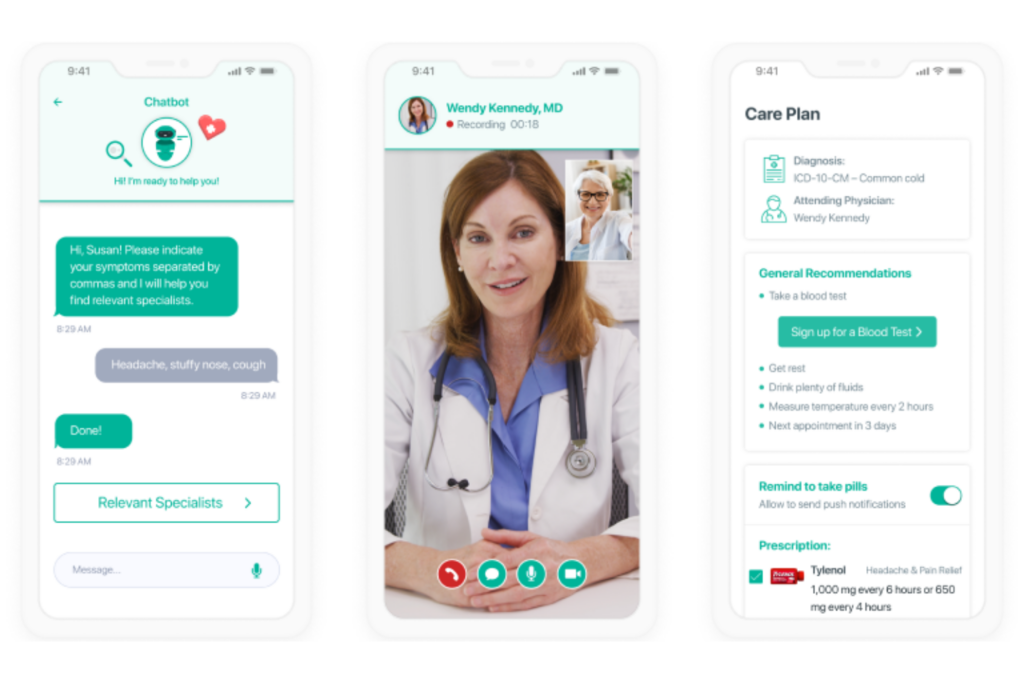
Telehealth integration embeds virtual visit capabilities directly into the EHR, so providers can conduct video appointments without leaving the platform they're already working in. The visit launches from the existing schedule, documentation happens in the same chart, and orders or follow-ups are placed through the same workflows as any in-person encounter.
From my point of view, the practices that get the most from telehealth integration are those where it's genuinely invisible—meaning the virtual visit feels like a scheduled appointment, not a workaround.
When telehealth is bolted on through a separate platform, you get split documentation, billing gaps, and a disjointed experience for both the provider and the patient.
Use this comparison to see how integrated telehealth differs from a bolted-on solution:
| Integrated Telehealth | Standalone Telehealth Tool | |
|---|---|---|
| Visit launch | Integrated TelehealthDirectly from the EHR schedule | Standalone Telehealth ToolSeparate platform login required |
| Documentation | Integrated TelehealthCharted in the same encounter | Standalone Telehealth ToolCopied or re-entered manually |
| Billing | Integrated TelehealthFlows through existing RCM workflows | Standalone Telehealth ToolRequires separate billing reconciliation |
| Patient experience | Integrated TelehealthSingle portal access | Standalone Telehealth ToolSeparate link or app |
| Example | Integrated TelehealthEpic's built-in video visits | Standalone Telehealth ToolZoom for Healthcare paired with a separate EHR |
11. Medication Reconciliation
Medication reconciliation is the process of compiling and verifying a complete, accurate medication list at every care transition—admission, discharge, transfer, or outpatient visit. EHR tools combine pharmacy data, patient histories, and past records into one medication list.
I think this is one of the highest-stakes features in any EHR. Medication discrepancies are a leading cause of preventable adverse events, and manual reconciliation processes are where errors live. When the EHR surfaces conflicts automatically and prompts clinicians to resolve them, that safety net becomes part of the standard workflow rather than an extra step.
Watch for these medication reconciliation capabilities when evaluating EHR platforms:
- Pharmacy data pull: Automatically imports fill history from external pharmacies—tools like Surescripts surface up to 12 months of prescription data directly in the chart.
- Conflict flagging: Identifies duplicate therapies, drug-drug interactions, and dosing discrepancies without requiring a manual review.
- Care transition prompts: Triggers a reconciliation workflow at admission, discharge, and transfer—where discrepancies are most likely to occur.
- Patient-reported medication capture: Incorporates what patients self-report, including over-the-counter medications and supplements, alongside clinical records.
- Risk stratification: Flags high-risk patients for pharmacist review, so limited resources go where they're needed most.
More Articles
12. Patient Demographics Management
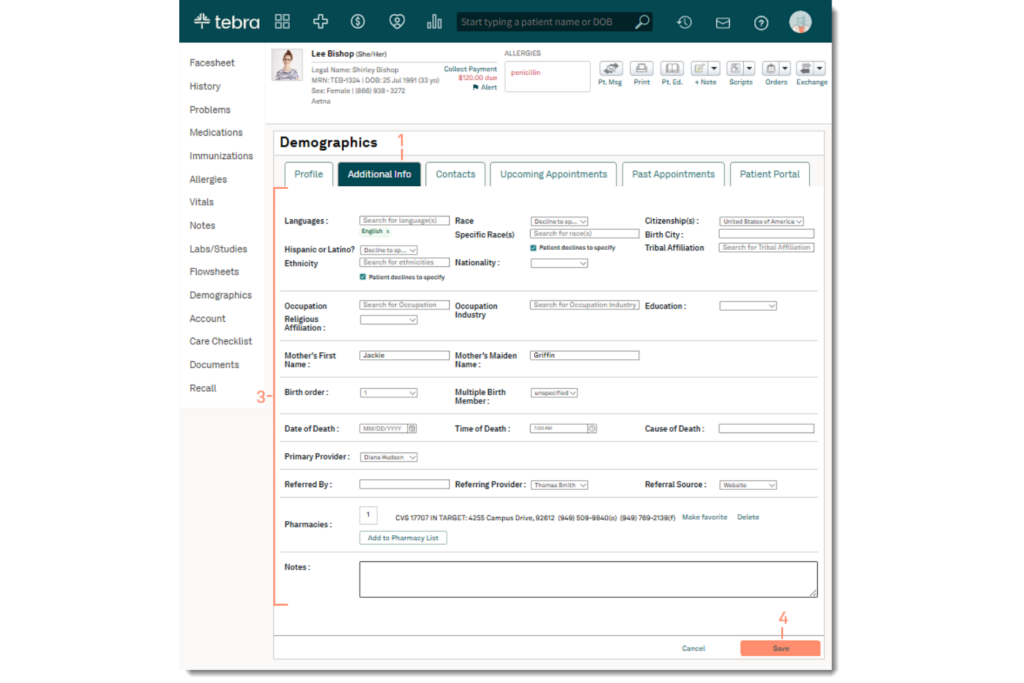
Patient demographics management is how an EHR captures, stores, and maintains the foundational information tied to every patient record—name, date of birth, contact details, insurance, preferred language, and more. These data points aren't just administrative; they drive eligibility verification, billing accuracy, care coordination, and regulatory reporting.
Without proper controls, demographic data quickly becomes outdated or duplicated, affecting billing, communication, and continuity of care. A well-designed EHR validates entries, flags duplicates, and simplifies updates.
Use this breakdown to understand how strong demographics management affects downstream workflows:
| Demographics Feature | Impact on Operations |
|---|---|
| Demographics FeatureDuplicate record detection | Impact on OperationsPrevents split charts and billing errors before they occur |
| Demographics FeatureReal-time eligibility verification | Impact on OperationsConfirms active coverage at check-in, reducing claim denials |
| Demographics FeaturePreferred language capture | Impact on OperationsRoutes interpreter services and translated materials to the right patients |
| Demographics FeatureInsurance hierarchy management | Impact on OperationsCorrectly sequences primary and secondary payers for clean claims |
| Demographics FeaturePatient matching across facilities | Impact on OperationsMaintains a single record for patients seen at multiple locations |
Top EHR Software
Here are our top picks for the best EHR software to help you in your search:
Ready to Move Forward With Your EHR Decision?
Before choosing a platform, review our EHR pricing guide to compare costs, plan options, and included features based on your practice’s needs and budget.