Knowing how to choose EMR software is harder than vendors make it look. From my experience evaluating these tools, the wrong pick creates documentation headaches, compliance gaps, and frustrated staff. The right one quietly supports better care. With dozens of platforms competing for your attention, the decision feels overwhelming—especially when every demo looks polished. This guide cuts through that noise. I'll walk you through the features that actually matter, the questions worth asking vendors, and the red flags I've learned to spot before signing a contract.
4 Things to Look for When Choosing EMR Software
From my experience getting hands-on with different EMR platforms, here are the four features I always double-check before recommending a system to any team:
1. Interoperability With Existing Clinical Systems

You need EMR software that connects seamlessly with your lab, billing, and scheduling platforms. In my experience, poor interoperability causes data silos and double entry, which only frustrates your staff. Make sure the system supports standard integrations or APIs so you don’t have to overhaul your workflow down the road—ask each vendor for specific examples of successful integrations in similar practice environments.
2. Regulatory Compliance and Certification Standards
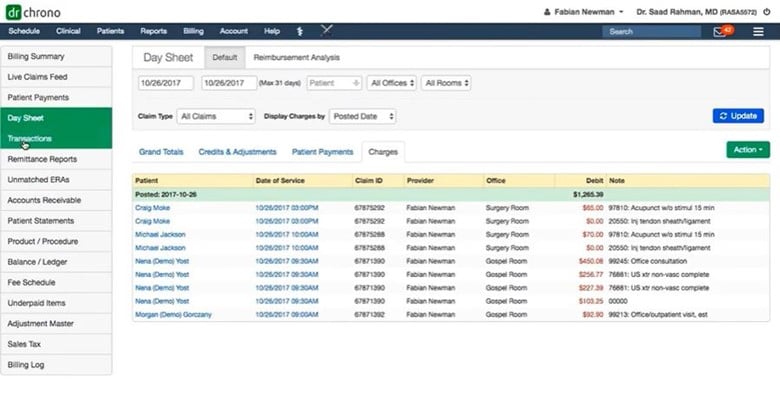
Every EMR software choice lives or dies by meeting privacy laws and certification requirements. In my experience, falling short here means real financial and legal risk for your practice. Check for proof of certification, like ONC or your local equivalents, and be direct—ask the vendor how their system stays current with new regulations and if they offer audit support or documentation.

3. Customizable Templates and Workflow Automation
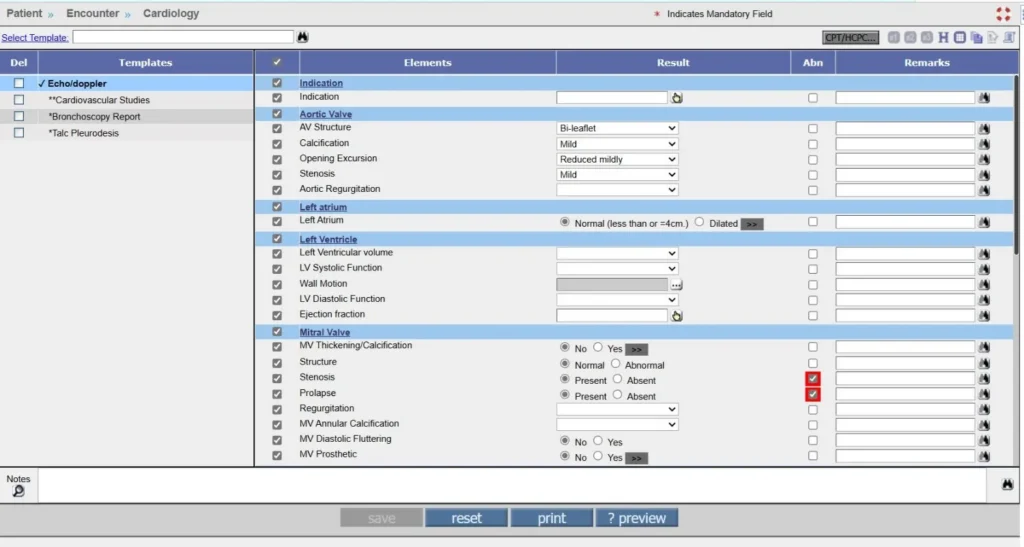
EMR software needs to match how your team actually delivers care—not force you into someone else’s process. I’ve found that the ability to tailor templates and automate repetitive steps makes documentation faster and helps prevent note fatigue. Try building out a sample workflow during the demo and confirm how much your staff can customize without extra vendor fees or IT support.
4. Patient Data Access and Reporting
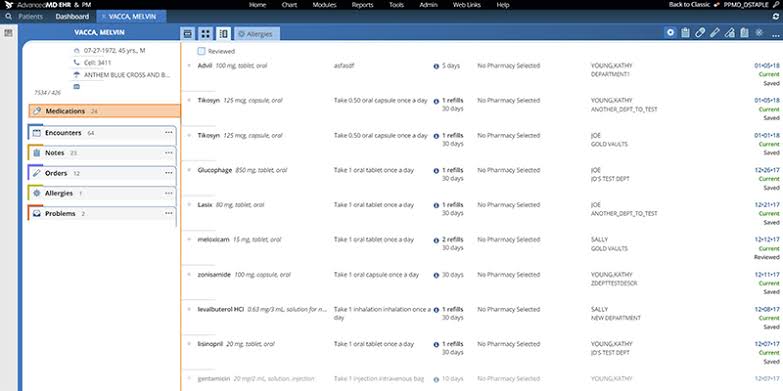
You’ll want EMR software that gives your team instant access to patient records and clear reporting tools for tracking care quality and outcomes. I’ve noticed that clunky reporting or limited data visibility slows down clinical decisions and frustrates everyone. Ask yourself if the reporting features let your team track what actually matters—or if you’ll be stuck exporting data to spreadsheets every week.
How to Choose EMR Software: A 5-Step Framework
Here’s the step-by-step approach I follow whenever I help a team pick EMR software that actually fits their workflow:
Step 1: Identify Your Needs
Before you even open a vendor's website, talk to the people who'll actually use the system every day. I always start here because it consistently surfaces deal-breakers that no amount of demo polish can hide.
Start by gathering input from these key stakeholders:
- Clinicians: physicians, nurses, and specialists who document care
- Administrators: billing, scheduling, and front-desk staff
- IT staff: anyone responsible for system maintenance and security
- Compliance officers: those who manage audits and regulatory requirements
Then ask each group questions like these to surface what the software really needs to do:
- What does your current documentation process look like, and where does it break down?
- Which integrations are non-negotiable for your daily workflow?
- What reporting or data access do you need but currently can't get?
- Are there any compliance requirements specific to your specialty or region?
Use this table to categorize what you hear into clear priorities before you begin comparing platforms:
| Priority Level | Definition | Example Needs |
|---|---|---|
| Priority LevelMust-have | DefinitionNon-negotiable for daily operations | Example NeedsHL7 integration, ONC certification |
| Priority LevelNice-to-have | DefinitionValuable but not essential | Example NeedsPatient portal, advanced analytics |
| Priority LevelDeal-breaker | DefinitionFeatures that disqualify a platform | Example NeedsPoor mobile access, no audit trail |
The goal of this step is a written list of requirements your team has actually agreed on—so you're not making decisions based on which vendor gives the best demo.
Step 2: Research EMR Software Vendors
Once you have your needs documented, it's time to build a long list of vendors worth exploring. I'd resist the urge to jump straight to a shortlist—casting a wide net first means you're less likely to miss a platform that fits your practice well.
Use these research sources to find vendors that operate in your specialty and practice size:
- Peer recommendations: colleagues in similar roles or practice settings are often your most reliable source
- Professional associations: specialty-specific organizations often publish vetted vendor directories
- Review platforms: independent software review sites surface real user experiences and common complaints
- Industry publications: healthcare IT publications often cover emerging platforms and market trends
- Regulatory bodies: some certification authorities maintain lists of compliant vendors
As you gather information, track what you find using a simple research log like this:
| Research Source | What to Look For | Red Flags |
|---|---|---|
| Research SourcePeer recommendations | What to Look ForHonest feedback from similar practices | Red FlagsOverly promotional language |
| Research SourceOnline reviews | What to Look ForPatterns in complaints or praise | Red FlagsReviews that lack specific detail |
| Research SourceVendor websites | What to Look ForTransparency about pricing and features | Red FlagsVague claims with no proof points |
| Research SourceCase studies | What to Look ForExamples from comparable organizations | Red FlagsOnly large enterprise examples |
The outcome of this step is a long list of vendors that at least seem worth a closer look. Don't filter heavily yet—that comes later. Right now, you're just making sure you haven't missed anyone worth considering.
Top EMR Software to Consider
Here's my shortlist of the best EMR software solutions:
Clicks on the links below may earn a commission, which supports our independent testing and review of software and services. Learn more about how we stay transparent.
Step 3: Make an EMR Software Shortlist
This is where your requirements list from Step 1 does the heavy lifting. I find that most teams try to shortlist based on gut feel or brand recognition—but the cleaner approach is to filter your long list against the must-haves and deal-breakers you already agreed on.
Work through your long list by applying these filters in order:
- Must-have match: does the platform cover every non-negotiable requirement from Step 1?
- Deal-breaker check: does anything you found in research immediately disqualify it?
- Specialty fit: is the platform designed for or widely used in your clinical area, such as occupational medicine or optometry practices?
- Practice size fit: does the vendor serve organizations at your scale?
- Budget range: is the pricing model compatible with what your organization can realistically spend?
Use this table to score each vendor and make your shortlist decision clearer:
| Criteria | Weight | How to Assess |
|---|---|---|
| CriteriaMust-have coverage | WeightHigh | How to AssessCross-reference your requirements list |
| CriteriaDeal-breaker absence | WeightHigh | How to AssessReview research notes and user complaints |
| CriteriaSpecialty and size fit | WeightMedium | How to AssessCheck vendor case studies and client lists |
| CriteriaBudget alignment | WeightMedium | How to AssessRequest indicative pricing before demos |
Aim to shortlist three to five vendors—any more and your evaluation process gets unwieldy. Once your shortlist is set, reach out to each vendor to request a demo. Be specific when you book it: tell them your practice size, specialty, and top three priorities so they don't waste your time with a generic walkthrough.
More Articles
Step 4: Build the Business Case
Even if you're the one making the final call, a documented business case protects you. I've seen good software decisions fall apart at the approval stage simply because no one had the numbers ready. This step is about building something concrete that decision-makers can say yes to.
Start by pulling together these core components:
- Current state costs: time spent on manual documentation, billing errors, compliance gaps, and staff overtime
- Expected ROI: reduced documentation time, faster billing cycles, fewer claim rejections, and improved audit readiness
- Total cost of ownership: licensing fees, implementation costs, training time, and ongoing support
- Implementation timeline: go-live milestones, staff training windows, and any planned downtime
- Risk assessment: data migration complexity, staff adoption challenges, and compliance transition risks
Use this table to structure your cost and outcome estimates clearly:
| Business Case Component | What to Include | Who Provides the Data |
|---|---|---|
| Business Case ComponentCurrent state costs | What to IncludeTime, labor, and error-related expenses | Who Provides the DataClinical and admin leads |
| Business Case ComponentExpected outcomes | What to IncludeEfficiency gains and compliance improvements | Who Provides the DataVendor data and peer benchmarks |
| Business Case ComponentTotal cost of ownership | What to IncludeAll fees across a 3-year horizon | Who Provides the DataVendor and IT team |
| Business Case ComponentRisk mitigation | What to IncludeContingency plans and rollback options | Who Provides the DataIT, compliance, and operations |
The most important thing to quantify is time—specifically how much of it your clinical and administrative staff currently lose to documentation and billing tasks. That number tends to be the most persuasive part of any business case. Present your risks honestly too, because decision-makers who feel surprised later will lose confidence in the whole project.
Step 5: Implement Your EMR Software and Onboard Your Users
Implementation is where most EMR rollouts run into trouble—not because the software fails, but because the people side of the transition gets underestimated. I'd argue that how you onboard your team matters more than any feature you selected in Step 3.
Follow these steps to set your rollout up for success:
- Assign an internal owner: designate one person to coordinate the rollout, own the timeline, and serve as the primary vendor contact
- Communicate early and often: tell staff what's changing, why, and what to expect well before go-live
- Segment your training: clinical and administrative staff have different workflows—train them separately with role-specific sessions
- Run a parallel period: where possible, run old and new systems simultaneously for a short window to catch gaps before fully switching over
- Build a feedback loop: create a clear channel for staff to flag issues during and after go-live
Use this table to track ownership and accountability across the rollout:
| Rollout Phase | Key Actions | Owner |
|---|---|---|
| Rollout PhasePre-launch | Key ActionsCommunication, data migration, training schedule | OwnerImplementation lead |
| Rollout PhaseTraining | Key ActionsRole-specific sessions, documentation, Q&A | OwnerDepartment leads |
| Rollout PhaseGo-live | Key ActionsSystem monitoring, issue logging, staff support | OwnerIT and implementation lead |
| Rollout PhasePost-launch | Key ActionsFeedback collection, optimization, retraining | OwnerDepartment leads and vendor |
The teams that struggle most are the ones that treat go-live as the finish line. Plan for at least 30 days of active post-launch support so small issues don't compound into bigger adoption problems.
Ready to Move Forward With Your EMR Decision?
Before you commit to a platform, make sure your team has worked through a clear EMR software requirements checklist so you can evaluate every vendor against the features, compliance standards, and integrations that actually matter to your practice.