

ClinicSense Bewertung: Vorteile, Nachteile, Funktionen und Preise
ClinicSense vereint Praxismanagement auf einer Plattform – von Terminplanung und Rechnungsstellung bis hin zur Klientenkommunikation, SOAP-Notizen und Arbeitsabläufen im Wellnessbereich.

Wir bewerten Tools unabhängig und Provisionen helfen, unsere Tests zu finanzieren. Siehe unsere Transparenz richtlinie, unsere Methodik oder schlagen Sie ein Tool vor.
ClinicSense is a clinic management software built for solo practitioners and small clinics in health and wellness fields like massage therapy and physiotherapy. It handles online booking, SOAP notes, invoicing, and client intake forms in one place. I'd look at it seriously if your practice is outgrowing a generic booking tool but doesn't need the full complexity of a platform like Jane App. ClinicSense keeps the setup light and approachable without dropping the clinical documentation features that matter most for day-to-day care.
ClinicSense Evaluation Summary

4/5
- From $39/month
- 14-day free trial
Warum Sie unseren Software-Empfehlungen vertrauen können
6,700+
Reviews
20
Industry experts
16+
Evaluation factors
14
Years
Unser Team testet und bewertet Software seit 2012. Als Führungskräfte in der medizinischen Praxis wissen wir selbst, wie schwierig – und wichtig – es ist, die richtige Software auszuwählen.
Für diesen Leitfaden haben wir Tools mithilfe von praktischen Tests und unabhängiger Recherche bewertet und dabei unsere Bewertungskriterien angewendet.
Unsere Bewertungen spiegeln unser menschliches redaktionelles Urteilsvermögen wider, keine Verkaufsstrategie.
ClinicSense Overview
When I compare ClinicSense to other clinic management software, I think its clean interface, simple onboarding, and responsive support make it a top pick for solo practitioners and small clinics. The built-in SOAP notes, online booking, and automated reminders are easy to set up and use. Pricing is transparent, and you won’t get bogged down with features you don’t need.
However, if you want deep integrations or advanced reporting, you might find it limited. For straightforward scheduling, documentation, and billing, I’d suggest ClinicSense is a strong choice for practices prioritizing ease of use over customization.
Pros
- Automated appointment reminders help reduce client no-shows.
- Customer support responds quickly and resolves issues promptly.
- SOAP notes and intake forms are customizable for different practices.
Cons
- Reporting and analytics options are limited compared to others.
- Integrations with third-party tools are minimal or unavailable.
- Mobile app frequently logs users out and lacks full features.
Is ClinicSense Right For Your Needs?
Who Would be a Good Fit for ClinicSense?
ClinicSense is best for small healthcare teams, solo practitioners, and wellness clinics that want simple scheduling, SOAP notes, and payment tools without extra complexity. Its focus on core clinic management features makes it ideal for practices that don’t need deep integrations or advanced analytics.
If you need a system that’s easy to set up, offers responsive support, and helps reduce no-shows with automated reminders, ClinicSense is a strong choice.
- Wellness CentersThe system’s client management and billing features work well for wellness-focused teams.
- Acupuncture PracticesClinicSense’s intake forms and payment tools fit acupuncture clinics’ needs.
- Chiropractic OfficesAutomated reminders and SOAP notes support chiropractic workflows.
- Small Physical Therapy ClinicsCustomizable documentation and easy scheduling help small PT teams stay organized.
- Solo PractitionersThe platform’s simple setup and all-in-one features suit solo providers.
- Massage TherapistsClinicSense offers SOAP notes, intake forms, and appointment reminders tailored for massage practices.
Who Would be a Bad Fit for ClinicSense?
ClinicSense isn’t the best choice for large, multi-location organizations or teams needing advanced integrations, custom workflows, or in-depth analytics. If your clinic relies on connecting with other software, requires detailed reporting, or manages complex billing scenarios, you’ll likely find ClinicSense’s feature set too limited for your needs.
- Corporate Health DepartmentsClinicSense can’t handle large-scale employee health tracking or compliance reporting.
- Research ClinicsThe system doesn’t offer advanced data export or analytics for research needs.
- Medical Billing CompaniesClinicSense’s billing features are basic and not suited for third-party billing.
- Behavioral Health NetworksLimited integrations and documentation options restrict behavioral health teams.
- Multi-Disciplinary ClinicsThe platform doesn’t support complex workflows across multiple specialties.
- Large Hospital SystemsClinicSense lacks multi-location management and enterprise-level reporting.
Wie wir Tools testen & bewerten
Wir haben jahrelang daran gearbeitet, unser System zur Softwarebewertung und -prüfung zu entwickeln, zu verfeinern und zu verbessern. Das Bewertungsschema wurde entwickelt, um die Feinheiten der Softwareauswahl und das, was ein Tool besonders effektiv macht, zu erfassen, wobei der Fokus auf den wichtigsten Aspekten des Entscheidungsprozesses liegt. Nachfolgend sehen Sie genau, wie unser Test- und Bewertungssystem anhand von sieben Kriterien funktioniert. So können wir eine objektive Bewertung der Software auf Basis von Kernfunktionen, besonderen Eigenschaften, Benutzerfreundlichkeit, Onboarding, Kundensupport, Integrationsmöglichkeiten, Kundenbewertungen und Preis-Leistungs-Verhältnis bieten.
Kernfunktionen (25% der Gesamtbewertung)
Der Ausgangspunkt unserer Bewertung ist immer die Kernfunktionalität des Tools. Verfügt es über die grundlegenden Funktionen und Eigenschaften, die ein Benutzer erwarten würde? Sind einige dieser Kernfunktionen nur höheren Preiskategorien vorbehalten? Im Kern erwarten wir, dass ein Tool den Basisfunktionen seiner Wettbewerber standhält.
Besondere Merkmale (25% der Gesamtbewertung)
Als nächstes bewerten wir außergewöhnliche, über die Kernfunktionalität hinausgehende Merkmale, wie sie typischerweise nicht in vergleichbaren Tools zu finden sind. Eine hohe Punktzahl spiegelt spezialisierte oder einzigartige Funktionen wider, die das Produkt schneller, effizienter oder für den Nutzer besonders nutzbringend machen. Wir bewerten außerdem, wie einfach sich das Tool mit anderen, üblicherweise im Technologiestack zu findenden Lösungen integrieren lässt, um Umfang und Nutzen der Software zu erhöhen. Tools, die zahlreiche native Integrationen, Anbindungen von Drittanbietern und API-Zugänge für individuelle Erweiterungen bieten, erzielen die beste Bewertung.
Benutzerfreundlichkeit (10% der Gesamtbewertung)
Wir prüfen, wie schnell und einfach es ist, die über die Kernfunktionen definierten Aufgaben mit dem Tool auszuführen. Hochbewertete Software ist gut durchdacht, intuitiv bedienbar, bietet mobile Apps, stellt Vorlagen bereit und vereinfacht komplexe Abläufe.
Onboarding (10% der Gesamtbewertung)
Wir wissen, wie wichtig eine schnelle Anpassung an eine neue Plattform für Teams ist. Daher bewerten wir, wie einfach sich ein Tool mit minimalem Schulungsaufwand erlernen und nutzen lässt. Wir beurteilen, wie schnell sich neue Nutzer ohne Vorkenntnisse einrichten und loslegen können. Lösungen mit wenig oder gar keinem notwendigen Support schneiden am besten ab.
Kundensupport (10% der Gesamtbewertung)
Wir überprüfen, wie schnell und unkompliziert Hilfe per Telefon, Live-Chat oder Wissensdatenbank verfügbar ist. Tools und Unternehmen, die Echtzeitsupport bieten, schneiden am besten ab, während Chatbots am schlechtesten bewertet werden.
Kundenbewertungen (10% der Gesamtbewertung)
Neben unseren eigenen Tests und Bewertungen berücksichtigen wir die Net Promoter Score von aktuellen und ehemaligen Nutzern. Wir prüfen deren Bereitschaft, sich erneut für die Software zu entscheiden, vor allem in Bezug auf die Kernfunktionen. Ein hoher Wert spiegelt eine hohe Zufriedenheit und Weiterempfehlungsrate der Nutzer wider.
Preis-Leistungs-Verhältnis (10% der Gesamtbewertung)
Zuletzt vergleichen wir unter Berücksichtigung aller anderen Bewertungskriterien den durchschnittlichen Einstiegspreis mit den Kernfunktionen und den weiteren Kriterien. Software, die mehr Leistung für weniger Geld bietet, schneidet besser ab.
Core Features
Online Booking
Clients can schedule appointments directly through your website or a booking link. This reduces admin time and helps fill your calendar automatically.
SOAP Notes
Create, store, and customize SOAP notes for each client visit. Notes are easy to access and update, supporting compliance and continuity of care.
Automated Appointment Reminders
Send email and SMS reminders to clients before their appointments. This helps reduce no-shows and keeps your schedule running smoothly.
Digital Intake Forms
Clients complete intake forms online before their visit. Forms are stored securely and linked to each client’s profile for easy reference.
Invoicing and Payment Processing
Generate invoices, accept payments, and track transactions within the platform. This streamlines billing and helps you stay on top of finances.
Client Management
Store client contact details, appointment history, and documents in one place. This centralizes information and makes it easy to manage ongoing care.
Ease of Use
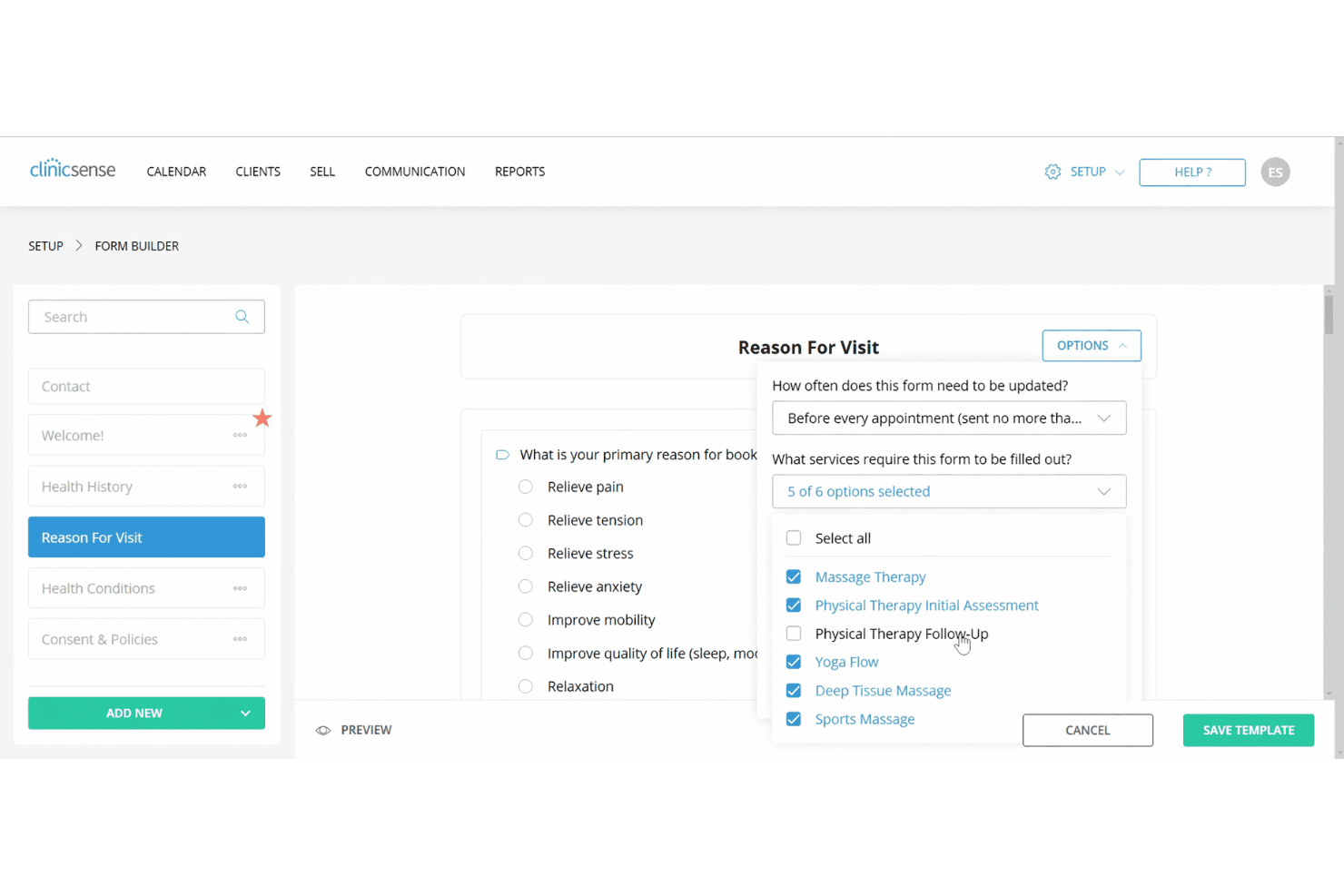
ClinicSense stands out for its clean, intuitive interface and straightforward navigation, making it easy for new users to get started without training. Most users say setup is quick, and features like online booking, SOAP notes, and reminders are simple to access and use daily.
The platform avoids clutter and unnecessary options, so you can focus on core tasks.
Integrations
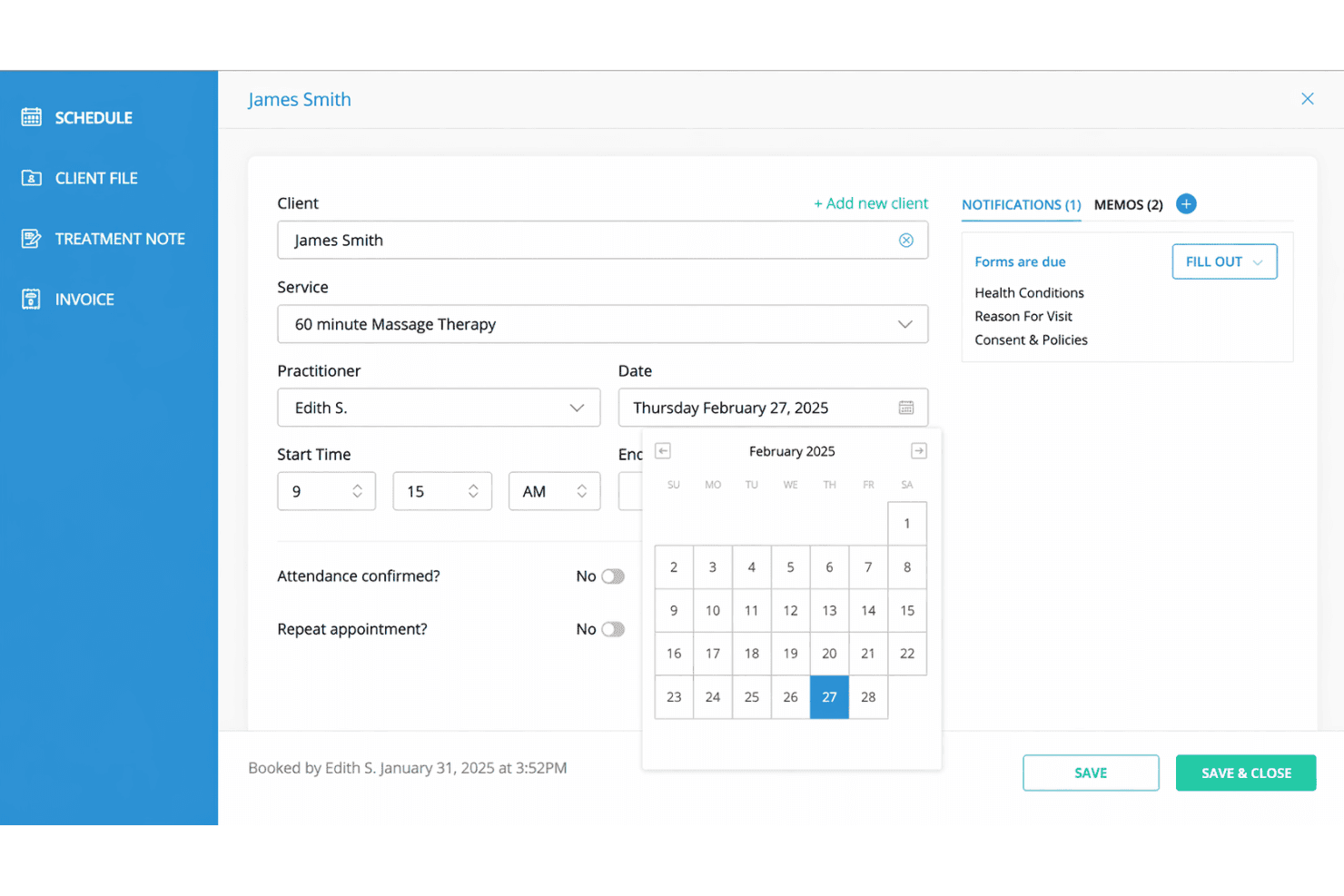
ClinicSense integrates with Square, TELUS Health eClaims, Google Calendar, Google Reviews, Mailchimp, Stripe, Zoom, QuickBooks, Outlook Calendar, and Facebook, among others.
ClinicSense does not currently offer a public API or direct connections with third-party integration tools.
ClinicSense Specs
- API: No
- Appointment Scheduling: Yes
- Athlete Management: No
- Audit Management: No
- Calendar Management: Yes
- Compliance Tracking: Yes
- Customer Management: Yes
- Dashboard: Yes
- Data Export: Yes
- Data Import: Yes
- Data Visualization: Yes
- Electronic Prescribing: No
- External Integrations: Yes
- File Sharing: Yes
- File Transfer: No
- Health Management: Yes
- HIPAA Compliance: Yes
- Inventory Tracking: No
- Multi-User: Yes
- Notifications: Yes
- Organization Management: Yes
- Patient Management: Yes
- Project Management: No
- Regulatory Alerts: No
- Risk Assessment: No
- Scheduling: Yes
- Supplier Management: No


