

PatientNow Review: Pros, Cons, Features and Pricing
I’ve put PatientNow under the microscope—here’s what stands out, where it falls short, and why it might (or might not) be the EMR solution your practice needs.

We review tools independently, and commissions help fund our testing. See our transparency policy, our methodology, or suggest a tool.
PatientNow is an EMR system built specifically for aesthetic medicine practices—med spas, plastic surgery clinics, and cosmetic dermatology offices. It's a strong fit if your practice runs on elective procedures and needs clinical documentation alongside patient retention tools in one place. I'd consider it over a tool like Nextech if you want purpose-built aesthetic workflows without the implementation complexity that comes with a larger enterprise platform.
PatientNow Evaluation Summary
3/5
- Pricing upon request
- Free demo available
Why Trust Our Software Recommendations
6,700+
Reviews
20
Industry experts
16+
Evaluation factors
14
Years
Our team has been testing and reviewing software since 2012. As medical practice leaders ourselves, we know how difficult—and important—it is to choose the right software.
For this guide, we evaluated tools using hands-on testing and independent research, scoring tools using our selection criteria.
Our reviews reflect our human editorial judgment, not a sales pitch.
PatientNow Overview
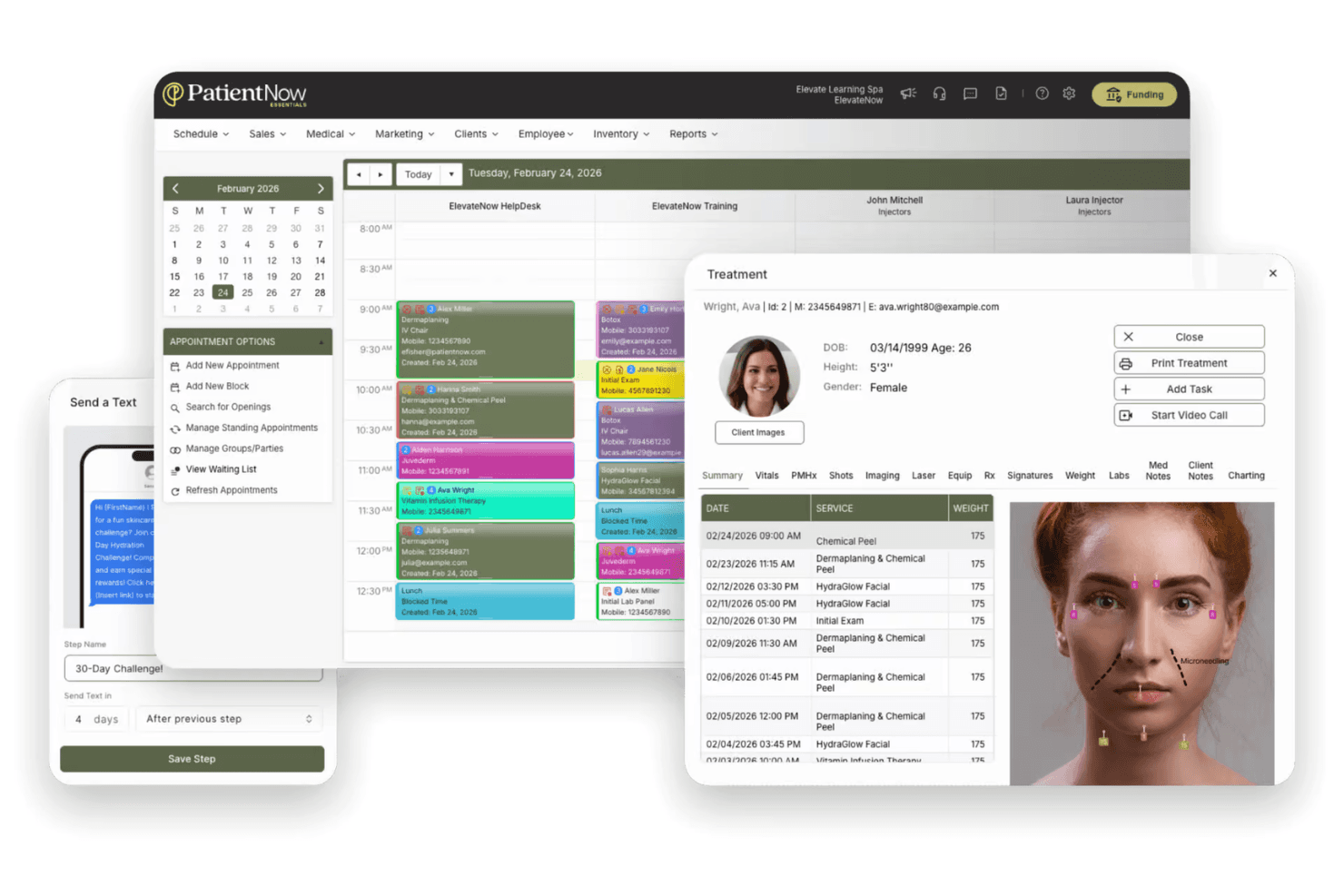
PatientNow, compared to other EMR pratice management software, is an all-in-one approach that combines scheduling, billing, and patient management. The interface is modern and onboarding is straightforward, but integrations can feel limited if you rely on niche third-party tools. Pricing is competitive for the feature set, and support is responsive.
I’d suggest PatientNow is best for clinics that want a unified system and value built-in automation over deep customization.
Pros
- HIPAA-compliant with role-based access controls.
- Automated patient recall and retention features.
- Built-in photography tools for before-and-after patient images.
Cons
- Limited flexibility for integrating niche third-party tools.
- Charting features are basic for advanced clinical needs.
- Customer support response times can be inconsistent.
Is PatientNow Right For Your Needs?
Who Would be a Good Fit for PatientNow?
PatientNow is a strong choice for clinics and practices that want a unified platform for patient engagement, scheduling, and documentation. Its built-in photography, automated recall, and HIPAA-compliant features make it especially valuable for visually oriented specialties and practices focused on patient retention.
You’ll get the most value if your team needs automation and workflow tools more than deep customization or complex integrations.
- Small to Mid-Sized PracticesAll-in-one functionality and straightforward onboarding suit practices without dedicated IT staff.
- Cosmetic DentistryPhoto documentation and patient communication features support cosmetic case management.
- Multi-Provider ClinicsRole-based access and scheduling tools simplify operations for teams with multiple providers.
- Dermatology PracticesAutomated recall and visual recordkeeping help dermatologists track treatment progress.
- Plastic Surgery ClinicsThe platform’s image documentation and patient engagement tools support surgical consults and follow-ups.
- MedspasPatientNow’s before-and-after photo management and consent forms are tailored for aesthetic procedures.
Who Would be a Bad Fit for PatientNow?
PatientNow isn’t ideal for organizations that need highly specialized clinical workflows, deep third-party integrations, or advanced analytics. If your team relies on custom reporting, complex billing, or integration with hospital systems, you’ll likely find PatientNow’s feature set limiting compared to other options.
- Tech-Heavy IT DepartmentsLimited API and integration options restrict IT-driven workflow customization.
- Practices With Custom BillingBilling features are designed for standard, not highly customized, billing processes.
- Research InstitutionsPatientNow doesn’t offer advanced data export or research-focused modules.
- Enterprise Health NetworksCustom reporting and analytics capabilities are limited for enterprise-level needs.
- Behavioral Health ClinicsThe platform’s charting and documentation tools aren’t tailored for behavioral health workflows.
- Large Hospital SystemsPatientNow lacks the advanced interoperability and scalability large hospitals require.
How We Test & Score Tools
We’ve spent years building, refining, and improving our software testing and scoring system. The rubric is designed to capture the nuances of software selection and what makes a tool effective, focusing on critical aspects of the decision-making process.
Below, you can see exactly how our testing and scoring works across seven criteria. It allows us to provide an unbiased evaluation of the software based on core functionality, standout features, ease of use, onboarding, customer support, integrations, customer reviews, and value for money.
Core Functionality (25% of final scoring)
The starting point of our evaluation is always the core functionality of the tool. Does it have the basic features and functions that a user would expect to see? Are any of those core features locked to higher-tiered pricing plans? At its core, we expect a tool to stand up against the baseline capabilities of its competitors.
Standout Features (25% of final scoring)
Next, we evaluate uncommon standout features that go above and beyond the core functionality typically found in tools of its kind. A high score reflects specialized or unique features that make the product faster, more efficient, or offer additional value to the user.
We also evaluate how easy it is to integrate with other tools typically found in the tech stack to expand the functionality and utility of the software. Tools offering plentiful native integrations, 3rd party connections, and API access to build custom integrations score best.
Ease of Use (10% of final scoring)
We consider how quick and easy it is to execute the tasks defined in the core functionality using the tool. High scoring software is well designed, intuitive to use, offers mobile apps, provides templates, and makes relatively complex tasks seem simple.
Onboarding (10% of final scoring)
We know how important rapid team adoption is for a new platform, so we evaluate how easy it is to learn and use a tool with minimal training. We evaluate how quickly a team member can get set up and start using the tool with no experience. High scoring solutions indicate little or no support is required.
Customer Support (10% of final scoring)
We review how quick and easy it is to get unstuck and find help by phone, live chat, or knowledge base. Tools and companies that provide real-time support score best, while chatbots score worst.
Customer Reviews (10% of final scoring)
Beyond our own testing and evaluation, we consider the net promoter score from current and past customers. We review their likelihood, given the option, to choose the tool again for the core functionality. A high scoring software reflects a high net promoter score from current or past customers.
Value for Money (10% of final scoring)
Lastly, in consideration of all the other criteria, we review the average price of entry level plans against the core features and consider the value of the other evaluation criteria. Software that delivers more, for less, will score higher.
Core Features
Electronic Medical Records (EMR)
Centralizes patient records, treatment notes, and medical histories in one secure system. Users can quickly access and update charts, improving documentation accuracy.
Practice Management
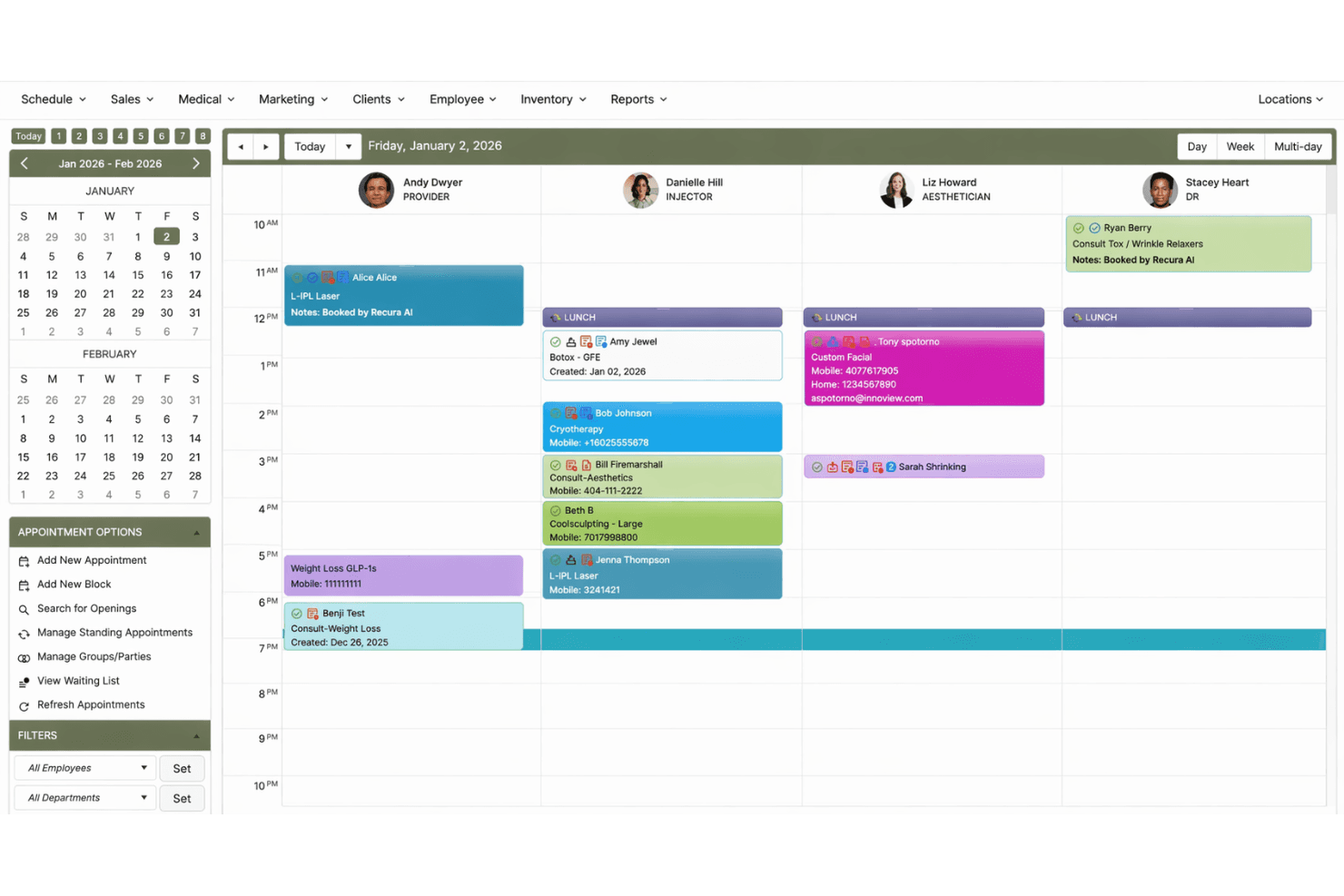
Handles scheduling, appointment reminders, and workflow automation for daily operations. This feature helps reduce no-shows and keeps your team organized.
Patient Engagement
Offers online forms, automated reminders, and personalized communication tools. Practices can boost patient satisfaction and retention with these built-in engagement options.
Integrated Payments
Processes payments, tracks invoices, and manages financial records within the platform. Secure payment workflows help practices get paid faster and reduce manual errors.
Photography and RxPhoto
Captures, stores, and compares before-and-after images with annotation tools. This is especially valuable for aesthetic and cosmetic practices needing visual documentation.
Digital Marketing Tools
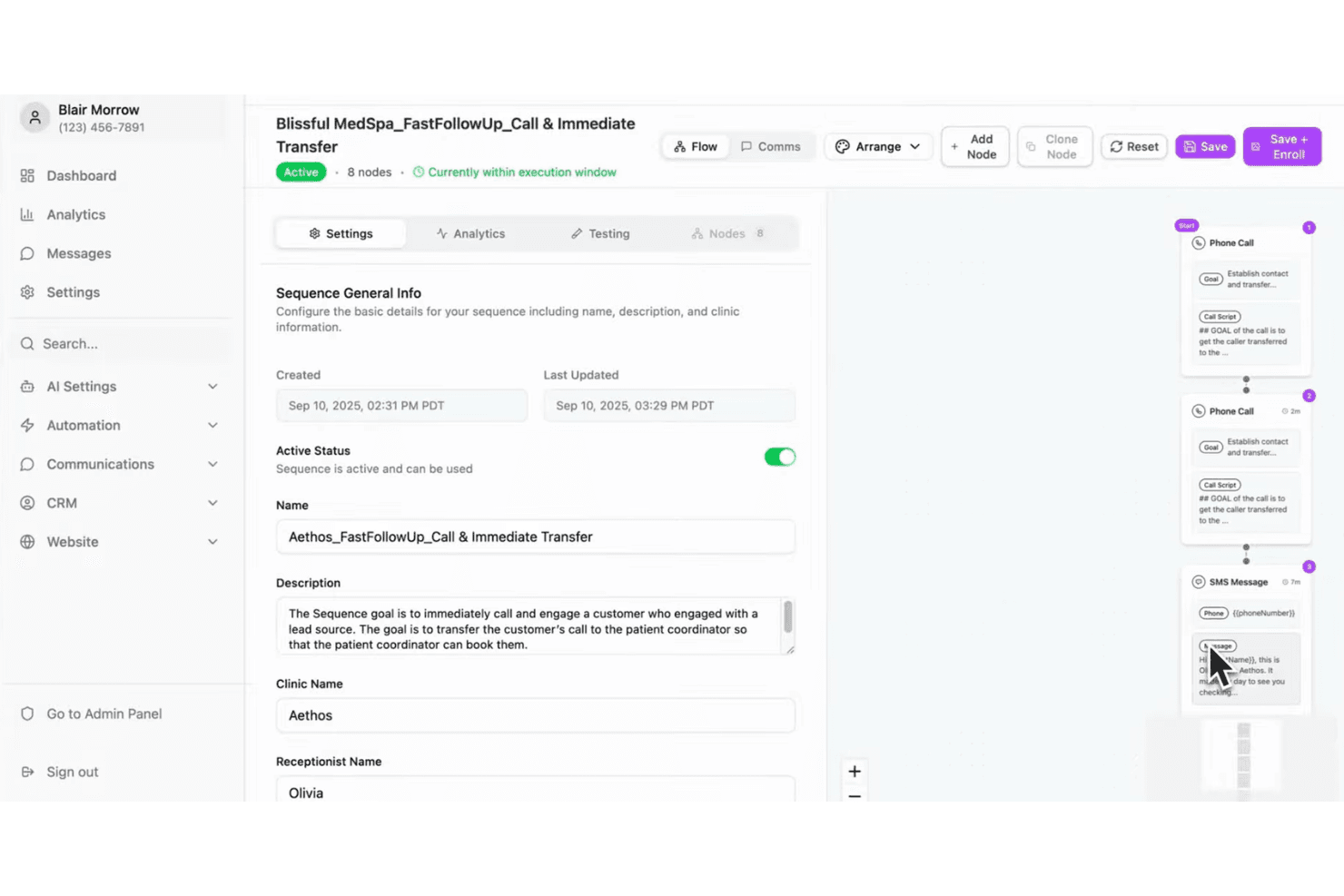
Includes AI-powered SMS/email campaigns and reputation management features. Practices can attract new patients and manage their online presence directly from the platform.
Standout Features
Automated Patient Recall
PatientNow’s automated recall system tracks patient follow-ups and sends reminders based on treatment timelines. This helps practices maintain high retention rates and ensures patients return for ongoing care.
Consent and Compliance Management
The platform offers digital consent forms with secure storage and audit trails. Practices can easily collect, manage, and retrieve signed documents for regulatory compliance and patient safety.
Ease of Use
PatientNow offers a clean, modern interface that most users find intuitive, especially for scheduling, charting, and managing patient photos. Onboarding is straightforward, with guided setup and helpful training resources. Users often mention that daily tasks like appointment booking and documentation are quick to learn.
However, some advanced features—like reporting or custom workflows—can require extra support or training, so practices with complex needs may need more time to get fully comfortable.
Onboarding
PatientNow’s onboarding process is structured and hands-on, with dedicated implementation specialists guiding new users through setup and data migration. Many users appreciate the personalized training sessions and access to a resource library with tutorials and FAQs.
The platform’s onboarding timeline is generally reasonable for small to mid-sized practices, but some users report delays when migrating large amounts of data. Ongoing support is available, though response times can vary depending on the issue’s complexity.
Customer Support
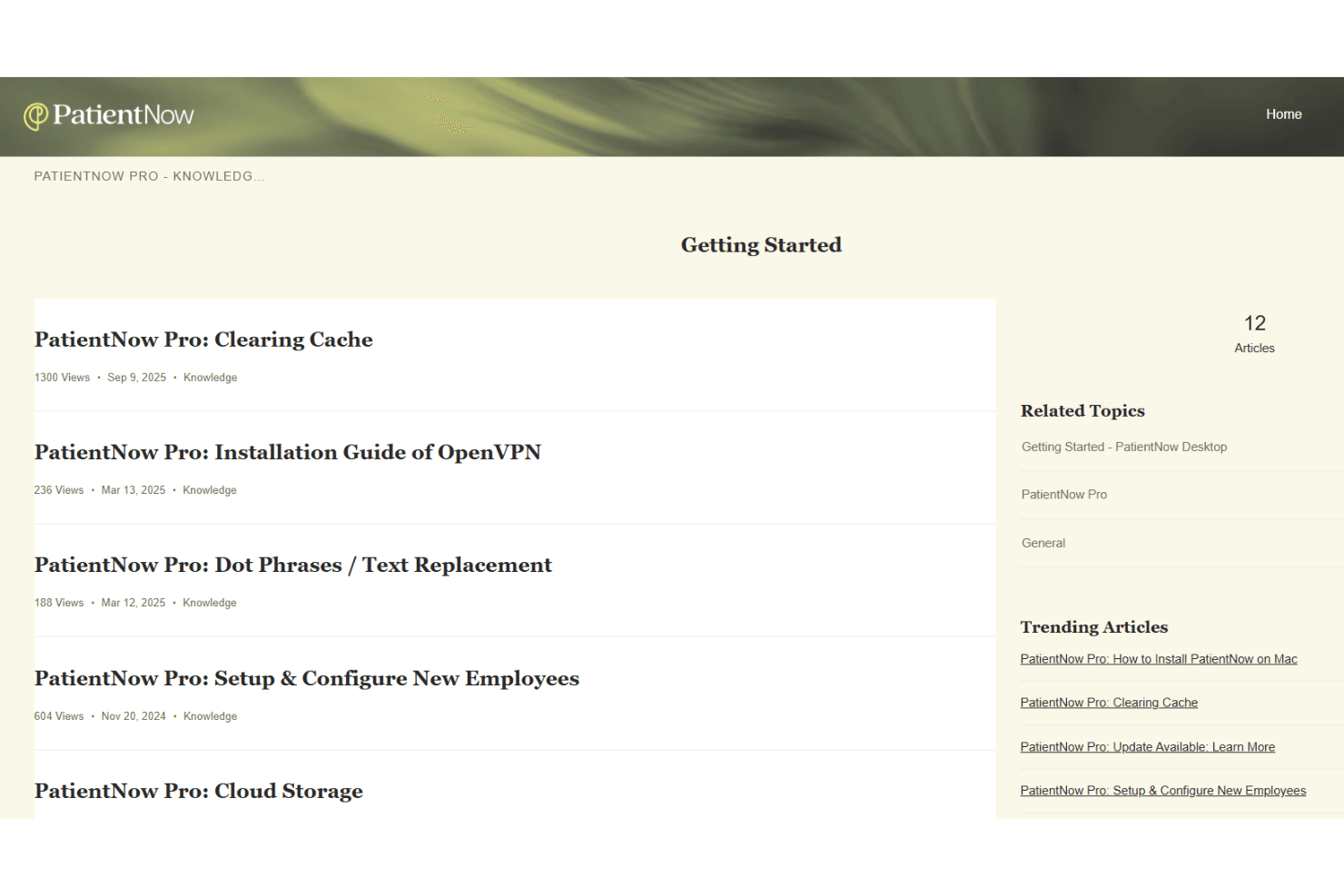
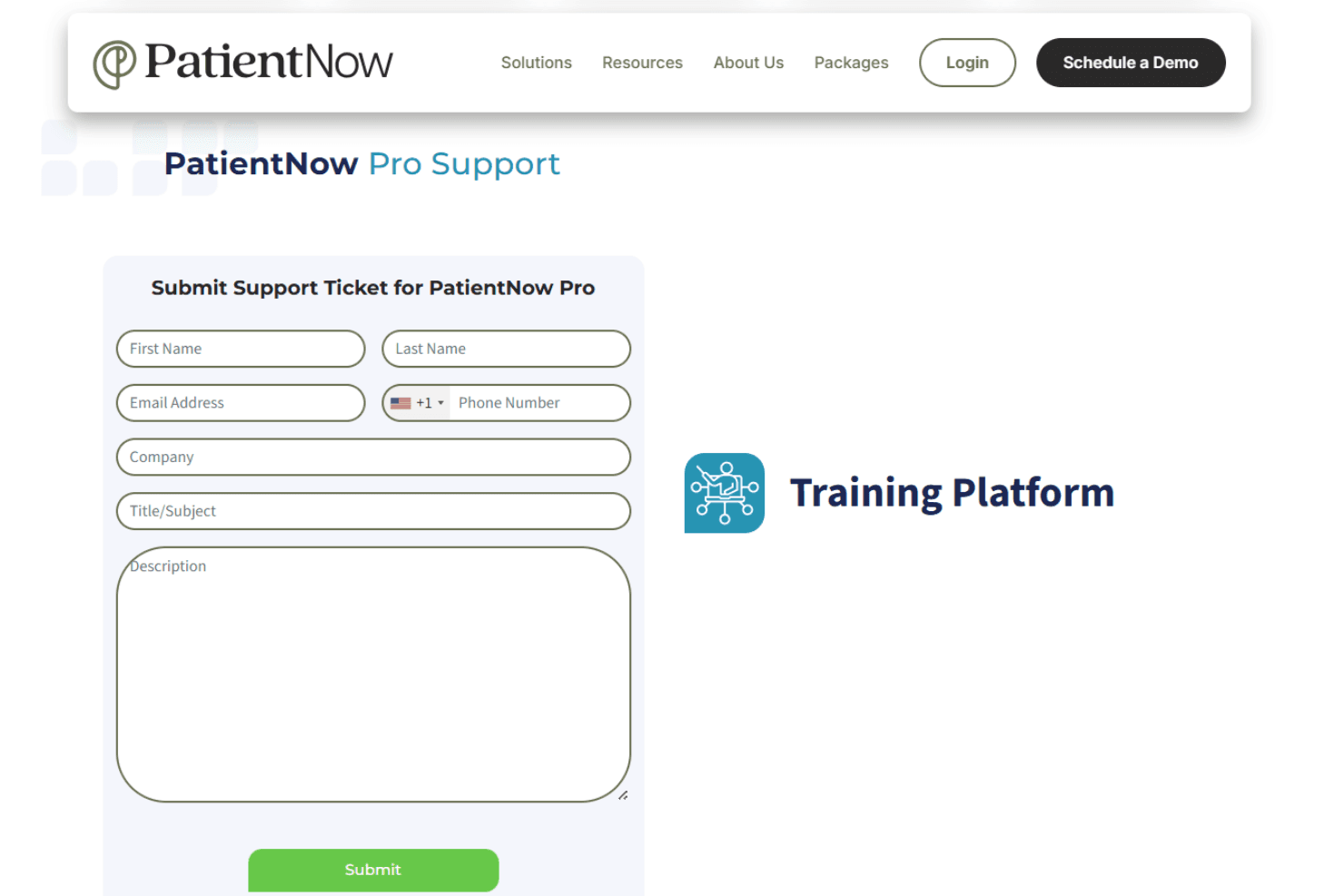
PatientNow offers support through phone, email, and an online help center, giving users multiple ways to get assistance. Many users say the support team is knowledgeable and helpful, especially during onboarding and troubleshooting. The resource library and training materials are useful for self-service, but practices with urgent needs may find the wait for live support frustrating at times.
However, some report inconsistent response times and occasional delays with complex issues.
Integrations
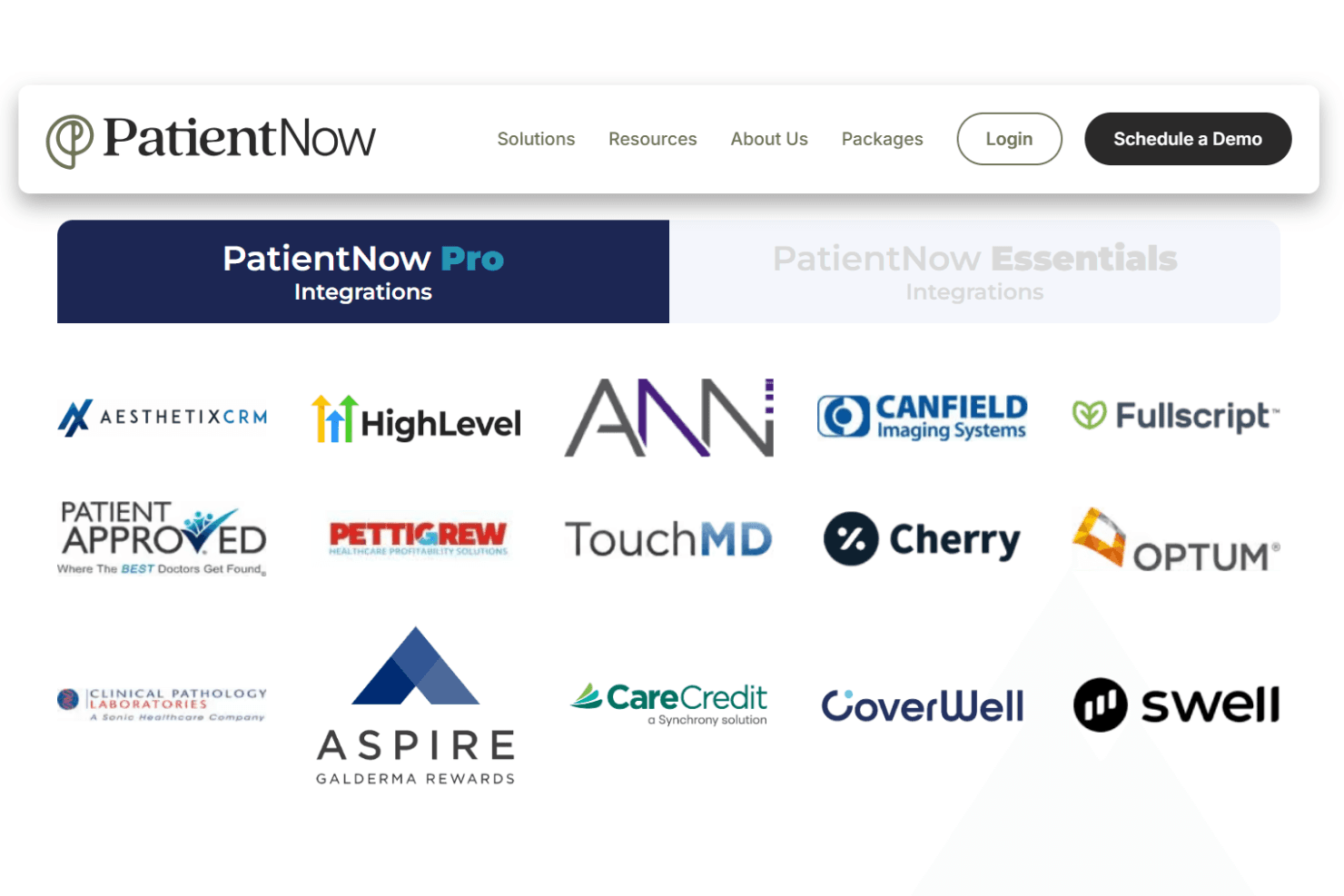
PatientNow integrates with AesthetixCRM, Canfield Imaging Systems, Fullscript, Patient Approved, TouchMD, Cherry, Optum, Clinical Pathology Laboratories, Aspire, and Greenway Health, among others.
PatientNow does not publicly advertise an open API or direct connections with third-party integration tools.
Value for Money
PatientNow is priced at a premium, but many users feel the all-in-one platform and specialty features justify the investment for aesthetic and elective practices. The cost can be high for smaller clinics, but the bundled tools—like photography, marketing, and patient engagement—reduce the need for extra software.
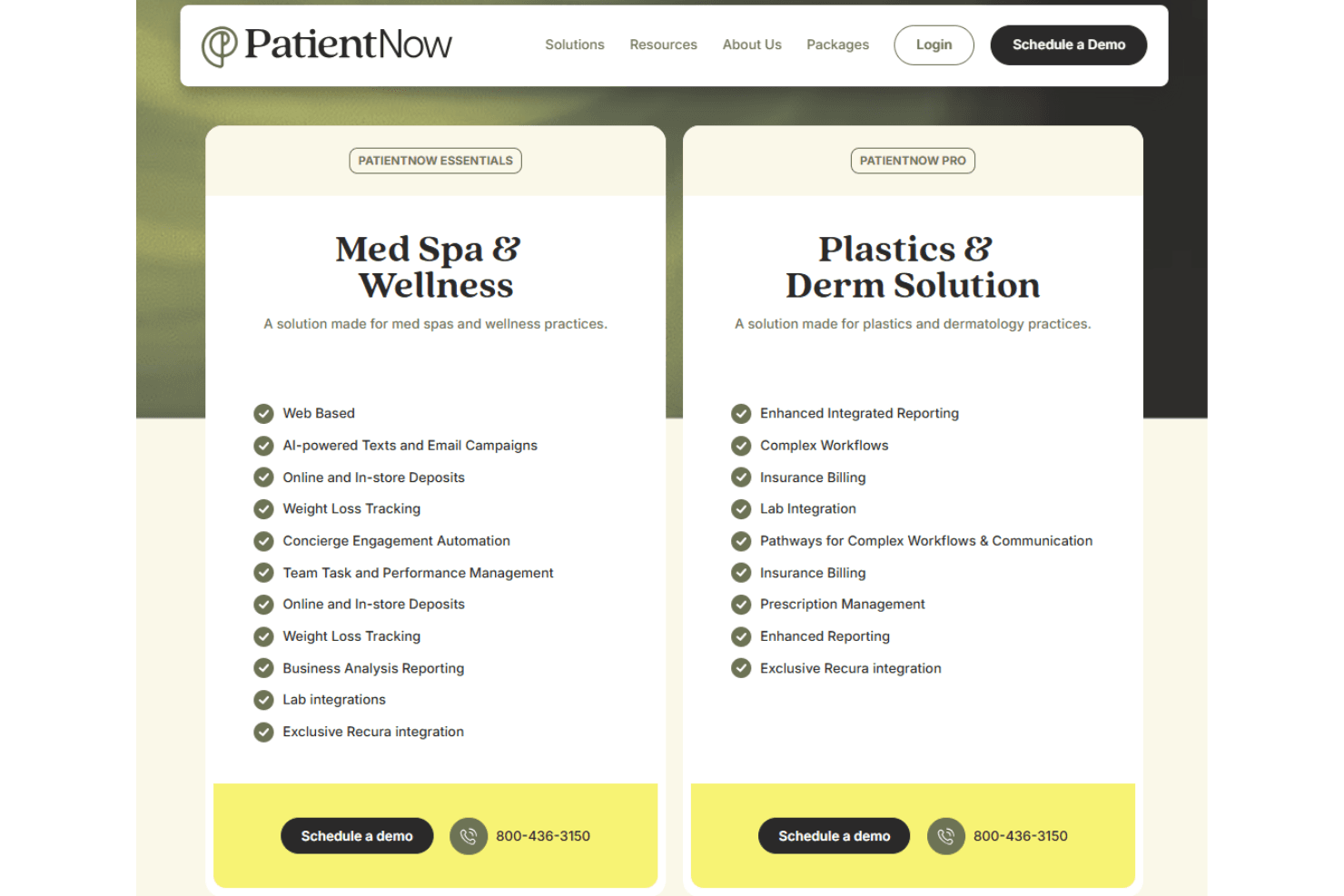
- PatientNow Essentials (Med Spa & Wellness Solution): An all-in-one web platform for med spas with scheduling, AI marketing, payments, and performance analytics.
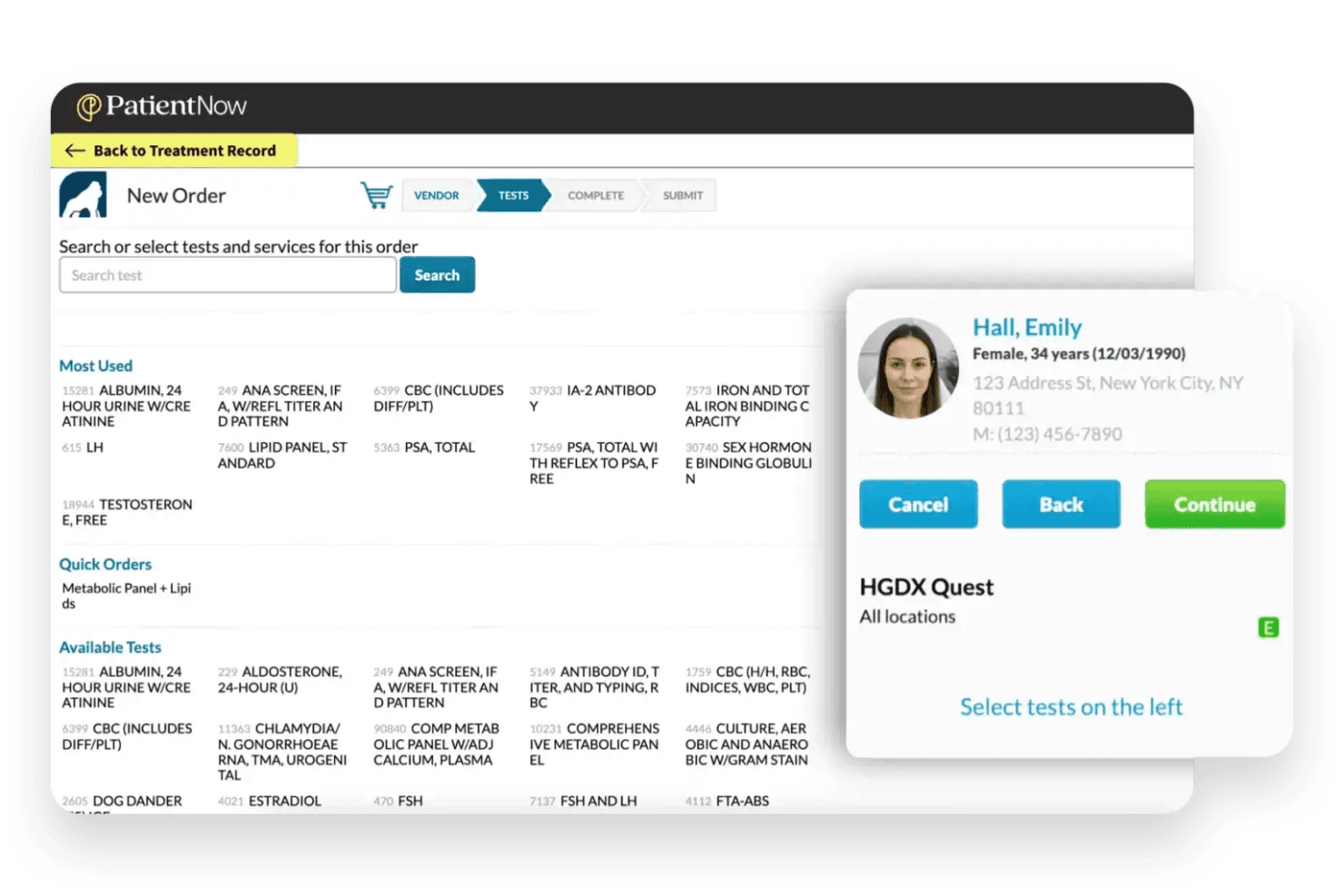
- PatientNow Pro (Plastics & Derm Solution): An advanced solution for plastics and dermatology with reporting, insurance billing, lab integrations, and e-prescribing.
PatientNow Specs
- API: No
- Appointment Scheduling: Yes
- Athlete Management: No
- Audit Management: Yes
- Calendar Management: Yes
- Compliance Tracking: Yes
- Customer Management: Yes
- Dashboard: Yes
- Data Export: Yes
- Data Import: Yes
- Data Visualization: Yes
- Electronic Prescribing: Yes
- External Integrations: Yes
- File Sharing: No
- File Transfer: No
- Health Management: Yes
- HIPAA Compliance: Yes
- Inventory Tracking: Yes
- Multi-User: Yes
- Notifications: Yes
- Organization Management: Yes
- Patient Management: Yes
- Project Management: No
- Regulatory Alerts: No
- Risk Assessment: No
- Scheduling: Yes
- Supplier Management: No
PatientNow FAQs
PatientNow Company Overview & History
PatientNow is a healthcare technology company specializing in EMR and practice management software for aesthetic, wellness, and medical practices. The company serves over 5,000 active locations worldwide and is known for its high client retention rate and focus on the aesthetics industry.
The company recently expanded its capabilities by joining with Recura to enhance AI-driven solutions for med spa and wellness practices.
PatientNow Major Milestones
- 2013: Acquired RxPhoto, adding advanced medical photography and visual documentation capabilities to its platform.
- 2023: Soft-launched PatientNow Essentials, a simplified web-based solution for med spas and wellness clinics.
- 2024: Officially launched PatientNow Essentials, expanding support for small to midsize practices with an all-in-one platform.
- 2025: Acquired Recura, an AI-powered growth engine, to enhance automation, patient engagement, and revenue optimization.