

Software-ul de programare EMR vă permite să programați, să gestionați și să urmăriți programările pacienților în cadrul sistemului dumneavoastră de dosare medicale electronice. Dacă cercetați cele mai bune software-uri de programare EMR, probabil aveți nevoie de o modalitate de a face programarea mai puțin consumatoare de timp și mai precisă pentru echipa dumneavoastră. De la prevenirea suprapunerii programărilor până la facilitarea accesului mai rapid al pacienților și menținerea dosarelor organizate, instrumentul potrivit vă poate scuti de multă frustrare. În acest ghid veți găsi opțiuni clare, adaptate diferitelor dimensiuni ale cabinetelor, fluxuri de lucru și specializări, astfel încât să puteți alege sistemul care se potrivește cu adevărat modului în care echipa dumneavoastră oferă îngrijiri medicale.
Why Trust Our Software Recommendations
6,700+
Reviews
20
Industry experts
16+
Evaluation factors
14
Years
Our team has been testing and reviewing software since 2012. As medical practice leaders ourselves, we know how difficult—and important—it is to choose the right software.
For this guide, we evaluated tools using hands-on testing and independent research, scoring tools using our selection criteria.
Our reviews reflect our human editorial judgment, not a sales pitch.
Tabel comparativ al software-urilor de programare EMR
Acest tabel comparativ prezintă prețurile pentru principalele mele opțiuni de software de programare EMR:
Score legend (out of 5)
- Excellent4.5–5
- Good4–4.4
- Average3–3.9
- Below average2–2.9
- Poor1–1.9
Sorted by: Default
| Tool | Starting Price | Website | |||||||
|---|---|---|---|---|---|---|---|---|---|
Best for practices with free admin users | 3.3 out of 5 | 4 | 4 | 3 | 4 | 2 | 3 | $29/user/month Free demo + 14-day free trial available | Website |
Best for allied health scheduling and charting | 3.7 out of 5 | 4 | 3 | 3 | 4 | 4 | 4 | $59/month Free demo available | Website |
Best for scheduling backed by 60-plus EHR syncs | 4.0 out of 5 | 4 | 4 | 4 | 4 | 4 | 4 | Pricing upon request Free demo available | Website |
Best for automating patient access | 3.8 out of 5 | 4 | 4 | 4 | 4 | 4 | 3 | Pricing upon request Free demo available | Website |
Best for scheduling tied to kiosk check-in | 3.7 out of 5 | 3 | 4 | 4 | 4 | 4 | 3 | $25/month Free plan + free demo available | Website |
Best for intake-linked scheduling and charting | 3.5 out of 5 | 3 | 4 | 3 | 4 | 3 | 4 | $59.90/month Free trial available. | Website |
Best for independent practice scheduling and intake | 3.0 out of 5 | 3 | 4 | 1 | 4 | 3 | 3 | Pricing upon request Free demo available | Website |
Best for AI-driven waitlist and slot recovery | 3.8 out of 5 | 3 | 4 | 4 | 4 | 5 | 3 | Pricing upon request Free demo available | Website |
Best for health record-native scheduling at scale | 3.5 out of 5 | 3 | 5 | 4 | 3 | 4 | 2 | Pricing upon request Not available | Website |


Recenzii ale celor mai bune software-uri de programare EMR
Mai jos sunt rezumatele mele detaliate ale software-urilor gratuite de programare EMR care au ajuns pe lista mea scurtă. Recenziile mele oferă o analiză detaliată a funcțiilor, a celor mai potrivite cazuri de utilizare și a prețurilor fiecărei platforme, pentru a vă ajuta să găsiți cea mai bună opțiune pentru dumneavoastră.
 Best for practices with free admin users
- Free demo + 14-day free trial available
- From $29/user/month
Visit WebsiteCustomer Rating:4.7/5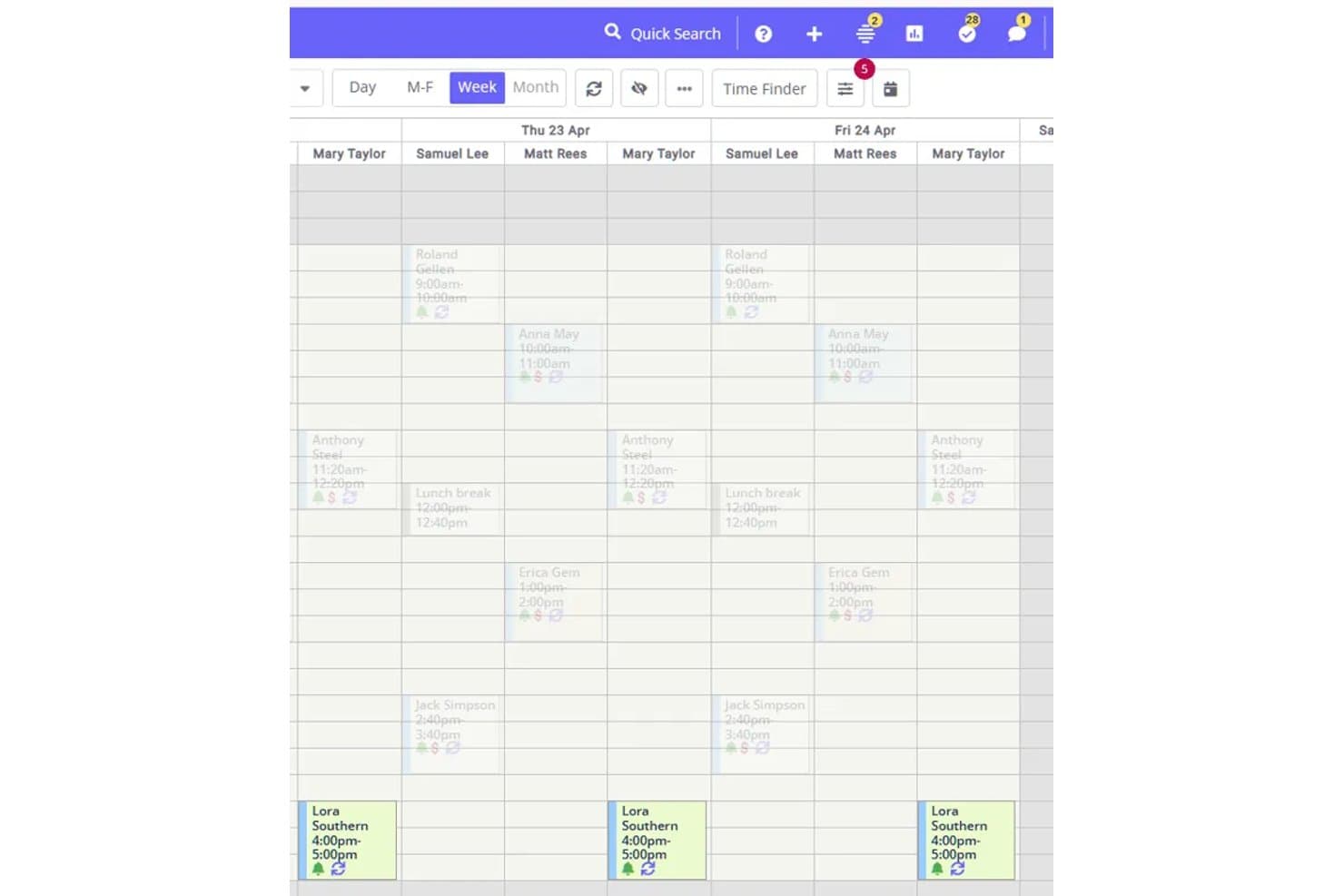
Here's where you can view multi-provider weekly schedules by day and time slot in Zanda. Zanda is an all-in-one practice management platform for allied health practices that brings together appointment scheduling, client records, clinical notes, billing, and automated communications.
Who Is Zanda Best For?
Zanda works well for allied health practices that want front-desk and admin staff included at no extra cost, keeping scheduling and client records in one place without paying per-seat for every user.
Why I Picked Zanda
I've included Zanda in my top picks because it's the only platform on this list where front-desk staff, billers, and practice managers come at no extra cost. Rather than paying per seat for every admin user, your per-practitioner fee covers the clinical work while the whole support team gets full access to scheduling, client records, and communications. I particularly like how waitlist matching surfaces automatically when an appointment is cancelled, letting staff send an SMS to a matched client without leaving the calendar.
Zanda Key Features
- Multi-channel appointment reminders: Automatically send SMS and email reminders up to seven days before an appointment, with clients able to confirm or cancel by replying to a text.
- Client self-booking portal: Clients book, reschedule, or cancel appointments online in real time, with completed bookings appearing on the calendar immediately.
- Room and resource allocation: Assign rooms or equipment to individual appointments so each item can only be booked for one appointment per time slot.
- Recall automations: Send automated SMS, email, or internal task reminders to clients who haven't rebooked after a configured number of days since their last appointment.
Zanda Integrations
Zanda offers native integrations with Google Calendar, Apple Calendar, Outlook Calendar, Zoom, Stripe, Xero, and Physitrack. A public API is available in closed beta for read-oriented custom integrations, with write endpoints not yet documented.
Pros and Cons
Pros:
- Front-desk staff access shared workflows
- SMS reminders reduce manual follow-up
- Client portal reduces booking back-and-forth
Cons:
- Calendar edits can require extra clicks
- No real-time sync with external EMRs
Learn more about Zanda: 2Best for allied health scheduling and charting
Jane
- Free demo available
- From $59/month
Visit WebsiteCustomer Rating:4.8/5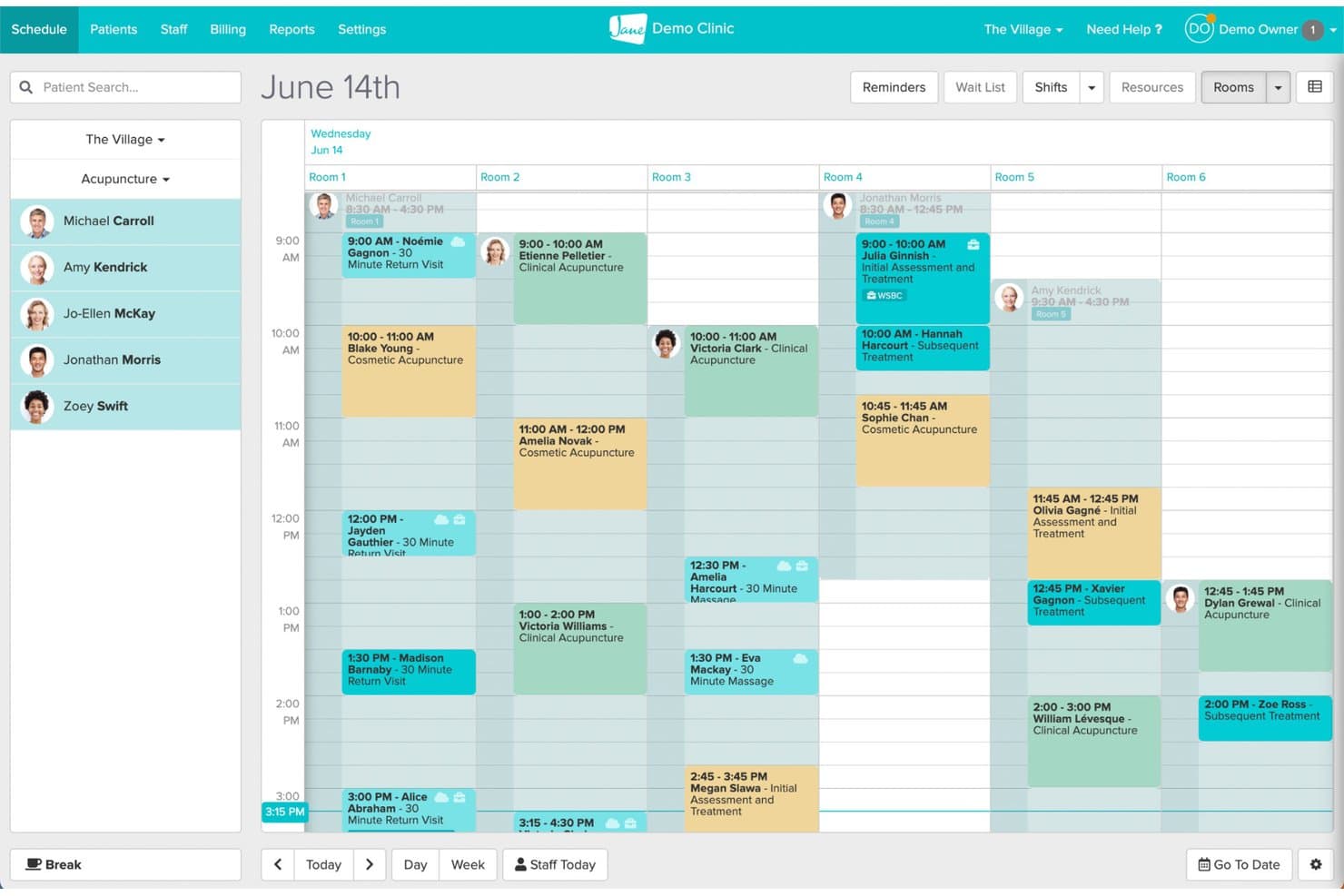
Jane's room-based scheduling view organizes daily appointments across multiple rooms. Jane is a clinic management platform that brings together online booking, scheduling, clinical charting, billing, and patient communication in one connected system built for allied health practices.
Who Is Jane Best For?
Jane fits allied health clinics—chiropractic, physiotherapy, occupational therapy—that want scheduling, charting, and billing managed in one place without juggling separate tools.
Why I Picked Jane
I picked Jane as one of the best because it's built specifically for allied health workflows, keeping scheduling and clinical charting genuinely connected in one system. I like how chart status (No Chart, Draft, Signed, Pending Review) surfaces directly in the Appointments Report, so nothing slips through after a visit. Jane's AI Scribe also lets practitioners generate draft notes from session recordings, which cuts documentation time without breaking the clinical workflow.
Jane Key Features
- Online patient booking: Patients can book appointments in real time through a custom-branded booking site with configurable practitioner, treatment, and location options.
- Intake form assignment: Forms can be automatically assigned by clinic, discipline, practitioner, or appointment type and sent at the time of booking.
- Telehealth scheduling: 1:1 virtual appointments can be scheduled and offered through online booking, with a waiting room, screen sharing, and secure joining links included.
- Activity log: Every user action—including chart access and changes—is recorded with timestamps and filterable by staff member, action type, and date range.
Jane Integrations
Jane lists 20 marketplace integrations, including Claim.MD, TELUS eClaims, Teleplan, Healthcode, Reserve With Google, and Google Analytics. Google Calendar sync is also documented, but Jane doesn't provide an open API or API keys for custom integrations.
Pros and Cons
Pros:
- Reminders support busy clinic workflows
- Patients praise straightforward online booking
- Appointments connect to chart statuses
Cons:
- Chart templates can take time to adapt
- Reports offer limited filtering and saved views
Learn more about Jane: Best for scheduling backed by 60-plus EHR syncs
- Free demo available
- Pricing upon request
Visit WebsiteCustomer Rating:4.8/5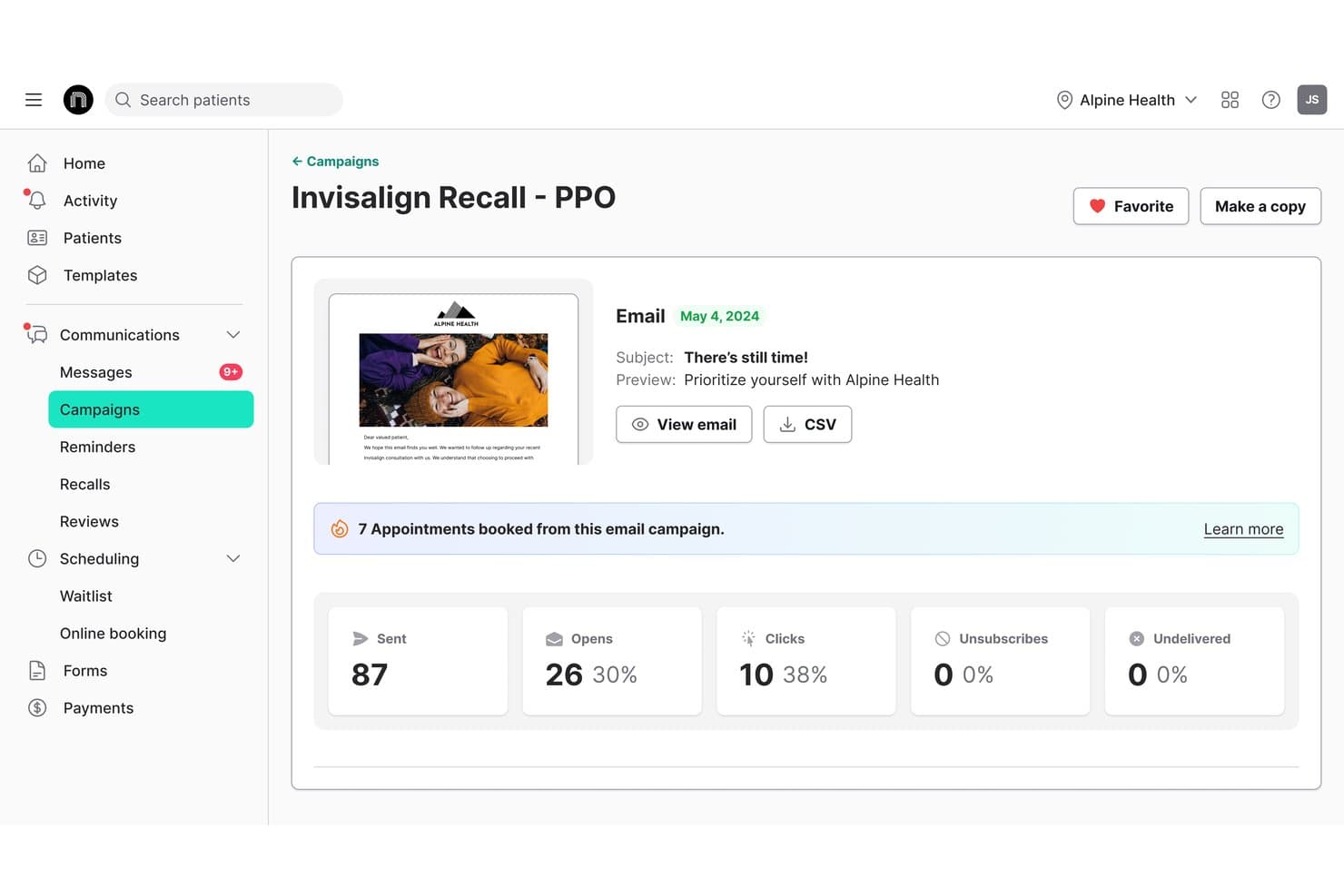
NexHealth offers campaign analytics tracking for email campaigns, showing appointments booked, open rates, clicks, and unsubscribes directly within the platform. NexHealth is an EMR scheduling software that connects patient self-scheduling, waitlist management, automated reminders, and one-click recalls directly to your practice management system.
Who Is NexHealth Best For?
NexHealth is a strong fit for multi-provider medical and dental practices that need online booking, waitlist management, and reminders tightly connected to an existing EHR or practice management system.
Why I Picked NexHealth
I picked NexHealth as one of the best because no other tool on my list matches its breadth of EHR connections, with over 60 supported systems spanning dental, medical, and specialty practices. What I find especially compelling is the waitlist feature: when a slot opens, NexHealth texts eligible patients a one-click booking link, and the confirmed appointment writes directly back to the EHR calendar within minutes. The one-click recall tool works the same way, pulling due dates and procedure codes from the EHR to trigger personalized outreach automatically.
NexHealth Key Features
- Multi-channel online booking: Patients can schedule appointments through your website, Google, social media, email, text, or QR codes, around the clock.
- Appointment-type insertion rules: When a patient books online or claims a waitlist slot, NexHealth can write specified procedure codes or visit types directly to the health record.
- Configurable reminder sequences: Staff can set up branching SMS and email reminder chains, with timing and messaging that adjusts based on whether a patient has confirmed.
- iPhone app for scheduling staff: Front-office staff can view the day's appointments, filter by provider or operatory, create bookings, and update confirmation status from their phone.
NexHealth Integrations
NexHealth supports 60-plus EHR syncs, including Epic Systems, athenaClinicals, eClinicalWorks, Dentrix, Eaglesoft, Open Dental, and Cerner PowerChart. Its REST API and webhooks support custom integrations.
Pros and Cons
Pros:
- Automated reminders cut follow-up work
- Waitlist helps fill canceled openings
- Online booking reduces front-desk calls
Cons:
- Rescheduled visits may lack patient notice
- Online slots can misstate availability
Learn more about NexHealth: Best for automating patient access
- Free demo available
- Pricing upon request
Visit WebsiteCustomer Rating:4.7/5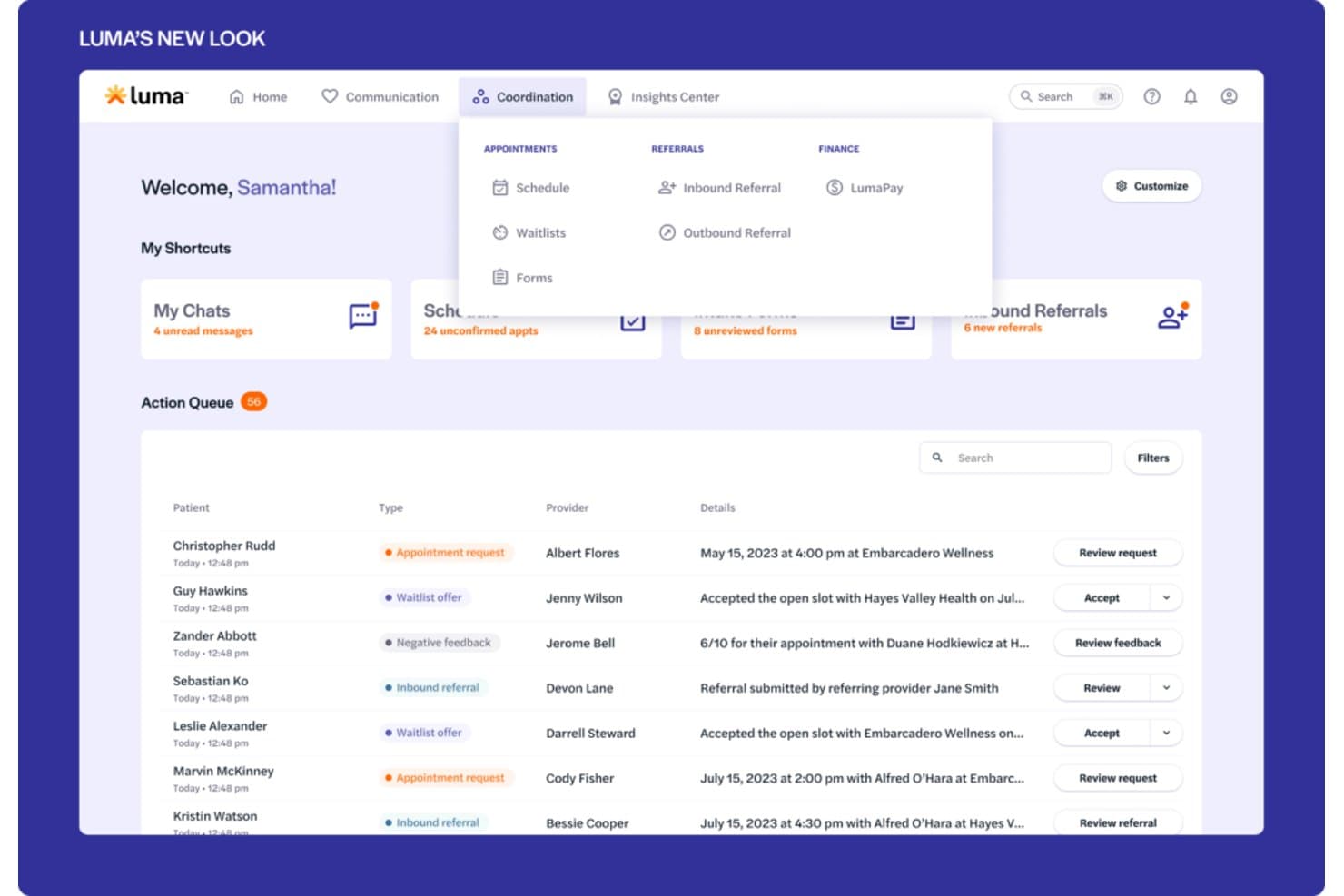
Luma Health offers a coordination dashboard with an action queue displaying appointment requests, waitlist offers, inbound referrals, and scheduling details for multiple patients. Luma Health is an AI-powered patient scheduling platform that handles self-scheduling, smart waitlist management, referral coordination, and EHR-integrated appointment management across text, web, phone, and Google.
Who Is Luma Health Best For?
Luma Health is a strong fit for medical groups and health systems that want to reduce front-office call volume by letting patients self-schedule, reschedule, and manage appointments across text, web, and Google.
Why I Picked Luma Health
I picked Luma Health as one of the best because it's purpose-built to automate patient access end-to-end, not just surface-level self-scheduling. I love that its smart waitlist automatically matches newly opened slots to patients by appointment type and books directly into the EHR, no staff intervention needed. Its AI-driven outbound outreach also contacts no-shows and late cancellations until they rebook, which is where most scheduling tools fall short.
Luma Health Key Features
- Referral fax coordination: Luma's AI parses incoming referral faxes, contacts the patient to schedule, and closes the referral in the EHR automatically.
- Insurance eligibility verification: Luma checks eligibility in real time or in bulk, matched to the appointment's service type, with a dashboard showing coverage details, payer alerts, and verification history.
- Multilingual patient reminders: Automated appointment reminders are sent in more than 20 languages across text, email, and phone, with patient responses writing back to the EHR.
- Capacity Intelligence reporting: Slot-level availability is reported by provider, specialty, visit type, location, and department, including open slots and earliest available dates.
Luma Health Integrations
Luma Health has six documented native EHR integrations: MEDITECH, Oracle Health, eClinicalWorks, Epic, athenahealth, and ModMed. It also connects with Google and Google Ads and offers an API for custom integrations.
Pros and Cons
Pros:
- Automated reminders reduce manual no-show outreach
- Waitlists help refill newly opened appointment slots
- Online booking reduces front-desk phone traffic
Cons:
- Custom workflow configuration can require extended setup
- Some reminders fail to reach patients
Learn more about Luma Health: Best for scheduling tied to kiosk check-in
- Free plan + free demo available
- From $25/month
Visit WebsiteCustomer Rating:4.2/5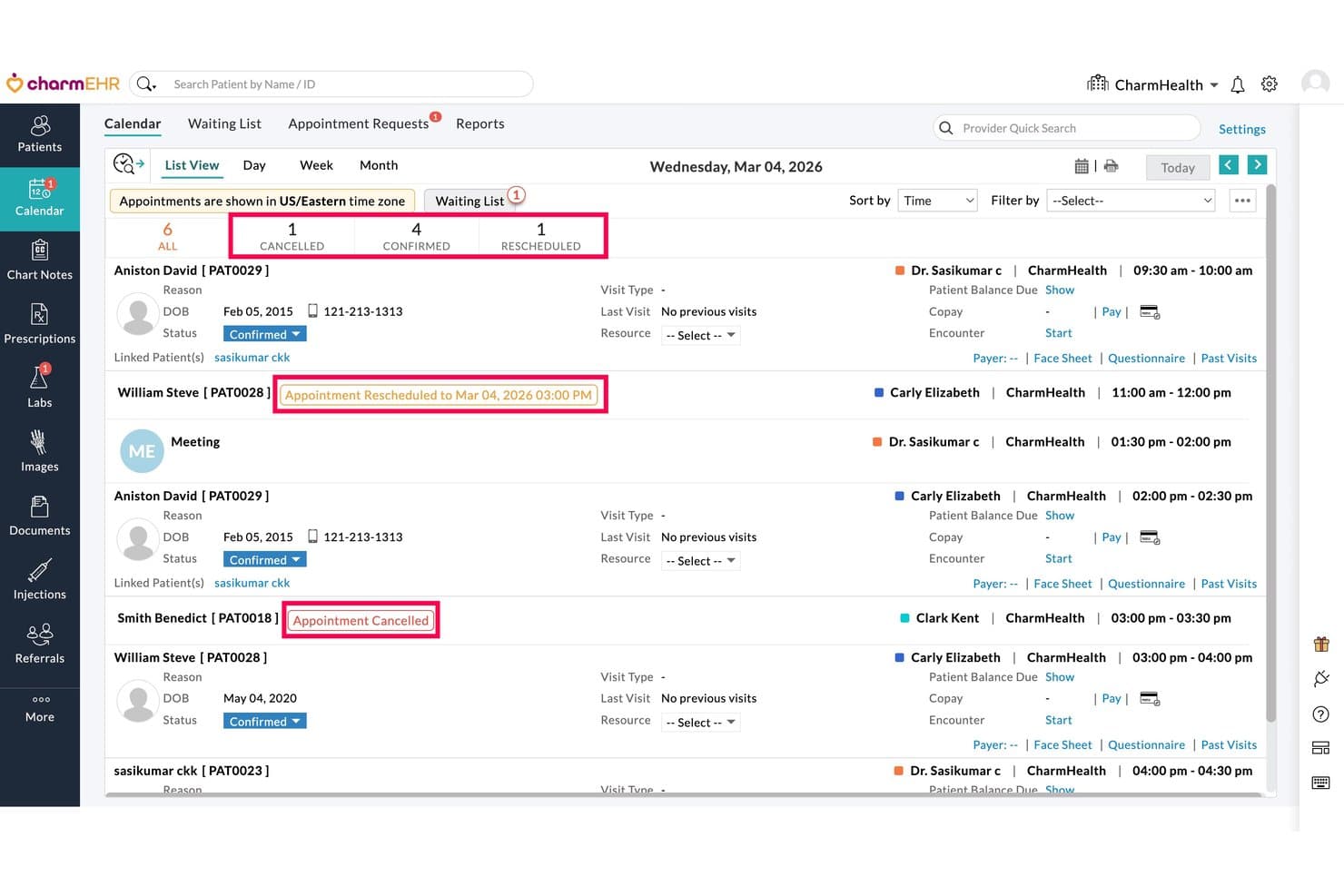
CharmHealth displays daily appointments with cancel and reschedule status indicators. CharmHealth is a browser-based EHR platform that combines appointment scheduling, clinical charting, patient intake, multi-facility calendar management, and telehealth booking in a single system.
Who Is CharmHealth Best For?
CharmHealth is a strong fit for small to mid-sized practices that need scheduling, charting, and patient check-in managed within a single browser-based system.
Why I Picked CharmHealth
I've included CharmHealth in my top picks because the kiosk check-in workflow is genuinely built into the scheduling layer, not bolted on as an afterthought. When a patient arrives, the kiosk app collects demographics, insurance details, and consent forms tied directly to that booked appointment, with questionnaires automatically assigned by visit type or provider. I also like that the Virtual Appointment Bot pre-screens patients before they even arrive, pulling from the same scheduling configuration used across the EHR calendar.
CharmHealth Key Features
- Multi-facility calendar management: View and manage appointment schedules across all practice locations from a single calendar, with filters for provider, resource, and visit type.
- Automated Booking Assistant: Lets patients confirm, cancel, or reschedule appointments by replying to reminder texts, and sends rescheduling links to patients marked as no-shows.
- Configurable appointment notifications: Set up email, SMS, and voice reminders for confirmations, reschedules, cancellations, and upcoming appointments, with editable message templates.
- Real-time insurance eligibility inquiry: Automatically runs eligibility checks a set number of days before appointments and displays policy, copay, and deductible details directly in the calendar.
CharmHealth Integrations
CharmHealth offers native integrations with Surescripts, LabCorp, Quest, QuickBooks, and Bluefin, plus HL7-based data exchange. REST APIs, FHIR documentation, and an SDK support custom integrations.
Pros and Cons
Pros:
- Patient reminders reduce manual follow-up
- Kiosk intake collects forms for booked visits
- Appointment-to-encounter workflow keeps charting connected
Cons:
- Support delays can leave scheduling issues unresolved
- CAPTCHA can interrupt online booking
Learn more about CharmHealth: Best for intake-linked scheduling and charting
- Free trial available.
- $59.90/month
Visit WebsiteCustomer Rating:4.5/5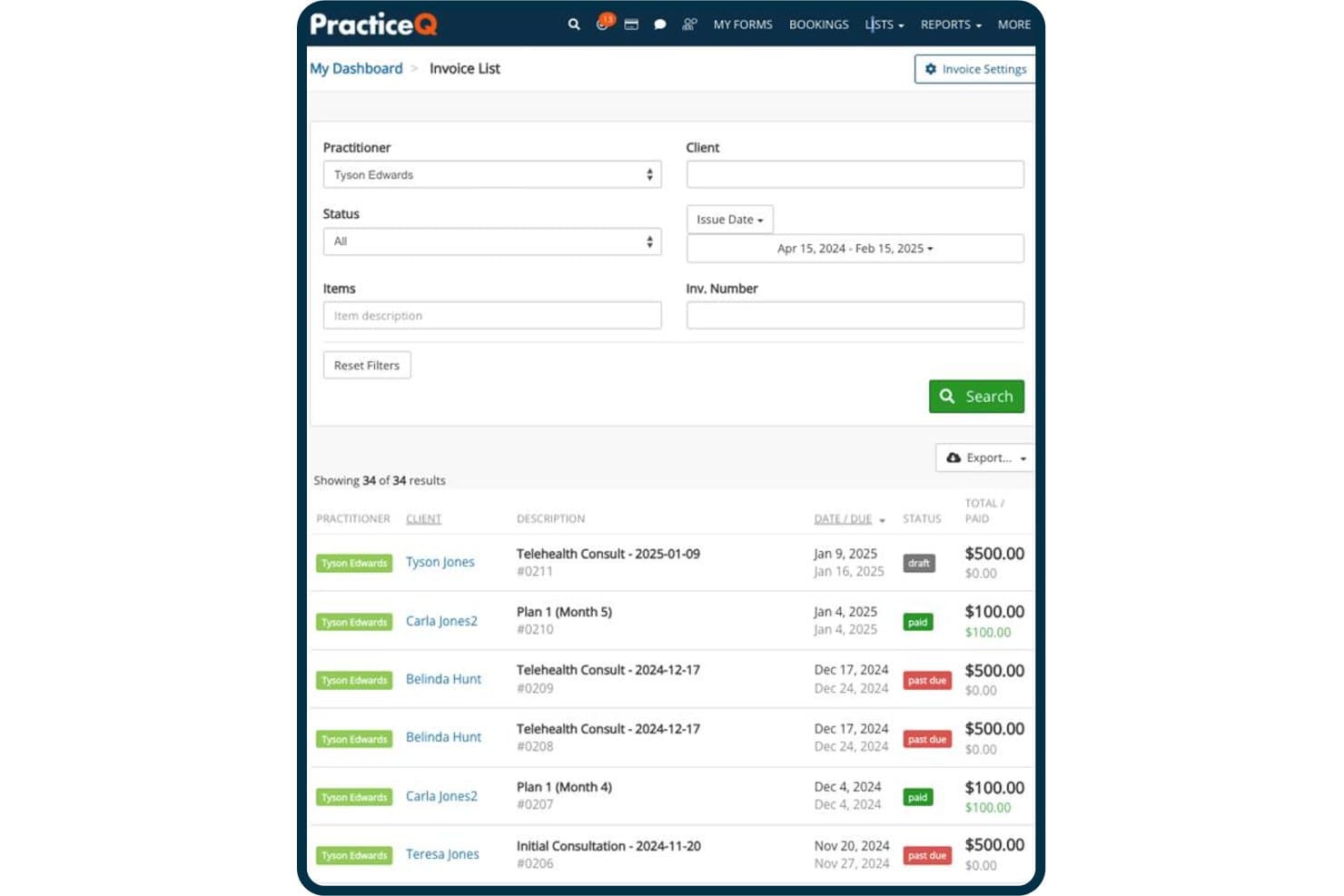
PracticeQ tracks invoice statuses, amounts, and due dates in one view. PracticeQ is an EHR and practice management platform that combines scheduling, patient records, digital intake forms, SOAP charting, billing, and automated patient communication in one system.
Who Is PracticeQ Best For?
PracticeQ suits small to mid-sized allied health and chiropractic practices that want intake forms, scheduling, and clinical charting managed in a single system.
Why I Picked PracticeQ
I picked PracticeQ as one of the best because it's built around the idea that intake and scheduling should never be separate workflows. When a patient books an appointment, their intake forms go out automatically, and submitted data pulls directly into charting notes, so your front desk isn't re-entering information before the visit. I also like the chiropractic-specific SOAP templates, including a spine-chart question type, which means clinical documentation is ready to use without building everything from scratch.
PracticeQ Key Features
- Multi-channel appointment reminders: Send automated SMS, email, or voice reminders with built-in confirm-or-cancel prompts that update appointment status in your calendar.
- EasyFill waitlist: Detects cancellations within five minutes and texts selected waitlisted patients so they can claim the open slot.
- Multi-provider, multi-location calendar: Each practitioner gets a separate calendar with individual availability rules, time zones, and location-specific hours.
- Patient portal: Patients book appointments, complete forms, pay invoices, and message your practice through a single branded online portal.
PracticeQ Integrations
PracticeQ offers native integrations with Google Calendar, Outlook Calendar, Google Meet, Zoom, and Google Drive. It also provides an open REST API and supports integrations with TriZetto, Office Ally, athenahealth, and Zapier.
Pros and Cons
Pros:
- Separate provider calendars include resource checks
- Submitted intake data carries into charting notes
- Chiropractic SOAP templates include spine charts
Cons:
- Time-zone errors can distort appointments and reminders
- Some self-bookings create duplicate patient charts
Learn more about PracticeQ: Best for independent practice scheduling and intake
- Free demo available
- Pricing upon request
Visit WebsiteCustomer Rating:3.9/5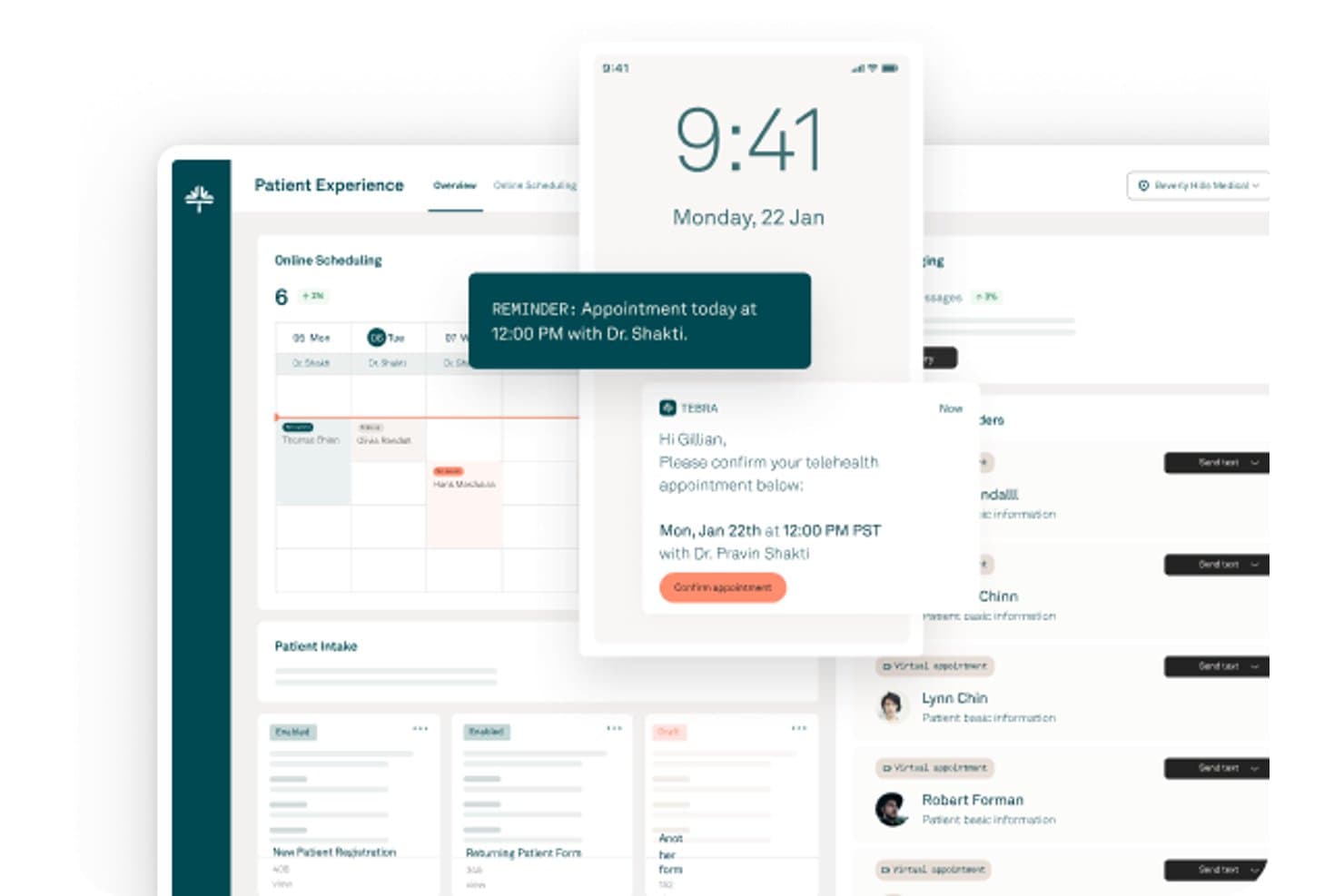
Tebra offers a patient experience dashboard with online scheduling, appointment reminders, telehealth confirmations, and patient intake management. Tebra is a cloud-based EHR platform built for independent healthcare practices that connects appointment scheduling, clinical charting, patient intake, electronic prescriptions, lab ordering, and integrated telehealth in a single workflow.
Who Is Tebra Best For?
Tebra is a strong fit for independent practices—solo providers, small groups, and specialty clinics—that want scheduling, intake, and clinical documentation in one place.
Why I Picked Tebra
I picked Tebra as one of the best because it's purpose-built for independent practices that need scheduling and clinical workflows in one place. I particularly like how appointment notes automatically populate the chief complaint in the clinical chart, so providers aren't re-entering context before a visit. Online booking ties directly to each provider's calendar, and patients can reschedule or cancel from their reminder texts without calling the front desk.
Tebra Key Features
- Multi-channel appointment reminders: Sends automated reminders by email, text, or phone call, with configurable timing from one to six days before the appointment.
- Real-time insurance eligibility checks: Verifies patient coverage from the Dashboard, Calendar, or Appointment page and saves results directly to the patient's insurance record.
- Multi-resource scheduling: Lets staff assign providers, rooms, and equipment to appointments with live availability and conflict indicators.
- All Appointments report: Tracks each provider's appointment volume alongside cancellation, reschedule, and no-show rates, with CSV or Excel export.
Tebra Integrations
Tebra offers native integrations with GoodRx, Google Business Profile, and Tebra Care Connect. It also provides SOAP APIs for custom integrations.
Pros and Cons
Pros:
- Patients can book outside office hours
- Text, email, and phone reminders
- Appointment notes populate clinical chief complaints
Cons:
- Support responses can be slow
- Calendar updates occasionally appear incorrectly
Learn more about Tebra: Best for AI-driven waitlist and slot recovery
- Free demo available
- Pricing upon request
Visit WebsiteCustomer Rating:3.4/5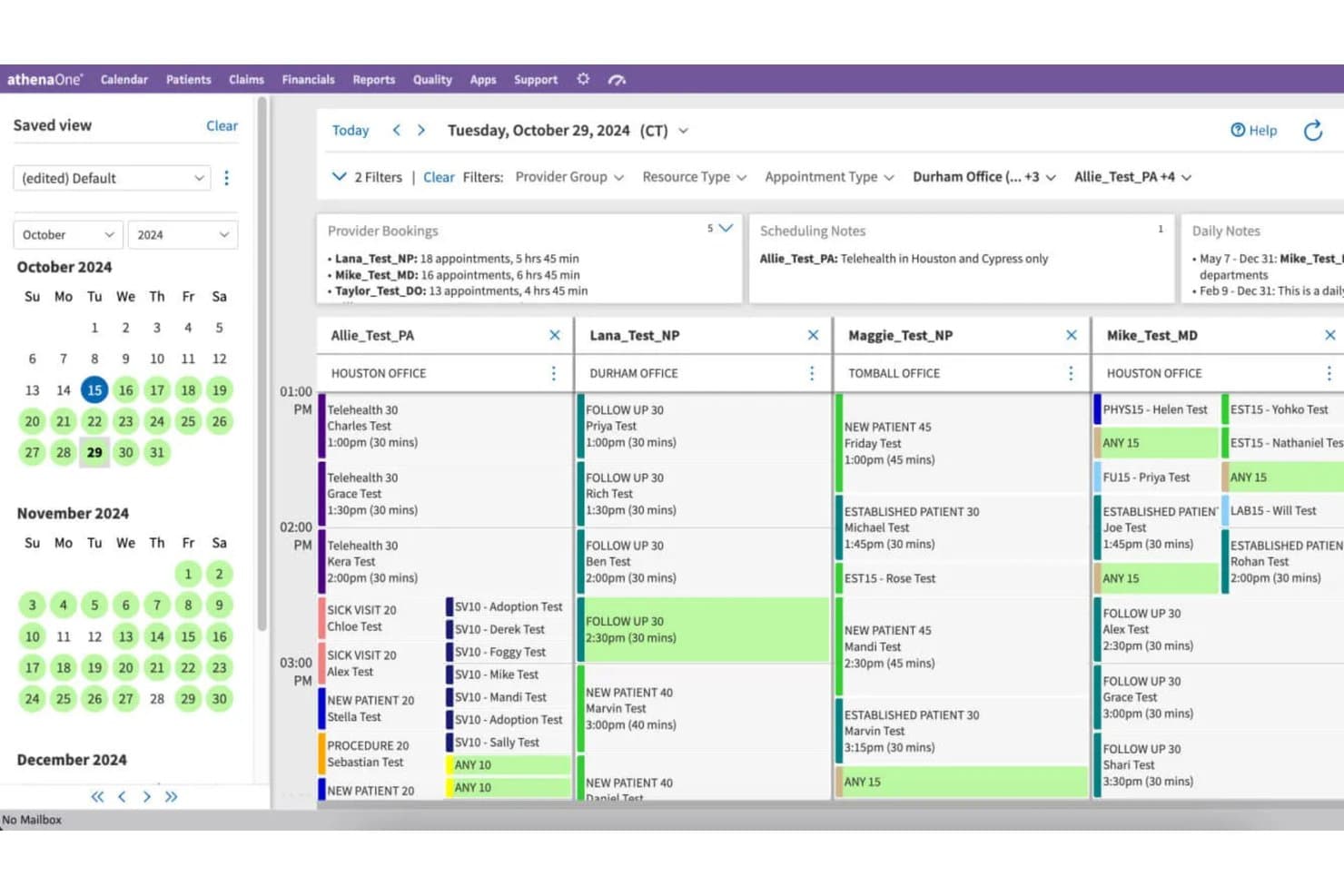
athenahealth offers a multi-provider calendar scheduling view with appointment details, office locations, and scheduling notes across providers. athenaOne is an integrated EHR, practice management, and patient engagement platform that combines native scheduling, clinical documentation, medical billing, and AI-powered waitlist and reminder tools in a single system.
Who Is athenaOne Best For?
athenaOne suits ambulatory practices that want scheduling, clinical documentation, billing, and AI-driven waitlist recovery built into a single system rather than stitched together from separate tools.
Why I Picked athenahealth
athenaOne earns its spot on my shortlist because its AI-driven waitlist tools actively recover lost appointment slots rather than leaving gaps unfilled. When a cancellation comes in, athenaOne's Waitlist Scheduling scans the waitlist and automatically contacts patients to fill the opening, including same-day slots. I also like that its proactive waitlist feature sends outbound notifications to patients about available appointments before a slot goes to waste.
athenaOne Key Features
- Schedule Builder: Create, preview, and apply scheduling templates for individual providers, departments, or provider groups, with configurable appointment types, times, and date ranges.
- Self check-in: Let patients confirm appointment details, update demographics, upload insurance cards, and complete consent forms before arrival.
- Multi-resource scheduling: Book multiple providers, rooms, or equipment resources for the same or different days and times, including surgical room schedules and provider block time.
- ReminderCall: Send automated appointment reminders by phone, email, or text, with delivery and confirmation outcome tracking reported directly in athenaOne.
athenahealth Integrations
athenaOne advertises 277K+ direct clinical integrations, including Labcorp Diagnostic Assistant, Zio by iRhythm, and Fullscript. It also supports Marketplace integrations and REST and FHIR APIs with 700+ endpoints for custom connectivity.
Pros and Cons
Pros:
- Reminder tracking reports confirmations and delivery
- Calendar templates cover providers and departments
- AI waitlists refill canceled appointments
Cons:
- Guest self-scheduling cannot reschedule or cancel
- Routine scheduling can require many clicks
Learn more about athenahealth: 9Best for health record-native scheduling at scale
EPIC
- Not available
- Pricing upon request
Visit WebsiteCustomer Rating:4.5/5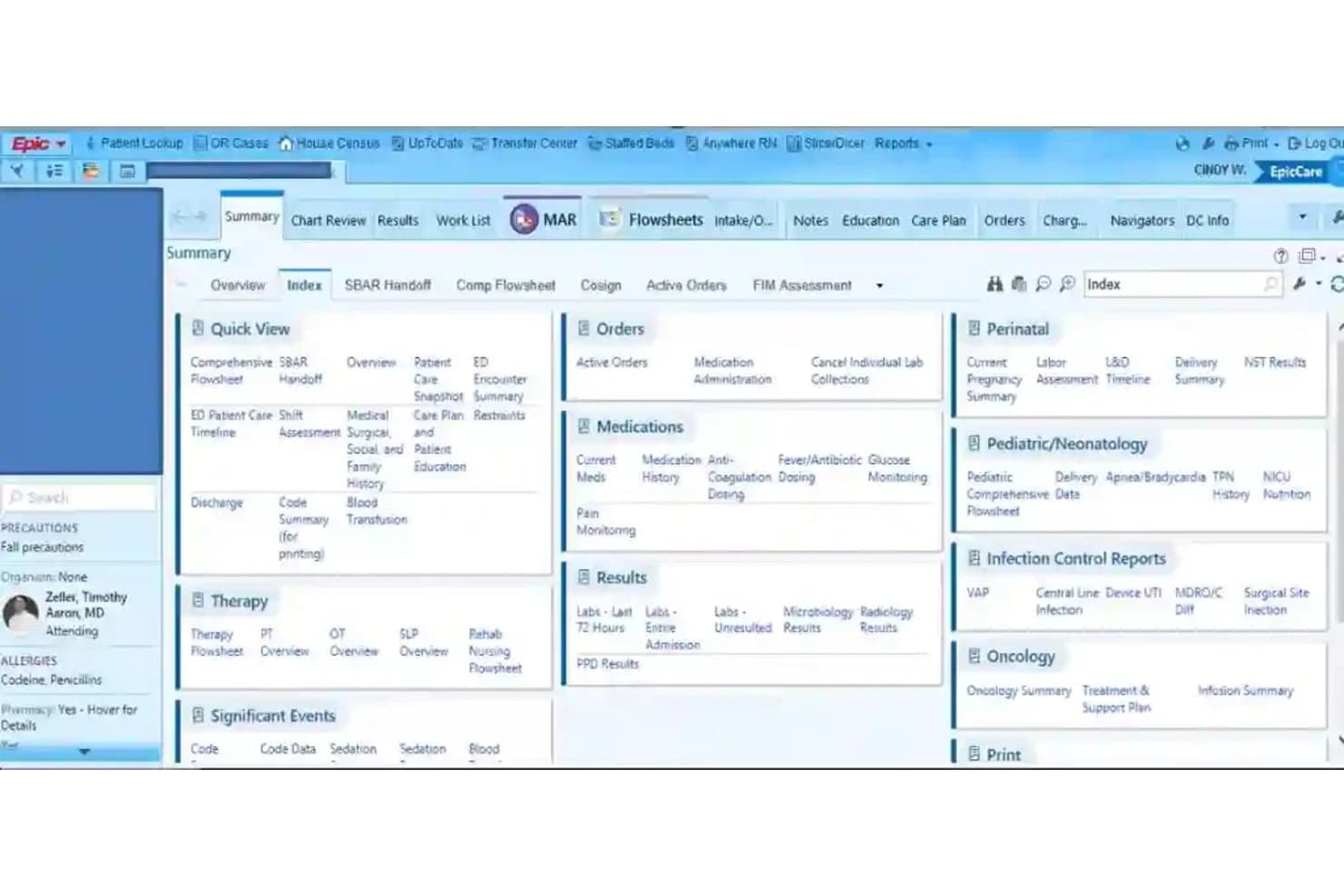
EPIC organizes patient data into a tabbed clinical dashboard for quick access. Epic is an EMR platform that brings together health records and appointment scheduling, including patient self-scheduling, centralized multi-specialty booking, automated reminders, and waitlist management across large healthcare organizations.
Who Is Epic Best For?
Epic is a strong fit for large health systems and multi-specialty organizations that need scheduling embedded directly within a unified patient record.
Why I Picked Epic
I picked Epic as one of the best because scheduling lives inside the same patient record your clinical team already works in, which means no syncing between separate systems. I like how Fast Pass automatically surfaces open slots to waitlisted patients, and how Hello World sends multi-channel reminders via SMS and voice, drawing each patient's preferred contact method directly from their chart. Epic reported more than 3.4 million no-shows prevented across U.S. health systems in a single year, which reflects the scale this platform is built to handle.
Epic Key Features
- Centralized scheduling: Lets scheduling staff book appointments across an organization using built-in decision support for specialty-specific and complex appointment needs.
- Patient self-scheduling: Allows new and existing patients to schedule online with or without a MyChart account, including sequential appointments like imaging before a visit.
- Digital check-in: Gives patients a way to complete check-in digitally before their appointment through Epic's patient experience tools.
- Insurance eligibility verification: Checks patient coverage electronically without requiring staff to log into separate payer portals.
Epic Integrations
Epic reports 3,294 live apps using open.epic web services. Native vendor integrations aren’t clearly documented, but Epic supports custom connections through FHIR, REST APIs, and HL7v2 interfaces.
Pros and Cons
Pros:
- Specialty-aware booking supports complex appointments
- Automated reminders and waitlists fill openings
- Patient records stay alongside scheduling
Cons:
- External appointments can’t be checked in or charted from the clinical schedule
- Booking can take multiple selections
Learn more about EPIC:
How I Evaluate EMR Scheduling Software
I split my evaluation into three parts, with core functionality carrying the most weight: link bookings to patient charts and coordinate provider calendars, visit types, and reminders. Next, I consider standout features such as automated waitlist fills. Finally, I assess implementation support and pricing value.
Core Functionality (Table Stakes For This List)
When I'm selecting tools for my list, I score each one on a scale from 0 (does not offer the functionality) to 5 (excels in this area) for each core functionality listed below. I then convert the total into a percentage to help assess each tool's overall fit, with extra weight on any functionalities I’ve deemed essential.
- EMR-Integrated Scheduling (Essential): I look for appointments that connect to patient charts, so staff can review visit details without re-entering scheduling information.
- Appointment Calendar (Essential): I assess how staff coordinate providers, locations, and rooms, such as avoiding exam-room conflicts across overlapping visits.
- Automated Reminders: I check which channels send reminders and confirmations, and whether patients can confirm or cancel directly from a message.
- Patient Self-Scheduling: I look for real-time availability and booking options that let patients choose appropriate visit types and manage appointments online.
- Availability Rules: I evaluate whether teams can set provider hours, visit types, durations, and resource rules to prevent scheduling conflicts.
- Waitlist & Recall: I check whether staff can match patients to cancellations and prompt follow-up visits based on appointment history.
Once I have a list of tools that meet the criteria, I consider what sets each platform apart.
Differentiating Factors (What Sets Vendors Apart)
Here's how I compare and contrast different vendors:
Standout Features
I check whether a platform offers real-time eligibility verification at booking. Catching coverage gaps before a patient arrives saves front-desk staff from scrambling and reduces claim denials. I also evaluate analytics dashboards that report on no-show rates and provider utilization, since those numbers drive staffing and template adjustments. A mobile provider app matters too—clinicians who can confirm availability or respond to waitlist openings between rooms keep slots filled without calling the front desk.
Beyond Features
I check whether a vendor supports HL7 or FHIR standards, since proprietary integrations can lock you into a single EMR long after your needs change. Implementation support matters just as much—a platform with dedicated onboarding specialists and realistic go-live timelines protects you from the scheduling downtime that delays patient care. I also evaluate total cost of ownership, including per-provider licensing, SMS fees, and support tiers that add up well beyond the base price.
Cum să alegeți software-ul de programare EMR
Este ușor să vă pierdeți în liste lungi de funcții și structuri complexe de prețuri. Pentru a rămâne concentrat în timp ce parcurgeți procesul dumneavoastră unic de selectare a software-ului, iată o listă de verificare a factorilor de care trebuie să țineți cont:
| Factor | Ce trebuie luat în considerare |
| Scalabilitate | Poate software-ul să gestioneze mai multe locații, furnizori de servicii medicale și un volum mai mare de pacienți pe măsură ce cabinetul dumneavoastră se dezvoltă? |
| Integrări | Se conectează fără probleme cu instrumentele dumneavoastră existente pentru EMR, facturare, telemedicină și comunicare? |
| Posibilitate de personalizare | Puteți configura tipurile de programări, regulile de programare și controalele de acces pentru fluxurile dumneavoastră de lucru? |
| Ușurință în utilizare | Vor învăța rapid echipele administrative și clinice să utilizeze sistemul sau este nevoie de o instruire extinsă? |
| Implementare și integrare inițială | De cât sprijin veți beneficia în timpul lansării? Întrebați despre migrare, termenele de configurare și resursele de instruire disponibile. |
| Cost | Care este costul total real, inclusiv configurarea, modulele suplimentare, întreținerea și taxele pentru fiecare furnizor de servicii medicale? |
| Măsuri de securitate | Produsul îndeplinește din start cerințele dumneavoastră privind HIPAA, auditul și accesul la date? |
| Disponibilitatea asistenței | Este oferită asistență în timp real în timpul programului dumneavoastră de lucru sau doar în timpul orelor de program dintr-un alt fus orar? |
Ce este software-ul de programare EMR?
Software-ul de programare EMR este un instrument digital care permite echipei dumneavoastră să programeze, să gestioneze și să urmărească programările pacienților direct în sistemul de dosare medicale electronice. Acesta conectează programările cu fișele pacienților, centralizează calendarele pentru mai mulți furnizori de servicii medicale și mai multe locații și automatizează mementourile pentru a reduce numărul absențelor. Acest software ajută cabinetele să personalizeze tipurile de programări, să gestioneze listele de așteptare și să îmbunătățească fluxul de informații între echipele clinice și administrative.
Funcțiile software-ului de programare EMR
Când selectați un software de programare EMR, urmăriți următoarele funcții esențiale:
- Integrarea EMR/EHR: Programările actualizează fișele pacienților în timp real, astfel încât echipele clinice și administrative să utilizeze întotdeauna același set de date.
- Programări pentru mai mulți furnizori: Gestionați calendarele pentru mai mulți furnizori, săli și locații, cu alerte privind conflictele și suprapunerile.
- Tipuri și reguli pentru programări: Configurați tipuri și durate personalizabile ale vizitelor, care corespund specializărilor furnizorilor, cerințelor plătitorilor și fluxurilor clinice de lucru.
- Reamintiri pentru pacienți: Trimiteți pacienților reamintiri automate prin SMS, e-mail sau mesaj vocal, împreună cu confirmări, pentru a contribui la reducerea riscului de neprezentare.
- Programare online de către pacienți: Permiteți pacienților să își facă, reprogrameze sau anuleze programările dintr-un portal sau widget care afișează disponibilitatea în timp real.
- Gestionarea listei de așteptare: Menține listele pacienților care solicită programări mai apropiate și ocupă rapid anulările, potrivindu-i cu intervalele disponibile.
- Atribuirea resurselor și a sălilor: Rezervați resursele necesare împreună cu programările, coordonând utilizarea sălilor de consultații, a echipamentelor sau a asistenților medicali.
- Suport pentru programări recurente: Programați serii de vizite — precum ședințe de terapie, proceduri sau planuri de îngrijire în mai multe etape — pe baza unor tipare sau dependențe prestabilite.
- Controale ale accesului și permisiuni: Limitați persoanele care pot vizualiza sau edita datele programărilor, asigurând protejarea fluxurilor de lucru sensibile în funcție de rol sau departament.
- Raportare și analiză: Generați date detaliate despre tendințele programărilor, ratele de neprezentare, gradul de utilizare a furnizorilor și blocajele fluxurilor de lucru, pentru a ghida îmbunătățirile.
Funcții AI comune ale software-ului de programare EMR
Pe lângă funcțiile standard ale software-ului de programare EMR enumerate mai sus, multe dintre aceste soluții integrează inteligența artificială prin funcții precum:
- Analiza predictivă a neprezentărilor: Utilizează datele istorice ale programărilor și comportamentul pacienților pentru a anticipa care pacienți sunt cel mai probabil să nu se prezinte, permițând personalului să intervină proactiv.
- Optimizarea inteligentă a listei de așteptare: Inteligența artificială asociază anulările cu cei mai potriviți pacienți din lista de așteptare, pe baza urgenței, preferinței furnizorului și tiparelor de programare.
- Optimizarea automată a programului: Analizează continuu calendarele furnizorilor și cererea pacienților pentru a sugera intervalele ideale pentru programări, reducând perioadele libere și maximizând gradul de utilizare.
- Asistenți pentru programare în limbaj natural: Permit personalului sau pacienților să facă programări folosind un limbaj conversațional, inteligența artificială interpretând solicitările și gestionând logica programărilor.
- Prognozarea cererii: Anticipează volumul viitor al programărilor și necesarul de personal prin analizarea tendințelor, sezonalității și factorilor externi, ajutând cabinetele să planifice resursele mai precis.
Beneficiile software-ului de programare EMR
Implementarea software-ului de programare EMR oferă mai multe beneficii echipei și afacerii dumneavoastră. Iată câteva dintre avantajele de care vă puteți bucura:
- Mai puține neprezentări: Reamintirile automate și funcțiile inteligente pentru lista de așteptare mențin intervalele de programare ocupate și reduc perioadele libere din program.
- Fluxuri de lucru simplificate: Integrarea directă cu EMR economisește timpul personalului prin actualizarea instantanee a fișelor pacienților și a detaliilor programărilor în toate sistemele.
- Acces îmbunătățit pentru pacienți: Programarea online de către pacienți și disponibilitatea în timp real îi ajută să găsească și să programeze îngrijirea de care au nevoie, fără apeluri telefonice repetate.
- Utilizarea mai eficientă a resurselor: Funcțiile de gestionare a sălilor, furnizorilor și echipamentelor reduc programările duble și maximizează utilizarea spațiului și a personalului.
- Informații mai bune pentru luarea deciziilor: Instrumentele de raportare și analiză evidențiază dintr-o privire tendințele, blocajele și oportunitățile de îmbunătățire a proceselor.
- Conformitate și securitate îmbunătățite: Controalele integrate ale accesului și pistele de audit vă ajută să mențineți conformitatea HIPAA și să protejați datele sensibile privind programările.
- Adaptare la specializarea dumneavoastră: Tipurile și fluxurile de lucru personalizabile pentru programări răspund nevoilor unice ale diferitelor specializări medicale și dimensiunilor cabinetelor de grup.
Costurile și prețurile software-ului de programare EMR
Alegerea software-ului de programare EMR necesită înțelegerea diferitelor modele și planuri de preț disponibile. Costurile variază în funcție de funcții, dimensiunea echipei, suplimente și alți factori. Tabelul de mai jos rezumă planurile obișnuite, prețurile medii ale acestora și funcțiile incluse de regulă în soluțiile software de programare EMR:
Tabel comparativ al planurilor pentru software-ul de programare EMR
| Tipul planului | Preț mediu | Funcții comune |
| Plan gratuit | $0 | Include programări limitate, sincronizare de bază a calendarului și asistență minimă. |
| Plan personal | $10-$30/utilizator/lună | Oferă programări pentru furnizori individuali, reamintiri pentru pacienți, rezervare online și raportare de bază. |
| Plan pentru companii | $35-$80/utilizator/lună | Adaugă suport pentru mai mulți furnizori, integrare EMR/EHR, tipuri personalizate de programări, calendare de grup și analiză îmbunătățită. |
| Plan pentru întreprinderi | $100-$200+/utilizator/lună | Asigură gestionarea mai multor locații, integrări avansate, alocarea resurselor, asistență dedicată și instrumente de conformitate. |
Întrebări frecvente despre software-ul de programare EMR
Iată câteva răspunsuri la întrebările frecvente despre software-ul de programare EMR:
Cum îmbunătățește software-ul de programare EMR experiența pacienților?
Aceste instrumente le permit pacienților să programeze, să anuleze sau să reprogrameze consultații online, să primească mementouri automate și să completeze formularele de evaluare inițială în avans. Acest lucru reduce timpii de așteptare și îi menține pe pacienți mai bine informați cu privire la îngrijirea lor.
Poate software-ul de programare EMR să funcționeze cu sistemul meu EHR existent?
Da, majoritatea soluțiilor oferă opțiuni de integrare cu principalele platforme EHR. Căutați integrări native sau compatibilitate solidă cu API/HL7 pentru a vă asigura că datele pacienților, detaliile consultațiilor și notele clinice se sincronizează fără probleme între sisteme.
La ce măsuri de protecție a securității ar trebui să mă aștept de la software-ul de programare EMR?
Așteptați-vă la gestionarea datelor conformă cu HIPAA, jurnale de audit, controale de acces bazate pe roluri și stocarea criptată a datelor. Unii furnizori oferă, de asemenea, certificare SOC 2 și instrumente pentru gestionarea permisiunilor utilizatorilor, pentru a îndeplini cerințele de conformitate.
Este posibilă gestionarea consultațiilor recurente sau de grup?
Da, multe platforme vă permit să configurați consultații recurente pentru terapii sau perfuzii și să coordonați ședințe cu mai mulți furnizori sau ședințe de grup, astfel încât să puteți gestiona tipare complexe de programare fără urmărire manuală.
Ce resurse pentru configurarea inițială și asistență sunt disponibile de obicei?
Furnizorii pot oferi configurare inițială personalizată, migrarea datelor și instruire. Întrebați despre persoane de contact dedicate pentru succesul clienților, asistență non-stop și baze de cunoștințe online, pentru a vă ajuta echipa să facă tranziția fără probleme și să rezolve rapid problemele.