Getting the most out of EHR software starts well before your first patient encounter. The real challenge isn't just picking the right system—it's implementing it in a way that actually fits how your team works. Done wrong, it adds documentation burden and frustration. Done right, it gives your clinical and administrative staff a single source of truth for every patient interaction.
This guide walks you through each step of using an EHR, from planning your rollout and migrating records to configuring workflows, training staff, and improving the system over time.
It also explains how to choose EHR software that fits your practice’s clinical needs, budget, and existing processes. Whether you’re switching platforms or starting fresh, you’ll know what to do and in what order.
Selecting the Best EHR Software
Keep these considerations in mind before you commit to a system:
- ONC certification: The ONC Health IT Certification Program ensures that EHR systems meet the technical standards necessary for secure health information exchange, so verify any vendor's certification status before signing a contract.
- Specialty-specific workflows: EHR systems are not one-size-fits-all—look for a system built around your specialty's documentation patterns, clinical templates, and order sets rather than one that requires heavy customization to fit basic workflows.
- Interoperability standards: Interoperability expertise directly affects how smoothly an EHR connects with labs, pharmacies, billing platforms, and health information exchanges.
- Billing and claims management: Look for a system with specialty-specific rules engines for claim scrubbing and denial management workflows, since billing gaps in an EHR can directly affect your revenue cycle.
- HIPAA compliance and data security: Confirm the vendor maintains current HIPAA-compliant data handling practices, including audit logs, access controls, and breach notification protocols.
- Regulatory update cadence: As regulations are always changing, it's important to select a partner with long-term experience in keeping up with regulatory changes—your vendor should be proactive in communicating changes and training your staff on workflow adjustments.
Step-by-Step Guide to Using EHR Software
Setting up EHR software the right way lets your team handle patient care with fewer headaches. Here’s the exact sequence you’ll want to follow to avoid missteps and get full value from your investment:

1. Plan Implementation Timeline and Team Roles
Before anything else, map out your go-live date and work backwards to set realistic milestones. From what I've seen, practices that skip this step scramble when training overlaps with data migration.
Bring together a cross-functional team that includes providers, nurses, and administrative leaders, and assign clear roles like project manager, training coordinator, and technical lead. Getting accountability defined upfront keeps the entire rollout moving in the right direction.
Use these tips to build a planning foundation that holds up under real implementation pressure:
- Set a firm go-live date: Work backwards from your target date to assign milestones for each phase—data migration, configuration, training, and testing. I've found this reverse-planning method keeps teams far more accountable than building timelines forward from a start date.
- Assign named owners, not just roles: Listing "IT lead" on a plan means nothing if no one owns the task. Every milestone needs a specific person responsible for completion and a backup if they're unavailable.
- Include clinical champions: Designate respected providers—physicians, nurses, or medical assistants—as internal advocates for the new system. Systems like Epic and Oracle Health both recommend this approach because peer-led adoption consistently outperforms top-down mandates.
- Build buffer time into every phase: In my experience, data migration and workflow configuration almost always take longer than expected. Build in at least a two-week buffer between each major phase so one delay doesn't cascade into your go-live date.
- Loop in your vendor early: Most EHR vendors assign a dedicated implementation manager. Get them in your planning meetings from day one—they know where practices like yours typically run into trouble.
- Share the plan with all staff: Don't hold the implementation plan at the leadership level. Communicating timelines and role expectations to every affected team member reduces resistance and helps surface workflow concerns before they become go-live problems.
2. Migrate Existing Patient Records to System
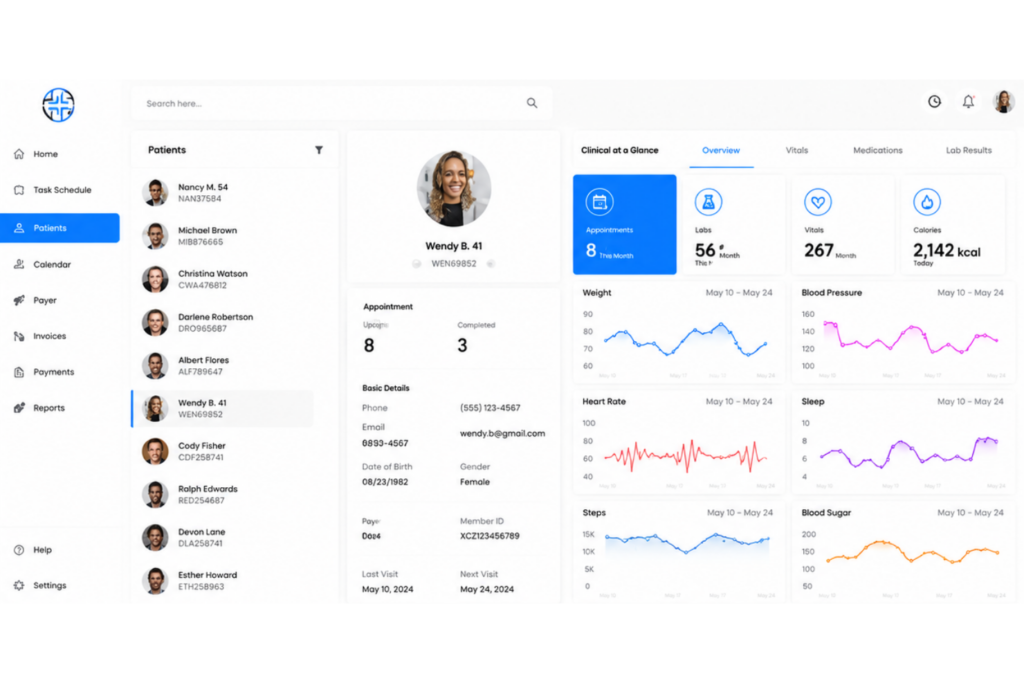
Data migration is where many EHR implementations quietly fall apart. From my experience, practices that treat it as an afterthought end up with missing records, formatting errors, and duplicate patient profiles that take months to clean up.
This step involves extracting records from your legacy system, mapping data fields to your new EHR's structure, and validating accuracy before go-live. Prioritize active patients first, then work backwards through historical records.
Use this table to understand what to do—and what to avoid—during your data migration:
| Do | Don't | |
|---|---|---|
| Data audit | DoClean and deduplicate records in your legacy system before migrating anything. | Don'tMigrate dirty data assuming the new system will sort it out. |
| Field mapping | DoWork with your vendor to map every data field from your old system to the new EHR's structure. | Don'tAssume fields like medication lists or allergy records will transfer automatically without validation. |
| Migration scope | DoPrioritize active patients and recent records for the initial migration wave. | Don'tAttempt a full historical migration all at once—it increases error risk significantly. |
| Testing | DoRun a pilot migration with a small patient subset and validate accuracy before full rollout. | Don'tSkip test migrations to save time—errors found post-go-live are far costlier to fix. |
| Staff involvement | DoHave clinical staff review migrated records for accuracy, not just IT or administrative teams. | Don'tLeave validation entirely to technical staff who may not catch clinical data errors. |
| Vendor support | DoLeverage your EHR vendor's migration tools—platforms like athenahealth and eClinicalWorks have dedicated data conversion teams. | Don'tRely solely on internal IT resources if your vendor offers specialized migration support. |
3. Configure Workflows to Match Clinical Processes
Configuring your EHR to reflect how your team actually works is what separates a system that helps from one that gets worked around. This step means customizing templates, order sets, note structures, and task routing to mirror your existing clinical processes.
A primary care practice, for example, needs very different documentation defaults than a surgical or behavioral health setting. I'd prioritize getting this right before training begins—staff learns faster when the system already feels familiar.
Keep these best practices in mind when configuring your EHR workflows:
- Start with your highest-volume encounter types: Configure templates and documentation workflows for your most common visit types first—annual wellness exams, follow-ups, or chronic disease management visits. Getting these right early has the biggest impact on day-to-day efficiency.
- Map your current process before changing it: Before configuring anything, document how your team currently moves a patient from check-in to checkout. You'll often find steps that can be eliminated rather than just digitized.
- Involve providers in template design: Physicians and nurses know exactly what documentation they need at each care stage. Systems like Epic and Meditech allow granular template customization—use that flexibility, but let clinical staff drive the design decisions.
- Configure task routing carefully: Decide upfront which tasks route to which roles—prescription refill requests, lab result notifications, and referral authorizations all need clearly defined ownership in the system. Poorly configured routing creates inbox chaos for providers.
- Use order sets for high-frequency protocols: Bundle commonly ordered labs, medications, and imaging into order sets for conditions your practice treats regularly. This reduces clicks per encounter and keeps ordering consistent across your provider team.
- Test workflows with real scenarios before go-live: Run through complete patient encounters—from registration to checkout—using your configured workflows before training begins. I've seen practices discover critical routing gaps only after staff were already live on the system.
- Plan for specialty-specific customization: Behavioral health practices need different consent workflows and progress note structures than orthopedic or cardiology settings. Don't settle for default configurations if your specialty has unique documentation requirements.
4. Train Staff on System Navigation and Use

Even the best-configured EHR fails if your team doesn't know how to use it confidently. Training isn't a one-time event—it's an ongoing process that should be tailored by role. Front desk staff need registration and scheduling workflows, while providers need documentation, ordering, and results review.
In my experience, role-specific training sessions outperform general all-hands demos every time. Plan for refresher sessions after go-live, when real-world use surfaces gaps that classroom training never anticipates.
Follow these steps to build a training program that actually prepares your team for go-live:
- Segment training by role: Group staff by function—front desk, clinical assistants, providers, and billing—and design separate training tracks for each. A physician learning registration workflows is wasted time for everyone involved.
- Train in a sandbox environment: Most EHR platforms, including Epic and Oracle Health, provide training environments that mirror the live system. Use these so staff can make mistakes and learn without affecting real patient data.
- Lead with the most common tasks first: Start each role-specific session with the workflows staff will use every single day. Covering edge cases before core tasks overwhelms learners and slows confidence-building.
- Designate super users on each team: Identify one or two staff members per department to receive advanced training before the broader rollout. These super users become your first line of support when colleagues run into trouble post-go-live.
- Schedule training close to go-live: I've seen practices train staff six to eight weeks before launch, only to find retention drops significantly by the time the system goes live. Keep training within two to three weeks of your go-live date.
- Run full encounter simulations: Have staff walk through complete patient scenarios from start to finish—check-in, documentation, ordering, checkout, and billing. Simulation-based training surfaces workflow gaps that task-by-task instruction misses.
- Plan post-go-live support sessions: Schedule structured check-ins at one week and thirty days after launch. Real-world use always raises questions that training didn't cover, and having a formal outlet for those questions reduces frustration significantly.
5. Integrate With Labs, Pharmacies, and Billing
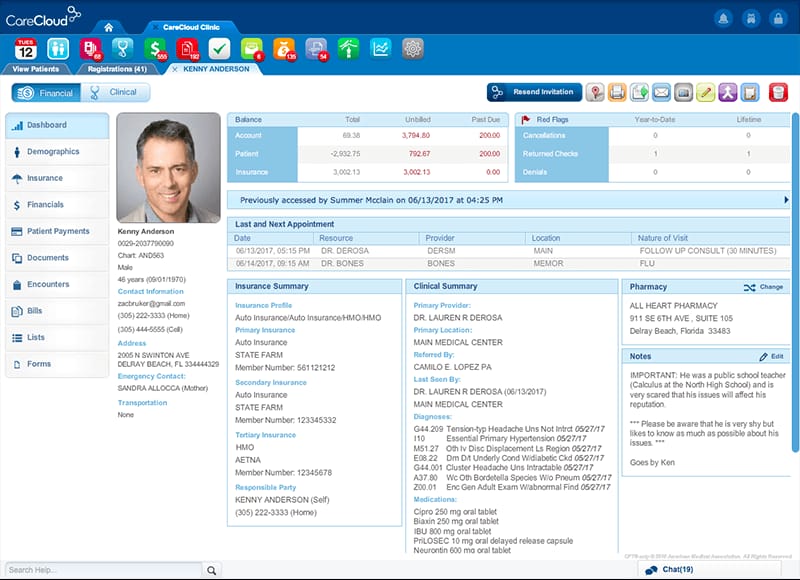
Your EHR's value multiplies when it connects to the external systems your practice depends on daily. Integration means lab orders flow directly to your reference laboratory, prescriptions transmit electronically to pharmacies, and encounter data feeds your billing system without manual re-entry.
Without these connections, staff ends up duplicating work across platforms. I've seen practices lose significant billing revenue simply because their EHR and practice management system weren't properly synced before go-live.
Use this table to understand what to do—and what to avoid—when setting up your key integrations:
| Do | Don't | |
|---|---|---|
| Lab integration | DoConfirm your EHR supports direct interfaces with your reference labs—Quest Diagnostics and Labcorp both maintain integrations with major EHR platforms. | Don'tAssume lab interfaces are included in your base contract without verifying scope and setup fees. |
| E-prescribing | DoEnable and test electronic prescribing, including controlled substances (EPCS), well before go-live. | Don'tWait until after launch to configure pharmacy connections—delays here directly impact patient care. |
| Billing integration | DoMap every encounter type and diagnosis code to your billing system before go-live to prevent claim rejections. | Don'tAllow billing staff to manually re-enter encounter data from the EHR—this creates costly errors and delays. |
| Interface testing | DoRun end-to-end tests for every integration: send a test lab order, receive a result, transmit a prescription, and post a test claim. | Don'tTest integrations in isolation only—a lab interface that works independently can still break within a full encounter workflow. |
| Vendor coordination | DoLoop in your EHR vendor, lab vendors, pharmacy networks, and clearinghouse contacts simultaneously during integration setup. | Don'tManage each vendor relationship separately—integration issues almost always sit at the connection point between two systems. |
| Ongoing monitoring | DoAssign someone to monitor integration error logs weekly after go-live, especially for claim rejections and undelivered prescriptions. | Don'tTreat integrations as set-and-forget—interfaces break during system updates and require regular oversight. |
6. Go Live With Monitoring and Support Ready

Go-live day is where preparation meets reality, and having support structures in place determines how smoothly that transition goes. This means stationing super users on the floor, keeping your EHR vendor's support line active, and monitoring system performance in real time.
I'd strongly recommend reducing patient volume for the first one to two weeks—most practices that don't are overwhelmed. Go-live isn't the finish line; it's the start of your team's real learning curve.
Keep these best practices in mind as you approach and move through your go-live period:
- Reduce scheduled patient volume: Cut your appointment schedule by 20–30% for the first one to two weeks. Providers need extra time per encounter while they build system fluency, and a packed schedule on day one creates dangerous bottlenecks.
- Station super users at the point of care: Don't put your super users at a help desk—keep them on the floor, in clinical areas, and at front desk stations where staff actually need real-time guidance.
- Keep your vendor support contact active: Confirm your EHR vendor's go-live support hours before launch day. Vendors like athenahealth and eClinicalWorks typically offer dedicated go-live support teams—know exactly how to reach them and what's covered.
- Monitor integration error logs daily: Check lab, pharmacy, and billing integration logs every morning during the first two weeks. Errors caught on day two are far easier to resolve than issues discovered after a week of compounding mistakes.
- Create a centralized issue log: Set up a shared document or ticketing system where staff can report problems in real time. Verbal issue reporting gets lost—a written log lets you identify patterns and prioritize fixes quickly.
- Brief your clinical leadership daily: Hold a short end-of-day huddle with department leads during the first week. Surface blockers early, share workarounds, and keep leadership informed so decisions get made at the right level.
- Plan your downtime procedure: Have a documented, paper-based downtime protocol ready before go-live. System outages happen, and staff needs to know exactly what to do when the EHR is unavailable—especially in clinical settings where care can't stop.
7. Audit Usage and Optimize System Performance
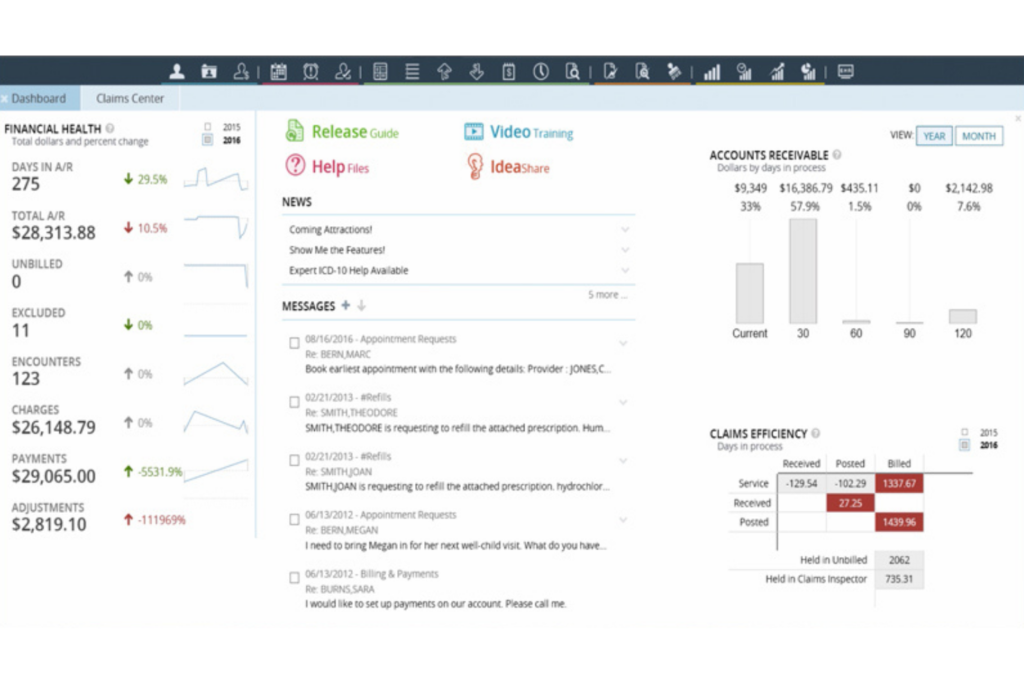
Going live is just the beginning—how you use your EHR three to six months in often looks very different from your initial configuration. Regular audits help you identify underused features, documentation bottlenecks, and workflow gaps that only surface through real use.
This means reviewing usage reports, gathering staff feedback, and adjusting templates or routing rules accordingly. In my experience, practices that schedule formal quarterly reviews get significantly more long-term value from their EHR investment than those that don't.
Follow these steps to turn your post-go-live audit into a cycle of continuous improvement:
- Pull usage reports regularly: Most EHR platforms—including Epic and Meditech—have built-in reporting dashboards that show login frequency, feature adoption, and order set usage. Review these monthly to spot where staff are working around the system rather than through it.
- Track documentation time per encounter: If providers are consistently spending more time on notes than expected, that's a signal your templates need adjustment. Benchmark documentation time at 30, 60, and 90 days post-go-live.
- Survey clinical and administrative staff: Usage data tells you what's happening, but staff feedback tells you why. A short monthly survey surfaces friction points that reports won't catch—like a routing rule that sends messages to the wrong inbox every time.
- Review claim rejection rates: Your billing integration audit should include a monthly review of claim denial and rejection rates. A spike in rejections often traces back to a misconfigured diagnosis code mapping or an encounter type that wasn't set up correctly at launch.
- Reassess your order sets quarterly: Clinical protocols evolve, and your order sets should too. I'd recommend a formal quarterly review with your clinical leads to retire outdated bundles and add new ones that reflect current prescribing patterns.
- Identify and retrain low-adoption users: If reports show certain providers or staff members rarely use specific features, targeted one-on-one retraining is more effective than another group session. Low adoption is usually a training gap, not a system gap.
- Log every optimization change you make: Keep a running change log of every template, routing rule, or workflow adjustment your team makes post-go-live. Without it, troubleshooting new issues becomes a guessing game—especially when staff turnover means institutional memory walks out the door.
Common Challenges of Using EHR Software (and How to Address Them)
Even a well-implemented EHR system can create friction, especially when the platform does not fully match a practice’s EHR requirements, workflows, or specialty needs.
Challenges can also vary across different EHR types, including cloud-based, on-premise, and specialty-specific systems. Here are the most common issues practices encounter and practical ways to address them:
| Problem | Solution |
|---|---|
| ProblemSlow documentation and note completion | SolutionBuild role-specific note templates with pre-populated fields for your most common encounter types, and enable voice-to-text tools like Dragon Medical One to cut manual typing time. |
| ProblemHigh claim rejection rates | SolutionAudit your diagnosis and procedure code mappings against your clearinghouse's rejection reports monthly, and fix misconfigured encounter types before they compound into larger billing backlogs. |
| ProblemStaff resistance to system adoption | SolutionAssign super users to work alongside resistant staff one-on-one during the first 30 days—peer-level support drives adoption faster than top-down mandates. |
| ProblemIntegration errors with labs or pharmacies | SolutionSet up automated alerts for failed lab and e-prescribing transactions, and designate one staff member to review integration error logs daily rather than reactively. |
| ProblemAlert and notification fatigue | SolutionWork with your system administrator to audit and suppress low-priority alerts, keeping only those that require a direct clinical decision or action. |
| ProblemPoor patient data accuracy at intake | SolutionConfigure mandatory fields for demographic and insurance data at the registration stage, and run monthly duplicate record reports to catch and merge errors before they affect billing or care. |
| ProblemUnderused reporting and analytics features | SolutionSchedule a quarterly session with your EHR vendor's customer success team to identify which built-in reports map to your practice's quality and financial goals—most practices use fewer than half the reports available to them. |
More Articles
Advanced Uses & Maximizing ROI From EHR Software
Most practices use their EHR for documentation and billing, but the platform is capable of driving clinical quality, operational performance, and revenue outcomes well beyond the basics. Here's where I've seen deeper adoption create the most measurable value:
- Population health management: Use your EHR's patient registry tools to identify and proactively reach out to high-risk patient cohorts—diabetic patients overdue for HbA1c testing, for example. Epic's population health module and athenahealth's care management tools both support automated gap-in-care alerts that prompt outreach before a patient ends up in the ED.
- Clinical decision support customization: Most EHR platforms let you build custom clinical decision support rules beyond the defaults. I'd configure condition-specific order sets and evidence-based care pathways for your highest-volume diagnoses—this reduces clinical variability and supports quality reporting without adding documentation burden.
- Quality measure tracking and reporting: Tie your EHR's reporting tools directly to your MIPS or value-based care program benchmarks. Practices that build quality dashboards inside their EHR—rather than managing performance data in spreadsheets—close gaps faster and avoid end-of-year scrambles to hit measure thresholds.
- Patient engagement automation: Configure automated appointment reminders, post-visit follow-up messages, and care gap notifications through your EHR's patient portal. Platforms like eClinicalWorks and Oracle Health support rule-based messaging that reduces no-show rates without adding staff workload.
- Revenue cycle performance analysis: Use your EHR's built-in revenue cycle dashboards to track days in accounts receivable, denial rates by payer, and collections per encounter. I've seen practices identify entire payer contracts that were underpaying simply by running consistent payer performance reports they'd never pulled before.
- Telehealth workflow integration: Embed telehealth visits directly into your EHR workflow rather than running a separate platform. Systems like Modernizing Medicine and Nextech support native telehealth scheduling, documentation, and billing within a single encounter record—eliminating the duplicate data entry that comes with standalone telehealth tools.
Getting the Most Out of Your EHR Starts With the Right Budget
Once you're ready to put these strategies to work, understanding EHR software pricing—including hidden fees, contract terms, and what drives costs by practice size—will help you choose a system you can actually afford to implement well.