

Toptan tıbbi faturalandırma yazılımı, faturalandırma şirketlerinin birden fazla sağlık hizmeti müşterisine yönelik talepleri, ödemeleri ve gelir döngüsü süreçlerini geniş ölçekte yönetmesine yardımcı olur. Birçok platform ayrıca eczane yönetimini, satın alma fiyatı takibini, distribütörler için sipariş işlemlerini, eczane faturalandırma yazılımını, envanter kontrolünü, son kullanma tarihi yönetimini, GST faturalandırmasını ve son kullanma tarihi uyarılarını da destekler.
Doğru platformu arıyorsanız muhtemelen yüksek hacimli talepleri yönetmenize, doğruluğu artırmanıza, eczane ve dağıtım iş akışlarını kolaylaştırmanıza ve manuel çalışmayı azaltmanıza yardımcı olacak araçlar arıyorsunuzdur; üstelik sigortacı kuralları değişirken ve müşterilerinizin kendilerine özgü gereksinimleri varken bile. Bu rehberde 2026 için en iyi seçimlerimi öne çıkarıyor, büyüyen faturalandırma operasyonlarını, çoklu uzmanlık gereksinimlerini, eczane ve distribütör iş akışlarını ve sıkı uyumluluk standartlarını desteklemek üzere tasarlanmış yazılımları açıklıyorum; böylece işletmeniz için tam olarak uygun olanı bulabilirsiniz.
Why Trust Our Software Recommendations
6,700+
Reviews
20
Industry experts
16+
Evaluation factors
14
Years
Our team has been testing and reviewing software since 2012. As medical practice leaders ourselves, we know how difficult—and important—it is to choose the right software.
For this guide, we evaluated tools using hands-on testing and independent research, scoring tools using our selection criteria.
Our reviews reflect our human editorial judgment, not a sales pitch.
Toptan Tıbbi Faturalandırma Yazılımları Karşılaştırma Tablosu
Aşağıdaki tabloda, en iyi toptan tıbbi faturalandırma yazılımı seçimlerimin fiyatlandırma ayrıntıları karşılaştırılmaktadır.
Sorted by: Default
| Tool | Starting Price | Website | |
|---|---|---|---|
Best for claims, denials, and payment automation | 4.4 out of 5 | Pricing upon request Free demo available | Website |
Best for straightforward claims | 4.5 out of 5 | $199/user/month Free demo available | Website |
Best for small-practice billing automation | 3.7 out of 5 | Pricing upon request Not available | Website |
Best for EHR and revenue cycle management | 3.4 out of 5 | $499/user/month Free demo available | Website |
Best for specialty medical billing management | Not rated | Pricing upon request Free demo available | Website |
Best for affordable integrated medical billing | 4.3 out of 5 | $335/month Free demo available | Book Demo |
Best for cloud-based medical billing | 4.1 out of 5 | Pricing upon request Free demo available | Website |
Best for multi-specialty practices | 4.1 out of 5 | Pricing upon request Free demo available | Website |
Best for automated billing and claims management | 3.6 out of 5 | $130/user/month 30-day free trial + free demo available | Website |
Best for independent practice billing | 3.9 out of 5 | Pricing upon request Free demo available | Website |


En İyi Toptan Tıbbi Faturalandırma Yazılımları İncelemeleri
Kısa listeme giren en iyi toptan tıbbi faturalandırma yazılımlarına ilişkin ayrıntılı özetlerimi aşağıda bulabilirsiniz. İncelemelerim, sizin için en uygun yazılımı bulmanıza yardımcı olmak amacıyla her yazılımın özelliklerine, fiyatlandırmasına ve en uygun kullanım alanlarına ayrıntılı bir bakış sunuyor.
 Best for claims, denials, and payment automation
- Free demo available
- Pricing upon request
Visit WebsiteCustomer Rating:4.4/5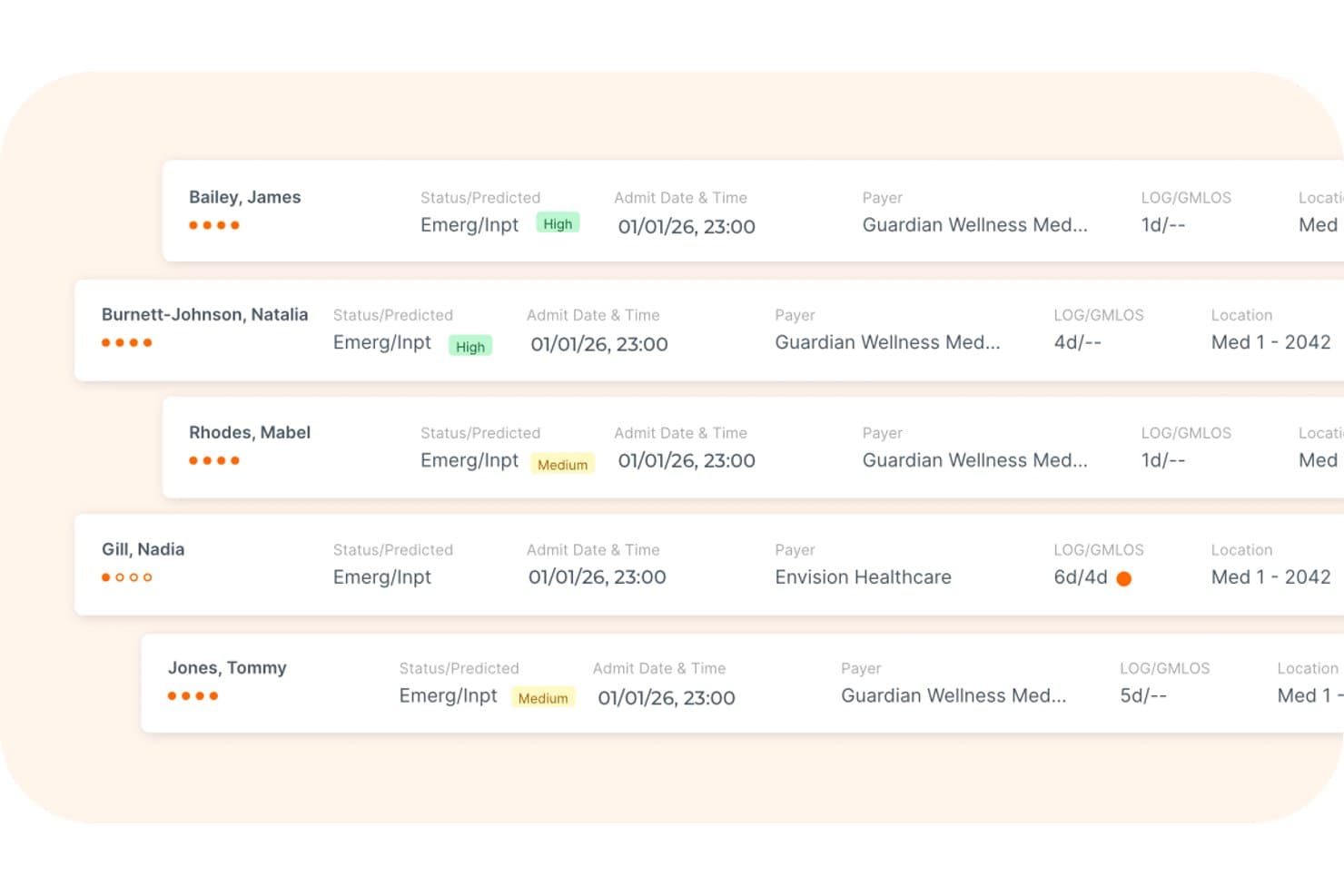
Waystar offers a patient list view displaying emergency inpatient statuses, admit dates, payer information, and length-of-stay metrics for medical billing workflows. Waystar is a cloud-based revenue cycle management platform designed for third-party billing companies and healthcare organizations, combining clearinghouse, denial management, payment automation, and eligibility verification in a single system.
Who Is Waystar Best For?
Waystar is a strong fit for third-party billing companies that manage high claim volumes across multiple client practices and need a dedicated clearinghouse built for that scale.
Why I Picked Waystar
Waystar earns its spot on my shortlist because of how far its claims and payment automation actually goes. I'm particularly impressed by AltitudeAI, which uses predictive analytics to determine the best times to status and appeal claims, and the batch appeals tool lets my team submit up to 100 similar appeals at once with 900+ payer-specific forms attached. On the payment side, automated posting reconciles, splits, and posts 95%+ of payer payments across client accounts without manual intervention.
Waystar Key Features
- Role-based client access: Assign permissions and data visibility for staff working across multiple provider clients.
- Custom workgroup configuration: Set up workgroups and staff assignments for each client within the platform.
- Automated bank reconciliation: Match electronic payments and bank deposits across different client accounts.
- Integrated payer connectivity: Access 600+ real-time payer connections for eligibility and benefit verification.
Waystar Integrations
Waystar offers native integrations with 530+ health information systems and practice management systems, supports 600+ real-time payer connections for eligibility, and provides an API for custom integrations.
Pros and Cons
Pros:
- Supports batch appeals for denials at scale
- Automated posting splits payments by client
- Advanced AI-driven claims scrubbing tools
Cons:
- Contract cancellation can be difficult
- Reporting lacks patient-level denial details
Learn more about Waystar: Best for straightforward claims
- Free demo available
- From $199/user/month
Visit WebsiteCustomer Rating:4.5/5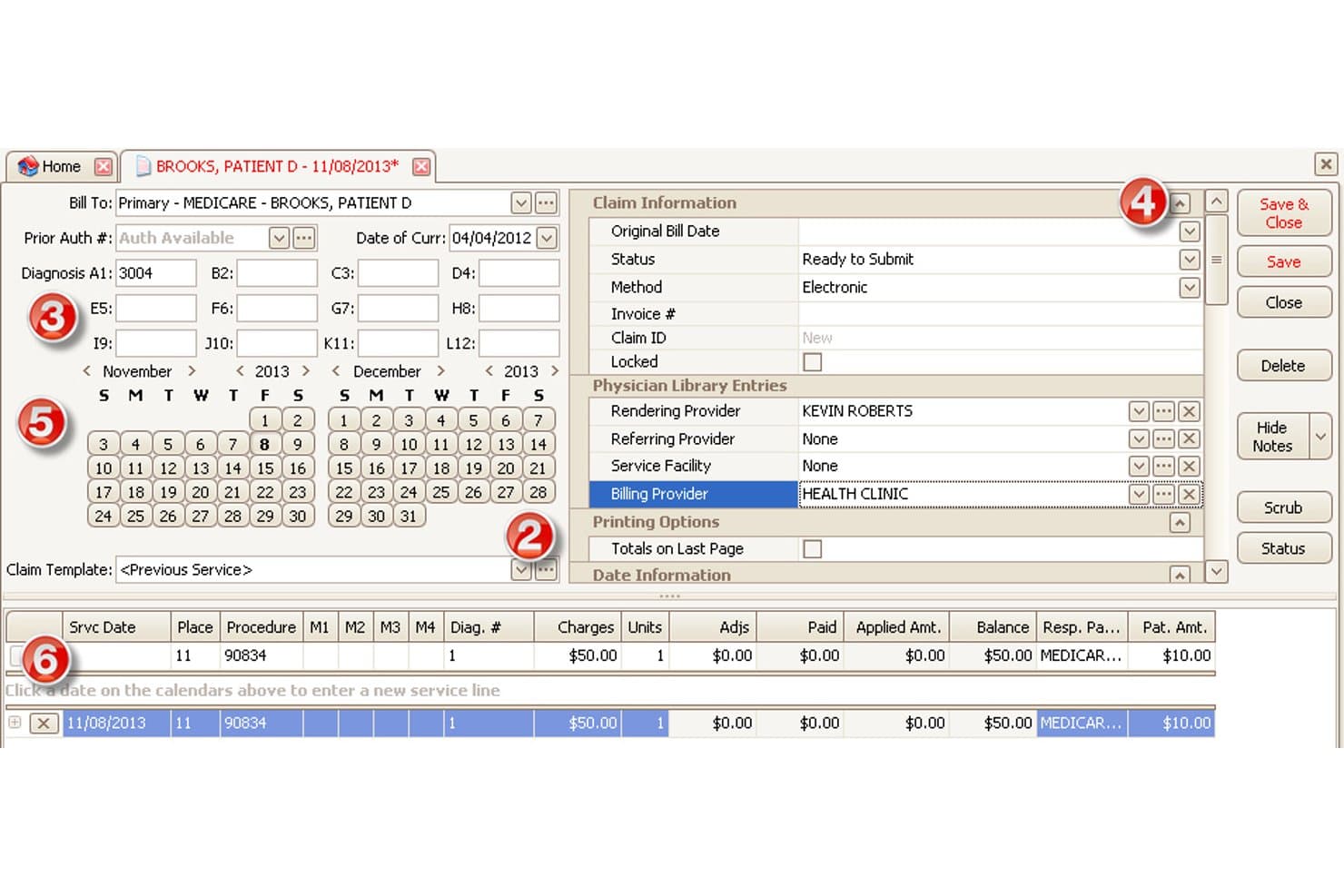
EZClaim offers a detailed claim entry screen with billing provider fields, diagnosis codes, service line entries, and calendar-based date selection for medical billing workflows. EZClaim is a medical billing and scheduling software built for outsourced billing companies and RCM firms, offering multi-client claim management, electronic claim submission, ERA posting, and eligibility verification across multiple provider practices.
Who Is EZClaim Best For?
EZClaim is a good fit for small to mid-sized outsourced billing firms that handle straightforward claims across multiple provider clients.
Why I Picked EZClaim
EZClaim earns its spot on my shortlist because of how cleanly it handles the core mechanics of outsourced claim management. I picked it specifically for its per-client claim templates, which let my team build out CPT code libraries for each provider practice without commingling data across clients. Single-click ANSI 837 5010 submission paired with built-in claim scrubbing means errors get flagged before they ever reach the clearinghouse, keeping first-pass rates high on standard claim types.
EZClaim Key Features
- Customizable patient statements: Generate unique billing statements for each client with branded headers and tailored payment instructions.
- Integrated ERA payment posting: Auto-post ERA payments and adjustments received from payers directly into client accounts for streamlined reconciliation.
- Multi-payer eligibility checks: Verify patient insurance coverage in real time for Medicare, Medicaid, Tricare, commercial, and workers' comp payers.
- EHR system integrations: Sync with EHR platforms including Practice Fusion, Amazing Charts, and WebPT for importing charges and patient data.
EZClaim Integrations
EZClaim offers native integrations with Practice Fusion, Amazing Charts, WebPT, QuickEMR, BillFlash, and ReminderCall. An API is available for custom integrations.
Pros and Cons
Pros:
- Real-time eligibility checks for multiple payers
- Customizable patient statements for each provider
- Supports separate company files per billing client
Cons:
- Limited customization of built-in reporting
- No automated denial workqueue tools
Learn more about EZClaim: Best for small-practice billing automation
- Not available
- Pricing upon request
Visit WebsiteCustomer Rating:3.7/5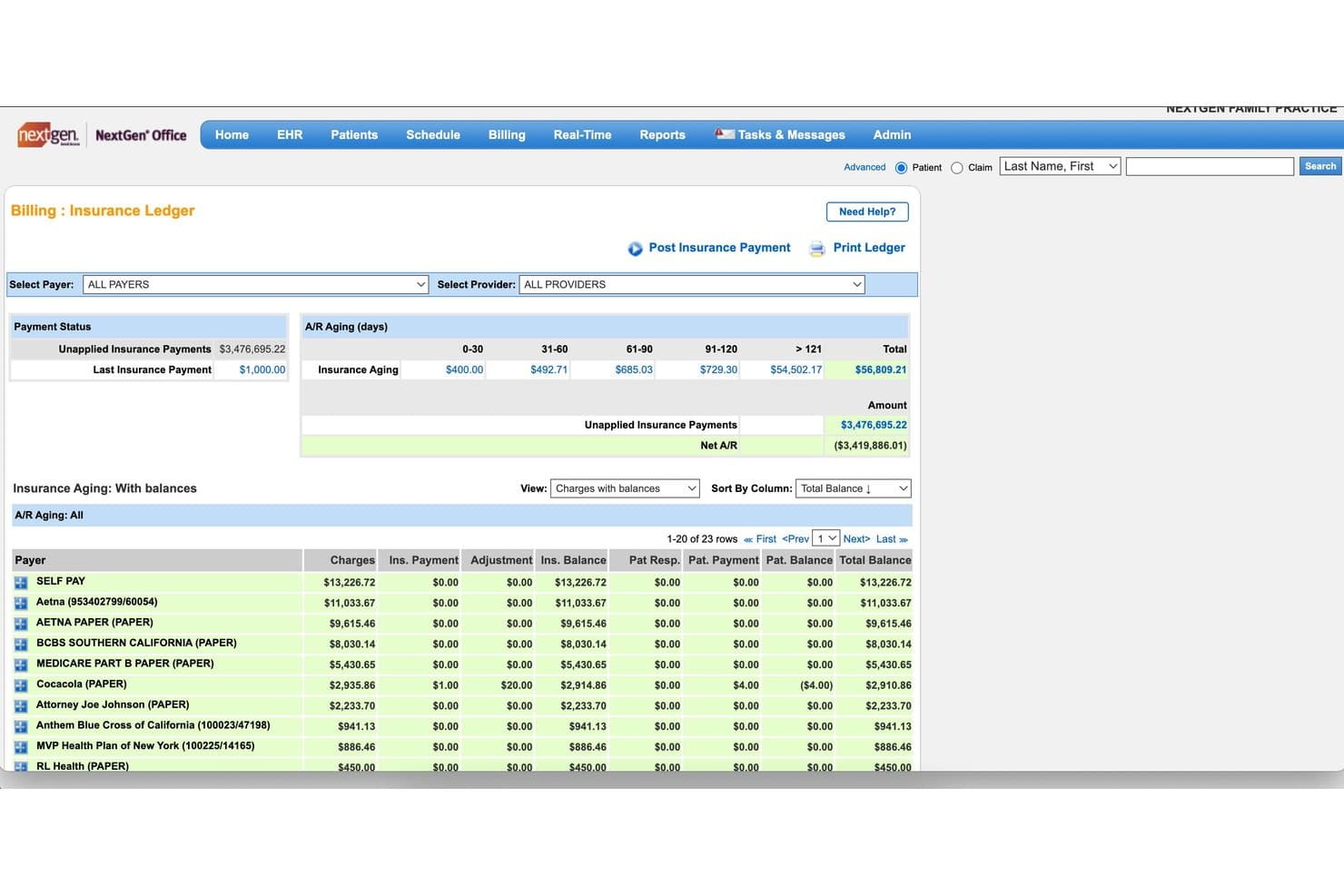
NextGen Office offers an Insurance Ledger with A/R aging breakdowns, unapplied payment tracking, and payer-level balance views for medical billing management. NextGen Office is a cloud-based EHR and practice management platform built for medical billing companies, combining multi-practice claims scrubbing, integrated clearinghouse submission, ERA auto-posting, denial tracking, and A/R management across client practices.
Who Is NextGen Office Best For?
NextGen Office is a strong fit for third-party billing companies managing claims across multiple small-to-mid-size physician practices.
Why I Picked NextGen Office
I picked NextGen Office as one of the best because its Background Business Processor handles automated claims generation, eligibility checks, and statement runs across multiple small practices simultaneously. I like that the integrated clearinghouse comes bundled at no extra cost, so my team isn't paying per-transaction fees when processing high claim volumes. The built-in scrubbing consistently hits first-pass acceptance rates of 95% or higher, which cuts down resubmission time significantly.
NextGen Office Key Features
- Multi-practice management: Lets you manage billing operations for separate provider entities and tax IDs within one platform.
- Automated real-time eligibility checks: Confirms patient benefits and coverage across payers for all client accounts.
- Role-based access controls: Assigns permissions for billing staff and managers by client practice and function.
- Integrated analytics dashboards: Displays KPIs and billing metrics by client for easy performance monitoring.
NextGen Office Integrations
Native integrations include Clearwave, Doctible, Solutionreach, InstaMed, Waystar, Mirth Connect, and OnBase. An API marketplace is available for connecting with third-party applications and building custom integrations.
Pros and Cons
Pros:
- Automated payment posting with ERA support
- Role-based access for multi-client setups
- Multi-practice claim scheduling and automation
Cons:
- System slowdowns during peak submission times
- No branded client-facing billing portal
Learn more about NextGen Office: Best for EHR and revenue cycle management
- Free demo available
- From $499/user/month
Visit WebsiteCustomer Rating:3.4/5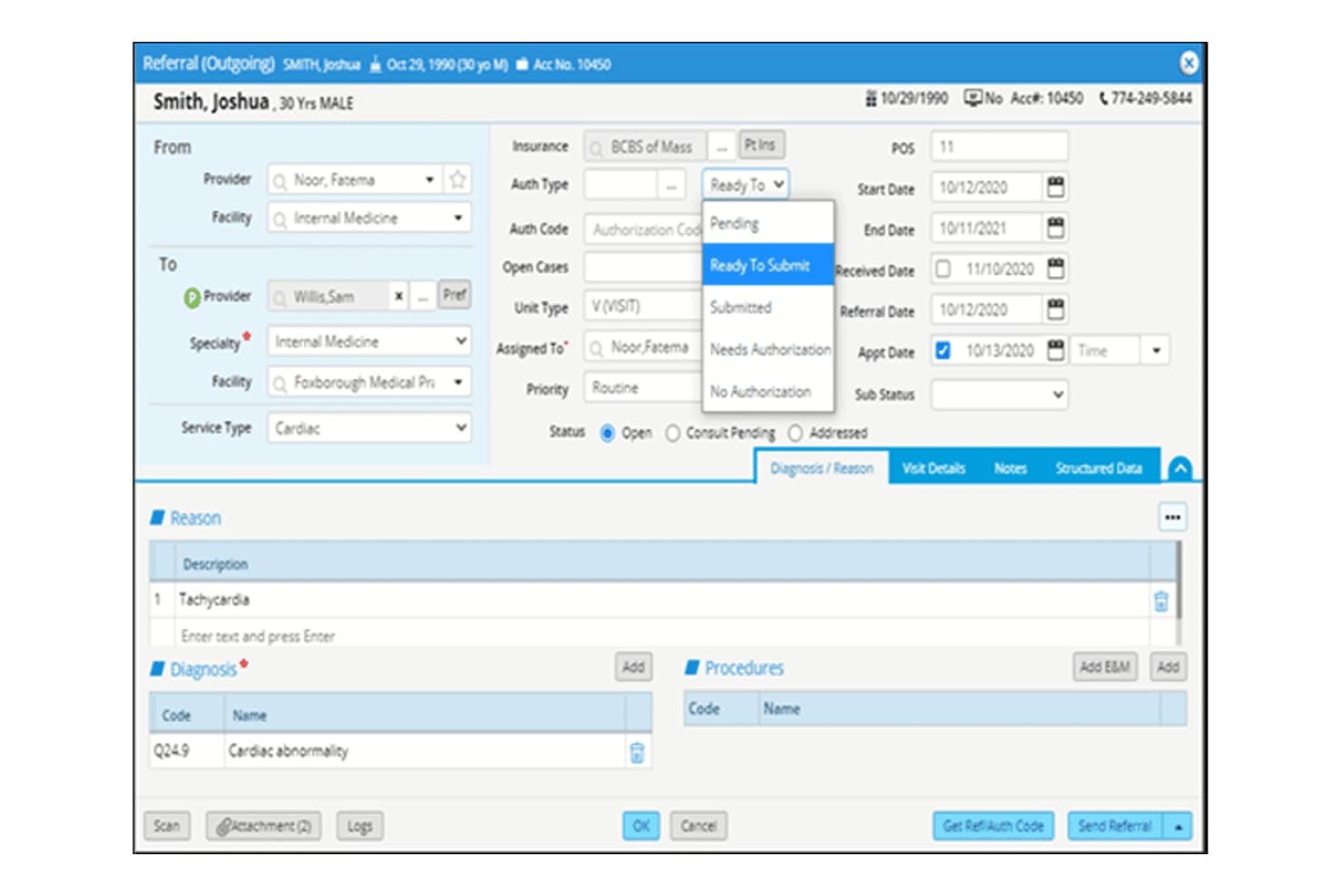
eClinicalWorks offers a detailed outgoing referral form with authorization tracking, diagnosis codes, and submission status options for streamlined medical billing workflows. eClinicalWorks is a cloud-based EHR and RCM platform with Central Billing Office technology built for billing organizations managing claims, denial workflows, and financial operations across multiple client practices from a single system.
Who Is eClinicalWorks Best For?
It's a strong fit for enterprise-scale billing organizations and management services organizations (MSOs) operating Central Billing Offices across multiple client practices.
Why I Picked eClinicalWorks
eClinicalWorks earns its spot on my shortlist because its Central Billing Office (CBO) technology is purpose-built for multi-practice billing operations. I particularly like the Agentic AI for RCM, which generates complete appeal packets, including payer-specific forms and cover letters, in a single click. The RCM Band Dashboard also gives me practice-level financial visibility across every client account without toggling between separate logins or systems.
eClinicalWorks Key Features
- Central Billing Office interface: Lets you onboard and manage billing for multiple client practices within a single environment.
- Practice-level RCM dashboards: Gives users access to real-time financial data, claim statuses, and collection metrics by provider or practice.
- Batch eligibility verification: Allows you to check insurance eligibility for batches of patients across unlimited payers simultaneously.
- Automated EOB to ERA conversion: Converts paper or pdf explanations of benefits into electronic remittance advice for faster payment posting.
eClinicalWorks Integrations
eClinicalWorks offers native integrations with the Sunoh.ai AI medical scribe, healow patient engagement suite, and connects to nationwide health data exchange networks CommonWell and Carequality. An API is available for custom integrations.
Pros and Cons
Pros:
- Practice-level dashboards for client account monitoring
- AI-driven denial management and claim review
- Central Billing Office supports multi-client workflows
Cons:
- Occasional slow response times during updates
- No white-labeled client portal option
Learn more about eClinicalWorks:
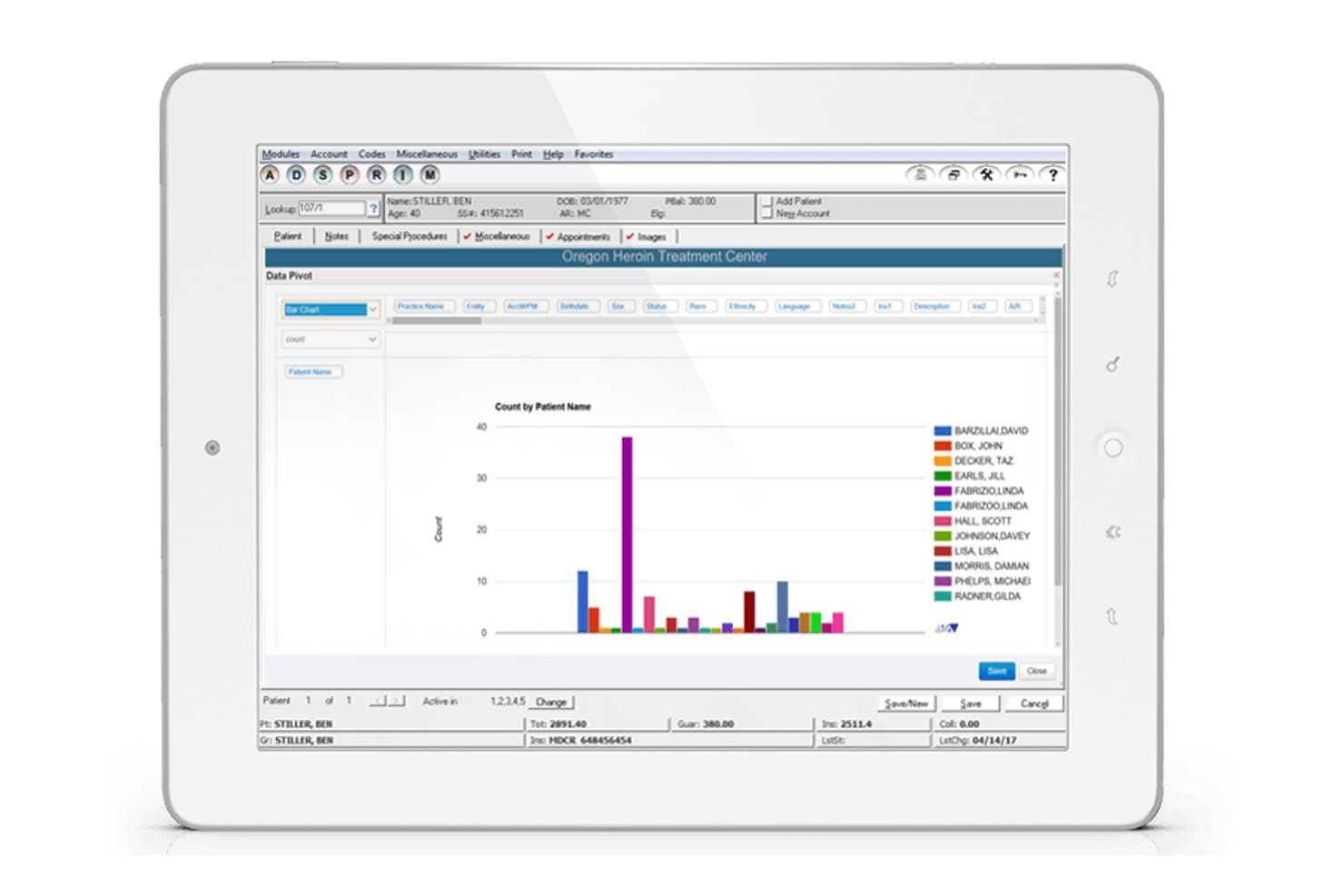
ADSC offers a Data Pivot bar chart report view within its practice management module, displaying patient count analytics for a treatment center. ADSC is a medical billing and RCM platform built for specialty-focused billing companies, combining AI-driven claim scrubbing, multi-specialty workflow management, and outsourced billing services across dermatology, labs, urology, and behavioral health.
Who Is ADSC Best For?
ADSC is a strong fit for third-party billing companies managing high claim volumes across multiple medical specialties from a single platform.
Why I Picked ADSC
I picked ADSC as one of the best because its specialty depth is genuinely hard to find in a wholesale billing platform. MedicsPremier ships with specialty-specific billing templates, including MOHS surgery workflows, cosmetic service scheduling, and retail inventory tracking for dermatology practices, so billing companies don't need to build those configurations from scratch. I also like the AI Rules Engine, which consistently drives clean claim rates to 99% on first pass across multiple specialties.
ADSC Key Features
- Automated eligibility verification: Instantly checks patient insurance across multiple payers to reduce rejected claims.
- Role-based multi-client management: Supports multiple practices with separate NPIs and tax IDs under distinct user permissions.
- Real-time claim tracking: Lets billing teams monitor claim statuses and clearinghouse acknowledgments centrally.
- Integrated telemedicine billing: Includes tools for processing virtual visits and remote patient monitoring in addition to standard claims.
ADSC Integrations
ADSC offers native integrations with ChangeHealthcare for clearinghouse services and supports HL7 and FHIR-based connectivity to third-party EHR systems. An API is available for custom integrations.
Pros and Cons
Pros:
- High-volume claim and ERA automation
- AI-driven claim scrubbing and denial alerts
- Specialty workflows for dermatology and labs
Cons:
- No branded client portals for billing clients
- Client reporting tools can feel outdated
Learn more about ADSC: 6Best for affordable integrated medical billing
RXNT
- Free demo available
- From $335/month(billed annually)
Visit WebsiteCustomer Rating:4.3/5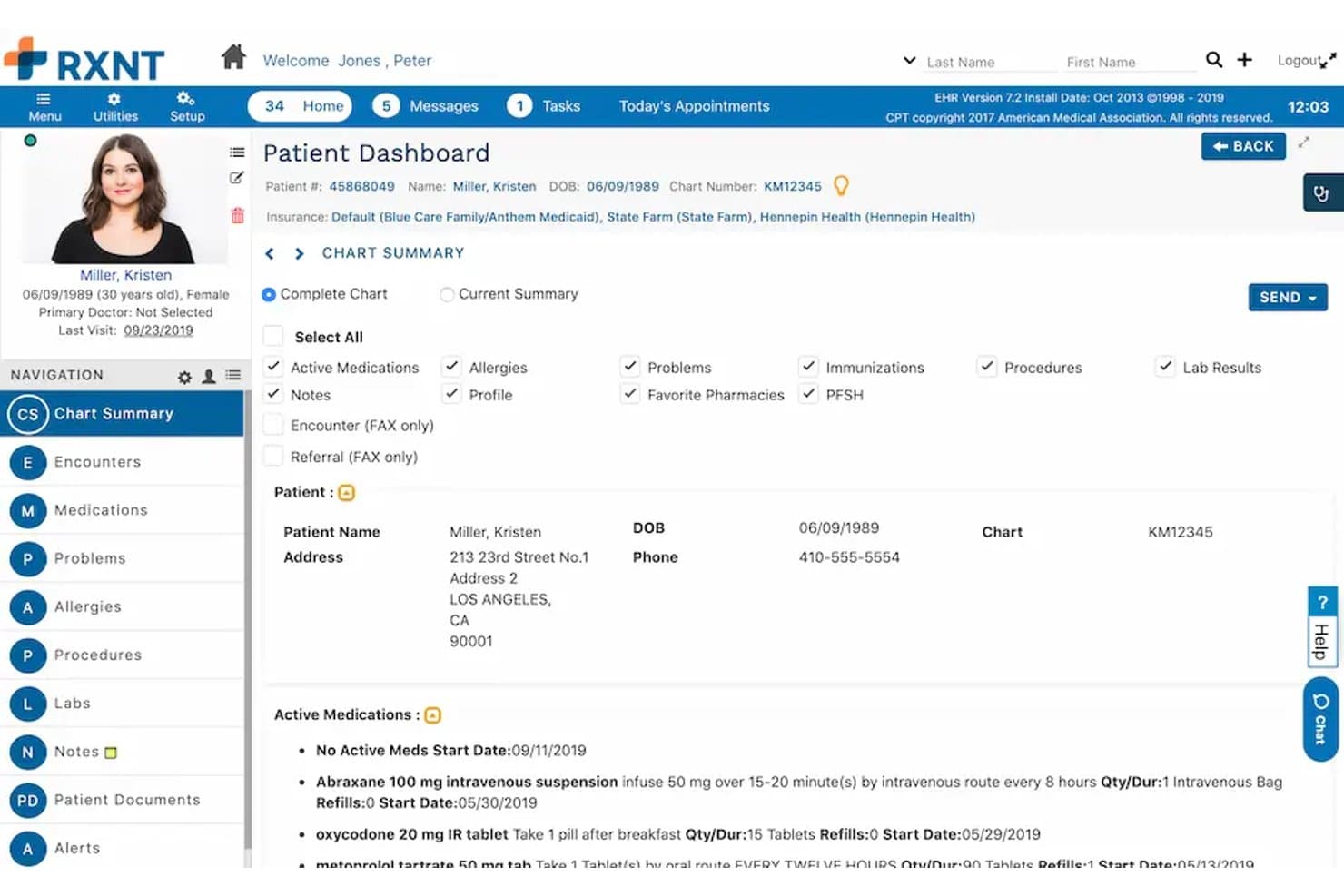
RXNT offers a detailed Patient Dashboard with active medications, insurance info, chart summary, and patient demographics in its EHR portal. RXNT is a cloud-based medical billing platform built for third-party billing companies, offering centralized billing office management, integrated clearinghouse claim submission, denial management, and multi-provider charge capture.
Who Is RXNT Best For?
RXNT is a strong fit for small to mid-sized third-party billing companies that need an affordable, all-in-one platform to manage multiple provider clients without separate clearinghouse costs.
Why I Picked RXNT
I've included RXNT in my top picks because it's one of the few billing platforms that explicitly builds for third-party billing companies rather than treating them as an afterthought. The built-in clearinghouse means my team doesn't pay for a separate service to submit claims or download remittances across multiple client practices. The Centralized Billing Office reporting, included at no extra cost, lets me benchmark client productivity and pull per-practice revenue reports without additional licensing.
RXNT Key Features
- Bulk charge uploader: Import and process unbilled charges in bulk to support high-volume claim generation for multiple clients.
- Centralized Billing Office (CBO) reporting: Access productivity and revenue benchmarking tools across all managed client practices.
- Integrated mobile charge capture: Use iOS and Android apps to capture procedure, diagnosis, and modifier codes while on the go.
- Field-level customizable reporting: Configure reports on any billing data field without affecting others for tailored analytics.
RXNT Integrations
RXNT offers native integration across its own suite, including practice management, EHR, e-prescribing, and patient portal modules, and has a built-in clearinghouse for claim submission and remittance. An API is available for custom integrations.
Pros and Cons
Pros:
- Centralized reporting for all managed clients
- Built-in clearinghouse with automated ERA posting
- Unlimited claims for multiple client practices
Cons:
- Batch actions limited compared to competitors
- No white-labeled client portal for practices
Learn more about RXNT: Best for cloud-based medical billing
- Free demo available
- Pricing upon request
Visit WebsiteCustomer Rating:4.1/5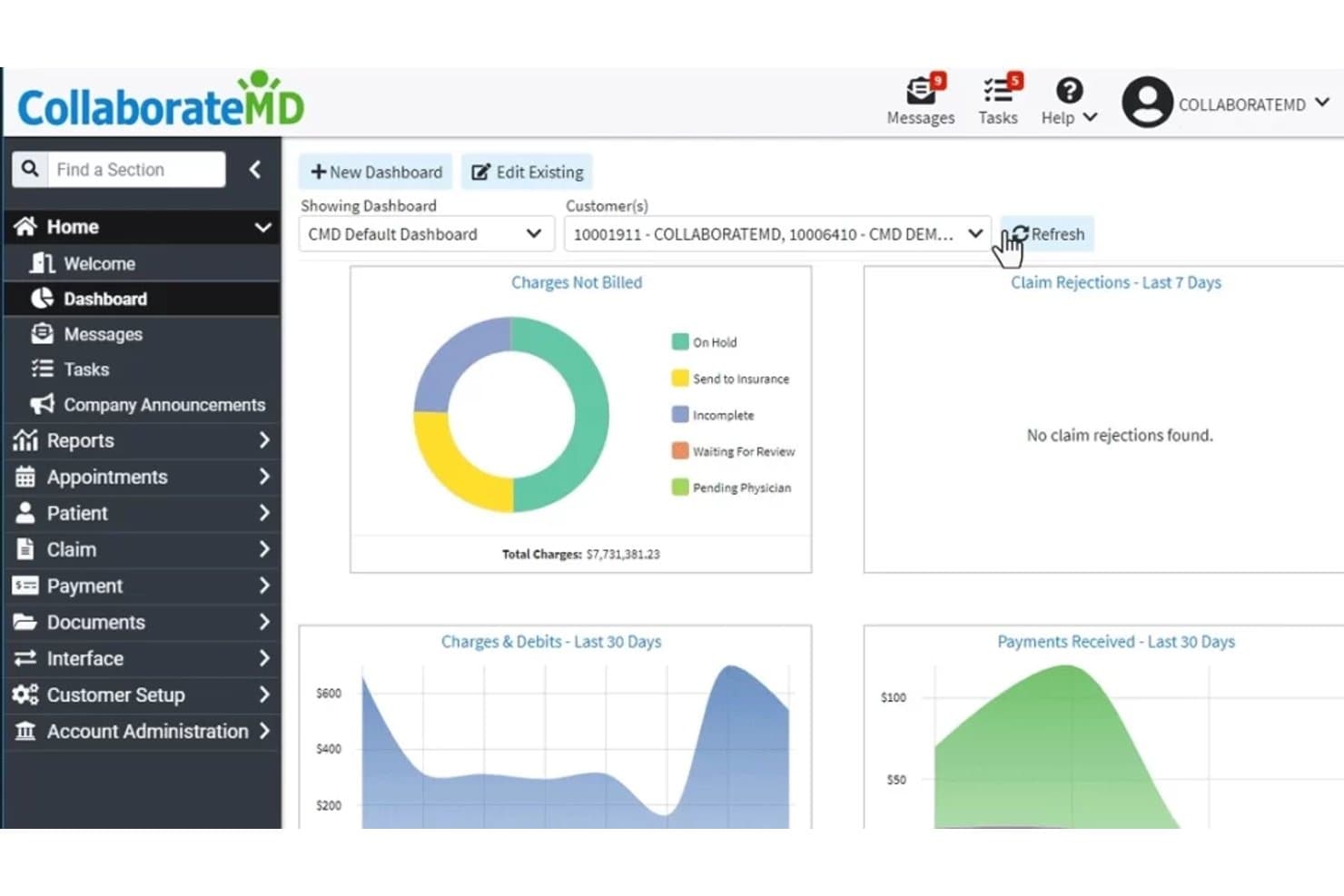
CollaborateMD offers a centralized billing dashboard displaying charges not billed, claim rejections, charges & debits, and payments received over customizable time periods. CollaborateMD is a cloud-based medical billing and practice management platform built for third-party billing services and independent practices, offering multi-client claim submission, ERA auto-posting, denial management, and real-time eligibility verification.
Who Is CollaborateMD Best For?
CollaborateMD is a strong fit for small to midsize third-party billing companies managing multiple provider clients across a range of specialties.
Why I Picked CollaborateMD
CollaborateMD earns its spot on my shortlist because it's one of the few platforms with a dedicated billing-service SKU built specifically for third-party companies managing multiple clients. I particularly like the built-in clearinghouse with Level 2 claim edits running in real time, which means my team catches errors before claims go out. The AI-powered Intelligent Claim Rejection Support translates payer rejection codes into plain-language next steps, cutting the back-and-forth on denials across client accounts.
CollaborateMD Key Features
- Multi-tax ID management: Supports adding unlimited tax IDs for separate client practices in a single account.
- Customizable analytics and reporting: Offers 125+ report templates with drag-and-drop customization for client-specific financial tracking.
- Batch eligibility verification: Delivers real-time insurance eligibility checks across multiple payers for all managed clients.
- Unlimited user licensing: Allows growing billing teams to add as many staff accounts as needed without extra per-user fees.
CollaborateMD Integrations
CollaborateMD offers native integrations with Practice Fusion, Elation, Amazing Charts, Hello Health, Kipu, Medical Mime, Praxis EMR, PrognoCIS, Ritten, Sevocity, WebPT, and Alleva. An API is available for custom integrations.
Pros and Cons
Pros:
- Unlimited users for large billing teams
- Multi-tax ID handling for client practices
- Real-time claim editing and submission
Cons:
- No predictive denial analytics
- No provider-branded client portal
Learn more about CollaborateMD: Best for multi-specialty practices
- Free demo available
- Pricing upon request
Visit WebsiteCustomer Rating:4.1/5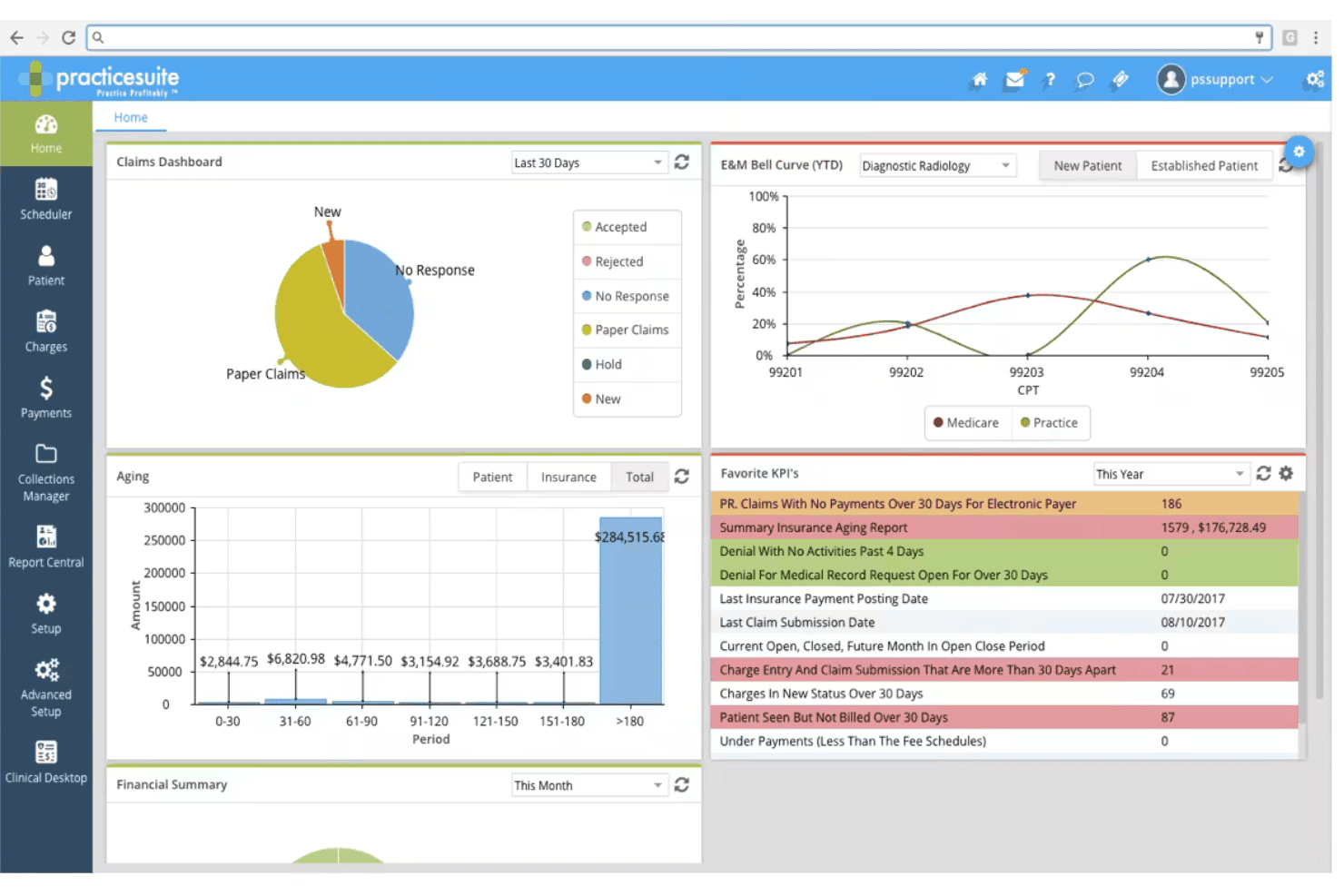
PracticeSuite spans claims, denials, ERA posting, eligibility, and billing. PracticeSuite is a cloud-based medical billing platform built for third-party billing companies, with multi-client claim management, denial tracking, ERA processing, and RCM tools spanning 150+ specialties.
Who Is PracticeSuite Best For?
PracticeSuite suits third-party billing companies managing diverse client rosters across multiple medical specialties from a single platform.
Why I Picked PracticeSuite
PracticeSuite earns its spot on my shortlist because of how well it handles specialty diversity across a client roster. I've worked with billing companies that serve everything from behavioral health to orthopedics, and PracticeSuite's support for 150+ specialties, including UB04 and Workers' Comp, means I'm not patching together separate tools per client. I also like the AI-driven pre-submission denial review, which catches claim issues before they reach the clearinghouse.
PracticeSuite Key Features
- Multi-client dashboard: Lets billers switch between client accounts and manage high claim volumes from a single login.
- Batch eligibility verification: Runs insurance checks on patients across multiple practices at once.
- Role-based access controls: Segregates access for staff, ensuring only authorized users see specific client data.
- Integrated ERA auto-posting: Reconciles payments automatically across client accounts with tools for exception handling.
PracticeSuite Integrations
PracticeSuite offers native integrations with Practice Fusion, Opus EHR, Elation, MicroMD, and Hello Health. An API is available for custom integrations, and the platform supports FHIR and Meaningful Use APIs for interoperability.
Pros and Cons
Pros:
- Robust denial tracking and resolution workflows
- Handles billing for 150+ medical specialties
- Dedicated third-party billing company dashboard
Cons:
- Custom report design can require vendor input
- Client-facing white-label portals are limited
Learn more about PracticeSuite: Best for automated billing and claims management
- 30-day free trial + free demo available
- From $130/user/month
Visit WebsiteCustomer Rating:3.6/5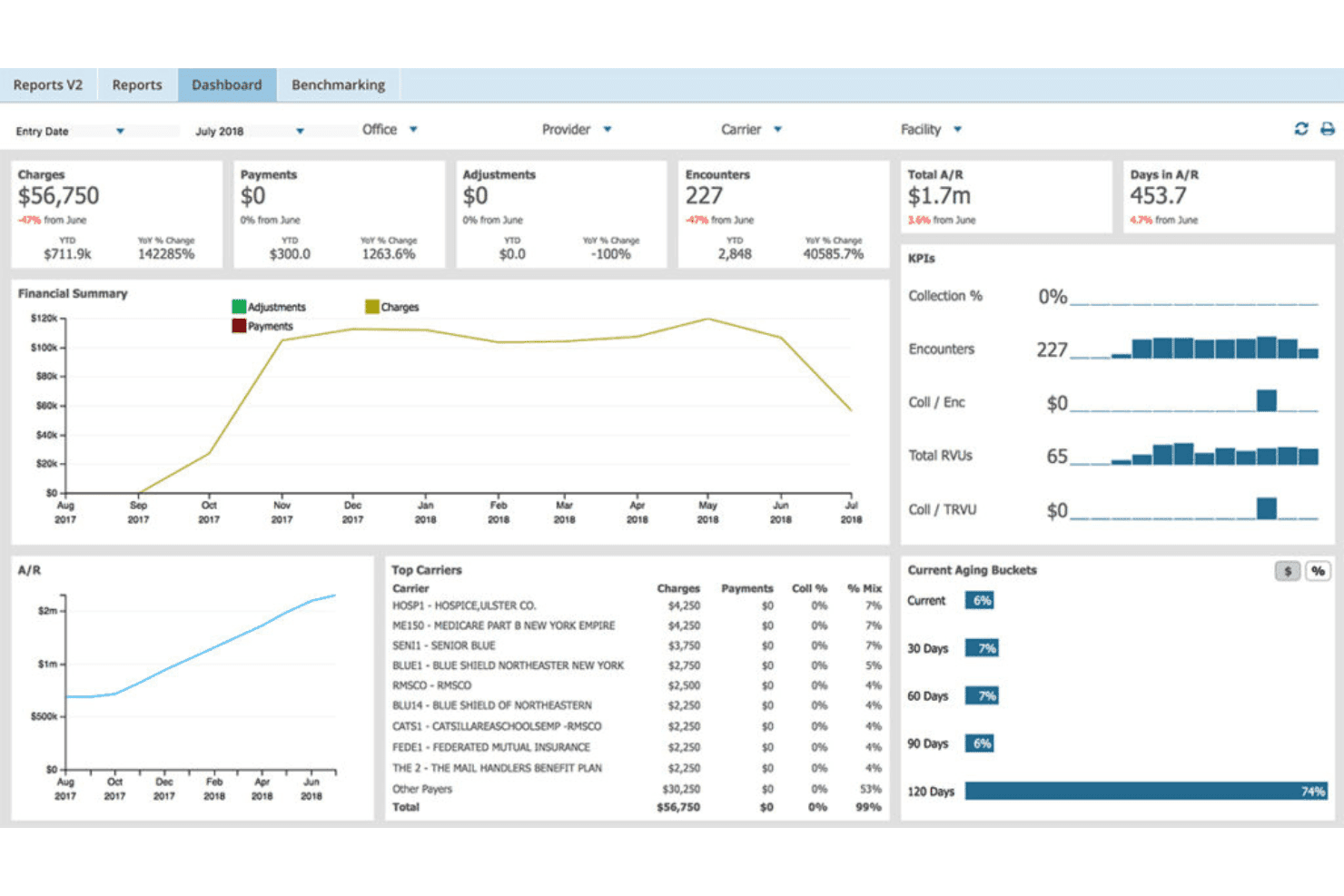
AdvancedMD unites EMR, documentation, billing, claims, eligibility, and RCM. AdvancedMD is a cloud-based medical billing platform built for third-party billing companies, offering multi-client management, automated claims scrubbing, ERA auto-posting, denial tracking, and client-facing KPI reporting from a centralized system.
Who Is AdvancedMD Best For?
AdvancedMD is a strong fit for independent billing companies and RCM firms managing high claim volumes across a growing roster of physician clients.
Why I Picked AdvancedMD
I picked AdvancedMD as one of the best because its proprietary Claim Inspector scrubs each claim against CCI, HIPAA, LCD, and carrier-specific rules before submission, which is what drives its 95% first-pass acceptance rate. In practice, that means my team is catching errors before they ever reach the clearinghouse. The auto-generated collection worklists in the Claims Center also keep denial follow-up moving across every client account without manual triage.
AdvancedMD Key Features
- Centralized billing office (CBO): Manage multiple provider clients from one login with role-based access for each client account.
- Drag-and-drop KPI dashboards: Build tailored reporting views for A/R, reimbursement, and collections by client or provider.
- Built-in clearinghouse connectivity: Access more than 1,800 payors with integrated ERA, EFT, and eligibility verification tools.
- AdvancedBiller Marketplace listing: List your billing company to attract physician clients looking for outsourced RCM partners.
AdvancedMD Integrations
AdvancedMD offers native integrations with 1,800+ payors through its built-in clearinghouse, Amazon Web Services (AWS) for cloud hosting, and supports custom integrations via API.
Pros and Cons
Pros:
- Automated claim scrubbing against payer-specific rules
- Customizable reporting for each client account
- Centralized billing office supports unlimited clients
Cons:
- No true white-label client portal experience
- Payment posting workflow is sometimes cumbersome
 Best for independent practice billing
- Free demo available
- Pricing upon request
Visit WebsiteCustomer Rating:3.9/5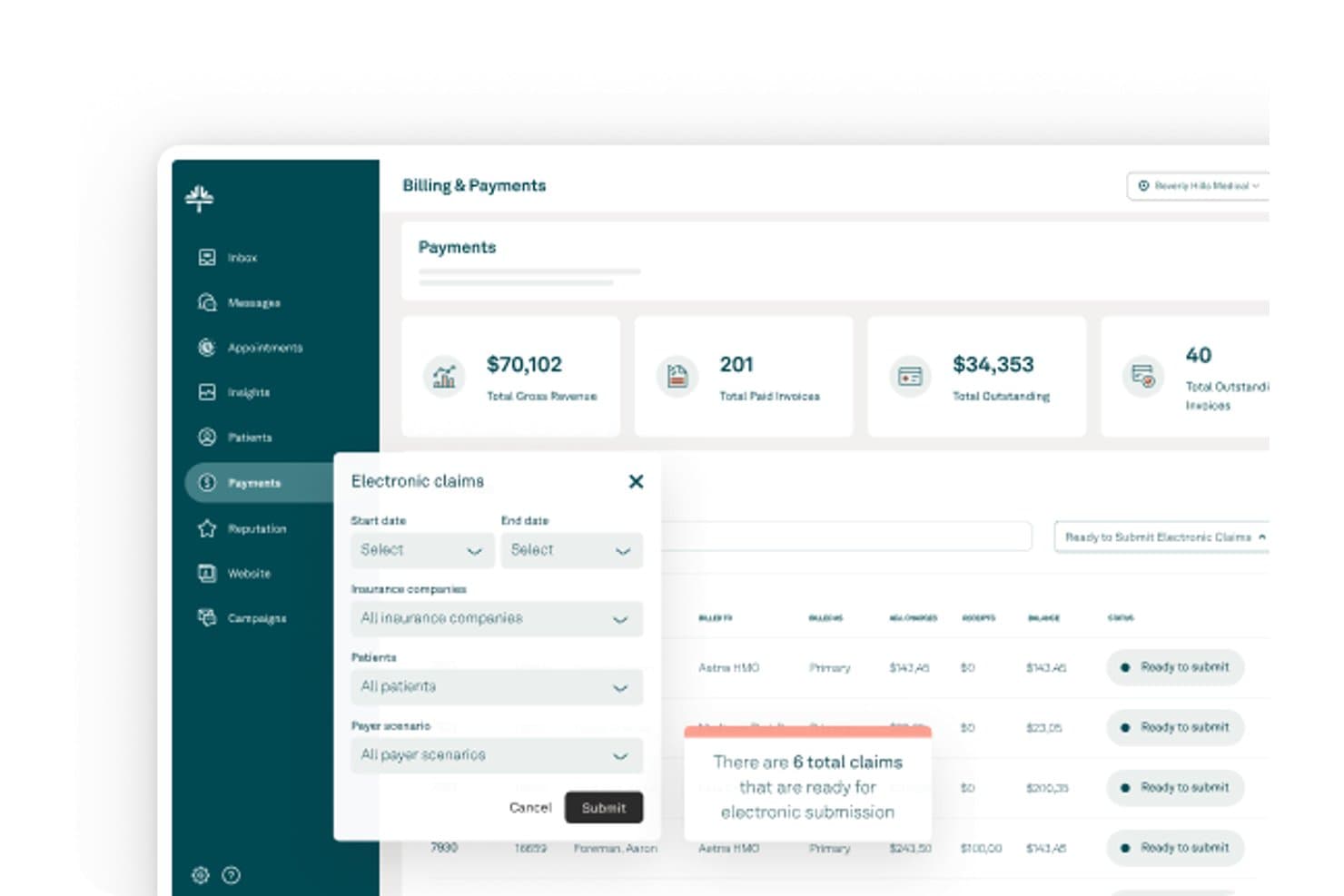
Kareo (Tebra) offers an Electronic Claims submission interface within its Billing & Payments dashboard, displaying revenue totals, invoice counts, and claim filtering options. Kareo (Tebra) is a medical billing platform built for independent practices and third-party billing companies, offering multi-client claim submission, ERA auto-posting, eligibility verification, and denial management across multiple provider accounts.
Who Is Kareo (Tebra) Best For?
Kareo (Tebra) is a strong fit for third-party billing companies that manage billing operations across multiple independent physician practices from a single platform.
Why I Picked Kareo (Tebra)
I picked Kareo (Tebra) as one of the best because its dedicated billing company track is purpose-built for managing multiple independent practices from a single account. I particularly like the multi-client dashboard, which surfaces per-office action items across all your accounts the moment you log in. The payer-specific rule engine covers 2,700+ payers, and RPA auto-posts ERAs and unapplied payments using configurable business rules per client.
Kareo (Tebra) Key Features
- Multi-payer eligibility verification: Instantly checks insurance coverage with real-time and batch eligibility tools spanning 2,700+ payers.
- Customizable reporting tools: Lets billing teams analyze financials, A/R, and claim status by individual client or across the entire book of business.
- Integrated patient payments: Accepts online, in-office, and card-on-file payments with automated billing statements linked directly to payment options.
- Provider-specific fee schedules: Supports unique charge structures and fee schedules for each provider or client in a multi-entity billing environment.
Kareo (Tebra) Integrations
Kareo (Tebra) offers native integrations with third-party EHRs via HL7 and FHIR, supports direct claim submission to 2,700+ payers, and connects with Appriss Health for PDMP compliance. An API is available for custom integrations.
Pros and Cons
Pros:
- Robust payer rules engine reduces submission errors
- Multi-client claim batching and tracking tools
- Purpose-built dashboard for billing companies
Cons:
- No branded client-facing portals
- Limited custom reporting for billing clients
Learn more about Kareo (Tebra):
Diğer Toptan Tıbbi Faturalandırma Yazılımları
Kısa listeme giremeyen, ancak yine de göz atmaya değer bazı ek toptan tıbbi faturalandırma yazılımı seçenekleri şunlardır:
- 11Cognizant TriZetto Provider SolutionsBest for enterprise revenue cycle workflows
- 12AthenahealthBest for network-enabled billing and collections
- 13DrChronoBest for mobile EHR and medical billing workflows
- 14CareCloudBest for outsourced billing and revenue services
- 15MEDISOFTBest for established medical billing offices
- 16AllegianceMDBest for automated claims and payment posting
- 17MicroMDBest for integrated practice management
- 18LytecBest for practice billing and claims processing
How I Evaluate Wholesale Medical Billing Software
I split my evaluation into baseline requirements—like multi-client data segregation and batch claims scrubbing—and differentiators like denial workflows and white-label client portals.
Core Functionality (Table Stakes for This List)
When I'm selecting tools for my list, I rank each one on a scale from 0 (does not offer the functionality) to 5 (excels in this area) for each core functionality listed below. Then, I calculate the tool's total score into a percentage. Each tool needs to achieve a minimum total score of 65% to be considered for inclusion.
- Multi-Client Management: I check whether you can manage separate NPIs, tax IDs, and fee schedules per client practice without data bleeding between accounts.
- Claims Scrubbing & Submission: I look for rule-based scrubbing and batch submission across multiple clearinghouses—key when your clients span different payer mixes.
- ERA/EOB Processing: Auto-posting remittances across dozens of client accounts with reconciliation matters more here than in single-practice billing setups.
- Denial & A/R Management: I evaluate denial workqueues, aging filters, and follow-up tools that let billing teams prioritize high-dollar claims across a full client book.
- Client Reporting & Portals: Providers expect visibility into their own collections and KPIs, so I look for client-facing dashboards and customizable report templates.
- Multi-Payer Eligibility Verification: Real-time and batch eligibility checks across commercial, Medicare, and Medicaid payers help catch coverage issues before claims go out.
Once I have a list of tools that meet the criteria, I consider what sets each platform apart.
Differentiating Factors (What Sets Vendors Apart)
Here's how I compare and contrast different vendors:
Standout Features
White-label client portals let you offer branded dashboards to each provider, giving them real-time claims status and A/R aging without calling your team. I also look for configurable productivity tracking—staff-level metrics like touches per claim and collection rates tied to specific client accounts help you measure profitability per practice. Denial management workflows with root-cause analytics and appeal templates make a real difference when your team is working hundreds of denials across a diverse client book.
Beyond Features
Pricing structure matters a lot here—I look for per-claim or per-provider models that mirror how billing companies charge their own clients, so margins stay predictable as volume grows. Clearinghouse connectivity is another big factor, especially the ability to work with multiple clearinghouses when onboarding clients who have existing payer relationships. I also evaluate EHR/PM integration breadth, since your client practices likely run different systems and you need HL7, FHIR, or API-based connections to avoid manual charge entry.
Toptan Tıbbi Faturalandırma Yazılımı Nasıl Seçilir?
Uzun özellik listeleri ve karmaşık fiyatlandırma yapıları içinde kaybolmak kolaydır. Kendinize özgü yazılım seçim sürecinizde ilerlerken odaklanmanıza yardımcı olmak için göz önünde bulundurmanız gereken faktörleri içeren bir kontrol listesi aşağıdadır:
| Faktör | Dikkat Edilmesi Gerekenler |
| Ölçeklenebilirlik | Platform, büyük geçiş sorunları yaşatmadan onlarca veya yüzlerce müşteri muayenehanesine ulaşan büyümenizi destekleyebilir mi? |
| Entegrasyonlar | Yazılım, müşterilerinizin hâlihazırda kullandığı EHR/PM sistemlerine sorunsuz şekilde bağlanabilir mi ve yeni sistemleri kolayca destekleyebilir mi? |
| Özelleştirilebilirlik | İş akışlarını, kullanıcı rollerini ve marka kimliğini iş modelinizi ve müşterilerinizi farklılaştırma gereksinimlerinizi yansıtacak şekilde uyarlayabilir misiniz? |
| Kullanım kolaylığı | Yeni faturalandırma personelinin veya müşteri irtibat kişilerinin kapsamlı bir eğitim alması gerekir mi, yoksa günlük arayüz açık ve sezgisel mi? |
| Uygulama ve başlangıç süreci | Veri geçişi, takas odasına kaydolma ve müşterilerin kullanıma geçirilmesi de dâhil olmak üzere kurulum ne kadar sürer? Uzman yardımı mevcut mu? |
| Maliyet | Fiyatlandırma katmanları şeffaf mı ve müşterilerinize faturalandırma şeklinizle (talep başına, sağlayıcı başına veya tahsil edilen tutarın yüzdesi) uyumlu mu? |
| Güvenlik önlemleri | Sağlayıcı HIPAA gerekliliklerini karşılıyor, denetim kayıtları sunuyor ve tüm müşteri verileri için sıkı kullanıcı denetimlerini destekliyor mu? |
| Destek erişilebilirliği | Telefon, sohbet ve e-posta gibi hangi kanallar sunuluyor ve ekibinizin en çok ihtiyaç duyduğu zamanlarda hızlı yanıt veren destek mevcut mu? |
Toptan Tıbbi Faturalandırma Yazılımı Nedir?
Toptan tıbbi faturalandırma yazılımı, aynı anda birden fazla sağlık hizmeti müşterisi için talepleri, ödemeleri ve raporlamayı yöneten faturalandırma şirketleri için geliştirilmiş özel bir platformdur. Bu sistemler, ayrı müşteri hesaplarını yönetmenize, taleplerin temizlenmesini ve gönderilmesini otomatikleştirmenize ve müşterilere yönelik raporlar sunmanıza olanak tanır; tüm bunları tek bir oturum açma üzerinden gerçekleştirerek ölçeklenebilir, yüksek hacimli tıbbi faturalandırma operasyonları için ideal bir çözüm sağlar.
Özellikler
Toptan tıbbi faturalandırma yazılımı seçerken aşağıdaki temel özelliklere dikkat edin:
- Çoklu müşteri yönetimi: Her müşteri için ayrı sağlayıcı hesaplarını, NPI'ları ve verileri yönetin; böylece tek bir panodan birden fazla muayenehaneye hizmet verebilirsiniz.
- Otomatik talep temizleme: Talepler gönderilmeden önce hataları işaretlemek ve retleri azaltmak için talepleri ödeyici kurallarına göre önceden doğrulayın.
- Toplu talep gönderimi: Farklı müşteriler ve ödeyiciler için talepleri toplu olarak göndererek zamandan tasarruf edin ve tekrarlayan görevleri en aza indirin.
- ERA/EOB otomatik kaydı: Daha az manuel adımla tüm müşteri hesaplarındaki elektronik ödemeleri otomatik olarak alın, kaydedin ve mutabakatını yapın.
- Ret takibi ve iş akışları: Talep retlerini takip edin, nedenlerine göre kategorilere ayırın ve daha hızlı çözüm için takip görevlerini veya itirazları tetikleyin.
- Özel müşteri raporlaması: Her müşteri için onların özel ihtiyaçlarına göre uyarlanmış, markalı finans, tahsilat ve A/R raporları oluşturun ve paylaşın.
- Müşterilere yönelik portallar: Müşterilere güvenli bir çevrimiçi portal üzerinden gerçek zamanlı talep durumuna, finansal KPI'lara ve raporlara istedikleri zaman erişim olanağı sunun.
- Uygunluk doğrulama araçları: Talep doğruluğunu artırmak için birden fazla ödeyici ve müşteri genelinde hasta sigortası uygunluğunu gerçek zamanlı olarak kontrol edin.
- Role dayalı izinler: Ayrıntılı, kullanıcı tabanlı güvenlik ayarlarıyla erişim düzeylerini ve müşteri verilerinin ayrıştırılmasını kontrol edin.
- Entegre takas odası bağlantısı: Platformdan ayrılmadan talep gönderimleri, durum güncellemeleri ve ERA alımı için çok çeşitli ödeyicilere bağlanın.
Faydalar
Toptan tıbbi faturalandırma yazılımını uygulamak, ekibiniz ve işletmeniz için çeşitli faydalar sağlar. Yararlanabileceğiniz bazı faydalar şunlardır:
- Merkezi müşteri yönetimi: Her biri farklı iş akışlarına ve verilere sahip birden fazla müşteri muayenehanesini tek bir güvenli platformdan kolayca yönetin.
- Daha yüksek talep doğruluğu: Otomatik temizleme ve gerçek zamanlı uygunluk kontrolleri hataları azaltır ve ilk gönderimde talep onay oranlarını artırır.
- Daha hızlı ödemeler: ERA/EOB otomatik kaydı ve kolaylaştırılmış ret takibi, tüm müşteriler genelinde tahsilatları ve ödeme döngülerini hızlandırmanıza yardımcı olur.
- Markalı müşteri deneyimleri: Özel portallar ve raporlama panoları, müşterilerinize performans ve finansal analizlere anında ve istedikleri zaman erişim olanağı sunar.
- Büyüdükçe ölçeklenebilirlik: Toplu işleme, çok kiracılı mimari ve kullanıcı tabanlı izinler, manuel işi artırmadan daha fazla müşteri hesabı eklemenize olanak tanır.
- Daha iyi üretkenlik takibi: Yapılandırılabilir ölçümler, personel performansını izlemenize ve her müşteri ya da ekip üyesi için faturalandırma süreçlerini optimize etmenize olanak tanır.
- Geliştirilmiş uyumluluk: Yerleşik role dayalı güvenlik, denetim izleri ve HIPAA'ya hazır altyapı, tüm sağlayıcı müşterilerinin hassas verilerinin korunmasına yardımcı olur.
Maliyetler ve Fiyatlandırma
Toptan tıbbi faturalandırma yazılımı seçmek, mevcut çeşitli fiyatlandırma modellerinin ve planların anlaşılmasını gerektirir. Maliyetler özelliklere, ekip büyüklüğüne, eklentilere ve diğer unsurlara göre değişir. Aşağıdaki tabloda yaygın planlar, ortalama fiyatları ve toptan tıbbi faturalandırma yazılımı çözümlerinde genellikle sunulan özellikler özetlenmektedir:
Toptan Tıbbi Faturalandırma Yazılımı İçin Plan Karşılaştırma Tablosu
| Plan Türü | Ortalama Fiyat | Yaygın Özellikler |
| Ücretsiz Plan | $0 | Temel talep takibi, sınırlı çoklu müşteri desteği, standart raporlama ve e-posta desteği. |
| Kişisel Plan | $40–$100/kullanıcı/ay | Çoklu müşteri yönetimi, talep temizleme araçları, standart takas odası bağlantısı ve sınırlı müşteri raporlaması. |
| İşletme Planı | $120–$250/kullanıcı/ay | Toplu gönderimler, ERA/EOB otomatik kaydı, markalı müşteri portalları, temel ret iş akışları ve entegrasyonlar. |
| Kurumsal Plan | $300–$600+/kullanıcı/ay | Tam çok kiracılı kurulum, özel iş akışları, gelişmiş güvenlik, üretkenlik takibi, API erişimi ve işe alıştırma desteği. |
Toptan Tıbbi Faturalandırma Yazılımı Hakkında SSS
Toptan tıbbi faturalandırma yazılımı hakkında sık sorulan bazı soruların yanıtlarını burada bulabilirsiniz:
Toptan tıbbi faturalandırma yazılımı, tekil muayenehanelere yönelik yazılımlardan nasıl farklıdır?
Toptan tıbbi faturalandırma yazılımı, sağlık hizmeti sağlayıcıları, distribütörler ve eczane operasyonları dâhil olmak üzere birden fazla müşterinin faturalandırmasını yöneten şirketler için geliştirilmiştir. Tek bir platform üzerinden çoklu müşteri veri ayrıştırma, toplu talep işleme, müşteriye özel raporlama, eczane faturalandırma yazılımı iş akışları ve stok kontrolü özelliklerini içerir; bu özellikler genellikle tekil muayenehanelere yönelik araçlarda bulunmaz.
Müşteri verilerini başka bir faturalandırma sisteminden taşıyabilir misiniz?
Evet, çoğu çözüm; hasta demografik bilgilerini, açık alacak hesaplarını, geçmiş talepleri, distribütör verilerini, eczane faturalandırma yazılımı kayıtlarını, stok kontrolü bilgilerini ve son kullanma tarihi yönetimi verilerini önceki platformlardan aktarmak için taşıma hizmetleri veya araçları sunar. Desteklenen veri formatlarını teyit ettiğinizden ve karmaşık ya da yüksek hacimli taşımalar için sağlayıcının destek ekibine danıştığınızdan emin olun.
Toptan tıbbi faturalandırma yazılımında hangi entegrasyonları aramalıyım?
HL7, FHIR veya API’leri kullanan EHR ve muayenehane yönetimi entegrasyonlarına, ayrıca takas merkezi ve sigorta ödeyicisi bağlantılarına odaklanın. Müşterileriniz çeşitli uzmanlık alanlarına veya genel sağlık hizmeti sistemlerine sahip olduğunda entegrasyon kapsamı önem kazanır.
Müşteri portallarını ve raporlarını beyaz etiketli hâle getirmek mümkün mü?
Evet, önde gelen toptan faturalandırma yazılımı platformları, portalları ve raporları işletmenizin kimliğiyle markalandırmanıza olanak tanıyan beyaz etiket seçenekleri sunar. Birçoğu ayrıca distribütörleri, eczane faturalandırma yazılımını, stok kontrolünü, son kullanma tarihi yönetimini, GST faturalandırmasını ve son kullanma tarihi uyarılarını destekler. Bu, hizmetinize operasyonel değer katarken müşteri ilişkilerini güçlendirmenize yardımcı olur.
Tüm planlarda güvenlik ve HIPAA uyumluluğu özellikleri bulunur mu?
Hayır, çoğu sağlayıcı HIPAA güvenliğini ele alsa da denetim izleri, rol tabanlı izinler ve imzalı BAA’lar gibi gelişmiş özellikler genellikle üst düzey planlara ayrılır. Çevrim içi siparişleri, ilaç faturalandırma yazılımı veya ilaç toptan ve perakende dağıtım işletmesi iş akışlarını yöneten işletmeler için seçim yapmadan önce her planın işlem, stok, faturalandırma ve müşteri verilerini nasıl koruduğunu incelemek de önemlidir.