

Sightview Review: Pros, Cons, Features and Pricing
I look beyond Sightview’s EMR feature list to weigh its strengths, trade-offs, and pricing—and whether it’s a practical fit for your practice.

We review tools independently, and commissions help fund our testing. See our transparency policy, our methodology, or suggest a tool.
Sightview is EMR software built for eye care, with workflows for ophthalmology and optometry. I’d consider it for a practice that needs eye-specific tools for documentation, diagnostic imaging, surgical planning, scheduling, and billing. Compared with a general-purpose platform like Epic, Sightview is the stronger fit when your team wants clinical workflows designed specifically around eye care.
Sightview Evaluation Summary
3.3/5
- Pricing upon request
- Free demo available
Why Trust Our Software Recommendations
6,700+
Reviews
20
Industry experts
16+
Evaluation factors
14
Years
Our team has been testing and reviewing software since 2012. As medical practice leaders ourselves, we know how difficult—and important—it is to choose the right software.
For this guide, we evaluated tools using hands-on testing and independent research, scoring tools using our selection criteria.
Our reviews reflect our human editorial judgment, not a sales pitch.
Sightview Overview
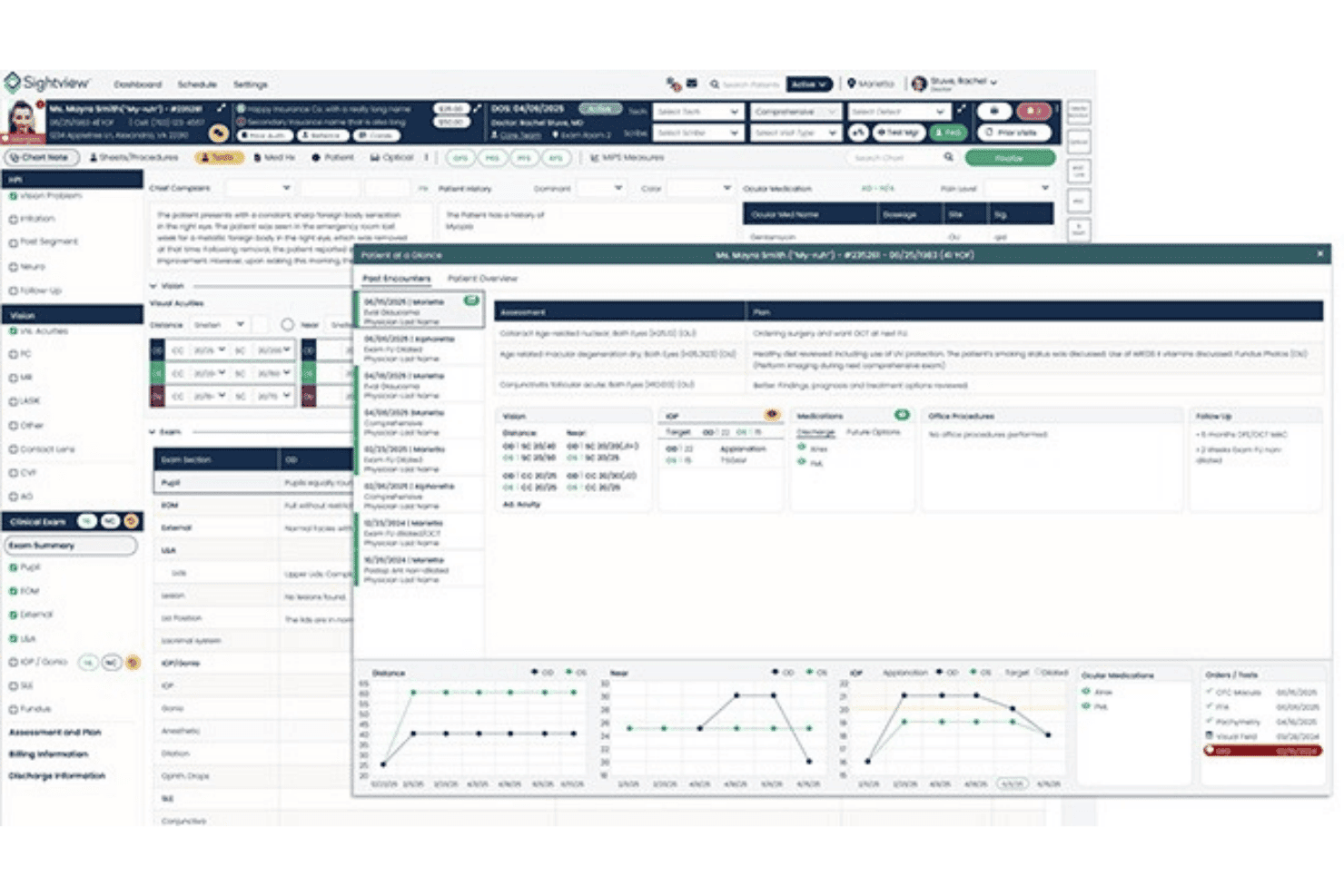
When choosing an EMR for eye care, I’d put Sightview on the shortlist for practices spanning optometry, ophthalmology, optical, or surgery. Its specialty workflows cover imaging, surgical planning, scheduling, billing, and a shared patient record, while the refreshed interface adds at-a-glance summaries. Compared with general-purpose systems, its connected eye-care functions and onboarding support are a closer fit; a customer reports providers were up and running quickly. I’d still compare support terms, integrations, and quoted pricing before selecting it, since prices aren’t published and broader non-eye-care needs may require another platform.
Pros
- Eye-specific templates, imaging, and surgical planning suit ophthalmology workflows.
- Reviewers praise customizable charts and quick access to prior exams.
- Integrated optical, billing, and clinical records support mixed-service practices.
Cons
- Recent users report unanswered support requests and delayed callbacks.
- Reviewers report glitches and slowdowns, including after software updates.
- Published pricing lacks plan-level figures, so budgeting requires a quote.


How We Test & Score Tools
We’ve spent years building, refining, and improving our software testing and scoring system. The rubric is designed to capture the nuances of software selection and what makes a tool effective, focusing on critical aspects of the decision-making process.
Below, you can see exactly how our testing and scoring works across seven criteria. It allows us to provide an unbiased evaluation of the software based on core functionality, standout features, ease of use, onboarding, customer support, integrations, customer reviews, and value for money.
Core Functionality (25% of final scoring)
The starting point of our evaluation is always the core functionality of the tool. Does it have the basic features and functions that a user would expect to see? Are any of those core features locked to higher-tiered pricing plans? At its core, we expect a tool to stand up against the baseline capabilities of its competitors.
Standout Features (25% of final scoring)
Next, we evaluate uncommon standout features that go above and beyond the core functionality typically found in tools of its kind. A high score reflects specialized or unique features that make the product faster, more efficient, or offer additional value to the user.
We also evaluate how easy it is to integrate with other tools typically found in the tech stack to expand the functionality and utility of the software. Tools offering plentiful native integrations, 3rd party connections, and API access to build custom integrations score best.
Ease of Use (10% of final scoring)
We consider how quick and easy it is to execute the tasks defined in the core functionality using the tool. High scoring software is well designed, intuitive to use, offers mobile apps, provides templates, and makes relatively complex tasks seem simple.
Onboarding (10% of final scoring)
We know how important rapid team adoption is for a new platform, so we evaluate how easy it is to learn and use a tool with minimal training. We evaluate how quickly a team member can get set up and start using the tool with no experience. High scoring solutions indicate little or no support is required.
Customer Support (10% of final scoring)
We review how quick and easy it is to get unstuck and find help by phone, live chat, or knowledge base. Tools and companies that provide real-time support score best, while chatbots score worst.
Customer Reviews (10% of final scoring)
Beyond our own testing and evaluation, we consider the net promoter score from current and past customers. We review their likelihood, given the option, to choose the tool again for the core functionality. A high scoring software reflects a high net promoter score from current or past customers.
Value for Money (10% of final scoring)
Lastly, in consideration of all the other criteria, we review the average price of entry level plans against the core features and consider the value of the other evaluation criteria. Software that delivers more, for less, will score higher.
Core Features
Customizable Exam Documentation
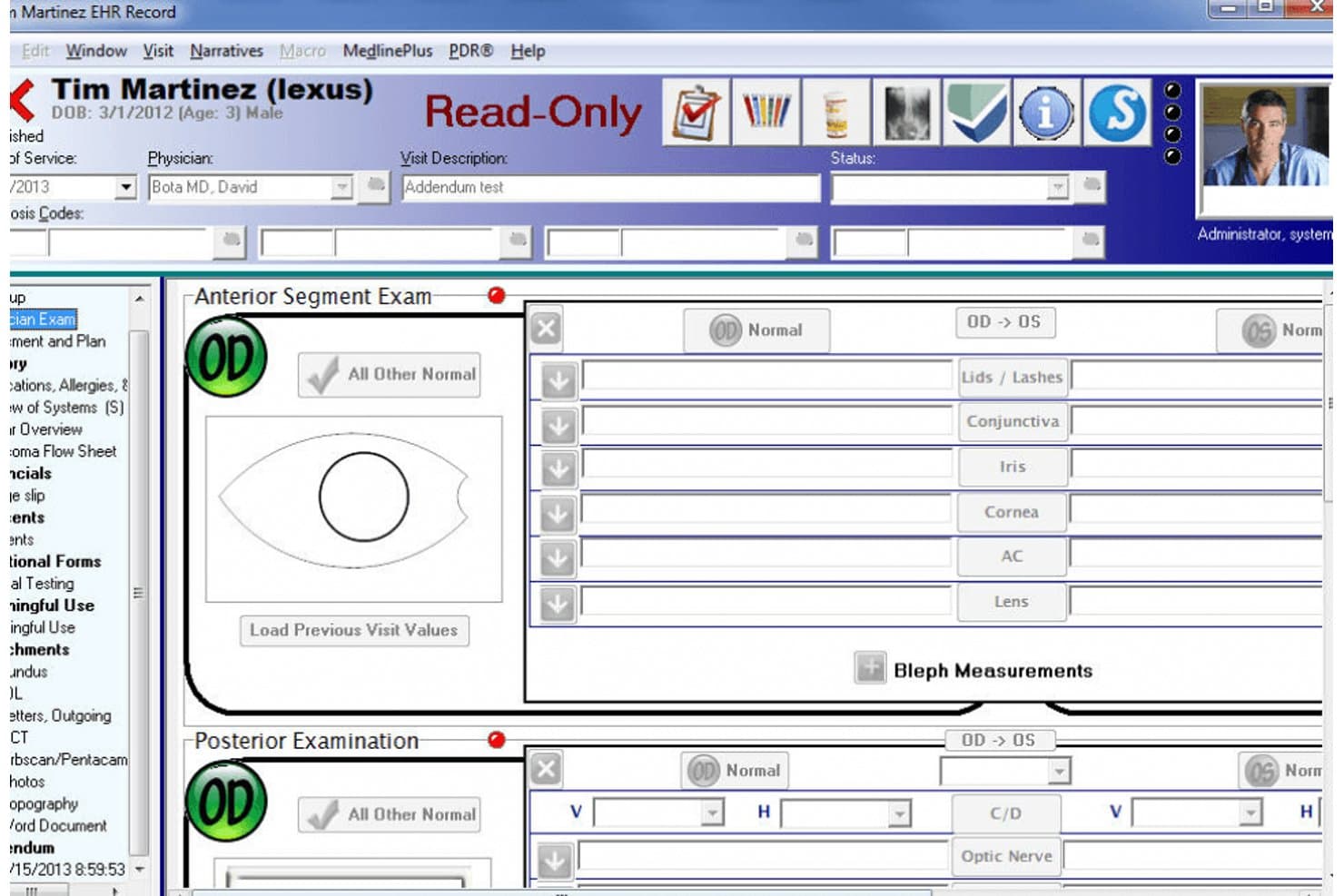
Sightview offers customizable templates and drag-and-drop charting for ophthalmology, optometry, and subspecialties such as retina, glaucoma, and cataract care. Your team can document findings in specialty-specific exam flows instead of adapting a general-purpose template.
Optical Order Management
Sightview provides tools for recording and tracking eyewear orders, including lens prescriptions, frame specifications, insurance information, and order status. Optical staff can manage order details and monitor fulfillment from a single screen.
Accounts Receivable Tracking
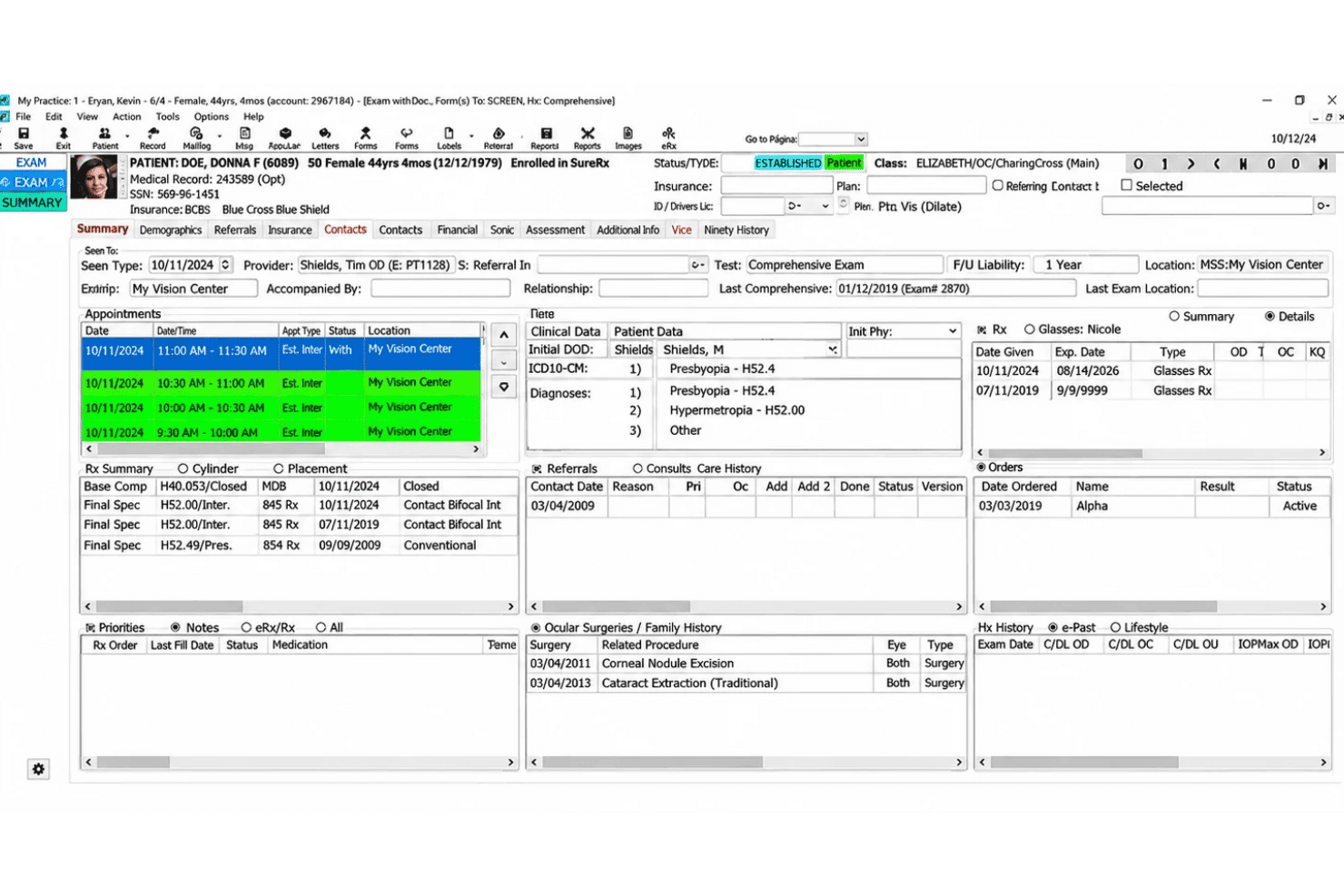
Sightview's accounts receivable worksheet organizes outstanding balances by insurance company, provider, aging period, and claim status. Billing teams can filter unpaid claims, identify overdue balances, and track collection follow-ups.
Patient Flow Management
Sightview displays patient activity across examination rooms, technician worklists, and waiting areas. Staff can monitor check-in times, review scheduled visits, and track patients as they move through different stages of care.
Optometry Clinical Charting
Sightview supports optometry documentation with structured fields for visual acuity, ocular history, medications, and examination findings. Clinicians can record patient complaints, document vision tests, and maintain clinical information within the patient chart.
Contact Lens Management
Sightview allows clinicians to document contact lens prescriptions, record fitting measurements, and review previous lens details. The interface also supports managing lens parameters and patient-specific prescription information.
Ease of Use
Sightview offers an eye care-focused interface with customizable charts, quick access to previous exams, and Patient-at-a-Glance summaries that keep relevant clinical information accessible during visits. Its updated layout simplifies navigation and reduces unnecessary documentation steps. While users appreciate its charting flexibility and specialty-specific workflows, some report occasional glitches, slow performance, and disruptions following software updates.
I'd consider Sightview for ophthalmology and optometry teams, although its reported performance issues are worth evaluating during a demo.
Integrations
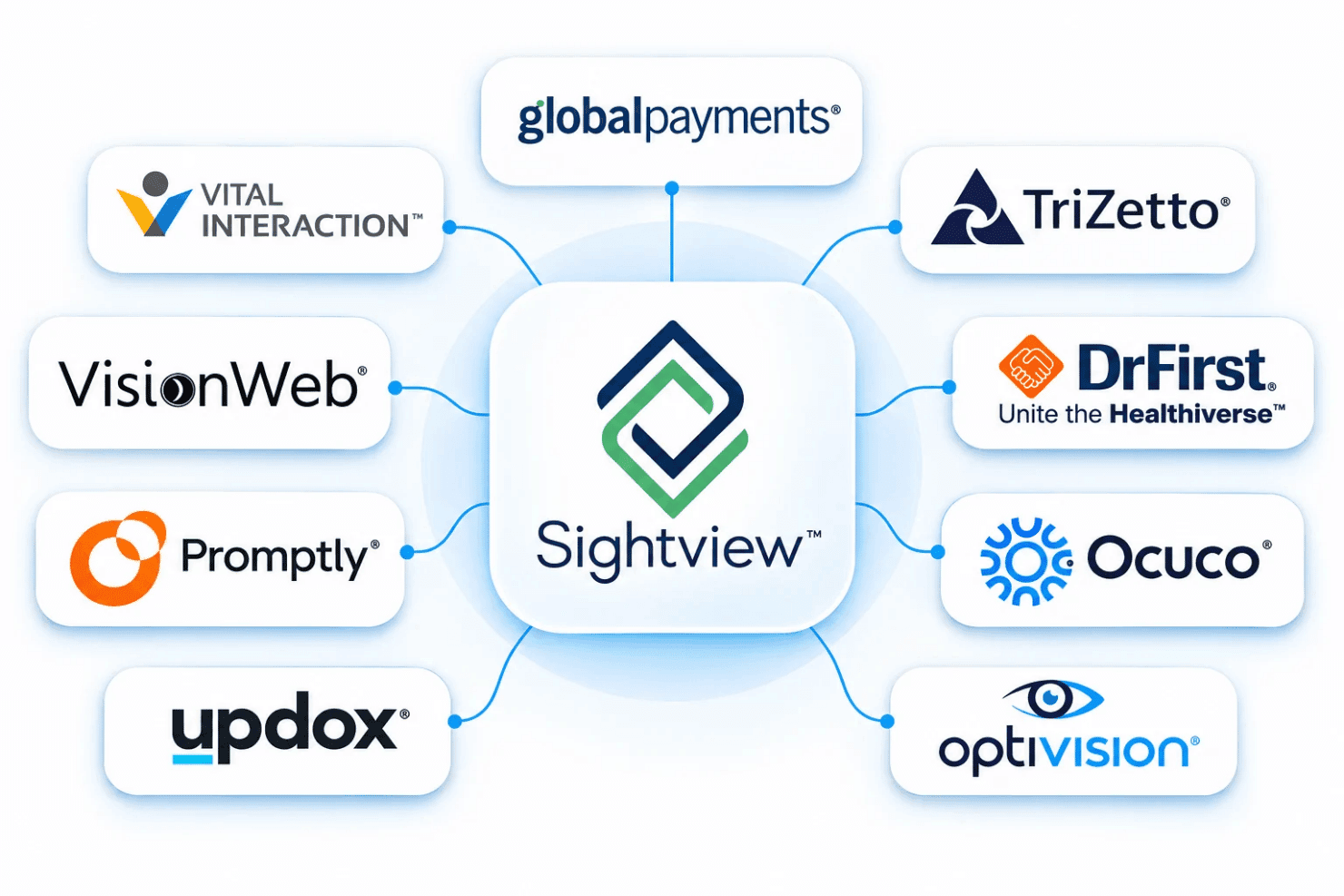
Sightview integrates with Global Payments, TriZetto, DrFirst, Ocuco, Optivision, Updox, Promptly, VisionWeb, and Vital Interaction.
Sightview also provides API services and connects with third-party partners; available integrations can depend on the product and configuration.
Sightview Specs
- API: Yes
- Appointment Scheduling: Yes
- Athlete Management: No
- Audit Management: Yes
- Calendar Management: Yes
- Compliance Tracking: Yes
- Customer Management: Yes
- Dashboard: Yes
- Data Export: Yes
- Data Import: Yes
- Data Visualization: Yes
- Electronic Prescribing: Yes
- External Integrations: Yes
- File Sharing: Yes
- File Transfer: Yes
- Health Management: Yes
- HIPAA Compliance: Yes
- Inventory Tracking: Yes
- Multi-User: Yes
- Notifications: Yes
- Organization Management: Yes
- Patient Management: Yes
- Project Management: No
- Regulatory Alerts: No
- Risk Assessment: No
- Scheduling: Yes
- Supplier Management: No


