

DentiMax Review: Pros, Cons, Features and Pricing
I assess DentiMax as a day-to-day dental practice system—not by feature count alone, but by how its clinical tools, workflow, and pricing fit your office.

We review tools independently, and commissions help fund our testing. See our transparency policy, our methodology, or suggest a tool.
DentiMax is dental EMR software and practice management software with scheduling, billing, charting, and treatment planning. It’s a good fit if your practice wants these clinical and front-office tools in one system with published plan pricing.
DentiMax Evaluation Summary
4.5/5
- $169/month
- 30-day free trial
Why Trust Our Software Recommendations
6,700+
Reviews
20
Industry experts
16+
Evaluation factors
14
Years
Our team has been testing and reviewing software since 2012. As medical practice leaders ourselves, we know how difficult—and important—it is to choose the right software.
For this guide, we evaluated tools using hands-on testing and independent research, scoring tools using our selection criteria.
Our reviews reflect our human editorial judgment, not a sales pitch.
DentiMax Overview
DentiMax is a dental EMR and practice management platform that covers scheduling, charting, billing, and treatment planning in one browser-based system. I appreciate its imaging connectivity, digital forms, multi-location capabilities, and dental-experienced support team. However, additional user fees can increase costs beyond its published monthly plans. I’d recommend confirming migration requirements and training options before committing, especially for practices seeking an affordable, easy-to-adopt system.
Pros
- Customizable charting and templated notes support varied clinical documentation.
- Integrated ledgers, claims, scheduling, and charts cover core practice workflows.
- Imaging and treatment-planning tools connect radiographs with patient records.
Cons
- Support response times vary, with reviewers reporting long waits.
- Users report occasional freezes, glitches, and slow performance.
- No dedicated mobile app limits mobile-native access compared with competitors.


How We Test & Score Tools
We’ve spent years building, refining, and improving our software testing and scoring system. The rubric is designed to capture the nuances of software selection and what makes a tool effective, focusing on critical aspects of the decision-making process.
Below, you can see exactly how our testing and scoring works across seven criteria. It allows us to provide an unbiased evaluation of the software based on core functionality, standout features, ease of use, onboarding, customer support, integrations, customer reviews, and value for money.
Core Functionality (25% of final scoring)
The starting point of our evaluation is always the core functionality of the tool. Does it have the basic features and functions that a user would expect to see? Are any of those core features locked to higher-tiered pricing plans? At its core, we expect a tool to stand up against the baseline capabilities of its competitors.
Standout Features (25% of final scoring)
Next, we evaluate uncommon standout features that go above and beyond the core functionality typically found in tools of its kind. A high score reflects specialized or unique features that make the product faster, more efficient, or offer additional value to the user.
We also evaluate how easy it is to integrate with other tools typically found in the tech stack to expand the functionality and utility of the software. Tools offering plentiful native integrations, 3rd party connections, and API access to build custom integrations score best.
Ease of Use (10% of final scoring)
We consider how quick and easy it is to execute the tasks defined in the core functionality using the tool. High scoring software is well designed, intuitive to use, offers mobile apps, provides templates, and makes relatively complex tasks seem simple.
Onboarding (10% of final scoring)
We know how important rapid team adoption is for a new platform, so we evaluate how easy it is to learn and use a tool with minimal training. We evaluate how quickly a team member can get set up and start using the tool with no experience. High scoring solutions indicate little or no support is required.
Customer Support (10% of final scoring)
We review how quick and easy it is to get unstuck and find help by phone, live chat, or knowledge base. Tools and companies that provide real-time support score best, while chatbots score worst.
Customer Reviews (10% of final scoring)
Beyond our own testing and evaluation, we consider the net promoter score from current and past customers. We review their likelihood, given the option, to choose the tool again for the core functionality. A high scoring software reflects a high net promoter score from current or past customers.
Value for Money (10% of final scoring)
Lastly, in consideration of all the other criteria, we review the average price of entry level plans against the core features and consider the value of the other evaluation criteria. Software that delivers more, for less, will score higher.
Core Features
Clinical Charting
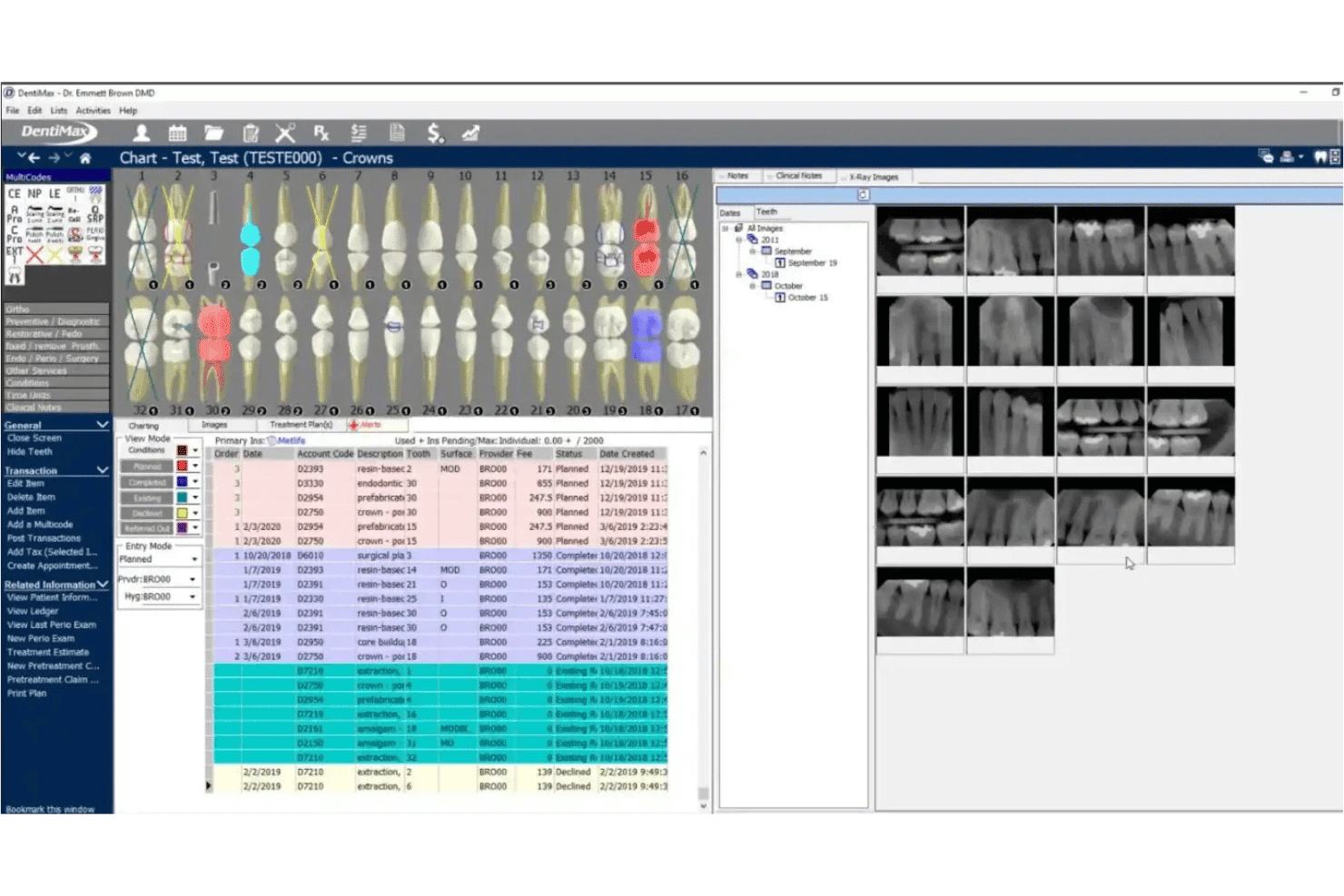
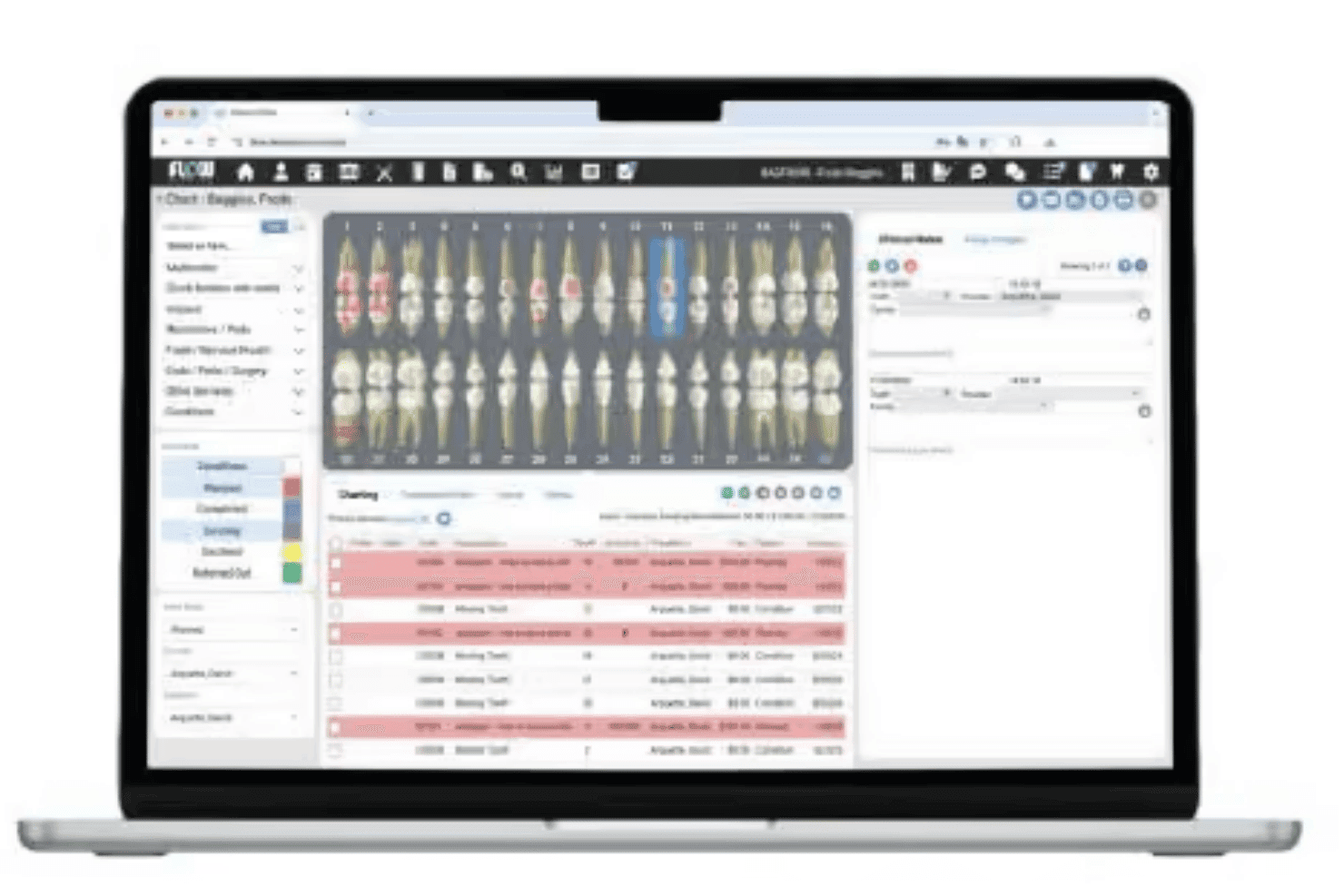
DentiMax supports restorative, periodontal, and PSR charting, with templates and voice-activated perio charting. You can record findings in the patient’s chart, including periodontal measurements, without relying on free-text notes alone.
Billing and Payment Processing
DentiMax supports patient billing, credit card processing, online payments, and text-to-pay options. Its line-item accounting tracks payments and adjustments, while higher-tier plans include electronic claims and insurance eligibility checks.
Dental Imaging
DentiMax supports imaging workflows, including a local imaging bridge and cloud imaging options that vary by plan. Linking radiographs with patient records gives clinicians access to images while reviewing the chart and treatment plan.
Scheduling And Patient Registration
DentiMax combines appointment scheduling with online registration, digital forms, and patient self-scheduling. Patients can submit information and request appointments online, while staff can manage the schedule in the same system.
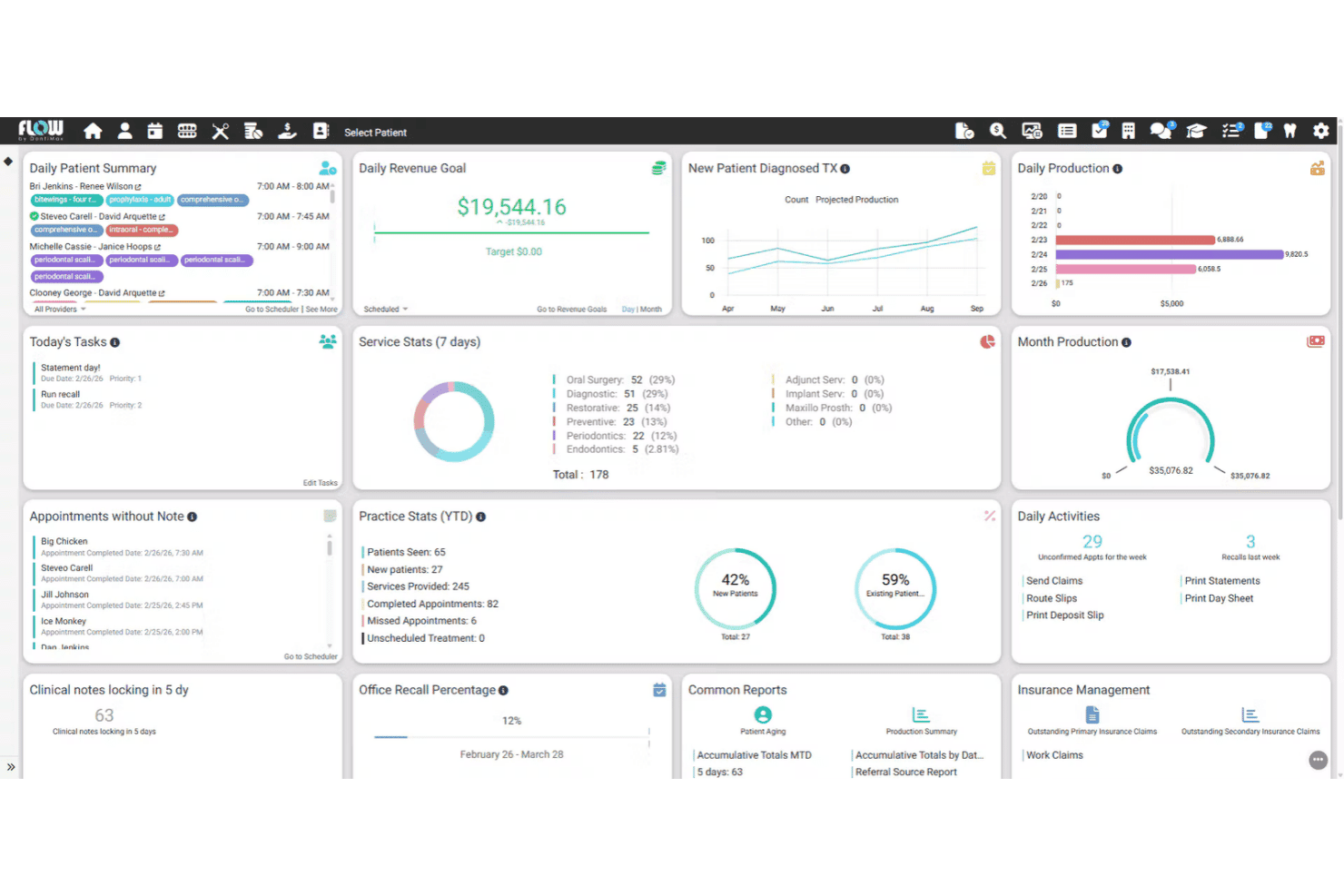
Appointment Management View
DentiMax provides an appointment management view for organizing patient visits, tracking appointment statuses, and managing provider schedules. Dental teams can review upcoming appointments, monitor availability, and make scheduling adjustments from a centralized calendar.
Patient Portal
DentiMax provides a patient portal where patients can access practice-related information, complete digital forms, and manage appointment requests online. This reduces manual paperwork and gives patients more control over their interactions with the practice.
Ease of Use
DentiMax is relatively easy to use, with scheduling, charting, billing, digital forms, and imaging accessible in one system. Its chart templates and treatment plans keep patient records organized, though users report occasional freezes, glitches, and slow performance. I’d recommend testing daily workflows during a demo to assess its reliability and ease of use.
Integrations
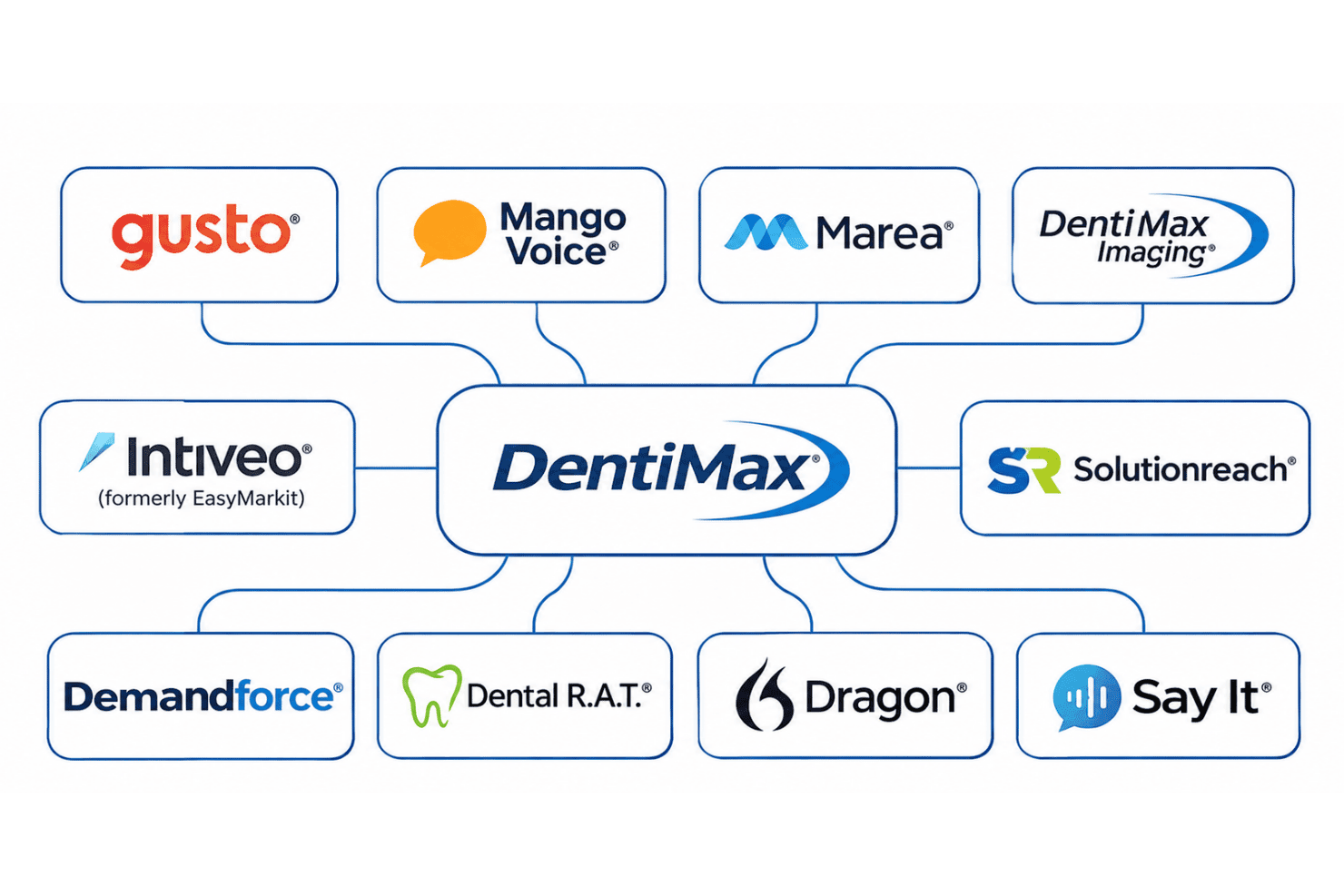
DentiMax connects with Gusto, Mango Voice, Marea, DentiMax Imaging, Intiveo (formerly EasyMarkit), Solutionreach, Demandforce, Dental R.A.T., Dragon, and Say It. It also supports imaging software connections through third-party bridges.
DentiMax Specs
- 2-Factor Authentication: No
- API: No
- Batch Permissions & Access: No
- Billing/Invoicing: Yes
- Budgeting: No
- Calendar Management: Yes
- Contact Management: Yes
- Customer Management: Yes
- Dashboard: Yes
- Data Export: Yes
- Data Import: Yes
- External Integrations: Yes
- File Transfer: No
- Multi-User: Yes
- Notifications: Yes
- Payment Processor: Yes
- Scheduling: Yes
- Supplier Management: No
- Time Management: Yes


