
CarePaths Review: Pros, Cons, Features and Pricing
Struggling with complex billing, scheduling, and documentation? CarePaths EHR streamlines workflows for mental health professionals with secure messaging, teletherapy, and outcomes tracking.

We review tools independently, and commissions help fund our testing. See our transparency policy, our methodology, or suggest a tool.
CarePaths EHR is a medical practice management software built specifically for mental health and behavioral health practices. It handles scheduling, billing, telehealth, treatment planning, and outcome tracking in one platform. I'd consider it most seriously if you're running a therapy or counseling practice that wants built-in measurement-based care tools—something you don't get out of the box with a more general EHR like SimplePractice.
CarePaths EHR Evaluation Summary
3.9/5
- From $49/user/month
- Free plan available
Why Trust Our Software Recommendations
6,700+
Reviews
20
Industry experts
16+
Evaluation factors
14
Years
Our team has been testing and reviewing software since 2012. As medical practice leaders ourselves, we know how difficult—and important—it is to choose the right software.
For this guide, we evaluated tools using hands-on testing and independent research, scoring tools using our selection criteria.
Our reviews reflect our human editorial judgment, not a sales pitch.
CarePaths EHR Overview
CarePaths integrated EHR, telehealth, and billing tools offer strong value, especially for solo and small group practices. The pricing is transparent and lower than many competitors, and onboarding is straightforward. While the interface feels dated and integrations are limited, support is responsive, and documentation is clear. Therapists who want built-in outcome measures and secure messaging will find it especially useful.
If you’re judging options for a behavioral health setting or a practice with modest tech needs, CarePaths is a practical choice.
Pros
- Responsive customer support with clear documentation.
- Integrated telehealth, billing, and outcome tracking tools.
- Affordable monthly pricing for solo and small practices.
Cons
- Some workflows require redundant or manual steps.
- Limited third-party integrations and automation options.
- Interface feels dated compared to newer platforms.
Is CarePaths EHR Right For Your Needs?
Who Would be a Good Fit for CarePaths EHR?
CarePaths is best suited for behavioral health and medical practices that want an integrated EHR, telehealth, and billing in one platform. Solo providers, small clinics, and therapy groups will appreciate its affordability and built-in outcome tracking. Teams that value responsive support and straightforward onboarding will find it practical.
If your practice doesn’t need advanced automation or deep integrations, CarePaths covers the essentials without extra complexity.
- Start-Up Medical PracticesStraightforward onboarding and responsive support ease the transition to digital records.
- Nonprofit Counseling CentersLow cost and HIPAA compliance help meet budget and privacy needs.
- Rural Health ProvidersTelehealth and cloud access support remote and distributed care delivery.
- Behavioral Health ClinicsSpecialized tools for mental health documentation and secure messaging are included.
- Small Group PracticesThe platform’s integrated scheduling, billing, and telehealth fit small teams.
- Solo TherapistsCarePaths offers affordable pricing and built-in outcome measures for individual providers.
Who Would be a Bad Fit for CarePaths EHR?
CarePaths isn’t ideal for large, multi-specialty organizations or practices needing advanced automation and integrations. If your team relies on custom workflows, deep analytics, or extensive third-party connections, you’ll likely find CarePaths limiting. Larger enterprises and tech-forward clinics may want more flexibility and scalability than CarePaths currently offers.
- Corporate Medical GroupsCarePaths doesn’t support complex billing or multi-location management.
- Tech-Forward ClinicsLimited integrations restrict interoperability with other health IT systems.
- Data-Driven OrganizationsAdvanced analytics and reporting tools are basic compared to others.
- Practices Requiring CustomWorkflows Workflow automation and customization options are limited.
- Multi-Specialty ClinicsThe platform is focused on behavioral health, not broad specialties.
- Large Hospital SystemsCarePaths lacks the scalability and advanced features for enterprise needs.
How We Test & Score Tools
We’ve spent years building, refining, and improving our software testing and scoring system. The rubric is designed to capture the nuances of software selection and what makes a tool effective, focusing on critical aspects of the decision-making process.
Below, you can see exactly how our testing and scoring works across seven criteria. It allows us to provide an unbiased evaluation of the software based on core functionality, standout features, ease of use, onboarding, customer support, integrations, customer reviews, and value for money.
Core Functionality (25% of final scoring)
The starting point of our evaluation is always the core functionality of the tool. Does it have the basic features and functions that a user would expect to see? Are any of those core features locked to higher-tiered pricing plans? At its core, we expect a tool to stand up against the baseline capabilities of its competitors.
Standout Features (25% of final scoring)
Next, we evaluate uncommon standout features that go above and beyond the core functionality typically found in tools of its kind. A high score reflects specialized or unique features that make the product faster, more efficient, or offer additional value to the user.
We also evaluate how easy it is to integrate with other tools typically found in the tech stack to expand the functionality and utility of the software. Tools offering plentiful native integrations, 3rd party connections, and API access to build custom integrations score best.
Ease of Use (10% of final scoring)
We consider how quick and easy it is to execute the tasks defined in the core functionality using the tool. High scoring software is well designed, intuitive to use, offers mobile apps, provides templates, and makes relatively complex tasks seem simple.
Onboarding (10% of final scoring)
We know how important rapid team adoption is for a new platform, so we evaluate how easy it is to learn and use a tool with minimal training. We evaluate how quickly a team member can get set up and start using the tool with no experience. High scoring solutions indicate little or no support is required.
Customer Support (10% of final scoring)
We review how quick and easy it is to get unstuck and find help by phone, live chat, or knowledge base. Tools and companies that provide real-time support score best, while chatbots score worst.
Customer Reviews (10% of final scoring)
Beyond our own testing and evaluation, we consider the net promoter score from current and past customers. We review their likelihood, given the option, to choose the tool again for the core functionality. A high scoring software reflects a high net promoter score from current or past customers.
Value for Money (10% of final scoring)
Lastly, in consideration of all the other criteria, we review the average price of entry level plans against the core features and consider the value of the other evaluation criteria. Software that delivers more, for less, will score higher.
Core Features
Patient Scheduling
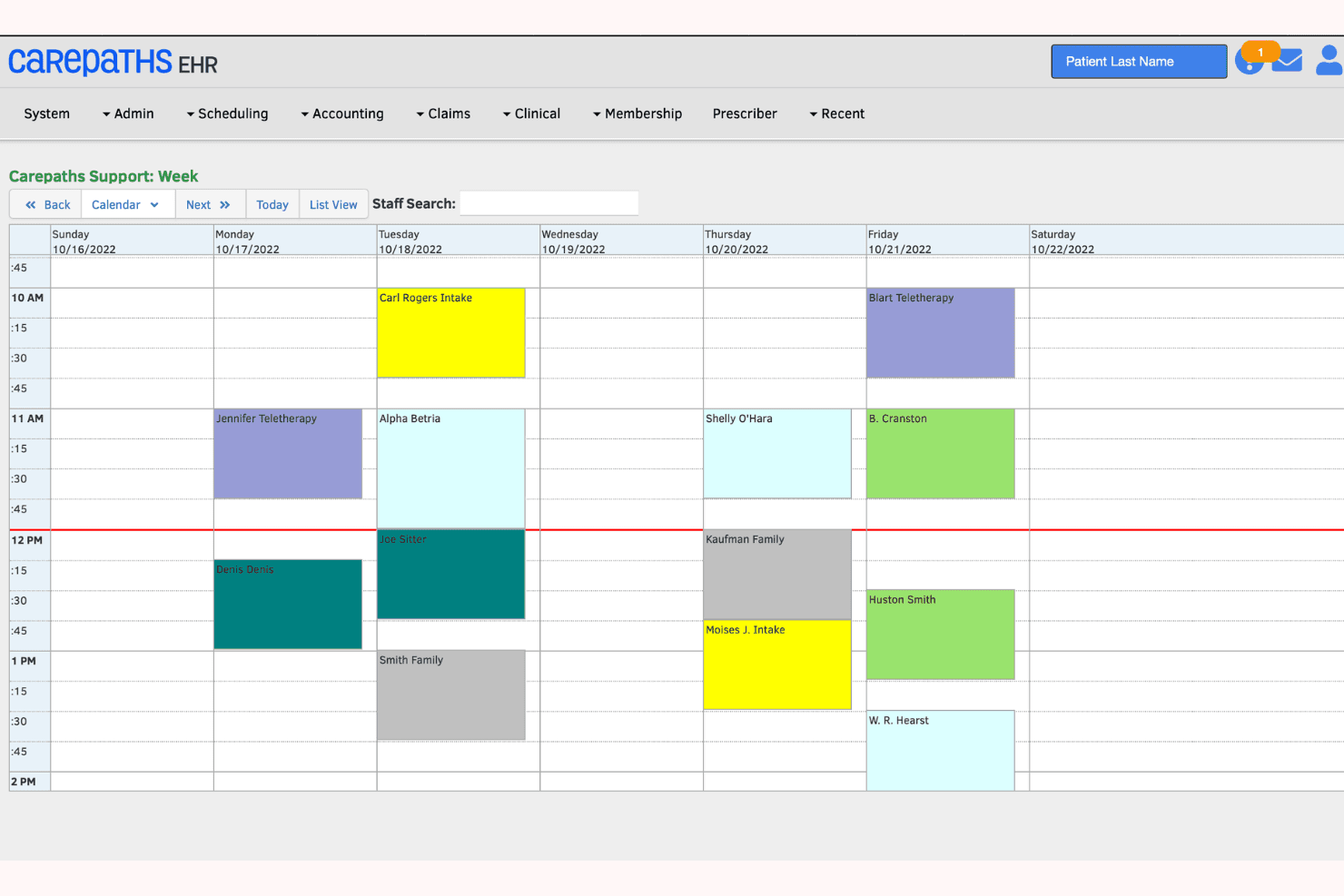
This feature helps you manage appointments efficiently with a simple calendar view, reducing no-shows with automated reminders.
Billing Management
You get streamlined billing processes, making it easier to handle invoices and payments without hassle.
Clinical Documentation
The software provides templates for note-taking, ensuring your documentation is accurate and organized.
Patient Portal
It allows your patients to access their records, book appointments, and communicate with you directly.
Reporting Tools
Basic analytics help you track practice performance, giving you insights into areas for improvement.
Secure Data Storage
CarePaths EHR ensures your patient data is stored securely, complying with industry standards.
Standout Features
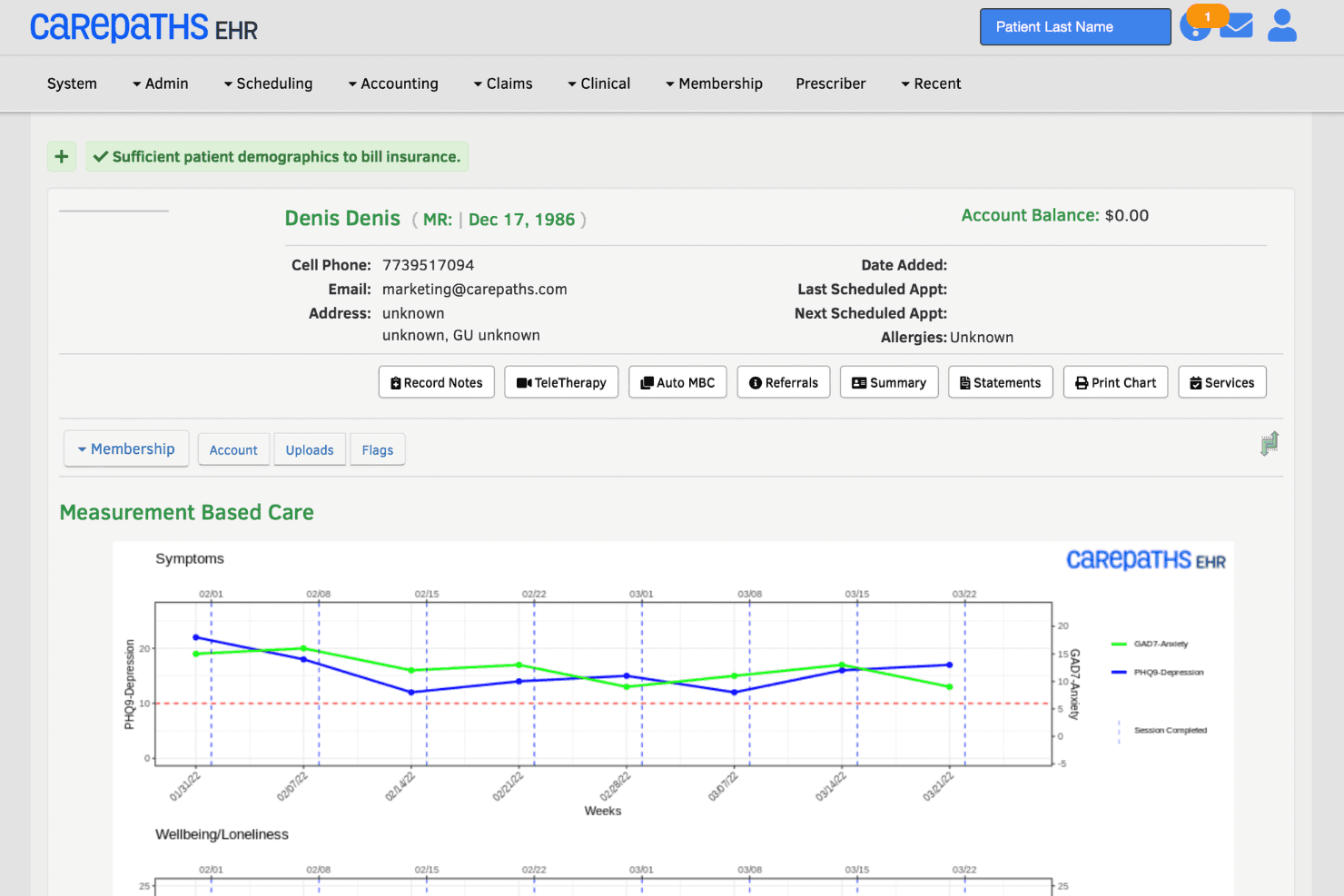
Measurement-Based Care Tool
These specialized tools enable you to assess patient progress with standardized metrics, enhancing treatment outcomes.
User-Friendly Interface
The intuitive design makes it easy for you and your team to navigate, reducing the learning curve significantly.
Ease of Use
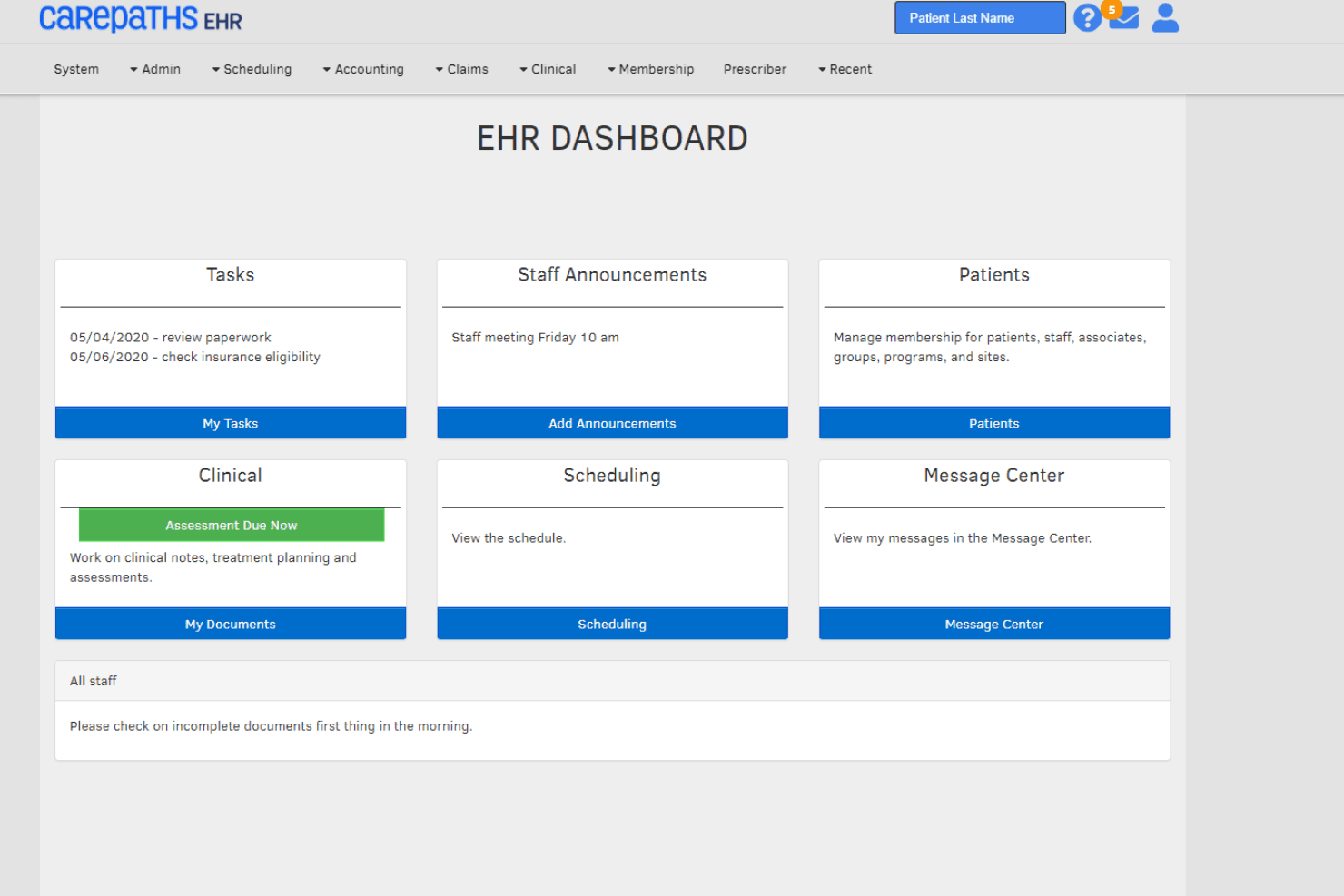
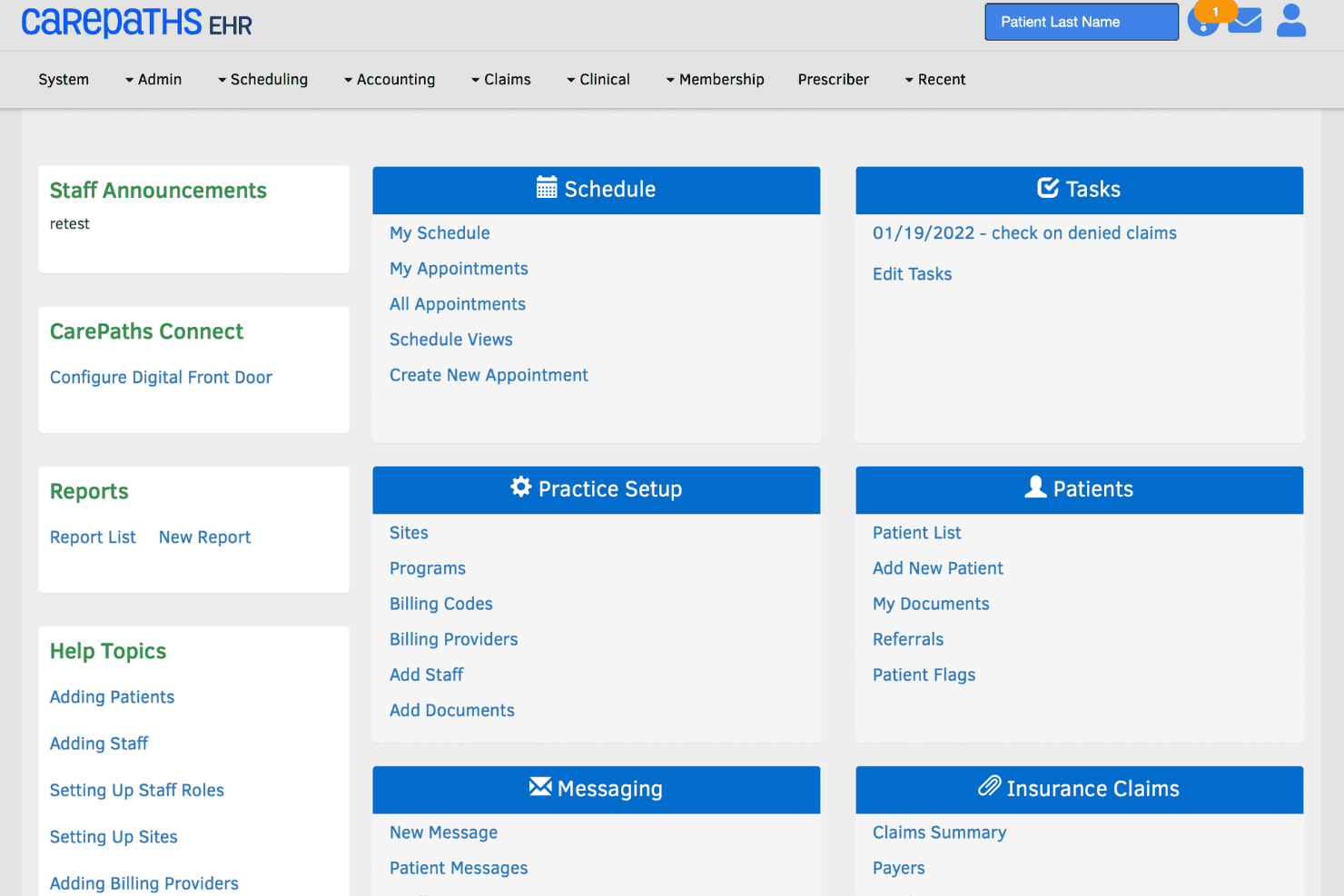
CarePaths EHR is user-friendly, making it accessible even if you’re not tech-savvy. Its intuitive interface lets you navigate easily through scheduling, patient records, and billing without frustration. Compared to others, users appreciate its straightforward design, which minimizes the time spent on administrative tasks.
The software’s simplicity doesn’t sacrifice functionality, ensuring you can efficiently manage your practice while focusing more on patient care.
Onboarding
CarePaths EHR offers a smooth onboarding experience, helping you get up and running quickly. The platform provides clear instructions and support resources, minimizing the time it takes for your team to start seeing value. Users appreciate the responsive customer support, which is available through multiple channels to address any questions. Although training materials are limited, the intuitive interface compensates, allowing your team to adapt without much hassle.

Customer Support
CarePaths EHR provides reliable customer support, ensuring you have access to help when needed. Users benefit from multiple support channels, including chat, email, and phone, which facilitate quick resolutions to issues. The support team is noted for their responsiveness and willingness to assist, though some users wish for more comprehensive training materials.
Overall, the available support enhances your experience, allowing you to focus on patient care without technical distractions.
Integrations
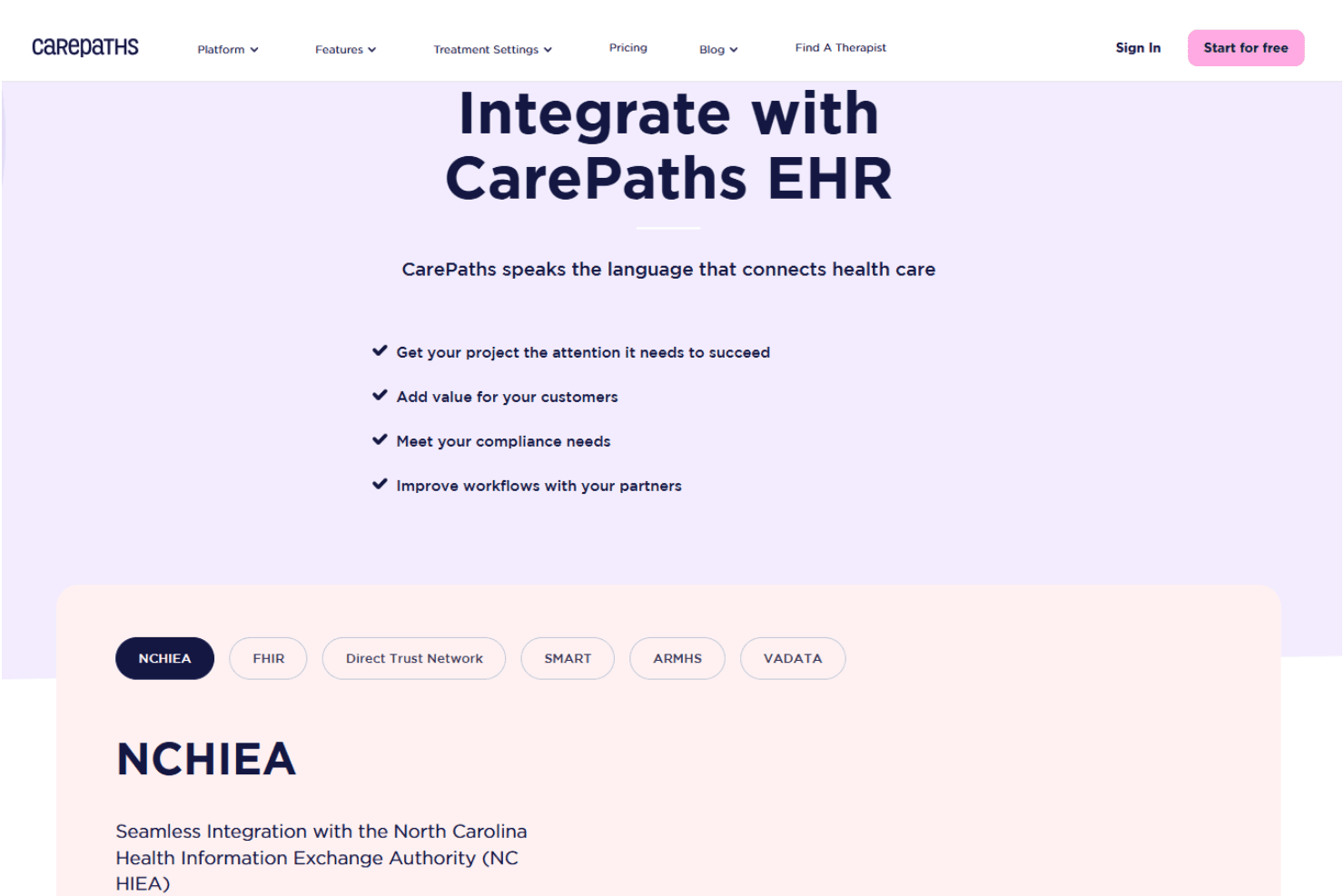
Integrations include NCHIEA, FHIR, Direct Trust Network, SMART, ARMHS, VADATA, MyOutcomes, Authorize.Net, Gleam, telehealth platforms, secure messaging services, and online referral systems.
Value for Money
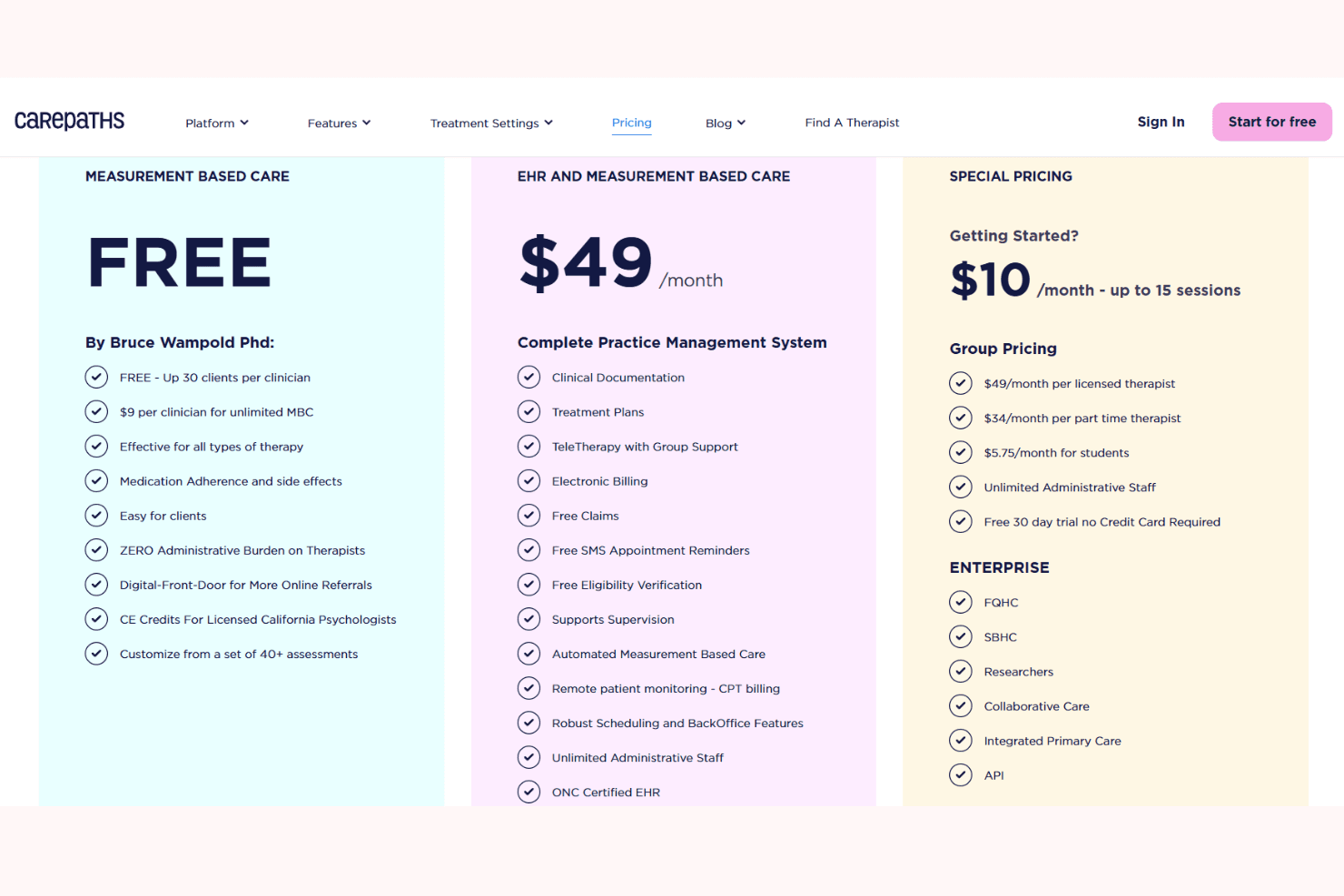
CarePaths is priced affordably for solo providers and small practices, offering core EHR, telehealth, and billing features without hidden fees. Users say the monthly cost is predictable and fair, especially given the included outcome tracking and responsive support. The value is strongest for teams that don’t need advanced customization.
- Measurement-Based Care (Free Plan): Free plan with assessments and outcome tracking for evidence-based care.
- Special Pricing (Starter Plan): Entry-level plan with core EHR features for low-volume practices.
- EHR & Measurement-Based Care (Full Plan): All-in-one plan with EHR, teletherapy, billing, scheduling, and admin tools.
- Non-Profit: Discounted pricing for nonprofits based on mission needs.
- Education: Special pricing for educational and training institutions.
CarePaths EHR Specs
- API: Yes
- Appointment Scheduling: Yes
- Athlete Management: No
- Audit Management: Yes
- Calendar Management: Yes
- Compliance Tracking: Yes
- Customer Management: No
- Dashboard: Yes
- Data Export: Yes
- Data Import: Yes
- Data Visualization: Yes
- Electronic Prescribing: Yes
- External Integrations: Yes
- File Sharing: Yes
- File Transfer: No
- Health Management: Yes
- HIPAA Compliance: Yes
- Inventory Tracking: No
- Multi-User: Yes
- Notifications: Yes
- Organization Management: Yes
- Patient Management: Yes
- Project Management: No
- Regulatory Alerts: No
- Risk Assessment: Yes
- Scheduling: No
- Supplier Management: No
CarePaths EHR FAQs
CarePaths EHR Company Overview & History
CarePaths EHR is run by CarePaths, Inc., a behavioral health tech company based in Vero Beach, Florida. It was founded in 2000 by clinicians — psychologists, psychiatric physicians, social workers — to build tools that reduce paperwork and improve patient outcomes. They offer a cloud-based ONC-certified electronic health record (EHR) called the eRecord that handles clinical documentation, billing, claims, and outcomes tracking.
As of recent data, they have about 10–50 employees and generate around $1.1 million in annual revenue (2025).
CarePaths EHR Major Milestones
- 2000: founded by clinicians (psychologists, psychiatric physicians, clinical psychologists, psychiatric social workers) to develop outcomes & assessment instruments.
- 2001: introduced its cloud-based electronic health record (eRecord) for behavioral health.
- 2012: the eRecord achieved ONC certification.
- 2021 (October): launched CarePaths Connect, a mobile app for patient engagement, onboarding, scheduling, payments, and record access.
- 2025: revenue reaches approximately $1.1M with a small team (~10 people).