

HIPAA-compliant e signature software lets your practice securely collect and manage digital patient signatures in a way that meets healthcare privacy and security regulations.
If you’re searching for e signature tools that fit medical workflows, you already know what’s at stake—keeping sensitive information safe, documenting patient consent, and staying ahead of complex compliance demands.
This guide draws from in-depth comparisons to help you pinpoint solutions that work across solo practice and multi-site health systems, covering intake, consent, recordkeeping, and integrations with familiar EHR platforms.
See which HIPAA-compliant e signature tools match your needs for flexibility, documentation, and efficiency.
Why Trust Our Software Recommendations
6,700+
Reviews
20
Industry experts
16+
Evaluation factors
14
Years
Our team has been testing and reviewing software since 2012. As medical practice leaders ourselves, we know how difficult—and important—it is to choose the right software.
For this guide, we evaluated tools using hands-on testing and independent research, scoring tools using our selection criteria.
Our reviews reflect our human editorial judgment, not a sales pitch.
HIPAA-Compliant E Signature Comparison Table
This comparison table summarizes pricing details for my HIPAA-compliant e signature software.
| Tool | Best For | Trial Info | Price | ||
|---|---|---|---|---|---|
| 1 | Best for mobile-first patient consent signing | 14-day free trial | From $10/user/month (billed annually) | Website | |
| 2 | Best for government ID signer verification | 7-day free trial | From $19.99/user/month (billed annually) | Website | |
| 3 | Best for annual-plan practices needing signed BAAs | Free trial available | From $15/user/month (billed annually) | Website | |
| 4 | Best for HIPAA intake forms and patient signing | Free plan available | From $34/user/month (billed annually) | Website | |
| 5 | Best for flat-rate HIPAA signing with kiosk check-in | Free trial available | From $120/user/year | Website | |
| 6 | Best for BAA access on any plan tier | Free plan available | From $10/month (billed annually) | Website | |
| 7 | Best for self-serve BAA without sales friction | 30-day free trial + free demo available | From $5/user/month (billed annually) | Website | |
| 8 | Best for health system-scale consent workflows | Free plan available | From $10/month (billed annually) | Website | |
| 9 | Best for document workflows with kiosk signing | Free plan available | From $19/user/month (billed annually) | Website | |
| 10 | Best for high-assurance signer auth in healthcare | Free demo available | Pricing upon request | Website |


HIPAA-Compliant E Signature Software Reviews
Below are my detailed summaries of the best HIPAA-compliant e signature software that made it onto my shortlist. My reviews offer a detailed look at the features, best use cases, and pricing of each software to help you find the best one for you.
 Best for mobile-first patient consent signing
- 14-day free trial
- From $10/user/month (billed annually)
Visit WebsiteCustomer Rating:4.7/5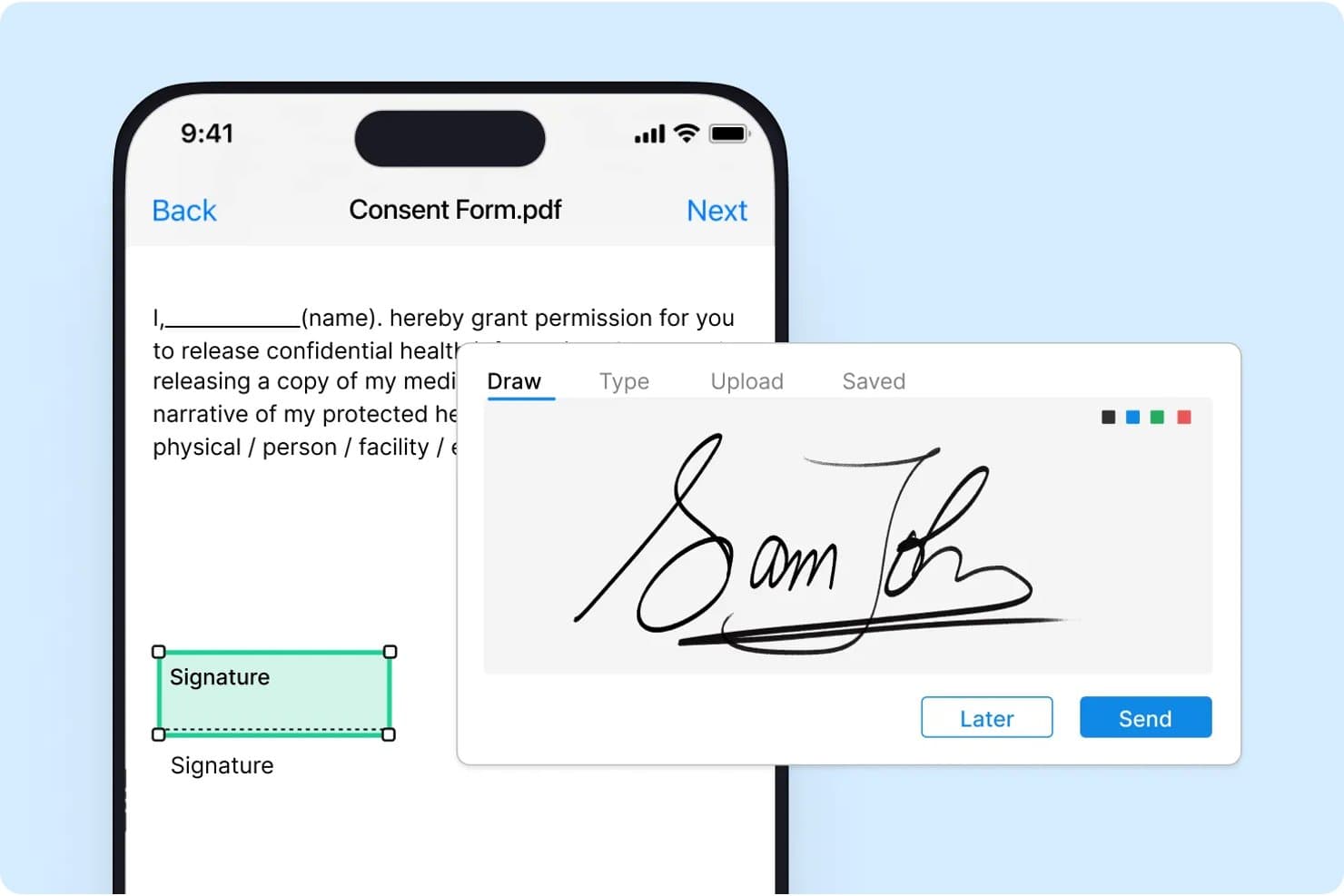
Signeasy lets users draw and apply signatures to consent forms on mobile. Signeasy is a HIPAA-compliant e-signature platform built for healthcare workflows, covering patient consent forms, medical records releases, billing documents, and staff paperwork across iOS, Android, and web.
Who Is Signeasy Best For?
Signeasy is a strong fit for healthcare organizations that need staff and patients to sign documents on mobile devices, with full HIPAA compliance built in.
Why I Picked Signeasy
Signeasy earns its spot on my shortlist because of how well it handles patient-facing signing on mobile, which is where most consent bottlenecks actually happen in clinical settings. I love that patients can sign forms directly on iOS or Android without needing an account or navigating a complex interface, and the audit trail that captures every signature event keeps consent logs HIPAA-compliant without extra admin work. Reusable templates for documents like patient consent forms and HIPAA authorizations also mean your staff isn't recreating the same paperwork from scratch every time.
Signeasy Key Features
- Multi-format document signing: Sign and send documents in PDF, Word, and Excel formats without converting files first.
- eSign API: Embed signing functionality directly into your existing healthcare app or patient portal using Signeasy's API.
- Google Workspace and Microsoft Office integration: Send and sign documents from within Google Workspace or Microsoft Office without switching platforms.
- Automated email routing and notifications: Route signed documents to multiple recipients automatically and trigger real-time notifications when signatures are completed.
Signeasy Integrations
Signeasy offers native integrations with Microsoft SharePoint, Microsoft Outlook, Microsoft Teams, Google Workspace (Gmail, Drive, Docs, Sheets), HubSpot, Salesforce, Dropbox, Box, and Slack, and it connects with Zapier. An eSign API is available for embedding signing into your own healthcare apps or patient portals.
Pros and Cons
Pros:
- Reusable templates for healthcare workflows
- Audit trails support HIPAA compliance directly
- Mobile signing for patients on any device
Cons:
- Template library limited to core healthcare forms
- Pricing is not publicly available
Learn more about Signeasy: Best for government ID signer verification
- 7-day free trial
- From $19.99/user/month (billed annually)
Visit WebsiteCustomer Rating:4.5/5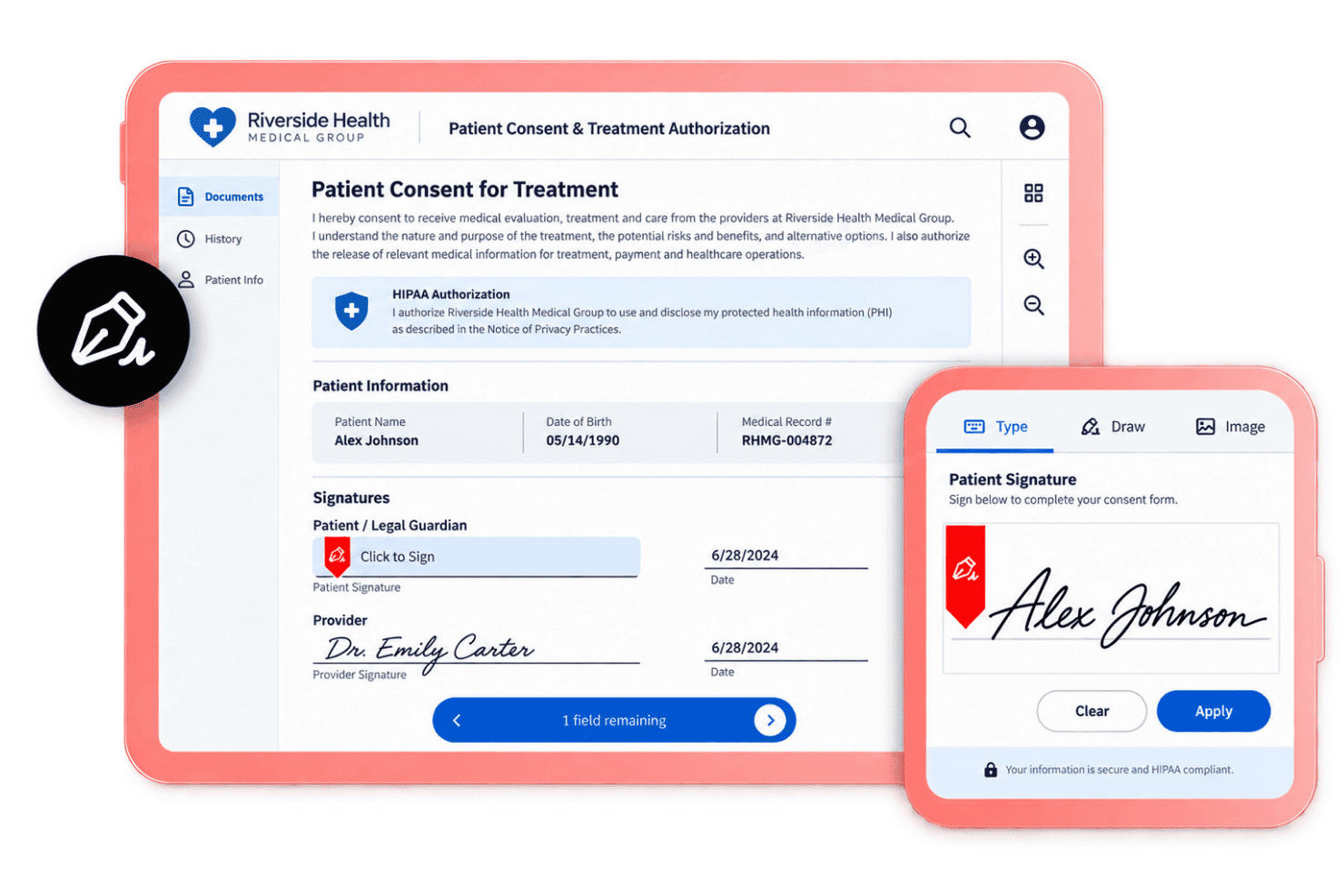
Adobe Acrobat Sign supports identity checks, audit trails, templates, and tracking. Adobe Acrobat Sign is a HIPAA-compliant e-signature solution that lets you send, track, and manage signed documents across devices, with built-in identity verification, audit trails, reusable form templates, and integrations with tools like Microsoft Teams, Salesforce, and Workday.
Who Is Adobe Acrobat Best For?
Adobe Acrobat Sign is a strong fit for healthcare organizations that need to verify signer identity using government-issued ID before collecting signatures on sensitive documents.
Why I Picked Adobe Acrobat
I picked Adobe Acrobat Sign because of its government ID authentication, which prompts signers to upload a photo of their driver's license or passport before they can access a document. What I find particularly useful is the optional selfie step, where Acrobat Sign compares the live photo to the submitted ID image to confirm it's the same person. That combination of document-based and biometric verification is exactly what you need when collecting signatures on BAAs or patient authorization forms.
Adobe Acrobat Key Features
- Audit trail: Every signature request generates a tamper-evident log with timestamps, IP addresses, and signer actions for each document.
- Reusable form templates: Build signable form templates once and redeploy them across your team for recurring documents like consent forms.
- Multi-signer routing: Send a document to multiple signers at once, with each recipient receiving their own personalized copy to complete.
- Third-party storage integrations: Connect Acrobat Sign to Box, Dropbox, Google Drive, or Microsoft OneDrive to store completed documents directly.
Adobe Acrobat Integrations
Adobe Acrobat Sign offers native integrations with Microsoft 365, Microsoft Teams, Salesforce, Workday, ServiceNow, SAP Ariba, Box, Dropbox, Google Drive, and Google Workspace. An API is available for custom integrations.
Pros and Cons
Pros:
- Generates tamper-evident audit trails
- Offers biometric selfie verification step
- Supports government-issued ID signer verification
Cons:
- Occasional sender authentication false positives
- ID verification can increase signing time
Learn more about Adobe Acrobat: Best for annual-plan practices needing signed BAAs
- Free trial available
- From $15/user/month (billed annually)
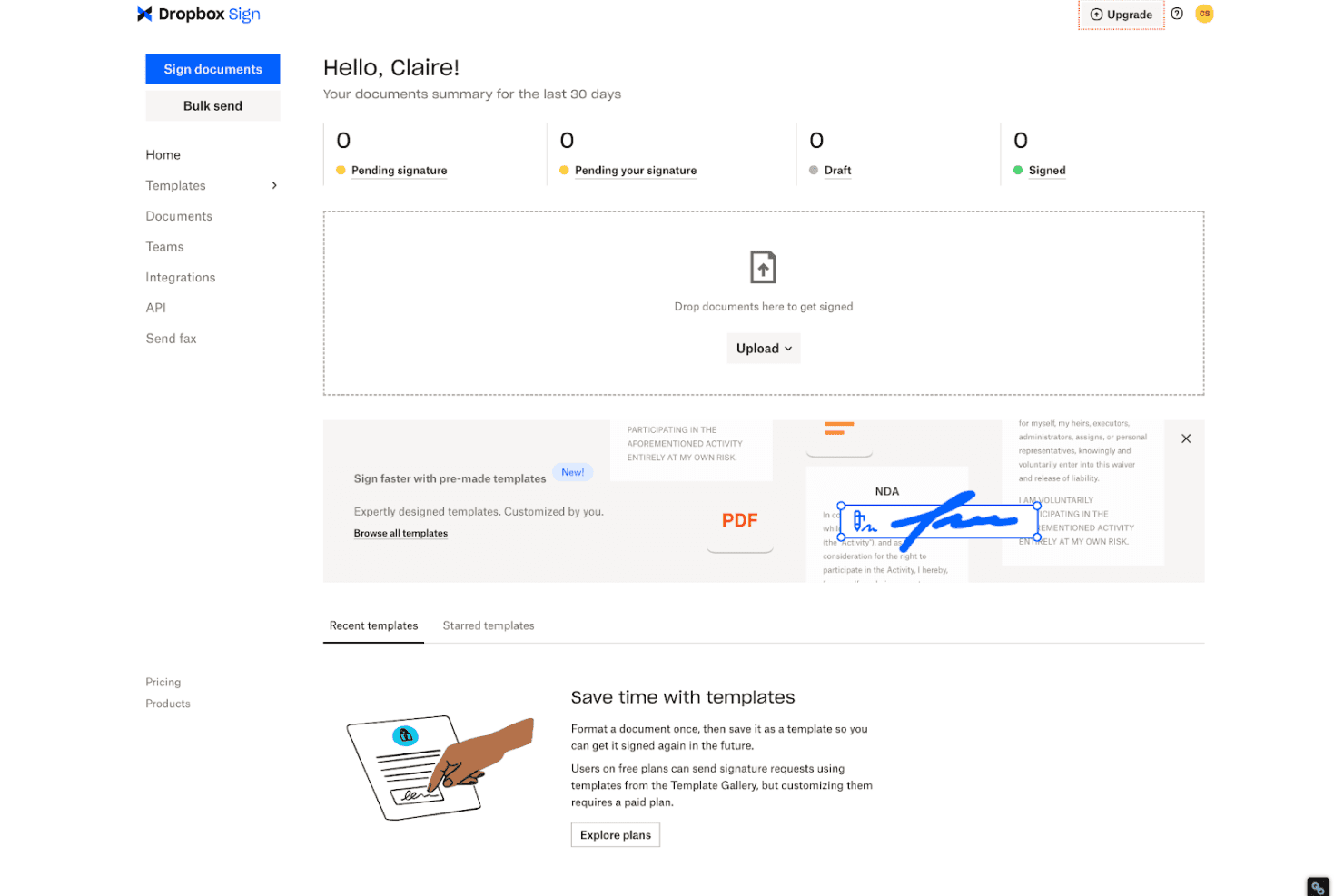
Dropbox Sign supports secure e-signatures, audit trails, templates, and BAA access. Dropbox Sign is a HIPAA-compliant e-signature platform that supports document sending, signature collection, template management, audit trails, and embedded signing workflows, with BAA availability on qualifying annual plans.
Who Is Dropbox Sign Best For?
Dropbox Sign is a good fit for healthcare practices that commit to annual plans and need a signed BAA as part of their HIPAA compliance setup.
Why I Picked Dropbox Sign
I picked Dropbox Sign as one of the best because the BAA requirement is built directly into the annual plan structure, which means HIPAA compliance isn't an add-on you negotiate separately. On annual Standard or Premium plans, you can execute a signed BAA with Dropbox Sign and access its full audit trail and template management features for patient-facing documents. I also like that enabling HIPAA mode through the admin console applies specific restrictions automatically, like blocking PDF copies of signed documents from being sent via email, which aligns with how protected health information should be handled.
Dropbox Sign Key Features
- Embedded signing: Integrate signing workflows directly into your patient portal or web application using Dropbox Sign's API.
- Signer authentication: Require signers to verify their identity via SMS passcode or other methods before accessing a document.
- Bulk send: Send a document to multiple recipients simultaneously, each receiving their own individual signing link.
- Reusable templates: Build standardized document templates for forms like intake paperwork or consent agreements that your team can send repeatedly.
Dropbox Sign Integrations
Dropbox Sign offers native integrations with Salesforce, HubSpot, Google Workspace, Microsoft Word, Microsoft OneDrive, Microsoft Dynamics 365, Slack, Greenhouse, Ironclad, and Oracle-adjacent HR tools like PageUp, and it connects with Zapier. An API is available for embedding signing workflows into your patient portal or custom applications.
Pros and Cons
Pros:
- API supports embedded patient portal workflows
- HIPAA mode enforces additional document restrictions
- BAA included with qualifying annual plans
Cons:
- HIPAA features require annual commitment
- BAA not available on monthly plans
Learn more about Dropbox Sign: Best for HIPAA intake forms and patient signing
- Free plan available
- From $34/user/month (billed annually)
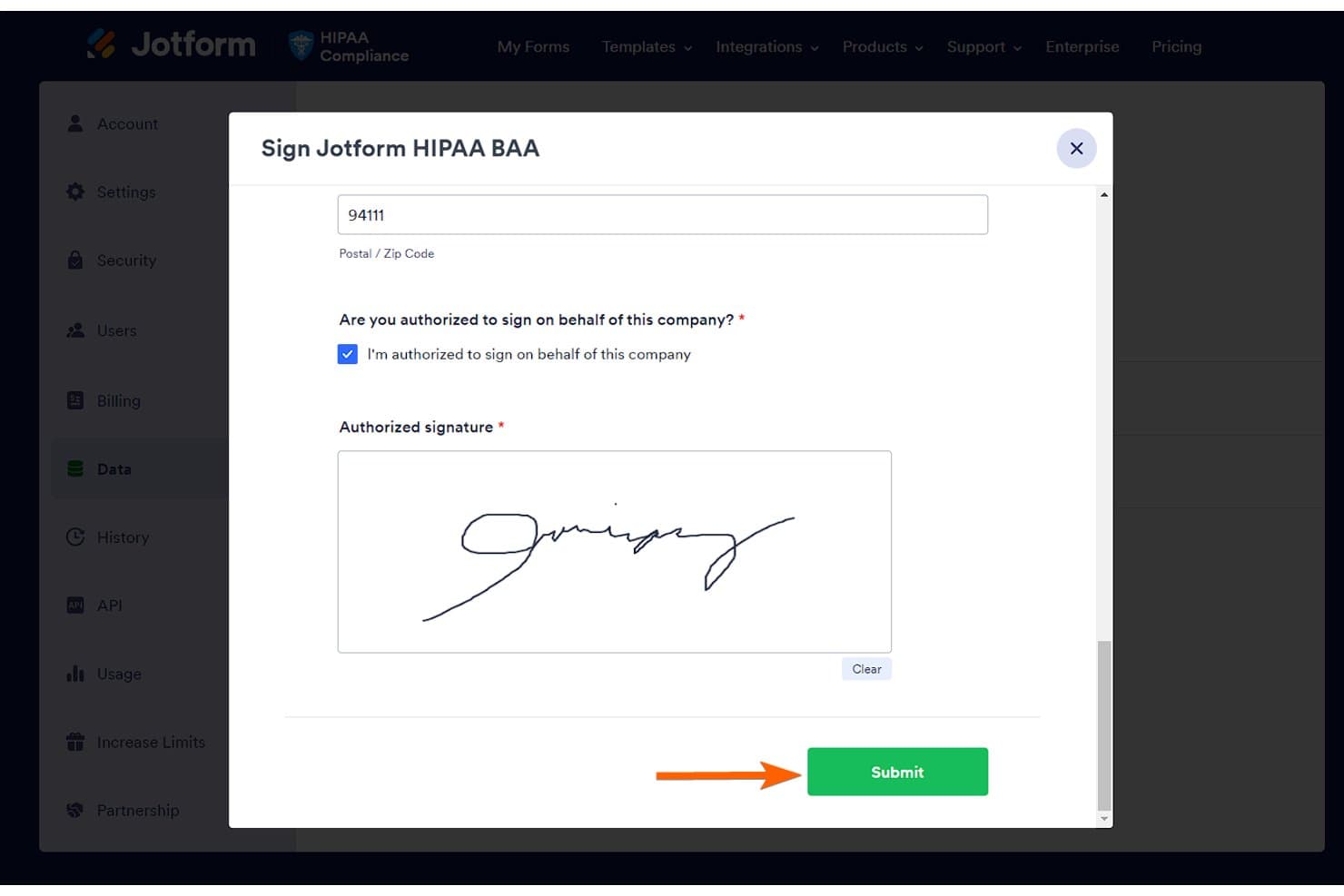
Jotform Sign lets users sign HIPAA BAA forms with an e-signature. Jotform Sign is a HIPAA-enabled electronic signature tool built around form-based document workflows, letting healthcare teams create, send, and collect signatures on patient intake forms, consent documents, and medical records releases using a drag-and-drop builder with automated signing order and approval flows.
Who Is Jotform Sign Best For?
Jotform Sign is a strong fit for healthcare administrators and clinical staff who need to collect patient signatures on intake forms and consent documents without building workflows from scratch.
Why I Picked Jotform Sign
I picked Jotform Sign as one of the best because its drag-and-drop form builder is purpose-built for exactly the documents healthcare teams deal with daily, including patient intake consent, medical records releases, and power of attorney forms. I especially like the automated signing order, which lets you route a document through multiple signers sequentially without manual follow-up. HIPAA-enabled plans include a BAA upon request, so your protected health information workflows stay compliant from collection to finalized PDF delivery.
Jotform Sign Key Features
- PDF conversion: Upload any existing PDF and convert it into a signable document without rebuilding the form from scratch.
- Audit trail: Every signing action is logged with timestamps and signer details, giving you a tamper-evident record for compliance documentation.
- Reusable document templates: Build a document once and send it repeatedly, so recurring forms like consent agreements don't require manual recreation each time.
- Sign Inbox: A centralized dashboard for tracking document status, receiving instant signer notifications, and downloading finalized records in one place.
Jotform Sign Integrations
Jotform Sign taps into Jotform's broader library of 200+ integrations, including healthcare-relevant tools like Salesforce, HubSpot, Google Drive, Google Sheets, Dropbox, OneDrive, Microsoft Excel, Mailchimp, Slack, and Keragon for EHR connections. It connects with Zapier and offers an API for custom integrations.
Pros and Cons
Pros:
- Audit trail tracks every signature action
- Drag-and-drop builder for intake documents
- Built-in HIPAA compliance with BAA available
Cons:
- PDF conversion formatting can need tweaking
- Workflow tools limited on free plan
Learn more about Jotform Sign: Best for flat-rate HIPAA signing with kiosk check-in
- Free trial available
- From $120/user/year
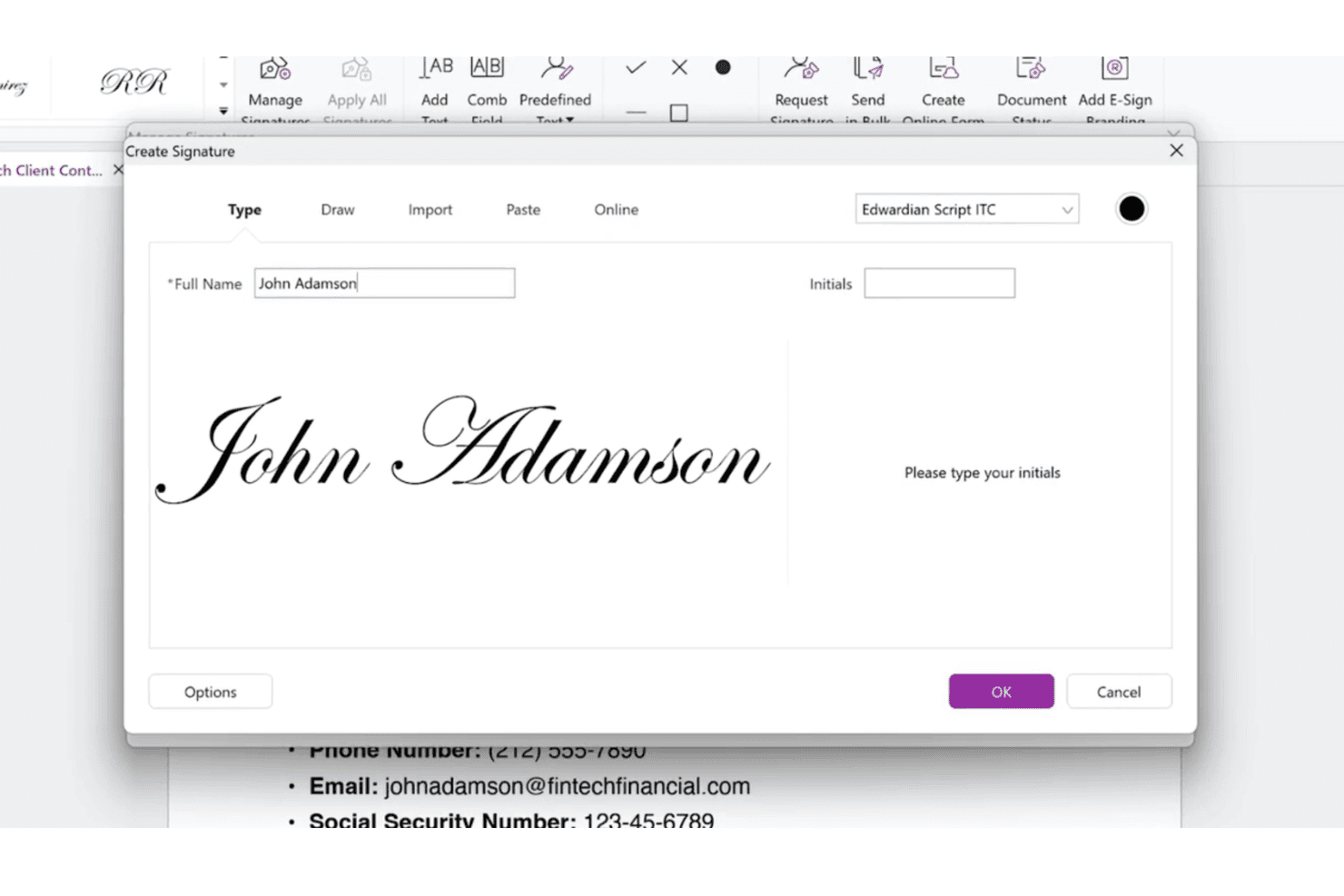
Foxit eSign supports patient intake, consent, bulk sending, audit trails, and kiosks. Foxit eSign is a HIPAA-compliant e-signature platform built for healthcare document workflows, covering patient intake forms, consent management, bulk sending, audit trails, and in-clinic kiosk signing.
Who Is Foxit eSign Best For?
Foxit eSign is a strong fit for healthcare organizations that need in-clinic kiosk signing alongside bulk patient form sending under a flat-rate pricing model.
Why I Picked Foxit eSign
Foxit eSign earns its spot on my shortlist because its kiosk-style signing via Online Forms is genuinely built for clinic front desks, where patients can complete and sign intake or consent forms on a shared tablet, with the station auto-resetting for the next patient. I also like that bulk sending lets staff push the same consent form to hundreds of patients at once, without spinning up individual envelopes. Pair that with HIPAA compliance, 256-bit encryption, and a full audit trail on every signed document, and you get a setup that holds up under scrutiny.
Foxit eSign Key Features
- Reusable document templates: Build and save form templates for patient consent and intake documents so staff can launch signing workflows without rebuilding them each time.
- Knowledge-based authentication (KBA): Verify signer identity using personal security questions before allowing access to sensitive healthcare documents.
- SOC 2 Type 2 certification: Independent audits validate Foxit eSign against all five Trust Service Principles, covering security, availability, and confidentiality.
- Data residency controls: Assign document storage to a specific regional AWS data center at account creation to meet data sovereignty requirements.
Foxit eSign Integrations
Foxit eSign offers 39+ native connectors, including Salesforce, Google Drive, Box, Microsoft SharePoint, Microsoft OneDrive, Dropbox, Workday, BambooHR, ADP Workforce Now, and Greenhouse, and it connects with Zapier. An API is available for custom integrations and embedded signing workflows.
Pros and Cons
Pros:
- Offers full audit trails for all documents
- Kiosk signing resets automatically between patients
- Flat-rate pricing suits high-volume clinics
Cons:
- Pricing details only available on request
- No free trial for evaluation
Learn more about Foxit eSign: Best for BAA access on any plan tier
- Free plan available
- From $10/month (billed annually)
Visit WebsiteCustomer Rating:4.9/5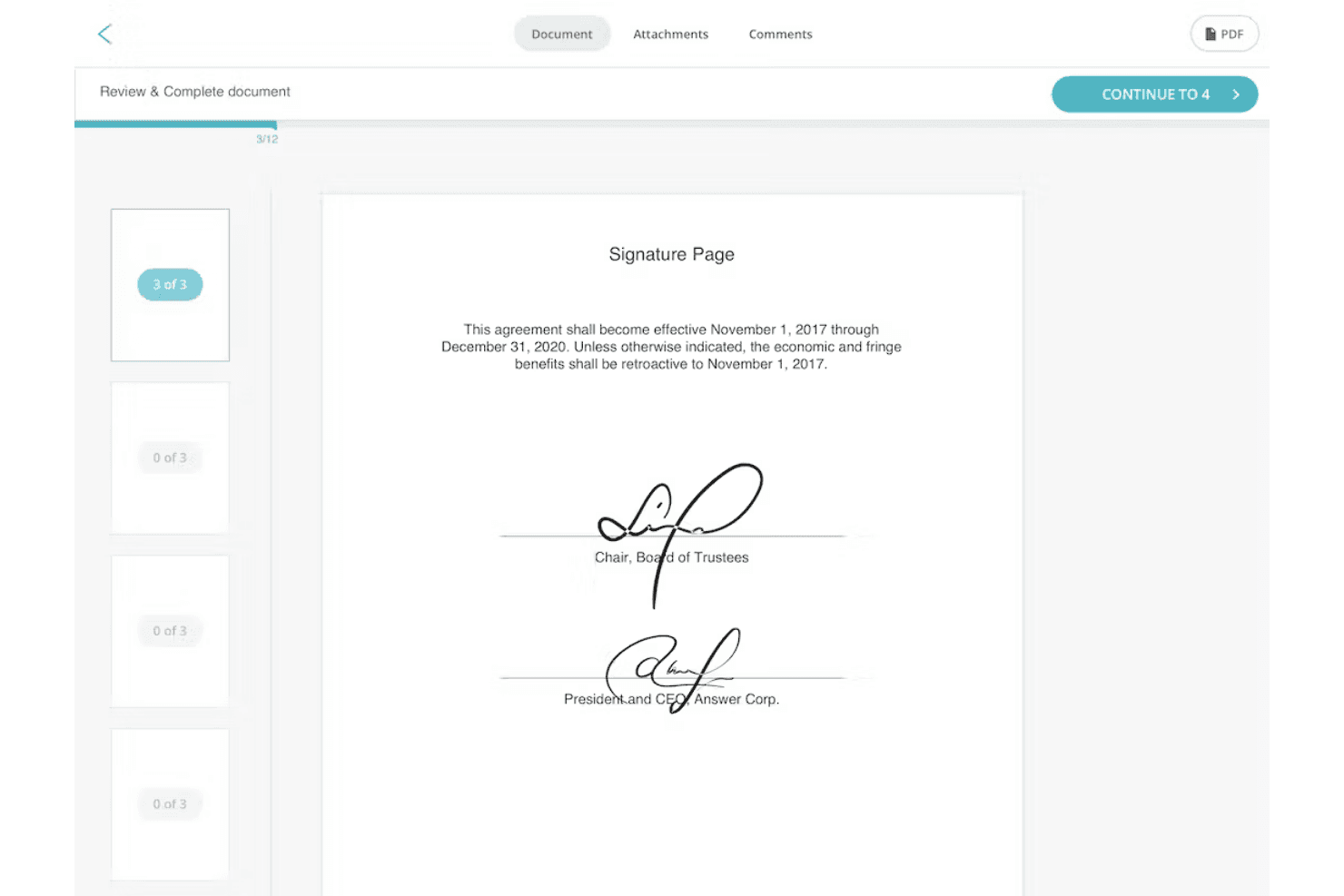
SignWell supports document sending, signing workflows, audit trails, and BAAs. SignWell is a HIPAA-compliant e-signature platform that covers document sending, signing workflows, audit trails, and BAA agreements for healthcare organizations handling protected health information.
Who Is SignWell Best For?
SignWell is a good fit for healthcare organizations of any size that need BAA coverage without committing to a premium plan—HIPAA support and a signed BAA are included even on the free tier.
Why I Picked SignWell
I've included SignWell in my top picks because it's one of the few e-signature tools that includes a signed BAA and full HIPAA support on every plan tier, including the free one. That matters when a small practice or solo provider needs compliant document signing without a premium subscription. I also like that every document gets a tamper-evident audit trail automatically, which keeps PHI-handling workflows defensible during a compliance review. Pair that with SOC 2 Type II certification and encryption in transit and at rest, and you've got a solid compliance baseline regardless of plan.
SignWell Key Features
- Signer passcode authentication: Protect sensitive documents by requiring signers to enter a static or one-time passcode before accessing a document.
- Signing order control: Set a defined sequence for multiple signers so documents route to each party in the correct order before completion.
- Bulk send: Send a document to multiple recipients at once, with each signer receiving their own individual copy to complete.
- Attachment requests: Collect supporting files from signers within the same signing workflow, keeping patient-related documentation in one place.
SignWell Integrations
SignWell offers a small set of native integrations, including Close CRM, QuickBooks Online, and Xero, and it connects with Zapier. An API is also available for custom integrations.
Pros and Cons
Pros:
- Passcode authentication for signer access
- Audit trails are always included
- HIPAA and BAA coverage on all plans
Cons:
- No advanced template automation options
- Limited range of native integrations
Learn more about Signwell: Best for self-serve BAA without sales friction
- 30-day free trial + free demo available
- From $5/user/month (billed annually)
Visit WebsiteCustomer Rating:4.7/5
BoldSign supports templates, multi-party signing, authentication, and audit trails. BoldSign is a HIPAA-compliant e-signature platform built for healthcare teams, offering document templates, multi-party signing, signer authentication, audit trails, and a self-serve BAA available directly from your account settings.
Who Is BoldSign Best For?
BoldSign is a strong fit for healthcare teams that need to get a BAA in place quickly, without going through a sales process.
Why I Picked BoldSign
BoldSign earns its spot on my shortlist because the self-serve BAA is available directly from your account settings, with no sales call required. I love that you can get a signed BAA in place the same day you sign up, which matters when your team needs to move fast. Combine that with built-in signer authentication and tamper-evident audit trails, and you have a solid compliance foundation without the typical enterprise gatekeeping.
BoldSign Key Features
- Document templates: Build reusable templates for consent forms, intake packets, and other recurring healthcare documents to reduce manual setup on each send.
- Multi-party signing: Route documents to patients, providers, and witnesses in a defined signing order, with support for unlimited signers per document.
- Automated SMS and WhatsApp reminders: Send signature requests and follow-up reminders directly via SMS or WhatsApp, so patients can sign from any mobile device without creating an account.
- AES 256 encryption: All documents are protected with AES 256-bit encryption at rest and in transit, meeting the data security requirements tied to HIPAA compliance.
BoldSign Integrations
BoldSign offers native integrations with HubSpot, Salesforce, Microsoft Power Automate, Microsoft 365, OneDrive, Google Drive, Dropbox, Xero, and WhatsApp, and it connects with Zapier. An API and SDKs for C#, Java, PHP, Python, Node.js, and React are available for custom integrations.
Pros and Cons
Pros:
- Automated reminders via SMS and WhatsApp
- Multi-party signing with unlimited signers supported
- Self-serve BAA available in account settings
Cons:
- Pricing details not publicly listed
- No free trial offered
Learn more about BoldSign: Best for health system-scale consent workflows
- Free plan available
- From $10/month (billed annually)
Visit WebsiteCustomer Rating:4.6/5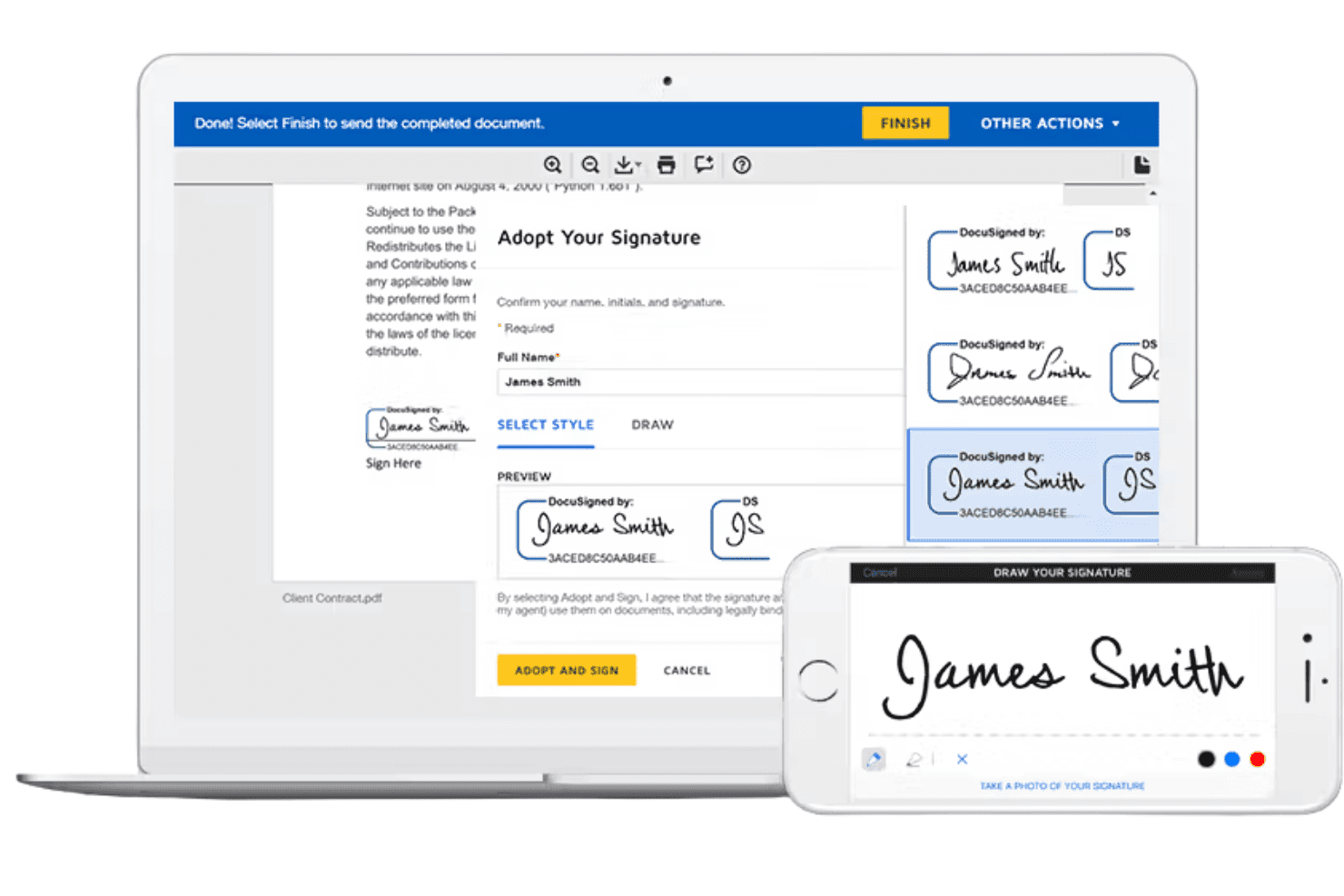
Docusign supports patient consent, credentialing, care coordination, and research. Docusign is a HIPAA-ready e-signature and agreement lifecycle management platform built for healthcare, covering patient consent, provider credentialing, care coordination, and clinical research workflows across EHR, ERP, and HR system integrations.
Who Is Docusign Best For?
Docusign is a strong fit for large health systems and hospital networks that need to manage high volumes of patient consent, provider credentialing, and care coordination agreements across multiple departments and EHR integrations.
Why I Picked Docusign
Docusign earns its spot on my shortlist because of how well its Agreement Lifecycle Management (IAM) platform handles consent and credentialing at scale. I'm particularly impressed by the auto-ingestion and auto-tagging of forms like BAAs and patient consents, which cuts the manual prep work that slows large health systems down. The automated audit trails and HIPAA-ready BAA support mean your compliance documentation is always current without extra admin lift. Health Partners Plans cut provider onboarding from 30 days to 24 hours using Docusign, which gives you a sense of what's possible at enterprise scale.
Docusign Key Features
- Mobile eSignature: Send and sign agreements on any device; over one-third of healthcare transactions are completed via mobile.
- Real-time reporting and analytics: Track agreement status and compliance data across your organization in real time.
- FDA 21 CFR Part 11 support: A dedicated life sciences module meets regulatory requirements for electronic records in clinical research.
- Online notary: Upload documents, verify signer identity, and complete notarizations through a live or electronic notary session.
Docusign Integrations
Docusign offers 1,000+ integrations across its ecosystem, including native connections with Salesforce, Workday, ServiceNow, Microsoft Power Automate, Google Workspace, HubSpot, Microsoft OneDrive, Box, monday.com, and CLEAR for identity verification. An API is available for custom EHR and ERP integrations.
Pros and Cons
Pros:
- Scales for cross-department healthcare workflows
- FDA 21 CFR Part 11 life sciences support
- Auto-ingests and tags BAAs and consents
Cons:
- Enterprise focus may exceed needs of clinics
- Pricing is not publicly available
Learn more about Docusign: Best for document workflows with kiosk signing
- Free plan available
- From $19/user/month (billed annually)
Visit WebsiteCustomer Rating:4.5/5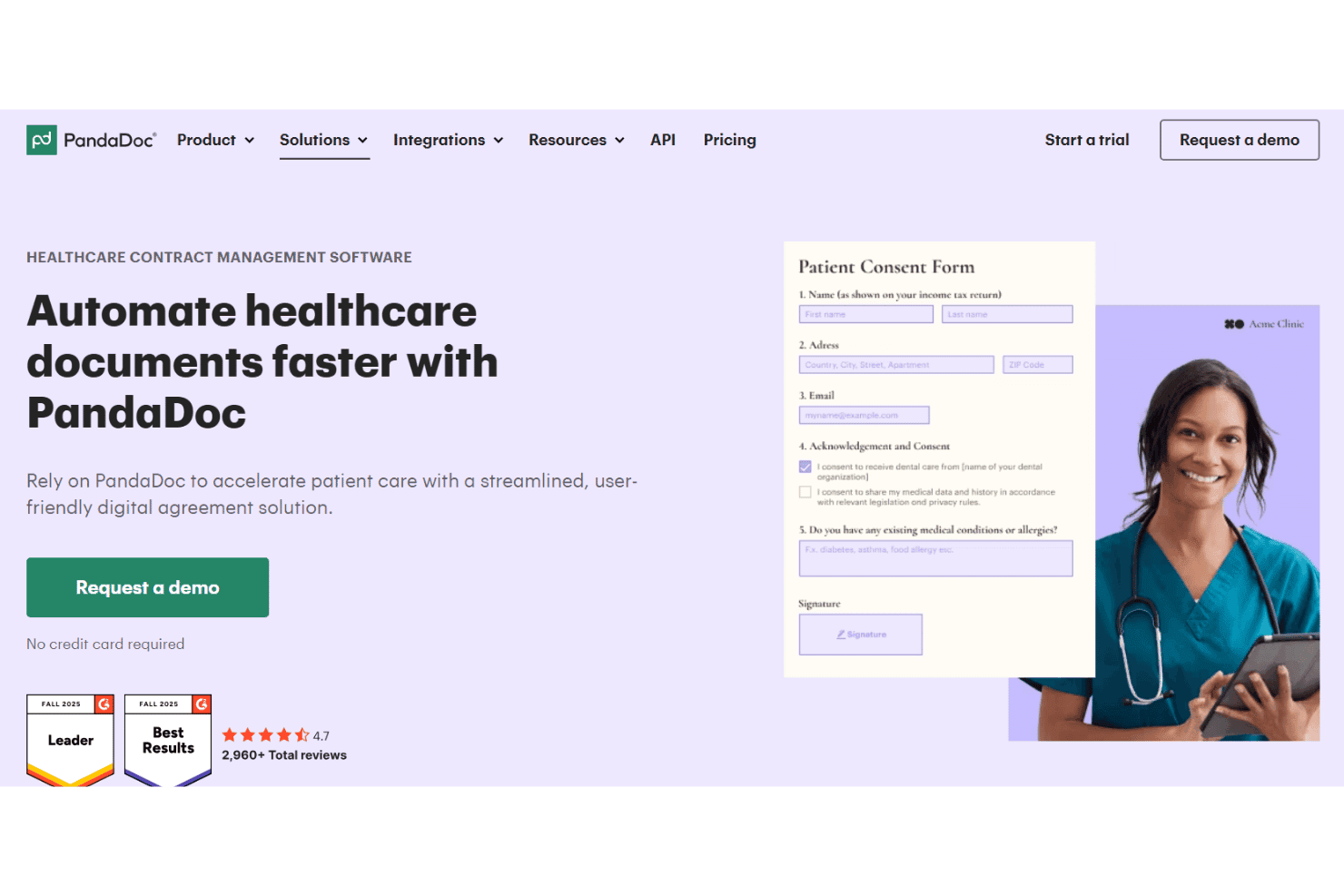
PandaDoc supports patient forms, online notarization, bundles, and kiosk signing. PandaDoc is a HIPAA-compliant document management and e-signature platform built for healthcare organizations, covering patient form collection, remote online notarization, bundled document signing, and kiosk-based signature capture.
Who Is PandaDoc Best For?
PandaDoc is a strong fit for healthcare organizations that need in-person kiosk signing alongside remote document workflows in a single HIPAA-compliant platform.
Why I Picked PandaDoc
PandaDoc earns its spot on my shortlist because of its in-person kiosk signing capability, which lets a front desk staff member pull up a document, tap "Sign in person," and hand a tablet directly to a patient to sign on the spot. I also like the bundled document feature, which groups consent forms, intake paperwork, and authorization documents into a single tracked transaction. Combined with separate HIPAA-compliant workspaces that restrict PHI access by role, it covers both in-clinic and remote signing within one platform.
PandaDoc Key Features
- Remote online notarization: Connect patients with a state-commissioned notary to sign and notarize documents on demand, without requiring an in-person visit.
- Audit trail: Logs every document action—who opened, viewed, and signed—with timestamps and IP addresses for compliance recordkeeping.
- Embeddable patient forms: Embed intake forms on your website to remotely capture and store patient information in a unified system.
- Signing order: Set a custom signing sequence so documents route to each signer one at a time in a defined order.
PandaDoc Integrations
PandaDoc offers native integrations with Salesforce, HubSpot, Pipedrive, Microsoft Dynamics CRM, Zoho, monday.com, Microsoft Teams, Slack, Google Docs, and QuickBooks, and it connects with Zapier. An API is also available for custom integrations.
Pros and Cons
Pros:
- Bundled multi-document signing in one session
- Remote online notarization for compliance workflows
- Kiosk signing for in-person patient signatures
Cons:
- Audit trail settings may require technical setup
- Pricing details require contacting sales team
Learn more about PandaDoc: Best for high-assurance signer auth in healthcare
- Free demo available
- Pricing upon request
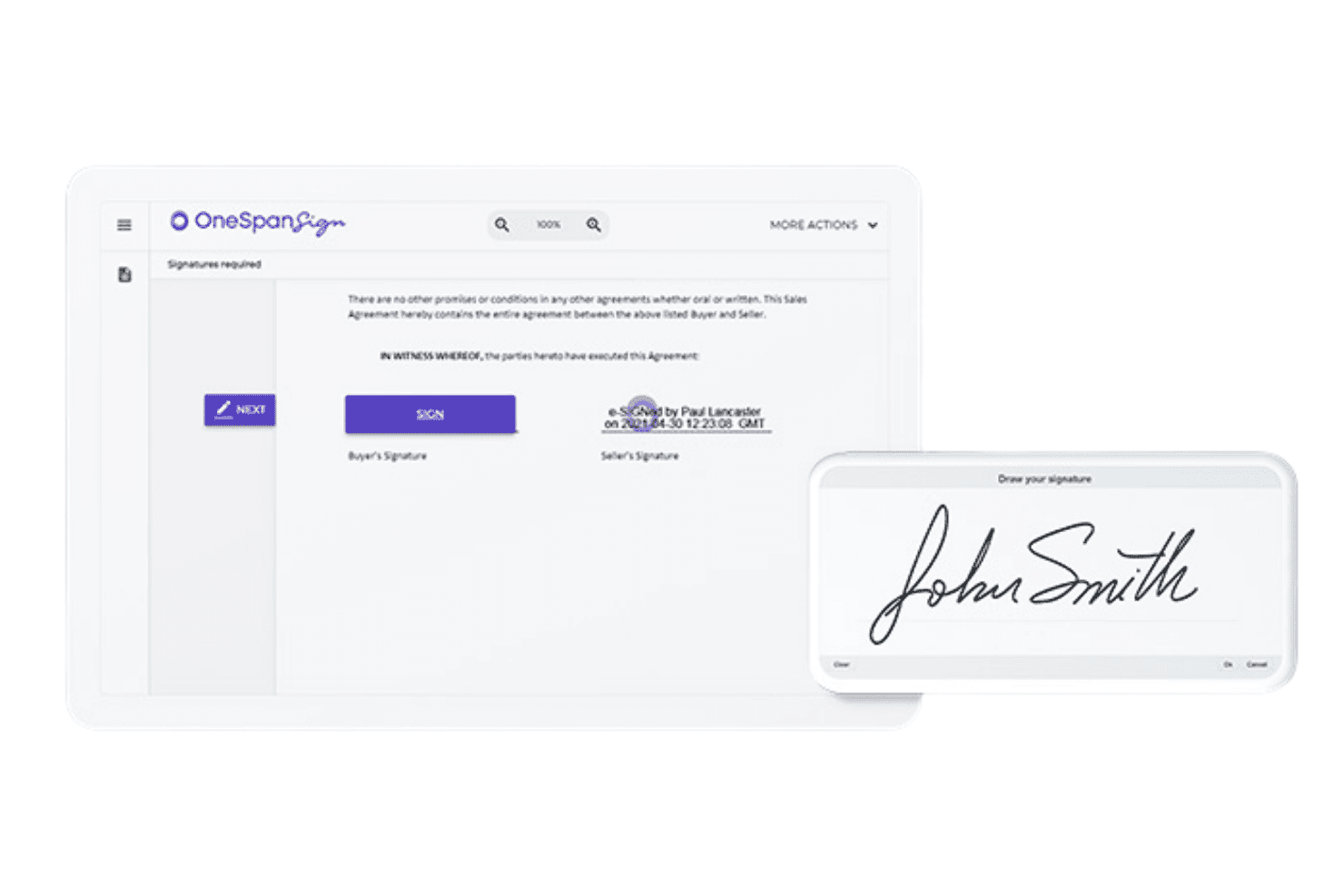
OneSpan Sign supports patient consent, credentialing, EPCS, claims, and identity checks. OneSpan Sign is a HIPAA-compliant electronic signature platform built for healthcare organizations, covering patient consent forms, physician credentialing, EPCS, claims processing, and digital identity verification with biometric and multi-factor authentication tools.
Who Is OneSpan Sign Best For?
OneSpan Sign is a strong fit for healthcare organizations that handle high-stakes document workflows—like EPCS, patient consent, and physician credentialing—where signer identity verification needs to go beyond a basic email link.
Why I Picked OneSpan Sign
OneSpan Sign earns its spot on my shortlist because of its layered signer authentication stack, which goes well beyond what most e-signature platforms offer in healthcare. I particularly like its support for EPCS workflows, where it applies customized mobile signing apps paired with biometric and hardware authenticators to meet DEA two-factor requirements. It also handles digital identity verification at the point of onboarding, capturing ID documents and running facial comparison checks before a patient or physician ever touches a consent form.
OneSpan Sign Key Features
- Single unified audit trail: OneSpan Sign captures every step of the agreement process—identity verification, authentication, and signing—in one embedded audit trail within the signed PDF.
- Conditional form logic: If/Then field logic shows or hides form fields based on signer responses, letting you tailor patient consent and credentialing forms without creating separate document versions.
- Smart digital forms: PDF conversion into guided mobile forms gives patients and staff a step-by-step signing experience on any device without downloading an app.
- White-label signing experience: Fully customizable signing pages, emails, and branding let healthcare organizations present the signing workflow under their own identity.
OneSpan Sign Integrations
OneSpan Sign offers pre-built integrations with Salesforce, Microsoft Dynamics 365, Microsoft SharePoint, Microsoft OneDrive, Workday, Google Drive, Google Sheets, Box, Dropbox, Greenhouse, HubSpot, Guidewire, nCino, Oracle Cloud, Pega, Laserfiche, and Slack, plus a Print Driver for sending from any application. It also connects through Workato and provides APIs and SDKs for custom integrations and embedded signing.
Pros and Cons
Pros:
- Unified audit trails within signed documents
- Built-in ID verification with facial comparison
- Advanced multi-factor authentication tools included
Cons:
- Mobile app installation sometimes required for signing
- Conditional logic setup can be complex
Learn more about OneSpan Sign:
Other HIPAA-Compliant E Signature Software
Here are some additional HIPAA-compliant e signature software options that didn’t make it onto my shortlist, but are still worth checking out:
- 11ZentakeBest for healthcare intake forms with built-in signing
- 12SignNowBest for unlimited-user HIPAA signing on a budget
- 13NitroBest for Microsoft 365-native HIPAA signing
- 14ConcordBest for contract-led HIPAA signing workflows
- 15DocHubBest for Google Workspace-native HIPAA signing
- 16QliqSOFTBest for home-based care e-sign workflows
- 17Xodo SignBest for all-in-one PDF and HIPAA signing on a budget
- 18FormDrBest for EHR-connected patient intake signing
- 19FillBest for AI-assisted patient intake signing
- 20Formstack SignBest for forms-to-signature HIPAA workflows
How I Evaluate HIPAA-Compliant E Signature Software
My evaluation splits into baseline requirements every tool must meet—like a signed BAA and HIPAA-grade audit trails—and the differentiators that separate the best options for real patient-facing workflows.
Core Functionality (Table Stakes For This List)
When I'm selecting tools for my list, I rank each one on a scale from 0 (does not offer the functionality) to 5 (excels in this area) for each core functionality listed below. I then calculate the tool's total score into a percentage, using 65% as a benchmark to help assess its overall fit for the list.
- BAA availability: I check whether the vendor offers a Business Associate Agreement on standard plans or restricts it to enterprise tiers behind a sales call.
- HIPAA-grade security: Encryption at rest and in transit is the baseline, but I also look for SOC 2 Type II reports, HITRUST certification, and documented safeguards specific to PHI.
- Legally binding e-signatures: Each tool should produce ESIGN/UETA-compliant signatures with a certificate of completion—important when consent forms face legal scrutiny.
- Audit trails and logging: I evaluate whether logs capture signer identity, timestamps, and IP addresses in a tamper-evident format you can export for compliance reviews.
- Access controls and authentication: Role-based permissions, MFA, and signer verification methods like SMS or knowledge-based questions all factor into how I score this area.
- Document workflow management: Templates, multi-party routing, automated reminders, and status dashboards matter—especially for practices sending recurring consent or intake packets.
Once I have a list of tools that meet the criteria, I consider what sets each platform apart.
Differentiating Factors (What Sets Vendors Apart)
Here's how I compare and contrast different vendors:
Standout Features
I look for in-person signing modes that support kiosk and tablet handoff at the front desk, since many consent forms are signed during check-in rather than remotely. Signer identity verification is another key area—options like photo ID capture or knowledge-based authentication matter most for high-risk consents such as surgical authorizations. I also evaluate how well each tool's form builder handles conditional logic, required-field validation, and copay collection within a single intake packet.
Beyond Features
I check whether a vendor's BAA is available at digital signup or locked behind a sales call, since practices spinning up telehealth consent workflows can't wait weeks for legal review. Total cost of ownership matters just as much—per-envelope pricing can quietly balloon for high-volume intake, so I compare overage fees and template limits against per-user flat-rate plans. I also evaluate EHR interoperability depth, looking for native connectors or open APIs that write signed documents back into the patient chart without manual uploads.
How to Choose a HIPAA-Compliant E Signature Software
Identifying the right HIPAA-compliant e-signature software means evaluating how well it fits your medical workflows while protecting patient data.
| If your priority is | Look for |
|---|---|
| If your priority isKickstarting digital consent fast | Look forBAAs available at signup without legal back-and-forth |
| If your priority isIn-office check-in and front desk use | Look forKiosk or tablet modes for immediate patient signatures |
| If your priority isReducing patient onboarding hassles | Look forPre-built healthcare intake forms and auto-reminders |
| If your priority isMinimizing compliance risk | Look forAudit trails logging signer, date, device, and IP address |
| If your priority isLinking with your EHR or PMS | Look forOpen API or native integrations with medical record systems |
How to Vet Your Shortlist
- Request a sample BAA: Obtain the exact BAA a practice like yours would sign before sharing patient data.
- Test in-clinic signing: Run a live check-in scenario (self, colleague, or staff) on a tablet or kiosk within one business day.
- Export an audit trail: Complete a test signature, then download the full signer audit log including IP/date/device to confirm detail.
- Verify EHR integration: Connect the trial account to an EHR or practice management test environment and push a signed document through.
- Tradeoff filter—speed vs. depth: Decide early between software that makes immediate digital compliance possible in hours versus platforms prioritizing deeper EHR integration, which may require longer setup and coordination.
What Is HIPAA-Compliant E Signature Software?
HIPAA-compliant e signature software is digital tools designed to let healthcare providers collect, manage, and store patient signatures in ways that comply with HIPAA privacy and security regulations.
These platforms support consent, intake, and documentation processes by ensuring electronic signatures and related records are securely encrypted, auditable, and legally valid for protected health information. This helps safeguard patient data while simplifying compliance and workflow requirements in medical settings.
Features of HIPAA-Compliant E Signature Software
When selecting HIPAA-compliant e signature software, keep an eye out for the following key features:
Business Associate Agreement (BAA) availability: The software should provide a BAA you can sign as part of onboarding, ensuring both you and the vendor meet HIPAA requirements for handling protected health information.
HIPAA-grade security: Look for encryption at rest and in transit, with technical safeguards like SOC 2 or HITRUST certification to add an extra layer of confidence that PHI stays secure.
Legally binding signatures: The platform must generate signatures that meet ESIGN and UETA standards, with certificates of completion so signed documents hold up if questioned.
Detailed audit trails: Each signature should include a full, time-stamped audit log capturing signer identity, device, IP address, and activity—easy to export for compliance reviews or audits.
Role-based access controls: Assign roles to staff, restrict who can see or send sensitive documents, and enforce multi-factor authentication or signer verification, reducing risk of unauthorized access.
Customizable templates and workflows: Build and reuse consent, intake, or release forms with drag-and-drop tools. Automate routing to multiple parties, reminders, and approval flows adapted to your clinical processes.
In-person and remote signing: The system should allow patients or staff to sign on their own devices or in the clinic using a tablet or kiosk—supporting both remote and front desk workflows.
EHR and practice management integrations: Look for direct integrations or open APIs that let you pull patient data in and push signed documents right back into records with minimal manual work.
Mobile device compatibility: The platform should support both iOS and Android devices with touch-friendly signature capture, so patients can sign wherever is most convenient.
Conditional form logic: Advanced form builders use required fields and conditional questions to capture complete patient data.
Benefits of HIPAA-Compliant E Signature Software
Implementing HIPAA-compliant e signature software provides several benefits for your team and your business. Here are a few you can look forward to:
- Ensured HIPAA compliance: Each platform supports HIPAA-grade encryption, audit trails, and provides a Business Associate Agreement (BAA) to help you meet regulatory requirements with confidence.
- Faster patient intake and consent: Pre-built healthcare form templates, automated reminders, and in-person signing options let you quickly collect signatures at check-in or remotely.
- Secure patient data handling: Role-based access controls, multi-factor authentication, and activity logs keep protected health information (PHI) secure from unauthorized access.
- Legal validity of signatures: Documents come with ESIGN/UETA-compliant signatures and certificates of completion, protecting your practice when patient consent faces scrutiny.
- Efficient document management: Tools offer reusable templates, multi-party routing, and status dashboards so you can manage recurring forms and track every signature request.
- EHR and practice management integrations: Many options connect directly to your EHR or practice management system, moving signed forms straight into patient charts without manual uploads.
- Flexible signing experiences: Mobile compatibility and kiosk/tablet modes make it easy for patients and staff to sign documents wherever care is delivered.
Costs and Pricing of HIPAA-Compliant E Signature Software
Selecting HIPAA-compliant e signature software requires understanding the various pricing models and plans available. Costs vary based on features, team size, add-ons, and more. The table below summarizes common plans, their average prices, and typical features included in HIPAA-compliant e signature software solutions:
Plan Comparison Table for HIPAA-Compliant E Signature Software
| Plan Type | Average Price | Common Features |
|---|---|---|
| Plan TypeFree Plan | Average Price$0 | Common FeaturesBasic document signing, limited envelopes per month, single user support, and basic audit trails. |
| Plan TypePersonal Plan | Average Price$10-$30/user/month | Common FeaturesSingle user license, unlimited signatures, template access, email notifications, and standard audit logs. |
| Plan TypeBusiness Plan | Average Price$25-$50/user/month | Common FeaturesMultiple users, advanced templates, team management, bulk send, in-person signing, and HIPAA-grade security. |
| Plan TypeEnterprise Plan | Average Price$45-$85/user/month | Common FeaturesCustom branding, API access, advanced integrations, unlimited users, full BAA, and enhanced compliance controls. |
HIPAA-Compliant E Signature Software FAQs
Here are some answers to common questions about HIPAA-compliant e signature software:
Do all HIPAA-compliant e signature software vendors provide a BAA at signup?
No, not every vendor gives you a Business Associate Agreement (BAA) right at signup. Some only offer a BAA after a sales call or on certain plans. If you need to move quickly, look for vendors that let you review and sign the BAA online during registration. This matters for getting your e signature processes running fast while staying HIPAA-compliant.
Are e signatures collected through these platforms legally valid for patient consent?
Yes, e signatures from HIPAA-compliant e signature software are legally valid as long as they are ESIGN/UETA compliant and come with a certificate of completion. Always make sure the platform documents the full signing process with audit trails, including timestamps and signer identity. This is essential if you ever need to defend patient consent in an audit or legal dispute.
How can I confirm a software’s HIPAA compliance before purchase?
Ask for a sample BAA and review the vendor’s security documentation, including details on encryption, audit logs, and access controls. Test-drive the software by sending a test document and exporting an audit trail. Don’t just take marketing claims at face value—confirm the details before you put patient data into the platform.
What if I need patients to sign forms in the office, not just online?
Look for e signature software that includes in-person signing features like kiosk or tablet modes. This lets patients complete intake or consent forms right at the front desk or in exam rooms. It’s helpful to test these features yourself to see if the workflow fits your patient check-in process.
Which HIPAA-compliant e signature software work with my EHR or practice management system?
Some platforms offer direct integrations or open APIs for connecting with EHR or practice management software. Always check the vendor’s integrations list and, if possible, connect a trial account to your system. If EHR integration is a must, prioritize vendors with prebuilt connectors for your platform, and don’t assume every tool has this level of support.
How do these tools handle high-volume document workflows?
Most HIPAA-compliant e signature platforms support reusable templates, bulk sending, and automated reminders for recurring patient forms. Review each plan’s pricing for envelope limits, user seats, and template caps if you expect heavy usage. Flat-rate business or enterprise plans are better suited for handling large document volumes without surprise overage fees.