

EMR hospital software lets you capture, store, and manage patient health information digitally across hospital departments. If you’re trying to find the best EMR hospital software, you know just how much hinges on getting this choice right—patient safety, continuity of care, and smooth day-to-day operations all depend on it.
With options ranging from established enterprise platforms to flexible web-based solutions, it’s not easy to tell which system will actually fit your clinical and administrative needs. This guide gives you a clear, side-by-side view of the top picks, so you can weigh features and strengths and find the right fit for your team.
Why Trust Our Software Recommendations
6,700+
Reviews
20
Industry experts
16+
Evaluation factors
14
Years
Our team has been testing and reviewing software since 2012. As medical practice leaders ourselves, we know how difficult—and important—it is to choose the right software.
For this guide, we evaluated tools using hands-on testing and independent research, scoring tools using our selection criteria.
Our reviews reflect our human editorial judgment, not a sales pitch.
EMR Hospital Software Comparison Table
This comparison table outlines pricing for my top EMR hospital software picks:
| Tool | Best For | Trial Info | Price | ||
|---|---|---|---|---|---|
| 1 | Best for focused clinical management workflows | Free demo available | Pricing upon request | Website | |
| 2 | Best for cloud-based patient engagement workflows | Free demo available | Pricing upon request | Website | |
| 3 | Best for inpatient and ambulatory care records | Free demo available | Pricing upon request | Website | |
| 4 | Best for post-acute care management | Free demo available | Pricing upon request | Website | |
| 5 | Best for supporting rural and community healthcare | Free demo available | Pricing upon request | Website | |
| 6 | Best for configurable acute care workflows | Free demo available | Pricing upon request | Website | |
| 7 | Best for clinical and financial hospital data | Not available | Pricing upon request | Website | |
| 8 | Best for connecting clinical data with analytics | Free demo available | Pricing upon request | Website | |
| 9 | Best for web-based EHR workflows | Not available | Pricing upon request | Website | |
| 10 | Best for enterprise-wide clinical workflows | Not available | Pricing upon request | Website |


Best EMR Hospital Software Reviews
Below are my detailed summaries of the best EMR hospital software that made it onto my shortlist. My reviews offer a detailed look at the features, best use cases, and integrations of each software to help you find the best one for you.
 Best for focused clinical management workflows
- Free demo available
- Pricing upon request
Visit WebsiteCustomer Rating:3.7/5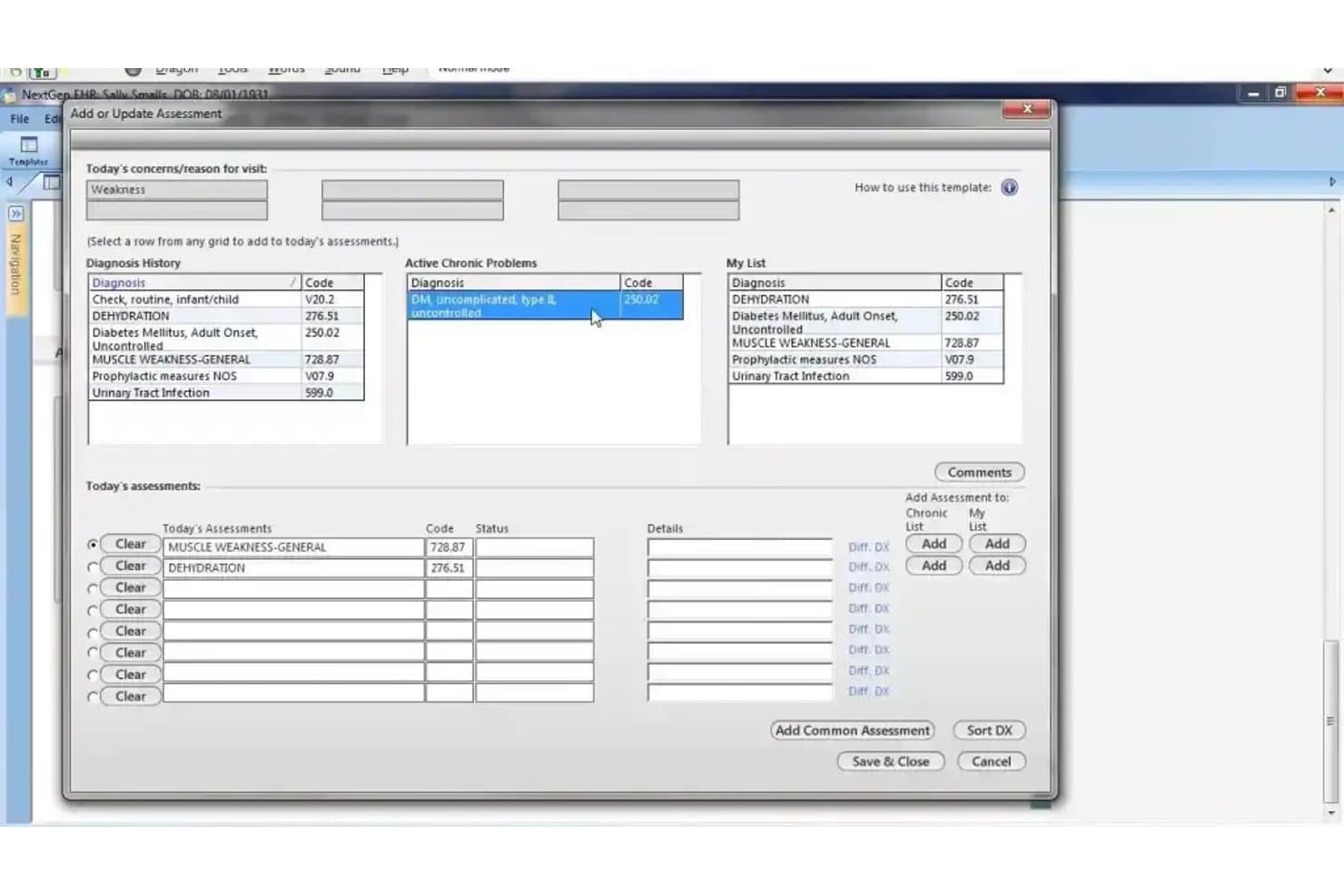
NextGen Healthcare offers an 'Add or Update Assessment' dialog that allows clinicians to manage diagnoses, chronic problems, and today's assessments with ICD codes. NextGen Healthcare is an ambulatory-focused EHR platform that combines clinical documentation, practice management, revenue cycle management, and care coordination tools across 40+ medical specialties.
Who Is NextGen Healthcare Best For?
NextGen Healthcare fits multi-specialty ambulatory practices and physician groups that need a unified EHR and practice management system across clinical and administrative teams.
Why I Picked NextGen Healthcare
I picked NextGen Healthcare as one of the best because of how tightly it structures specialty-specific clinical workflows. The 2,000+ built-in clinical templates across 40+ specialties mean my team documents within pre-built, specialty-appropriate frameworks rather than adapting generic forms. I also like the ambient AI, which converts patient conversations directly into structured SOAP notes, cutting after-hours documentation by up to 57%.
NextGen Healthcare Key Features
- Integrated practice management: Schedule appointments, track patient flow, and manage billing in a unified dashboard.
- FHIR and HL7 interoperability: Exchange clinical data with labs, imaging centers, and HIEs using standard APIs.
- Patient portal: Allow patients to message providers, request refills, view lab results, and manage appointments online.
- Population health analytics: Monitor quality measures and identify gaps in care with real-time reporting across multiple specialties.
NextGen Healthcare Integrations
NextGen Healthcare offers native integrations with Doctible, Solutionreach, Clearwave, InstaMed, and the Mirth Connect Integration Engine for health data exchange. An API is available for custom integrations.
Pros and Cons
Pros:
- Strong interoperability with labs and HIEs
- Ambient AI documentation for encounters
- Specialty-specific ambulatory clinical templates included
Cons:
- Lacks institutional hospital billing workflows
- No inpatient charting or bed management
Learn more about NextGen Healthcare: Best for cloud-based patient engagement workflows
- Free demo available
- Pricing upon request
Visit WebsiteCustomer Rating:3.4/5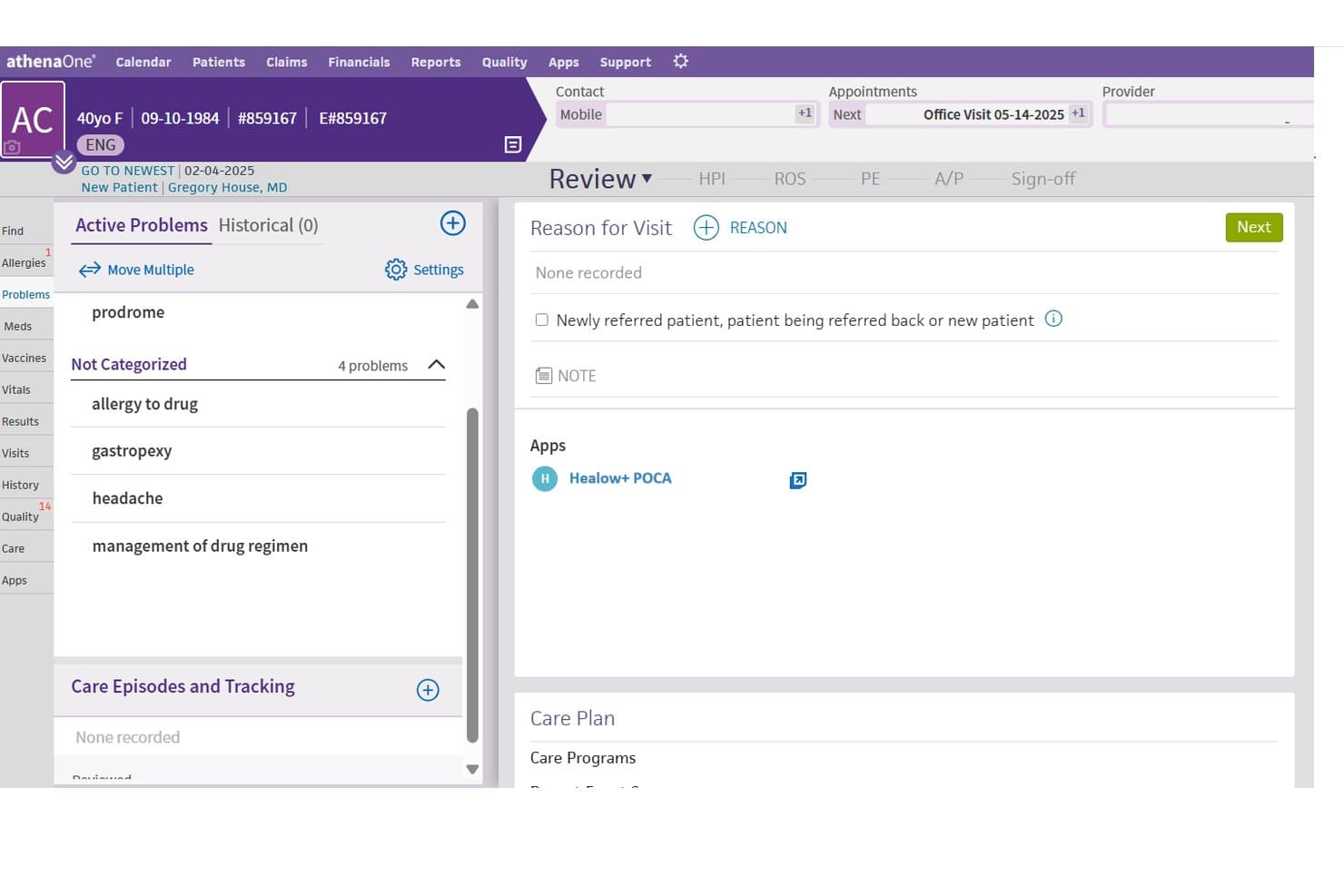
athenahealth offers an integrated patient chart view with active problems, reason for visit, and the Healow+ POCA app embedded directly within the EHR workflow. athenahealth is a cloud-native ambulatory EHR platform that combines clinical documentation, revenue cycle management, practice management, and patient engagement tools into a single connected system.
Who Is athenahealth Best For?
athenahealth is a strong fit for physician groups and hospital-owned ambulatory practices with 1 to 75 providers.
Why I Picked athenahealth
athenahealth earns its spot on my shortlist because of how completely athenaCommunicator handles patient engagement without bolting on separate software. I particularly like that self-scheduling, digital intake, appointment reminders, and online bill pay all live in one cloud-native workflow. Because athenahealth has been cloud-native since its founding, every update rolls out automatically, so patient-facing tools stay current without any IT intervention on my end.
athenahealth Key Features
- AI-powered clinical documentation: Uses natural language processing to automate charting and highlight relevant patient data in real time.
- Integrated revenue cycle management: Supports medical billing, coding, claims denial, and remittance workflows in one platform.
- FHIR-based interoperability: Enables data exchange with EHRs, HIEs, labs, and imaging vendors using FHIR and HL7 standards.
- ONC-certified compliance tools: Delivers built-in tools for HIPAA compliance, MIPS reporting, and meaningful use attestation.
athenahealth Integrations
athenahealth offers native integrations with Dragon Medical One, BirdEye, and Epocrates, and provides access to hundreds of partner apps through the athenahealth Marketplace. FHIR and HL7 APIs are available for custom integrations with EHRs, labs, and imaging systems.
Pros and Cons
Pros:
- Detailed ambulatory clinical documentation tools
- Automatic regulatory updates for all users
- Robust cloud-based patient engagement suite
Cons:
- Medication administration lacks BCMA support
- Lacks inpatient charting and hospital billing
Learn more about athenahealth: Best for inpatient and ambulatory care records
- Free demo available
- Pricing upon request
Visit WebsiteCustomer Rating:3.4/5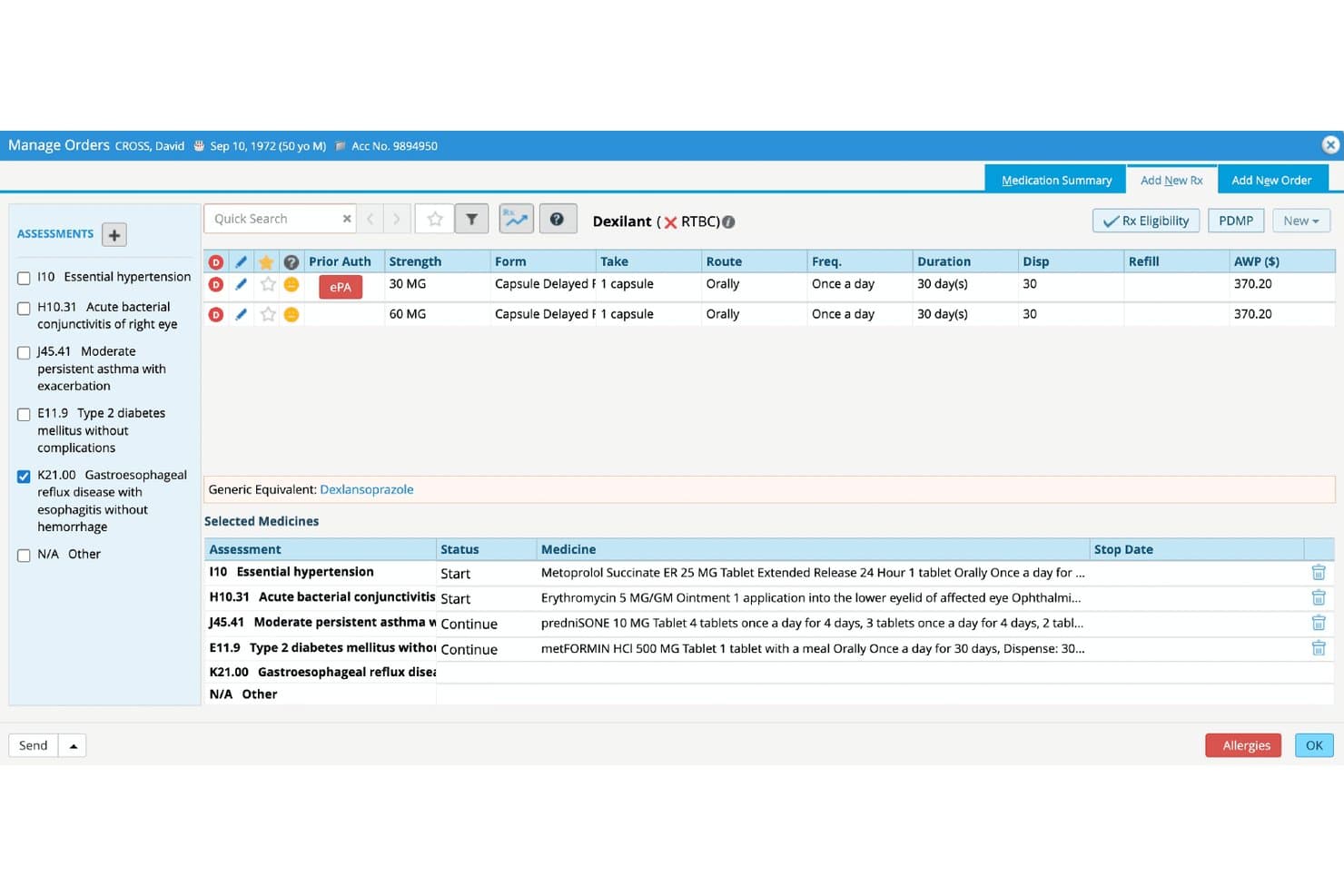
eClinicalWorks offers a Manage Orders screen with electronic prior authorization, medication selection, and multi-diagnosis prescription management for hospital EMR workflows. eClinicalWorks is an AI-powered EHR platform built for hospitals and ambulatory practices, combining inpatient documentation, CPOE, ePrescribing, revenue cycle management, and population health tools in a single unified system.
Who Is eClinicalWorks Best For?
It's a strong fit for community hospitals, integrated delivery networks, and multi-site health systems managing both inpatient and outpatient care on a single platform.
Why I Picked eClinicalWorks
eClinicalWorks earns its spot on my shortlist because it genuinely bridges inpatient and ambulatory records without requiring a separate system for each. I particularly like PRISMA, its built-in health information search engine, which pulls fragmented records across care settings into a single, queryable view. The ADT notification support also stands out, letting my team track admit, discharge, and transfer events in real time and connect them directly to outpatient follow-up workflows.
eClinicalWorks Key Features
- Bed management dashboard: Shows real-time availability and status of inpatient beds across hospital units.
- Embedded charge capture: Lets clinical staff document and submit charges within the same workflow as clinical documentation.
- HL7 and FHIR data exchange: Supports bidirectional data sharing with radiology, labs, pharmacies, and external health systems.
- ONC-certified quality reporting tools: Delivers dashboards and registry reporting for CMS programs like MIPS and HEDIS.
eClinicalWorks Integrations
eClinicalWorks offers native integrations with Meditech, Cerner, Epic, McKesson, Siemens, and supports HL7, FHIR, and CCDA data exchange. An API is available for custom integrations.
Pros and Cons
Pros:
- Customizable clinical content for multiple specialties
- Real-time bed management dashboard is included
- Ambulatory and inpatient records managed in one system
Cons:
- CPOE and nursing workflows can be complex
- Inpatient billing workflows less robust than competitors
Learn more about eClinicalWorks:
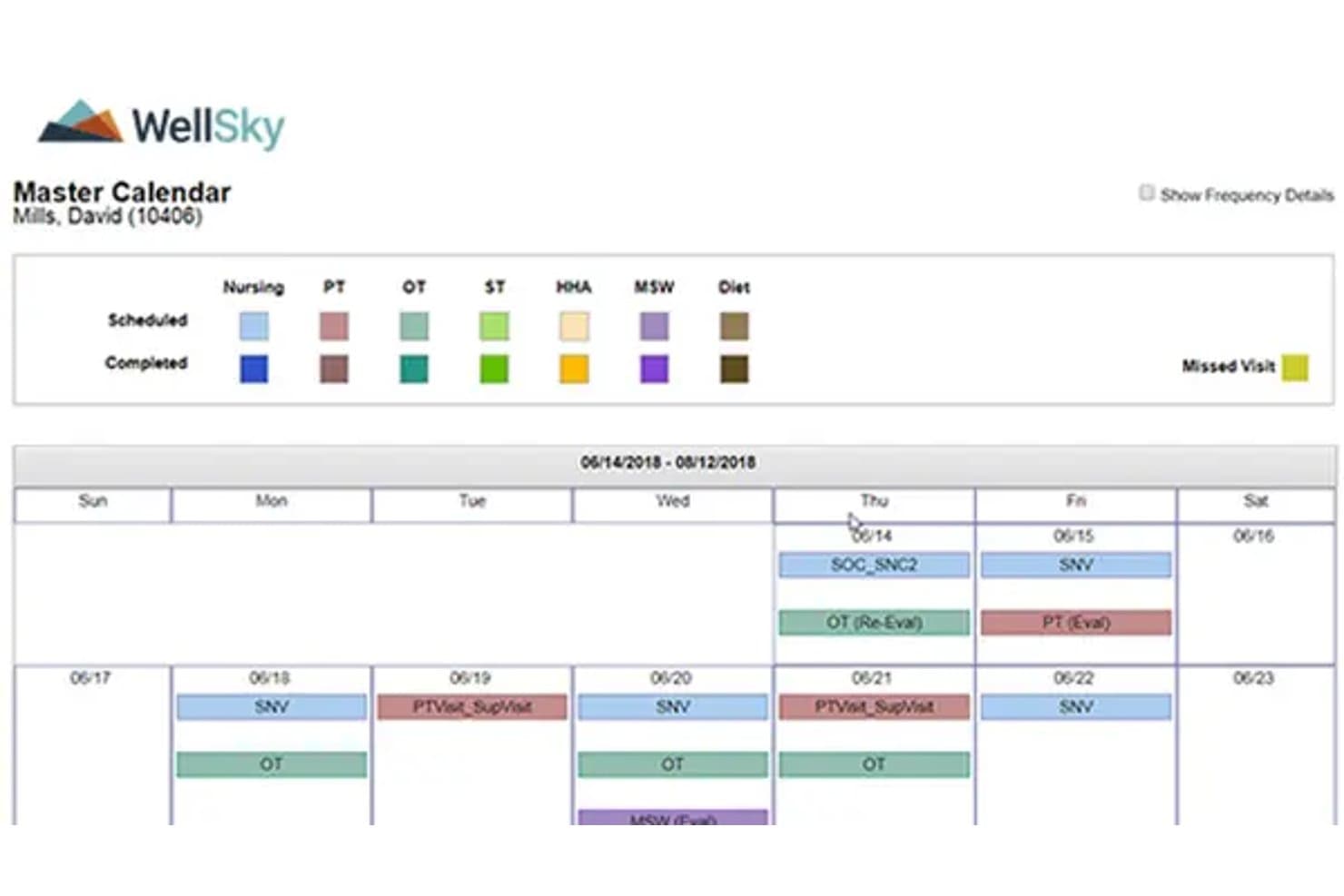
WellSky offers a Master Calendar view that displays scheduled and completed visits across nursing, PT, OT, ST, HHA, MSW, and Diet disciplines in a color-coded weekly format. WellSky Personal Care is a home care management platform built for post-acute and non-medical care agencies, combining scheduling, caregiver coordination, AI-powered shift documentation, and billing tools.
Who Is WellSky Best For?
WellSky Personal Care is a strong fit for private-duty and non-medical home care agencies managing caregiver scheduling, EVV compliance, and client billing at scale.
Why I Picked WellSky
I picked WellSky as one of the best because CareInsights flags clients at elevated hospitalization risk, giving post-acute teams a concrete tool to act before a readmission occurs. I also like how SkySense AI converts verbal caregiver conversations into structured shift notes automatically. In practice, that means care staff spend less time on documentation and more time tracking the clinical changes that matter most post-discharge.
WellSky Key Features
- Applicant tracking module: Lets you manage caregiver hiring and onboarding processes in a centralized dashboard.
- Family Room portal: Provides clients and families with secure online access to care calendars, shift notes, and billing.
- Custom report builder: Enables agencies to create and schedule detailed operational and compliance reports.
- EVV integration: Supports electronic visit verification requirements for Medicaid and government-funded programs.
WellSky Integrations
WellSky Personal Care offers native integrations with QuickBooks, Paychex, ADP, Sandata, AxisCare, MatrixCare, Alora, Rosemark, Axxess, and CareAcademy. An API is available for custom integrations.
Pros and Cons
Pros:
- Family portal for real-time care updates
- AI-powered caregiver documentation automation
- Specialized tools for non-medical care agencies
Cons:
- Lacks ONC certification and hospital billing
- No support for inpatient clinical charting
Learn more about WellSky: Best for supporting rural and community healthcare
- Free demo available
- Pricing upon request
Visit WebsiteCustomer Rating:2.6/5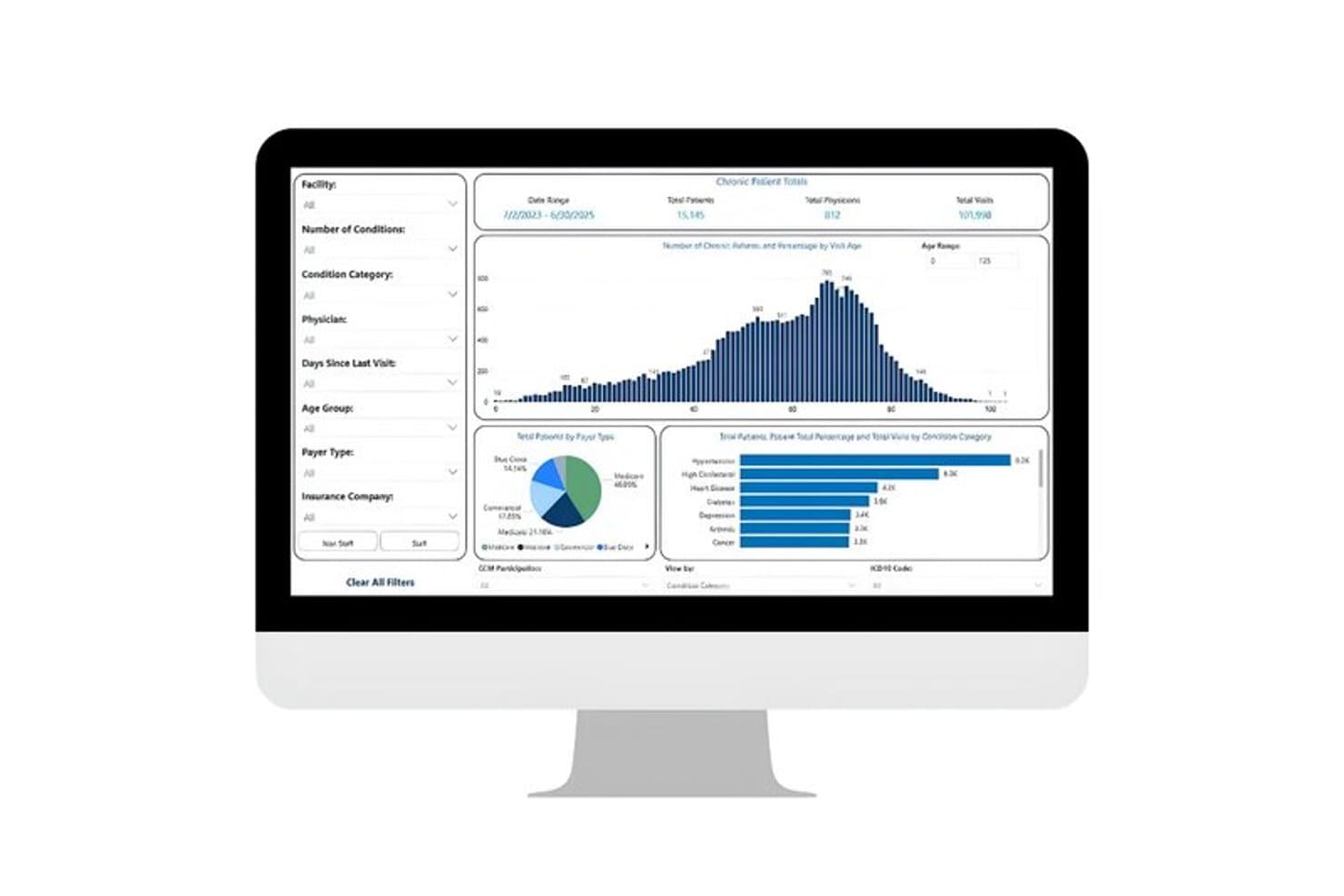
TruBridge offers a chronic patient reports dashboard displaying total patients, physicians, visits, age distribution charts, payer type breakdowns, and condition category analytics. TruBridge is a hospital EHR platform built for rural and community hospitals that combines inpatient clinical documentation, CPOE, medical coding services, and an integrated revenue cycle management suite.
Who Is TruBridge Best For?
TruBridge is a strong fit for CIOs and revenue cycle managers at rural, critical access, and community hospitals that need a tightly integrated EHR and RCM stack.
Why I Picked TruBridge
I've included TruBridge in my top picks because no other hospital EHR is as specifically designed around the resource constraints of critical access and community hospitals. I particularly like its single-path coding workflow, which handles facility and professional coding in one place using AHIMA and AAPC credentialed coders targeting 95%+ accuracy. Its RCM suite has held HFMA Peer Reviewed designation for seven consecutive years, covering denial management, clearinghouse, and encoder technology built to the scale of smaller hospital billing teams.
TruBridge Key Features
- Ambient listening integration: Dragon Copilot transcribes and structures clinical notes during patient encounters within the EHR.
- Bed and census management: Tracks real-time patient flow and bed availability across departments.
- Interactive reports and dashboards: Presents financial and clinical performance data for hospital leadership and compliance reporting.
- HL7 and FHIR support: Enables data exchange between departments, labs, imaging, and external systems.
TruBridge Integrations
TruBridge offers native integrations with Microsoft Dragon Copilot for ambient clinical documentation and RevSpring for patient payment solutions. It supports HL7 and FHIR standards for interoperability and provides API access for custom integrations.
Pros and Cons
Pros:
- Focused support for rural and critical access hospitals
- Ambient listening captures clinical documentation automatically
- Streamlined hospital billing and coding workflows
Cons:
- Pharmacy and BCMA feature details not clear
- Limited specialty modules for large hospitals
Learn more about TruBridge: Best for configurable acute care workflows
- Free demo available
- Pricing upon request
Visit WebsiteCustomer Rating:4.1/5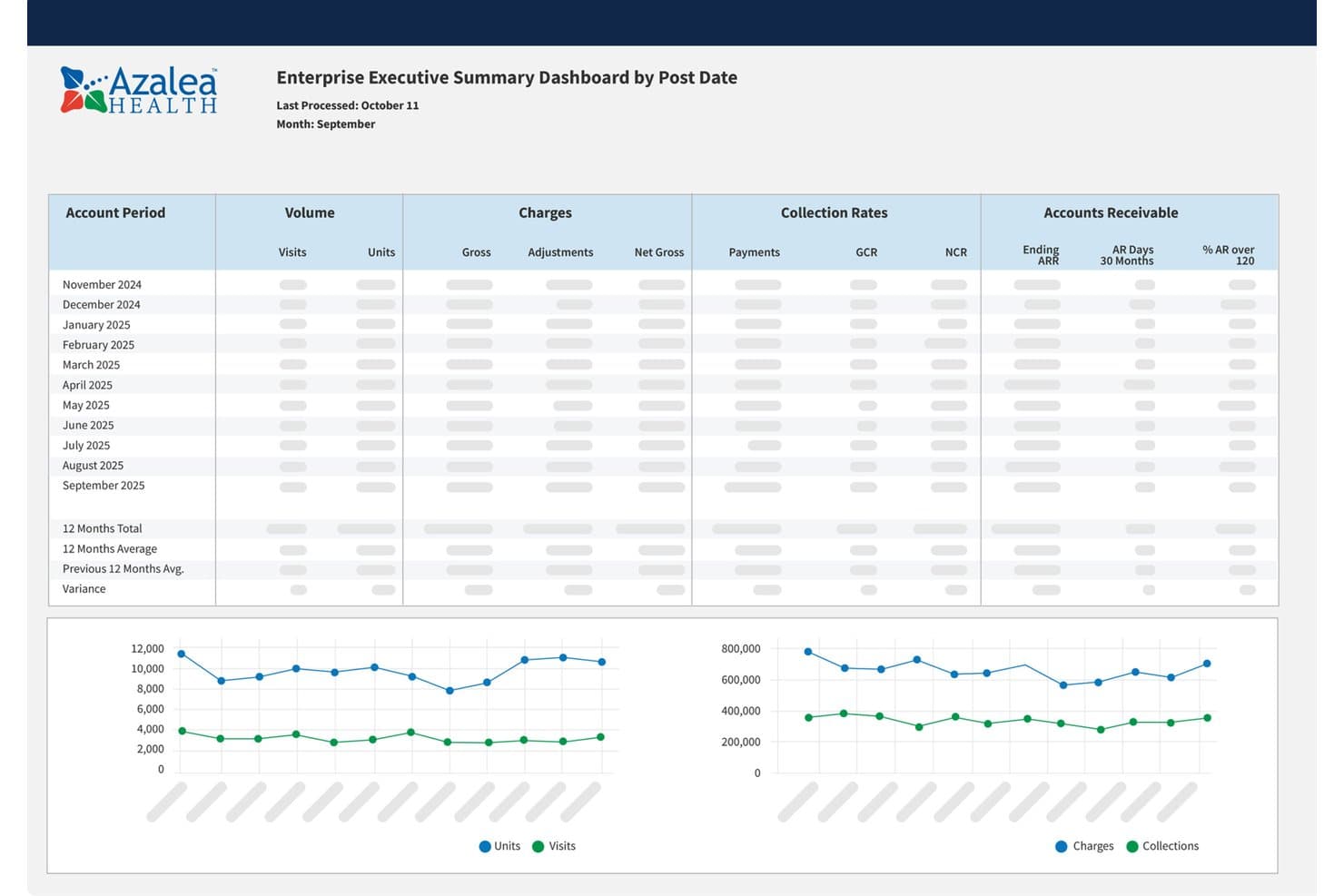
Azalea Health executive dashboard showing visits, charges, collections, and accounts receivable trends Azalea Health is a cloud-based EHR platform for rural and community hospitals that combines inpatient charting, CPOE, integrated RCM, telehealth, and patient engagement in a single system.
Who Is Azalea Health Best For?
Azalea Health is a strong fit for rural and critical access hospitals that need a unified clinical and billing platform without the cost or complexity of enterprise EHR systems.
Why I Picked Azalea Health
I picked Azalea Health as one of the best because its one-screen charting environment lets clinical teams configure templates for ED, inpatient, and nursing workflows without jumping between modules. I especially like the Nurse Board view, which surfaces real-time patient status and handoff visibility across units. The AI Clinical Assistant also handles ambient voice-based note capture, so documentation keeps pace with the demands of a fast-moving acute care floor.
Azalea Health Key Features
- Integrated revenue cycle management: Automates charge capture, coding suggestions, and claims processing within the EHR.
- HL7 and FHIR interoperability: Connects hospital departments, labs, and imaging through industry-standard protocols and smart APIs.
- ONC 21st Century Cures Act certification: Supports regulatory compliance and Meaningful Use/Promoting Interoperability attestation.
- Embedded patient engagement tools: Includes online bill pay, secure messaging, and self-scheduling through a single patient portal.
Azalea Health Integrations
Azalea Health offers native integrations with DrFirst, RevSpring, Updox, Signal Health, Health iPASS, and Surescripts Interconnect, and supports interoperability via HL7, FHIR, CCD/CCDA, TEFCA, and Carequality. An API is available for custom integrations.
Pros and Cons
Pros:
- Built-in AI assistant for clinical documentation
- Real-time nurse board for patient status tracking
- Configurable templates for multiple acute care settings
Cons:
- Reporting for MIPS and quality is limited
- Barcode medication administration is not included
Learn more about Azalea Health: Best for clinical and financial hospital data
- Not available
- Pricing upon request
Visit WebsiteCustomer Rating:4/5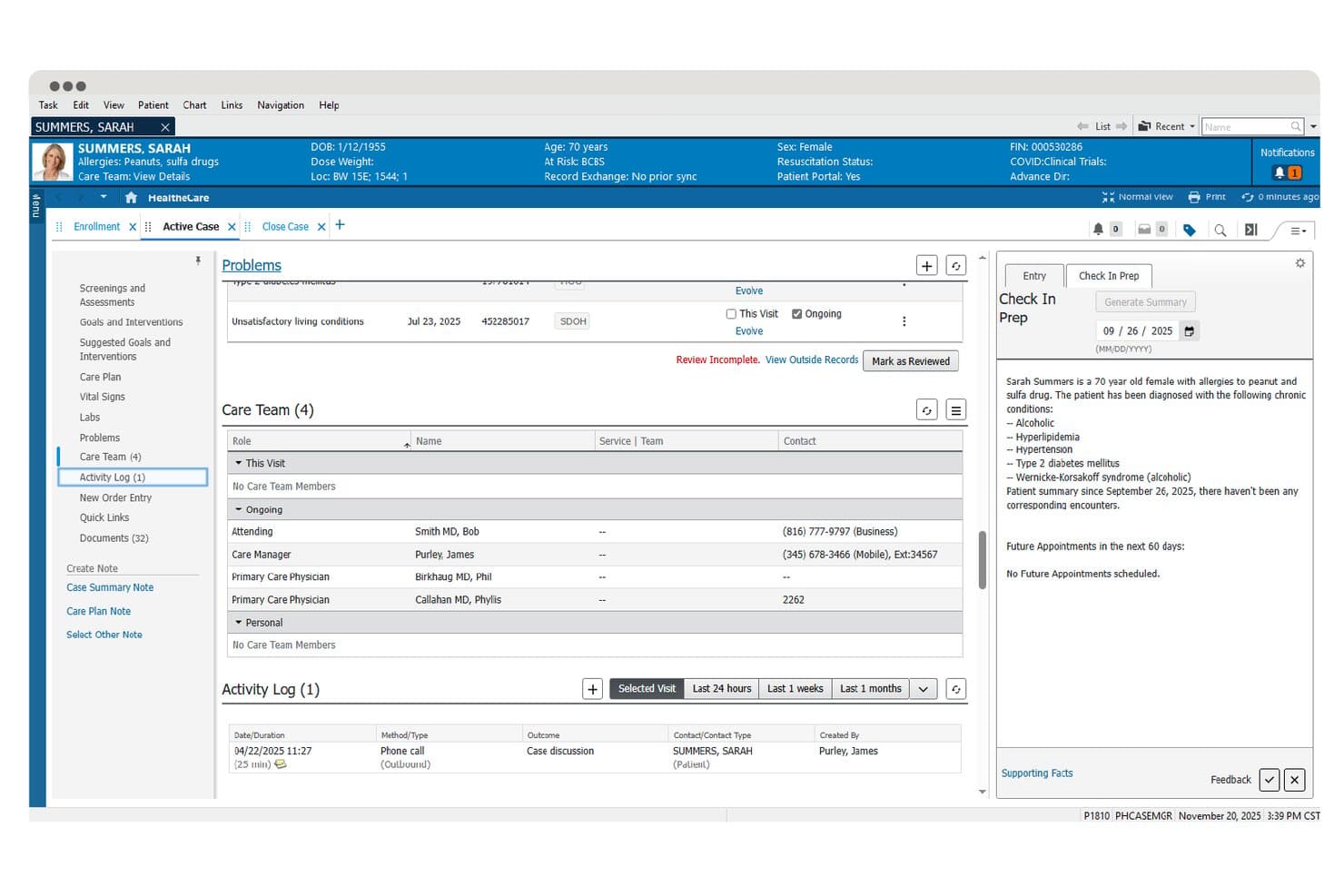
Oracle Health offers a care coordination dashboard displaying patient problems, care team assignments, activity logs, and an AI-generated check-in prep summary for clinical staff. Oracle Health is an enterprise hospital EHR platform built on Oracle Cloud that combines inpatient clinical documentation, CPOE, revenue cycle management, and AI-powered charting tools across acute-care and health system environments.
Who Is Oracle Health Best For?
Oracle Health is a strong fit for large hospitals and multi-facility health systems that need a unified platform spanning inpatient clinical workflows, institutional billing, and enterprise financial operations.
Why I Picked Oracle Health
Oracle Health earns its spot on my shortlist because it's one of the few hospital EHR platforms where clinical documentation and institutional billing data live in the same system. I like how the Revenue Cycle suite handles DRG grouping, charge capture, and claims management alongside inpatient charting, with no manual reconciliation between what clinicians document and what gets billed. The Clinical AI Agent uses voice-enabled documentation to keep clinical records accurate at the point of care.
Oracle Health Key Features
- Bed and census management: Track bed status, patient flow, and real-time census across hospital units.
- Laboratory device integration: Connect lab instruments directly to the EHR for seamless order processing and results reporting.
- Public health reporting: Automate case reporting, immunization registry uploads, and syndromic surveillance for regulatory compliance.
- Health information exchange (HIE) connectivity: Enable data exchange with external organizations and regional HIEs using HL7, FHIR, and CCDA standards.
Oracle Health Integrations
Oracle Health offers native integrations with Oracle Cloud Infrastructure, Oracle ERP, NetSuite, and supports device integration for lab instruments, infusion pumps, and bedside monitors. It also provides FHIR-based APIs and HL7/CCDA connectivity for custom integrations with HIEs, pharmacy systems, and external healthcare platforms.
Pros and Cons
Pros:
- Broad inpatient specialty workflow coverage
- Cloud-based architecture for large enterprise scale
- Advanced revenue cycle management tools
Cons:
- User interface feels outdated to many clinicians
- Support response times reported as slow
Learn more about Oracle Health: Best for connecting clinical data with analytics
- Free demo available
- Pricing upon request
Visit WebsiteCustomer Rating:3.4/5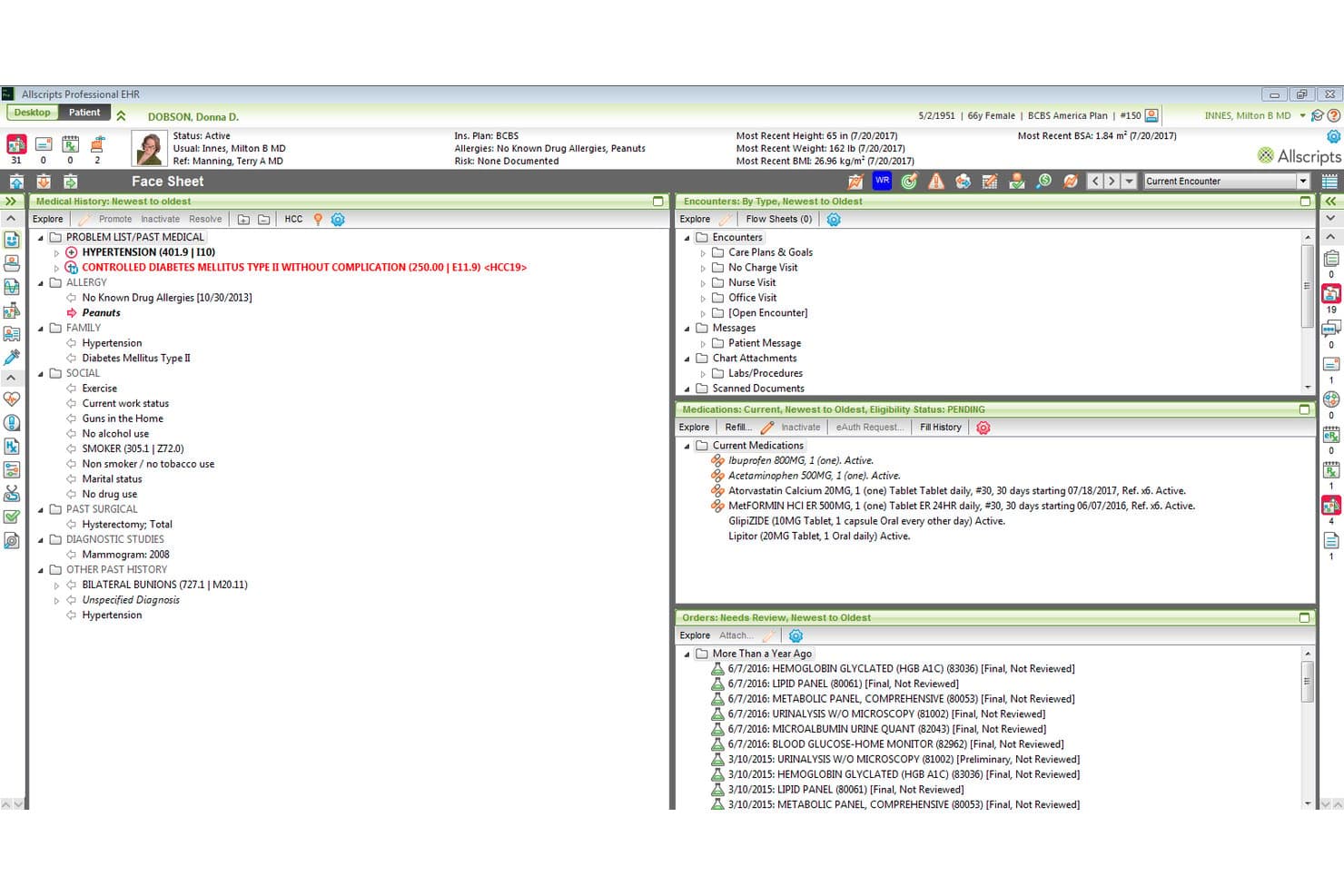
Veradigm offers a comprehensive patient face sheet view displaying medical history, medications, encounters, and lab orders within its EHR software. Veradigm is an ambulatory EHR platform that combines electronic health records, practice management, ePrescribing, and clinical decision support with a health data network that links provider records to payer and life-science analytics.
Who Is Veradigm Best For?
Veradigm fits multi-specialty ambulatory practices and independent physician groups that need an EHR connected to a broader clinical data and analytics network.
Why I Picked Veradigm
I've included Veradigm in my top picks because its HCC alerting and RAF risk scoring surface actionable clinical insights directly inside the EHR workflow. The Veradigm Network then pushes that same patient-level data out to payers and life-science registries in real time. I particularly like the gap closure alerting, which flags care gaps during encounters rather than after the fact.
Veradigm Key Features
- Veradigm Connect open API integration: Lets you link external health tech solutions and devices directly into the EHR workflow.
- Automated compliance reporting: Generates regulatory reports for programs like PQRS, PCMH, and FQHC from within the platform.
- Integrated telehealth visits: Allows clinicians to conduct video appointments and document directly in the patient chart.
- Mobile EHR access: Provides secure, HIPAA-compliant access to charts and schedules on any device.
Veradigm Integrations
Veradigm provides native integrations through its Veradigm Connect API platform, supporting certified connections with external health tech solutions, lab and radiology centers, ePrescribe, and PDMP registries. An API is available for custom integrations.
Pros and Cons
Pros:
- Real-time clinical insights for physicians
- Automated regulatory and quality reporting tools
- Robust outpatient data analytics capabilities
Cons:
- Lacks institutional billing and DRG support
- No native inpatient hospital workflows
Learn more about Veradigm:
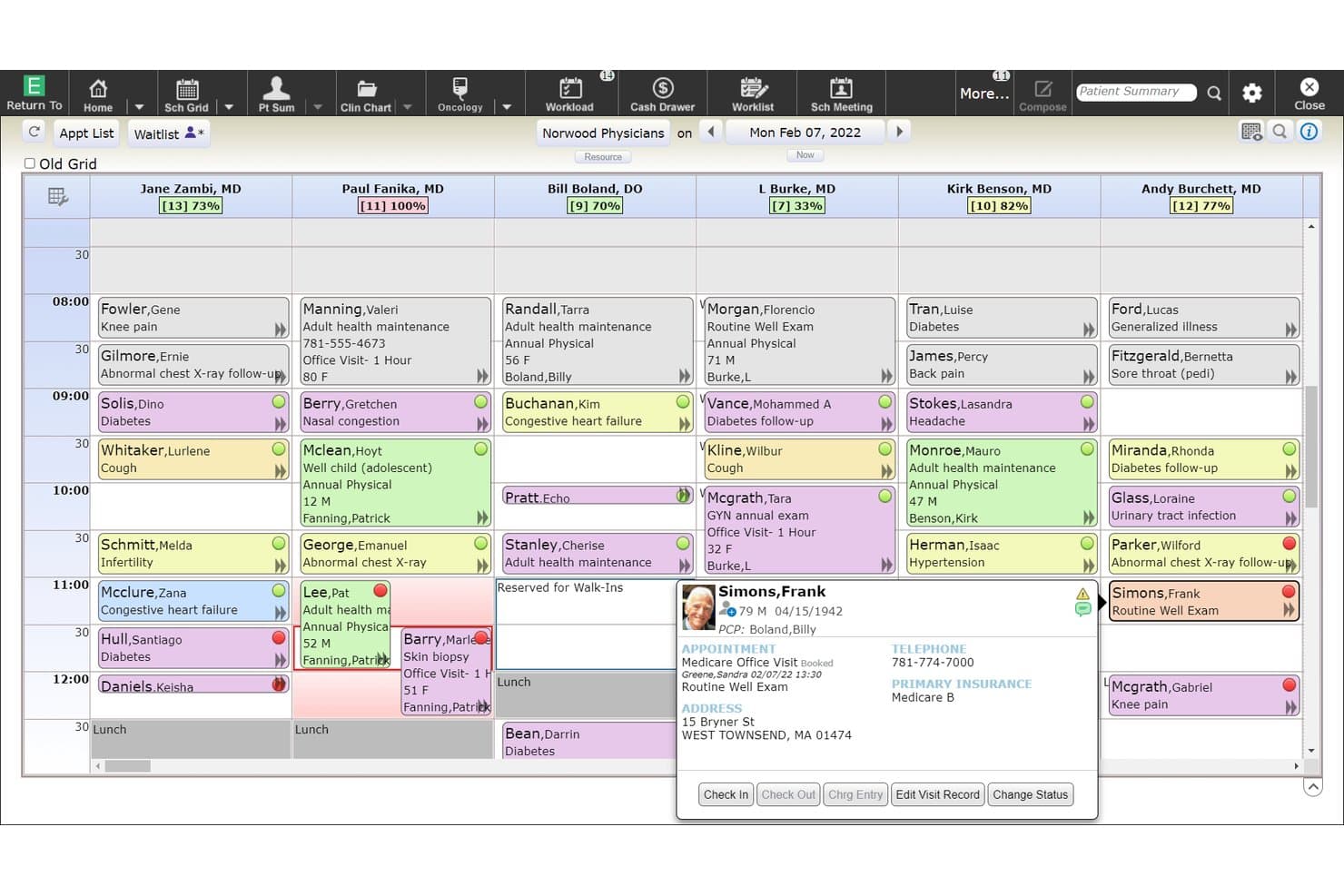
MEDITECH Expanse offers a multi-provider ambulatory scheduling grid displaying daily appointments, patient details, and status indicators across six physicians. MEDITECH Expanse is a cloud-hosted, hospital-grade EHR built for inpatient and ambulatory care, covering CPOE, nursing documentation, medication management, revenue cycle, and interoperability across departments, labs, pharmacies, and HIEs.
Who Is MEDITECH Expanse Best For?
MEDITECH Expanse is a strong fit for community, regional, and multi-site health systems looking for a cost-effective, web-based hospital EHR.
Why I Picked MEDITECH Expanse
I picked MEDITECH Expanse as one of the best because its fully web-based architecture lets clinicians access charts, enter orders, and document care from any browser without client software. I particularly like Expanse Now, the physician mobile app with voice command support, and Expanse Point of Care for bedside nursing documentation. The ambient listening feature, which auto-generates visit notes, keeps documentation moving without pulling clinicians away from patients.
MEDITECH Expanse Key Features
- Integrated revenue cycle management: Combines hospital billing, claims management, coding, and denials workflows within the EHR.
- Clinical analytics and population health: Delivers dashboards and tools for quality reporting, risk stratification, and population management.
- Bed and census management: Monitors real-time bed availability, patient flow, and unit capacity across all hospital departments.
- Interoperability via FHIR and HL7: Supports bidirectional data exchange with HIEs, labs, and imaging systems through modern APIs and legacy feeds.
MEDITECH Expanse Integrations
MEDITECH Expanse offers native integrations with DrFirst, First Databank, Forward Advantage, Intelligent Medical Objects, Interlace Health, MedPower, Micromedex, SSI Healthcare Revenue Cycle Solutions, Stedman's Online, and Zynx Health. An API and Greenfield app development environment are available for custom integrations.
Pros and Cons
Pros:
- Web-based access from any modern browser
- Strong hospital billing and revenue cycle support
- Flexible inpatient and specialty care modules
Cons:
- Reporting setup can be difficult for teams
- Interface often feels slow and outdated
Learn more about MEDITECH Expanse: Best for enterprise-wide clinical workflows
- Not available
- Pricing upon request
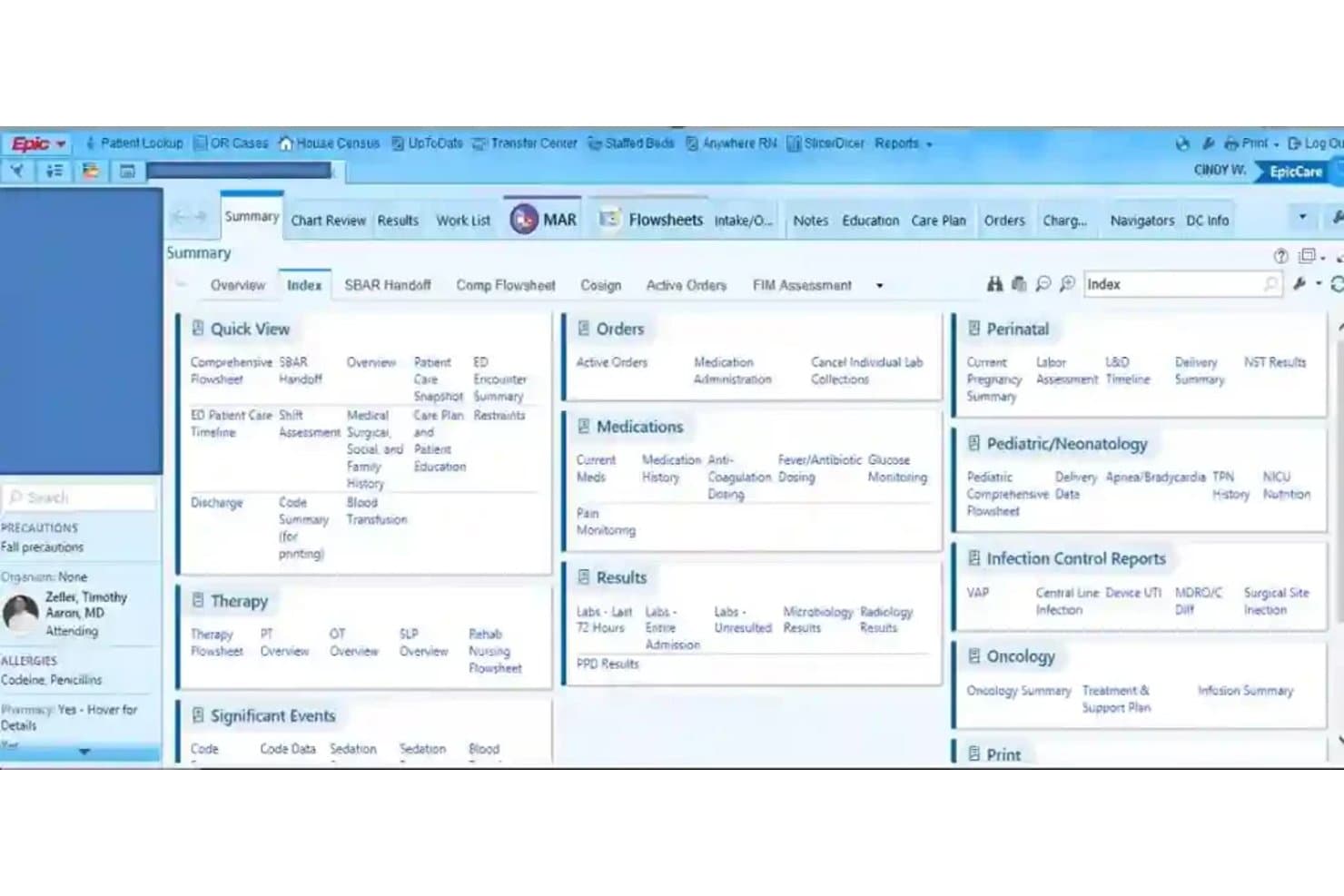
Epic Systems offers a comprehensive patient summary index view with quick access to orders, medications, results, therapy, and clinical reports within its EMR platform. Epic Systems is a hospital EMR platform built for large health systems, covering inpatient charting, CPOE, pharmacy management, revenue cycle, clinical decision support, and population health across acute and ambulatory care settings.
Who Is Epic Systems Best For?
Epic is built for large hospitals and multi-site health systems where CIOs and clinical informatics teams need a single, deeply integrated platform across every department.
Why I Picked Epic Systems
Epic Systems earns its spot on my shortlist because its "one patient, one record" architecture connects every care setting, from critical care to outpatient clinics, without data silos. I particularly like the Acute and Inpatient Care suite, which puts Willow Inpatient pharmacy, CPOE, and nursing workflows all in one place. The Art AI assistant also reduces documentation time by generating clinical notes directly within the charting workflow, which I've seen demonstrated at health systems like UNC Health and WakeMed.
Epic Systems Key Features
- Bed management dashboard: Tracks real-time bed status, patient flow, and unit census for hospitals managing high patient volumes.
- Integrated RCM tools: Provides a built-in billing engine with charge capture, claims scrubbing, coding, and denial management.
- HL7 and FHIR interface engine: Facilitates secure bidirectional data exchange with labs, imaging, and health information exchanges.
- Regulatory compliance reporting: Offers automated CMS quality measure reporting, ONC-certification support, and audit-ready compliance dashboards.
Epic Systems Integrations
Epic Systems offers native integrations with Tempus for precision oncology, Vitals Gateway for device data transfer, and numerous vendors via open.epic.com and showroom.epic.com, supporting HL7, FHIR, and CCDA standards for hospital interoperability. An API is available for custom integrations.
Pros and Cons
Pros:
- Advanced clinical decision support with AI
- Supports extensive specialty modules for departments
- Integrates inpatient and outpatient records seamlessly
Cons:
- Optimizing workflows requires significant IT resources
- Complex system configuration for new implementations
Learn more about Epic Systems:
Other EMR Hospital Software
Here are some additional EMR hospital software options that didn’t make it onto my shortlist, but are still worth checking out:
- 11MEDHOSTBest for hospital EHR and emergency department
- 12InterSystemsBest for unified patient records
- 13NetsmartBest for behavioral health services organizations
- 14MeditabBest for customizable EMR workflows
- 15Napier HealthcareBest for modular hospital management
- 16ChipSoft HiXBest for integrated hospital management
- 17IMS MAXIMSBest for flexible electronic patient records
How I Evaluate EMR Hospital Software
I split my evaluation into baseline requirements—like CPOE, hospital billing, and FHIR interoperability—and the differentiators that separate truly capable platforms from the rest.
Core Functionality (Table Stakes For This List)
When I'm selecting tools for my list, I rank each one on a scale from 0 (does not offer the functionality) to 5 (excels in this area) for each core functionality listed below. Then, I calculate the tool's total score into a percentage. Each tool needs to achieve a minimum total score of 65% to be considered for inclusion.
- Inpatient Charting & CPOE: I look for full clinical documentation with CPOE that covers medication, lab, and imaging orders across nursing units and specialty departments.
- Hospital-Wide Interoperability: Support for HL7, FHIR, and CCDA matters here—especially the ability to exchange data with HIEs, labs, and imaging centers.
- Revenue Cycle & Billing: I check whether the platform handles UB-04/837I claims, charge capture, ICD-10/DRG coding, and denials management in one workflow.
- ePrescribing & Medication Management: Each tool should offer eRx with EPCS, medication reconciliation, pharmacy integration, and ideally BCMA for closed-loop administration.
- Clinical Decision Support: I evaluate whether alerts go beyond basic drug checks to include evidence-based order sets tailored to inpatient care scenarios.
- Regulatory Compliance & Reporting: ONC certification and HIPAA compliance are the baseline. I also look for built-in CMS quality reporting for programs like MIPS and PI.
Once I have a list of tools that meet the criteria, I consider what sets each platform apart.
Differentiating Factors (What Sets Vendors Apart)
Here's how I compare and contrast different vendors:
Standout Features
Bed and census management is a major differentiator. I look for real-time visibility into bed availability and patient flow across units, which directly affects ED boarding times and discharge planning. Clinical analytics also set vendors apart—platforms with embedded dashboards for quality measure reporting and readmission risk stratification give your team actionable data without relying on a third-party BI tool. Integrated revenue cycle management rounds things out, especially when charge capture and claims scrubbing live inside the clinical workflow.
Beyond Features
Hospital size and care setting fit matters a lot. A platform that works for a 25-bed critical access hospital won't necessarily scale to a multi-hospital IDN with specialty departments like oncology and L&D. Deployment model is another key factor—I check whether a vendor offers cloud-hosted, on-premise, or hybrid options, along with uptime SLAs that support 24/7 operations. Vendor training and support resources also shape the long-term experience, especially for nursing and revenue cycle staff during go-live.
How to Choose EMR Hospital Software
It’s easy to get bogged down in long feature lists and complex pricing structures. To help you stay focused as you work through your unique software selection process, here’s a checklist of factors to keep in mind:
| Factor | What to Consider |
| Scalability | Will the software handle your facility’s growth—adding beds, specialty units, or new clinic sites over time? Assess limits on users and workflows. |
| Integrations | Does it connect with current lab, imaging, pharmacy, and billing systems? Ask about HL7/FHIR support and third-party interoperability challenges. |
| Customizability | How easy is it to adapt clinical pathways, order sets, and reports? Consider if you’ll need vendor services for workflow changes. |
| Ease of use | Will clinicians, nurses, and admin staff quickly navigate daily workflows? Look for uncluttered screens and intuitive navigation, especially in high-acuity settings. |
| Implementation and onboarding | What’s the realistic deployment timeline for your hospital size and staff skill level? Ask about downtime, phased go-lives, and on-site training plans. |
| Cost | Evaluate total cost of ownership—licensing, infrastructure, integration, upgrades, and ongoing support. Get breakdowns for both initial and long-term spend. |
| Security safeguards | Does the vendor meet HIPAA, HITECH, and local data privacy standards? Review audit logging, access controls, and breach detection processes. |
| Support availability | Can you reach expert help 24/7 for both clinical and technical questions? Ask about disaster recovery support and escalation times for urgent incidents. |
What Are EMR Hospital Software?
EMR hospital software refers to digital systems designed to centralize inpatient clinical documentation, hospital billing, and health data exchange across departments and care teams. These platforms support providers with charting, clinical decision support, and interoperability features, making it easier to coordinate care, meet regulatory requirements, and securely manage patient information in hospital environments.
Features of EMR Hospital Software
When selecting EMR hospital software, keep an eye out for the following key features:
- Inpatient charting: Lets clinicians document admissions, progress notes, and vital signs, supporting thorough patient record-keeping across hospital departments.
- Computerized provider order entry: Allows providers to electronically enter medication, lab, and imaging orders, reducing errors and speeding up care delivery.
- Clinical decision support: Delivers alerts, reminders, and evidence-based order sets at the point of care to improve decision-making and patient safety.
- Medication management: Offers tools for ePrescribing, medication reconciliation, and pharmacy integration to ensure safe and accurate medication administration.
- Hospital billing and coding: Integrates charge capture, ICD-10/DRG coding, and UB-04/837I claims workflows, supporting accurate and timely reimbursement.
- Interoperability: Enables seamless data exchange with labs, imaging centers, HIEs, and other health systems using HL7, FHIR, and CCDA standards.
- Bed and census management: Tracks bed availability and patient census in real time, helping care teams improve patient flow and capacity planning.
- Regulatory reporting: Supports automated data collection and reporting for programs like CMS Promoting Interoperability, MIPS, and quality measures.
- Role-based security controls: Assigns access based on job function to protect sensitive patient information and support compliance with privacy regulations.
- Audit logging: Monitors and records system access and changes, helping teams maintain data integrity and meet audit requirements.
Common EMR Hospital Software AI Features
Beyond the standard EMR hospital software features listed above, many of these solutions are incorporating AI with features like:
- Predictive analytics: Uses AI to identify patients at risk for readmission, deterioration, or complications by analyzing clinical and demographic data in real time.
- Automated clinical documentation: Leverages natural language processing to transcribe and summarize provider-patient conversations, reducing manual charting time.
- AI-driven coding assistance: Suggests accurate billing codes based on clinical notes and documentation, helping reduce claim denials and speed up reimbursement.
- Intelligent workflow automation: Optimizes task routing, prioritizes alerts, and streamlines care coordination by learning from historical workflow patterns.
- Clinical image analysis: Applies machine learning to radiology and pathology images, flagging potential abnormalities for provider review and supporting faster diagnosis.
Benefits of EMR Hospital Software
Implementing EMR hospital software provides several benefits for your team and your business. Here are a few you can look forward to:
- Improved care coordination: Centralized inpatient charting and interoperability make it easier for care teams to access up-to-date patient information.
- Enhanced patient safety: Clinical decision support and medication management help flag drug interactions and reduce the risk of errors at the point of care.
- Faster billing and reimbursements: Integrated charge capture, coding, and claims workflows streamline the revenue cycle and help minimize billing delays.
- Data-driven quality improvement: Built-in analytics and reporting tools enable your organization to track outcomes, monitor compliance, and meet regulatory goals.
- Greater operational efficiency: Automated bed management, task routing, and workflow customization help teams manage resources and patient flow more effectively.
- Stronger data security: Role-based access controls, audit logs, and HIPAA-compliant safeguards protect sensitive information and support compliance requirements.
- Reduced clinician burden: Automated clinical documentation and intuitive navigation decrease manual work, helping to prevent burnout and streamline daily routines.
Costs and Pricing of EMR Hospital Software
Selecting EMR hospital software requires an understanding of the various pricing models and plans available. Costs vary based on features, team size, add-ons, and more. The table below summarizes common plans, their average prices, and typical features included in EMR hospital software solutions:
Plan Comparison Table for EMR Hospital Software
| Plan Type | Average Price | Common Features |
| Free Plan | $0 | Limited inpatient charting, basic vital sign documentation, and restricted support access. |
| Personal Plan | $50–$100/month | Standard charting tools, order entry, basic regulatory reporting, and essential interoperability with labs and imaging. |
| Business Plan | $300–$700/month | Full inpatient workflows, ePrescribing, advanced billing, audit logs, custom templates, and enhanced clinical analytics. |
| Enterprise Plan | $1,500–$5,000/month | Multi-site management, priority support, dedicated onboarding, extensive customization, full integrations, and uptime SLAs. |
EMR Hospital Software FAQs
Here are some answers to common questions about EMR hospital software:
How long does it take to implement EMR hospital software?
Implementation usually takes 12 to 24 months, depending on hospital size, staffing, and existing IT systems. Planning, staff training, and phased go-lives are often needed to minimize disruption.
Can EMR hospital software integrate with existing lab and imaging systems?
Yes, most solutions support integration with laboratory and imaging systems using HL7 or FHIR standards. This allows for automatic result delivery, order tracking, and more coordinated care.
What support is available for staff during and after go-live?
Many vendors offer on-site training, 24/7 support lines, physician builders, and resource libraries for ongoing staff education and troubleshooting post go-live.
What security measures are standard in EMR hospital software?
Expect HIPAA-compliant access controls, audit logs, data encryption, and breach detection tools that help ensure patient privacy and regulatory compliance.
How are costs typically structured for EMR hospital software?
Most vendors bill by bed count, user licenses, or enterprise agreement. Costs cover licensing, training, maintenance, integration, and sometimes additional modules or customizations.