

O software de faturação médica para grossistas ajuda as empresas de faturação a gerir pedidos de reembolso, pagamentos e processos do ciclo de receitas para vários clientes do setor da saúde em grande escala. Muitas plataformas também permitem gerir farmácias, acompanhar preços de compra, processar encomendas para distribuidores, utilizar software de faturação de farmácias, controlar inventários, gerir prazos de validade, efetuar faturação com GST e enviar alertas de validade.
Se está à procura da plataforma certa, provavelmente procura ferramentas capazes de processar grandes volumes de pedidos de reembolso, melhorar a precisão, simplificar os fluxos de trabalho de farmácias e distribuição e reduzir o trabalho manual — mesmo quando as regras dos pagadores mudam e os clientes têm requisitos próprios. Este guia apresenta as minhas principais escolhas para 2026, explicando-lhe o software desenvolvido para apoiar operações de faturação em crescimento, necessidades multiespecialidade, fluxos de trabalho de farmácias e distribuidores e normas rigorosas de conformidade — para que possa encontrar exatamente a solução adequada à sua empresa.
Why Trust Our Software Recommendations
6,700+
Reviews
20
Industry experts
16+
Evaluation factors
14
Years
Our team has been testing and reviewing software since 2012. As medical practice leaders ourselves, we know how difficult—and important—it is to choose the right software.
For this guide, we evaluated tools using hands-on testing and independent research, scoring tools using our selection criteria.
Our reviews reflect our human editorial judgment, not a sales pitch.
Tabela comparativa de software de faturação médica para grossistas
A tabela abaixo compara os preços das minhas principais escolhas de software de faturação médica para grossistas.
| Tool | Best For | Trial Info | Price | ||
|---|---|---|---|---|---|
| 1 | Best for claims, denials, and payment automation | Free demo available | Pricing upon request | Website | |
| 2 | Best for straightforward claims | Free demo available | From $199/user/month | Website | |
| 3 | Best for small-practice billing automation | Not available | Pricing upon request | Website | |
| 4 | Best for EHR and revenue cycle management | Free demo available | Pricing upon request | Website | |
| 5 | Best for specialty medical billing management | Free demo available | Pricing upon request | Website | |
| 6 | Best for affordable integrated medical billing | Free demo + free expert consultation available | Pricing upon request | Website | |
| 7 | Best for cloud-based medical billing | Free demo available | Pricing upon request | Website | |
| 8 | Best for multi-specialty practices | Free demo available | Pricing upon request | Website | |
| 9 | Best for automated billing and claims management | Free demo available | Pricing upon request | Website | |
| 10 | Best for independent practice billing | Free demo available | Pricing upon request | Website |


Avaliações do melhor software de faturação médica para grossistas
\u003cspan style=\u0022font-weight: 400;\u0022\u003eAbaixo encontra os meus resumos detalhados do melhor software de faturação médica para grossistas que integrou a minha lista restrita. As minhas avaliações analisam detalhadamente as funcionalidades, os preços e os casos de utilização mais adequados de cada software, para o ajudar a encontrar a melhor opção para si.\u003c/span\u003e
 Best for claims, denials, and payment automation
- Free demo available
- Pricing upon request
Visit WebsiteCustomer Rating:4.4/5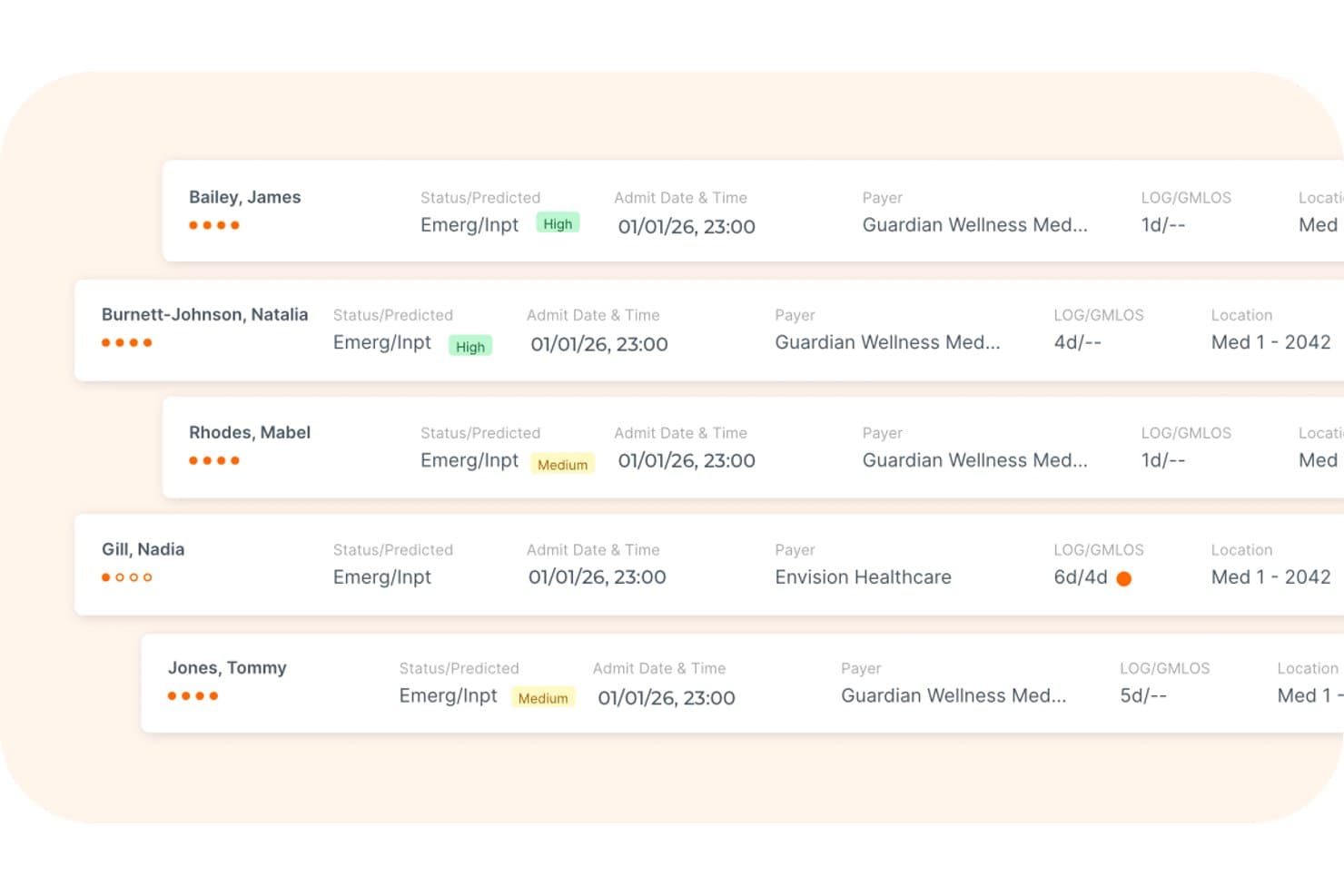
Waystar offers a patient list view displaying emergency inpatient statuses, admit dates, payer information, and length-of-stay metrics for medical billing workflows. Waystar is a cloud-based revenue cycle management platform designed for third-party billing companies and healthcare organizations, combining clearinghouse, denial management, payment automation, and eligibility verification in a single system.
Who Is Waystar Best For?
Waystar is a strong fit for third-party billing companies that manage high claim volumes across multiple client practices and need a dedicated clearinghouse built for that scale.
Why I Picked Waystar
Waystar earns its spot on my shortlist because of how far its claims and payment automation actually goes. I'm particularly impressed by AltitudeAI, which uses predictive analytics to determine the best times to status and appeal claims, and the batch appeals tool lets my team submit up to 100 similar appeals at once with 900+ payer-specific forms attached. On the payment side, automated posting reconciles, splits, and posts 95%+ of payer payments across client accounts without manual intervention.
Waystar Key Features
- Role-based client access: Assign permissions and data visibility for staff working across multiple provider clients.
- Custom workgroup configuration: Set up workgroups and staff assignments for each client within the platform.
- Automated bank reconciliation: Match electronic payments and bank deposits across different client accounts.
- Integrated payer connectivity: Access 600+ real-time payer connections for eligibility and benefit verification.
Waystar Integrations
Waystar offers native integrations with 530+ health information systems and practice management systems, supports 600+ real-time payer connections for eligibility, and provides an API for custom integrations.
Pros and Cons
Pros:
- Supports batch appeals for denials at scale
- Automated posting splits payments by client
- Advanced AI-driven claims scrubbing tools
Cons:
- Contract cancellation can be difficult
- Reporting lacks patient-level denial details
Learn more about Waystar: Best for straightforward claims
- Free demo available
- From $199/user/month
Visit WebsiteCustomer Rating:4.5/5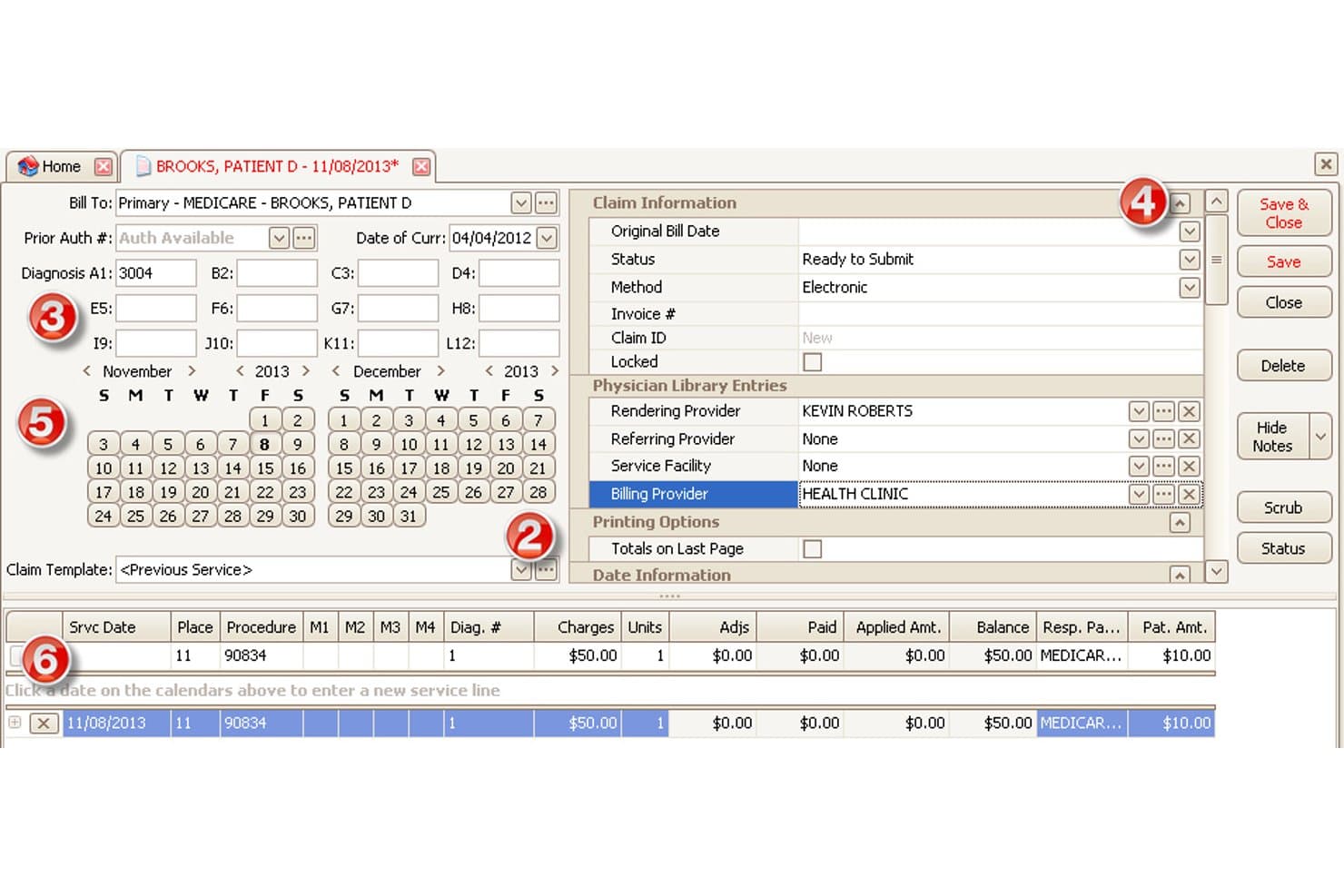
EZClaim offers a detailed claim entry screen with billing provider fields, diagnosis codes, service line entries, and calendar-based date selection for medical billing workflows. EZClaim is a medical billing and scheduling software built for outsourced billing companies and RCM firms, offering multi-client claim management, electronic claim submission, ERA posting, and eligibility verification across multiple provider practices.
Who Is EZClaim Best For?
EZClaim is a good fit for small to mid-sized outsourced billing firms that handle straightforward claims across multiple provider clients.
Why I Picked EZClaim
EZClaim earns its spot on my shortlist because of how cleanly it handles the core mechanics of outsourced claim management. I picked it specifically for its per-client claim templates, which let my team build out CPT code libraries for each provider practice without commingling data across clients. Single-click ANSI 837 5010 submission paired with built-in claim scrubbing means errors get flagged before they ever reach the clearinghouse, keeping first-pass rates high on standard claim types.
EZClaim Key Features
- Customizable patient statements: Generate unique billing statements for each client with branded headers and tailored payment instructions.
- Integrated ERA payment posting: Auto-post ERA payments and adjustments received from payers directly into client accounts for streamlined reconciliation.
- Multi-payer eligibility checks: Verify patient insurance coverage in real time for Medicare, Medicaid, Tricare, commercial, and workers' comp payers.
- EHR system integrations: Sync with EHR platforms including Practice Fusion, Amazing Charts, and WebPT for importing charges and patient data.
EZClaim Integrations
EZClaim offers native integrations with Practice Fusion, Amazing Charts, WebPT, QuickEMR, BillFlash, and ReminderCall. An API is available for custom integrations.
Pros and Cons
Pros:
- Real-time eligibility checks for multiple payers
- Customizable patient statements for each provider
- Supports separate company files per billing client
Cons:
- Limited customization of built-in reporting
- No automated denial workqueue tools
Learn more about EZClaim: Best for small-practice billing automation
- Not available
- Pricing upon request
Visit WebsiteCustomer Rating:3.7/5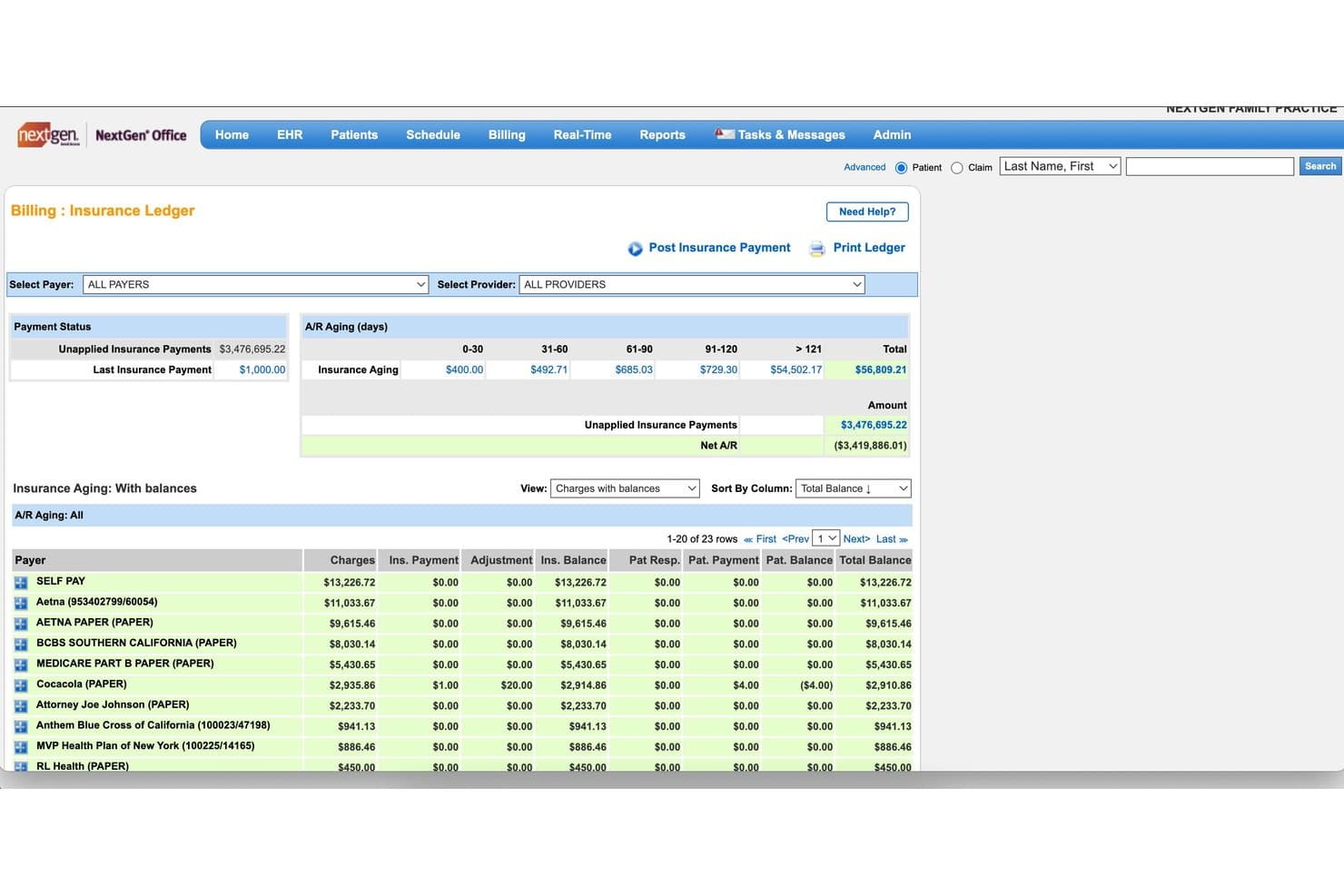
NextGen Office offers an Insurance Ledger with A/R aging breakdowns, unapplied payment tracking, and payer-level balance views for medical billing management. NextGen Office is a cloud-based EHR and practice management platform built for medical billing companies, combining multi-practice claims scrubbing, integrated clearinghouse submission, ERA auto-posting, denial tracking, and A/R management across client practices.
Who Is NextGen Office Best For?
NextGen Office is a strong fit for third-party billing companies managing claims across multiple small-to-mid-size physician practices.
Why I Picked NextGen Office
I picked NextGen Office as one of the best because its Background Business Processor handles automated claims generation, eligibility checks, and statement runs across multiple small practices simultaneously. I like that the integrated clearinghouse comes bundled at no extra cost, so my team isn't paying per-transaction fees when processing high claim volumes. The built-in scrubbing consistently hits first-pass acceptance rates of 95% or higher, which cuts down resubmission time significantly.
NextGen Office Key Features
- Multi-practice management: Lets you manage billing operations for separate provider entities and tax IDs within one platform.
- Automated real-time eligibility checks: Confirms patient benefits and coverage across payers for all client accounts.
- Role-based access controls: Assigns permissions for billing staff and managers by client practice and function.
- Integrated analytics dashboards: Displays KPIs and billing metrics by client for easy performance monitoring.
NextGen Office Integrations
Native integrations include Clearwave, Doctible, Solutionreach, InstaMed, Waystar, Mirth Connect, and OnBase. An API marketplace is available for connecting with third-party applications and building custom integrations.
Pros and Cons
Pros:
- Automated payment posting with ERA support
- Role-based access for multi-client setups
- Multi-practice claim scheduling and automation
Cons:
- System slowdowns during peak submission times
- No branded client-facing billing portal
Learn more about NextGen Office: Best for EHR and revenue cycle management
- Free demo available
- Pricing upon request
Visit WebsiteCustomer Rating:3.4/5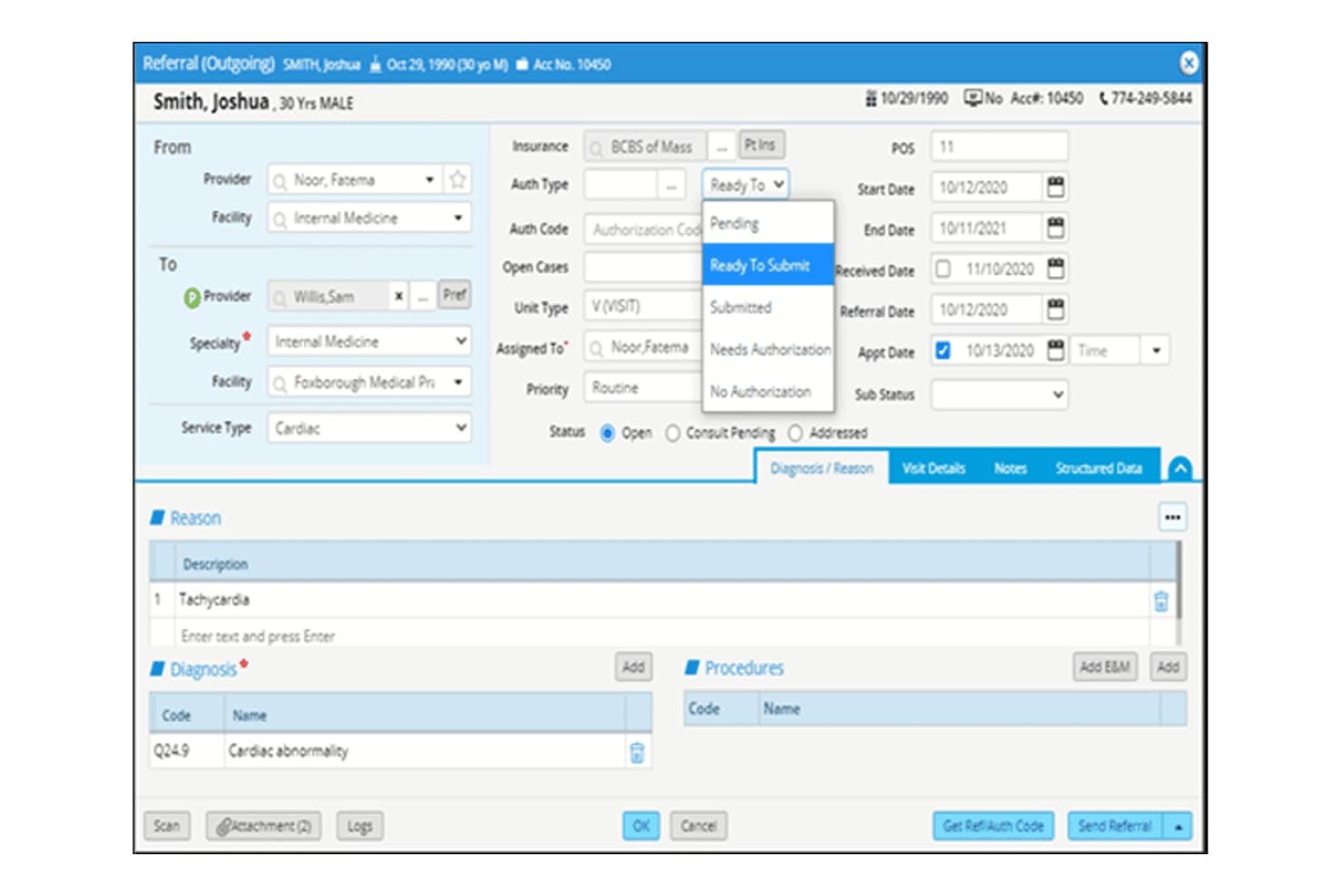
eClinicalWorks offers a detailed outgoing referral form with authorization tracking, diagnosis codes, and submission status options for streamlined medical billing workflows. eClinicalWorks is a cloud-based EHR and RCM platform with Central Billing Office technology built for billing organizations managing claims, denial workflows, and financial operations across multiple client practices from a single system.
Who Is eClinicalWorks Best For?
It's a strong fit for enterprise-scale billing organizations and management services organizations (MSOs) operating Central Billing Offices across multiple client practices.
Why I Picked eClinicalWorks
eClinicalWorks earns its spot on my shortlist because its Central Billing Office (CBO) technology is purpose-built for multi-practice billing operations. I particularly like the Agentic AI for RCM, which generates complete appeal packets, including payer-specific forms and cover letters, in a single click. The RCM Band Dashboard also gives me practice-level financial visibility across every client account without toggling between separate logins or systems.
eClinicalWorks Key Features
- Central Billing Office interface: Lets you onboard and manage billing for multiple client practices within a single environment.
- Practice-level RCM dashboards: Gives users access to real-time financial data, claim statuses, and collection metrics by provider or practice.
- Batch eligibility verification: Allows you to check insurance eligibility for batches of patients across unlimited payers simultaneously.
- Automated EOB to ERA conversion: Converts paper or pdf explanations of benefits into electronic remittance advice for faster payment posting.
eClinicalWorks Integrations
eClinicalWorks offers native integrations with the Sunoh.ai AI medical scribe, healow patient engagement suite, and connects to nationwide health data exchange networks CommonWell and Carequality. An API is available for custom integrations.
Pros and Cons
Pros:
- Practice-level dashboards for client account monitoring
- AI-driven denial management and claim review
- Central Billing Office supports multi-client workflows
Cons:
- Occasional slow response times during updates
- No white-labeled client portal option
Learn more about eClinicalWorks:
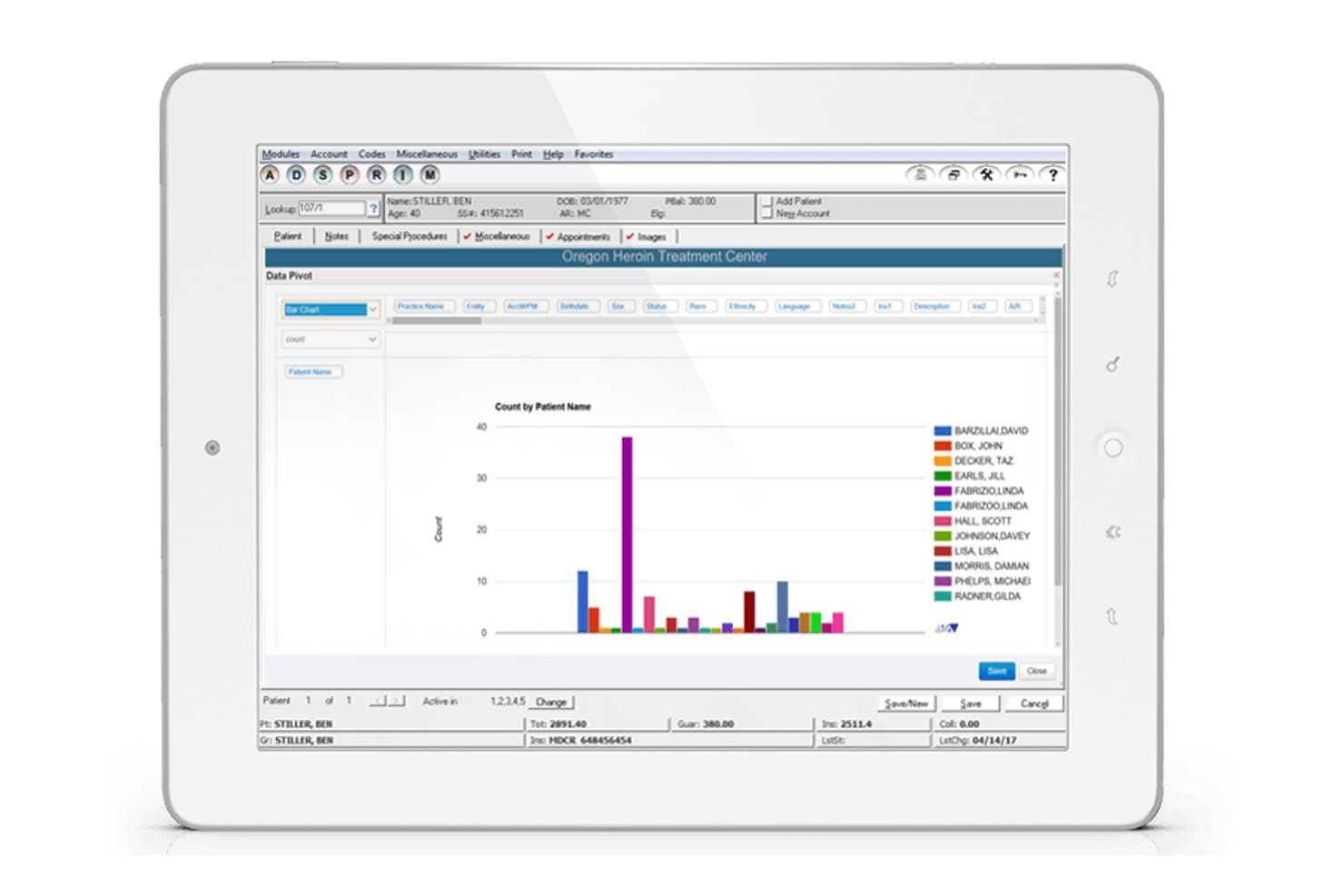
ADSC offers a Data Pivot bar chart report view within its practice management module, displaying patient count analytics for a treatment center. ADSC is a medical billing and RCM platform built for specialty-focused billing companies, combining AI-driven claim scrubbing, multi-specialty workflow management, and outsourced billing services across dermatology, labs, urology, and behavioral health.
Who Is ADSC Best For?
ADSC is a strong fit for third-party billing companies managing high claim volumes across multiple medical specialties from a single platform.
Why I Picked ADSC
I picked ADSC as one of the best because its specialty depth is genuinely hard to find in a wholesale billing platform. MedicsPremier ships with specialty-specific billing templates, including MOHS surgery workflows, cosmetic service scheduling, and retail inventory tracking for dermatology practices, so billing companies don't need to build those configurations from scratch. I also like the AI Rules Engine, which consistently drives clean claim rates to 99% on first pass across multiple specialties.
ADSC Key Features
- Automated eligibility verification: Instantly checks patient insurance across multiple payers to reduce rejected claims.
- Role-based multi-client management: Supports multiple practices with separate NPIs and tax IDs under distinct user permissions.
- Real-time claim tracking: Lets billing teams monitor claim statuses and clearinghouse acknowledgments centrally.
- Integrated telemedicine billing: Includes tools for processing virtual visits and remote patient monitoring in addition to standard claims.
ADSC Integrations
ADSC offers native integrations with ChangeHealthcare for clearinghouse services and supports HL7 and FHIR-based connectivity to third-party EHR systems. An API is available for custom integrations.
Pros and Cons
Pros:
- High-volume claim and ERA automation
- AI-driven claim scrubbing and denial alerts
- Specialty workflows for dermatology and labs
Cons:
- No branded client portals for billing clients
- Client reporting tools can feel outdated
Learn more about ADSC: 6Best for affordable integrated medical billing
RXNT
- Free demo + free expert consultation available
- Pricing upon request
Visit WebsiteCustomer Rating:4.3/5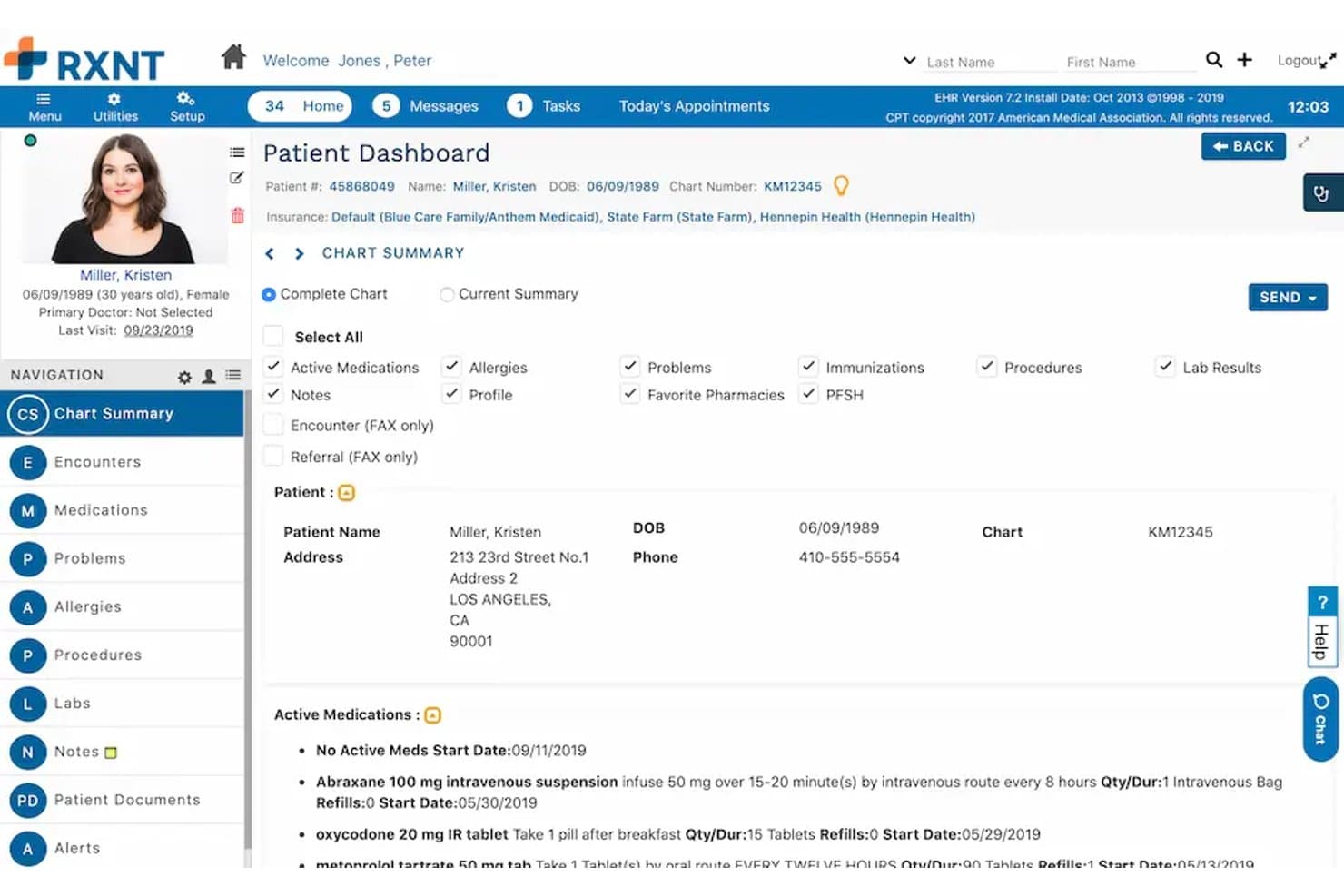
RXNT offers a detailed Patient Dashboard with active medications, insurance info, chart summary, and patient demographics in its EHR portal. RXNT is a cloud-based medical billing platform built for third-party billing companies, offering centralized billing office management, integrated clearinghouse claim submission, denial management, and multi-provider charge capture.
Who Is RXNT Best For?
RXNT is a strong fit for small to mid-sized third-party billing companies that need an affordable, all-in-one platform to manage multiple provider clients without separate clearinghouse costs.
Why I Picked RXNT
I've included RXNT in my top picks because it's one of the few billing platforms that explicitly builds for third-party billing companies rather than treating them as an afterthought. The built-in clearinghouse means my team doesn't pay for a separate service to submit claims or download remittances across multiple client practices. The Centralized Billing Office reporting, included at no extra cost, lets me benchmark client productivity and pull per-practice revenue reports without additional licensing.
RXNT Key Features
- Bulk charge uploader: Import and process unbilled charges in bulk to support high-volume claim generation for multiple clients.
- Centralized Billing Office (CBO) reporting: Access productivity and revenue benchmarking tools across all managed client practices.
- Integrated mobile charge capture: Use iOS and Android apps to capture procedure, diagnosis, and modifier codes while on the go.
- Field-level customizable reporting: Configure reports on any billing data field without affecting others for tailored analytics.
RXNT Integrations
RXNT offers native integration across its own suite, including practice management, EHR, e-prescribing, and patient portal modules, and has a built-in clearinghouse for claim submission and remittance. An API is available for custom integrations.
Pros and Cons
Pros:
- Centralized reporting for all managed clients
- Built-in clearinghouse with automated ERA posting
- Unlimited claims for multiple client practices
Cons:
- Batch actions limited compared to competitors
- No white-labeled client portal for practices
Learn more about RXNT: Best for cloud-based medical billing
- Free demo available
- Pricing upon request
Visit WebsiteCustomer Rating:4.1/5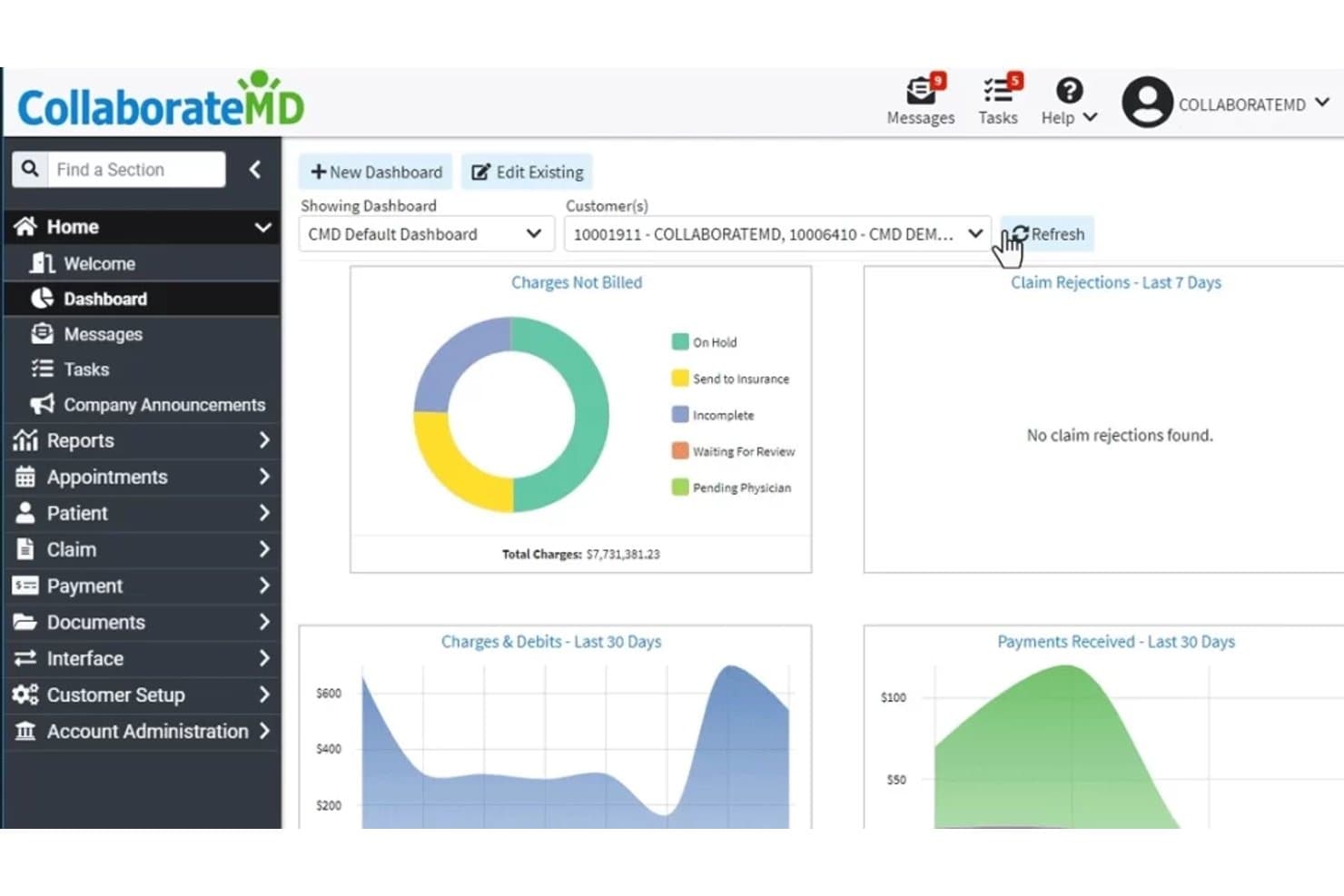
CollaborateMD offers a centralized billing dashboard displaying charges not billed, claim rejections, charges & debits, and payments received over customizable time periods. CollaborateMD is a cloud-based medical billing and practice management platform built for third-party billing services and independent practices, offering multi-client claim submission, ERA auto-posting, denial management, and real-time eligibility verification.
Who Is CollaborateMD Best For?
CollaborateMD is a strong fit for small to midsize third-party billing companies managing multiple provider clients across a range of specialties.
Why I Picked CollaborateMD
CollaborateMD earns its spot on my shortlist because it's one of the few platforms with a dedicated billing-service SKU built specifically for third-party companies managing multiple clients. I particularly like the built-in clearinghouse with Level 2 claim edits running in real time, which means my team catches errors before claims go out. The AI-powered Intelligent Claim Rejection Support translates payer rejection codes into plain-language next steps, cutting the back-and-forth on denials across client accounts.
CollaborateMD Key Features
- Multi-tax ID management: Supports adding unlimited tax IDs for separate client practices in a single account.
- Customizable analytics and reporting: Offers 125+ report templates with drag-and-drop customization for client-specific financial tracking.
- Batch eligibility verification: Delivers real-time insurance eligibility checks across multiple payers for all managed clients.
- Unlimited user licensing: Allows growing billing teams to add as many staff accounts as needed without extra per-user fees.
CollaborateMD Integrations
CollaborateMD offers native integrations with Practice Fusion, Elation, Amazing Charts, Hello Health, Kipu, Medical Mime, Praxis EMR, PrognoCIS, Ritten, Sevocity, WebPT, and Alleva. An API is available for custom integrations.
Pros and Cons
Pros:
- Unlimited users for large billing teams
- Multi-tax ID handling for client practices
- Real-time claim editing and submission
Cons:
- No predictive denial analytics
- No provider-branded client portal
Learn more about CollaborateMD: Best for multi-specialty practices
- Free demo available
- Pricing upon request
Visit WebsiteCustomer Rating:4.1/5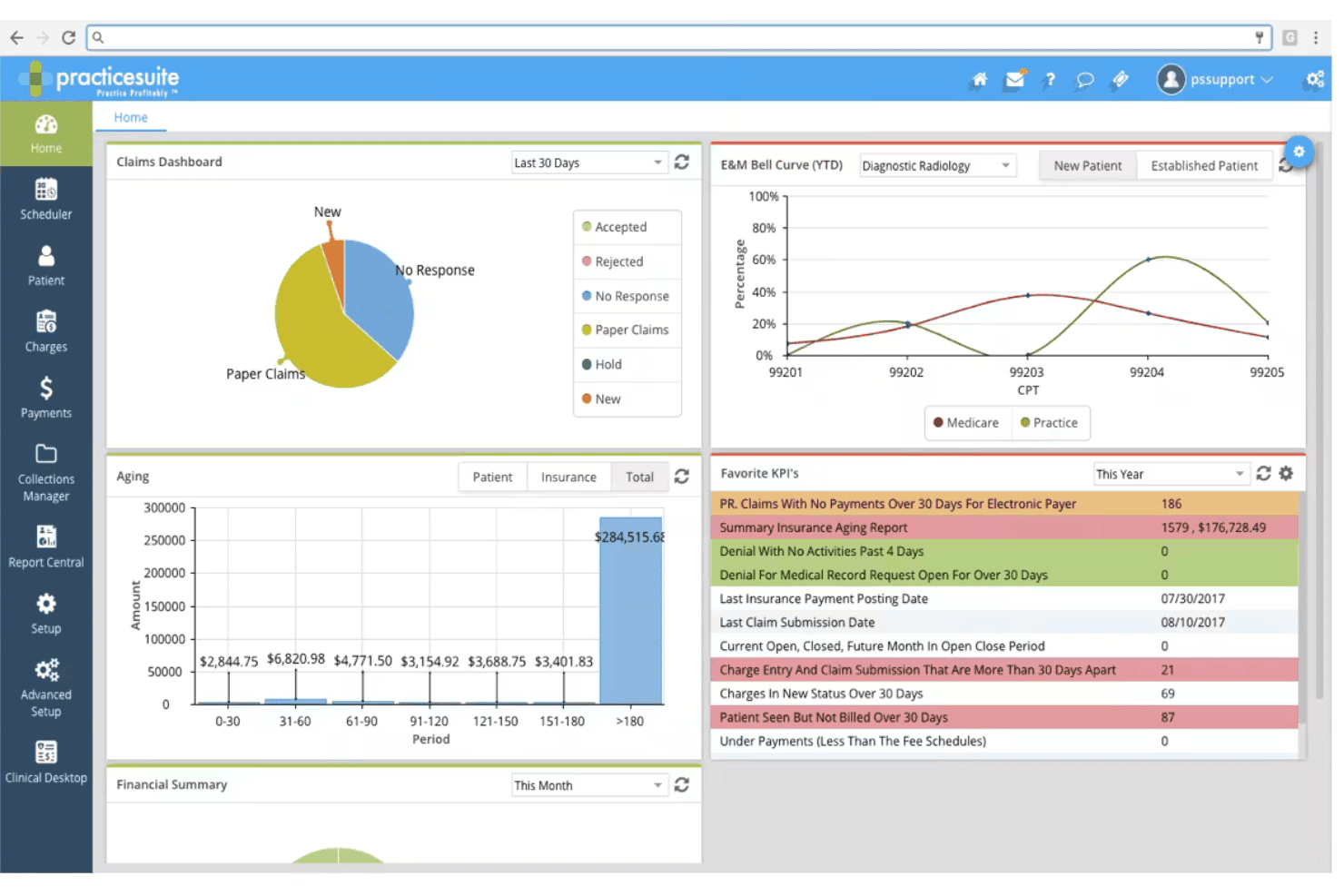
PracticeSuite spans claims, denials, ERA posting, eligibility, and billing. PracticeSuite is a cloud-based medical billing platform built for third-party billing companies, with multi-client claim management, denial tracking, ERA processing, and RCM tools spanning 150+ specialties.
Who Is PracticeSuite Best For?
PracticeSuite suits third-party billing companies managing diverse client rosters across multiple medical specialties from a single platform.
Why I Picked PracticeSuite
PracticeSuite earns its spot on my shortlist because of how well it handles specialty diversity across a client roster. I've worked with billing companies that serve everything from behavioral health to orthopedics, and PracticeSuite's support for 150+ specialties, including UB04 and Workers' Comp, means I'm not patching together separate tools per client. I also like the AI-driven pre-submission denial review, which catches claim issues before they reach the clearinghouse.
PracticeSuite Key Features
- Multi-client dashboard: Lets billers switch between client accounts and manage high claim volumes from a single login.
- Batch eligibility verification: Runs insurance checks on patients across multiple practices at once.
- Role-based access controls: Segregates access for staff, ensuring only authorized users see specific client data.
- Integrated ERA auto-posting: Reconciles payments automatically across client accounts with tools for exception handling.
PracticeSuite Integrations
PracticeSuite offers native integrations with Practice Fusion, Opus EHR, Elation, MicroMD, and Hello Health. An API is available for custom integrations, and the platform supports FHIR and Meaningful Use APIs for interoperability.
Pros and Cons
Pros:
- Robust denial tracking and resolution workflows
- Handles billing for 150+ medical specialties
- Dedicated third-party billing company dashboard
Cons:
- Custom report design can require vendor input
- Client-facing white-label portals are limited
Learn more about PracticeSuite: Best for automated billing and claims management
- Free demo available
- Pricing upon request
Visit WebsiteCustomer Rating:3.6/5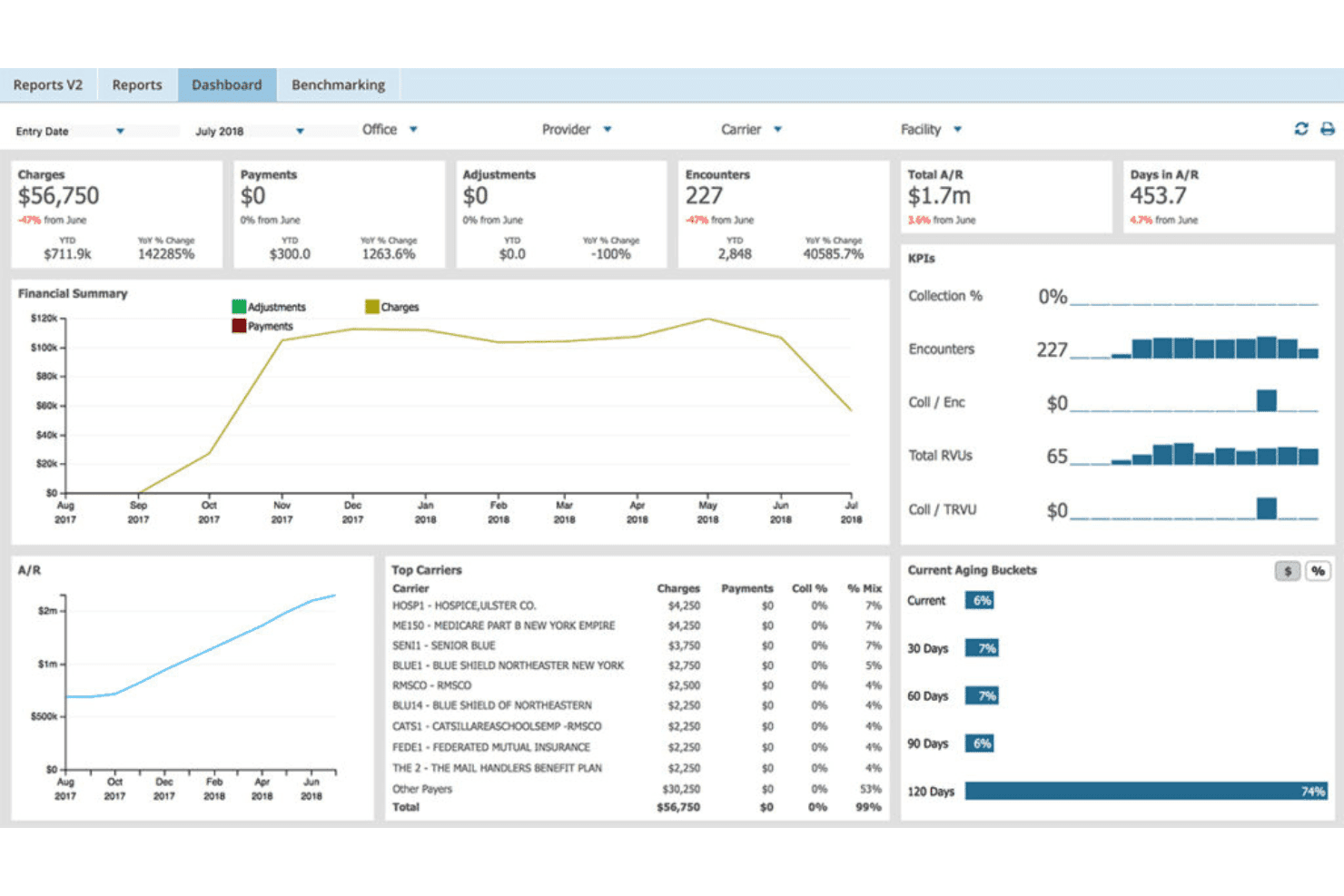
AdvancedMD unites EMR, documentation, billing, claims, eligibility, and RCM. AdvancedMD is a cloud-based medical billing platform built for third-party billing companies, offering multi-client management, automated claims scrubbing, ERA auto-posting, denial tracking, and client-facing KPI reporting from a centralized system.
Who Is AdvancedMD Best For?
AdvancedMD is a strong fit for independent billing companies and RCM firms managing high claim volumes across a growing roster of physician clients.
Why I Picked AdvancedMD
I picked AdvancedMD as one of the best because its proprietary Claim Inspector scrubs each claim against CCI, HIPAA, LCD, and carrier-specific rules before submission, which is what drives its 95% first-pass acceptance rate. In practice, that means my team is catching errors before they ever reach the clearinghouse. The auto-generated collection worklists in the Claims Center also keep denial follow-up moving across every client account without manual triage.
AdvancedMD Key Features
- Centralized billing office (CBO): Manage multiple provider clients from one login with role-based access for each client account.
- Drag-and-drop KPI dashboards: Build tailored reporting views for A/R, reimbursement, and collections by client or provider.
- Built-in clearinghouse connectivity: Access more than 1,800 payors with integrated ERA, EFT, and eligibility verification tools.
- AdvancedBiller Marketplace listing: List your billing company to attract physician clients looking for outsourced RCM partners.
AdvancedMD Integrations
AdvancedMD offers native integrations with 1,800+ payors through its built-in clearinghouse, Amazon Web Services (AWS) for cloud hosting, and supports custom integrations via API.
Pros and Cons
Pros:
- Automated claim scrubbing against payer-specific rules
- Customizable reporting for each client account
- Centralized billing office supports unlimited clients
Cons:
- No true white-label client portal experience
- Payment posting workflow is sometimes cumbersome
 Best for independent practice billing
- Free demo available
- Pricing upon request
Visit WebsiteCustomer Rating:3.9/5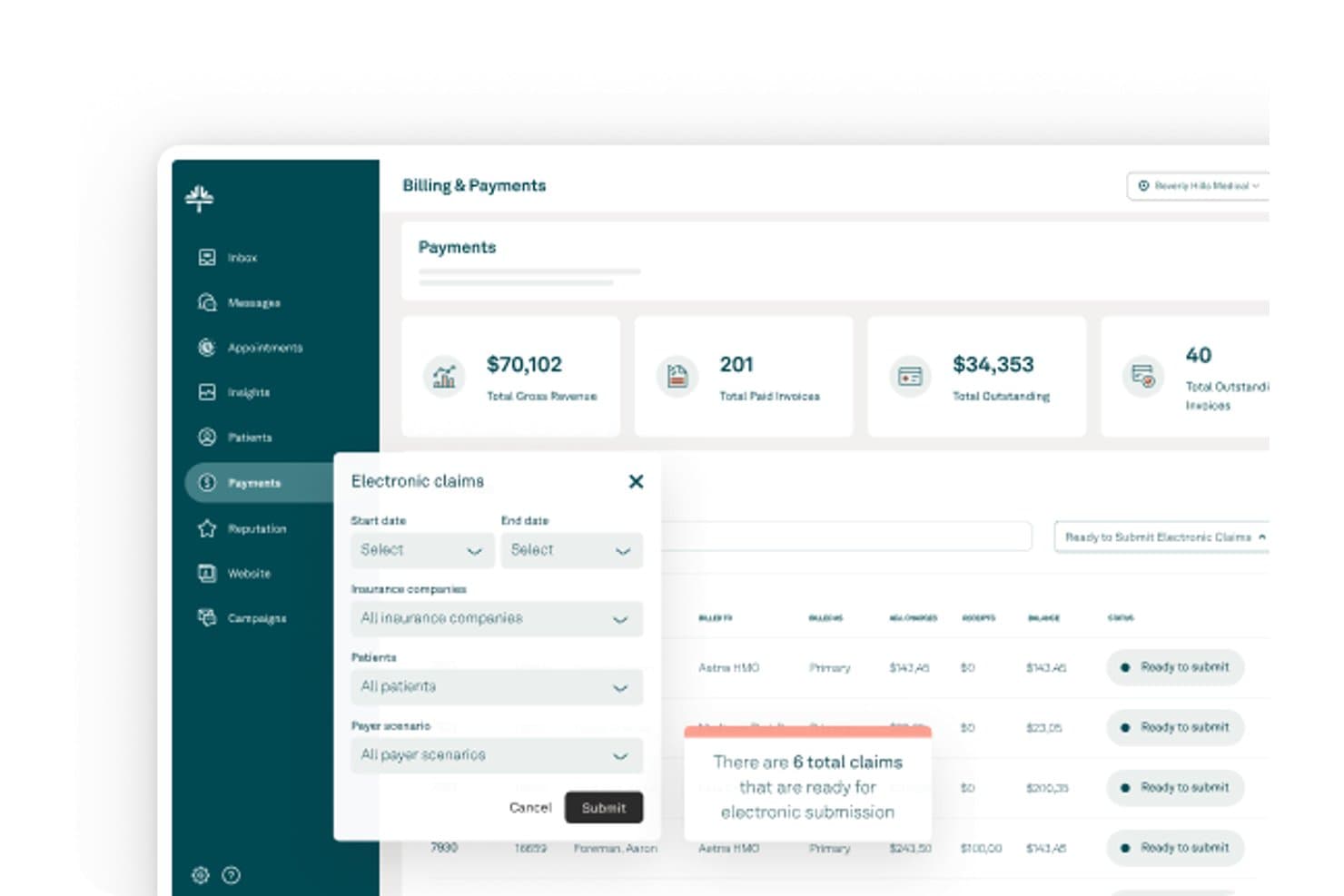
Kareo (Tebra) offers an Electronic Claims submission interface within its Billing & Payments dashboard, displaying revenue totals, invoice counts, and claim filtering options. Kareo (Tebra) is a medical billing platform built for independent practices and third-party billing companies, offering multi-client claim submission, ERA auto-posting, eligibility verification, and denial management across multiple provider accounts.
Who Is Kareo (Tebra) Best For?
Kareo (Tebra) is a strong fit for third-party billing companies that manage billing operations across multiple independent physician practices from a single platform.
Why I Picked Kareo (Tebra)
I picked Kareo (Tebra) as one of the best because its dedicated billing company track is purpose-built for managing multiple independent practices from a single account. I particularly like the multi-client dashboard, which surfaces per-office action items across all your accounts the moment you log in. The payer-specific rule engine covers 2,700+ payers, and RPA auto-posts ERAs and unapplied payments using configurable business rules per client.
Kareo (Tebra) Key Features
- Multi-payer eligibility verification: Instantly checks insurance coverage with real-time and batch eligibility tools spanning 2,700+ payers.
- Customizable reporting tools: Lets billing teams analyze financials, A/R, and claim status by individual client or across the entire book of business.
- Integrated patient payments: Accepts online, in-office, and card-on-file payments with automated billing statements linked directly to payment options.
- Provider-specific fee schedules: Supports unique charge structures and fee schedules for each provider or client in a multi-entity billing environment.
Kareo (Tebra) Integrations
Kareo (Tebra) offers native integrations with third-party EHRs via HL7 and FHIR, supports direct claim submission to 2,700+ payers, and connects with Appriss Health for PDMP compliance. An API is available for custom integrations.
Pros and Cons
Pros:
- Robust payer rules engine reduces submission errors
- Multi-client claim batching and tracking tools
- Purpose-built dashboard for billing companies
Cons:
- No branded client-facing portals
- Limited custom reporting for billing clients
Learn more about Kareo (Tebra):
Outro software de faturação médica para grossistas
\u003cspan style=\u0022font-weight: 400;\u0022\u003eEis algumas opções adicionais de software de faturação médica para grossistas que não chegaram à minha lista restrita, mas que ainda vale a pena conhecer:\u003c/span\u003e
- 11Cognizant TriZetto Provider SolutionsBest for enterprise revenue cycle workflows
- 12AthenahealthBest for network-enabled billing and collections
- 13DrChronoBest for mobile EHR and medical billing workflows
- 14CareCloudBest for outsourced billing and revenue services
- 15MEDISOFTBest for established medical billing offices
- 16AllegianceMDBest for automated claims and payment posting
- 17MicroMDBest for integrated practice management
- 18LytecBest for practice billing and claims processing
How I Evaluate Wholesale Medical Billing Software
I split my evaluation into baseline requirements—like multi-client data segregation and batch claims scrubbing—and differentiators like denial workflows and white-label client portals.
Core Functionality (Table Stakes for This List)
When I'm selecting tools for my list, I rank each one on a scale from 0 (does not offer the functionality) to 5 (excels in this area) for each core functionality listed below. Then, I calculate the tool's total score into a percentage. Each tool needs to achieve a minimum total score of 65% to be considered for inclusion.
- Multi-Client Management: I check whether you can manage separate NPIs, tax IDs, and fee schedules per client practice without data bleeding between accounts.
- Claims Scrubbing & Submission: I look for rule-based scrubbing and batch submission across multiple clearinghouses—key when your clients span different payer mixes.
- ERA/EOB Processing: Auto-posting remittances across dozens of client accounts with reconciliation matters more here than in single-practice billing setups.
- Denial & A/R Management: I evaluate denial workqueues, aging filters, and follow-up tools that let billing teams prioritize high-dollar claims across a full client book.
- Client Reporting & Portals: Providers expect visibility into their own collections and KPIs, so I look for client-facing dashboards and customizable report templates.
- Multi-Payer Eligibility Verification: Real-time and batch eligibility checks across commercial, Medicare, and Medicaid payers help catch coverage issues before claims go out.
Once I have a list of tools that meet the criteria, I consider what sets each platform apart.
Differentiating Factors (What Sets Vendors Apart)
Here's how I compare and contrast different vendors:
Standout Features
White-label client portals let you offer branded dashboards to each provider, giving them real-time claims status and A/R aging without calling your team. I also look for configurable productivity tracking—staff-level metrics like touches per claim and collection rates tied to specific client accounts help you measure profitability per practice. Denial management workflows with root-cause analytics and appeal templates make a real difference when your team is working hundreds of denials across a diverse client book.
Beyond Features
Pricing structure matters a lot here—I look for per-claim or per-provider models that mirror how billing companies charge their own clients, so margins stay predictable as volume grows. Clearinghouse connectivity is another big factor, especially the ability to work with multiple clearinghouses when onboarding clients who have existing payer relationships. I also evaluate EHR/PM integration breadth, since your client practices likely run different systems and you need HL7, FHIR, or API-based connections to avoid manual charge entry.
Como escolher software de faturação médica para grossistas
É fácil perder-se em listas extensas de funcionalidades e estruturas de preços complexas. Para o ajudar a manter o foco enquanto percorre o seu processo específico de seleção de software, apresentamos uma lista de verificação dos fatores a ter em conta:
| Fator | O que considerar |
| Escalabilidade | A plataforma consegue acompanhar o seu crescimento até dezenas ou centenas de consultórios de clientes sem grandes dificuldades de migração? |
| Integrações | O software irá ligar-se facilmente aos sistemas EHR/PM que os seus clientes já utilizam e consegue suportar novos sistemas sem dificuldade? |
| Personalização | Pode adaptar os fluxos de trabalho, as funções dos utilizadores e a imagem da marca para refletir o seu modelo de negócio e as necessidades de diferenciação dos clientes? |
| Facilidade de utilização | Os novos profissionais de faturação ou contactos dos clientes precisarão de formação extensa ou a interface quotidiana é clara e intuitiva? |
| Implementação e integração inicial | Quanto tempo demora a configuração — incluindo a migração de dados, a inscrição numa câmara de compensação e a implementação junto dos clientes? Está disponível assistência especializada? |
| Custo | Os níveis de preços são transparentes e estão alinhados com a forma como cobra aos clientes — por pedido de reembolso, por prestador ou por percentagem cobrada? |
| Medidas de segurança | O fornecedor garante a conformidade com a HIPAA, disponibiliza registos de auditoria e suporta controlos rigorosos dos utilizadores para todos os dados dos clientes? |
| Disponibilidade do suporte | Que canais — telefone, chat e e-mail — são disponibilizados e existe suporte responsivo nos horários em que a sua equipa mais precisa dele? |
O que é o software de faturação médica para grossistas?
O software de faturação médica para empresas de faturação é uma plataforma especializada concebida para empresas de faturação que processam pedidos de reembolso, pagamentos e relatórios para vários clientes do setor da saúde em simultâneo. Estes sistemas permitem gerir contas de clientes separadas, automatizar a verificação e o envio de pedidos de reembolso e fornecer relatórios destinados aos clientes, tudo a partir de uma única sessão — ideal para operações de faturação médica escaláveis e de grande volume.
Funcionalidades
Ao selecionar software de faturação médica para empresas de faturação, procure as seguintes funcionalidades essenciais:
- Gestão de vários clientes: Gira contas de prestadores, NPIs e dados separados para cada cliente, permitindo-lhe prestar serviços a vários consultórios a partir de um único painel.
- Verificação automatizada de pedidos de reembolso: Valide previamente os pedidos de reembolso segundo as regras das entidades pagadoras para identificar erros e reduzir rejeições antes do envio.
- Envio de pedidos de reembolso em lote: Envie pedidos de reembolso em massa para diferentes clientes e entidades pagadoras, poupando tempo e minimizando tarefas repetitivas.
- Registo automático de ERA/EOB: Receba, registe e reconcilie automaticamente pagamentos eletrónicos em todas as contas de clientes, com menos passos manuais.
- Seguimento de rejeições e fluxos de trabalho: Acompanhe as rejeições de pedidos de reembolso, categorize-as por motivo e desencadeie tarefas de seguimento ou recursos para uma resolução mais rápida.
- Relatórios personalizados para clientes: Crie e partilhe relatórios financeiros, de cobranças e de contas a receber (A/R) com a marca de cada cliente, adaptados às suas necessidades específicas.
- Portais destinados aos clientes: Permita que os clientes acedam, quando necessário, ao estado dos pedidos de reembolso em tempo real, a KPIs financeiros e a relatórios através de um portal online seguro.
- Ferramentas de verificação de elegibilidade: Verifique em tempo real a elegibilidade do seguro dos pacientes junto de várias entidades pagadoras e para vários clientes, melhorando a precisão dos pedidos de reembolso.
- Permissões baseadas em funções: Controle os níveis de acesso e a separação dos dados dos clientes através de definições de segurança granulares e baseadas nos utilizadores.
- Conectividade integrada com câmaras de compensação: Ligue-se a uma vasta gama de entidades pagadoras para o envio de pedidos de reembolso, atualizações de estado e obtenção de ERA sem sair da plataforma.
Benefícios
A implementação de software de faturação médica para empresas de faturação proporciona vários benefícios à sua equipa e à sua empresa. Eis alguns dos benefícios que pode esperar:
- Gestão centralizada de clientes: Gira facilmente vários consultórios de clientes, cada um com fluxos de trabalho e dados distintos, a partir de uma única plataforma segura.
- Maior precisão dos pedidos de reembolso: A verificação automatizada e as verificações de elegibilidade em tempo real reduzem os erros e aumentam as taxas de aprovação dos pedidos à primeira tentativa.
- Pagamentos mais rápidos: O registo automático de ERA/EOB e o seguimento simplificado das rejeições ajudam a acelerar as cobranças e os ciclos de pagamento de todos os clientes.
- Experiências de cliente com a sua marca: Os portais personalizados e os painéis de relatórios dão aos seus clientes acesso imediato e a pedido a informações sobre o desempenho e a situação financeira.
- Escalabilidade à medida que cresce: O processamento em lote, a arquitetura multi-inquilino e as permissões baseadas nos utilizadores permitem adicionar mais contas de clientes sem aumentar o trabalho manual.
- Melhor acompanhamento da produtividade: As métricas configuráveis permitem monitorizar o desempenho da equipa e otimizar os processos de faturação para cada cliente ou membro da equipa.
- Conformidade melhorada: A segurança integrada baseada em funções, os registos de auditoria e a infraestrutura preparada para a HIPAA ajudam a proteger os dados sensíveis de todos os clientes prestadores.
Custos e preços
A seleção de software de faturação médica para empresas de faturação exige compreender os vários modelos de preços e planos disponíveis. Os custos variam consoante as funcionalidades, a dimensão da equipa, os complementos e outros fatores. A tabela abaixo resume os planos comuns, os respetivos preços médios e as funcionalidades normalmente incluídas nas soluções de software de faturação médica para empresas de faturação:
Tabela de comparação de planos de software de faturação médica para empresas de faturação
| Tipo de plano | Preço médio | Funcionalidades comuns |
| Plano gratuito | $0 | Seguimento básico de pedidos de reembolso, suporte limitado para vários clientes, relatórios padrão e apoio por e-mail. |
| Plano pessoal | $40–$100/utilizador/mês | Gestão de vários clientes, ferramentas de verificação de pedidos de reembolso, conectividade padrão com câmaras de compensação e relatórios limitados para clientes. |
| Plano empresarial | $120–$250/utilizador/mês | Envios em lote, registo automático de ERA/EOB, portais de clientes com a sua marca, fluxos de trabalho básicos para rejeições e integrações. |
| Plano empresarial avançado | $300–$600+/utilizador/mês | Configuração multi-inquilino completa, fluxos de trabalho personalizados, segurança avançada, acompanhamento da produtividade, acesso à API e apoio à integração. |
Perguntas frequentes sobre software de faturação médica por grosso
Eis algumas respostas a perguntas frequentes sobre software de faturação médica por grosso:
Em que difere o software de faturação médica por grosso do software para consultórios individuais?
O software de faturação médica por grosso foi concebido para empresas que gerem a faturação de vários clientes, incluindo prestadores de cuidados de saúde, distribuidores e operações de farmácia. Inclui funcionalidades de segregação de dados entre vários clientes, processamento de lotes de pedidos, relatórios específicos por cliente, fluxos de trabalho de software de faturação de farmácias e controlo de inventário, tudo a partir de uma única plataforma — capacidades que normalmente não estão disponíveis nas ferramentas para consultórios individuais.
É possível migrar dados de clientes de outro sistema de faturação?
Sim, a maioria das soluções disponibiliza serviços ou ferramentas de migração para importar dados demográficos dos pacientes, contas a receber em aberto, pedidos históricos, dados de distribuidores, registos de software de faturação de farmácias, informações de controlo de inventário e dados de gestão de validades de plataformas anteriores. Confirme os formatos de dados compatíveis e consulte o apoio do fornecedor para migrações complexas ou de grande volume.
Que integrações devo procurar num software de faturação médica por grosso?
Dê prioridade às integrações com sistemas de registo de saúde eletrónico (EHR) e de gestão de consultórios através de HL7, FHIR ou APIs, bem como à conectividade com câmaras de compensação e entidades pagadoras. A abrangência das integrações é importante se os seus clientes utilizarem vários sistemas de saúde gerais ou especializados.
É possível utilizar portais e relatórios de clientes com marca branca?
Sim, as principais plataformas de software de faturação por grosso oferecem opções de marca branca, permitindo personalizar portais e relatórios com a identidade da sua empresa. Muitas também são compatíveis com distribuidores, software de faturação de farmácias, controlo de inventário, gestão de validades, faturação de GST e alertas de validade. Isto ajuda a reforçar as relações com os clientes, acrescentando simultaneamente valor operacional ao seu serviço.
Todos os planos incluem funcionalidades de segurança e conformidade com a HIPAA?
Não. Embora a maioria dos fornecedores aborde a segurança da HIPAA, as funcionalidades avançadas, como trilhos de auditoria, permissões baseadas em funções e BAAs assinados, estão frequentemente reservadas para os planos de nível superior. Para empresas que tratam de pedidos online, fluxos de trabalho de software de faturação farmacêutica ou de negócios de distribuição por grosso e a retalho de produtos farmacêuticos, é também importante analisar de que forma cada plano protege os dados de transações, inventário, faturação e clientes antes de escolher.