

Beoordeling van NextGen Healthcare EPD: functies, voordelen, nadelen en prijzen
NextGen Healthcare EPD brengt elektronische patiëntendossiers en beheer van klinische workflows samen in één platform, van verslaglegging en planning tot facturering, telezorg en hulpmiddelen voor patiëntbetrokkenheid.

We review tools independently, and commissions help fund our testing. See our transparency policy, our methodology, or suggest a tool.
NextGen Healthcare EHR is a free EHR software built for ambulatory care practices that need to manage clinical documentation, scheduling, and patient records. It's worth including in your shortlist if your practice needs specialty-specific clinical content and configurable workflows—areas where NextGen Healthcare EHR tends to go deeper than a generalist option like Practice Fusion.
NextGen Healthcare EHR Evaluation Summary
3.7/5
- Pricing upon request
- Free demo available
Waarom u onze softwareaanbevelingen kunt vertrouwen
6,700+
Reviews
20
Industry experts
16+
Evaluation factors
14
Years
Ons team test en beoordeelt software sinds 2012. Als leiders van medische praktijken weten we zelf hoe moeilijk — en belangrijk — het is om de juiste software te kiezen.
Voor deze gids hebben we tools geëvalueerd met behulp van praktijktests en onafhankelijk onderzoek, waarbij we tools beoordeelden aan de hand van onze selectiecriteria.
Onze reviews weerspiegelen ons menselijke redactionele oordeel, geen verkooppraatje.
NextGen Healthcare EHR Overview
In my experience, NextGen Healthcare EHR offers a flexible interface and strong specialty modules that set it apart for midsize practices. I find its integrated patient portal, rich reporting, and customizable templates outperform the basics you’ll see elsewhere.
Pricing feels competitive for the depth provided. Onboarding can feel complex, and integrations sometimes need more hands-on support, but the responsive customer service usually smooths that out.
If you’re judging options for multispecialty or ambulatory practices that value tailored workflows, I think NextGen is a strong contender.
Pros
- Specialty templates for different practice types are robust.
- Patient portal supports direct messaging and online scheduling.
- Reporting tools offer granular and customizable data views.
Cons
- System can lag during peak usage hours.
- Mobile app lacks some desktop features.
- Initial setup requires significant support and resources.
Is NextGen Healthcare EHR Right For Your Needs?
Who Would be a Good Fit for NextGen Healthcare EHR?
NextGen Healthcare EHR is ideal for organizations that need specialty-specific solutions, complex workflow automation, and strong compliance support. Mid-to-large medical groups, multi-specialty practices, and organizations with diverse clinical roles will get the most value from NextGen’s templates, reporting, and automation capabilities.
Its strength in handling variable processes and regulatory tasks makes it a strong choice for settings where customization and scalability are non-negotiable.
- Multi-Specialty PracticesNextGen’s deep specialty templates and adaptable workflows help multi-specialty groups manage diverse documentation and regulatory requirements in one unified system.
- Large Medical GroupsThe platform supports complex scheduling, reporting, and revenue cycle management at scale, making it well-suited for large clinics or health systems.
- Federally Qualified Health CentersBuilt-in compliance and population health tools are tailored for FQHCs that need to track quality metrics and meet reporting mandates.
- Behavioral Health DepartmentsI’ve seen its specialty content, telehealth, and secure messaging streamline workflows for behavioral health teams.
- Revenue Cycle TeamsAdvanced billing, claims tracking, and real-time eligibility features help streamline revenue cycle operations for dedicated financial and billing personnel.
- Custom Workflow EnvironmentsOrganizations that want to build and automate unique patient flow or intake processes benefit from NextGen’s workflow automation designer.
Who Would be a Bad Fit for NextGen Healthcare EHR?
NextGen Healthcare EHR isn’t the best match for smaller practices, low-volume clinics, or organizations that prioritize basic functionality and easy onboarding. The system’s robust configuration options and resource-heavy implementation generally outweigh the value for users who don’t need advanced tools, high specialization, or deep customization, making lighter solutions a better option for these scenarios.
- Solo PractitionersThe extensive customization and implementation requirements are overkill for solo providers with basic charting and billing needs.
- Startup ClinicsResource constraints and lean teams in new clinics make NextGen’s setup and training demands hard to justify.
- Home Health AgenciesI think the documentation flows and user experience are geared primarily for office-based care, not mobile or in-home care
- Non-Clinical AdminTeams Administrative or non-clinical teams needing only basic medical record lookup won’t use most features and may find the interface unwieldy.
- Dental PracticesNextGen lacks oral health and dental-specific charting, making it a poor fit for dentists or oral surgery practices.
- Small PediatricsOffices For small pediatrics offices with low patient volumes, the investment and feature set are more than needed for their day-to-day workflows.
How We Test & Score Tools
We’ve spent years building, refining, and improving our software testing and scoring system. The rubric is designed to capture the nuances of software selection and what makes a tool effective, focusing on critical aspects of the decision-making process.
Below, you can see exactly how our testing and scoring works across seven criteria. It allows us to provide an unbiased evaluation of the software based on core functionality, standout features, ease of use, onboarding, customer support, integrations, customer reviews, and value for money.
Core Functionality (25% of final scoring)
The starting point of our evaluation is always the core functionality of the tool. Does it have the basic features and functions that a user would expect to see? Are any of those core features locked to higher-tiered pricing plans? At its core, we expect a tool to stand up against the baseline capabilities of its competitors.
Standout Features (25% of final scoring)
Next, we evaluate uncommon standout features that go above and beyond the core functionality typically found in tools of its kind. A high score reflects specialized or unique features that make the product faster, more efficient, or offer additional value to the user.
We also evaluate how easy it is to integrate with other tools typically found in the tech stack to expand the functionality and utility of the software. Tools offering plentiful native integrations, 3rd party connections, and API access to build custom integrations score best.
Ease of Use (10% of final scoring)
We consider how quick and easy it is to execute the tasks defined in the core functionality using the tool. High scoring software is well designed, intuitive to use, offers mobile apps, provides templates, and makes relatively complex tasks seem simple.
Onboarding (10% of final scoring)
We know how important rapid team adoption is for a new platform, so we evaluate how easy it is to learn and use a tool with minimal training. We evaluate how quickly a team member can get set up and start using the tool with no experience. High scoring solutions indicate little or no support is required.
Customer Support (10% of final scoring)
We review how quick and easy it is to get unstuck and find help by phone, live chat, or knowledge base. Tools and companies that provide real-time support score best, while chatbots score worst.
Customer Reviews (10% of final scoring)
Beyond our own testing and evaluation, we consider the net promoter score from current and past customers. We review their likelihood, given the option, to choose the tool again for the core functionality. A high scoring software reflects a high net promoter score from current or past customers.
Value for Money (10% of final scoring)
Lastly, in consideration of all the other criteria, we review the average price of entry level plans against the core features and consider the value of the other evaluation criteria. Software that delivers more, for less, will score higher.
Core Features
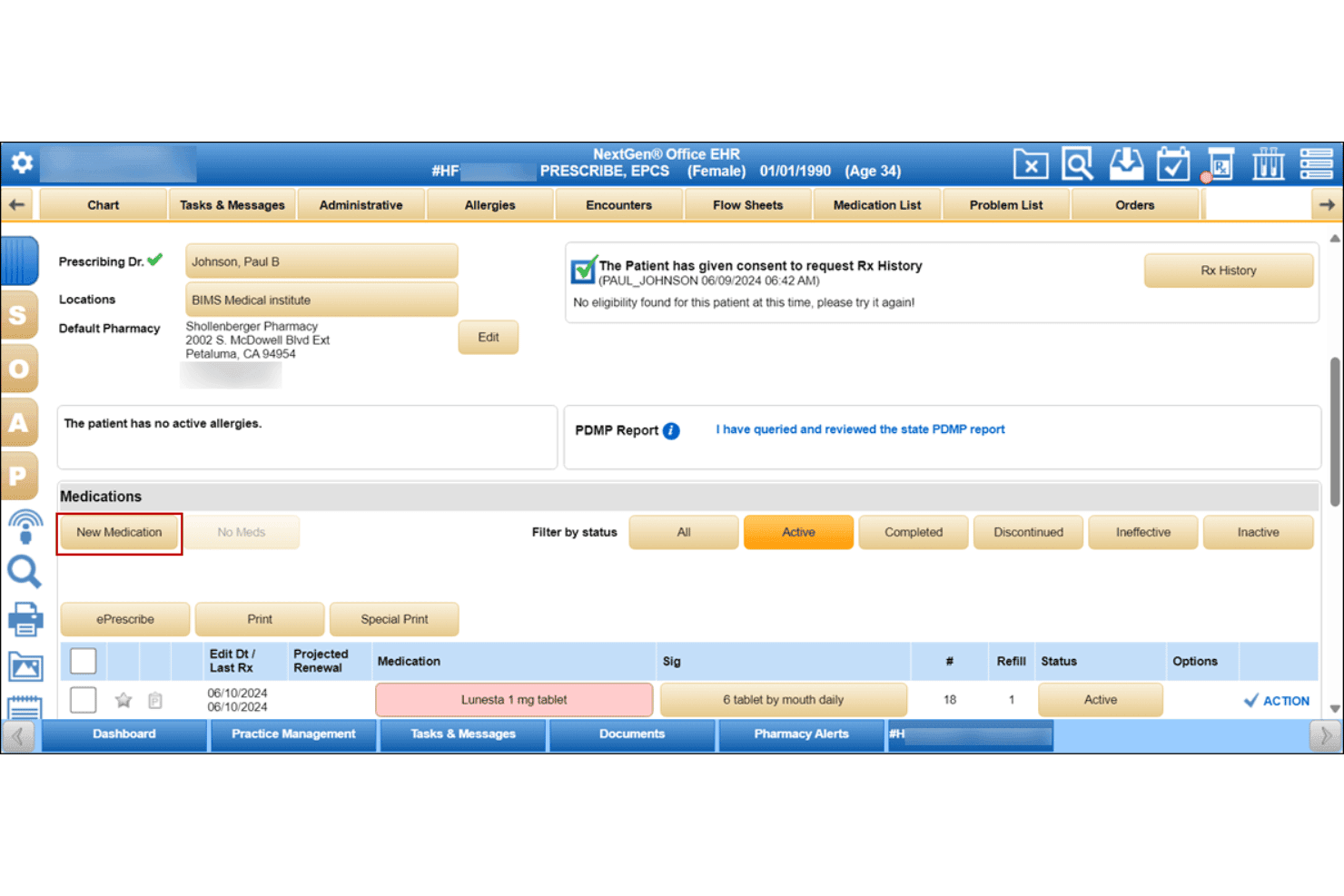
Specialty-Specific Clinical Templates
NextGen Healthcare EHR offers tailored templates for specialties like pediatrics and orthopedics. These let clinicians document visits faster with relevant fields and recommended workflows.
Patient Portal
Patients can access visit summaries, test results, and message their practice online. This gives patients a self-serve option for appointment requests and secure communication.
Electronic Prescribing (ePrescribing)
ePrescribing lets providers send prescriptions directly to pharmacies from within the EHR. Clinicians receive automatic safety checks like allergies and drug interactions.
Population Health Management
The platform includes population health tools for managing chronic disease registries and quality metrics. Users can create reports and outreach lists for preventive care initiatives.
Revenue Cycle Management Tools
Users can track claims, verify insurance eligibility, and review payment status in one place. These features help optimize billing performance and reduce lost revenue.
Clinical Decision Support
The EHR includes real-time alerts and evidence-based guidelines for clinicians at the point of care. This feature supports safer, more consistent clinical decisions with built-in recommendations.
Ease of Use
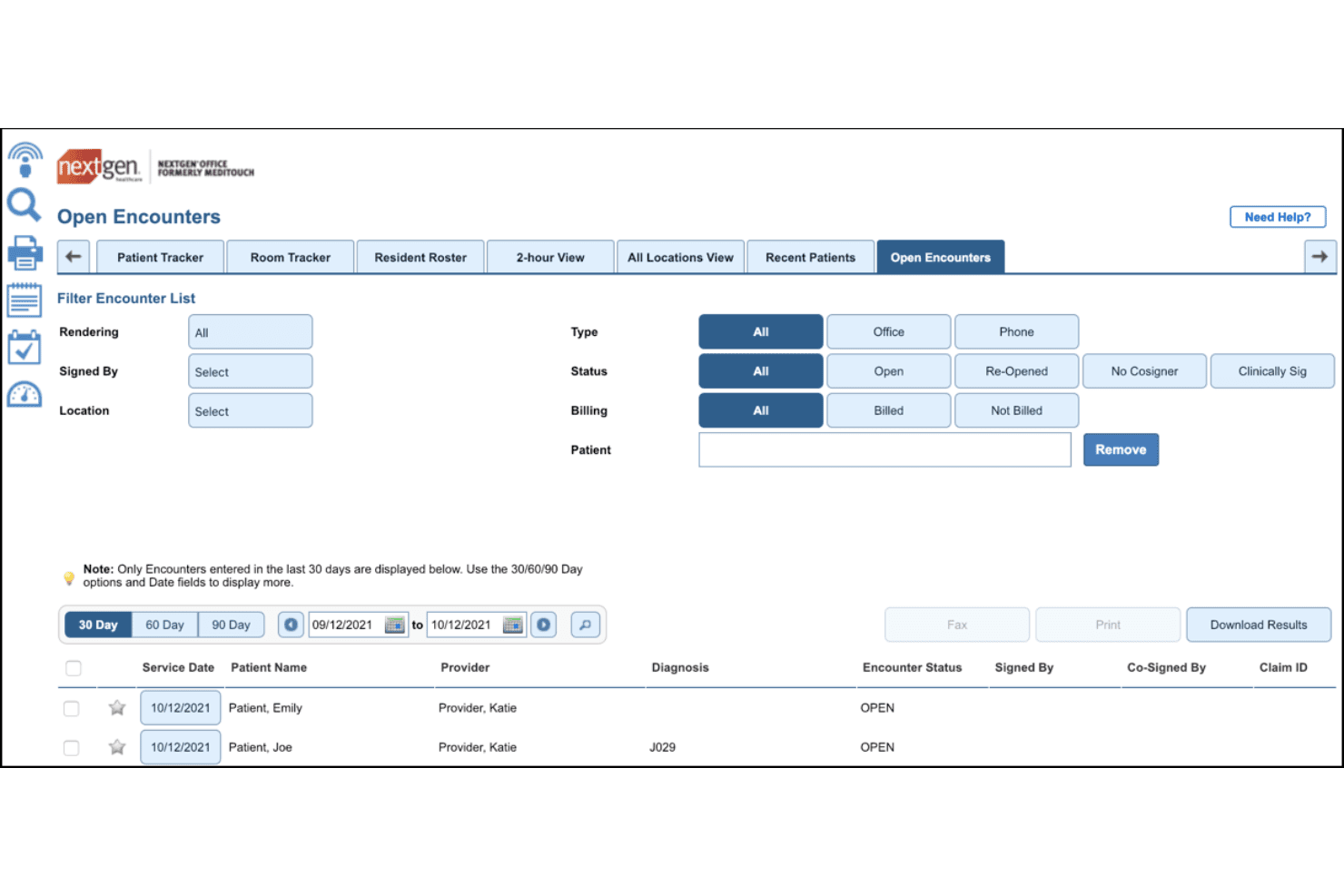
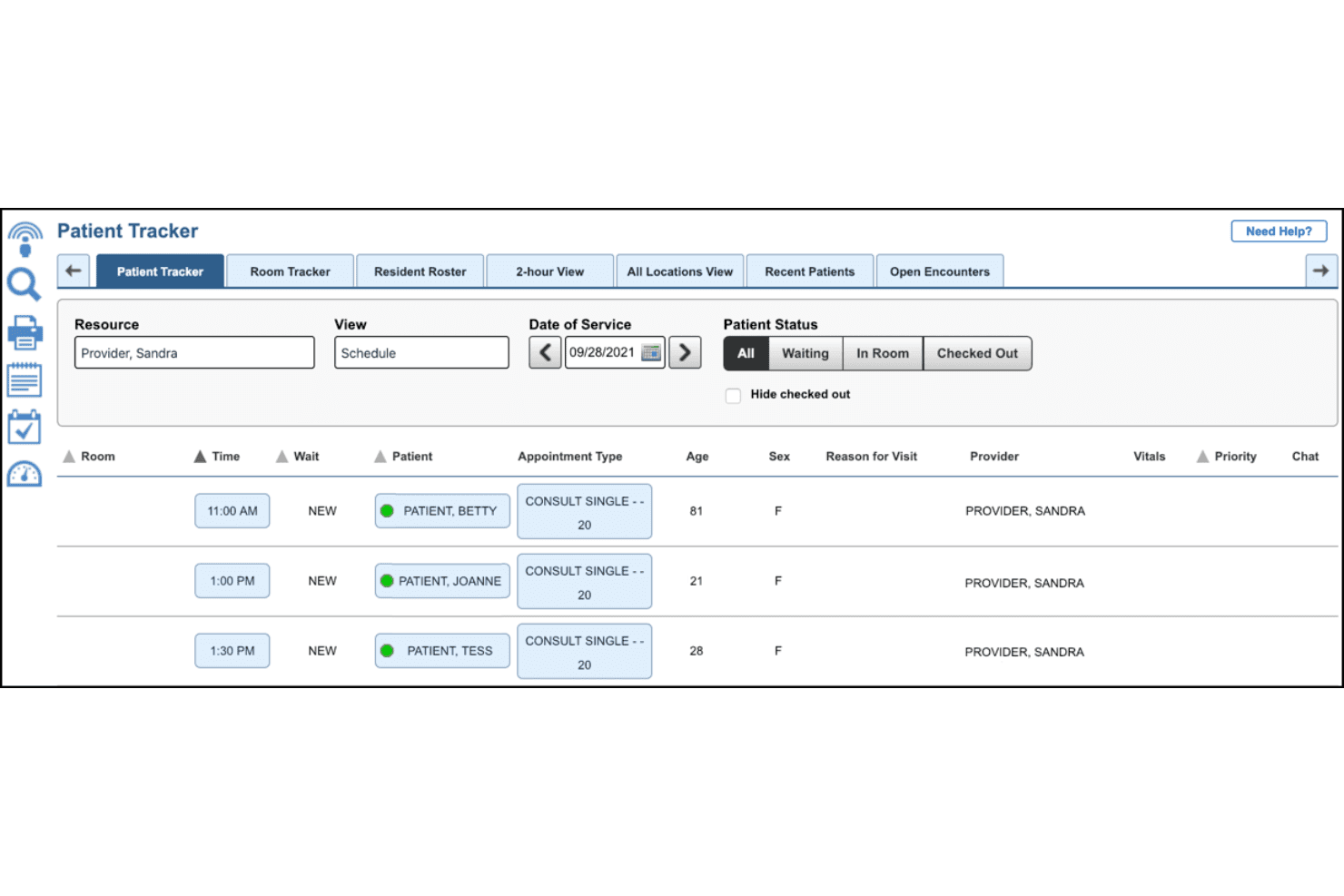
NextGen Healthcare EHR’s interface is packed with advanced tools and options, which offer flexibility but can create a steep learning curve for new users. Still, many users report that the customizable dashboards and adaptable templates save time once workflows are set up.
Frequent updates show ongoing improvements, but navigation between modules can feel cumbersome compared to simpler systems.
Integrations
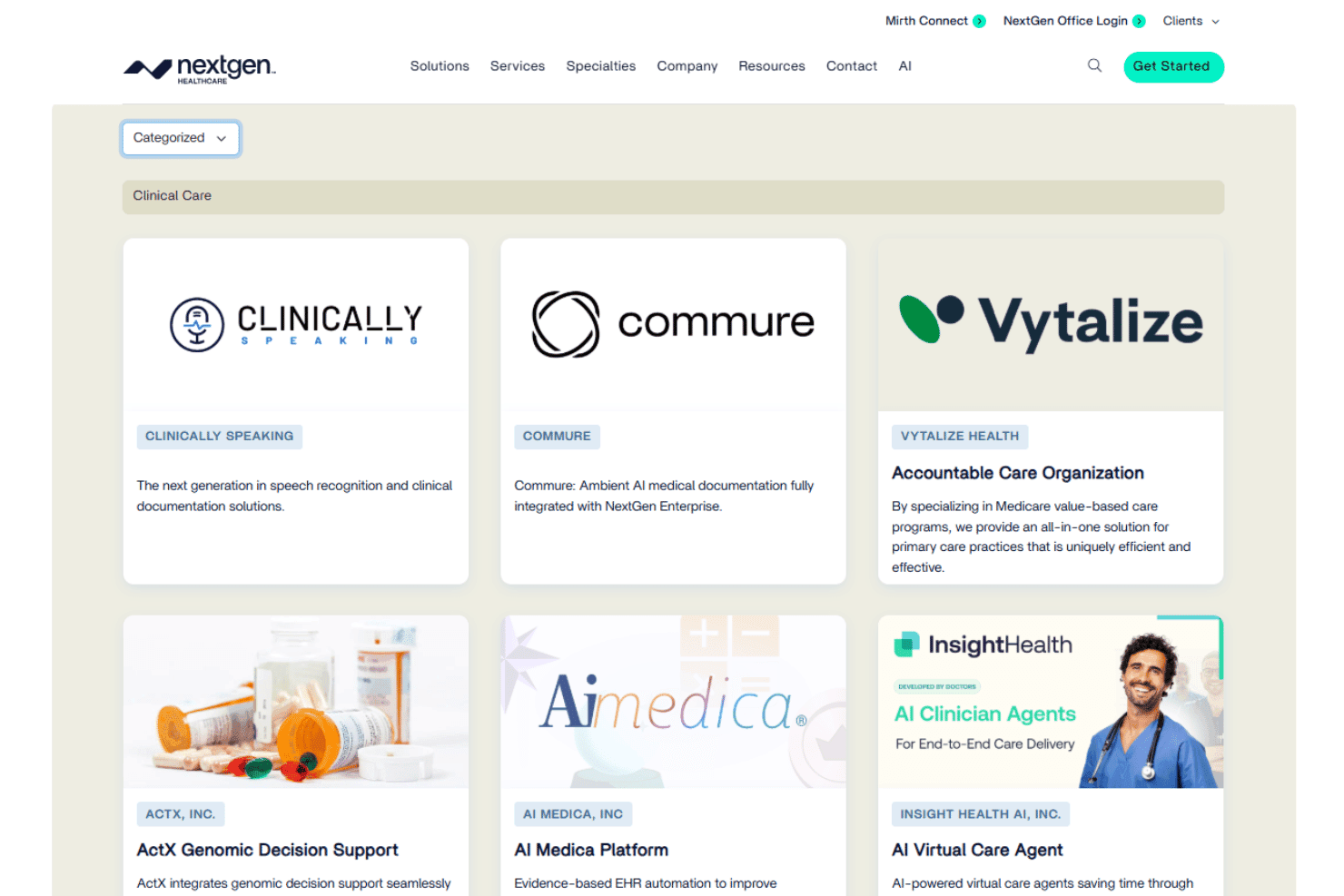
NextGen Healthcare EHR integrates with LabCorp, Quest Diagnostics, Change Healthcare, Surescripts, CommonWell Health Alliance, ePrescribe, DrFirst, Experian Health, Imprivata, and Updox, among others.
NextGen Healthcare EHR also offers a robust API for custom integrations and supports connections with third-party integration tools.
NextGen Healthcare EHR Specs
- API: Yes
- Appointment Scheduling: Yes
- Athlete Management: No
- Audit Management: No
- Calendar Management: Yes
- Compliance Tracking: No
- Customer Management: Yes
- Dashboard: Yes
- Data Export: Yes
- Data Import: Yes
- Data Visualization: No
- Electronic Prescribing: Yes
- External Integrations: Yes
- File Sharing: Yes
- File Transfer: Yes
- Health Management: No
- HIPAA Compliance: Yes
- Inventory Tracking: No
- Multi-User: Yes
- Notifications: Yes
- Organization Management: No
- Patient Management: Yes
- Project Management: No
- Regulatory Alerts: No
- Risk Assessment: No
- Scheduling: Yes
- Supplier Management: No


