


DrChrono Vs. NextGen Healthcare EHR: Comparison & Reviews for 2026
Cutting through the marketing noise—here’s my take on how DrChrono and NextGen Healthcare EHR truly stack up in 2026. Get the clarity you need to choose your EMR.

We review tools independently, and commissions help fund our testing. See our transparency policy, our methodology, or suggest a tool.
Choosing between DrChrono and NextGen Healthcare EHR can feel like a high-stakes decision when your practice’s efficiency and patient care are on the line. You want EMR software that matches the way your team actually works—and cuts through the headaches of clunky workflows, missed documentation, and endless support calls. Each platform promises smoother operations, but their strengths, quirks, and learning curves can make all the difference.
In this article, you’ll get my take on how DrChrono and NextGen Healthcare EHR truly compare—including pros, cons, use cases, pricing, security, and what the day-to-day experience looks like. If you're searching for the right fit, I’ll break down what matters so you can make your best call.
DrChrono

3.9/5
- Free demo available
- Pricing upon request
NextGen Healthcare EHR
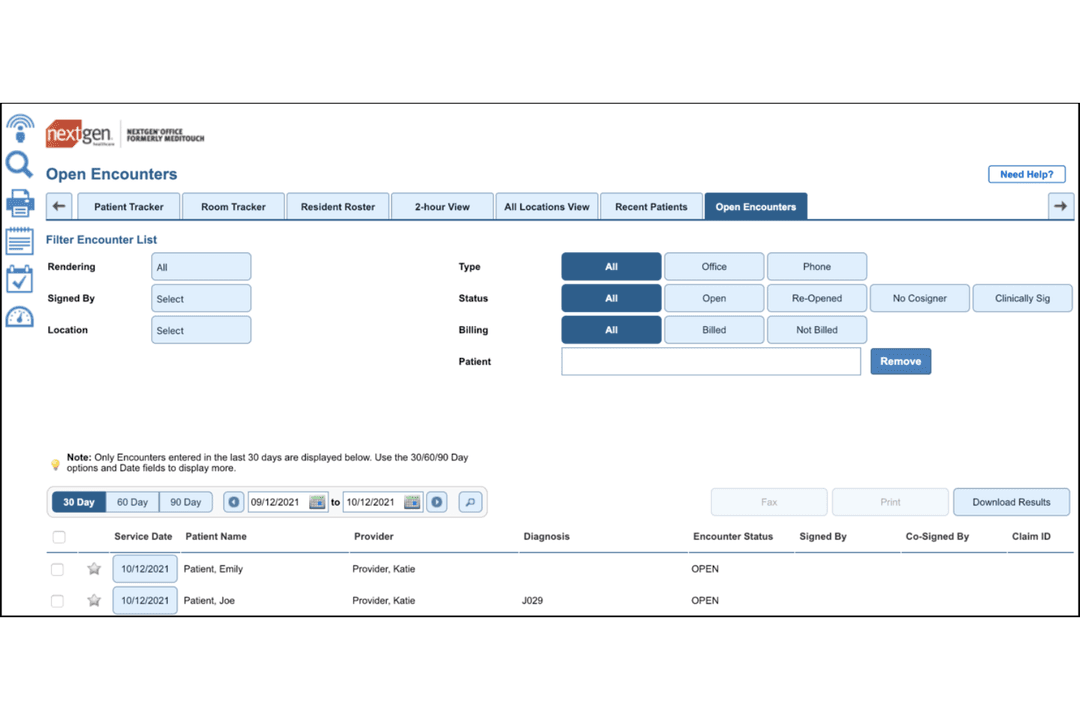
3.7/5
- Free demo available
- Pricing upon request
Why Trust Our Software Recommendations
6,700+
Reviews
20
Industry experts
16+
Evaluation factors
14
Years
Our team has been testing and reviewing software since 2012. As medical practice leaders ourselves, we know how difficult—and important—it is to choose the right software.
For this guide, we evaluated tools using hands-on testing and independent research, scoring tools using our selection criteria.
Our reviews reflect our human editorial judgment, not a sales pitch.
| DrChrono | NextGen Healthcare EHR | |
|---|---|---|
| Free Trial | Free demo available | Free demo available |
| Pricing | Pricing upon request | Pricing upon request |
DrChrono Vs. NextGen Healthcare EHR Pricing & Hidden Costs
DrChrono uses a tiered subscription model based on the level of features and support your practice needs. Expect potential add-ons for features like e-prescribing, telehealth, or advanced reporting.
NextGen Healthcare EHR tends to offer more customized pricing, often factoring in your practice size, specialties, and integration needs. Both vendors may charge extra for data migration, premium support, or integrations with labs and billing services—these additional costs add up quickly if you don’t clarify them up front.
To pick the right pricing model, dig into what’s included versus what’s extra—ask specifically about onboarding fees, support charges, and integrations your team relies on. Have vendors walk you through a cost scenario for your practice’s actual workflows so there aren’t any pricing surprises down the road. Transparency is key; if a vendor’s answers feel vague or hedged, that’s a sign to keep asking or consider other options.
Both DrChrono and NextGen Healthcare EHR give you the clinical basics you expect—appointment scheduling, charting, e-prescribing, billing, and patient portals—wrapped in workflows that aim to speed up documentation and admin tasks. Each platform supports mobile access, telehealth, and integrations with popular labs and imaging providers right out of the box.
What sets them apart? DrChrono stands out for its native iPad app and touch-friendly interface that’s built for on-the-go charting.
NextGen, on the other hand, is known for deep specialty templates and powerful reporting tools, making it a favorite for practices with complex documentation and analytics needs.
| DrChrono | NextGen Healthcare EHR | |
|---|---|---|
| API | Yes | Yes |
| Appointment Scheduling | Yes | Yes |
| Athlete Management | No | No |
| Audit Management | No | No |
| Calendar Management | Yes | Yes |
| Compliance Tracking | Yes | No |
| Customer Management | Yes | Yes |
| Dashboard | Yes | Yes |
| Data Export | Yes | Yes |
| Data Import | Yes | Yes |
| Data Visualization | Yes | No |
| Electronic Prescribing | Yes | Yes |
| External Integrations | Yes | Yes |
| File Sharing | Yes | Yes |
| File Transfer | Yes | Yes |
| Health Management | Yes | No |
| HIPAA Compliance | Yes | Yes |
| Inventory Tracking | No | No |
| Multi-User | Yes | Yes |
| Notifications | Yes | Yes |
| Organization Management | Yes | No |
| Patient Management | Yes | Yes |
| Project Management | No | No |
| Regulatory Alerts | Yes | No |
| Risk Assessment | No | No |
| Scheduling | Yes | Yes |
| Supplier Management | No | No |
| Integration | DrChrono | NextGen Healthcare EHR |
|---|---|---|
| IntegrationLabCorp | DrChrono✅ | NextGen Healthcare EHR✅ |
| IntegrationQuest Diagnostics | DrChrono✅ | NextGen Healthcare EHR✅ |
| IntegrationSurescripts | DrChrono✅ | NextGen Healthcare EHR✅ |
| IntegrationUpdox | DrChrono✅ | NextGen Healthcare EHR❌ |
| IntegrationBox | DrChrono✅ | NextGen Healthcare EHR❌ |
| IntegrationChange Healthcare | DrChrono✅ | NextGen Healthcare EHR✅ |
| IntegrationImprivata | DrChrono❌ | NextGen Healthcare EHR✅ |
| IntegrationGoogle Calendar | DrChrono✅ | NextGen Healthcare EHR❌ |
| IntegrationNuance Dragon | DrChrono✅ | NextGen Healthcare EHR✅ |
| IntegrationeClinicalWorks | DrChrono❌ | NextGen Healthcare EHR✅ |
| IntegrationAPI | DrChrono✅ | NextGen Healthcare EHR✅ |
| IntegrationZapier | DrChrono✅ | NextGen Healthcare EHR❌ |
DrChrono and NextGen Healthcare EHR both cover the major integrations practices expect, but DrChrono edges ahead with more out-of-the-box connections and Zapier support for workflows. NextGen adds value for enterprise setups needing tools like Imprivata or eClinicalWorks links, so your team’s must-haves will drive which platform covers your integration checklist.
| Factor | DrChrono | NextGen Healthcare EHR |
|---|---|---|
| FactorData Encryption | DrChronoUses end-to-end encryption for data at rest and in transit. | NextGen Healthcare EHREmploys advanced encryption standards for both stored and transmitted data. |
| FactorRegulatory Compliance | DrChronoHIPAA-compliant with support for audit trails and regular risk analysis. | NextGen Healthcare EHRHIPAA-certified and ONC 2015 Edition certified, with routine compliance updates. |
| FactorUser Access Control | DrChronoOffers customizable user permissions and two-factor authentication. | NextGen Healthcare EHRIncludes robust user authentication options and detailed role-based access. |
| FactorUptime Reliability | DrChronoGuarantees 99.95% uptime with real-time system status monitoring. | NextGen Healthcare EHRDelivers high uptime backed by redundant infrastructure and proactive monitoring. |
| FactorData Backup & Recovery | DrChronoNightly automatic backups and disaster recovery protocols in place. | NextGen Healthcare EHRExecutes frequent backups with a tested disaster recovery process. |
Both DrChrono and NextGen Healthcare EHR check all the right boxes for EMR security and compliance, but NextGen's deeper certifications and enterprise controls give it a slight edge. DrChrono gets high marks from users for reliability and transparent security features, while NextGen draws praise for its detailed compliance approach and tight access control.
| Factor | DrChrono | NextGen Healthcare EHR |
|---|---|---|
| FactorUser Interface | DrChronoClean, modern iPad app and intuitive mobile-first design. | NextGen Healthcare EHRTraditional layout with more menus but extensive customization. |
| FactorOnboarding | DrChronoQuick setup with guided walkthroughs and video tutorials. | NextGen Healthcare EHRInitial setup can be lengthy, especially for specialty templates. |
| FactorLearning Curve | DrChronoEasy for clinicians comfortable with touchscreens and tablets. | NextGen Healthcare EHRSteeper learning curve but strong for teams with complex workflows. |
| FactorDaily Navigation | DrChronoFast navigation with minimal clicks for common tasks. | NextGen Healthcare EHRMore navigation steps required but flexible for specialized needs. |
| FactorSupport Access | DrChronoLive chat and self-serve help center directly in the interface. | NextGen Healthcare EHRPhone and email support, plus in-depth documentation library. |
DrChrono is the go-to pick if you want a simple, touch-friendly EHR that gets out of your way, while NextGen Healthcare EHR rewards teams willing to invest time into customizing and mastering its deeper system. I find DrChrono’s mobile experience refreshingly straightforward for daily use, while NextGen offers the kind of detailed controls and personalization that seasoned teams with specific needs will appreciate.
DrChrono
- Customizable digital forms streamline intake and patient data collection.
- iPad and mobile charting features support point-of-care documentation. Direct lab ordering and electronic prescribing reduce manual tasks.
- Direct lab ordering and electronic prescribing reduce manual tasks.
- Reporting tools lack advanced analytics and visualization options.
- Customer support hours are limited during nights and weekends.
- Some users report processing delays for insurance claims.
NextGen Healthcare EHR
- Specialty templates for different practice types are robust.
- Patient portal supports direct messaging and online scheduling.
- Reporting tools offer granular and customizable data views.
- System can lag during peak usage hours.
- Mobile app lacks some desktop features.
- Initial setup requires significant support and resources.
DrChrono
- Mobile ClinicsDrChrono’s iPad charting and mobile check-in support point-of-care needs without reliance on desktop computers.
- Small Group PracticesThe system’s monthly pricing, intuitive setup, and patient portal make it a cost-effective and easy-to-adopt solution.
- Telehealth ProvidersIntegrated video visit functionality means you can offer virtual care without complicated add-ons or external platforms.
- Mental Health CentersCustomizable template options and secure patient messaging streamline workflows for therapy and counseling practices.
- Solo ProvidersSingle-practitioner offices benefit from a unified platform that handles both scheduling and clinical documentation out of the box.
- Multispecialty Outpatient CentersDrChrono supports varied specialties with flexible charting templates, digital forms, and multi-provider scheduling.
NextGen Healthcare EHR
- Multi-Specialty PracticesNextGen’s deep specialty templates and adaptable workflows help multi-specialty groups manage diverse documentation and regulatory requirements in one unified system.
- Large Medical GroupsThe platform supports complex scheduling, reporting, and revenue cycle management at scale, making it well-suited for large clinics or health systems.
- Federally Qualified Health CentersBuilt-in compliance and population health tools are tailored for FQHCs that need to track quality metrics and meet reporting mandates.
- Behavioral Health DepartmentsI’ve seen its specialty content, telehealth, and secure messaging streamline workflows for behavioral health teams.
- Revenue Cycle TeamsAdvanced billing, claims tracking, and real-time eligibility features help streamline revenue cycle operations for dedicated financial and billing personnel.
- Custom Workflow EnvironmentsOrganizations that want to build and automate unique patient flow or intake processes benefit from NextGen’s workflow automation designer.
Who Should Use DrChrono, and Who Should Use NextGen Healthcare EHR?
DrChrono is a fit for providers who want a modern, mobile-first EHR that’s easy to pick up and works well for small practices or teams that value flexibility and speed. NextGen Healthcare EHR shines for larger, multi-specialty groups who need deep customization, advanced reporting, and more granular control over complex workflows.
If your team thrives on quick adaptation and touch-friendly tech, DrChrono will feel right; if you’re invested in shaping every detail to match your specialty and compliance needs, NextGen is likely worth the ramp-up. Your budget, team size, and appetite for system complexity should drive the call.
| DrChrono | NextGen Healthcare EHR | |
|---|---|---|
| Customization | DrChrono Limited advanced customization but flexible templates exist. | NextGen Healthcare EHR Extensive specialty templates and field-level customization. |
| Implementation Speed | DrChrono Quick setup with basic workflows ready out of the box. | NextGen Healthcare EHR Lengthier onboarding, especially when tailoring specialty flows. |
| Integration Options | DrChrono Built-in Zapier support and direct links to popular tools. | NextGen Healthcare EHR Integrates with enterprise systems like Imprivata and ECW. |
| Pricing Model | DrChrono Transparent, tiered subscriptions with visible add-ons. | NextGen Healthcare EHR Custom quotes based on size, specialty, and integration needs. |
| User Interface | DrChrono Mobile-first, iPad-focused design for touch-based charting. | NextGen Healthcare EHR Desktop interface with deep customization for specialties. |
| Core Clinical Tools | Both offer appointment scheduling, charting, e-prescribing, billing, and patient portals—giving teams a full set of EMR essentials for day-to-day patient care. DrChrono leans into mobile charting, while NextGen builds around deep specialty workflows, but the basics are covered on both sides. |
|---|---|
| Integration Support | Both platforms integrate with major labs, imaging centers, and e-prescribing networks, ensuring data flows across care settings. DrChrono and NextGen both connect to LabCorp, Quest Diagnostics, Surescripts, and Nuance Dragon for synced workflows and efficient data exchange. |
| Mobile Access | Both support mobile access for clinicians and staff, so charting and patient management can happen on the go. DrChrono’s native iPad app lets you document via touch, while NextGen provides a mobile-friendly interface and remote access options for flexibility. |
| Regulatory Compliance | Both meet strict healthcare regulations with HIPAA-compliant data management, encryption in transit and at rest, and strong user access controls. DrChrono promotes transparent user permissions and audit trails, while NextGen underscores its ONC certifications and detailed compliance updates. |
| Subscription Pricing | Both use a subscription-based pricing model where you pay for ongoing access rather than a one-time license. DrChrono offers visible tiered plans, while NextGen customizes quotes—either way, expect a subscription plus extra costs for integrations, data migration, and premium support. |