
Recensione AdvancedMD: Pro, Contro, Caratteristiche e Prezzi
AdvancedMD riunisce la gestione degli studi medici in un'unica piattaforma, dalla pianificazione e fatturazione ai flussi di lavoro EHR, telemedicina, coinvolgimento del paziente e analisi sanitarie.

Recensiamo gli strumenti in modo indipendente e le commissioni ci aiutano a finanziare i nostri test. Consulta la nostra politica sulla trasparenza, la nostra metodologia o suggerisci uno strumento.
AdvancedMD is a cloud-based medical practice management software for independent and multi-specialty practices that need scheduling, billing, EHR, and patient engagement in one platform. I'd recommend if your practice has outgrown other systems, like Tebra, but isn't ready for athenahealth's enterprise model. AdvancedMD gives you a more complete, integrated suite with the flexibility that mid-size practices actually need.
AdvancedMD Evaluation Summary
3.6/5
- Pricing upon request
- Free demo available
Perché fidarsi dei nostri consigli sui software
6,700+
Reviews
20
Industry experts
16+
Evaluation factors
14
Years
Il nostro team testa e recensisce software dal 2012. In quanto leader di studi medici noi stessi, sappiamo quanto sia difficile — e importante — scegliere il software giusto.
Per questa guida, abbiamo valutato gli strumenti attraverso test pratici e ricerche indipendenti, assegnando un punteggio agli strumenti in base ai nostri criteri di selezione.
Le nostre recensioni riflettono il nostro giudizio editoriale umano, non un discorso di vendita.
AdvancedMD Overview
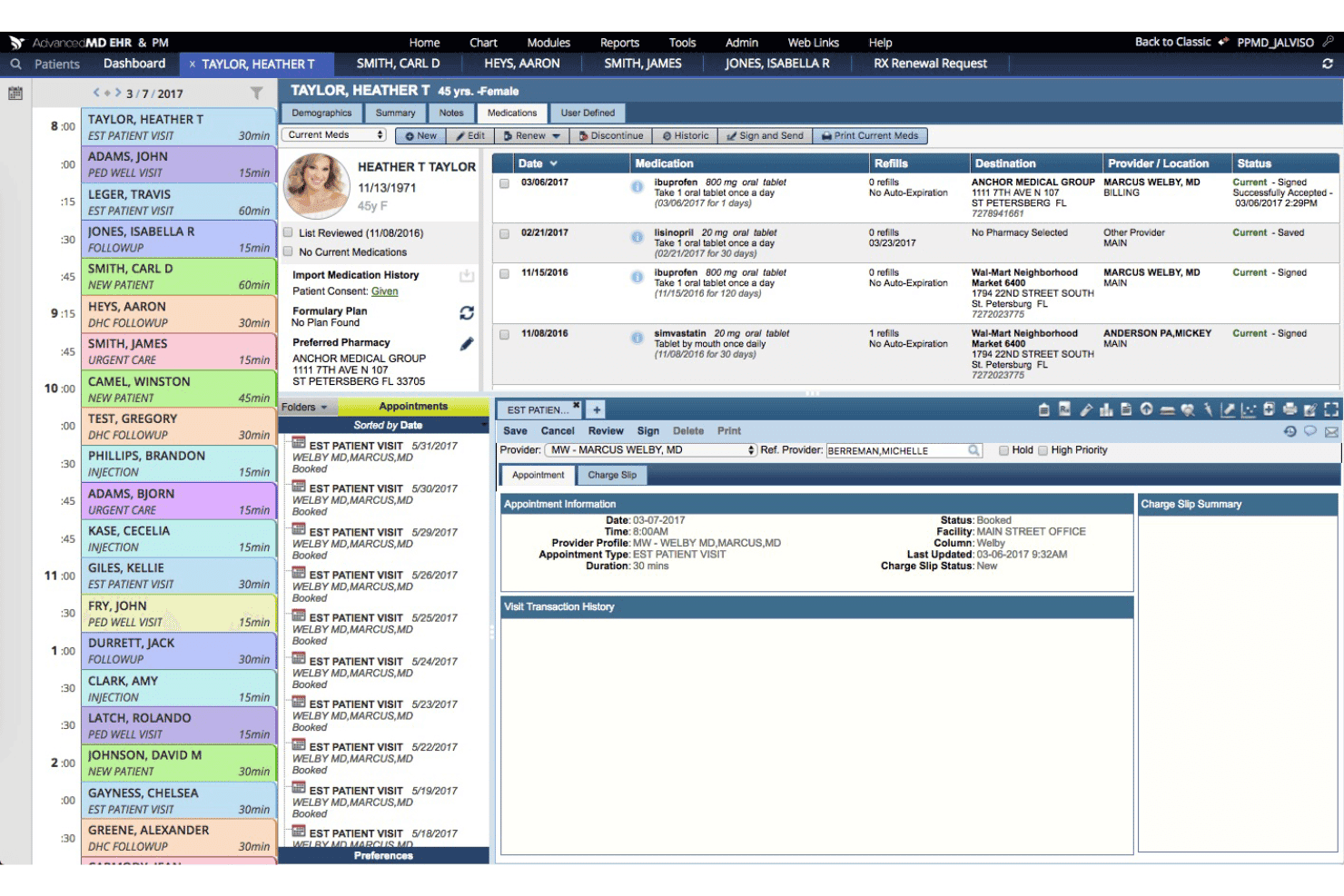
When judging AdvancedMD against others in the market, its flexible workflow customization, all-in-one dashboard, and broad integration options give it an edge—especially for multi-specialty or growing practices. However, onboarding can take time, and the interface may feel dense for smaller offices.
In my view, teams seeking advanced features like telemedicine, e-prescribing, and revenue management will find AdvancedMD worth the investment, even though its pricing and steep learning curve mean it’s not the simplest option for new, smaller clinics.
Pros
- Offers robust appointment scheduling with telemedicine built in.
- Includes granular reporting and customizable billing workflows.
- Supports extensive e-prescribing and patient portal features.
Cons
- Reported slow response times from customer support.
- System updates can cause unexpected glitches and downtime.
- Complex pricing structure with add-on costs for key features.
Is AdvancedMD Right For Your Needs?
Who Would be a Good Fit for AdvancedMD?
AdvancedMD suits organizations ready to scale, manage complexity, and centralize clinical and admin tasks. Multi-provider practices, specialty clinics, and large medical groups get the most value from features like telemedicine, granular billing controls, and analytics.
Teams needing robust customization or advanced reporting tools will find it especially helpful for tackling diverse workflows and patient needs.
- Multi-Specialty ClinicsAdvancedMD supports specialty EHR templates and customized workflows, making it easy to tailor records and processes for different specialties within one platform.
- Growing Private PracticesIts flexible modular licensing and broad feature set help expanding practices add capabilities as new providers, locations, or services come onboard.
- Revenue Cycle TeamsBilling automation, centralized claims tracking, and revenue analytics let dedicated billing teams manage high claim volume with better transparency.
- Behavioral Health GroupsCustom templates, telepsychiatry support, and charting tools create a tailored experience for mental health providers managing diverse patient needs.
- Surgical CentersAdvancedMD handles complex scheduling, inventory tracking, and procedure documentation needed for high-volume surgical environments.
- IT-Driven OrganizationsThe open API, advanced user permissions, and integration potential work best for organizations that have in-house IT or admin teams.
Who Would be a Bad Fit for AdvancedMD?
AdvancedMD might not be ideal for large hospital systems or healthcare networks with complex needs. If your team requires extensive customization or integration with numerous third-party systems, you may find the software’s capabilities limiting. Additionally, practices without dedicated IT support might struggle with the initial setup and learning curve. AdvancedMD’s feature-rich platform could be overwhelming for users seeking a more straightforward solution.
- Solo ProvidersThe system’s layered workflows and training requirements are often more than solo practitioners need for day-to-day operations.
- Non-Clinical Wellness CentersAdvancedMD’s clinical and billing tools are overkill for spas, nutritionists, or alternative health providers with basic scheduling needs.
- Part-Time PracticesSmaller operations may struggle to justify the cost and administrative overhead when full-time resources aren’t available.
- Rural Clinics With Low InternetCloud-based functionalities and telemedicine tools don’t serve clinics with spotty or unreliable internet connections.
- Small Pediatric PracticesBasic pediatric clinics without subspecialties will likely never use the platform’s more advanced features or reporting capabilities.
- Short-Term Pop-Up ClinicsTemporary clinics don’t benefit from intensive implementation, credentialing workflows, or rich customization options.
Come testiamo e valutiamo gli strumenti
Abbiamo trascorso anni a costruire, perfezionare e migliorare il nostro sistema di test e valutazione del software. Il criterio è progettato per cogliere le sfumature della selezione del software e cosa rende uno strumento efficace, concentrandosi sugli aspetti critici del processo decisionale. Qui sotto puoi vedere esattamente come funzionano i nostri test e punteggi in base a sette criteri. Ci consente di offrire una valutazione obiettiva del software basata su funzionalità principali, caratteristiche distintive, facilità d’uso, onboarding, assistenza clienti, integrazioni, recensioni dei clienti e rapporto qualità-prezzo.
Funzionalità Principali (25% del punteggio finale)
Il punto di partenza della nostra valutazione sono sempre le funzionalità principali dello strumento. Ha le funzioni di base che un utente si aspetterebbe? Alcune di queste funzioni principali sono riservate a piani tariffari superiori? In sostanza, ci aspettiamo che uno strumento sia all’altezza delle capacità di base dei suoi concorrenti.
Caratteristiche Distintive (25% del punteggio finale)
Successivamente, valutiamo caratteristiche distintive e insolite che vanno oltre le funzionalità di base tipicamente presenti negli strumenti della stessa categoria. Un punteggio alto riflette funzionalità specializzate o uniche che rendono il prodotto più veloce, efficiente o offrono un valore aggiunto all’utente. Valutiamo anche quanto sia facile integrare con altri strumenti comunemente presenti nella stack tecnologica per espandere funzionalità e utilità del software. Gli strumenti che offrono numerose integrazioni native, connessioni di terze parti e accesso API per creare integrazioni personalizzate ottengono il punteggio migliore.
Facilità d’Uso (10% del punteggio finale)
Consideriamo quanto sia rapido e intuitivo eseguire i compiti definiti nelle funzionalità principali usando lo strumento. Il software con punteggi elevati è ben progettato, intuitivo, offre app mobili, fornisce modelli e fa sembrare semplici anche compiti complessi.
Onboarding (10% del punteggio finale)
Sappiamo quanto sia importante l’adozione rapida da parte del team per una nuova piattaforma, perciò valutiamo quanto sia facile imparare e usare uno strumento con una formazione minima. Valutiamo quanto tempo impiega un membro del team a configurarsi e iniziare a usare lo strumento senza esperienza. Le soluzioni che ottengono il punteggio più alto richiedono poco o nessun supporto.
Assistenza Clienti (10% del punteggio finale)
Esaminiamo quanto sia rapido e semplice sbloccarsi e trovare aiuto tramite telefono, chat dal vivo o knowledge base. Gli strumenti e le aziende che forniscono assistenza in tempo reale ottengono il punteggio migliore, mentre i chatbot ottengono il punteggio più basso.
Recensioni dei Clienti (10% del punteggio finale)
Oltre ai nostri test e valutazioni, consideriamo il net promoter score da parte di clienti attuali e passati. Esaminiamo la probabilità che, data la possibilità, scelgano nuovamente lo strumento per le sue funzioni principali. Un software con punteggio elevato riflette un alto net promoter score da parte di clienti attuali o passati.
Rapporto Qualità-Prezzo (10% del punteggio finale)
Infine, tenendo conto di tutti gli altri criteri, analizziamo il prezzo medio dei piani base rispetto alle caratteristiche principali e valutiamo il valore degli altri criteri. Il software che offre di più, a meno, otterrà un punteggio più alto.
Core Features
Appointment Scheduling
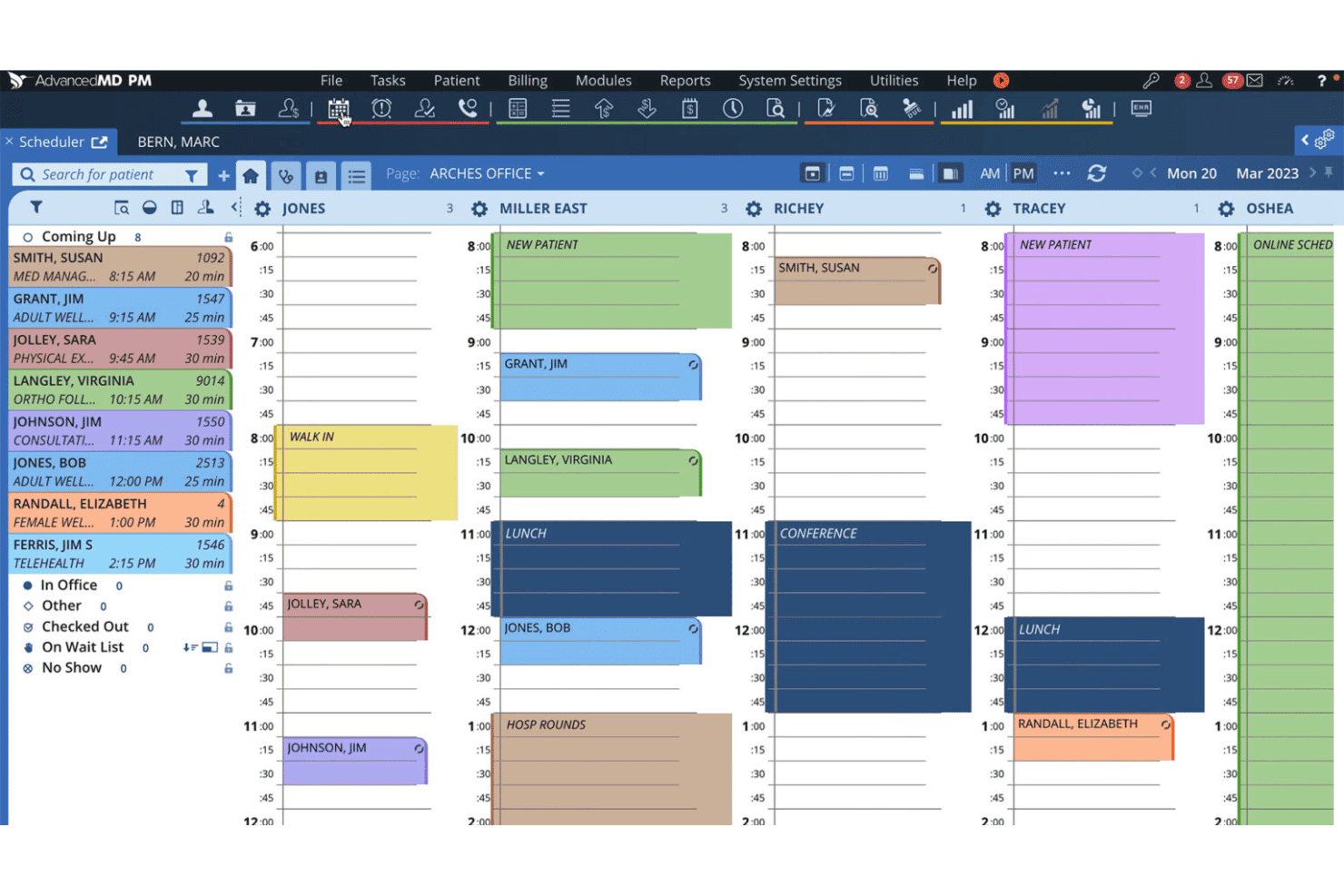
AdvancedMD lets you manage provider calendars, recurring appointments, and resource allocation in one place. You can send automated reminders via text or email to reduce no-shows.
Electronic Health Records (EHR)
Keep comprehensive patient records, chart notes, and diagnostic data organized and accessible. The customizable chart templates help different specialists save time documenting visits.
Medical Billing and Claims Management
Automate insurance eligibility checks, claims submissions, and payment processing through a cloud-based billing system. Track denials and resubmissions within a centralized billing dashboard.
Patient Portal
Provide patients secure access to visit summaries, lab results, and messaging with staff. Patients can request appointments, pay bills, and upload documents directly through the portal.
Telemedicine
Offer virtual appointments with video calls integrated into your scheduling workflow. Video visits launch from the same dashboard as in-person visits to keep processes unified.
Reporting and Analytics
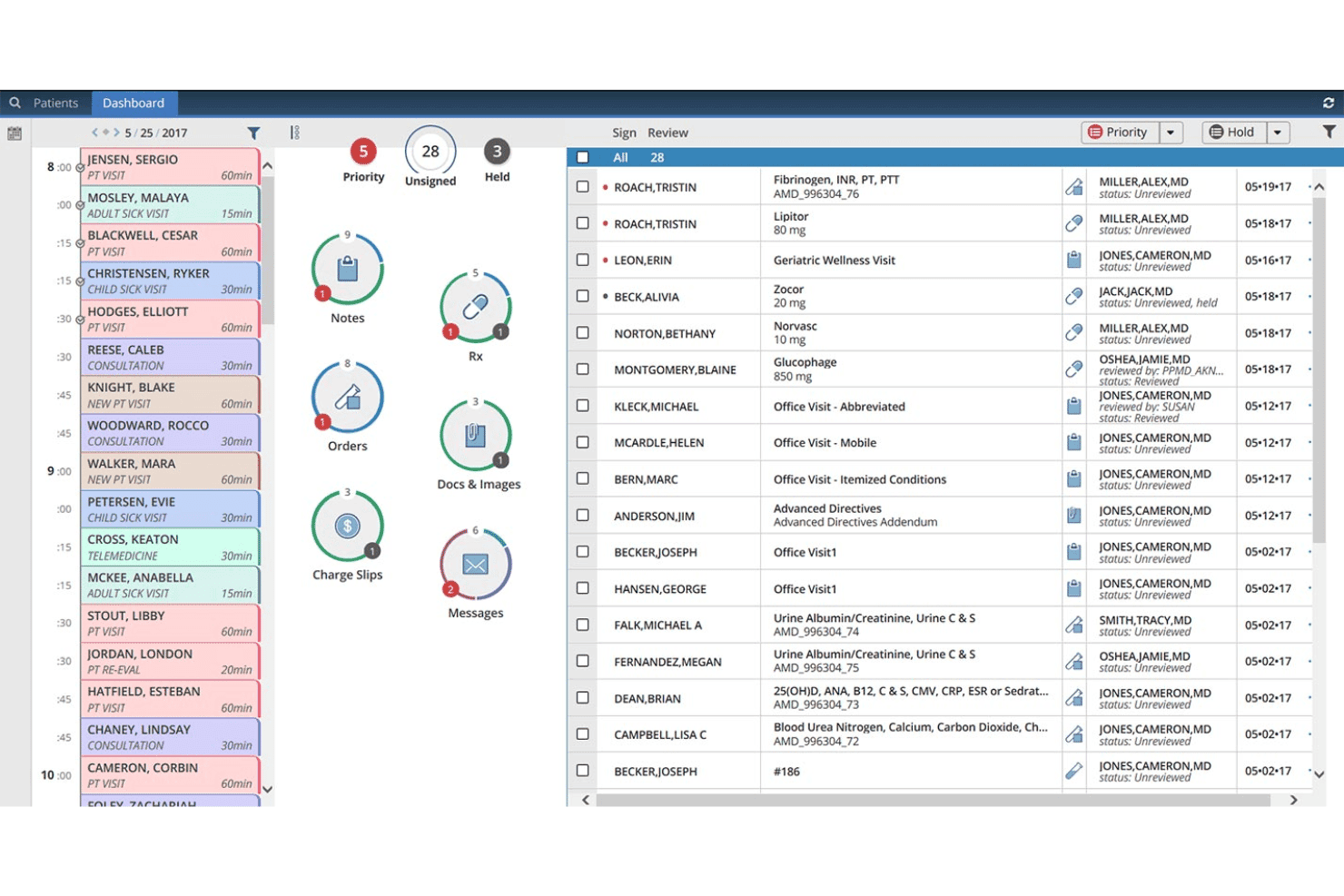
Access customizable reports on revenue cycle, scheduling, and clinical workflow metrics. Use dashboards to spot financial or operational trends and support data-driven decisions.
Ease of Use
AdvancedMD packs a wide feature set, but its usability can challenge smaller teams or new users. I’ve seen user reviews describe its interface as dense, especially as you add more modules like billing or telemedicine.
However, workflow customizations, visual dashboards, and centralized patient records make the daily experience smooth for practices willing to invest in setup and training.
Integrations
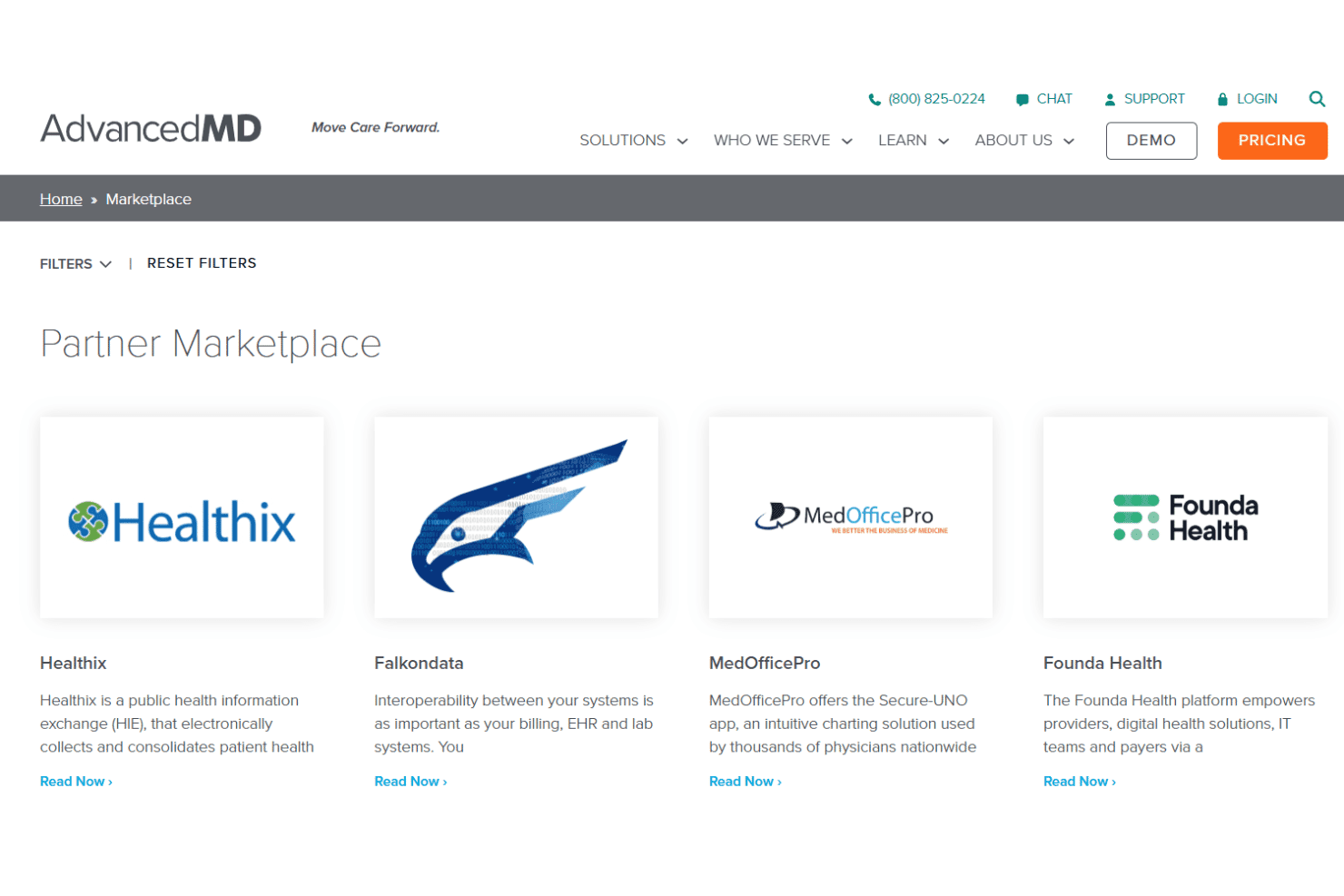
AdvancedMD integrates with LabCorp, Quest Diagnostics, Surescripts, Updox, DrFirst, Medline, Availity, TriZetto, Waystar, and InstaMed, among others.
AdvancedMD also offers an open API and connects with select third-party integration platforms.
AdvancedMD Specs
- 2-Factor Authentication: Yes
- API: Yes
- Appointment Scheduling: Yes
- Approval Workflows: No
- Audit Management: No
- Audit Trail: No
- Batch Permissions & Access: No
- Billing/Invoicing: Yes
- Compliance Tracking: No
- Customer Management: No
- Data Export: Yes
- Data Import: Yes
- Document Management: No
- Electronic Prescribing: Yes
- External Integrations: Yes
- HIPAA Compliance: Yes
- Incident Management: No
- Multi-User: Yes
- Notifications: Yes
- Patient Management: Yes
- Regulatory Alerts: No
- Report & Compliance: Yes
- Risk Assessment: No
- Self-service Portal: Yes
- Task Scheduling/Tracking: No
- Workflow Management: No


