
Avis sur AdvancedMD : Avantages, Inconvénients, Fonctionnalités et Tarification
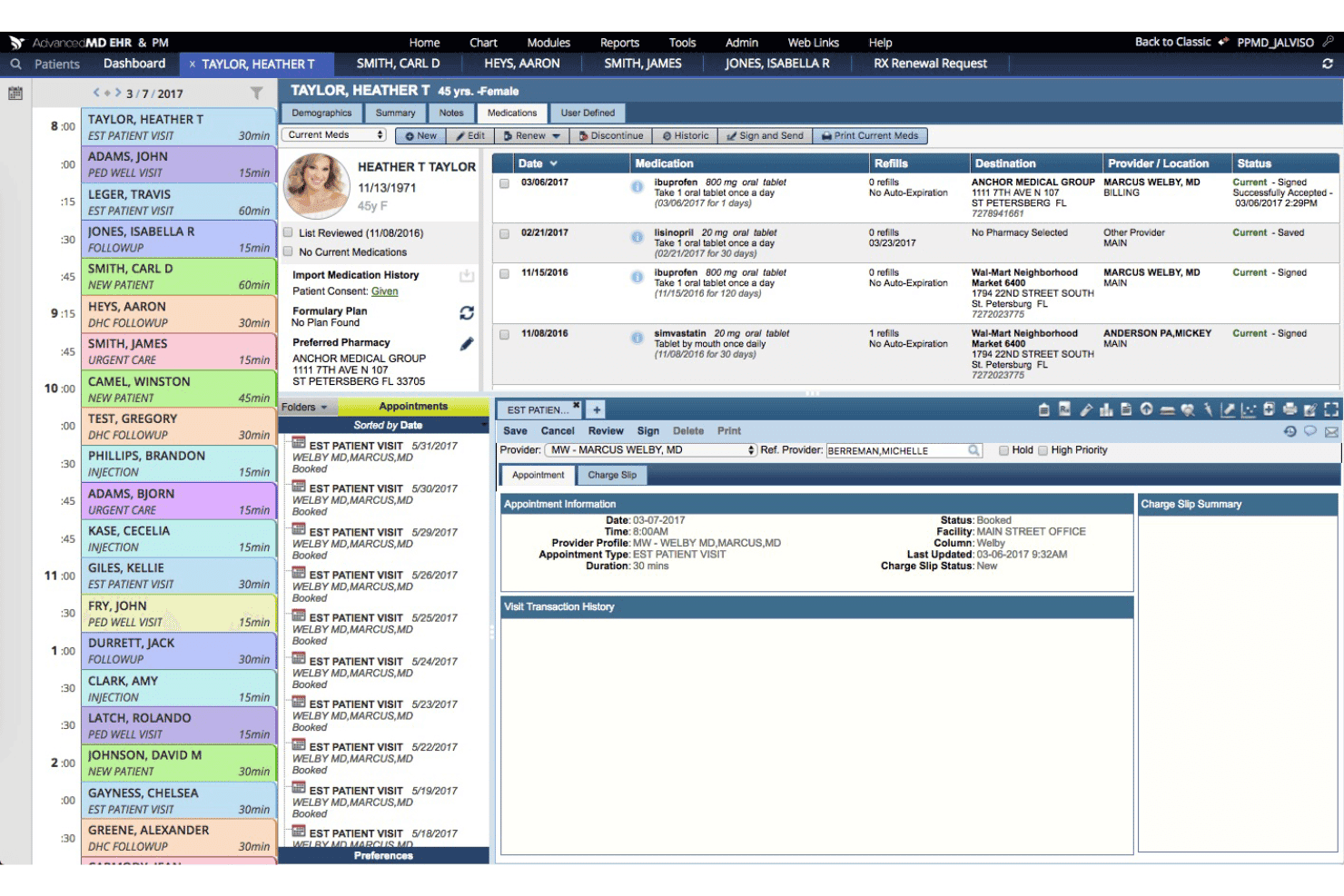
AdvancedMD réunit la gestion des cabinets médicaux sur une plateforme unique : de la planification et la facturation aux flux de travail DSE, téléconsultation, engagement patient et analyses de santé.

Nous évaluons les outils de manière indépendante, et les commissions aident à financer nos tests. Consultez notre politique de transparence, notre méthodologie, ou suggérez un outil.
AdvancedMD is a cloud-based medical practice management software for independent and multi-specialty practices that need scheduling, billing, EHR, and patient engagement in one platform. I'd recommend if your practice has outgrown other systems, like Tebra, but isn't ready for athenahealth's enterprise model. AdvancedMD gives you a more complete, integrated suite with the flexibility that mid-size practices actually need.
AdvancedMD Evaluation Summary
3.6/5
- Pricing upon request
- Free demo available
Pourquoi faire confiance à nos recommandations de logiciels
6,700+
Reviews
20
Industry experts
16+
Evaluation factors
14
Years
Notre équipe teste et évalue des logiciels depuis 2012. En tant que dirigeants de cabinets médicaux nous-mêmes, nous savons à quel point il est difficile — et important — de choisir le bon logiciel.
Pour ce guide, nous avons évalué les outils grâce à des tests pratiques et une recherche indépendante, en notant les outils selon nos critères de sélection.
Nos avis reflètent notre jugement éditorial humain, et non un argumentaire de vente.
AdvancedMD Overview
When judging AdvancedMD against others in the market, its flexible workflow customization, all-in-one dashboard, and broad integration options give it an edge—especially for multi-specialty or growing practices. However, onboarding can take time, and the interface may feel dense for smaller offices.
In my view, teams seeking advanced features like telemedicine, e-prescribing, and revenue management will find AdvancedMD worth the investment, even though its pricing and steep learning curve mean it’s not the simplest option for new, smaller clinics.
Pros
- Offers robust appointment scheduling with telemedicine built in.
- Includes granular reporting and customizable billing workflows.
- Supports extensive e-prescribing and patient portal features.
Cons
- Reported slow response times from customer support.
- System updates can cause unexpected glitches and downtime.
- Complex pricing structure with add-on costs for key features.
Is AdvancedMD Right For Your Needs?
Who Would be a Good Fit for AdvancedMD?
AdvancedMD suits organizations ready to scale, manage complexity, and centralize clinical and admin tasks. Multi-provider practices, specialty clinics, and large medical groups get the most value from features like telemedicine, granular billing controls, and analytics.
Teams needing robust customization or advanced reporting tools will find it especially helpful for tackling diverse workflows and patient needs.
- Multi-Specialty ClinicsAdvancedMD supports specialty EHR templates and customized workflows, making it easy to tailor records and processes for different specialties within one platform.
- Growing Private PracticesIts flexible modular licensing and broad feature set help expanding practices add capabilities as new providers, locations, or services come onboard.
- Revenue Cycle TeamsBilling automation, centralized claims tracking, and revenue analytics let dedicated billing teams manage high claim volume with better transparency.
- Behavioral Health GroupsCustom templates, telepsychiatry support, and charting tools create a tailored experience for mental health providers managing diverse patient needs.
- Surgical CentersAdvancedMD handles complex scheduling, inventory tracking, and procedure documentation needed for high-volume surgical environments.
- IT-Driven OrganizationsThe open API, advanced user permissions, and integration potential work best for organizations that have in-house IT or admin teams.
Who Would be a Bad Fit for AdvancedMD?
AdvancedMD might not be ideal for large hospital systems or healthcare networks with complex needs. If your team requires extensive customization or integration with numerous third-party systems, you may find the software’s capabilities limiting. Additionally, practices without dedicated IT support might struggle with the initial setup and learning curve. AdvancedMD’s feature-rich platform could be overwhelming for users seeking a more straightforward solution.
- Solo ProvidersThe system’s layered workflows and training requirements are often more than solo practitioners need for day-to-day operations.
- Non-Clinical Wellness CentersAdvancedMD’s clinical and billing tools are overkill for spas, nutritionists, or alternative health providers with basic scheduling needs.
- Part-Time PracticesSmaller operations may struggle to justify the cost and administrative overhead when full-time resources aren’t available.
- Rural Clinics With Low InternetCloud-based functionalities and telemedicine tools don’t serve clinics with spotty or unreliable internet connections.
- Small Pediatric PracticesBasic pediatric clinics without subspecialties will likely never use the platform’s more advanced features or reporting capabilities.
- Short-Term Pop-Up ClinicsTemporary clinics don’t benefit from intensive implementation, credentialing workflows, or rich customization options.
Comment nous testons et notons les outils
Nous avons passé des années à construire, affiner et améliorer notre système de test et de notation des logiciels. Cette grille est conçue pour saisir les nuances du choix des logiciels et ce qui rend un outil efficace, en se concentrant sur les aspects cruciaux du processus décisionnel. Ci-dessous, vous pouvez voir exactement comment nos tests et notations fonctionnent sur sept critères. Cela nous permet de proposer une évaluation impartiale des logiciels basée sur leurs fonctionnalités principales, fonctionnalités remarquables, facilité d’utilisation, intégration, support client, avis clients et rapport qualité/prix.
Fonctionnalité principale (25 % de la note finale)
Le point de départ de notre évaluation est toujours la fonctionnalité principale de l’outil. Dispose-t-il des fonctions de base que l’on est en droit d’attendre ? Certaines de ces fonctionnalités principales sont-elles limitées aux forfaits les plus chers ? Nous attendons d’un outil qu’il se mesure aux capacités essentielles de ses concurrents.
Fonctionnalités remarquables (25 % de la note finale)
Ensuite, nous évaluons les fonctionnalités remarquables, peu communes, qui vont au-delà des fonctions de base généralement présentes dans ce type d’outils. Une note élevée reflète des fonctionnalités uniques ou spécialisées qui rendent le produit plus rapide, plus efficace ou qui apportent une valeur ajoutée à l’utilisateur. Nous évaluons également la facilité d’intégration avec les autres outils présents dans l’écosystème numérique afin d’étendre la fonctionnalité et l’utilité du logiciel. Les outils offrant de nombreuses intégrations natives, des connexions tierces, et un accès API pour créer des intégrations personnalisées reçoivent de meilleures notes.
Facilité d’utilisation (10 % de la note finale)
Nous considérons la rapidité et la simplicité d’exécution des tâches définies dans la fonctionnalité principale à l’aide de l’outil. Un logiciel bien noté est bien conçu, intuitif, propose des applications mobiles, fournit des modèles et simplifie les tâches relativement complexes.
Onboarding (10 % de la note finale)
Nous savons à quel point il est important qu’une équipe adopte rapidement une nouvelle plateforme, nous évaluons donc la facilité d’apprentissage et d’utilisation d’un outil avec une formation minimale. Nous évaluons la rapidité avec laquelle un membre de l’équipe peut installer et commencer à utiliser l’outil sans expérience préalable. Les solutions les mieux notées requièrent peu ou pas de support.
Support client (10 % de la note finale)
Nous examinons la rapidité et la facilité pour se débloquer et obtenir de l’aide par téléphone, chat en direct ou base de connaissances. Les outils et entreprises proposant une assistance en temps réel obtiennent les meilleures notes, alors que les chatbots sont les moins bien notés.
Avis clients (10 % de la note finale)
Au-delà de nos propres tests et évaluations, nous considérons le score de recommandation net des clients actuels et passés. Nous évaluons leur probabilité, s’ils en avaient le choix, de sélectionner à nouveau l’outil pour ses fonctionnalités principales. Un logiciel bien noté reflète un haut score de recommandation net parmi la clientèle.
Rapport qualité/prix (10 % de la note finale)
Enfin, en tenant compte de tous les autres critères, nous examinons le prix moyen des offres de base au regard des fonctionnalités principales et des autres critères d’évaluation. Un logiciel qui en offre plus, pour moins, obtiendra une note supérieure.
Core Features
Appointment Scheduling
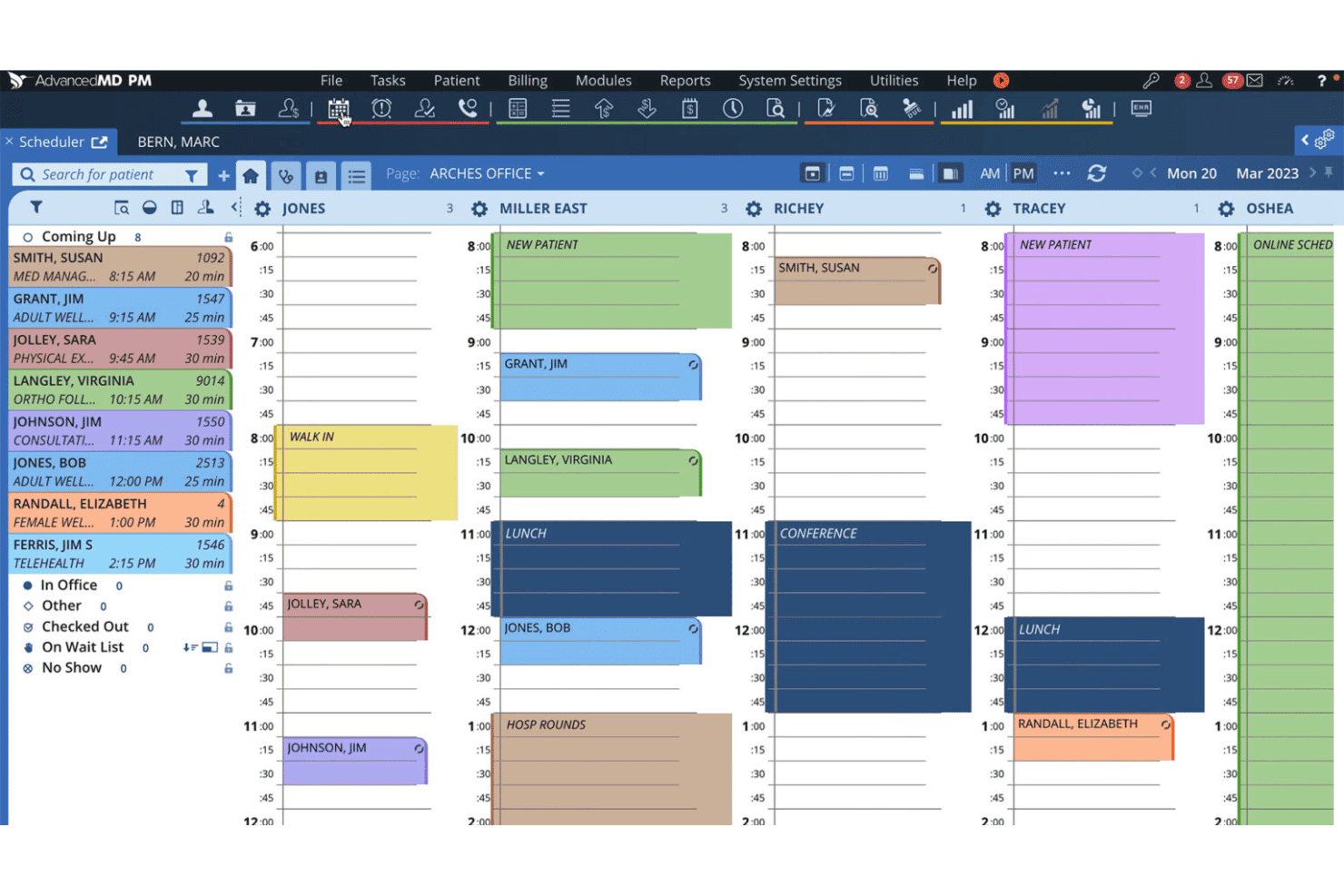
AdvancedMD lets you manage provider calendars, recurring appointments, and resource allocation in one place. You can send automated reminders via text or email to reduce no-shows.
Electronic Health Records (EHR)
Keep comprehensive patient records, chart notes, and diagnostic data organized and accessible. The customizable chart templates help different specialists save time documenting visits.
Medical Billing and Claims Management
Automate insurance eligibility checks, claims submissions, and payment processing through a cloud-based billing system. Track denials and resubmissions within a centralized billing dashboard.
Patient Portal
Provide patients secure access to visit summaries, lab results, and messaging with staff. Patients can request appointments, pay bills, and upload documents directly through the portal.
Telemedicine
Offer virtual appointments with video calls integrated into your scheduling workflow. Video visits launch from the same dashboard as in-person visits to keep processes unified.
Reporting and Analytics
Access customizable reports on revenue cycle, scheduling, and clinical workflow metrics. Use dashboards to spot financial or operational trends and support data-driven decisions.
Ease of Use
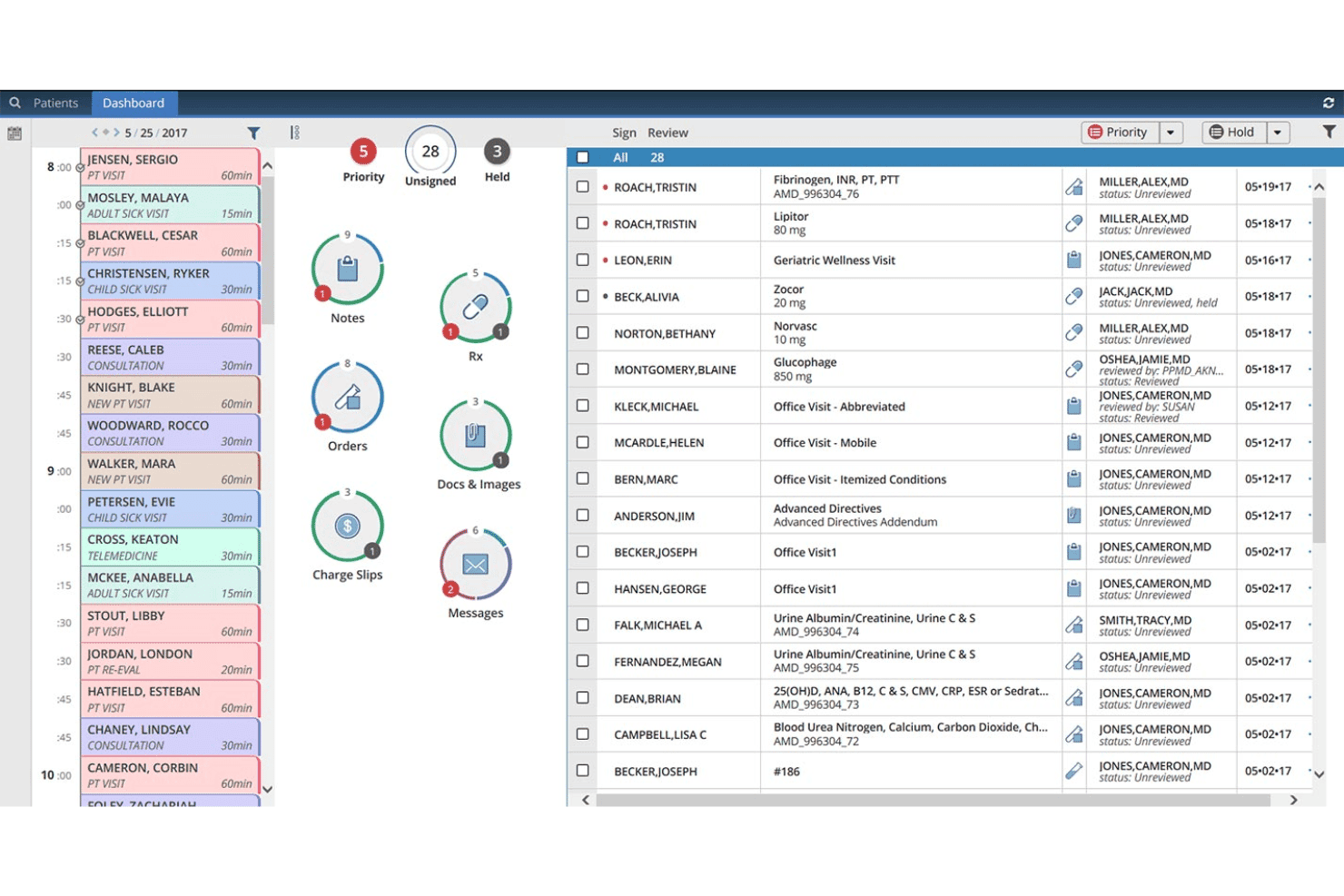
AdvancedMD packs a wide feature set, but its usability can challenge smaller teams or new users. I’ve seen user reviews describe its interface as dense, especially as you add more modules like billing or telemedicine.
However, workflow customizations, visual dashboards, and centralized patient records make the daily experience smooth for practices willing to invest in setup and training.
Integrations
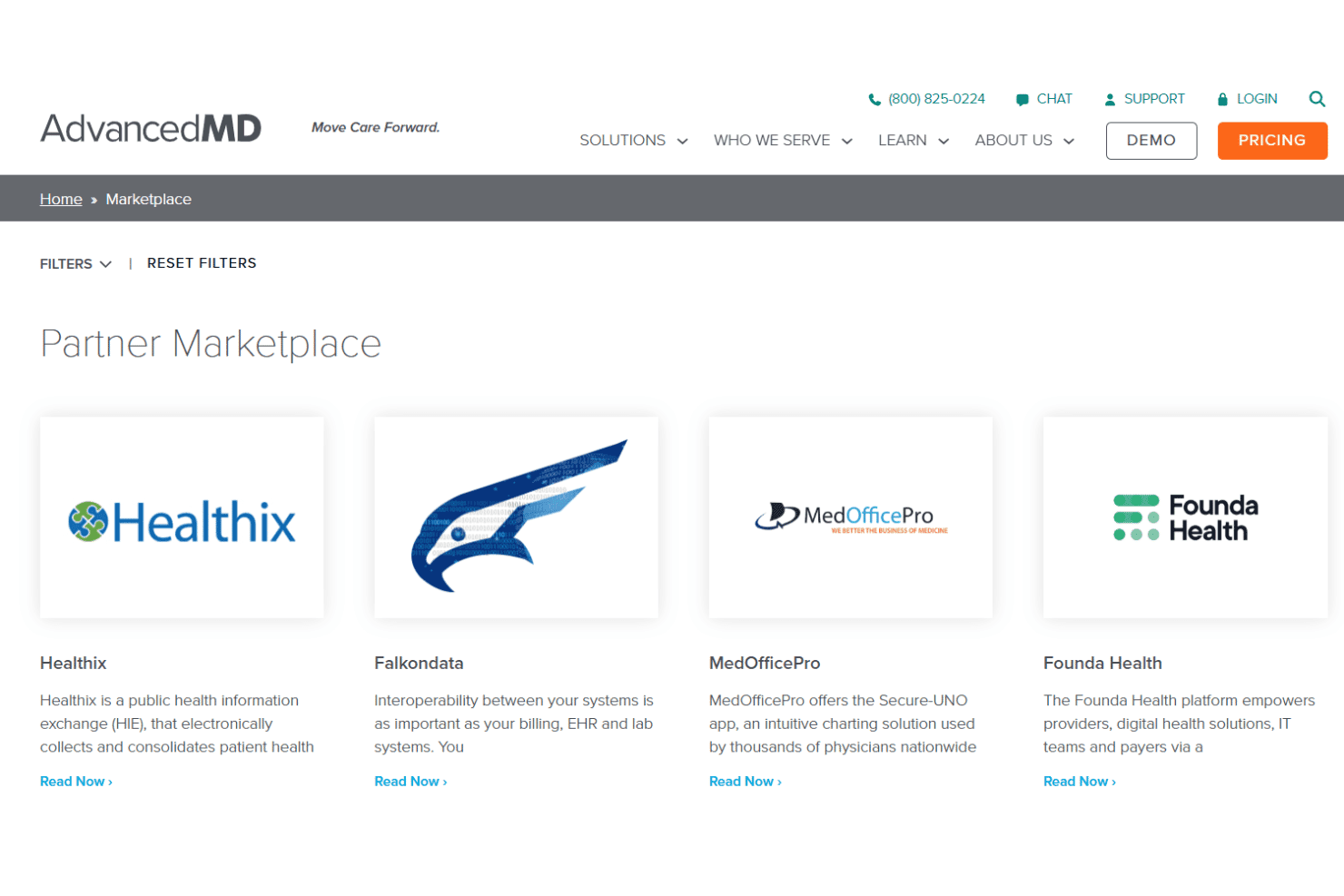
AdvancedMD integrates with LabCorp, Quest Diagnostics, Surescripts, Updox, DrFirst, Medline, Availity, TriZetto, Waystar, and InstaMed, among others.
AdvancedMD also offers an open API and connects with select third-party integration platforms.
AdvancedMD Specs
- 2-Factor Authentication: Yes
- API: Yes
- Appointment Scheduling: Yes
- Approval Workflows: No
- Audit Management: No
- Audit Trail: No
- Batch Permissions & Access: No
- Billing/Invoicing: Yes
- Compliance Tracking: No
- Customer Management: No
- Data Export: Yes
- Data Import: Yes
- Document Management: No
- Electronic Prescribing: Yes
- External Integrations: Yes
- HIPAA Compliance: Yes
- Incident Management: No
- Multi-User: Yes
- Notifications: Yes
- Patient Management: Yes
- Regulatory Alerts: No
- Report & Compliance: Yes
- Risk Assessment: No
- Self-service Portal: Yes
- Task Scheduling/Tracking: No
- Workflow Management: No


