

Reseña de NextGen Healthcare EHR: características, ventajas, desventajas y precios
NextGen Healthcare EHR reúne los registros electrónicos de salud y la gestión de flujos de trabajo clínico en una sola plataforma, desde la elaboración de historias clínicas y la programación hasta la facturación, la telesalud y las herramientas de participación del paciente.

Revisamos herramientas de manera independiente, y las comisiones ayudan a financiar nuestras pruebas. Consulta nuestra política de transparencia, nuestra metodología o sugiere una herramienta.
NextGen Healthcare EHR is a free EHR software built for ambulatory care practices that need to manage clinical documentation, scheduling, and patient records. It's worth including in your shortlist if your practice needs specialty-specific clinical content and configurable workflows—areas where NextGen Healthcare EHR tends to go deeper than a generalist option like Practice Fusion.
NextGen Healthcare EHR Evaluation Summary
3.7/5
- Pricing upon request
- Free demo available
Por qué confiar en nuestras recomendaciones de software
6,700+
Reviews
20
Industry experts
16+
Evaluation factors
14
Years
Nuestro equipo lleva probando y evaluando software desde 2012. Como líderes de centros médicos, sabemos lo difícil —y lo importante— que es elegir el software adecuado.
Para esta guía, evaluamos las herramientas mediante pruebas prácticas e investigación independiente, puntuando las herramientas según nuestros criterios de selección.
Nuestras reseñas reflejan nuestro criterio editorial humano, no un discurso de ventas.
NextGen Healthcare EHR Overview
In my experience, NextGen Healthcare EHR offers a flexible interface and strong specialty modules that set it apart for midsize practices. I find its integrated patient portal, rich reporting, and customizable templates outperform the basics you’ll see elsewhere.
Pricing feels competitive for the depth provided. Onboarding can feel complex, and integrations sometimes need more hands-on support, but the responsive customer service usually smooths that out.
If you’re judging options for multispecialty or ambulatory practices that value tailored workflows, I think NextGen is a strong contender.
Pros
- Specialty templates for different practice types are robust.
- Patient portal supports direct messaging and online scheduling.
- Reporting tools offer granular and customizable data views.
Cons
- System can lag during peak usage hours.
- Mobile app lacks some desktop features.
- Initial setup requires significant support and resources.
Is NextGen Healthcare EHR Right For Your Needs?
Who Would be a Good Fit for NextGen Healthcare EHR?
NextGen Healthcare EHR is ideal for organizations that need specialty-specific solutions, complex workflow automation, and strong compliance support. Mid-to-large medical groups, multi-specialty practices, and organizations with diverse clinical roles will get the most value from NextGen’s templates, reporting, and automation capabilities.
Its strength in handling variable processes and regulatory tasks makes it a strong choice for settings where customization and scalability are non-negotiable.
- Multi-Specialty PracticesNextGen’s deep specialty templates and adaptable workflows help multi-specialty groups manage diverse documentation and regulatory requirements in one unified system.
- Large Medical GroupsThe platform supports complex scheduling, reporting, and revenue cycle management at scale, making it well-suited for large clinics or health systems.
- Federally Qualified Health CentersBuilt-in compliance and population health tools are tailored for FQHCs that need to track quality metrics and meet reporting mandates.
- Behavioral Health DepartmentsI’ve seen its specialty content, telehealth, and secure messaging streamline workflows for behavioral health teams.
- Revenue Cycle TeamsAdvanced billing, claims tracking, and real-time eligibility features help streamline revenue cycle operations for dedicated financial and billing personnel.
- Custom Workflow EnvironmentsOrganizations that want to build and automate unique patient flow or intake processes benefit from NextGen’s workflow automation designer.
Who Would be a Bad Fit for NextGen Healthcare EHR?
NextGen Healthcare EHR isn’t the best match for smaller practices, low-volume clinics, or organizations that prioritize basic functionality and easy onboarding. The system’s robust configuration options and resource-heavy implementation generally outweigh the value for users who don’t need advanced tools, high specialization, or deep customization, making lighter solutions a better option for these scenarios.
- Solo PractitionersThe extensive customization and implementation requirements are overkill for solo providers with basic charting and billing needs.
- Startup ClinicsResource constraints and lean teams in new clinics make NextGen’s setup and training demands hard to justify.
- Home Health AgenciesI think the documentation flows and user experience are geared primarily for office-based care, not mobile or in-home care
- Non-Clinical AdminTeams Administrative or non-clinical teams needing only basic medical record lookup won’t use most features and may find the interface unwieldy.
- Dental PracticesNextGen lacks oral health and dental-specific charting, making it a poor fit for dentists or oral surgery practices.
- Small PediatricsOffices For small pediatrics offices with low patient volumes, the investment and feature set are more than needed for their day-to-day workflows.
Cómo Probamos y Puntamos las Herramientas
Hemos pasado años construyendo, refinando y mejorando nuestro sistema de pruebas y puntuación de software. La rúbrica está diseñada para captar los matices de la selección de software y lo que hace que una herramienta sea eficaz, centrándose en los aspectos críticos del proceso de toma de decisiones. A continuación, puedes ver exactamente cómo funcionan nuestras pruebas y puntuaciones en siete criterios. Nos permite proporcionar una evaluación imparcial del software en función de funcionalidad principal, características destacadas, facilidad de uso, incorporación, soporte al cliente, integraciones, opiniones de clientes y relación calidad-precio.
Funcionalidad Principal (25% de la puntuación final)
El punto de partida de nuestra evaluación es siempre la funcionalidad principal de la herramienta. ¿Tiene las funciones y características básicas que un usuario esperaría? ¿Alguna de esas funciones principales está restringida a planes de precios superiores? En esencia, esperamos que una herramienta cumpla con las capacidades básicas frente a sus competidores.
Características Destacadas (25% de la puntuación final)
Luego, evaluamos características destacadas poco comunes que van más allá de la funcionalidad principal que normalmente se encuentra en herramientas similares. Una puntuación alta refleja funciones especializadas o únicas que hacen que el producto sea más rápido, eficiente o aporte valor adicional al usuario. También evaluamos lo fácil que es integrar la herramienta con otros sistemas normalmente utilizados en el entorno tecnológico para ampliar la funcionalidad y utilidad del software. Las herramientas que ofrecen abundantes integraciones nativas, conexiones de terceros y acceso a API para crear integraciones personalizadas obtienen mejores puntuaciones.
Facilidad de Uso (10% de la puntuación final)
Consideramos qué tan rápido y fácil es ejecutar las tareas definidas en la funcionalidad principal usando la herramienta. El software que tiene una alta puntuación está bien diseñado, es intuitivo de usar, ofrece aplicaciones móviles, plantillas y hace que las tareas relativamente complejas parezcan sencillas.
Incorporación (10% de la puntuación final)
Sabemos lo importante que es la rápida adopción del equipo para una nueva plataforma, así que evaluamos lo fácil que es aprender y usar una herramienta con mínimo entrenamiento. Analizamos cuán rápido un miembro del equipo puede configurarse y empezar a usar la herramienta sin experiencia previa. Las soluciones con mayor puntuación indican que se requiere poco o ningún soporte.
Soporte al Cliente (10% de la puntuación final)
Revisamos la rapidez y facilidad para encontrar ayuda por teléfono, chat en vivo o base de conocimientos. Las herramientas y empresas que ofrecen soporte en tiempo real obtienen mejor puntuación, mientras que los chatbots obtienen la peor.
Opiniones de Clientes (10% de la puntuación final)
Más allá de nuestras propias pruebas y evaluaciones, consideramos el puntaje neto del promotor de clientes actuales y anteriores. Revisamos la probabilidad de que, dado el caso, elegirían nuevamente la herramienta por su funcionalidad principal. Un software con alta puntuación refleja un alto puntaje neto de promotores de clientes actuales o pasados.
Relación Calidad-Precio (10% de la puntuación final)
Por último, considerando todos los demás criterios, revisamos el precio promedio de los planes de entrada frente a las funciones principales y consideramos el valor de los demás criterios de evaluación. El software que ofrece más por menos, obtiene una mayor puntuación.
Core Features
Specialty-Specific Clinical Templates
NextGen Healthcare EHR offers tailored templates for specialties like pediatrics and orthopedics. These let clinicians document visits faster with relevant fields and recommended workflows.
Patient Portal
Patients can access visit summaries, test results, and message their practice online. This gives patients a self-serve option for appointment requests and secure communication.
Electronic Prescribing (ePrescribing)
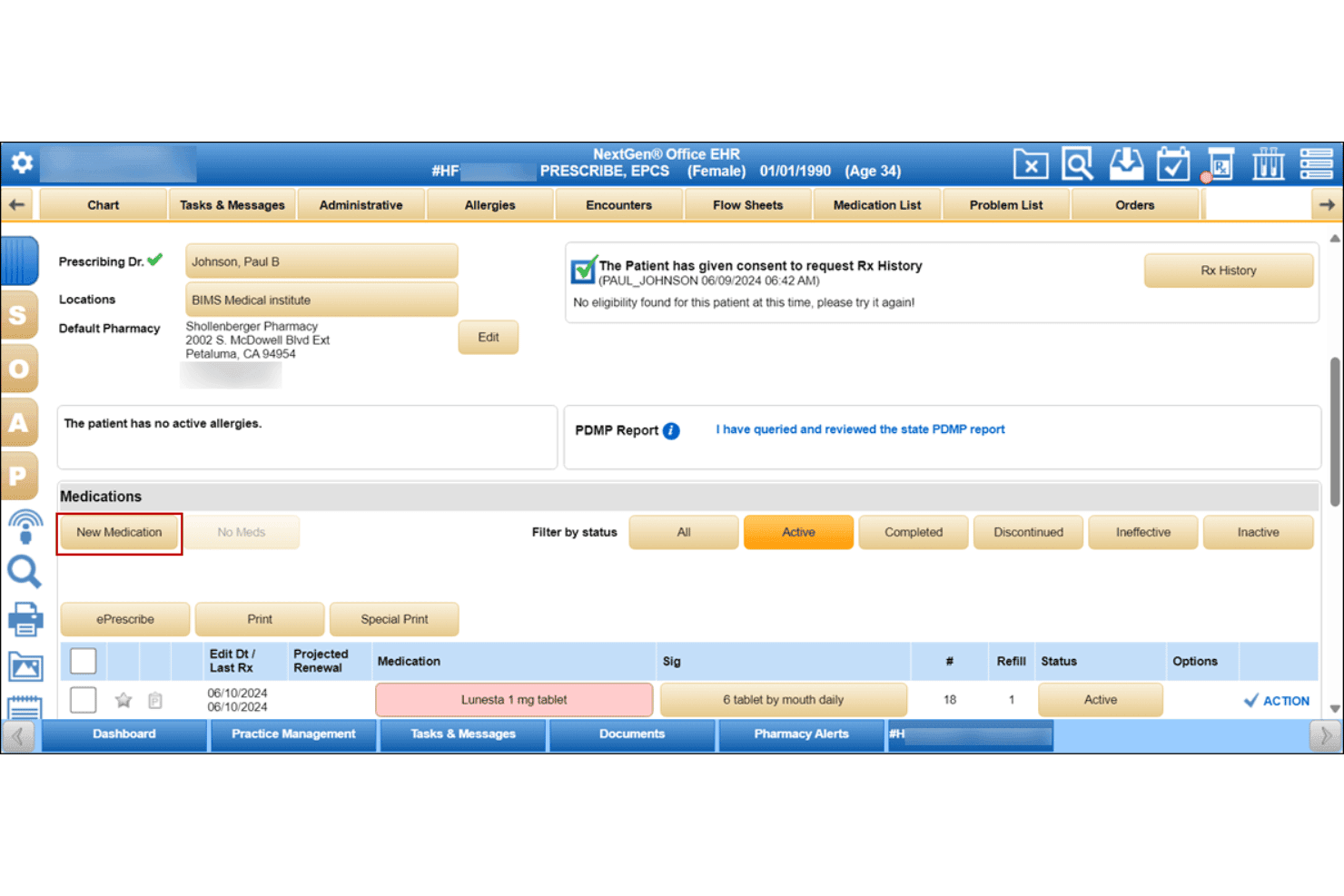
ePrescribing lets providers send prescriptions directly to pharmacies from within the EHR. Clinicians receive automatic safety checks like allergies and drug interactions.
Population Health Management
The platform includes population health tools for managing chronic disease registries and quality metrics. Users can create reports and outreach lists for preventive care initiatives.
Revenue Cycle Management Tools
Users can track claims, verify insurance eligibility, and review payment status in one place. These features help optimize billing performance and reduce lost revenue.
Clinical Decision Support
The EHR includes real-time alerts and evidence-based guidelines for clinicians at the point of care. This feature supports safer, more consistent clinical decisions with built-in recommendations.
Ease of Use
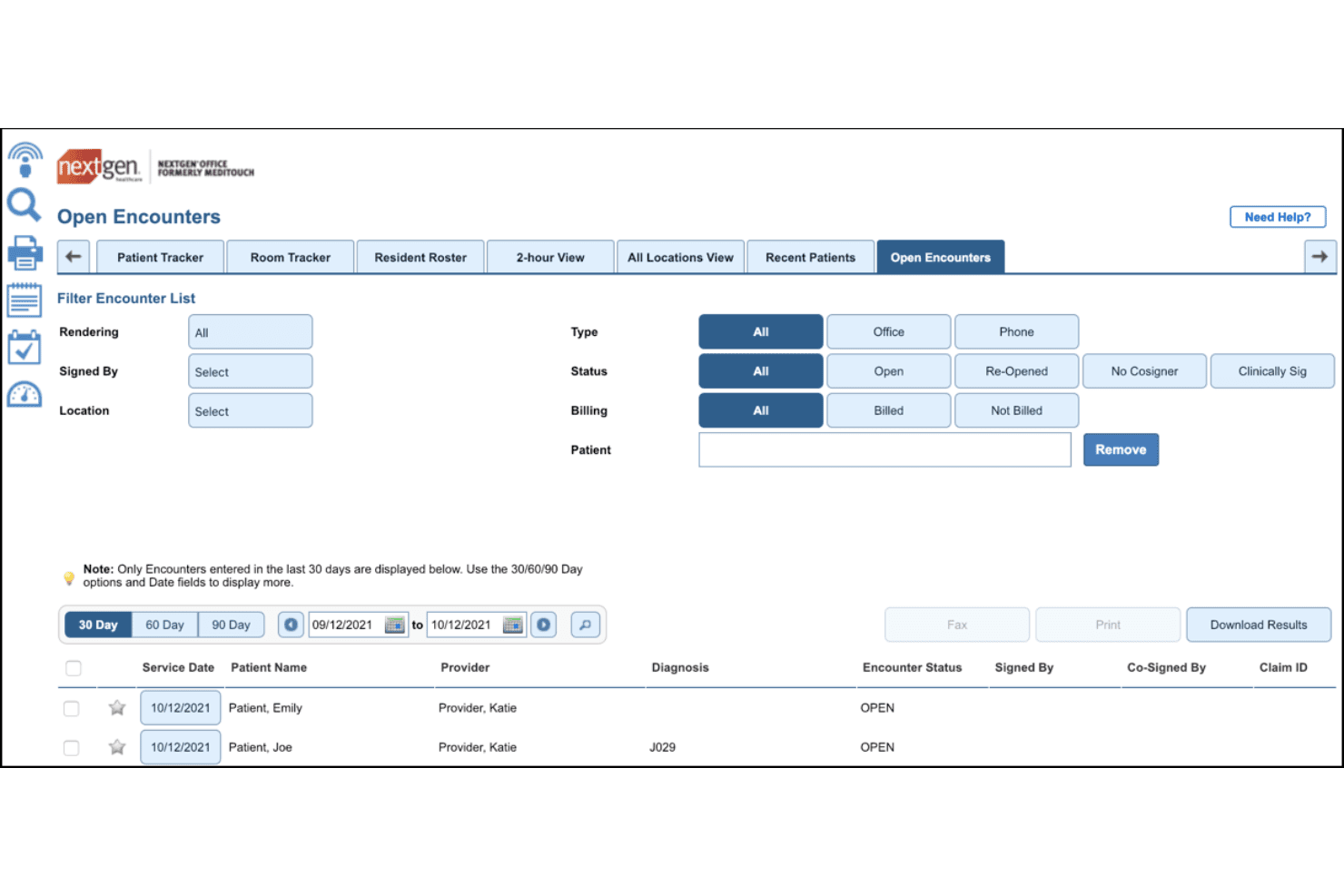
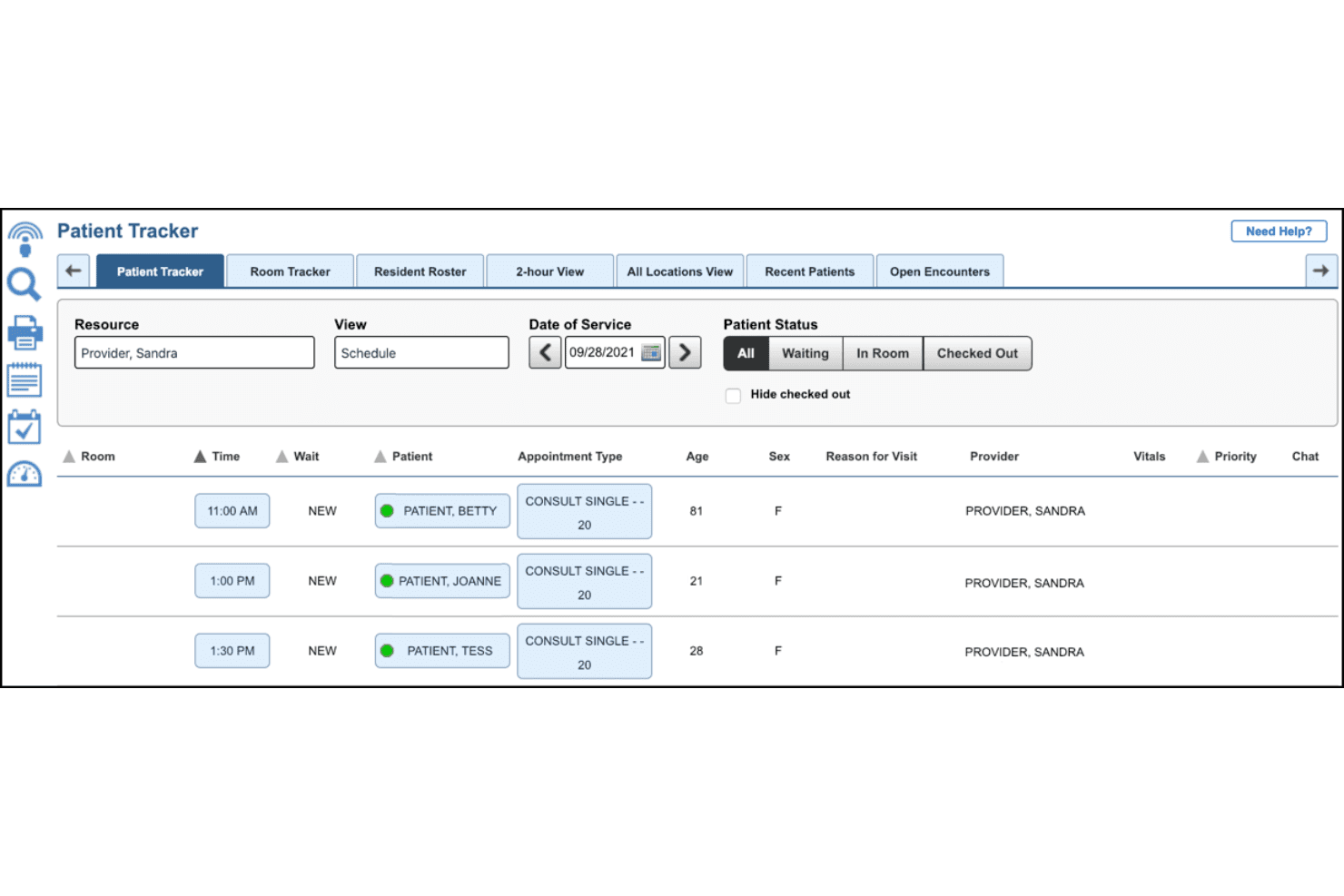
NextGen Healthcare EHR’s interface is packed with advanced tools and options, which offer flexibility but can create a steep learning curve for new users. Still, many users report that the customizable dashboards and adaptable templates save time once workflows are set up.
Frequent updates show ongoing improvements, but navigation between modules can feel cumbersome compared to simpler systems.
Integrations
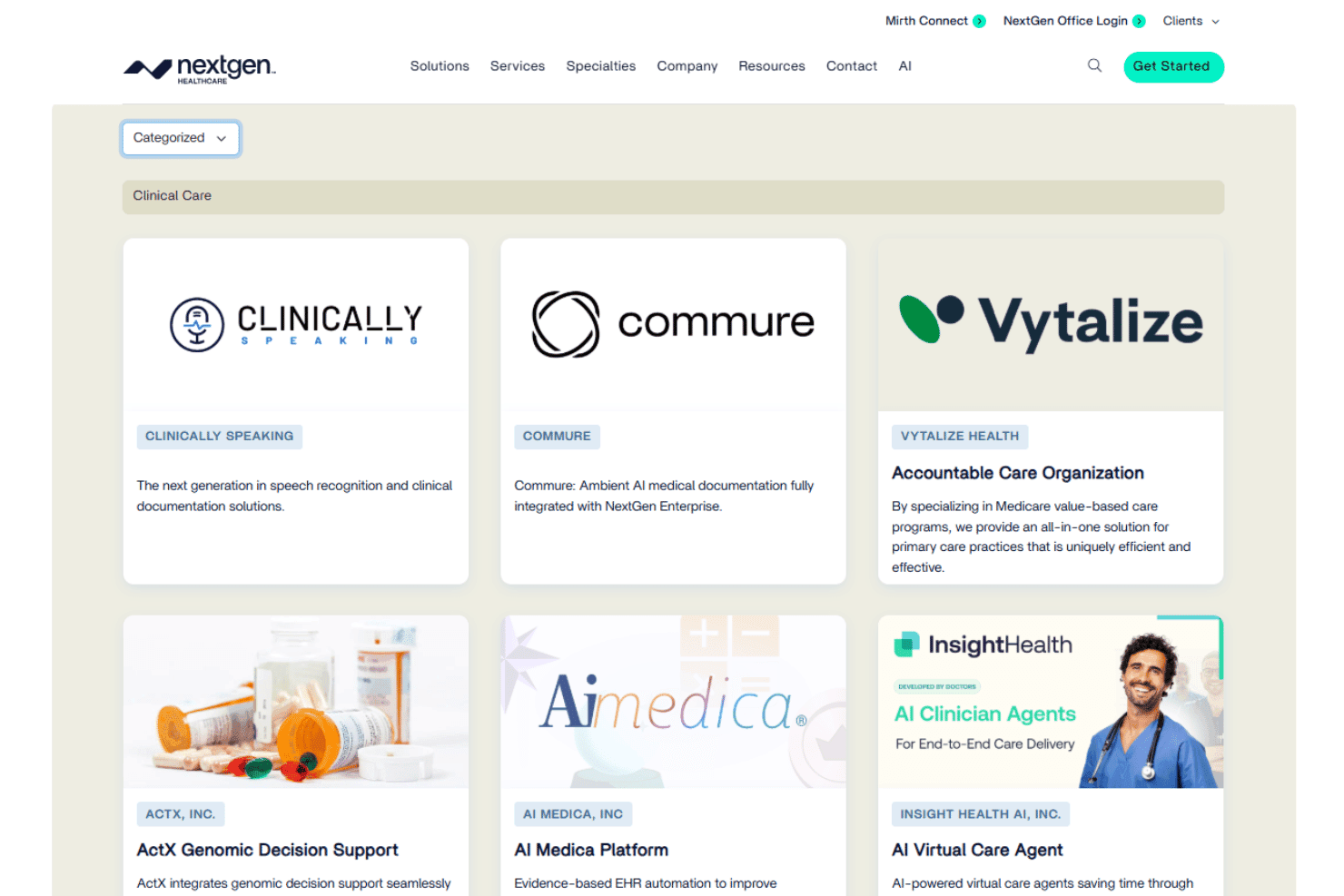
NextGen Healthcare EHR integrates with LabCorp, Quest Diagnostics, Change Healthcare, Surescripts, CommonWell Health Alliance, ePrescribe, DrFirst, Experian Health, Imprivata, and Updox, among others.
NextGen Healthcare EHR also offers a robust API for custom integrations and supports connections with third-party integration tools.
NextGen Healthcare EHR Specs
- API: Yes
- Appointment Scheduling: Yes
- Athlete Management: No
- Audit Management: No
- Calendar Management: Yes
- Compliance Tracking: No
- Customer Management: Yes
- Dashboard: Yes
- Data Export: Yes
- Data Import: Yes
- Data Visualization: No
- Electronic Prescribing: Yes
- External Integrations: Yes
- File Sharing: Yes
- File Transfer: Yes
- Health Management: No
- HIPAA Compliance: Yes
- Inventory Tracking: No
- Multi-User: Yes
- Notifications: Yes
- Organization Management: No
- Patient Management: Yes
- Project Management: No
- Regulatory Alerts: No
- Risk Assessment: No
- Scheduling: Yes
- Supplier Management: No


