

Vagaro Review: Pros, Cons, Features, and Pricing
I look beyond Vagaro’s feature list to weigh whether its med-spa tools, trade-offs, and pricing fit the clinical and business work your practice needs to handle.

We review tools independently, and commissions help fund our testing. See our transparency policy, our methodology, or suggest a tool.
Vagaro is EMR software for med spas that need appointment booking, SOAP notes, intake forms, payments, and business tools in one platform. If your team wants these features at a lower listed starting price than Boulevard, Vagaro’s included marketplace tools make it a practical option to consider.
Vagaro Evaluation Summary
4.7/5
- From $30/month
- 30-day free trial + free demo available
Why Trust Our Software Recommendations
6,700+
Reviews
20
Industry experts
16+
Evaluation factors
14
Years
Our team has been testing and reviewing software since 2012. As medical practice leaders ourselves, we know how difficult—and important—it is to choose the right software.
For this guide, we evaluated tools using hands-on testing and independent research, scoring tools using our selection criteria.
Our reviews reflect our human editorial judgment, not a sales pitch.
Vagaro Overview
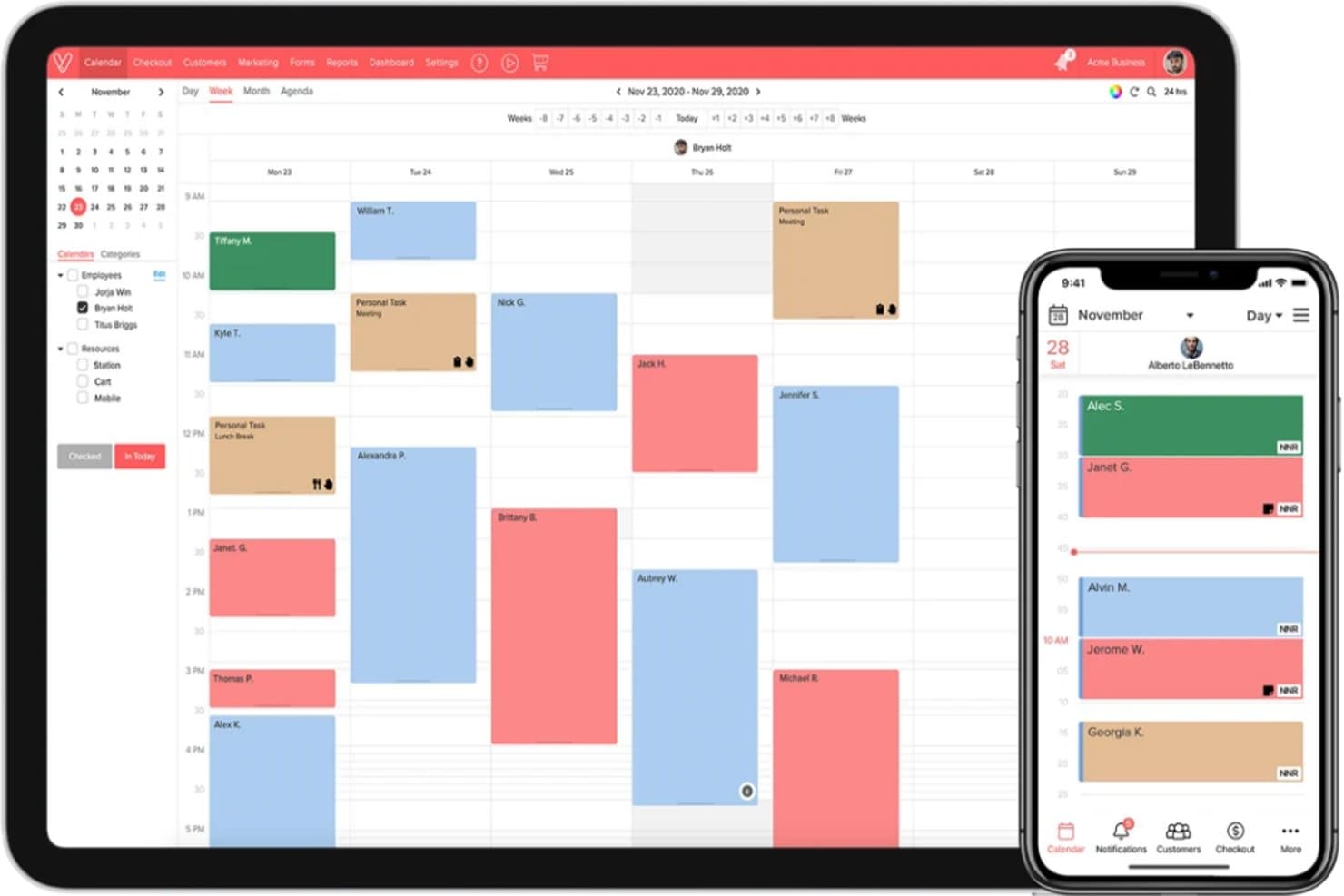
I’d judge Vagaro as a strong choice for med spas that want SOAP notes, intake forms, booking, payments, and business tools together, without the higher listed starting price of some alternatives. Its web and mobile access, 24/7 support, and guided data migration make setup approachable; for example, practices can transfer client records and appointments. The interface is scheduling- and business-focused, while clinical features include treatment plans and procedure notes. Compare the $23.99 promotional price with the displayed $30 rate, and budget for add-ons such as forms or accounting integrations. Vagaro suits appointment-based practices, but teams with complex clinical documentation needs should assess its workflows before selecting it.
Pros
- Custom SOAP templates, annotations, and treatment photos support med-spa charting.
- Automated booking reminders and client records earn consistent user praise.
- Scheduling, payments, and clinical notes share a lower-cost platform.
Cons
- Add-on fees and processing costs can exceed the base plan price.
- Users report freezes, lag, outages, and checkout delays.
- Appointment-first workflows underserve complex longitudinal clinical charting.


How We Test & Score Tools
We’ve spent years building, refining, and improving our software testing and scoring system. The rubric is designed to capture the nuances of software selection and what makes a tool effective, focusing on critical aspects of the decision-making process.
Below, you can see exactly how our testing and scoring works across seven criteria. It allows us to provide an unbiased evaluation of the software based on core functionality, standout features, ease of use, onboarding, customer support, integrations, customer reviews, and value for money.
Core Functionality (25% of final scoring)
The starting point of our evaluation is always the core functionality of the tool. Does it have the basic features and functions that a user would expect to see? Are any of those core features locked to higher-tiered pricing plans? At its core, we expect a tool to stand up against the baseline capabilities of its competitors.
Standout Features (25% of final scoring)
Next, we evaluate uncommon standout features that go above and beyond the core functionality typically found in tools of its kind. A high score reflects specialized or unique features that make the product faster, more efficient, or offer additional value to the user.
We also evaluate how easy it is to integrate with other tools typically found in the tech stack to expand the functionality and utility of the software. Tools offering plentiful native integrations, 3rd party connections, and API access to build custom integrations score best.
Ease of Use (10% of final scoring)
We consider how quick and easy it is to execute the tasks defined in the core functionality using the tool. High scoring software is well designed, intuitive to use, offers mobile apps, provides templates, and makes relatively complex tasks seem simple.
Onboarding (10% of final scoring)
We know how important rapid team adoption is for a new platform, so we evaluate how easy it is to learn and use a tool with minimal training. We evaluate how quickly a team member can get set up and start using the tool with no experience. High scoring solutions indicate little or no support is required.
Customer Support (10% of final scoring)
We review how quick and easy it is to get unstuck and find help by phone, live chat, or knowledge base. Tools and companies that provide real-time support score best, while chatbots score worst.
Customer Reviews (10% of final scoring)
Beyond our own testing and evaluation, we consider the net promoter score from current and past customers. We review their likelihood, given the option, to choose the tool again for the core functionality. A high scoring software reflects a high net promoter score from current or past customers.
Value for Money (10% of final scoring)
Lastly, in consideration of all the other criteria, we review the average price of entry level plans against the core features and consider the value of the other evaluation criteria. Software that delivers more, for less, will score higher.
Core Features
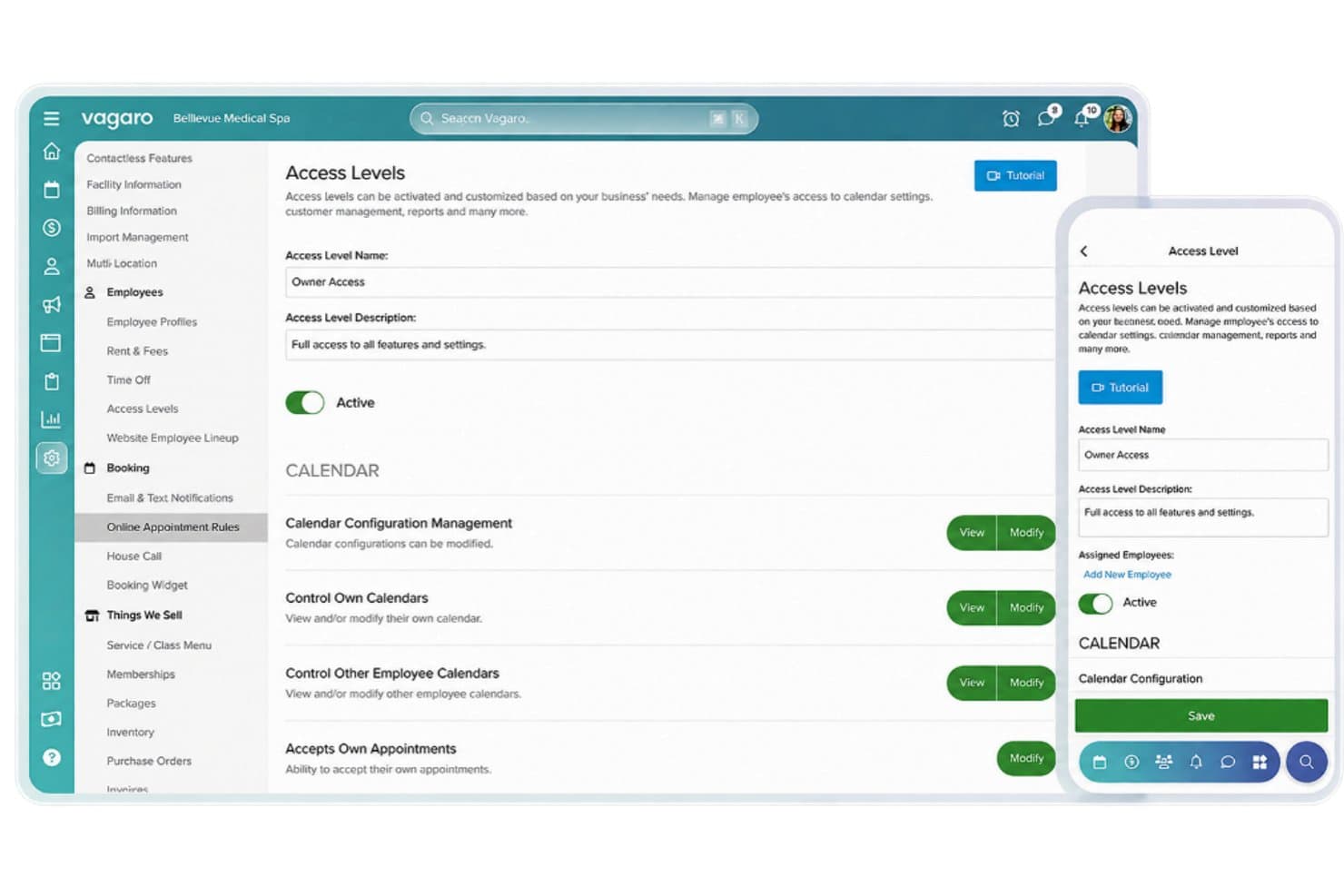
Employee Access Levels
Vagaro provides customizable employee access levels for controlling permissions across calendars, customer records, reports, and administrative settings. Administrators can assign viewing and editing rights based on employee responsibilities.
Custom Medical Forms
Vagaro's form builder supports custom medical information fields, including patient weight, height, medical conditions, and surgical history. Practices can configure required fields and collect information through desktop and mobile forms.
Electronic Prescribing
Vagaro's e-prescribing feature displays patient prescriptions, medication instructions, dosages, refill details, and pharmacy information. Providers can review prescription histories and initiate new prescriptions from patient records.
Patient Intake Forms
Vagaro offers customizable patient intake forms for collecting personal information, medical conditions, medication histories, and electronic signatures. Practices can create questionnaires using multiple field types and make them accessible on mobile devices.
Online Appointment Booking
Vagaro's online appointment booking feature supports service selection, recurring appointments, deposits, and booking rules. Practices can configure appointment search limits, scheduling gaps, and cleanup times between services.
Patient Profile Dashboard
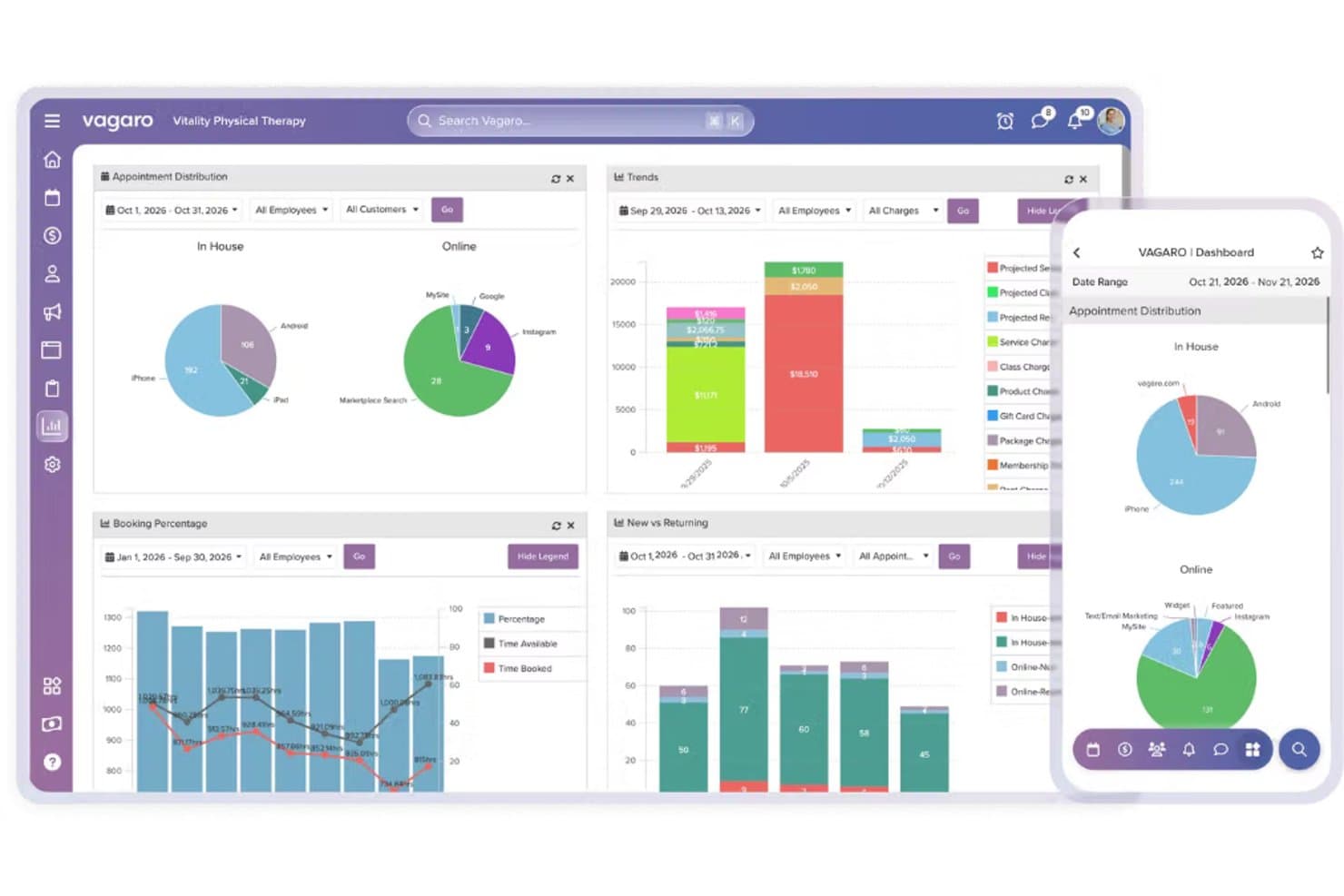
Vagaro's patient profile dashboard centralizes contact information, appointment history, visit activity, and body measurements. Providers can review patient details, track weight and BMI changes through historical charts, and access records from desktop and mobile devices.
Ease of Use
Vagaro offers an approachable interface that connects appointment scheduling, client records, and SOAP notes through its calendar. Automated reminders and guided data migration also make daily operations and initial setup easier. However, its business-focused design may feel limiting for practices requiring advanced clinical charting, while occasional performance issues, including lag and checkout delays, may interrupt workflows.
Integrations
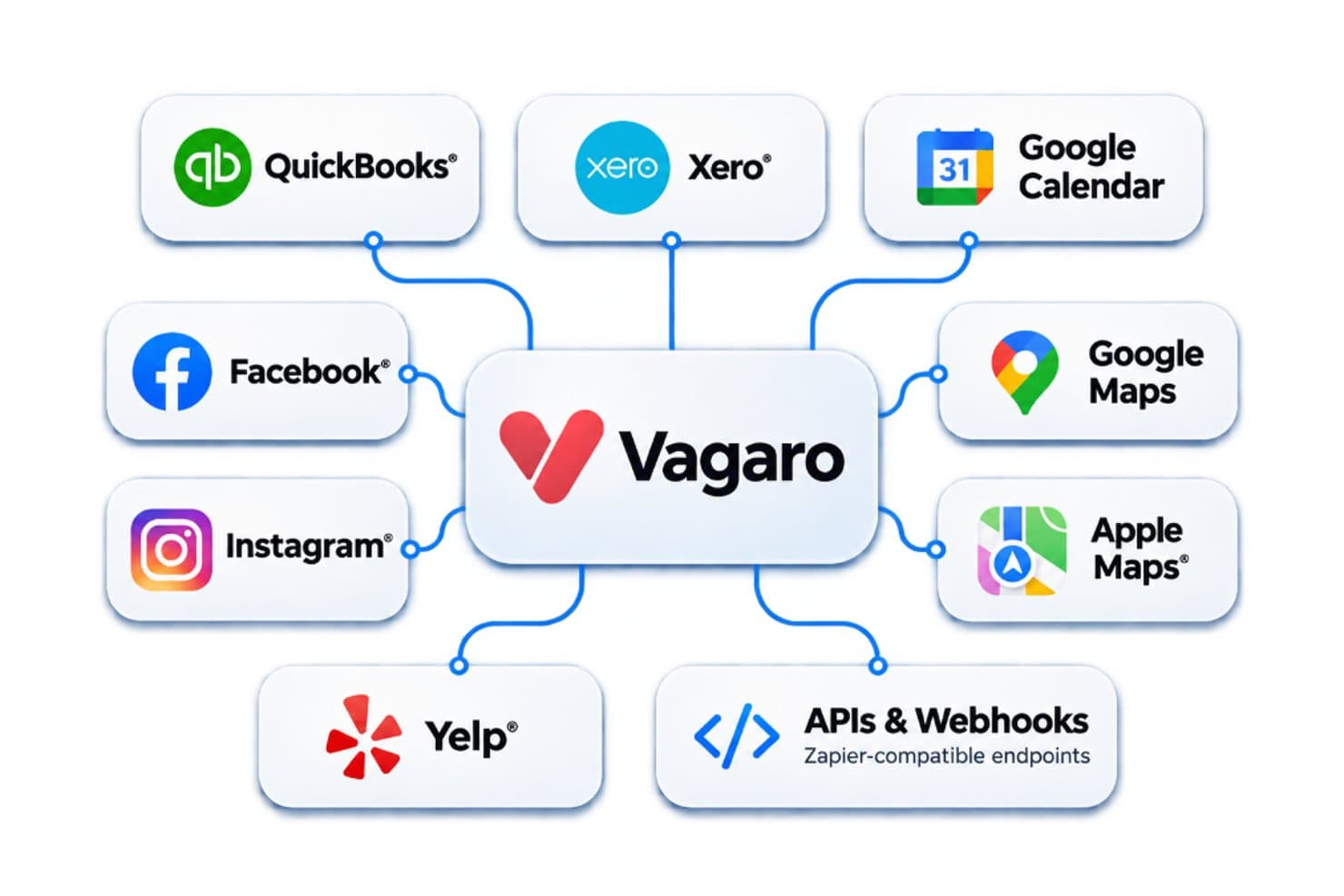
Vagaro integrates with QuickBooks and Xero for accounting, Google Calendar for appointment syncing, and Facebook, Instagram, Google Maps, Apple Maps, and Yelp for online booking. It also offers APIs and webhooks for custom connections with third-party applications, including Zapier-compatible endpoints.
Vagaro Specs
- API: No
- Attendance Tracking: Yes
- Billing/Invoicing: Yes
- Budgeting: No
- Calendar Management: Yes
- Contact Management: Yes
- Customer Management: Yes
- Dashboard: Yes
- Employee Onboarding: No
- Employee Training: No
- Feedback Management: No
- Inventory Tracking: Yes
- Multi-Currency: No
- Multi-Site: Yes
- Multi-User: Yes
- Notifications: Yes
- Organization Management: No
- Scheduling: Yes
- Supplier Management: No
- Task Scheduling/Tracking: Yes
- Timesheets: No


