

MedTrainer Review: Pros, Cons, Features, and Pricing
MedTrainer excels with its complete compliance solution, making it a top choice for health care providers seeking reliable compliance and training tools.

We review tools independently, and commissions help fund our testing. See our transparency policy, our methodology, or suggest a tool.
MedTrainer is a healthcare compliance software built for healthcare organizations that need to manage staff training, credentialing, and policy management in one place. I'd consider it if your team is juggling those responsibilities across disconnected tools and needs a more unified system—especially if you've looked at HealthStream and it feels like more platform than your organization needs.
MedTrainer Evaluation Summary
4.4/5
- Pricing upon request
- Free demo available
Why Trust Our Software Recommendations
6,700+
Reviews
20
Industry experts
16+
Evaluation factors
14
Years
Our team has been testing and reviewing software since 2012. As medical practice leaders ourselves, we know how difficult—and important—it is to choose the right software.
For this guide, we evaluated tools using hands-on testing and independent research, scoring tools using our selection criteria.
Our reviews reflect our human editorial judgment, not a sales pitch.
MedTrainer Overview
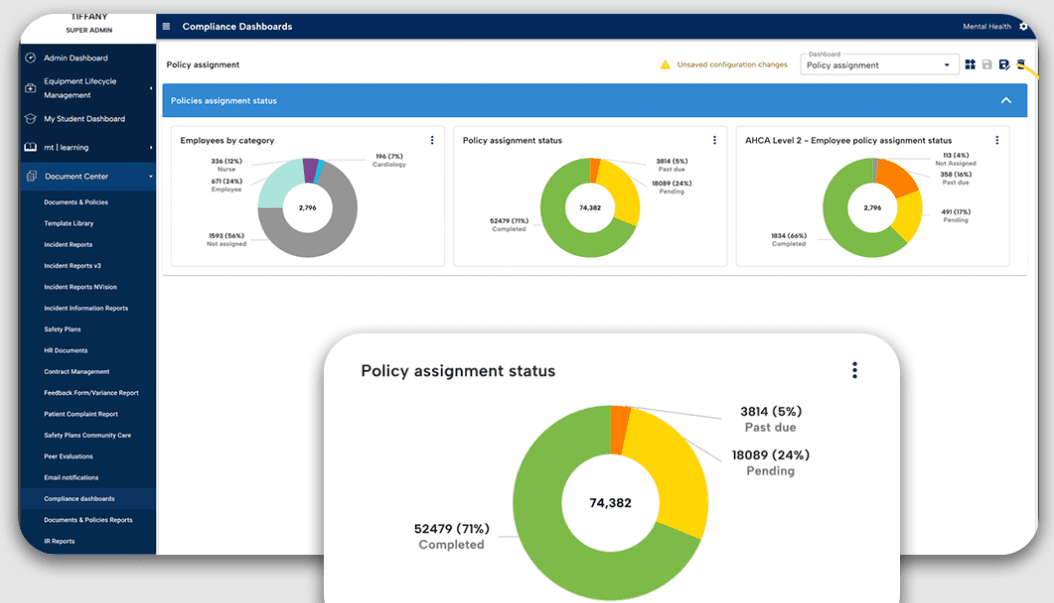
In my opinion, MedTrainer stands out as a reliable choice for health care compliance needs. It offers an extensive set of features that simplify training, compliance and contract management, and credentialing. The platform shines with its user-friendly interface, making it an ideal choice for small and medium-sized health care facilities. While it excels in ease of use and customer support, it may not provide the extensive integrations some larger organizations might need. For teams that need a straightforward, effective compliance training solution, MedTrainer is worth considering. It’s particularly suited for environments that prioritize ease of onboarding and in-depth support.
Pros
- You can quickly track compliance and training requirements.
- It’s user-friendly and easy to navigate.
- Customer support is responsive and helpful.
Cons
- Some users find the reporting features limited.
- Occasional glitches might disrupt your workflow.
- Initial setup can be time-consuming.
Is MedTrainer Right For Your Needs?
Who Would be a Good Fit for MedTrainer?
MedTrainer is ideal for health care organizations, particularly compliance officers, HR personnel, and administrators. It excels at simplifying compliance tasks, making it a great choice for those in charge of regulatory adherence or accreditation. Features such as credentialing and policy management are tailored to improve operational efficiency and keep organizations audit-ready. Its AI tools and automated processes save time and boost compliance, which is why it's highly rated in user reviews.
- HospitalsMedTrainer's extensive compliance management and credentialing features support the complex regulatory needs of hospital environments.
- Urgent Care CentersIts real-time reporting and incident management tools ensure that urgent care centers stay compliant with minimal manual effort.
- Ambulatory Surgery CentersMedTrainer's policy management and automated onboarding smooth operations for surgery centers and reduce administrative burdens.
- Compliance OfficersThe AI Compliance Coach and Policy Guardian features help compliance officers stay ahead of regulatory changes.
- HR DepartmentsAutomated onboarding and all-in-one credentialing processes simplify HR tasks, ensuring a smooth flow of operations.
- Health Care AdministratorsMedTrainer's centralized platform and customizable dashboards give administrators the oversight needed to maintain compliance across teams.
Who Would be a Bad Fit for MedTrainer?
MedTrainer may not be ideal for small clinics or solo practices with limited budgets, as its extensive feature set might be excessive for their simpler compliance and training needs. You might find it limited if you work outside of the health care and wellness industry, as MedTrainer is specifically designed for health care compliance. If your team requires highly specialized functionalities and integrations, you might find the platform restrictive.
- Small ClinicsMedTrainer’s in-depth features could overwhelm a smaller medical practice that needs only basic compliance tools.
- Non-Health Care IndustriesMedTrainer is tailored for health care, making it unsuitable for industries with different compliance requirements.
- Budget-Conscious TeamsIf your budget is tight, MedTrainer’s extensive offerings could be more than you need, leading to unnecessary expenses
- Highly Specialized FunctionsHealth care professionals who need niche functionalities not covered by MedTrainer’s core features will find it restrictive.
- Solo PractitionersSolo health care providers may find MedTrainer’s extensive features excessive.
- Low-Tech EnvironmentsTeams without the necessary tech infrastructure might struggle to fully utilize MedTrainer’s capabilities.
How We Test & Score Tools
We’ve spent years building, refining, and improving our software testing and scoring system. The rubric is designed to capture the nuances of software selection and what makes a tool effective, focusing on critical aspects of the decision-making process.
Below, you can see exactly how our testing and scoring works across seven criteria. It allows us to provide an unbiased evaluation of the software based on core functionality, standout features, ease of use, onboarding, customer support, integrations, customer reviews, and value for money.
Core Functionality (25% of final scoring)
The starting point of our evaluation is always the core functionality of the tool. Does it have the basic features and functions that a user would expect to see? Are any of those core features locked to higher-tiered pricing plans? At its core, we expect a tool to stand up against the baseline capabilities of its competitors.
Standout Features (25% of final scoring)
Next, we evaluate uncommon standout features that go above and beyond the core functionality typically found in tools of its kind. A high score reflects specialized or unique features that make the product faster, more efficient, or offer additional value to the user.
We also evaluate how easy it is to integrate with other tools typically found in the tech stack to expand the functionality and utility of the software. Tools offering plentiful native integrations, 3rd party connections, and API access to build custom integrations score best.
Ease of Use (10% of final scoring)
We consider how quick and easy it is to execute the tasks defined in the core functionality using the tool. High scoring software is well designed, intuitive to use, offers mobile apps, provides templates, and makes relatively complex tasks seem simple.
Onboarding (10% of final scoring)
We know how important rapid team adoption is for a new platform, so we evaluate how easy it is to learn and use a tool with minimal training. We evaluate how quickly a team member can get set up and start using the tool with no experience. High scoring solutions indicate little or no support is required.
Customer Support (10% of final scoring)
We review how quick and easy it is to get unstuck and find help by phone, live chat, or knowledge base. Tools and companies that provide real-time support score best, while chatbots score worst.
Customer Reviews (10% of final scoring)
Beyond our own testing and evaluation, we consider the net promoter score from current and past customers. We review their likelihood, given the option, to choose the tool again for the core functionality. A high scoring software reflects a high net promoter score from current or past customers.
Value for Money (10% of final scoring)
Lastly, in consideration of all the other criteria, we review the average price of entry level plans against the core features and consider the value of the other evaluation criteria. Software that delivers more, for less, will score higher.
Core Features
Compliance Management: You can keep your health care facility compliant with ever-changing regulations. The platform automatically updates policies and ensures your practices align with legal standards, reducing the risk of costly violations.
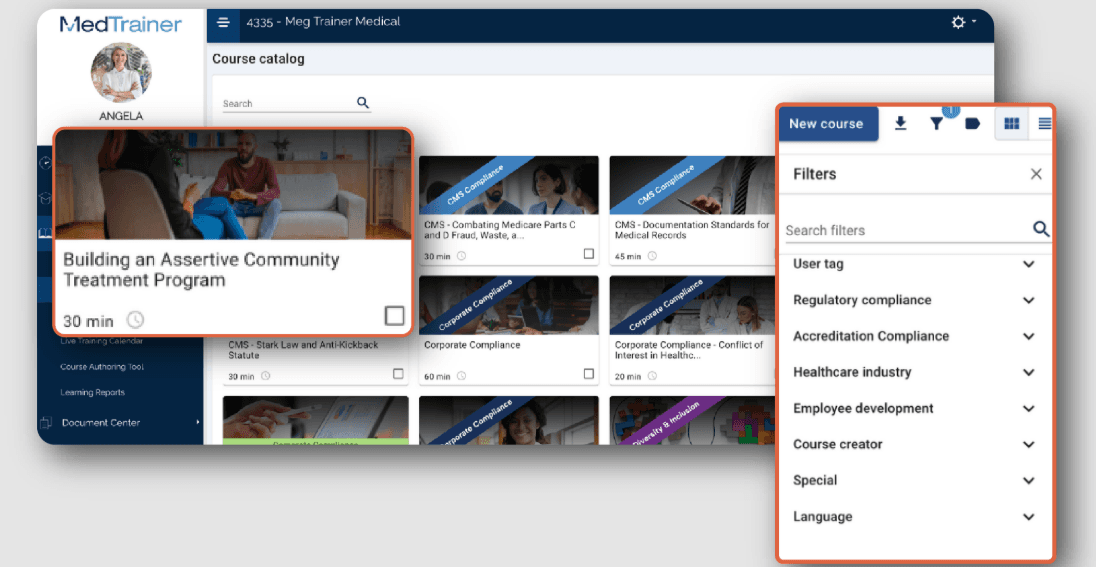
Learning Management System (LMS): Train your team with ease using built-in training modules on compliance and safety. The LMS tracks progress and completions, making it simple for you to manage certifications, continuing education, and training requirements.
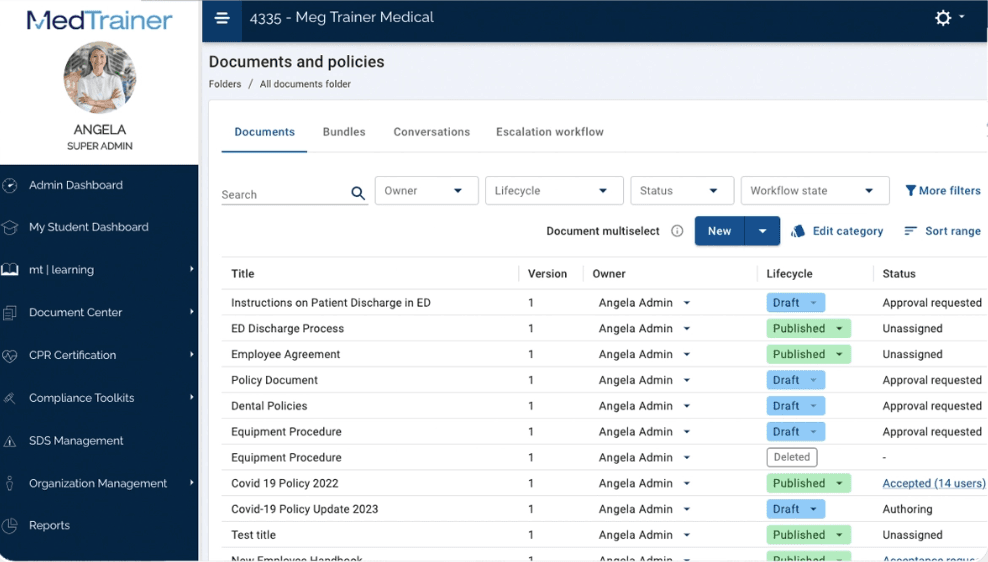
Document Management: Store, access, and organize vital documents in one secure location. This helps you maintain an organized system for your compliance documents and reduces the time spent searching for necessary files.
Incident Reporting: Report and track incidents with its easy-to-use interface. This functionality allows you to quickly address and document any issues and improve workplace safety and Occupational Safety and Health Administration (OSHA) compliance.
Credentialing Management: Simplify the process of managing staff credentials and licenses. Keep track of expiration dates and receive alerts to renew credentials on time, ensuring your team remains qualified.
Policy Management: Readily create, update, and distribute policies to your staff. This ensures everyone is aware of the latest procedures and practices necessary for maintaining compliance.
Ease of Use
MedTrainer's user-friendliness shines through its intuitive design, making navigation straightforward for your team. However, the array of features might initially feel overwhelming. The platform's structured layout allows you to find compliance tools quickly, though some users mention a learning curve. Compared to other health care compliance software, MedTrainer stands out for its accessible interface, but improving search functionality could further boost usability.
Integrations
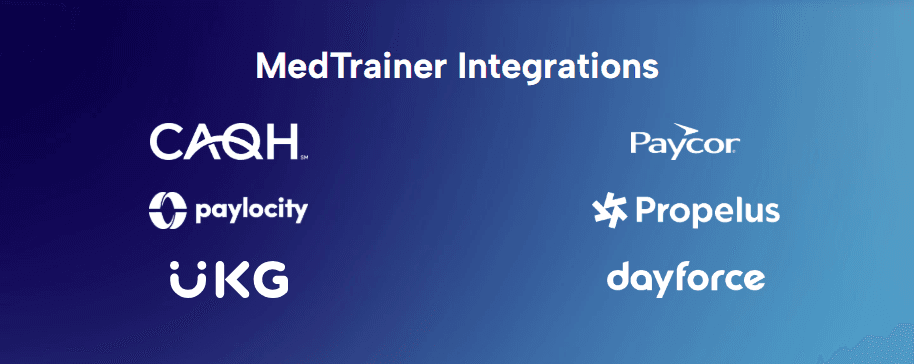
MedTrainer integrates with ADP, Dayforce, Paycor, Paylocity, UKG, Workday, Seamless PSV, CAQH, NPDB, and Propelus Data Solutions.
MedTrainer also offers an API and connects with third-party integration tools.
MedTrainer Specs
- 2-Factor Authentication: Yes
- Access Management: No
- API: Yes
- Approval Workflows: No
- Audit Management: Yes
- Balance Sheet: No
- Billing/Invoicing: No
- Budgeting: No
- Calendar Management: No
- Compliance Tracking: No
- CRM Integration: Yes
- Dashboard: Yes
- Data Export: Yes
- Data Import: Yes
- Data Visualization: Yes
- Document Management: No
- Employee Training: No
- Expense Tracking: No
- External Integrations: Yes
- Forecasting: Yes
- History/Version Control: No
- Incident Management: Yes
- Multi-Currency: No
- Multi-User: Yes
- Notifications: Yes
- P&L: No
- Policy Management: Yes
- Real-time Alerts: No
- Regulatory Alerts: No
- Risk Assessment: Yes
- Scheduling: Yes
- Tax Management: No
- Workflow Management: No


