

Juvonno Review: Pros, Cons, Features, and Pricing
Juvonno brings practice management into one platform, from scheduling and billing to clinical documentation, patient communication, and clinic workflow management.

We review tools independently, and commissions help fund our testing. See our transparency policy, our methodology, or suggest a tool.
Juvonno is a cloud-based practice management software built for allied health clinics running across multiple locations. It covers scheduling, documentation, billing, and patient communication in a single system. I'd put it on your shortlist over Jane App if you need deeper reporting and control of your multi-location business.
Juvonno Evaluation Summary
4.6/5
- From $49/month (billed annually)
- Free demo available
Why Trust Our Software Recommendations
6,700+
Reviews
20
Industry experts
16+
Evaluation factors
14
Years
Our team has been testing and reviewing software since 2012. As medical practice leaders ourselves, we know how difficult—and important—it is to choose the right software.
For this guide, we evaluated tools using hands-on testing and independent research, scoring tools using our selection criteria.
Our reviews reflect our human editorial judgment, not a sales pitch.
Juvonno Overview
Juvonno stands out for its customizable scheduling, clean interface, and flexible billing setup, making it a great choice for clinics with complex needs or mixed disciplines. In my experience, its onboarding is smoother than most, and ongoing support is responsive.
If you’re choosing a mid-size or multidisciplinary clinic that values usability and strong patient portal tools, Juvonno is likely a solid pick. However, I’d judge its integration options as narrower and the reporting less advanced than other options I’ve tried.
Pros
- Patient portal enables secure online booking and form completion.
- Custom appointment types and support for multidisciplinary clinics.
- Automated billing features for insurance and direct payments.
Cons
- Limited advanced analytics compared to top alternatives.
- Fewer third-party app integrations than similar platforms.
- Mobile experience can feel outdated and slow.
Is Juvonno Right For Your Needs?
Who Would be a Good Fit for Juvonno?
Juvonno is a great match for clinics and teams that need multi-location scheduling, digital patient engagement, and customizable care workflows. It suits clinics with multidisciplinary providers, robust insurance billing, and frequent telehealth visits.
Small practices value easy setup, while larger clinics appreciate the advanced admin controls and broad automation options.
- Allied Health ClinicsJuvonno supports complex scheduling, multidisciplinary teams, and secure patient data, making it a top choice for physiotherapy or chiropractic clinics.otherapy or chiropractic clinics.
- Multi-Provider PracticesThe system’s color-coded calendars and centralized communication keep teams organized across multiple providers and locations.
- Telehealth ProvidersBuilt-in video visit tools and online form submission create a unified experience for hybrid or fully virtual care models.
- Canadian ClinicsJuvonno’s direct integrations with provincial health billing systems simplify insurance claims for clinics across multiple provinces.
- Clinic AdministratorsAdmins benefit from real-time dashboards, custom forms, and granular reporting—all accessible without IT intervention.
- Group Therapy PracticesJuvonno handles recurring group appointments, bulk billing, and group communications well for mental health or rehab groups.
Who Would be a Bad Fit for Juvonno?
Juvonno isn’t the right fit for organizations with heavy in-person retail components, niche specialties requiring deep customization, or casual, non-clinical wellness businesses. Teams needing deeply integrated medical device connectivity will find it limiting.
It can feel too feature-rich for solo providers who want a bare-bones system, and its focus on Canadian insurance workflows may not serve US payers effectively.
- US-Based ClinicsJuvonno’s insurance billing is tailored for Canadian provinces, which can leave US claims processing unsupported or inefficient.
- Solo Wellness CoachesBasic one-on-one coaching or consulting businesses may find Juvonno’s clinical tools overwhelming and unnecessary.
- Walk-In Retail ClinicsRetail-focused clinics wanting quick, POS-first workflows will miss integrated product sales and inventory management.
- Dental PracticesJuvonno lacks dental-specific charting, coding, and imaging tools required by modern dental offices.
- Academic Medical CentersHospitals with advanced research, teaching, and inpatient needs exceed Juvonno’s ambulatory, outpatient-focused feature set.
- Device-Integrated PracticesClinics needing direct medical device/EHR integrations for imaging or labs won’t find the necessary interoperability here.
How We Test & Score Tools
We’ve spent years building, refining, and improving our software testing and scoring system. The rubric is designed to capture the nuances of software selection and what makes a tool effective, focusing on critical aspects of the decision-making process.
Below, you can see exactly how our testing and scoring works across seven criteria. It allows us to provide an unbiased evaluation of the software based on core functionality, standout features, ease of use, onboarding, customer support, integrations, customer reviews, and value for money.
Core Functionality (25% of final scoring)
The starting point of our evaluation is always the core functionality of the tool. Does it have the basic features and functions that a user would expect to see? Are any of those core features locked to higher-tiered pricing plans? At its core, we expect a tool to stand up against the baseline capabilities of its competitors.
Standout Features (25% of final scoring)
Next, we evaluate uncommon standout features that go above and beyond the core functionality typically found in tools of its kind. A high score reflects specialized or unique features that make the product faster, more efficient, or offer additional value to the user.
We also evaluate how easy it is to integrate with other tools typically found in the tech stack to expand the functionality and utility of the software. Tools offering plentiful native integrations, 3rd party connections, and API access to build custom integrations score best.
Ease of Use (10% of final scoring)
We consider how quick and easy it is to execute the tasks defined in the core functionality using the tool. High scoring software is well designed, intuitive to use, offers mobile apps, provides templates, and makes relatively complex tasks seem simple.
Onboarding (10% of final scoring)
We know how important rapid team adoption is for a new platform, so we evaluate how easy it is to learn and use a tool with minimal training. We evaluate how quickly a team member can get set up and start using the tool with no experience. High scoring solutions indicate little or no support is required.
Customer Support (10% of final scoring)
We review how quick and easy it is to get unstuck and find help by phone, live chat, or knowledge base. Tools and companies that provide real-time support score best, while chatbots score worst.
Customer Reviews (10% of final scoring)
Beyond our own testing and evaluation, we consider the net promoter score from current and past customers. We review their likelihood, given the option, to choose the tool again for the core functionality. A high scoring software reflects a high net promoter score from current or past customers.
Value for Money (10% of final scoring)
Lastly, in consideration of all the other criteria, we review the average price of entry level plans against the core features and consider the value of the other evaluation criteria. Software that delivers more, for less, will score higher.
Core Features
Online Patient Portal
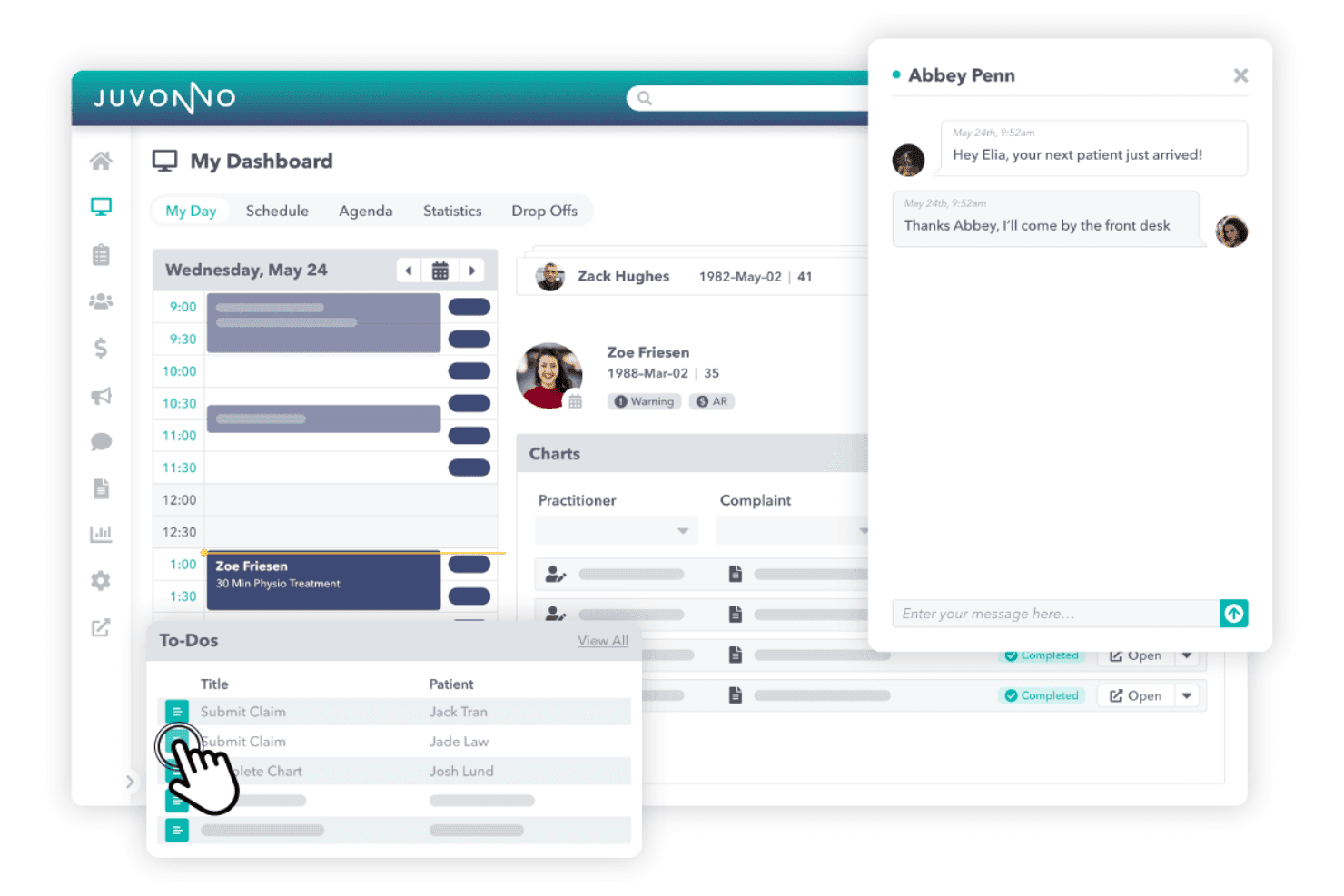
Patients can book appointments, complete forms, and view medical records online. This saves front desk time and gives patients access anytime.
Automated Insurance Billing
Juvonno processes insurance claims and direct billing electronically. Clinics can reduce manual entry and get paid faster.
Customizable Scheduling
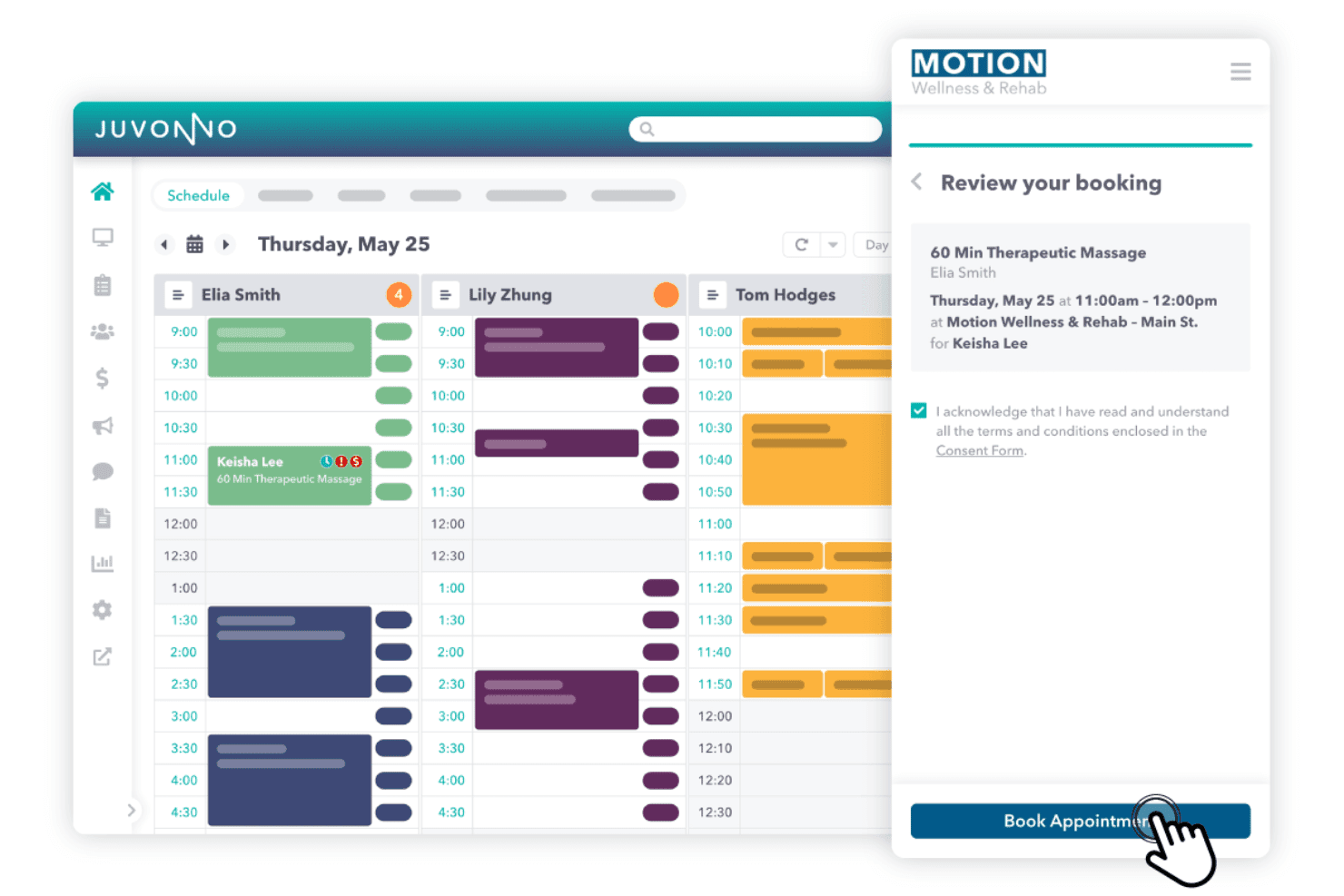
Drag-and-drop calendars support multiple providers and multiple locations. Color coding and appointment types fit a variety of practice needs.
Electronic Charting
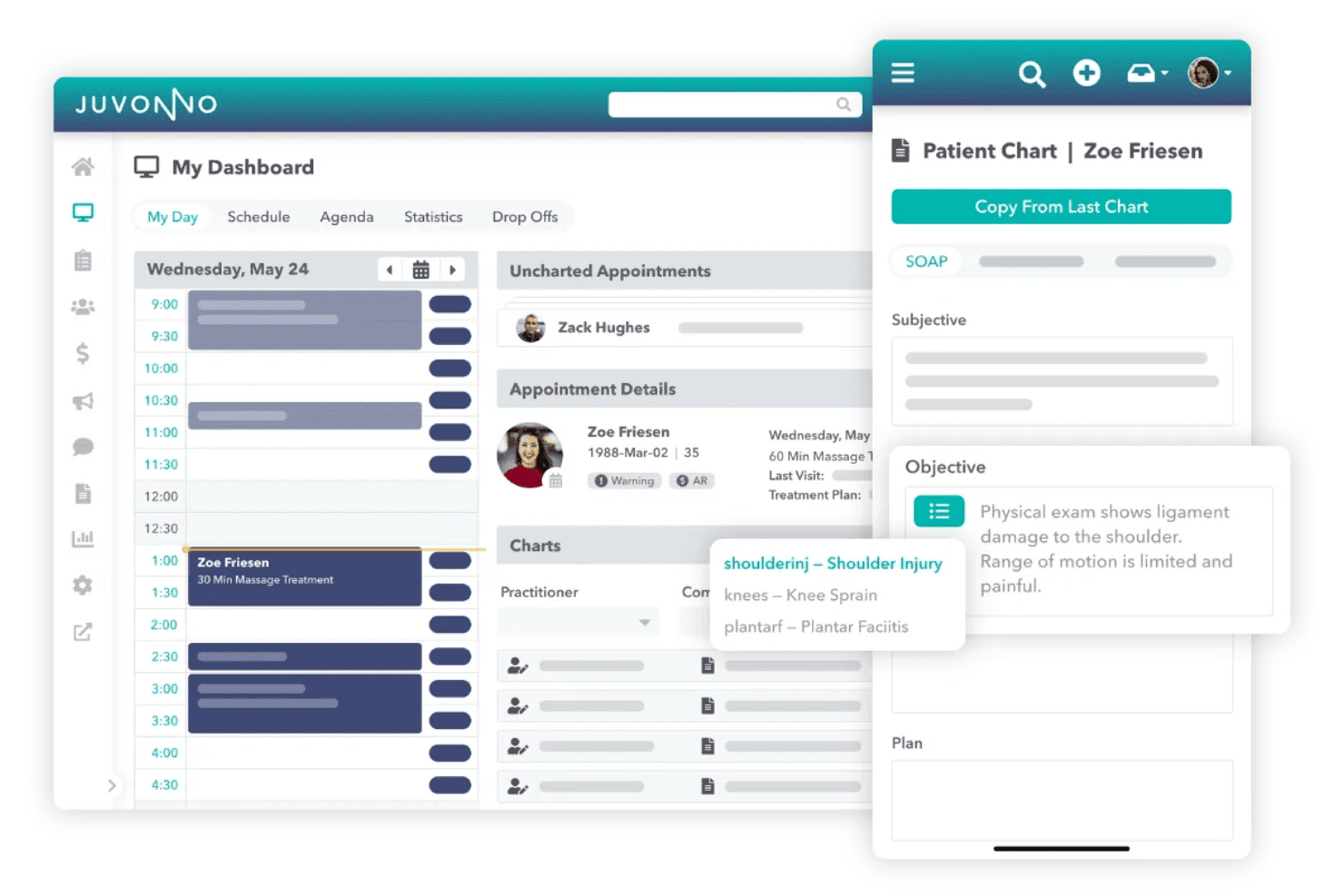
Clinicians use pre-built or custom templates for SOAP notes and assessments. This speeds up documentation and keeps records organized.
Secure Messaging
Send secure messages between staff and directly to patients. HIPAA-compliant chat helps teams coordinate and keeps patient data protected.
Reporting and Analytics
Generate custom reports on revenue, visits, and practitioner performance. Dashboards help clinics spot trends and improve operations.
Standout Features
Custom Forms Builder
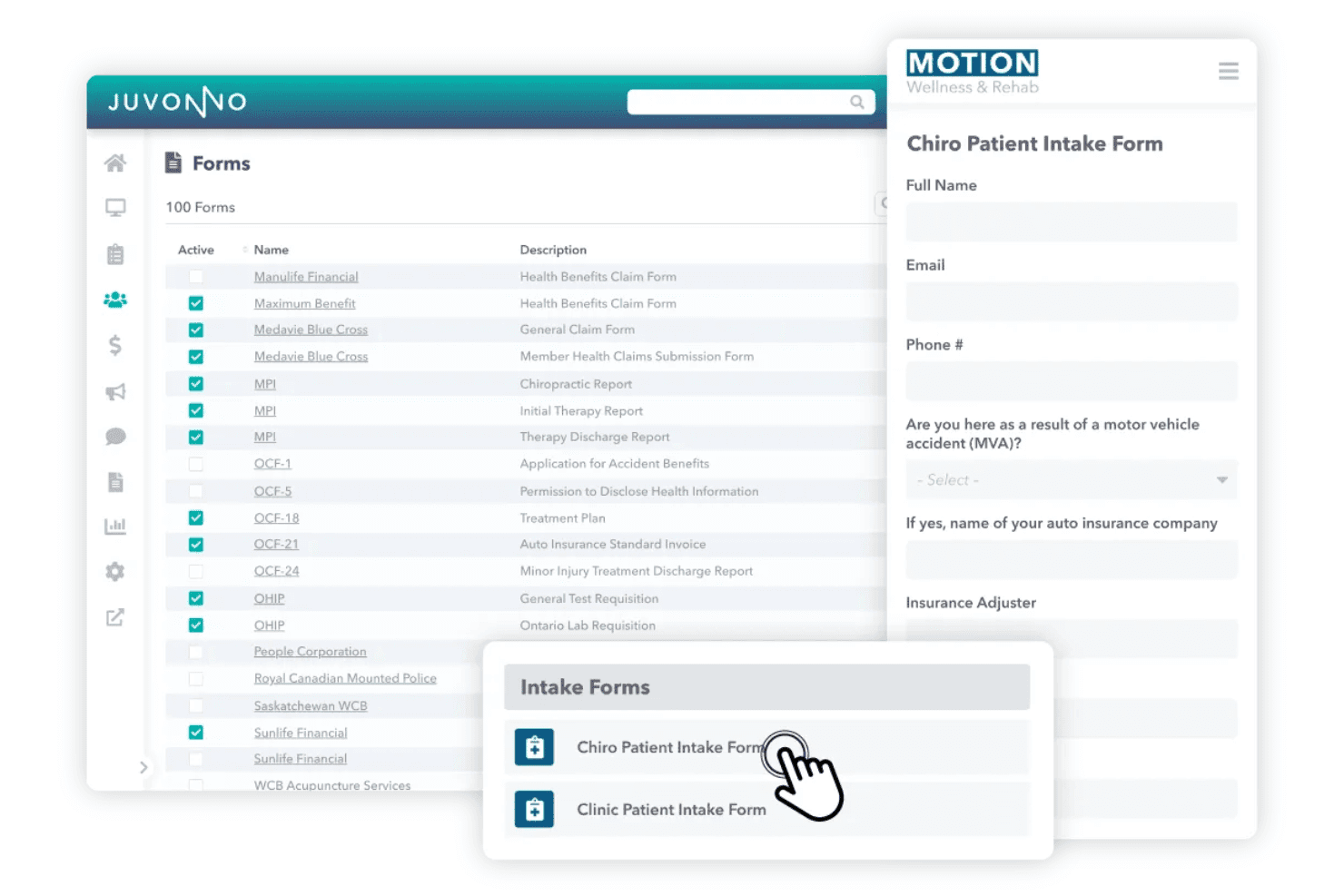
Juvonno lets you create clinic-branded intake, consent, and assessment forms. Patients fill out forms online, streamlining pre-visit workflows and data collection.
Virtual Care Module
Offer video appointments directly through the platform with secure video conferencing. This is embedded in Juvonno so clinics can manage in-person and telehealth care in one place.
Ease of Use
Juvonno’s interface feels modern and logical, with color-coded calendars, drag-and-drop scheduling, and intuitive dashboards. Users consistently mention how simple it is to customize templates and forms on their own.
In my view, clinic staff pick up daily tasks fast without much training, though digging into advanced reporting takes some orientation.
Onboarding
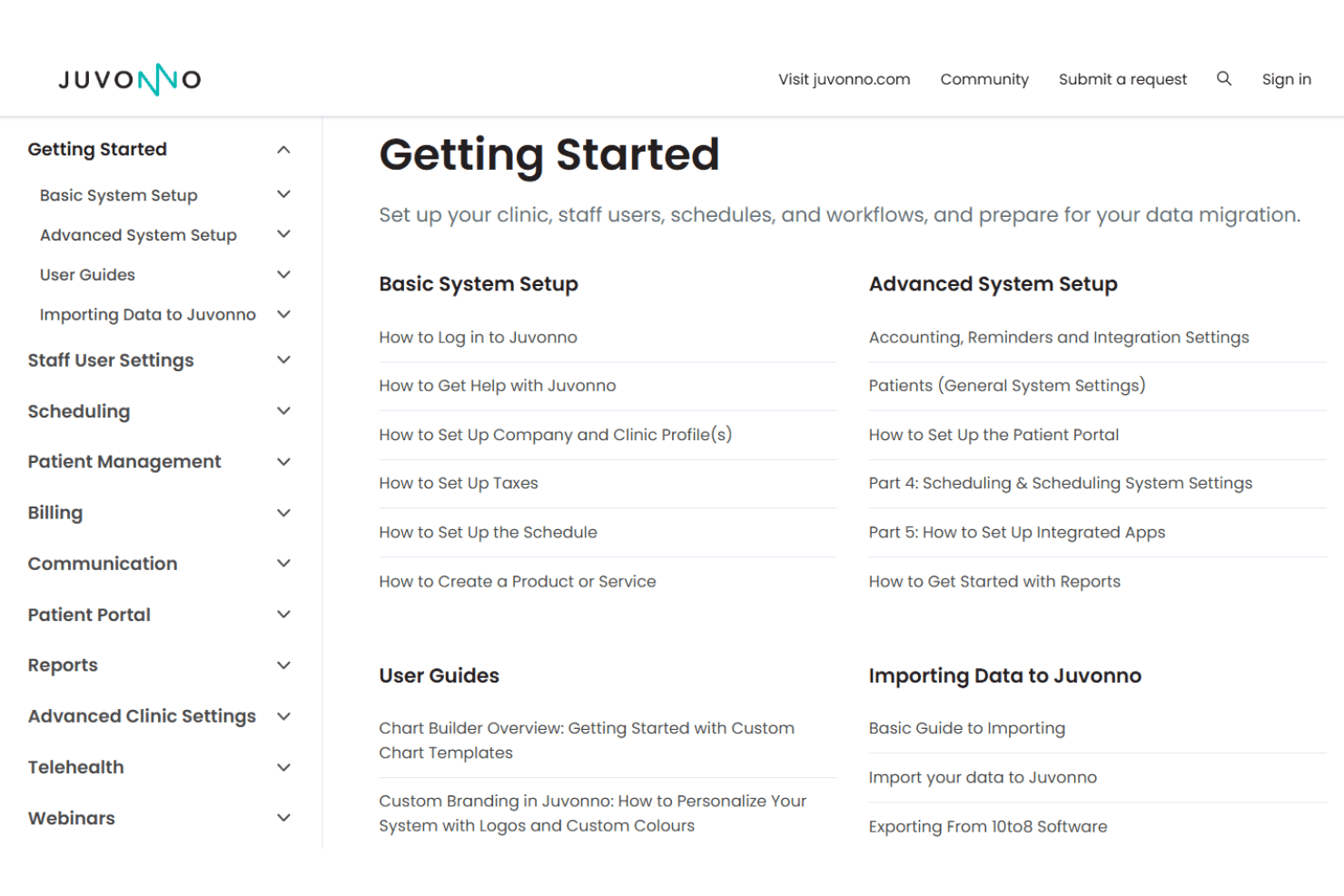
Juvonno’s onboarding stands out thanks to its dedicated setup specialists and personalized training sessions, which users describe as clear and hands-on.
The step-by-step migration support and FAQ-rich help center accelerate your team’s ramp-up time. Most users report feeling confident using the system in just a few days.
Customer Support
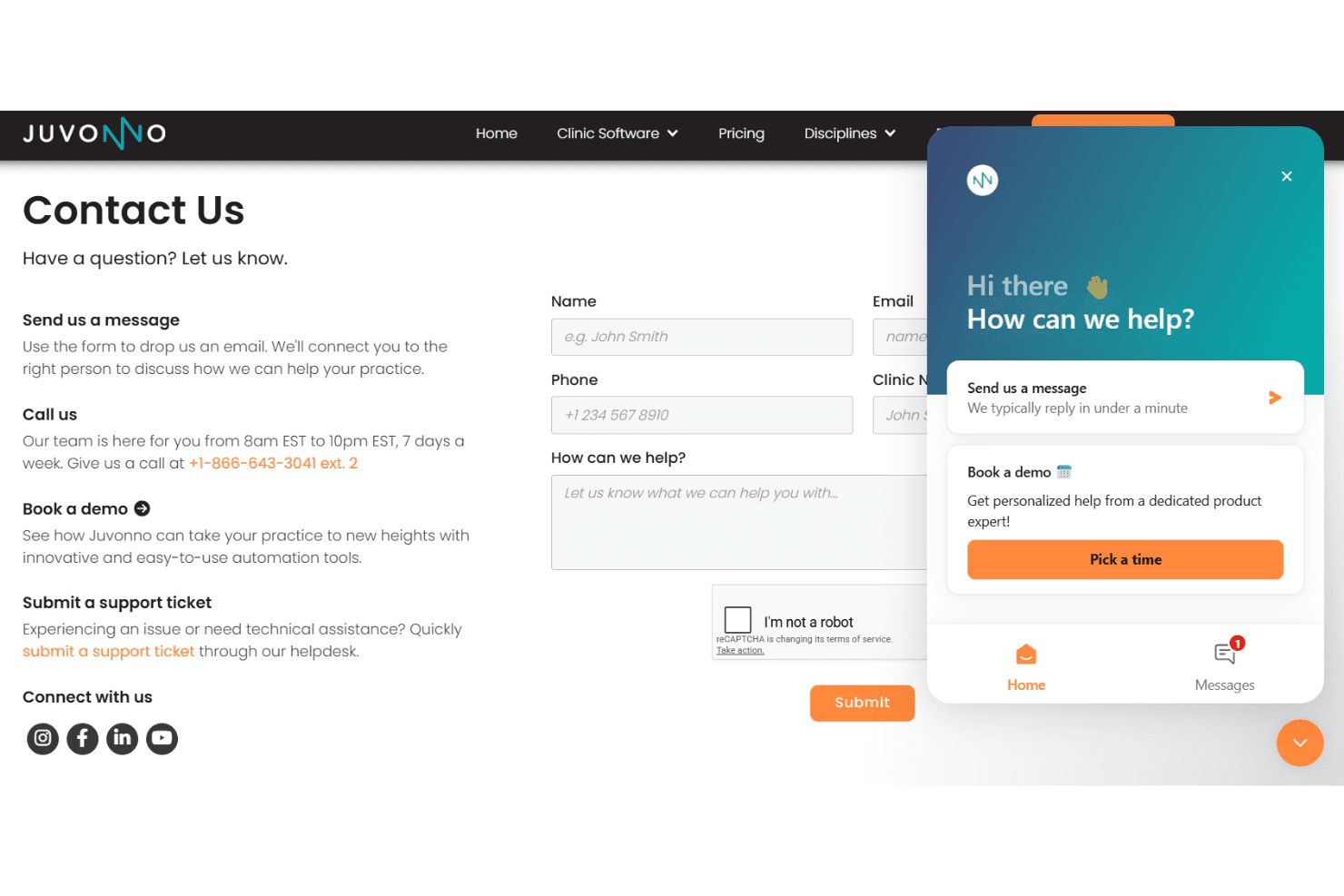
Juvonno excels in customer support, with users frequently noting quick response times and knowledgeable staff. The platform offers live chat, phone, and email help alongside an in-depth online help center. Based on reviews, support tickets get resolved fast, and trainers explain solutions clearly.
Integrations
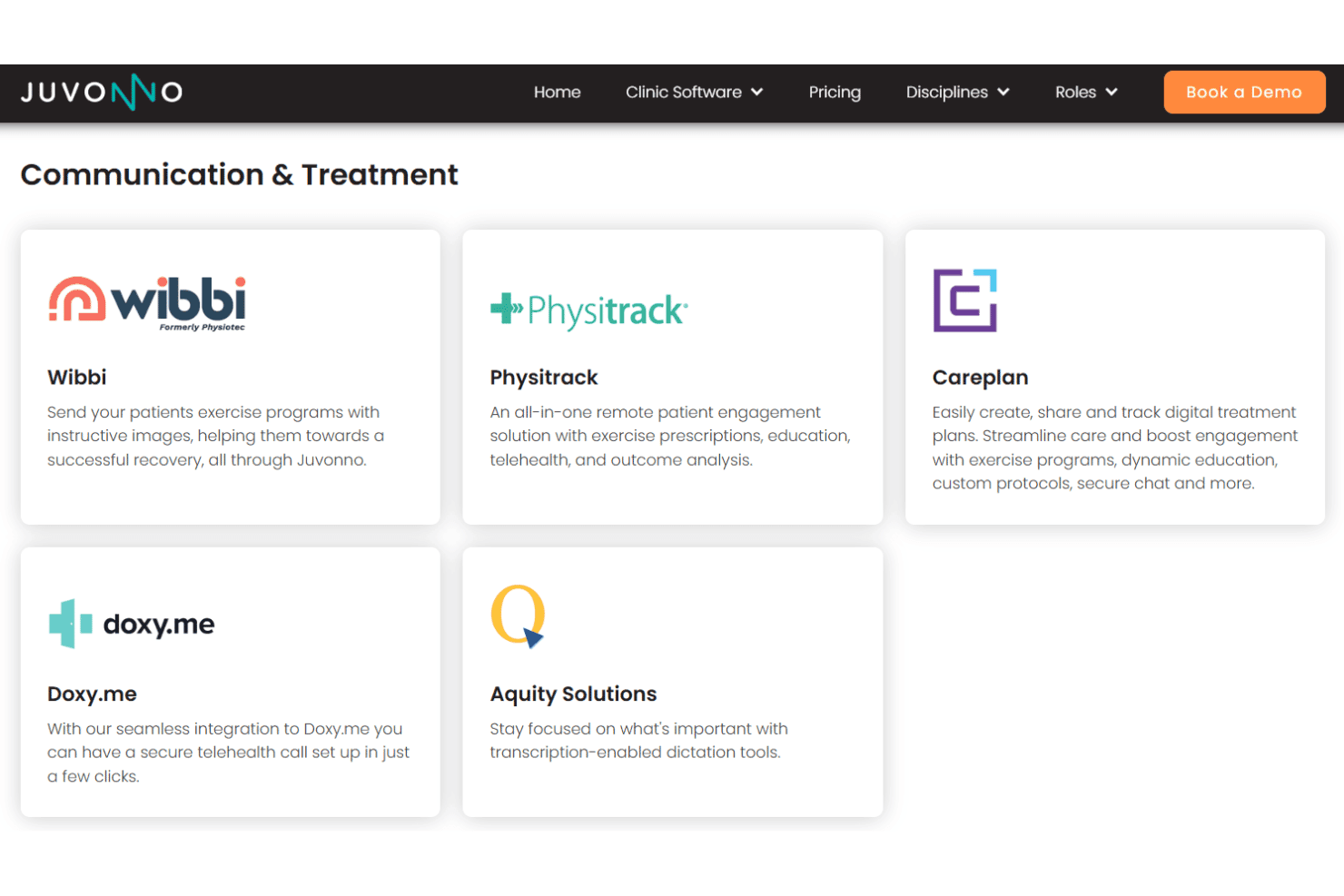
Juvonno integrates with Telus Health eClaims, Claim.MD, HCAI, OHIP, Manitoba Health, Alberta Health, Teleplan, eHealth Saskatchewan, Stripe, and Xero.
Juvonno also has an open API and can connect with popular calendar platforms for broader interoperability.
Value for Money
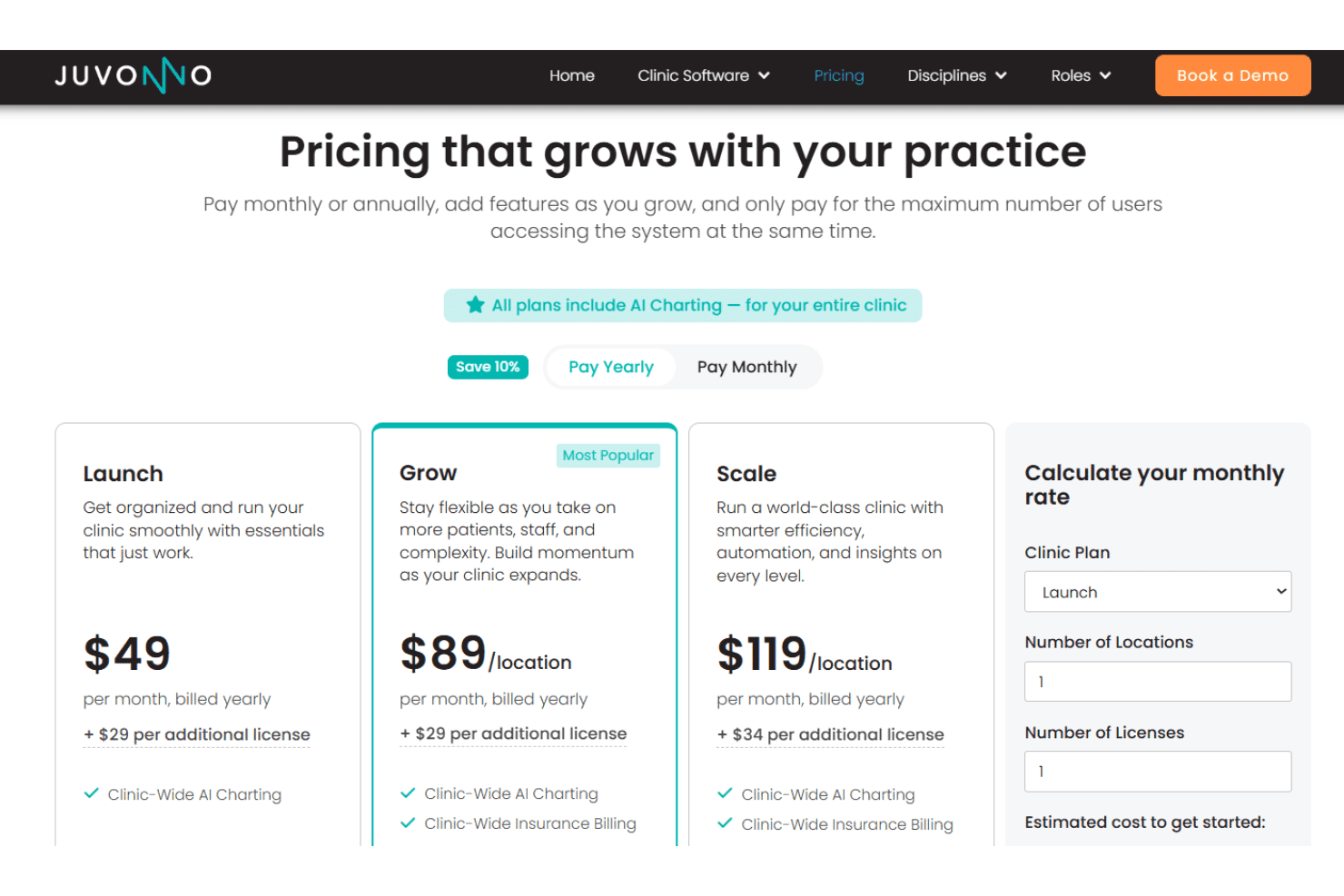
Juvonno’s pricing is competitive for the depth of features you get, especially with unlimited staff included on all plans. Its scalable structure also allows clinics to expand operations without needing to switch platforms as they grow.
The flexible packages, multi-location support, and integrated workflow tools make it appealing for healthcare practices.
- Launch Plan: Core scheduling, charting, invoicing, and telehealth tools for small clinics.
- Grow Plan: Adds online booking, patient portals, billing integrations, and multi-location support.
- Scale Plan: Advanced automation, inventory, marketing, and enterprise clinic management tools.
Juvonno Specs
- API: Yes
- Appointment Scheduling: Yes
- Athlete Management: No
- Audit Management: No
- Calendar Management: Yes
- Compliance Tracking: Yes
- Customer Management: Yes
- Dashboard: Yes
- Data Export: Yes
- Data Import: Yes
- Data Visualization: Yes
- Electronic Prescribing: No
- External Integrations: Yes
- File Sharing: Yes
- File Transfer: Yes
- Health Management: Yes
- HIPAA Compliance: Yes
- Inventory Tracking: Yes
- Multi-User: Yes
- Notifications: Yes
- Organization Management: Yes
- Patient Management: Yes
- Project Management: No
- Regulatory Alerts: No
- Risk Assessment: No
- Scheduling: Yes
- Supplier Management: No
Juvonno FAQs
Juvonno Company Overview & History
Juvonno is a Canadian healthcare technology company headquartered in Winnipeg, Manitoba. The company focuses exclusively on its cloud-based practice management software for allied health, medical, and multidisciplinary clinics.
Juvonno highlights a people-first approach, emphasizing long-term customer relationships and in-house Canadian support. Its platform is trusted by over 30,000 healthcare practitioners across Canada.
Juvonno Major Milestones
- 2005: Company founded in Winnipeg, Manitoba
- 2010: Launch of Juvonno practice management software
- 2018: Platform surpasses 500 clinics using the system
- 2023: Recognized by Canadian Healthcare Technology magazine for digital innovation in practice management
- 2026: Continues to expand its user base across Canada, supporting over 30,000 practitioners