

Healthcare GRC software helps your organization manage governance, risk, and compliance tasks specifically for clinical and administrative healthcare environments. If you’re evaluating your options for GRC tools, you know how easy it is for compliance processes, audit documentation, and risk tracking to become time-consuming chores. In this guide, you’ll get a practical overview of top healthcare GRC software, what sets them apart for busy teams handling patient data, and key features to look for as you decide on the right fit.
Why Trust Our Software Recommendations
6,700+
Reviews
20
Industry experts
16+
Evaluation factors
14
Years
Our team has been testing and reviewing software since 2012. As medical practice leaders ourselves, we know how difficult—and important—it is to choose the right software.
For this guide, we evaluated tools using hands-on testing and independent research, scoring tools using our selection criteria.
Our reviews reflect our human editorial judgment, not a sales pitch.
Healthcare GRC Comparison Table
This comparison table summarizes pricing details for my best healthcare GRC software selections:
| Tool | Best For | Trial Info | Price | ||
|---|---|---|---|---|---|
| 1 | Best for HIPAA compliance automation | 7-day free trial | From $199/month | Website | |
| 2 | Best for policy and compliance workflows | Free demo available | From $1,000/month (billed annually) | Website | |
| 3 | Best for healthcare cyber risk management | Free demo available | Pricing upon request | Website | |
| 4 | Best for HIPAA risk assessment tracking | Free demo available | Pricing upon request | Website | |
| 5 | Best for regulatory change management | Free demo available | From $300/month | Website | |
| 6 | Best for HIPAA compliance management | Free demo available | From $99/month (billed annually) | Website | |
| 7 | Best for workforce compliance training | Free demo available | Pricing upon request | Website | |
| 8 | Best for healthcare compliance training | Free demo available | Pricing upon request | Website | |
| 9 | Best for healthcare compliance programs | Free demo available | From $500/month (billed annually) | Website | |
| 10 | Best for healthcare GRC workflows | 30-day free trial (Mobile Audits) and Free demo available | Pricing upon request | Website |


Healthcare GRC Software Reviews
Below are my detailed summaries of the best healthcare GRC software that made it onto my shortlist. My reviews offer a detailed look at the features, best use cases, and integrations of each platform to help you find the best one for you.
 Best for HIPAA compliance automation
- 7-day free trial
- From $199/month
Visit WebsiteCustomer Rating:4.8/5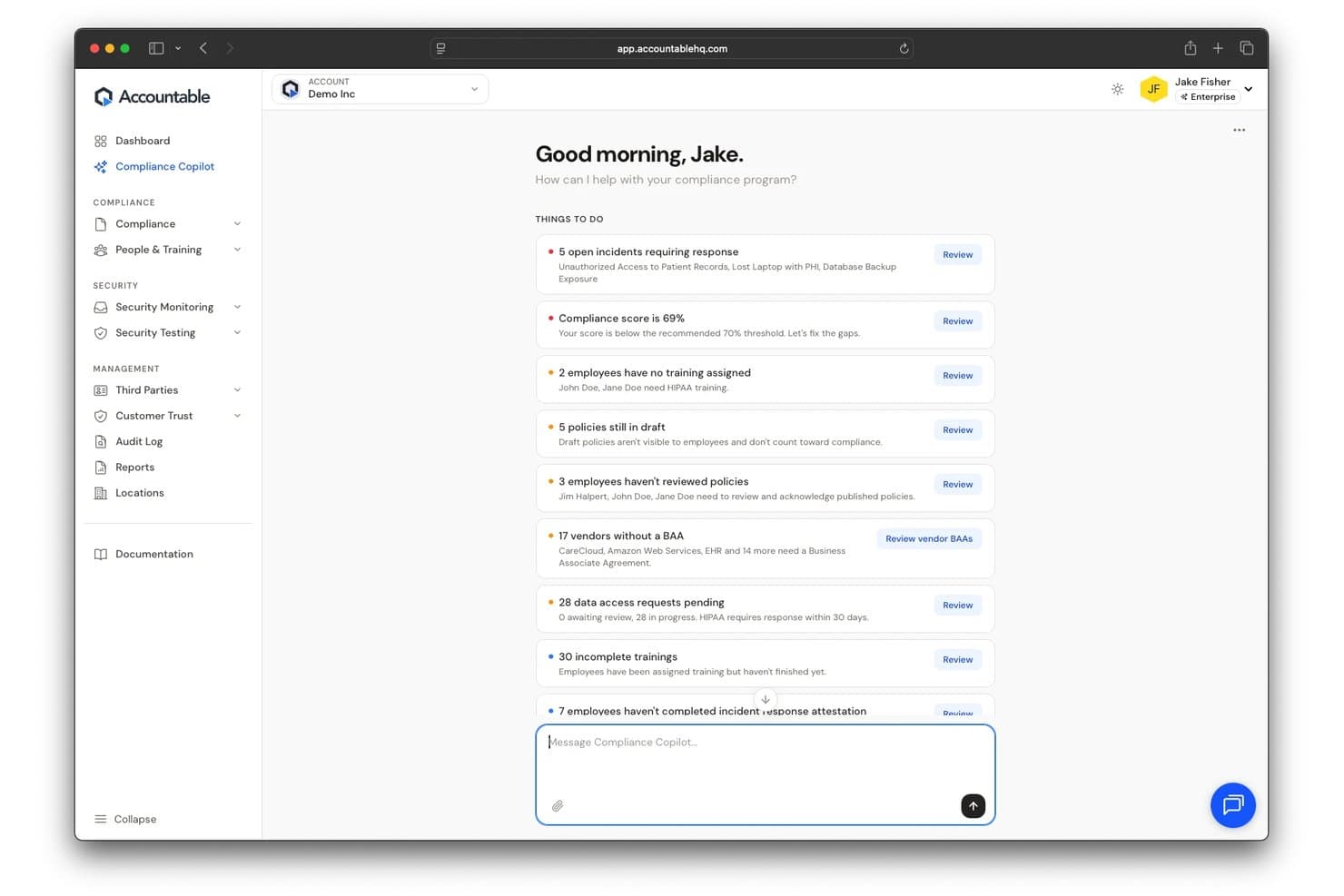
Accountable offers a Compliance Copilot dashboard that surfaces prioritized compliance tasks, including open incidents, policy gaps, vendor BAAs, and training issues for healthcare organizations. Accountable is a HIPAA-focused compliance platform that covers risk assessment, policy and procedure management, employee training, vendor and BAA tracking, and incident reporting for healthcare organizations and their business associates.
Who Is Accountable Best For?
Accountable is a strong fit for small to mid-sized healthcare practices, digital health startups, and business associates that handle PHI and need turnkey HIPAA compliance without dedicated in-house compliance staff.
Why I Picked Accountable
I picked Accountable because its AI Compliance Copilot does the heavy lifting on HIPAA automation. It drafts policies, runs risk assessments, and identifies vendor relationships that require BAAs without manual setup from my team. I also like how it auto-assigns annual training reminders and tracks employee completion, giving my team audit-ready documentation at any point.
Accountable Key Features
- Multi-location management: Manage compliance across multiple offices, clinics, or franchise locations from a single dashboard.
- Incident reporting channel: Enable staff to securely report suspected HIPAA breaches or incidents directly through an employee-facing portal.
- Audit-ready compliance reports: Generate one-click, shareable reports that document compliance status and evidence for internal or external audits.
- Pre-built policy templates: Access and assign up-to-date HIPAA policy and procedure templates that can be published to your team.
Accountable Integrations
Native integrations are not clearly documented. Accountable does not appear to support direct connections with EHR platforms, HR systems, or other healthcare software, and no public API is listed.
Pros and Cons
Pros:
- Tracks employee training completion and attestations
- Guided risk assessments require no compliance expertise
- Pre-built HIPAA templates speed up policy deployment
Cons:
- No EHR or clinical system connectivity available
- Limited regulatory coverage beyond HIPAA and HITECH
Learn more about Accountable: Best for policy and compliance workflows
- Free demo available
- From $1,000/month (billed annually)
Visit WebsiteCustomer Rating:4.6/5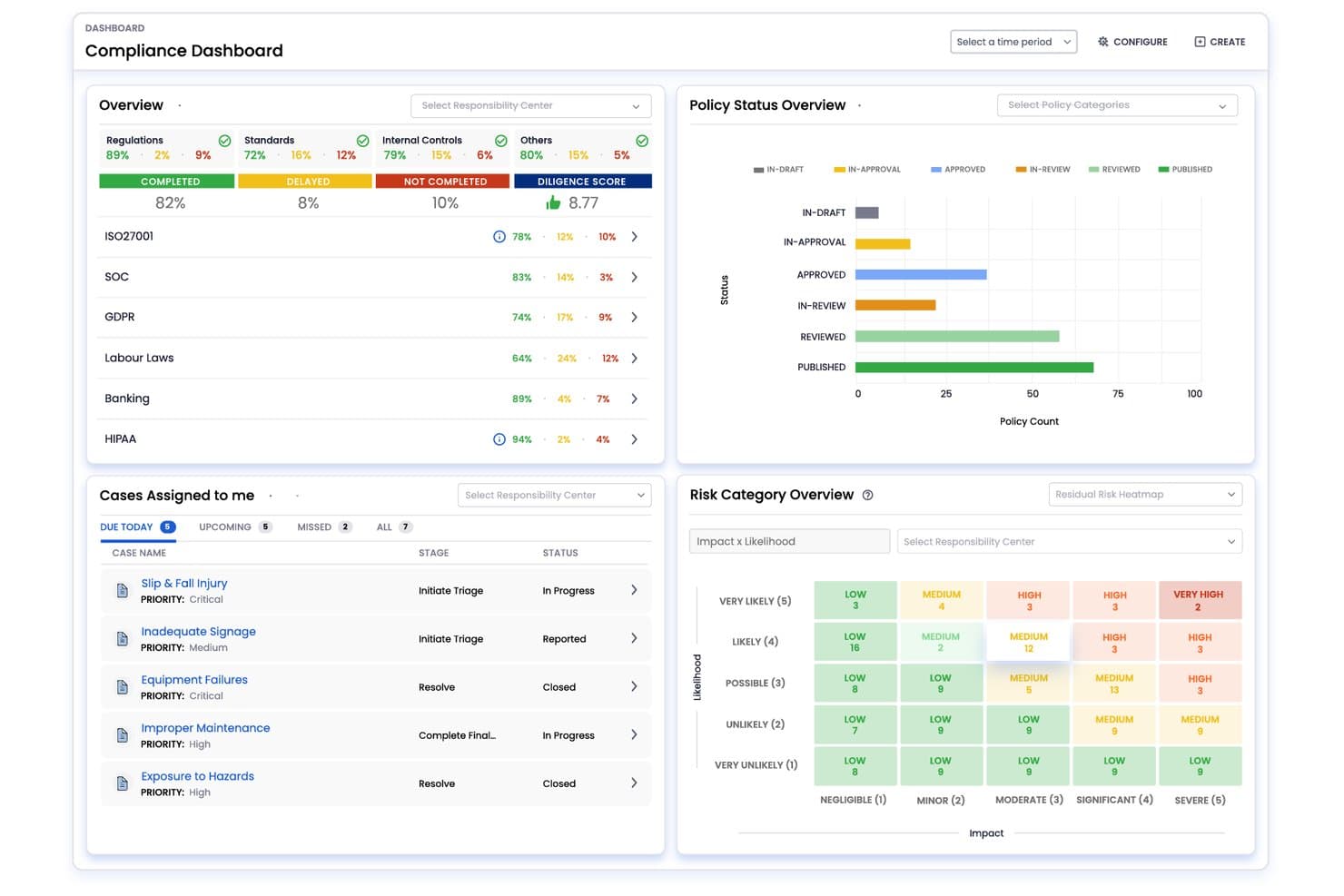
VComply offers a centralized compliance dashboard displaying regulation status, policy overviews, case management, and risk category heatmaps. VComply is a GRC platform with dedicated modules for compliance management, risk tracking, policy lifecycle management, and incident and audit workflows, with built-in support for healthcare frameworks like HIPAA and OSHA.
Who Is VComply Best For?
VComply suits mid-size to enterprise healthcare organizations where compliance officers and risk managers need a configurable, multi-module GRC platform to replace manual or spreadsheet-based processes.
Why I Picked VComply
VComply earns its spot on my shortlist because of how well its PolicyOps module handles the full policy lifecycle. I use it to draft, approve, distribute, and track staff attestations in one place, which matters when HIPAA policy acknowledgment needs a documented audit trail. The built-in automated review cycles keep policies current, and the Policy AI Assistant speeds up the drafting process considerably.
VComply Key Features
- ComplianceOps module: Assigns, monitors, and documents regulatory compliance tasks across teams using a structured library of healthcare frameworks.
- RiskOps module: Lets you track, assess, and mitigate operational, privacy, and security risks with real-time oversight and detailed risk scoring.
- CaseOps module: Enables reporting, investigating, and resolving incidents with configurable workflows and accountability at each step.
- Evidence management: Allows uploading and linking supporting documentation directly to controls and tasks for audit readiness.
VComply Integrations
Native integrations are not clearly documented. VComply offers an API for custom integrations.
Pros and Cons
Pros:
- Unified risk register across clinical and IT teams
- Full policy lifecycle managed in one module
- Pre-built HIPAA and HITECH control frameworks included
Cons:
- Setup and configuration require significant initial effort
- Reporting customization options are limited out-of-the-box
Learn more about VComply: Best for healthcare cyber risk management
- Free demo available
- Pricing upon request
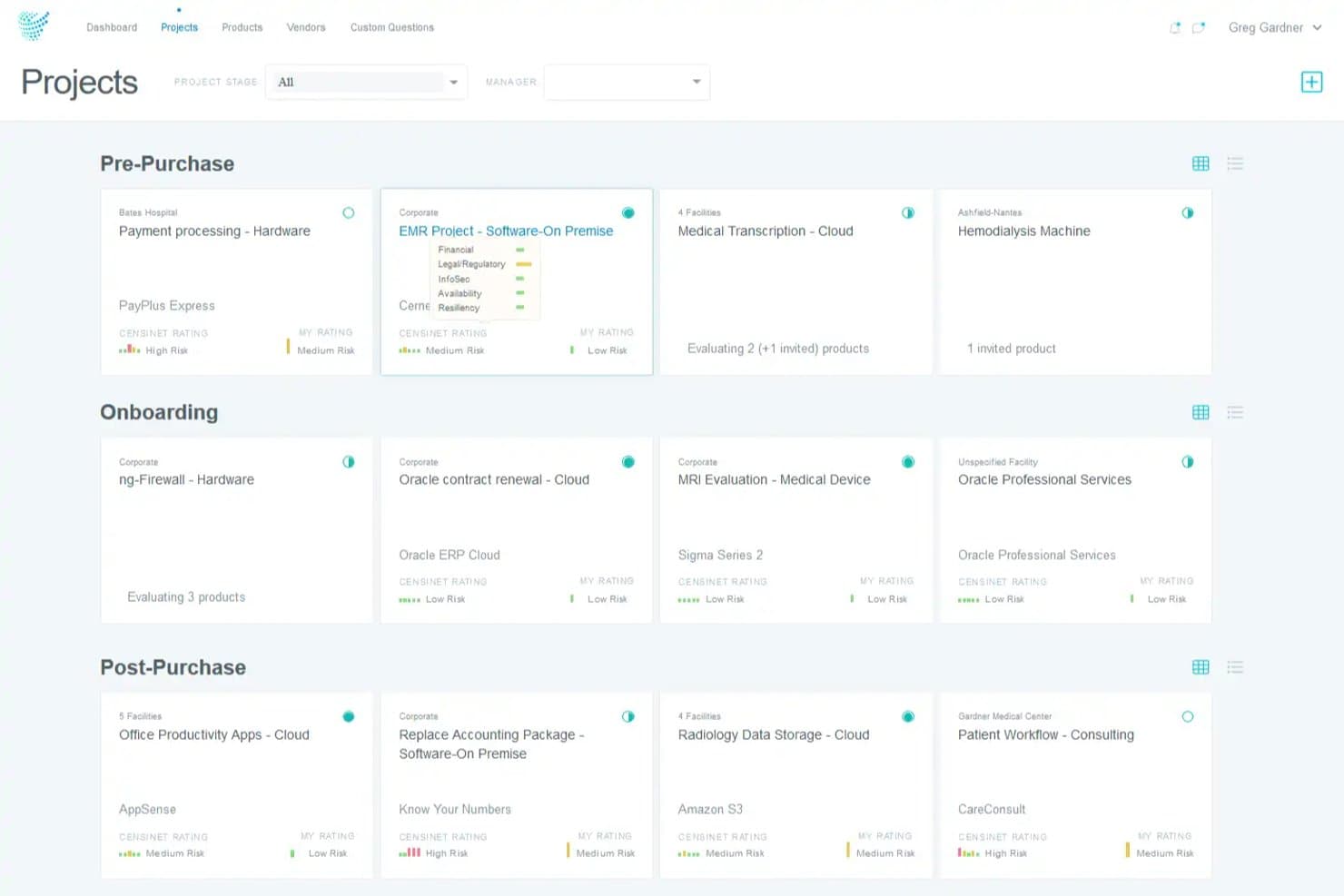
Censinet offers a Projects dashboard that organizes healthcare vendor risk assessments across Pre-Purchase, Onboarding, and Post-Purchase stages with risk ratings. Censinet RiskOps™ is a healthcare-specific GRC platform built around third-party vendor risk management, enterprise risk visibility, AI governance, and compliance alignment across frameworks like HIPAA, HITECH, and NIST CSF.
Who Is Censinet Best For?
Censinet is a strong fit for risk managers and security leaders at hospitals, health systems, and integrated delivery networks managing large third-party vendor portfolios.
Why I Picked Censinet
Censinet earns its spot as one of the best on my shortlist because its vendor risk network is genuinely unlike anything else in healthcare GRC. I can run assessments against a database of 50,000+ pre-profiled vendors, and 1-Click sharing cuts completion time from weeks to under a day. I also like how clinical impact is baked directly into risk scoring, so patient care workflows and PHI volume actually influence how risks get prioritized, not just IT severity scores.
Censinet Key Features
- Enterprise risk dashboard: Gives centralized visibility into cyber, operational, and clinical risks across the organization.
- Healthcare compliance frameworks: Supports HIPAA, HITECH, NIST CSF, FDA, and GDPR with healthcare-specific assessment templates.
- Peer benchmarking: Compares cybersecurity maturity and resilience with other healthcare organizations through industry benchmarking tools.
- AI governance workflows: Enables oversight of clinical, operational, and ethical risks associated with AI adoption in healthcare.
Censinet Integrations
Censinet offers native integrations with Epic, ServiceNow, and Azure Active Directory, and provides an API for custom integrations.
Pros and Cons
Pros:
- Built for healthcare-specific regulatory frameworks
- Clinical impact factored directly into risk scoring
- Pre-profiled vendor network cuts assessment time
Cons:
- Reporting customization is limited out of the box
- Steep onboarding for smaller compliance teams
Learn more about Censinet: Best for HIPAA risk assessment tracking
- Free demo available
- Pricing upon request
Visit WebsiteCustomer Rating:5/5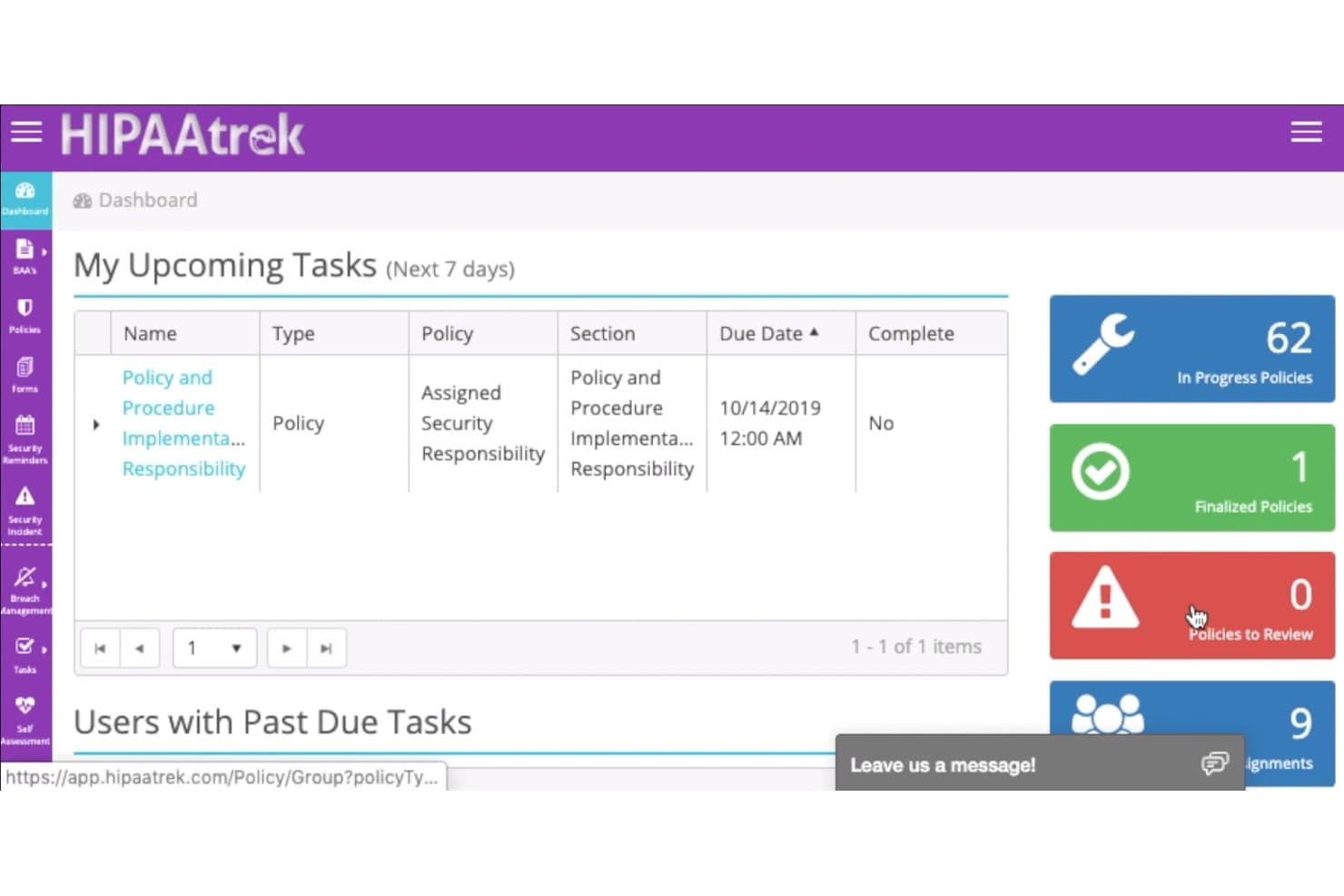
HIPAAtrek offers a compliance dashboard displaying upcoming tasks, policy statuses, and user assignments for healthcare GRC management. HIPAAtrek is a cloud-based HIPAA compliance management platform built for healthcare organizations, covering policy management, BAA tracking, breach risk assessment, staff training, and audit documentation.
Who Is HIPAAtrek Best For?
HIPAAtrek is a strong fit for HIPAA officers and compliance managers in small to mid-sized healthcare practices that need a dedicated, structured compliance program.
Why I Picked HIPAAtrek
HIPAAtrek earns its spot on my shortlist because of how tightly it handles HIPAA risk assessment as an end-to-end workflow. The built-in Breach Risk Assessment tool walks you through the four-factor analysis required by OCR, and the gap analysis alerts flag incomplete tasks before they become audit liabilities. I also like that breach and incident records are retained automatically for 10 years, so there's a ready audit trail without any manual archiving effort.
HIPAAtrek Key Features
- Policy template library: Pre-loaded policy templates mapped to HIPAA requirements for quick adoption.
- BAA & contract management: Centralized, versioned contract storage with collaborative review and 10-year retention.
- Training content management: Assign training videos and quizzes by user role with completion tracking.
- Compliance dashboard: Real-time dashboard highlights policy gaps, upcoming tasks, and audit readiness status.
HIPAAtrek Integrations
Native integrations are not clearly documented. An API is available for custom integrations.
Pros and Cons
Pros:
- Covers HIPAA, HITECH, and OSHA natively
- Dedicated OCR breach notification workflow
- Pre-built HIPAA control frameworks included
Cons:
- Reporting customization options are relatively basic
- Limited native integrations with EHR platforms
Learn more about HIPAAtrek: Best for regulatory change management
- Free demo available
- From $300/month
Visit WebsiteCustomer Rating:4.5/5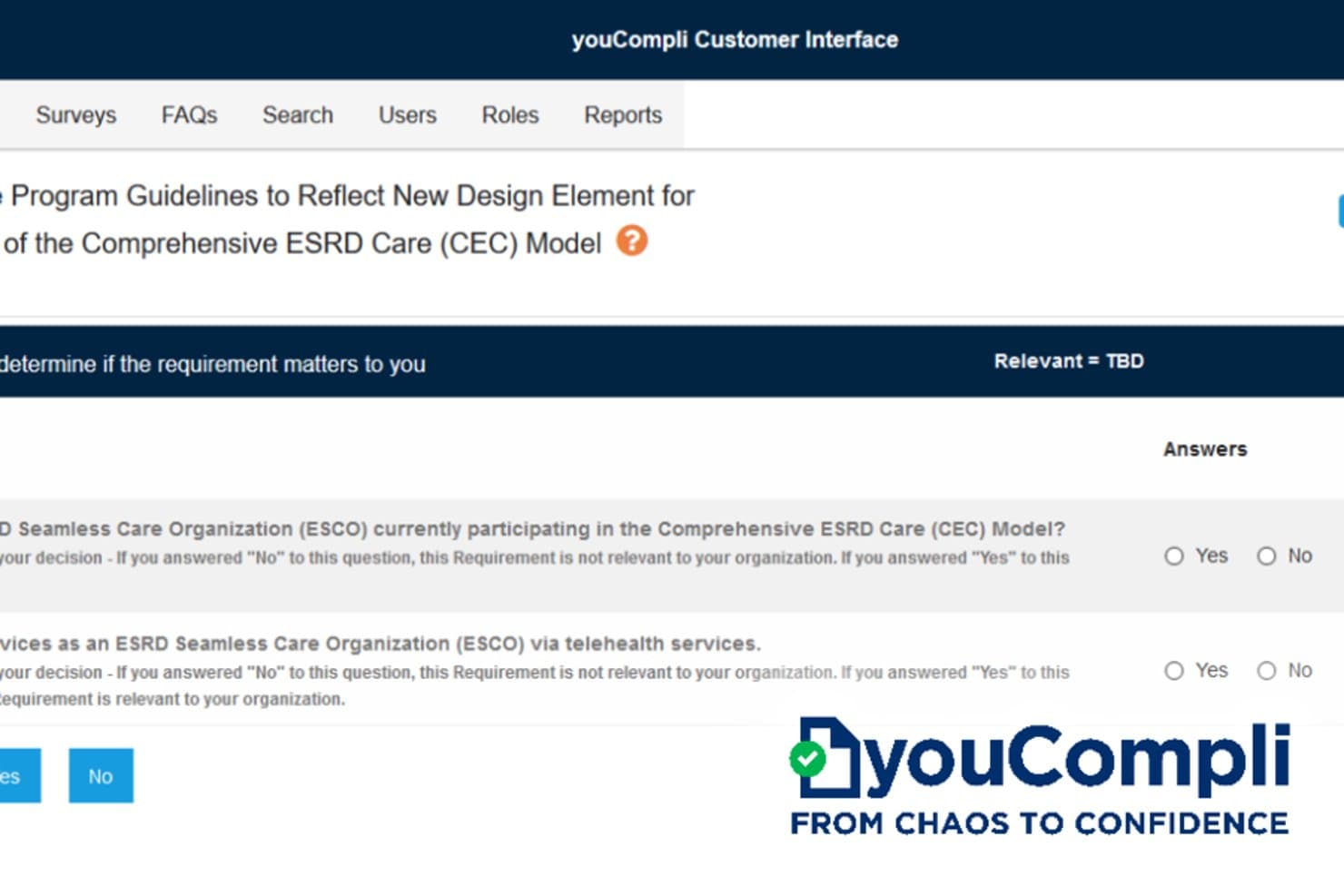
youCompli offers a compliance relevance survey interface that helps healthcare organizations determine if specific regulatory requirements apply to them. youCompli is a healthcare regulatory change management platform that monitors federal, state, and MAC sources daily, providing expert compliance analysis, task workflows, and reporting to help teams track regulatory requirements.
Who Is youCompli Best For?
youCompli is a strong fit for compliance officers and compliance teams at hospitals, health systems, and physician groups managing ongoing federal and state regulatory change.
Why I Picked youCompli
I've included youCompli in my top picks because no other tool I've tested matches its depth of healthcare-specific regulatory monitoring. Their in-house team of lawyers and compliance professionals scans 2,000+ federal, state, and MAC sources daily and translates findings into actionable guidance. I particularly like the Know → Decide → Manage → Verify workflow, which walks teams through relevance decisions, task assignments, and final proof of compliance in a single audit trail.
youCompli Key Features
- Regulatory source monitoring: Scans over 2,000 federal, state, and MAC sources each day for compliance updates.
- Model document library: Offers pre-built templates for updating policies and procedures in response to regulatory changes.
- Task assignment and tracking: Assigns responsibilities, sets deadlines, and records progress for every compliance workflow step.
- Customizable compliance reports: Generates standard and customizable reports to demonstrate regulatory compliance to stakeholders.
youCompli Integrations
Native integrations are not clearly documented. An API is available for custom integrations.
Pros and Cons
Pros:
- Audit trail tracks compliance decisions end-to-end
- Expert-analyzed guidance built into every alert
- Daily monitoring across 2,000+ regulatory sources
Cons:
- Not suited for enterprise-wide GRC programs
- Limited coverage beyond regulatory change management
Learn more about youCompli: Best for HIPAA compliance management
- Free demo available
- From $99/month (billed annually)
Visit WebsiteCustomer Rating:4.8/5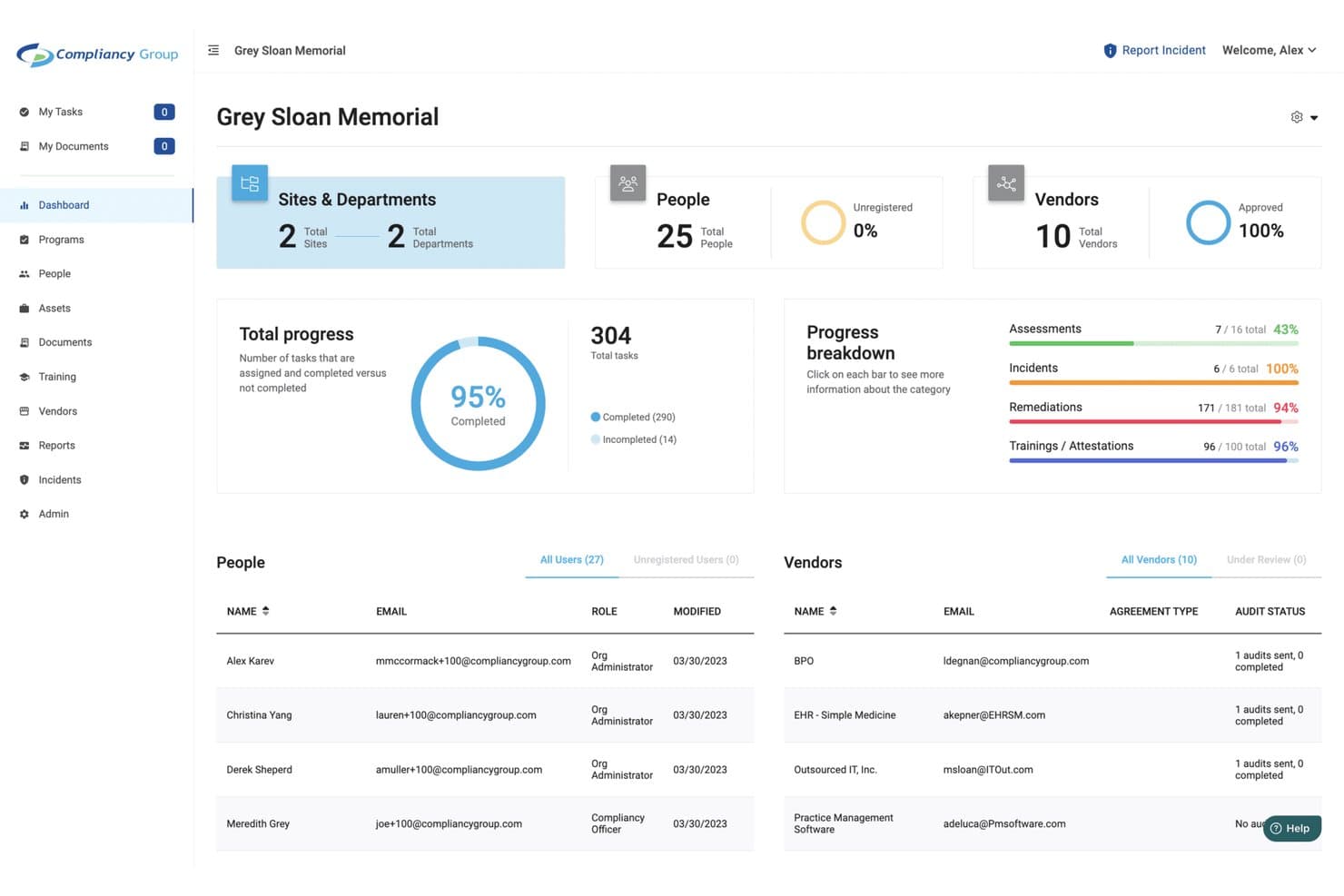
Compliancy Group offers a centralized compliance dashboard displaying task progress, people, vendors, and category breakdowns for healthcare organizations. Compliancy Group is a healthcare compliance and GRC platform built around HIPAA, HITECH, and OSHA frameworks, with modules for risk assessment, policy management, staff training, incident management, and business associate tracking.
Who Is Compliancy Group Best For?
Compliancy Group fits small-to-mid-sized medical practices and covered entities that need a structured, guided approach to building and maintaining a HIPAA compliance program.
Why I Picked Compliancy Group
Compliancy Group earns its spot on my shortlist because of how tightly it ties HIPAA compliance management together in one place. The guided risk assessment module walks through regulatory requirements question by question, linking each answer directly to remediation policies within the platform. I also rely on CORA, the built-in AI advisor, which surfaces weekly HIPAA, OSHA, and CMS regulatory updates with direct citations, so I'm not manually tracking regulatory changes across multiple sources.
Compliancy Group Key Features
- BAA and vendor management: Centralizes tracking of business associate agreements, vendor lists, and completed risk questionnaires.
- Automated exclusion screening: Scans employee and vendor lists against OIG, SAM, and state databases for sanctions or exclusions.
- Policy template library: Offers 125+ standards-aligned, customizable healthcare policy templates with built-in version control.
- Incident management dashboard: Tracks, routes, and documents incidents, including hotline reports, in a central, audit-ready interface.
Compliancy Group Integrations
Native integrations are not clearly documented. An API is available for custom integrations.
Pros and Cons
Pros:
- Dedicated compliance coach support included
- Covers HIPAA, HITECH, OSHA, and CMS together
- Guided HIPAA risk assessments with regulatory citations
Cons:
- Primarily suited to smaller, single-entity practices
- Limited integration with clinical and IT systems
Learn more about Compliancy Group: Best for workforce compliance training
- Free demo available
- Pricing upon request
Visit WebsiteCustomer Rating:4.3/5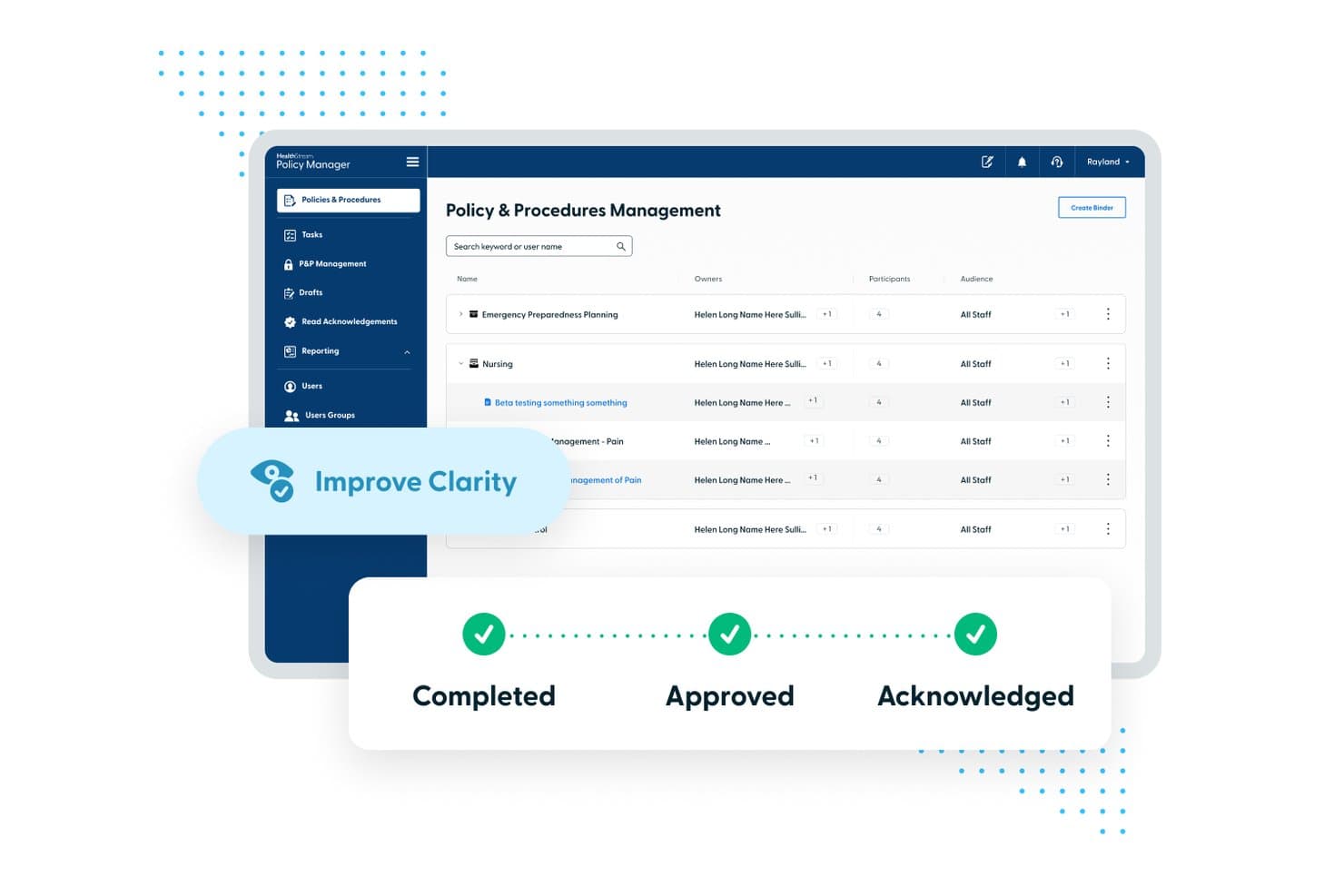
HealthStream offers a centralized Policy & Procedures Management interface with automated workflows showing Completed, Approved, and Acknowledged statuses. HealthStream is a healthcare workforce compliance platform covering regulatory training, policy management, staff attestations, credentialing, and clinical competency development across hospital and health system environments.
Who Is HealthStream Best For?
HealthStream is a strong fit for large hospitals and health systems managing compliance training and credentialing across hundreds or thousands of clinical staff.
Why I Picked HealthStream
HealthStream earns its spot on my shortlist because its ComplyQ suite covers HIPAA, OSHA, and CMS requirements with role-specific courses that use pre-assessments to reduce seat time. I particularly like that staff can receive credit for existing knowledge rather than repeating training they've already completed. The Policy Manager ties directly into this, giving my team automated attestation tracking and document versioning in the same platform.
HealthStream Key Features
- CredentialStream provider lifecycle tools: Manage recruiting, application, verification, privileging, and performance evaluations for clinical staff in one platform.
- ShiftWizard nurse and staff scheduling: Coordinate healthcare workforce scheduling, shift swaps, and coverage for multiple roles and locations.
- Competency Suite for clinical development: Support ongoing assessment and tracking of clinical competencies through AI-driven workflows and skills checklists.
- hStream AI ecosystem integration: Use APIs, developer tools, and identity management for secure interoperability with EHR, HR, and credentialing systems.
HealthStream Integrations
Native integrations include Epic, Oracle Cerner, Meditech, Workday, and UKG for syncing HR and EHR data. An API is available for custom integrations.
Pros and Cons
Pros:
- Unified credentialing and compliance tracking across facilities
- Role-specific training reduces unnecessary seat time
- Pre-built HIPAA and CMS compliance course libraries
Cons:
- Weaker native risk assessment tools versus dedicated GRC platforms
- Reporting customization options are limited out-of-the-box
Learn more about HealthStream: Best for healthcare compliance training
- Free demo available
- Pricing upon request
Visit WebsiteCustomer Rating:4.3/5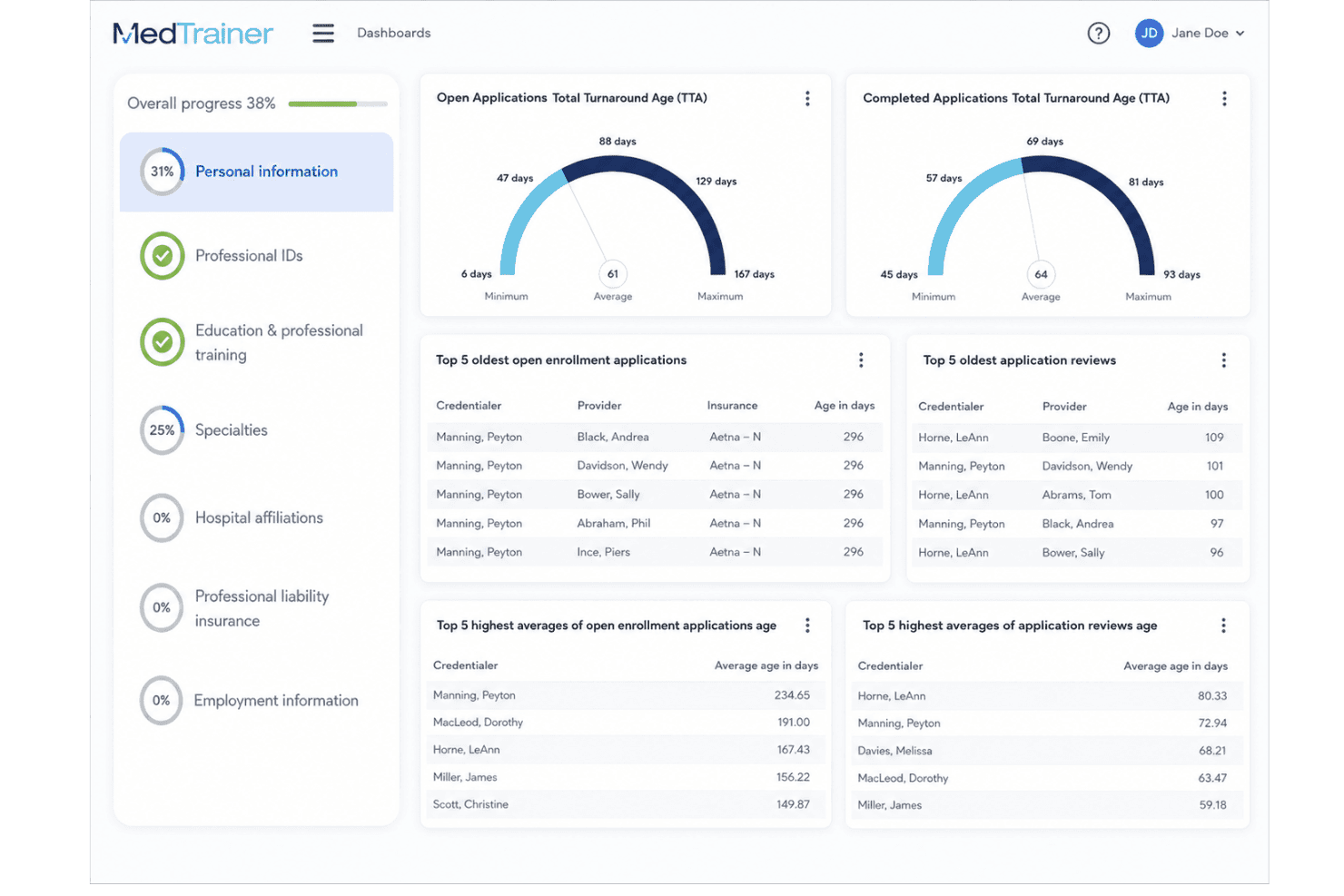
MedTrainer centralizes staff training, credentialing, policies, and compliance. MedTrainer is a healthcare compliance and workforce management platform that centralizes policy management, incident reporting, regulatory training, and credentialing into a single system built specifically for healthcare organizations.
Who Is MedTrainer Best For?
MedTrainer is a strong fit for compliance officers and administrators at small-to-mid-sized healthcare organizations like physician groups, urgent care centers, and ambulatory surgery centers.
Why I Picked MedTrainer
MedTrainer earns its spot on my shortlist because of how deeply it integrates compliance training into the broader GRC workflow. I particularly like the AI Compliance Coach, which gives my team instant answers to HIPAA and OSHA regulatory questions without waiting on a legal review cycle. The AI Policy Guardian layers on top by scanning existing policies to flag regulatory gaps and suggest edits aligned to current requirements.
MedTrainer Key Features
- Incident reporting forms: Customizable drag-and-drop forms support anonymous submissions and automated escalation.
- Digital document and policy management: Centralized dashboard tracks versions, distribution, and read acknowledgments for all key compliance documents.
- Safety data sheet management: Provides access to a database of over one million SDSs, including auto-import for McKesson customers.
- Credentialing and exclusions monitoring: Automates primary source verification, monitors exclusions, and supports provider data management within one platform.
MedTrainer Integrations
Native integrations are not clearly documented. An API is available for custom integrations.
Pros and Cons
Pros:
- AI-driven policy gap detection saves review time
- Combines credentialing and compliance in one
- HIPAA and OSHA training content is pre-built
Cons:
- Not built for large multi-entity health systems
- Reporting customization options are limited
Learn more about MedTrainer: Best for healthcare compliance programs
- Free demo available
- From $500/month (billed annually)
Visit WebsiteCustomer Rating:4.3/5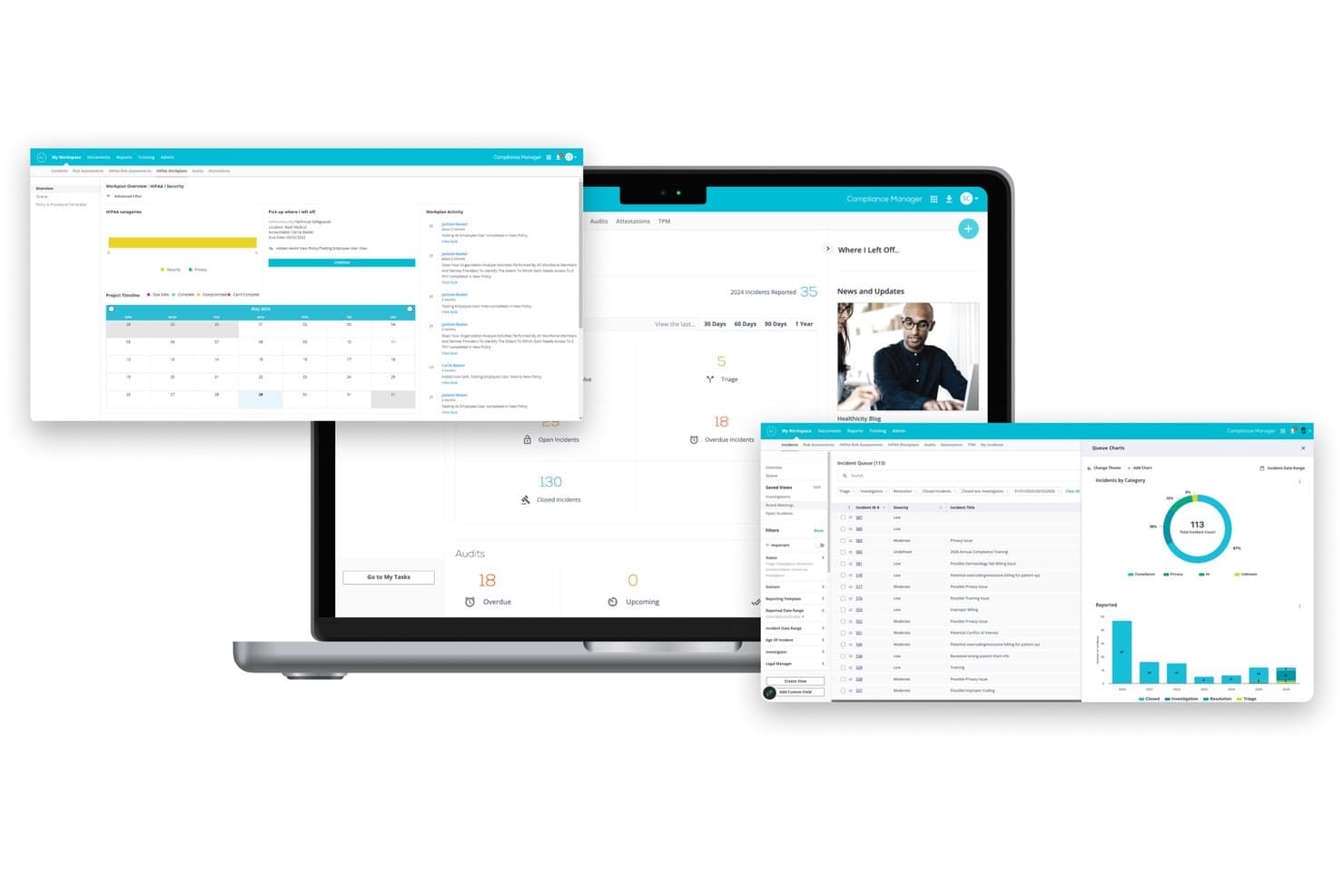
Healthicity offers a comprehensive Compliance Manager platform with incident tracking, HIPAA workplan overviews, audit management, and queue charts displayed across multiple screen views. Healthicity is a healthcare-specific GRC platform built around compliance program management, offering incident tracking, risk assessment, policy management, audit workflows, and staff training with attestations in a single web-based system.
Who Is Healthicity Best For?
Healthicity is a strong fit for compliance officers and privacy officers at hospitals, physician groups, and health systems managing structured regulatory compliance programs.
Why I Picked Healthicity
I picked Healthicity as one of the best because it's structured around the OIG's seven elements of an effective compliance program, which is rare in GRC software. I like that SmartLine, its AI-powered hotline, transcribes and routes compliance reports 24/7 in multiple languages, so nothing slips past shift changes. Training attestations tie directly to incident findings and audit results, creating a defensible compliance trail without separate systems.
Healthicity Key Features
- Risk assessment module: Score, document, and reassess clinical, operational, and privacy risks over time within a dedicated interface.
- Policy and procedure management: Centralize policy creation, approvals, versioning, and distribution with built-in reviewer assignment and automated review cycles.
- Audit management workflows: Configure and manage customized audits across programs with ownership assignment and auto-summarized results for regulatory alignment.
- Integrated exclusion monitoring: Screen vendors and employees regularly for OIG and GSA exclusions with detailed audit trails.
Healthicity Integrations
Native integrations are not clearly documented. An API is available for custom integrations.
Pros and Cons
Pros:
- Clinical risk registers built for CMO and CISO visibility
- Dedicated module for OCR breach reporting workflows
- Pre-built OIG compliance program structure included
Cons:
- Smaller organizations may find the module depth overwhelming
- Reporting customization options are relatively limited
Learn more about Healthicity: Best for healthcare GRC workflows
- 30-day free trial (Mobile Audits) and Free demo available
- Pricing upon request
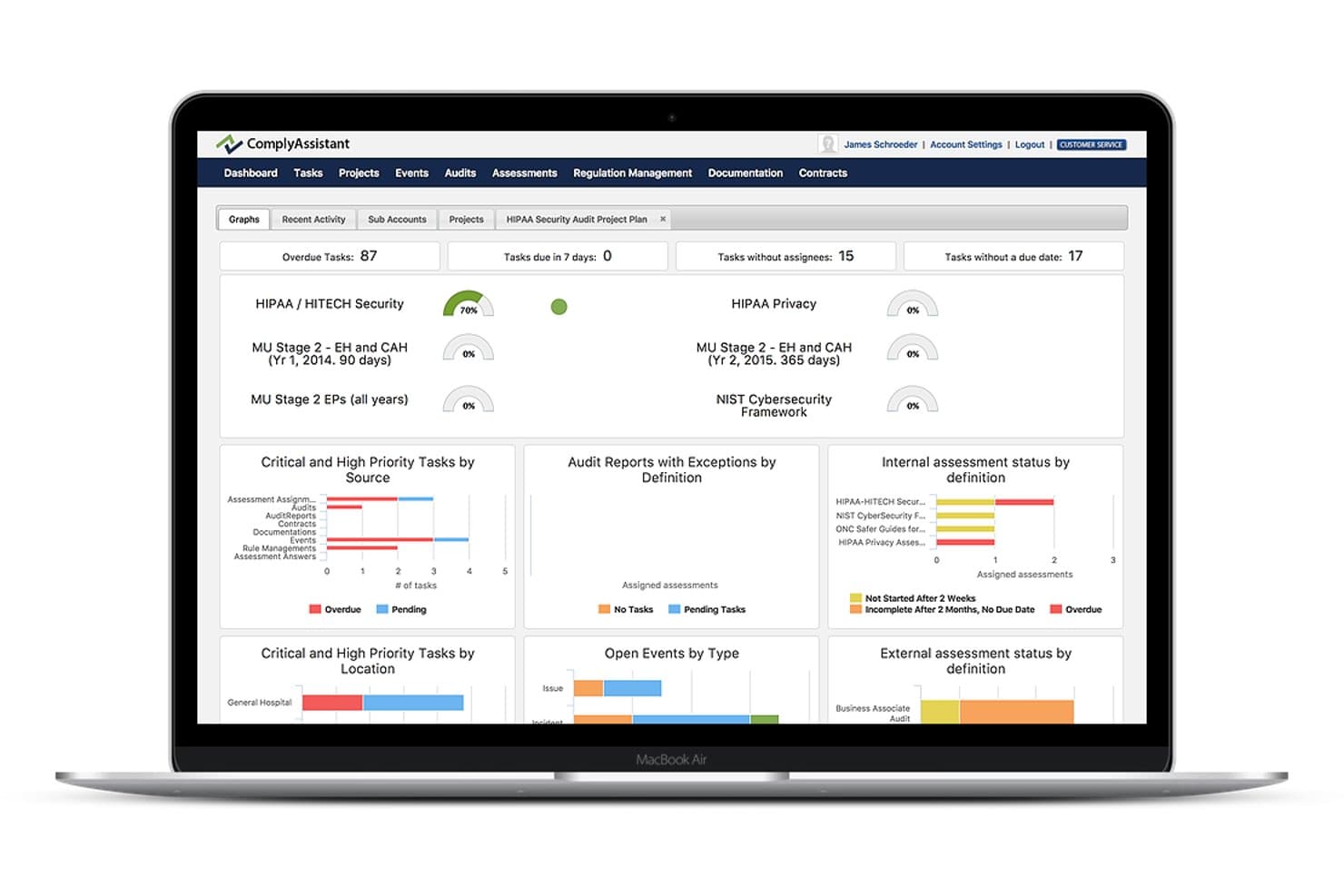
Comply Assistant offers a centralized healthcare GRC dashboard displaying overdue tasks, compliance progress meters, and audit and assessment status charts. ComplyAssistant is a healthcare-exclusive GRC platform with modules for HIPAA and HITECH policy management, risk assessment, incident reporting, vendor and BAA tracking, and mobile facility audits.
Who Is Comply Assistant Best For?
It's a strong fit for HIPAA officers and compliance teams at hospitals, clinics, and long-term care facilities that need a dedicated, healthcare-only GRC solution.
Why I Picked Comply Assistant
I've included Comply Assistant in my top picks because no other platform on this list is built exclusively for healthcare GRC workflows. I particularly like the 6-step Risk Register, which structures how compliance teams collect and assess threats across multiple facilities. The Mobile Audits module is also a genuine differentiator, letting teams run HIPAA facility audits directly from a tablet without needing to return to a desktop to log findings.
Comply Assistant Key Features
- Document and policy management: Store, update, and share HIPAA and HITECH policy documents in one centralized portal.
- Incident reporting and response: Log privacy breaches and assign follow-ups with full audit trails.
- Vendor and contract management: Track business associate agreements and monitor vendor records from a single dashboard.
- Real-time dashboards and notifications: Visualize compliance status and receive alerts on overdue tasks and risk indicators.
Comply Assistant Integrations
Native integrations are not clearly documented. An API is available for custom integrations.
Pros and Cons
Pros:
- Supports multi-facility audit management via mobile
- Pre-built HIPAA and HITECH control frameworks included
- Built exclusively for healthcare compliance workflows
Cons:
- Reporting customization options are relatively basic
- Limited third-party integrations with clinical systems
Learn more about Comply Assistant:
Other Healthcare GRC Software
Here are some additional healthcare GRC software options that didn’t make it onto my shortlist, but are still worth checking out:
- 11AbydeBest for simplified HIPAA compliance
- 12MedcurityBest for HIPAA security risk management
- 13SAI360Best for ethics, risk, and compliance
- 14MetricStreamBest for enterprise GRC management
- 15NAVEX OneBest for enterprise compliance management
Related Reviews
How I Evaluate Healthcare GRC Software
I split my research into two layers: the core HIPAA and risk capabilities a tool must have to qualify, and the differentiators—like OCR breach workflows and BAA tracking—that separate stronger picks.
Core Functionality (Table Stakes for This List)
When I'm selecting tools for my list, I rank each one on a scale from 0 (does not offer the functionality) to 5 (excels in this area) for each core functionality listed below. I then calculate the tool's total score into a percentage, using 65% as a benchmark to help assess its overall fit for the list.
- Healthcare Regulatory Compliance: I look for pre-built frameworks covering HIPAA, HITECH, OSHA, and CMS—not just generic compliance templates repurposed with healthcare labels.
- Risk Assessment and Management: Each tool should offer scoring, tracking, and remediation workflows for clinical, operational, and privacy risks relevant to patient care settings.
- Policy and Procedure Management: I evaluate how each platform handles policy versioning, distribution, and staff attestation—especially for annual HIPAA training acknowledgments.
- Audit and Incident Management: Strong audit trail capabilities and breach tracking matter here, particularly tools that align incident workflows to OCR reporting timelines.
- Business Associate and Vendor Risk: I check whether the platform centralizes BAA tracking and vendor risk questionnaires for third parties that handle PHI on your behalf.
- Compliance Reporting and Dashboards: Real-time dashboards with role-based views are what I look for, so compliance officers and administrators each see what's relevant to them.
Once I have a list of tools that meet the criteria, I consider what sets each platform apart.
Differentiating Factors (What Sets Vendors Apart)
Here's how I compare and contrast different vendors:
Standout Features
OCR breach reporting workflows save you from scrambling when an incident hits—automated risk-of-harm analysis and timeline tracking help your team meet HHS notification deadlines without manual guesswork. I also look for clinical risk registers that unify IT, patient safety, and operational risks into one view, giving compliance officers and clinical leaders a shared picture. AI-assisted policy mapping is another differentiator worth evaluating, since it can crosswalk your existing policies against new regulations and flag gaps before an auditor does.
Beyond Features
Integration with clinical and IT ecosystems matters a lot here. I check whether a platform connects to EHRs like Epic or Oracle Health for audit log ingestion and access monitoring—without those connectors, you're manually pulling data. Healthcare regulatory depth is another factor I evaluate, particularly whether regulatory content updates automatically when OCR issues new enforcement guidance. Scalability across multi-entity health systems also shapes my assessment, since hospitals acquiring new facilities need segmented reporting under one tenant.
How to Choose a Healthcare GRC Software
Wondering which healthcare GRC software will actually work for your team’s regulatory, audit, and risk workflows? Match your choice to your real-world priorities using the table below:
| If your priority is… | Prioritize… |
| Preparing for HIPAA or HHS audits | Software with audit-ready evidence reports |
| Reducing manual BAA tracking | Integrated vendor and business associate tools |
| Linking IT and clinical risk | Tools with clinical-IT risk registers |
| Fast policy attestation | Staff attestations tied to automated workflows |
| Easy regulatory updates | Platforms with ongoing healthcare content updates |
How to Vet Your Shortlist
- Request an audit evidence export: Ask for a redacted sample of an audit trail or evidence report to confirm alignment with HIPAA audit prep.
- Test BAA workflow with a trial vendor: Simulate onboarding a new vendor to see if BAA creation, review, and e-signature work as promised.
- Run a risk scenario walk-through: Have the platform vendor walk through scoring, remediating, and reporting on a clinical or cybersecurity event.
- Ask for proof of regulatory content updates: Request an artifact or release note showing the most recent update related to a new or evolving healthcare regulation.
- Consider this key tradeoff: Decide whether you need deep healthcare regulatory content and healthcare-specific templates, or if a general-purpose GRC tool with healthcare “add-ons” will suffice.
What Is Healthcare GRC Software?
Healthcare GRC software is specialized platforms that help you manage governance, risk, and compliance needs across medical environments. These systems centralize and automate controls for HIPAA and other healthcare regulations, risk assessments, audit preparation, policy management, and vendor tracking, so compliance officers and administrators can streamline evidence collection, monitor exposure, and ensure regulatory requirements are met throughout your organization.
Features
Here are the core features any great healthcare GRC software should have:
- Pre-built regulatory frameworks: Includes templates and controls mapped to HIPAA, HITECH, and other healthcare regulations, so you don’t have to start from scratch.
- Risk registers: Lets you identify, score, visualize, and track clinical, operational, and IT risks to keep everyone accountable for follow-up actions.
- Policy management: Centralizes version-controlled policies, ensures staff attestation, and automates policy distribution for regulatory compliance and audit readiness.
- Audit trail and evidence management: Captures actions, maintains records, and collects documentation needed for internal and external audits in one organized platform.
- Incident and breach reporting: Facilitates prompt recording, triage, resolution, and notification workflows for security incidents or privacy breaches, mapped to regulatory timelines.
- Business associate/vendor management: Monitors vendor compliance status, manages BAAs, and tracks onboarding and ongoing assessments for third parties handling sensitive data.
- Role-based dashboards: Gives compliance teams, administrators, and executives tailored views of compliance posture, risk exposure, and outstanding tasks.
- Automated regulatory updates: Pulls in the latest rules, enforcement actions, or regulatory changes relevant to healthcare, keeping your control library up to date without manual research.
- Workflow automation: Enables automatic routing, escalations, and reminders for tasks like attestations, risk reviews, and corrective actions to reduce manual tracking.
- Integrated reporting tools: Generates real-time, regulator-ready reports with customizable formats for internal review or external submission.
Benefits
Implementing healthcare GRC software provides several benefits for your team and your business. Here are a few you can look forward to:
- Simplified audit preparation: Automated evidence management and audit trails make it easier to prepare for HIPAA, HHS, or payer audits.
- Centralized regulatory management: Pre-built control libraries help you keep up with HIPAA, HITECH, and other evolving healthcare regulations in one platform.
- Streamlined policy distribution: Automated workflows ensure new and updated policies reach every staff member with tracked attestations.
- Faster incident response: Integrated incident and breach workflows enable prompt triage and reporting required for healthcare regulators.
- Improved vendor oversight: Central BAA storage and vendor risk tracking help you monitor third-party compliance and security.
- Clearer risk visibility: Risk registers and role-based dashboards provide real-time insight into clinical, operational, and IT compliance risks.
- Reduced manual workload: Automation of reporting, attestations, and reminders lets your team focus on high-priority compliance and patient care tasks.
Costs and Pricing
Selecting healthcare GRC software requires an understanding of the various pricing models and plans available. Costs vary based on features, team size, add-ons, and more. The table below summarizes common plans, their average prices, and typical features included in healthcare GRC software solutions:
Plan Comparison Table for Healthcare GRC Software
| Plan Type | Average Price | Common Features |
| Free Plan | $0 | Limited regulatory templates, basic risk log, and minimal reporting. |
| Personal Plan | $20-$50/user/month | Single-user access, simple policy management, core audit logs, and limited incident tracking. |
| Business Plan | $60-$150/user/month | Multi-user support, policy and procedure automation, risk registers, BAA tracking, and standard reports. |
| Enterprise Plan | $200+/user/month | Full regulatory content, advanced dashboards, third-party integrations, custom workflows, and priority support. |
FAQs
Here are some answers to common questions about healthcare GRC software:
What regulations do healthcare GRC software typically address?
Healthcare GRC software typically addresses HIPAA, HITECH, HITRUST, Joint Commission standards, and state-specific health privacy laws. Many solutions also update their frameworks as new regulations and enforcement guidelines are released.
Can healthcare GRC software integrate with EHR systems?
Yes, many healthcare GRC software solutions offer integrations with EHR systems like Epic, Oracle Health, and Meditech. This is valuable for automating audit log collection, user access monitoring, and incident detection.
How does healthcare GRC software handle vendor compliance?
Most platforms include business associate agreement (BAA) tracking, vendor onboarding workflows, and periodic vendor risk assessments. This helps you monitor which third parties handle PHI and their compliance status.
What is the typical implementation timeline for healthcare GRC software?
Implementation can take anywhere from a few weeks to several months, depending on your organization’s size, complexity, and integration requirements. Larger systems with many entities or legacy data sources may need a phased approach.
Is healthcare GRC software suitable for small practices or clinics?
Yes, there are scalable options designed to fit both large health systems and smaller clinics. Cloud-based plans and managed services can make these solutions accessible even with limited internal IT or compliance staff.