

Găsirea software-ului potrivit pentru gestionarea cabinetului medical poate fi dificilă. Aveți nevoie de ceva care să răspundă nevoilor echipei dumneavoastră și să vă rezolve provocările specifice. Poate că Practice Fusion nu mai este potrivit pentru dumneavoastră și căutați funcții sau asistență mai bune.
De ani de zile testez și analizez software-uri din domeniul cabinetelor medicale. Știu ce funcționează și ce nu. În acest articol, voi prezenta principalele mele alegeri de alternative la Practice Fusion. Voi oferi o analiză imparțială pentru a vă ajuta să luați o decizie informată.
Veți găsi informații despre ceea ce diferențiază fiecare opțiune, astfel încât să puteți alege soluția care se potrivește cel mai bine nevoilor unice ale cabinetului dumneavoastră.
Ce este Practice Fusion?
Practice Fusion este un software pentru gestionarea cabinetelor medicale, care ajută furnizorii de servicii medicale să-și gestioneze activitățile zilnice. Este utilizat în mod obișnuit de cabinete mici și mijlocii, oferind valoare prin programare, facturare și gestionarea eficientă a pacienților. Funcții precum dosarele medicale electronice, programarea consultațiilor și posibilitățile de facturare ajută la susținerea fluxului de lucru al cabinetului și la îmbunătățirea îngrijirii pacienților. În general, Practice Fusion oferă o soluție practică pentru cei care doresc să sporească eficiența și organizarea cabinetului.
Tabel comparativ al alternativelor la Practice Fusion
Acest tabel comparativ sintetizează detaliile privind prețurile pentru principalele mele selecții de alternative la Practice Fusion:
Score legend (out of 5)
- Excellent4.5–5
- Good4–4.4
- Average3–3.9
- Below average2–2.9
- Poor1–1.9
Sorted by: Default
| Tool | Starting Price | Website | |||||||
|---|---|---|---|---|---|---|---|---|---|
Best for integrative health records | 3.5 out of 5 | 4 | 3 | 4 | 3 | 4 | 3 | $99/month 15-day free trial | Website |
Best for custom workflows and templates | 4.7 out of 5 | 5 | 4 | 5 | 4 | 5 | 5 | Pricing upon request Free demo available | Website |
Best for rehab-specific AI charting and billing | 3.8 out of 5 | 1 | 4 | 4 | 5 | 5 | 4 | $79/user/month Free demo available | Website |
Best for automated patient intake and scheduling | Not rated | Not rated | 4 | Not rated | 2 | 2 | 3 | Pricing upon request Free demo available | Website |
Best for mobile-first EHR charting and AI scribing | 3.8 out of 5 | 4 | 4 | 4 | 4 | 4 | 3 | Pricing upon request Free demo available | Website |
Best for large-scale specialty and AI-assisted charting | 3.8 out of 5 | 4 | 4 | 5 | 3 | 4 | 3 | Pricing upon request Not available | Website |
Best for telehealth and patient engagement modules | 3.8 out of 5 | 4 | 3 | 4 | 3 | 5 | 4 | $499/user/month Free demo available | Website |
Best for advanced clinical decision support tools | 3.7 out of 5 | 3 | 3 | 4 | 4 | 4 | 4 | Pricing upon request Free demo available | Website |
Best for therapy practices managing admin and billing | 3.2 out of 5 | 2 | 4 | 3 | 3 | 4 | 3 | $19/month 14-day free trial | Website |
Best for rehab clinics needing AI-driven charting | Not rated | Not rated | 4 | 4 | 4 | 5 | 3 | Pricing upon request Free demo available | Website |


Why Trust Our Software Recommendations
6,700+
Reviews
20
Industry experts
16+
Evaluation factors
14
Years
Our team has been testing and reviewing software since 2012. As medical practice leaders ourselves, we know how difficult—and important—it is to choose the right software.
For this guide, we evaluated tools using hands-on testing and independent research, scoring tools using our selection criteria.
Our reviews reflect our human editorial judgment, not a sales pitch.
Recenzii ale celor mai bune alternative la Practice Fusion
 Best for integrative health records
- 15-day free trial
- From $99/month
Visit WebsiteCustomer Rating:4.8/5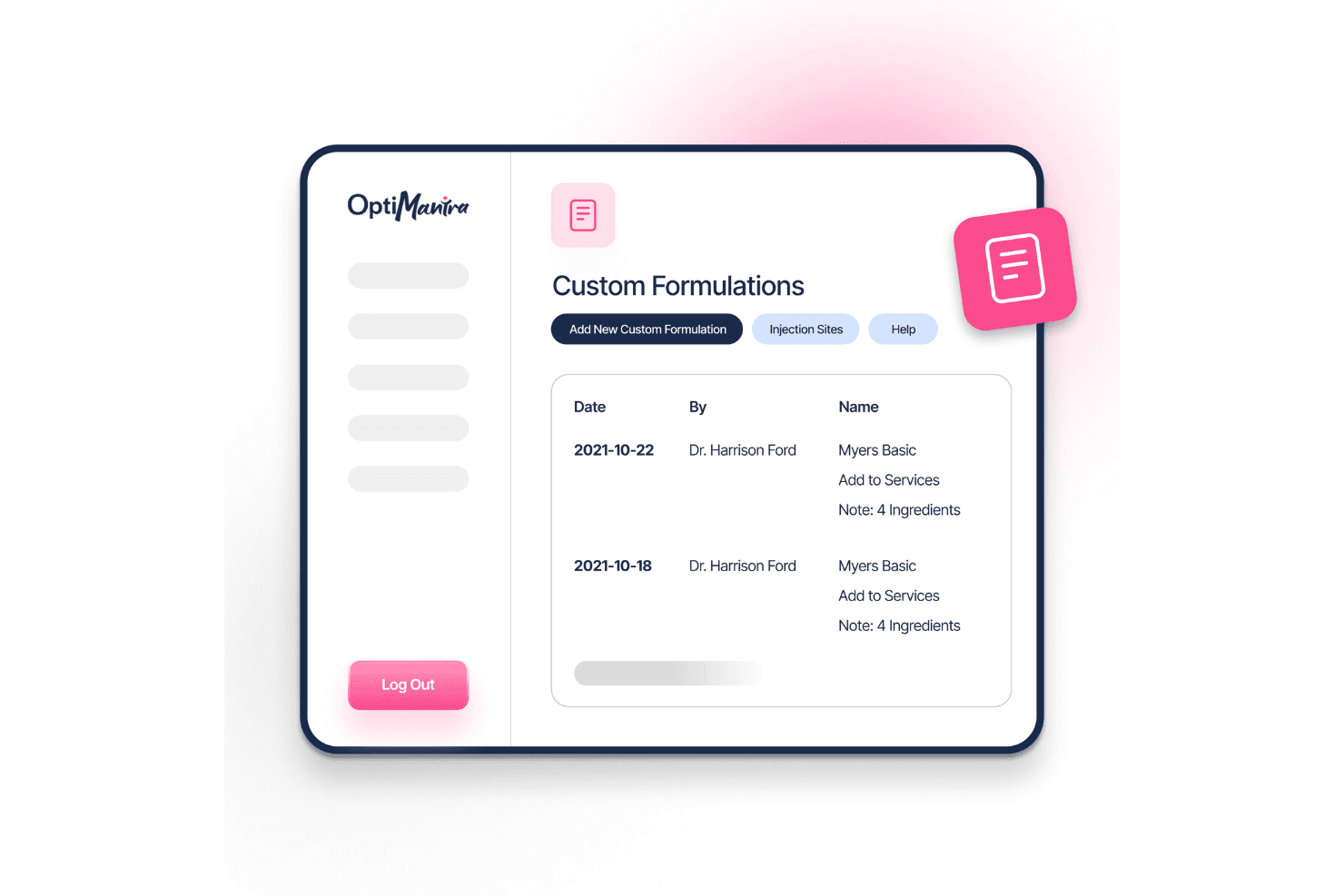
OptiMantra lets users create and manage custom IV formulations. OptiMantra is an EHR and practice management platform for integrative health clinics that need to document patient care and manage clinical and administrative workflows.
Who Is OptiMantra Best For?
OptiMantra suits integrative health practices, including naturopathic and functional medicine clinics, that need records suited to multidisciplinary care.
Why I Picked OptiMantra
I picked OptiMantra as my “Best for integrative health records” choice among Practice Fusion alternatives because it links functional lab data with care plans. I like that clinicians can compare biomarkers over time and document supplement protocols alongside prescriptions. That helps a naturopathic team trace lab trends and treatment changes in a patient’s longitudinal chart.
OptiMantra Key Features
- Online scheduling: Patients can book appointments through the online portal.
- Custom intake forms: Build questionnaires and registration forms for patients.
- Built-in telehealth: Hold video visits without separate software or downloads.
- Insurance claims: Create and submit claims from chart notes.
OptiMantra Integrations
OptiMantra documents integrations with Surescripts, LabCorp, Quest Diagnostics, Access Medical Lab, Rupa Health, Fullscript, Fitbit, DeepCura, Mercy Diagnostics, and Boston Heart Diagnostics. It also offers API-based connectivity and CRM-agnostic outbound webhooks for custom connections.
Pros and Cons
Pros:
- Responsive onboarding and support earn reviewer praise
- Custom SOAP templates fit multidisciplinary documentation
- Functional-medicine charting supports longitudinal care
Cons:
- Scheduling and chart navigation take extra steps
- Analytics offer limited reporting depth
Learn more about OptiMantra: Best for custom workflows and templates
- Free demo available
- Pricing upon request
Visit WebsiteCustomer Rating:4.8/5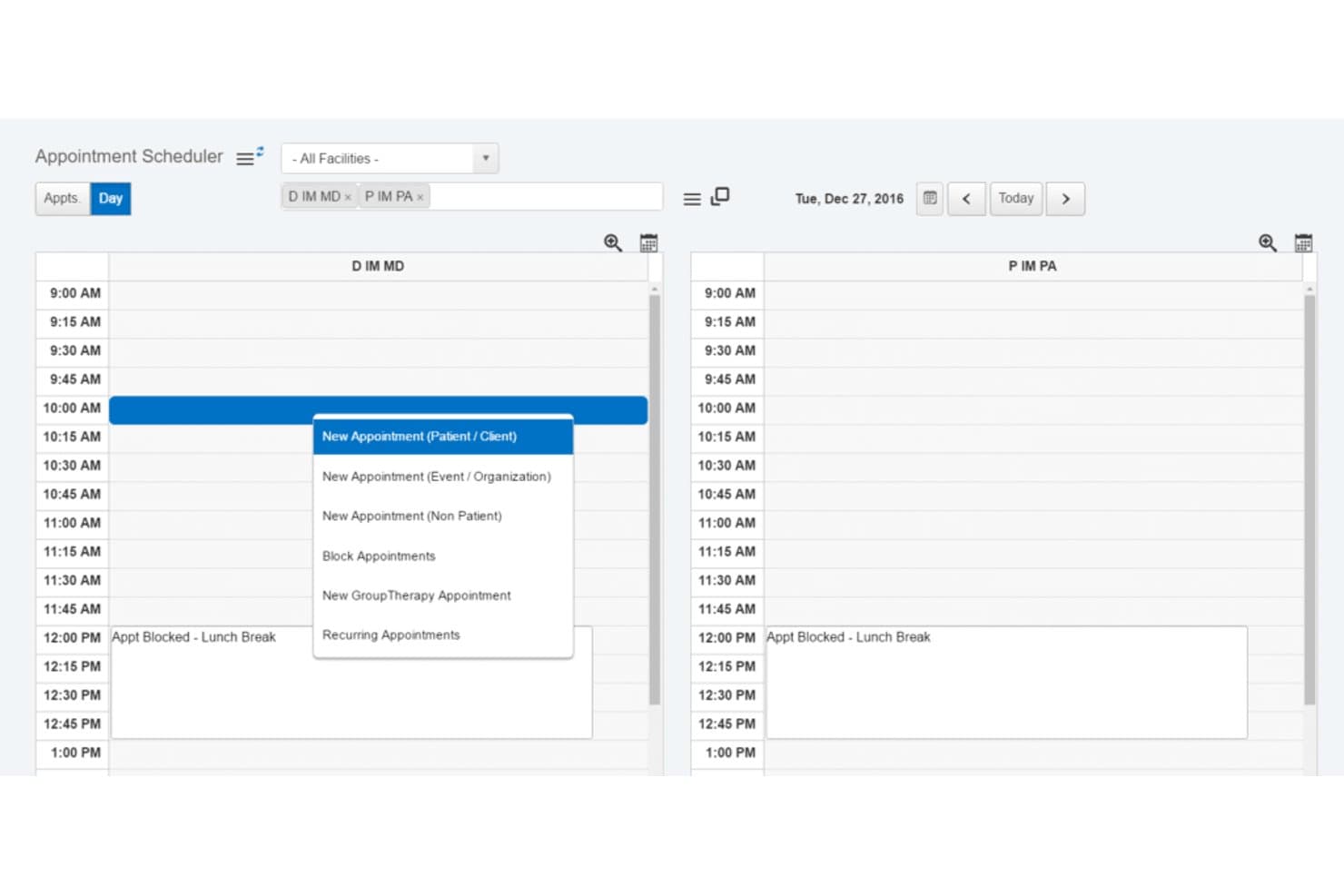
EHR Your Way lets users schedule appointments across multiple providers daily. For behavioral health organizations, EHR Your Way is an electronic health record platform that connects clinical documentation, scheduling, and billing across outpatient and inpatient care.
Who Is EHR Your Way Best For?
Behavioral health teams that need customizable clinical workflows and documentation templates across different care programs.
Why I Picked EHR Your Way
I picked EHR Your Way, tagged “Best for custom workflows and templates,” as a Practice Fusion alternative for behavioral health. I like that teams can tailor forms by program and auto-populate them with details from prior notes and treatment plans. Fields can also trigger alerts and tasks, while linking diagnoses, goals, interventions, and outcomes.
EHR Your Way Key Features
- Real-time eligibility checks: View coverage, copays, deductibles, and authorization limits.
- Appointment reminders: Send customizable SMS, email, or voice reminders with telehealth links.
- Telehealth integrations: Launch sessions through Zoom, Microsoft Teams, or Google Meet.
- E-prescribing: Check for drug interactions and allergies when prescribing medications.
EHR Your Way Integrations
EHR Your Way documents integrations with Microsoft Teams, Zoom, Google Meet, eClinicalWorks, PointClickCare, Inbox Health, and state and county systems. It offers FHIR and CCDA APIs for clinical data exchange and supports custom integration development.
Pros and Cons
Pros:
- Reviewers praise responsive support and tailored reports
- Notes connect diagnoses, goals, interventions, and outcomes
- Custom templates adapt to distinct care programs
Cons:
- Some reviewers report navigation clutter and extra clicks
- Customization can lengthen implementation
Learn more about EHR Your Way: Best for rehab-specific AI charting and billing
- Free demo available
- From $79/user/month
Visit WebsiteCustomer Rating:4.4/5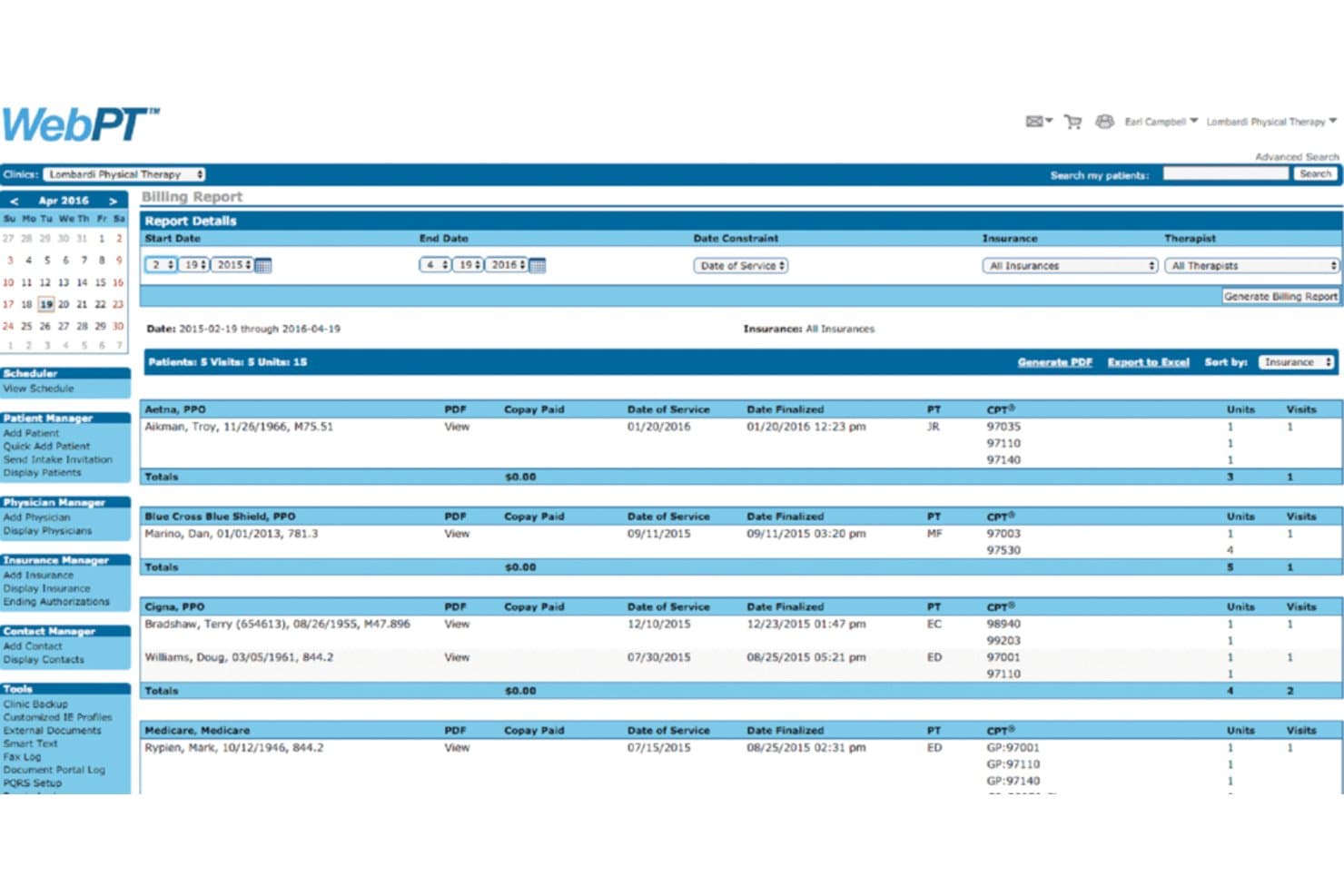
WebPT generates billing reports filtered by insurance and therapist. Built for outpatient rehab clinics, WebPT pairs a therapy-focused EHR with practice management tools to help physical therapy teams manage clinical documentation, scheduling, and billing.
Who Is WebPT Best For?
WebPT fits physical therapy clinic owners and operations teams coordinating therapists, front-desk workflows, and billing in outpatient settings.
Why I Picked WebPT
I picked WebPT as a Practice Fusion alternative because it’s Best for physical therapists seeking streamlined practice management. Its therapy-focused EHR supports clinical documentation alongside scheduling and billing, so outpatient rehab teams can manage these connected workflows in one system.
WebPT Key Features
- Home exercise program: Assign photo- and video-guided exercises through a custom-branded app.
- Outcomes tracking: Collect patient-reported outcomes with more than 200 standardized tests.
- Secure telehealth: Conduct virtual visits through WebPT’s built-in telehealth feature.
- Customizable intake forms: Adapt forms and workflows for different specialties.
WebPT Integrations
WebPT documents integrations with 60+ vendors, including PredictionHealth, PatientPay, Better Healthcare, Patient360, Waystar, Worldpay, and Kno2. Custom integrations are available; contact WebPT for details.
Pros and Cons
Pros:
- Scheduling and records centralize clinic workflows
- Outcome measures and HEP support rehab plans
- PT-specific templates support therapy documentation
Cons:
- Submitted notes require addenda for corrections
- Reported outages can disrupt clinic schedules
Learn more about WebPT: Best for automated patient intake and scheduling
- Free demo available
- Pricing upon request
Visit WebsiteCustomer Rating:4.2/5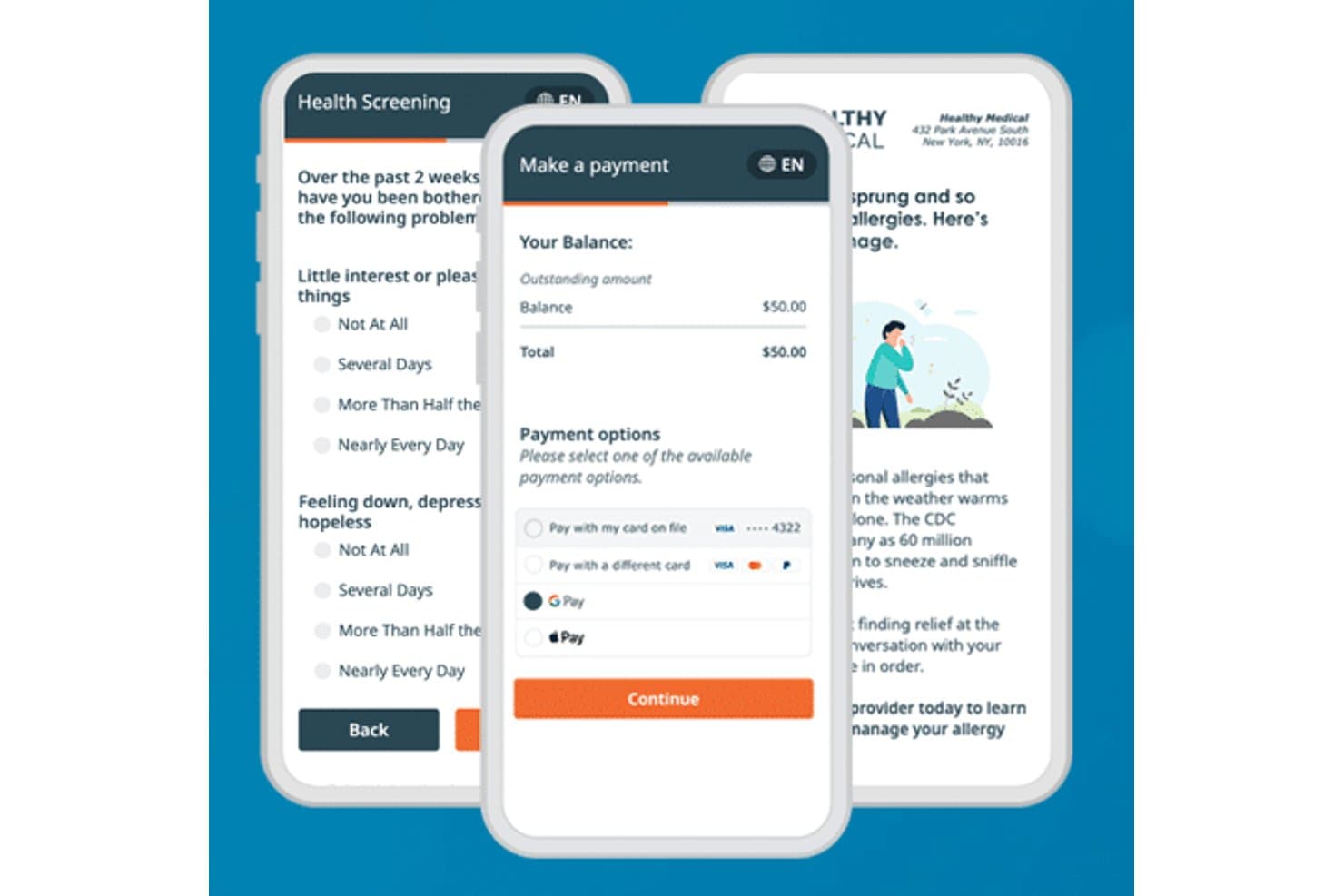
Phreesia streamlines patient payments and health screenings on mobile. For practices comparing EHR options, Phreesia provides patient-access software that helps administrative teams move registration and other front-office tasks into digital workflows.
Who Is Phreesia Best For?
Phreesia suits practice operations and patient-access teams that want to automate intake and let patients manage scheduling before visits.
Why I Picked Phreesia
I picked Phreesia as a Cutting-Edge Care: Practice Fusion alternative for its stated fit: Best for those wanting automated patient intake solutions. Its self-scheduling campaign lets patients manage appointments before visits, while digital registration moves front-office intake tasks online. I like this focus when a practice wants to shift pre-visit work out of manual workflows.
Phreesia Key Features
- Insurance eligibility checks: View real-time eligibility information in registration reports.
- Payment processing: Collect copays and bills, including through Apple Pay and Google Pay.
- Appointment reminders: Send automated reminders by email, text, or voice.
- EHR integrations: Exchange patient data bidirectionally with supported EHR and practice management systems.
Phreesia Integrations
Phreesia lists 16 EHR and practice-management integrations, including AdvancedMD, athenahealth, Azalea Health, eClinicalWorks, Epic, Greenway Health, MEDITECH, NextGen Healthcare, Oracle Health, and Veradigm Connect, with bidirectional patient-data exchange. It also supports HL7, FHIR, CCD, and CSV standards.
Pros and Cons
Pros:
- Pre-visit eligibility checks support smoother check-in
- Previsit forms reduce front-desk paperwork
- Patients book and reschedule after hours
Cons:
- Incomplete chart transfers can require re-entry
- Repetitive intake forms frustrate some patients
Learn more about Phreesia: Best for mobile-first EHR charting and AI scribing
- Free demo available
- Pricing upon request
Visit WebsiteCustomer Rating:3.9/5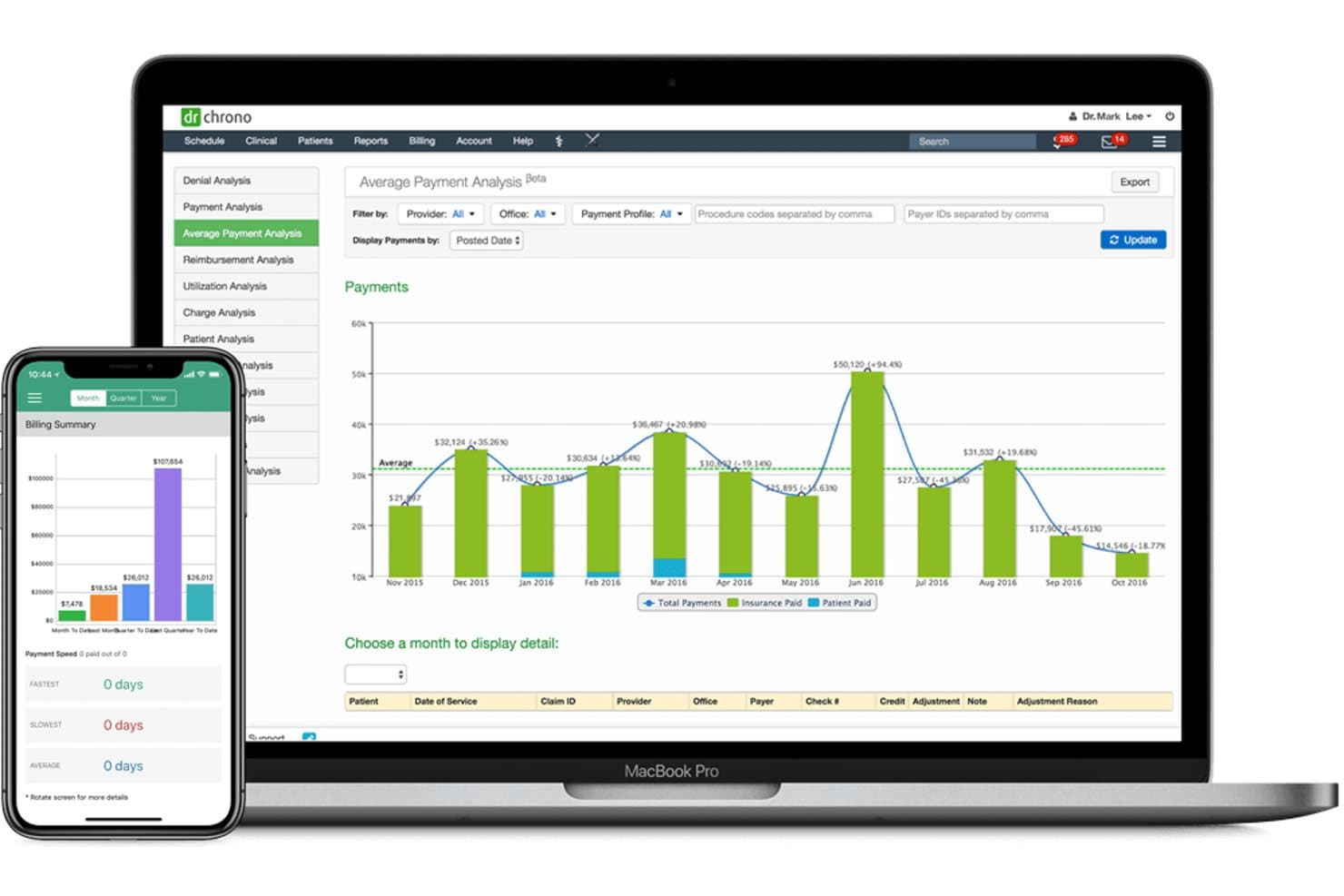
DrChrono helps users track average payment trends over time. DrChrono is an EHR and practice management platform for medical practices that combines patient charting, scheduling, and billing workflows to help teams coordinate care and manage day-to-day operations.
Who Is DrChrono Best For?
DrChrono suits medical practices and clinicians who want to manage clinical and administrative work through a mobile-friendly EHR.
Why I Picked DrChrono
I picked DrChrono as a Practice Fusion alternative because it fits the USP: Best for medical practices looking for a mobile-optimized EHR. Its iPad app lets clinicians chart visits, add clinical photos to notes, and sign forms with Save Section.
DrChrono Key Features
- E-prescribing: Send prescriptions to pharmacies and check drug interactions.
- Lab orders: Order tests through lab partners and receive results in patient charts.
- Appointment reminders: Send reminders to patients about upcoming appointments.
- Billing workflows: Manage billing and revenue cycle tasks within the platform.
DrChrono Integrations
DrChrono documents integrations with Labcorp, Quest Diagnostics, Lifepoint, Health Gorilla, Iron Bridge, Surescripts, CoverMyMeds, and MIPS Assist. Its partner directory lists Zapier, and its open REST API supports custom integrations.
Pros and Cons
Pros:
- Macros and shortcuts speed repeat documentation
- Custom SOAP templates support specialty workflows
- iPad charting captures clinical photos
Cons:
- Users report outages, lag, and unsaved notes
- Full mobile app requires Apple devices
Learn more about DrChrono: 6Best for large-scale specialty and AI-assisted charting
Epic
- Not available
- Pricing upon request
Visit WebsiteCustomer Rating:3.9/5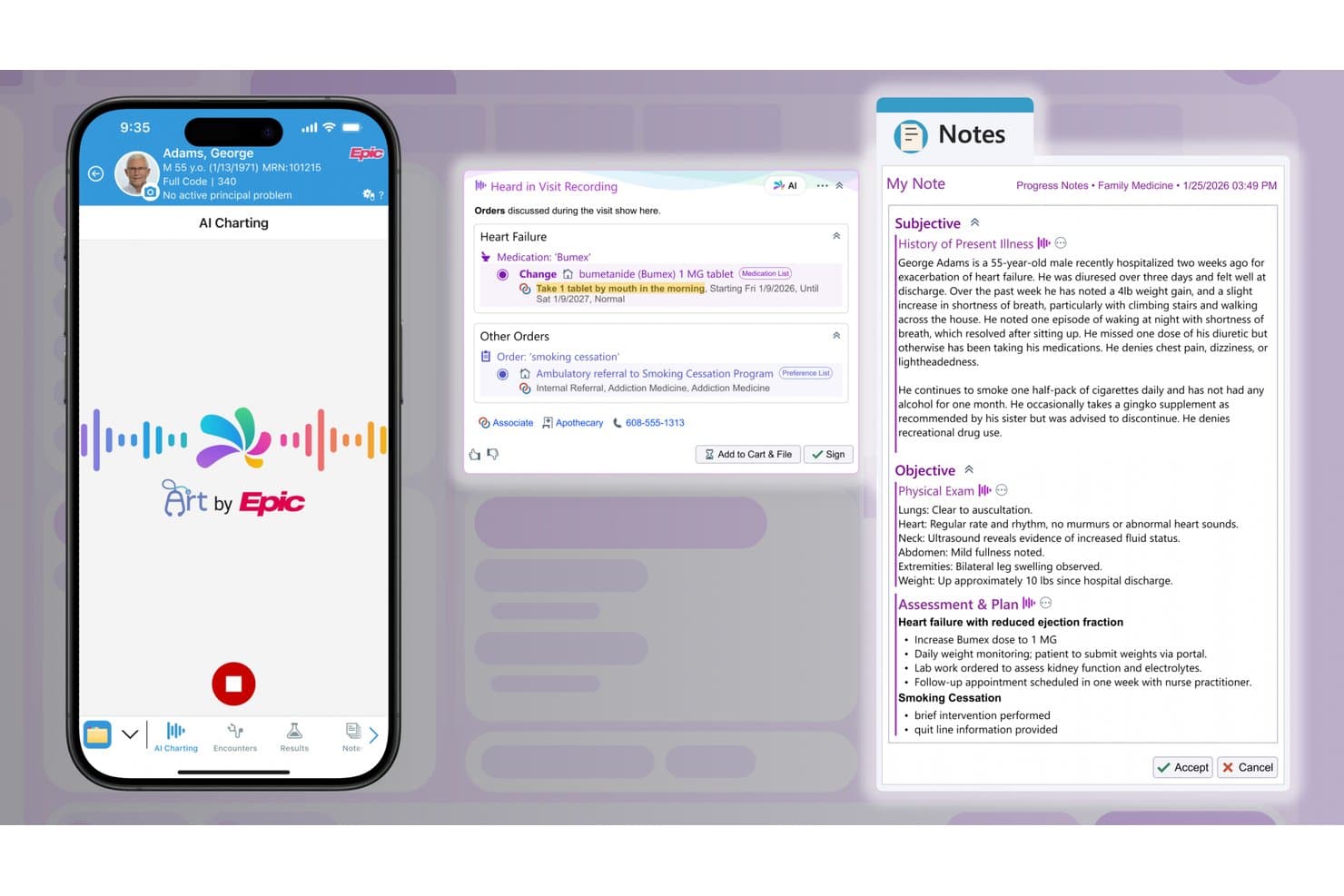
Epic's AI Charting auto-generates SOAP notes from visit recordings. Epic is an electronic health record platform for hospitals, health systems, and specialty care teams that need to coordinate clinical documentation, patient information, and workflows across care settings.
Who Is Epic Best For?
Epic is a good fit for hospital and health system IT leaders coordinating clinical and operational workflows across multiple specialties and care settings.
Why I Picked Epic
I picked Epic as a Practice Fusion alternative because it supports coordinated records and specialty-specific workflows across hospitals and health systems. Its positioning is Best for comprehensive healthcare IT solutions across specialties. I value the shared chart when clinicians coordinate inpatient, outpatient, and specialty care, alongside documentation workflows tailored to each service line.
Epic Key Features
- Patient portal: MyChart lets patients view health information, message care teams, and manage appointments.
- Medication management: Clinicians can review medication lists and send prescriptions electronically.
- Appointment scheduling: Staff can schedule visits and manage provider calendars.
- Clinical decision support: Configurable alerts and order sets support clinical decisions during care.
Epic Integrations
Epic supports integrations through more than 1,000 publicly available API and interface specifications, including FHIR and HL7. Care Everywhere exchanges patient records with Epic and non-Epic organizations, and Epic’s APIs and interfaces support custom connections.
Pros and Cons
Pros:
- MyChart gives patients direct portal access
- Specialty templates support tailored documentation
- Shared records coordinate inpatient and specialty care
Cons:
- Implementation and training demand substantial staff time
- Dense navigation can mean many clicks
Learn more about Epic: Best for telehealth and patient engagement modules
- Free demo available
- From $499/user/month
Visit WebsiteCustomer Rating:3.4/5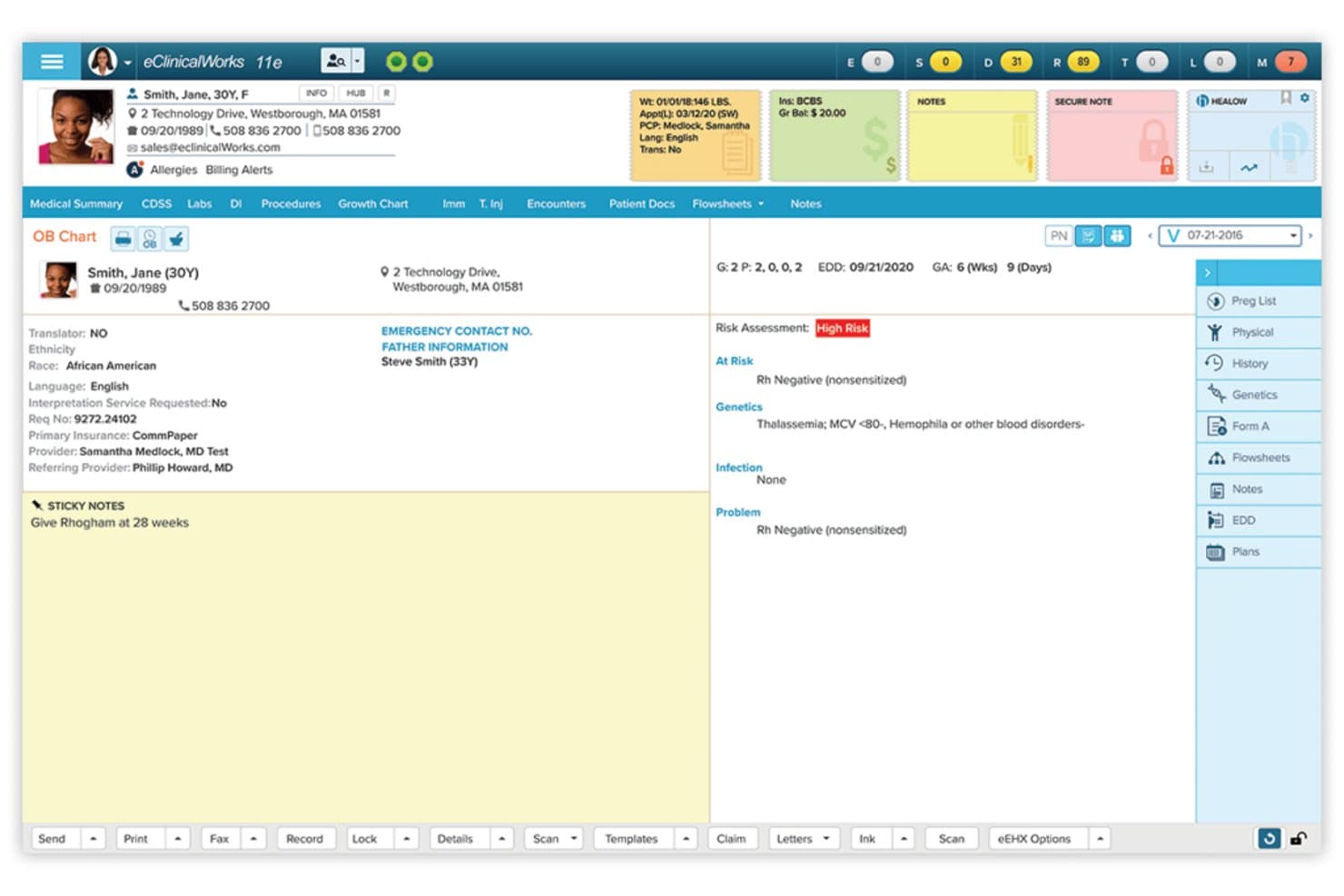
eClinicalWorks displays OB Chart data with risk assessments for prenatal care. eClinicalWorks is an ambulatory EHR and practice management platform for clinics seeking to bring clinical documentation, billing, and patient access into one system and reduce friction across daily care workflows.
Who Is eClinicalWorks Best For?
eClinicalWorks suits outpatient practices that prioritize telehealth visits and digital tools for patient communication and engagement.
Why I Picked eClinicalWorks
I picked eClinicalWorks, Best for telehealth and patient engagement modules, because scheduled healow TeleVisits and healowNOW on-demand visits cover planned follow-ups and real-time care requests. Patients can join through secure links or the Patient Portal, while digital check-in, questionnaires, and consent forms prepare clinicians before each encounter. I also like healow Open Access for online appointment booking.
eClinicalWorks Key Features
- E-prescribing: Send prescriptions to pharmacies and check medication eligibility and formularies.
- Lab and imaging interfaces: Exchange orders and results with connected labs and imaging systems.
- Referral management: Manage referrals within the practice.
- Claims management: Create and process claims, manage denials, and submit appeals.
eClinicalWorks Integrations
eClinicalWorks documents integrations with PointClickCare, Surescripts, Dexcom, Fitbit, Glooko, Google Fit, iHealth, Omron, Qardio, and Withings. It also offers FHIR APIs for third-party integrations and supports HL7 data exchange with clinical systems.
Pros and Cons
Pros:
- Customizable notes support varied clinic workflows
- Patient check-in and self-scheduling tools
- Scheduled and on-demand telehealth visits
Cons:
- Users report lag and delayed support
- Medication ordering takes multiple clicks
Learn more about eClinicalWorks: Best for advanced clinical decision support tools
- Free demo available
- Pricing upon request
Visit WebsiteCustomer Rating:3.4/5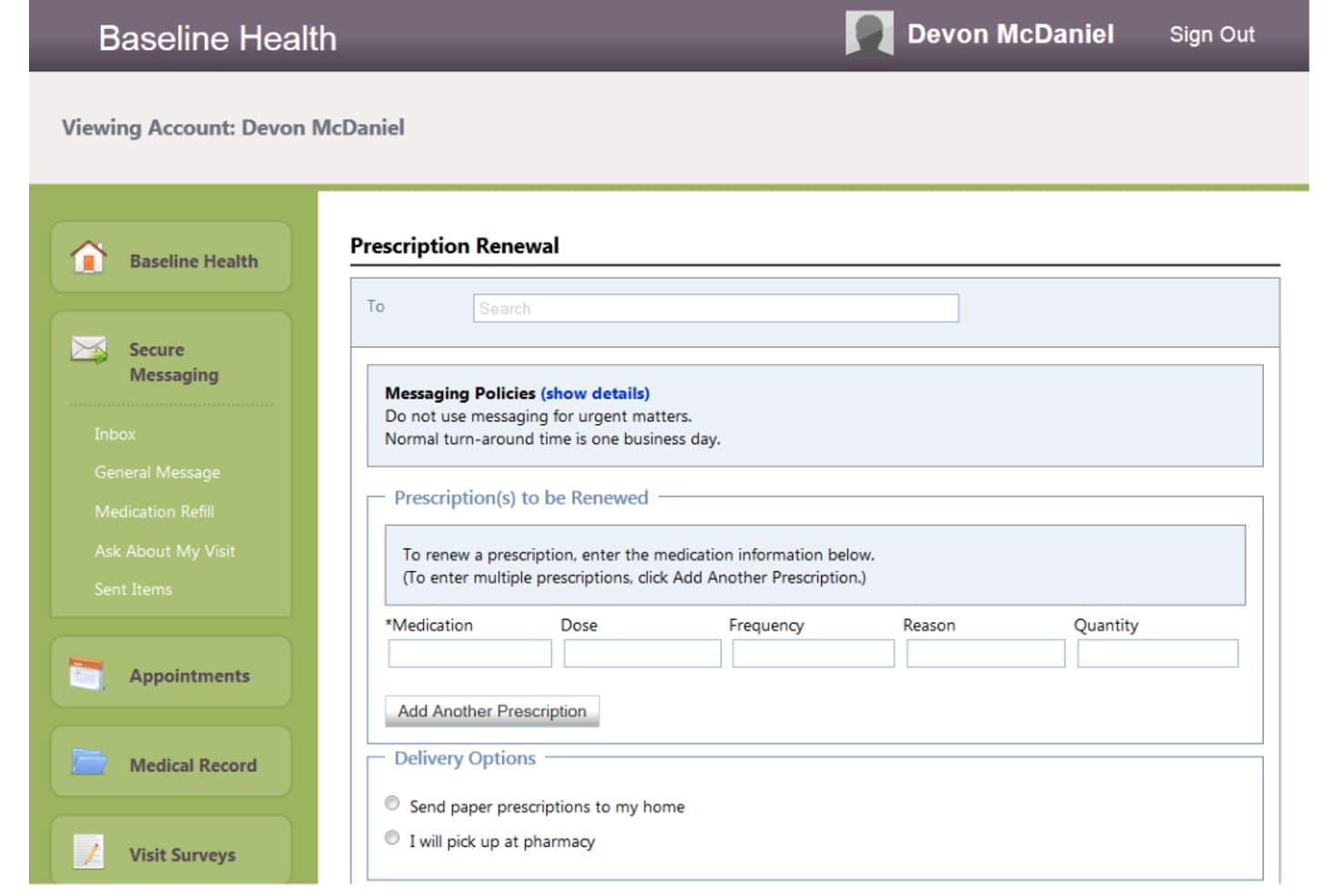
Cerner lets users request prescription renewals via secure messaging. Cerner is an electronic health record platform for hospitals and health systems that helps clinical and administrative teams document care and coordinate patient information across departments.
Who Is Cerner Best For?
Cerner is a good fit for hospital-based clinical teams that need decision support embedded in complex, cross-department care workflows.
Why I Picked Cerner
I picked Cerner as a Practice Fusion alternative for its advanced clinical decision support tools, which provide near-real-time guidance within the EHR. I like how that support can guide treatment and documentation, helping hospital clinicians consider patient information as they plan care across departments.
Cerner Key Features
- Electronic signatures: Patients can sign consent, registration, and privacy forms digitally.
- Interoperability: APIs support data exchange across connected health systems.
- Personalized workflows: Set EHR content and actions based on clinician preferences and visit types.
- Revenue cycle management: Manage financial workflows from patient registration through billing.
Cerner Integrations
Cerner supports third-party app integrations through Millennium Platform FHIR APIs, and validated partner apps are listed in Oracle Healthcare Marketplace. Its interoperability offerings include Oracle Health Connect to CommonWell Health Alliance.
Pros and Cons
Pros:
- Configurable specialty templates support varied workflows
- Longitudinal records connect cross-department clinical data
- Embedded decision support guides care planning
Cons:
- Users report lag during routine workflows
- Documentation can require repetitive clicks
Learn more about Cerner: Best for therapy practices managing admin and billing
- 14-day free trial
- From $19/month
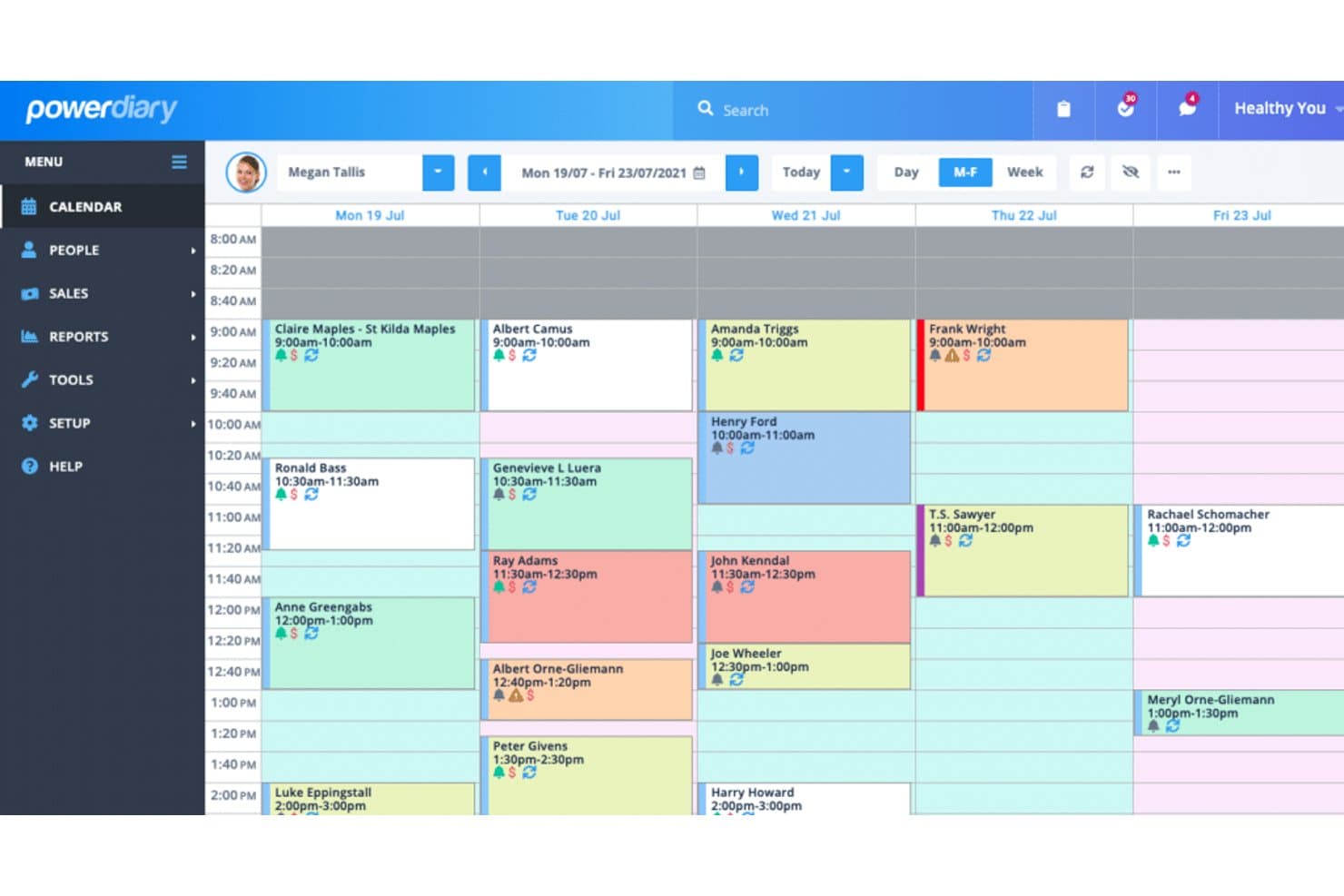
Power Diary lets users manage weekly appointments across multiple clients. PowerDiary is an allied-health practice management platform for therapy clinics, bringing client records, clinical notes, billing, and telehealth together to reduce administrative work and support coordinated care.
Who Is PowerDiary Best For?
PowerDiary suits therapists and therapy clinics that need to coordinate clinical and administrative work across a care team.
Why I Picked PowerDiary
I picked PowerDiary for Cutting-Edge Care: Practice Fusion Alternatives because it’s Best for therapy practices desiring intuitive scheduling. Its calendar and online booking let clients reserve sessions, while SMS and email reminders update the calendar when clients respond. Intake forms also sync to client profiles, connecting appointments with clinical records.
PowerDiary Key Features
- Customizable treatment notes: Tailor clinical note templates to your practice.
- Telehealth: Hold remote sessions through the platform.
- Billing: Manage client billing within the practice platform.
- Reporting: Access more than 25 practice reports.
PowerDiary Integrations
PowerDiary, now Zanda, lists integrations with Xero, Stripe, Physitrack, Google Calendar, Apple Calendar, Outlook Calendar, Mailchimp, Zoom, Google Analytics, and APEX. The Zanda API is listed as coming soon.
Pros and Cons
Pros:
- Custom treatment notes support therapy workflows
- Intake forms attach directly to client profiles
- Client replies update reminder-linked appointments
Cons:
- Some scheduling workflows feel confusing
- Mobile app offers fewer desktop functions
Learn more about PowerDiary: Best for rehab clinics needing AI-driven charting
- Free demo available
- Pricing upon request
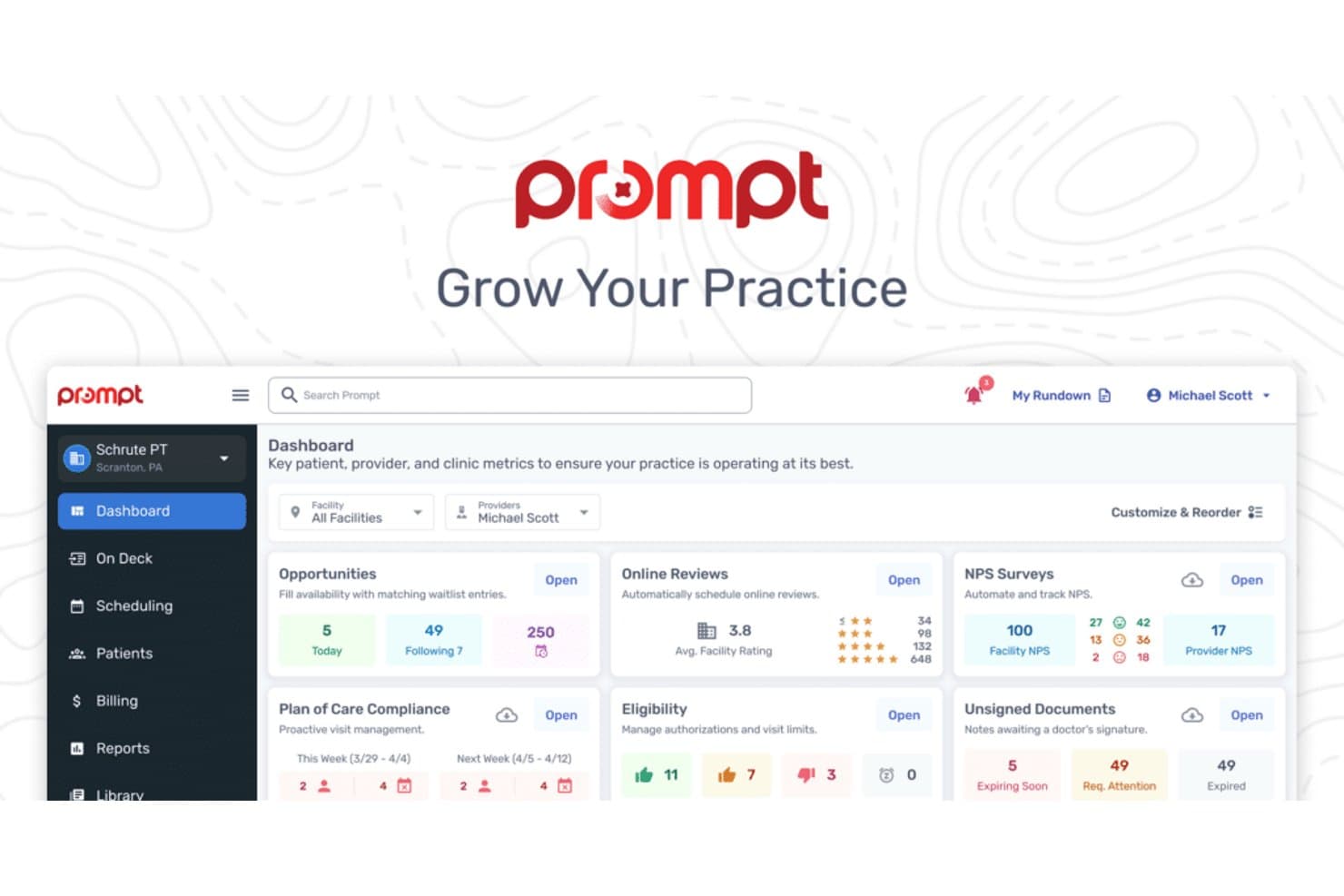
Prompt EMR's dashboard centralizes patient, provider, and clinic metrics. Prompt EMR is an EHR and practice management platform for rehabilitation clinics that brings therapy documentation, scheduling, and billing into one workflow to help reduce administrative work.
Who Is Prompt EMR Best For?
Prompt EMR fits rehabilitation practices that need structured clinical documentation and administrative workflows aligned with their compliance responsibilities.
Why I Picked Prompt EMR
I picked Prompt EMR as a Practice Fusion alternative because it connects therapy documentation, scheduling, and billing in one rehabilitation-focused workflow. Its fit matches the USP, Best for rehab practices seeking compliance-oriented software, where teams need structured visit records alongside daily administrative tasks.
Prompt EMR Key Features
- Digital home exercise programs: The patient app delivers custom home exercise programs and supports automated remote therapeutic monitoring.
- Kiosk check-in: Patients can check in at the clinic using a kiosk or device.
- Referral tracking: Teams can track leads and referrals and automate follow-ups.
- Satisfaction surveys: The platform can send surveys to gather patient feedback.
Prompt EMR Integrations
Prompt EMR includes a native clearinghouse for claim submission, payer-response tracking, and posting, but doesn’t name the clearinghouse provider. Other native integrations and API access for custom integrations aren’t clearly documented.
Pros and Cons
Pros:
- Digital home exercise programs support between-visit care
- Claims queues flag items needing follow-up
- Automated documentation templates reduce note-writing time
Cons:
- Updates sometimes bring glitches or workflow disruption
- Template organization can limit documentation flexibility
Learn more about Prompt EMR:
Alte alternative la Practice Fusion
Mai jos este o listă cu alternative suplimentare la Practice Fusion pe care le-am selectat, dar care nu au ajuns în top 10. Merită cu siguranță să le verificați.
- 11LuminelloBest for psychiatrists desiring tailored EHR and practice management functions
- 12NextGENBest for robust interoperability in large-scale clinics
- 13TebraBest for independent practices needing efficient billing solutions
- 14RXNTGood for streamlined e-prescribing and EHR functions
- 15CarepatronGood for health professionals seeking an easy-to-use care platform
- 16PabauGood for health and beauty businesses requiring CRM
- 17SevocityGood for small to mid-sized practices wanting customizable EHR
- 18JaneGood for health practitioners needing comprehensive practice software
- 19CharmHealthGood for practices needing integrated EHR and practice management
- 20Ensora Health TheraNestGood for mental health providers needing practice management
- 21MEDITECH ExpanseGood for hospitals requiring interoperable EHR
- 22athenaOneGood for practices desiring cloud-based clinical management
- 23Simple PracticeGood for therapists seeking integrated practice management
- 24ChartLogicGood for specialties needing efficient electronic medical records
- 25IntakeQGood for practices wanting secure online patient intake forms
- 26Compulink Healthcare SolutionsGood for specialties desiring customized EHR solutions
- 27HARMONY MedicalGood for clinics needing bespoke electronic health records
How I Evaluate Practice Fusion Alternatives
I split my evaluation into two layers: the baseline a platform must clear—like ONC-certified charting, eRx, and claims submission—and the differentiators that distinguish one platform from another.
Core Functionality (Table Stakes For This List)
When I'm selecting tools for my list, I rank each one on a scale from 0 (does not offer the functionality) to 5 (excels in this area) for each core functionality listed below. Then, I calculate the tool's total score into a percentage. Each tool needs to achieve a minimum total score of 65% to be considered for inclusion.
- Electronic Health Records: I check whether the platform offers structured SOAP charting with customizable templates, so a dermatology clinic and a family practice can both document encounters their way.
- E-Prescribing (eRx): Each tool needs integrated eRx with EPCS support, drug interaction checks, and allergy alerts—the same workflow a provider relies on when sending a controlled substance script at the point of care.
- Scheduling & Practice Management: I evaluate front-office tools like appointment scheduling, patient registration, and automated reminders that keep a small clinic's daily operations running without juggling separate systems.
- Medical Billing & Claims: I look for built-in claims submission, ICD-10/CPT coding, and clearinghouse connectivity so billing coordinators can post payments and track denials from the same platform they chart in.
- Patient Portal & Engagement: The platform should give patients a portal for secure messaging, appointment requests, intake forms, and record access—features that reduce phone volume for front-desk staff.
- Compliance & Interoperability: ONC certification, HIPAA compliance, and support for HL7/FHIR standards matter here, along with direct connections to major lab networks for order and result exchange.
Once I have a list of tools that meet this criteria, I consider what sets each platform apart.
Differentiating Factors (What Sets Vendors Apart)
Here's how I compare and contrast different vendors:
Standout Features
AI-assisted documentation is a differentiator I evaluate closely. Providers who chart after hours get real value from ambient listening or AI scribe tools that draft notes during the visit. I also look at specialty-specific content—a behavioral health practice needs intake templates and progress notes that look nothing like what an orthopedic clinic uses. Built-in MIPS and MACRA dashboards matter too, since manual quality reporting pulls staff away from patient-facing work.
Beyond Features
Data migration is a major consideration when switching from Practice Fusion—I check whether a vendor provides chart conversion support or requires you to export and rebuild records manually. Pricing transparency matters just as much, especially since many practices are leaving a free, ad-supported model and need to understand per-provider costs, eRx fees, and clearinghouse charges upfront. I also evaluate practice size fit, because a solo internist and a five-provider multi-specialty group have very different scaling and scheduling needs.
De ce să căutați o alternativă la Practice Fusion?
Deși Practice Fusion este o alegere bună pentru gestionarea unui cabinet medical, există o serie de motive pentru care unii utilizatori caută soluții alternative. Este posibil să căutați o alternativă la Practice Fusion deoarece…
- Aveți nevoie de rapoarte mai avansate
- Echipa dumneavoastră are nevoie de o personalizare mai bună
- Căutați un serviciu de asistență pentru clienți îmbunătățit
- Aveți nevoie de o soluție cu mai multe integrări
- Cabinetul dumneavoastră funcționează în afara regiunilor acceptate
Dacă vă regăsiți în oricare dintre aceste situații, ați ajuns în locul potrivit. Lista mea conține mai multe opțiuni de gestionare a cabinetelor medicale, mai potrivite pentru echipele care se confruntă cu aceste provocări în utilizarea Practice Fusion și caută soluții alternative.
Funcțiile principale ale Practice Fusion
Iată câteva dintre funcțiile principale ale Practice Fusion, pentru a vă ajuta să comparați soluțiile alternative și ceea ce oferă acestea:
- Dosare medicale electronice (EHR): Gestionează dosarele pacienților eficient și în siguranță, ajutând echipa să simplifice documentarea.
- Servicii de facturare: Simplifică procesele de facturare prin soluții integrate, economisind timpul cabinetului și reducând erorile.
- Prescriere electronică: Vă permite să trimiteți rețete electronic, asigurând gestionarea mai rapidă și mai precisă a medicamentelor.
- Soluții scalabile: Se adaptează la dezvoltarea cabinetului dumneavoastră, oferind flexibilitate pe măsură ce nevoile se schimbă în timp.
- Echipa de asistență fenomenală™: Oferă ajutor de specialitate pentru implementare și conformitate, sprijinind echipa la integrarea inițială și prin asistență continuă.
- Asistență la cerere: Oferă acces la un centru de ajutor, tutoriale video și seminare web pentru a sprijini echipa în cazul oricăror întrebări sau probleme.
Cele mai frecvente întrebări despre alternativele la Practice Fusion (Întrebări frecvente)
Care sunt beneficiile utilizării Practice Fusion?
Practice Fusion oferă numeroase beneficii furnizorilor de servicii medicale. În primul rând, este un sistem EHR bazat pe cloud, ceea ce înseamnă că poate fi accesat de oriunde există o conexiune la internet. În al doilea rând, are o interfață intuitivă și ușor de utilizat, care nu necesită cunoștințe tehnice extinse. În al treilea rând, oferă o suită cuprinzătoare de funcții care acoperă toate aspectele gestionării unui cabinet medical, inclusiv programarea pacienților, facturarea și raportarea. În al patrulea rând, oferă funcții de telemedicină, care devin din ce în ce mai importante în serviciile medicale moderne. În cele din urmă, include funcții pentru gestionarea sarcinilor clinice, precum prescrierea electronică și integrarea cu laboratoarele.
Cât costă Practice Fusion și alternativele sale?
Practice Fusion era gratuit, dar în 2018 a trecut la un model bazat pe abonament. Costul este acum de $149 per utilizator pe lună. Prețurile alternativelor sale variază considerabil în funcție de funcțiile specifice și de dimensiunea cabinetului. Prețul de pornire pentru alternative variază adesea între aproximativ $10 și $150 per utilizator pe lună.
Care sunt modelele de tarifare pentru alternativele la Practice Fusion?
Modelele de tarifare pentru alternativele la Practice Fusion se încadrează, de obicei, în două categorii: bazate pe abonament și bazate pe ofertă. Modelele bazate pe abonament percep o taxă lunară fixă pentru fiecare utilizator, adesea cu niveluri diferite de servicii care oferă acces la funcții suplimentare. Modelele bazate pe ofertă furnizează o ofertă personalizată în funcție de nevoile specifice ale cabinetului dumneavoastră, precum numărul de utilizatori și funcțiile de care aveți nevoie.
Care este intervalul obișnuit de prețuri pentru alternativele la Practice Fusion?
Intervalul obișnuit de prețuri pentru alternativele la Practice Fusion este larg, variind între aproximativ $10 și $150 per utilizator pe lună pentru modelele bazate pe abonament. În cazul modelelor bazate pe ofertă, prețul poate varia considerabil în funcție de nevoile specifice și de dimensiunea cabinetului dumneavoastră.
Care sunt cele mai ieftine și cele mai scumpe opțiuni software?
Dintre alternativele la Practice Fusion, Kareo este una dintre cele mai ieftine, cu prețuri începând de la $15 per utilizator pe lună. Pe de altă parte, soluții precum AthenaHealth tind să se situeze la capătul mai scump al spectrului, cu costuri care încep de obicei de la $140 per utilizator pe lună.
Există alternative gratuite la Practice Fusion?
Da, există alternative gratuite la Practice Fusion. Una dintre acestea este Hello Health, care oferă o versiune gratuită a platformei sale. Totuși, este important de reținut că aceste versiuni gratuite pot avea limitări și este posibil să nu ofere toate funcțiile necesare pentru gestionarea cuprinzătoare a cabinetului.