
QGenda-beoordeling 2026: voor- en nadelen, functies en prijzen
QGenda brengt het beheer van zorgpersoneel en ziekenhuizen samen in één platform, van roosters voor zorgverleners en personeelsplanning tot credentialbeheer, tijdregistratie en operationele analyses.

We review tools independently, and commissions help fund our testing. See our transparency policy, our methodology, or suggest a tool.
QGenda is a hospital management software built for provider scheduling, on-call management, and workforce tracking across hospitals and health systems. I'd consider it if your organization needs to coordinate complex, multi-specialty physician schedules at scale. Additionally, if you're weighing it against something like Symplr Workforce, QGenda's scheduling automation and physician-specific rule logic give it a clear advantage for large clinical teams dealing with high-volume, variable shift patterns.
QGenda Evaluation Summary
4.5/5
- Pricing upon request
- Free demo available
Waarom u onze softwareaanbevelingen kunt vertrouwen
6,700+
Reviews
20
Industry experts
16+
Evaluation factors
14
Years
Ons team test en beoordeelt software sinds 2012. Als leiders van medische praktijken weten we zelf hoe moeilijk — en belangrijk — het is om de juiste software te kiezen.
Voor deze gids hebben we tools geëvalueerd met behulp van praktijktests en onafhankelijk onderzoek, waarbij we tools beoordeelden aan de hand van onze selectiecriteria.
Onze reviews weerspiegelen ons menselijke redactionele oordeel, geen verkooppraatje.
QGenda Overview
In my experience, QGenda stands out for its automated scheduling engine and broad credentialing capabilities, making it a top pick for multi-specialty clinics and hospitals with complex staffing needs. While QGenda’s integrations and mobile interface are smoother than many others, its pricing can be higher for smaller groups, and onboarding takes planning.
If you’re choosing software for large, fast-paced environments prioritizing compliance and operational oversight, I’d judge QGenda as a strong contender. Its responsive support and ability to unify provider data help set it apart from much of the competition.
Pros
- Automated provider scheduling reduces manual work for admins.
- Credential management is integrated directly into the platform.
- Real-time visibility into staffing and shift coverage gaps.
Cons
- Reporting tools lack advanced data visualization options.
- Some users report slow response times during support requests.
- Implementation requires significant effort for large organizations.
Is QGenda Right For Your Needs?
Who Would be a Good Fit for QGenda?
QGenda is a great fit for large healthcare groups and organizations dealing with high staffing complexity, strict regulatory requirements, or frequent credentialing needs. I think hospital systems, academic health centers, and multispecialty practices will especially value QGenda’s deep schedule automation and credential tracking.
Teams that need detailed analytics or support for multiple job roles and departments benefit most from what QGenda offers.
- Hospital SystemsQGenda handles large volumes of provider schedules, on-call rotations, and credential management across multiple departments.
- Academic Medical CentersThe platform supports layered teams with diverse scheduling rules and compliance requirements, which are common in teaching hospitals.
- Locum Tenens AgenciesAutomated credential tracking and quick provider assignment are ideal for staffing agencies placing temporary clinicians.
- Emergency DepartmentsAutomated shift-swapping and mobile alerts help cover last-minute schedule changes and reduce admin overhead.
- Multispecialty ClinicsQGenda’s rules-based scheduling and analytics adapt well to clinics balancing providers from multiple specialties.
- Large Health NetworksEnterprise-grade integrations and consolidated analytics are essential for multi-location groups needing unified workforce oversight.
Who Would be a Bad Fit for QGenda?
QGenda isn’t designed for small offices or non-clinical teams with straightforward schedules and minimal compliance needs. I don’t think it’s the right fit if you require only basic shift management or work outside a regulated healthcare setting. Teams without dedicated admin support or who have a limited budget for scheduling platforms will find other solutions a better value.
- Small Private PracticesThe advanced automation and credentialing tools are overkill for one- or two-provider offices with simple scheduling.
- Dental OfficesDental practices may not need QGenda’s healthcare-specific workflows or compliance features.
- Home Health AgenciesMobile check-in, credentialing, and visit routing are less flexible than options dedicated to non-traditional care settings.
- Veterinary ClinicsVeterinary scheduling typically lacks the compliance or staffing demands that make QGenda worth the investment.
- Therapy GroupsSmall counseling or therapy offices can use simpler, lower-cost tools for their mostly static schedules.
- Non-Clinical StaffAdministrative or support teams without clinical credential requirements don’t benefit from QGenda’s core feature set.
How We Test & Score Tools
We’ve spent years building, refining, and improving our software testing and scoring system. The rubric is designed to capture the nuances of software selection and what makes a tool effective, focusing on critical aspects of the decision-making process.
Below, you can see exactly how our testing and scoring works across seven criteria. It allows us to provide an unbiased evaluation of the software based on core functionality, standout features, ease of use, onboarding, customer support, integrations, customer reviews, and value for money.
Core Functionality (25% of final scoring)
The starting point of our evaluation is always the core functionality of the tool. Does it have the basic features and functions that a user would expect to see? Are any of those core features locked to higher-tiered pricing plans? At its core, we expect a tool to stand up against the baseline capabilities of its competitors.
Standout Features (25% of final scoring)
Next, we evaluate uncommon standout features that go above and beyond the core functionality typically found in tools of its kind. A high score reflects specialized or unique features that make the product faster, more efficient, or offer additional value to the user.
We also evaluate how easy it is to integrate with other tools typically found in the tech stack to expand the functionality and utility of the software. Tools offering plentiful native integrations, 3rd party connections, and API access to build custom integrations score best.
Ease of Use (10% of final scoring)
We consider how quick and easy it is to execute the tasks defined in the core functionality using the tool. High scoring software is well designed, intuitive to use, offers mobile apps, provides templates, and makes relatively complex tasks seem simple.
Onboarding (10% of final scoring)
We know how important rapid team adoption is for a new platform, so we evaluate how easy it is to learn and use a tool with minimal training. We evaluate how quickly a team member can get set up and start using the tool with no experience. High scoring solutions indicate little or no support is required.
Customer Support (10% of final scoring)
We review how quick and easy it is to get unstuck and find help by phone, live chat, or knowledge base. Tools and companies that provide real-time support score best, while chatbots score worst.
Customer Reviews (10% of final scoring)
Beyond our own testing and evaluation, we consider the net promoter score from current and past customers. We review their likelihood, given the option, to choose the tool again for the core functionality. A high scoring software reflects a high net promoter score from current or past customers.
Value for Money (10% of final scoring)
Lastly, in consideration of all the other criteria, we review the average price of entry level plans against the core features and consider the value of the other evaluation criteria. Software that delivers more, for less, will score higher.
Core Features
Automated Scheduling
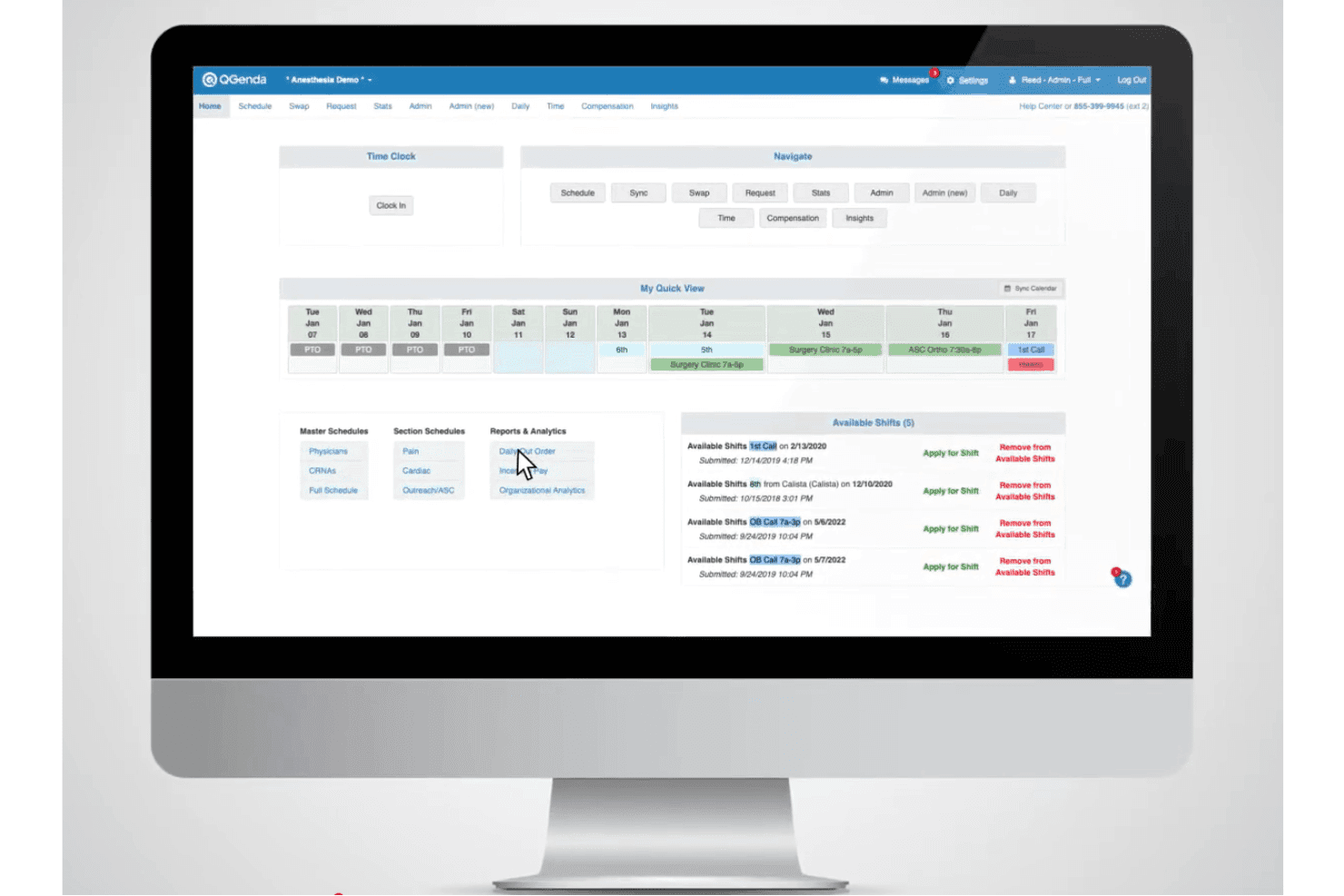
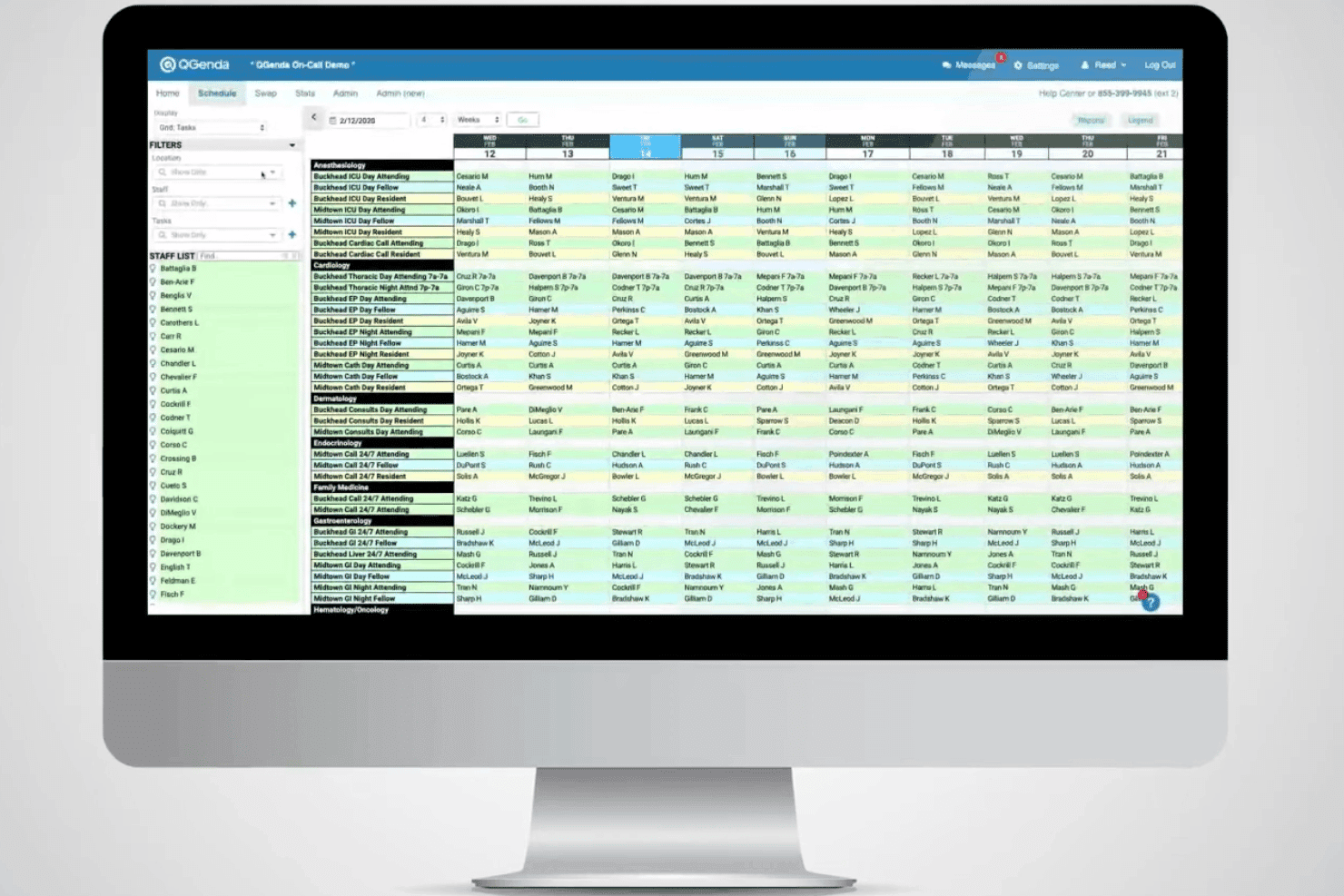
QGenda generates optimized schedules based on provider availability, rules, and preferences. This cuts down on manual adjustments and missed coverage.
Credential Management
Track, verify, and manage provider credentials directly in the system. Automatic alerts help prevent compliance gaps and expired documents.
Shift Swapping
Providers can request and manage shift swaps from the web or mobile app. That flexibility reduces unplanned absences and administrative burden.
Time and Attendance
Clock-in, clock-out, and attendance tracking are built in for accurate reporting. Audit trails make interpreting timesheets and monitoring compliance simpler.
Mobile Access
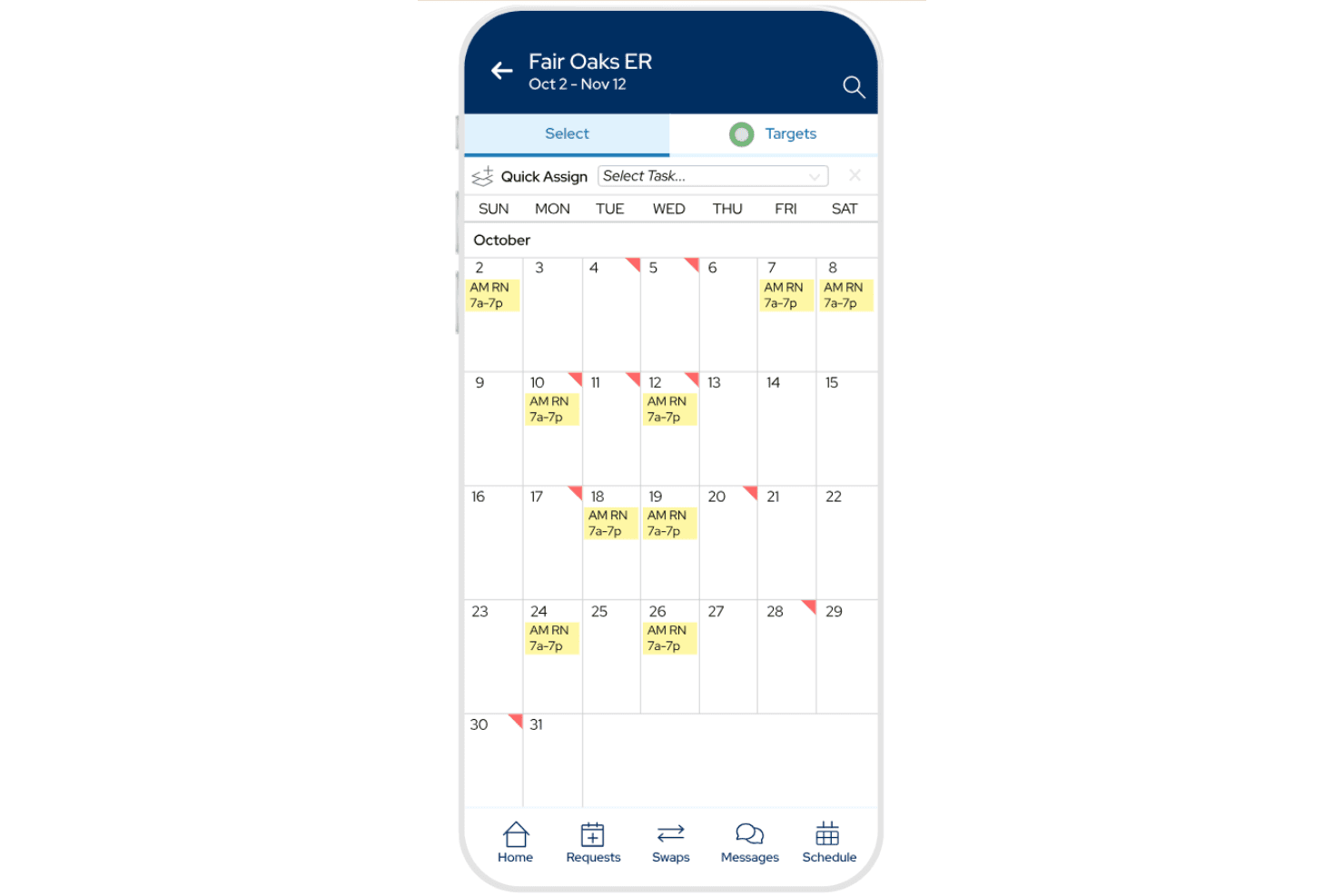
QGenda offers a dedicated mobile app for scheduling and notifications. Providers can manage their own shifts or check assignments on the go.
Analytics and Reporting
Built-in dashboards give visibility into coverage, overtime, and utilization rates. Leadership can spot trends and address staffing bottlenecks quickly.
Ease of Use
QGenda’s interface is clean and workflow-driven, making routine scheduling, credentialing, and time tracking fast for admins and providers. From my point of view, mobile notifications and real-time updates help users stay on top of changes, but some users say reporting setup can feel clunky compared to the main scheduling tools.
Integrations
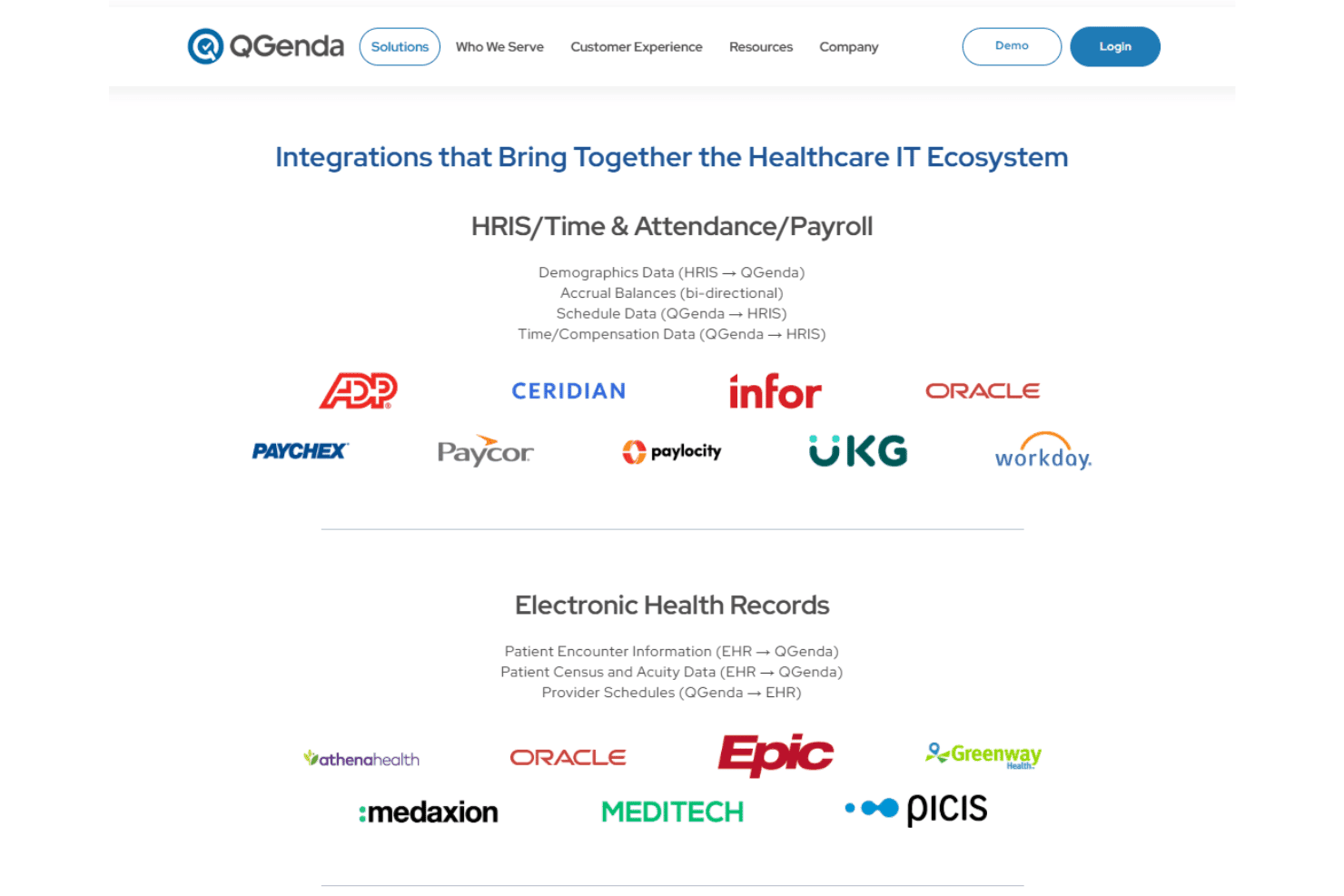
QGenda integrates with Epic, Cerner, UKG, Oracle Health, Workday, Allscripts, Meditech, Lawson, PeopleSoft, SAP, and Kronos, among others.
QGenda also offers an API for custom integrations and connects with third-party systems commonly used in healthcare.
QGenda Specs
- API: Yes
- Appointment Scheduling: Yes
- Athlete Management: No
- Audit Management: Yes
- Calendar Management: Yes
- Compliance Tracking: Yes
- Customer Management: Yes
- Dashboard: Yes
- Data Export: Yes
- Data Import: Yes
- Data Visualization: Yes
- Electronic Prescribing: Yes
- External Integrations: Yes
- File Sharing: Yes
- File Transfer: Yes
- Health Management: Yes
- HIPAA Compliance: Yes
- Inventory Tracking: No
- Multi-User: Yes
- Notifications: Yes
- Organization Management: Yes
- Patient Management: No
- Project Management: Yes
- Regulatory Alerts: Yes
- Risk Assessment: Yes
- Scheduling: No
- Supplier Management: No


