

Beoordeling van EZBIZ-software voor chiropractisch praktijkbeheer voor 2026
Ik leg uit waarom EZBIS opvalt voor chiropractors die aanpasbare EPD-tools willen—plus waar het tekortschiet in vergelijking met nieuwere cloudgerichte concurrenten.

We review tools independently, and commissions help fund our testing. See our transparency policy, our methodology, or suggest a tool.
EZBIS is a chiropractic EHR software that balances compliance, workflow customization, and ease of use. It offers flexible modules for documentation, billing, scheduling, and patient management, helping practices reduce administrative burden and improve accuracy.
In this review, I’ll cover EZBIS’s features, best and worst use cases, pros and cons, and pricing to help you decide if it’s the right fit for your practice.
EZBIS Evaluation Summary
4.6/5
- Pricing upon request
- Free demo available
Waarom u onze softwareaanbevelingen kunt vertrouwen
6,700+
Reviews
20
Industry experts
16+
Evaluation factors
14
Years
Ons team test en beoordeelt software sinds 2012. Als leiders van medische praktijken weten we zelf hoe moeilijk — en belangrijk — het is om de juiste software te kiezen.
Voor deze gids hebben we tools geëvalueerd met behulp van praktijktests en onafhankelijk onderzoek, waarbij we tools beoordeelden aan de hand van onze selectiecriteria.
Onze reviews weerspiegelen ons menselijke redactionele oordeel, geen verkooppraatje.
EZBIS Overview
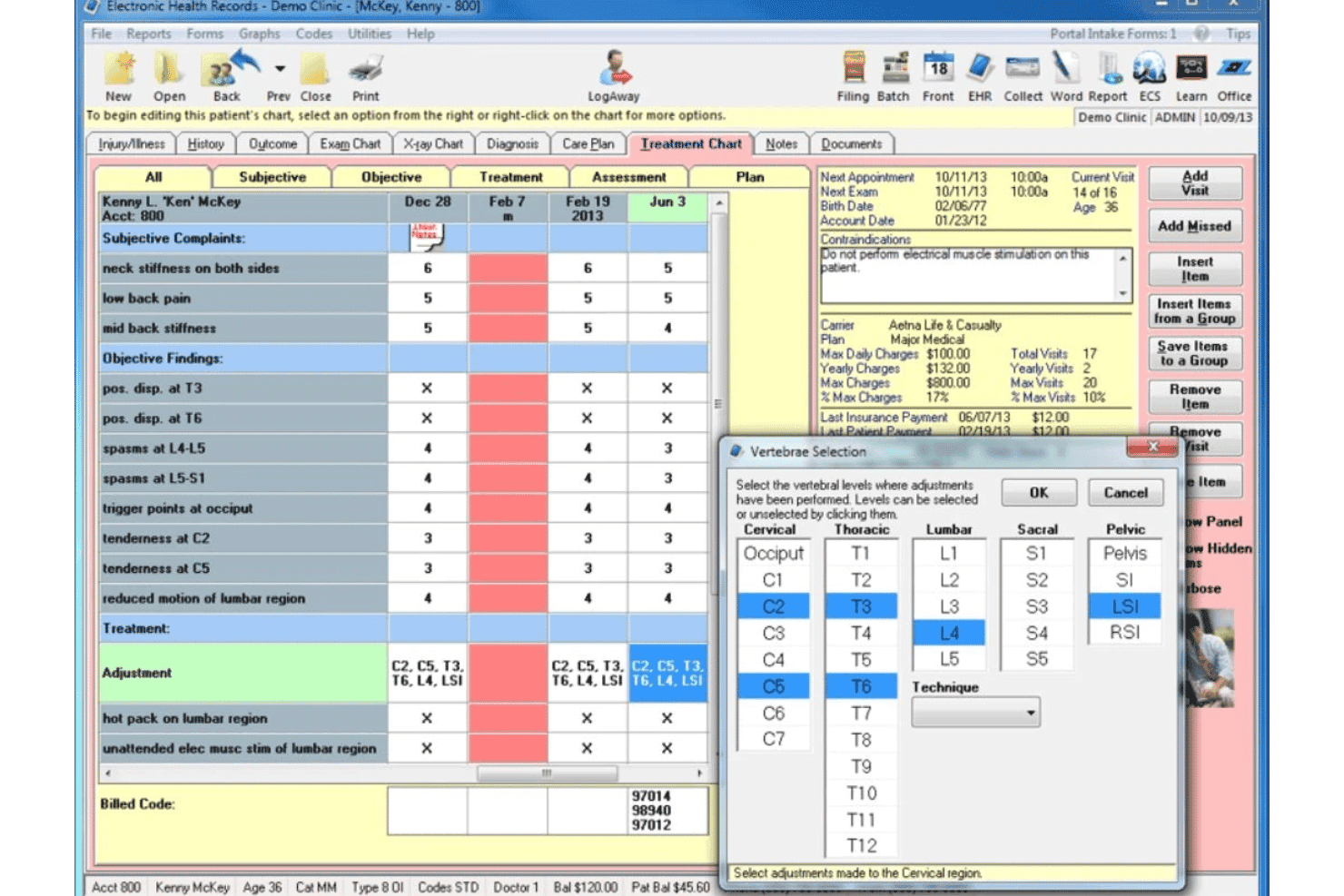
EZBIS gives you a lot of control over your workflow with modular features and detailed customization, which makes it a strong pick for established practices that want to tailor their EHR. The interface feels dated, and onboarding takes some patience, but support is responsive, and pricing is transparent.
If you’re judging options based on flexibility and in-depth documentation tools, EZBIS stands out. However, if you’re selecting software for a multi-location or highly mobile team, you might find the lack of modern integrations and cloud-first design limiting.
Pros
- Responsive customer support with fast issue resolution.
- Billing and insurance workflows are highly rated by users.
- Modular design lets you pick only needed features.
Cons
- Onboarding and setup can be time-consuming for new users.
- Limited modern integrations for cloud and mobile workflows.
- Patient portal interface looks outdated and clunky.
Is EZBIS Right For Your Needs?
Who Would be a Good Fit for EZBIS?
EZBIS is best for chiropractic practices that want customizable modules and strong billing tools without needing advanced cloud or mobile features. Solo practitioners, small clinics, and offices with in-house billing teams will get the most value.
Its detailed documentation and responsive support make it a solid choice for those who prioritize workflow control and compliance over modern design or integrations.
- Practices With Stable StaffOffices with low turnover can manage the longer onboarding process.
- Paper-to-Digital ConversionsEZBIS offers tools for digitizing and organizing legacy paper records.
- Compliance-Focused OfficesDetailed documentation tools help meet regulatory and audit requirements.
- In-House Billing TeamsThe billing module supports complex insurance and payment workflows.
- Small Group PracticesSmall teams benefit from customizable workflows and straightforward scheduling.
- Solo ChiropractorsEZBIS’s modular setup lets solo practitioners avoid paying for unneeded features.
Who Would be a Bad Fit for EZBIS?
EZBIS isn’t ideal for practices that need modern, cloud-based access, frequent staff changes, or advanced integrations. Its dated interface and setup process can slow down teams that need to move quickly or scale.
If you’re running a multi-location group, rely on mobile charting, or want seamless connections to other health IT systems, you’ll likely find EZBIS limiting.
- Fast-Growing StartupsScaling quickly is harder with manual setup and limited automation.
- Tech-Integrated OfficesEZBIS doesn’t offer many modern integrations with other systems.
- Mobile-First PracticesThere’s limited support for mobile charting and remote access.
- High Staff TurnoverThe onboarding process is time-consuming for frequently changing teams.
- Multi-Location ClinicsEZBIS lacks robust tools for managing multiple locations.
- Cloud-Only EnvironmentsEZBIS is not a fully cloud-based solution, limiting remote flexibility.
How We Test & Score Tools
We’ve spent years building, refining, and improving our software testing and scoring system. The rubric is designed to capture the nuances of software selection and what makes a tool effective, focusing on critical aspects of the decision-making process.
Below, you can see exactly how our testing and scoring works across seven criteria. It allows us to provide an unbiased evaluation of the software based on core functionality, standout features, ease of use, onboarding, customer support, integrations, customer reviews, and value for money.
Core Functionality (25% of final scoring)
The starting point of our evaluation is always the core functionality of the tool. Does it have the basic features and functions that a user would expect to see? Are any of those core features locked to higher-tiered pricing plans? At its core, we expect a tool to stand up against the baseline capabilities of its competitors.
Standout Features (25% of final scoring)
Next, we evaluate uncommon standout features that go above and beyond the core functionality typically found in tools of its kind. A high score reflects specialized or unique features that make the product faster, more efficient, or offer additional value to the user.
We also evaluate how easy it is to integrate with other tools typically found in the tech stack to expand the functionality and utility of the software. Tools offering plentiful native integrations, 3rd party connections, and API access to build custom integrations score best.
Ease of Use (10% of final scoring)
We consider how quick and easy it is to execute the tasks defined in the core functionality using the tool. High scoring software is well designed, intuitive to use, offers mobile apps, provides templates, and makes relatively complex tasks seem simple.
Onboarding (10% of final scoring)
We know how important rapid team adoption is for a new platform, so we evaluate how easy it is to learn and use a tool with minimal training. We evaluate how quickly a team member can get set up and start using the tool with no experience. High scoring solutions indicate little or no support is required.
Customer Support (10% of final scoring)
We review how quick and easy it is to get unstuck and find help by phone, live chat, or knowledge base. Tools and companies that provide real-time support score best, while chatbots score worst.
Customer Reviews (10% of final scoring)
Beyond our own testing and evaluation, we consider the net promoter score from current and past customers. We review their likelihood, given the option, to choose the tool again for the core functionality. A high scoring software reflects a high net promoter score from current or past customers.
Value for Money (10% of final scoring)
Lastly, in consideration of all the other criteria, we review the average price of entry level plans against the core features and consider the value of the other evaluation criteria. Software that delivers more, for less, will score higher.
Core Features
Patient Records Management
Store, organize, and access detailed patient histories, SOAP notes, and visit documentation. Users can quickly retrieve past records for reference during appointments.
Appointment Scheduling
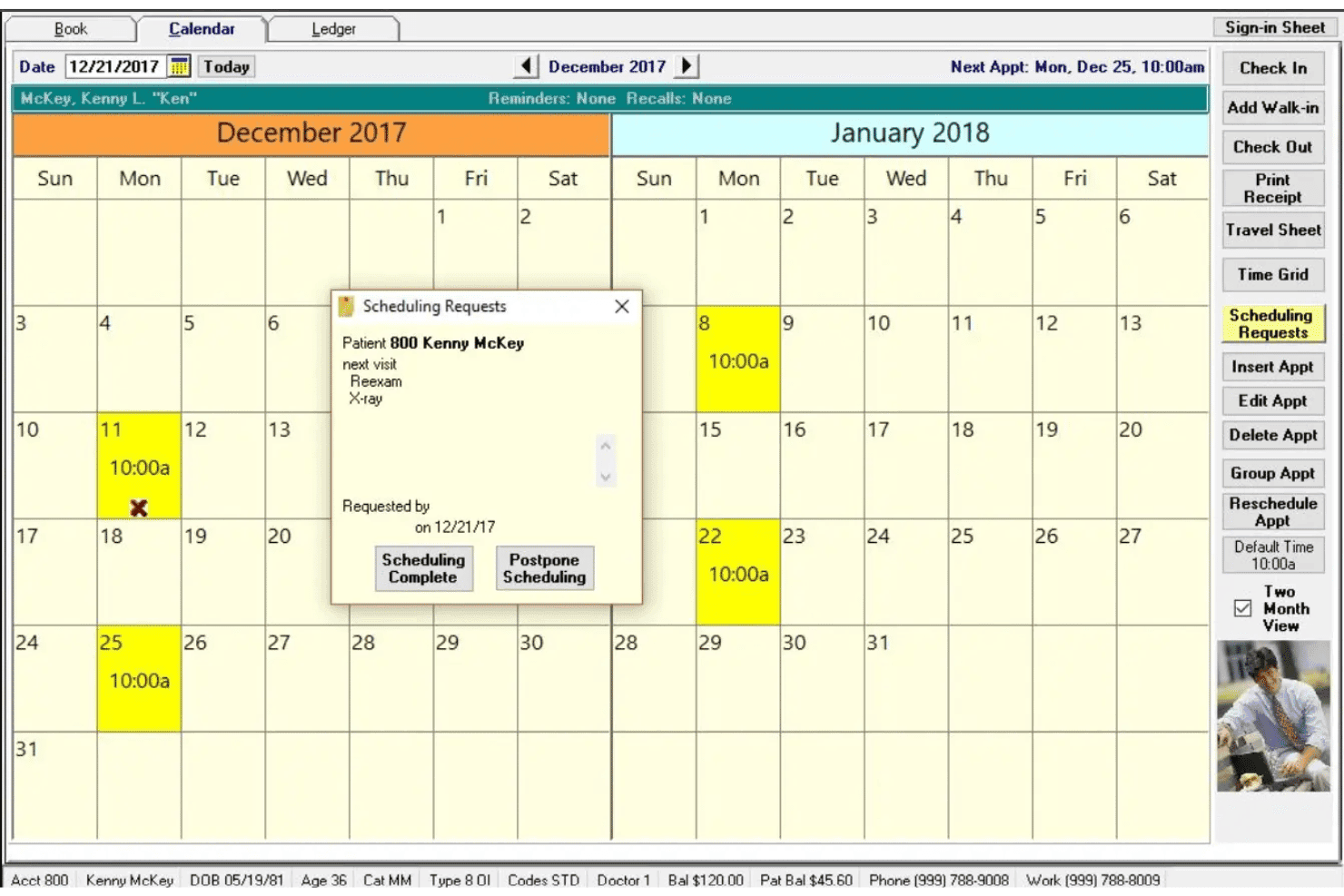
Book, reschedule, and manage appointments with a visual calendar interface. Automated reminders help reduce no-shows and keep the schedule full.
Billing and Insurance Processing
Handle insurance claims, patient billing, and payment posting in one place. The system supports electronic claims and tracks outstanding balances.
Real-Time Mobile Scheduling App
Includes a mobile schedule app for viewing, adding, and updating appointments from anywhere. It syncs schedules automatically and supports multiple calendar views.
Patient Portal
Give patients secure online access to forms, records, and appointment requests. The portal streamlines intake and improves communication between visits.
Reporting and Analytics
Generate financial, operational, and clinical reports with built-in tools. Practices can track revenue, patient flow, and compliance metrics easily.
Ease of Use
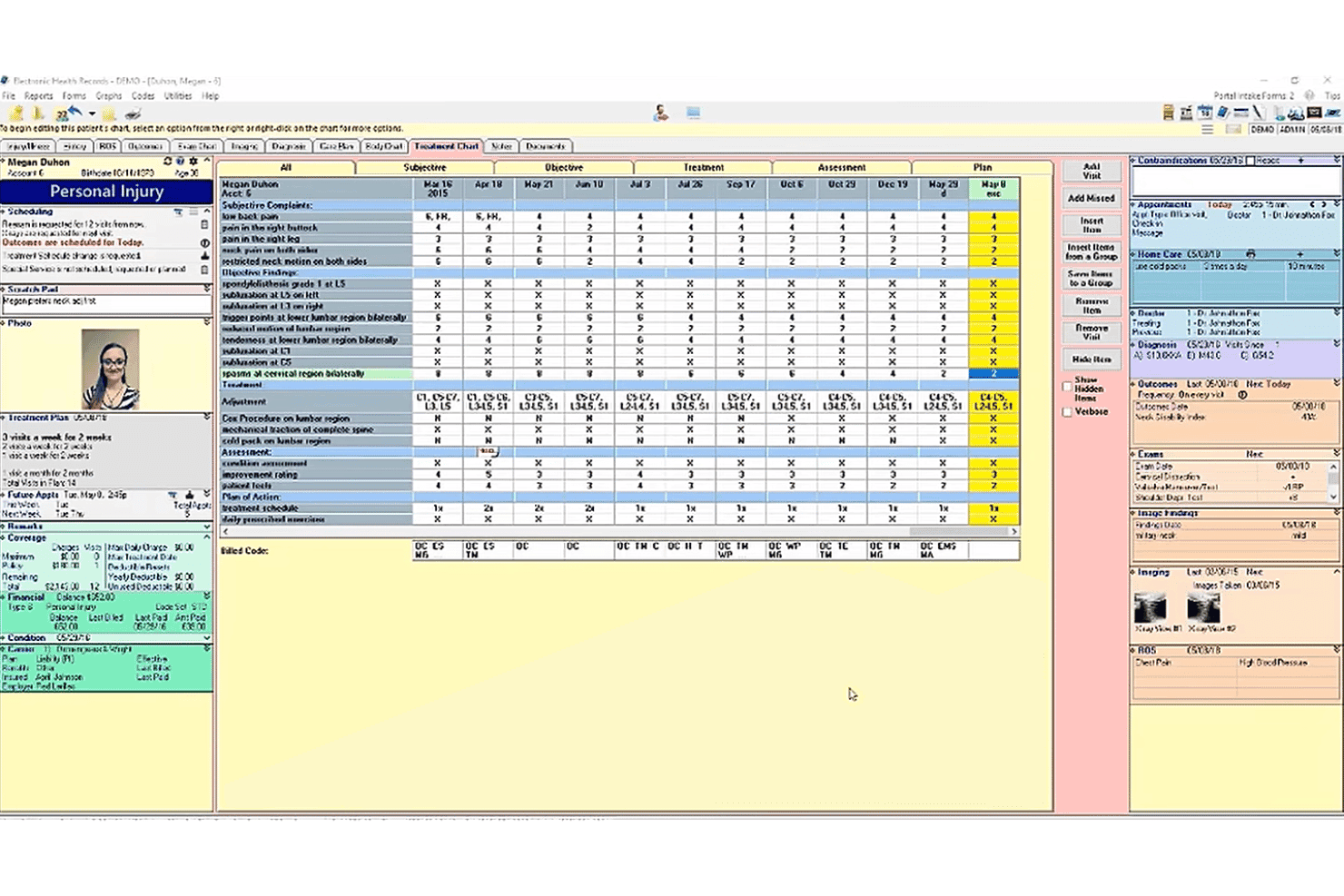
EZBIS’s interface feels dated and can be overwhelming at first, especially during setup and onboarding. However, once you’re familiar with the system, navigation is logical and workflows are customizable to fit your practice. Users often mention that the depth of features and detailed documentation tools outweigh the initial learning curve.
Practices willing to invest time upfront will find EZBIS reliable for daily operations, but it’s not the most intuitive option out of the box.
Integrations
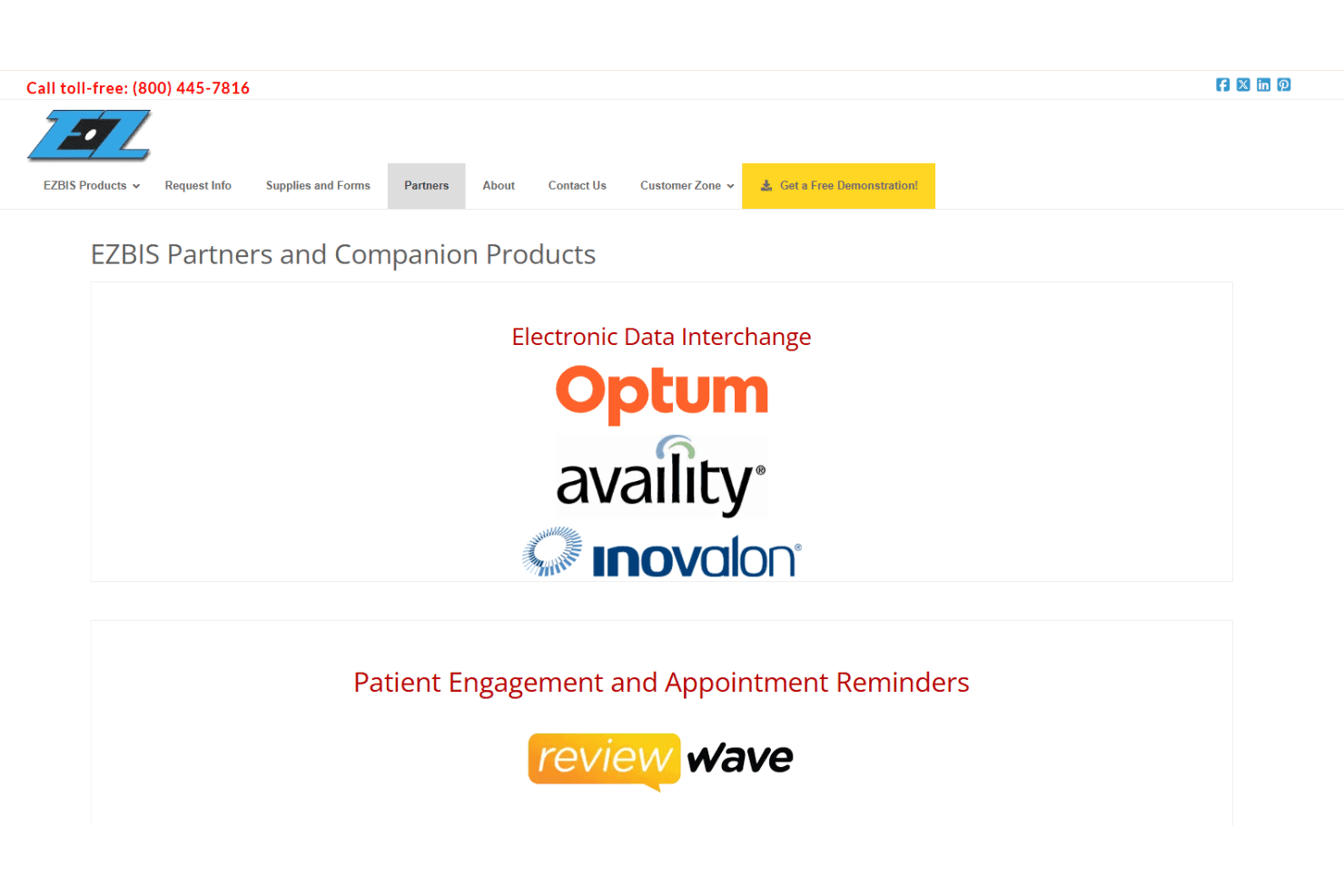
EZBIS integrates with Availity Advanced, Change Healthcare (Emdeon), Optum iEDI, BlueSky Technologies for cloud backups, EZBIS Waiting Room App, EZBIS Schedule App, integrated credit card processing, MyPatientSite patient portal, two-way texting, and email receipt delivery.
EZBIS does not advertise an open API or direct connections with third-party integration tools.
EZBIS Specs
- API: No
- Appointment Scheduling: Yes
- Athlete Management: No
- Audit Management: Yes
- Calendar Management: Yes
- Compliance Tracking: Yes
- Customer Management: No
- Dashboard: Yes
- Data Export: Yes
- Data Import: Yes
- Data Visualization: Yes
- Electronic Prescribing: No
- External Integrations: Yes
- File Sharing: Yes
- File Transfer: No
- Health Management: Yes
- HIPAA Compliance: Yes
- Inventory Tracking: Yes
- Multi-User: Yes
- Notifications: Yes
- Organization Management: No
- Patient Management: Yes
- Project Management: No
- Regulatory Alerts: No
- Risk Assessment: No
- Scheduling: Yes
- Supplier Management: No


