

Det kan være vanskelig å finne den rette programvaren for administrasjon av legepraksis. Du trenger noe som passer teamets behov og løser de spesifikke utfordringene deres. Kanskje Practice Fusion ikke lenger dekker behovene dine, og du ser etter bedre funksjoner eller støtte.
Jeg har brukt flere år på å teste og vurdere programvare i bransjen for legepraksiser. Jeg vet hva som fungerer, og hva som ikke gjør det. I denne artikkelen deler jeg mine beste anbefalinger til alternativer til Practice Fusion. Jeg gir en objektiv vurdering for å hjelpe deg med å ta en informert beslutning.
Du får innsikt i hva som gjør hvert alternativ unikt, slik at du kan velge det som passer best til praksisens spesifikke behov.
Hva er Practice Fusion?
Practice Fusion er en programvare for administrasjon av legepraksis som hjelper helsepersonell med å håndtere den daglige driften. Den brukes vanligvis av små og mellomstore praksiser og gir verdi gjennom effektiv timeplanlegging, fakturering og pasientadministrasjon. Funksjoner som elektroniske pasientjournaler, timebestilling og faktureringsmuligheter bidrar til å støtte arbeidsflyten i praksisen og forbedre pasientbehandlingen. Alt i alt tilbyr Practice Fusion en praktisk løsning for dem som ønsker å effektivisere og organisere praksisen bedre.
Sammenligningstabell for alternativer til Practice Fusion
Denne sammenligningstabellen oppsummerer prisdetaljene for mine beste utvalgte alternativer til Practice Fusion:
| Tool | Best For | Trial Info | Price | ||
|---|---|---|---|---|---|
| 1 | Best for integrative health records | 15-day free trial | From $99/month | Website | |
| 2 | Best for custom workflows and templates | Free demo available | Pricing upon request | Website | |
| 3 | Best for rehab-specific AI charting and billing | Free demo available | Pricing upon request | Website | |
| 4 | Best for automated patient intake and scheduling | Free demo available | Pricing upon request | Website | |
| 5 | Best for large-scale specialty and AI-assisted charting | Not available | Pricing upon request | Website | |
| 6 | Best for mobile-first EHR charting and AI scribing | Free demo available | Pricing upon request | Website | |
| 7 | Best for advanced clinical decision support tools | Free demo available | Pricing upon request | Website | |
| 8 | Best for telehealth and patient engagement modules | Free demo available | Pricing upon request | Website | |
| 9 | Best for therapy practices managing admin and billing | 14-day free trial | From $19/month | Website | |
| 10 | Best for rehab clinics needing AI-driven charting | Free demo available | Pricing upon request | Website |


Hvorfor du kan stole på våre programvareanbefalinger
6,700+
Reviews
20
Industry experts
16+
Evaluation factors
14
Years
Teamet vårt har testet og anmeldt programvare siden 2012. Vi leder selv legekontorer, så vi vet hvor vanskelig og hvor viktig det er å velge riktig programvare.
I denne guiden har vi vurdert verktøyene gjennom praktisk testing og uavhengig research og gitt dem poeng ut fra våre utvelgelseskriterier.
Anmeldelsene våre bygger på vår egen redaksjonelle vurdering. De er ikke et salgsargument.
Vurderinger av de beste alternativene til Practice Fusion
 Best for integrative health records
- 15-day free trial
- From $99/month
Visit WebsiteCustomer Rating:4.8/5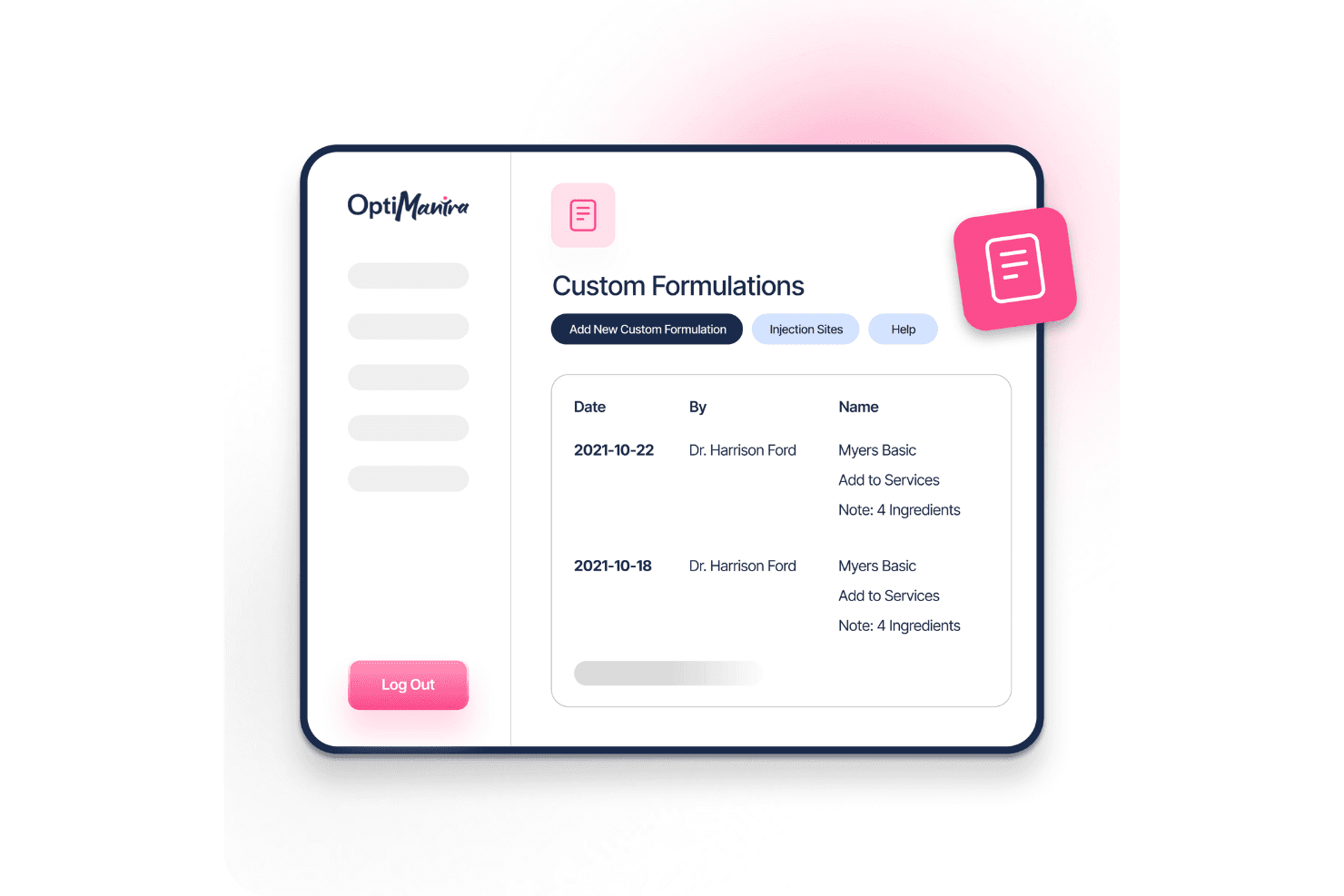
OptiMantra lets users create and manage custom IV formulations. OptiMantra is an EHR and practice management platform for integrative health clinics that need to document patient care and manage clinical and administrative workflows.
Who Is OptiMantra Best For?
OptiMantra suits integrative health practices, including naturopathic and functional medicine clinics, that need records suited to multidisciplinary care.
Why I Picked OptiMantra
I picked OptiMantra as my “Best for integrative health records” choice among Practice Fusion alternatives because it links functional lab data with care plans. I like that clinicians can compare biomarkers over time and document supplement protocols alongside prescriptions. That helps a naturopathic team trace lab trends and treatment changes in a patient’s longitudinal chart.
OptiMantra Key Features
- Online scheduling: Patients can book appointments through the online portal.
- Custom intake forms: Build questionnaires and registration forms for patients.
- Built-in telehealth: Hold video visits without separate software or downloads.
- Insurance claims: Create and submit claims from chart notes.
OptiMantra Integrations
OptiMantra documents integrations with Surescripts, LabCorp, Quest Diagnostics, Access Medical Lab, Rupa Health, Fullscript, Fitbit, DeepCura, Mercy Diagnostics, and Boston Heart Diagnostics. It also offers API-based connectivity and CRM-agnostic outbound webhooks for custom connections.
Pros and Cons
Pros:
- Responsive onboarding and support earn reviewer praise
- Custom SOAP templates fit multidisciplinary documentation
- Functional-medicine charting supports longitudinal care
Cons:
- Scheduling and chart navigation take extra steps
- Analytics offer limited reporting depth
Learn more about OptiMantra: Best for custom workflows and templates
- Free demo available
- Pricing upon request
Visit WebsiteCustomer Rating:4.8/5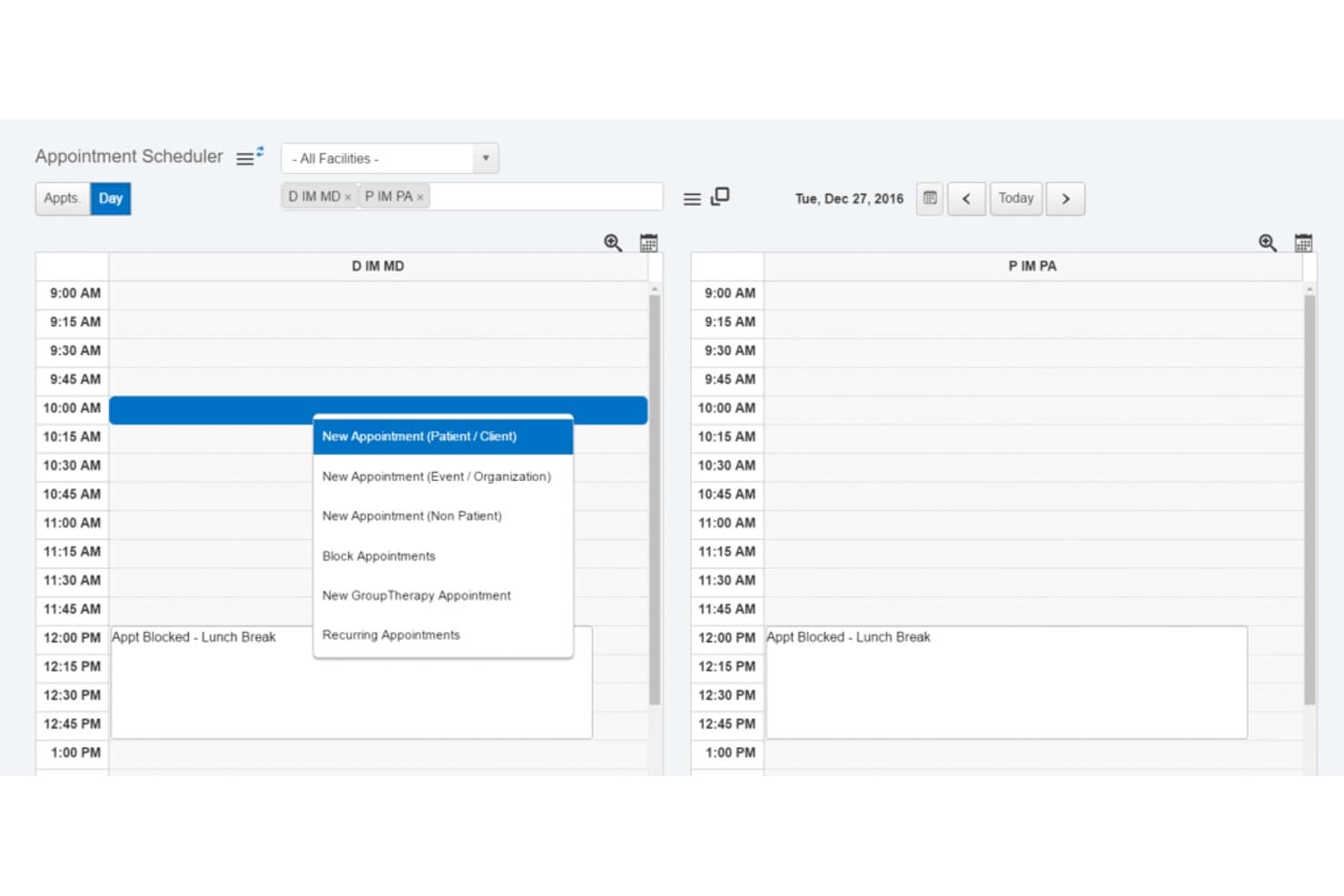
EHR Your Way lets users schedule appointments across multiple providers daily. For behavioral health organizations, EHR Your Way is an electronic health record platform that connects clinical documentation, scheduling, and billing across outpatient and inpatient care.
Who Is EHR Your Way Best For?
Behavioral health teams that need customizable clinical workflows and documentation templates across different care programs.
Why I Picked EHR Your Way
I picked EHR Your Way, tagged “Best for custom workflows and templates,” as a Practice Fusion alternative for behavioral health. I like that teams can tailor forms by program and auto-populate them with details from prior notes and treatment plans. Fields can also trigger alerts and tasks, while linking diagnoses, goals, interventions, and outcomes.
EHR Your Way Key Features
- Real-time eligibility checks: View coverage, copays, deductibles, and authorization limits.
- Appointment reminders: Send customizable SMS, email, or voice reminders with telehealth links.
- Telehealth integrations: Launch sessions through Zoom, Microsoft Teams, or Google Meet.
- E-prescribing: Check for drug interactions and allergies when prescribing medications.
EHR Your Way Integrations
EHR Your Way documents integrations with Microsoft Teams, Zoom, Google Meet, eClinicalWorks, PointClickCare, Inbox Health, and state and county systems. It offers FHIR and CCDA APIs for clinical data exchange and supports custom integration development.
Pros and Cons
Pros:
- Reviewers praise responsive support and tailored reports
- Notes connect diagnoses, goals, interventions, and outcomes
- Custom templates adapt to distinct care programs
Cons:
- Some reviewers report navigation clutter and extra clicks
- Customization can lengthen implementation
Learn more about EHR Your Way: Best for rehab-specific AI charting and billing
- Free demo available
- Pricing upon request
Visit WebsiteCustomer Rating:4.4/5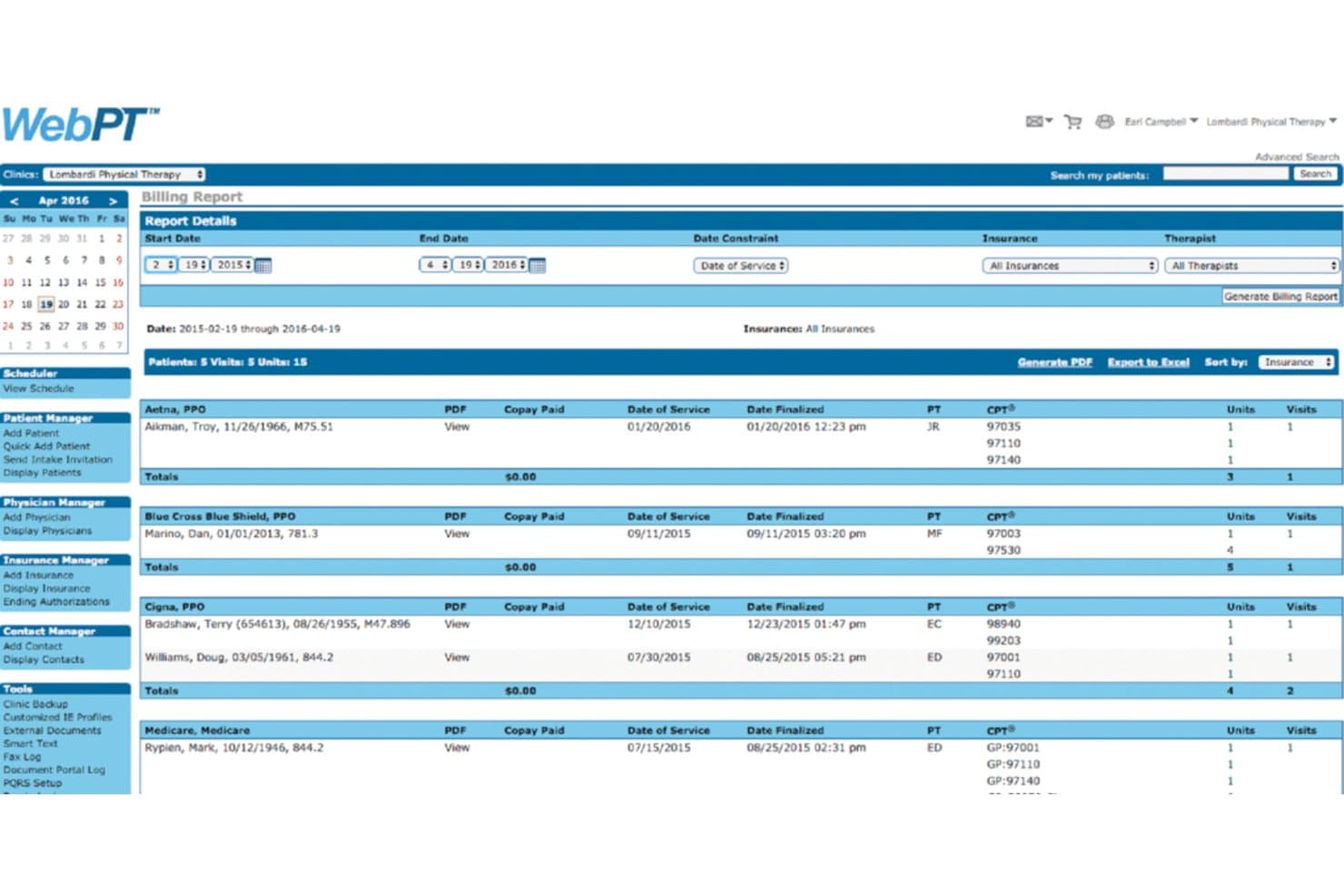
WebPT generates billing reports filtered by insurance and therapist. Built for outpatient rehab clinics, WebPT pairs a therapy-focused EHR with practice management tools to help physical therapy teams manage clinical documentation, scheduling, and billing.
Who Is WebPT Best For?
WebPT fits physical therapy clinic owners and operations teams coordinating therapists, front-desk workflows, and billing in outpatient settings.
Why I Picked WebPT
I picked WebPT as a Practice Fusion alternative because it’s Best for physical therapists seeking streamlined practice management. Its therapy-focused EHR supports clinical documentation alongside scheduling and billing, so outpatient rehab teams can manage these connected workflows in one system.
WebPT Key Features
- Home exercise program: Assign photo- and video-guided exercises through a custom-branded app.
- Outcomes tracking: Collect patient-reported outcomes with more than 200 standardized tests.
- Secure telehealth: Conduct virtual visits through WebPT’s built-in telehealth feature.
- Customizable intake forms: Adapt forms and workflows for different specialties.
WebPT Integrations
WebPT documents integrations with 60+ vendors, including PredictionHealth, PatientPay, Better Healthcare, Patient360, Waystar, Worldpay, and Kno2. Custom integrations are available; contact WebPT for details.
Pros and Cons
Pros:
- Scheduling and records centralize clinic workflows
- Outcome measures and HEP support rehab plans
- PT-specific templates support therapy documentation
Cons:
- Submitted notes require addenda for corrections
- Reported outages can disrupt clinic schedules
Learn more about WebPT: Best for automated patient intake and scheduling
- Free demo available
- Pricing upon request
Visit WebsiteCustomer Rating:4.2/5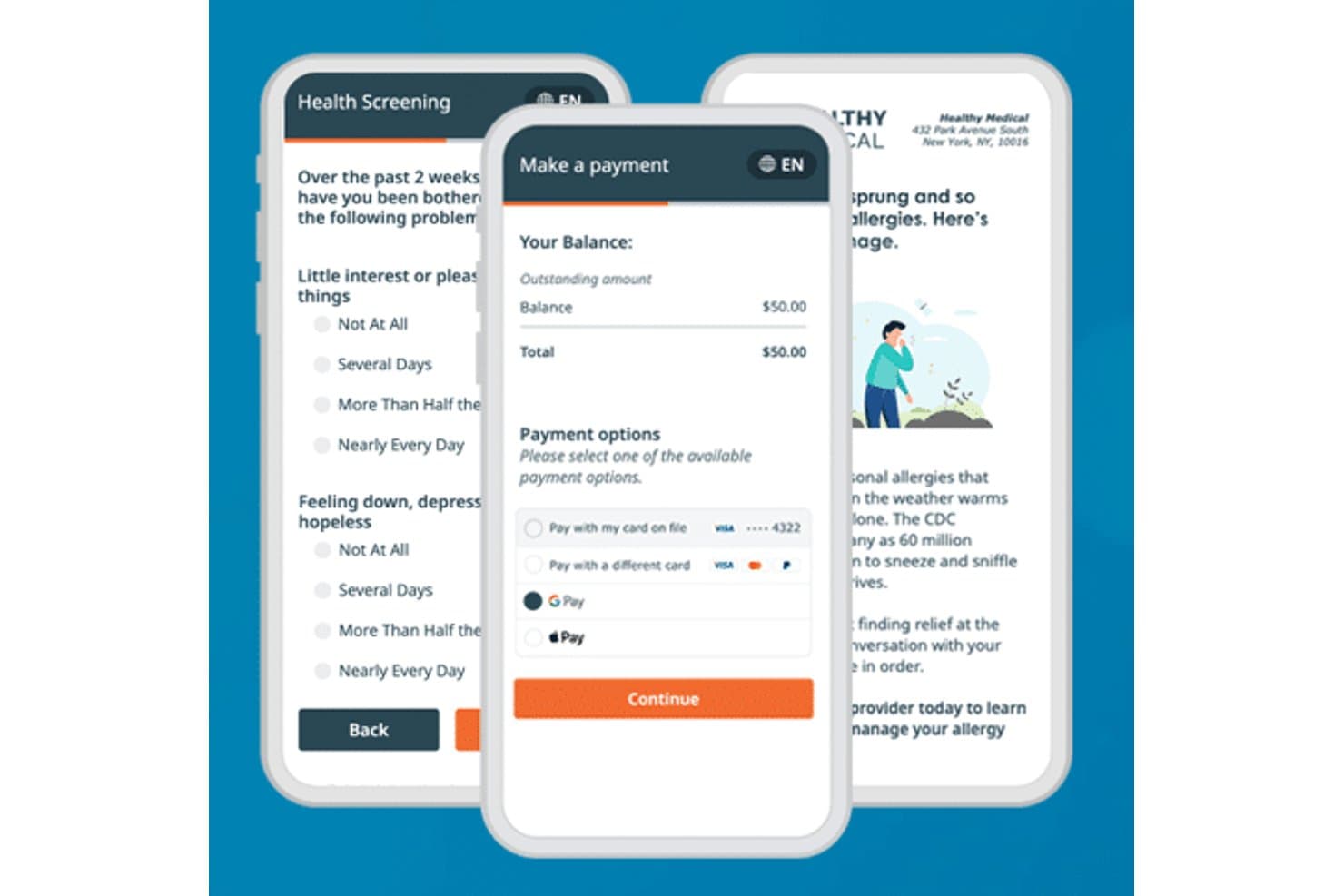
Phreesia streamlines patient payments and health screenings on mobile. For practices comparing EHR options, Phreesia provides patient-access software that helps administrative teams move registration and other front-office tasks into digital workflows.
Who Is Phreesia Best For?
Phreesia suits practice operations and patient-access teams that want to automate intake and let patients manage scheduling before visits.
Why I Picked Phreesia
I picked Phreesia as a Cutting-Edge Care: Practice Fusion alternative for its stated fit: Best for those wanting automated patient intake solutions. Its self-scheduling campaign lets patients manage appointments before visits, while digital registration moves front-office intake tasks online. I like this focus when a practice wants to shift pre-visit work out of manual workflows.
Phreesia Key Features
- Insurance eligibility checks: View real-time eligibility information in registration reports.
- Payment processing: Collect copays and bills, including through Apple Pay and Google Pay.
- Appointment reminders: Send automated reminders by email, text, or voice.
- EHR integrations: Exchange patient data bidirectionally with supported EHR and practice management systems.
Phreesia Integrations
Phreesia lists 16 EHR and practice-management integrations, including AdvancedMD, athenahealth, Azalea Health, eClinicalWorks, Epic, Greenway Health, MEDITECH, NextGen Healthcare, Oracle Health, and Veradigm Connect, with bidirectional patient-data exchange. It also supports HL7, FHIR, CCD, and CSV standards.
Pros and Cons
Pros:
- Pre-visit eligibility checks support smoother check-in
- Previsit forms reduce front-desk paperwork
- Patients book and reschedule after hours
Cons:
- Incomplete chart transfers can require re-entry
- Repetitive intake forms frustrate some patients
Learn more about Phreesia: 5Best for large-scale specialty and AI-assisted charting
Epic
- Not available
- Pricing upon request
Visit WebsiteCustomer Rating:4.2/5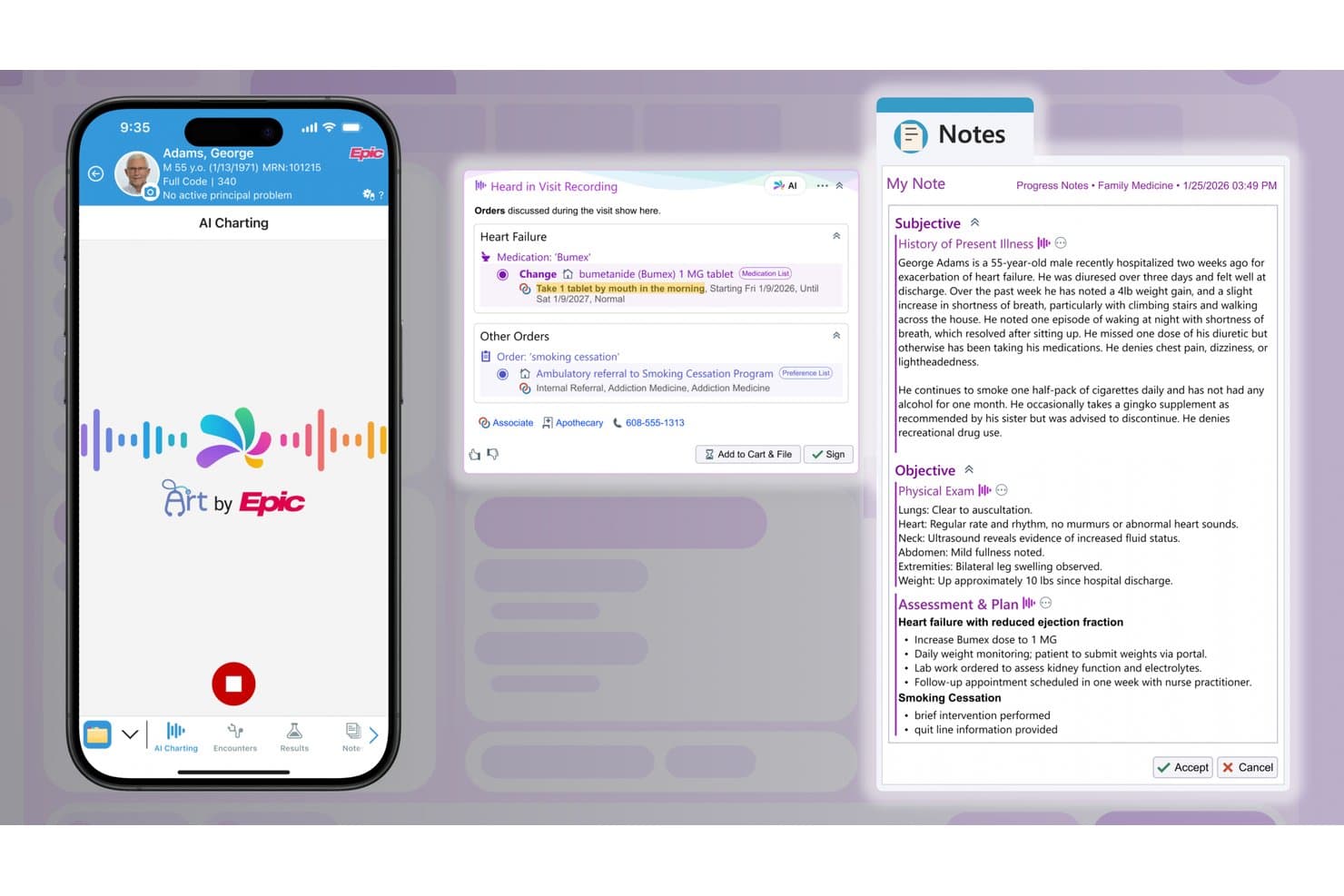
Epic's AI Charting auto-generates SOAP notes from visit recordings. Epic is an electronic health record platform for hospitals, health systems, and specialty care teams that need to coordinate clinical documentation, patient information, and workflows across care settings.
Who Is Epic Best For?
Epic is a good fit for hospital and health system IT leaders coordinating clinical and operational workflows across multiple specialties and care settings.
Why I Picked Epic
I picked Epic as a Practice Fusion alternative because it supports coordinated records and specialty-specific workflows across hospitals and health systems. Its positioning is Best for comprehensive healthcare IT solutions across specialties. I value the shared chart when clinicians coordinate inpatient, outpatient, and specialty care, alongside documentation workflows tailored to each service line.
Epic Key Features
- Patient portal: MyChart lets patients view health information, message care teams, and manage appointments.
- Medication management: Clinicians can review medication lists and send prescriptions electronically.
- Appointment scheduling: Staff can schedule visits and manage provider calendars.
- Clinical decision support: Configurable alerts and order sets support clinical decisions during care.
Epic Integrations
Epic supports integrations through more than 1,000 publicly available API and interface specifications, including FHIR and HL7. Care Everywhere exchanges patient records with Epic and non-Epic organizations, and Epic’s APIs and interfaces support custom connections.
Pros and Cons
Pros:
- MyChart gives patients direct portal access
- Specialty templates support tailored documentation
- Shared records coordinate inpatient and specialty care
Cons:
- Implementation and training demand substantial staff time
- Dense navigation can mean many clicks
Learn more about Epic: Best for mobile-first EHR charting and AI scribing
- Free demo available
- Pricing upon request
Visit WebsiteCustomer Rating:3.9/5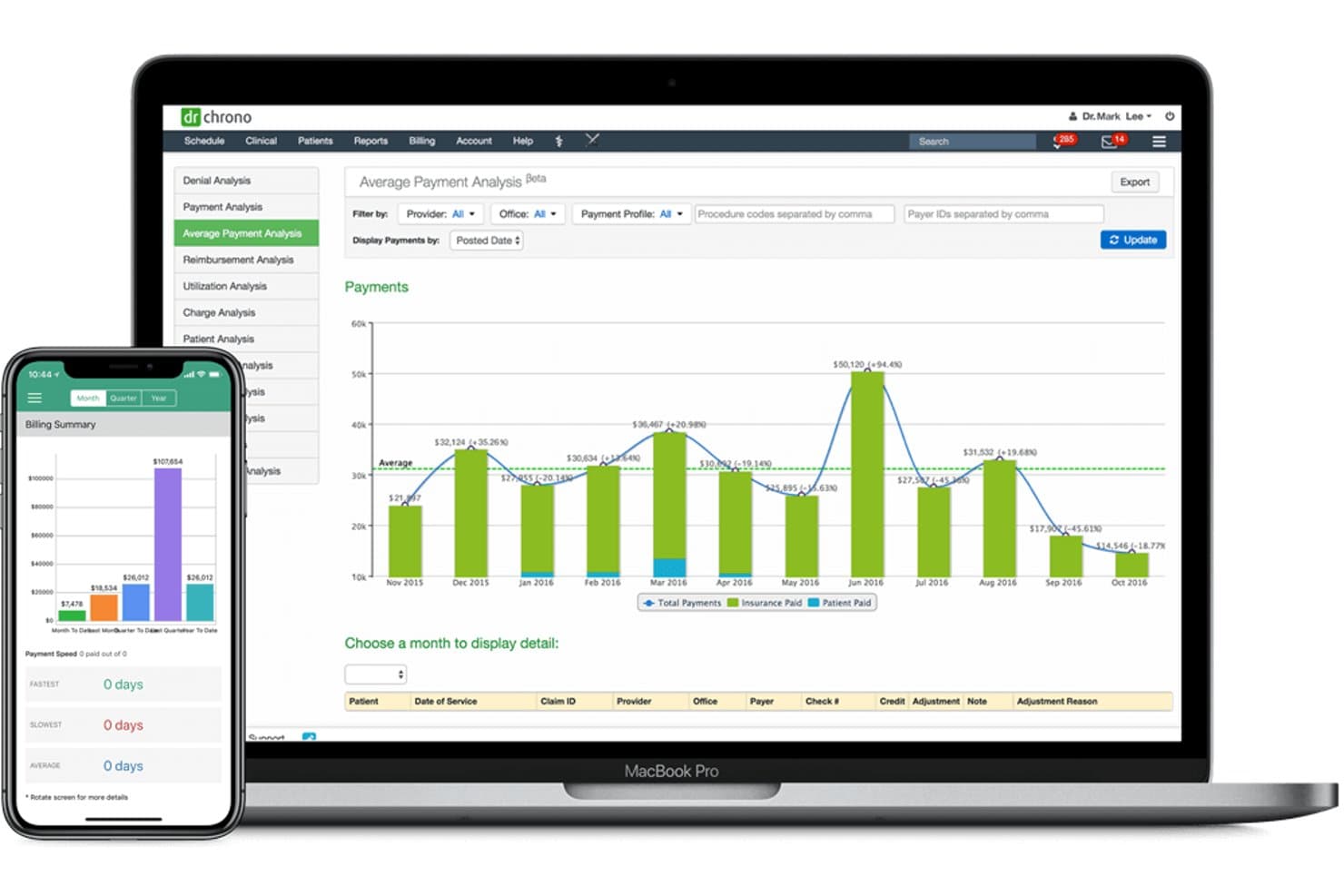
DrChrono helps users track average payment trends over time. DrChrono is an EHR and practice management platform for medical practices that combines patient charting, scheduling, and billing workflows to help teams coordinate care and manage day-to-day operations.
Who Is DrChrono Best For?
DrChrono suits medical practices and clinicians who want to manage clinical and administrative work through a mobile-friendly EHR.
Why I Picked DrChrono
I picked DrChrono as a Practice Fusion alternative because it fits the USP: Best for medical practices looking for a mobile-optimized EHR. Its iPad app lets clinicians chart visits, add clinical photos to notes, and sign forms with Save Section.
DrChrono Key Features
- E-prescribing: Send prescriptions to pharmacies and check drug interactions.
- Lab orders: Order tests through lab partners and receive results in patient charts.
- Appointment reminders: Send reminders to patients about upcoming appointments.
- Billing workflows: Manage billing and revenue cycle tasks within the platform.
DrChrono Integrations
DrChrono documents integrations with Labcorp, Quest Diagnostics, Lifepoint, Health Gorilla, Iron Bridge, Surescripts, CoverMyMeds, and MIPS Assist. Its partner directory lists Zapier, and its open REST API supports custom integrations.
Pros and Cons
Pros:
- Macros and shortcuts speed repeat documentation
- Custom SOAP templates support specialty workflows
- iPad charting captures clinical photos
Cons:
- Users report outages, lag, and unsaved notes
- Full mobile app requires Apple devices
Learn more about DrChrono: Best for advanced clinical decision support tools
- Free demo available
- Pricing upon request
Visit WebsiteCustomer Rating:3.5/5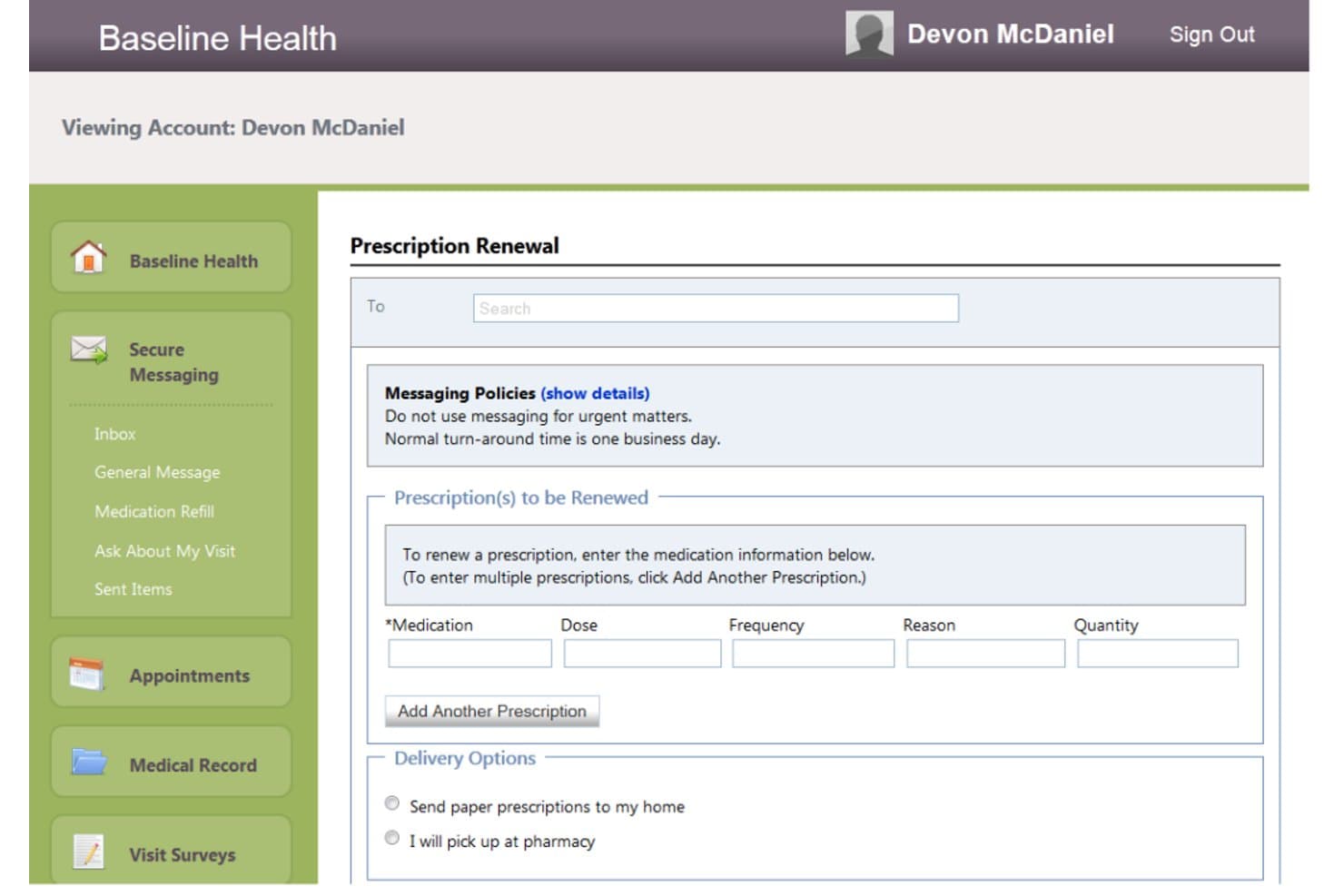
Cerner lets users request prescription renewals via secure messaging. Cerner is an electronic health record platform for hospitals and health systems that helps clinical and administrative teams document care and coordinate patient information across departments.
Who Is Cerner Best For?
Cerner is a good fit for hospital-based clinical teams that need decision support embedded in complex, cross-department care workflows.
Why I Picked Cerner
I picked Cerner as a Practice Fusion alternative for its advanced clinical decision support tools, which provide near-real-time guidance within the EHR. I like how that support can guide treatment and documentation, helping hospital clinicians consider patient information as they plan care across departments.
Cerner Key Features
- Electronic signatures: Patients can sign consent, registration, and privacy forms digitally.
- Interoperability: APIs support data exchange across connected health systems.
- Personalized workflows: Set EHR content and actions based on clinician preferences and visit types.
- Revenue cycle management: Manage financial workflows from patient registration through billing.
Cerner Integrations
Cerner supports third-party app integrations through Millennium Platform FHIR APIs, and validated partner apps are listed in Oracle Healthcare Marketplace. Its interoperability offerings include Oracle Health Connect to CommonWell Health Alliance.
Pros and Cons
Pros:
- Configurable specialty templates support varied workflows
- Longitudinal records connect cross-department clinical data
- Embedded decision support guides care planning
Cons:
- Users report lag during routine workflows
- Documentation can require repetitive clicks
Learn more about Cerner: Best for telehealth and patient engagement modules
- Free demo available
- Pricing upon request
Visit WebsiteCustomer Rating:3.4/5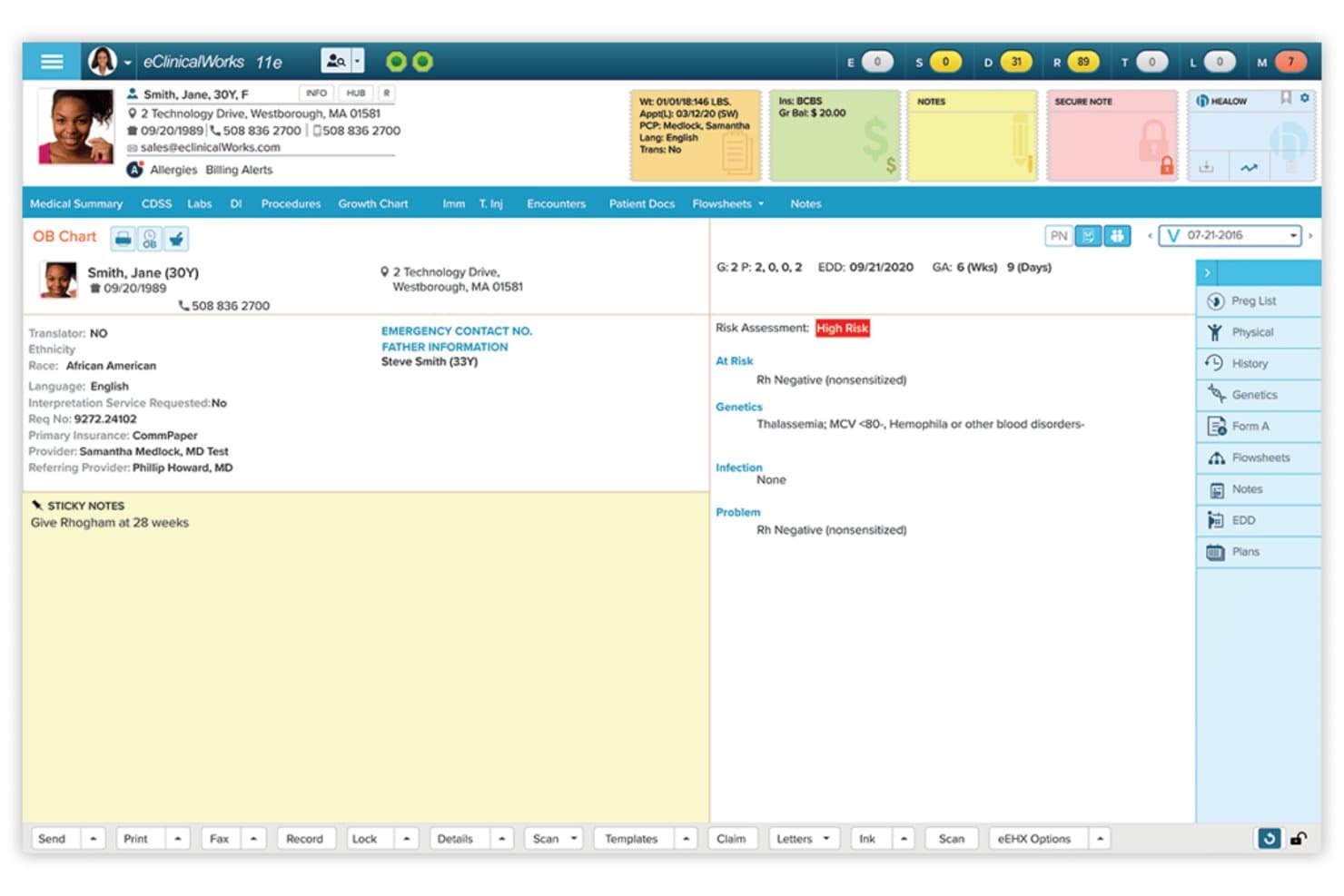
eClinicalWorks displays OB Chart data with risk assessments for prenatal care. eClinicalWorks is an ambulatory EHR and practice management platform for clinics seeking to bring clinical documentation, billing, and patient access into one system and reduce friction across daily care workflows.
Who Is eClinicalWorks Best For?
eClinicalWorks suits outpatient practices that prioritize telehealth visits and digital tools for patient communication and engagement.
Why I Picked eClinicalWorks
I picked eClinicalWorks, Best for telehealth and patient engagement modules, because scheduled healow TeleVisits and healowNOW on-demand visits cover planned follow-ups and real-time care requests. Patients can join through secure links or the Patient Portal, while digital check-in, questionnaires, and consent forms prepare clinicians before each encounter. I also like healow Open Access for online appointment booking.
eClinicalWorks Key Features
- E-prescribing: Send prescriptions to pharmacies and check medication eligibility and formularies.
- Lab and imaging interfaces: Exchange orders and results with connected labs and imaging systems.
- Referral management: Manage referrals within the practice.
- Claims management: Create and process claims, manage denials, and submit appeals.
eClinicalWorks Integrations
eClinicalWorks documents integrations with PointClickCare, Surescripts, Dexcom, Fitbit, Glooko, Google Fit, iHealth, Omron, Qardio, and Withings. It also offers FHIR APIs for third-party integrations and supports HL7 data exchange with clinical systems.
Pros and Cons
Pros:
- Customizable notes support varied clinic workflows
- Patient check-in and self-scheduling tools
- Scheduled and on-demand telehealth visits
Cons:
- Users report lag and delayed support
- Medication ordering takes multiple clicks
Learn more about eClinicalWorks: Best for therapy practices managing admin and billing
- 14-day free trial
- From $19/month
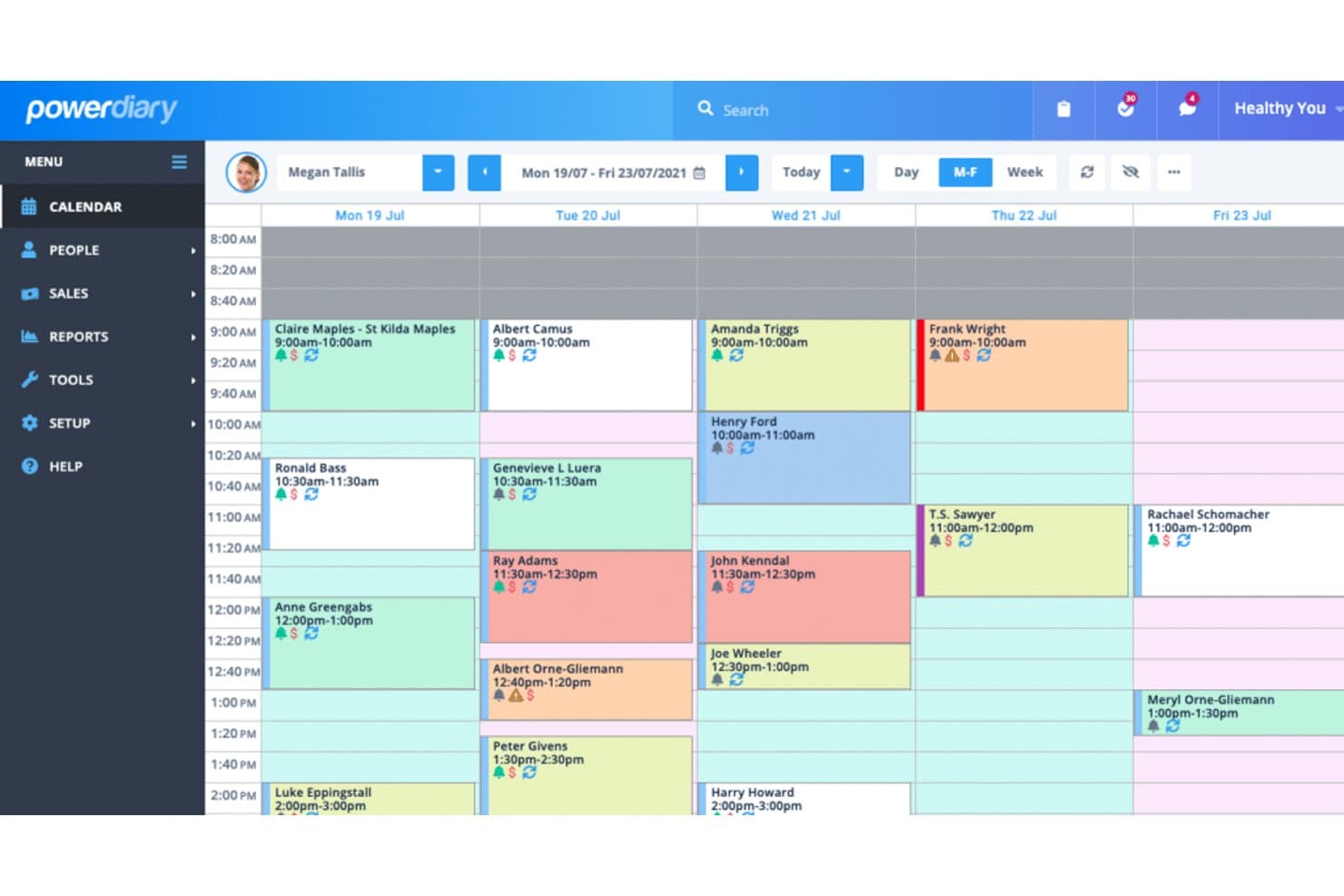
Power Diary lets users manage weekly appointments across multiple clients. PowerDiary is an allied-health practice management platform for therapy clinics, bringing client records, clinical notes, billing, and telehealth together to reduce administrative work and support coordinated care.
Who Is PowerDiary Best For?
PowerDiary suits therapists and therapy clinics that need to coordinate clinical and administrative work across a care team.
Why I Picked PowerDiary
I picked PowerDiary for Cutting-Edge Care: Practice Fusion Alternatives because it’s Best for therapy practices desiring intuitive scheduling. Its calendar and online booking let clients reserve sessions, while SMS and email reminders update the calendar when clients respond. Intake forms also sync to client profiles, connecting appointments with clinical records.
PowerDiary Key Features
- Customizable treatment notes: Tailor clinical note templates to your practice.
- Telehealth: Hold remote sessions through the platform.
- Billing: Manage client billing within the practice platform.
- Reporting: Access more than 25 practice reports.
PowerDiary Integrations
PowerDiary, now Zanda, lists integrations with Xero, Stripe, Physitrack, Google Calendar, Apple Calendar, Outlook Calendar, Mailchimp, Zoom, Google Analytics, and APEX. The Zanda API is listed as coming soon.
Pros and Cons
Pros:
- Custom treatment notes support therapy workflows
- Intake forms attach directly to client profiles
- Client replies update reminder-linked appointments
Cons:
- Some scheduling workflows feel confusing
- Mobile app offers fewer desktop functions
Learn more about PowerDiary: Best for rehab clinics needing AI-driven charting
- Free demo available
- Pricing upon request
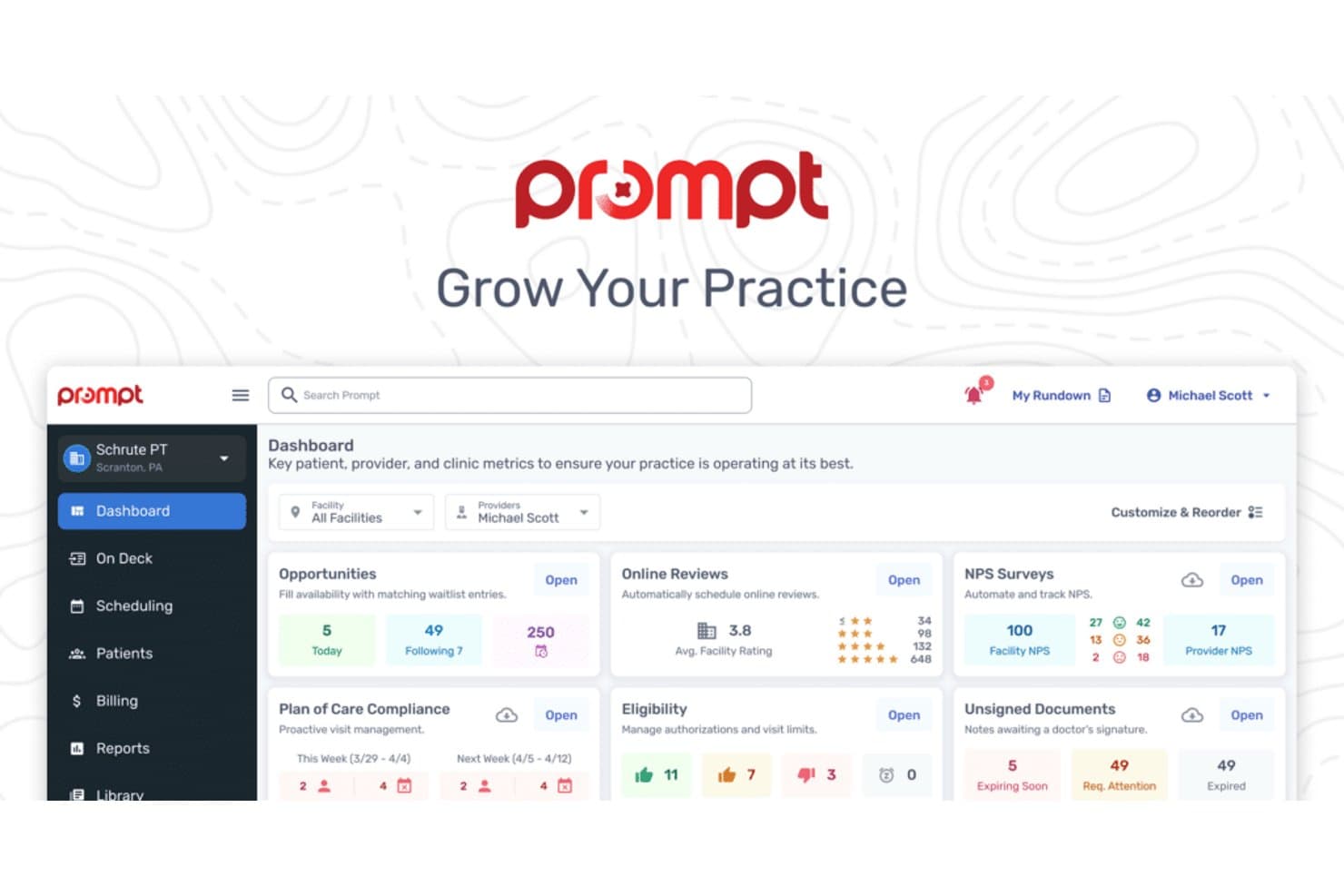
Prompt EMR's dashboard centralizes patient, provider, and clinic metrics. Prompt EMR is an EHR and practice management platform for rehabilitation clinics that brings therapy documentation, scheduling, and billing into one workflow to help reduce administrative work.
Who Is Prompt EMR Best For?
Prompt EMR fits rehabilitation practices that need structured clinical documentation and administrative workflows aligned with their compliance responsibilities.
Why I Picked Prompt EMR
I picked Prompt EMR as a Practice Fusion alternative because it connects therapy documentation, scheduling, and billing in one rehabilitation-focused workflow. Its fit matches the USP, Best for rehab practices seeking compliance-oriented software, where teams need structured visit records alongside daily administrative tasks.
Prompt EMR Key Features
- Digital home exercise programs: The patient app delivers custom home exercise programs and supports automated remote therapeutic monitoring.
- Kiosk check-in: Patients can check in at the clinic using a kiosk or device.
- Referral tracking: Teams can track leads and referrals and automate follow-ups.
- Satisfaction surveys: The platform can send surveys to gather patient feedback.
Prompt EMR Integrations
Prompt EMR includes a native clearinghouse for claim submission, payer-response tracking, and posting, but doesn’t name the clearinghouse provider. Other native integrations and API access for custom integrations aren’t clearly documented.
Pros and Cons
Pros:
- Digital home exercise programs support between-visit care
- Claims queues flag items needing follow-up
- Automated documentation templates reduce note-writing time
Cons:
- Updates sometimes bring glitches or workflow disruption
- Template organization can limit documentation flexibility
Learn more about Prompt EMR:
Andre alternativer til Practice Fusion
Nedenfor finner du en liste over flere alternativer til Practice Fusion som jeg satte opp på kortlisten, men som ikke kom med blant de ti beste. Det er absolutt verdt å ta en titt på dem.
- 11LuminelloBest for psychiatrists desiring tailored EHR and practice management functions
- 12NextGENBest for robust interoperability in large-scale clinics
- 13TebraBest for independent practices needing efficient billing solutions
- 14RXNTGood for streamlined e-prescribing and EHR functions
- 15CarepatronGood for health professionals seeking an easy-to-use care platform
- 16PabauGood for health and beauty businesses requiring CRM
- 17SevocityGood for small to mid-sized practices wanting customizable EHR
- 18JaneGood for health practitioners needing comprehensive practice software
- 19CharmHealthGood for practices needing integrated EHR and practice management
- 20Ensora Health TheraNestGood for mental health providers needing practice management
- 21MEDITECH ExpanseGood for hospitals requiring interoperable EHR
- 22athenaOneGood for practices desiring cloud-based clinical management
- 23Simple PracticeGood for therapists seeking integrated practice management
- 24ChartLogicGood for specialties needing efficient electronic medical records
- 25IntakeQGood for practices wanting secure online patient intake forms
- 26Compulink Healthcare SolutionsGood for specialties desiring customized EHR solutions
- 27HARMONY MedicalGood for clinics needing bespoke electronic health records
How I Evaluate Practice Fusion Alternatives
I split my evaluation into two layers: the baseline a platform must clear—like ONC-certified charting, eRx, and claims submission—and the differentiators that distinguish one platform from another.
Core Functionality (Table Stakes For This List)
When I'm selecting tools for my list, I rank each one on a scale from 0 (does not offer the functionality) to 5 (excels in this area) for each core functionality listed below. Then, I calculate the tool's total score into a percentage. Each tool needs to achieve a minimum total score of 65% to be considered for inclusion.
- Electronic Health Records: I check whether the platform offers structured SOAP charting with customizable templates, so a dermatology clinic and a family practice can both document encounters their way.
- E-Prescribing (eRx): Each tool needs integrated eRx with EPCS support, drug interaction checks, and allergy alerts—the same workflow a provider relies on when sending a controlled substance script at the point of care.
- Scheduling & Practice Management: I evaluate front-office tools like appointment scheduling, patient registration, and automated reminders that keep a small clinic's daily operations running without juggling separate systems.
- Medical Billing & Claims: I look for built-in claims submission, ICD-10/CPT coding, and clearinghouse connectivity so billing coordinators can post payments and track denials from the same platform they chart in.
- Patient Portal & Engagement: The platform should give patients a portal for secure messaging, appointment requests, intake forms, and record access—features that reduce phone volume for front-desk staff.
- Compliance & Interoperability: ONC certification, HIPAA compliance, and support for HL7/FHIR standards matter here, along with direct connections to major lab networks for order and result exchange.
Once I have a list of tools that meet this criteria, I consider what sets each platform apart.
Differentiating Factors (What Sets Vendors Apart)
Here's how I compare and contrast different vendors:
Standout Features
AI-assisted documentation is a differentiator I evaluate closely. Providers who chart after hours get real value from ambient listening or AI scribe tools that draft notes during the visit. I also look at specialty-specific content—a behavioral health practice needs intake templates and progress notes that look nothing like what an orthopedic clinic uses. Built-in MIPS and MACRA dashboards matter too, since manual quality reporting pulls staff away from patient-facing work.
Beyond Features
Data migration is a major consideration when switching from Practice Fusion—I check whether a vendor provides chart conversion support or requires you to export and rebuild records manually. Pricing transparency matters just as much, especially since many practices are leaving a free, ad-supported model and need to understand per-provider costs, eRx fees, and clearinghouse charges upfront. I also evaluate practice size fit, because a solo internist and a five-provider multi-specialty group have very different scaling and scheduling needs.
Hvorfor se etter et alternativ til Practice Fusion?
Selv om Practice Fusion er et godt valg for administrasjon av legepraksis, finnes det flere grunner til at noen brukere ser etter alternative løsninger. Det kan hende du ser etter et alternativ til Practice Fusion fordi …
- Du trenger mer avansert rapportering
- Teamet ditt trenger bedre tilpasningsmuligheter
- Du ønsker bedre kundestøtte
- Du trenger en løsning med flere integrasjoner
- Praksisen din drives utenfor områdene som støttes
Hvis noe av dette høres kjent ut, har du kommet til riktig sted. Listen min inneholder flere alternativer for administrasjon av legepraksis som er bedre egnet for team som møter disse utfordringene med Practice Fusion og ser etter alternative løsninger.
Viktige funksjoner i Practice Fusion
Her er noen av de viktigste funksjonene i Practice Fusion, slik at du kan sammenligne hva alternative løsninger tilbyr:
- Elektroniske pasientjournaler (EHR): Håndterer pasientjournaler effektivt og sikkert, slik at teamet ditt kan effektivisere dokumentasjonen.
- Faktureringstjenester: Forenkler faktureringsprosesser med integrerte løsninger, sparer praksisen din for tid og reduserer feil.
- Elektronisk reseptforskrivning: Gjør det mulig å sende resepter elektronisk, noe som sikrer raskere og mer nøyaktig legemiddelhåndtering.
- Skalerbare løsninger: Tilpasser seg veksten i praksisen din og gir fleksibilitet etter hvert som behovene dine endres.
- Fenomenalt kundestøtteteam™: Gir eksperthjelp med implementering og samsvar, og hjelper teamet ditt med introduksjon og løpende støtte.
- Kundestøtte ved behov: Gir tilgang til et hjelpesenter, videoopplæringer og webinarer for å hjelpe teamet ditt med spørsmål eller problemer.
Vanligste spørsmål om alternativer til Practice Fusion (FAQ)
Hva er fordelene ved å bruke Practice Fusion?
Practice Fusion gir helsepersonell en rekke fordeler. For det første er det et skybasert EHR-system, noe som betyr at det kan åpnes fra hvor som helst med internettilkobling. For det andre har det et brukervennlig og intuitivt grensesnitt som ikke krever mye teknisk kunnskap. For det tredje tilbyr det en omfattende samling funksjoner som dekker alle aspekter ved administrasjon av helsetjenester, inkludert pasienttimeplanlegging, fakturering og rapportering. For det fjerde tilbyr det funksjoner for telehelse, som blir stadig viktigere i moderne helsetjenester. Til slutt inneholder det funksjoner for håndtering av kliniske oppgaver, som elektronisk reseptforskrivning og laboratorieintegrasjon.
Hvor mye koster Practice Fusion og alternativene?
Practice Fusion var tidligere gratis, men gikk over til en abonnementsbasert modell i 2018. Kostnaden er nå 149 dollar per bruker per måned. Prisene for alternativene varierer mye avhengig av de spesifikke funksjonene og størrelsen på praksisen. Startprisen for alternativer varierer ofte fra rundt 10 til 150 dollar per bruker per måned.
Hvilke prismodeller finnes for alternativer til Practice Fusion?
Prismodellene for alternativer til Practice Fusion faller vanligvis i to kategorier: abonnementsbaserte og tilbudsbaserte. Abonnementsbaserte modeller krever et fast månedsbeløp per bruker, ofte med ulike tjenestenivåer som gir tilgang til flere funksjoner. Tilbudsbaserte modeller gir et tilpasset pristilbud basert på praksisens spesifikke behov, for eksempel antall brukere og funksjonene du trenger.
Hva er det typiske prisnivået for alternativer til Practice Fusion?
Det typiske prisnivået for alternativer til Practice Fusion varierer mye, fra rundt 10 til 150 dollar per bruker per måned for abonnementsbaserte modeller. For tilbudsbaserte modeller kan prisen variere betydelig basert på dine spesifikke behov og størrelsen på praksisen din.
Hvilke programvarealternativer er billigst og dyrest?
Blant alternativene til Practice Fusion er Kareo et av de billigste, med en startpris på 15 dollar per bruker per måned. På den andre siden ligger løsninger som AthenaHealth ofte i den dyrere enden av skalaen, med kostnader som vanligvis starter på 140 dollar per bruker per måned.
Finnes det gratis alternativer til Practice Fusion?
Ja, det finnes gratis alternativer til Practice Fusion. Ett av dem er Hello Health, som tilbyr en gratisversjon av plattformen sin. Det er imidlertid viktig å merke seg at disse gratisversjonene kan ha begrensninger og kanskje ikke tilbyr alle funksjonene som kreves for omfattende praksisadministrasjon.