

Recensione di Practice Fusion: Pro, Contro, Funzionalità e Prezzi
Practice Fusion riunisce le cartelle cliniche elettroniche e la gestione dello studio medico in un’unica piattaforma, dalla compilazione e prescrizione elettronica fino alla pianificazione, fatturazione e strumenti di gestione dei pazienti.

Recensiamo gli strumenti in modo indipendente e le commissioni ci aiutano a finanziare i nostri test. Consulta la nostra politica sulla trasparenza, la nostra metodologia o suggerisci uno strumento.
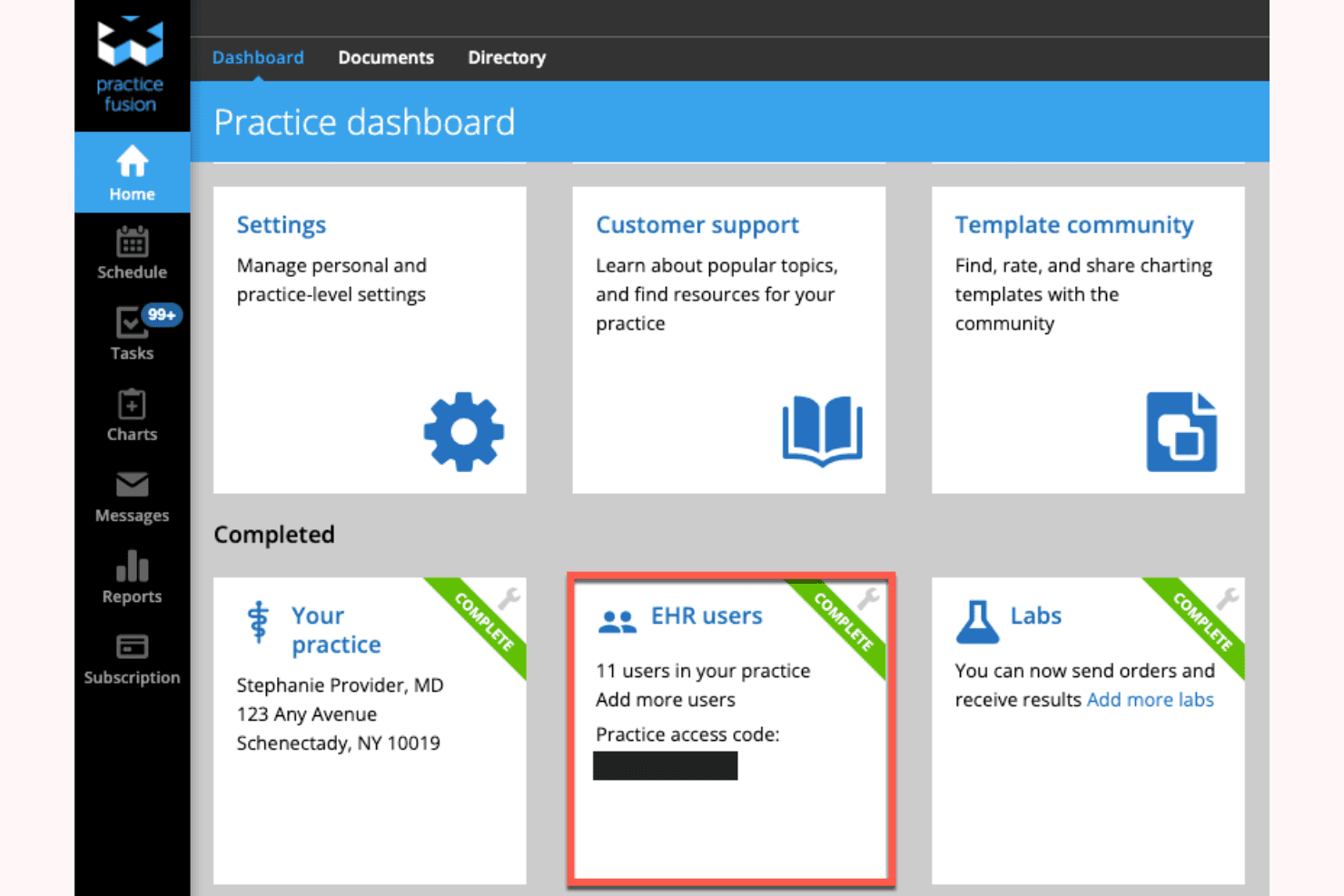
Practice Fusion is a free EHR software built for independent and small medical practices that need cloud-based charting, e-prescribing, lab integrations, and appointment scheduling without a monthly subscription. I'd mainly consider it if you're running a lean practice on a tight budget. Especially compared to something like DrChrono, where core EHR features sit behind a paid plan. Practice Fusion gives you a functional, ad-supported EHR at no cost, which makes it a realistic option for solo providers and small clinics that aren't ready to commit to per-provider licensing fees.
Practice Fusion Evaluation Summary
3.7/5
- From $199/user/month
- Free demo available
Perché fidarsi dei nostri consigli sui software
6,700+
Reviews
20
Industry experts
16+
Evaluation factors
14
Years
Il nostro team testa e recensisce software dal 2012. In quanto leader di studi medici noi stessi, sappiamo quanto sia difficile — e importante — scegliere il software giusto.
Per questa guida, abbiamo valutato gli strumenti attraverso test pratici e ricerche indipendenti, assegnando un punteggio agli strumenti in base ai nostri criteri di selezione.
Le nostre recensioni riflettono il nostro giudizio editoriale umano, non un discorso di vendita.
Practice Fusion Overview
Practice Fusion stands out for its clean interface, straightforward onboarding, and affordable pricing, making it a strong pick for small practices or clinics with limited IT resources. Its e-prescribing and charting tools are easy to learn, and the cloud-based setup means you don’t need heavy infrastructure. While its integrations and customization options aren’t as deep as some competitors, I find its support responsive, and its core features reliable.
If you’re judging EHRs for simplicity, cost, and quick adoption, Practice Fusion is a solid choice, especially for primary care or outpatient environments.
Pros
- Patient portal supports online check-in and engagement.
- Transparent pricing with no hidden fees.
- E-prescribing connects with most US pharmacies.
Cons
- Occasional downtime disrupts access during peak hours.
- Customer support is only available by email or ticket.
- Reporting tools lack advanced customization.
Is Practice Fusion Right For Your Needs?
Who Would be a Good Fit for Practice Fusion?
Practice Fusion is a strong choice for small to midsize practices, outpatient clinics, and solo providers who need a cloud-based EHR with straightforward charting, e-prescribing, and patient engagement tools. Its transparent pricing and minimal IT requirements make it especially appealing for organizations with limited budgets or technical resources.
If you’re in a setting where quick onboarding, reliable e-prescribing, and easy patient communication matter most, Practice Fusion is likely to meet your needs.
- Small Specialty PracticesBasic specialty templates and e-prescribing cover common outpatient needs.
- Community Health CentersCloud access and patient portal features support outreach and engagement.
- Urgent Care CentersFast charting and e-prescribing help manage high patient volumes efficiently.
- Solo ProvidersLow overhead and simple setup make it ideal for independent practitioners.
- Behavioral Health PracticesThe platform supports mental health workflows and secure patient messaging.
- Primary Care ClinicsPractice Fusion’s templates and charting tools are tailored for routine visits and chronic care management.
Who Would be a Bad Fit for Practice Fusion?
Practice Fusion isn’t the best choice for large organizations, hospital systems, or practices needing advanced customization, deep integrations, or robust reporting. Larger enterprises and highly specialized departments may need more advanced EHR solutions.
If your team relies on complex workflows, multi-location management, or specialty-specific features, you’ll likely find Practice Fusion’s capabilities too limited.
- Billing DepartmentsIntegrated billing features are basic and may not meet complex needs.
- Pediatrics PracticesPediatric-specific growth charts and immunization tracking are limited.
- Research InstitutionsReporting and data export tools are too basic for research needs.
- Multi-Specialty GroupsLimited specialty templates and reporting restrict complex group practices.
- Surgical DepartmentsNo advanced perioperative or surgical workflow support is available.
- Large Hospital Systems PracticeFusion lacks enterprise-level features and multi-location management.
Come testiamo e valutiamo gli strumenti
Abbiamo trascorso anni a costruire, perfezionare e migliorare il nostro sistema di test e valutazione del software. Il criterio è progettato per cogliere le sfumature della selezione del software e cosa rende uno strumento efficace, concentrandosi sugli aspetti critici del processo decisionale. Qui sotto puoi vedere esattamente come funzionano i nostri test e punteggi in base a sette criteri. Ci consente di offrire una valutazione obiettiva del software basata su funzionalità principali, caratteristiche distintive, facilità d’uso, onboarding, assistenza clienti, integrazioni, recensioni dei clienti e rapporto qualità-prezzo.
Funzionalità Principali (25% del punteggio finale)
Il punto di partenza della nostra valutazione sono sempre le funzionalità principali dello strumento. Ha le funzioni di base che un utente si aspetterebbe? Alcune di queste funzioni principali sono riservate a piani tariffari superiori? In sostanza, ci aspettiamo che uno strumento sia all’altezza delle capacità di base dei suoi concorrenti.
Caratteristiche Distintive (25% del punteggio finale)
Successivamente, valutiamo caratteristiche distintive e insolite che vanno oltre le funzionalità di base tipicamente presenti negli strumenti della stessa categoria. Un punteggio alto riflette funzionalità specializzate o uniche che rendono il prodotto più veloce, efficiente o offrono un valore aggiunto all’utente. Valutiamo anche quanto sia facile integrare con altri strumenti comunemente presenti nella stack tecnologica per espandere funzionalità e utilità del software. Gli strumenti che offrono numerose integrazioni native, connessioni di terze parti e accesso API per creare integrazioni personalizzate ottengono il punteggio migliore.
Facilità d’Uso (10% del punteggio finale)
Consideriamo quanto sia rapido e intuitivo eseguire i compiti definiti nelle funzionalità principali usando lo strumento. Il software con punteggi elevati è ben progettato, intuitivo, offre app mobili, fornisce modelli e fa sembrare semplici anche compiti complessi.
Onboarding (10% del punteggio finale)
Sappiamo quanto sia importante l’adozione rapida da parte del team per una nuova piattaforma, perciò valutiamo quanto sia facile imparare e usare uno strumento con una formazione minima. Valutiamo quanto tempo impiega un membro del team a configurarsi e iniziare a usare lo strumento senza esperienza. Le soluzioni che ottengono il punteggio più alto richiedono poco o nessun supporto.
Assistenza Clienti (10% del punteggio finale)
Esaminiamo quanto sia rapido e semplice sbloccarsi e trovare aiuto tramite telefono, chat dal vivo o knowledge base. Gli strumenti e le aziende che forniscono assistenza in tempo reale ottengono il punteggio migliore, mentre i chatbot ottengono il punteggio più basso.
Recensioni dei Clienti (10% del punteggio finale)
Oltre ai nostri test e valutazioni, consideriamo il net promoter score da parte di clienti attuali e passati. Esaminiamo la probabilità che, data la possibilità, scelgano nuovamente lo strumento per le sue funzioni principali. Un software con punteggio elevato riflette un alto net promoter score da parte di clienti attuali o passati.
Rapporto Qualità-Prezzo (10% del punteggio finale)
Infine, tenendo conto di tutti gli altri criteri, analizziamo il prezzo medio dei piani base rispetto alle caratteristiche principali e valutiamo il valore degli altri criteri. Il software che offre di più, a meno, otterrà un punteggio più alto.
Core Features
Patient Charting
You can quickly document patient information with customizable templates, enhancing the accuracy and efficiency of your records. This feature helps your team maintain consistent and reliable documentation.
E-Prescribing
Easily send prescriptions directly to pharmacies, saving your team time and reducing prescription errors. It streamlines your prescription workflow and enhances patient safety.
Appointment Scheduling
Manage your calendar with an intuitive scheduling tool that simplifies booking and reduces no-shows. Your team can optimize appointment slots and improve patient flow.
Patient Portal
Offer patients direct access to their health records, lab results, and appointment schedules. This feature boosts patient engagement and empowers them to participate in their care.
Billing Management
Simplify your billing processes with integrated billing tools that help manage claims and payments efficiently. It reduces administrative burdens and enhances revenue cycle management.
Clinical Decision Support
Get alerts and reminders for preventive care, helping your team adhere to best practices and improve patient outcomes. This feature supports informed decision-making in your practice.
Ease of Use
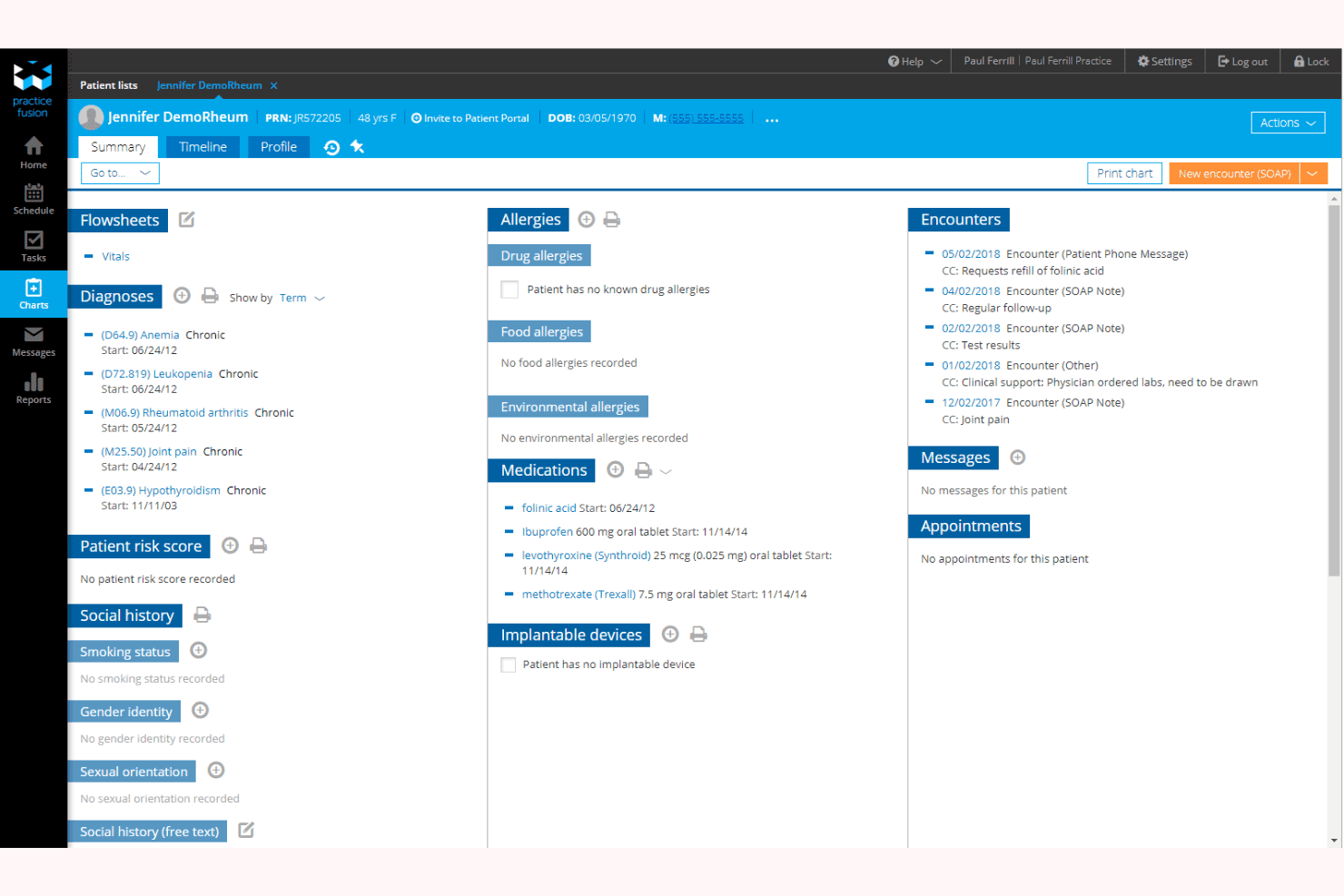
Practice Fusion is one of the more user-friendly EHRs I’ve seen, with a clean interface and intuitive navigation that most staff can pick up quickly. Users often mention how easy it is to chart, schedule, and manage prescriptions without extensive training.
The cloud-based design means you don’t have to worry about software updates or IT headaches, making it especially approachable for smaller practices or teams with limited technical support.
Integrations
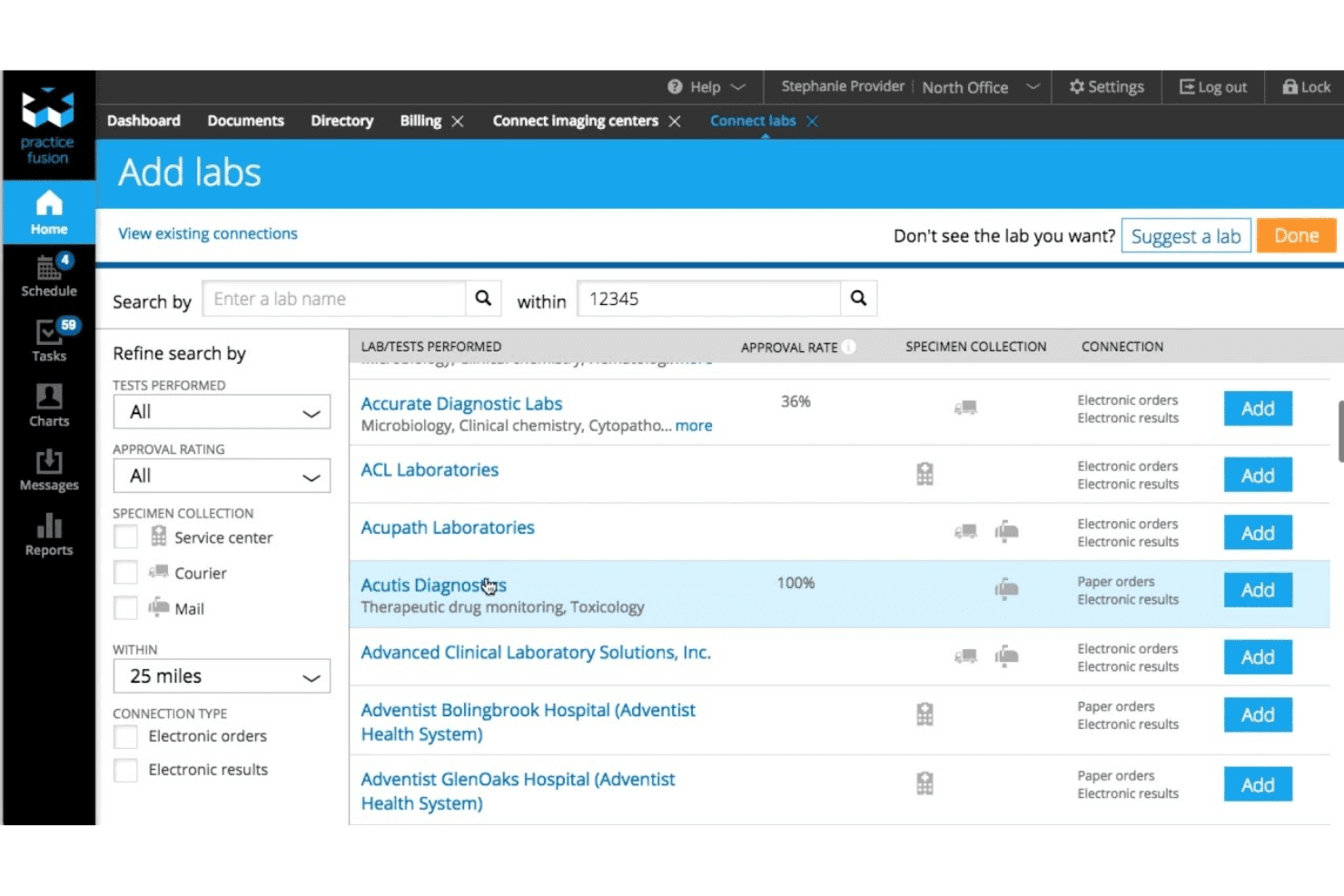
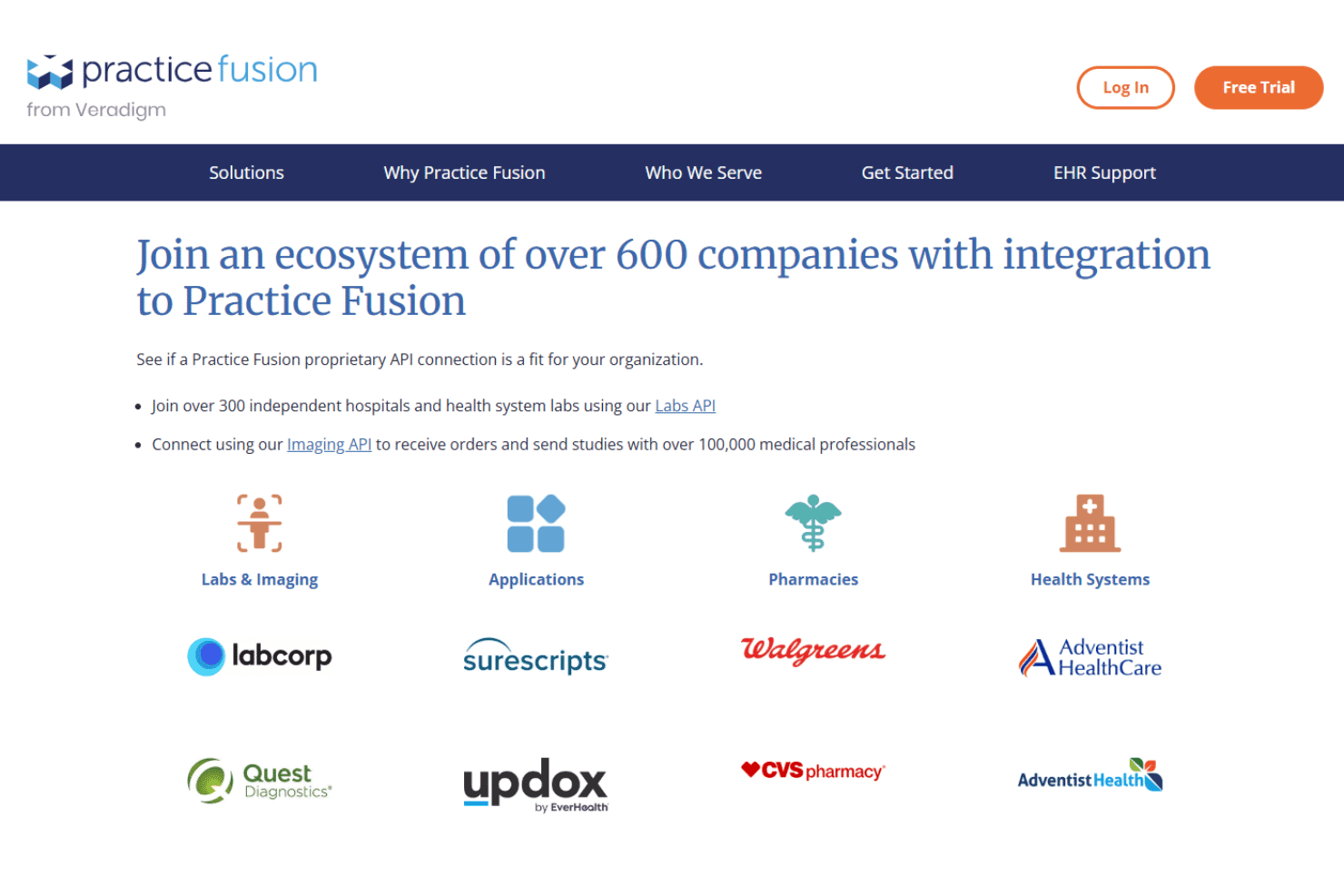
Practice Fusion integrates with Quest Diagnostics, LabCorp, CGM LABDAQ, Updox, Medsender, Avalon Laboratory System, OpenPM, DeepScribe, Service Center, and QuickSlot Health, among others.
Practice Fusion also offers an API for custom integrations and supports connections with third-party integration tools.
Practice Fusion Specs
- 2-Factor Authentication: No
- API: Yes
- Appointment Scheduling: Yes
- Approval Workflows: No
- Audit Management: No
- Audit Trail: Yes
- Batch Permissions & Access: No
- Billing/Invoicing: Yes
- Compliance Tracking: No
- Customer Management: Yes
- Data Export: Yes
- Data Import: Yes
- Document Management: Yes
- Electronic Prescribing: Yes
- External Integrations: Yes
- HIPAA Compliance: Yes
- Incident Management: No
- Multi-User: Yes
- Notifications: Yes
- Patient Management: Yes
- Regulatory Alerts: No
- Report & Compliance: Yes
- Risk Assessment: No
- Self-service Portal: Yes
- Task Scheduling/Tracking: Yes
- Workflow Management: Yes


