

Recensione di PatientNow: Pro, Contro, Caratteristiche e Prezzi
Ho messo PatientNow sotto la lente d'ingrandimento—ecco cosa emerge, dove manca e perché potrebbe (o meno) essere la soluzione EMR di cui il tuo studio ha bisogno.

Recensiamo gli strumenti in modo indipendente e le commissioni ci aiutano a finanziare i nostri test. Consulta la nostra politica sulla trasparenza, la nostra metodologia o suggerisci uno strumento.
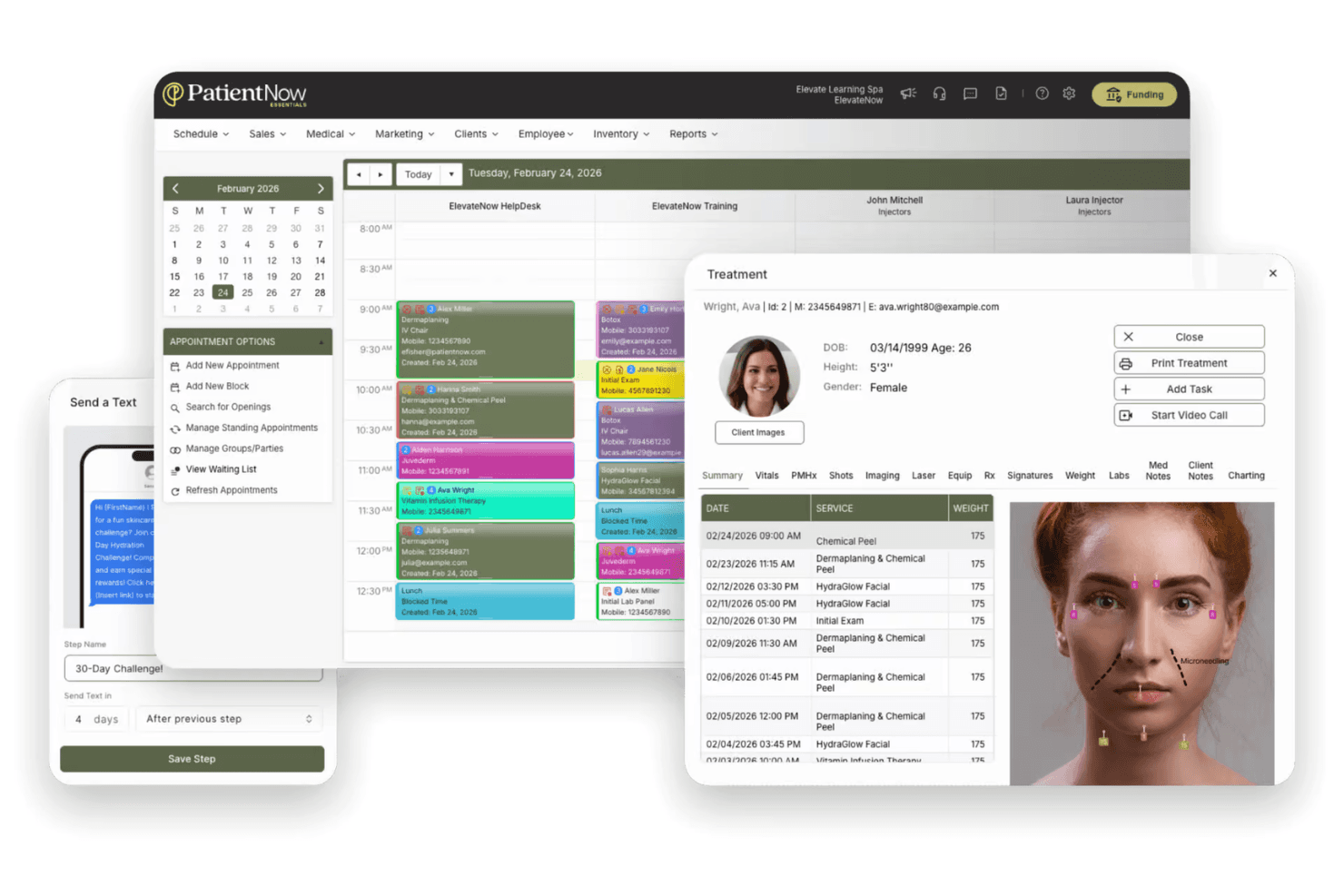
PatientNow is an EMR system built specifically for aesthetic medicine practices—med spas, plastic surgery clinics, and cosmetic dermatology offices. It's a strong fit if your practice runs on elective procedures and needs clinical documentation alongside patient retention tools in one place. I'd consider it over a tool like Nextech if you want purpose-built aesthetic workflows without the implementation complexity that comes with a larger enterprise platform.
PatientNow Evaluation Summary
3/5
- Pricing upon request
- Free demo available
Perché fidarsi dei nostri consigli sui software
6,700+
Reviews
20
Industry experts
16+
Evaluation factors
14
Years
Il nostro team testa e recensisce software dal 2012. In quanto leader di studi medici noi stessi, sappiamo quanto sia difficile — e importante — scegliere il software giusto.
Per questa guida, abbiamo valutato gli strumenti attraverso test pratici e ricerche indipendenti, assegnando un punteggio agli strumenti in base ai nostri criteri di selezione.
Le nostre recensioni riflettono il nostro giudizio editoriale umano, non un discorso di vendita.
PatientNow Overview
PatientNow, compared to other EMR pratice management software, is an all-in-one approach that combines scheduling, billing, and patient management. The interface is modern and onboarding is straightforward, but integrations can feel limited if you rely on niche third-party tools. Pricing is competitive for the feature set, and support is responsive.
I’d suggest PatientNow is best for clinics that want a unified system and value built-in automation over deep customization.
Pros
- HIPAA-compliant with role-based access controls.
- Automated patient recall and retention features.
- Built-in photography tools for before-and-after patient images.
Cons
- Limited flexibility for integrating niche third-party tools.
- Charting features are basic for advanced clinical needs.
- Customer support response times can be inconsistent.
Is PatientNow Right For Your Needs?
Who Would be a Good Fit for PatientNow?
PatientNow is a strong choice for clinics and practices that want a unified platform for patient engagement, scheduling, and documentation. Its built-in photography, automated recall, and HIPAA-compliant features make it especially valuable for visually oriented specialties and practices focused on patient retention.
You’ll get the most value if your team needs automation and workflow tools more than deep customization or complex integrations.
- Small to Mid-Sized PracticesAll-in-one functionality and straightforward onboarding suit practices without dedicated IT staff.
- Cosmetic DentistryPhoto documentation and patient communication features support cosmetic case management.
- Multi-Provider ClinicsRole-based access and scheduling tools simplify operations for teams with multiple providers.
- Dermatology PracticesAutomated recall and visual recordkeeping help dermatologists track treatment progress.
- Plastic Surgery ClinicsThe platform’s image documentation and patient engagement tools support surgical consults and follow-ups.
- MedspasPatientNow’s before-and-after photo management and consent forms are tailored for aesthetic procedures.
Who Would be a Bad Fit for PatientNow?
PatientNow isn’t ideal for organizations that need highly specialized clinical workflows, deep third-party integrations, or advanced analytics. If your team relies on custom reporting, complex billing, or integration with hospital systems, you’ll likely find PatientNow’s feature set limiting compared to other options.
- Tech-Heavy IT DepartmentsLimited API and integration options restrict IT-driven workflow customization.
- Practices With Custom BillingBilling features are designed for standard, not highly customized, billing processes.
- Research InstitutionsPatientNow doesn’t offer advanced data export or research-focused modules.
- Enterprise Health NetworksCustom reporting and analytics capabilities are limited for enterprise-level needs.
- Behavioral Health ClinicsThe platform’s charting and documentation tools aren’t tailored for behavioral health workflows.
- Large Hospital SystemsPatientNow lacks the advanced interoperability and scalability large hospitals require.
Come testiamo e valutiamo gli strumenti
Abbiamo trascorso anni a costruire, perfezionare e migliorare il nostro sistema di test e valutazione del software. Il criterio è progettato per cogliere le sfumature della selezione del software e cosa rende uno strumento efficace, concentrandosi sugli aspetti critici del processo decisionale. Qui sotto puoi vedere esattamente come funzionano i nostri test e punteggi in base a sette criteri. Ci consente di offrire una valutazione obiettiva del software basata su funzionalità principali, caratteristiche distintive, facilità d’uso, onboarding, assistenza clienti, integrazioni, recensioni dei clienti e rapporto qualità-prezzo.
Funzionalità Principali (25% del punteggio finale)
Il punto di partenza della nostra valutazione sono sempre le funzionalità principali dello strumento. Ha le funzioni di base che un utente si aspetterebbe? Alcune di queste funzioni principali sono riservate a piani tariffari superiori? In sostanza, ci aspettiamo che uno strumento sia all’altezza delle capacità di base dei suoi concorrenti.
Caratteristiche Distintive (25% del punteggio finale)
Successivamente, valutiamo caratteristiche distintive e insolite che vanno oltre le funzionalità di base tipicamente presenti negli strumenti della stessa categoria. Un punteggio alto riflette funzionalità specializzate o uniche che rendono il prodotto più veloce, efficiente o offrono un valore aggiunto all’utente. Valutiamo anche quanto sia facile integrare con altri strumenti comunemente presenti nella stack tecnologica per espandere funzionalità e utilità del software. Gli strumenti che offrono numerose integrazioni native, connessioni di terze parti e accesso API per creare integrazioni personalizzate ottengono il punteggio migliore.
Facilità d’Uso (10% del punteggio finale)
Consideriamo quanto sia rapido e intuitivo eseguire i compiti definiti nelle funzionalità principali usando lo strumento. Il software con punteggi elevati è ben progettato, intuitivo, offre app mobili, fornisce modelli e fa sembrare semplici anche compiti complessi.
Onboarding (10% del punteggio finale)
Sappiamo quanto sia importante l’adozione rapida da parte del team per una nuova piattaforma, perciò valutiamo quanto sia facile imparare e usare uno strumento con una formazione minima. Valutiamo quanto tempo impiega un membro del team a configurarsi e iniziare a usare lo strumento senza esperienza. Le soluzioni che ottengono il punteggio più alto richiedono poco o nessun supporto.
Assistenza Clienti (10% del punteggio finale)
Esaminiamo quanto sia rapido e semplice sbloccarsi e trovare aiuto tramite telefono, chat dal vivo o knowledge base. Gli strumenti e le aziende che forniscono assistenza in tempo reale ottengono il punteggio migliore, mentre i chatbot ottengono il punteggio più basso.
Recensioni dei Clienti (10% del punteggio finale)
Oltre ai nostri test e valutazioni, consideriamo il net promoter score da parte di clienti attuali e passati. Esaminiamo la probabilità che, data la possibilità, scelgano nuovamente lo strumento per le sue funzioni principali. Un software con punteggio elevato riflette un alto net promoter score da parte di clienti attuali o passati.
Rapporto Qualità-Prezzo (10% del punteggio finale)
Infine, tenendo conto di tutti gli altri criteri, analizziamo il prezzo medio dei piani base rispetto alle caratteristiche principali e valutiamo il valore degli altri criteri. Il software che offre di più, a meno, otterrà un punteggio più alto.
Core Features
Electronic Medical Records (EMR)
Centralizes patient records, treatment notes, and medical histories in one secure system. Users can quickly access and update charts, improving documentation accuracy.
Practice Management
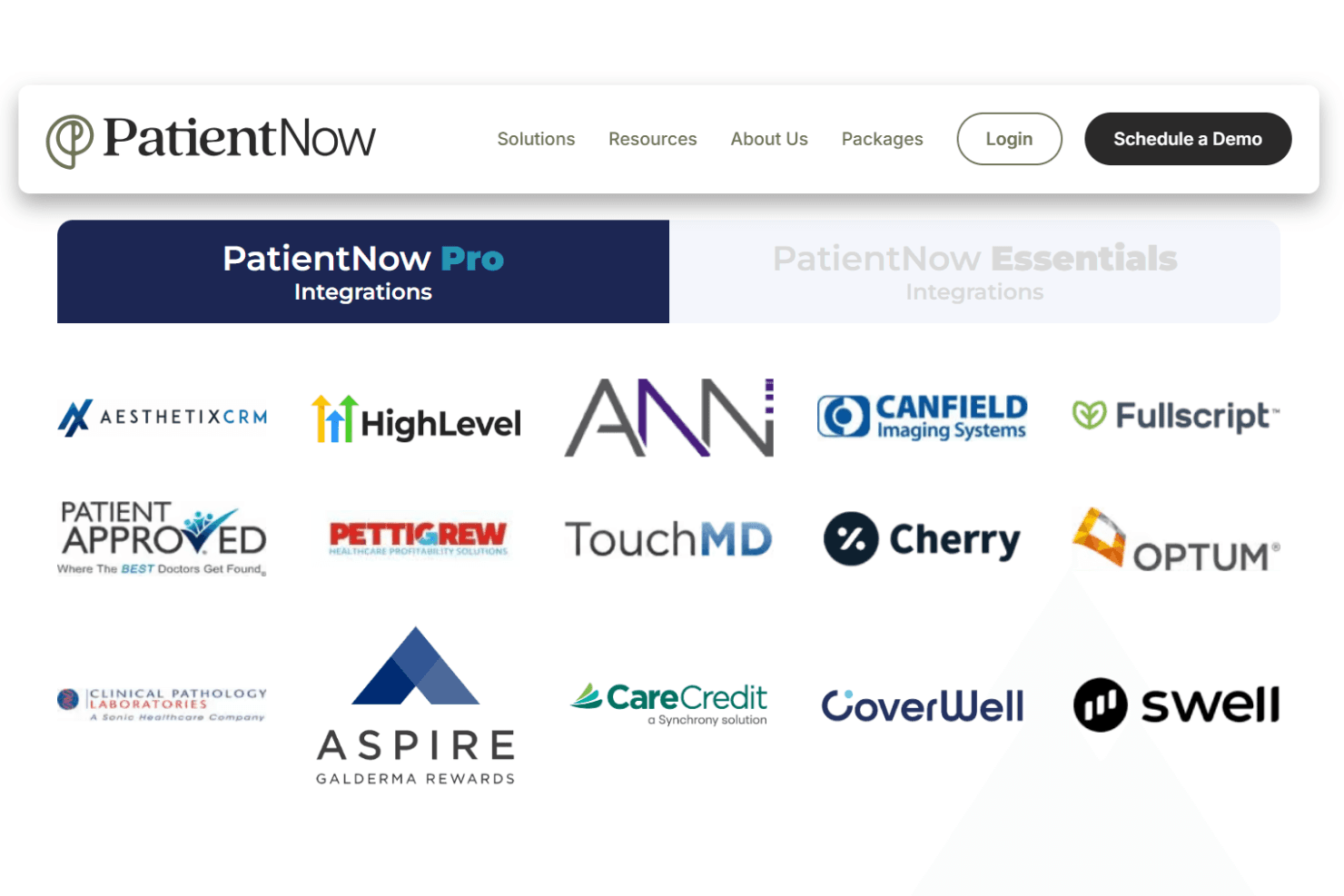
Handles scheduling, appointment reminders, and workflow automation for daily operations. This feature helps reduce no-shows and keeps your team organized.
Patient Engagement
Offers online forms, automated reminders, and personalized communication tools. Practices can boost patient satisfaction and retention with these built-in engagement options.
Integrated Payments
Processes payments, tracks invoices, and manages financial records within the platform. Secure payment workflows help practices get paid faster and reduce manual errors.
Photography and RxPhoto
Captures, stores, and compares before-and-after images with annotation tools. This is especially valuable for aesthetic and cosmetic practices needing visual documentation.
Digital Marketing Tools
Includes AI-powered SMS/email campaigns and reputation management features. Practices can attract new patients and manage their online presence directly from the platform.
Ease of Use
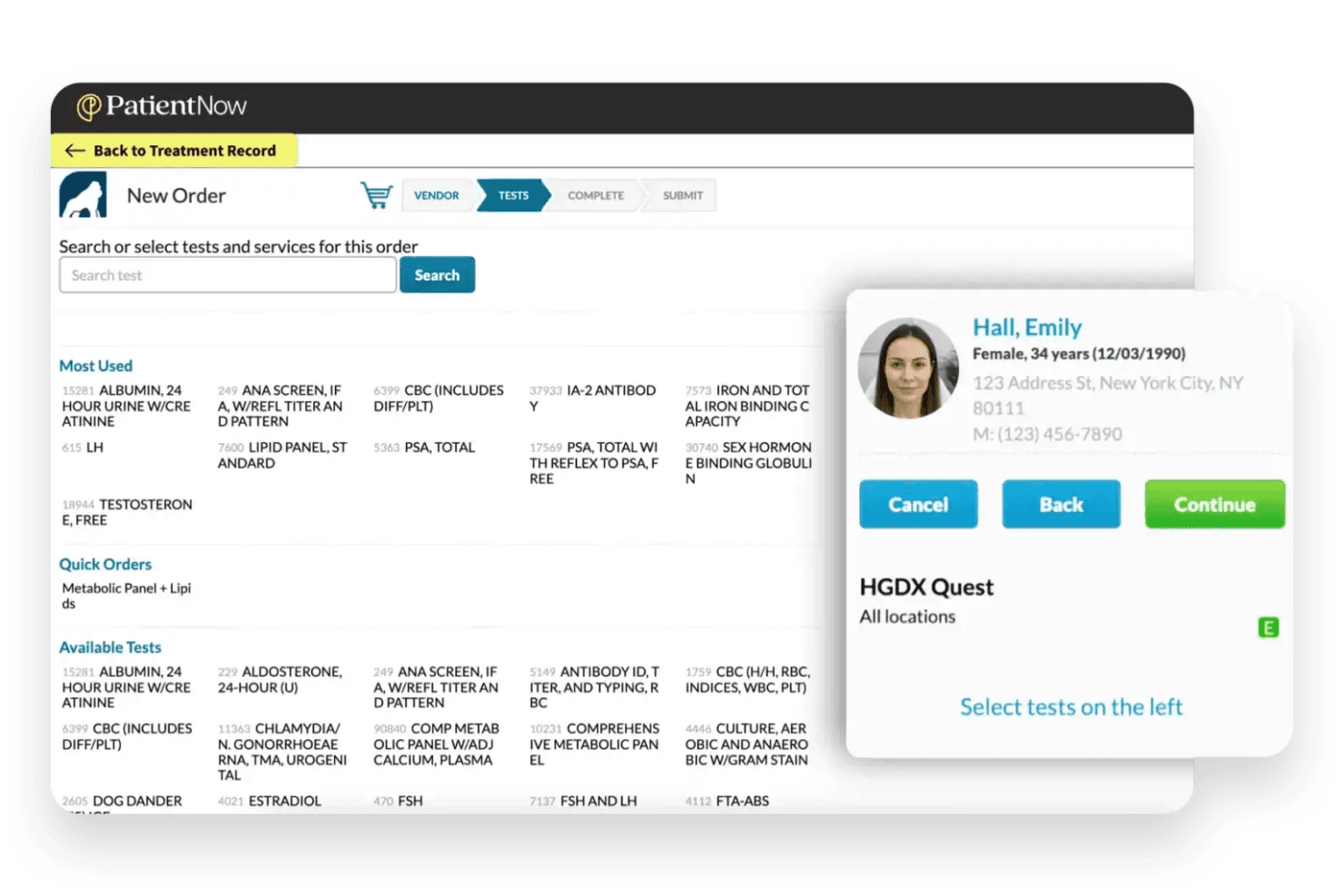
PatientNow offers a clean, modern interface that most users find intuitive, especially for scheduling, charting, and managing patient photos. Onboarding is straightforward, with guided setup and helpful training resources. Users often mention that daily tasks like appointment booking and documentation are quick to learn.
However, some advanced features—like reporting or custom workflows—can require extra support or training, so practices with complex needs may need more time to get fully comfortable.
Integrations
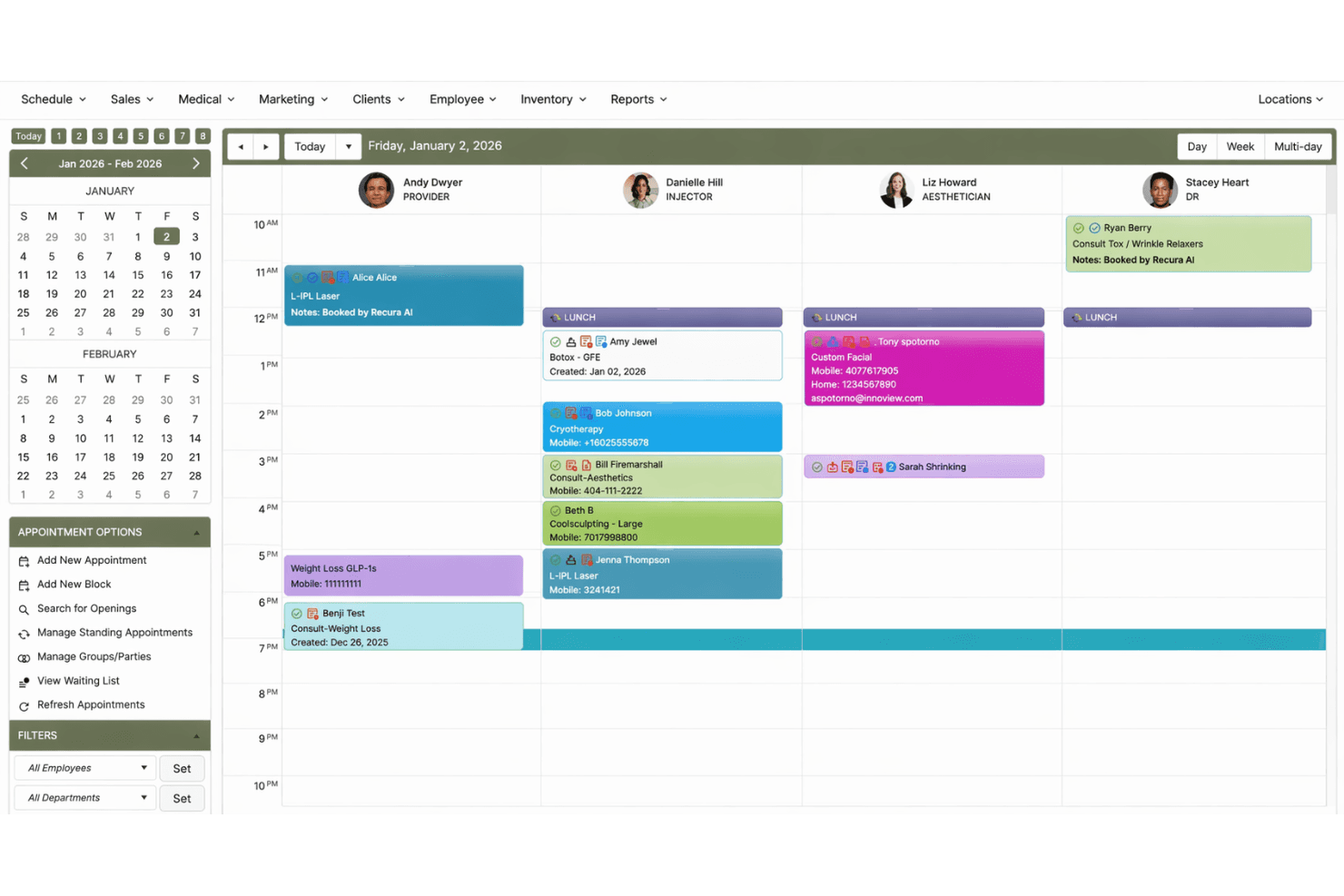
PatientNow integrates with AesthetixCRM, Canfield Imaging Systems, Fullscript, Patient Approved, TouchMD, Cherry, Optum, Clinical Pathology Laboratories, Aspire, and Greenway Health, among others.
PatientNow does not publicly advertise an open API or direct connections with third-party integration tools.
PatientNow Specs
- API: No
- Appointment Scheduling: Yes
- Athlete Management: No
- Audit Management: Yes
- Calendar Management: Yes
- Compliance Tracking: Yes
- Customer Management: Yes
- Dashboard: Yes
- Data Export: Yes
- Data Import: Yes
- Data Visualization: Yes
- Electronic Prescribing: Yes
- External Integrations: Yes
- File Sharing: No
- File Transfer: No
- Health Management: Yes
- HIPAA Compliance: Yes
- Inventory Tracking: Yes
- Multi-User: Yes
- Notifications: Yes
- Organization Management: Yes
- Patient Management: Yes
- Project Management: No
- Regulatory Alerts: No
- Risk Assessment: No
- Scheduling: Yes
- Supplier Management: No


